


- Minimum payout: $100;
- Time: once every two weeks.
- Email: support@affvibe.global
- Telegram: https://t.me/affvibe_support
AFFVIBE
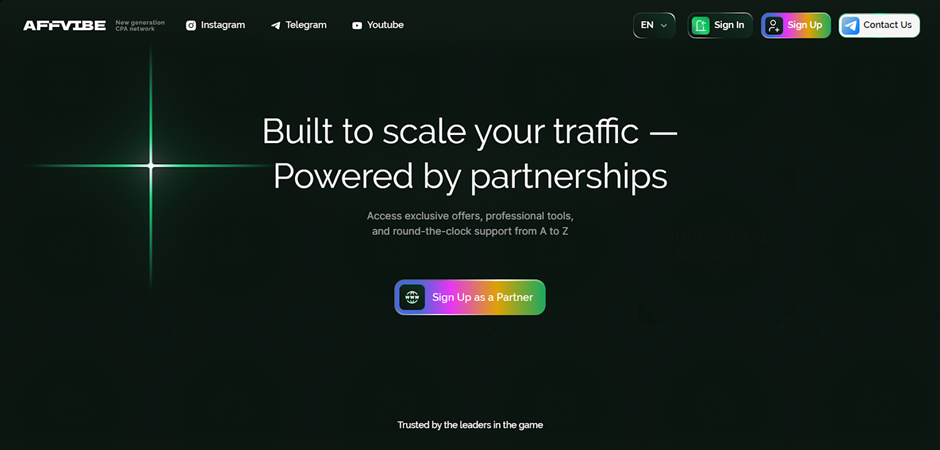
AFFVIBE is an international affiliate network in the iGaming and Betting verticals. It was created by Arbitration Shaman (Erdem – CEO of Royal Partners) on 3 September 2025. It works on CPA, RevShare, and Hybrid models.
- Offer verticals – iGaming, Betting;
- Exclusive offers on request;
- Reg2Dep conversion – 20%+;
- AI services for creatives;
- 24/7 support.
AFFVIBE affiliate programme
Registration
On the AFFVIBE website, click ‘Sign Up’ in the top right corner. Fill out the short registration form, which includes the following fields: user@example.com, Password, Confirm password, Traffic Source, and Contact.
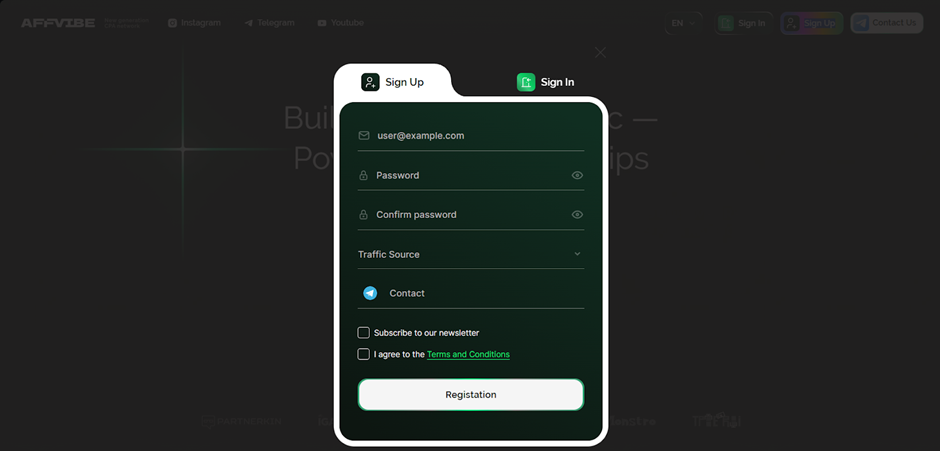
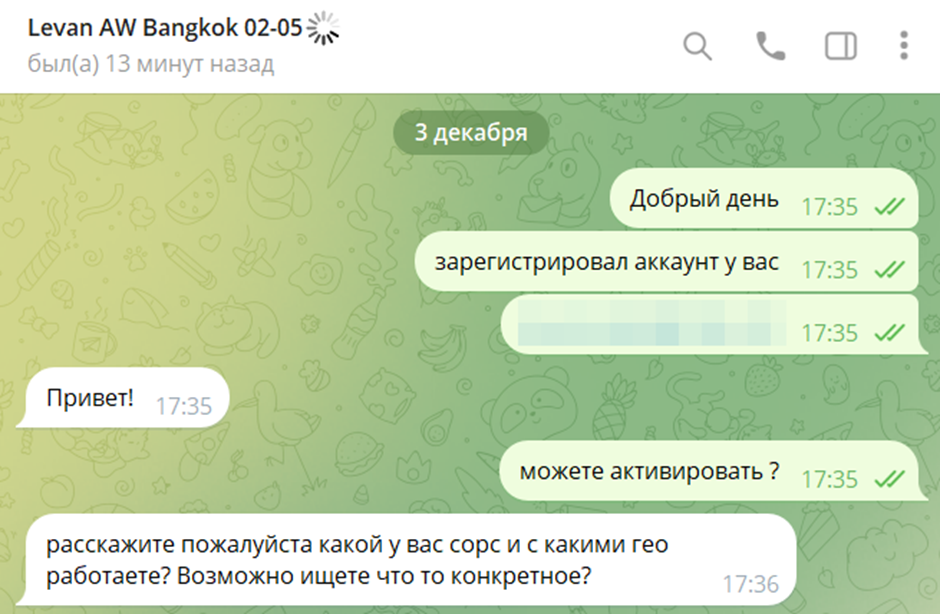
Click ‘Registration’ to complete the registration. You will receive an email stating that a manager will contact you to verify your account and start working with offers.
The manager responds quickly to messages if you write first.
Available offers
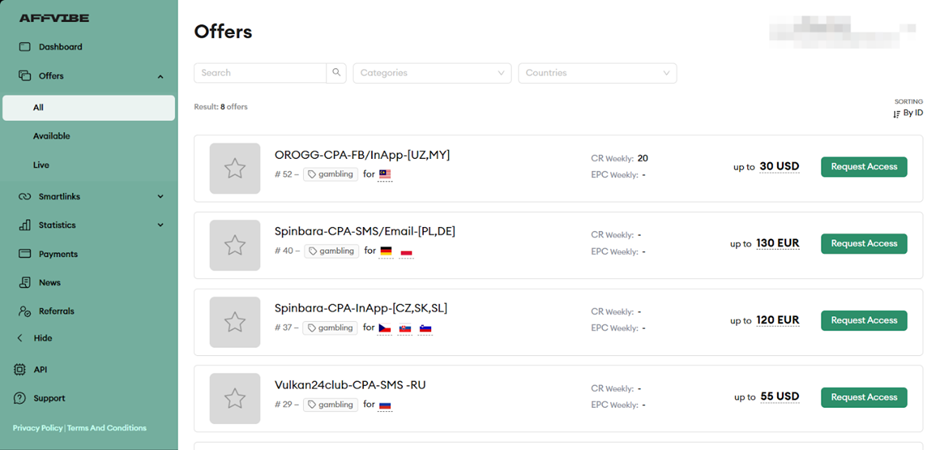
The ‘Offers’ section shows the products available for advertising. Brief information is displayed next to each one – name, GEO, and payment.
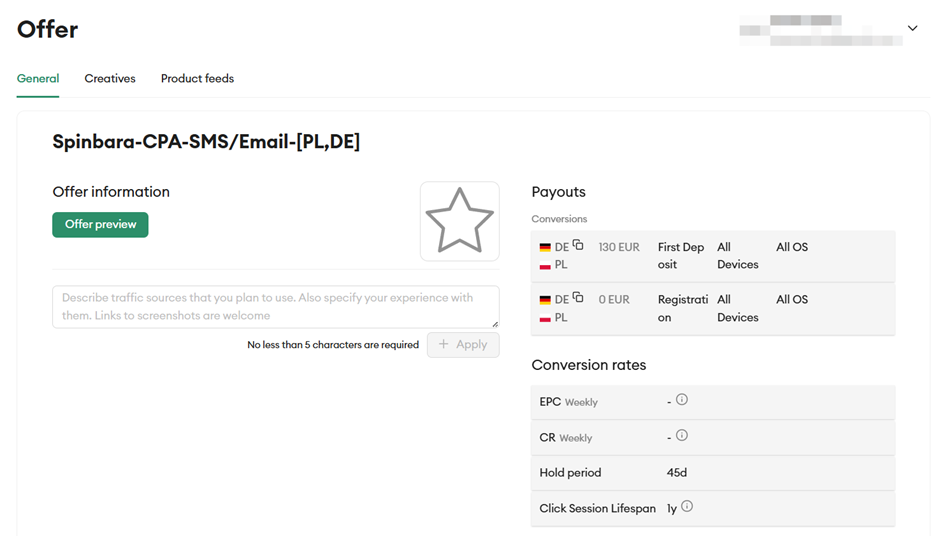
The offer’s card contains information on rates, conditions, description, restrictions, and other details.
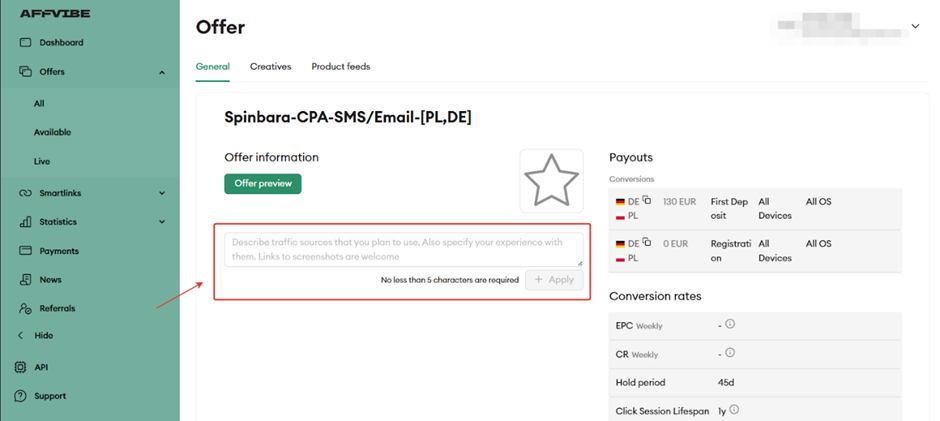
Affiliate link creation
To create a link, request access to the offer by filling in the special field in the offer’s card or via the manager.
The offer’s card contains a form for generating an advertising link, where you can select a landing page and specify additional tags for tracking.
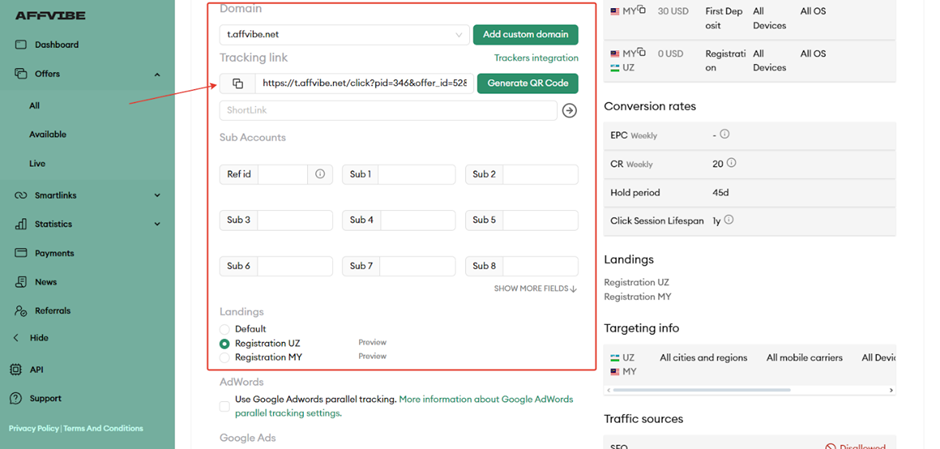
The link obtained is used to drive traffic.
Which GEOs to pay attention to
- Russia, Africa, Germany, Korea
What traffic is accepted
- Accepted: SEO, PPC, FB, TikTok, UAC, ASA, In-App, Email, Push, Native, Telegram, Influencer traffic, Mailings, SMS.
- By agreement: Brand bidding
- Not accepted: Motivated, Fraud, Spam, Incent, and fake registrations.
Statistics
The AFFVIBE affiliate programme provides detailed traffic statistics.
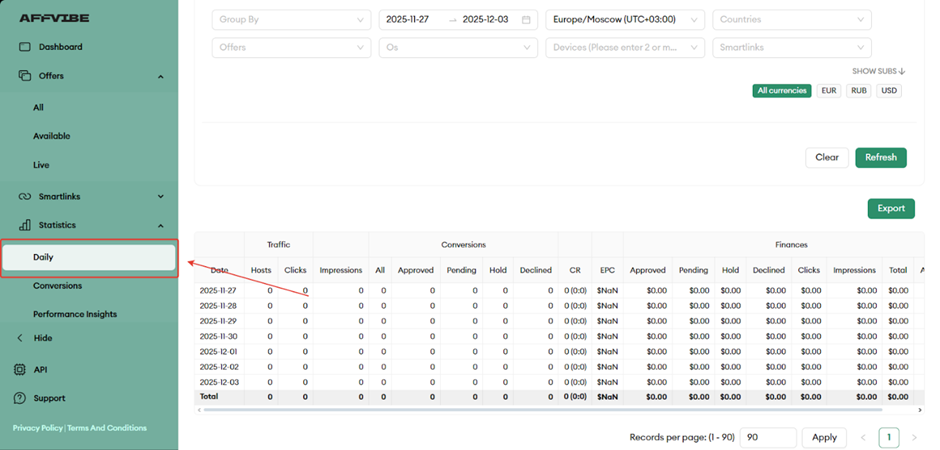
Available statistics parameters:
- Traffic: Hosts, Clicks;
- Impressions;
- Conversions: All, Approved, Pending, Hold, Declined:
- CR;
- EPC;
- Finances: Approved, Pending, Hold, Declined, Clicks, Impressions, Total, Ad Costs.
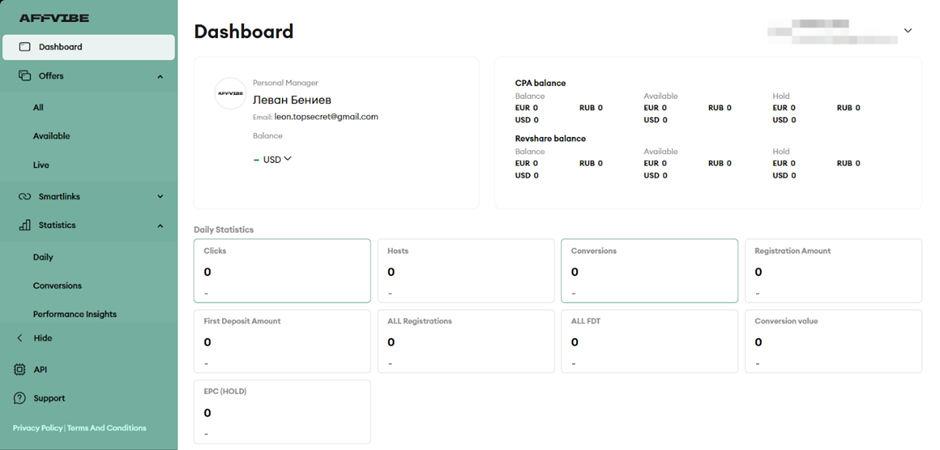
To view general account information, open the Dashboard. This section shows your total balance and summary statistics.
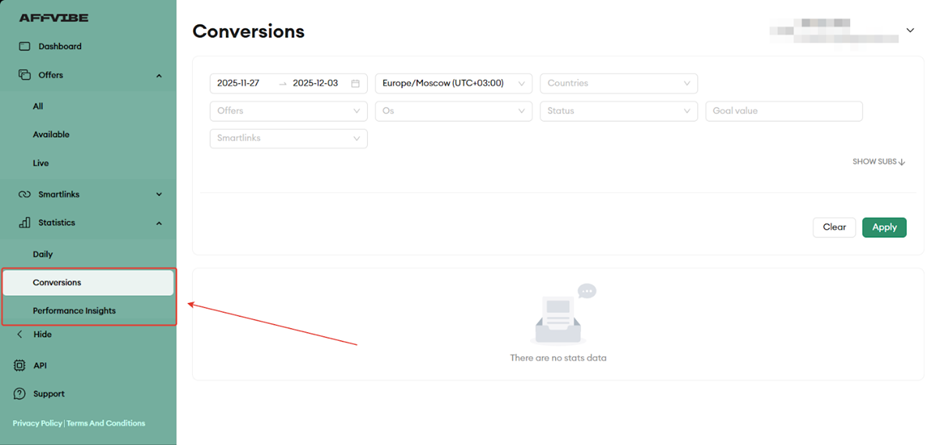
There are also conversion statistics and performance analysis.
Postback configuration
Let’s configure postback in AFFVIBE.
- Make the necessary settings on your tracker side.
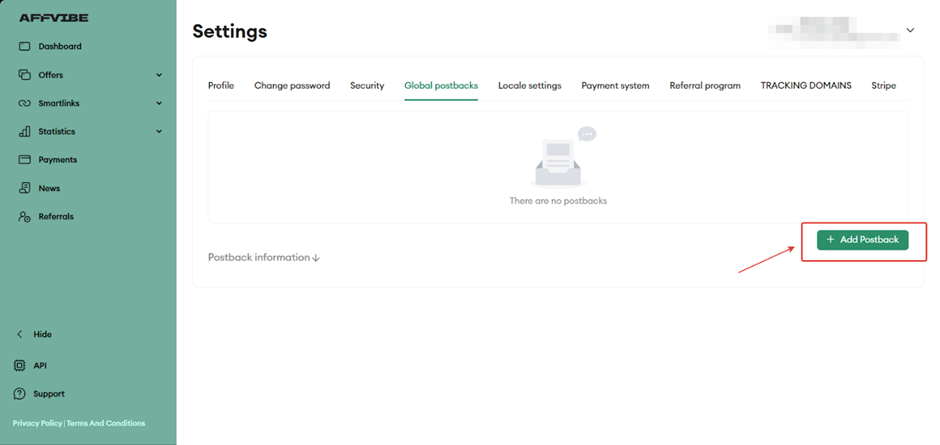
- Open AFFVIBE, go to the Global Postback page in the Settings section.
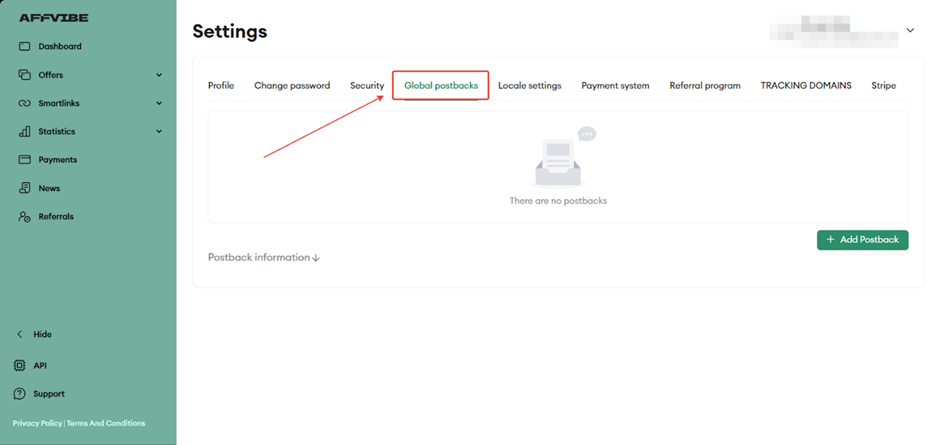
- Click ‘Add Postback’.
- Paste the Postback URL received from your tracker, select Status, enter the required Advert postback value, and click Add Postback.
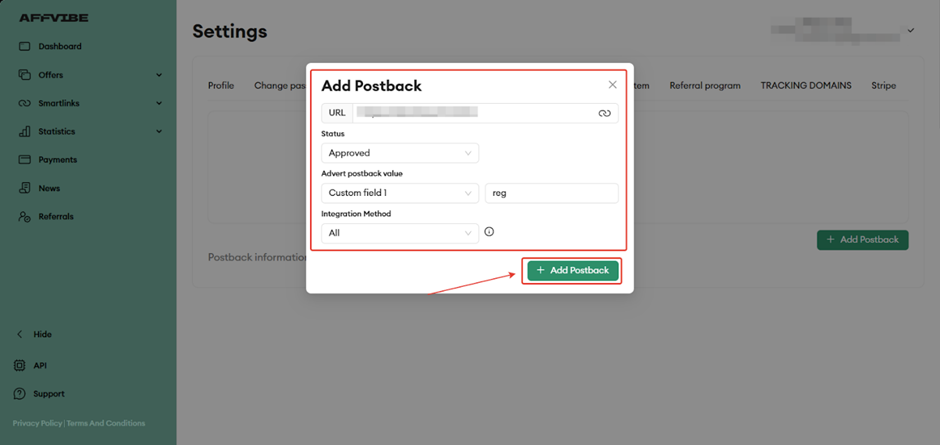
Before driving traffic, be sure to check the functionality of the configured postback.
Payments
- Hold: depends on the offer;
- Minimum payment: $100.
- Payments: once every 2 weeks;
Technical support and social networks
Contacts:
- Email: support@affvibe.global
- Telegram: https://t.me/affvibe_support
Social networks:
- Telegram: https://t.me/+3Aa9Hg9Z4GE0ZDdk
- Youtube: youtube.com/@affvibe
- Instagram: Instagram.com/affvibe