



- Minimum payout: $100;
- Time: twice a month.
-
 USDT
USDT -
 Bank card
- Telegram: https://t.me/maksym_cactus
- Streams manager: https://t.me/cactusstreammanager
Cactus Partners
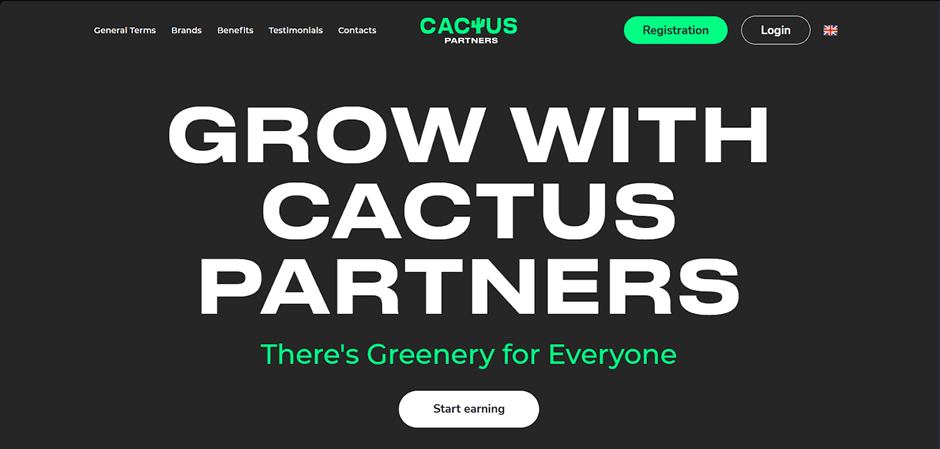
Cactus Partners is an affiliate programme of the direct advertiser of the gambling brand Cactus. It was founded in 2024. It operates on CPA, RevShare, Hybrid, and Flat fee models.
- Online casino under the Cactus brand, licensed by Anjouan;
- High rates up to $100;
- Reg2dep 26%;
- Media support and a well-developed Retention department;
- Assistance in making creatives and landing pages;
- 24/7 support and a personal manager.
Overview of the Cactus Partners affiliate programme
Registration
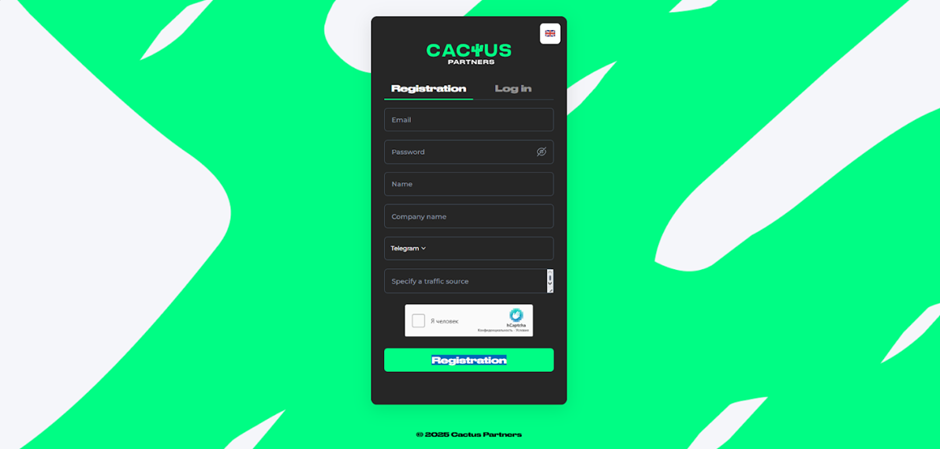
To register, go to the Cactus Partners website and click on the ‘Registration’ button. Fill in the required fields on the registration form: Email, Password, Name, Company name, Telegram, and Specify a traffic source. Click ‘Registration’ to complete the registration process.
Available offers
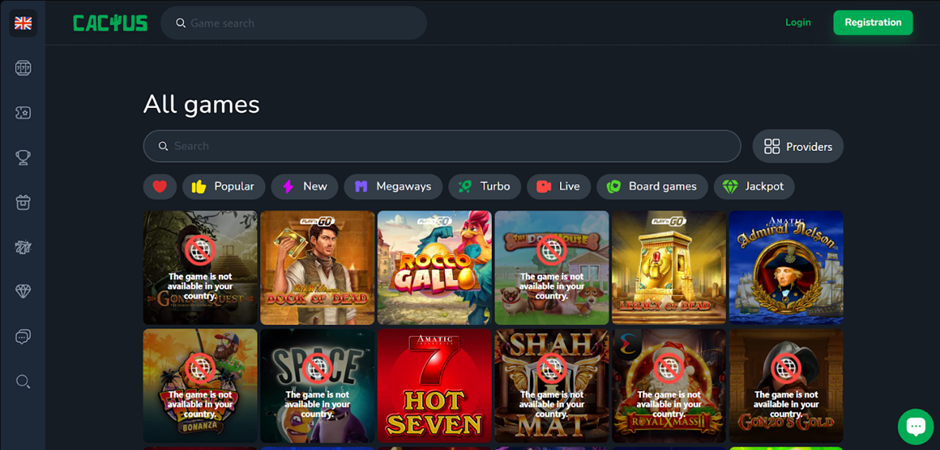
Cactus is a modern licensed brand with active media support, which has a positive effect on conversion. The Retention department constantly works with players to increase LTV.
Affiliate link creation
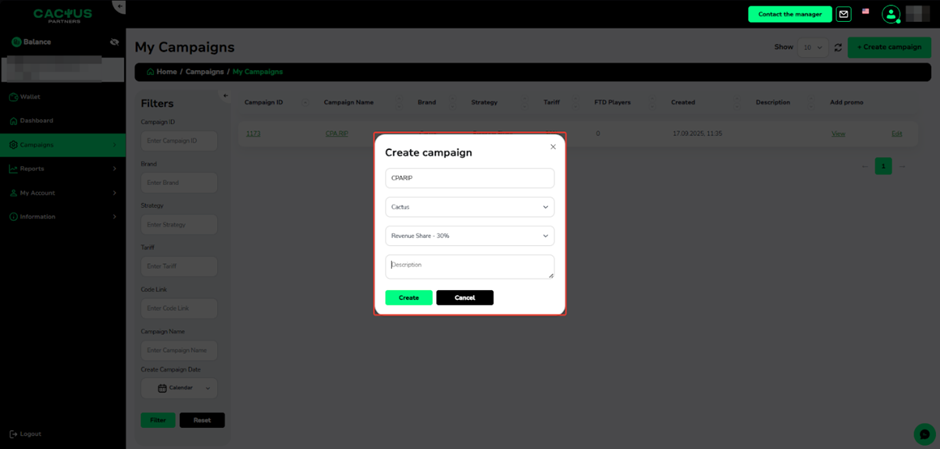
To create an affiliate link, go to the ‘Campaigns’ page and click ‘Create campaign’.
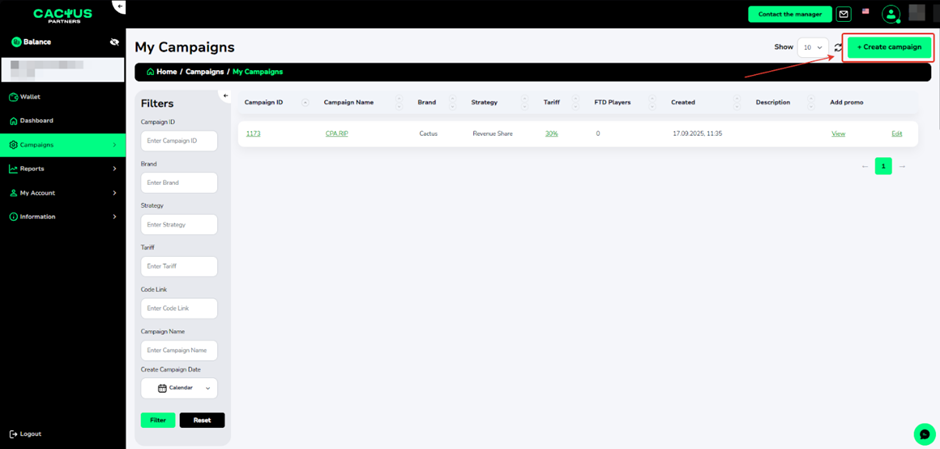
Enter the campaign name, select the brand, and the commission. Click ‘Create’.
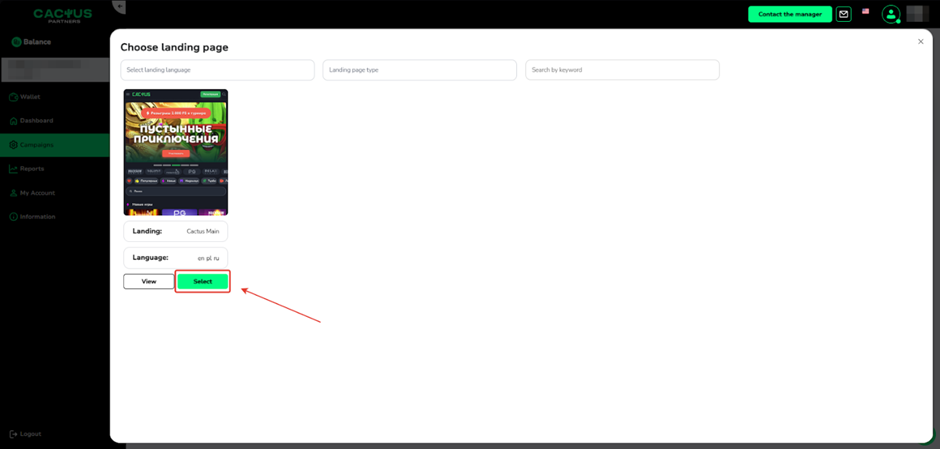
Select the landing page and click ‘Select’.
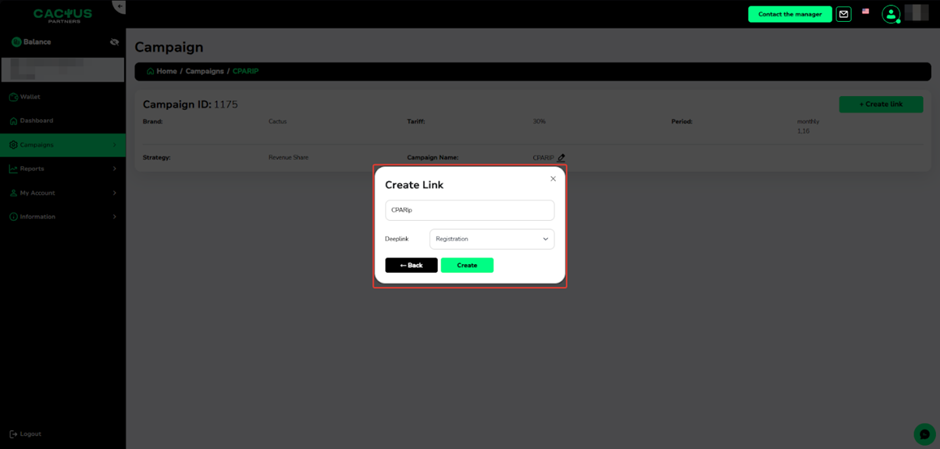
Set the link name and select Deeplink. Click ‘Create’.
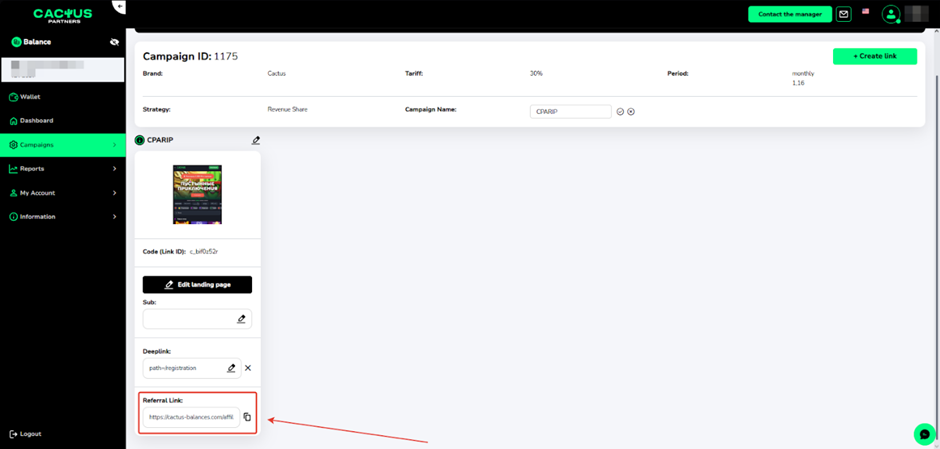
A page with detailed information and the created advertising link will open.
Which GEOs to pay attention to
- Russia, Ukraine, Poland.
What traffic is accepted
- Accepted: TG/Email/SEO/ASO/PPC/Native;
- Not accepted: schemes, incentive traffic
Statistics
The Cactus Partners affiliate programme provides detailed traffic statistics — 9 filters and 20 parameters. To view detailed information on traffic and conversions, open the ‘Reports’ menu item and go to the ‘Statistics’ page.
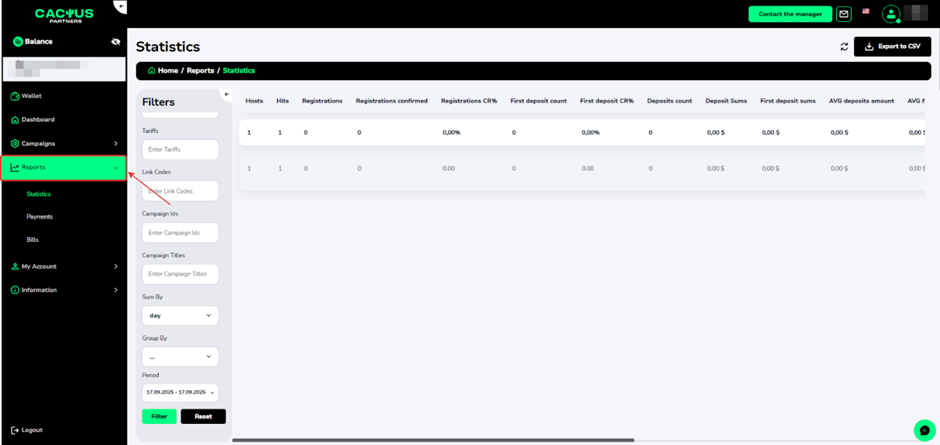
- Filters: Strategies, Brands, Tariffs, Link Codes, Campaign IDs, Campaign Titles, Sum By, Group By, Period;
- Statistics parameters: Hosts, Hits, Registrations, Registrations confirmed, Registrations CR%, First deposit count, First deposit CR%, Deposits count, Deposit Sums, First deposit sums, AVG deposits amount
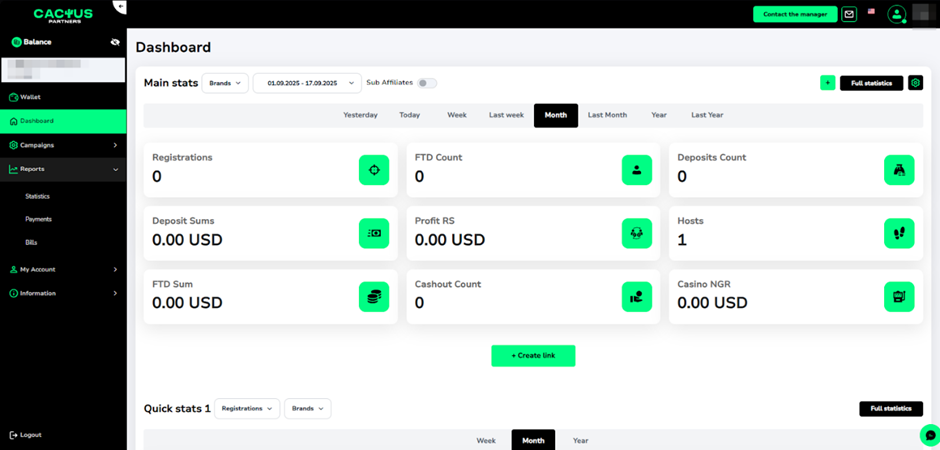
The ‘Dashboard’ section shows your total balance and summary statistics.
Postback settings
Your personal manager can help you set up postback.
Payments
- Hold: 14 days
- Payments: twice a month
Technical support and social media
Contacts:
- Telegram: https://t.me/maksym_cactus
- Streams manager: https://t.me/cactusstreammanager
Social networks:
- Telegram: https://t.me/partners_cactus