



- Minimum payout: $40 / ₽3000;
- Time: 3 working days.
-
 Bank cards
 -
 Capitalist
 -
 ZaleyCash
 -
 USDT (TRC20/ERC20)
 -
 Eprofit
 -
 Wire Transfer
 -
 РС
РС
- Telegram: https://t.me/M1_Support_Bot
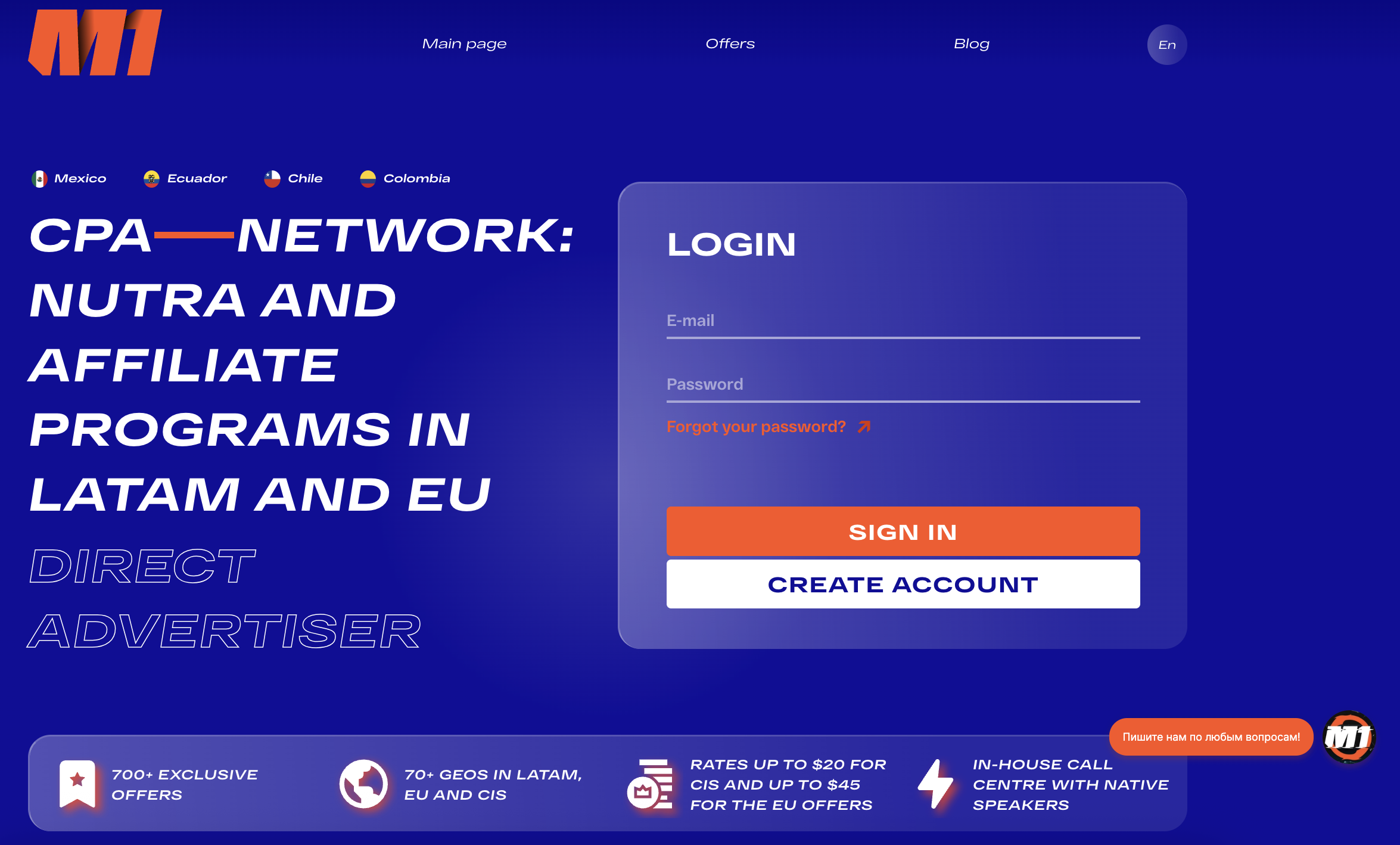
M1 is an affiliate CPA network and direct advertiser in Latin America and Europe. It has over 700 offers. It was founded in 2013 by Igor Ivanov, the project is currently owned by Denis Lagutenko. It works on CPA, CPL, and SS models.
- 700+ offers, including in-house, available for promotion in 70+ countries;
- Rates up to $111, approval up to 50%;
- Own call centres, logistics, production, promotion;
- Guarantees from the start for solo webmasters and teams;
- Private and turnkey offer production:
- Assistance with translation and adaptation of landing pages.
- Promotion for new partners: M1 will beat the rate of any affiliate network.
Registration
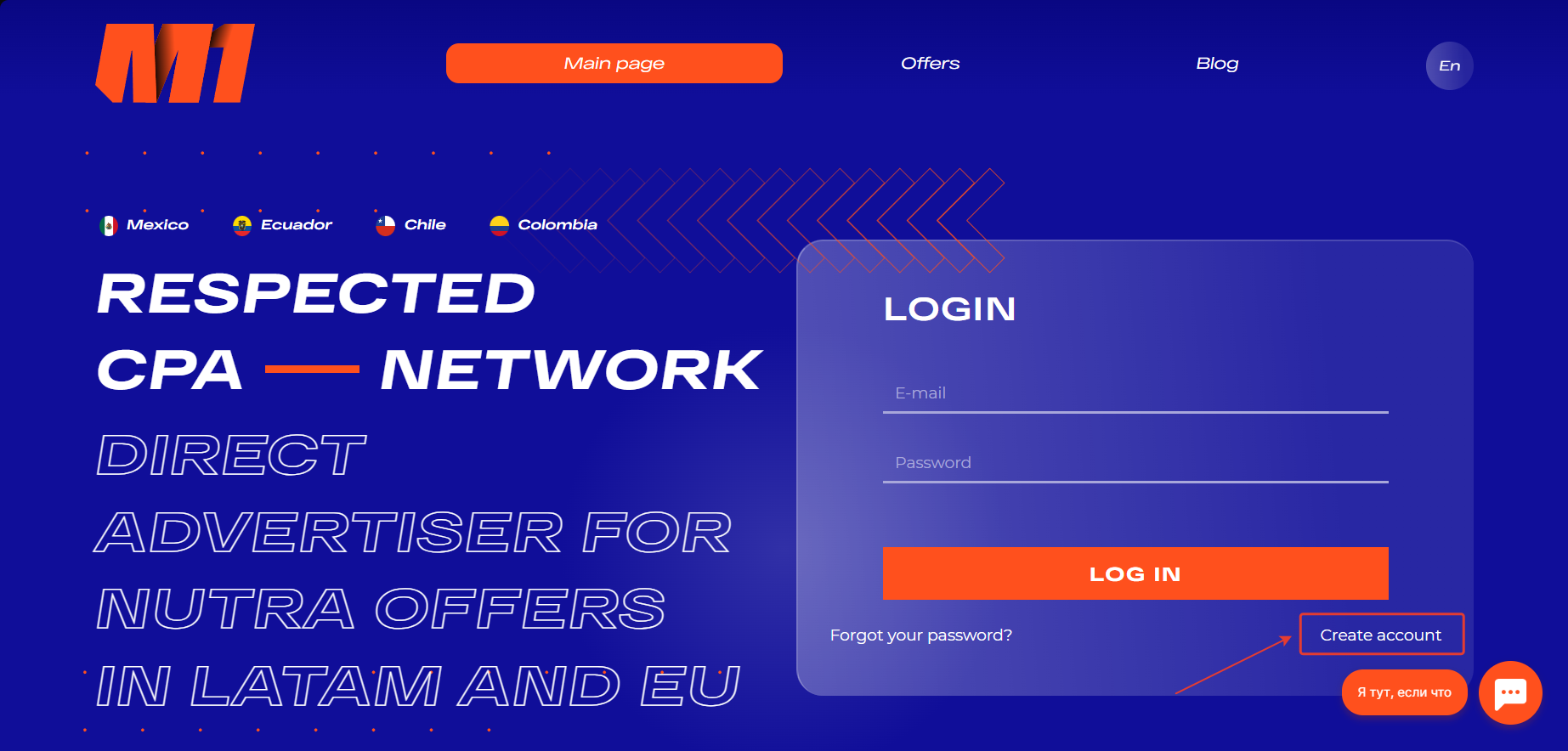
- On the M1 website, click on the ‘Create account’ button.
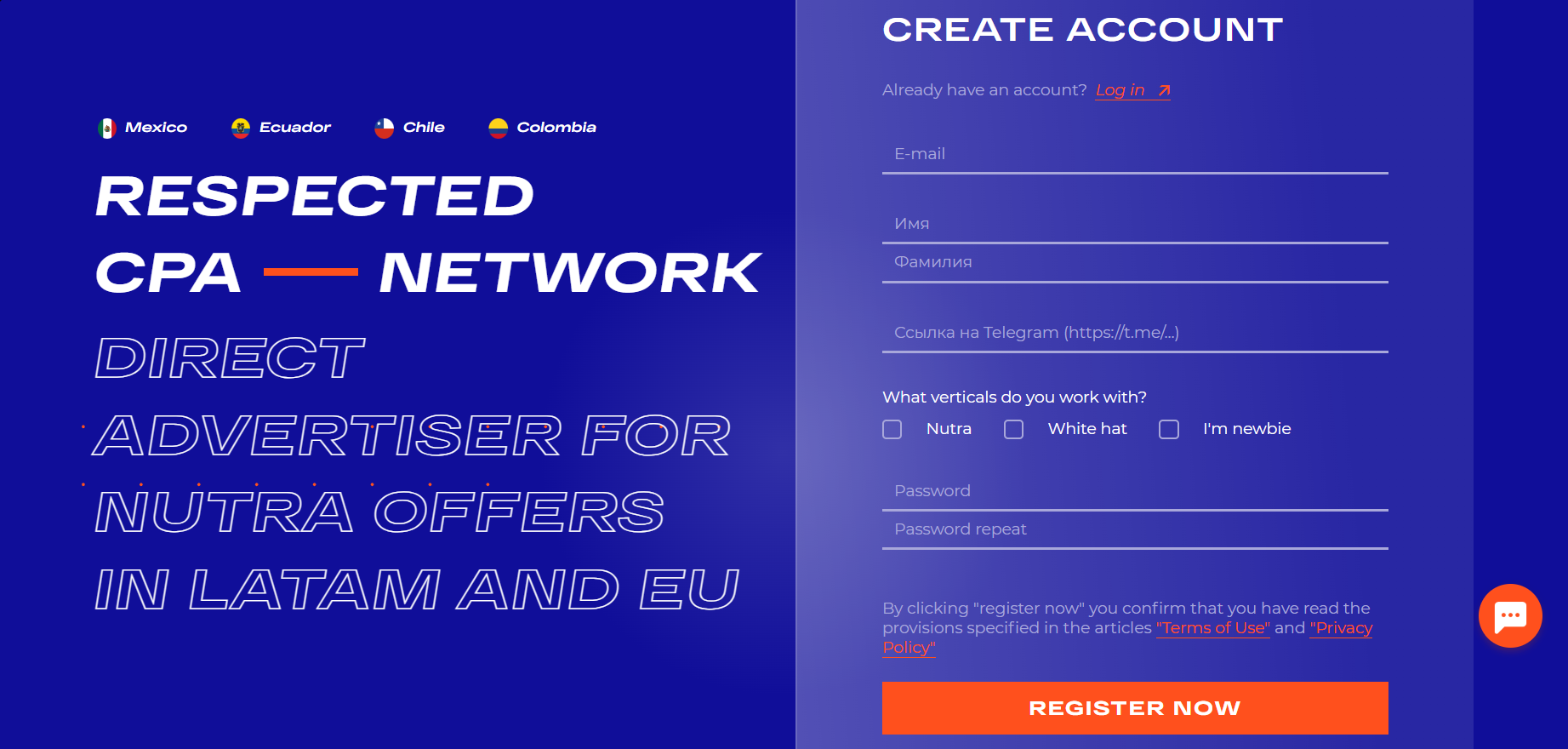
- Fill out a simple registration form: E-mail, First name, Last name, Telegram, Password, and Password repeat.
- Select the vertical you work with and click ‘Register Now’.
- Confirm your email address.
- To activate your account on the website, go to the chatbot.
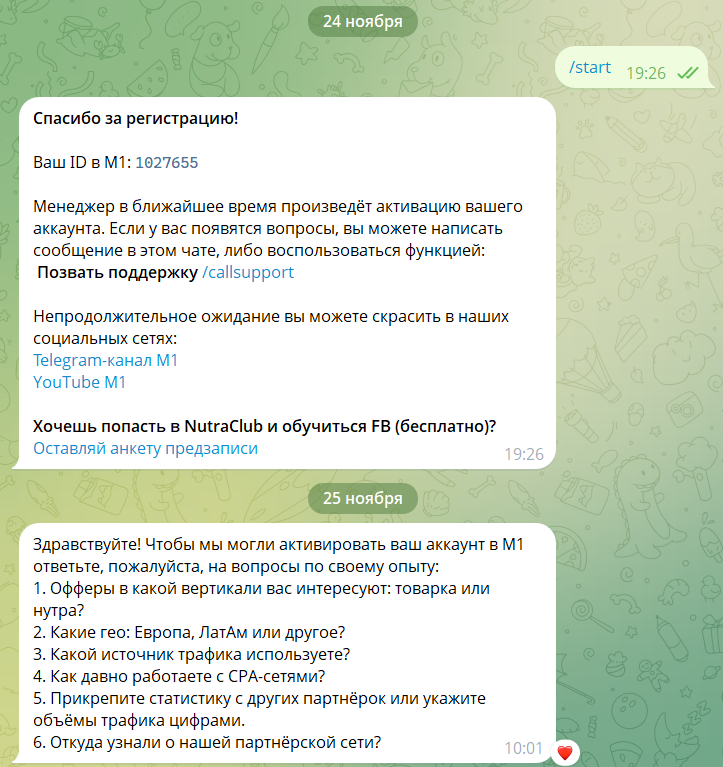
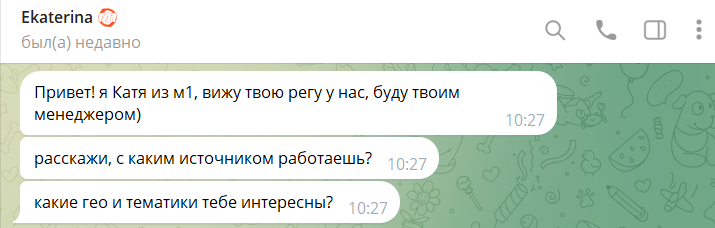
After completing the preliminary survey, a manager will contact you within 30 minutes.
Available offers
The M1 affiliate program features over 700 offers in 26 different categories. They are available for promotion in 70+ countries.
Offers worth paying attention to:
- ArtiZynt – joints (Low price)
- GEO: Italy – AR 32%
- ArtiZynt – joints (Full price +)
- GEO: Germany – AR 38%
- Prostalis – prostatitis (Low price)
- GEO: Italy – AR 34%
M1 has a large pool of its own offers, for example:
- Diaform
- Flexosamine
- Idealfit
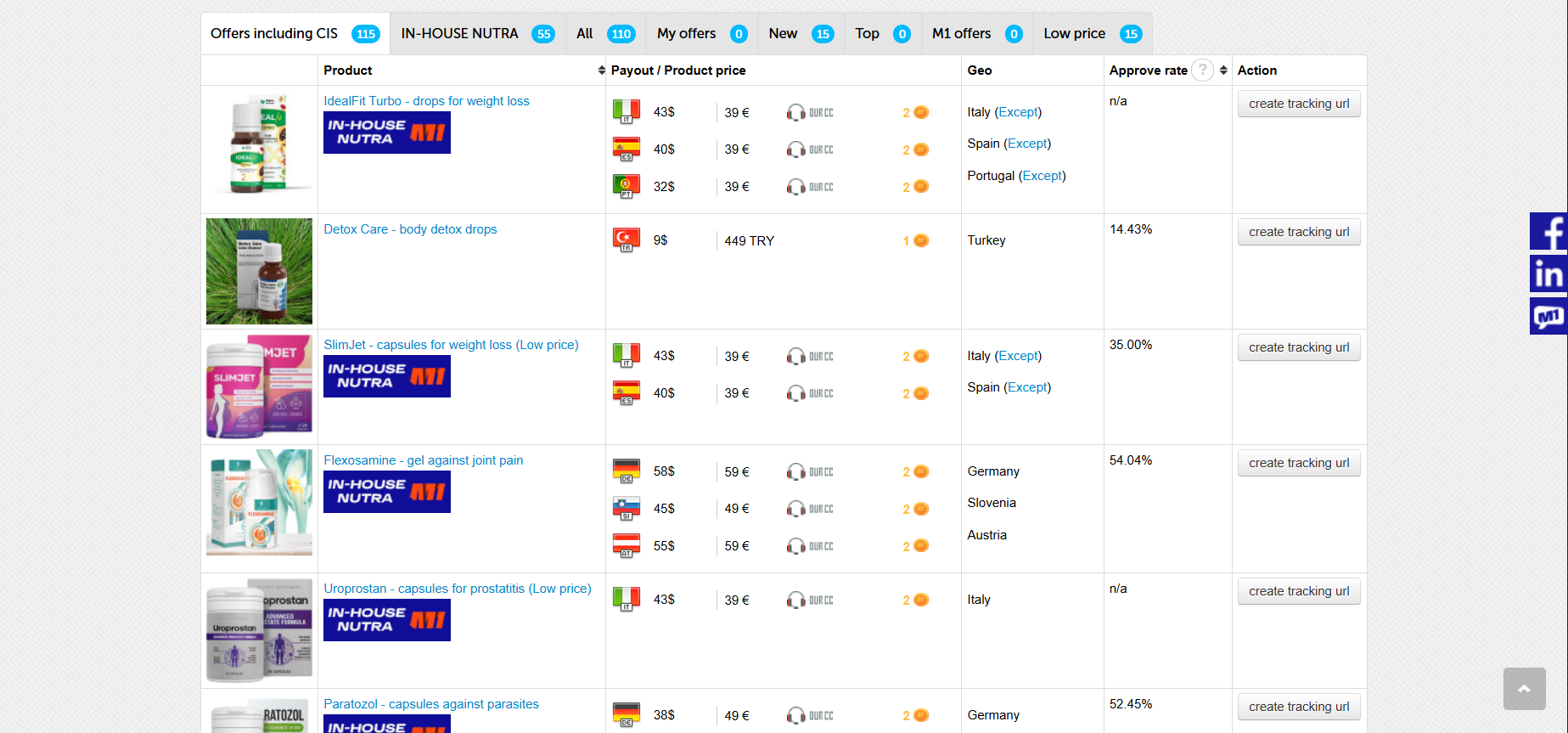
The ‘Offers’ section shows the products available for advertising. Brief information is displayed opposite each one: name, GEO, rates, and average approval.
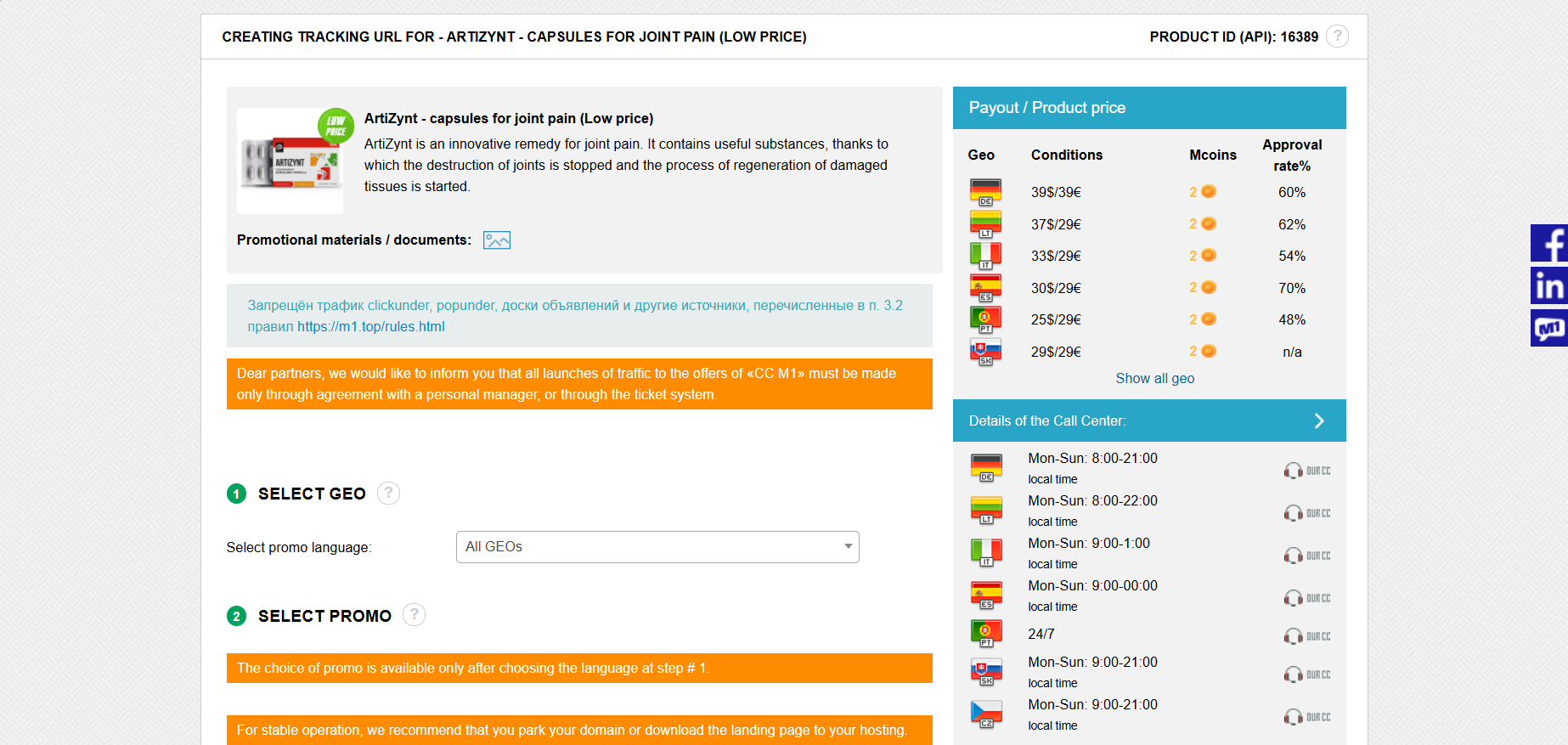
The offer’s card contains detailed information about each product.
Flow creation
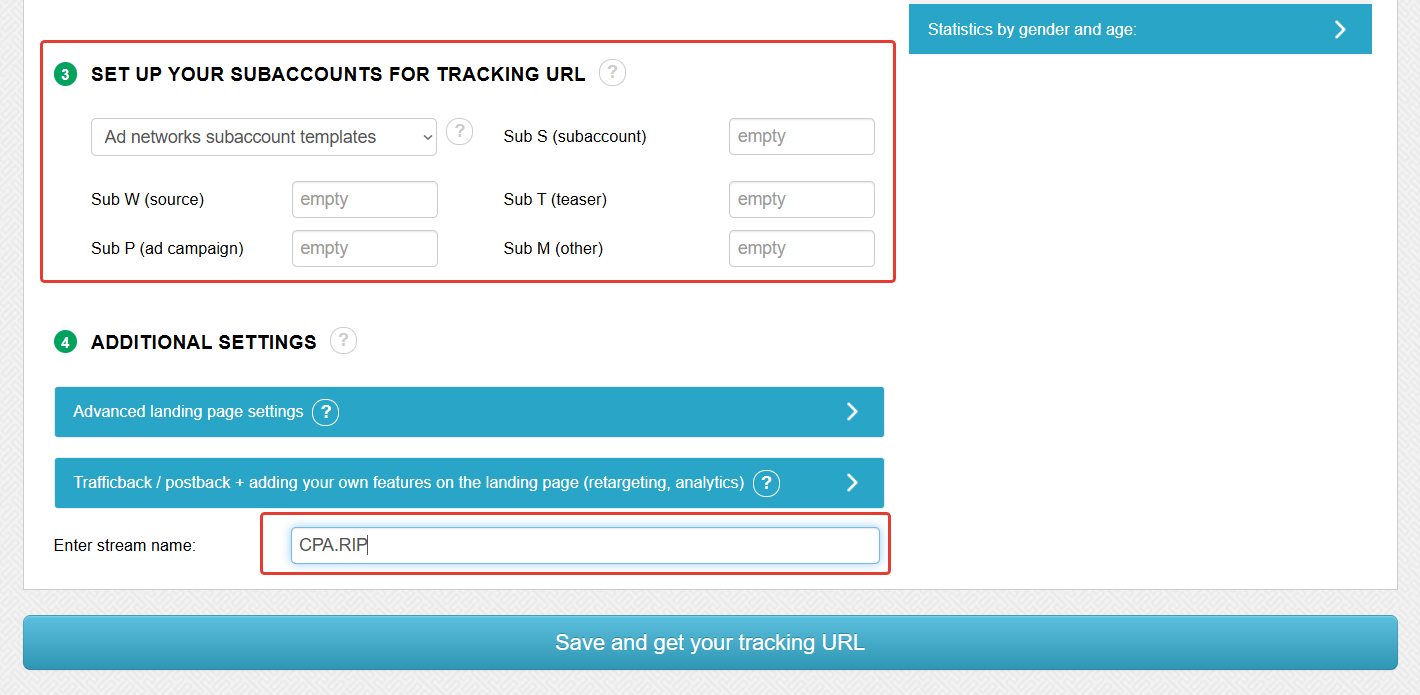
- In the offer’s card, select the GEO and landing page.
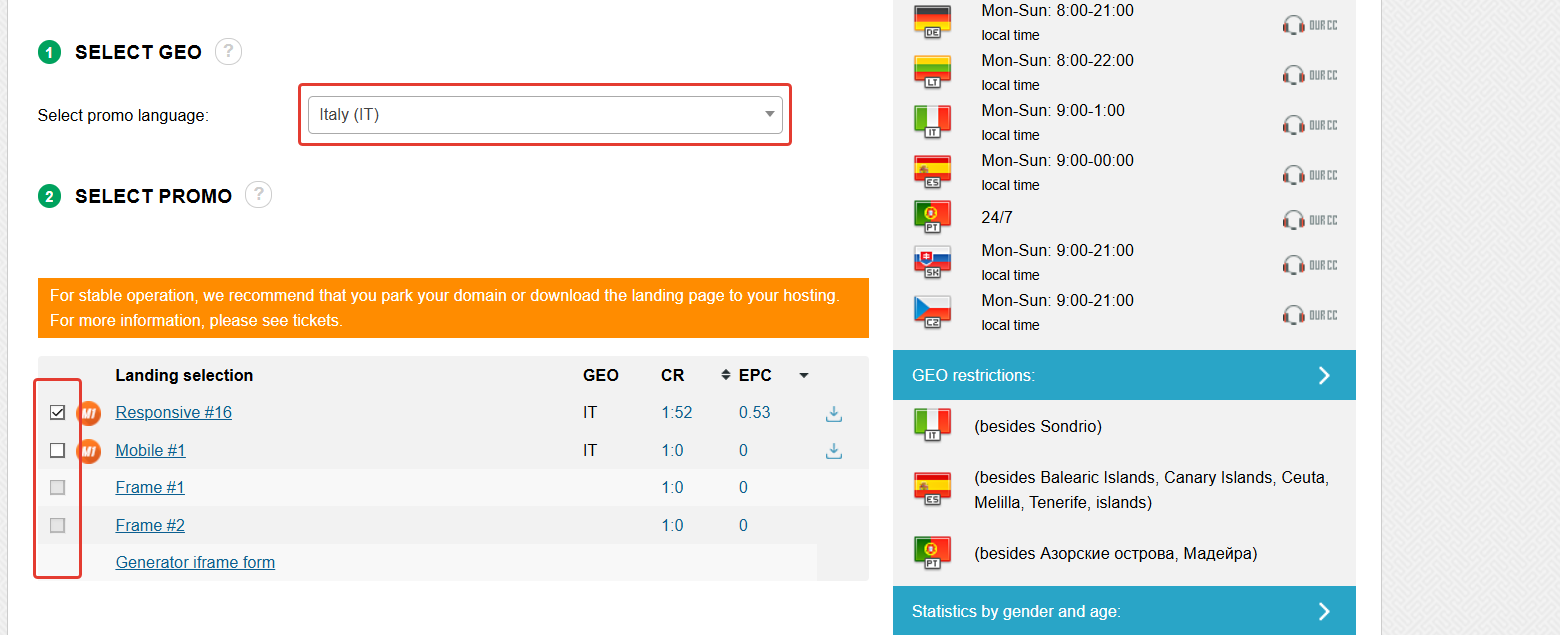
- If necessary, type tags and set the name of the flow. Click ‘Save and get your tracking URL’.
Which GEOs to pay attention to
- In-house GEO: 20 countries in Europe and Latin America, including: ES, PT, IT, SK, CZ, LT, DE, AT, GR, CY, HR, SI, BE, CO, GT, MX, HN, SV, CR, NI
Top GEOs right now:
- Italy,
- Germany,
- Spain,
- Mexico,
- Colombia
What traffic is accepted
- Accepts:
- FB Ads
- Google Ads
- Native
- SEO
- Yandex Direct
- TikTok
- VK
- Does not accept:
- Traffic that violates Russian law;
- Services for posting tasks (active advertising systems, incentive traffic);
- Spam mailings via email, SMS, and other channels of information distribution;
- Spam on social networks;
- Clickunder and Popunder traffic;
- Traffic from bulletin boards (Avito, Yula, etc.);
- Cashback – it is prohibited to promise the customer a discount at the expense of the webmaster’s remuneration.
Statistics
Statistics in M1 can be viewed and analysed by: by day, by landing pages, by pre-landing pages, by offers, by products, by geoby subs.
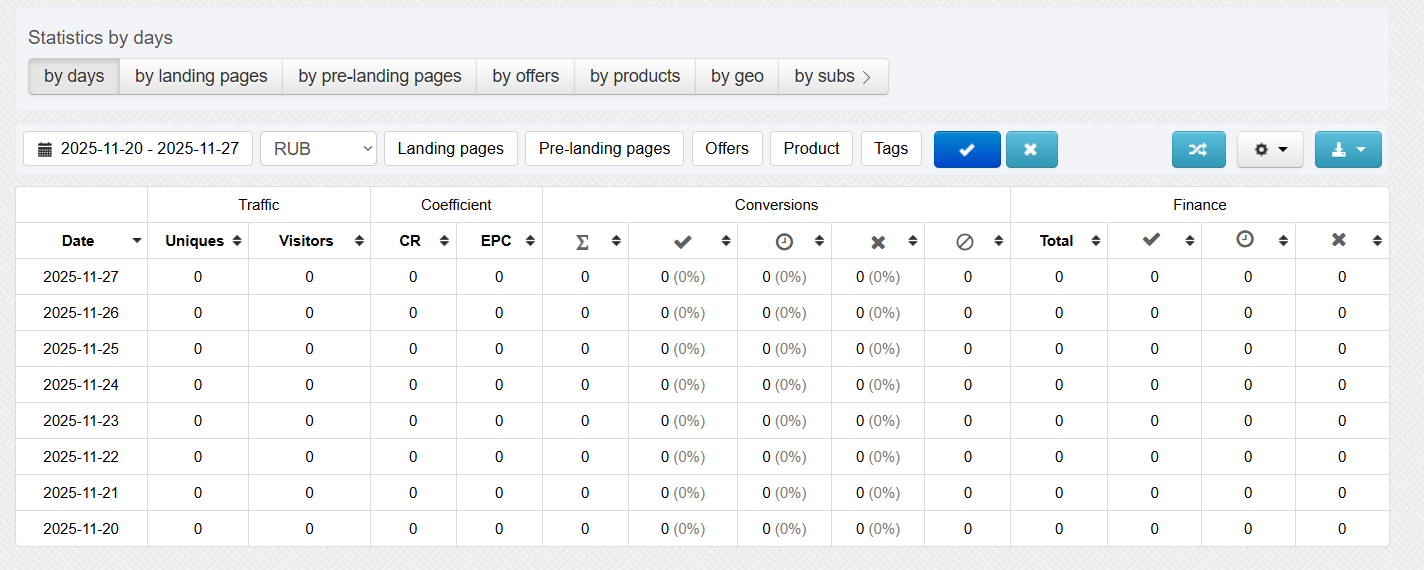
Statistics parameters:
- Traffic: Uniques, Visitors;
- Coefficient: CR, EPC;
- Conversions: Total, Confirmed, Hold, Cancelled, Trash;
- Finance: Total, Confirmed, Hold, Cancelled, Trash.
Postback settings
Setting postback on M1
- Make the necessary settings on your tracker side.
- Open M1, go to the Postback Global page in the Tools section;
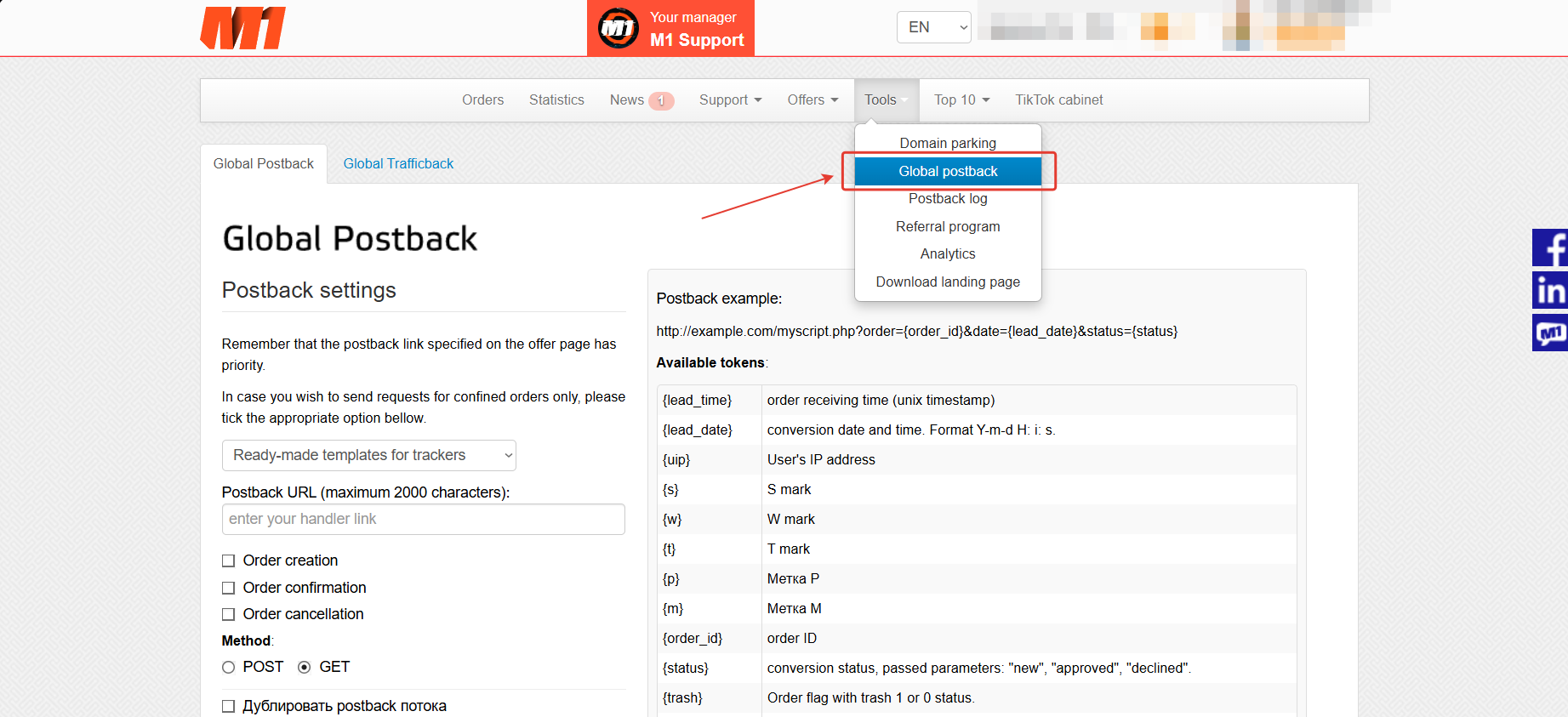
Here you will find ready-made templates for popular traffic distribution systems.
- Select the desired tracker from the drop-down list.
- Paste the Postback URL received from your tracker. Click Save.
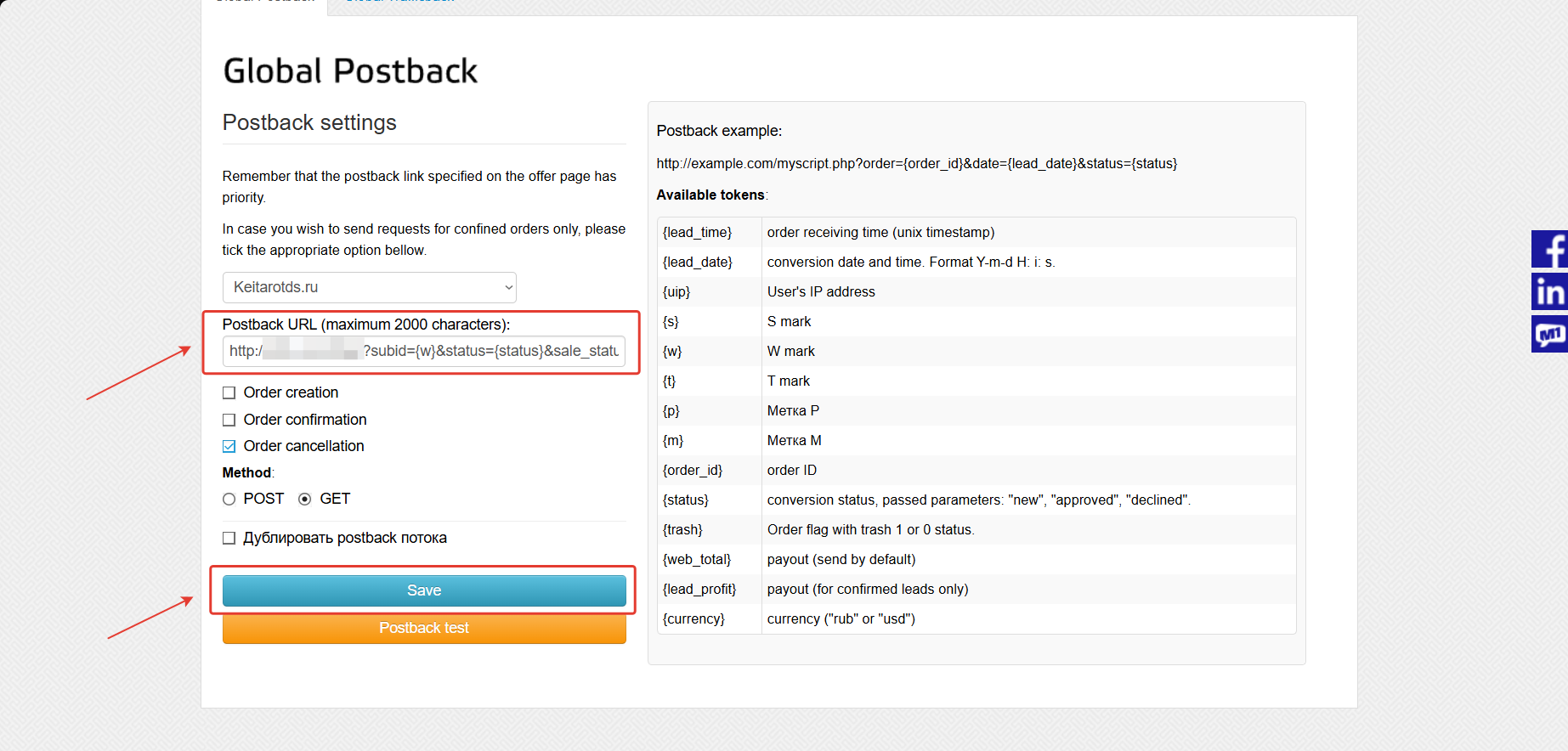
Before driving traffic, be sure to check the functionality of the configured postback.
Payments
- Hold: 2 weeks;
- Payments: 1–3 business days;
- Minimum withdrawal amount: $40 / ₽3000
Payment systems:
- ZaleyCash (RUB/USD)
- Capitalist (RUB/USD)
- Russian Federation / non-Russian Federation cards
- EProfit
- USDT TRC-20
- RS
- Wire Transfer
Technical support and social networks
Contacts:
- Telegram: https://t.me/M1_Support_Bot
Social media:
- VK: https://vk.com/m1cpa?from=groups
- Telegram: https://t.me/m1_top_nutra
- Instagram: https://www.instagram.com/m1_cpa/
- Web chat: https://t.me/+Lu97RTW5wk5kZGEy