



- Minimum payout: $100;
- Time: twice a month.
-
 Crypto
 -
 Bank transfers
Primetraff
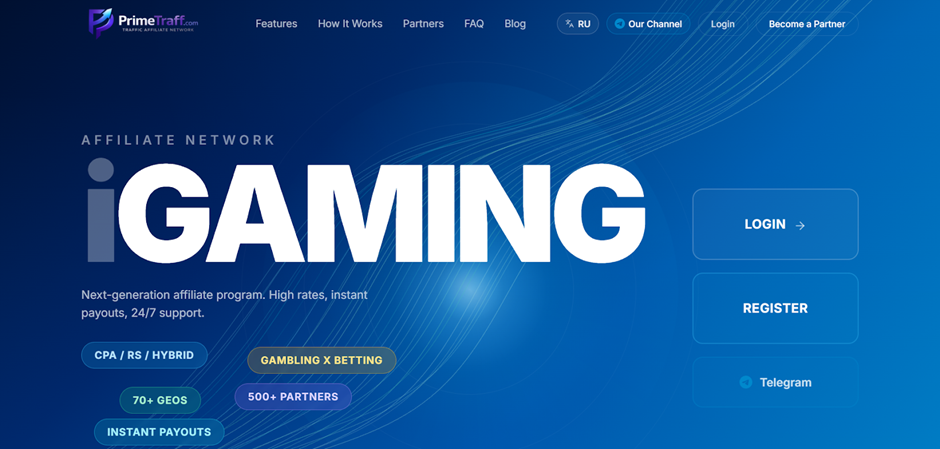
Primetraff is a private iGaming CPA network created by active arbitrageurs and performance specialists. The network works directly with advertisers and builds partnerships with teams focused on volume and long-term scaling. The main focus is on launch speed, flexible terms, and transparency. It works with CPA, RevShare, and Hybrid payment models.
- Over 1,200 offers in 90+ GEOs;
- Average Reg2Dep 28%;
- Various offer licence levels;
- No-hold testing;
- Proprietary internal analytics system with real-time statistics updates;
- Proprietary solution for creating and scaling PWA applications for iGaming (in development);
- Referral programme — 5%;
- Professional and fast support.
Primetraff affiliate program overview
Registration
On the Primetraff website, click on the ‘Register’ button. Fill out the registration form, which includes the following fields: Full Name, Username, Email, Phone, Messenger, Contact, Password, Confirm.
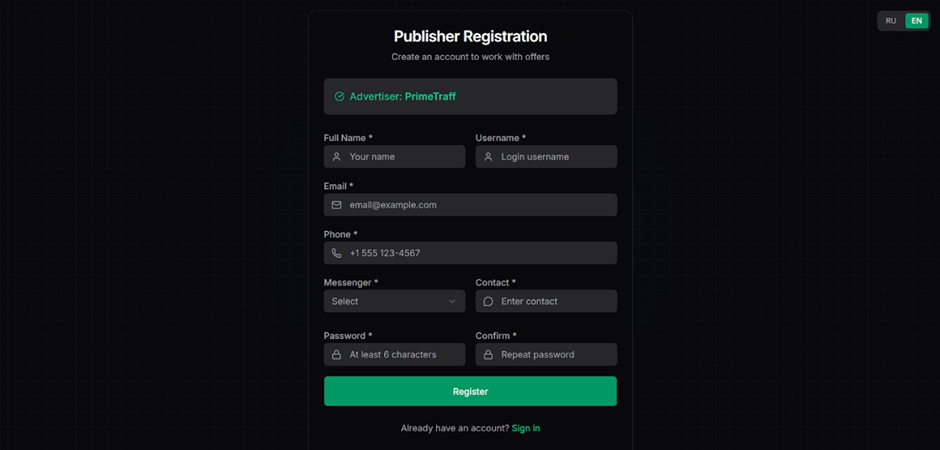
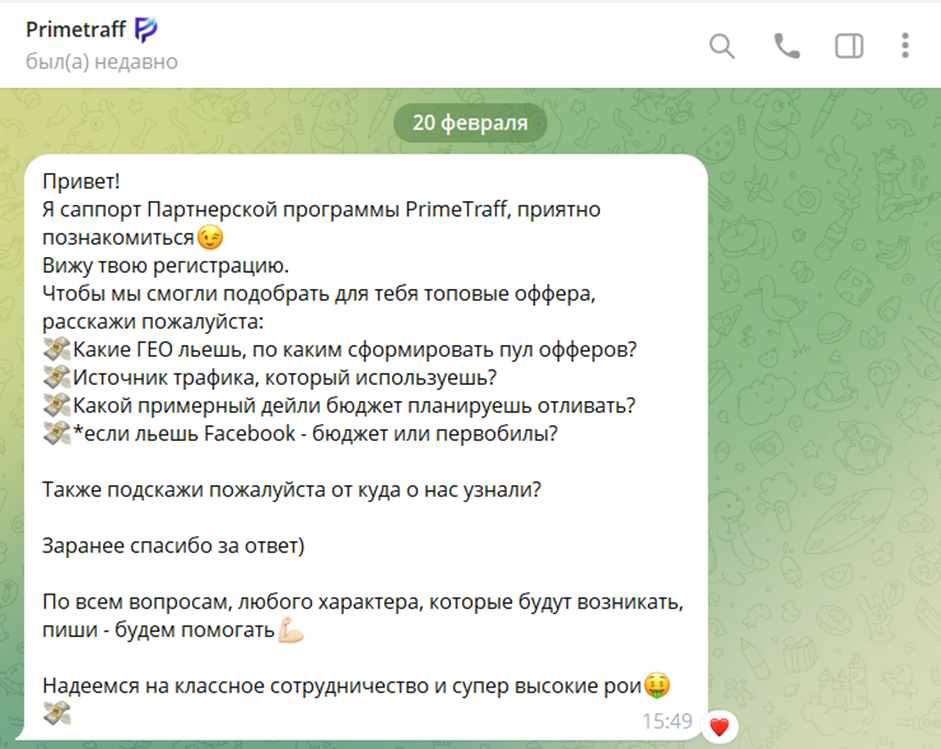
Once you have filled in all the fields, click ‘Register’ to complete the registration process. After registration, your account will be pre-moderated, and a manager will contact you to discuss the terms and conditions and activate your account.
Available offers
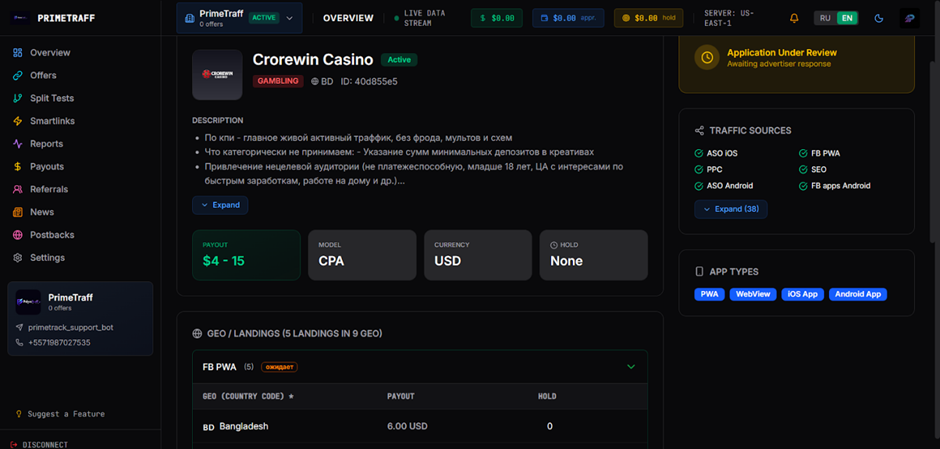
The ‘Offers’ section shows the products available for advertising. Brief information is displayed next to each one — ID, name, GEO, payment, and payment model.
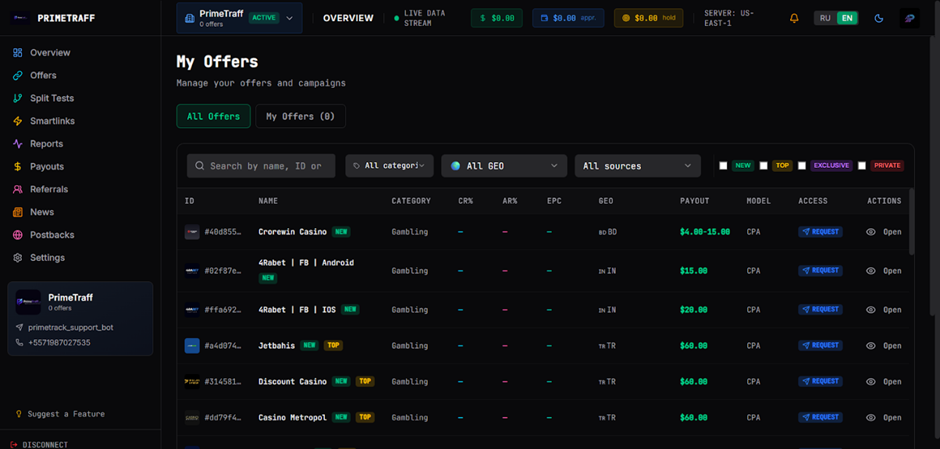
The offer’s card contains detailed information: rates, terms, description, restrictions, and other details.
Affiliate link
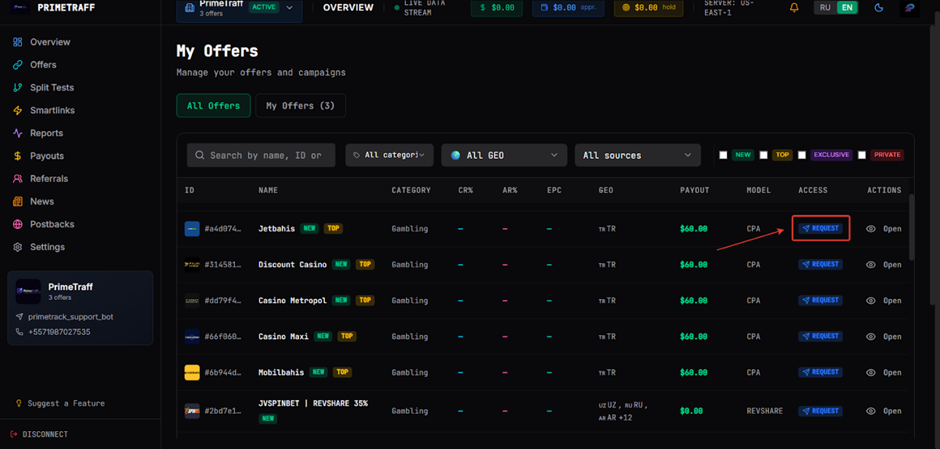
- To get an affiliate link, request access to the offer by clicking ‘Request’.
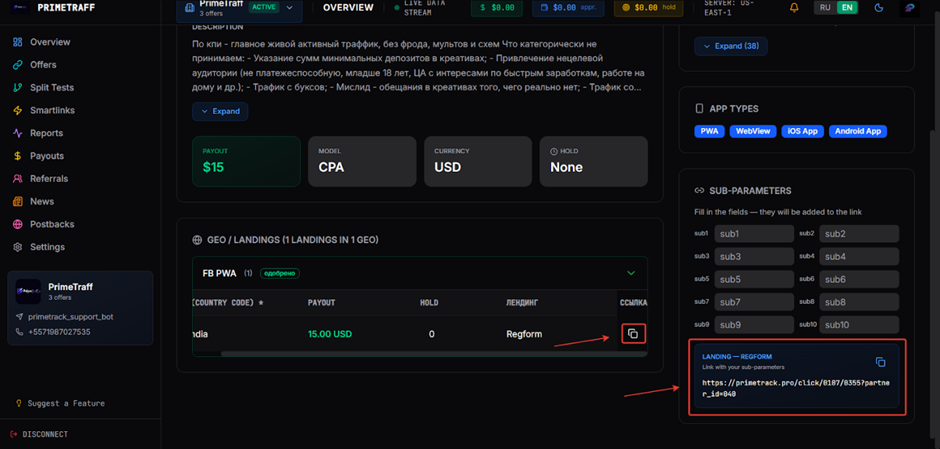
Once access to the offer is granted, an affiliate link will appear in the offer’s card. Each landing page also has its own link with sub-parameters.
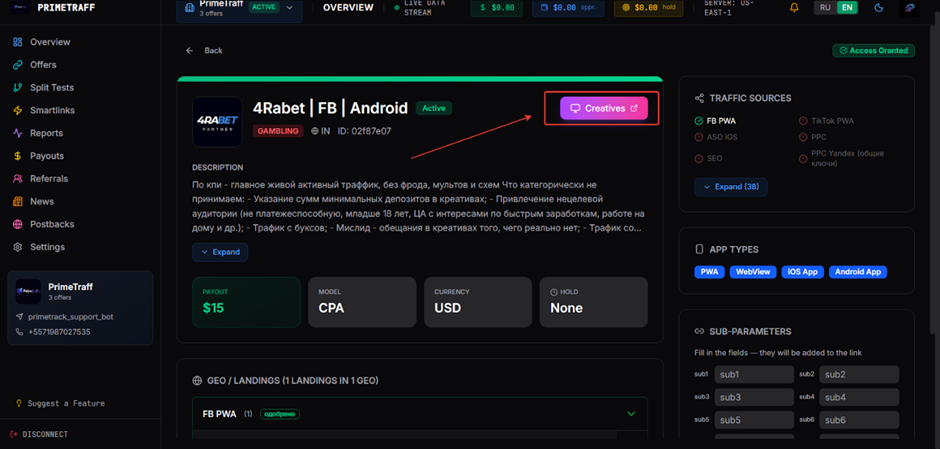
Upon agreement, creatives can be added to the offer, which will be available via the Creatives button.
Split Tests
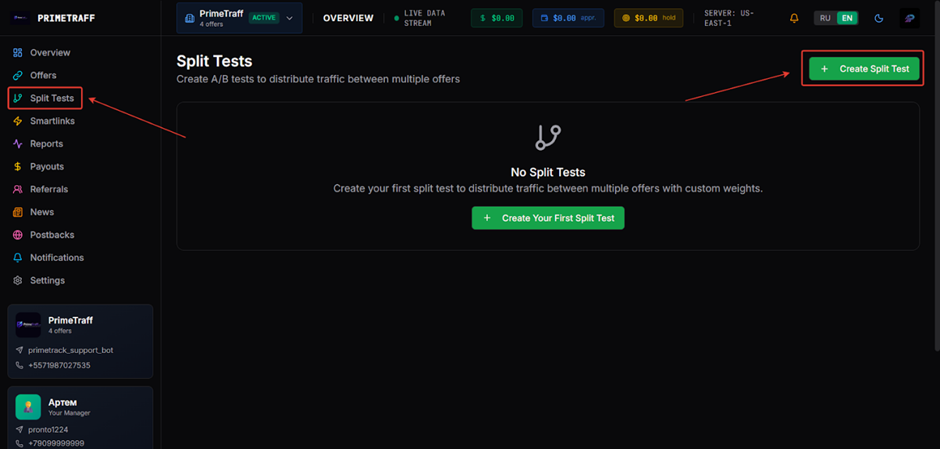
The Split Tests section allows you to create a single link that distributes traffic between several offers or different landing pages of one offer within a single GEO to evaluate their effectiveness.
- Go to the Split Tests section and click Create Split Test.
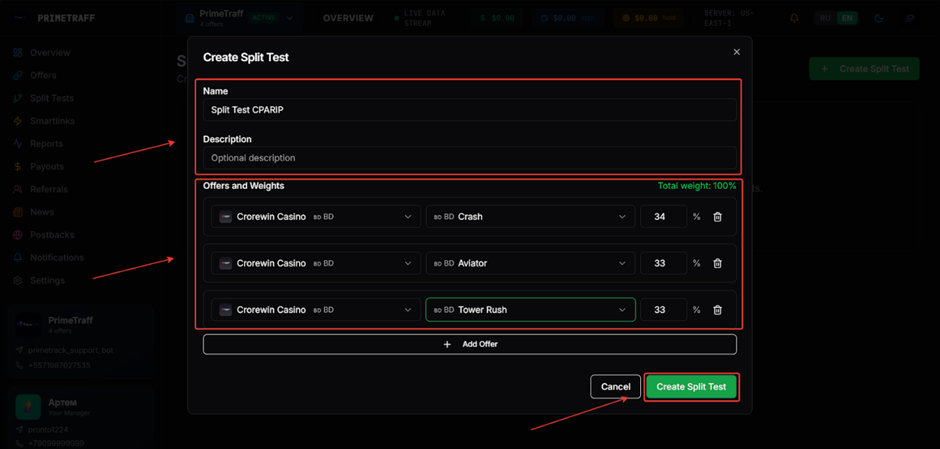
- Set a name and description. Select an offer and landing page and click Create Split Test.
Smartlinks
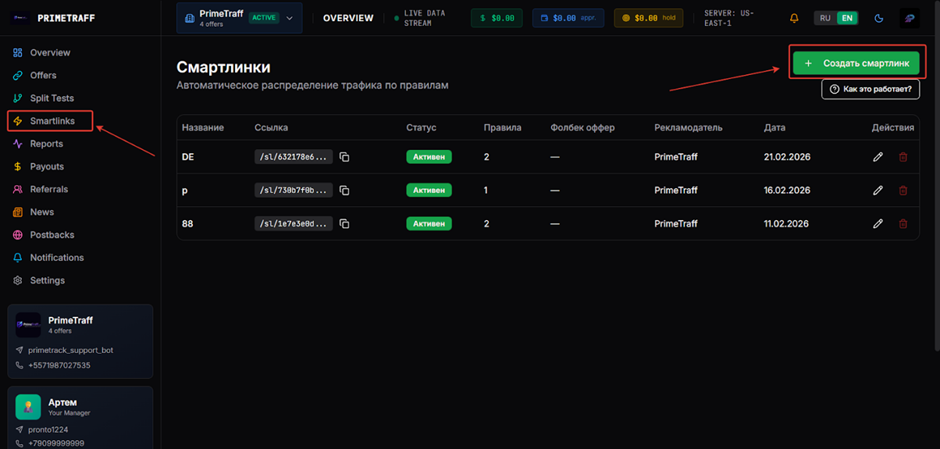
A smartlink is an intelligent traffic distribution tool that automatically selects the most relevant offer for each user based on a single link, analysing their GEO, device type, and operating system.
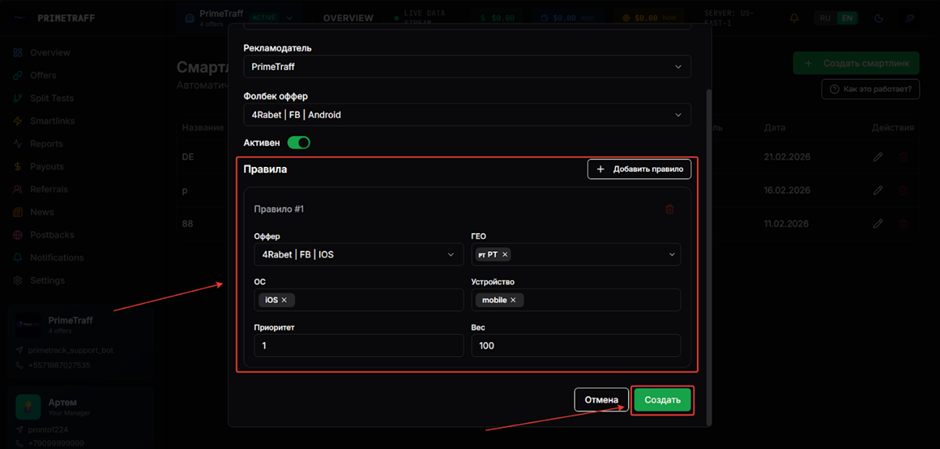
- Go to the Smartlinks section and click Create Smartlink.
- Enter a name, select an advertiser, and an offer.
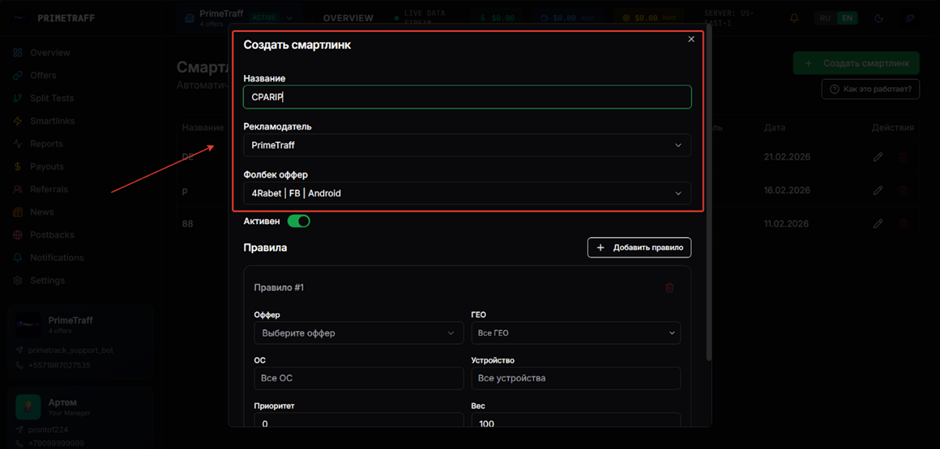
- Set up a rule: select an offer, country, OS, devices, priority, and weight. Click Create. Set up a rule for each GEO in this way.
Which GEOs to pay attention to
- The whole world
What traffic is accepted
- Not accepted: fraud, incentive, and low-quality traffic.
Statistics
The Primetraff affiliate program provides detailed statistics on clicks and conversions. To view detailed information on traffic and conversions, open the ‘Reports’ menu item.
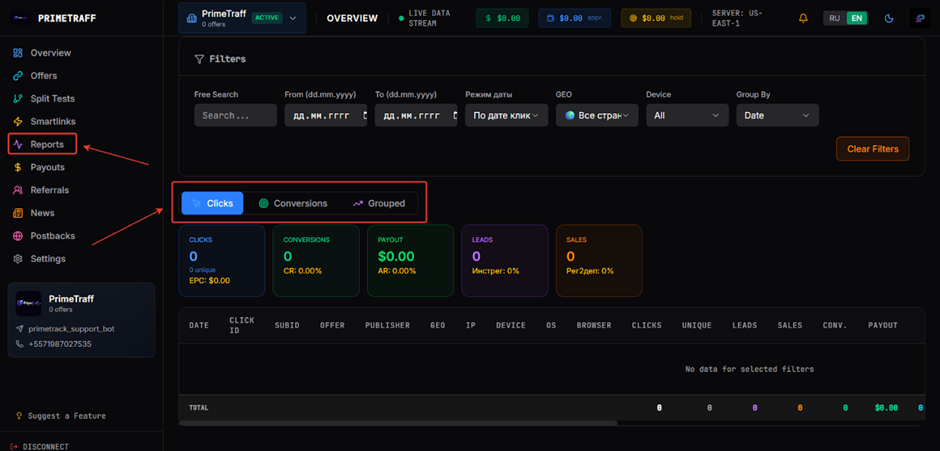
Default statistics parameters:
- Date
- Click ID
- SubID
- Offer
- Publisher
- GEO
- IP
- Device
- OS
- Browser
- Clicks
- Unique
- Leads
- Sales
- Conv.
- Payout
- CR%
- AR%
- EPC
- Sub1 – Sub10
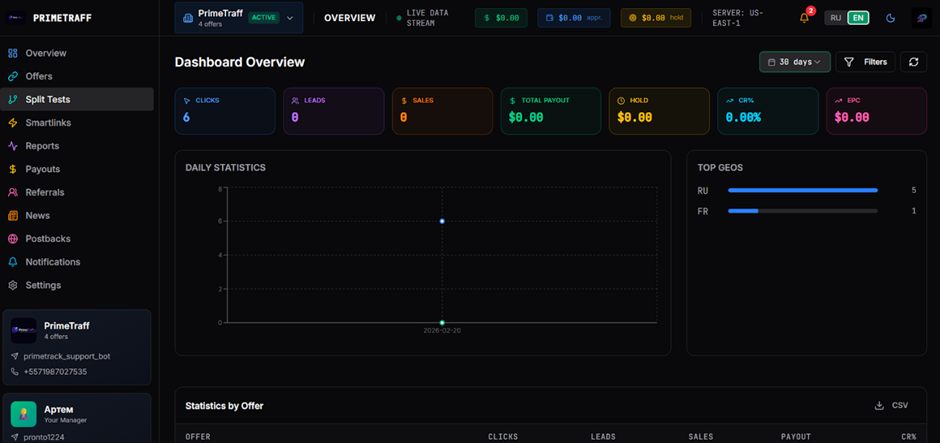
The ‘Overview’ page shows your total balance and summary statistics.
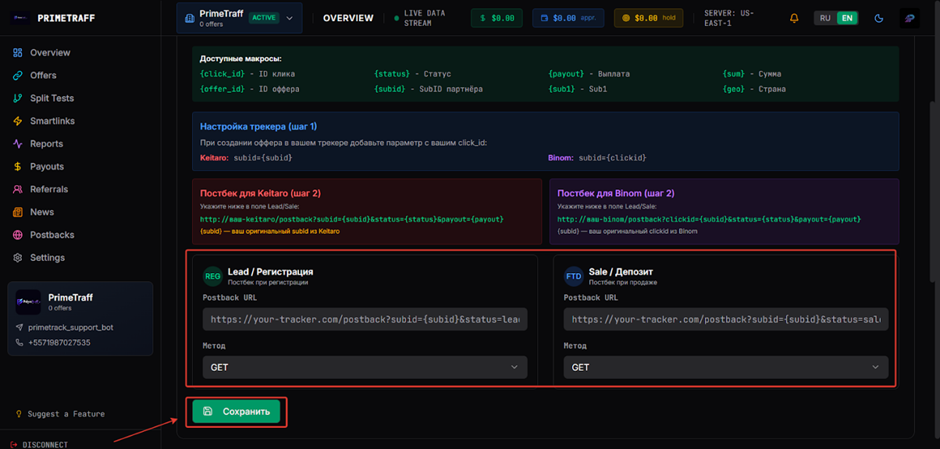
Postback settings
Postback settings in Primetraff
- Make the necessary settings on your tracker side.
- Open Primetraff and go to the ‘Postbacks’ page;
- Paste the Postback URL into the appropriate event field and click Save.
Payments
- Payments: twice a month;
- Minimum withdrawal amount: $100
Payment systems:
- USDT
- Crypto
- Bank transfers and others by agreement.
Technical support and social networks
Social networks:
- Telegram: https://t.me/prime_traf