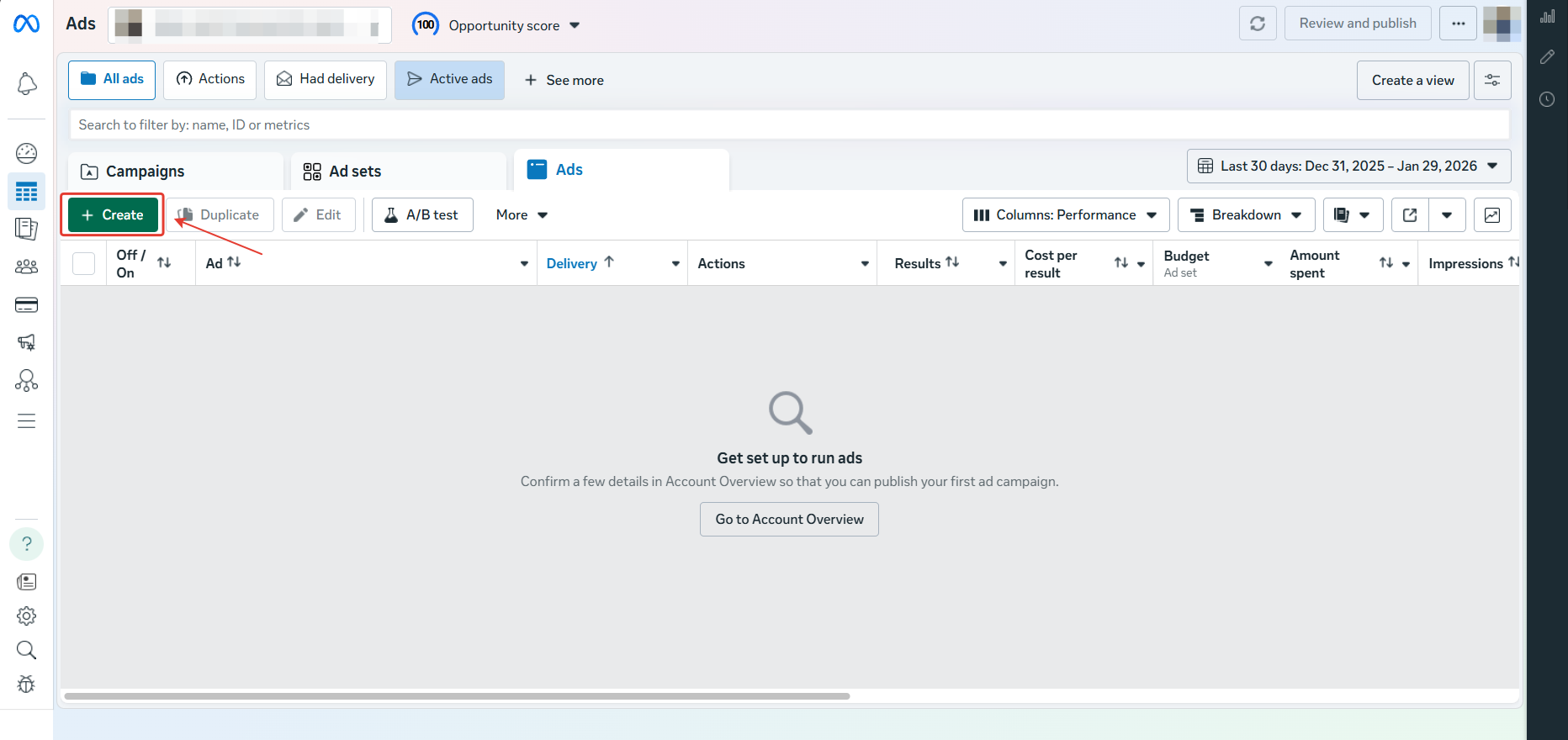
Let’s take a look at how to fix the “Page Has No Access To Instagram Account” error when publishing an advertisement on the Facebook Ads platform.
The error looks as follows:
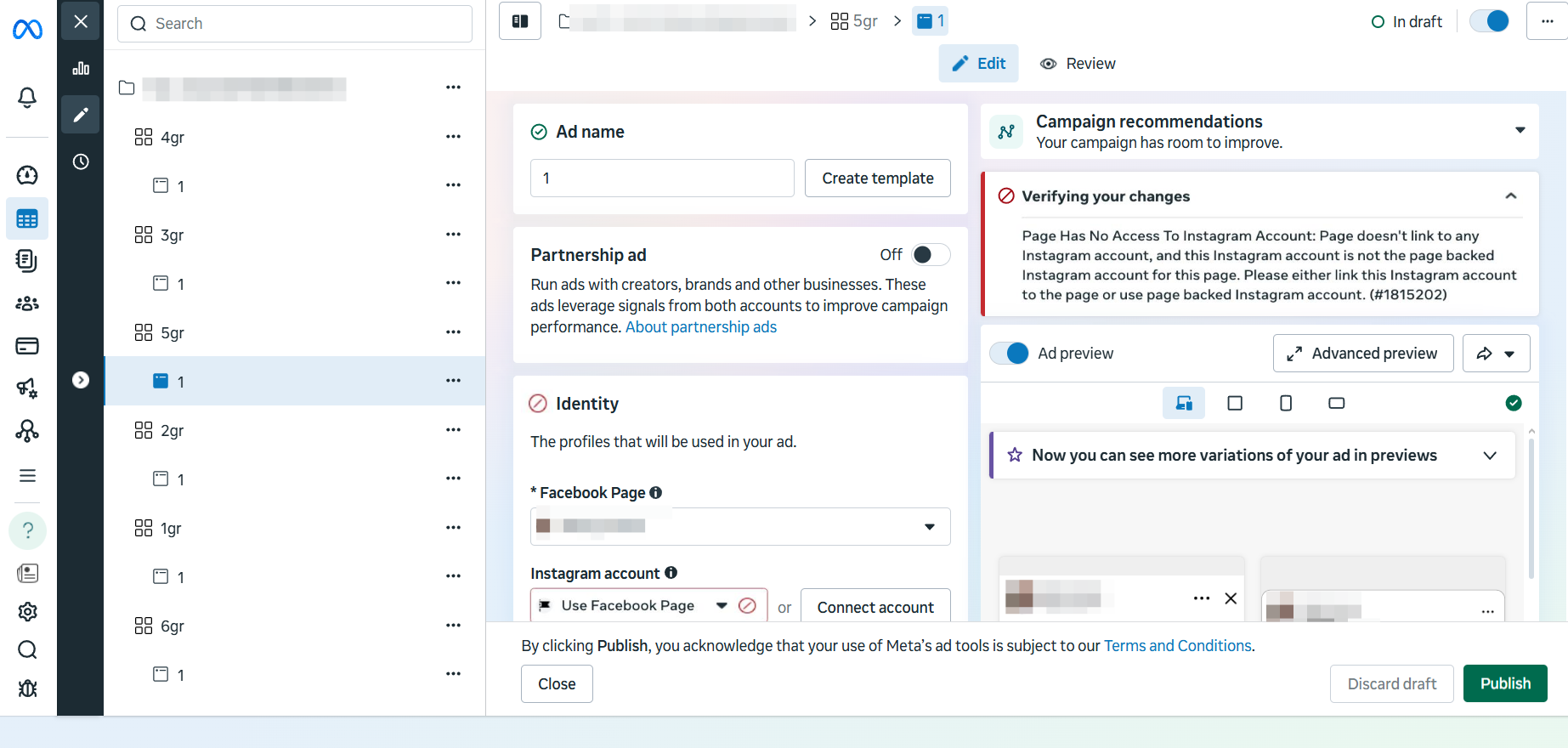
Page Has No Access To Instagram Account: Page doesn’t link to any Instagram account, and this Instagram account is not the page backed Instagram account for this page. Please either link this Instagram account to the page or use page backed Instagram account. (#1815202)
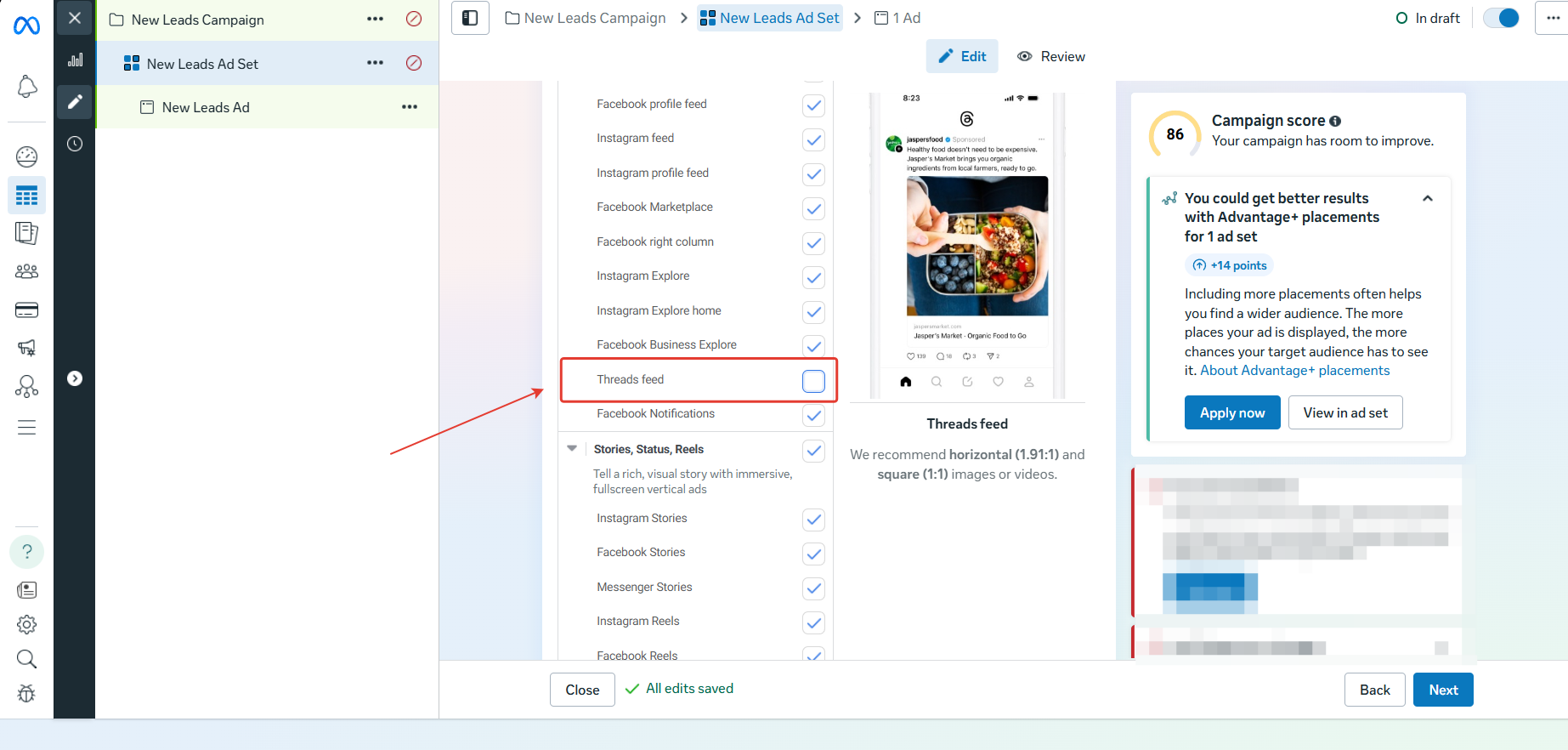
- To get around this restriction without linking your Instagram account, disable the Placements “Threads feed” before publishing.
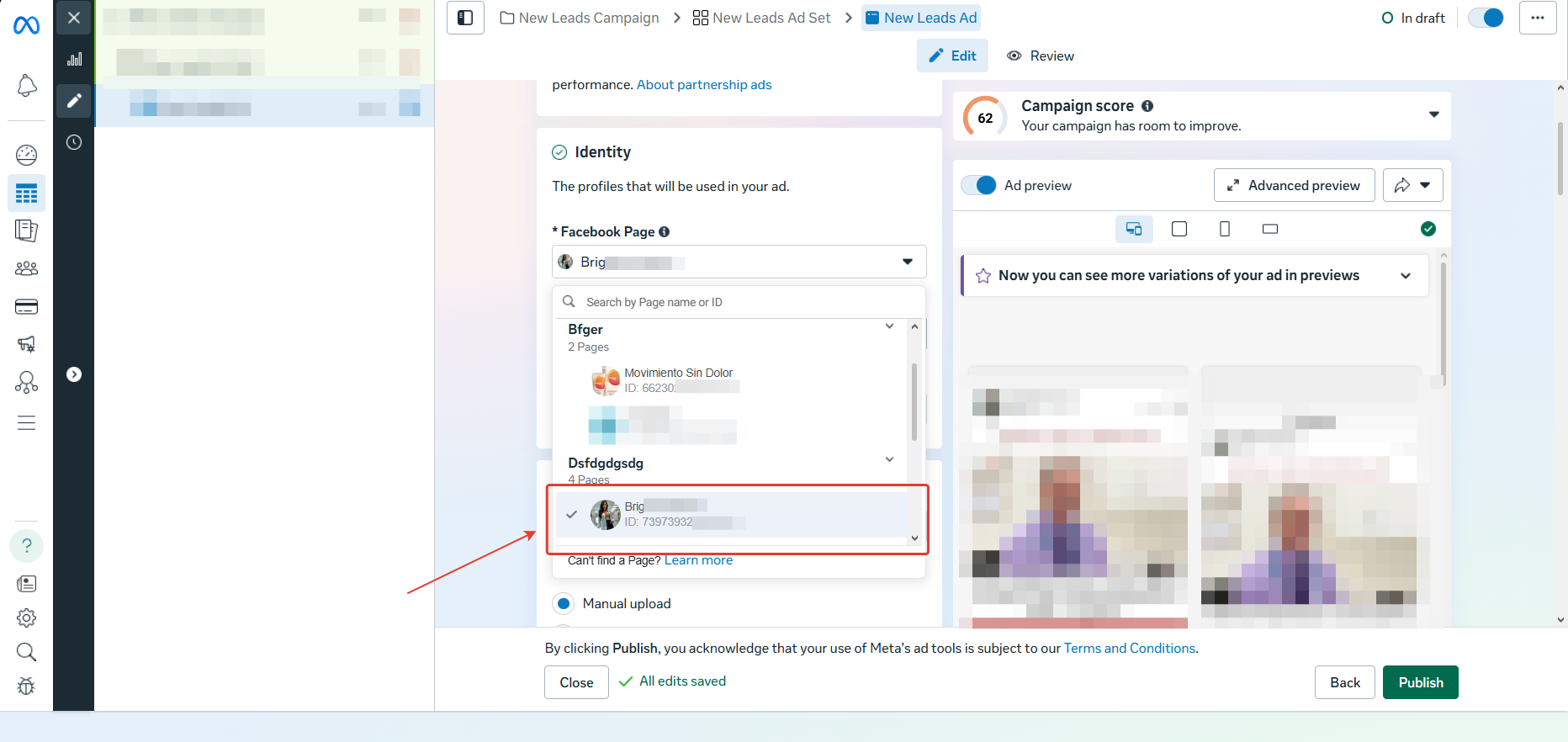
- Next, if disabling placements does not help, change your Fan Page: select another existing one or create a new one.
- If neither option helps, create a new campaign.
Duplicating a campaign with this error will not solve the problem.