

![[FBM] CARDS](https://cpa.rip/wp-content/uploads/cr-a1/fbm-cards-v1/fbm-cards-logo.svg)


Signing up and starting the work
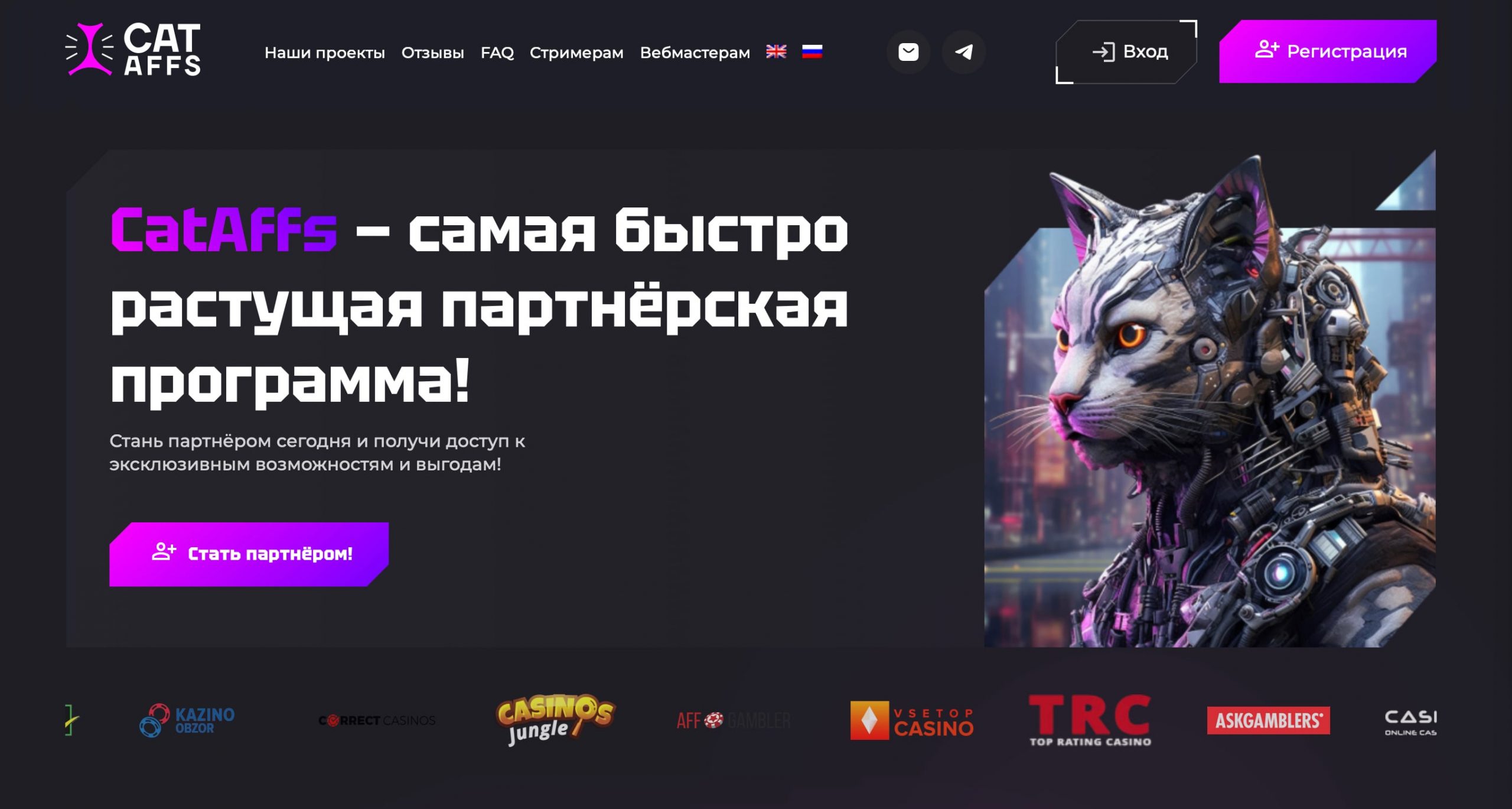
The CatAffs affiliate program has a simple signing up without prior moderation from the manager. This means you just need to open the official site and create an account by filling in the mandatory fields.
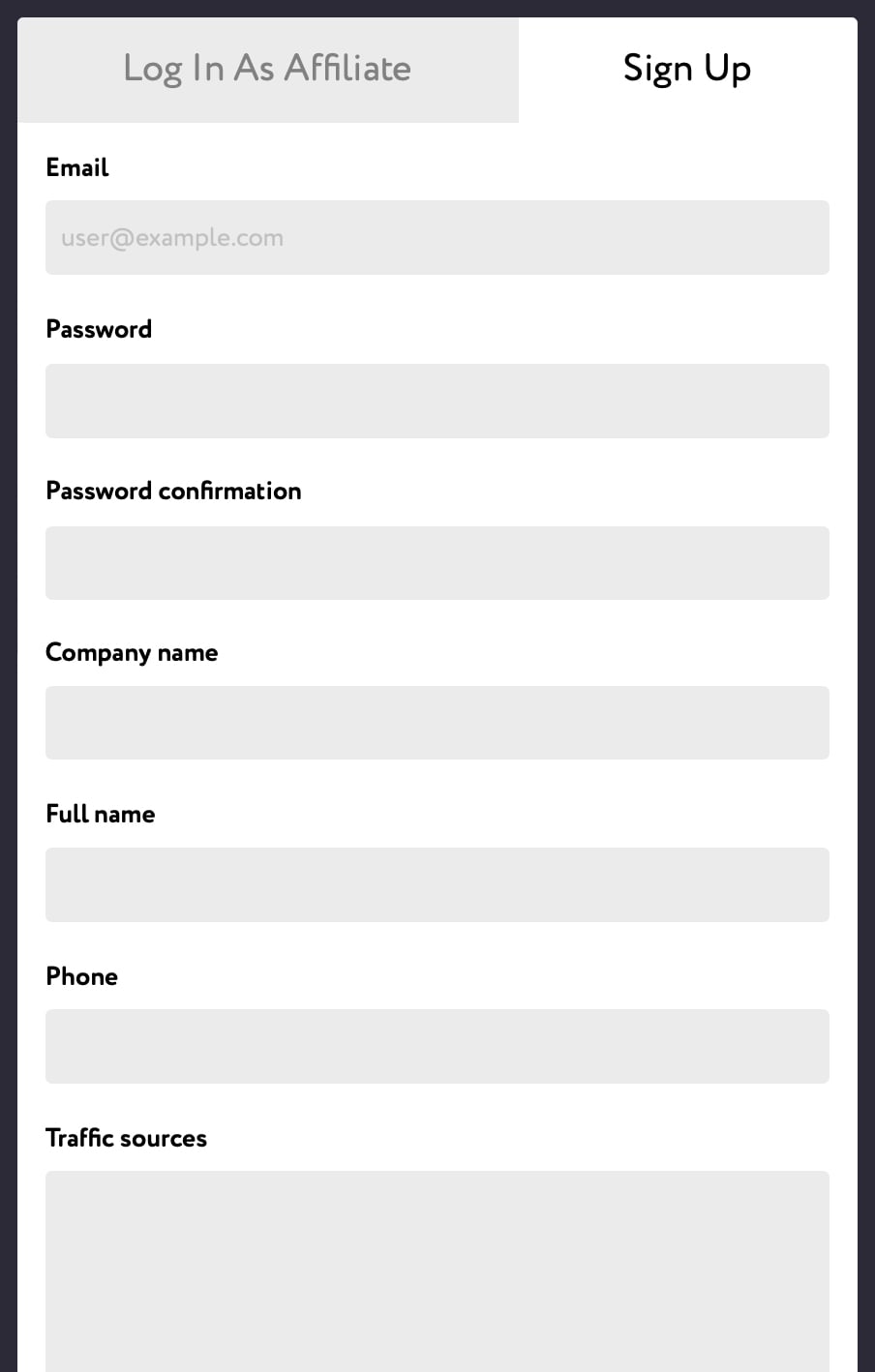
Fields to be filled in:
- Email;
- Password;
- Company Name;
- Full Name;
- Phone;
- Traffic Sources;
- Email, Skype, or Telegram for communication;
Click “Sign up” and enter your account. Immediately after that you can generate a link and start working.
Available offers and promo materials
When you enter your account, you see the main page which displays the total balance, news, brief statistics, and graphs.
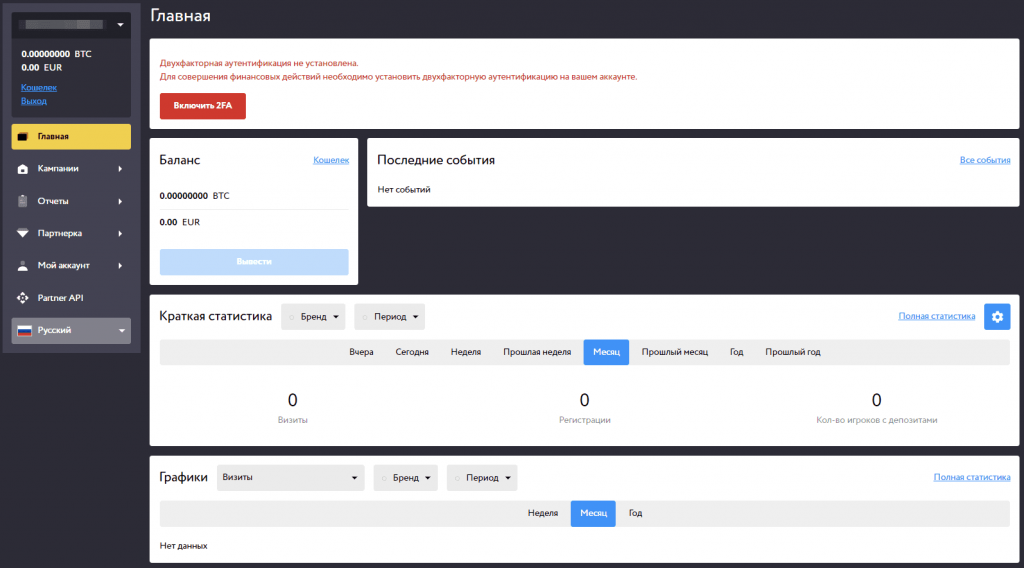
The interface is available in Russian and English. The switch language button is located at the bottom of the menu.
To start working with the affiliate program, open the “Campaigns” tab in the menu and go to the “My Campaigns” page. Then click “New Campaign.”
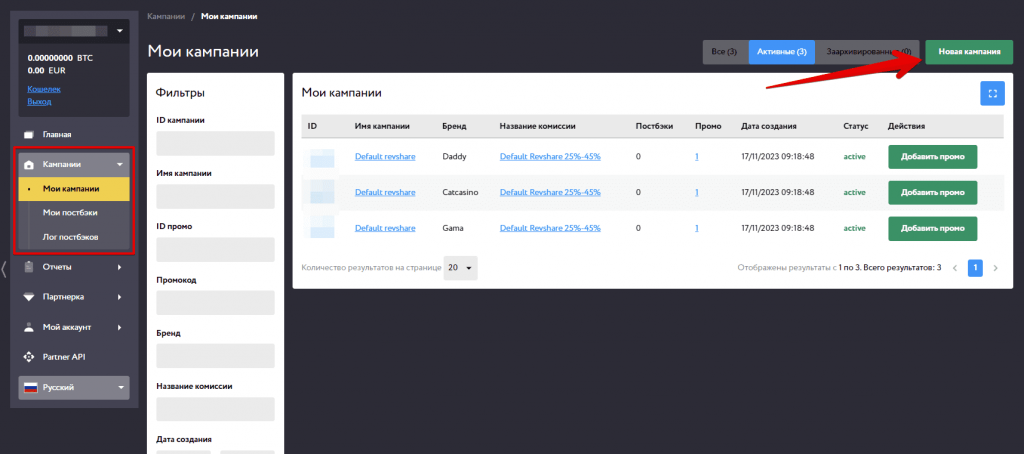
A page for creating a campaign will be opened. At the first stage, specify a name, and choose a brand and model of cooperation. In the CatAffs CPA network, there are 5 offers available:
- Arkada
- Kometa
- Kent
- R7
- Daddy
- Gama
- CatCasino
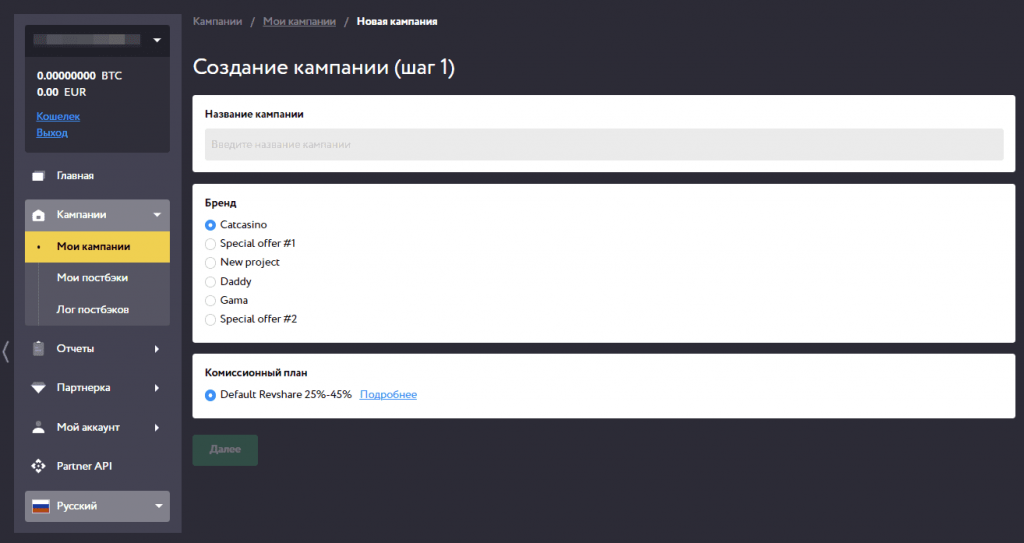
Click “Next”. A page for selecting landing pages will be opened. There are 30+ landing pages available now. There are standard registration forms and landing pages with bonuses, roulette, etc. The landing pages are translated into several languages. Let’s see how it looks.
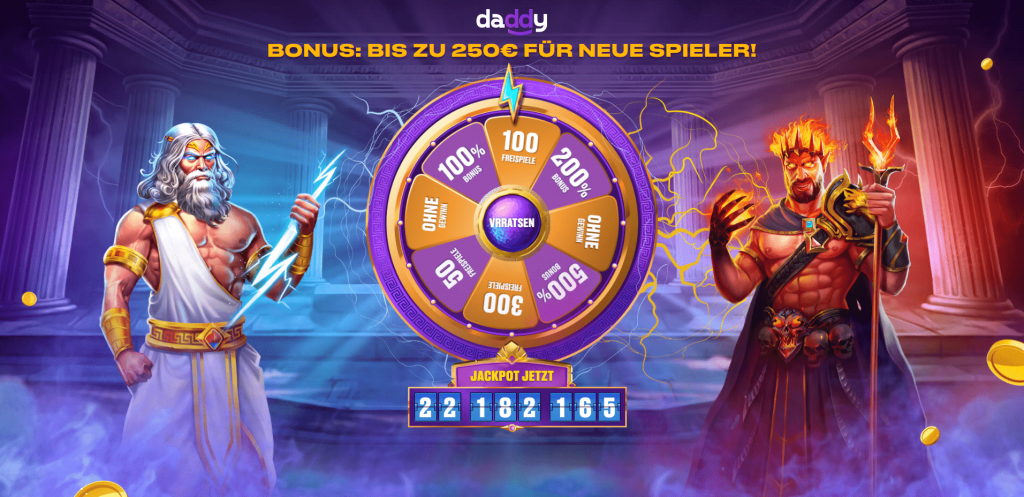
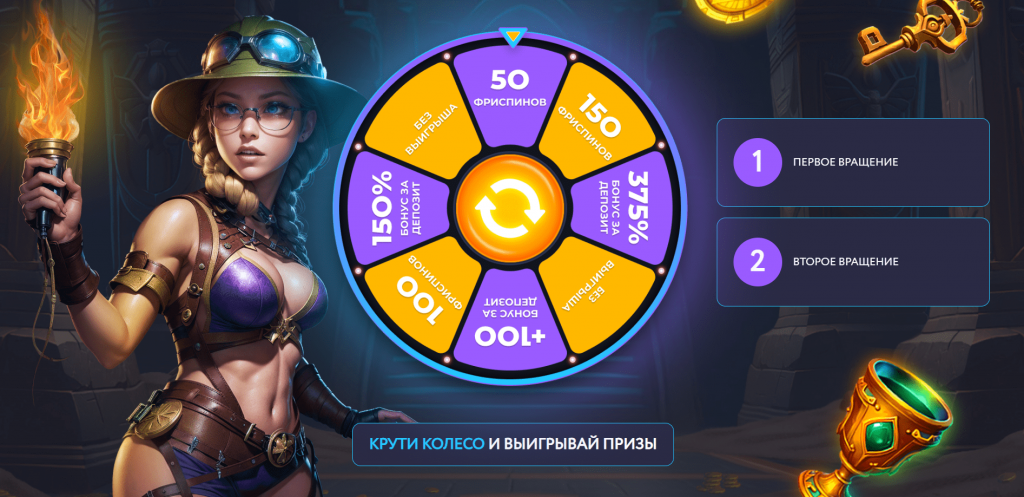
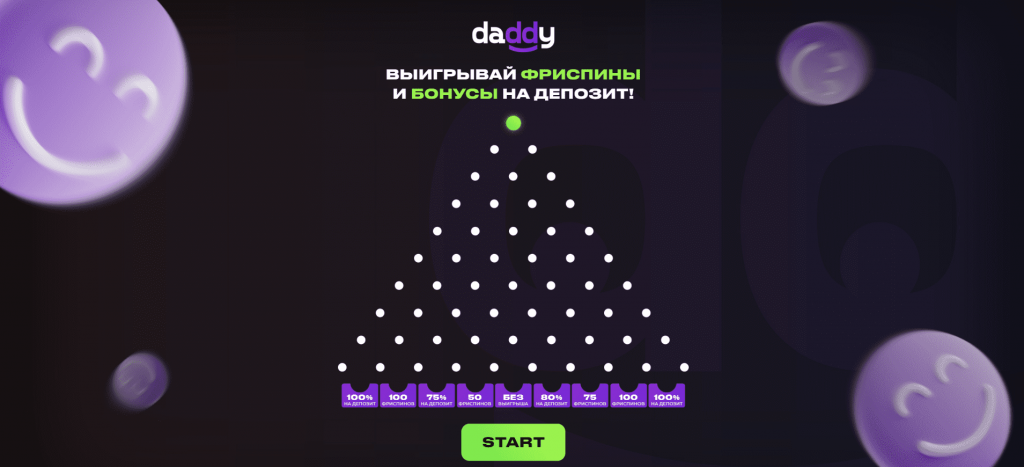
Landing with a mini-game and bonuses
As you can see, the affiliate has well-designed landing pages, and there are bonuses for players. This should increase conversion rates and encourage users to sign up at the casino and make deposits.
Select a landing page, click “Next” and “Complete”. The created campaign and promo pages will open. In the future, you can create new promos within the same campaign. To do this, click “New promo” and select a landing page.
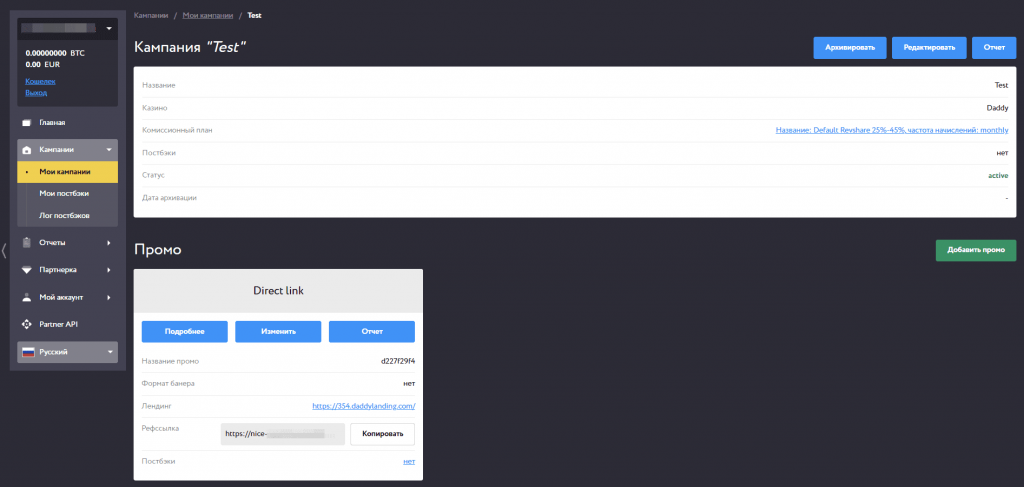
Statistics
CatAffs provides detailed statistics on traffic, conversions, and transactions. The homepage displays traffic summary statistics, and to view detailed information, go to the “Statistics” page. You can check payment histories, rewards, balance transactions, sub-affiliates, and requested reports.
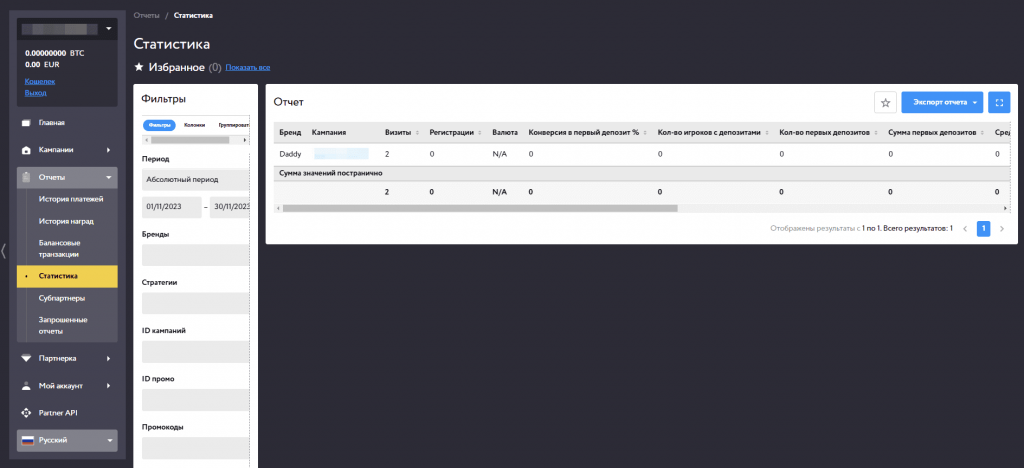
Displayed information:
- Brand;
- Campaign;
- Visits;
- Sign-ups;
- Currency;
- Conversion for the first deposit, %;
- Number of players with deposits;
- Number of first deposits;
- Amount of first deposits;
- And other statistics.
You can also customize the displayed columns. To do this, open “Columns” and uncheck the boxes you do not want to use.
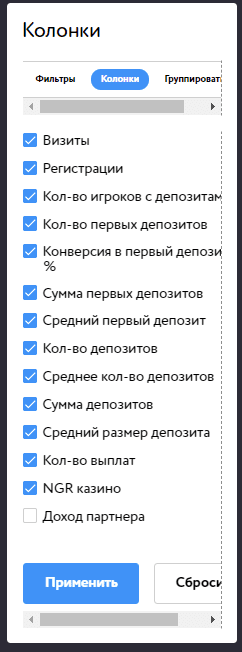
Tools
The partner program offers such tools as Postback and API. The documentation you need for the API can be found on the Partner API page.
To set up a postback, go to “My Postbacks” and click “New Postback”.
You can set up postbacks at the account, campaign, or promo level and pass events such as deposits, registrations, casino NGRs, and qualifications.
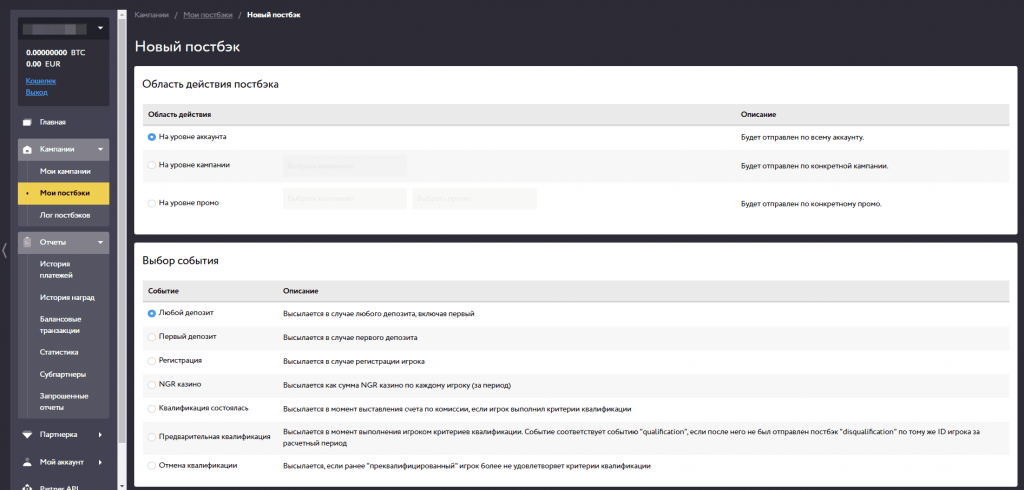
There are variables that you can use for each event.
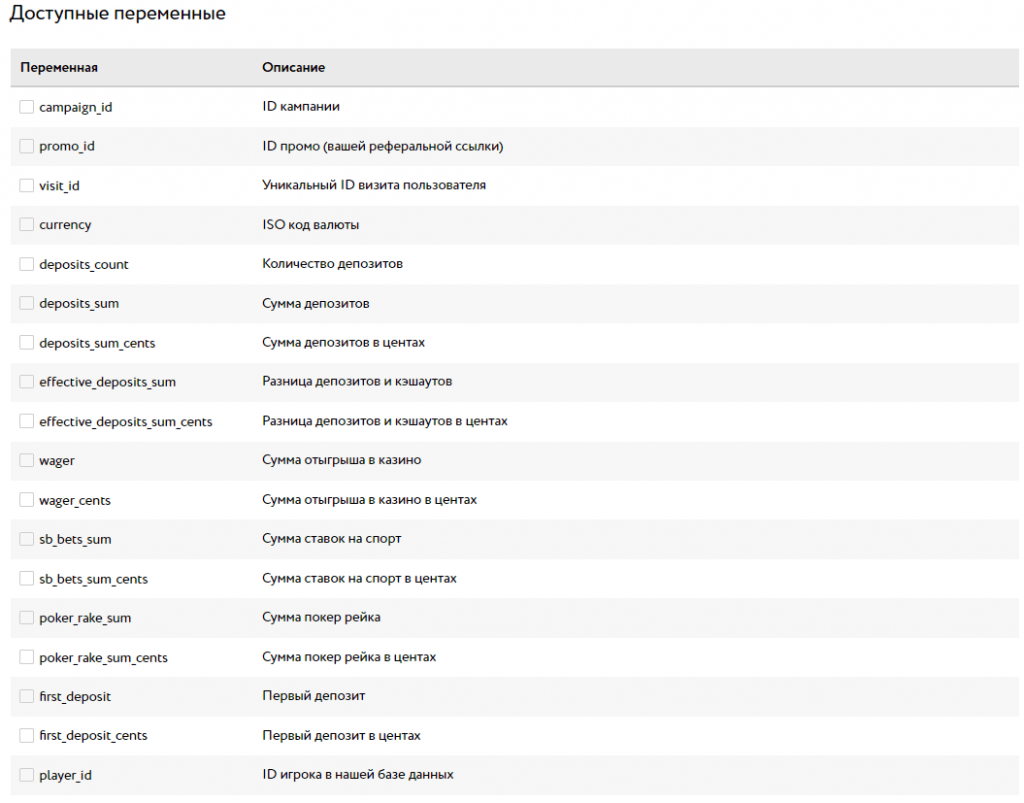
The available variables for the “Pre-qualification” event
Payouts
First hold – 14 days, next – 7 days from the player qualification date.
Payment systems:
- WebMoney;
- Skrill;
- Piastrix;
- Neteller;
- CoinsPaid;
- Bank Transfer.
Technical support and social networks
If there are any questions about working with the CatAffs affiliate program or specific casino, you can contact technical support.
Technical support:
- Personal Manager;
- Particular brand support contacts.
Social Media:
- Telegram: https://telegram.me/cataffsteam
- Instagram: https://www.instagram.com/cat_affs_official/

Кинули на 1000 евро катафс эти, нарушают договоренности. Залили им трафик по условиям 55 евро CPA, сначала пытались пересчитать евро на доллары, потом вообще другие КПИ выкатили после залива трафика. Проект был Alev по турции, конвертится сильно хуже любых других проектов по этой же стране.