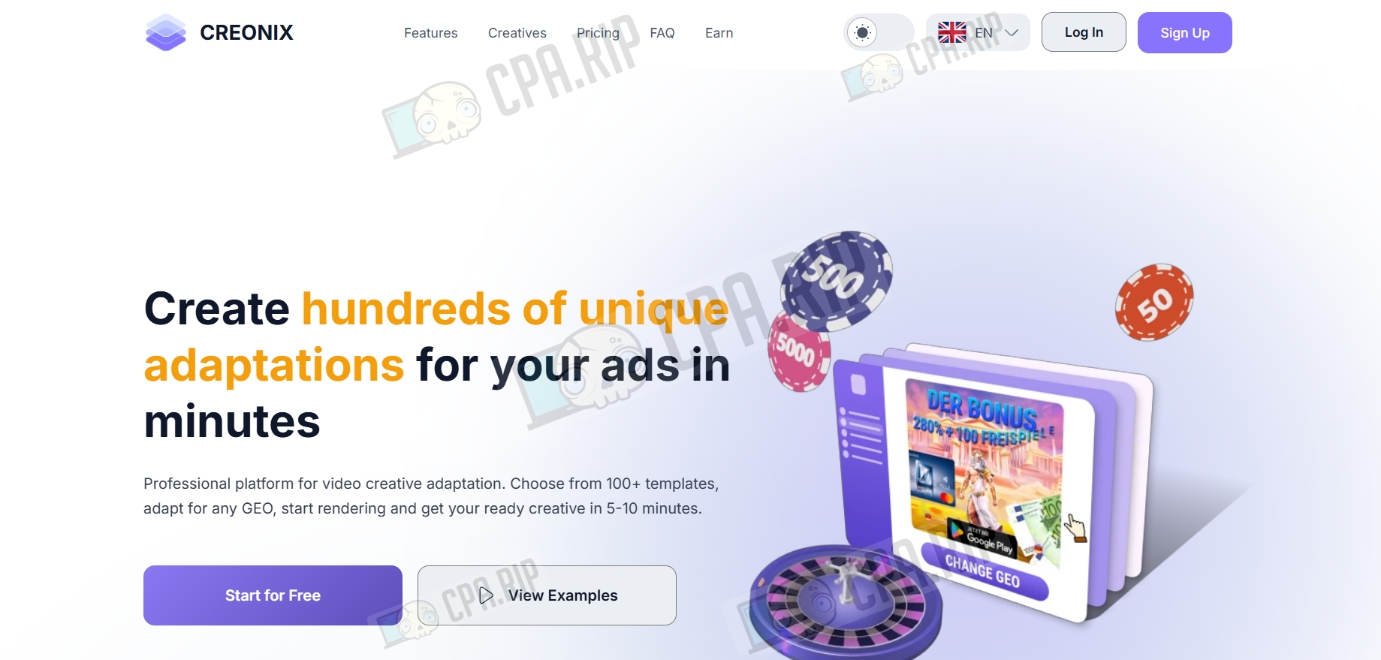
We have tested the Creonix builder for quickly creating gambling creatives for different GEOs. The article includes examples of creatives, step-by-step instructions, main features, an overview of the interface, and pricing.
Creonix is an AI tool for quickly assembling video creatives in the gambling vertical. The service works as a cloud-based constructor that allows you to adapt ready-made templates for different countries in a couple of minutes: the system automatically changes languages, currencies, and visual triggers, such as push notifications from local banks or interfaces of popular slots.
- Link: creonix.io
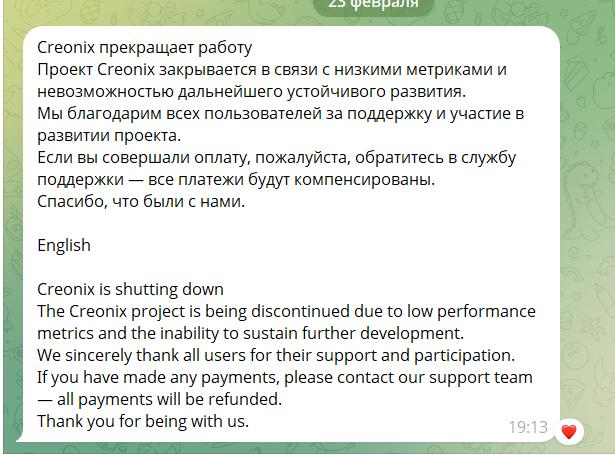
Service is closed!
Key features
- Adapts text, currency, and names to the selected GEO.
- Integrates realistic bank push notifications and notifications from local financial institutions.
- Provides a library of video reactions in which actors are selected according to the ethnic appearance types of specific regions (Europe, Asia, and Latin America).
- Automates the replacement of graphic elements, allowing you to update logos and icons without using complex video editors.
- Unique technical parameters of the video to bypass moderation filters in advertising networks.
- Ensures high speed of work due to cloud rendering, delivering the finished result within 5-15 minutes.
- Synchronizes the process with a Telegram bot, which instantly sends a notification and a direct link to download the finished file.
Generation results
Below are a couple of examples of creatives generated on the free plan:
Tariff plans:
- Free – $0/month
- Adaptations – 5
- Video quality – Full HD (1080p)
- Simultaneous renders – 1
- No watermarks
- Start – $20/month
- Adaptations – 20 (1$ pcs)
- Video quality – Full HD (1080p)
- Simultaneous renders – 1
- Creative suggestions – 1
- No watermarks
- Media upload
- AI-powered GEO change
- Pro – $55/month
- Adaptations – 75 (0.75$ pcs)
- Video quality – Full HD (1080p)
- Simultaneous renders – 2
- Creative suggestions – 3 per day
- No watermarks
- Media upload
- AI-powered GEO change
- Premium support
- Business – $99/month
- Adaptations – 200+4 bonus (0.5$ pcs)
- Video quality – Full HD (1080p)
- Simultaneous renders – 3
- Creative suggestions – 5 per day
- Custom creative development
- No watermarks
- Media upload
- AI-powered GEO change
- Premium support
- Custom – from $200/month
- Adaptations – individually
- Video quality – Full HD (1080p)
- Simultaneous renders – 5
- Creative suggestions – Unlimited
- Custom creative development
- No watermarks
- Media upload
- AI-powered GEO change
- Premium support
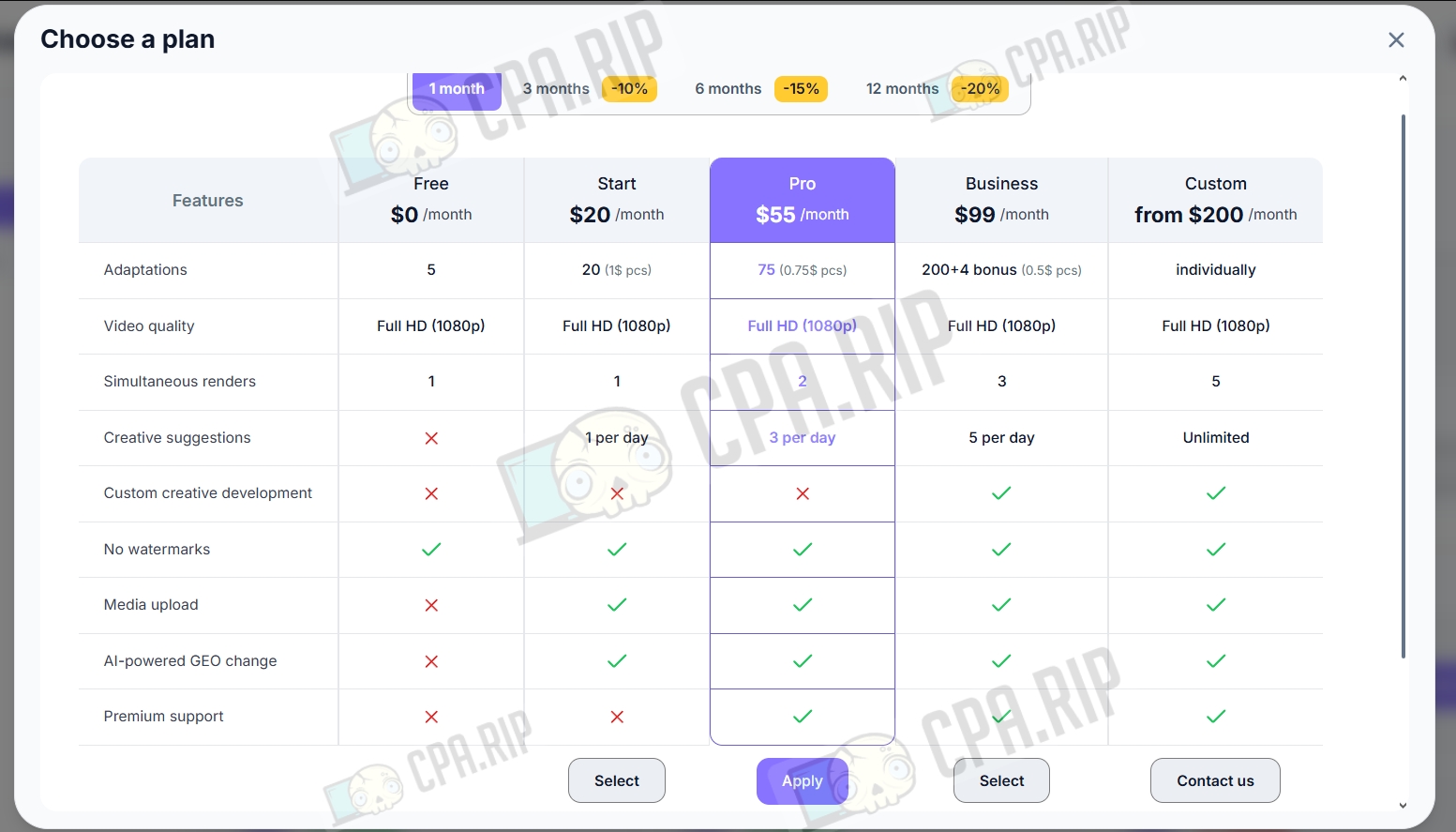
Depending on the payment term, the following discounts apply:
- 3 months: -10%
- 6 months: -15%
- 12 months: -20%
Templates
Templates are divided into two main categories:
- Gambling — about 100 templates.
- Banking — about 30 templates.
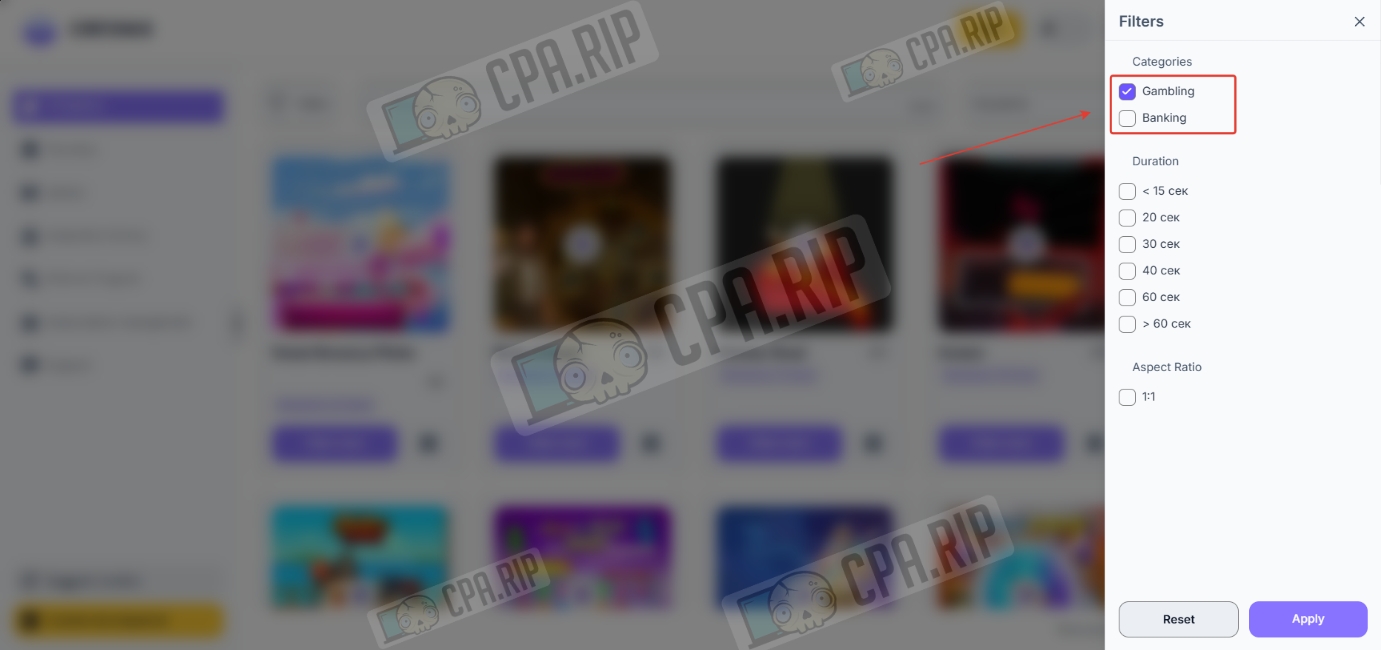
Making creative
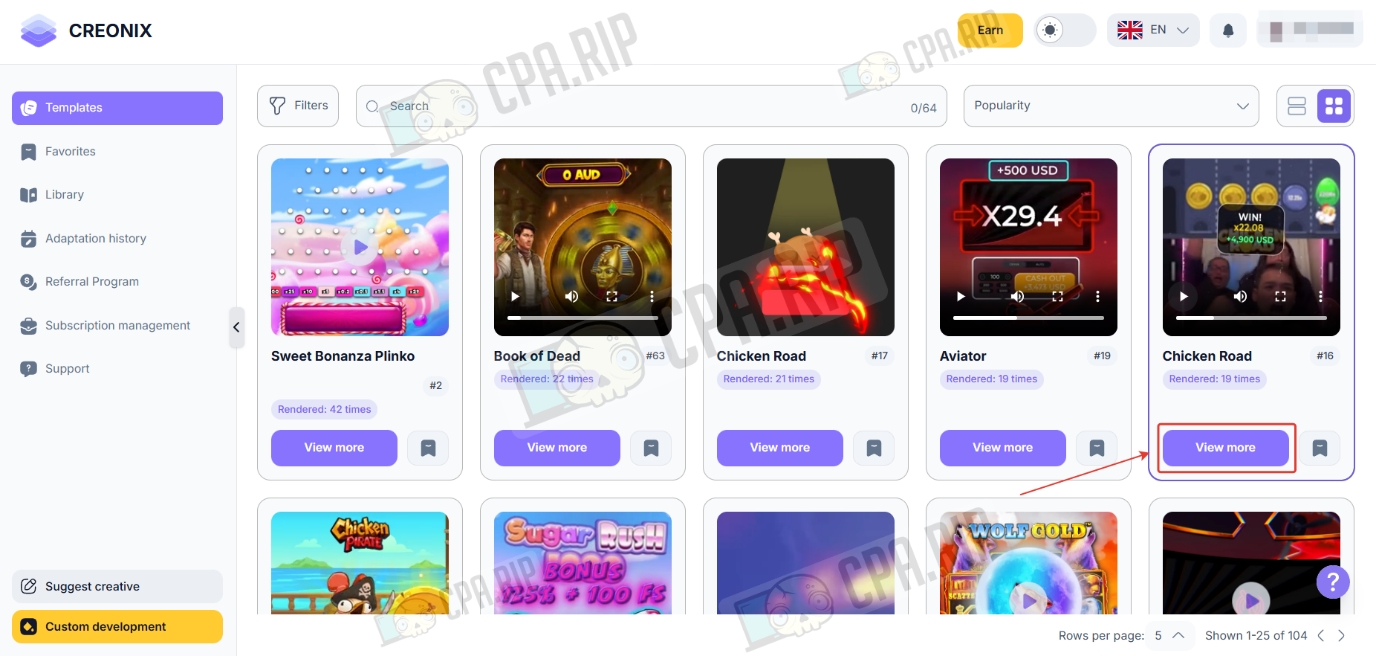
- Select a ready-made template from the list and click “View more.”
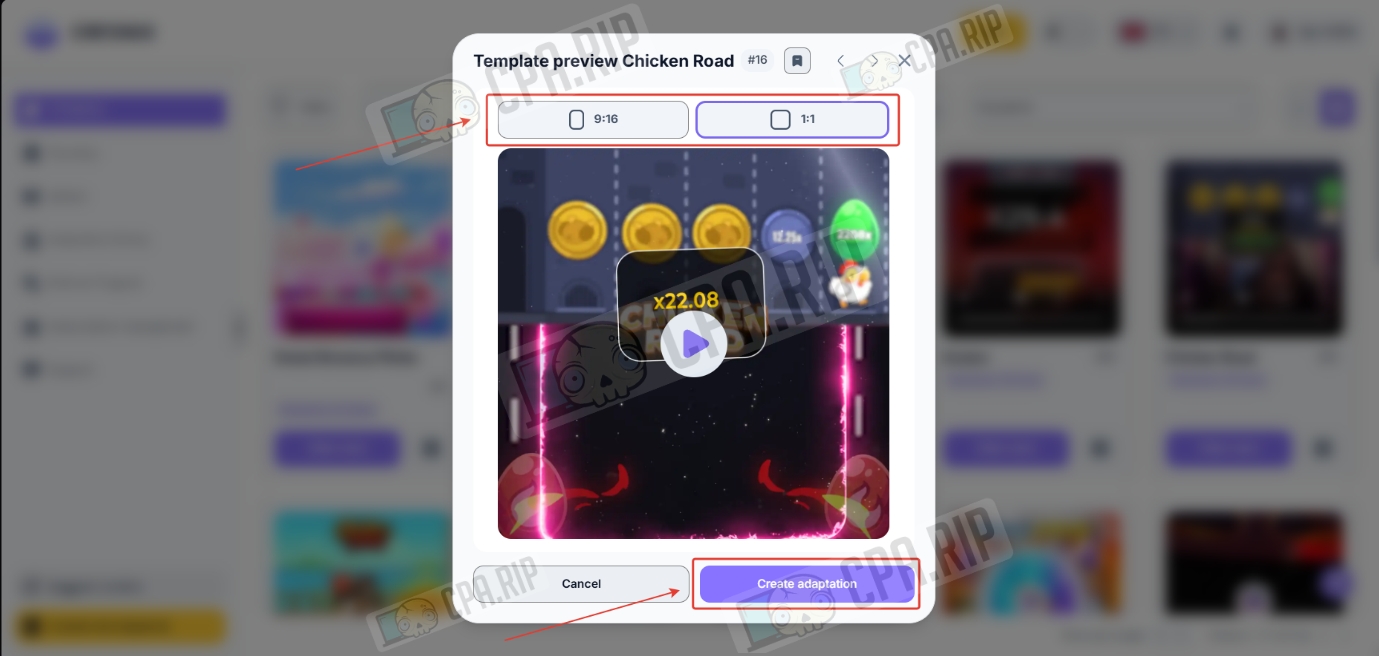
- Select the format and click “Create adaptation.”
- Specify the geo for localizing the creative and click “Translate.”
This feature is only available on paid plans starting with Start, but our AI translation worked even on the free plan.
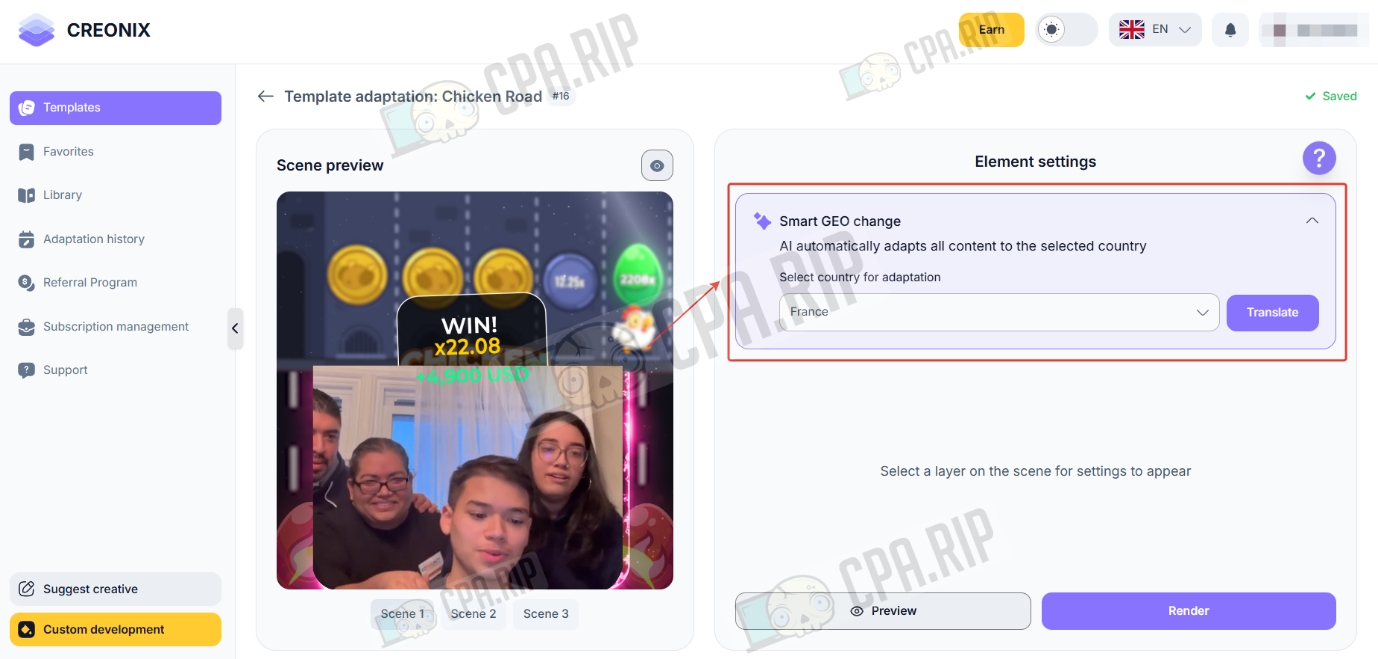
- Click on the button to display all editable elements. These can be text or, as in this example, a video reaction.
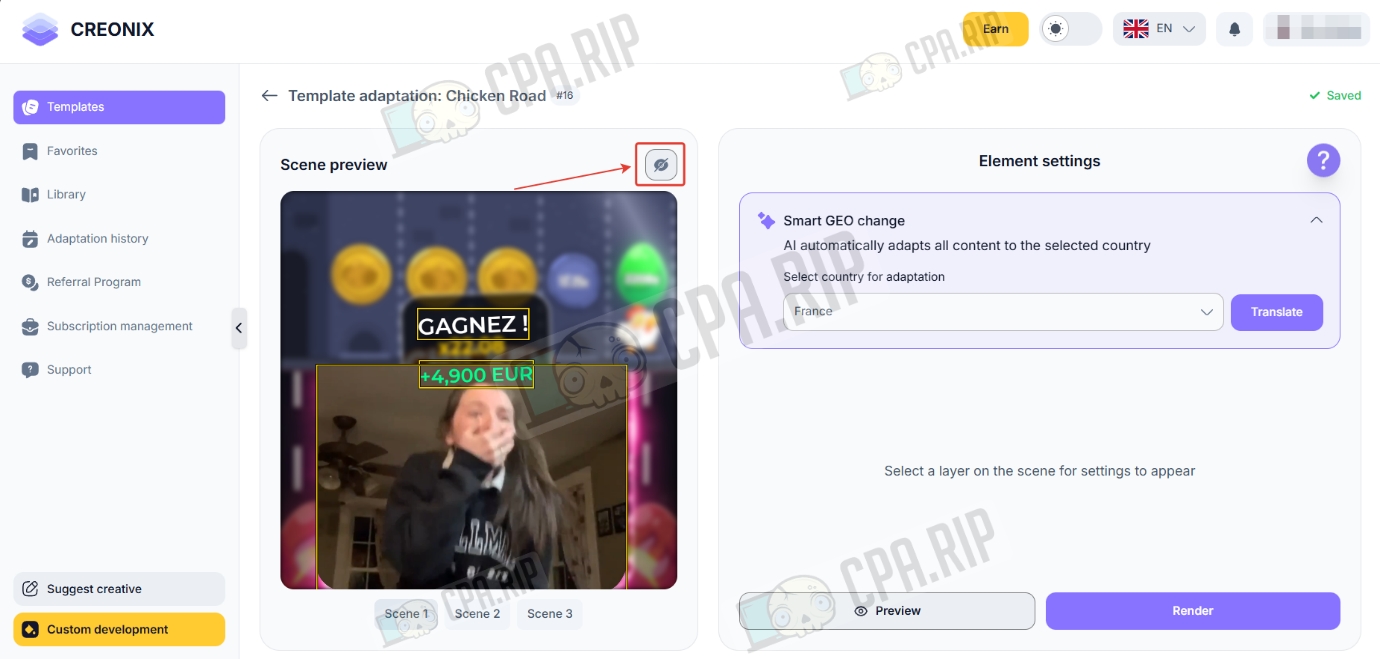
Creonix has a media library of necessary elements, already distributed by specific countries: icons of local banks, images of popular currencies, and animated flags. There are App Store and Google Play buttons localized for different markets. Special attention is paid to video reactions: the library contains emotions of people whose appearance corresponds to Europe, Asia, Latin America, and other regions.
- Select the element you want to replace. You can select it from the library of ready-made elements by clicking “Select from library” or upload your own by clicking “Upload file.”
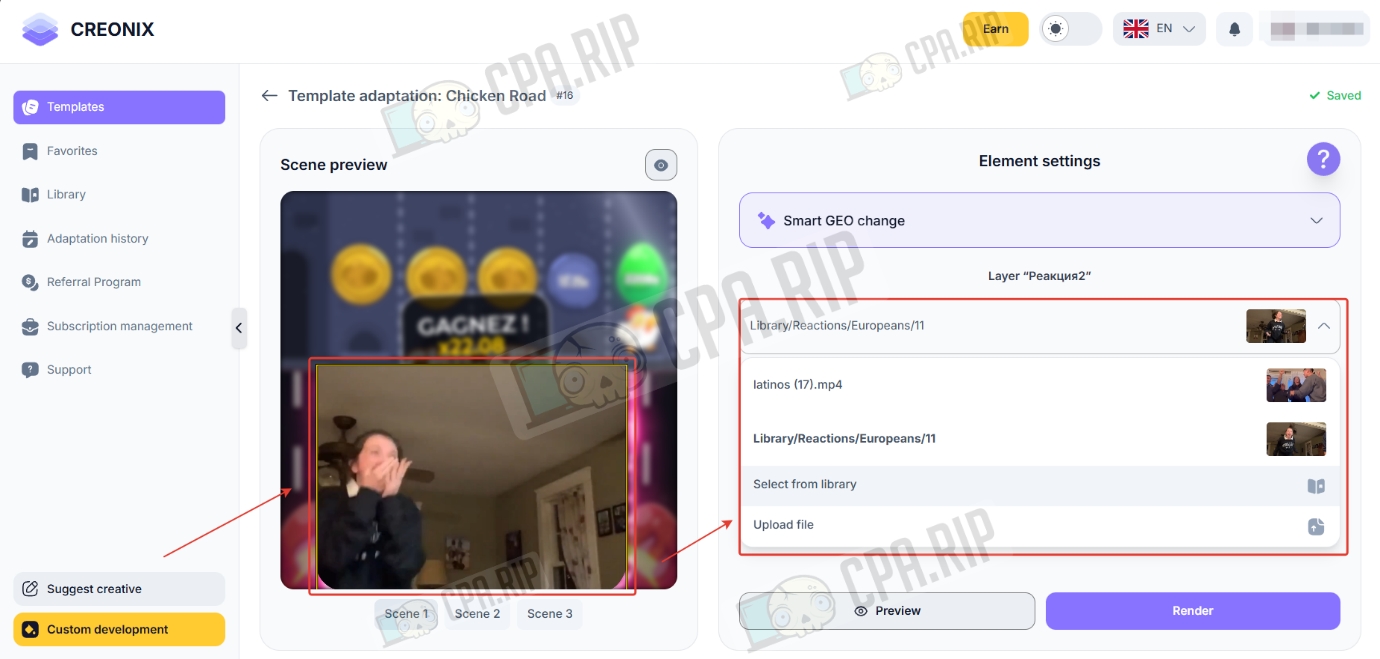
- Open the “Reactions” folder in the library.
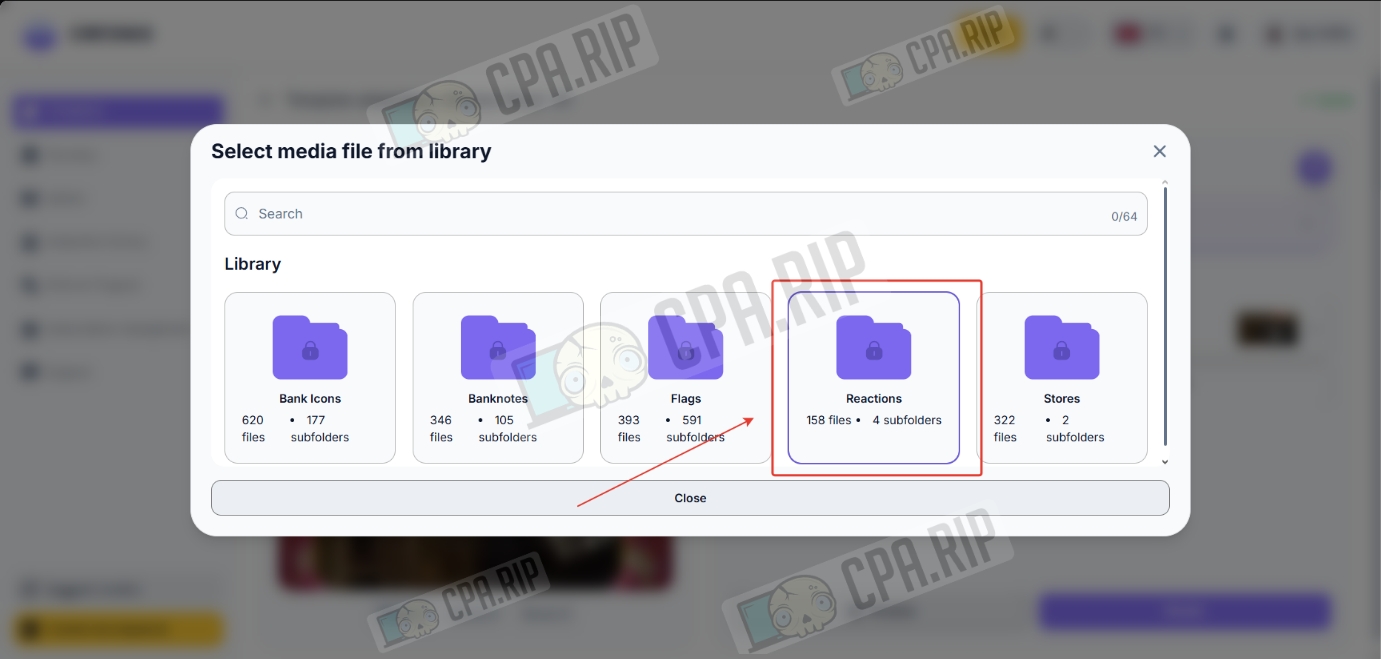
- Open the folder with the desired geo reactions.
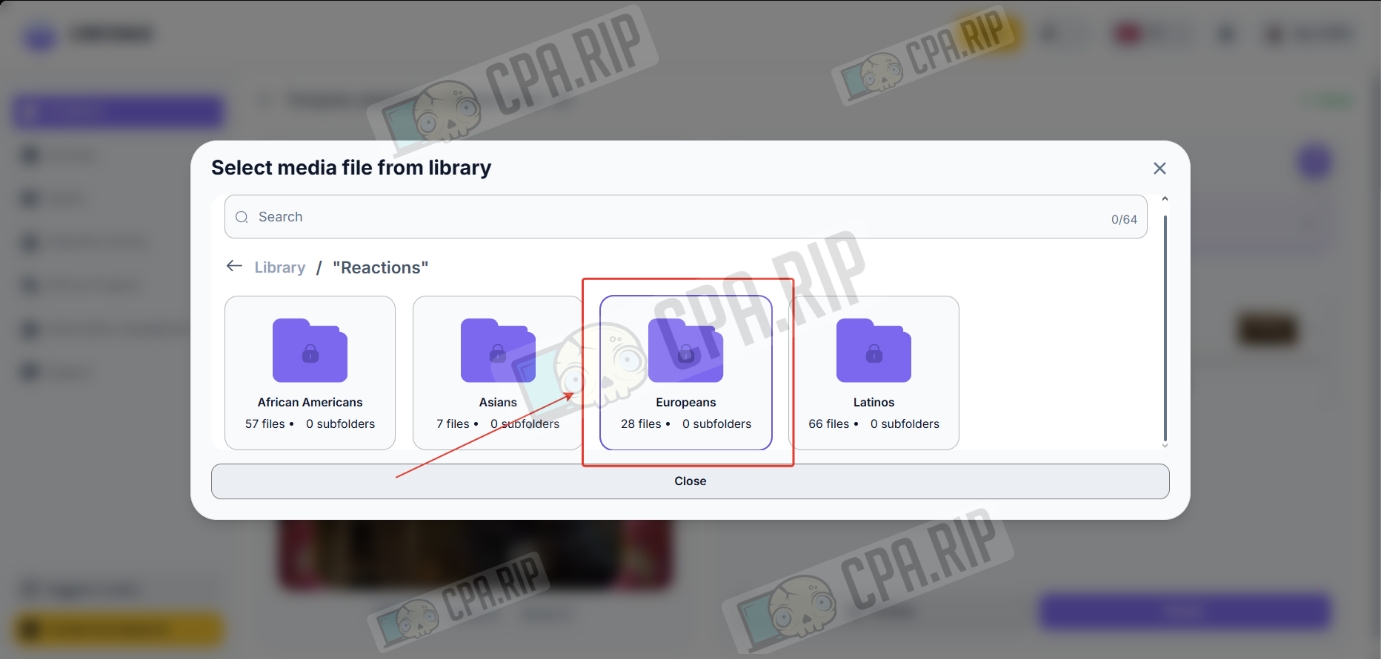
- Select a reaction and click “Preview.”
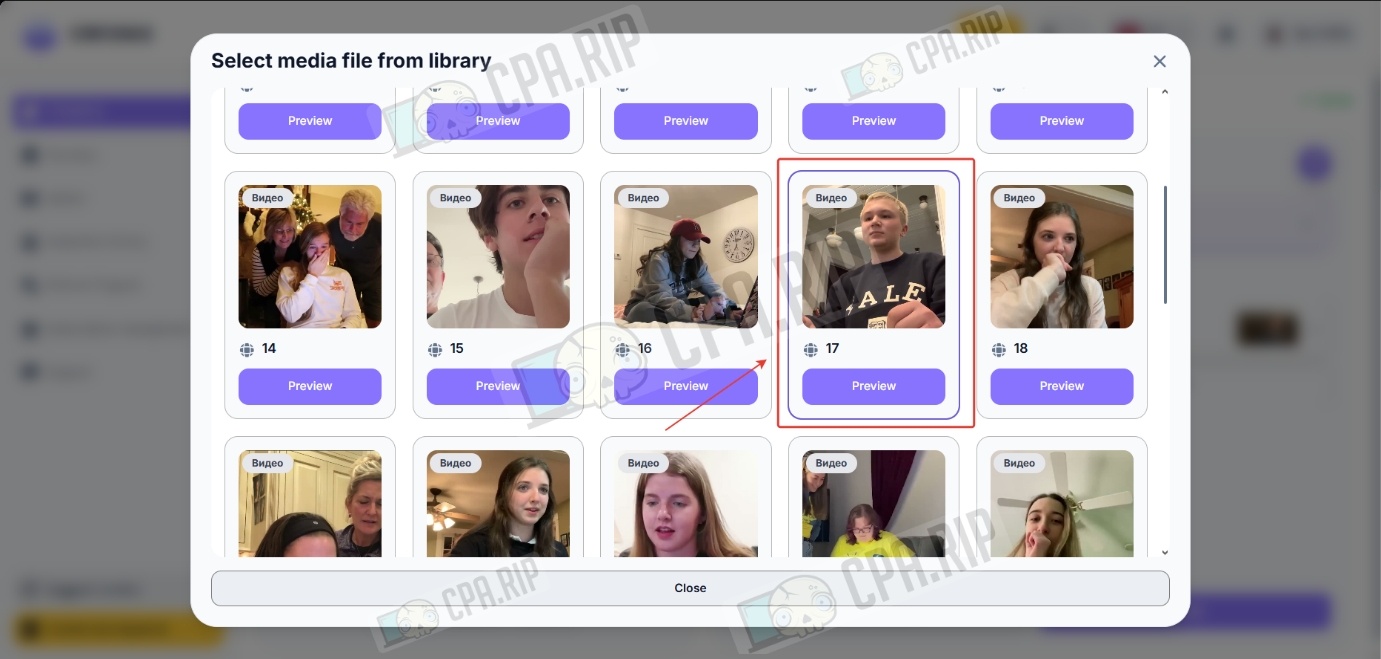
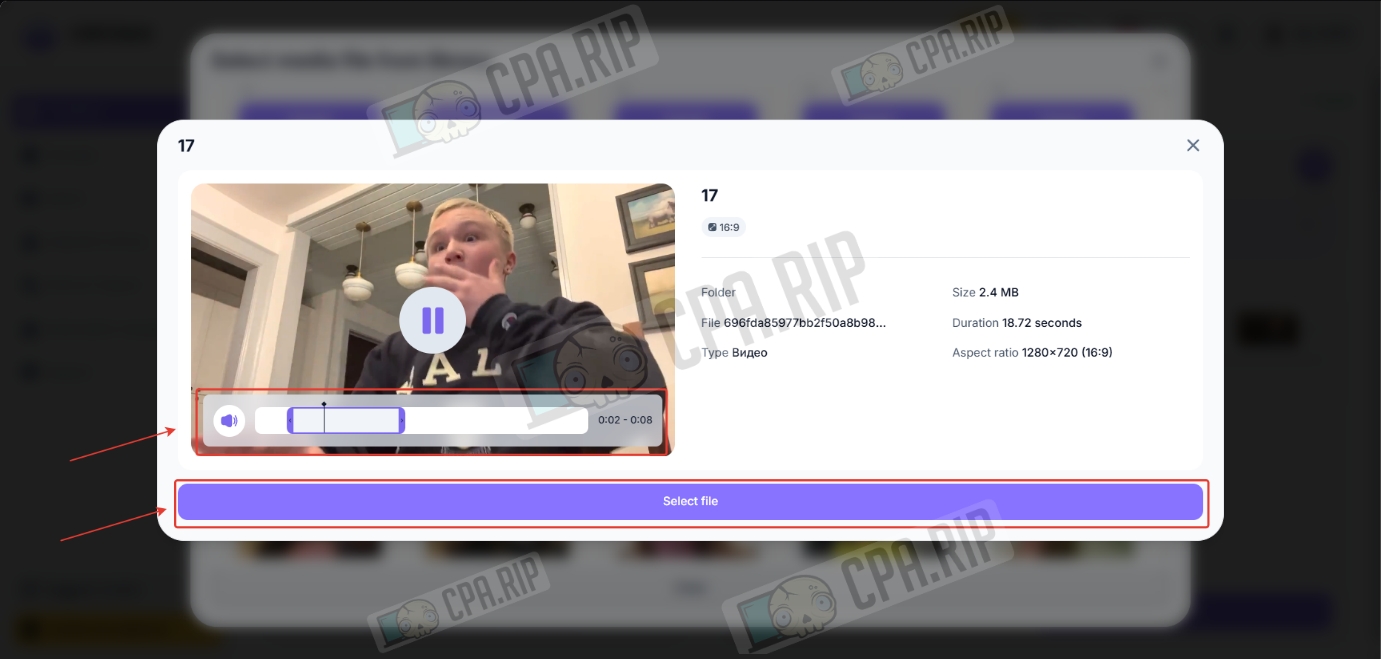
- Select the desired moment in the video and click “Select file.”
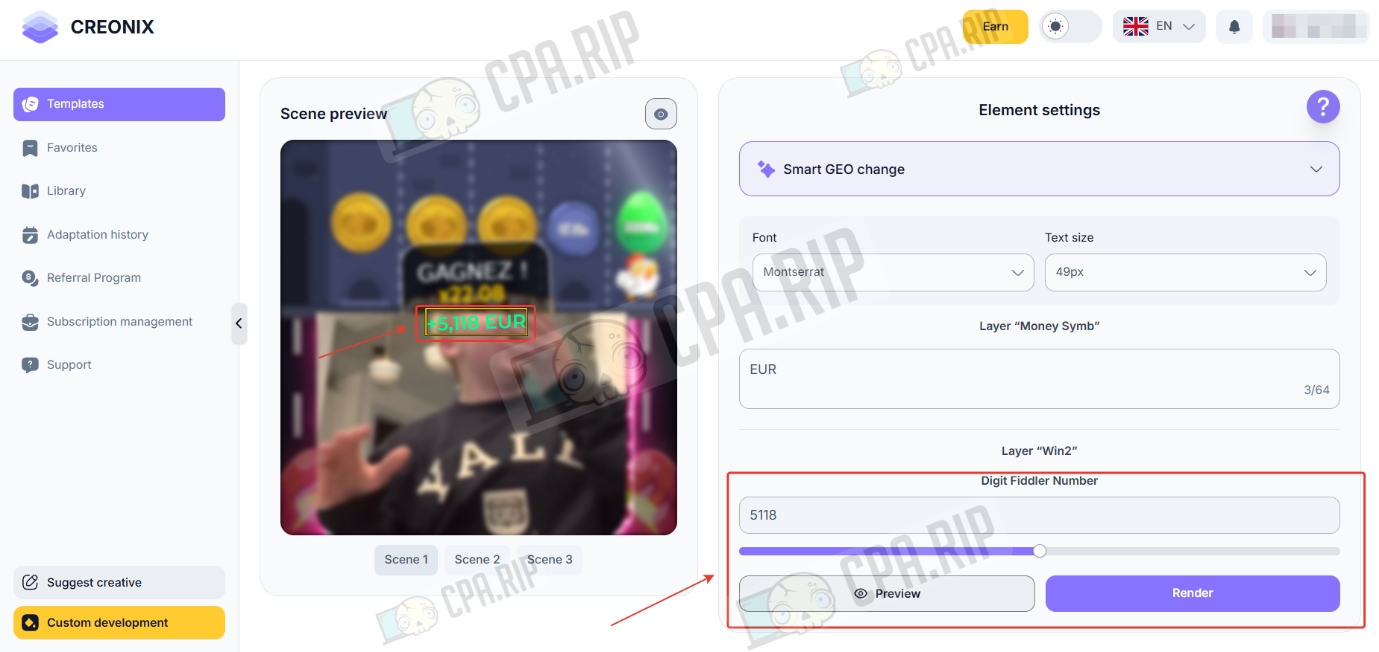
- Next, configure the text elements.
- Configure each creative scene and click “Render.”
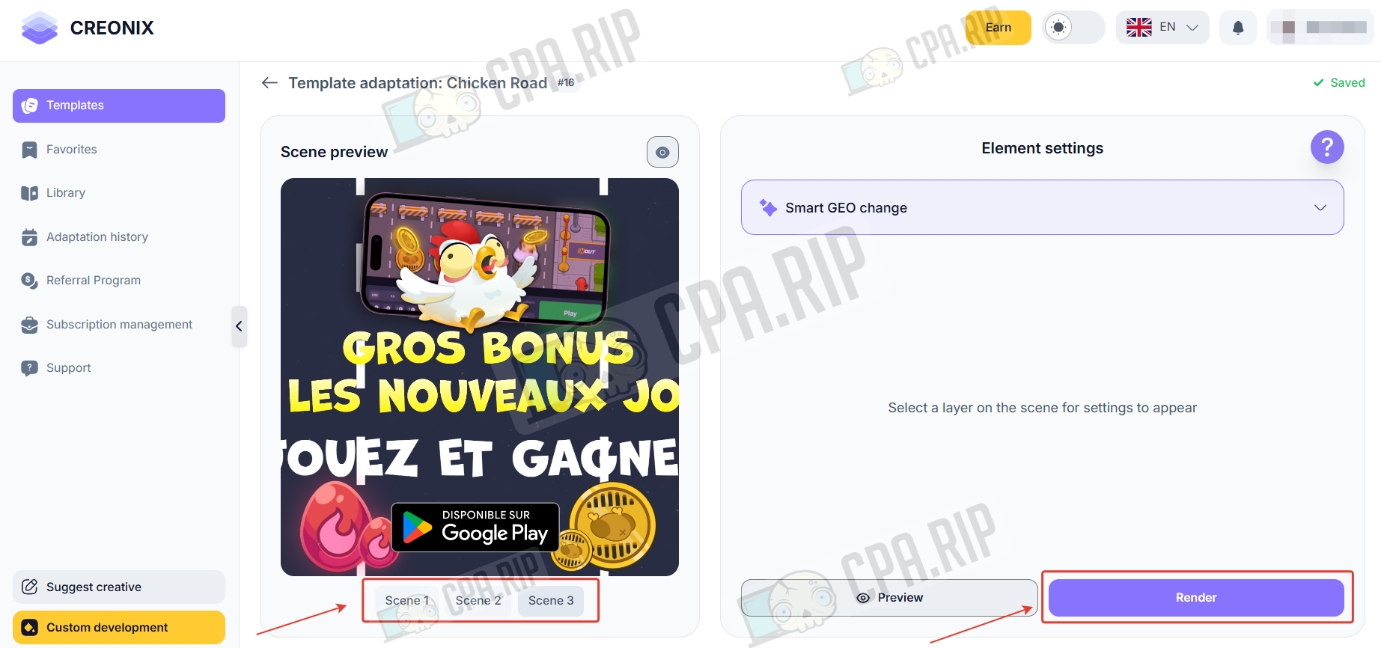
- Click “Render.”
The generation process usually takes from 5 to 15 minutes. The total time depends on the technical parameters of the selected scene and the current queue on the server.
The entire process, from selecting a template to receiving the finished video, took us about 20 minutes.
Disadvantages: you cannot move editable elements or select background music.
If the creative uses banking mechanics, you can generate this module first.
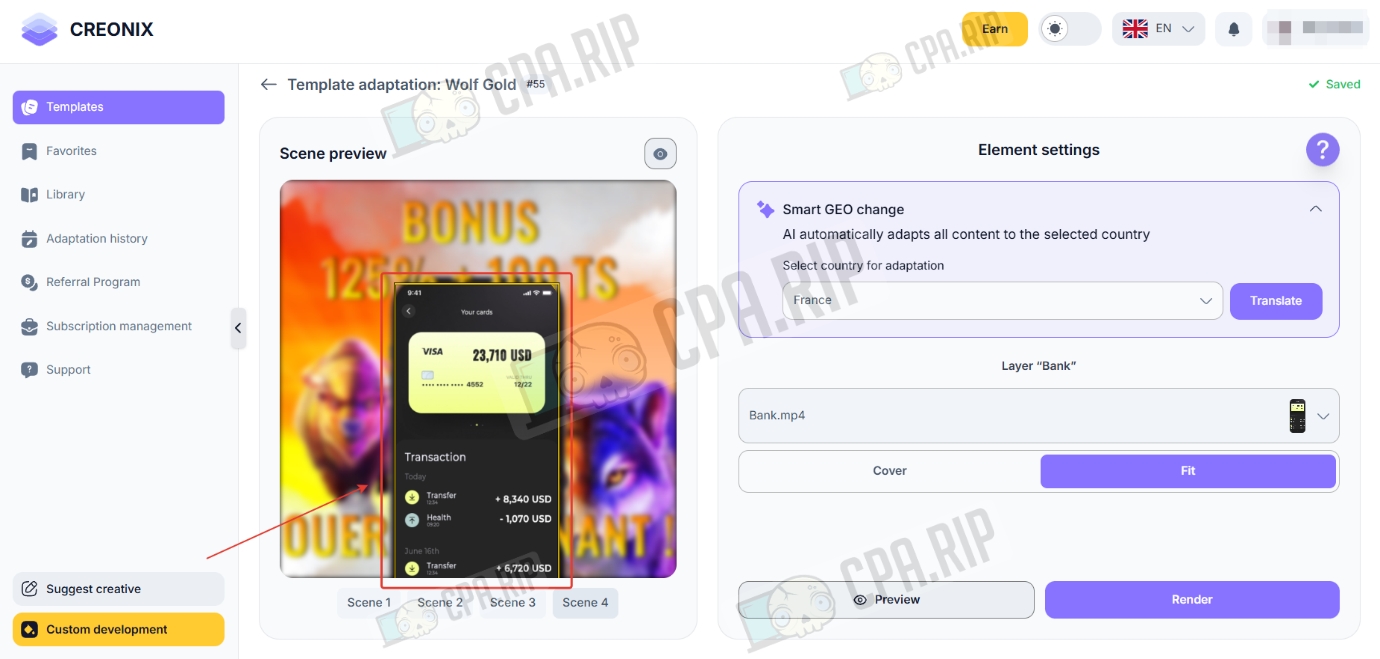
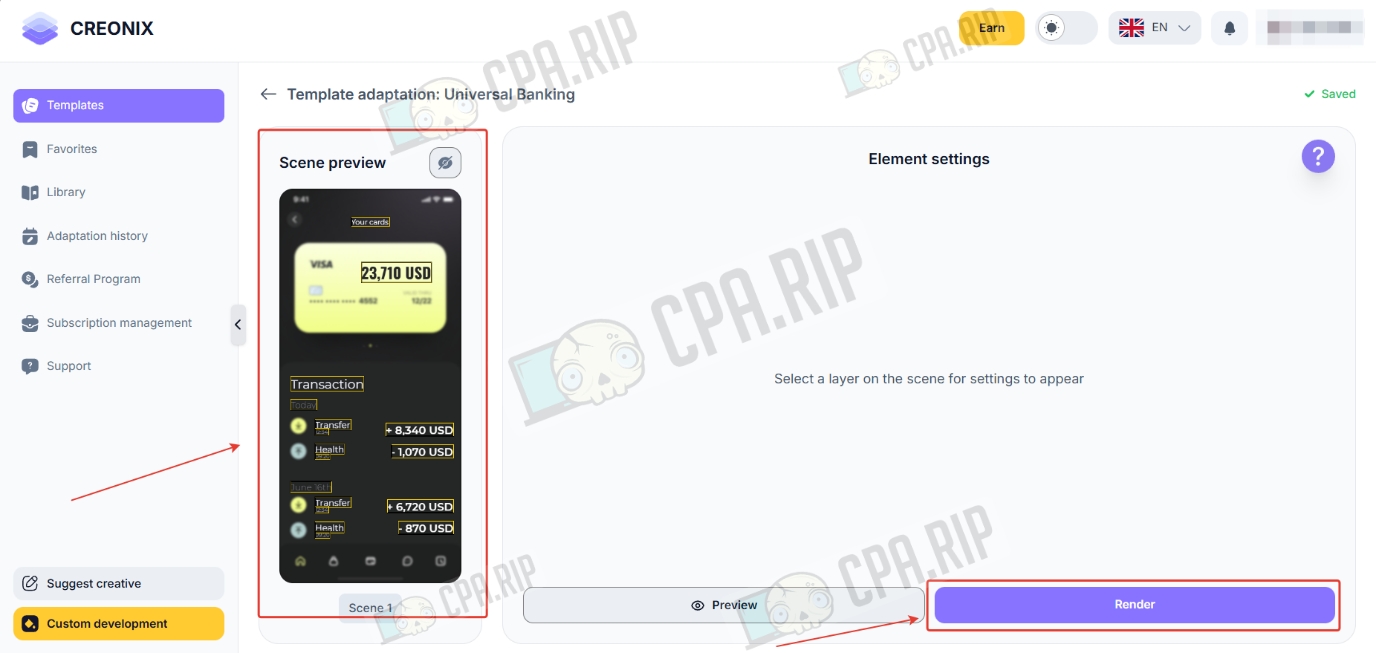
- Find the template for this element in the templates section and click “View more.” Then click “Create adaptation.”
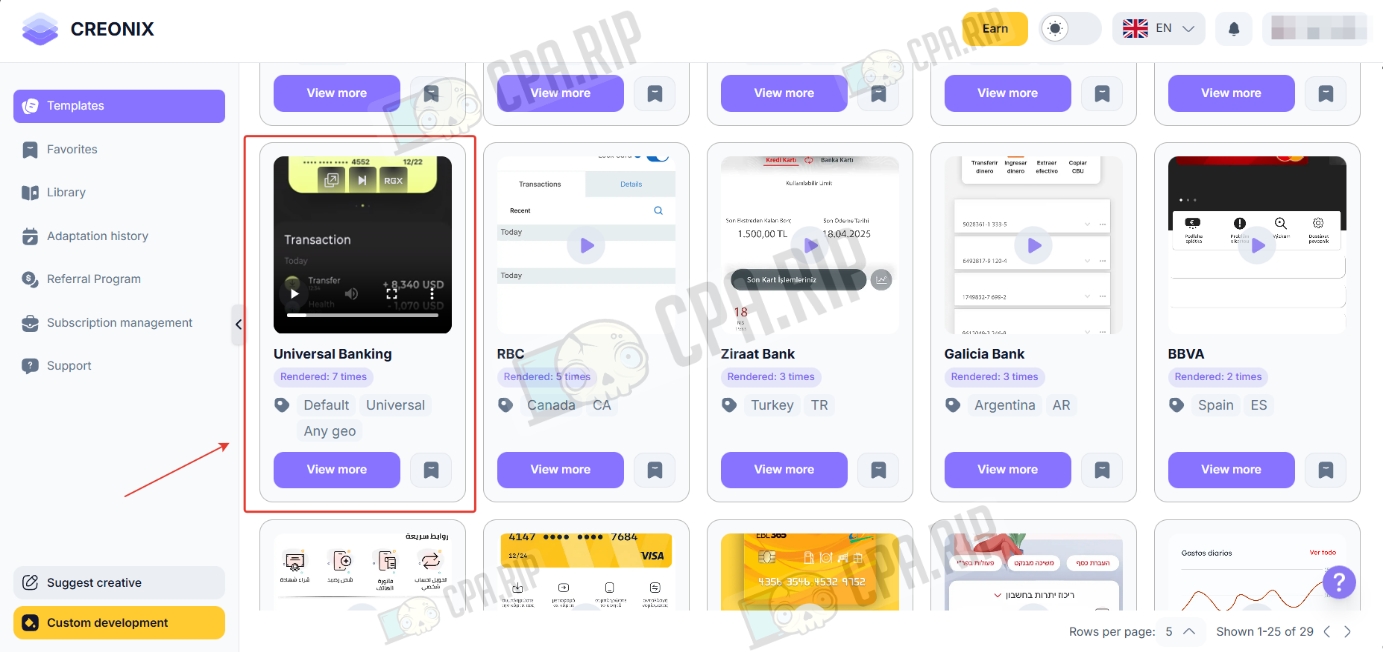
Users can fully customize banking notifications. You can select a preset for a specific bank, replace icons and names with your own assets, and flexibly configure the transaction type and numerical values before starting rendering.
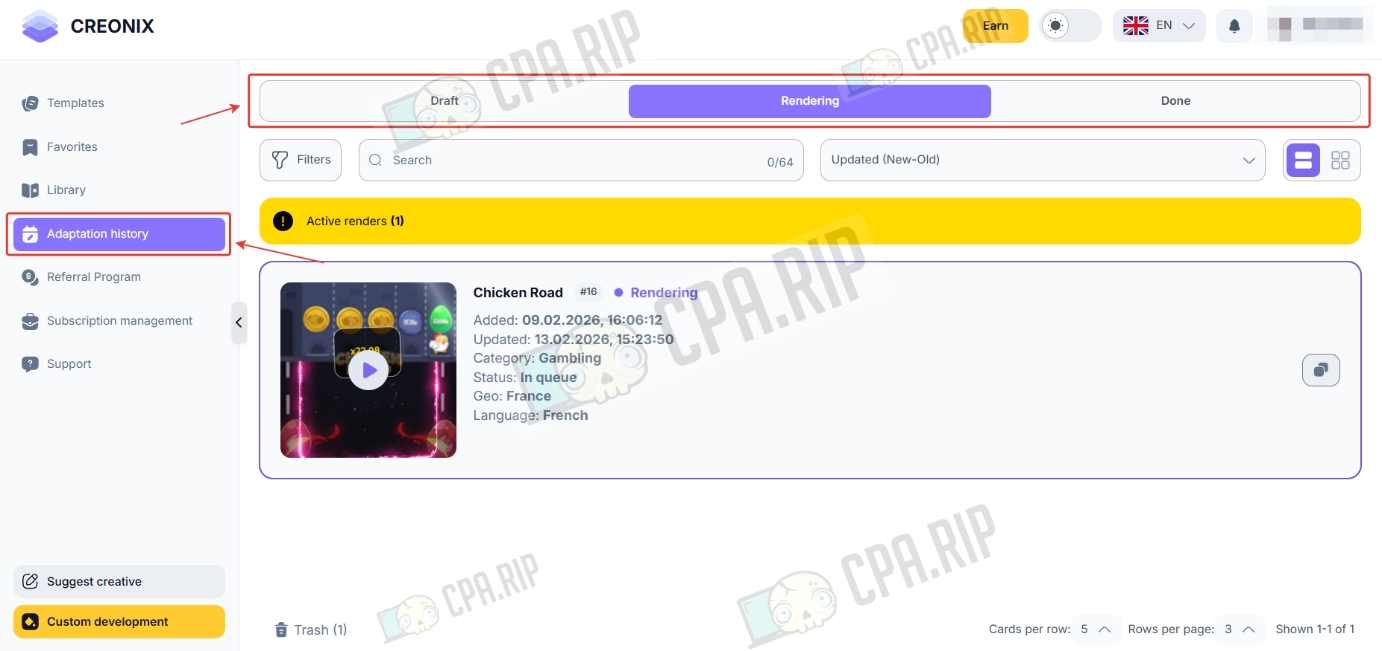
Edit history
The edit history contains drafts, creatives in the process of generation, and generated creatives.
Telegram bot
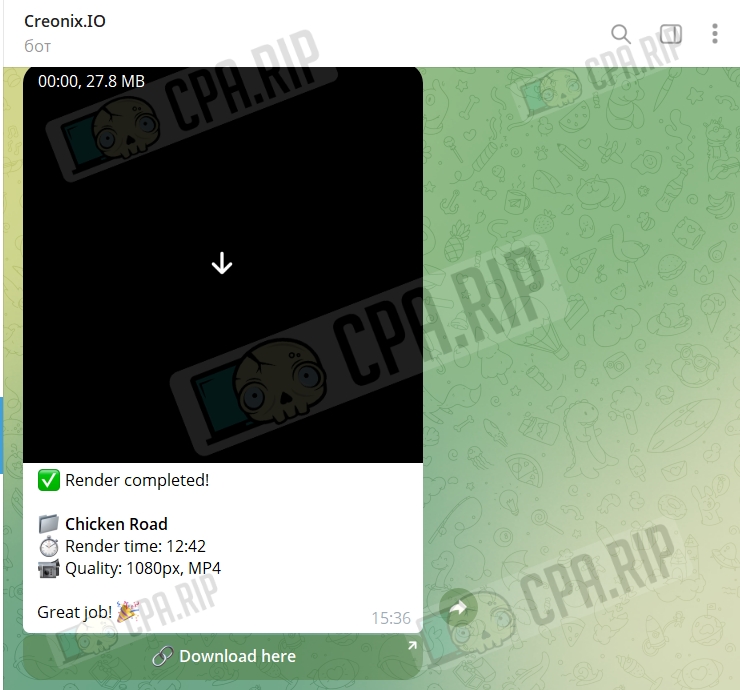
Once the creative has been generated, the bot will automatically send a notification.
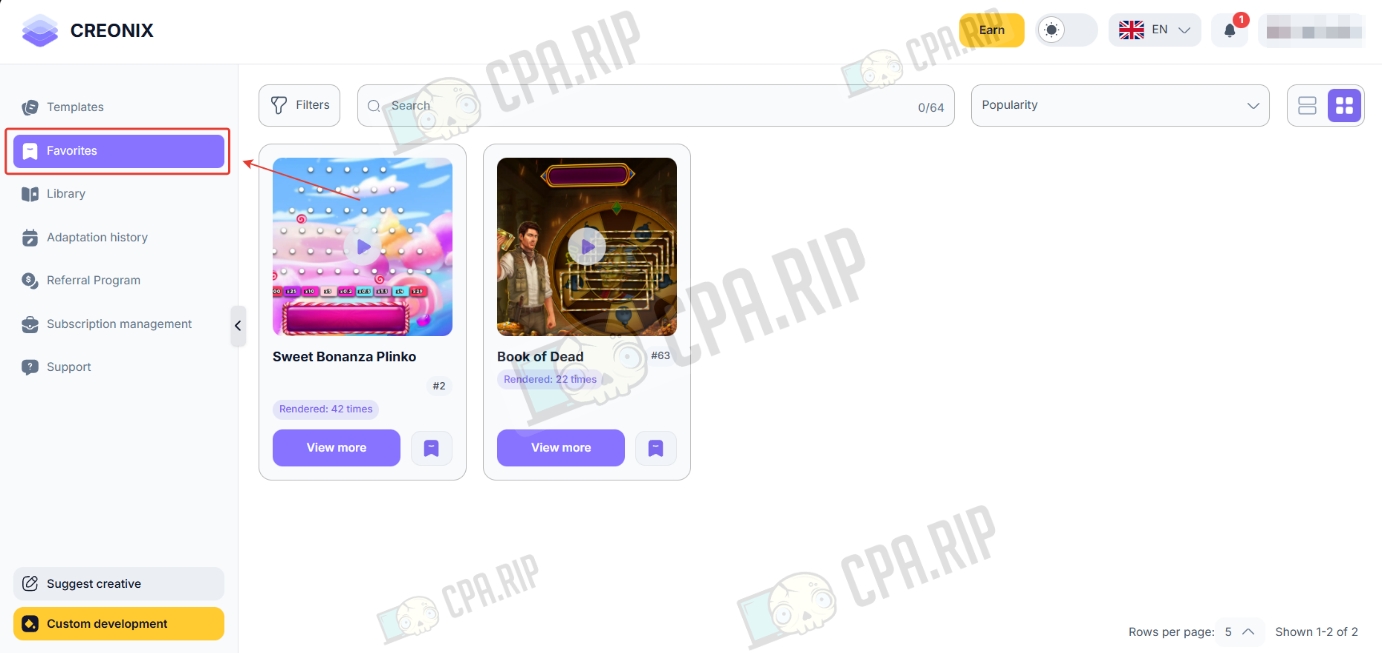
Favorites
You can save templates you like to your favorites section.
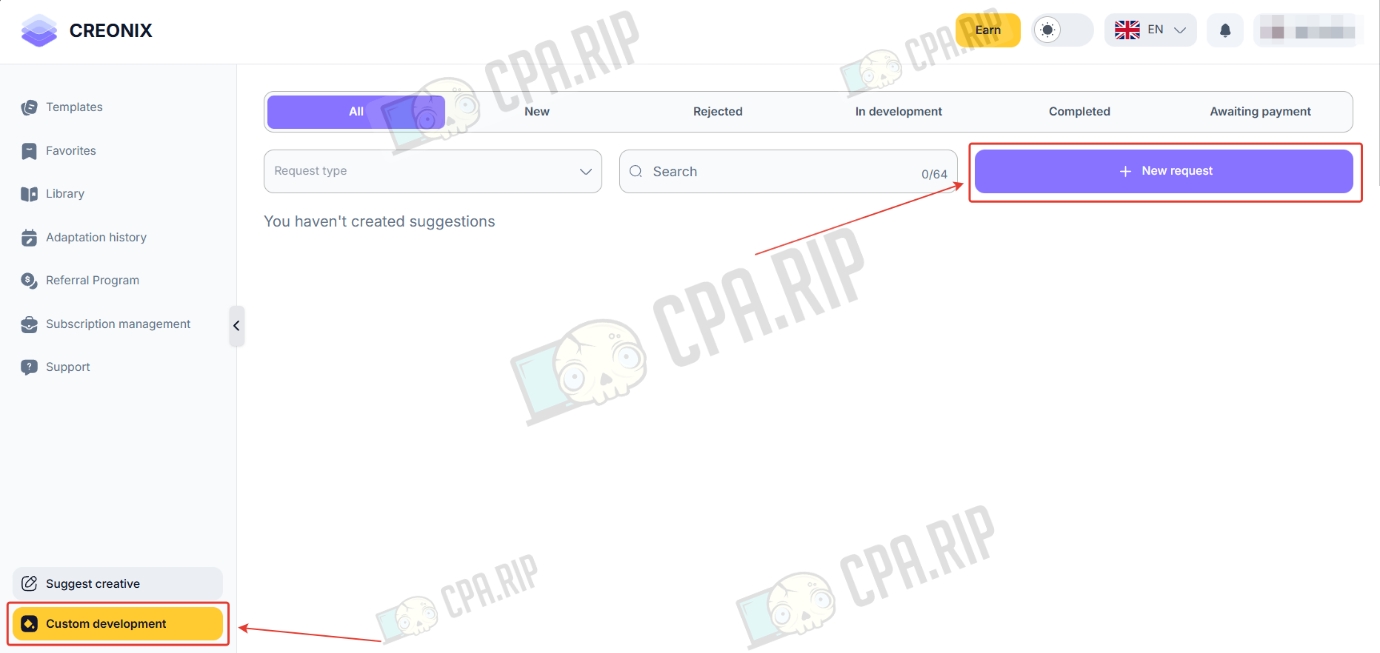
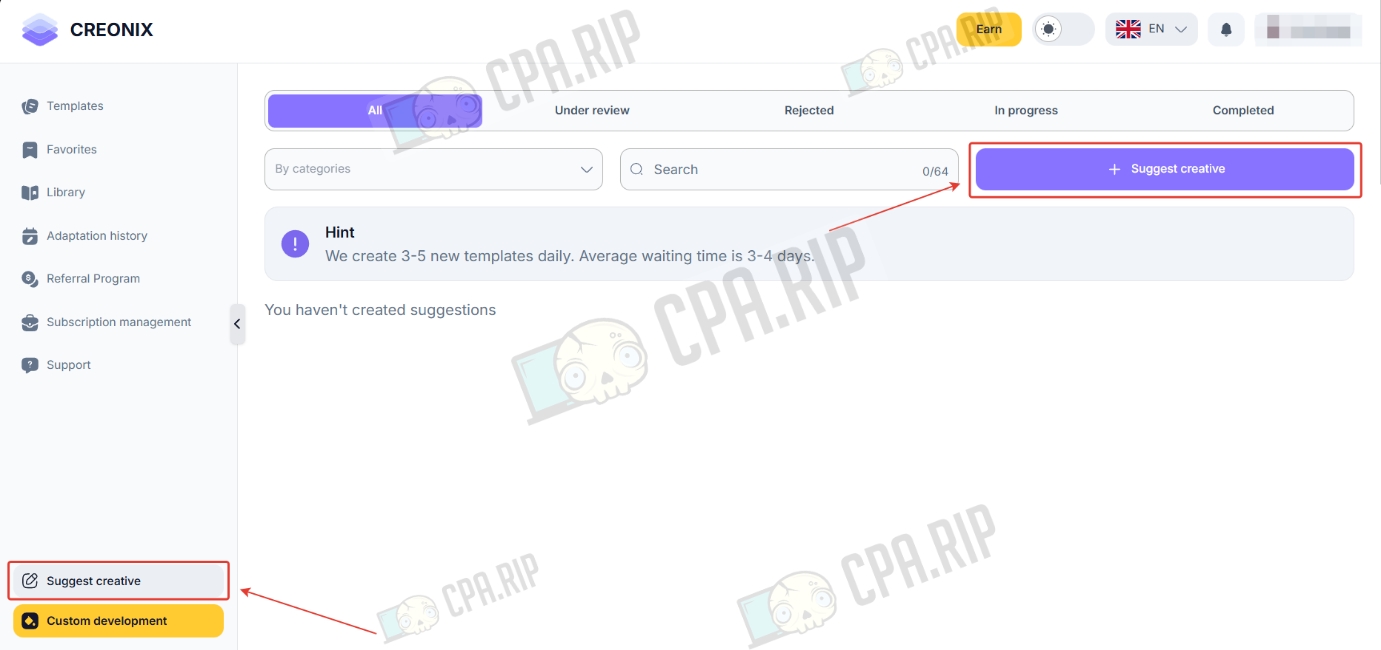
Suggest creative
In the “Suggest creative” section, you can submit a request for a new template to be developed. Once it has been created, you will receive:
- A ready-made template based on your idea
- A notification in Telegram when the template is ready
- Priority access to the new template
Custom development
In the “Custom development” section, you can request custom development of a creative design.