
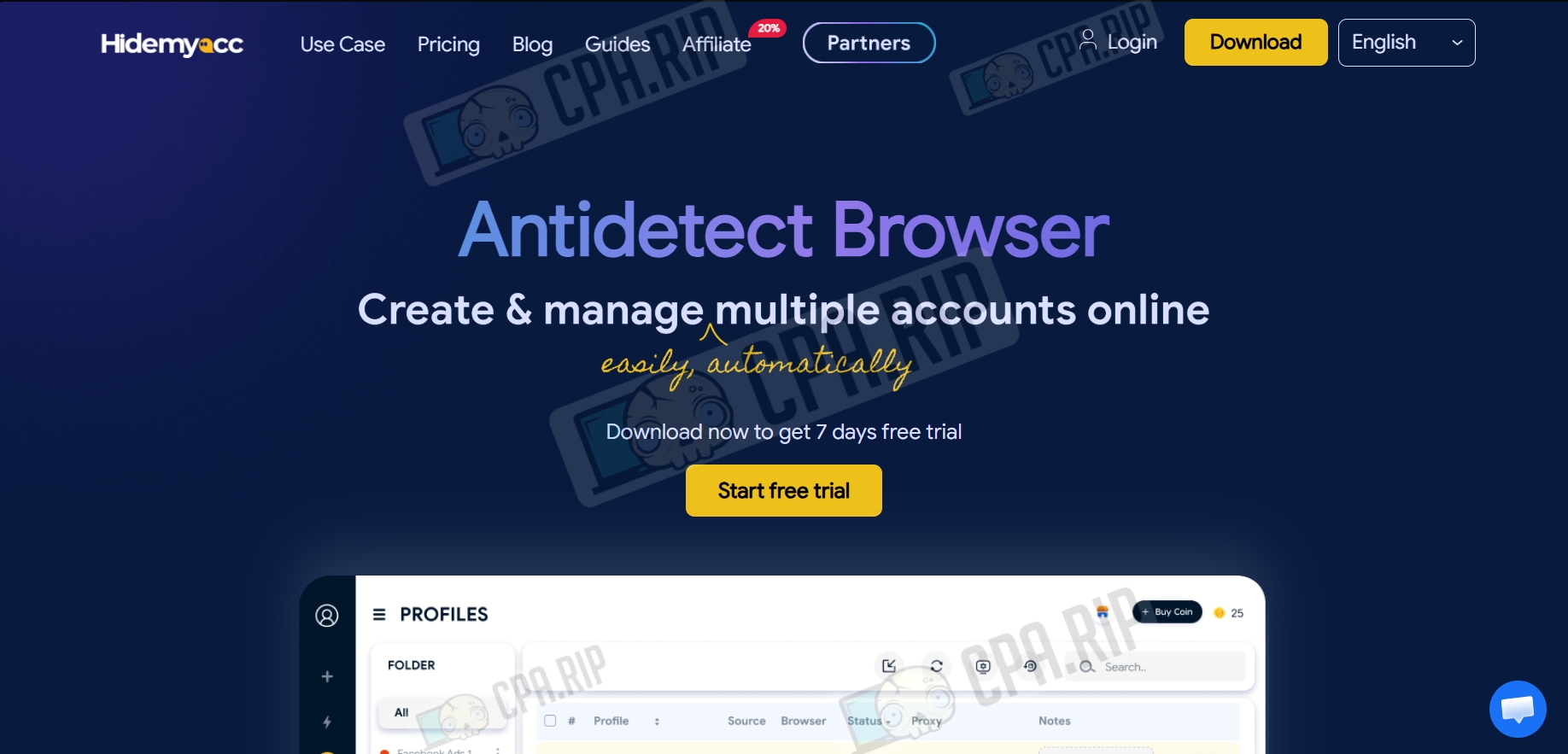
Review of the Hidemyaсс antidetect browser for securely managing multiple accounts. Interface, features, and pricing. There is a free 7-day trial.
The Hidemyaсс antidetect browser allows you to work with up to 1,000 profiles simultaneously. The Marco browser is based on Chromium, whilst the Foxy browser is based on Firefox. You can create User-Agents from a wide range of browsers, such as Chrome, Edge, Opera, Yandex, and Brave. It also allows you to create teams and group accounts into folders.
Each profile stores cookies and cache data for fast loading. Automatic backups are performed every 24 hours, so you can recover deleted accounts by contacting technical support.
- Download: https://hidemyacc.com/
Available on the following platforms:
- Windows;
- macOS (Intel, Apple Silicon);
Our selection of antidetect browsers: https://cpa.rip/en/services/antidetect-browser/
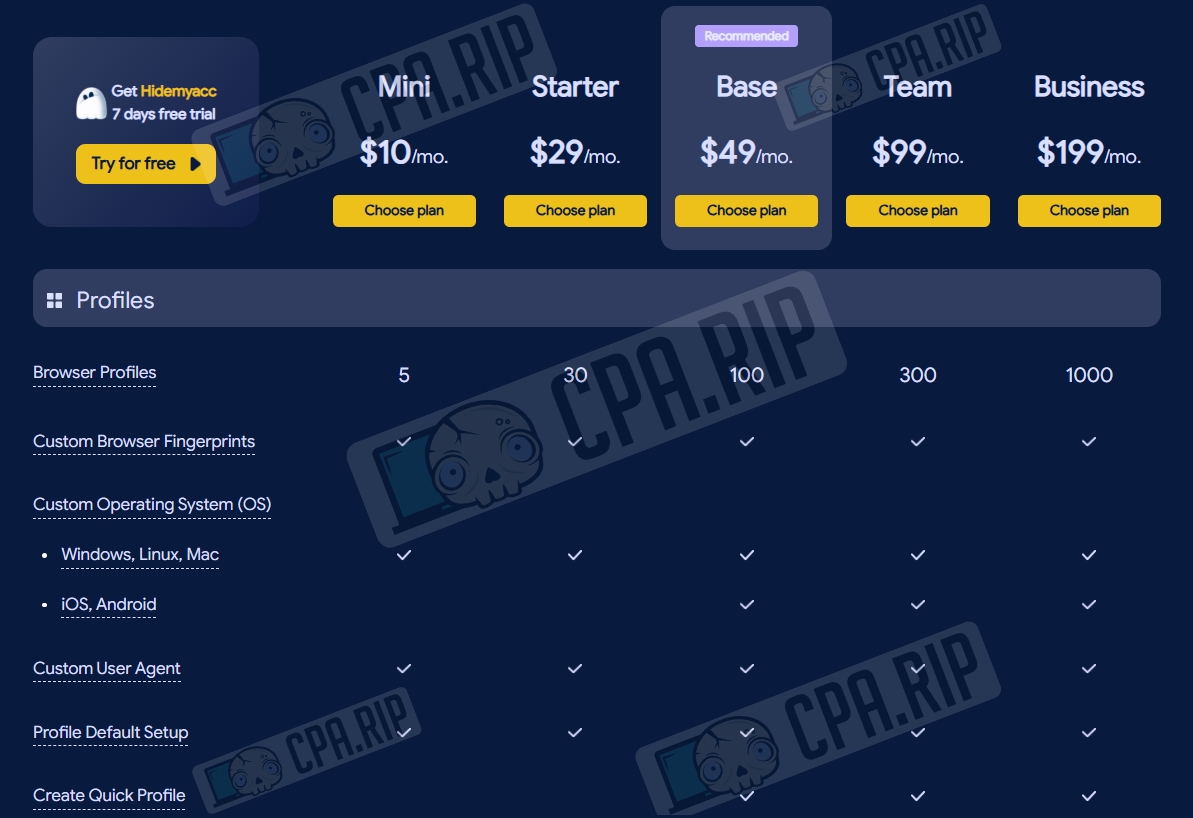
Pricing
- Trial: free (up to 7 days);
- Mini: $10/month (up to 5 profiles)
- Starter: $15/month (up to 30 profiles, 1 sub-account);
- Base: $29/month (up to 100 profiles, team collaboration, and automation available);
- Team: $99/month (up to 300 profiles, Base plan features, and API access);
- Business: $199/month (up to 1,000 profiles, Team plan features);
- Share: $5/month (plan for team members: cannot create profiles, but can work with existing ones);
- Customised: unlimited number of profiles, price negotiated individually.
Key features
- The browser substitutes hardware and software settings (Canvas, WebGL, fonts, etc.), creating a unique digital fingerprint for each profile.
- Each profile created functions as a separate, isolated browser with its own history, cookies, cache, and settings.
- The automation tool allows you to record routine actions or create scripts that automatically repeat clicks and data entry, saving time on repetitive tasks.
- Multi-window synchroniser function for simultaneous management of multiple profile windows: all actions in the main window are replicated in the others.
- The workspace system allows you to distribute access rights among employees, granting permissions to manage profiles or folders without the need to share account passwords.
- A flexible system of folders, tags, and APIs enables you to efficiently manage a large number of profiles, quickly launching or editing them in bulk.
Interface and profile creation
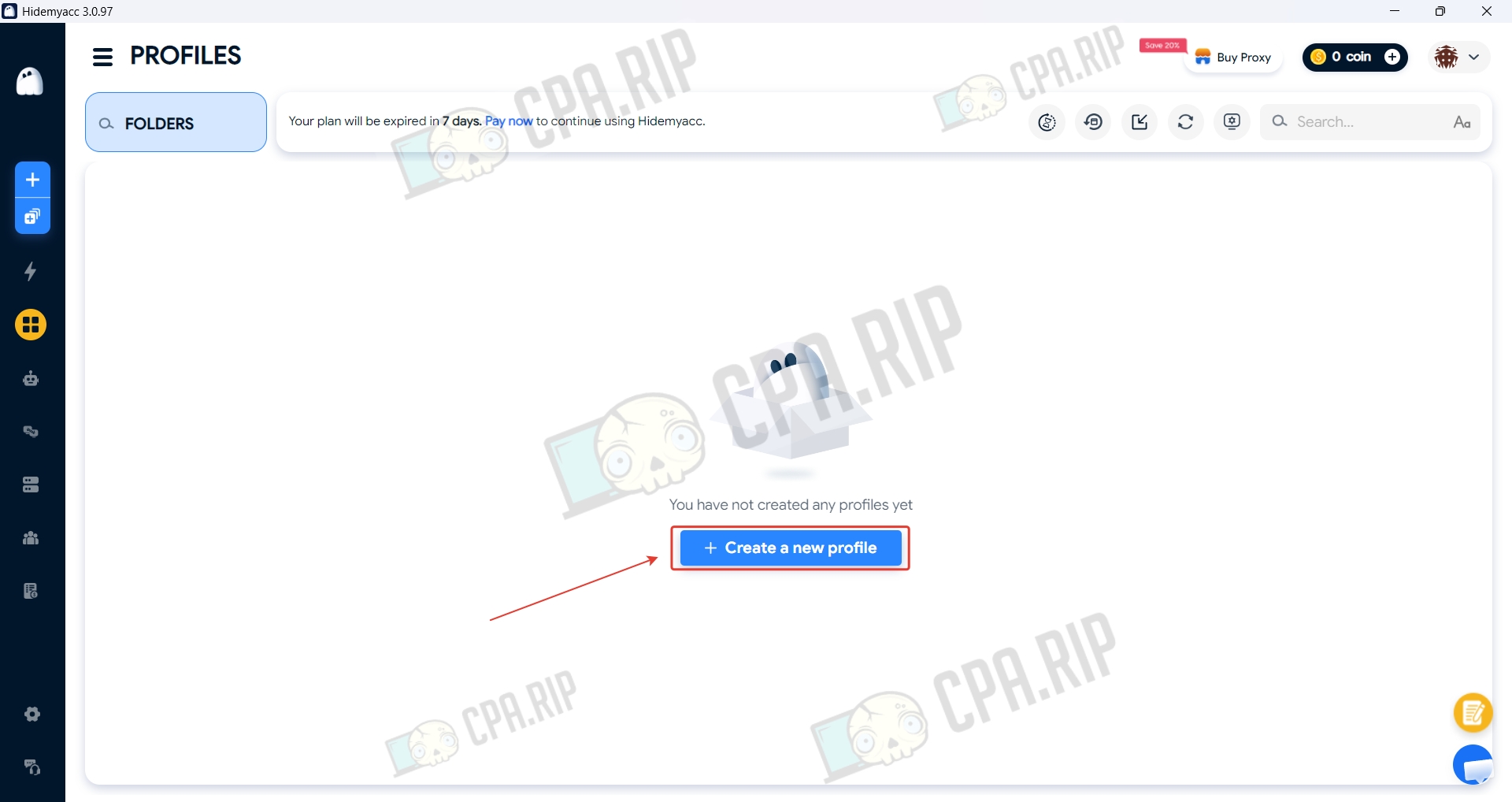
To create a profile, click ‘Create a new profile’.
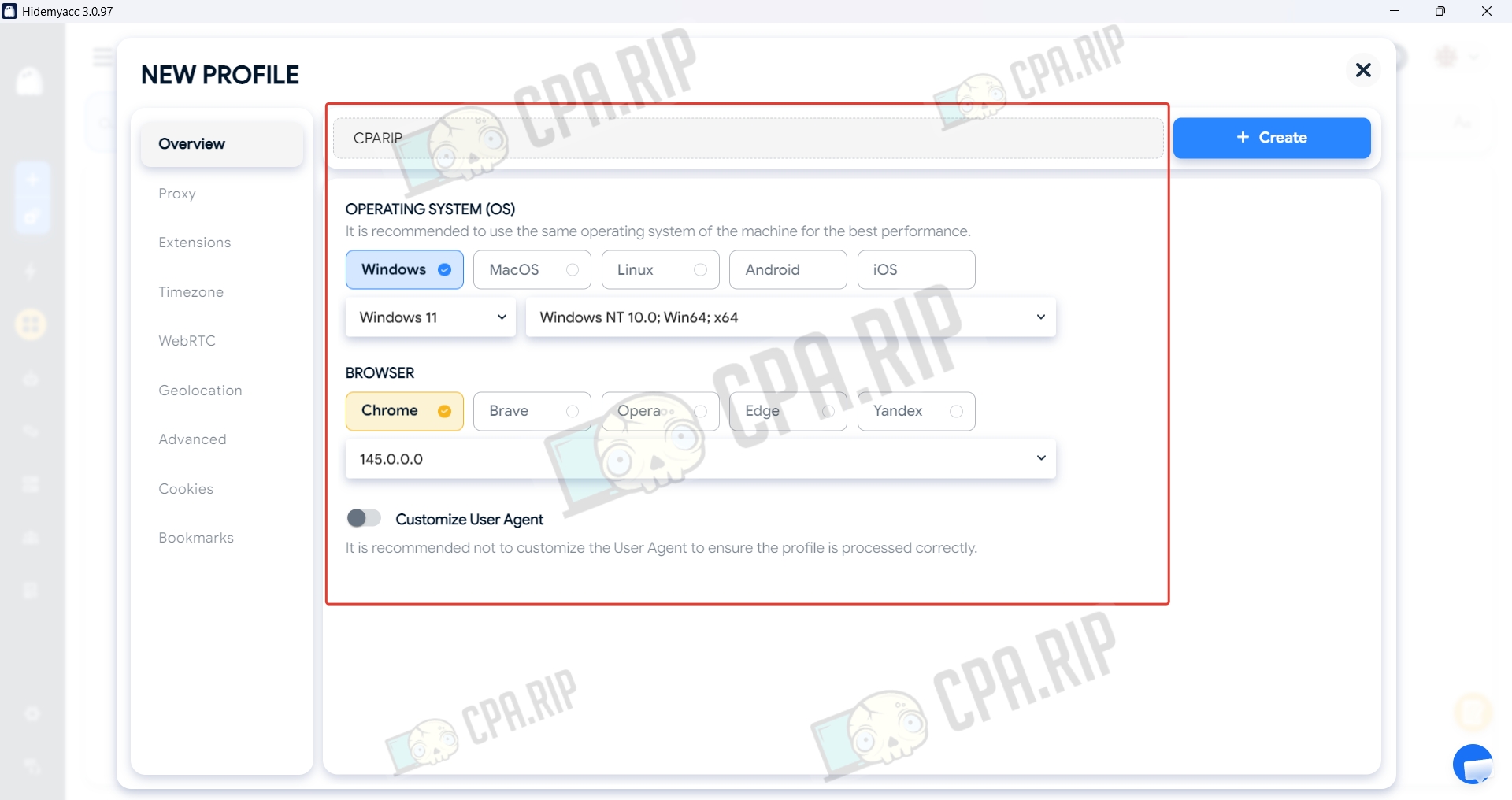
Enter a name and specify the operating system and browser.
Enter the proxy details in the ‘Proxy’ section.
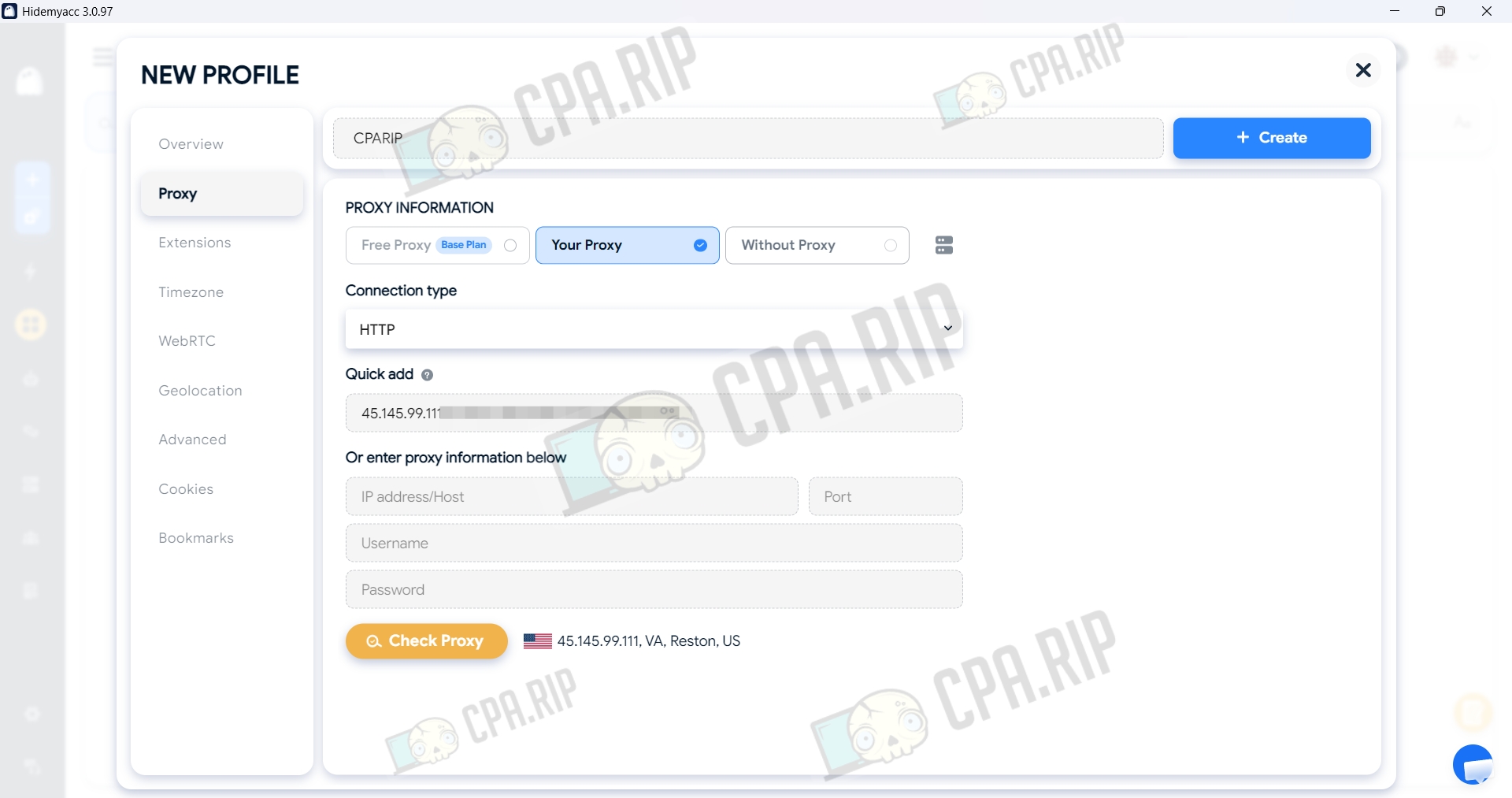
In the ‘Extensions’ tab, you can install the required extensions.
The settings in the ‘Timezone’, WebRTC, Geolocation, and Advanced should not be altered without proper knowledge.
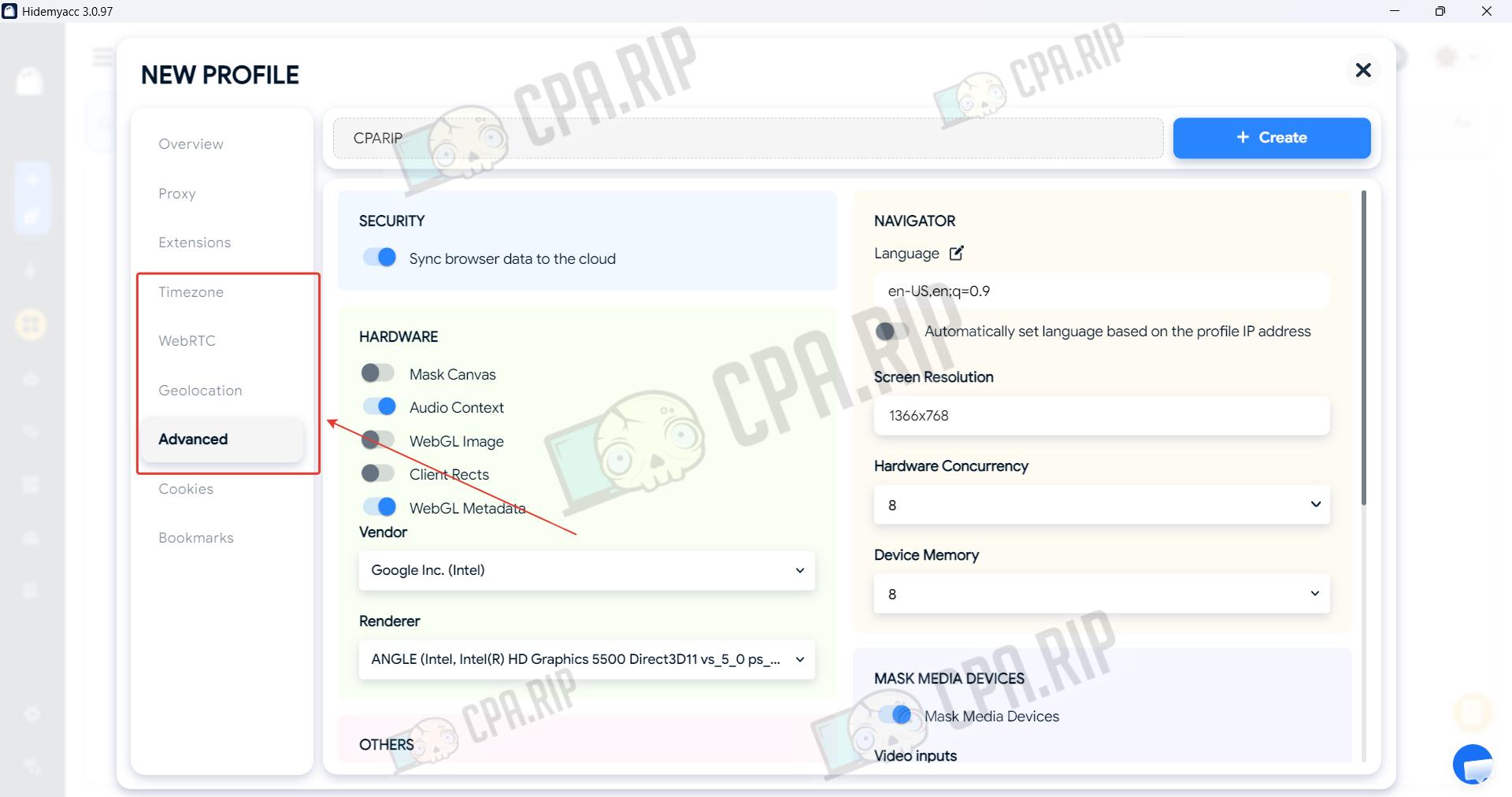
Once you have filled in the main parameters, click Create. The profile is ready to use.
Automation in Hidemyaсс
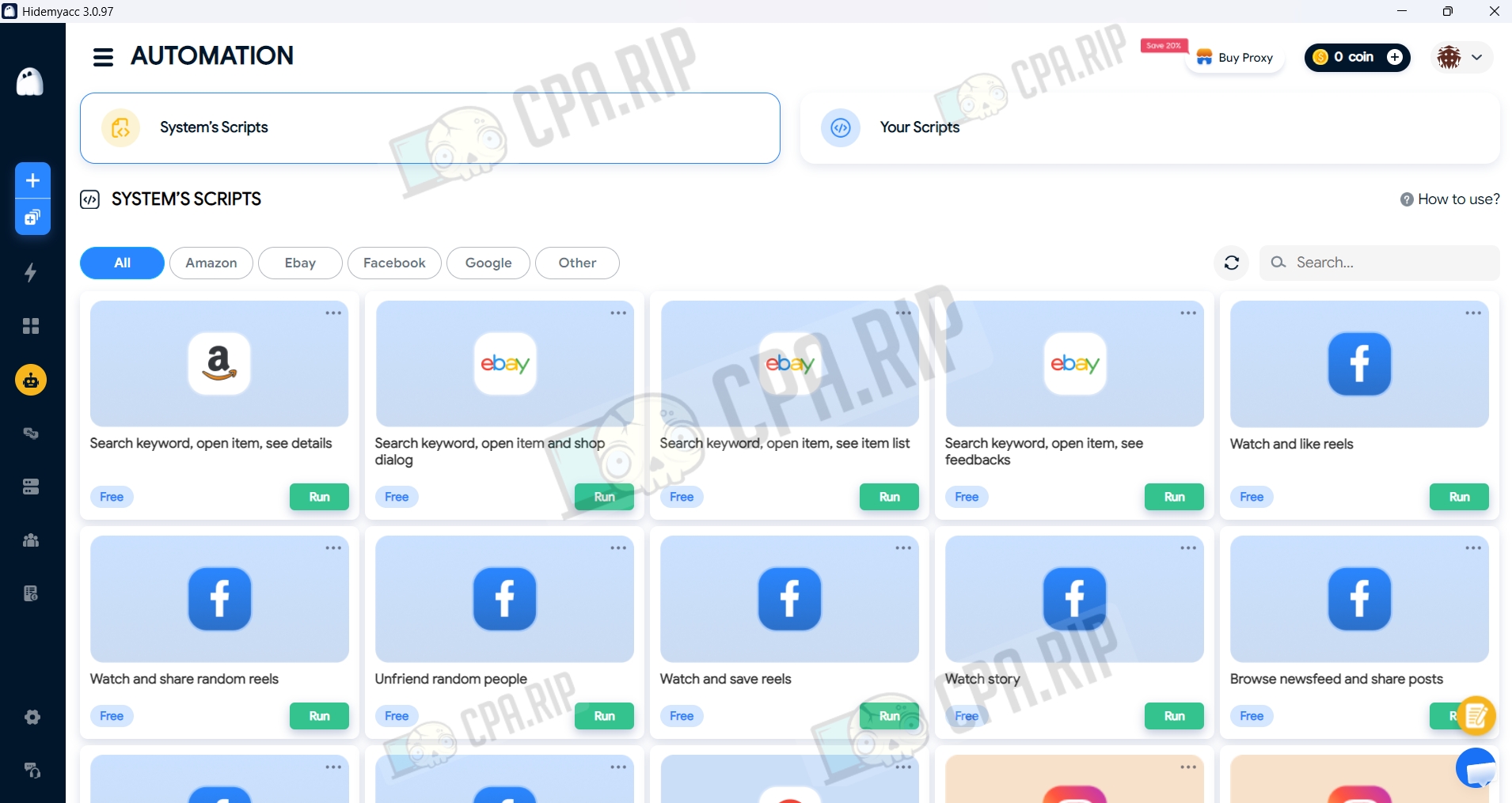
RPA (Robotic Process Automation) system: records your actions in the browser and converts them into scripts. There are ready-made and pre-configured scripts available.
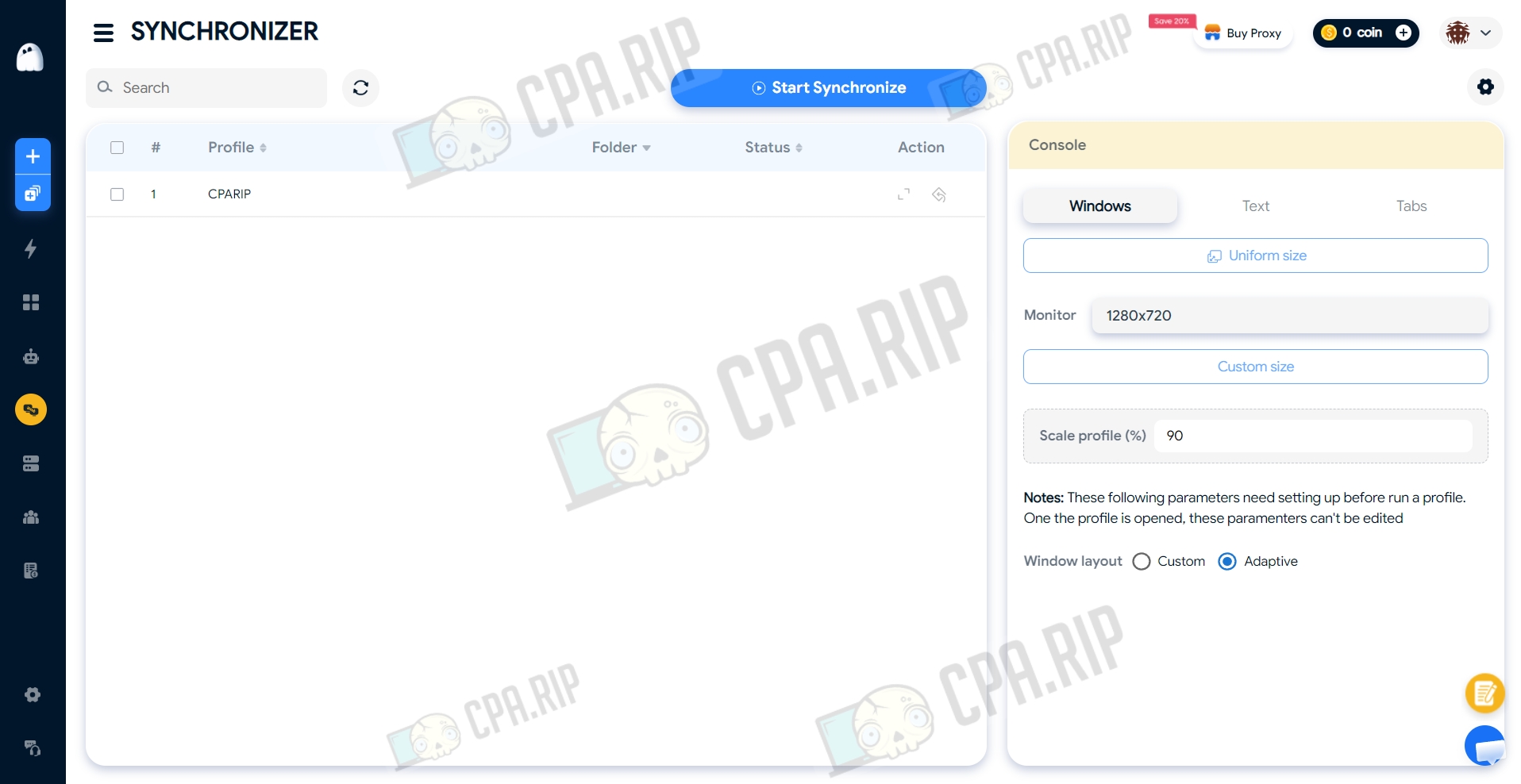
The synchronisation feature allows you to manage multiple profiles simultaneously. All your actions in the main window — clicks, data entry, and scrolling — are automatically replicated across all selected browsers
Antidetect browser check
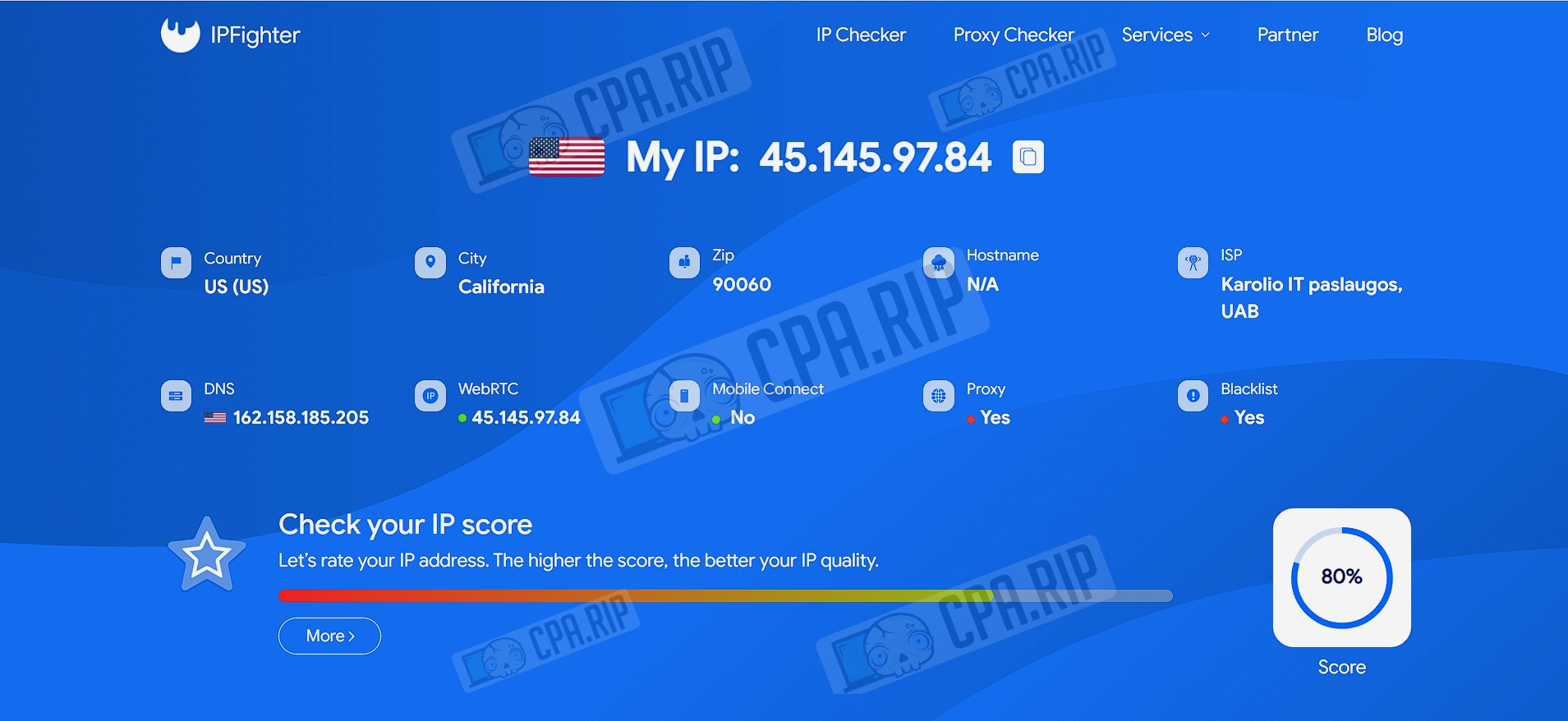
When a profile is opened, the website ipfighter.com loads, which detects the use of a proxy.
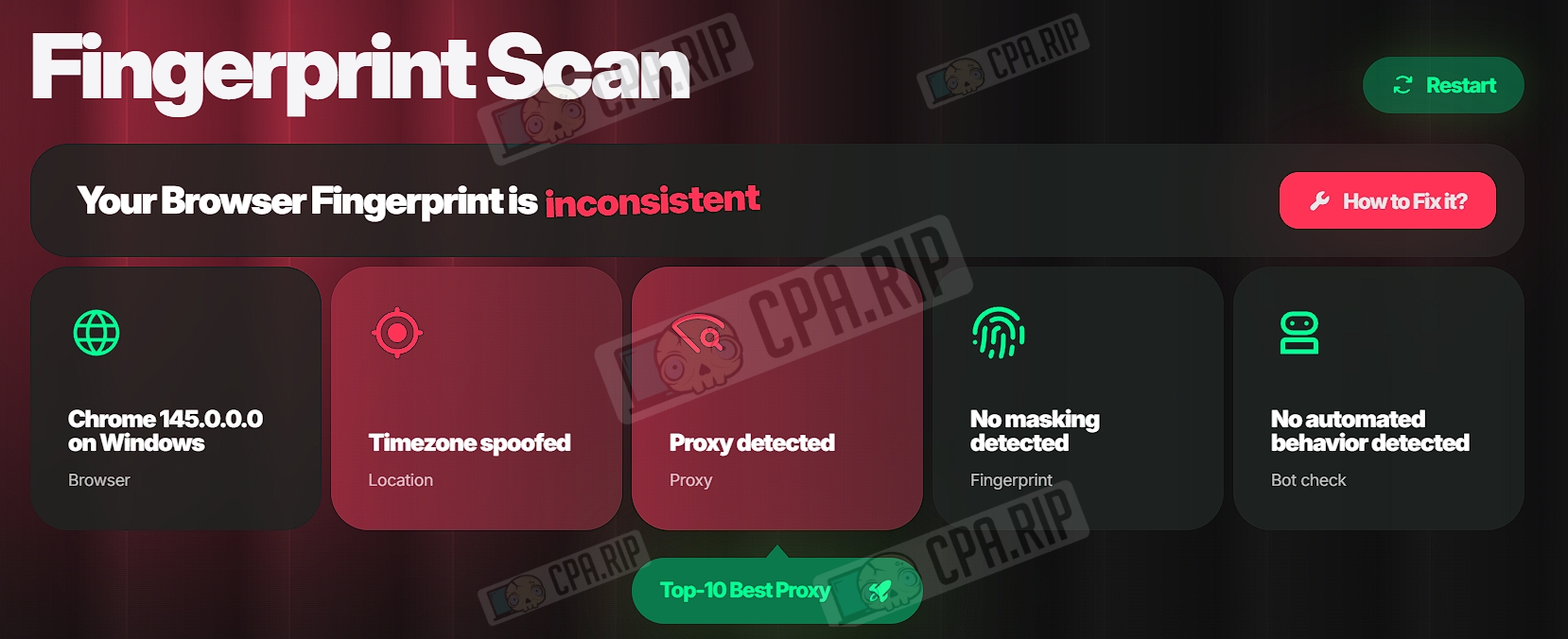
Pixelscan.net, in turn, also detected a time zone spoof.
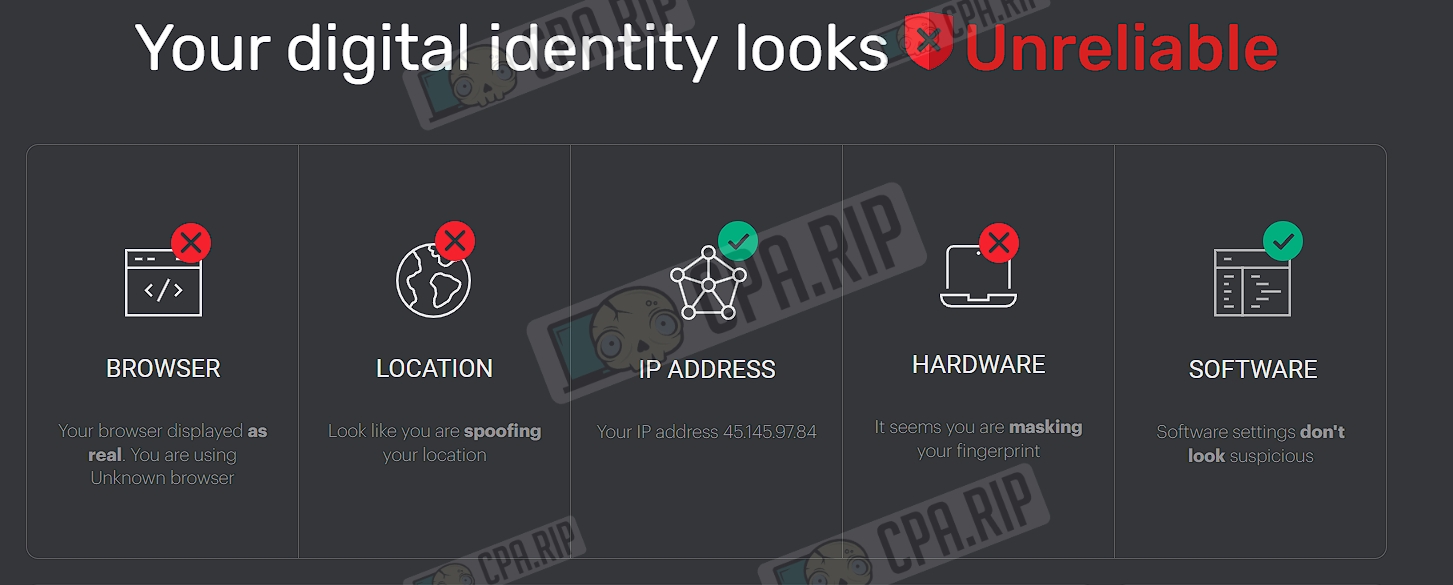
The service iphey.com indicates that the digital identity appears unreliable.
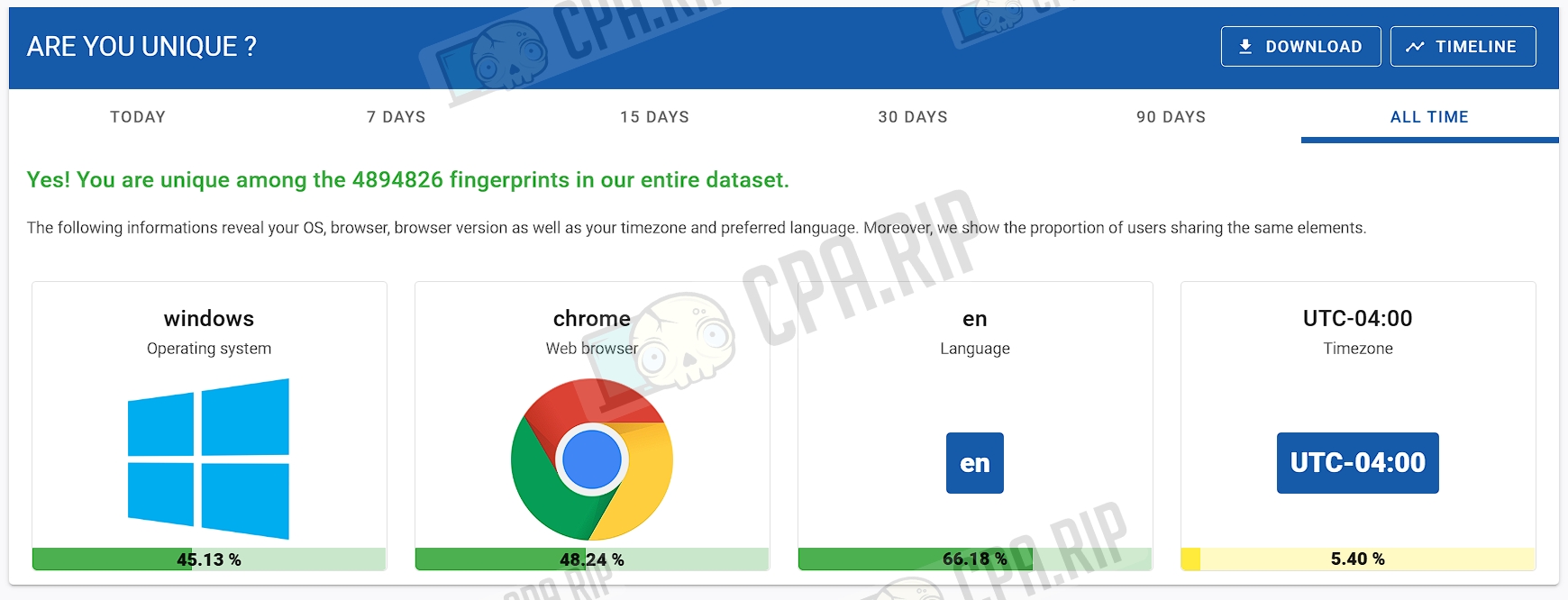
The amiunique.org service confirms that the fingerprint is unique.
Support
- Official website: https://hidemyacc.com;
- Telegram: https://t.me/Hidemyacc_bot;
- Email: support@hidemyacc.com;
- Facebook: https://www.facebook.com/hidemyacc;
- Online chat in your browser.