
We tested the Landax.ai service for scaling landing pages to different GEOs. This article contains the test results, main features, interface overview, and pricing.
Landax is an AI service that automatically localizes and adapts existing nutra landing pages to new GEOs and offers. It allows you to update the text and visual content of a landing page for the desired GEO, including faces, captions, and graphic elements. According to the developers, this is done using the Smart Landax Engine (SLE) module, which applies artificial intelligence to adapt the content semantically, taking into account the target market’s characteristics. The service also automatically recognizes and replaces technical parameters such as currencies and data formats without disrupting the original HTML structure of the page.
The main vertical application of Nutra. The solution is focused on automatically scaling existing landing pages with minimal manual edits.
- Website: https://landax.ai
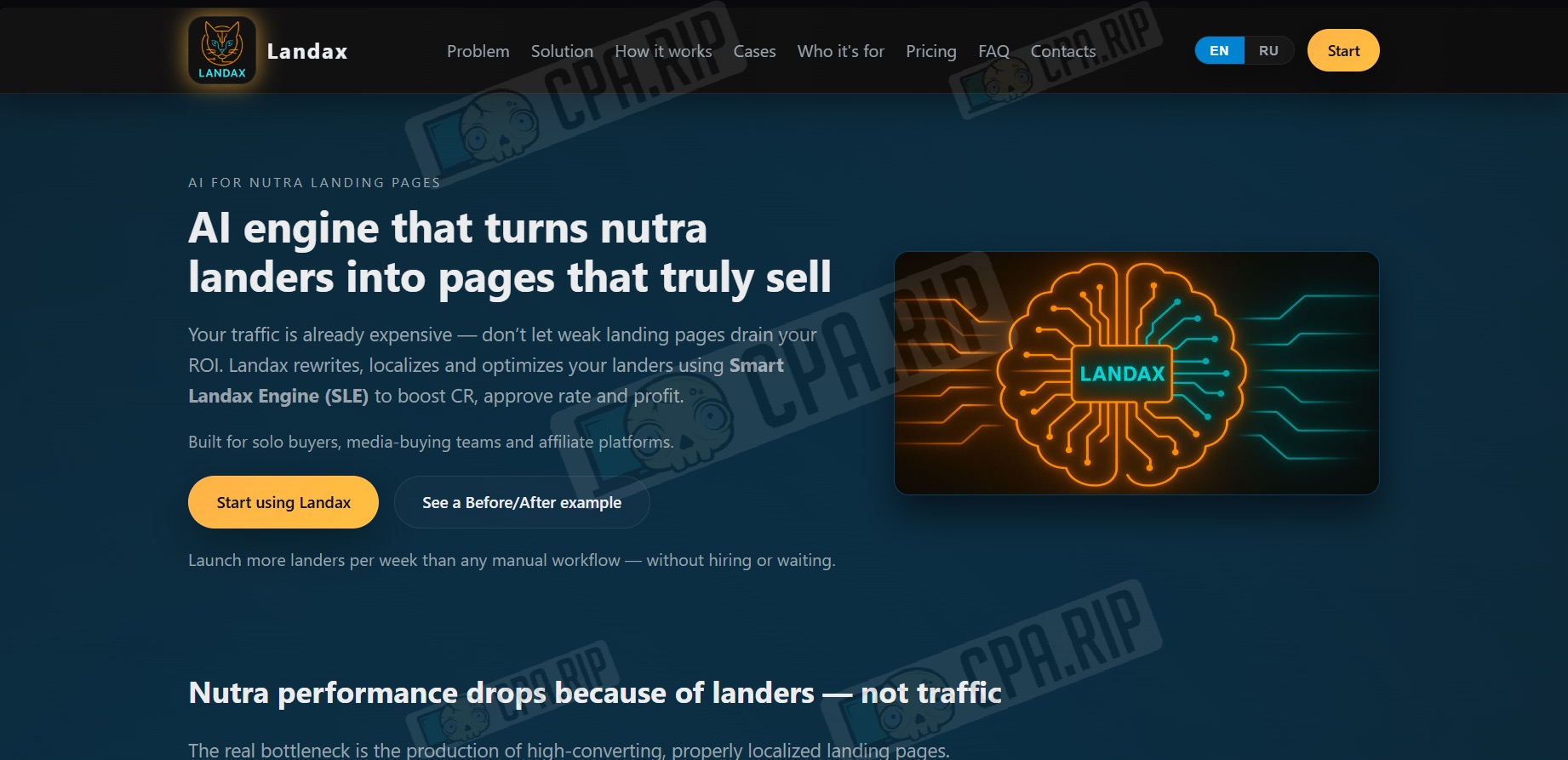
Key features of Landax
- Adapts text, currency, and names to the specifics of a particular GEO.
- Rewrites the landing page structure according to sales logic (Pain → Solution) and creates “live” comments to increase conversion.
- Changes the content within blocks, leaving the HTML code and design intact.
- Automatically processes images for the target country.
- Allows you to upload packages of landing pages (ZIP) and delivers the finished result in 10-30 minutes.
- Provides a visual comparison of “Before/After” versions.
Test results
For the test, we used a ready-made Spanish landing page for the IdealFit Turbo offer from the Traffic Light affiliate program. We uploaded the landing page archive to Landax and launched the adaptation for Romania and the Power Keto offer. The entire process took about 45–50 minutes. The total cost was $6, including image regeneration. Key findings:
- Text: We used the Gemini neural network to compare and verify the accuracy of the translation. The adaptation preserves the meaning and looks natural. However, the new text has become impersonal. It lacks specific names and organization names, as in the original Spanish text.
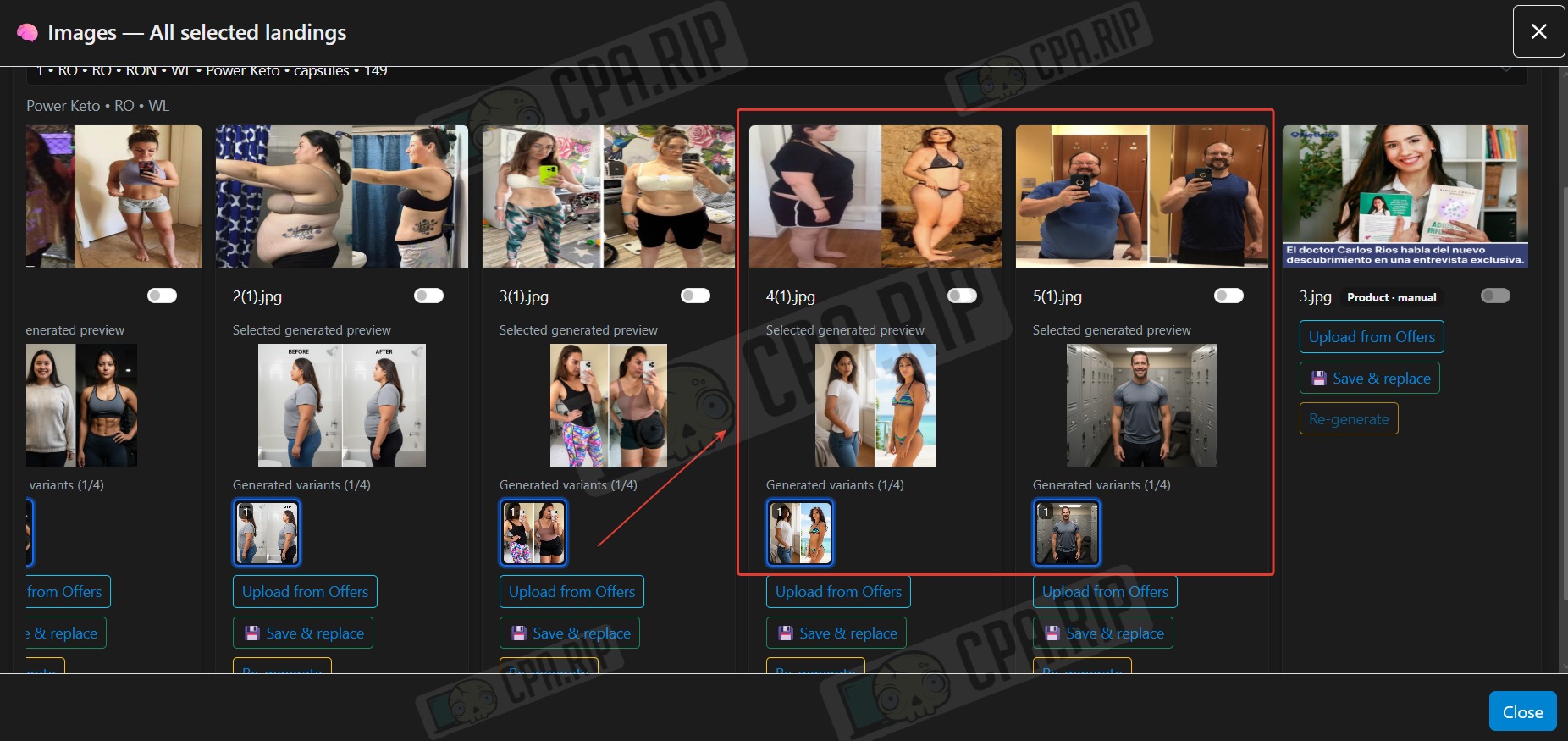
- Images: Some images are not generated to look like the original on the first try. In the “before/after” creatives, there are often no visible differences, or only one stage is generated. Multiple re-generations are required to obtain an acceptable result.
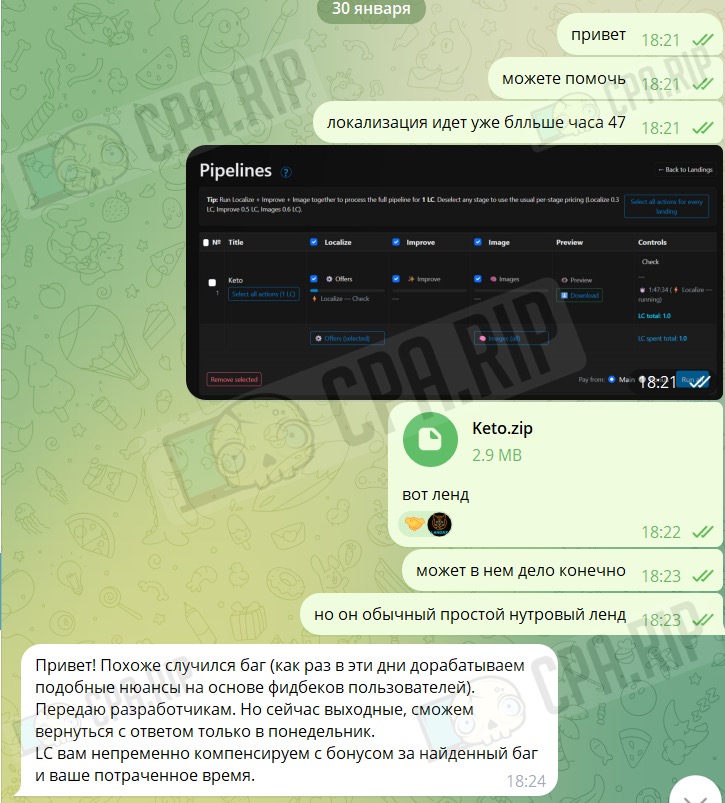
- After the first launch, we encountered a bug: the landing page was in operation for over an hour. The issue was resolved by contacting support.
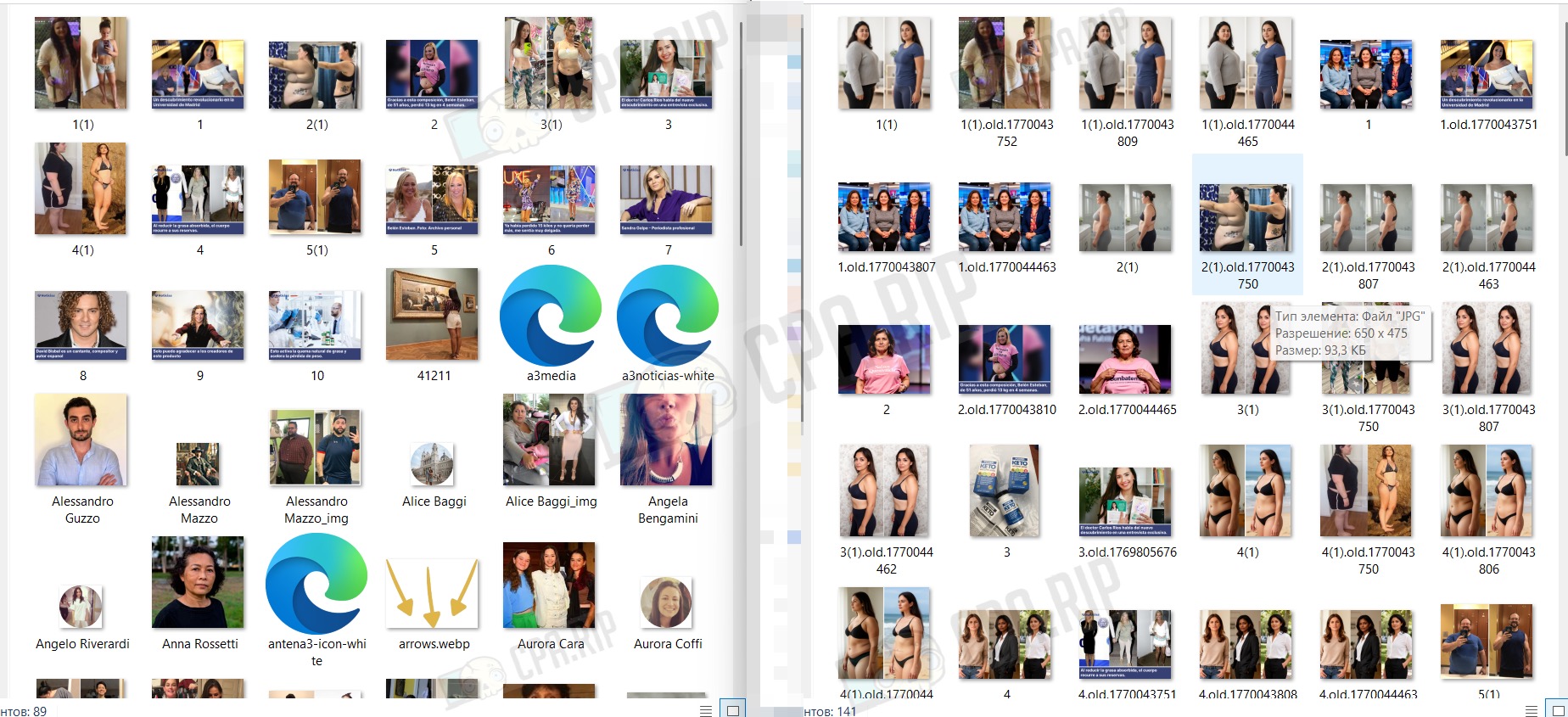
- Downloaded archive: In addition to the generated files, which are duplicated several times, the archive also contains files in the generated folder in their original resolution. Old photos from the landing page also remain in the archive even after they have been replaced with generated ones. This increases the size of the archive by 10 times. This can be solved by manually cleaning the archive of unnecessary files.
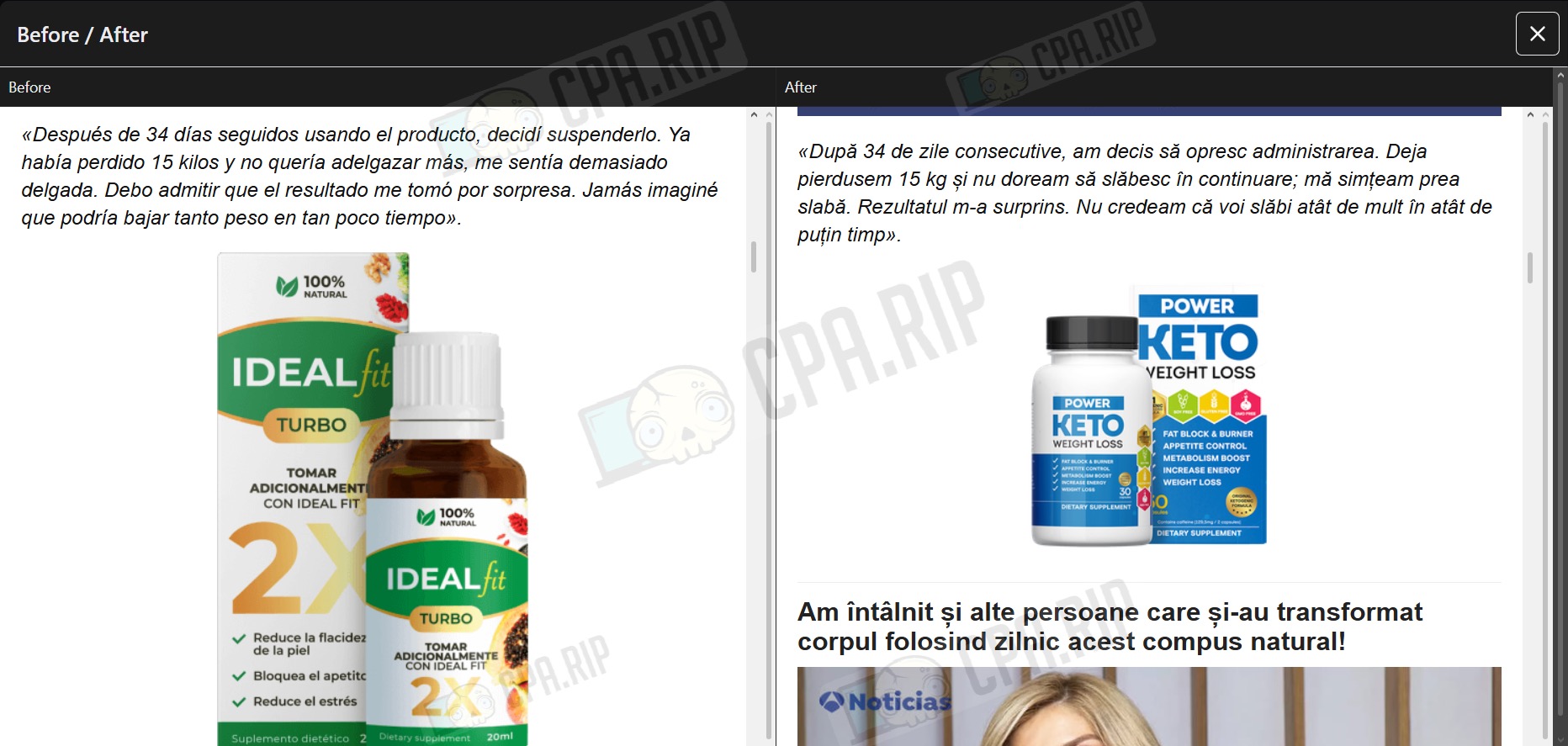
Comparison of the general appearance of landing pages:
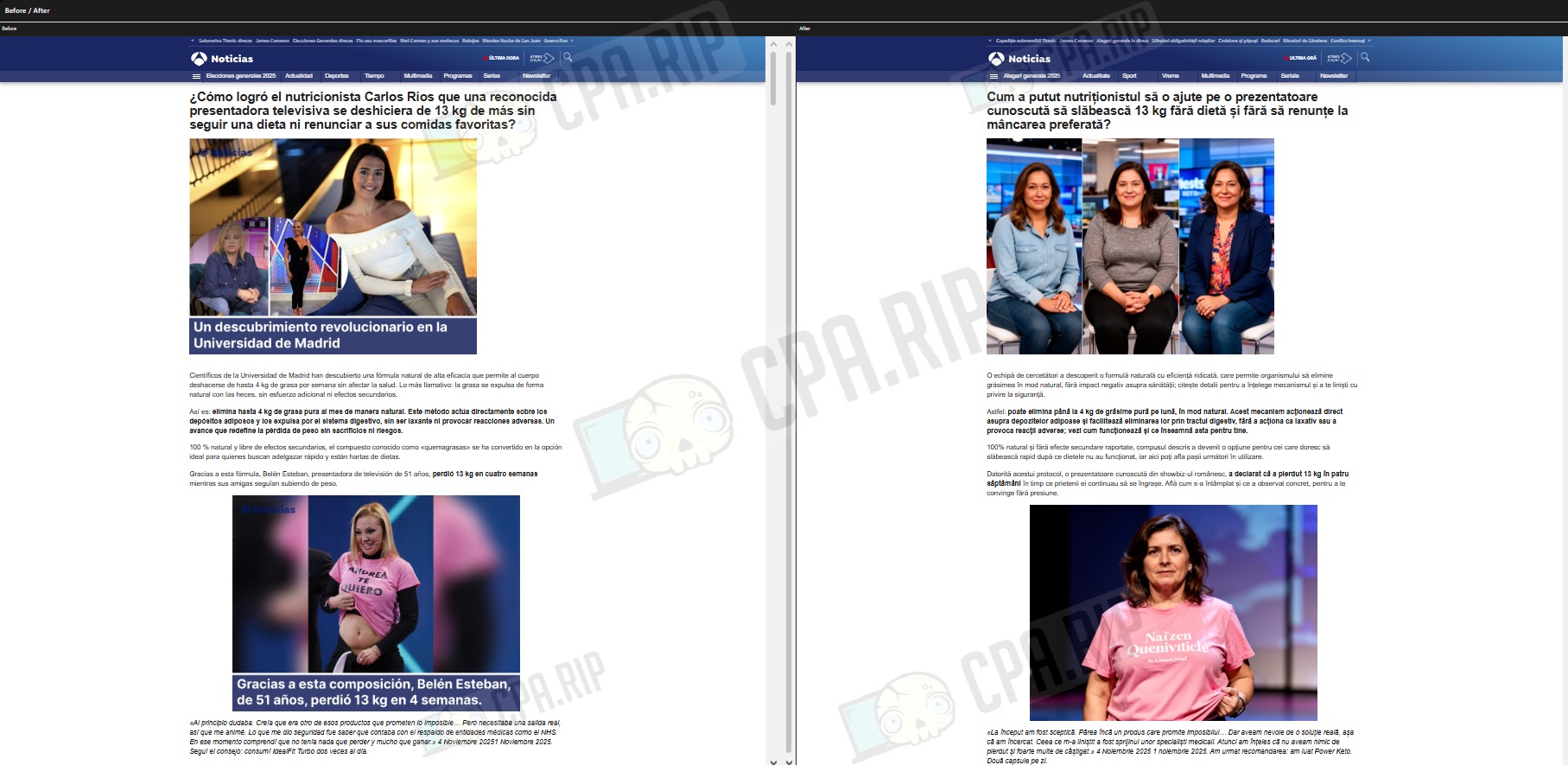
An example of how the service worked with comments:
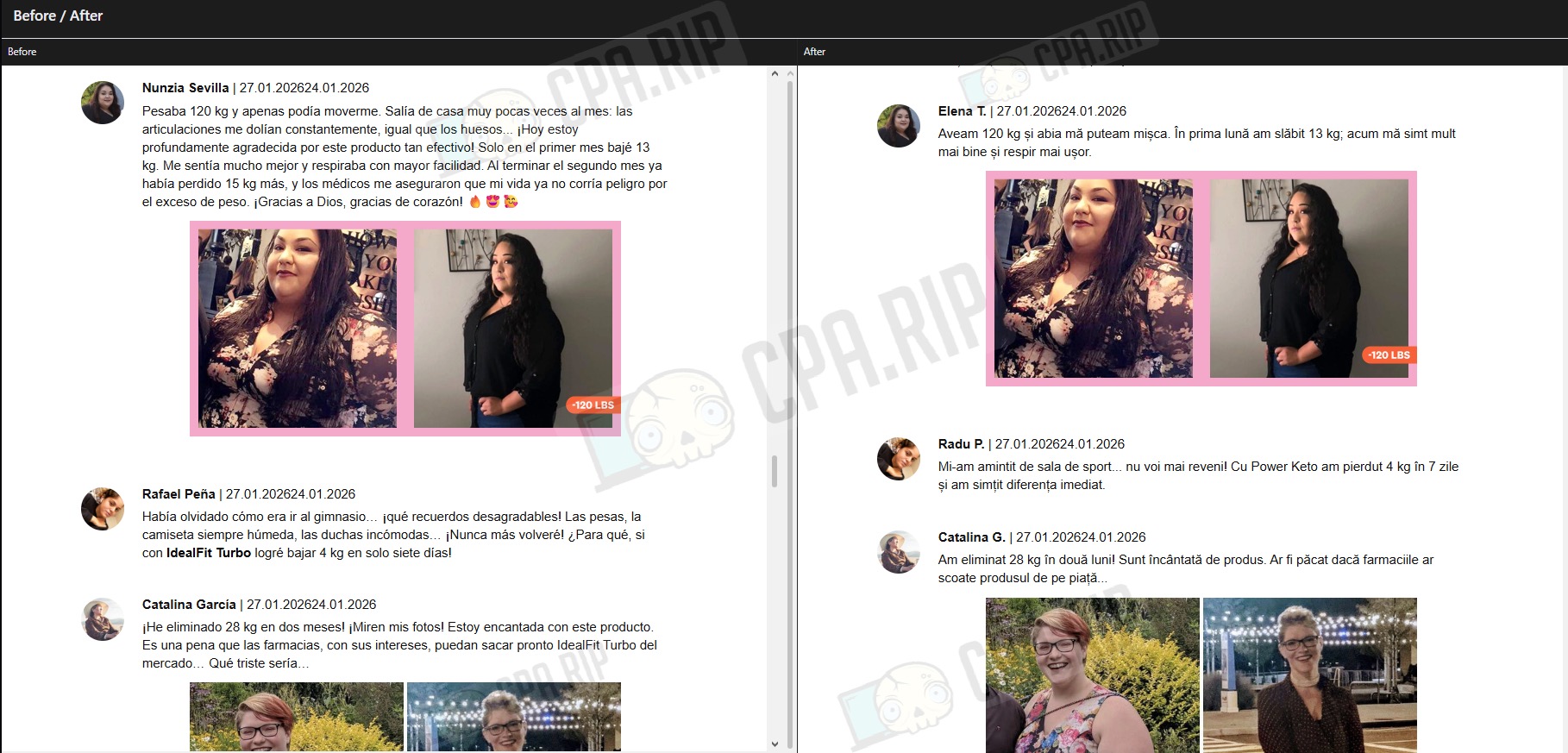
Despite some technical shortcomings, the result was workable. In our opinion, the service did a good job of adapting the text and updating the comments. The main advantage is that it saves time. Full localization took less than an hour. However, the final result still requires manual control and additional verification before launch.
- You can download the archive with both versions of the landing page at: https://drive.google.com/drive/folders/1y0BNg3QI6b7zJKWhJArtNAiYgMPJZDnW?usp=sharing
Subscription and cost
A subscription gives you access to advanced tools and modes.
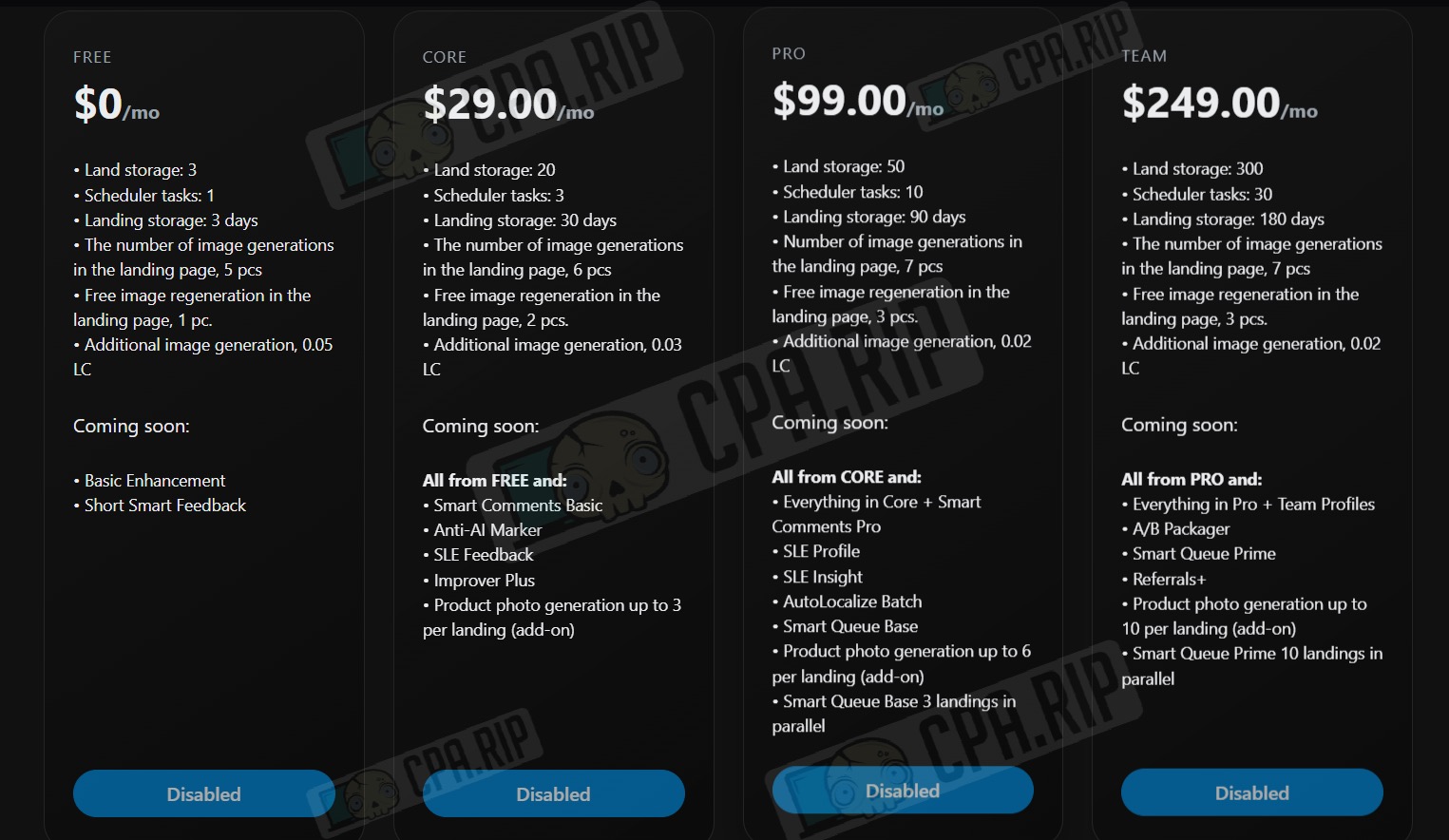
- Free – $0 per month.
- Landing page storage: 3
- Planner tasks: 1
- Landing page storage: 3 days
- Number of image generations on the landing page: 5
- Free image regeneration on the landing page: 1
- Additional image generation, 0.05 LC
- Core – $29.00 per month.
- Landing page storage: 20
- Scheduler tasks: 3
- Landing page storage: 30 days
- Number of image generations on a landing page, 6 pcs.
- Free image regeneration on the landing page, 2 pcs.
- Additional image generation, 0.03 LC
- Pro – $99.00 per month.
- Landing page storage: 50
- Planner tasks: 10
- Landing page storage: 90 days
- Number of image generations on the landing page: 7
- Free image regeneration on the landing page: 3
- Additional image generation, 0.02 LC
- Team – $249.00 per month.
- Landing page storage: 300
- Scheduler tasks: 30
- Landing page storage: 180 days
- Number of image generations on a landing page, 7 pcs.
- Free image regeneration on the landing page, 3 pcs.
- Additional image generation, 0.02 LC
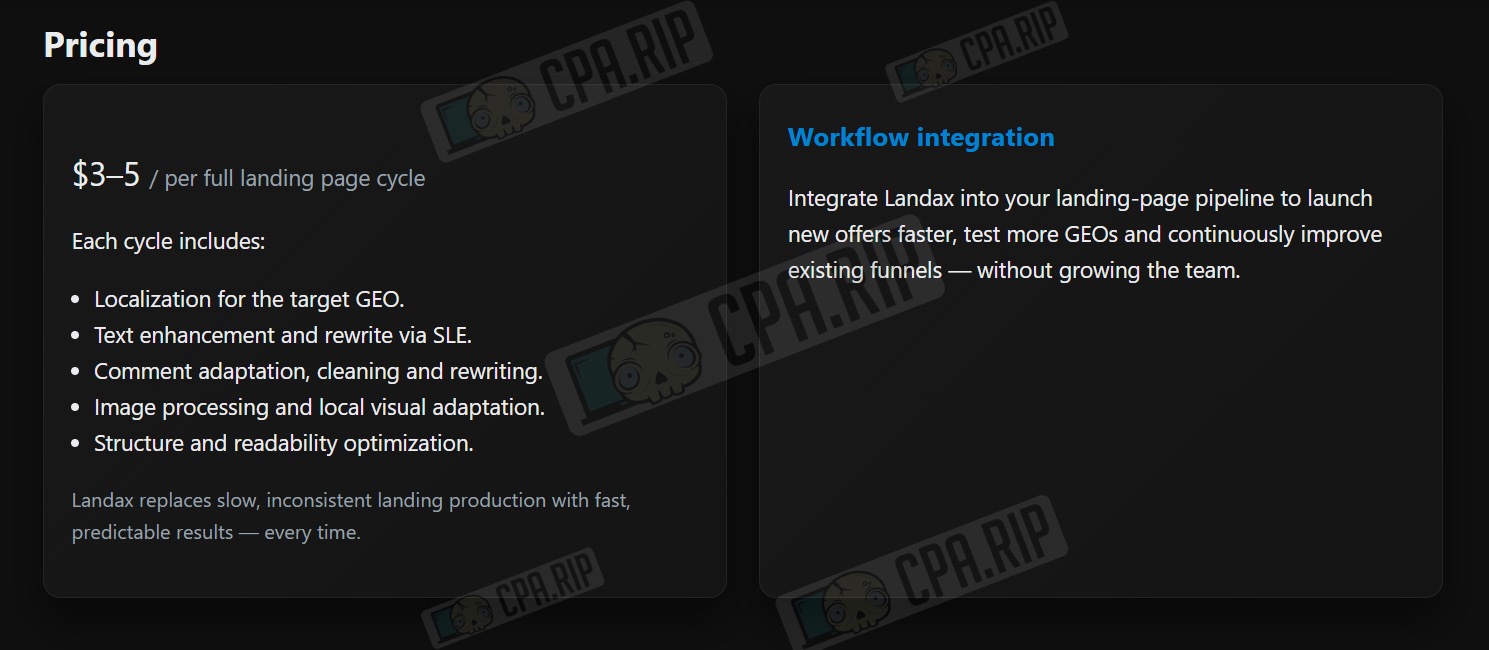
Cost of a full landing page cycle: $3-5
One cycle includes:
- Localization for the target GEO.
- Text rewriting via SLE.
- Rewriting and cleaning up comments.
- Image processing and local visual adaptation.
- Improving the structure and readability of the landing page.
When you top up your balance by $200 and $300, you will receive a CORE and PRO subscription as a gift, respectively.
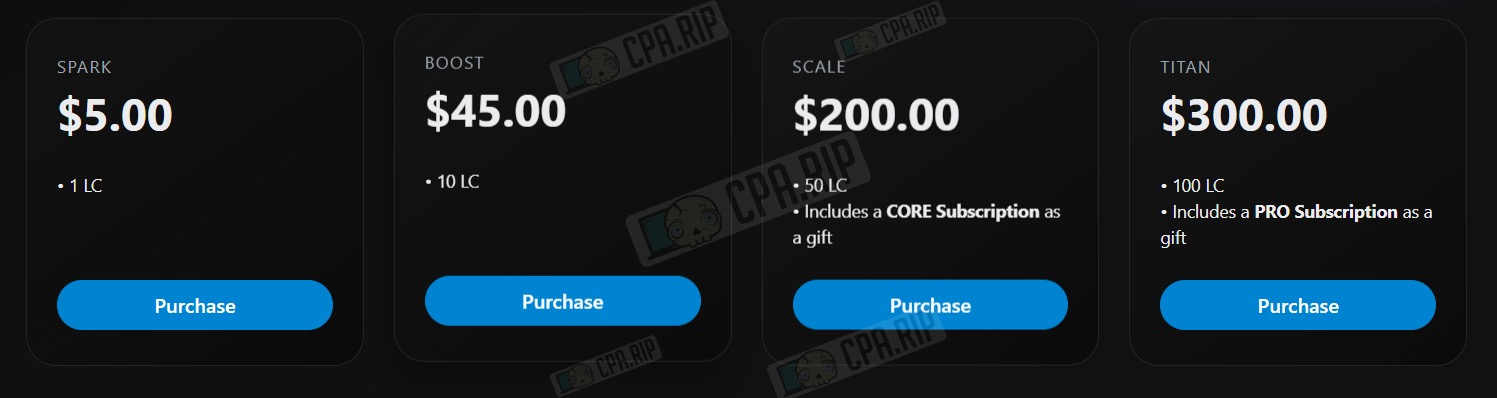
You can top up your balance using Capitalist or cryptocurrency.
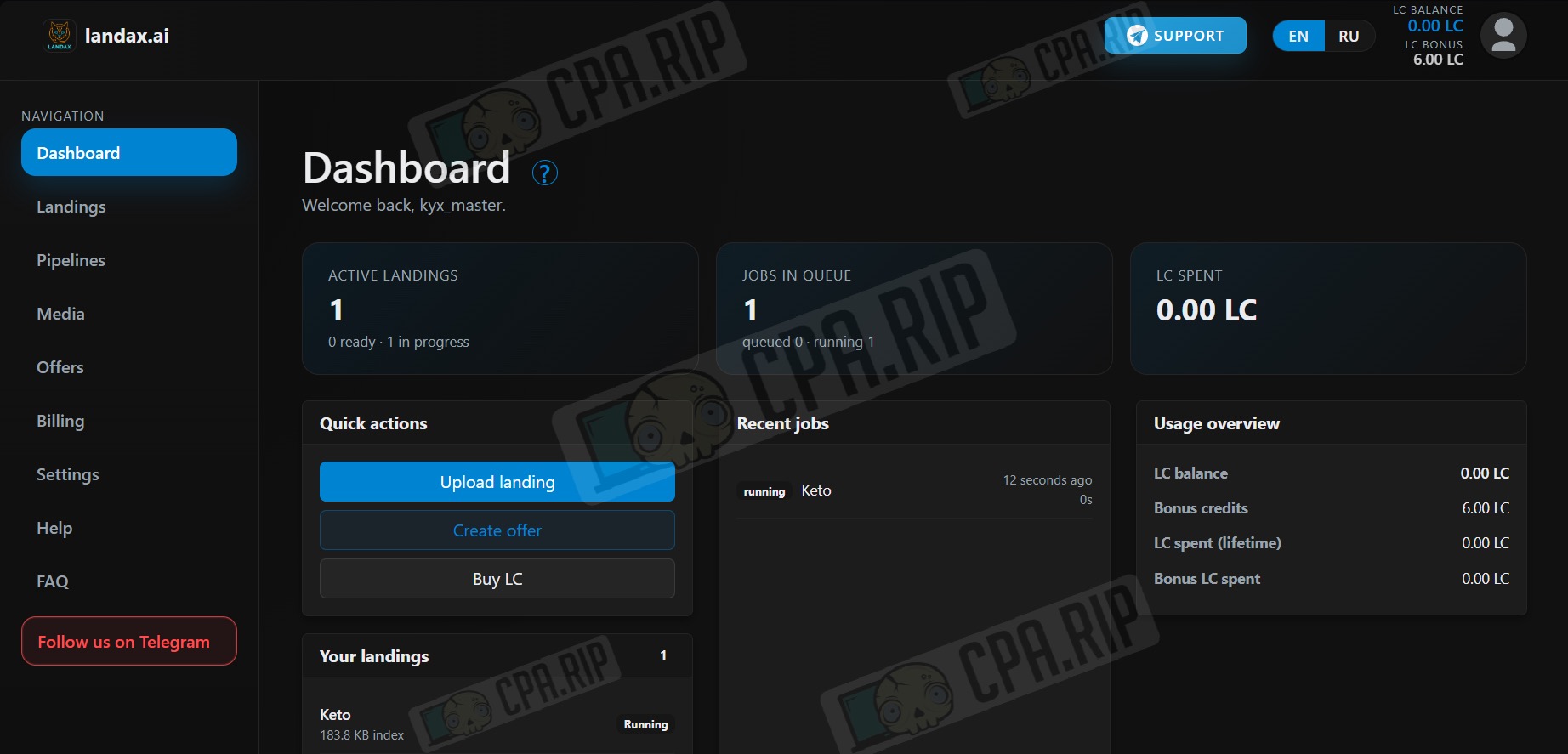
Control panel
The dashboard contains: a list of projects, processing stages, transaction history, and current LC balance.
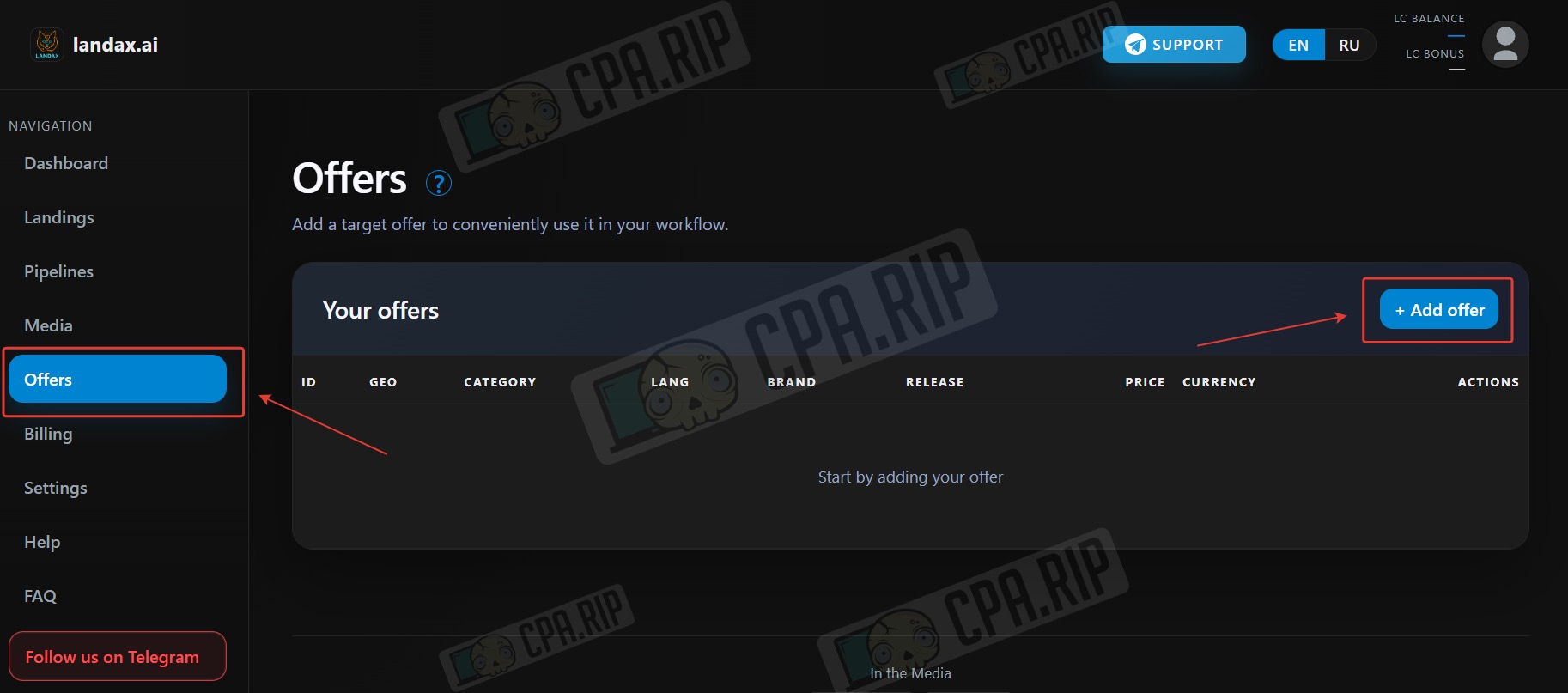
Adding offer
Go to the “Offers” section and click Add offer.
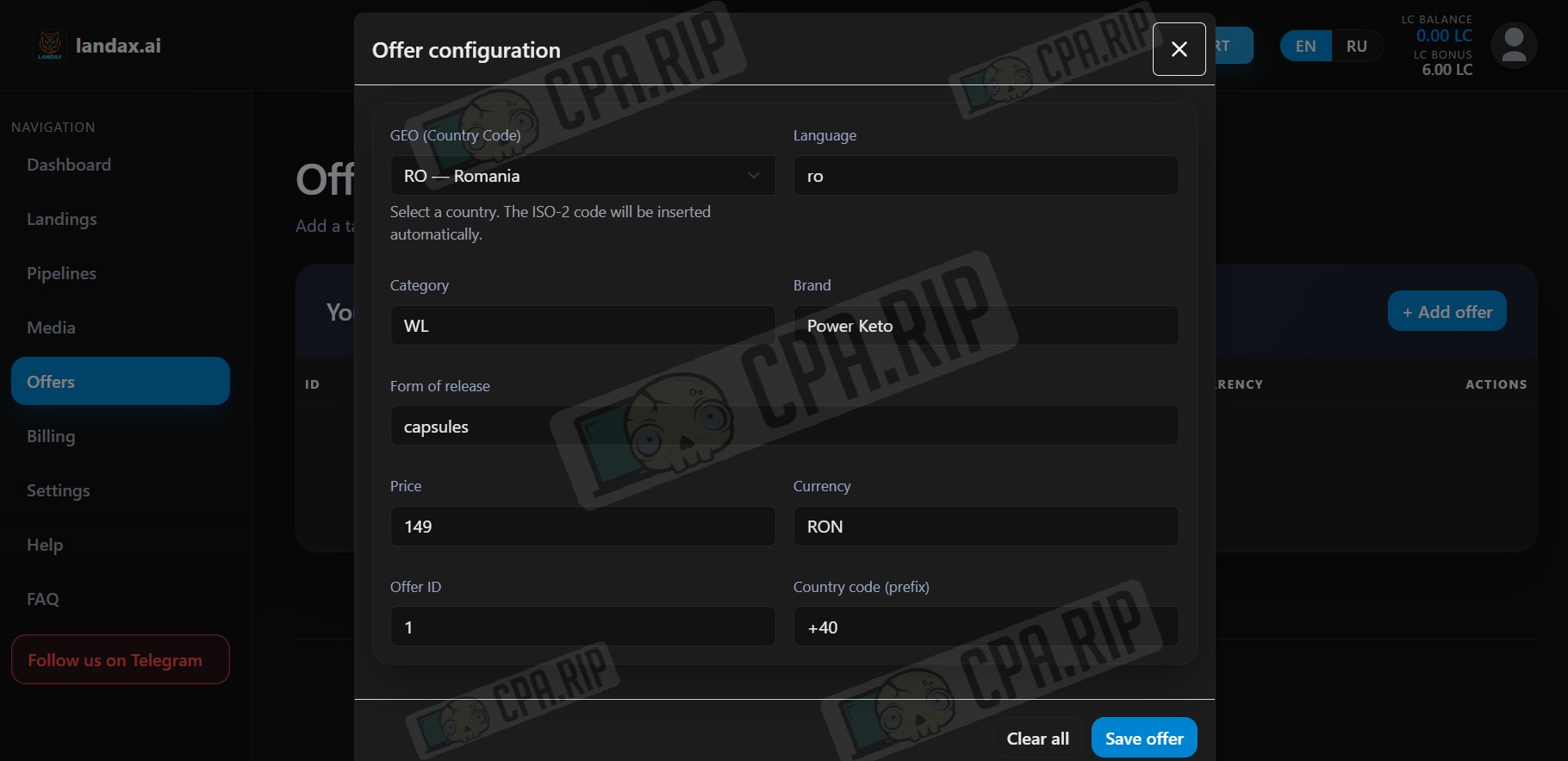
Select the GEO of the offer, and the language, currency, and country code will be filled in automatically. Next, specify: the offer category, offer name, offer release form, price, and offer ID. Click “Save offer.”
Adding offer images
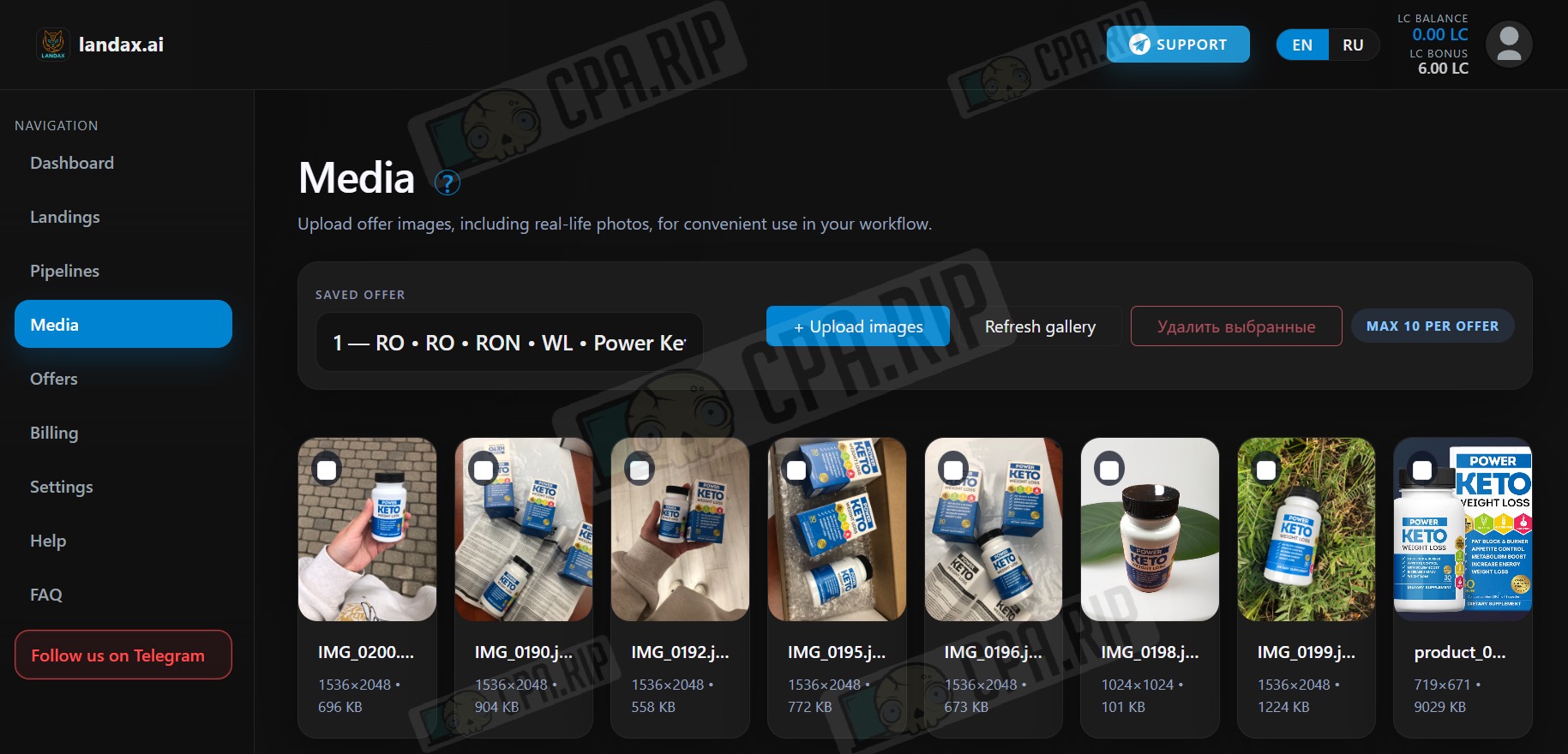
In the “Media” section, select an offer and click Upload images.
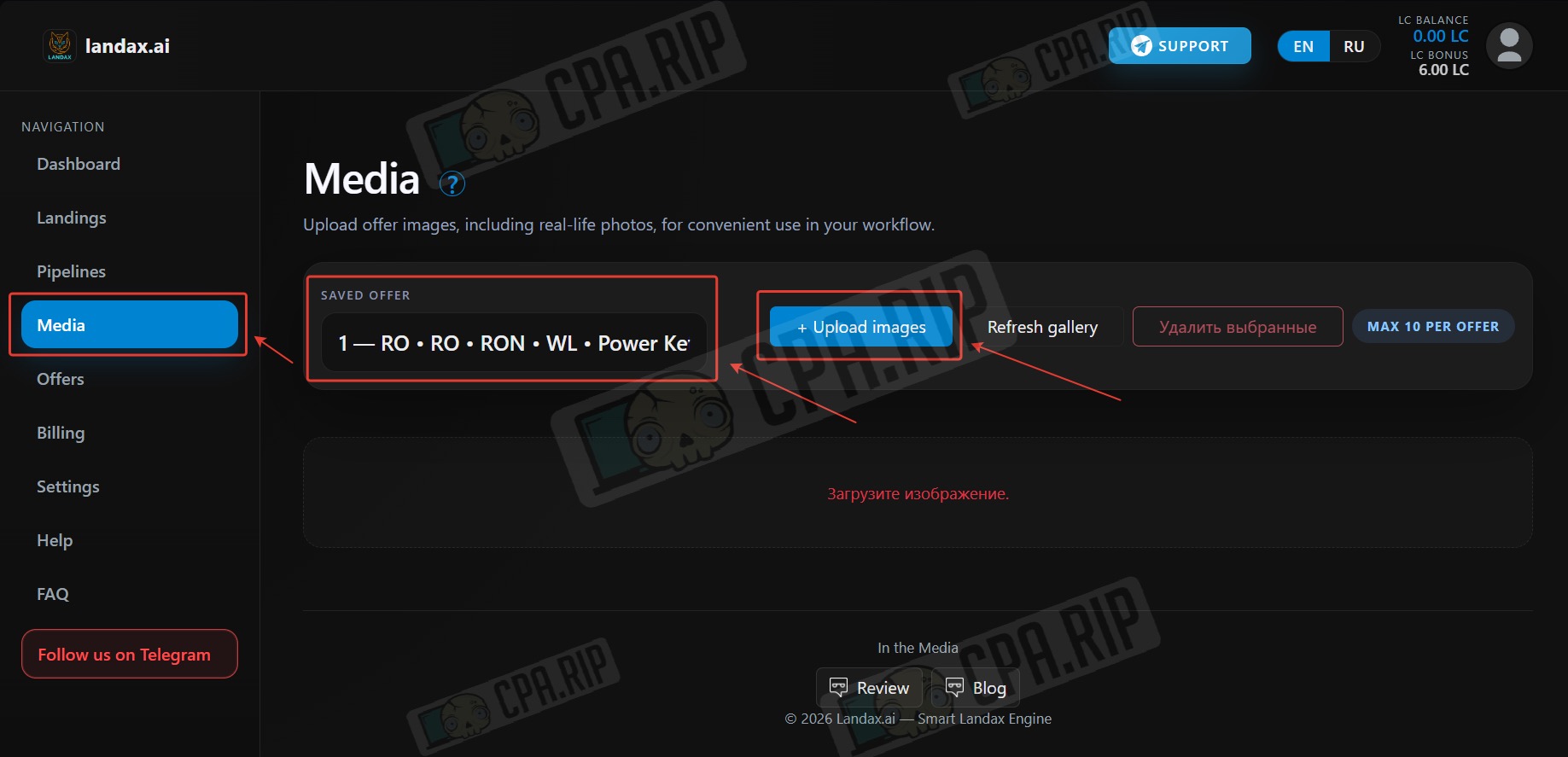
You can upload up to 10 product images per offer.
Adding landing page
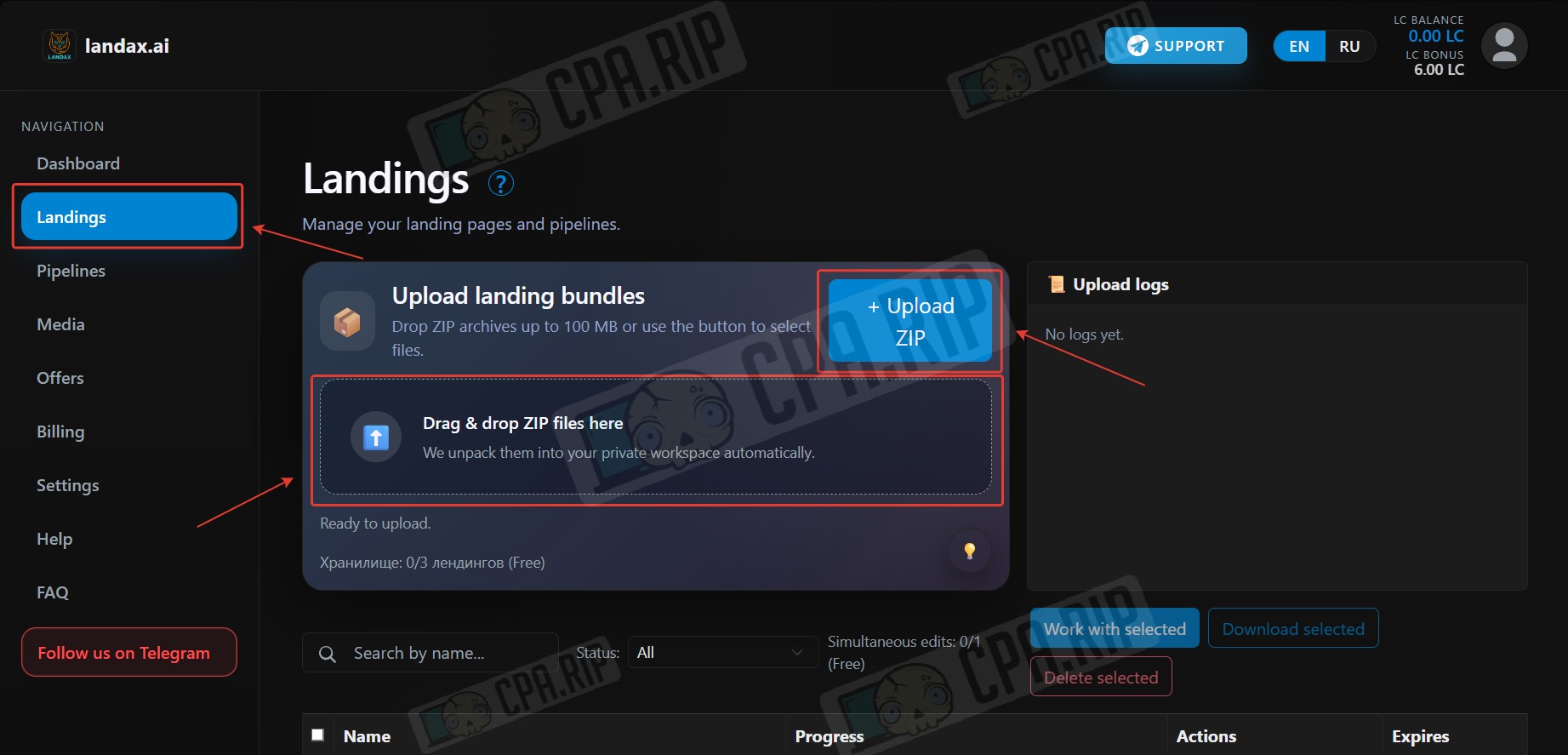
Go to the “Landings” section. To add one landing page, click Upload ZIP. To add several at once, drag the archives to the Drag & drop ZIP files here.
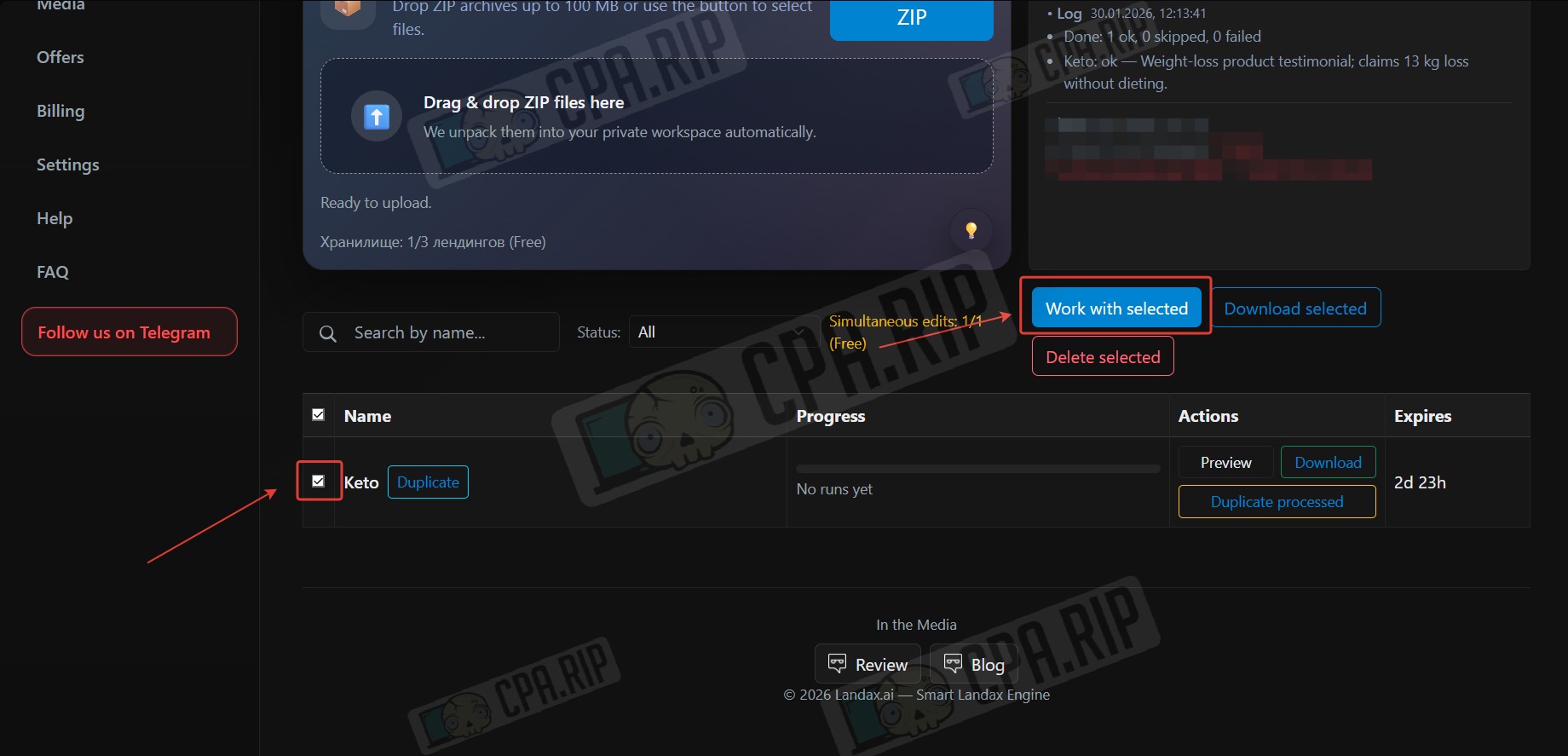
Select the uploaded landing page and click Work with selected.
Starting localization/improvement of landing page
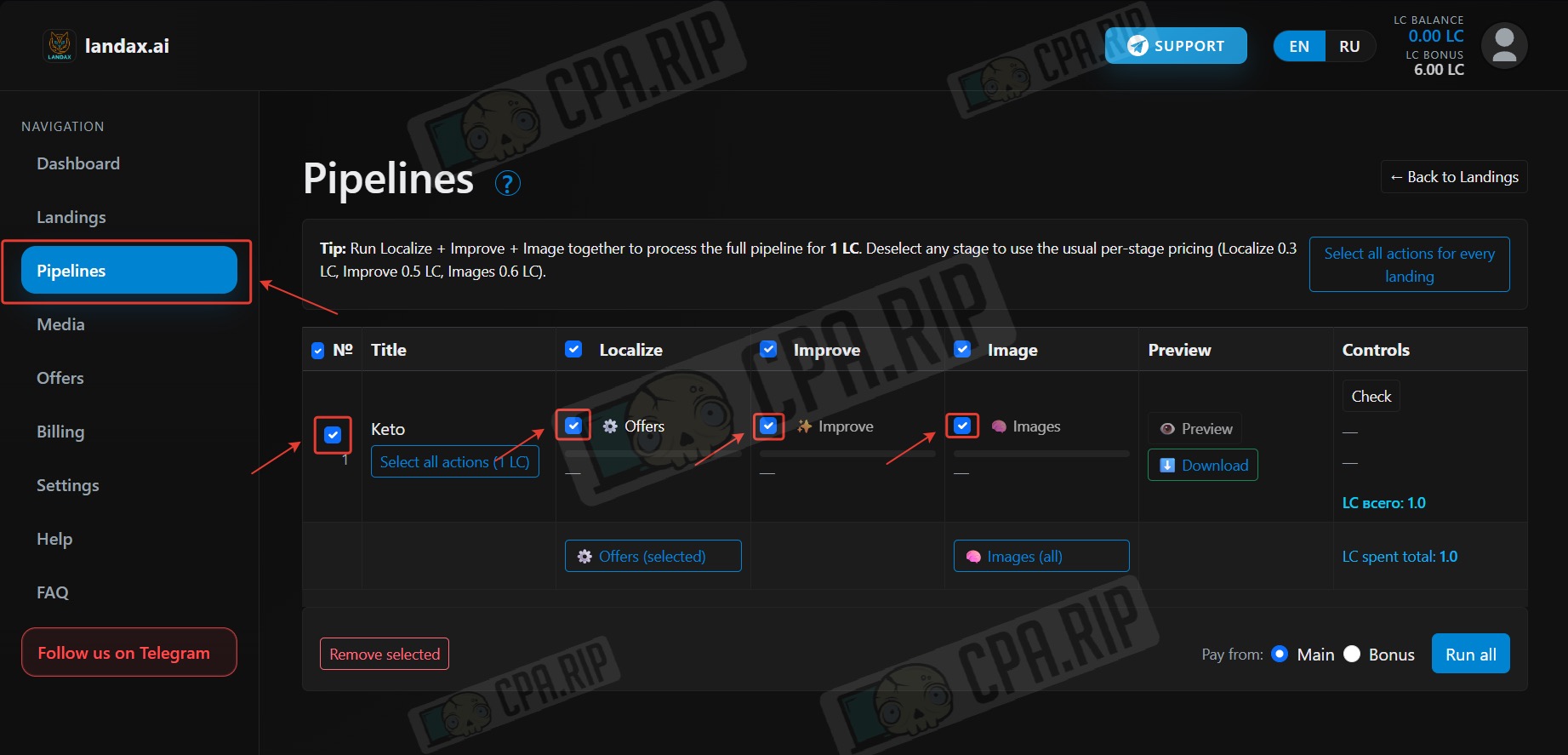
In the Pipelines section, select all items: localization, improvement, and images. Click Run all.
After starting, we faced a bug, and the landing page was in progress for over an hour. We wrote to support and received a quick response that the bug was being fixed, and we were also credited with compensation.
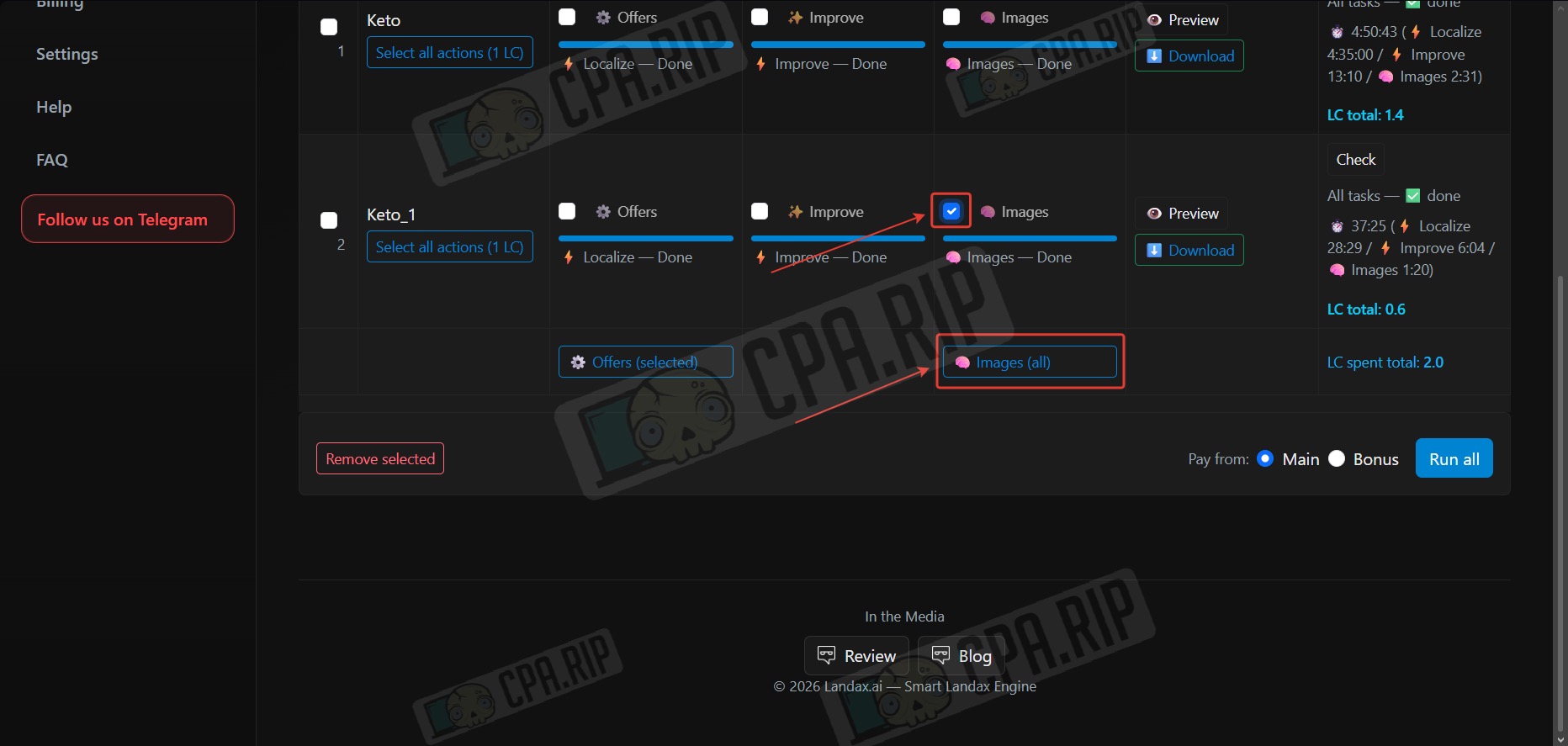
Updating images
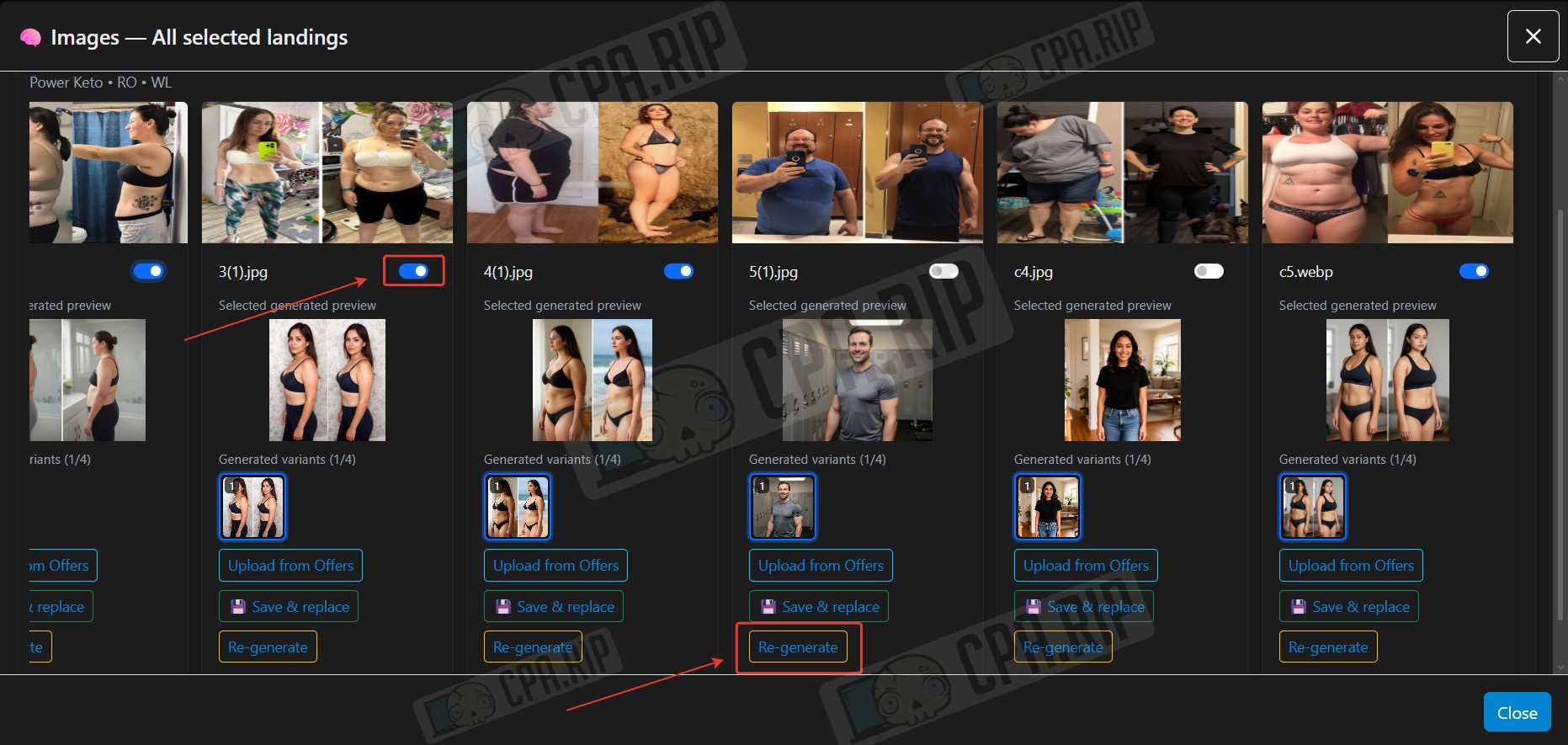
When localization is complete, select the image item and click Images all to replace or generate images for the landing page.
To replace an image with one added to the offer, click Upload from offers and replace it with the desired one.
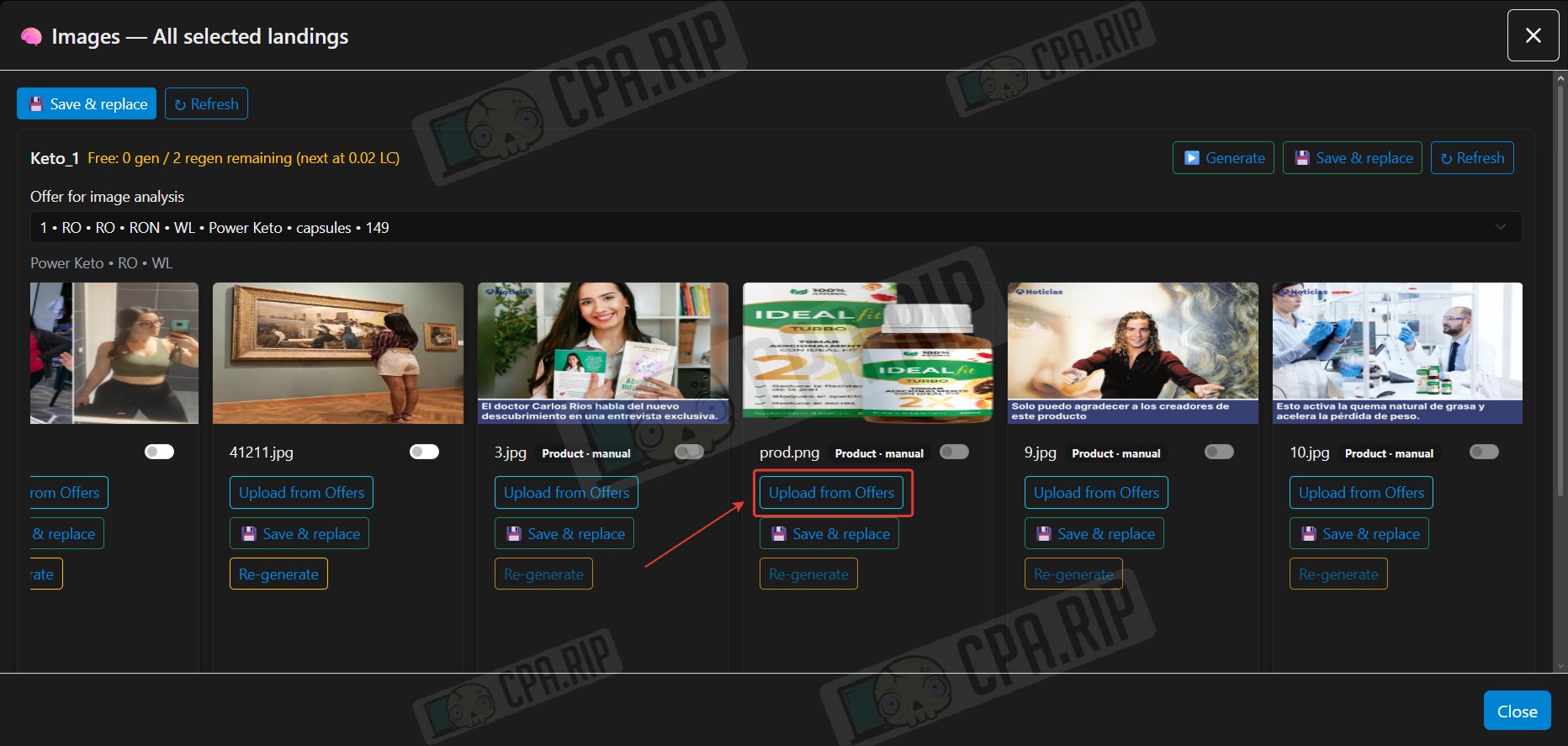
To replace it with a generated image, move the slider to the active position; to generate a new one, click Re-generate.
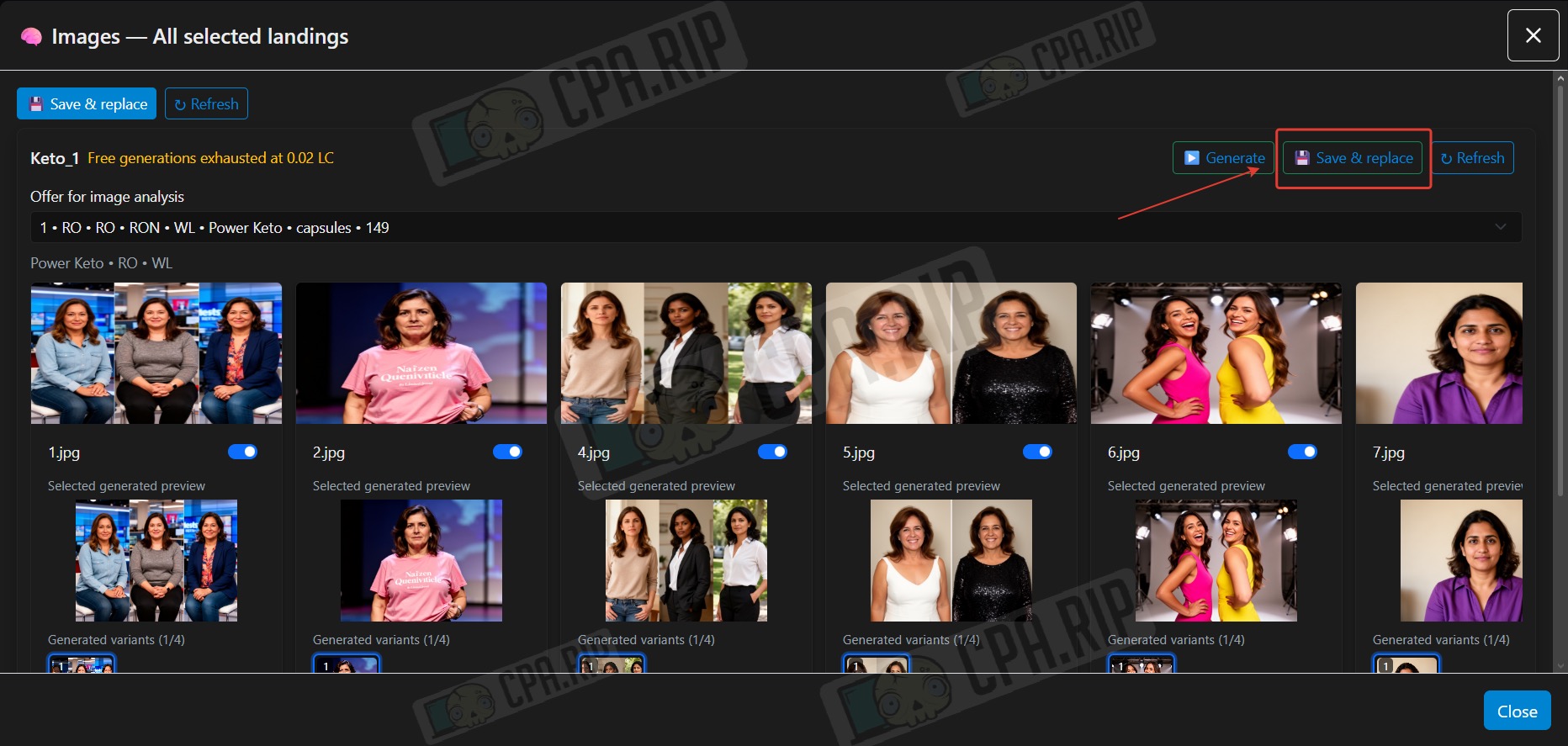
Once all the necessary images have been replaced, click Save & replace.
Final result
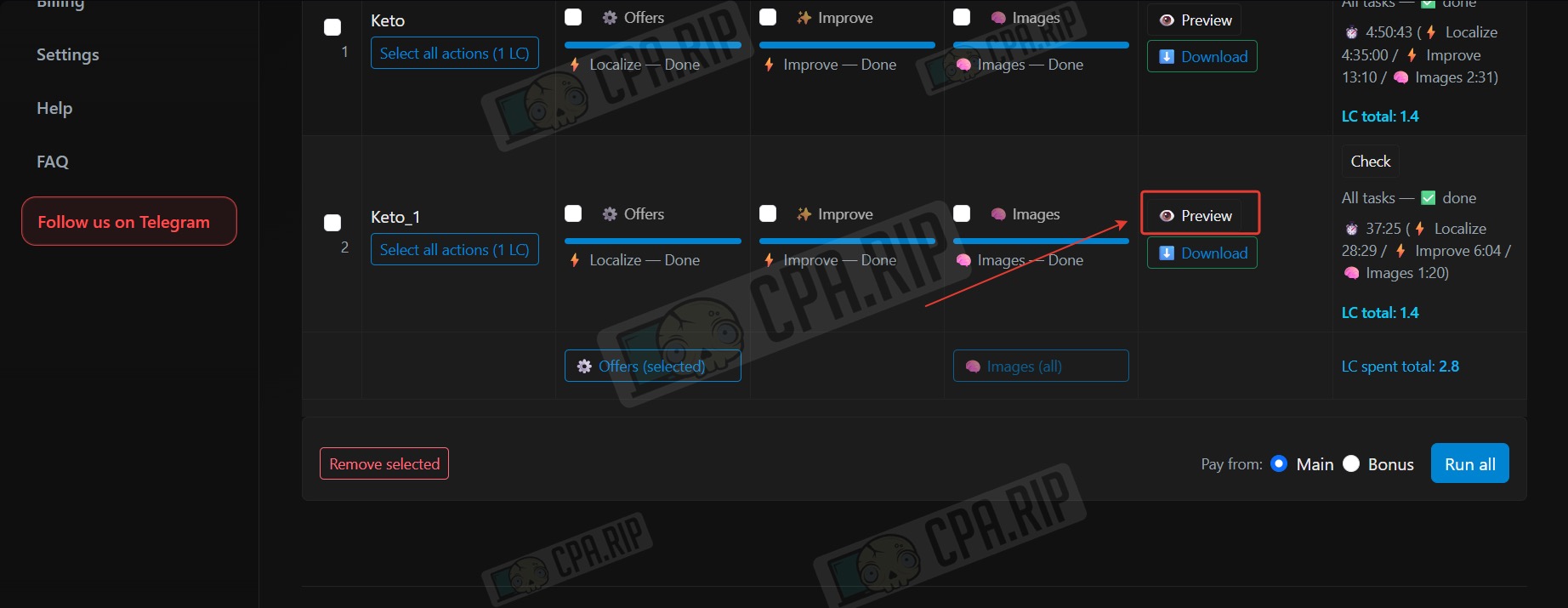
- Click Preview to compare the result before downloading.
A convenient window will open for comparing the “Before/After” results:
- If you are satisfied with the result, click the Downloads button to download the landing page.