
Anybill.io Service instantly issues virtual bank cards (up to 100 pieces in one click). It allows both solo and teamwork. They provide in-depth statistics on income, expenses, refunds, and others, and all the necessary tools you’ll require for work. You can also assign roles to the team.
Pros for Publishers
- Clear terms and conditions;
- They work with all ad platforms:
- An option to issue cards for other expenses (on an individual basis);
- Free issuing and locking of cards;
- GEO: UK;
- An option to issue up to 100 cards in one click;
- No KYC.
Virtual Cards & Commission Fees
Anybill.io Service issues virtual bank cards in the UK. Currency: Euro. There are 3 private BINs available in your dashboard. Cards are issued instantly.
The terms of service are as follows:
- Card type: MasterCard, Visa, China UnionPay;
- Card issue/lock: Free;
- No transaction commission fee;
- Account replenishment commission fee: 3-4.5% (depending on the replenishment amount per month).
Commission fee for canceled transactions (decline rate): The total commission fee depends on the ratio of the decline rate to all transactions in the last seven days:
- Up to 3% – no fee;
- 3-5% – €0.2;
- 5-7% – €0.3;
- 7-10% – €0.4;
- 10-15% – €0.5;
- 15%+ – €0.6.
If canceled transactions exceed 3%, a commission fee is to be charged per canceled transaction (depending on the terms specified).
CPARIP promo code gives cashback 1% for 2 months, promo code is valid ONLY when registering through the link https://rip.af/anybill
How to Sign Up & Get Started?
Let’s sign up for the service – in the form, specify your first and last name, email, company name, and your Skype or Telegram name. In the next steps, you must specify the size of the company and the average monthly expenses.
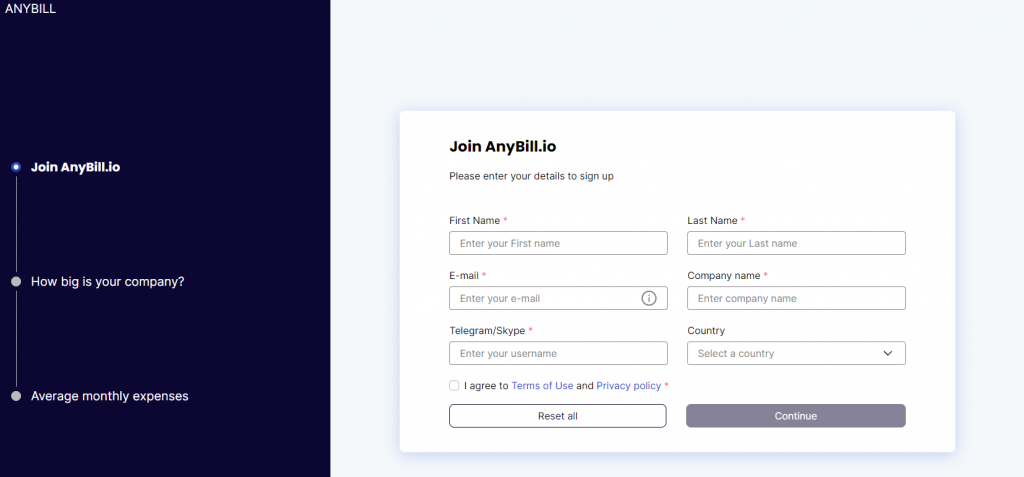
Once you provide all the necessary information, the account will be submitted for verification. An account manager will contact you at the contact details you specified. After the profile is activated, you’ll receive your password via email.
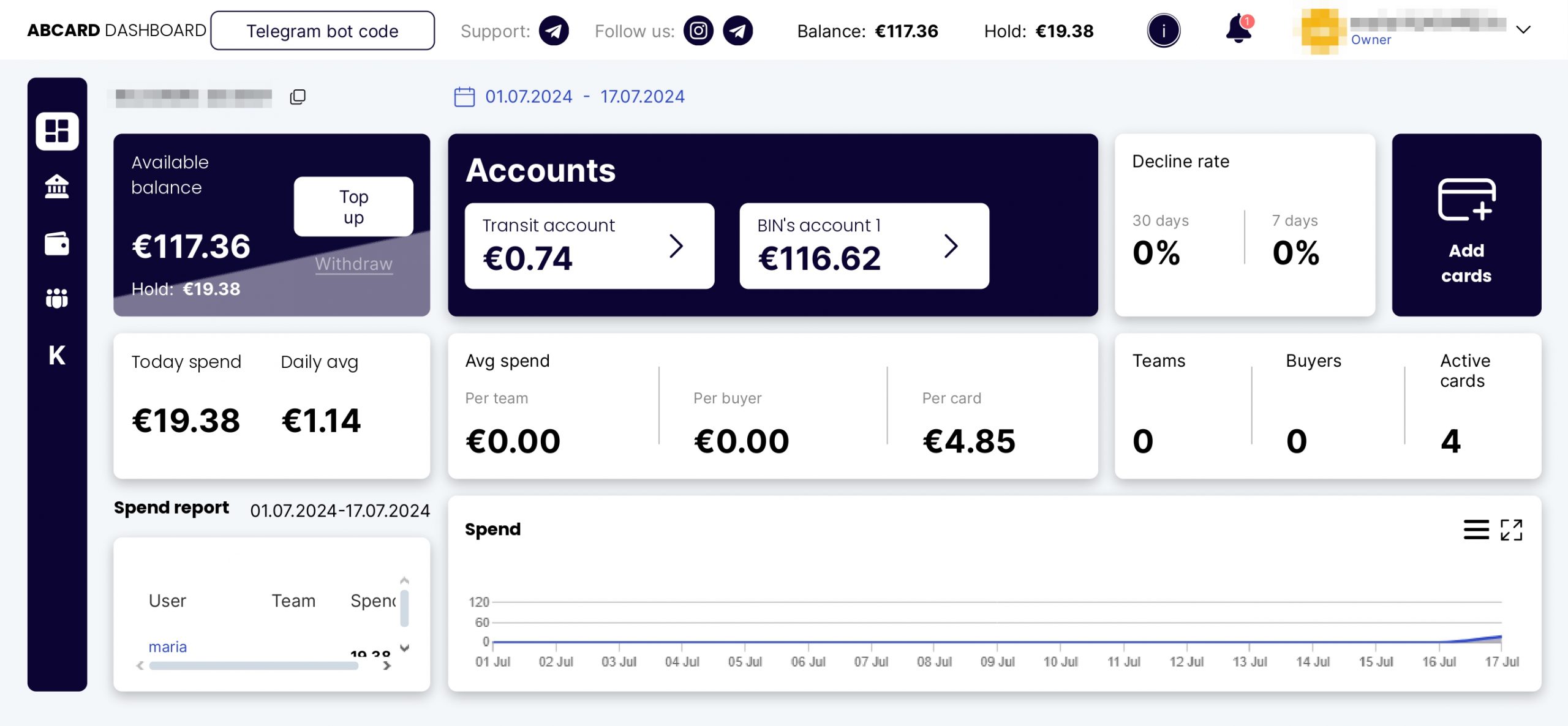
Login to your account to view the Dashboard. You can find all the basic information here, including your account balance, incomings and expenses, active cards count, reports on each user, and other information.
How to Replenish an Account?
You can replenish your account in the Dashboard. To do this, click ‘Top up’ in the ‘Available balance’ field. An account replenishment form will pop up.
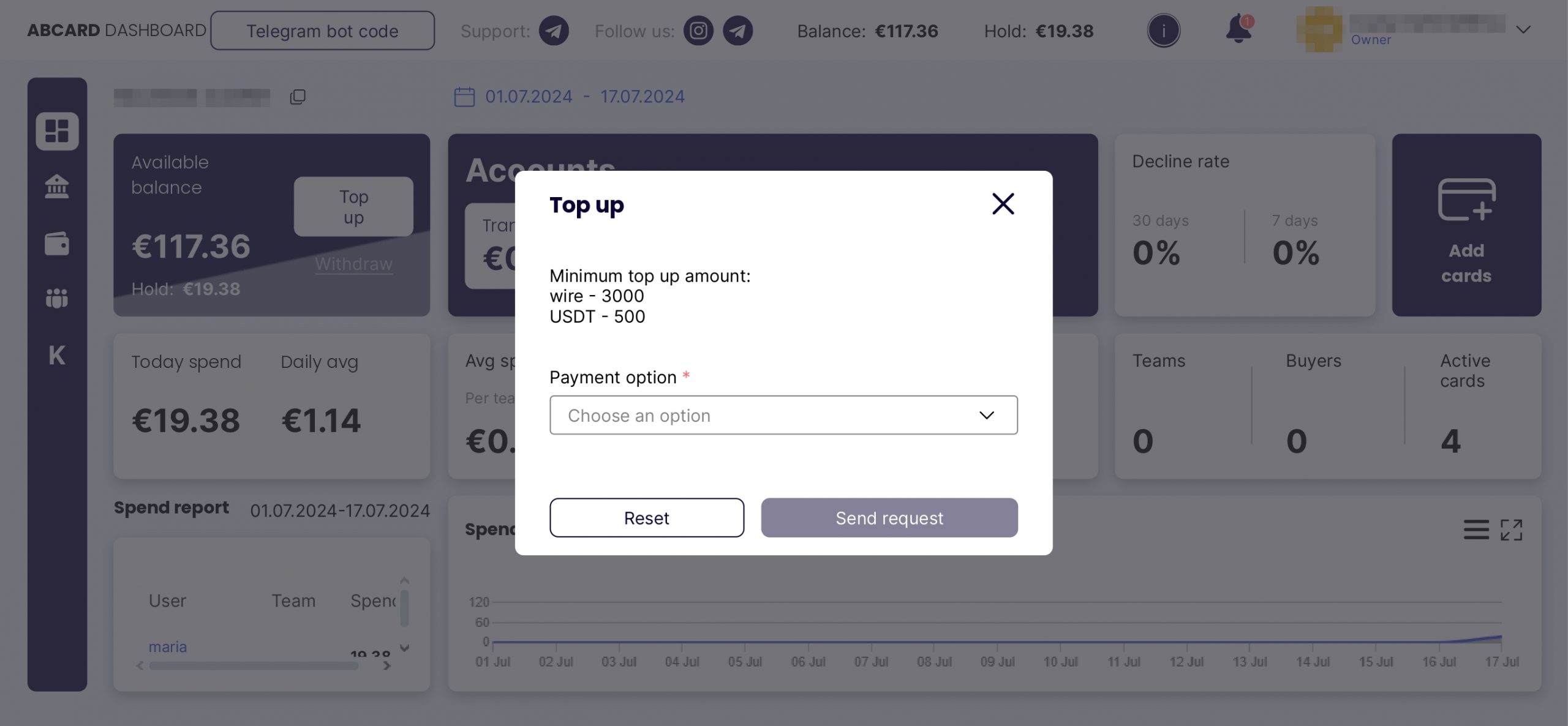
The service supports the following payment systems:
- SEPA/SWIFT (the minimum replenishment amount is €3,000);
- USDT (the minimum FTD amount is $150).
There are 2 accounts in the personal account:
- Transit account – this is where your deposits arrive.
- Bin-account – this is the balance from which the cards withdraw funds.
After topping up, you need to transfer funds from the transit account to the bin-account!
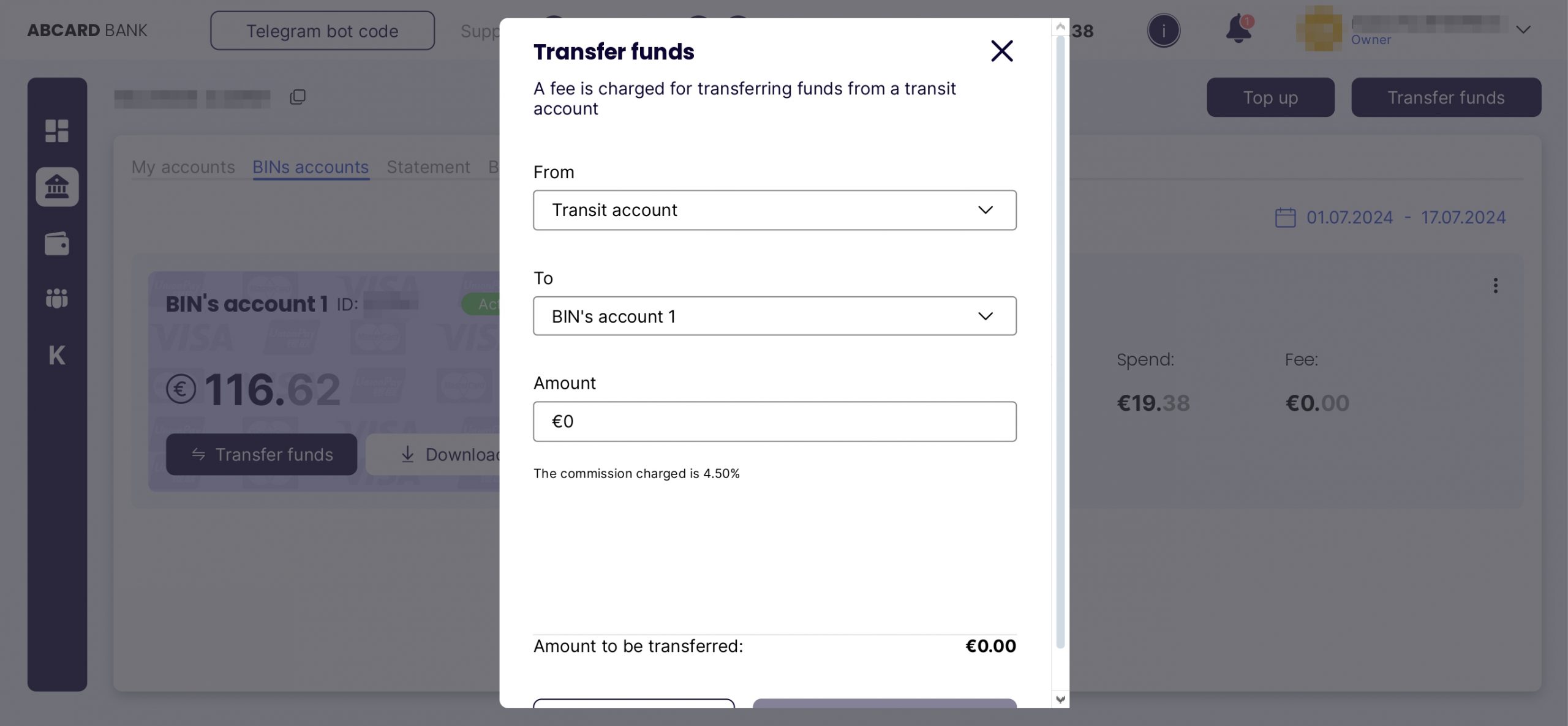
No commission is charged for topping up the transit account, only when transferring from the transit account to the bin-account.
How to Issue Virtual Bank Cards?
To issue bank cards, click ‘Add cards’ in the Dashboard or Wallet Tab. You’ll be redirected to the page with the card-issuing settings.
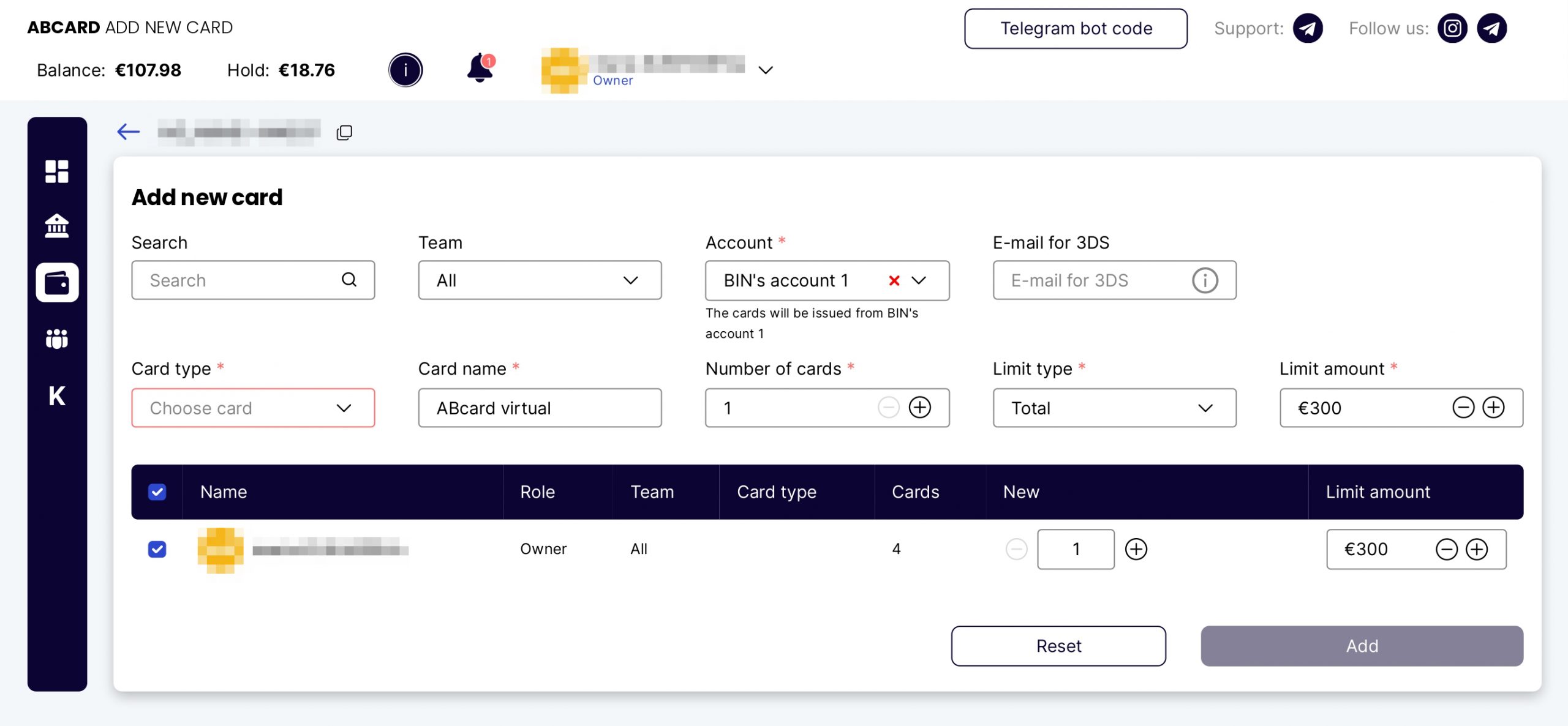
The basic settings are as follows:
- Card type: MasterCard, Visa, China UnionPay;
- Name;
- Quantity;
- Limit: Total, Monthly, Weekly, Daily;
- Limit amount.
You can also specify the team and email address for 3DS notifications (by default, the cards will be linked to the account owner’s email).
Once you specify all the settings, click ‘Add’. The cards will be issued instantly. You can now go to the Wallet Tab and view the basic card details.
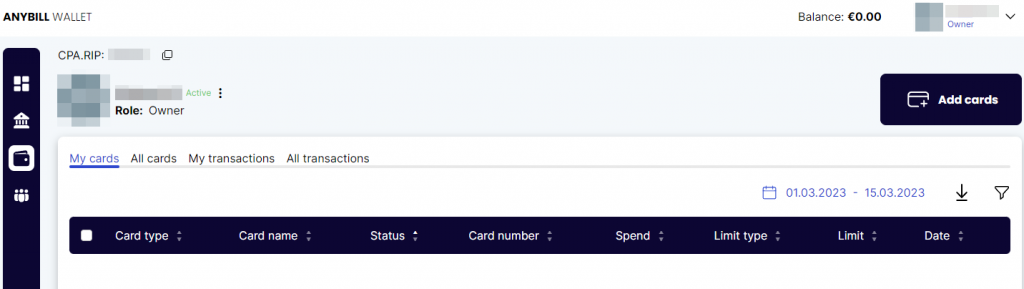
This tab has ‘My cards’, ‘All cards’, ‘My transactions’, and ‘All transactions’ sections.
You can find the following information in the Wallet Tab:
- Card type;
- Card name;
- Status;
- Card number;
- Spend;
- Limit type;
- Limit;
- Date.
In the ‘All transactions’ tab, you can find all the necessary information about transactions: ID, Time, Status, Operation, Description, Card name, and others.
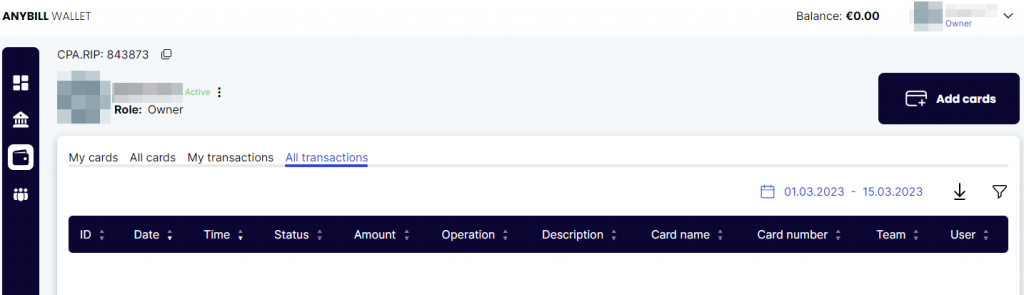
In the ‘All cards’ tab, you’ll find all the same columns and additional ‘User’ and ‘Team’ columns. This way the owner will be able to view information about the cards of teams and individual team members.
How to Add Users?
Anybill.io Service provides virtual cards for both solo publishers and teams. You’ll find all the necessary tools for teamwork: user roles, access rights, limits, and the number of cards per team and individual buyer.
Each employee can only see certain information in the service. For example, a buyer can only see their cards, limits, and other information while a team leader can view information that is available to the team and each team member. The account owner can view all the information available.
To invite a team member, open the Team Tab, click ‘Invite User’, fill in the required fields, and send the invitation.
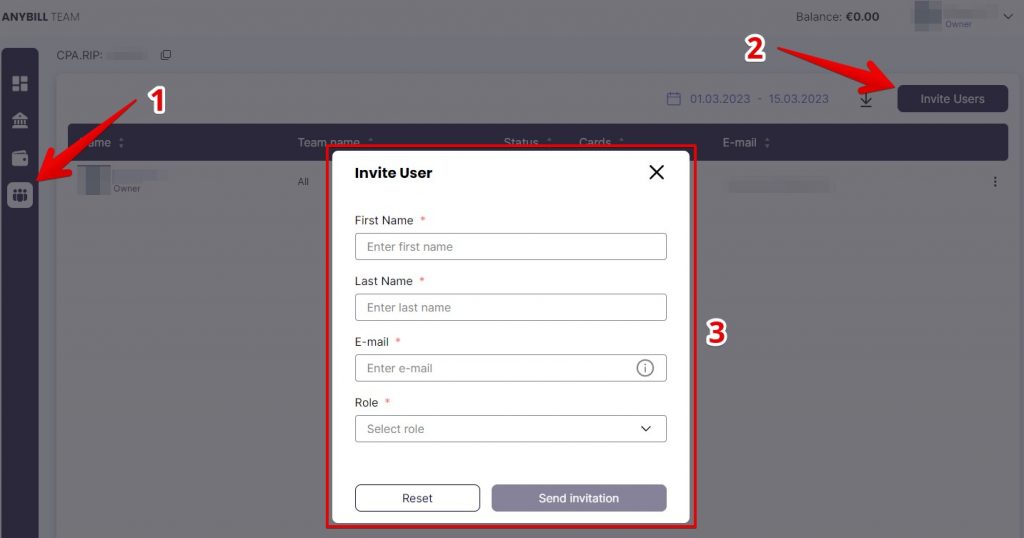
The invitation form includes the following fields:
- First Name;
- Last Name;
- Email;
- Role (Team Leader or Buyer).
Analytics
In the Wallet Tab, you can view information about each card. In-depth statistics are available in the Bank Tab. Here, you can view general statistics and details on each team and user.
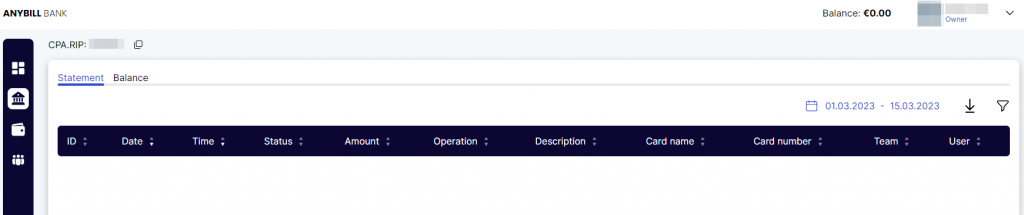
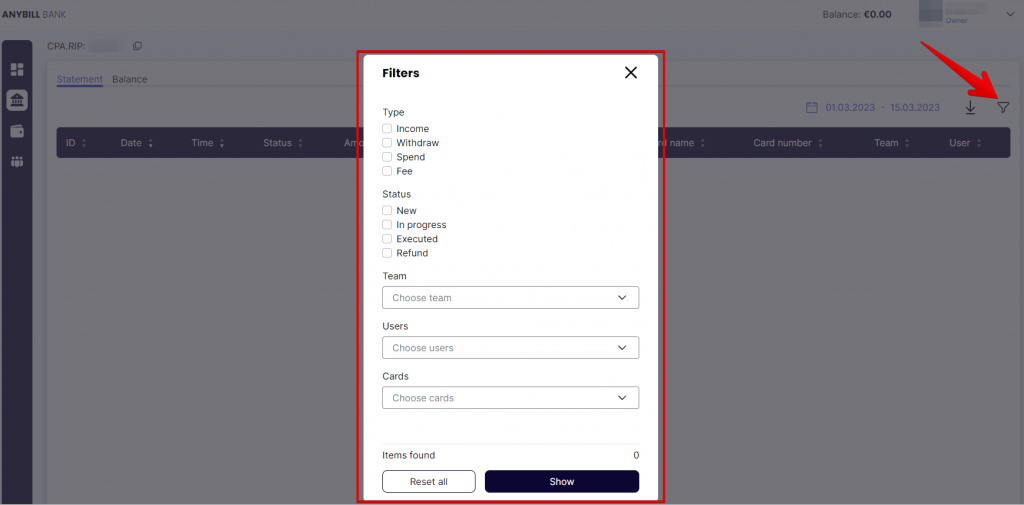
You can also use filters that will allow you to view details both on users and cards.
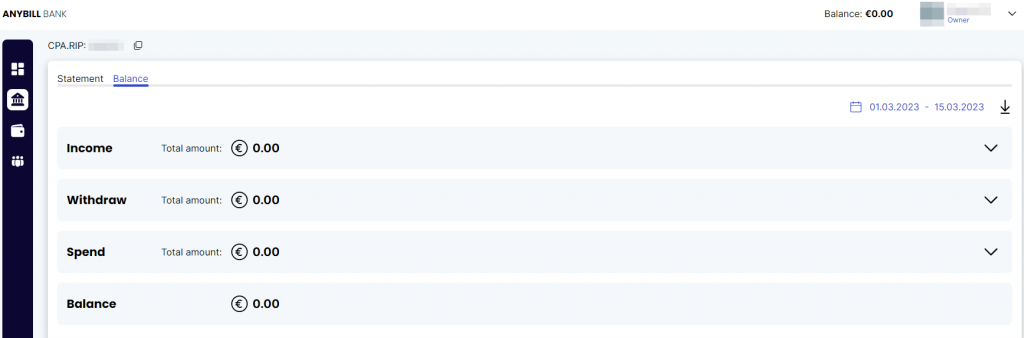
In the Balance Tab, you can find statistics on income, withdrawn and spent money, and your current balance.
Customer Support & Social Media
You are welcome to contact customer support if you have any questions.
Contact details:
- Telegram: @Alex_supportAB
They only recently created their social media accounts but soon they will make a lot of great content.
Social Media:
- Instagram: https://www.instagram.com/anybill.card/
- Telegram: https://t.me/anybill
Summary
Anybill.io offers virtual bank cards with favorable terms of service. You can use these cards to pay for ads on different platforms. If you work as a team, you will be able to issue cards and view all the required statistics in a single interface.
CPARIP promo code gives cashback 1% for 2 months, promo code is valid ONLY when registering through the link https://rip.af/anybill