

![[FBM] CARDS](https://cpa.rip/wp-content/uploads/cr-a1/fbm-cards-v1/fbm-cards-logo.svg)



Registration and getting started
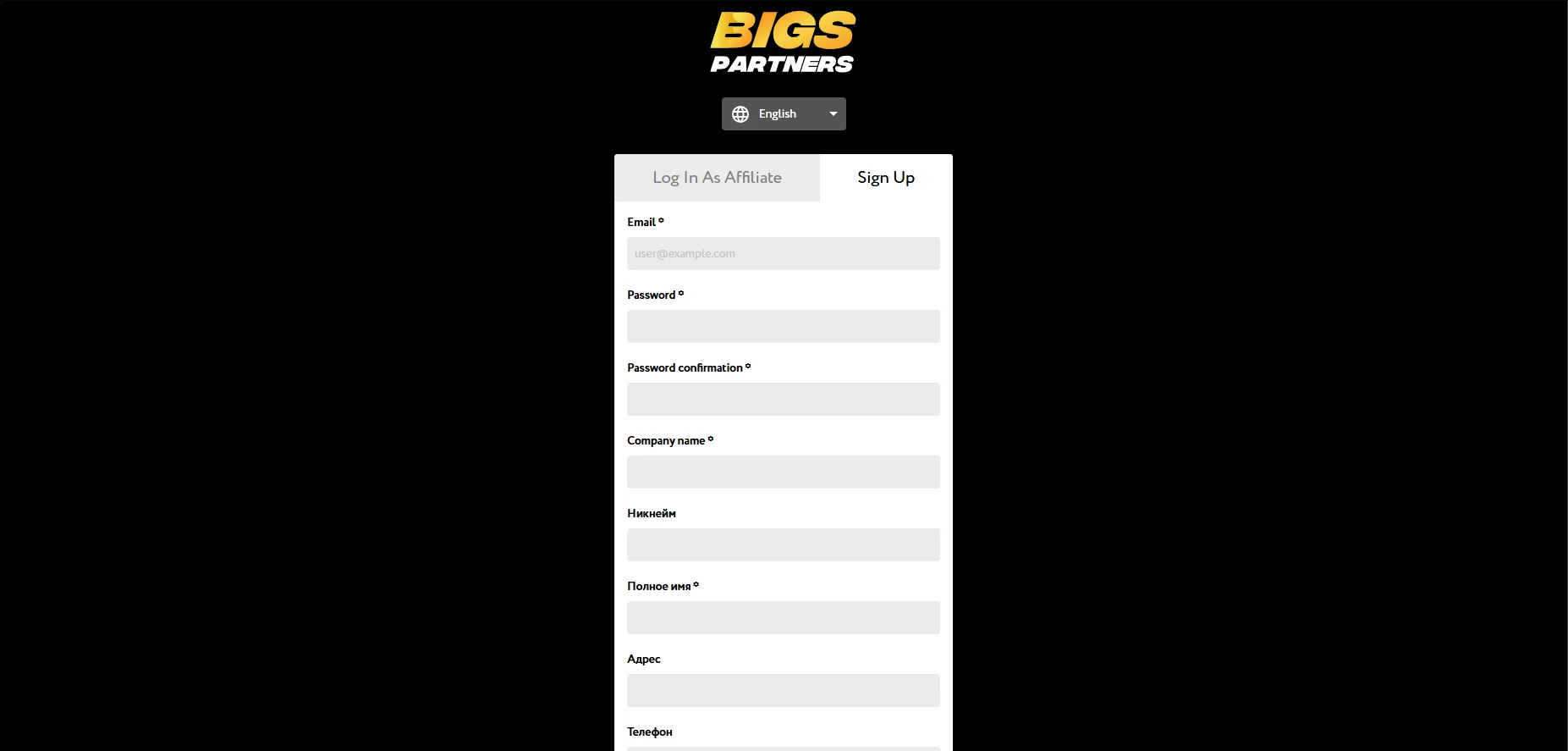
Go to the official website BIGS Partners. On the home page, click “Sign up”. Fill in the required fields of the registration form: Email, Password, Password confirmation, Company name, Full name, Traffic sources, Contact email, and Telegram.
 After filling out the form, click Sign Up. To confirm your email address, follow the link provided in the email you receive.
Available offers
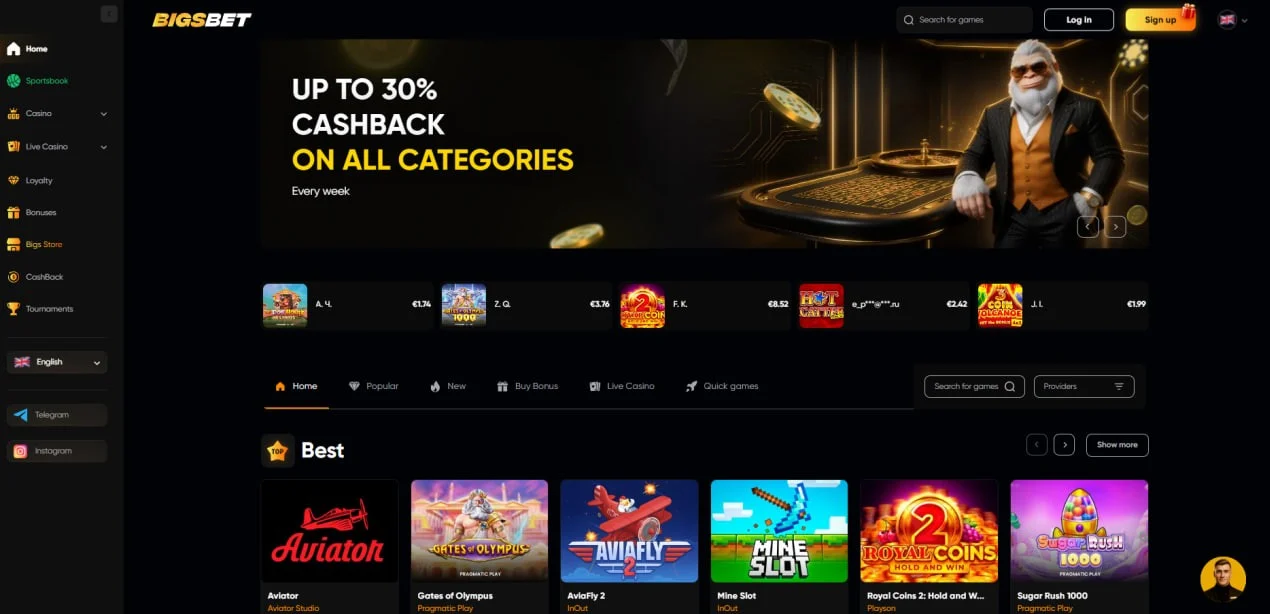
The affiliate network features a single brand — Bigs.Bet.
BIGSBET is an online casino running on the SoftGamings platform, operating under an Anjouan license.
The product is positioned as a premium gaming platform for users who value a high level of service, stable performance, reliability, and quality gameplay.
Creating a campaign
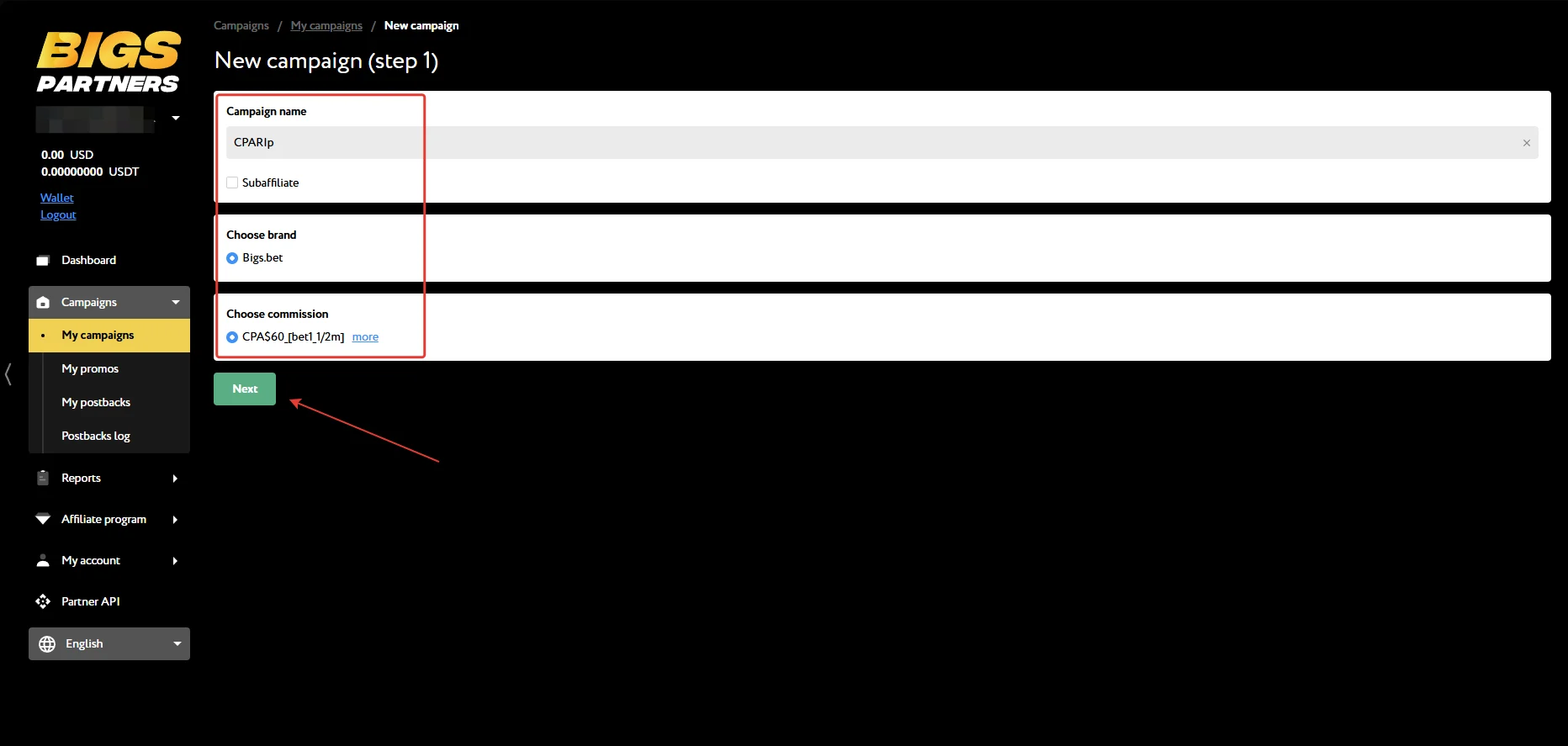
To create an ad link, go to the My campaigns section and select Create New Campaign.
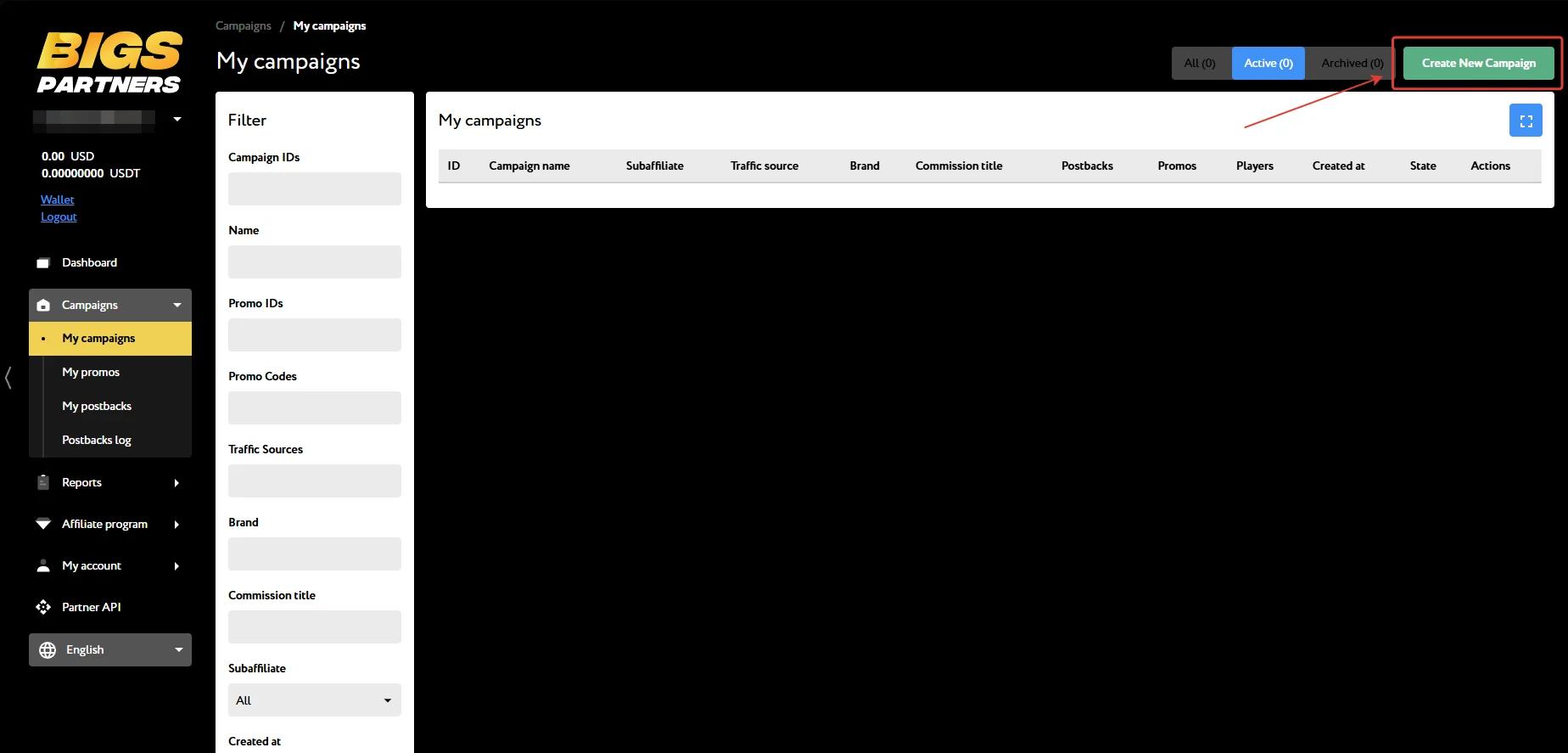
Specify the campaign name, select the brand and the commission set by your manager, then click Next.
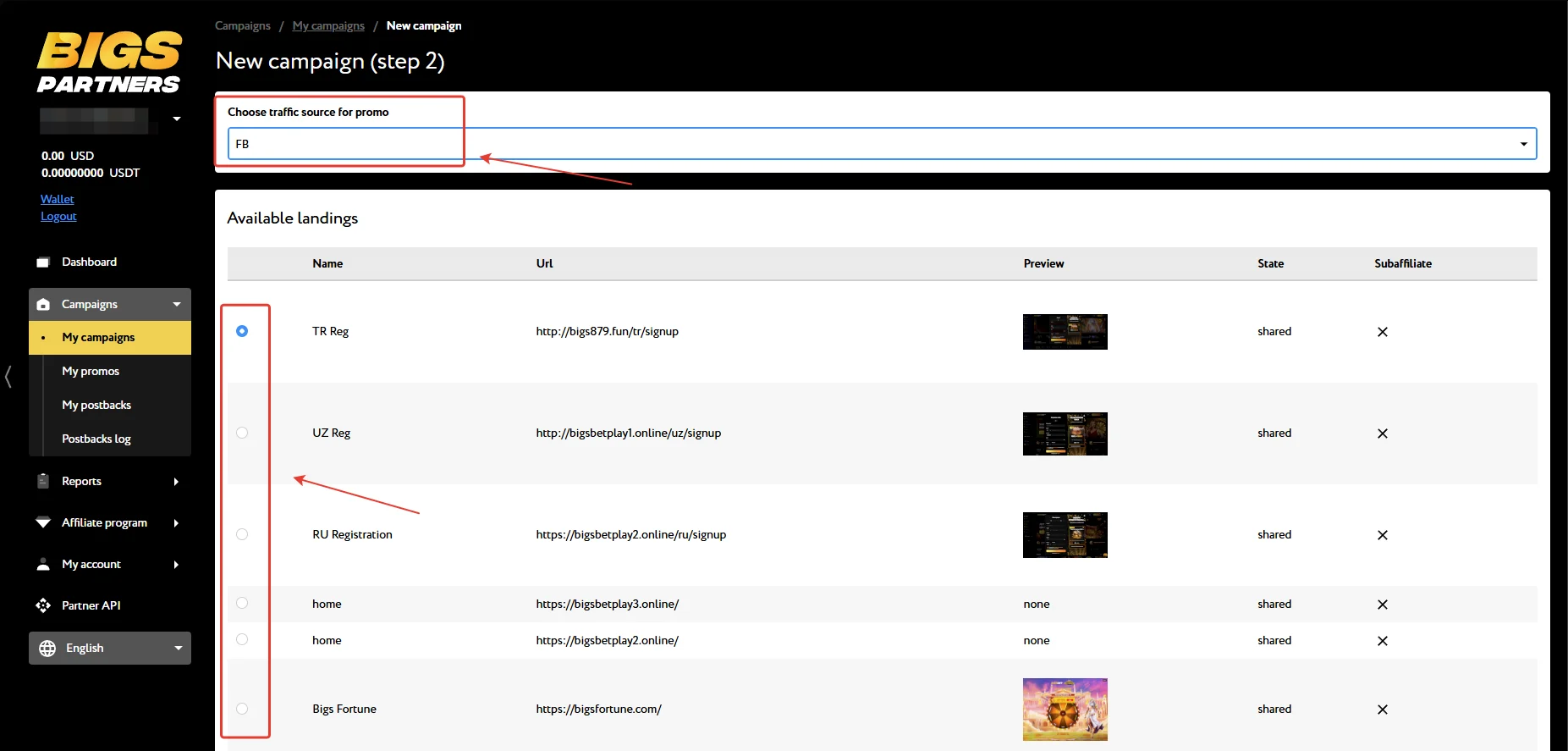
Select the traffic source, the landing page, and click “Next”.
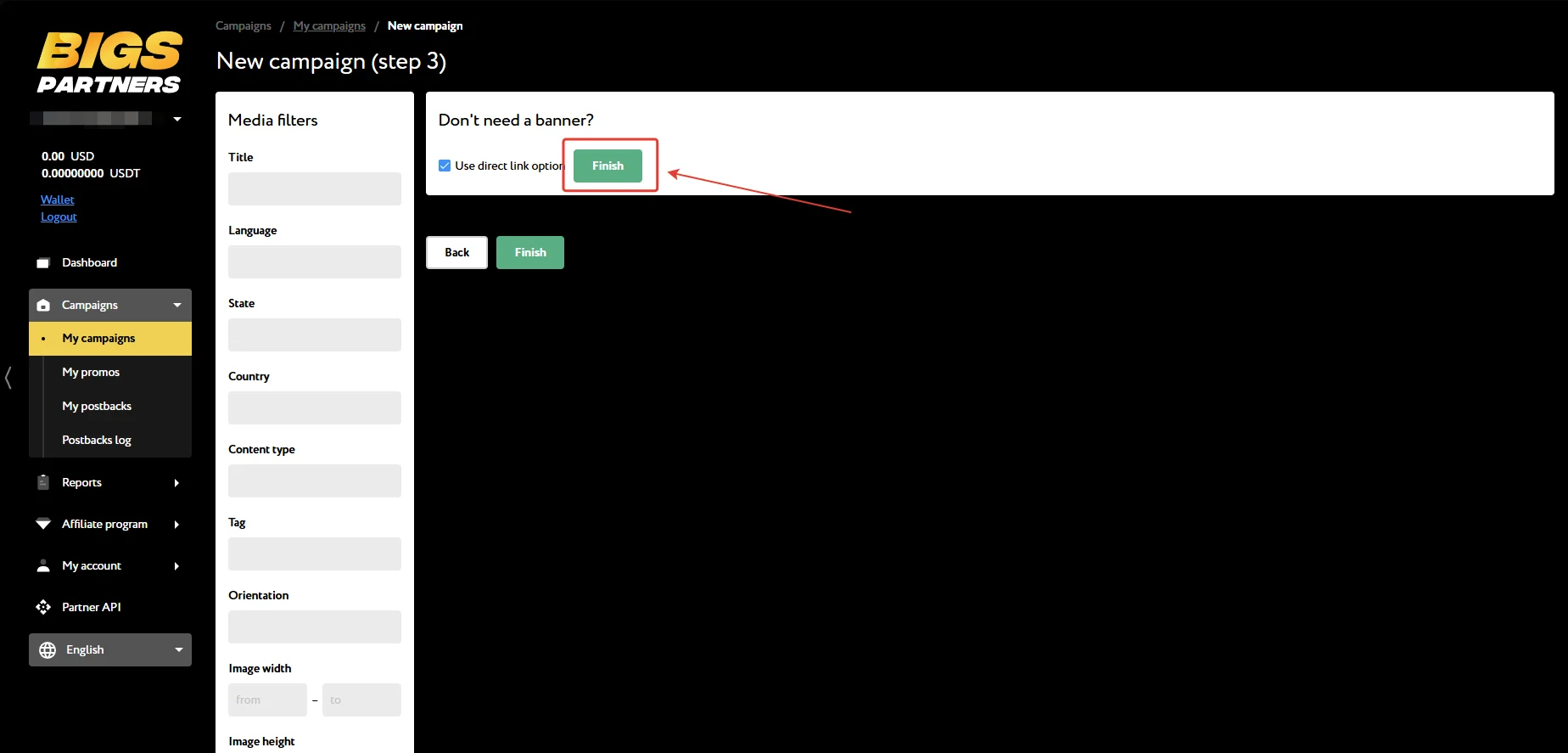
Click “Finish” to complete campaign creation.
On the page that opens, you’ll find detailed data and ad links. Click Edit to edit the campaign or Report to view creative statistics.
To create a new creative, click “Add Promo” inside the desired campaign or on the general campaigns page. If you need help with setup, you can always reach out to your personal manager — they’ll help you create a campaign and prepare everything you need.
GEOs worth paying attention to
- Turkey, Uzbekistan, and Russia
What traffic is accepted
- All quality traffic sources are accepted.
- Not accepted: schemes, incentivized traffic, fraud, and any sources that violate the affiliate program’s rules.
Base rates and average reg2dep rate
- TR: $60, CR reg 55%, CR dep 25%;
- RU: $50, CR reg 50%, CR dep 20%;
- UZ: $20, CR reg 60%, CR dep 25%.
Statistics
To get a detailed report on traffic and conversions in Bigs Partners, open the Reports section and select the Statistics page. The system supports detailed segmentation across 8 filters and 12 parameters.
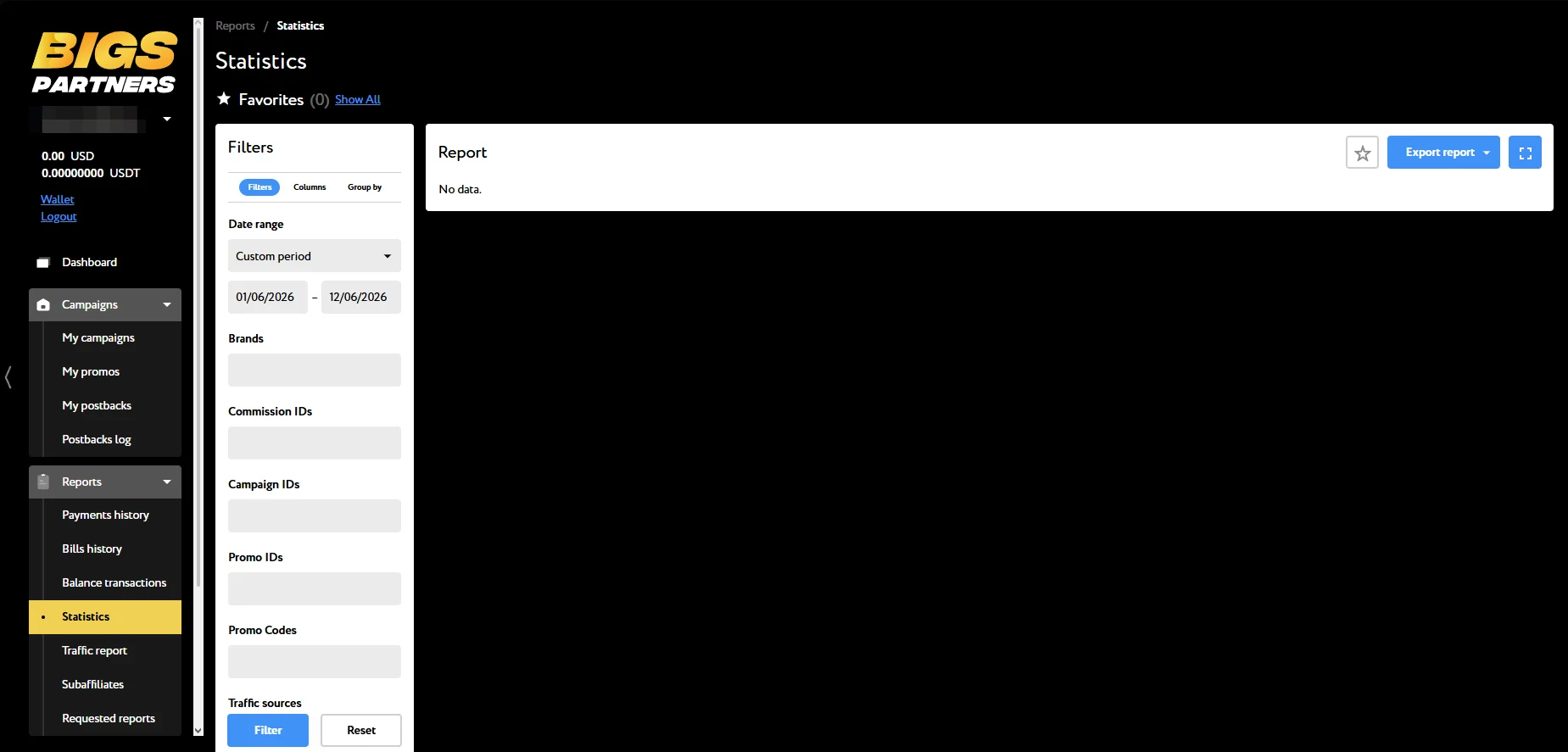
- Filters: Brands, Commission IDs, Campaign IDs, Promo IDs, Promo Codes, Traffic sources, Landing IDs, and Player IDs;
- Statistics parameters: Visits, Registrations, FTD count, FTD conversion rate %, FTD sum, Deposits count, Deposits sum, Avg deposit amount, Casino bets count, Casino bets sum, Casino GGR, and Casino NGR.
- Groupings: Brand, Commission, Campaign, Promo, Player country, Tag: pid, Tag: sub1, Tag: sub2, Tag: sub3, Tag: sub4.
The Dashboard section contains the current balance and summary statistics for campaigns.
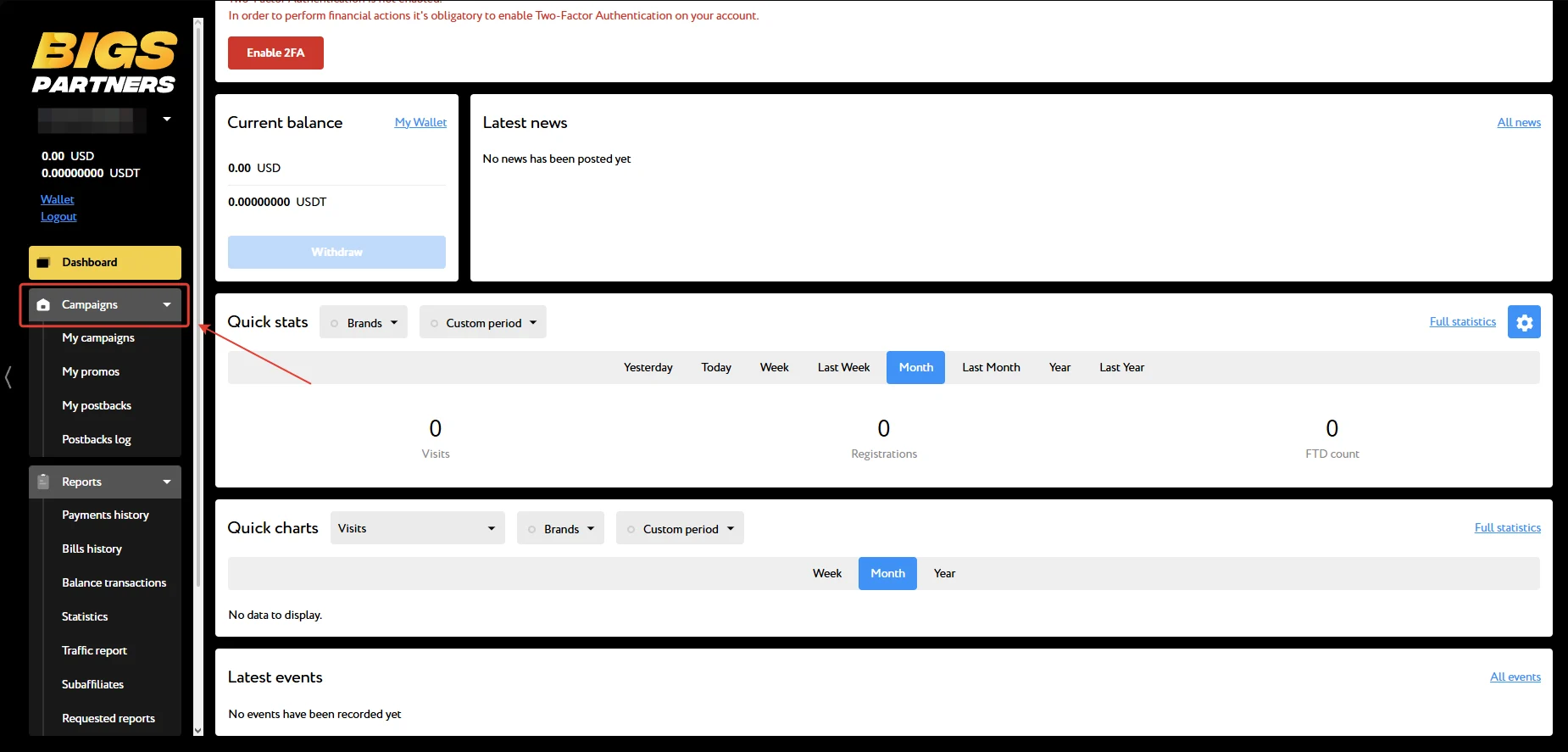
Postback setup
Setting up a postback in BIGS Partners
- Make the necessary settings on your tracker’s side.
- Go to the “My postbacks” page in BIGS Partners and click “New postback”;
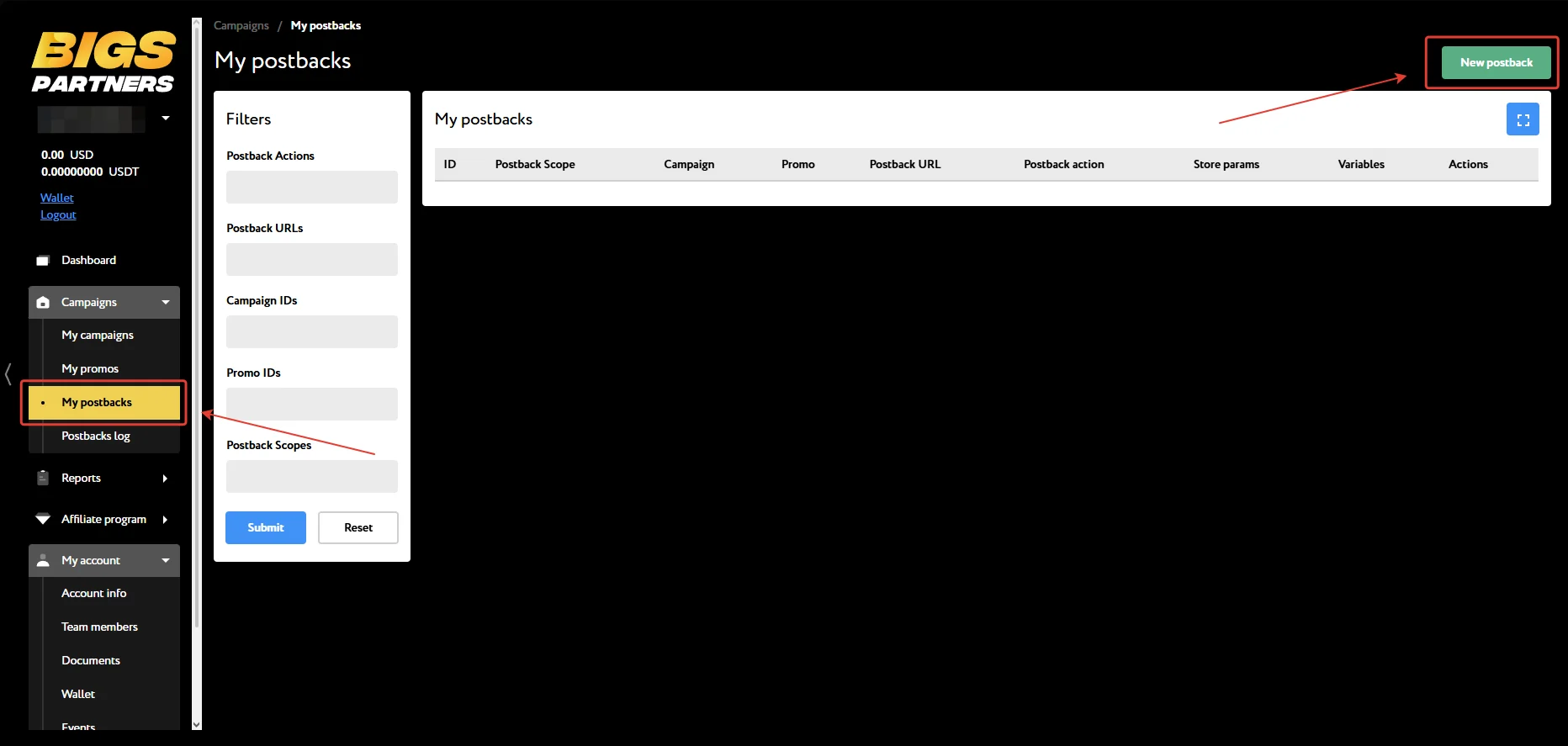
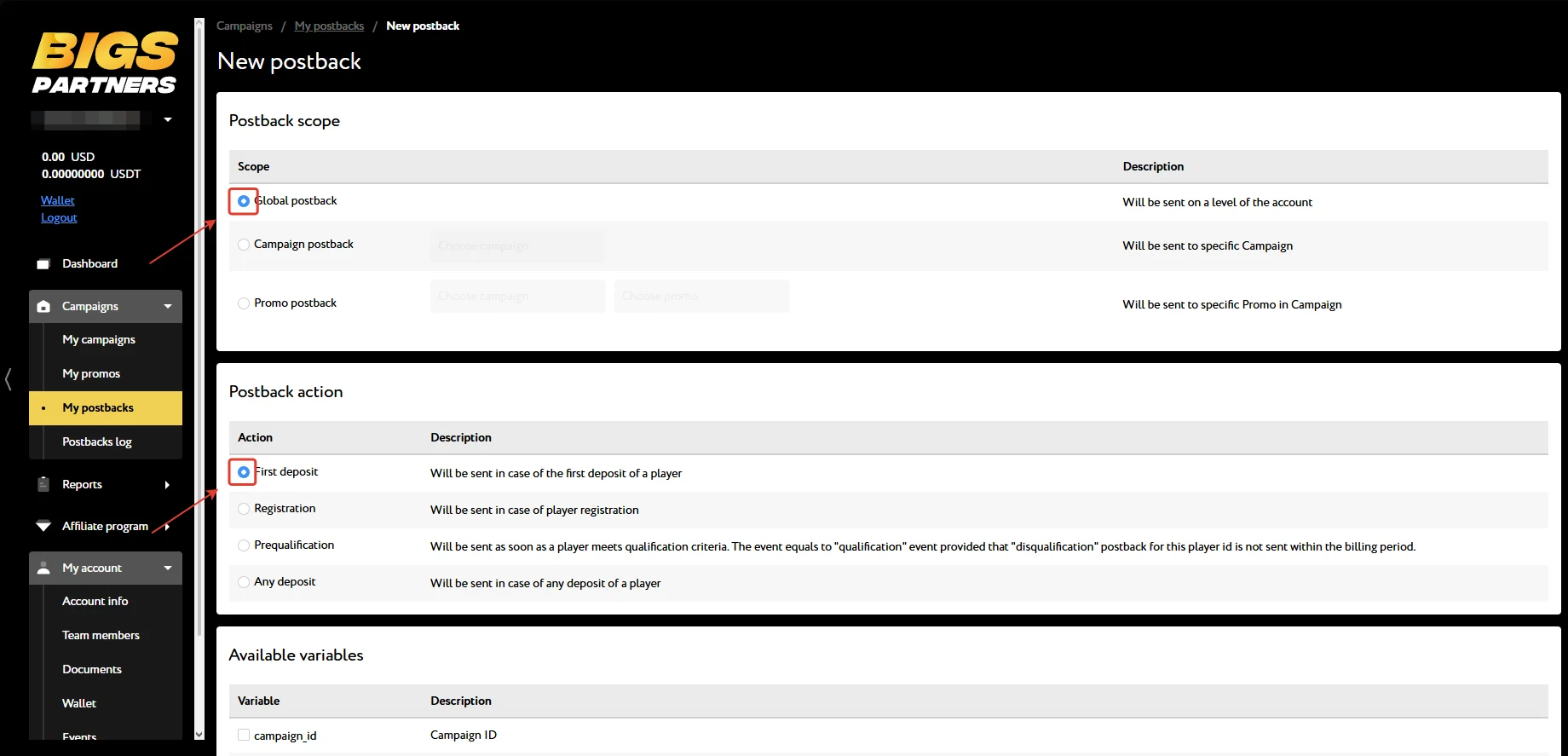
- Specify the scope and select the events;
- Paste the Postback URL into the corresponding field, specify the variables to be passed to the tracker, and click “Submit”;
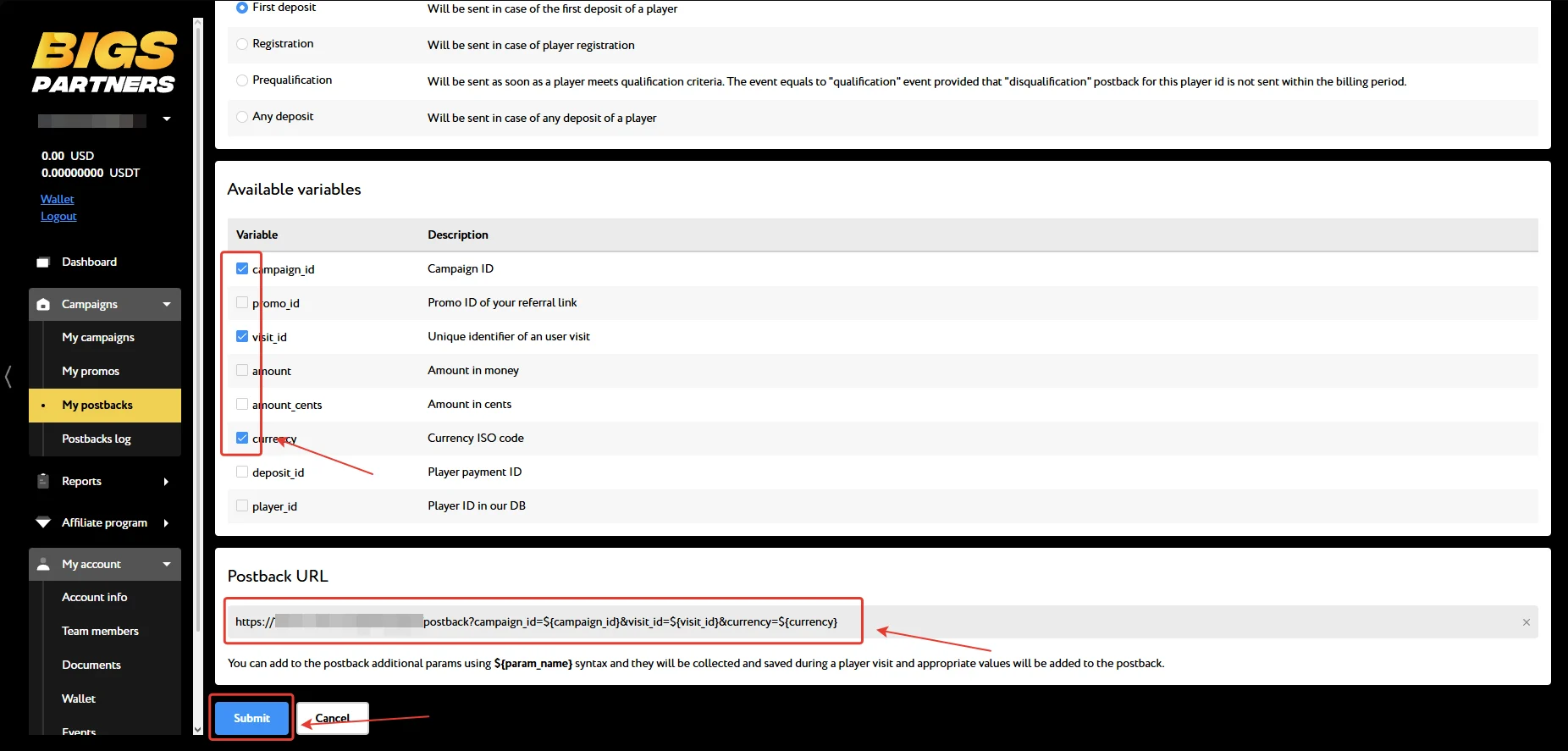
Repeat the setup for all events. Test the postback before launching your ad campaign. You can also entrust the postback setup to your manager — just message them for assistance.
Payouts
- Payouts: twice a month;
- Minimum withdrawal amount: $100
- Payment systems: USDT TRC-20
Technical support and social media
Contacts:
- Telegram: https://telegram.me/bigsbet_aff
Social media:
- Telegram: https://bigspartners
