

![[FBM] CARDS](https://cpa.rip/wp-content/uploads/cr-a1/fbm-cards-v1/fbm-cards-logo.svg)



Registration and getting started
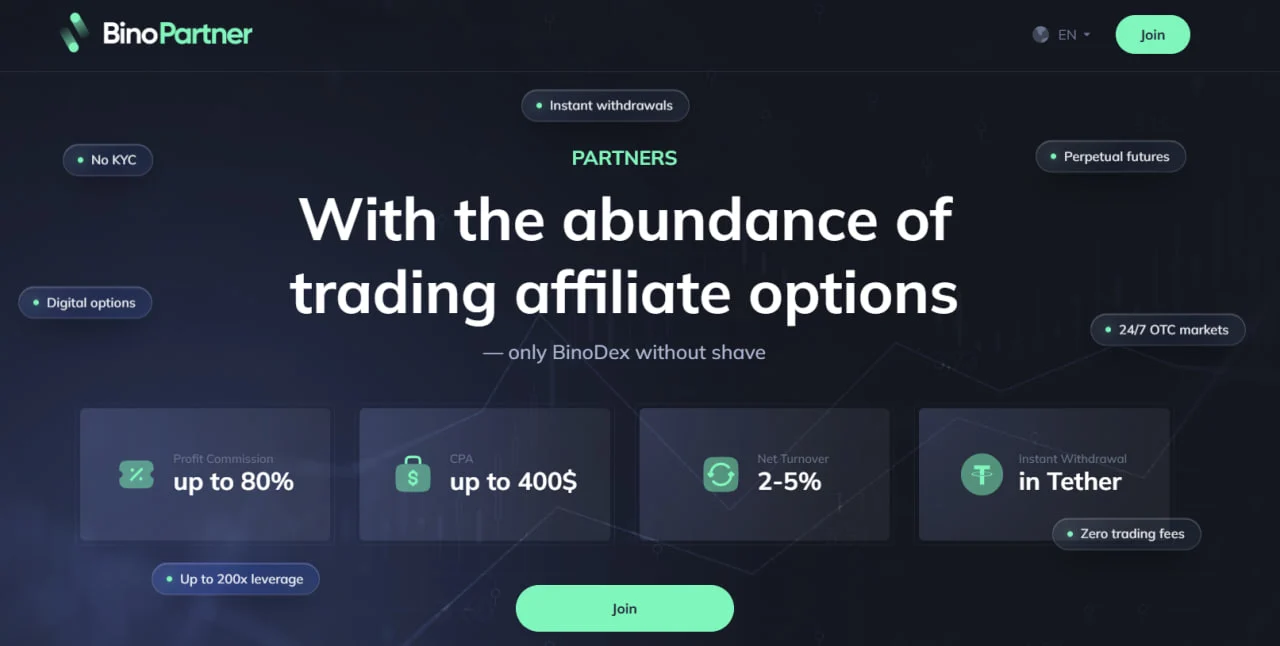
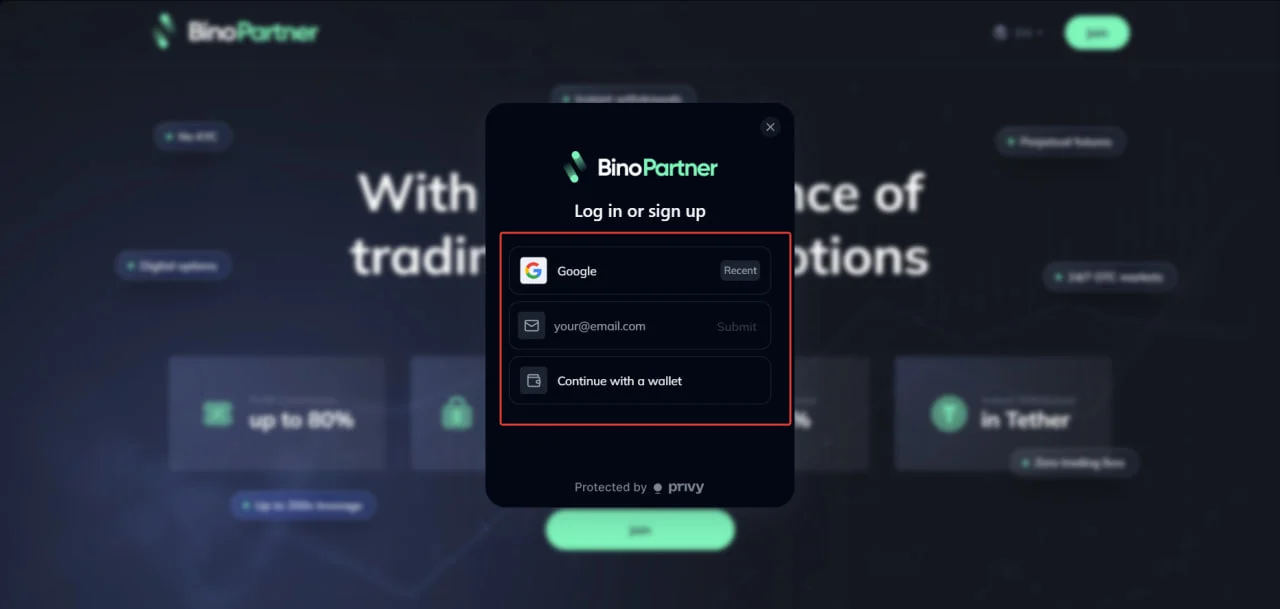
On the BinoPartner website, click Join in the top right corner. Choose one of three sign-up options: Google account, e-mail, or wallet.
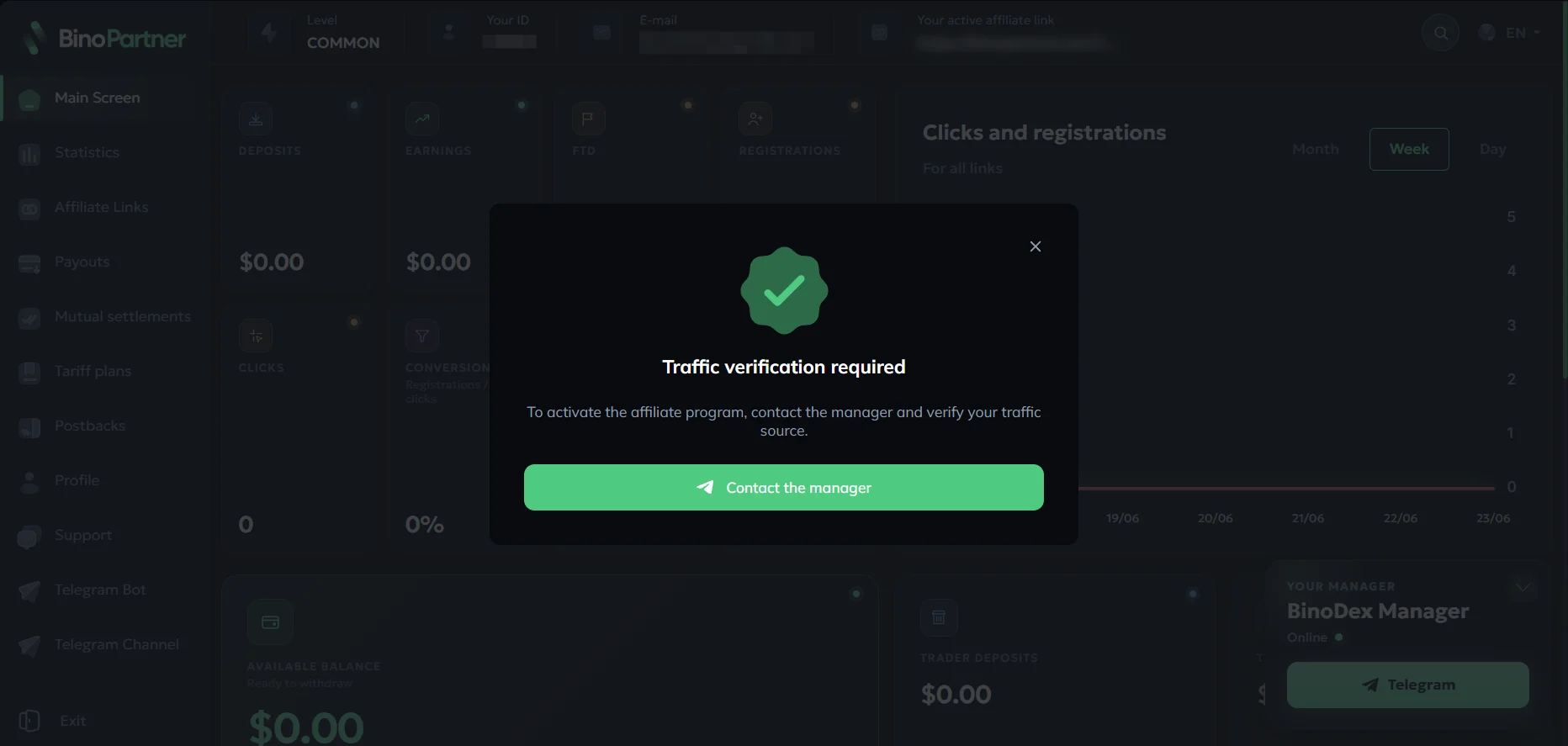
Contact your manager to activate your account. Click Contact the manager.
Available offers
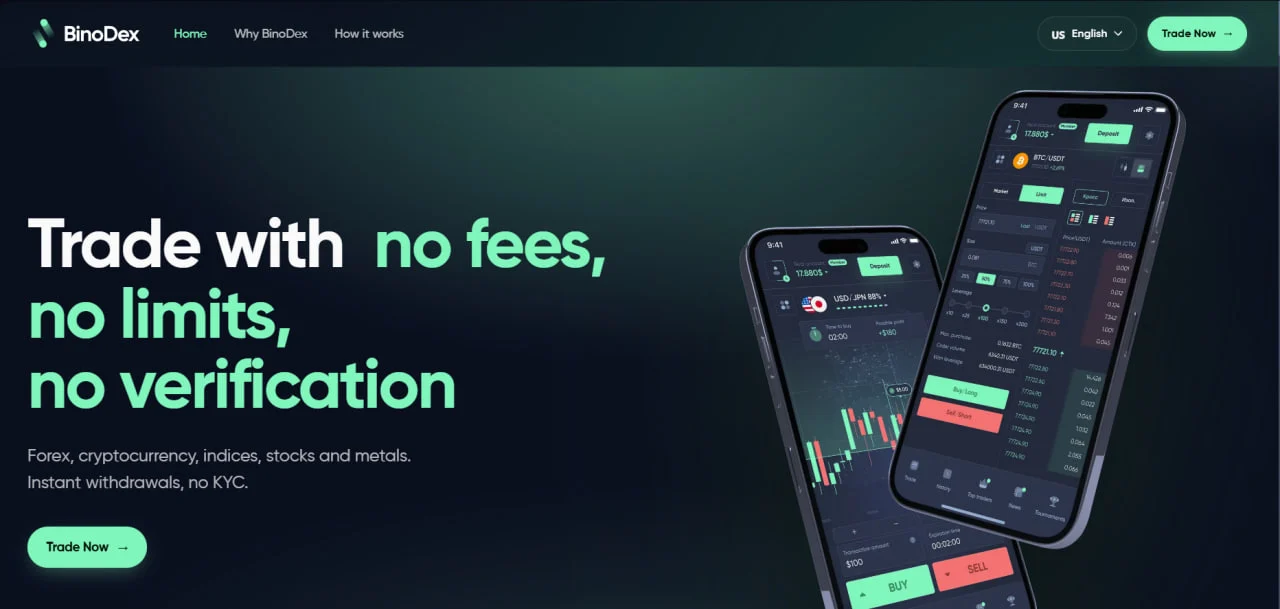
BinoDex is a trading platform combining binary options + perpetual futures in a single account.
- No KYC and no hidden fees
- Card deposits from 180+ geos
- Withdrawals in 2–5 seconds
- iOS and Android apps
- 24/7 support.
Affiliate link
The Affiliate Links section contains the generated affiliate link for your account.
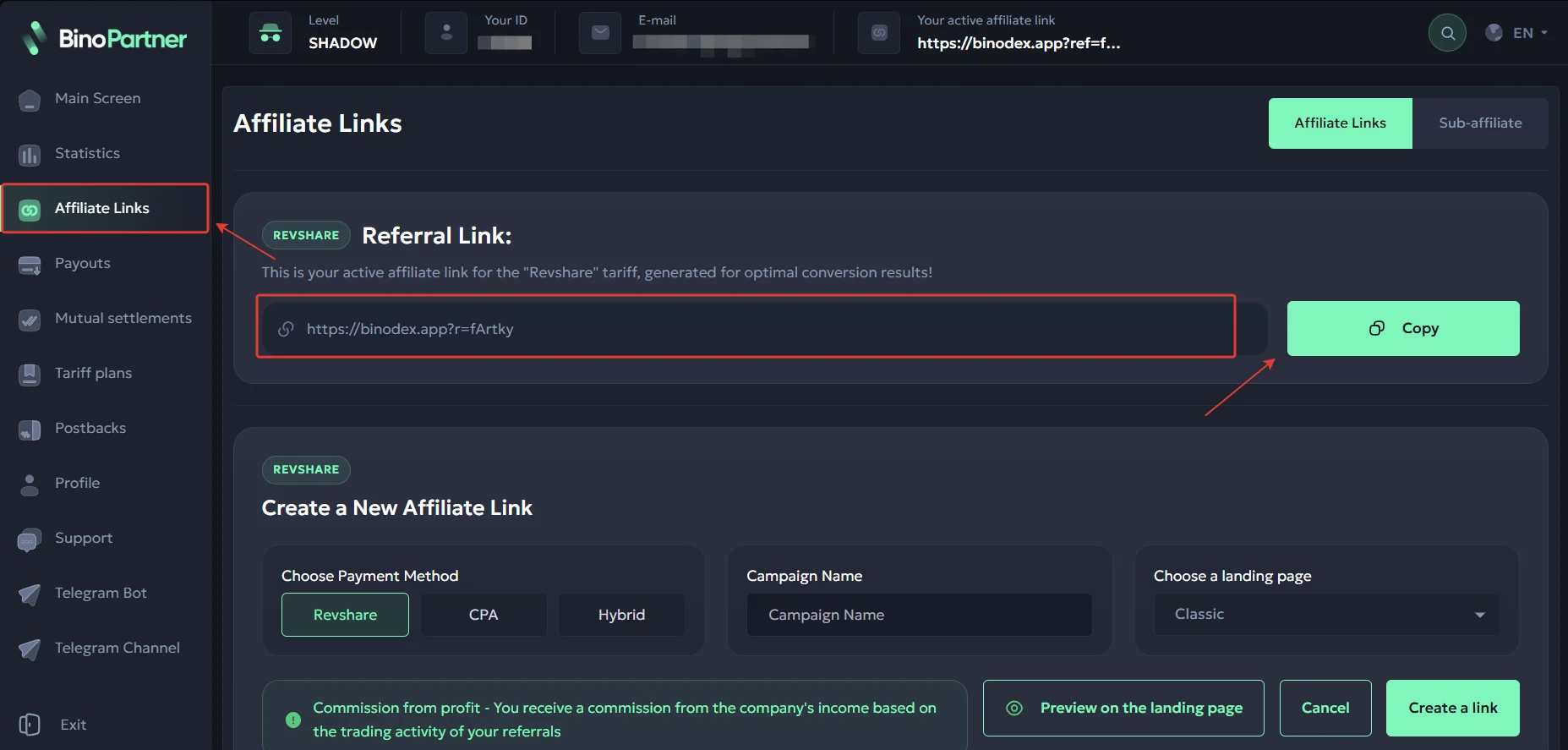
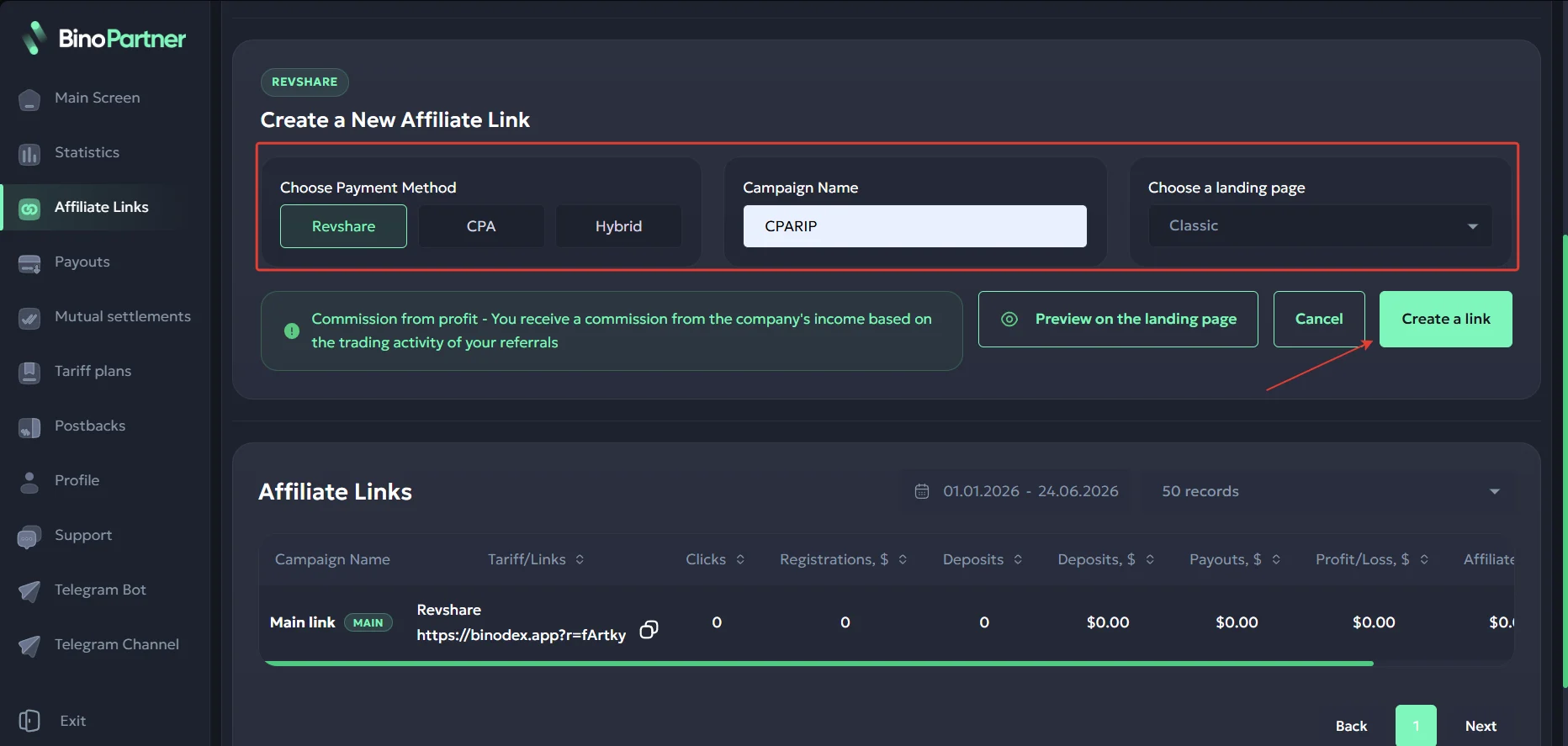
To generate a new link, set a name, choose a landing page, and click Generate Link. By default, the Revshare payout model will be applied; CPA and Hybrid models are configured through your personal manager.
Tariff plans
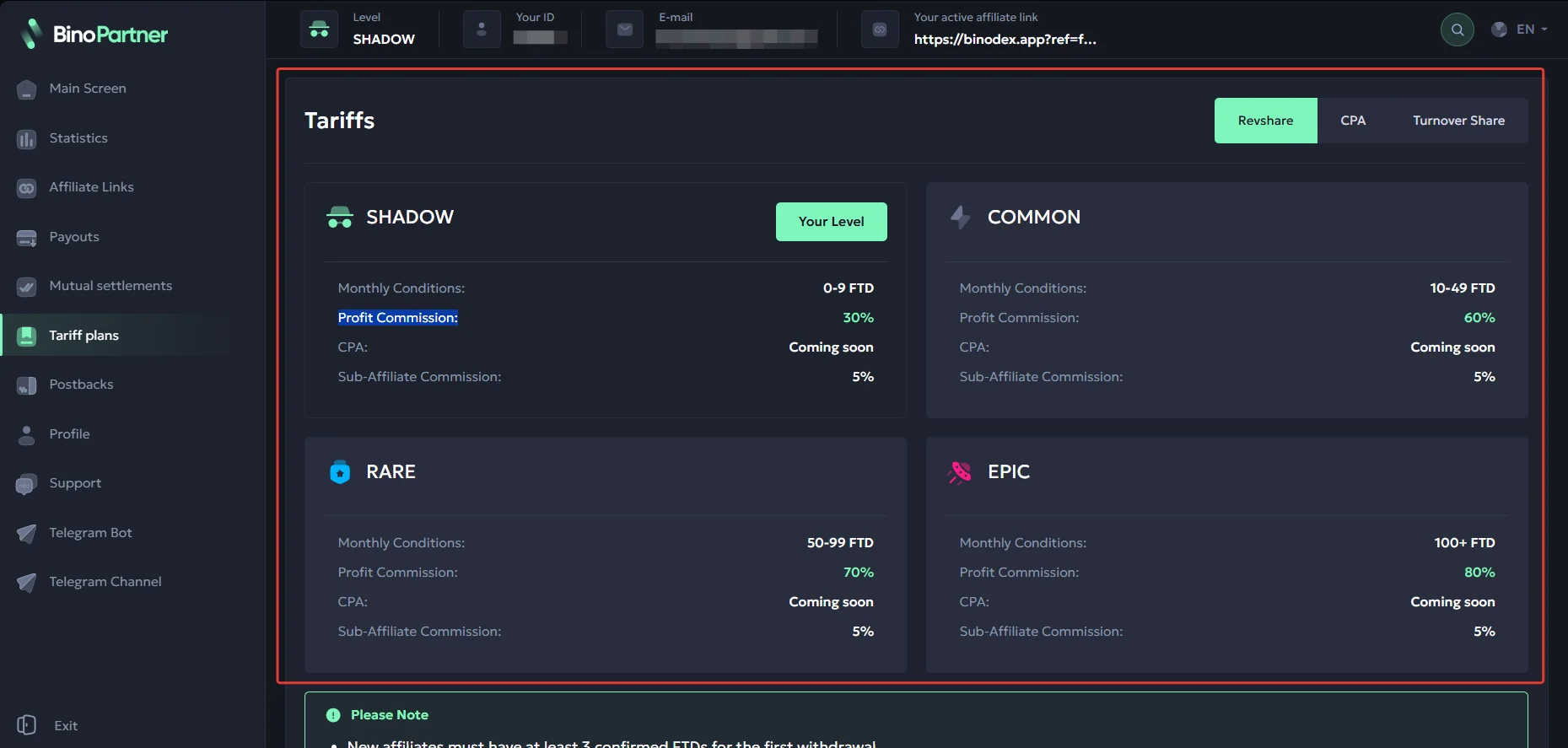
The Tariff plans section shows the number of deposits required to unlock an increased profit commission.
Which geos are worth focusing on
- Worldwide, no restrictions from the affiliate program.
What traffic is accepted
- Allowed: Telegram, SEO, contextual advertising, social media, influencer marketing. Funnel: pre-lander + landing page.
- Prohibited: brand traffic, incentivized traffic, bot traffic, junk traffic, Pops/Push, teasers, scam. Mobile app traffic/installs (MMP/AppsFlyer) and the use of celebrities in creatives are prohibited.
Features and rates for different traffic types
- RevShare 60-80%, negotiated individually based on source and quality;
- CPA/hybrid for networks and by volume;
- Increased rates for verified affiliates;
- Best conversion – warming up via Telegram (signals channel + bot).
Statistics
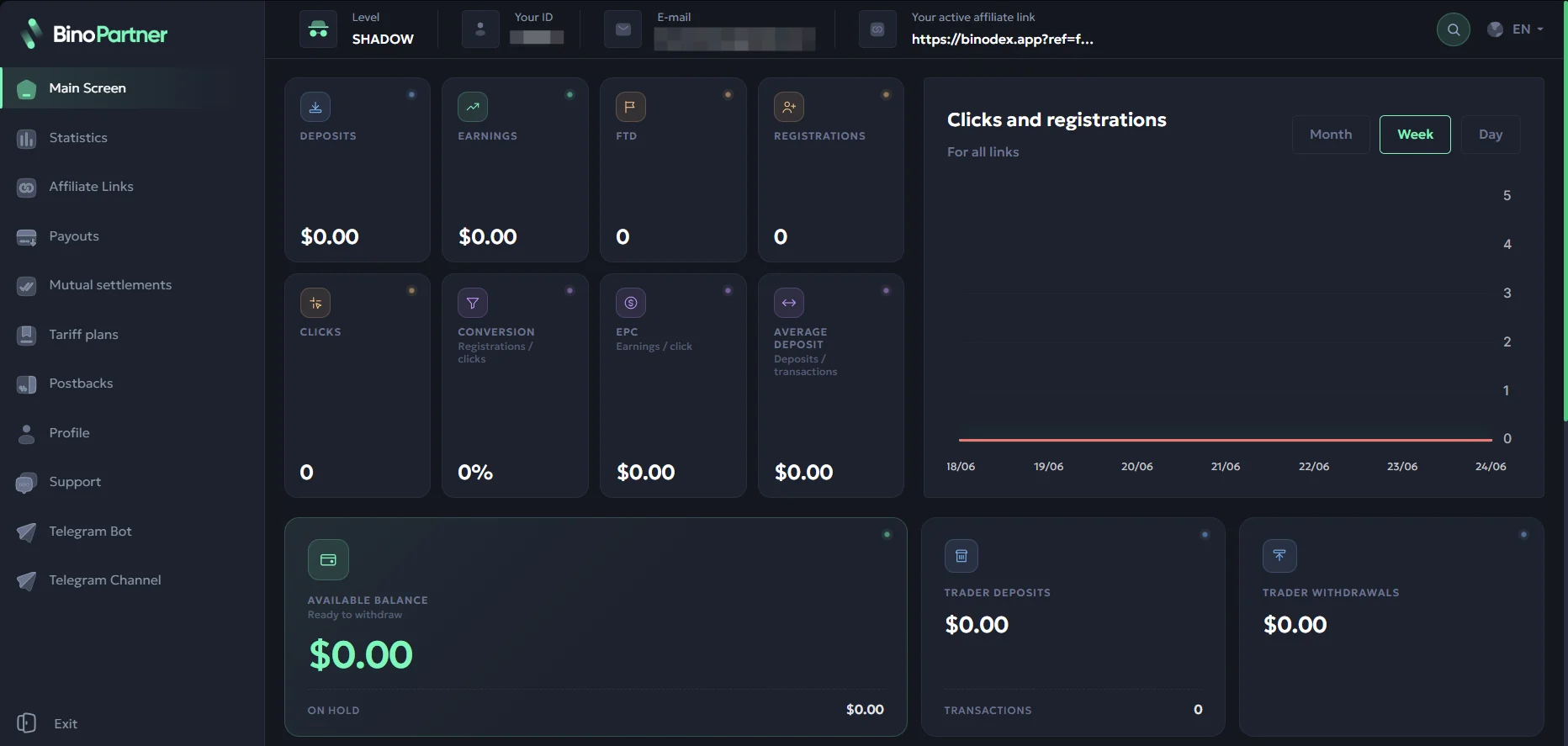
In the BinoPartner affiliate program, statistics can be analyzed by day, by month, and by trader.
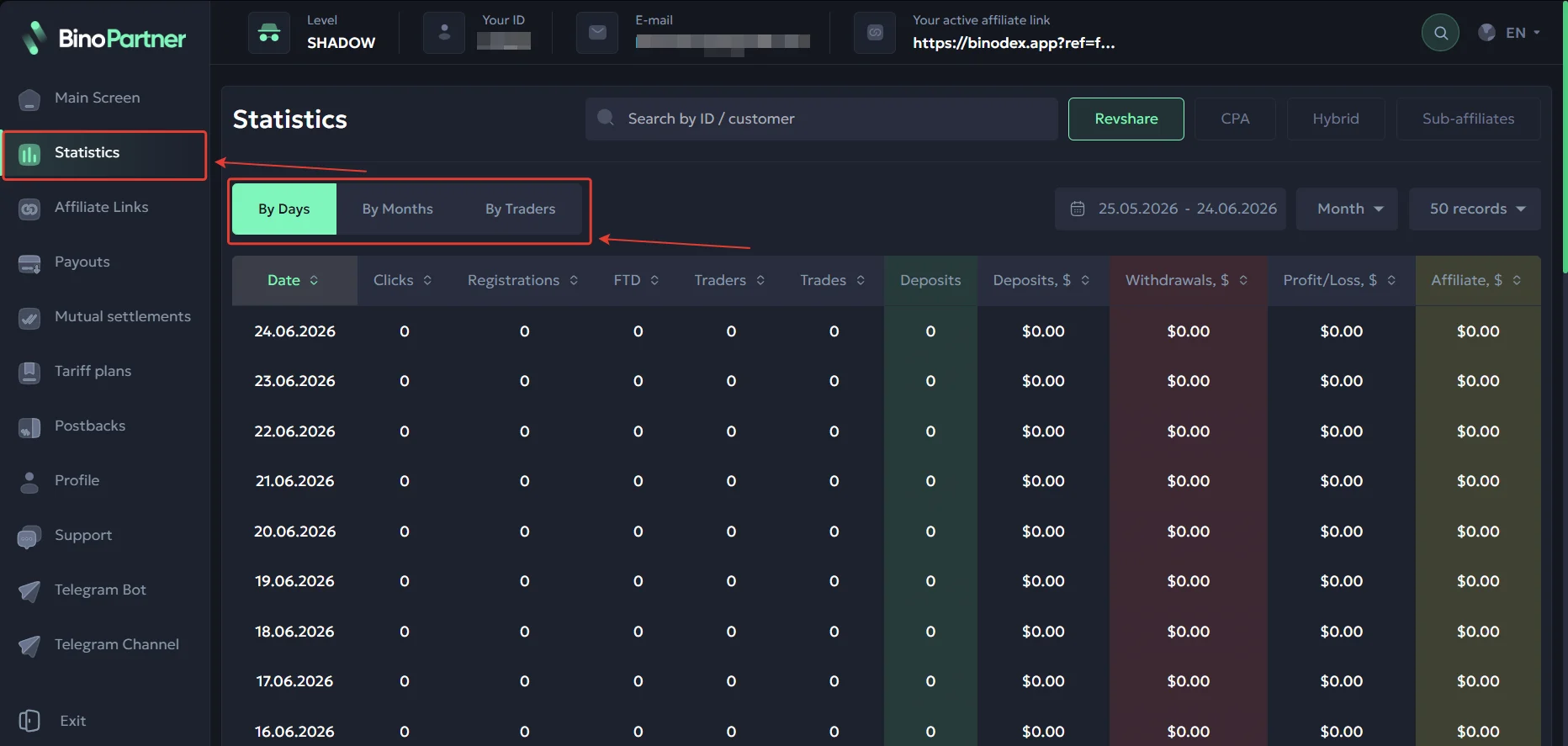
Available metrics: Clicks, Registrations, FTD, Traders, Trades, Deposits, Deposits, $, Withdrawals, $, Profit/Loss, $, Affiliate, $
The Main Screen section contains overall analytics, balance, and your affiliate link.
Postback setup
Setting up a postback in BinoPartner.
- Make the necessary settings on your tracker’s side;
- Go to the «Postback» section;
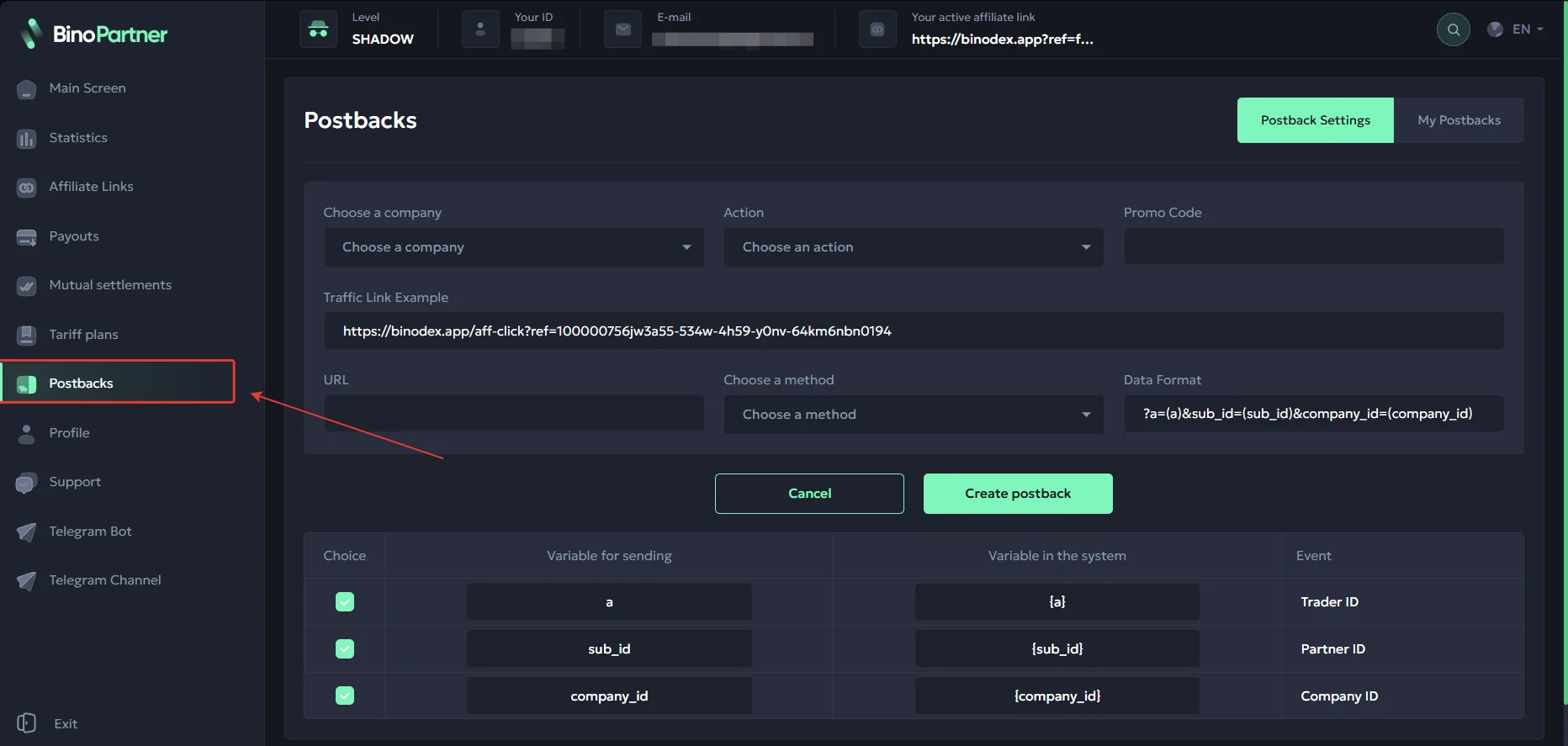
- Select the company and target action. Insert the Postback URL, choose the required parameters, and click Create Postback.
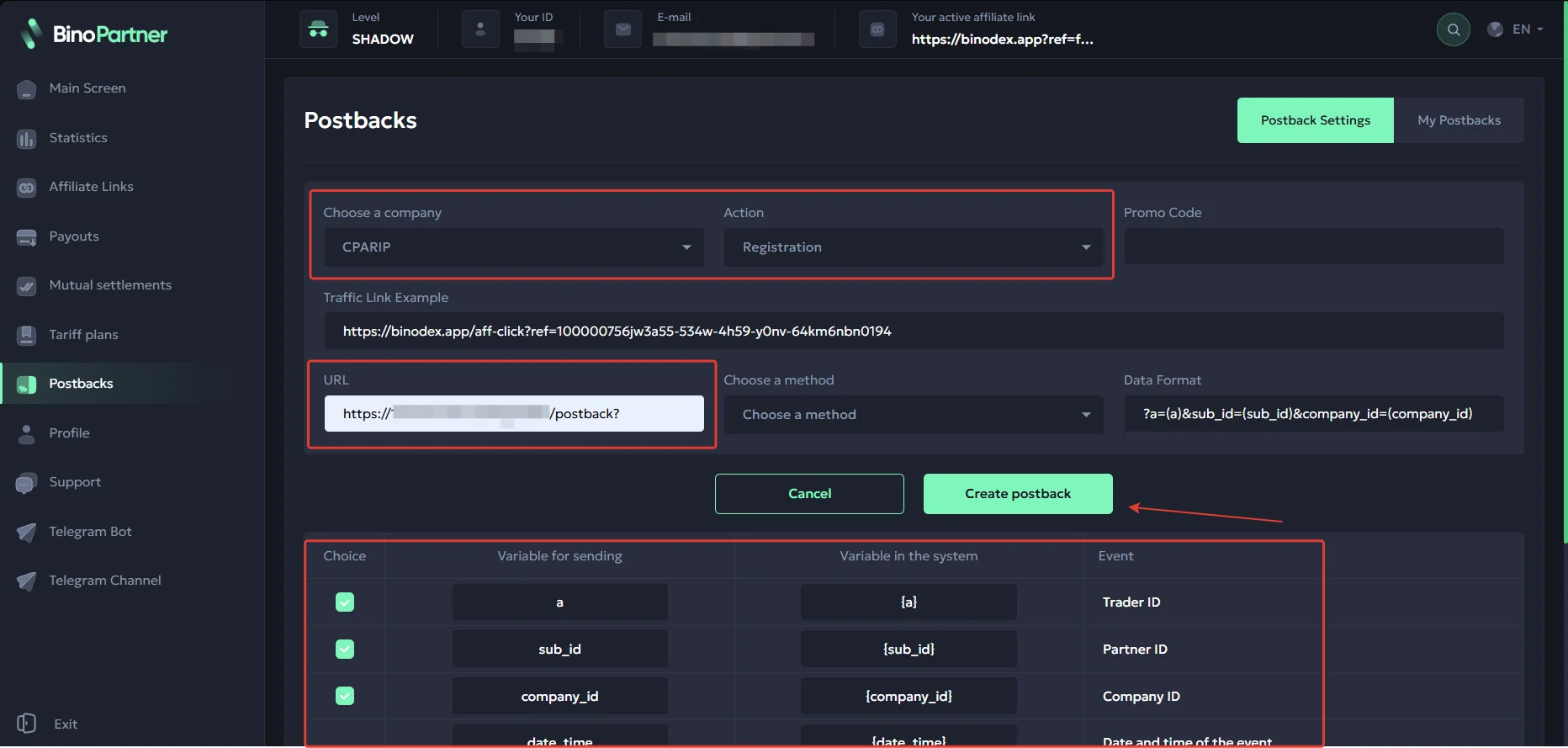
Add all necessary target actions, and be sure to test the postback before launching traffic.
Payouts
- Hold: weekly (Monday → Monday);
- Payouts: weekly;
- Minimum amount: $10.
Payment systems:
- USDT
- USDC
Technical support
- Email: support@binodex.io
- Telegram: https://telegram.me/binodex_aff
- 24/7 live chat
