

![[FBM] CARDS](https://cpa.rip/wp-content/uploads/cr-a1/fbm-cards-v1/fbm-cards-logo.svg)

Registration
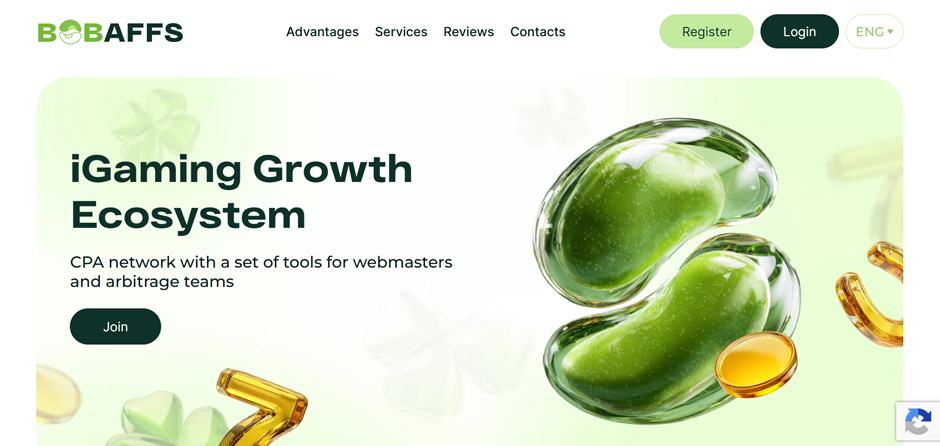
On the BOBAFFS website, click the “Register” button in the top right corner. Fill out the simple registration form, which includes the required fields: First Name, Email, Password, Password Confirmation, Company and Telegram.
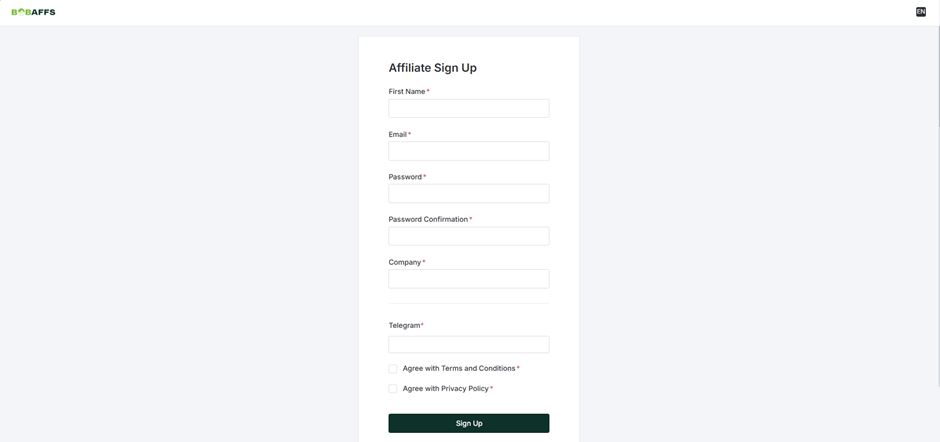
Fill out the form and click “SIGN UP” to complete registration. Your account will undergo preliminary moderation, after which a manager will contact you to agree on the terms of work and activate your profile.
To get started faster, you can contact a manager directly: https://telegram.me/bobaffs
Available Offers
The affiliate program’s offer pool includes more than 1000 offers.
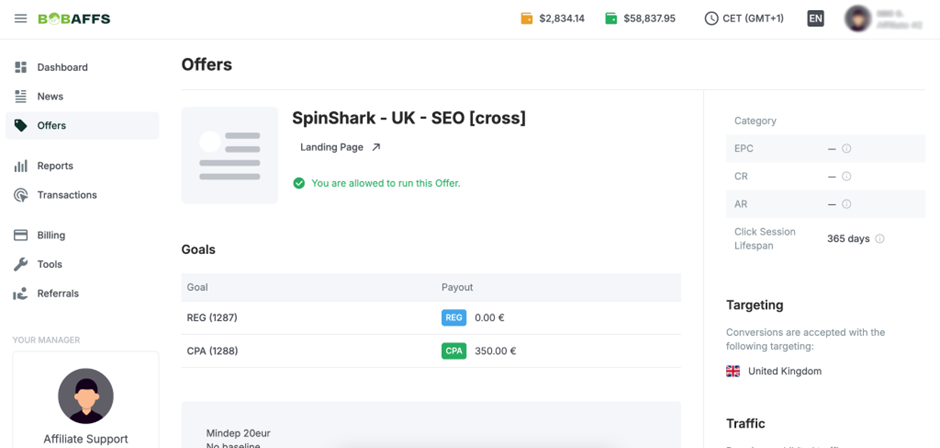
The “Offers” section shows the available offers. Brief information is displayed for each — name, payout rate, metrics and targeting.
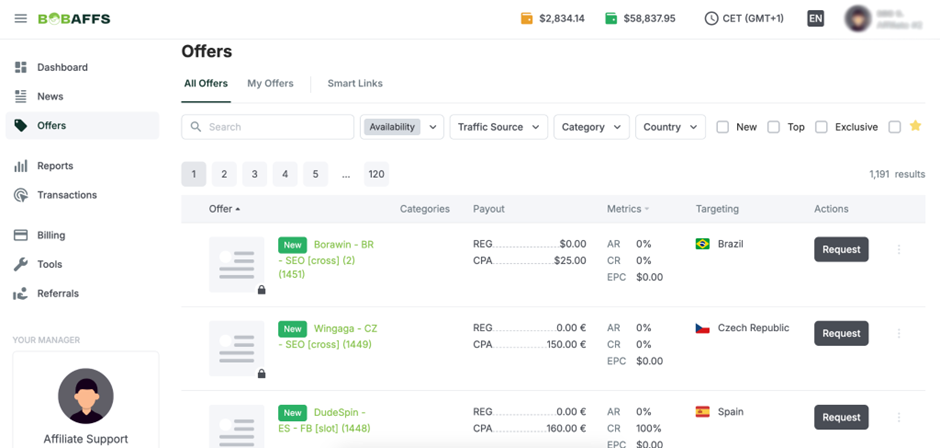
The offer card contains full details on payouts, requirements and restrictions.
Creating a Link
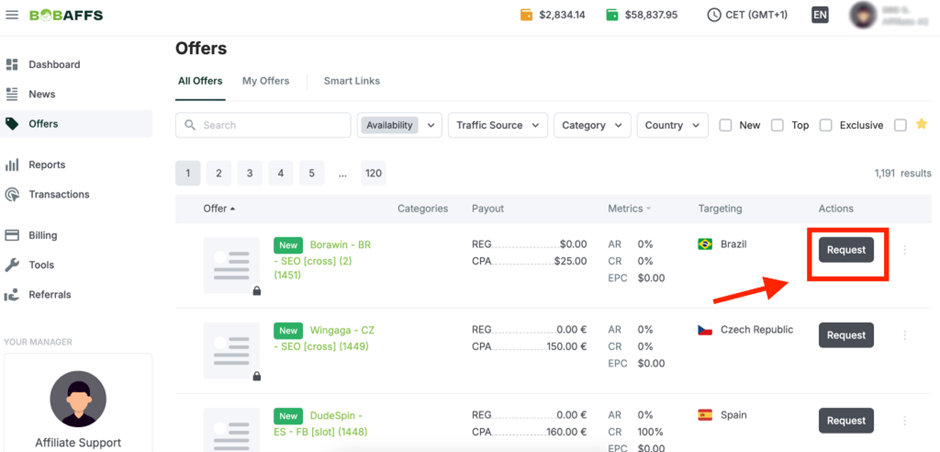
To get a link, request access by clicking Request next to the desired offer.
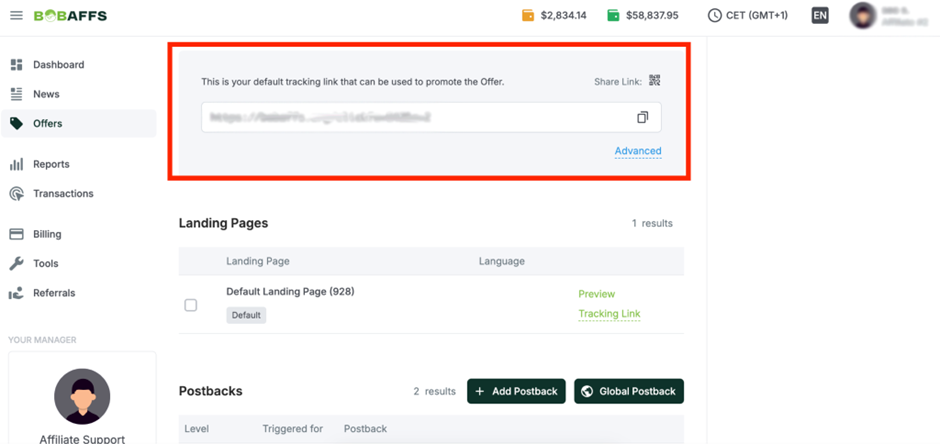
After approval, open the offer card. The tracking link is located at the bottom.
Additional link settings are available via the “Advanced” button.
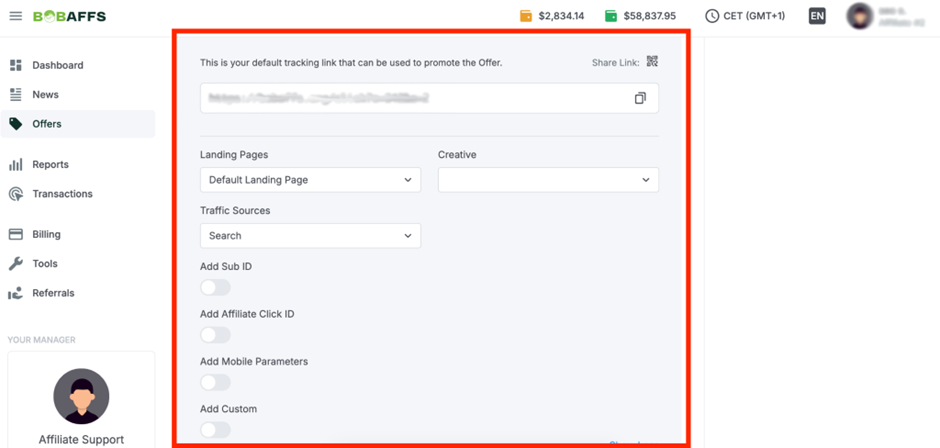
The resulting link is used for driving traffic.
Which GEOs to Focus On
- Tier-1, Tier-2, Tier-3
Accepted Traffic Types
- Accepted: FB, UAC, ASO, SEO (all keys), Doorway, SMS, Email
- Not accepted: motiv, schemes, source substitution, fraud traffic, other sources that haven’t been agreed with the manager.
Statistics
The statistics in the BOBAFFS CPA network make it possible to analyze data across various breakdowns: from overall metrics and time periods to detailed breakdowns by offer, goal, GEO, device type, OS and connection type. Separate reports are also available for Smart Links and the referral program, and a system of additional filters in each section helps fine-tune reports for specific tasks.
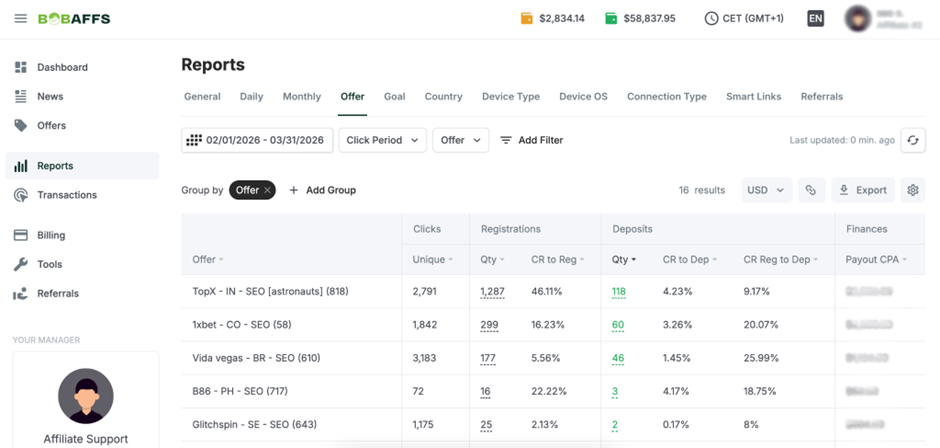
Default statistics parameters:
- Clicks: Unique
- Registrations: Qty, CR to Reg
- Deposits: Qty, CR to Dep, CR Reg to Dep
- Finances: Payout CPA, Payout RevShare
- Calculations: EPC
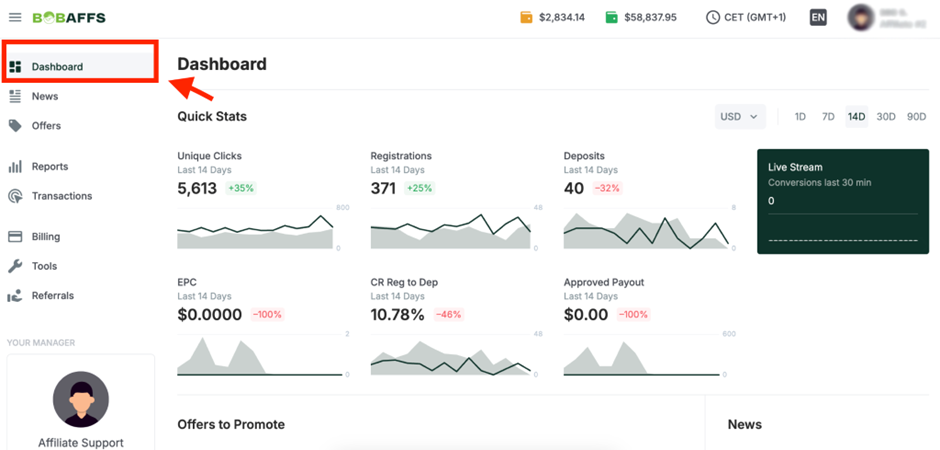
The overall balance and a brief statistics overview are available in the Dashboard section.
Postback Setup
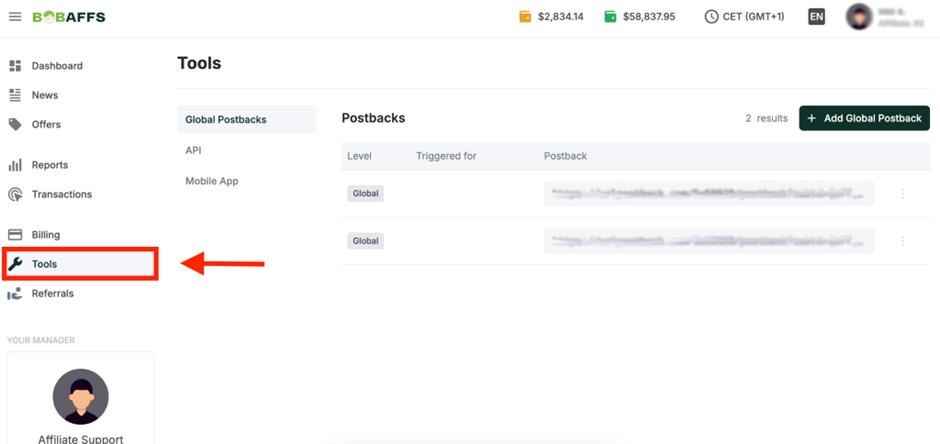
- Make the necessary settings on your tracker’s side.
- Go to the “Tools” page and click “Add Global postback”;
- Specify Triggered for, Goal Type and Method, then paste the URL from your tracker with the required macros and click Save.
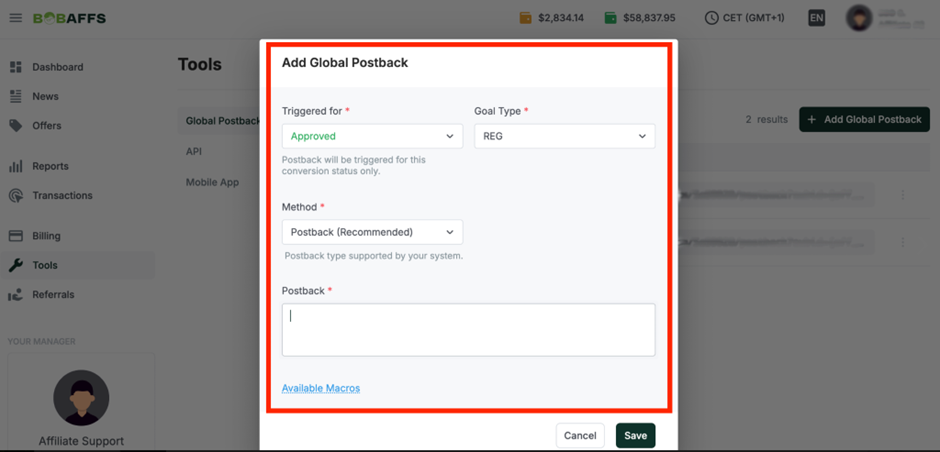
Set this up for each target action. Before launching your ad campaign, test data transmission via Postback.
Payouts
- Hold: 14-30 days;
- Payouts: after receiving reconciliation from the advertiser;
- Minimum withdrawal amount: $100.
Payment systems:
- All possible methods
Technical Support and Social Media
Contacts:
- Telegram: https://telegram.me/bobaffs
Social media:
- Telegram: https://telegram.me/+YqE614rNlMQ2YzA0
- Instagram: https://www.instagram.com/bob_affs
