

![[FBM] CARDS](https://cpa.rip/wp-content/uploads/cr-a1/fbm-cards-v1/fbm-cards-logo.svg)
Registration and Getting Started
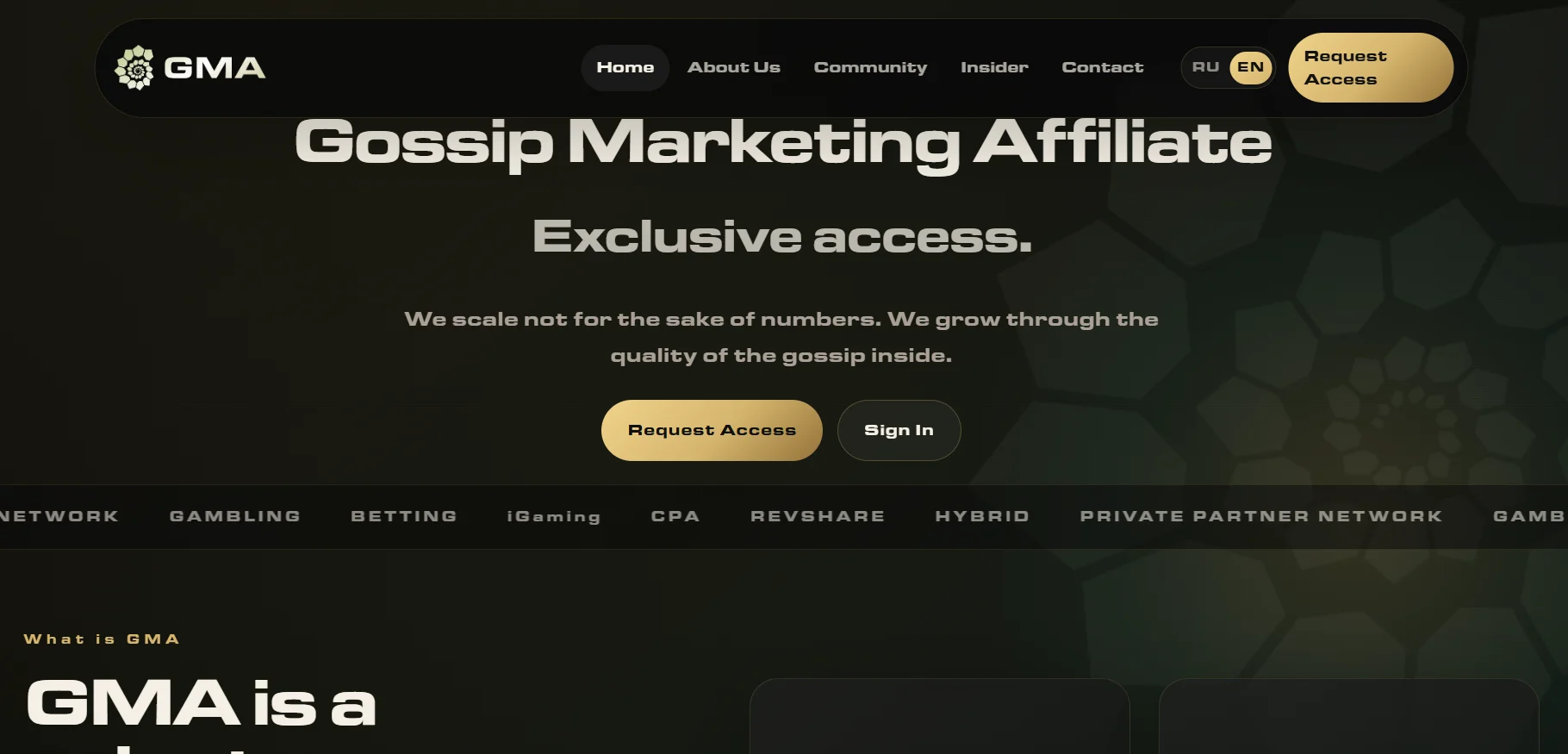
On the GMA Community website, click Request Access to register a new account. Fill out the registration form: Email, Password, Repeat password, Telegram (@username), Traffic source, then click Create Account.
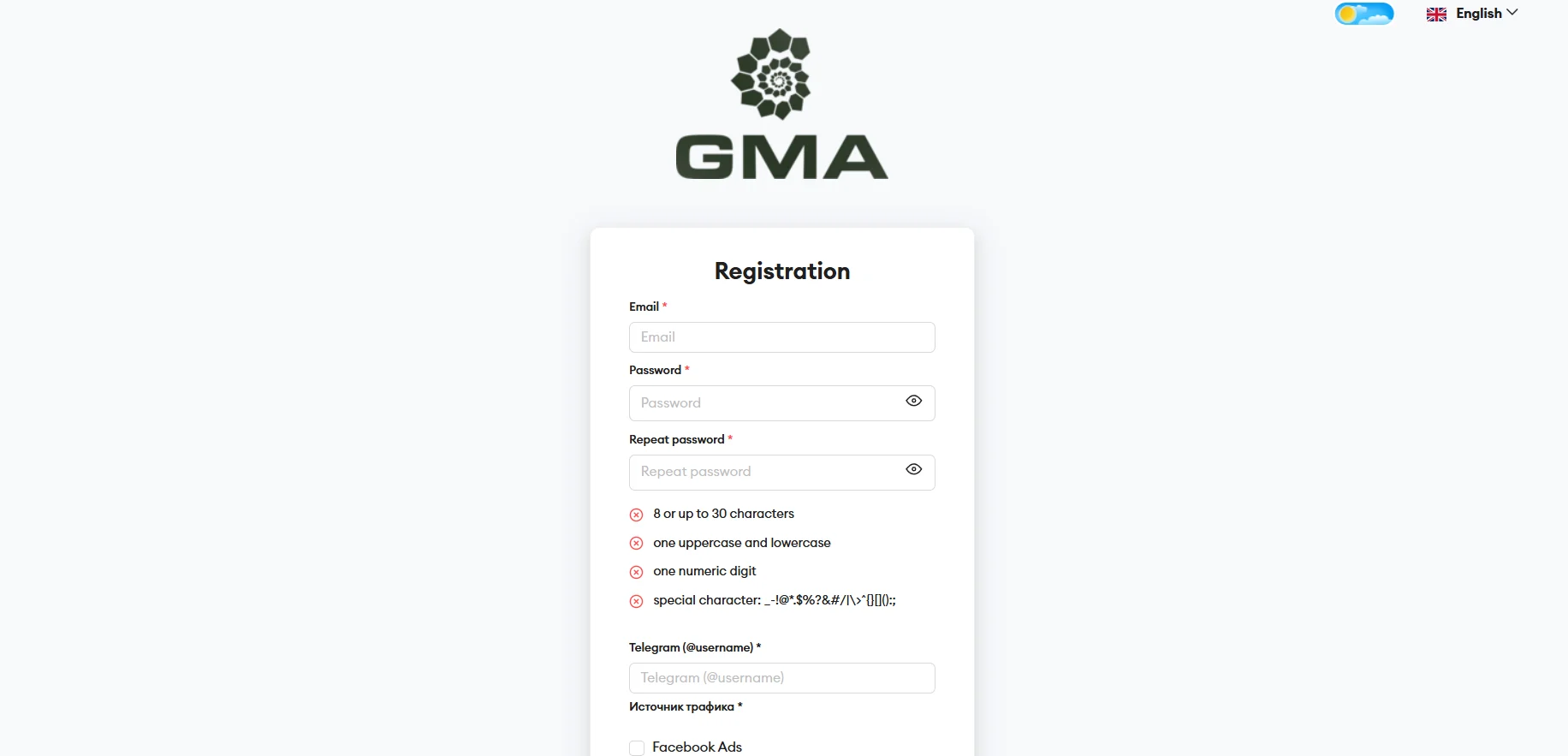
After submitting the form, you will receive an email to confirm your email address. A manager will then contact you to discuss the partnership terms.
Available Offers
By default, all offers in the affiliate program are hidden. The manager first clarifies the partner’s needs and traffic parameters, then prepares a selection of suitable offers. Once the partner selects an offer, access to the offers becomes available in the Offers section.
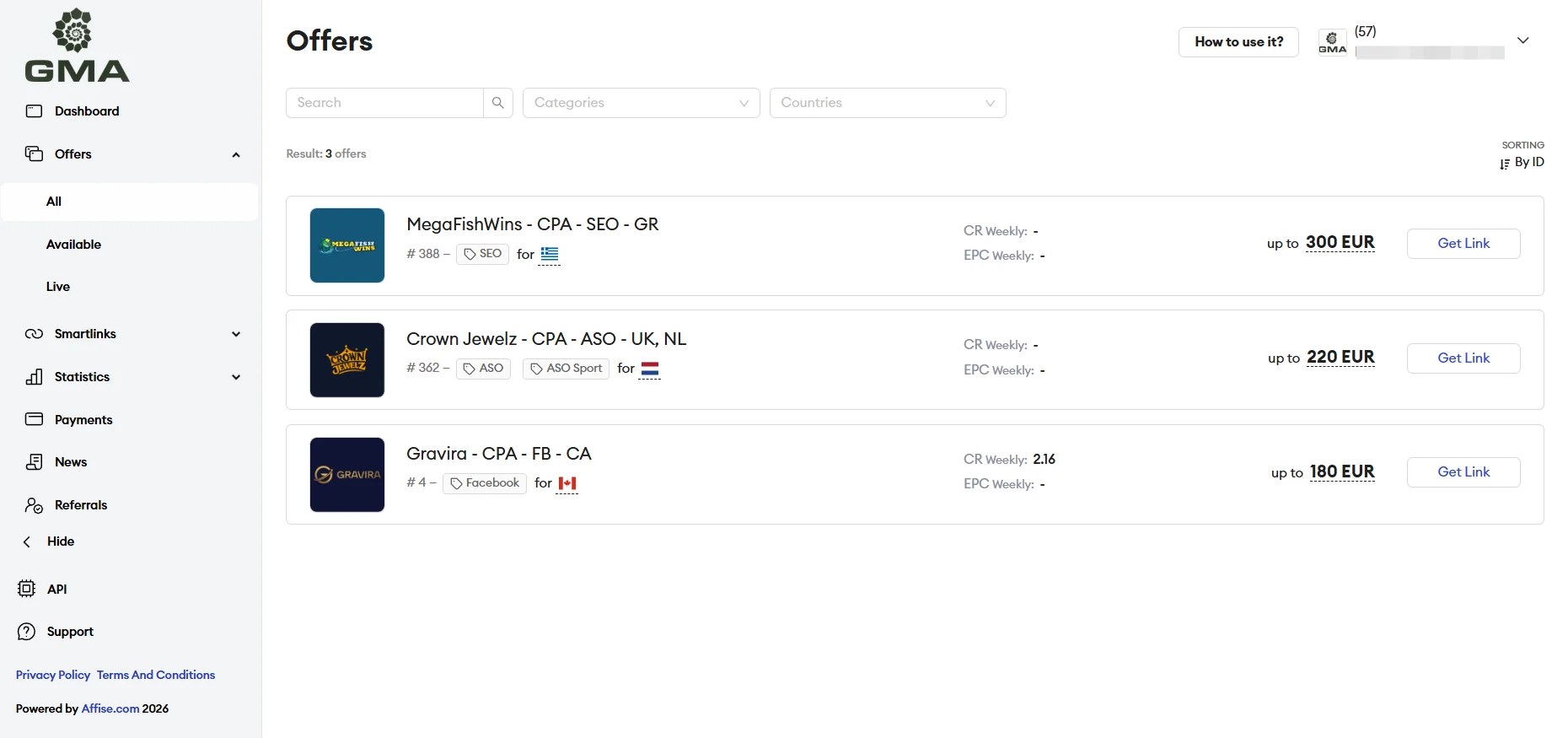
The offer card lists available GEOs, terms and payout model, permitted traffic sources, and key performance metrics.
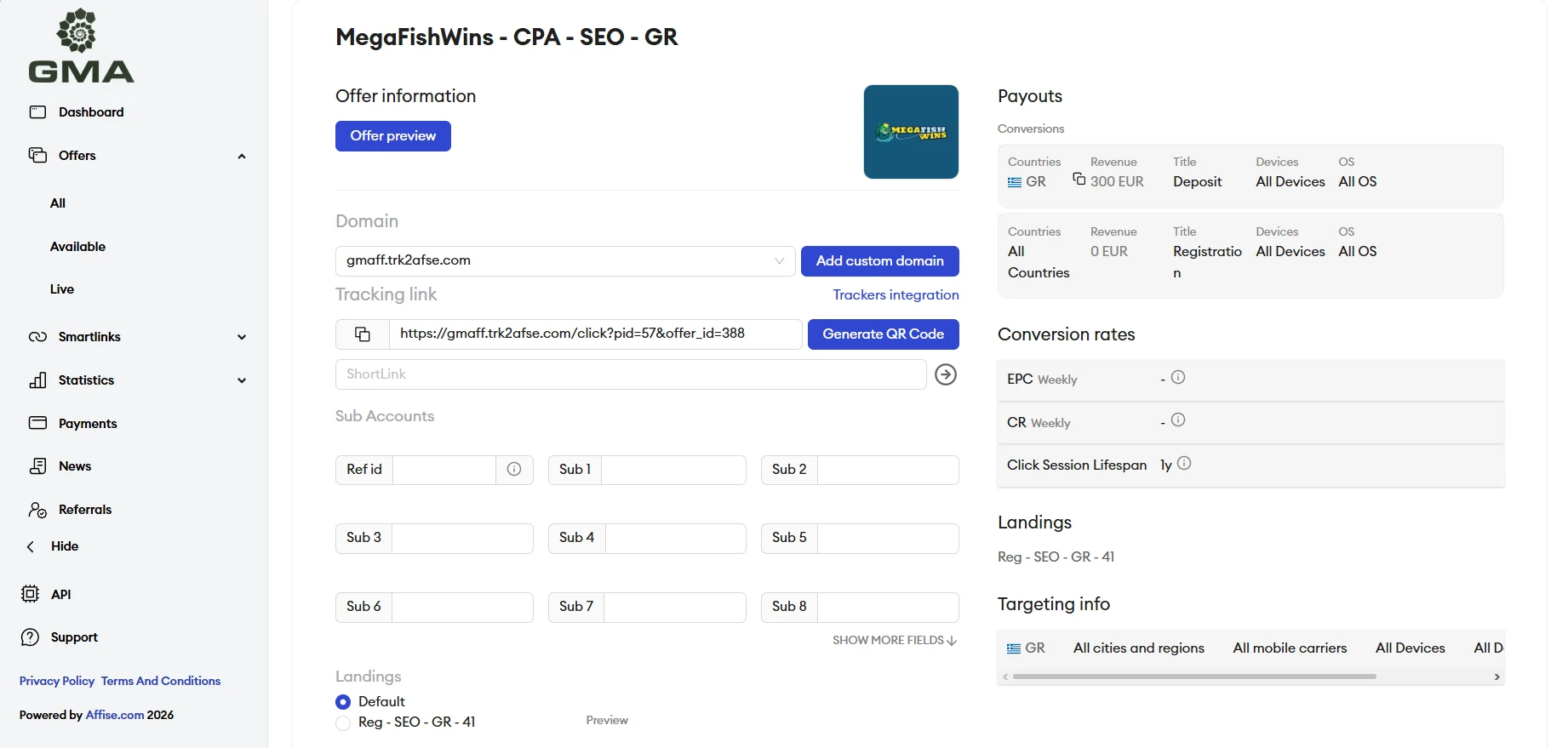
Affiliate Link
In the offer card, you can configure a tracking link for your campaign: connect your own domain, select a target landing page, generate a short URL or QR code, and fill in the Sub Accounts fields to pass campaign tags to third-party trackers.
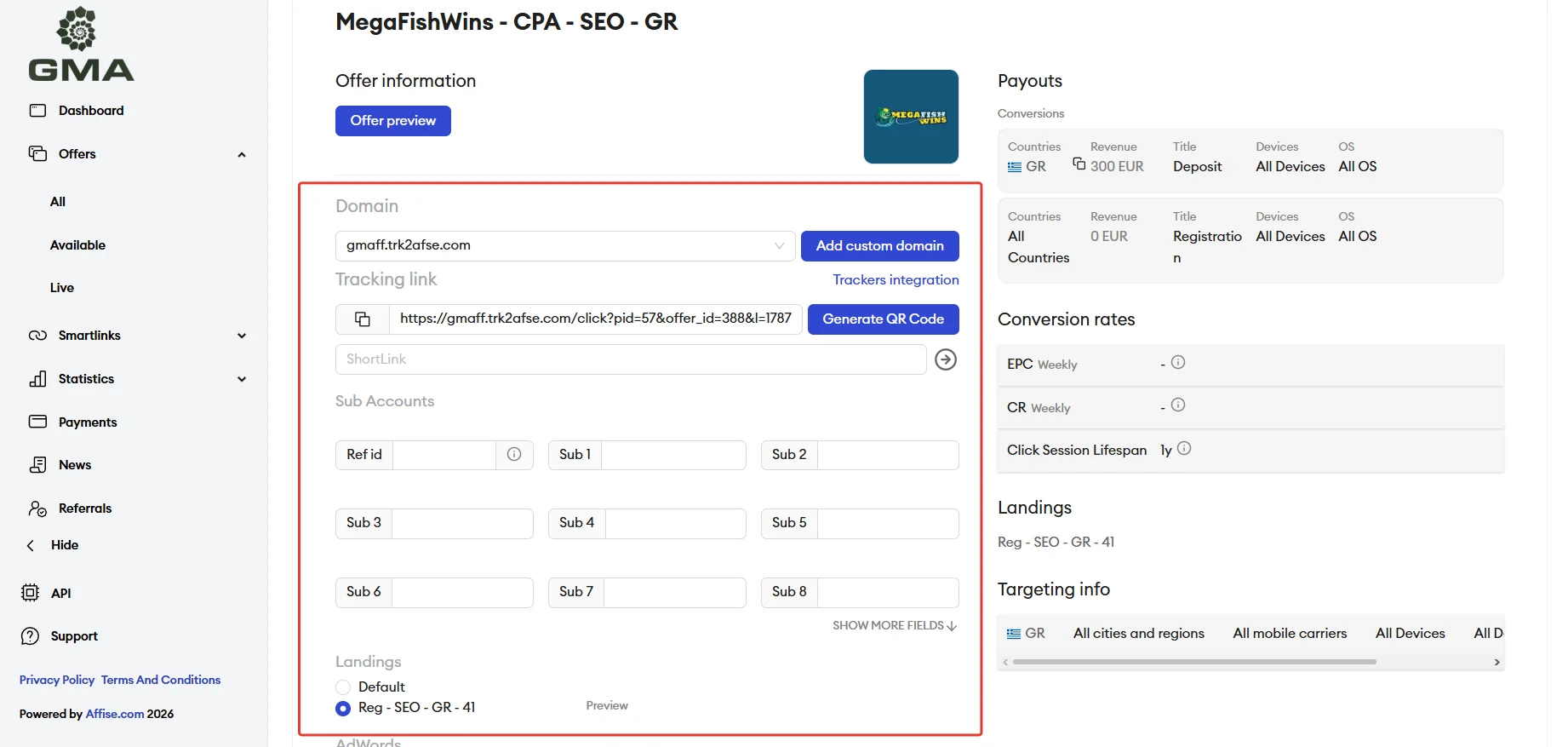
GEOs Worth Considering
- The network works with GEOs worldwide, prioritizing Tier 1: the UK, Canada, Australia, the Netherlands, and Switzerland.
- European GEOs are also available: Germany, Spain, Italy, Belgium, Greece, and Poland, along with a wide selection of offers for Latin America and other Tier 3 countries.
Accepted Traffic
- Accepted: PPC, SEO, doorways, ASO, Facebook, In-App, UAC, TG SEO.
- Not accepted: misleading traffic (irrelevant GEO, underage users, etc.), fraud, incentivized traffic, schemes.
- Higher rates for premium sources — SEO, Doorways, and PPC in Tier 1 (CPA $400–500).
Statistics
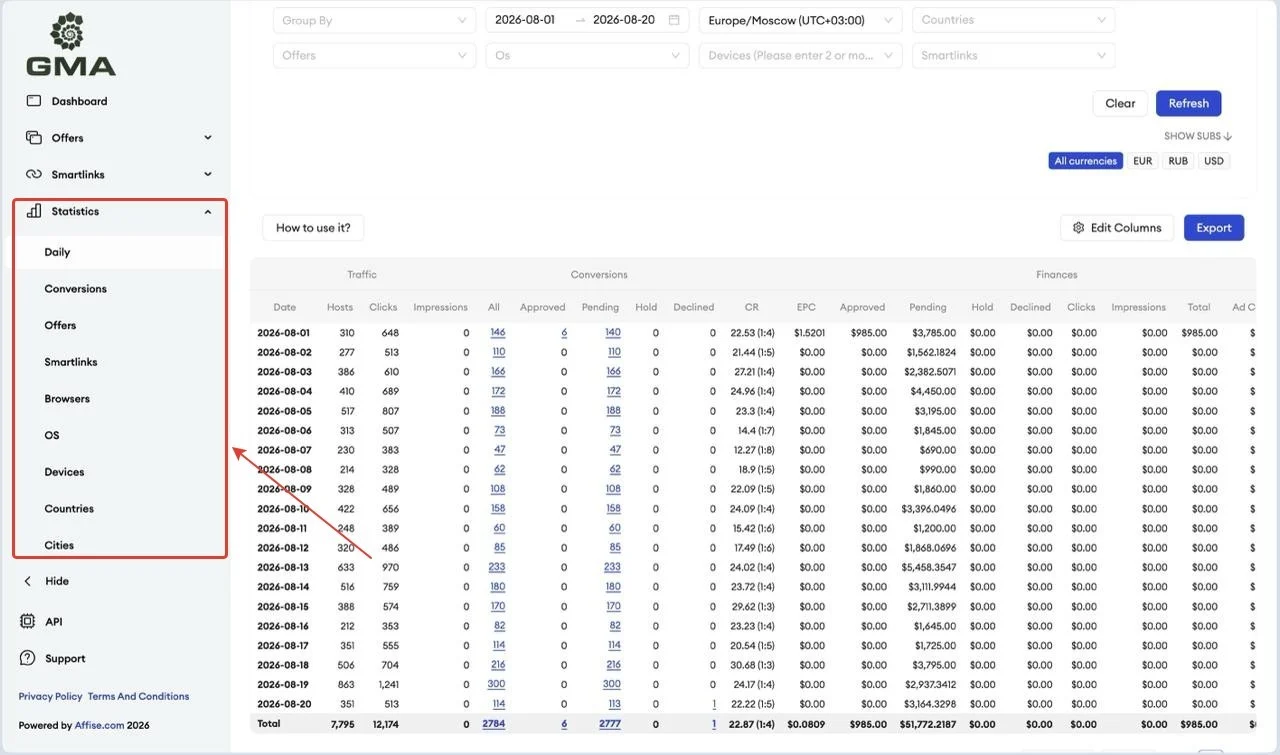
The partner dashboard provides traffic and conversion statistics. You can view overall metrics for a selected period, as well as breakdowns by conversions, offers, devices, operating systems, browsers, and GEOs.
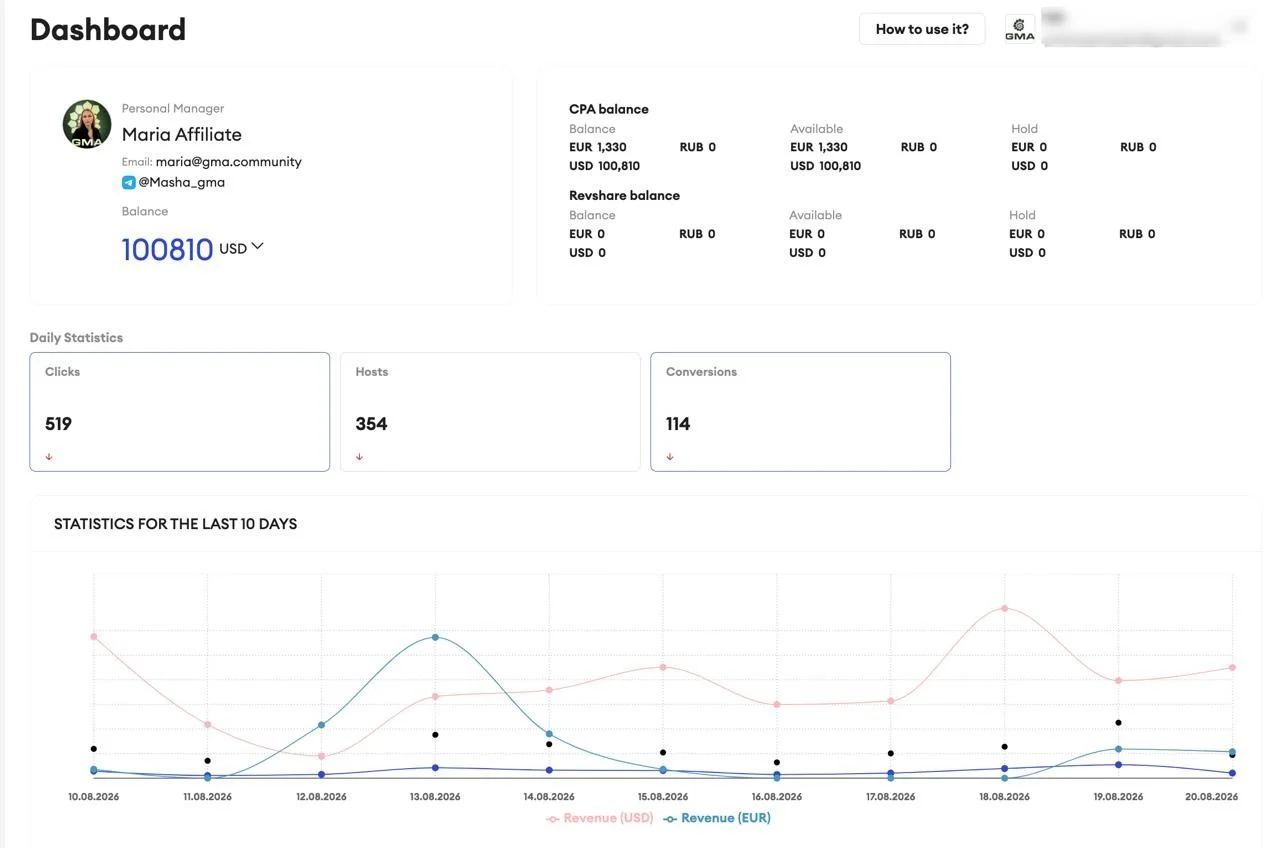
The Dashboard section provides general account information: personal manager details, current balance, amount on hold, and available funds. It also displays statistics for clicks, hosts, and conversions, a performance chart for the last 10 days, and sections with new and popular offers.
Postback Setup
- Complete the required setup in your tracker.
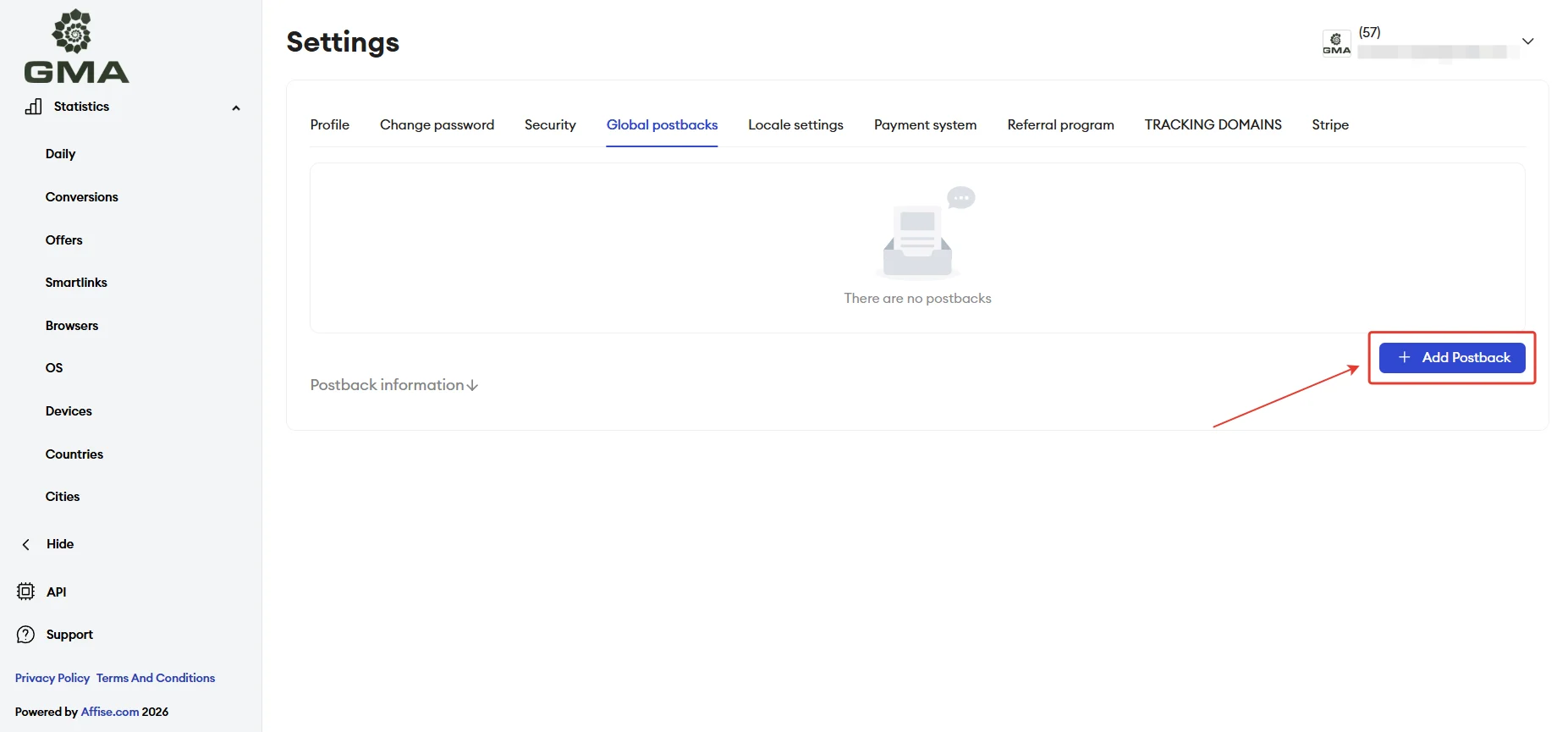
- In the partner dashboard, go to the Global Postbacks section and click Add Postbacks.
- Specify the Postbacks URL, status (for example, Approved), Advert postback value, and Integration Method, then save the settings.
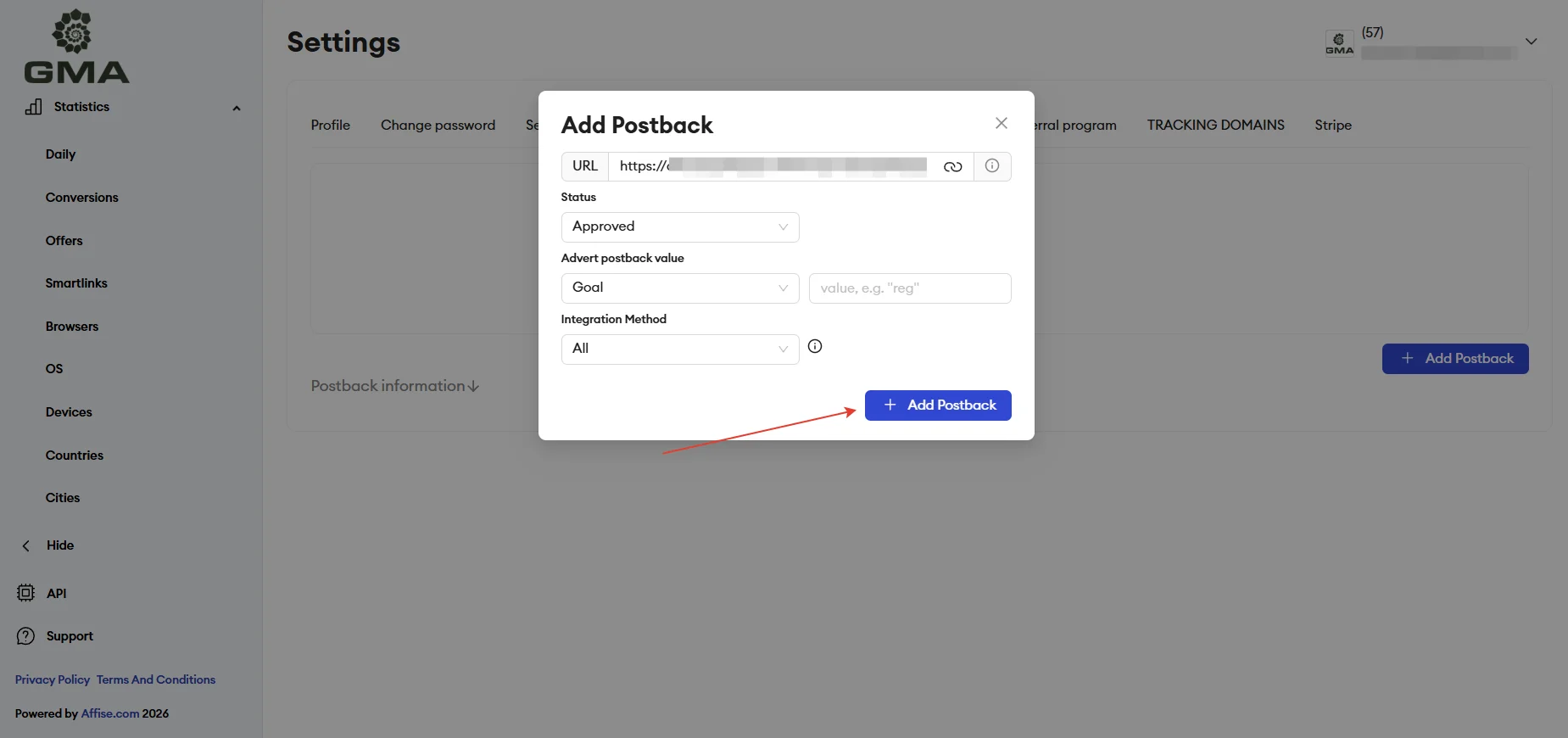
Before launching traffic, make sure to test that the configured postback is working correctly.
Payouts
- Hold: 30 days;
- Payouts: every Friday for traffic released from hold;
- Minimum withdrawal amount: $100.
Technical Support and Social Media
Contacts:
- Telegram: https://telegram.me/GMA_SUP
Social media:
- Telegram: https://telegram.me/Community_GMA
- LinkedIn: https://www.linkedin.com/company/gma-community
