

![[FBM] CARDS](https://cpa.rip/wp-content/uploads/cr-a1/fbm-cards-v1/fbm-cards-logo.svg)



Partnership Models
Model | Calculation basis | Terms | Payout schedule |
CPA | Payout for each player who makes a first-time deposit (FTD) | From $25 to $200, depending on GEO and traffic source | Twice a month |
RevShare | A share of net revenue generated by referred players | From 35% to 60% | Weekly, on Tuesdays |
Hybrid | A combination of a fixed FTD payout and a revenue share | Terms are calculated individually based on traffic specifics | By agreement |
FIX | Fixed payment for placement or promotion | Suitable for SEO projects, Telegram channels, and streamers | By agreement |
Registration and Getting Started
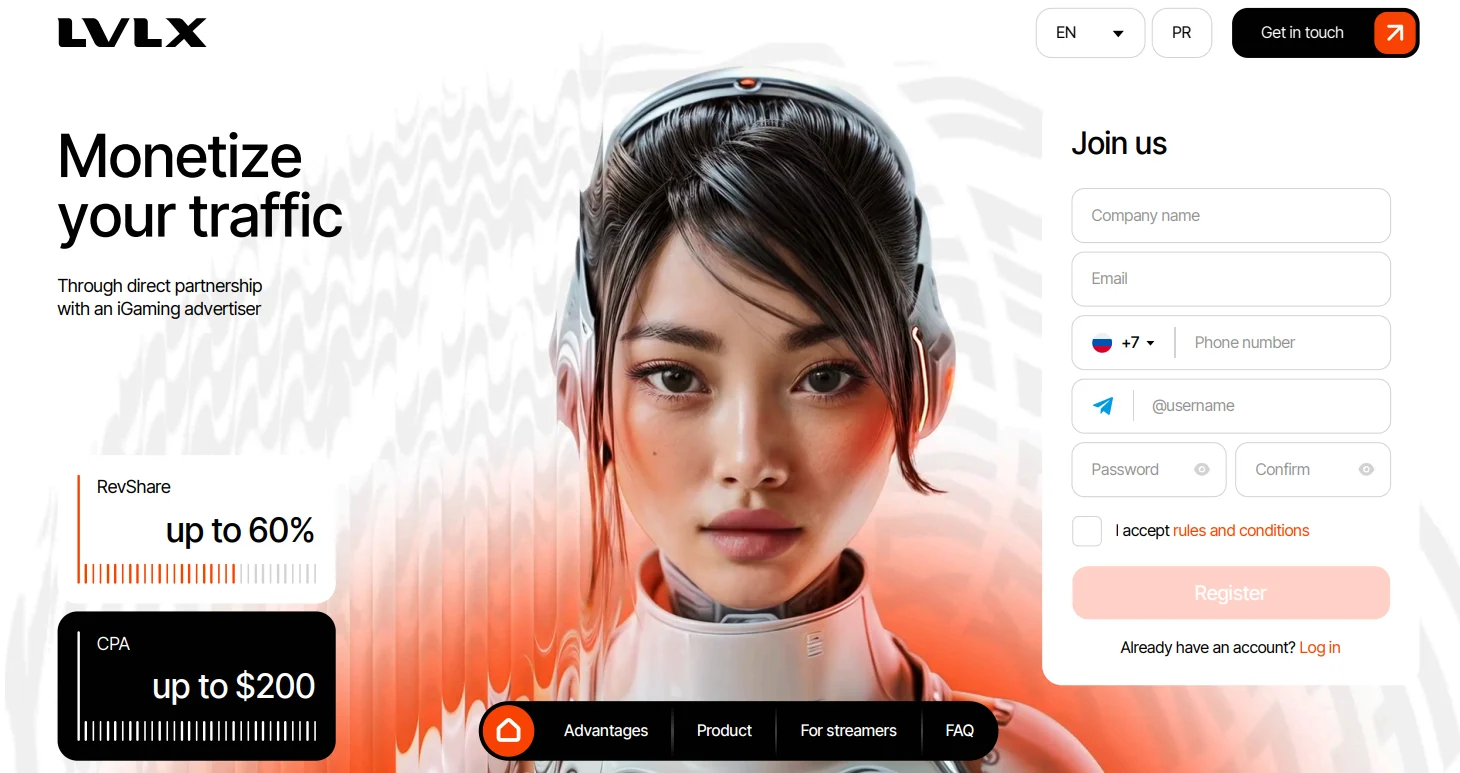
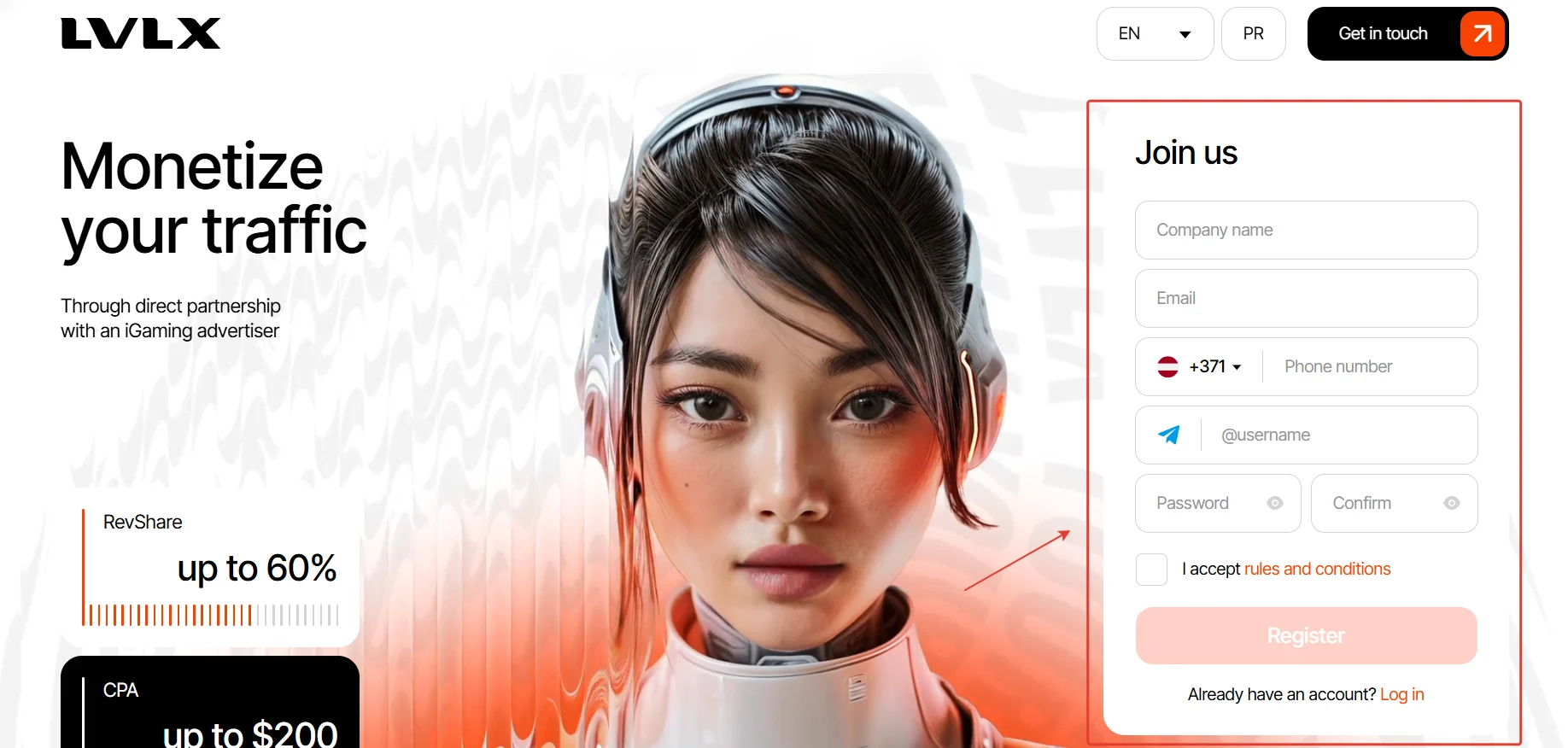
To register on the LVLX website, complete the “Join us” form with your company name, email, phone number, and Telegram username, create and confirm a password, accept the service terms (I accept rules and conditions), and click “Register.”
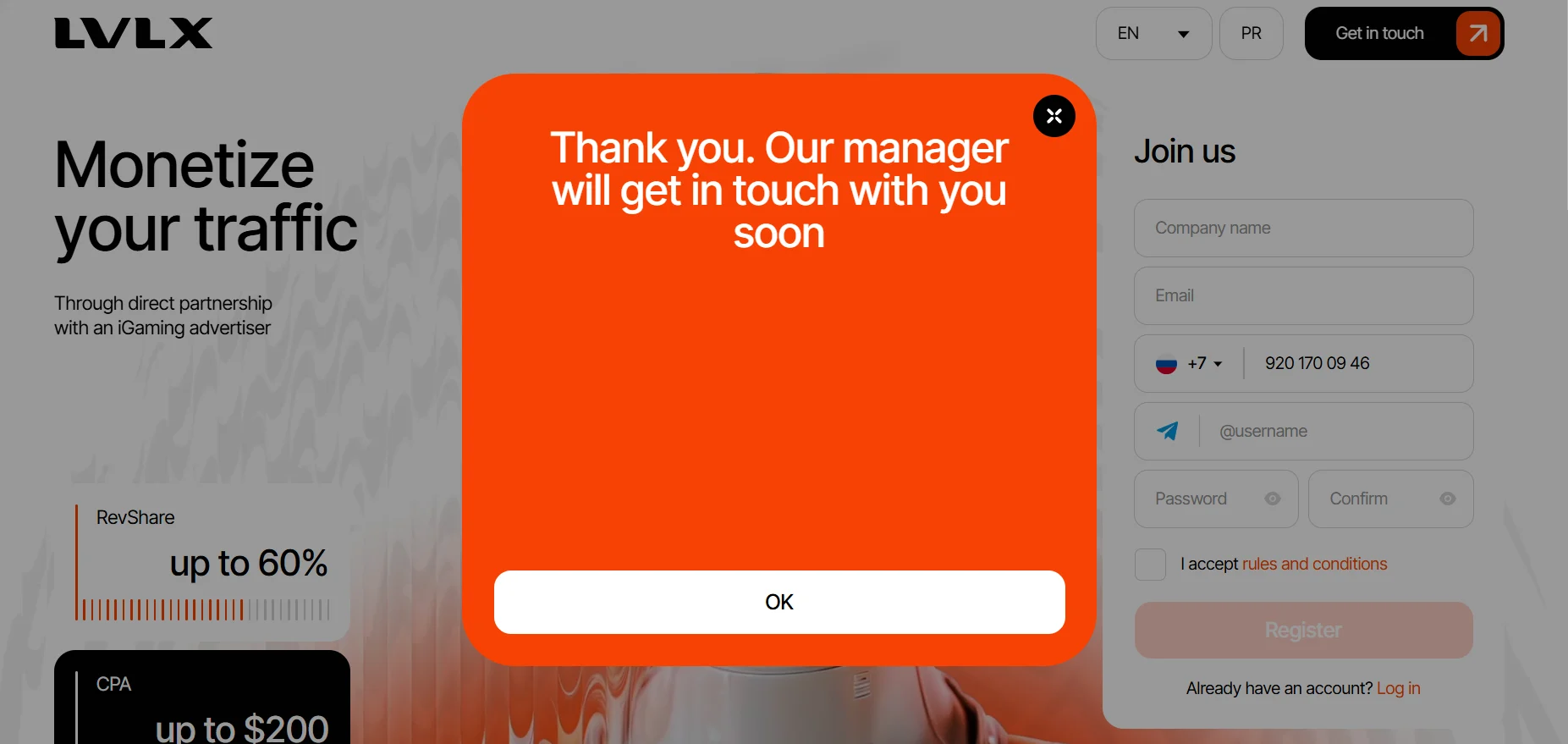
After submitting the form, wait for a manager to contact you and confirm your registration.
Then open the email address provided during registration and click “Confirm my email” in the message to verify your address.
Available Offers
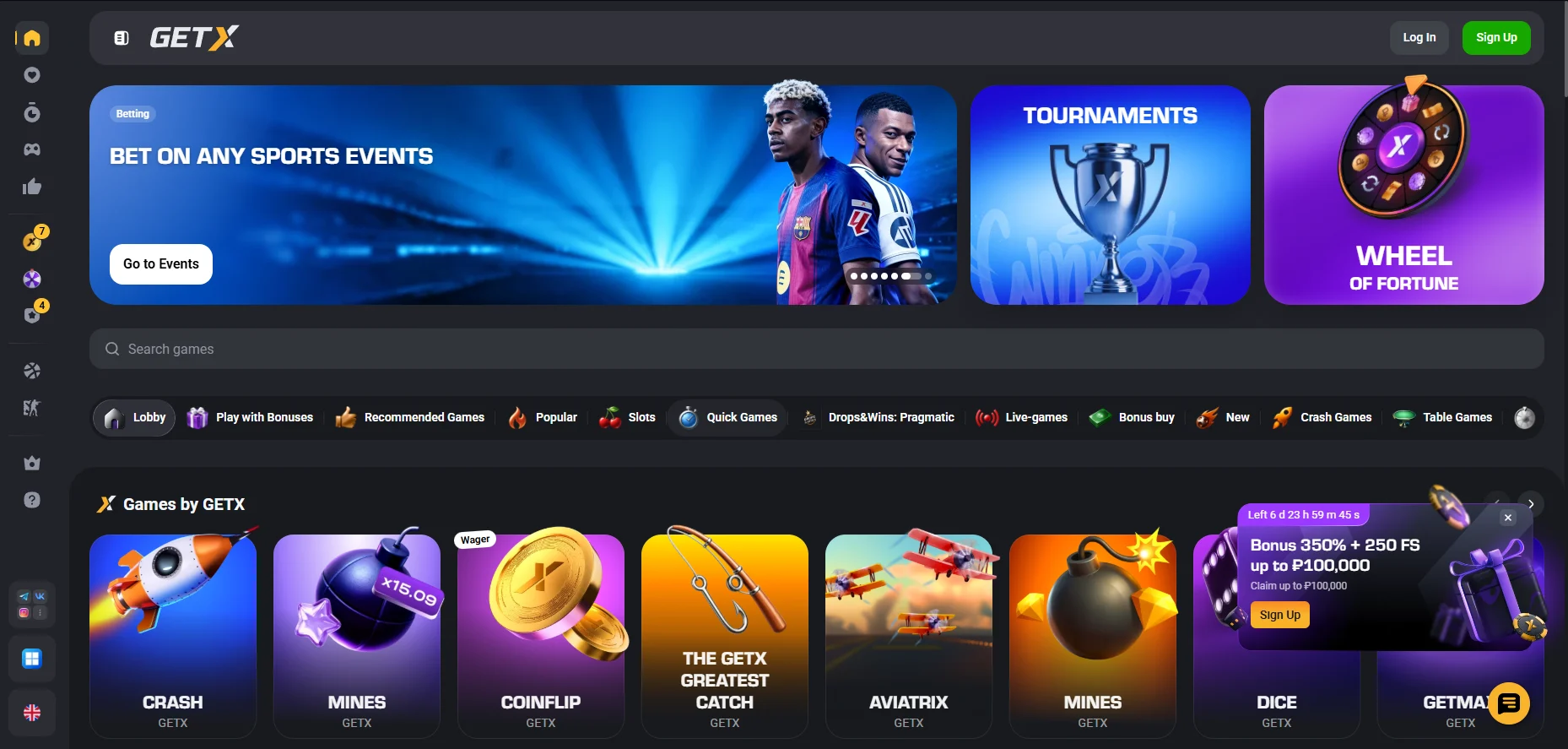
The affiliate network features one brand, GETX, a multi-product platform licensed in Anjouan.
GETX Casino
- More than 8,000 slots from leading providers.
- Bonuses: Welcome Pack 350% + 250 FS, up to 50% cashback, regular tournaments, and promotions.
- In-house instant games.
- VIP service with personalized offers and a dedicated manager available 24/7.
GETX Sportsbook
- Up to 50,000 events per month.
- Esports and live-event coverage with competitive odds.
Creating a Campaign
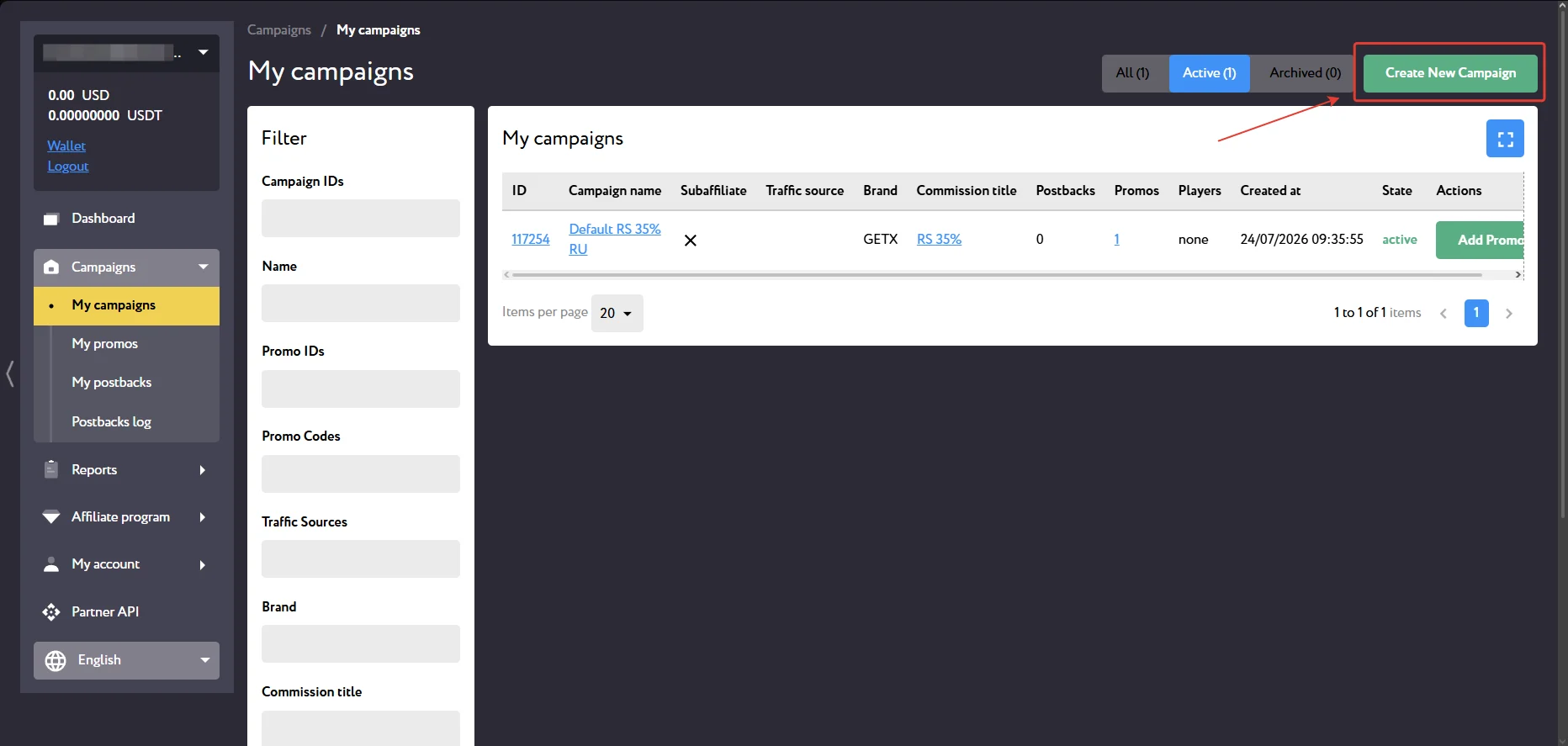
To create an affiliate link, go to My campaigns and select Create New Campaign.
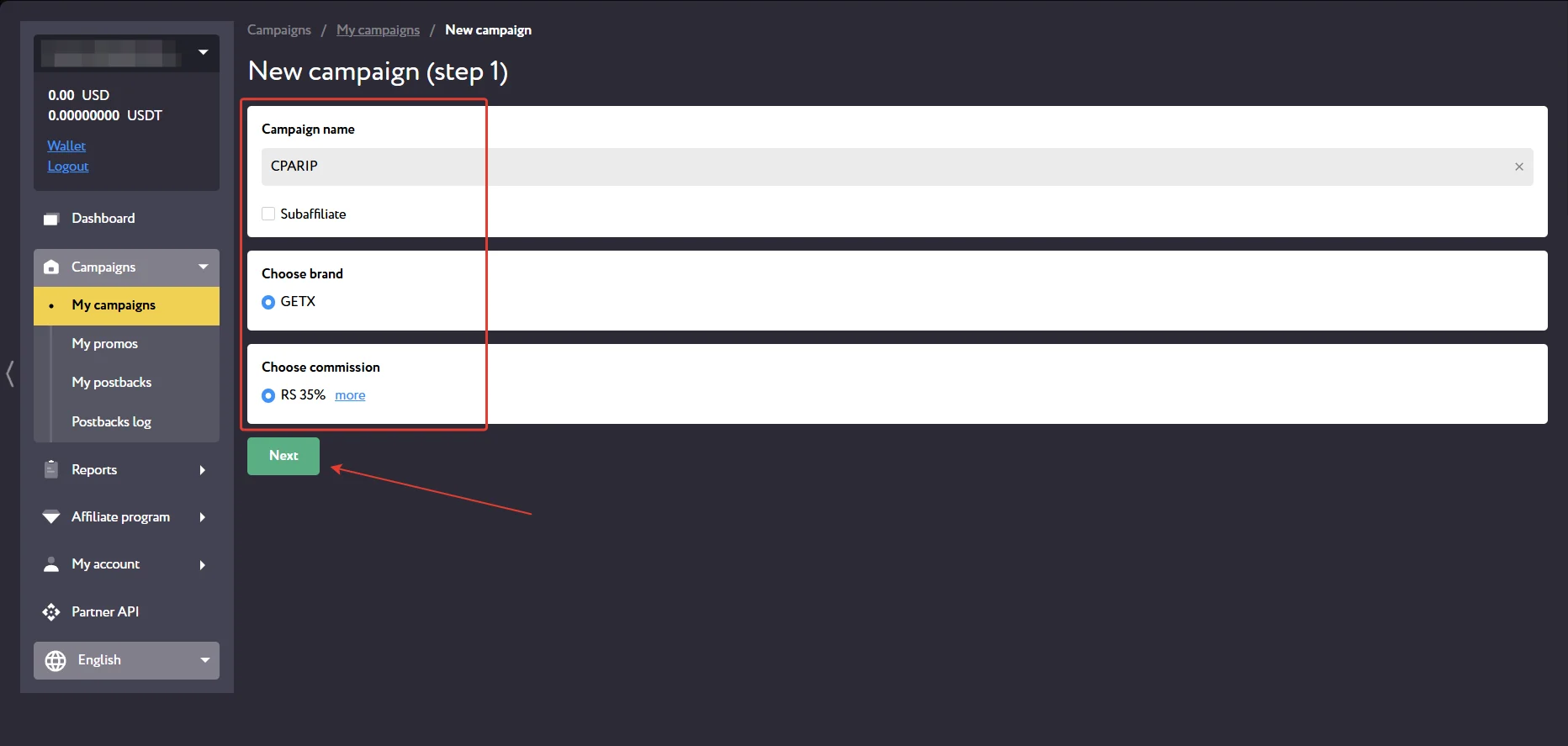
Enter a campaign name, select the brand and the commission set by your manager, then click Next.
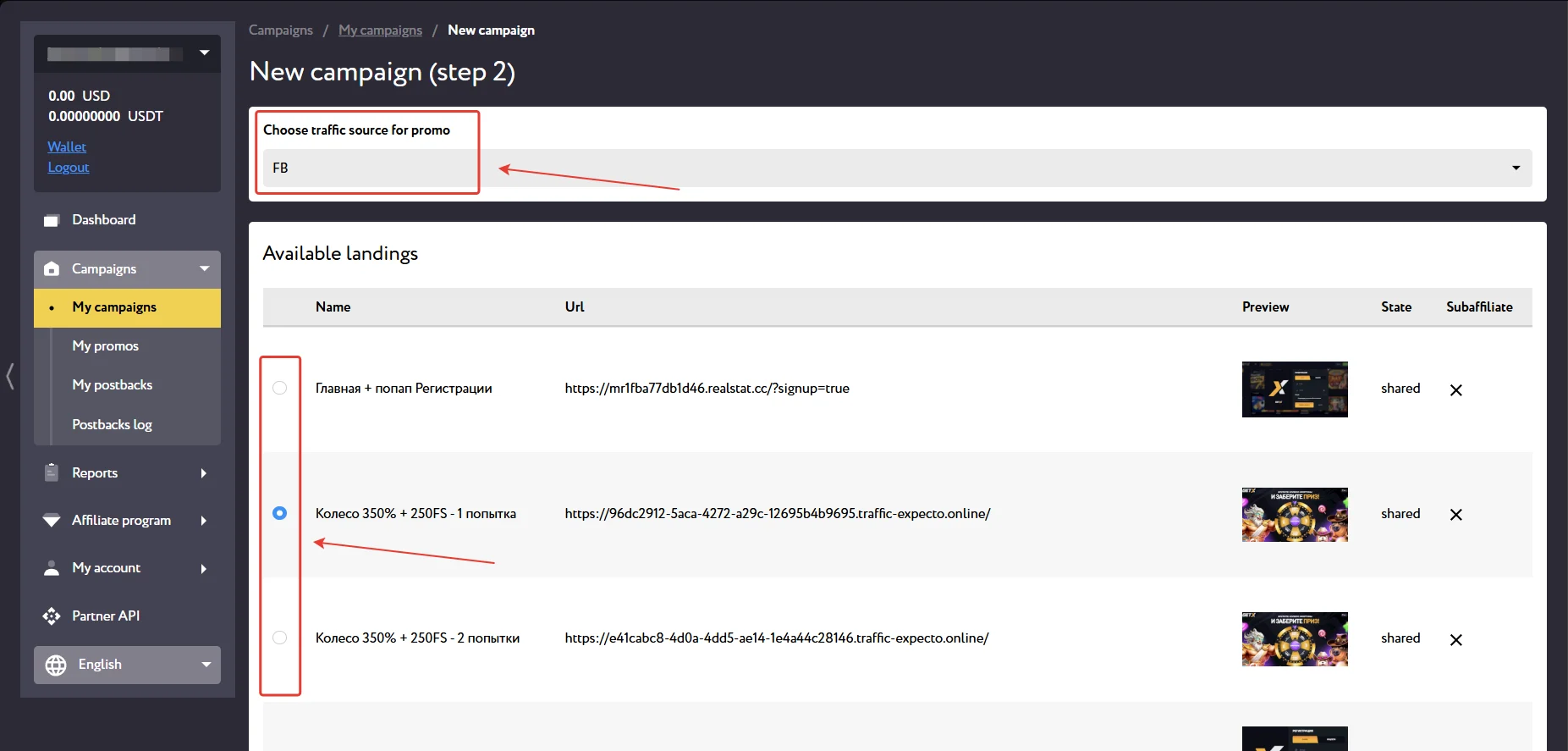
Select the traffic source and landing page, then click “Next.”
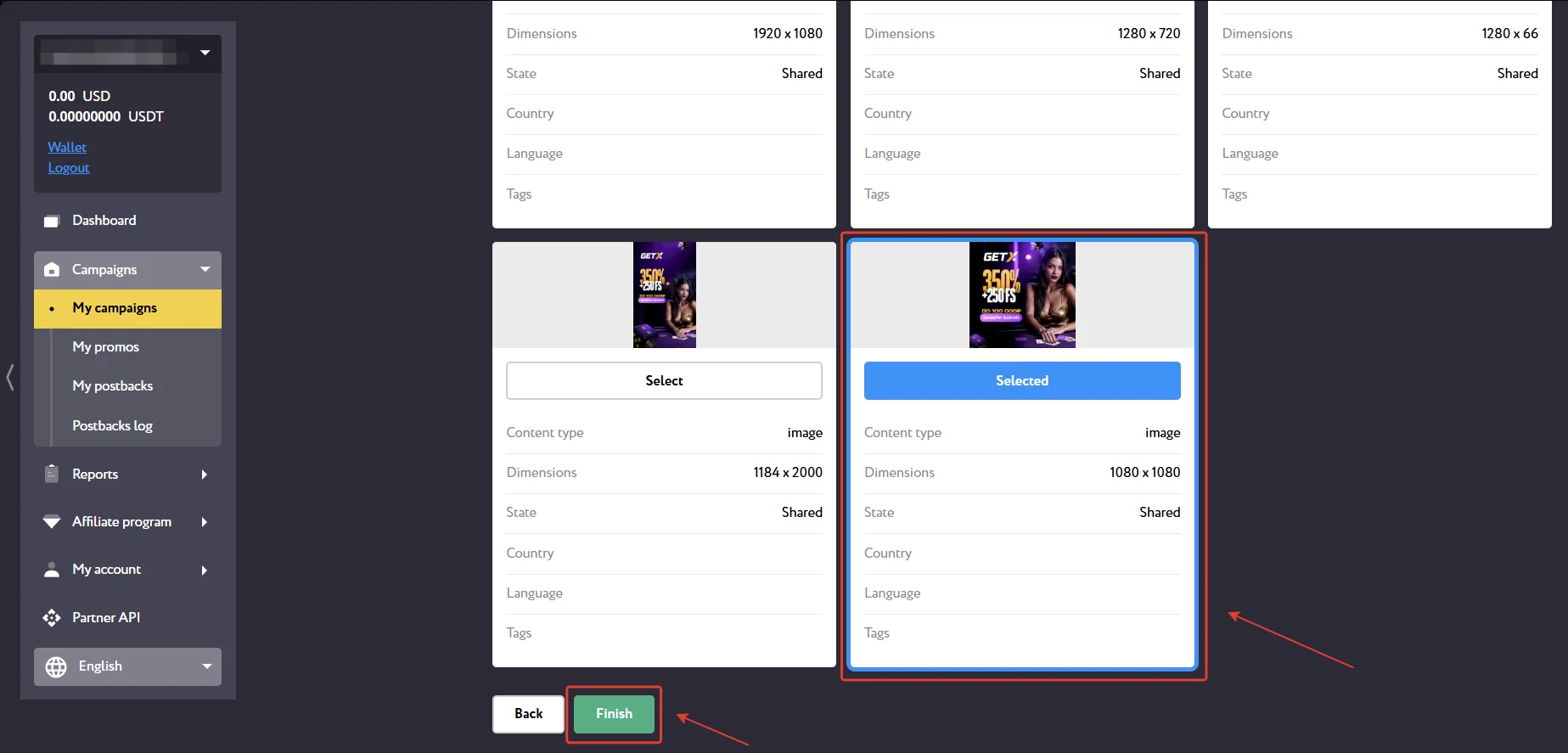
Click “Finish” to complete campaign creation.
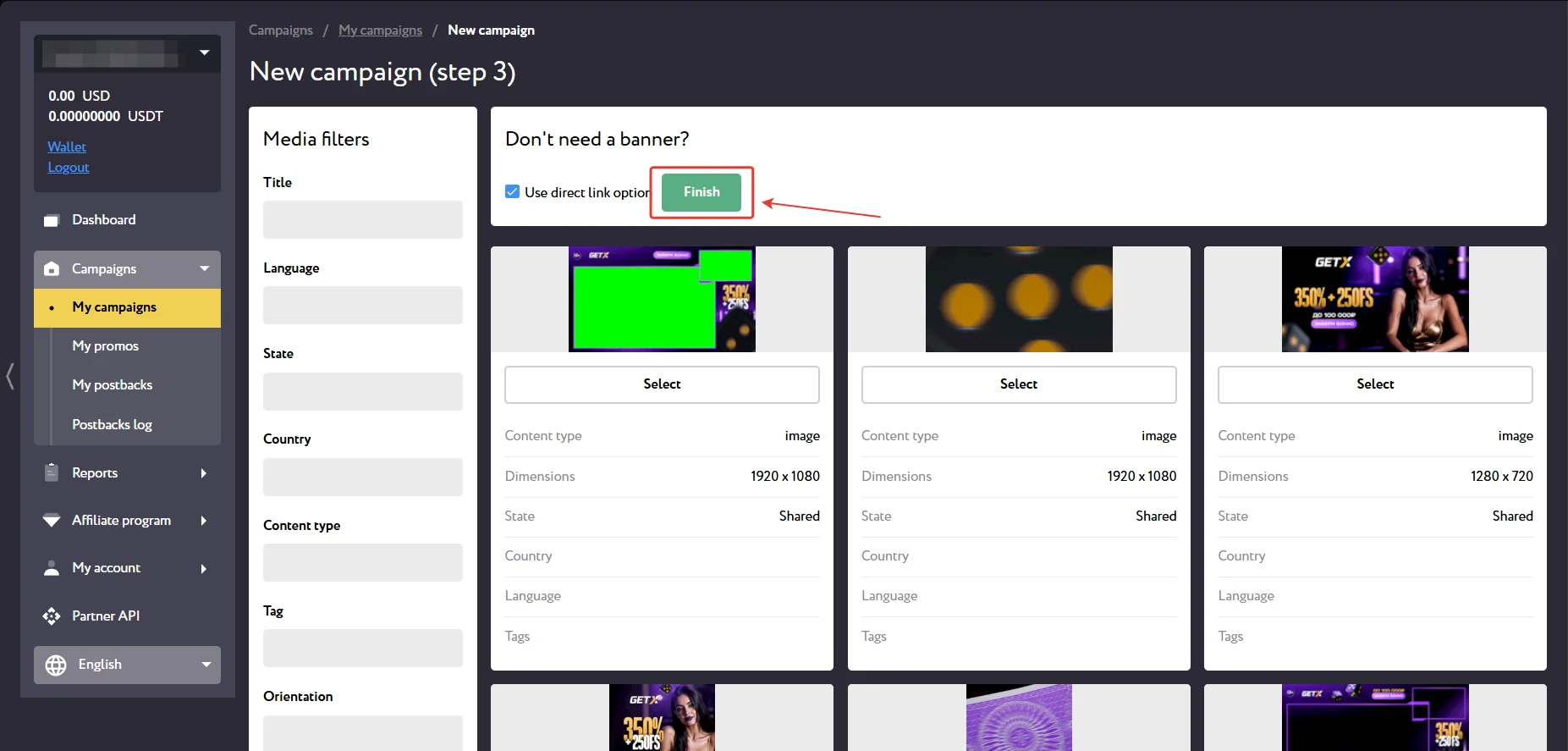
If needed, select a banner and click “Finish” at the bottom of the page.
The page that opens provides campaign details and affiliate links. Click “Edit” to modify the campaign or “Report” to view creative statistics.
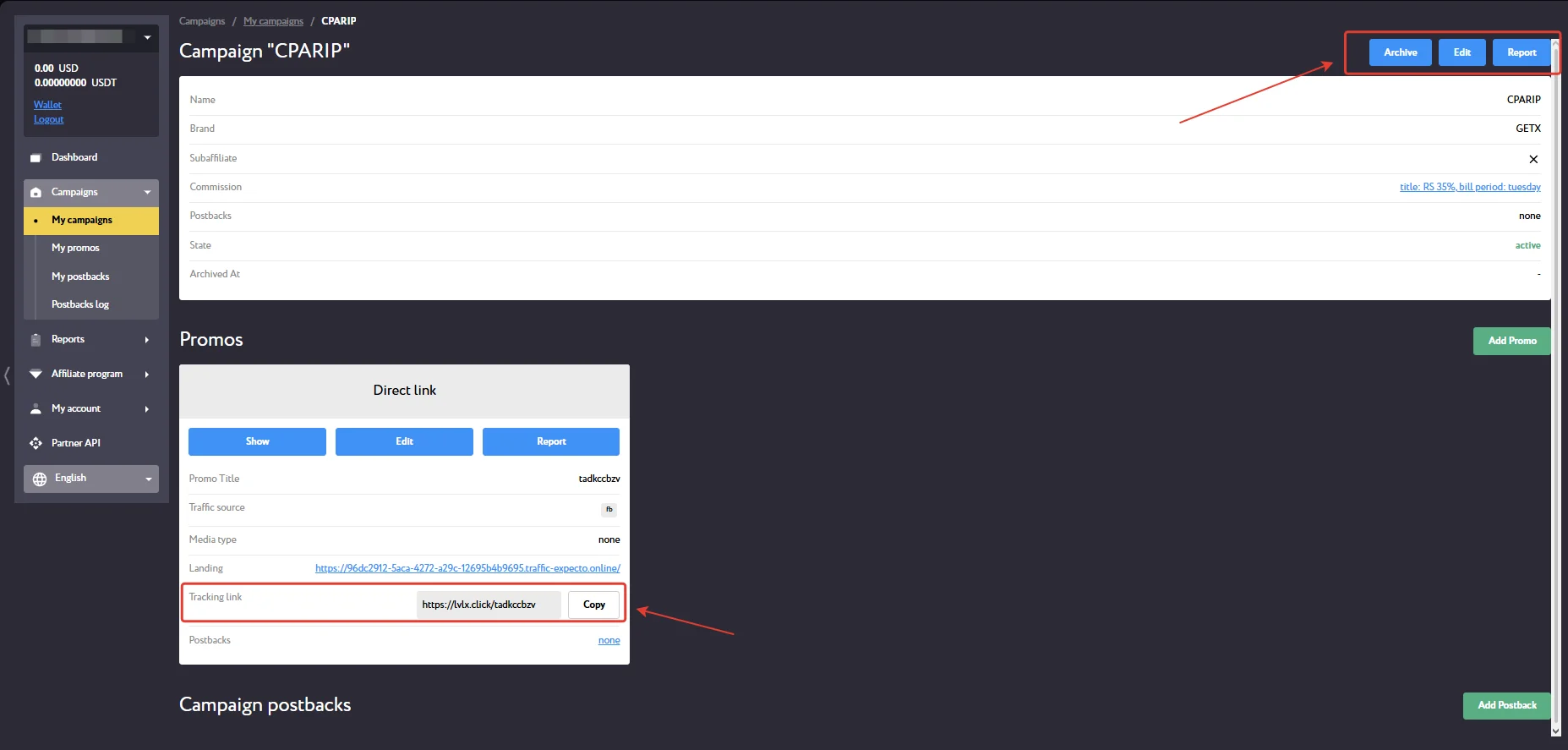
To create a new creative, click “Add Promo.”
Priority GEOs
- CIS countries, with Kazakhstan as the priority GEO, as well as Argentina.
Accepted Traffic Sources
- Accepted: FB, Google, PPC, SEO, ASO, Social, In-app, UAC, Email, SMS.
Statistics
To access a detailed traffic and conversion report in LVLX Partners, open the Reports section and select the Statistics page. The platform provides detailed analytics across 10 filters and 16 parameters.
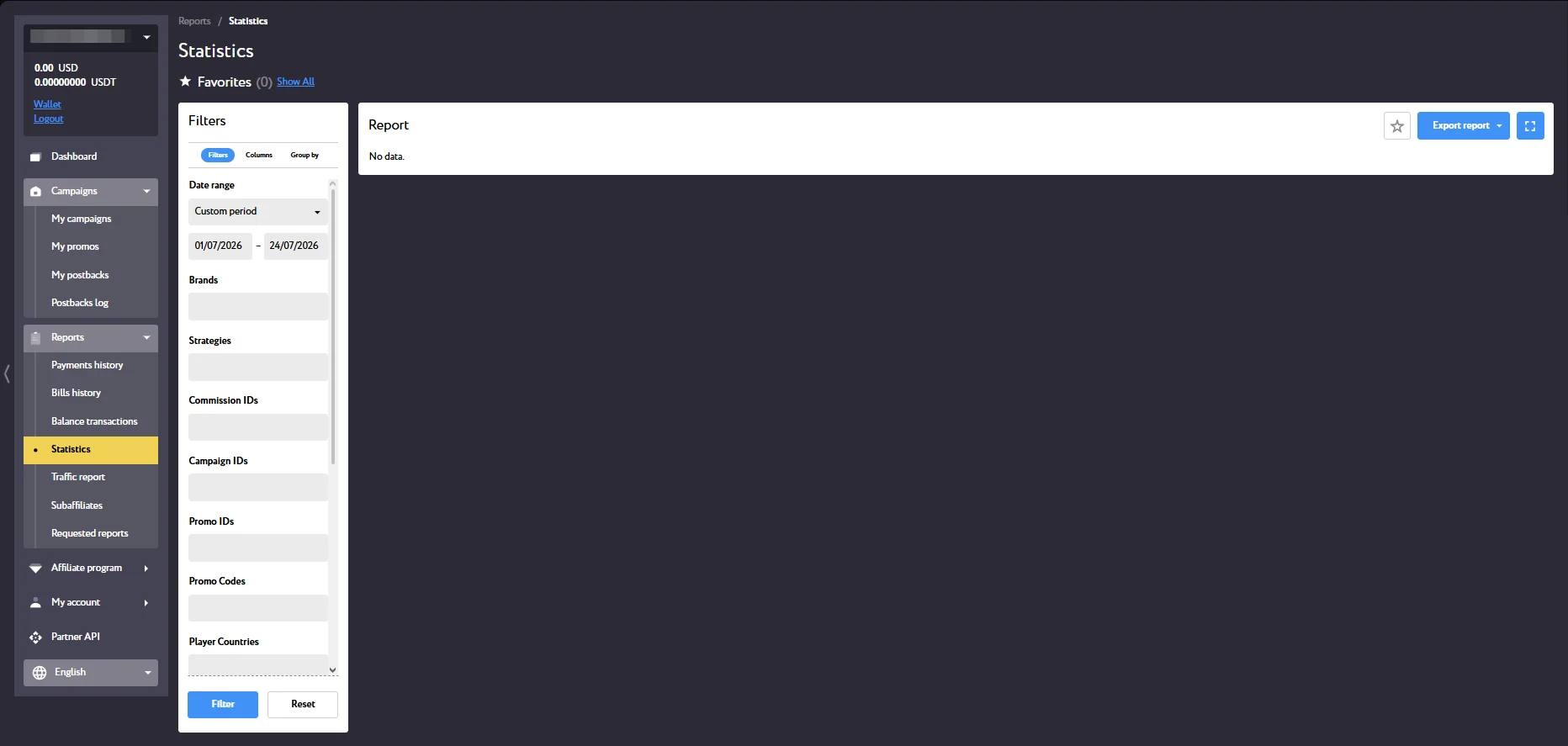
- Filters: Brands, Strategies, Commission IDs, Campaign IDs, Promo IDs, Promo Codes, Player Countries, Player dynamic tags, Sign up at date range, First deposit date range;
- Statistics parameters: Visits, Registrations, Qualified, Depositors, FTD count, FTD conversion rate %, FTD sum, Avg FTD amount, Deposits count, Deposits sum, Avg deposit amount, Casino bets sum, Casino wins sum, SB bets sum, SB wins sum, Partner income.
- Groupings: Brand, Strategy, Campaign, Promo, Player country, Tag: visit_id, Tag: sub2, Sign up at period, First deposit period.
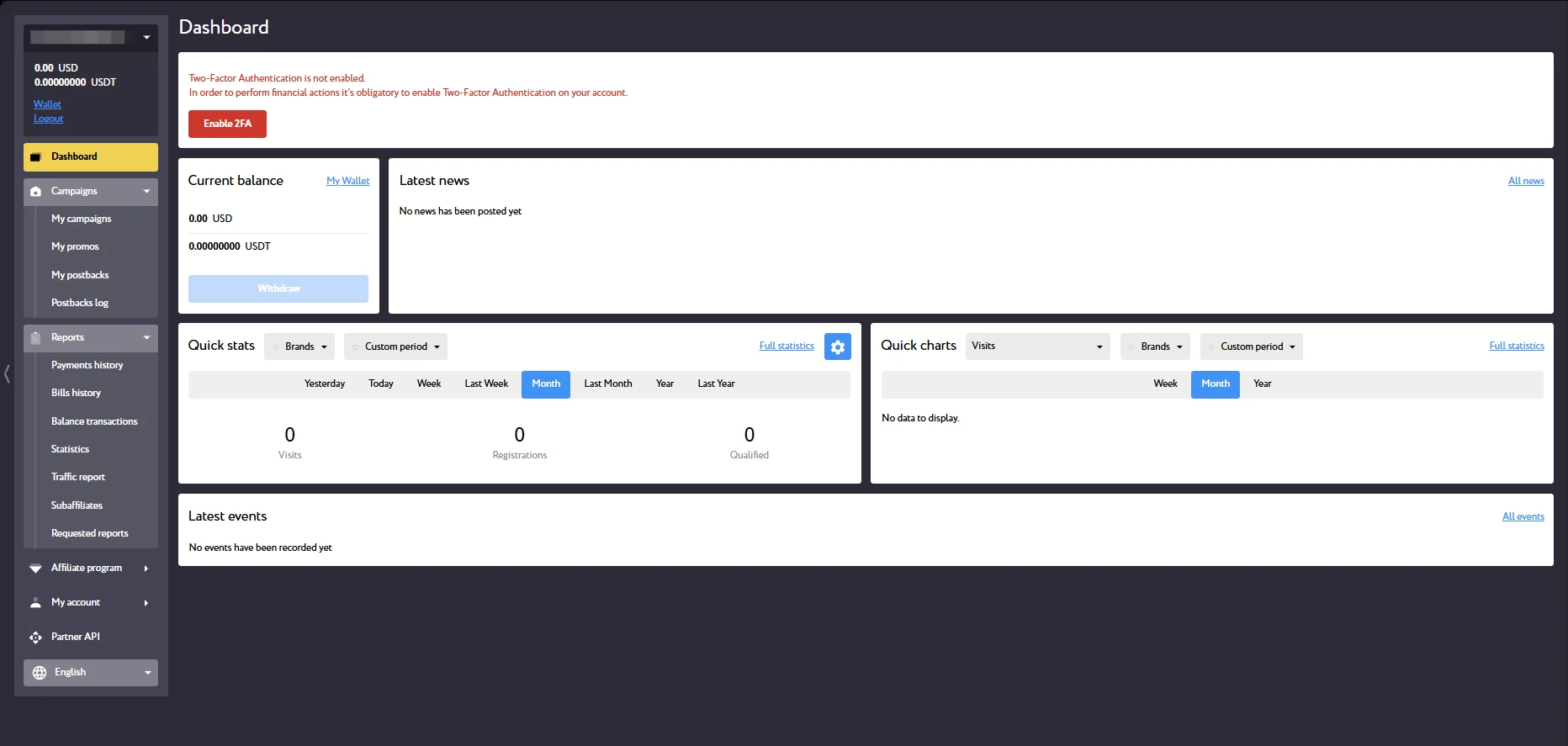
The Dashboard section displays the current balance and overall campaign statistics.
Postback Setup
To set up a postback, contact your personal manager—they can provide the technical parameters or complete the setup for you.
- For self-integration, configure the required settings in your tracker.
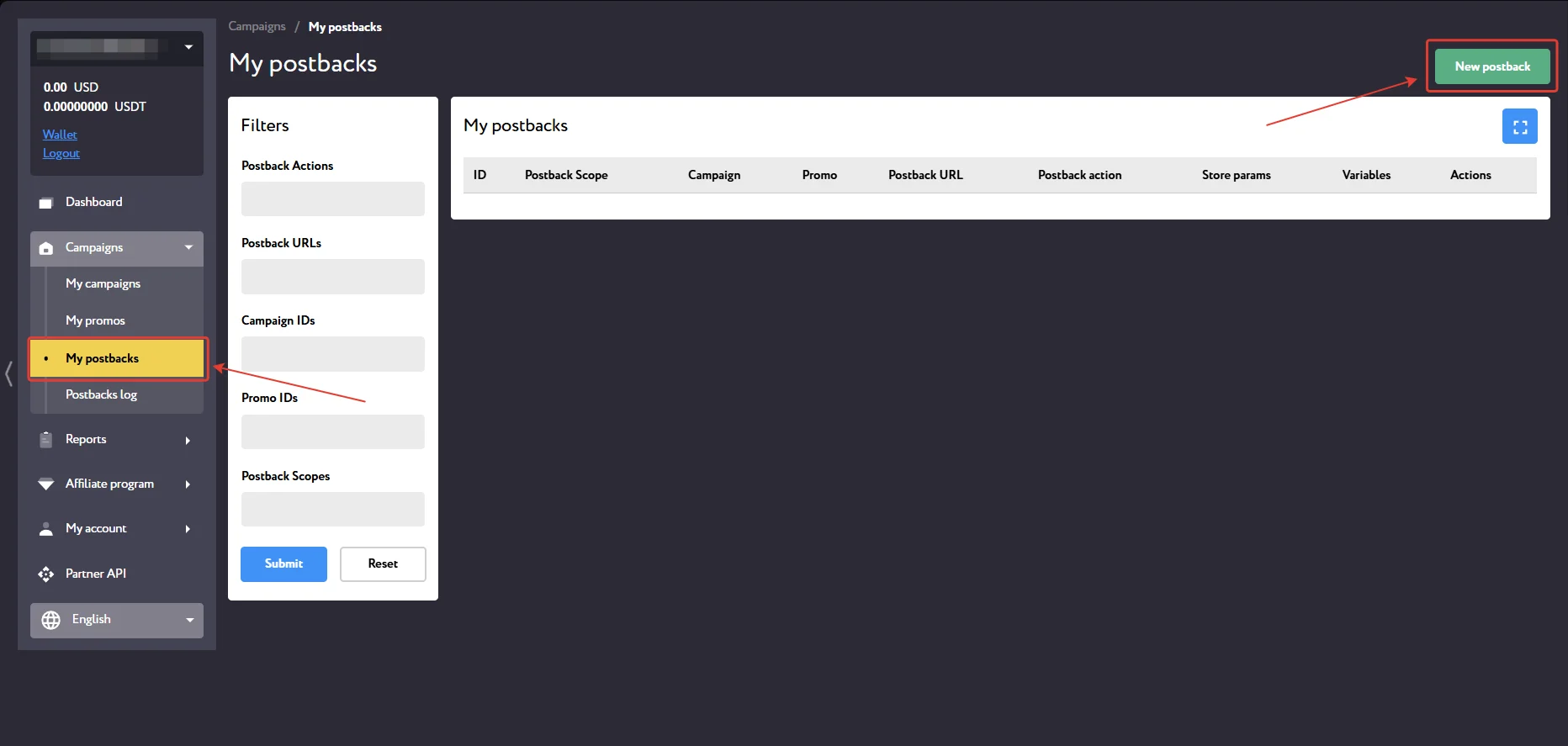
- Go to the “My postbacks” page in LVLX Partners and click “New postback”;
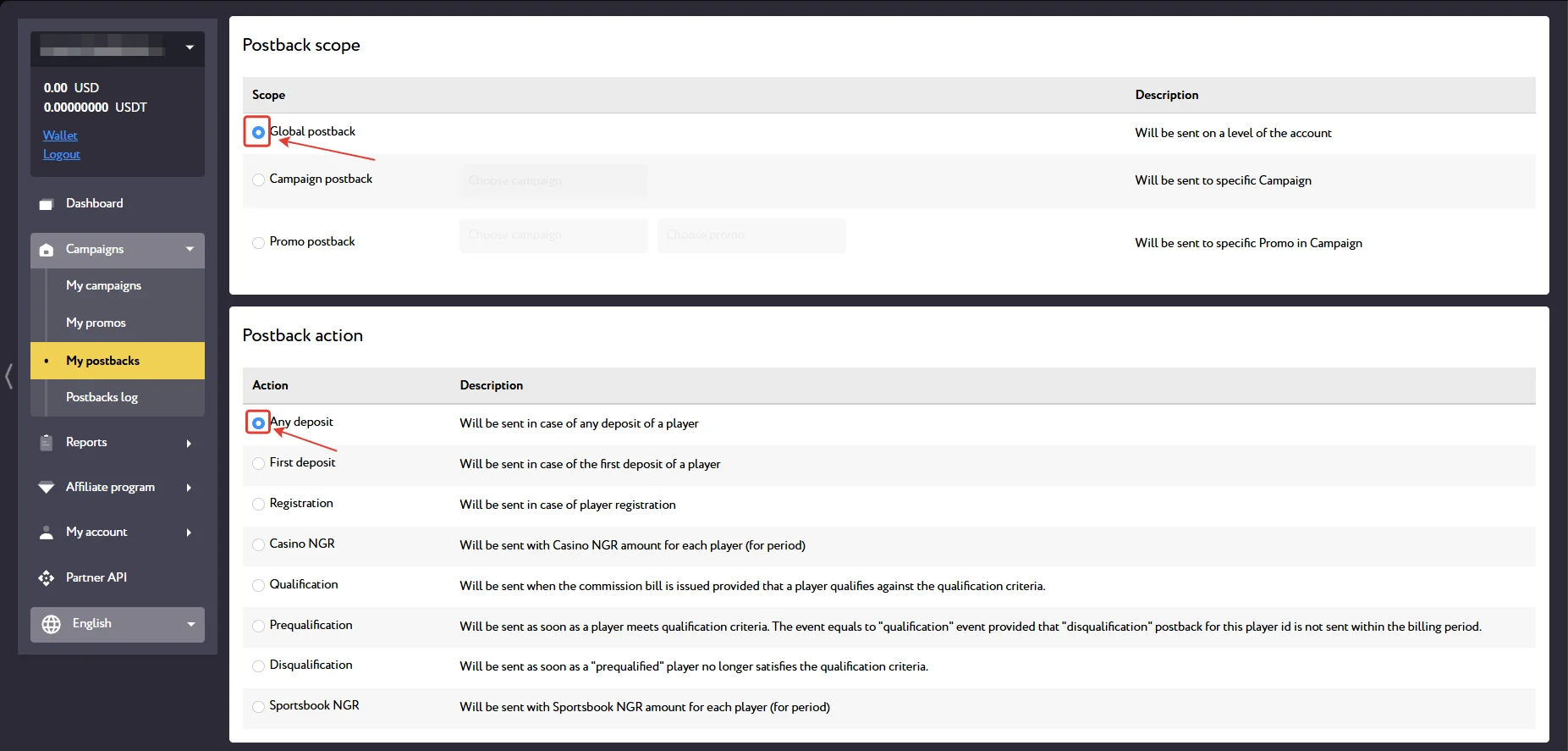
- Specify the scope and select the required events.
- Paste the Postback URL into the appropriate field, specify the variables to pass to your tracker, and click “Submit.”
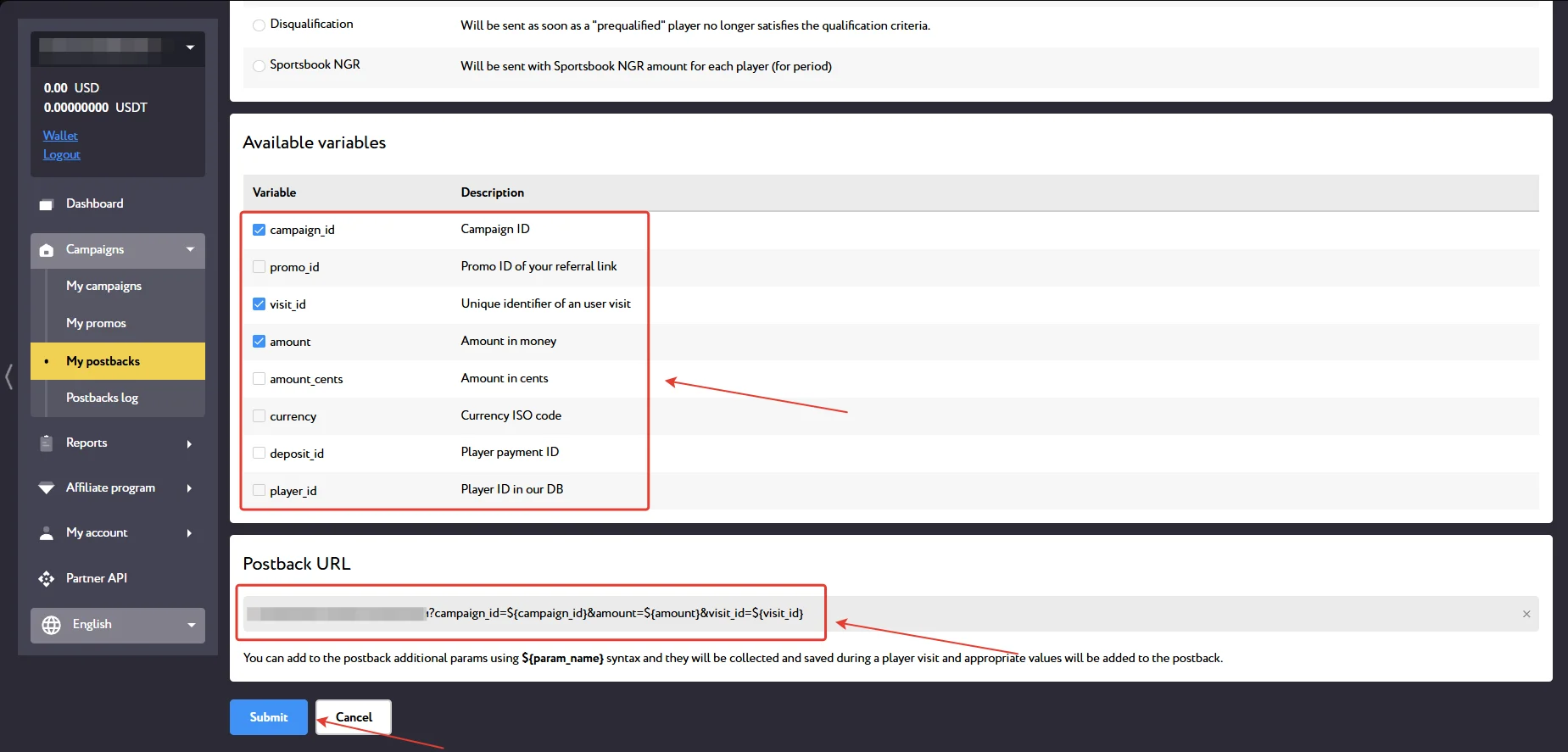
Test the postback before launching your ad campaign.
Payouts
- Payouts: Hybrid and CPA twice a month; RevShare weekly;
- Minimum withdrawal amount: $50.
Payment methods:
- Bank cards (Visa, MasterCard);
- Cryptocurrency.
Technical Support and Social Media
Contacts:
- Telegram: https://telegram.me/afflvlx
Social media:
- Telegram: https://telegram.me/lvlxtop
- Instagram: https://www.instagram.com/lvlx.top/
