

![[FBM] CARDS](https://cpa.rip/wp-content/uploads/cr-a1/fbm-cards-v1/fbm-cards-logo.svg)



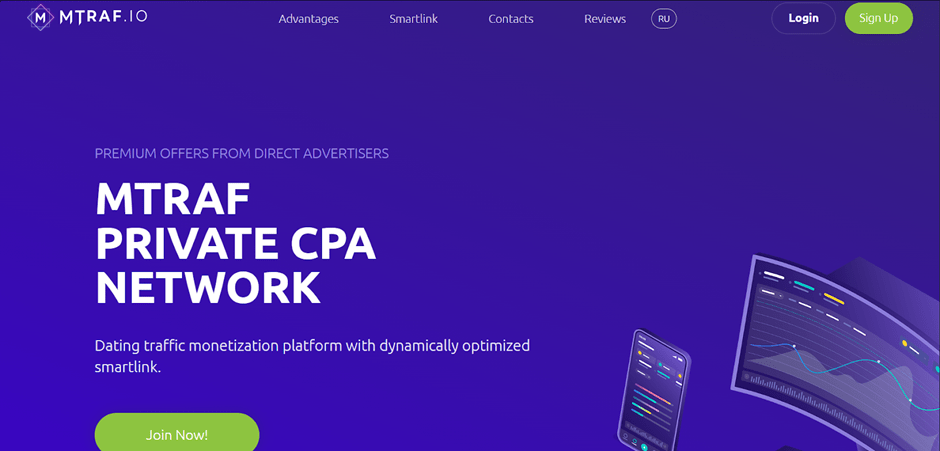
Sign up
On the Mtraf website, click on the ‘SIGN UP’ button in the upper right corner. Fill out a simple registration form, including the fields: First Name, Last Name, Email, Password, Password Confirmation, Contact Type, and Contact.
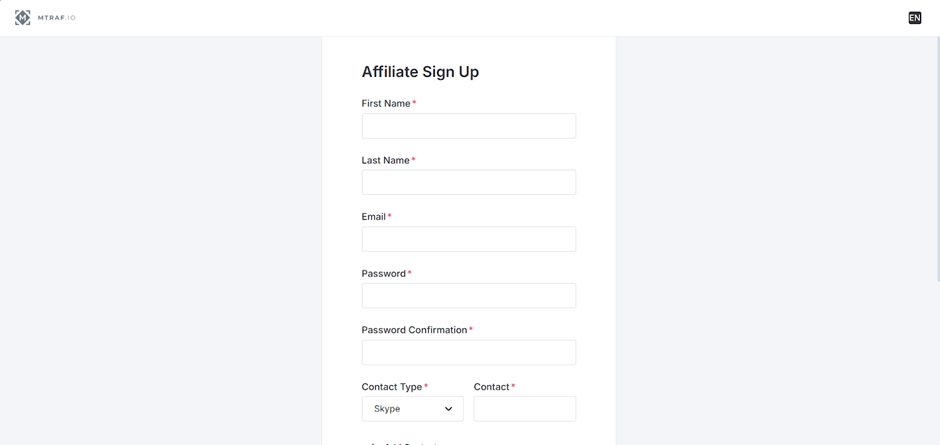
Once you have filled in all the fields, click ‘SIGN UP’ to complete the registration. After registration, your account will be pre-moderated, and a manager will contact you to discuss the terms and activate your account.
Available offers
The affiliate program features over 1,200 offers with direct rates from advertisers and different licence levels (Curacao / local licence in GEO).
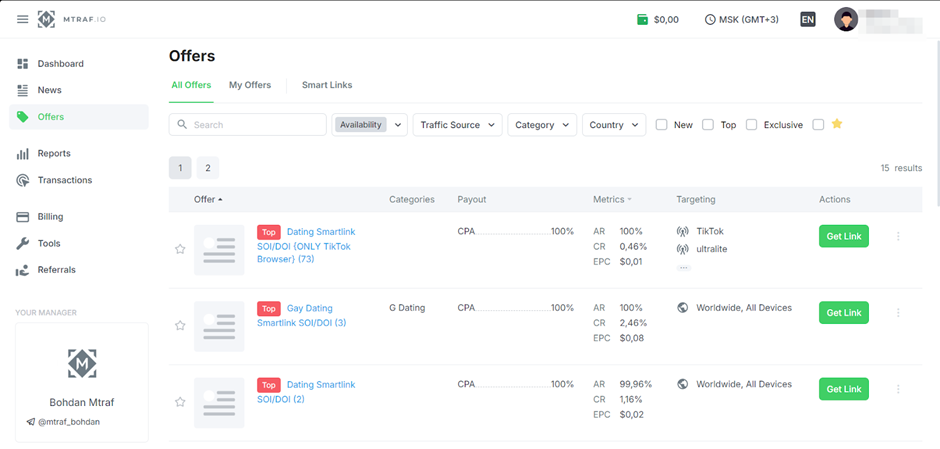
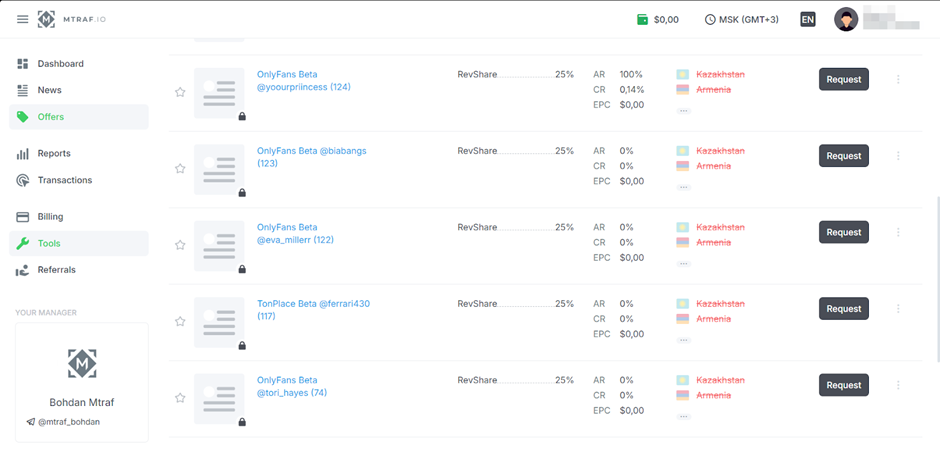
The ‘Offers’ section lists the available offers. Brief information is displayed next to each one – name, rate, metrics, and targeting.
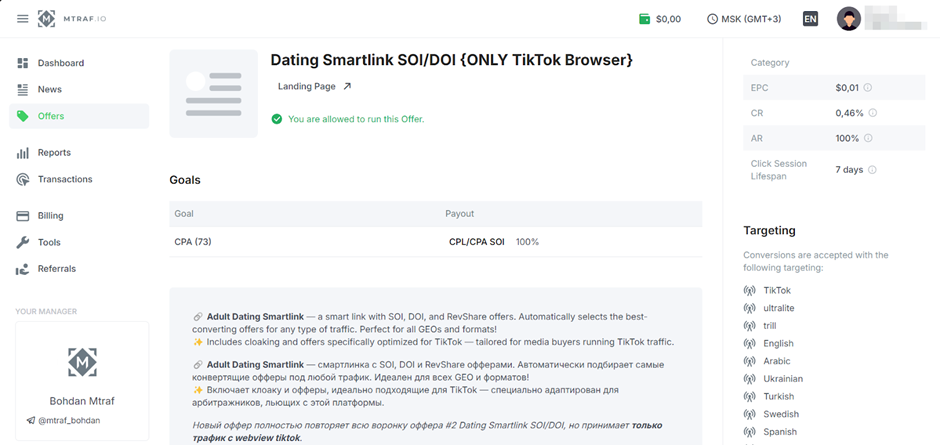
The offer’s card contains detailed information on rates, terms and conditions, description, restrictions, and other details.
Link creation
To generate an advertising link, open the card of the selected offer. The advertising link is located at the bottom.
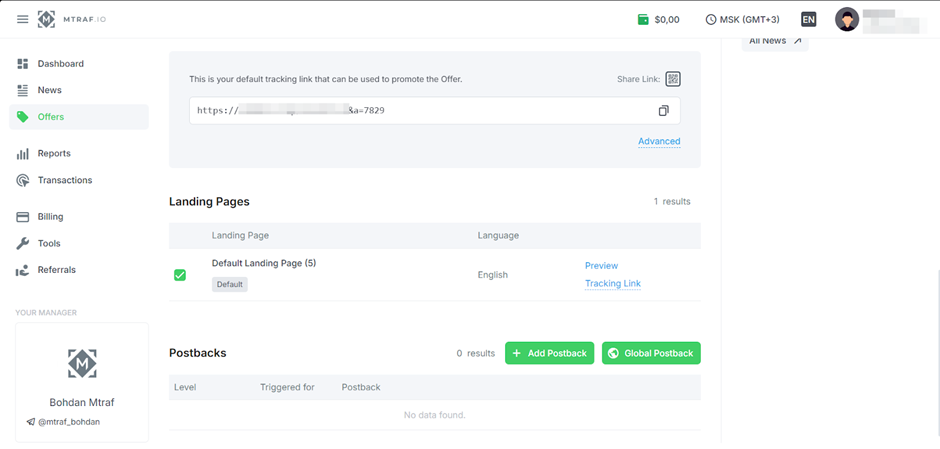
Additional link settings are available by clicking the ‘Advanced’ button.
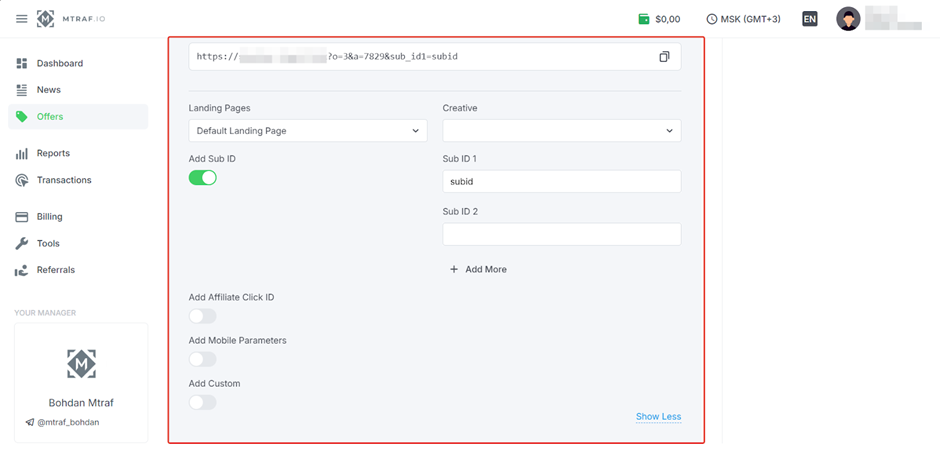
The link you receive is used to drive traffic.
There are closed offers, which can be accessed by contacting your personal manager.
Which GEOs to pay attention to
- USA, UK, Germany, France, Australia
What traffic is accepted
- Accepted: web/apps, social, Google Ads, push, banner, emails, push
- Not accepted: incentive traffic, fraud.
Statistics
In the Mtraf CPA affiliate program, statistics can be viewed and analysed by: General, Daily, Monthly, Offer, Goal, Country, Device Type, Device OS, Connection Type, Smart Links, and Referrals. Each statistic has additional filters.
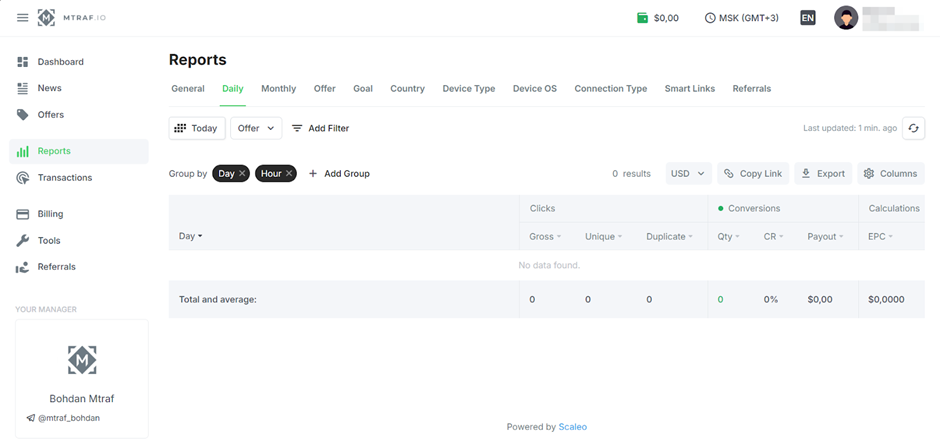
Available statistics parameters:
- Clicks: Gross, Unique, Duplicate;
- Conversions: Qty, CR, Payout;
- Calculations: EPC.
The Dashboard section shows the total balance and summary statistics.
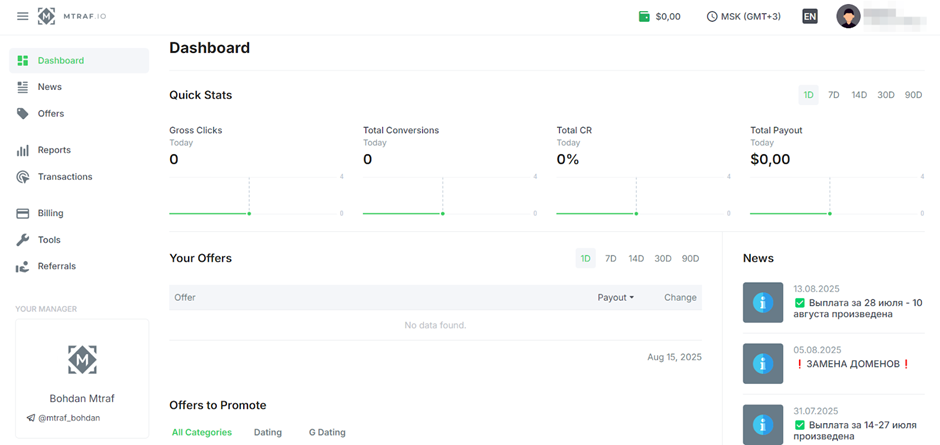
Postback setup
Let’s set up a postback on Mtraf.
- Make the necessary settings on your tracker side.
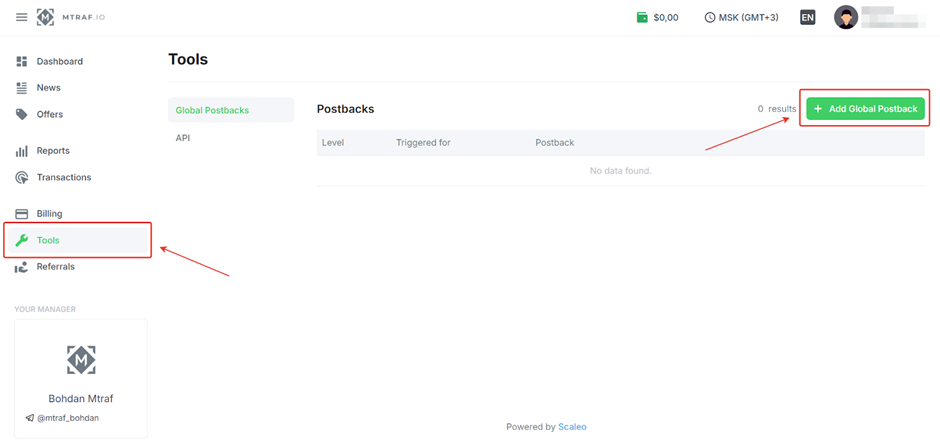
- Open Mtraf, go to the Tools page, and click “Add Global postback”.
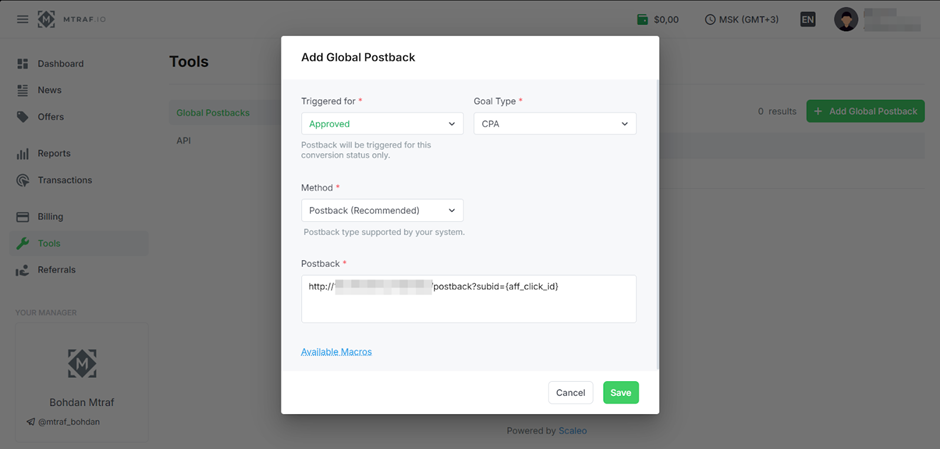
- Select Triggered for, Goal Type, Method, paste the Postback URL received from your tracker, and add the required macros. Click Save.
Configure each required event in this way.
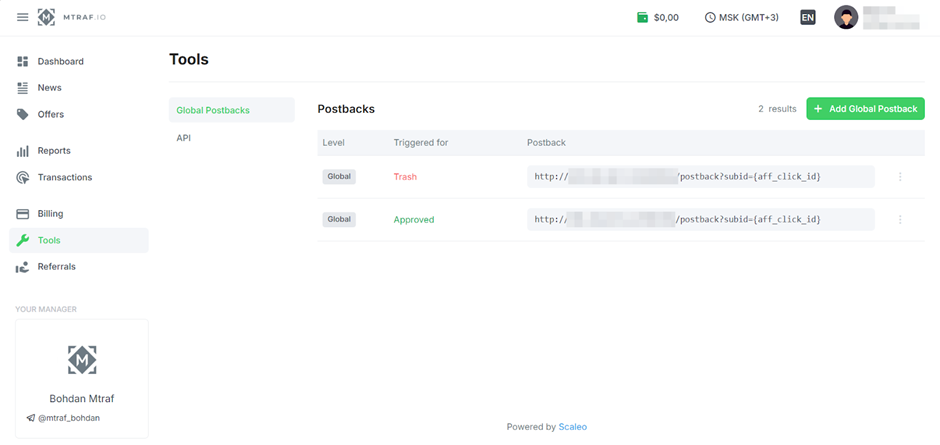
Before driving traffic, be sure to check the functionality of the configured postback.
Payments
- Hold: no;
- Payments: once a week or once every two weeks;
- Minimum withdrawal amount: $50.
Payment systems:
- USDT (TRC-20, TON)
- PayPal
- Wise
- Payoneer
- WebMoney
- Capitalist
- Paxum
Technical support and social networks
Contacts:
- Telegram: https://telegram.me/djakoma
- Telegram: https://telegram.me/mtraf_Bohdan
- Telegram: https://telegram.me/mtraf_Artem
Social media:
- Telegram: https://telegram.me/MTRAFnews
