


Registration and Getting Started
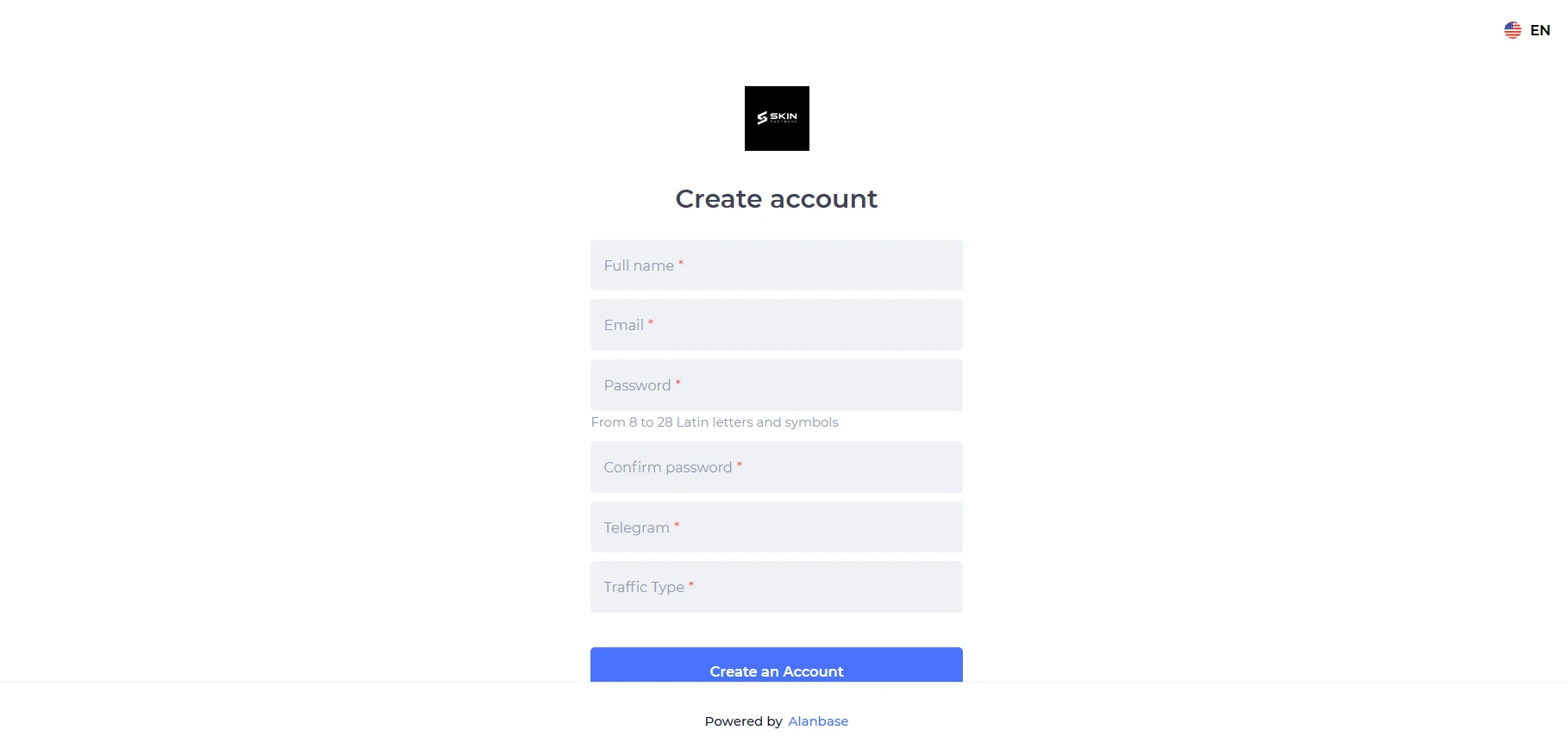
Follow the link https://partner.skinpartners.pro and complete the registration form with the required fields: Full name, Email, Password, Confirm password, Telegram, Traffic Type.
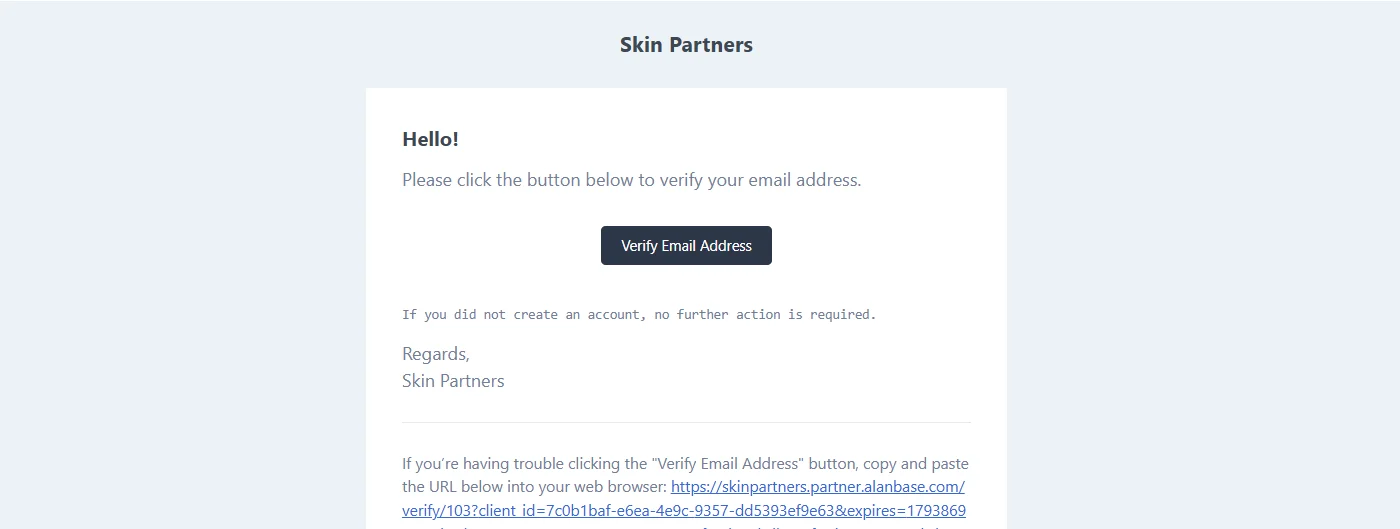
To complete registration, follow the link in the email sent to your email address.
Available Offers
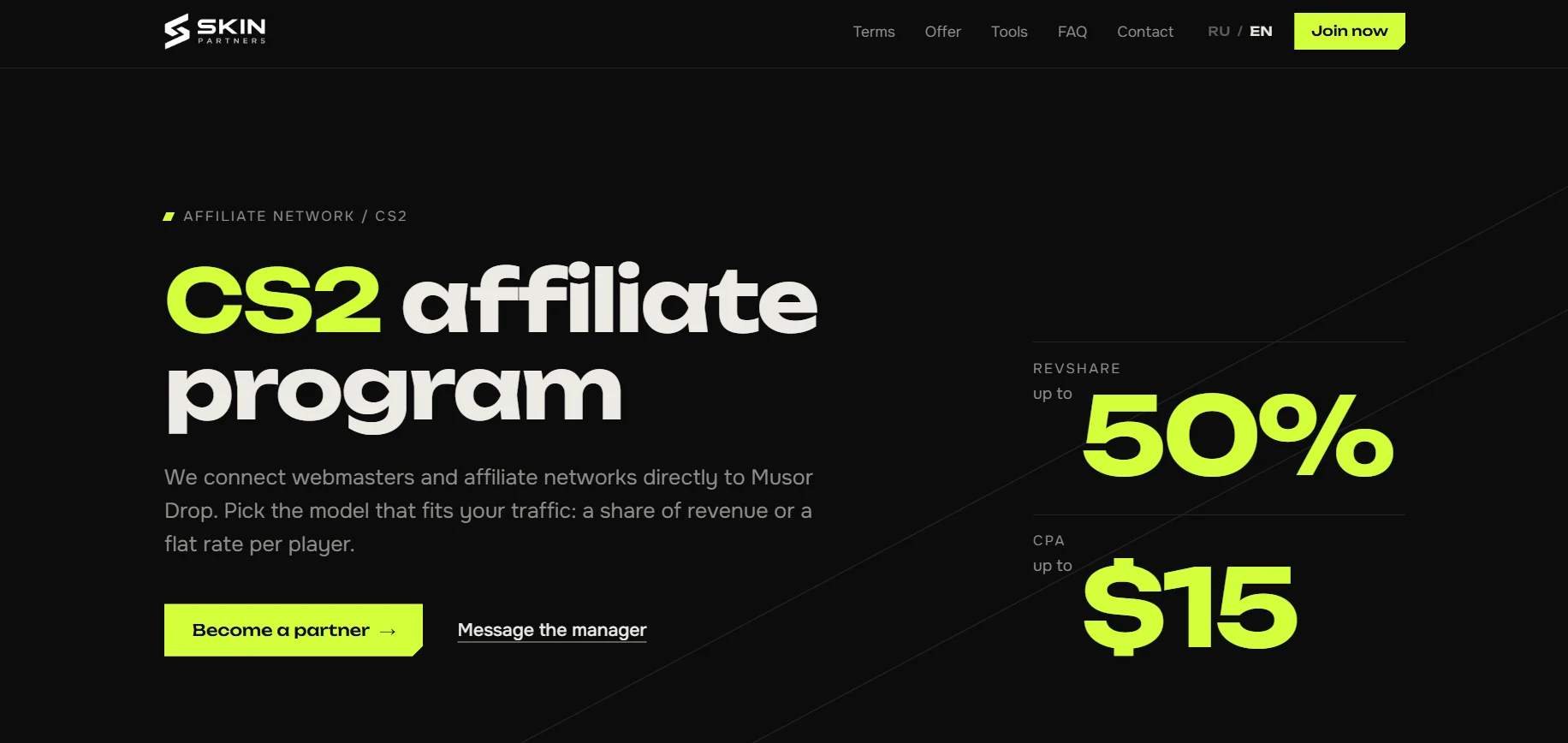
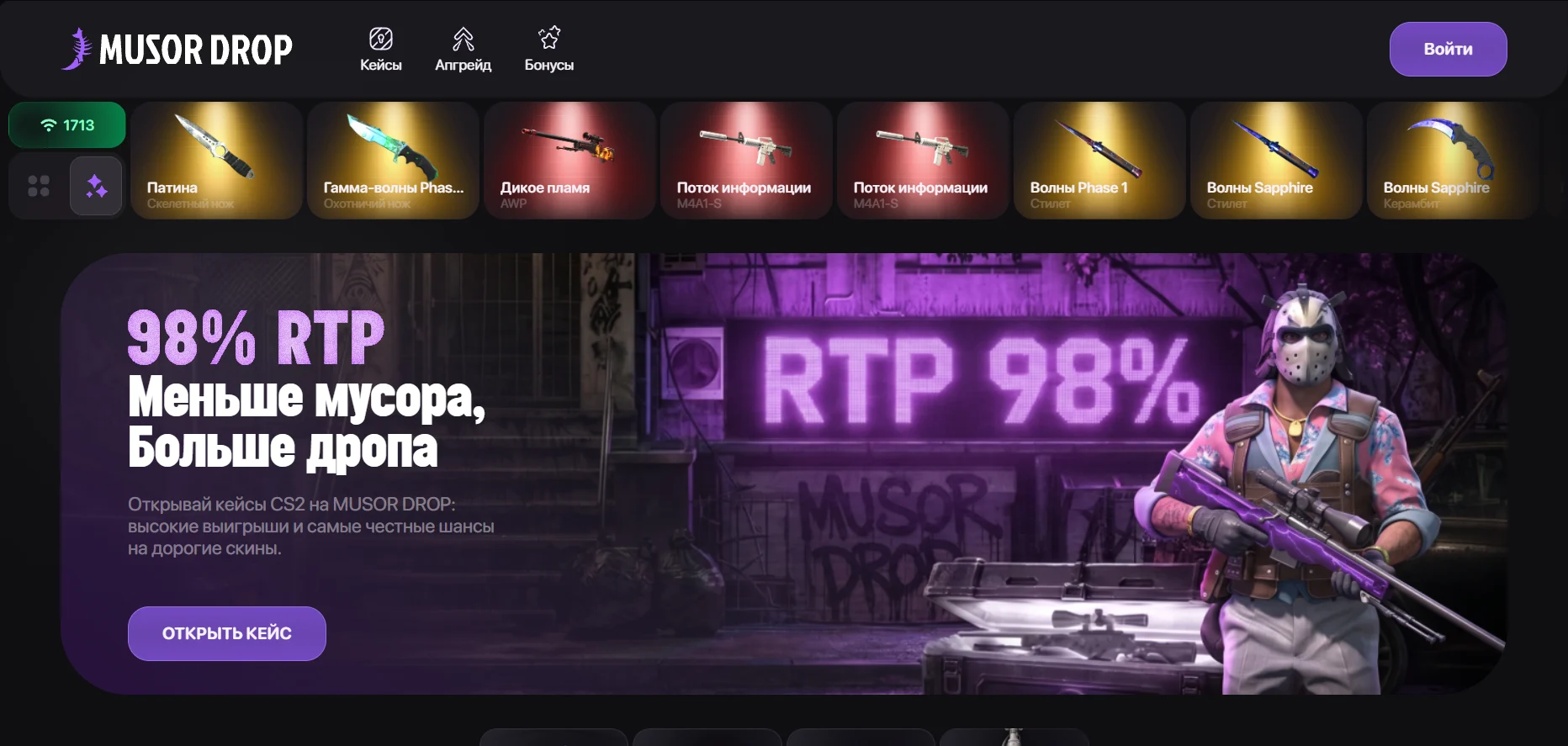
The Skin Partners affiliate program features one offer: Musor Drop, a CS2 case-opening site.
The platform offers case openings, upgrades, and contracts. The result of every case opening is verified through a provably fair system. Earned skins can be withdrawn to Steam.
Musor Drop works with skins as virtual items, so the project does not use a gambling license.
Affiliate Link
You can create an affiliate link or promo code in your account. Cooperation model terms and integration details are agreed upon with your personal manager.
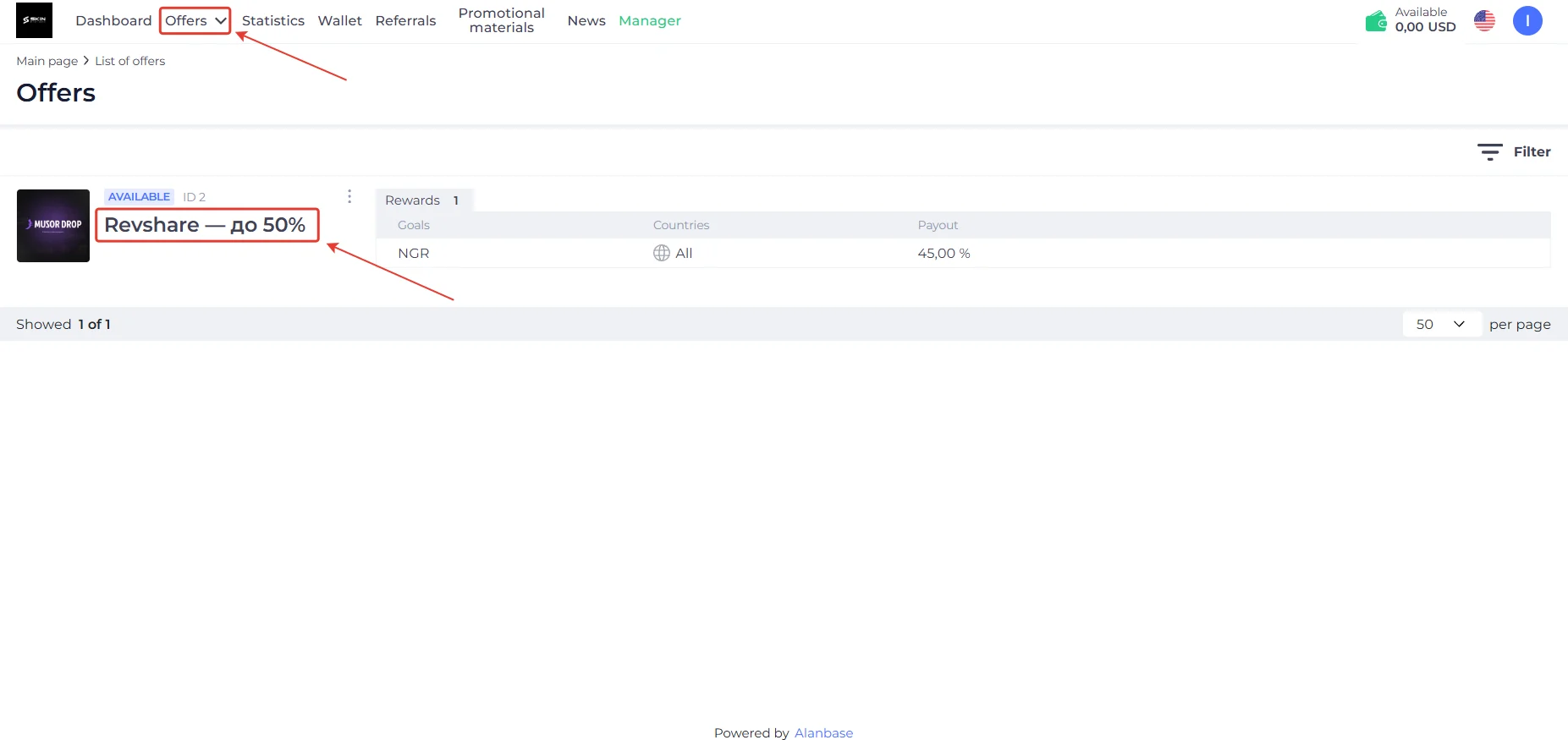
Individual RevShare terms are available for large teams. The base rate is 45%, with up to 50% available.
- Go to the Offers section and click the offer.
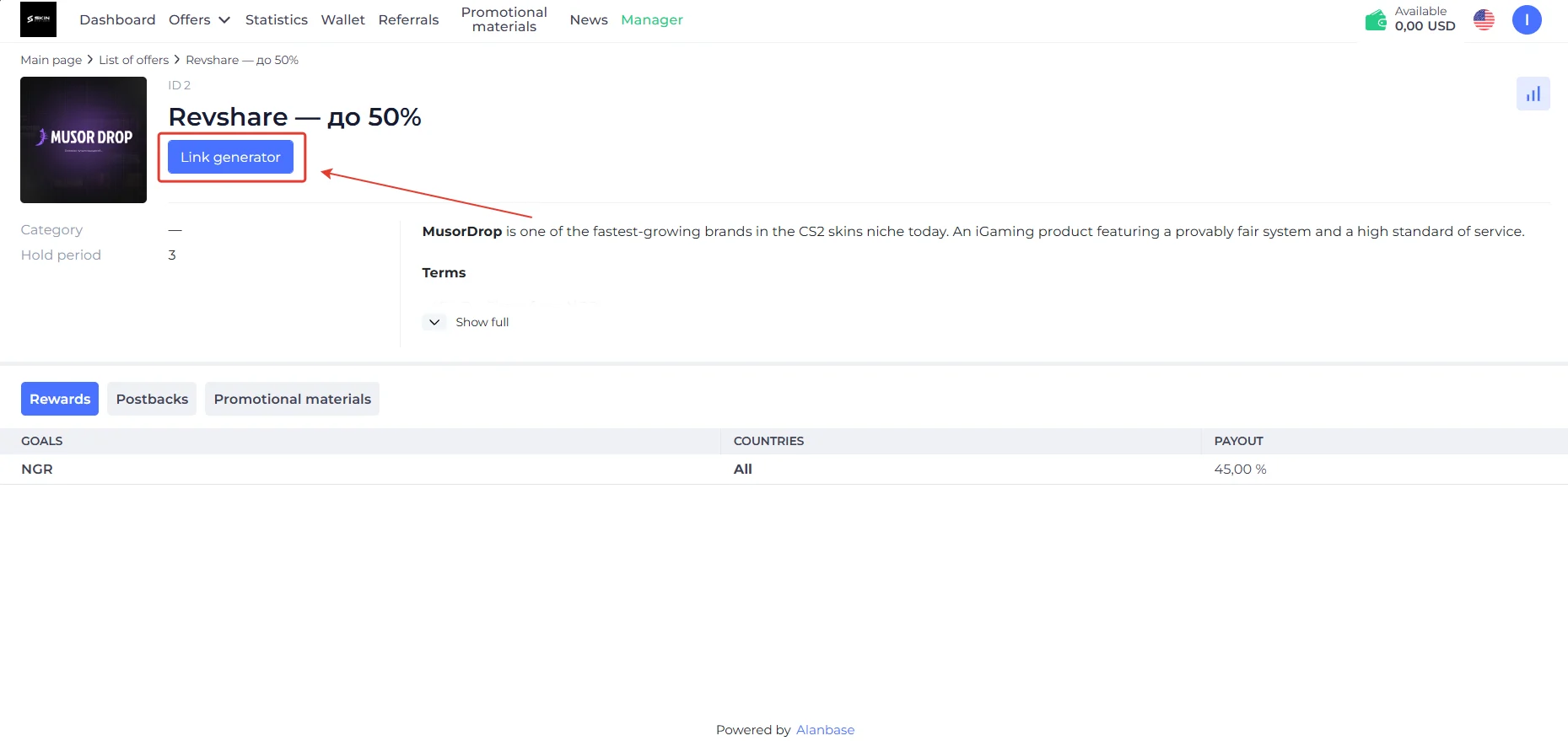
- Click Link generator.
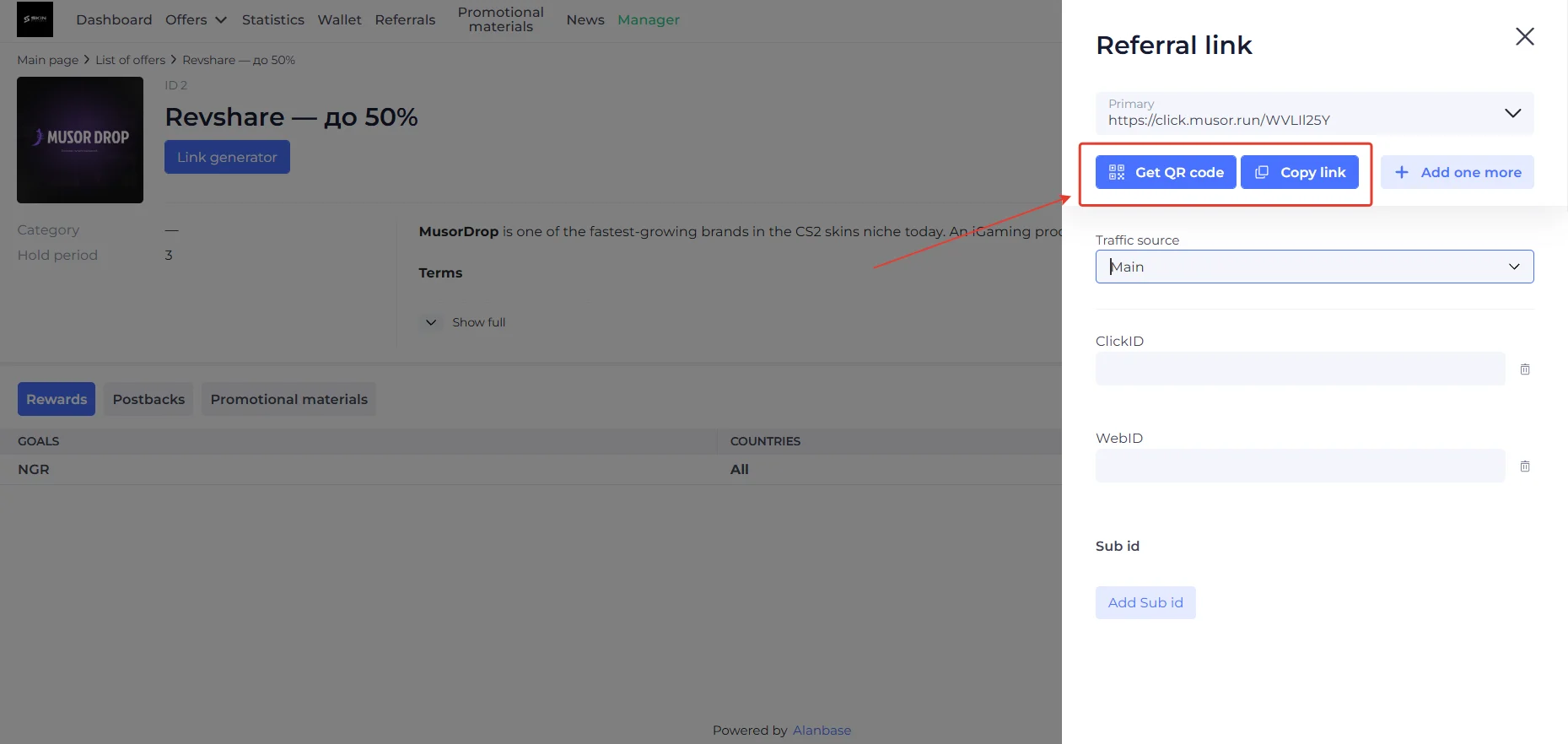
You can copy the link, generate it as a QR code, or add tracking parameters (SubID/ClickID) to track traffic.
GEOs to Focus On
- The key markets are Russia and CIS countries: Kazakhstan, Belarus, Ukraine, and other countries in the region.
- Traffic is accepted worldwide, with no GEO restrictions.
Accepted Traffic
- Accepted: virtually all traffic sources.
- Questionable and non-standard sources must be approved by a manager before launch.
- Not accepted: fraud.
Statistics
The account provides clear traffic and revenue statistics across two main sections. The Dashboard section is designed for real-time analytics: the top cards display today’s clicks, registrations, and FTDs, while the charts below show daily revenue trends and overall activity.
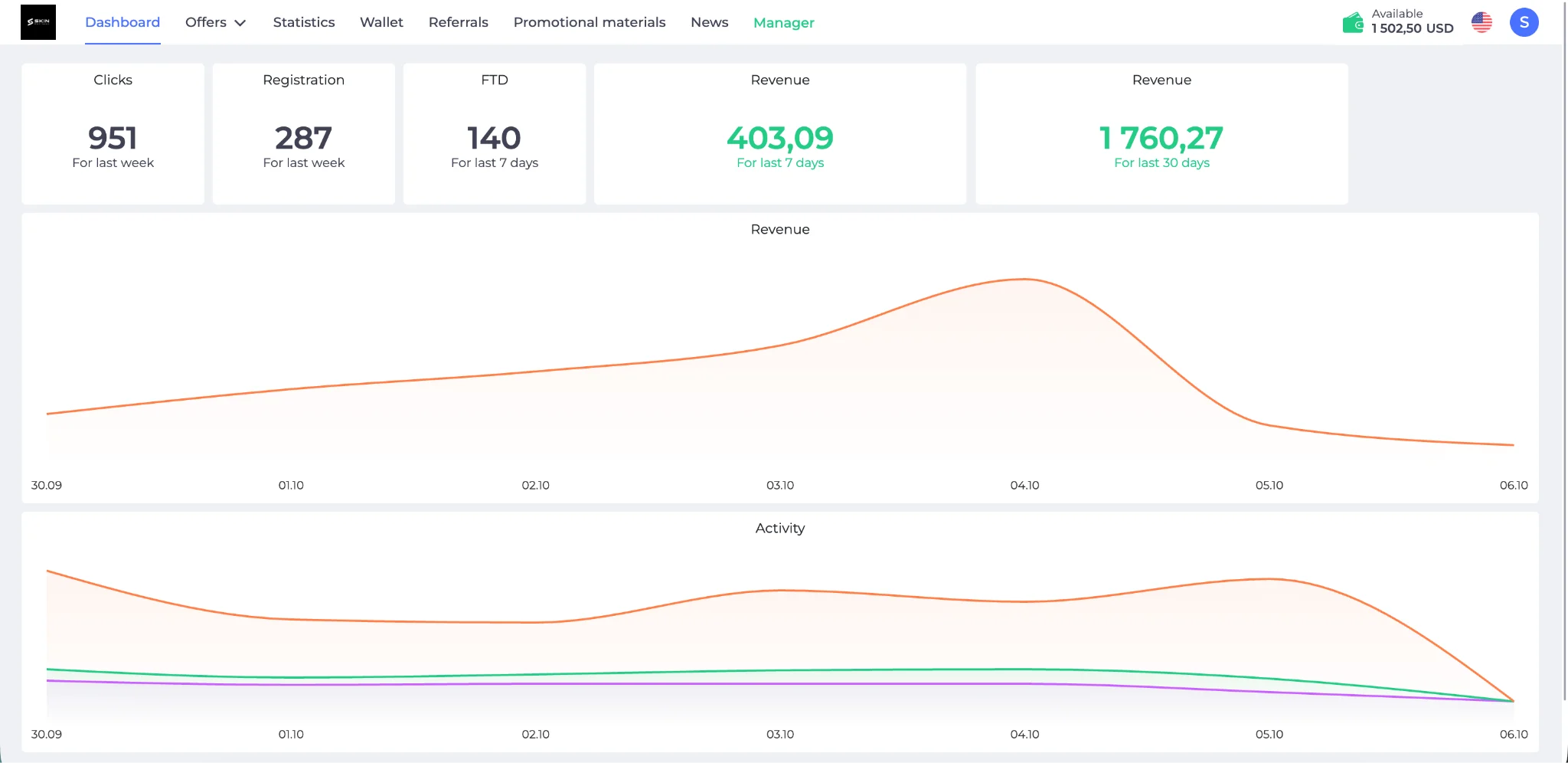
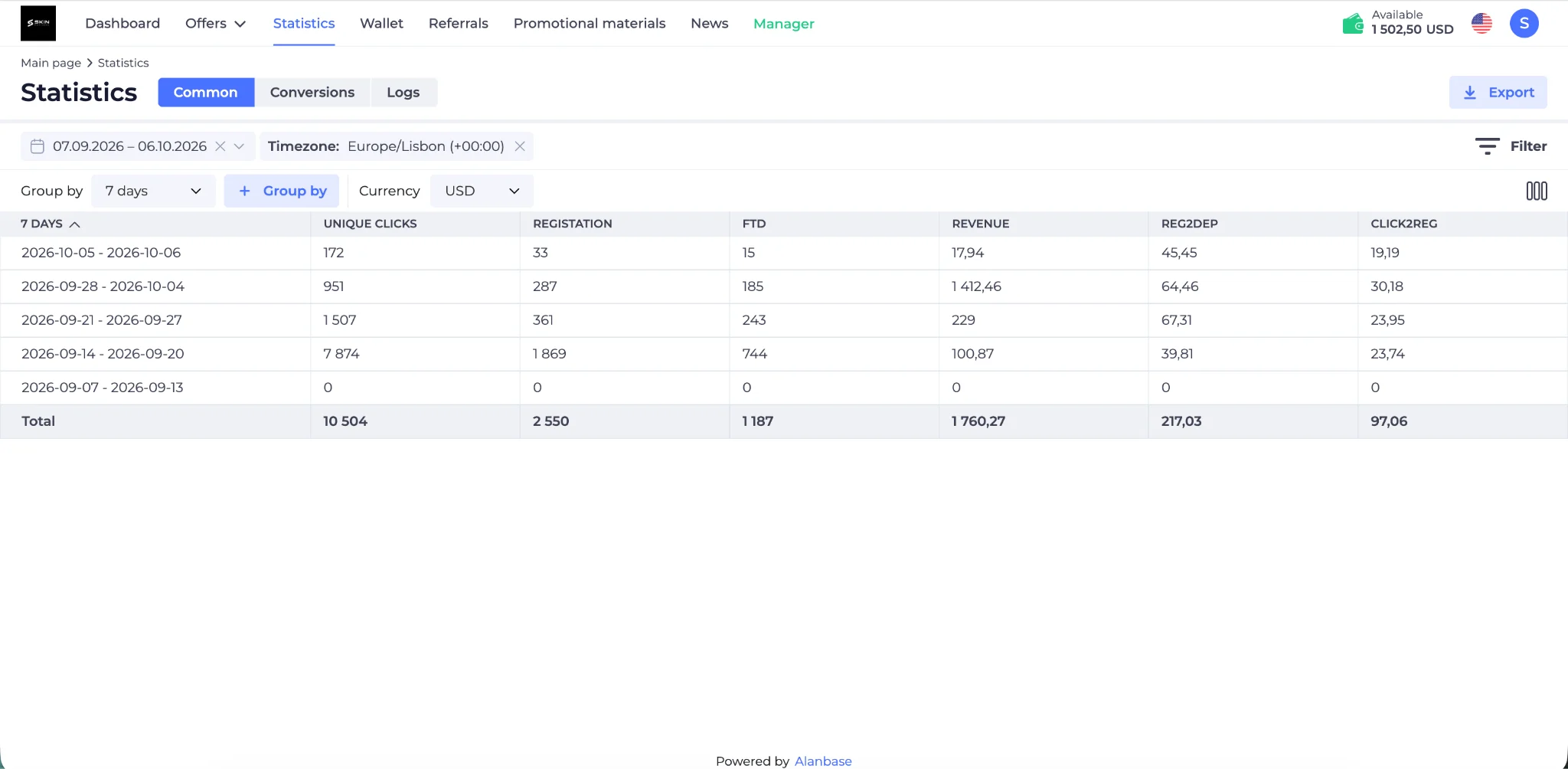
For more in-depth analysis, use the Statistics section, which contains the full data set with grouping, sub-account filtering, and report export options. There, you can closely monitor key performance metrics, from unique clicks and installs to conversion rates (R2D, C2R) and total earnings.
Postback Setup
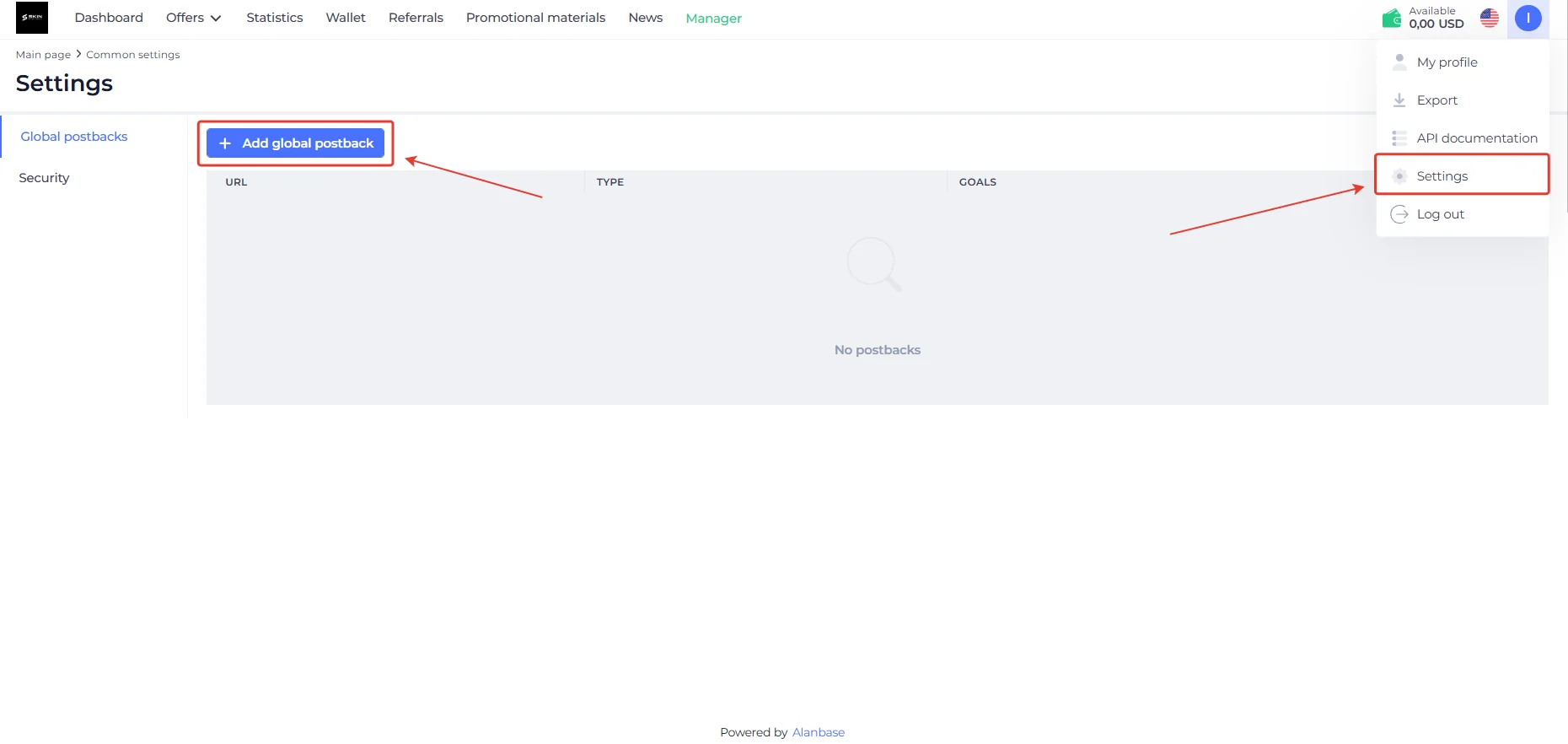
- To set up a Postback in Skin Partners, prepare a link in your tracker. Then open the Settings section in the affiliate account and click Add Global Postback.
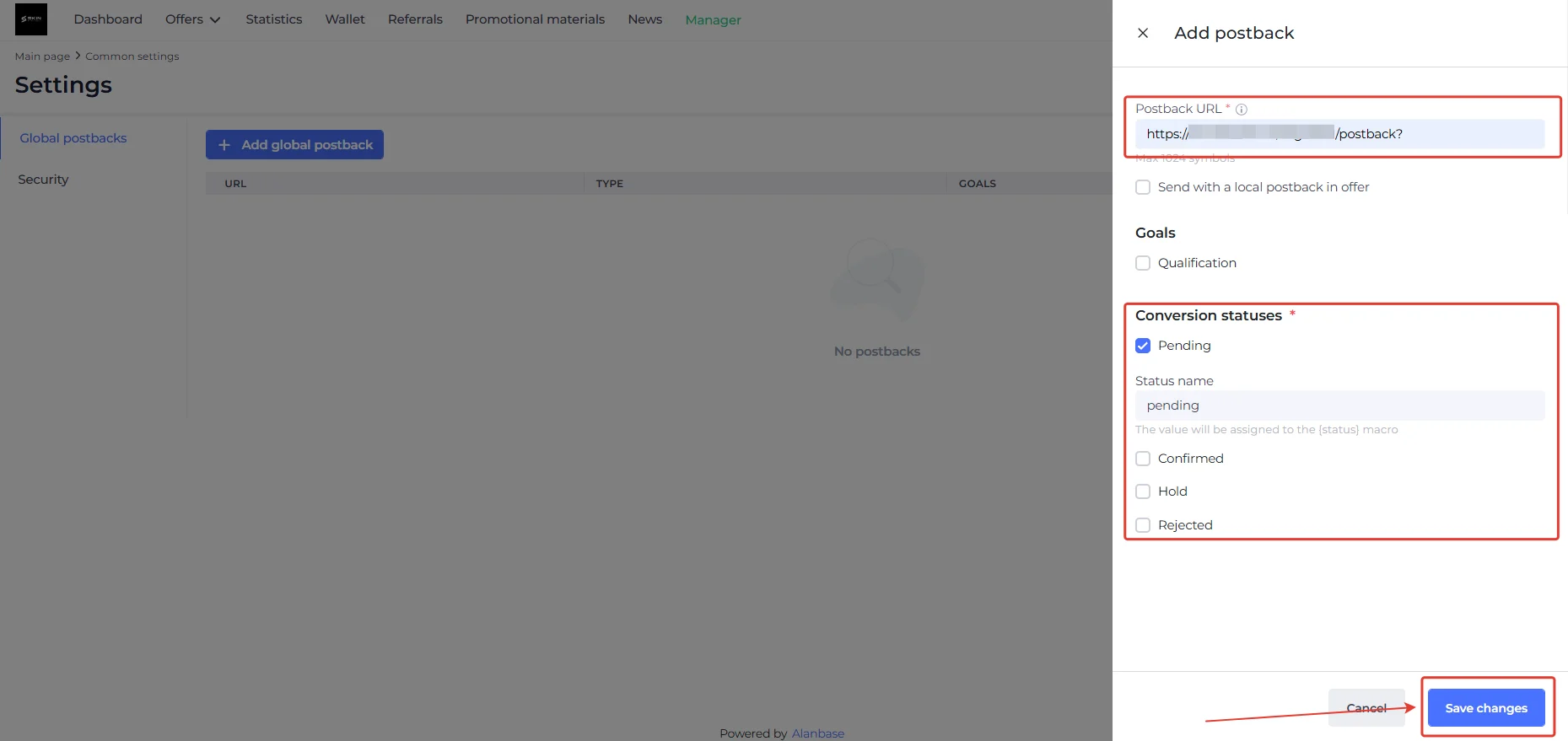
- Paste the Postback URL into the appropriate field.
- Then select the target conversion statuses: Pending, Confirmed, Hold, or Rejected.
- Click Save changes to save the settings.
Configure each required event this way. Be sure to test that the configured postback is working before launching traffic.
Payouts
- Hold: 3 days;
- Payouts: daily;
- Minimum amount: $100;
Payment method: USDT
Technical Support
Contacts:
- Telegram: https://telegram.me/roman_gurev