




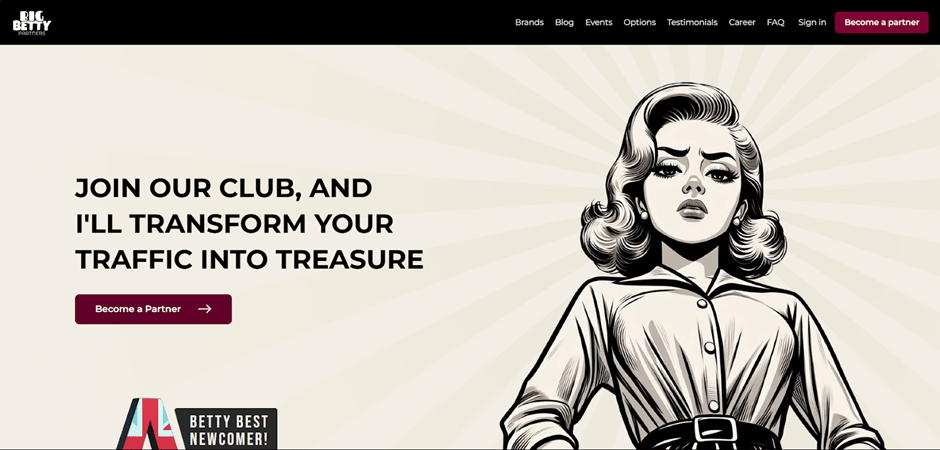
Registration
On the Big Betty Partners website, click the “Become a Partner” button. Complete the required registration form fields: Email, Company, Full name, Social Contact, Password, Show password, Traffic Sources, Main GEOs.
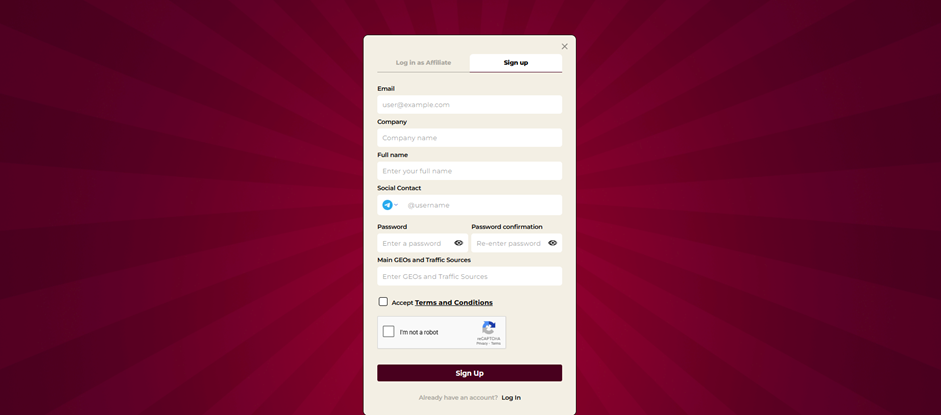
Once you have completed all fields, click “Sign Up” to finish registration.
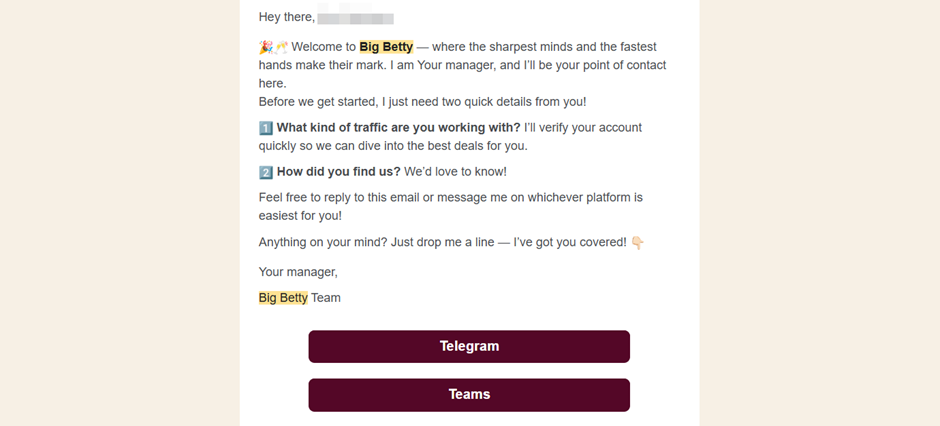
You will receive an email at the address provided with your personal manager’s contact details and two simple questions to activate your account. Send your answers to the manager.
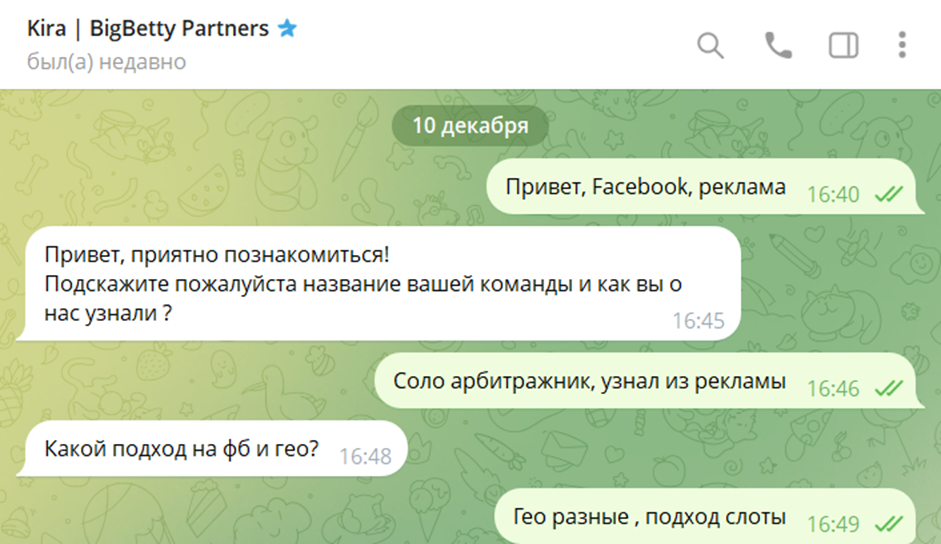
The manager responds promptly, within 10–20 minutes.
Available Offers
The marketing portfolio includes 9 brands. All projects can be discussed with your affiliate manager.
Creating a Campaign
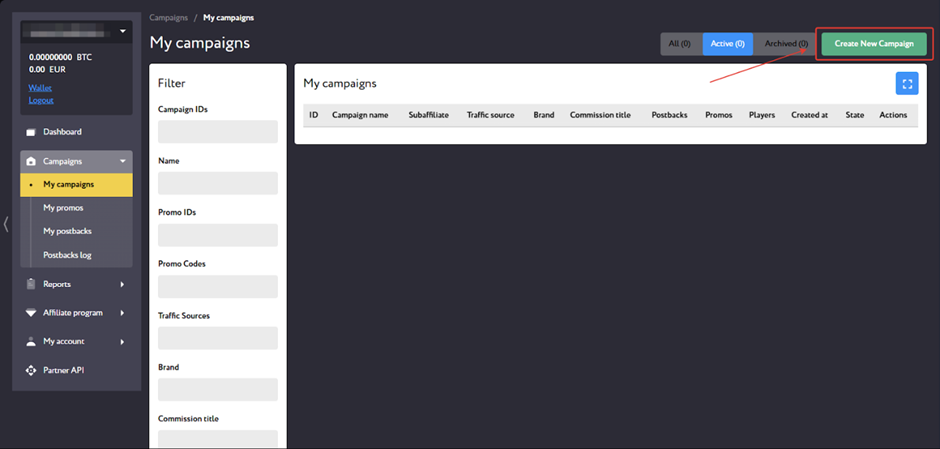
To create an affiliate link, go to the “My campaigns” page and click “Create New Campaign.”
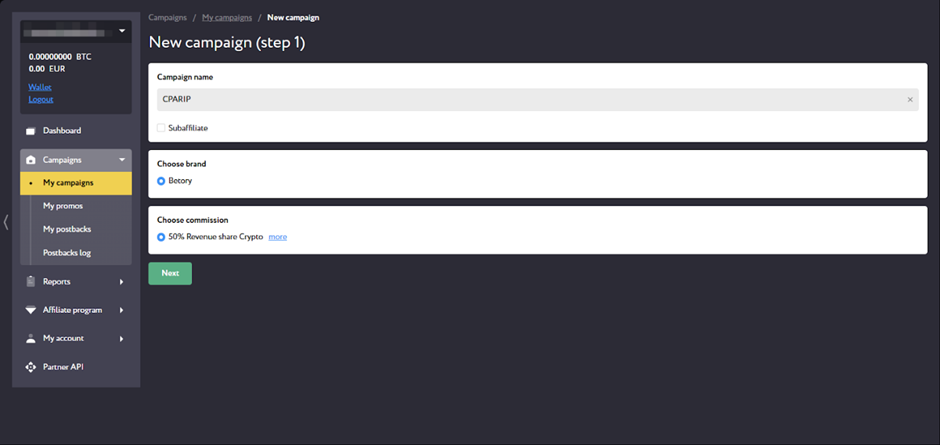
In the form that opens, enter the campaign name, select a brand and the commission assigned by your manager. Click “Next.”
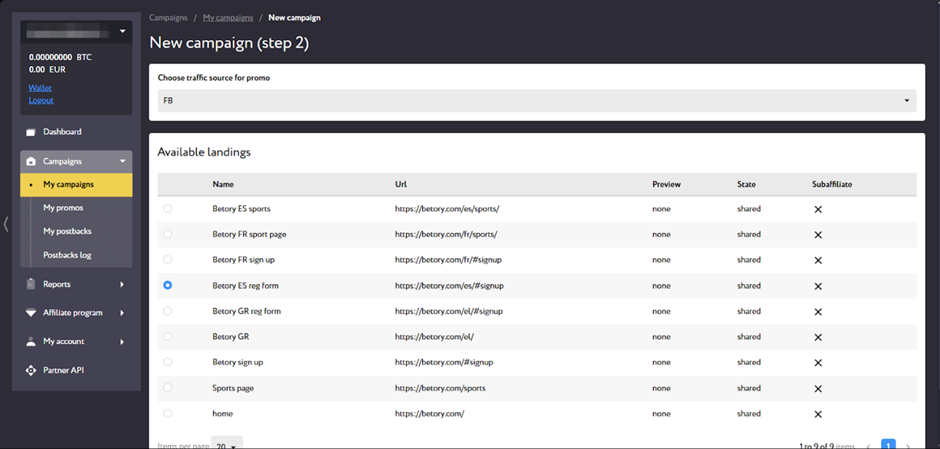
At the next step, select the traffic source and landing page, then click “Next.”
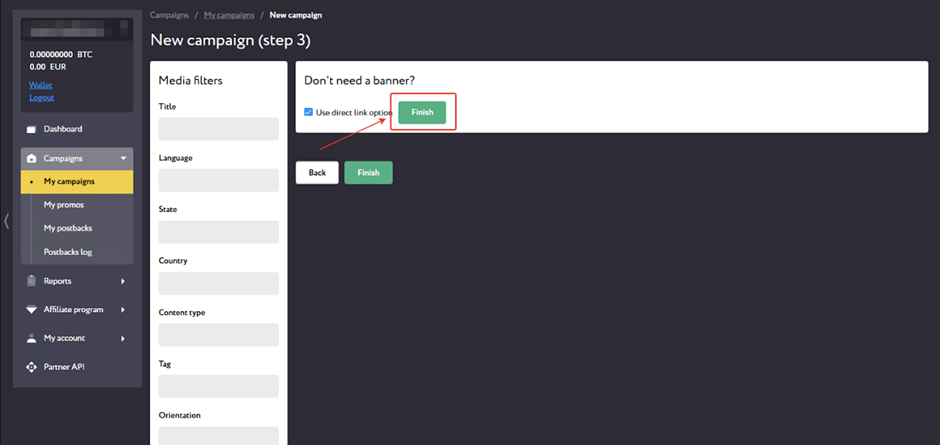
Then click “Finish” to complete campaign creation.
A page with detailed information and generated affiliate links will open. You can edit the campaign by clicking Edit or view statistics for this creative using the Report button.
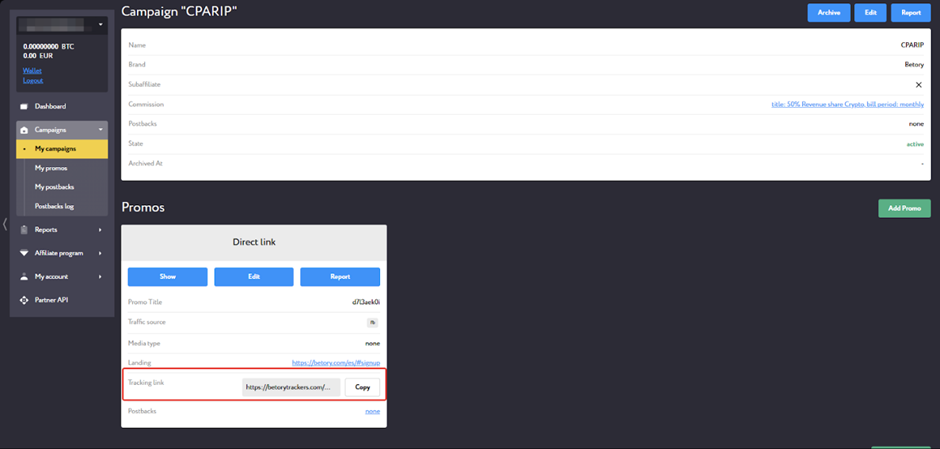
To create a new creative, click “Add Promo” within any campaign or from the main campaigns page.
GEOs to Focus On
- Tier-1
Accepted Traffic
- Main approved sources: SEO, PPC, influencers, email campaigns, Facebook.
- Other sources are reviewed on an individual basis.
- Branded traffic is discussed individually.
Statistics
The Big Betty Partners affiliate program provides detailed traffic statistics with 8 filters and 9 parameters. To view detailed traffic and conversion data, open the “Reports” menu item and go to the “Statistics” page.
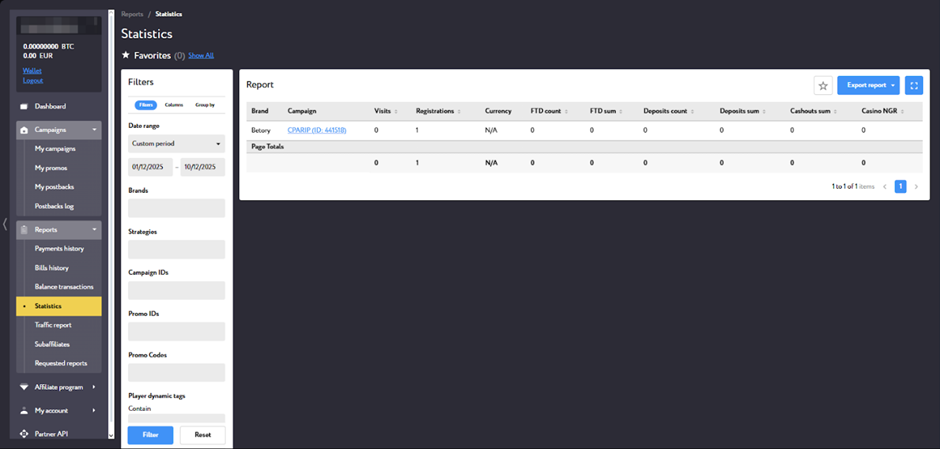
- Filters: Brands, Strategies, Campaign IDs, Promo IDs, Promo Codes, Player dynamic tags (Contain, Exclude)
- Statistics parameters: Visits, Registrations, FTD Count, FTD Sum, Deposits Count, Deposits Sum, Cashouts Count, Cashouts Sum, Casino NGR, Partner income.
- Groupings: Brand,Campaign, Period, Strategy, Promo, Player, Player country, Tag: click_id, Tag: clickid, Tag: source, Tag: visit_id.
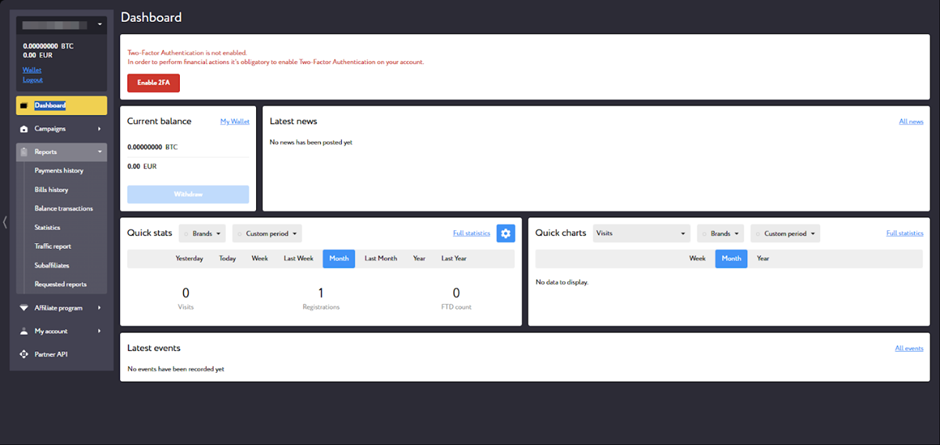
The “Dashboard” page displays the total balance and summary statistics.
Postback Setup
Setting up a postback in Big Betty Partners
- Configure the required settings in your tracker.
- Open Big Betty Partners, go to the “My postbacks” page, and click “New postback”;
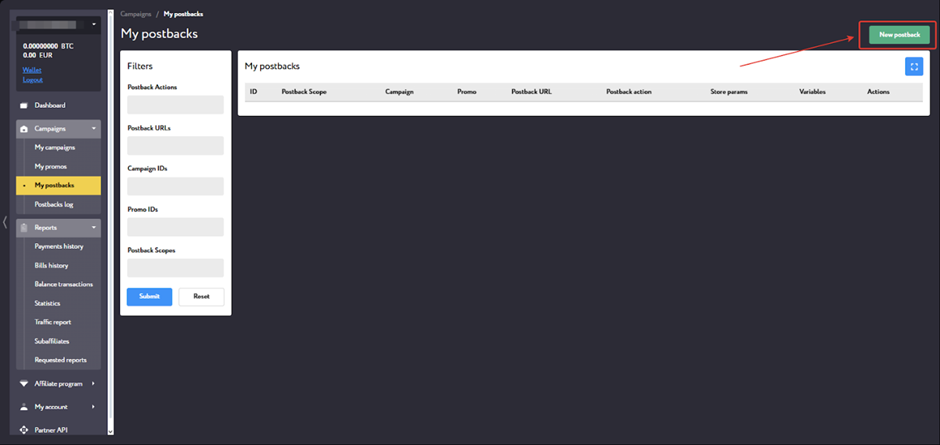
- Specify the scope and select events;
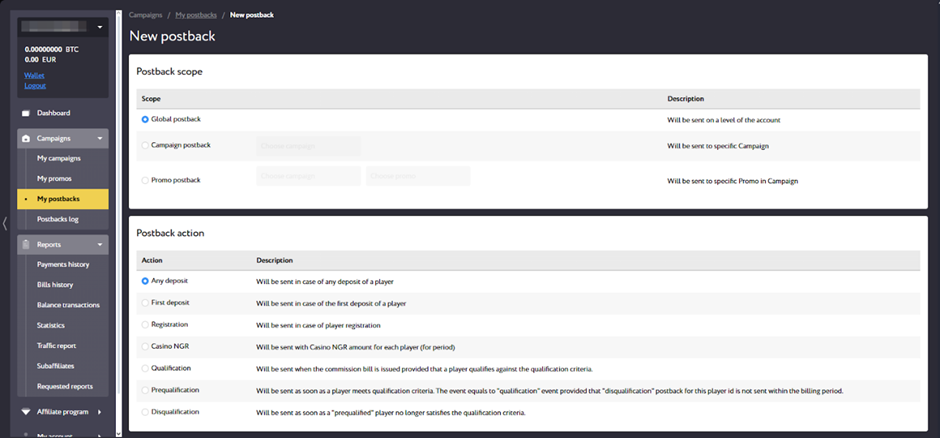
- Paste the Postback URL into the relevant field, specify the variables to pass to the tracker, and click “Submit”;
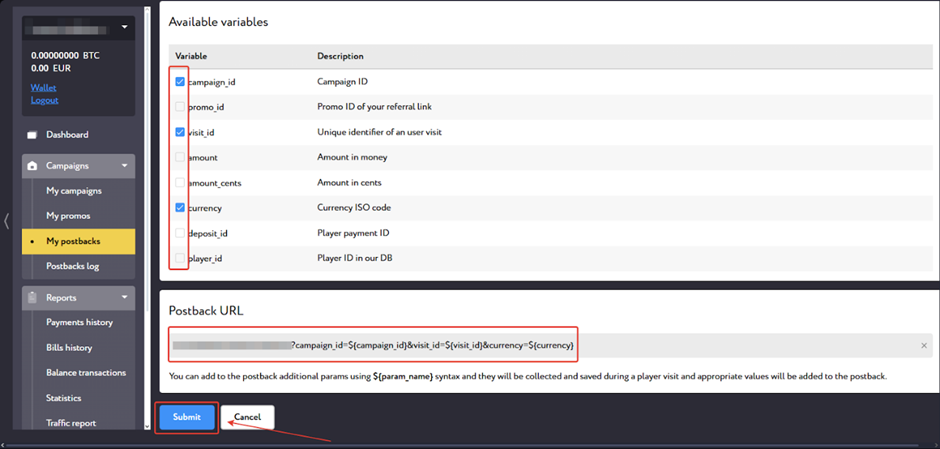
Configure each event you need to pass in this way. Before launching traffic, make sure to test that the postback is working correctly.
Payouts
- Payout frequency: once a month;
- Minimum withdrawal amount: €100
Payment methods:
- Bank transfer;
- Cryptocurrency.
Technical Support and Social Media
Contacts:
Social media:
- LinkedIn: https://bit.ly/3LPbYNI
- Instagram: https://bit.ly/3XeGYco
- Telegram: https://bit.ly/49CUY7g
- X (Twitter): https://bit.ly/4ojAfJh
- Facebook: https://bit.ly/48vyF25