

![[FBM] CARDS](https://cpa.rip/wp-content/uploads/cr-a1/fbm-cards-v1/fbm-cards-logo.svg)

Registration
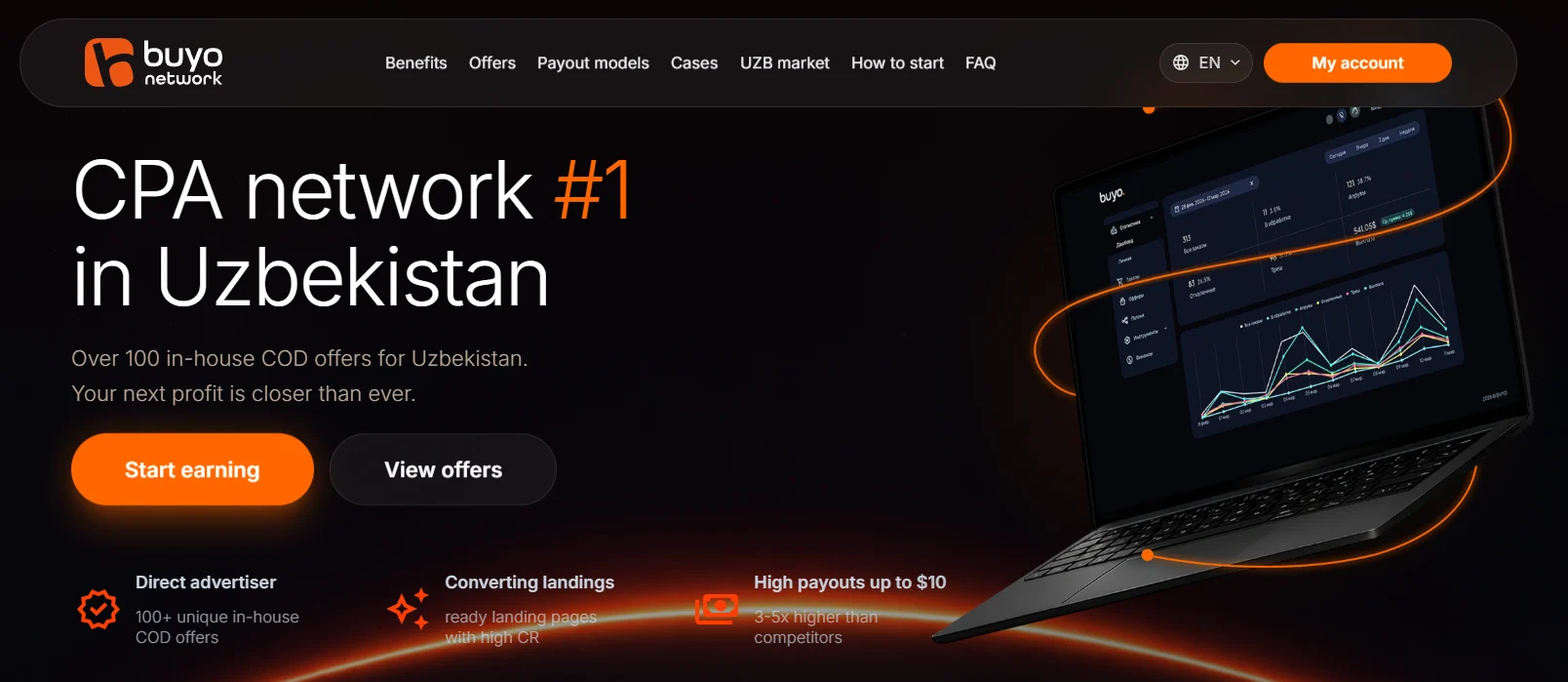
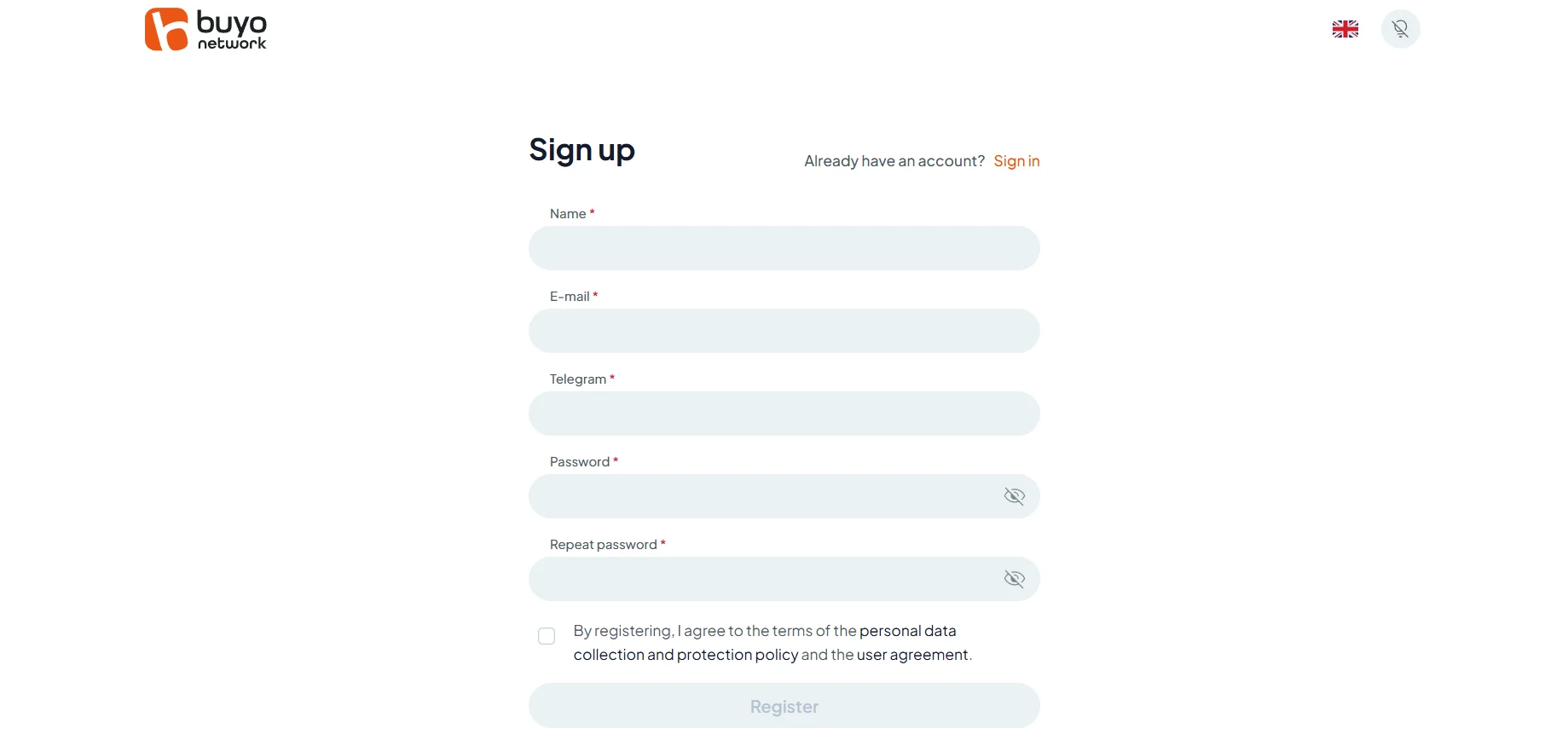
To register, go to https://buyo.network/uz-ru and click My account. A form will open where you need to enter your name, email address, Telegram, create a password, and confirm your consent to the data processing rules. Once all fields are completed, click Register.
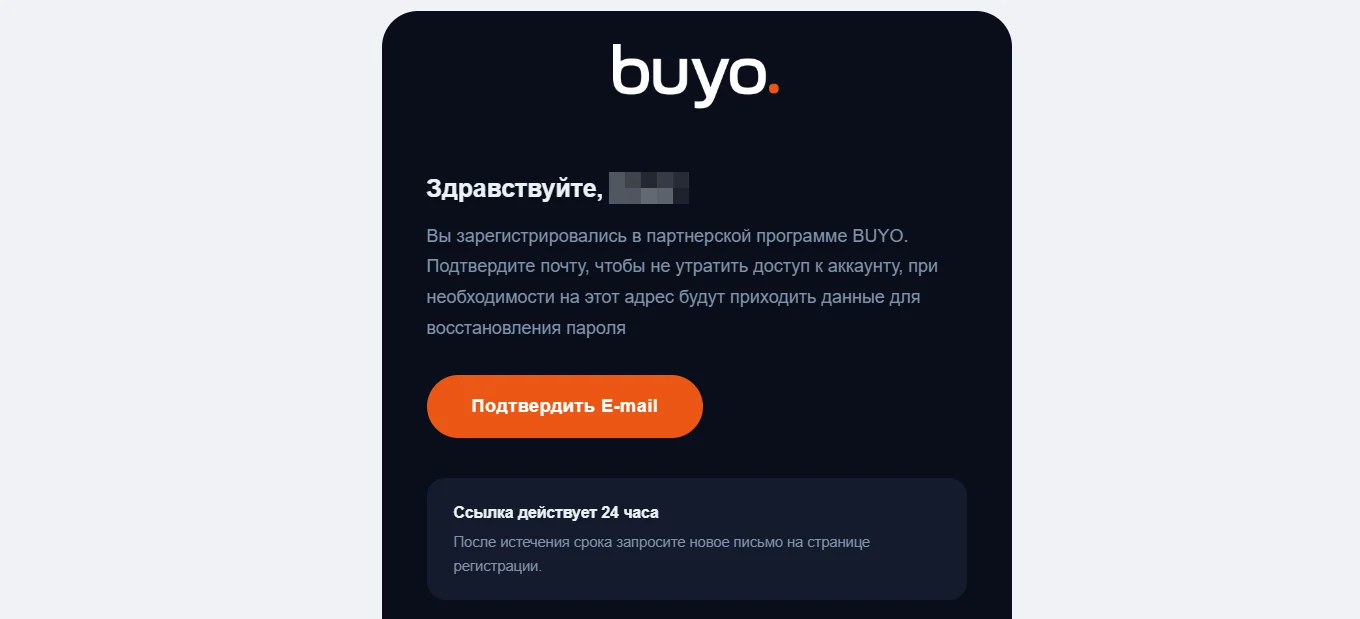
After submitting the form, a confirmation email will be sent to the specified email address.
Available Offers
The affiliate program features 150+ offers, with the pool updated weekly and top performers changing from season to season. Categories include apparel, garden and outdoor, auto products, household chemicals, cosmetics, and gadgets.
Every offer is a proprietary product. Many products are unique and have not previously been available through other affiliate programs. Offers are pre-tested by the in-house media buying team.
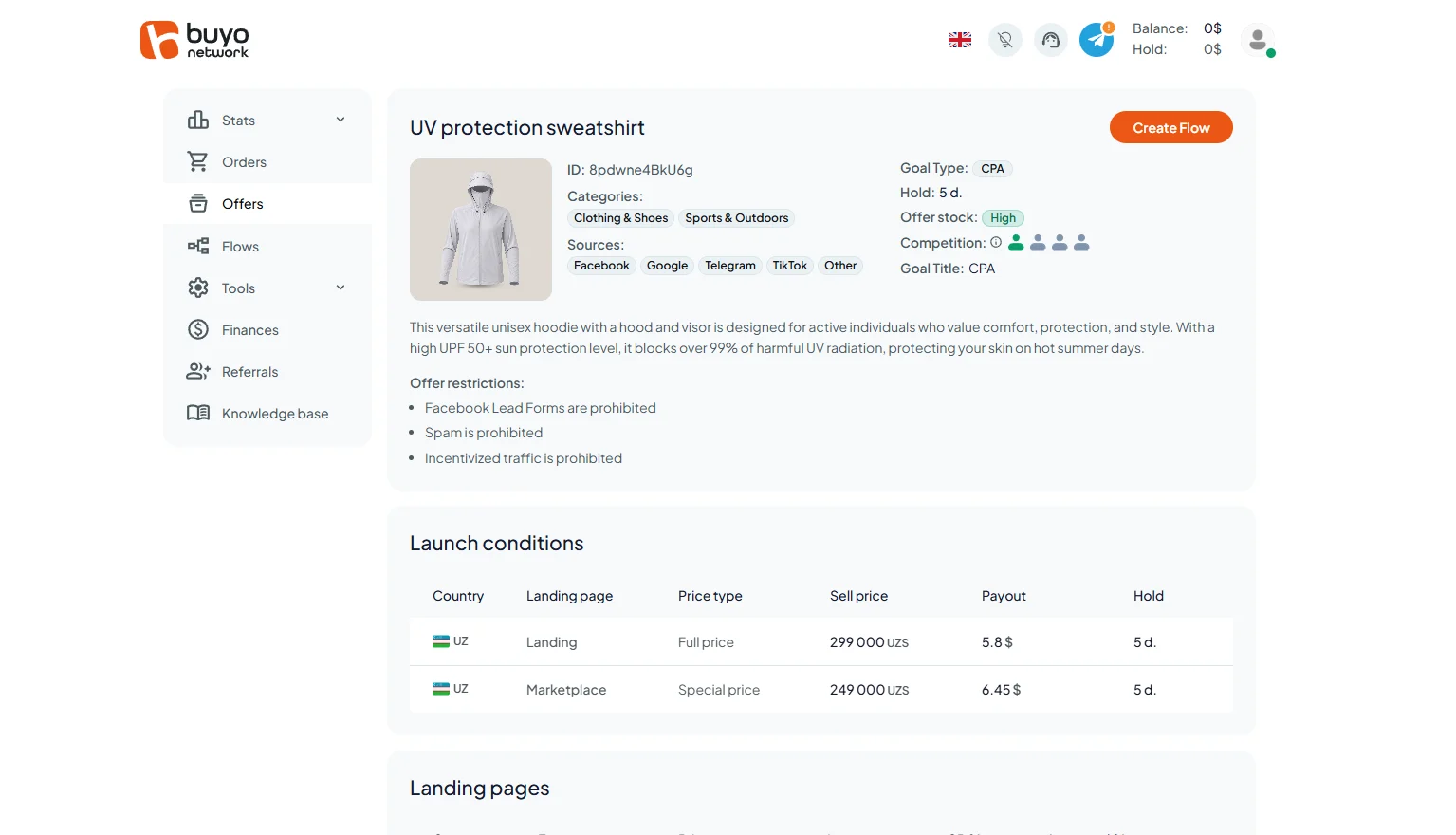
The offer card includes:
- the product name and image, ID, category, prohibited traffic sources, goal type (CPA), available inventory, competition—the number of affiliates running the offer—hold period, brief product description, list of restrictions, and launch terms: country, sale price, payout amount, and hold period;
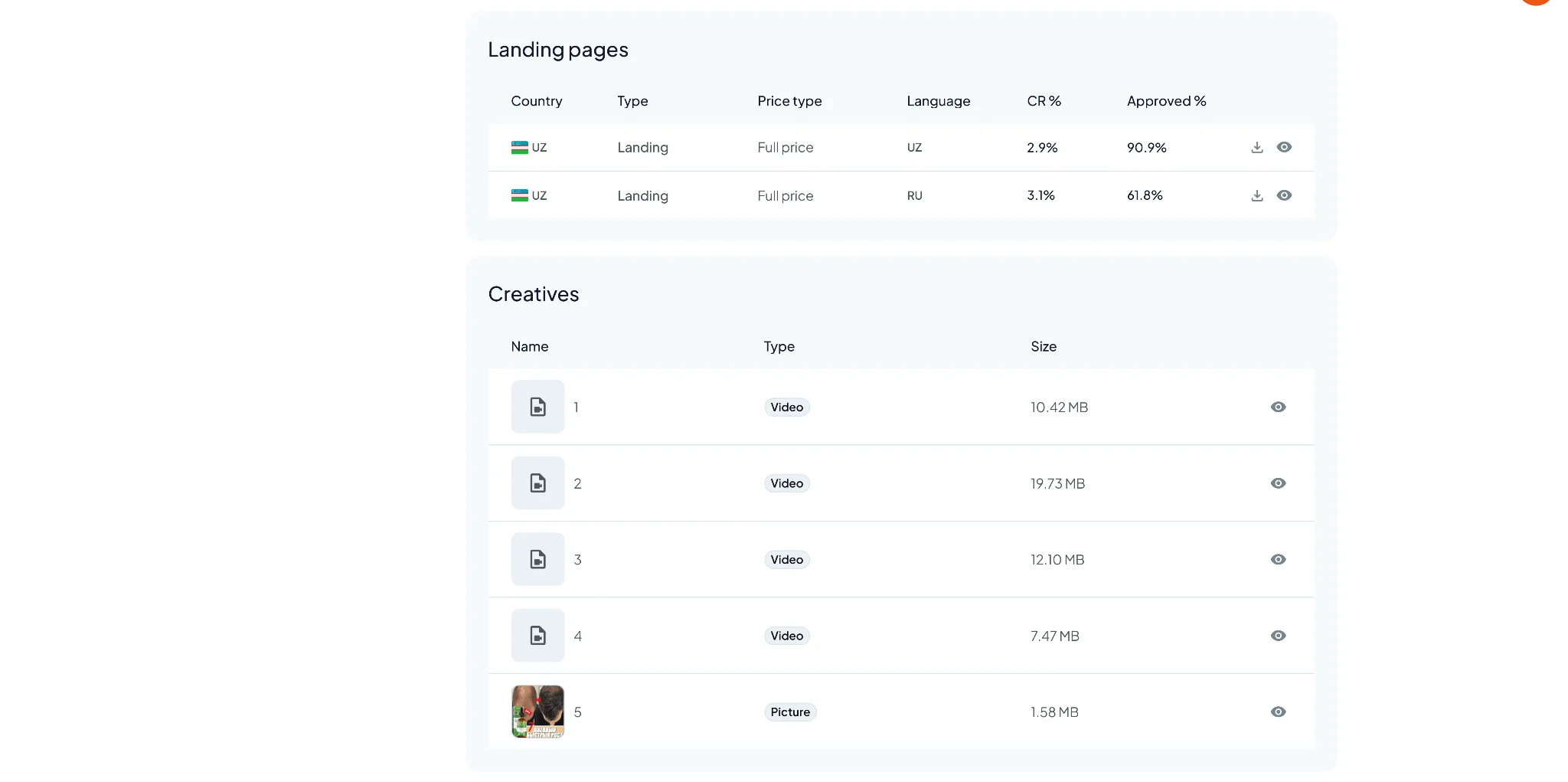
- landing pages in Uzbek and Russian, as well as creative examples that can be downloaded and used;
You can request the addition of your own offer, and for volumes of 1,000 units or more, arrange a product supply exclusively for a specific affiliate.
Creating an Affiliate Link
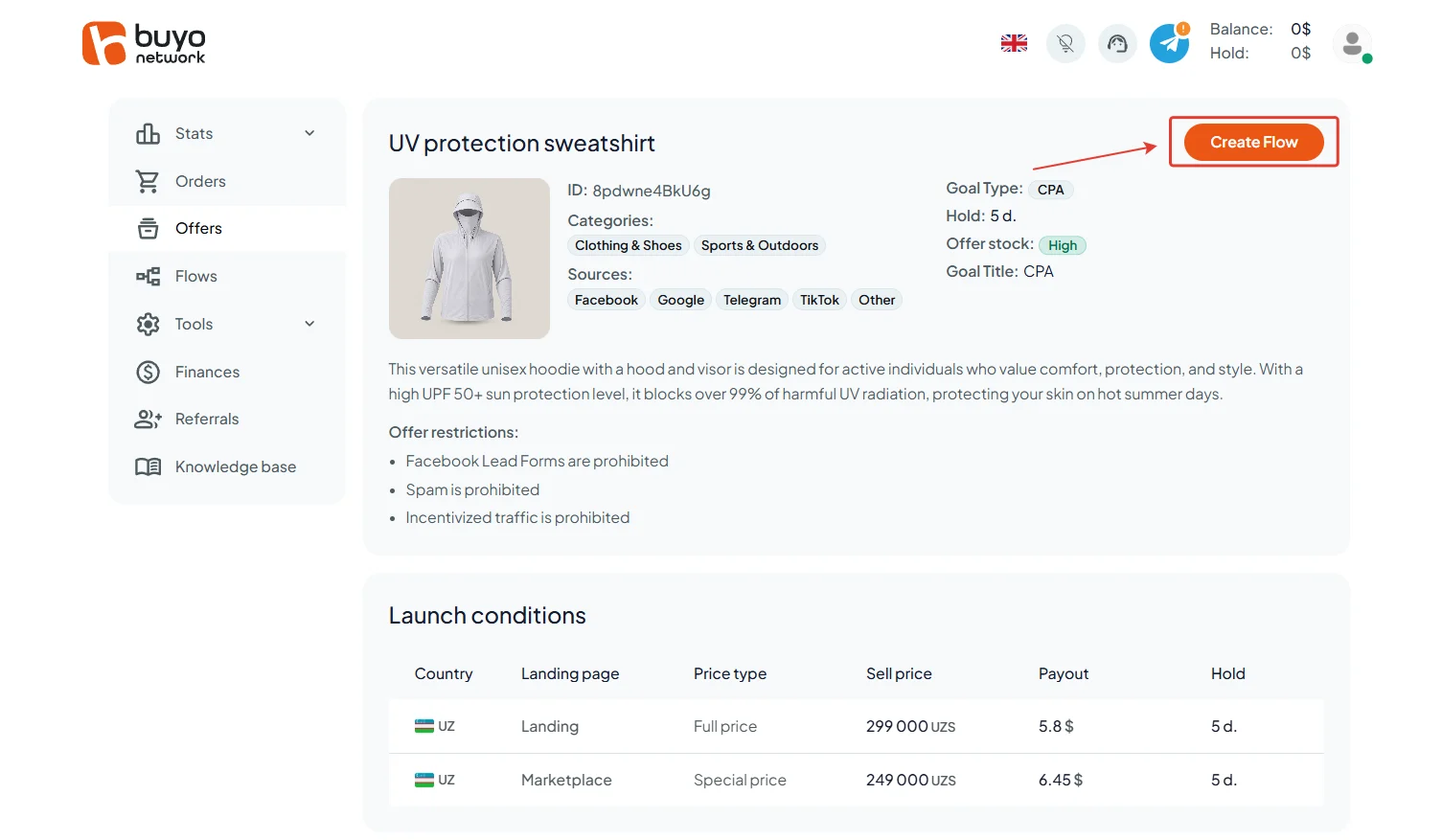
To create an offer link, click the Create Flow button in the top-right corner of the offer card
Enter the flow name, country, and traffic source, then select the landing type: classic Landing or Marketplace. The payout on Marketplace is usually higher.
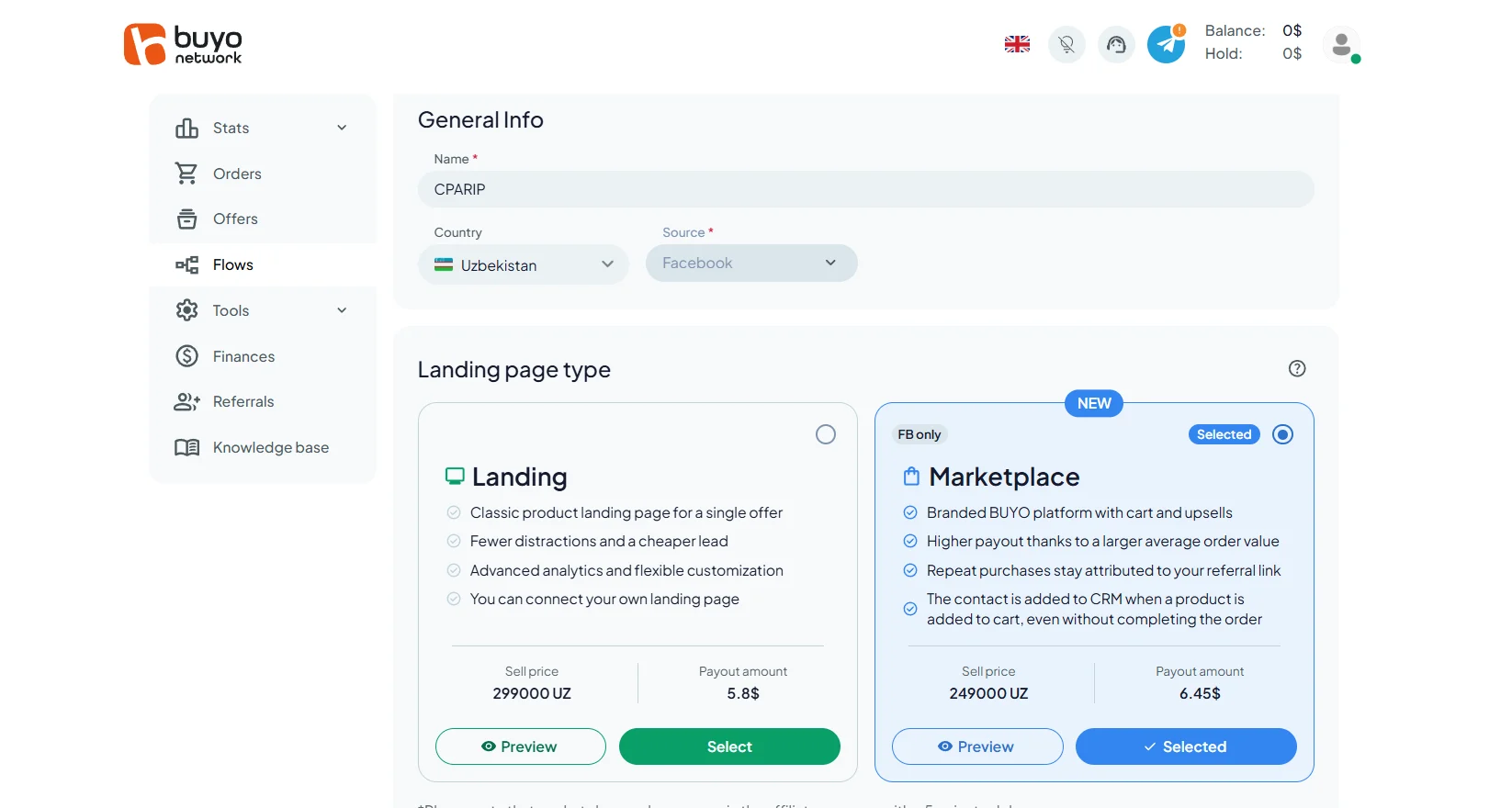
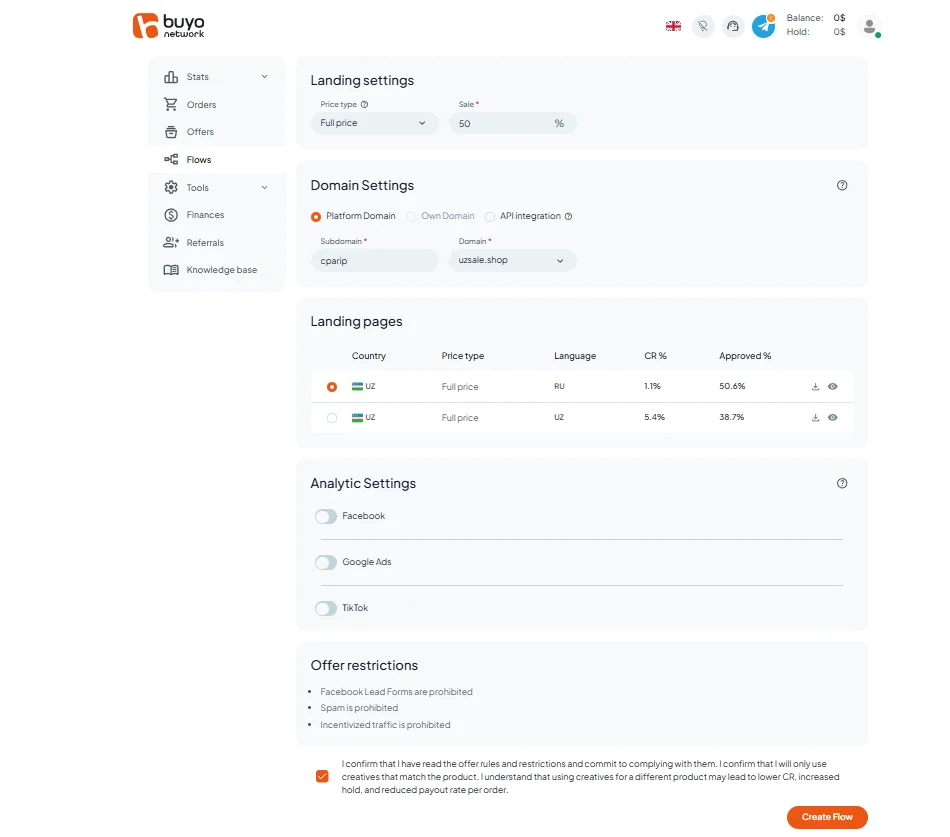
Landing
When selecting Landing, set the price and domain, choose a landing page, connect analytics if needed, confirm your agreement with the rules, then click Create Flow.
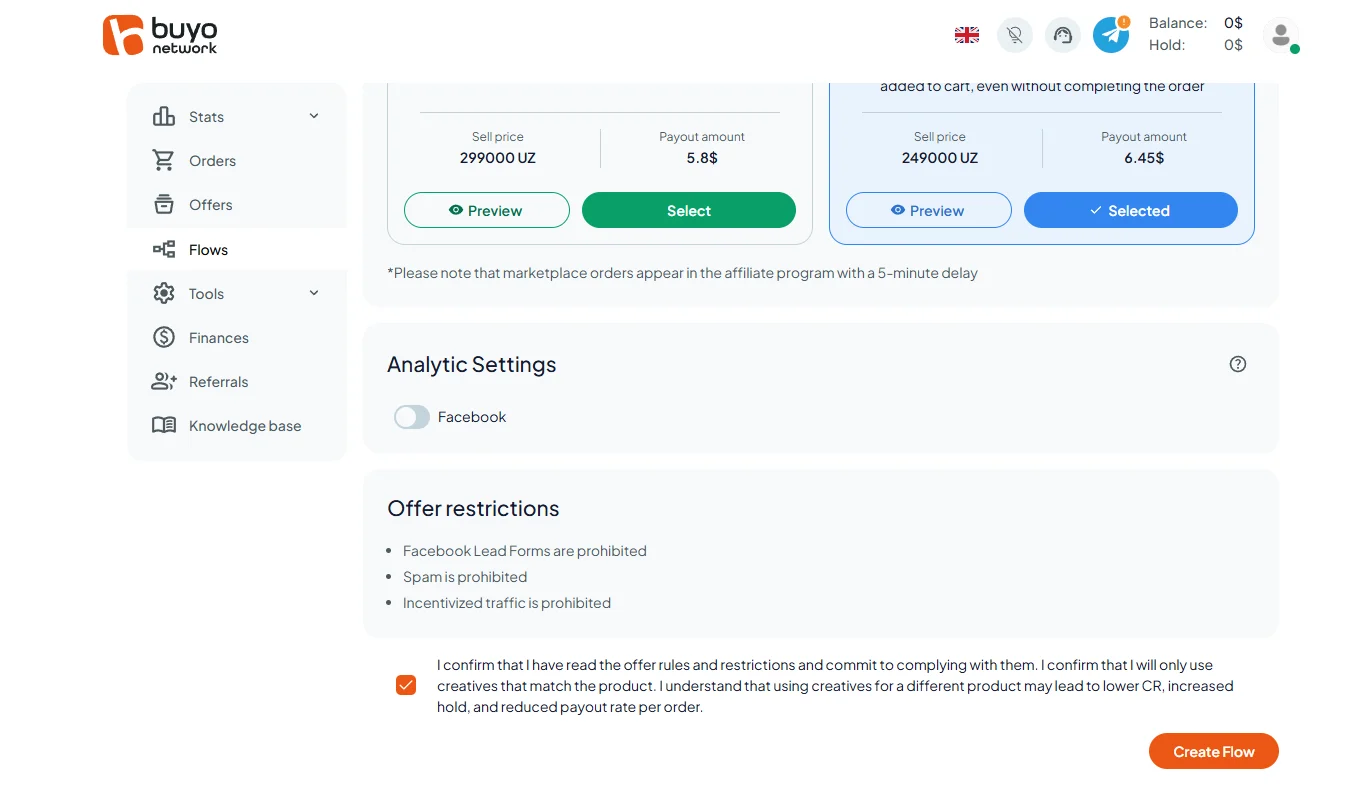
Marketplace
When selecting Marketplace, connect analytics if needed, confirm your agreement with the offer rules, and click Create Flow.
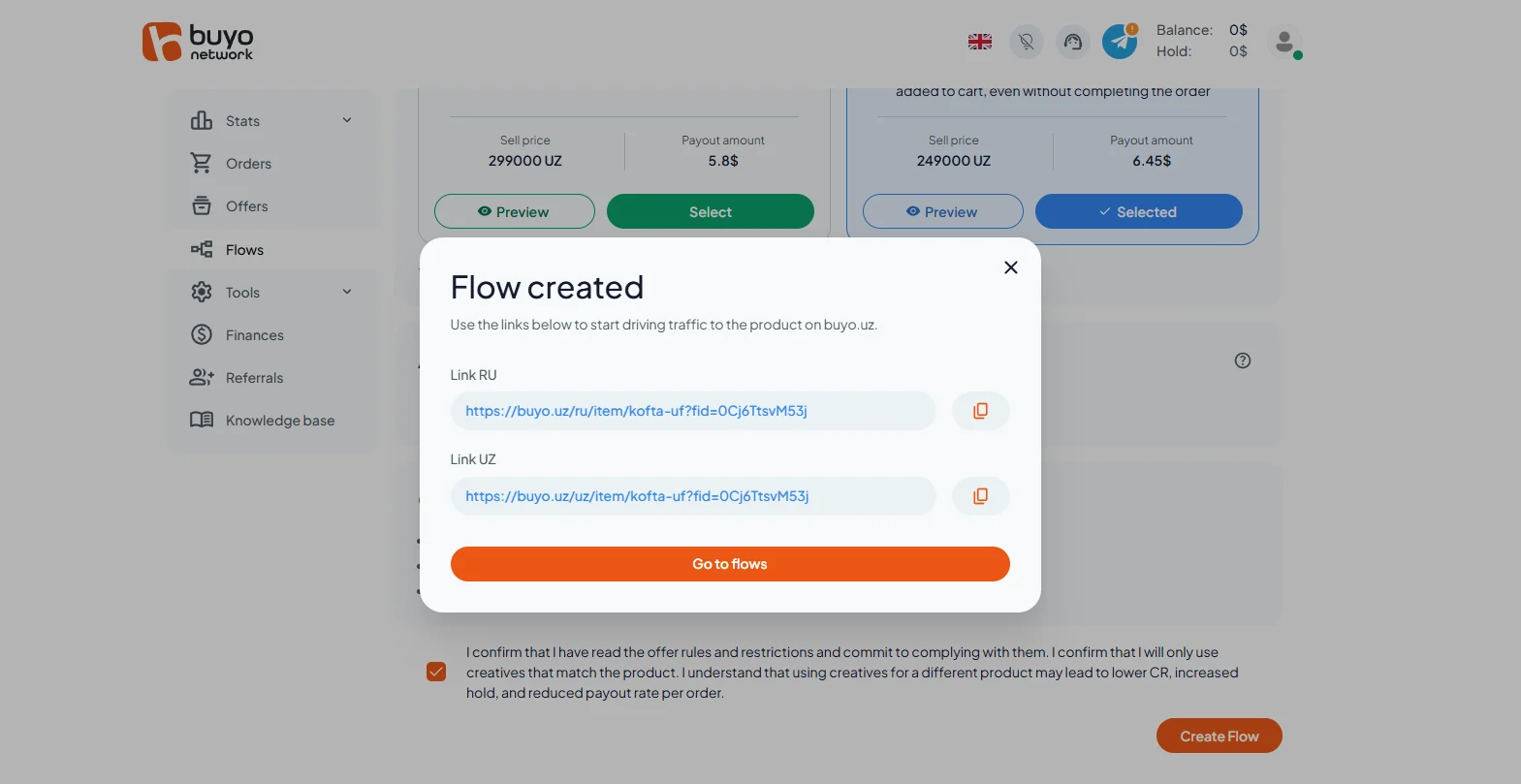
The traffic link will appear in a pop-up window. It will also be available in the Flow section.
GEOs to Watch
- The affiliate program currently has one GEO—Uzbekistan. One additional GEO is planned.
Accepted Traffic
- Accepted: Search, Social, SEO, UBT, and all white-hat traffic upon approval.
- Not accepted: incentivized traffic (PTC sites) and FB lead forms.
Orders Section
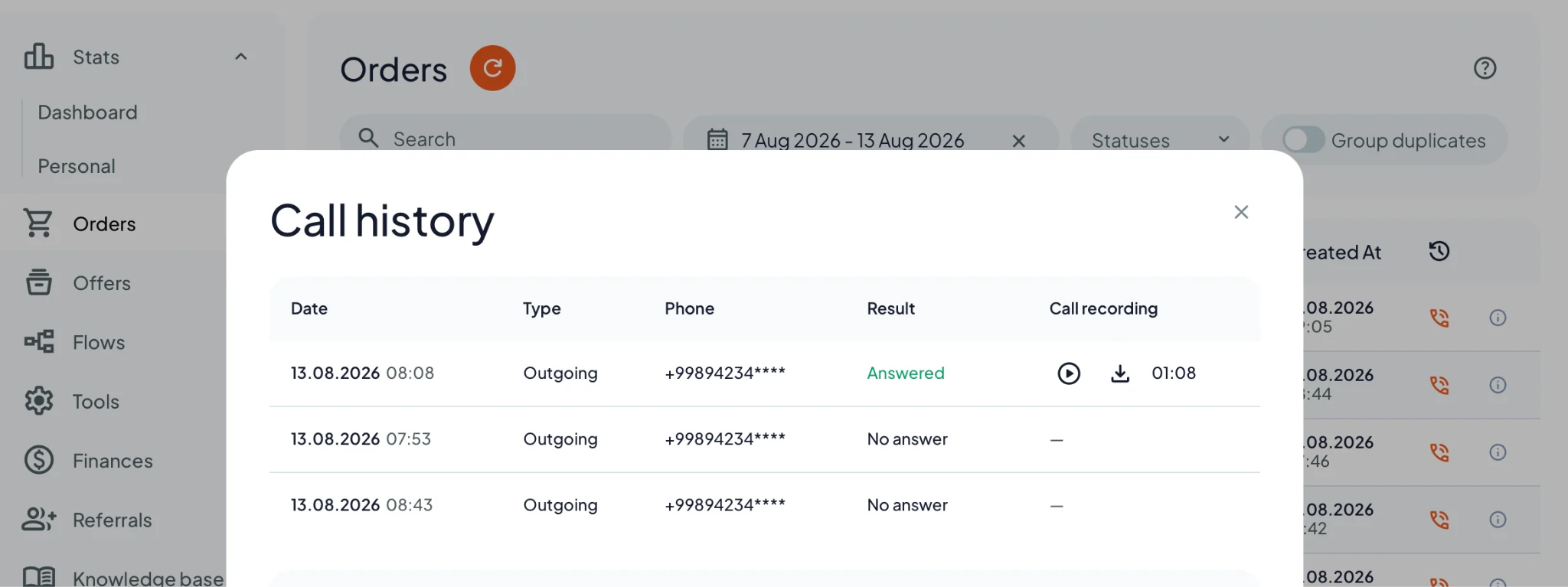
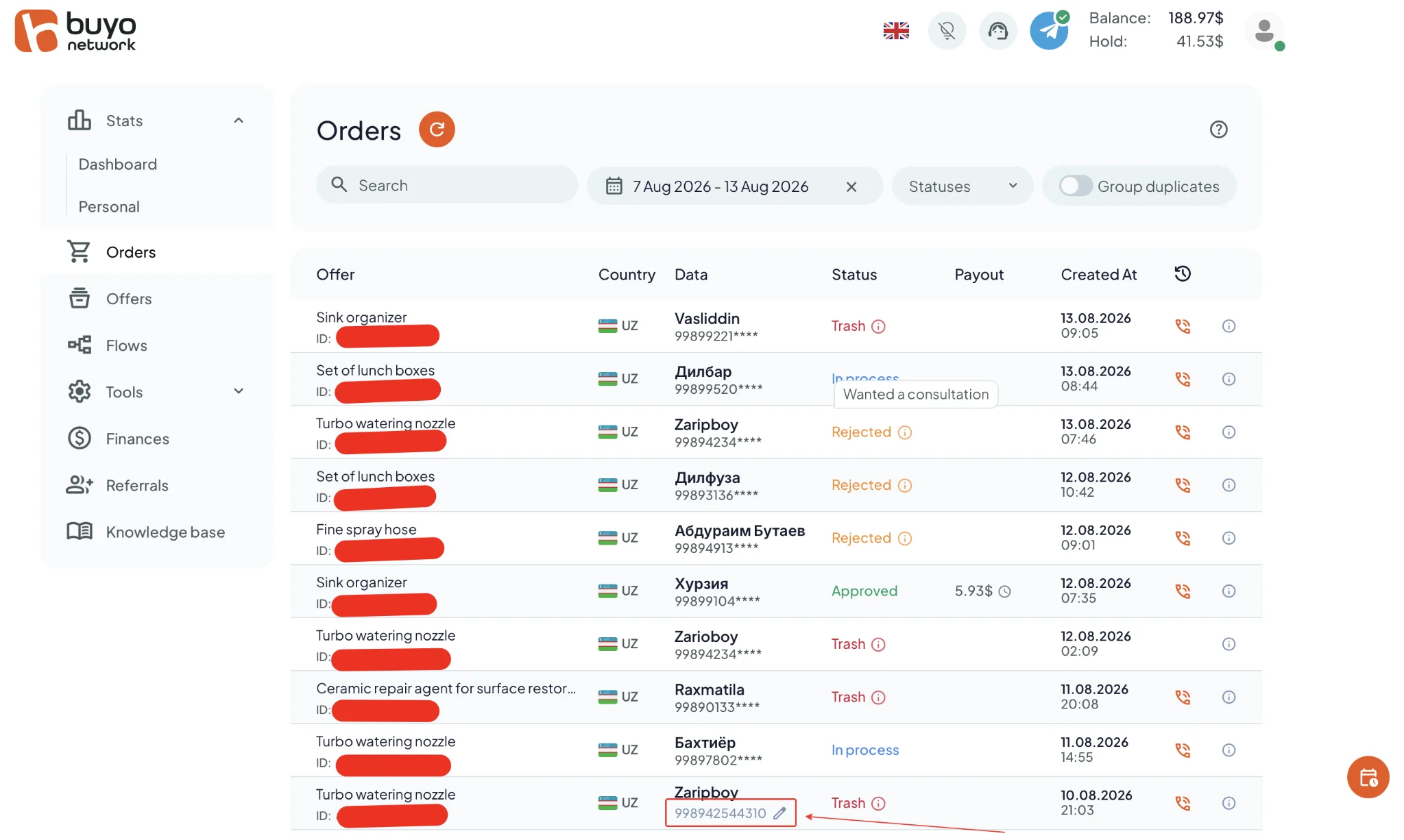
The Orders section provides full order statistics: call logs for every lead and call recordings, including approved orders, which can be listened to and downloaded.
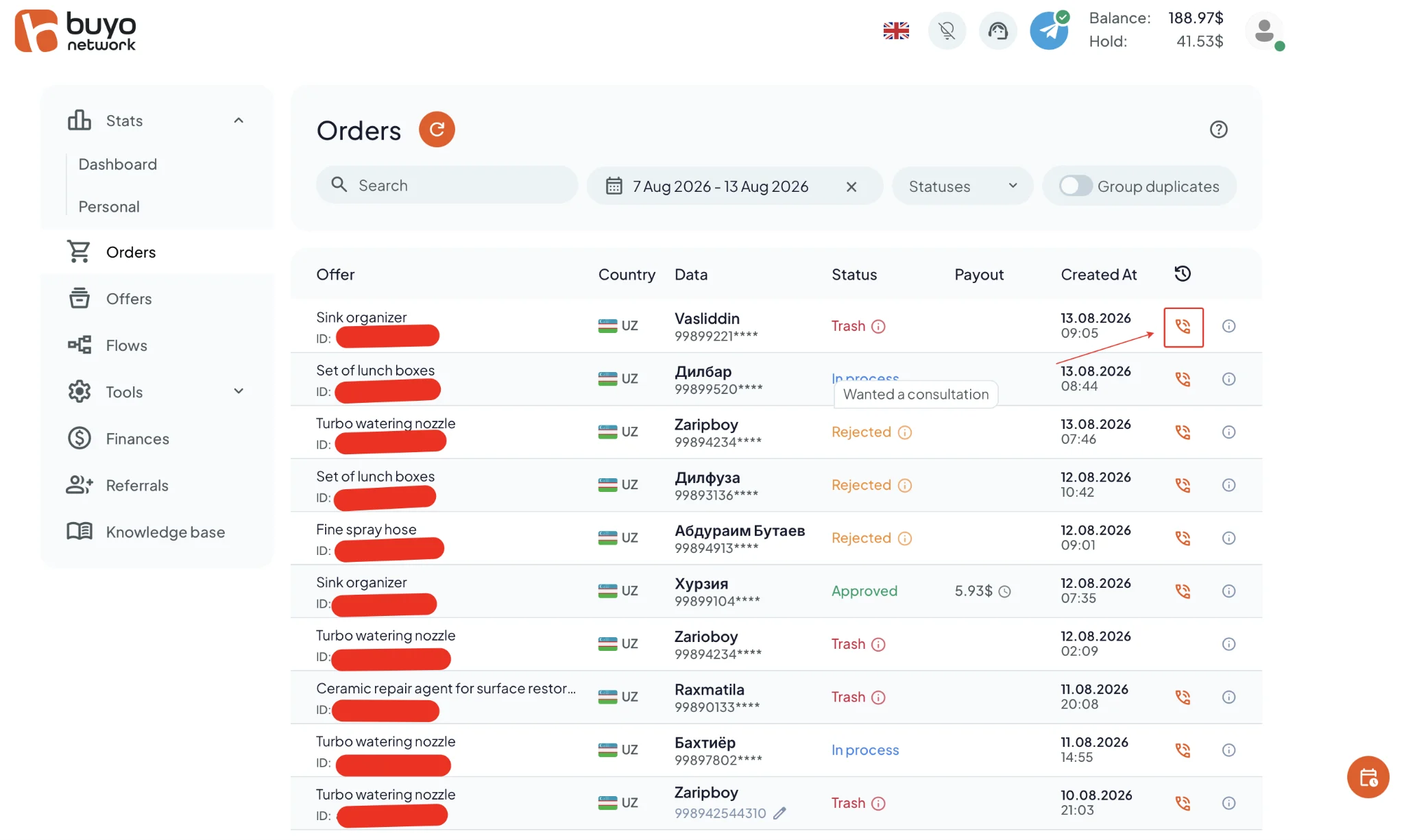
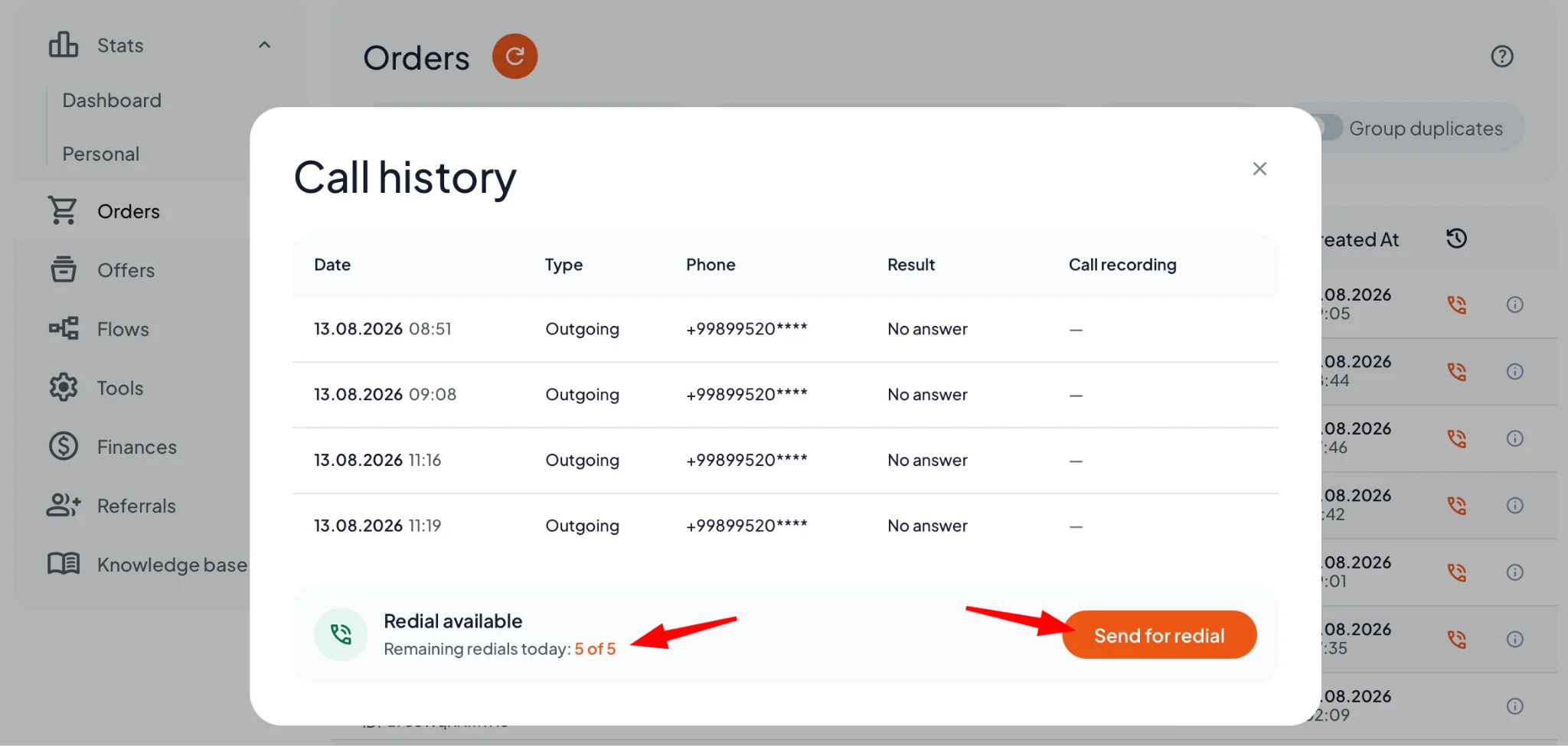
If needed, leads can be re-entered with incorrect phone numbers corrected and sent for an additional call attempt.
Statistics
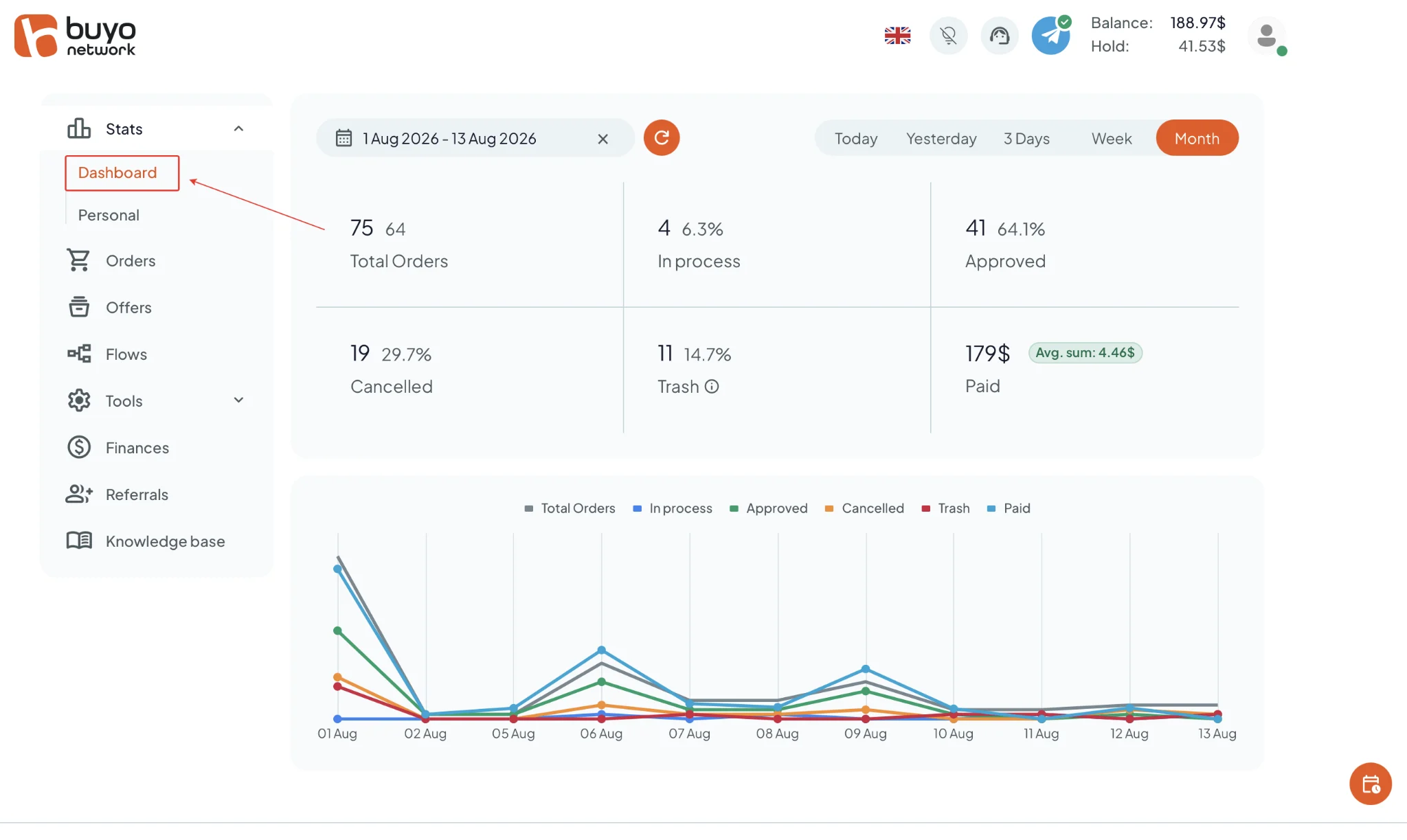
The Dashboard section displays summary metrics for the selected period: total orders, orders in processing, approvals, rejected orders, trash, and total payout amount. It also includes a chart showing daily trends for these metrics.
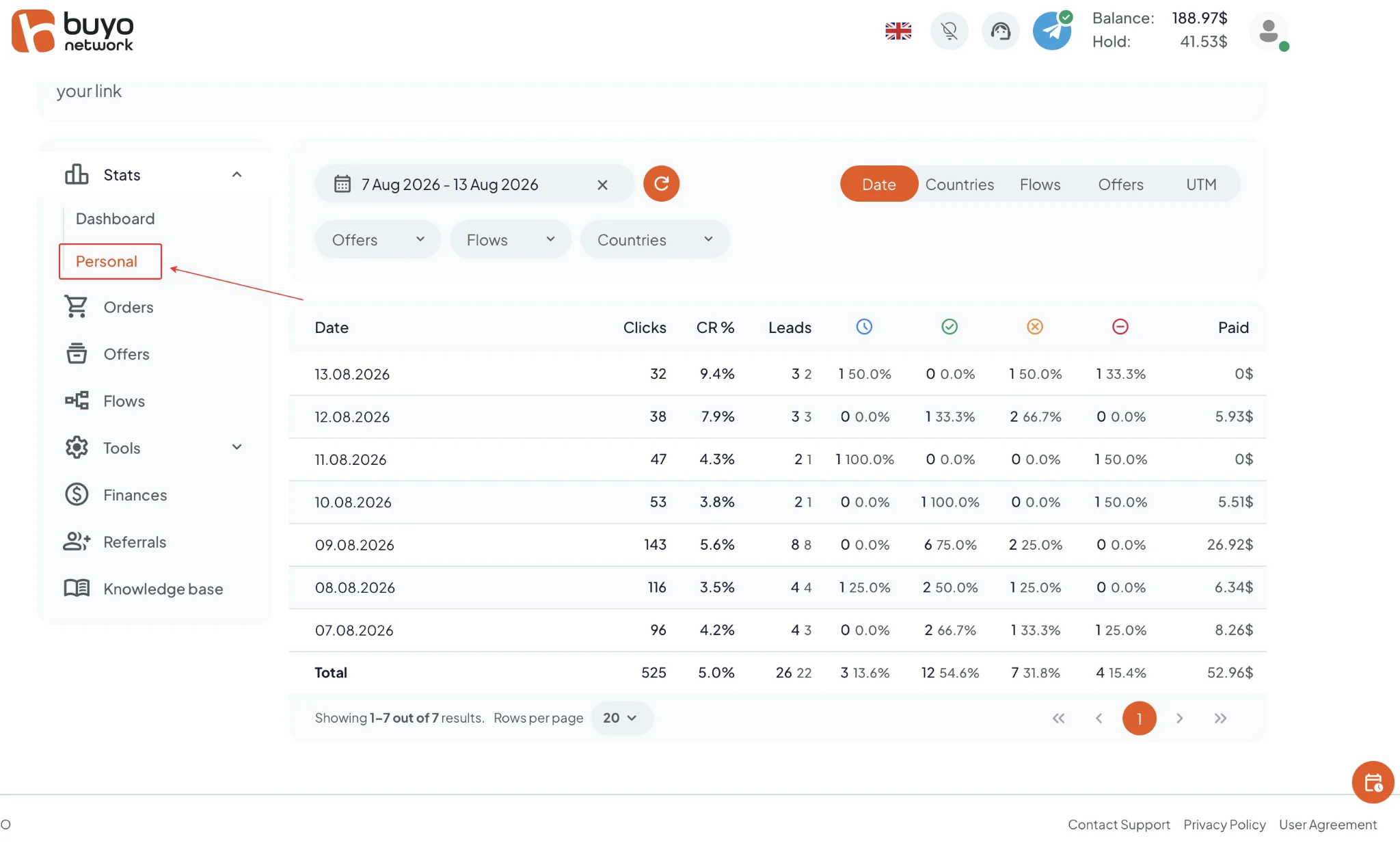
Personal statistics include a detailed daily table with data on clicks, conversions, leads, order statuses, and payouts. Information can be filtered by date, offers, flows, countries, and UTM tags.
Postback Setup
Setting up postback in Buyo Network.
- Configure the required settings in your tracker.
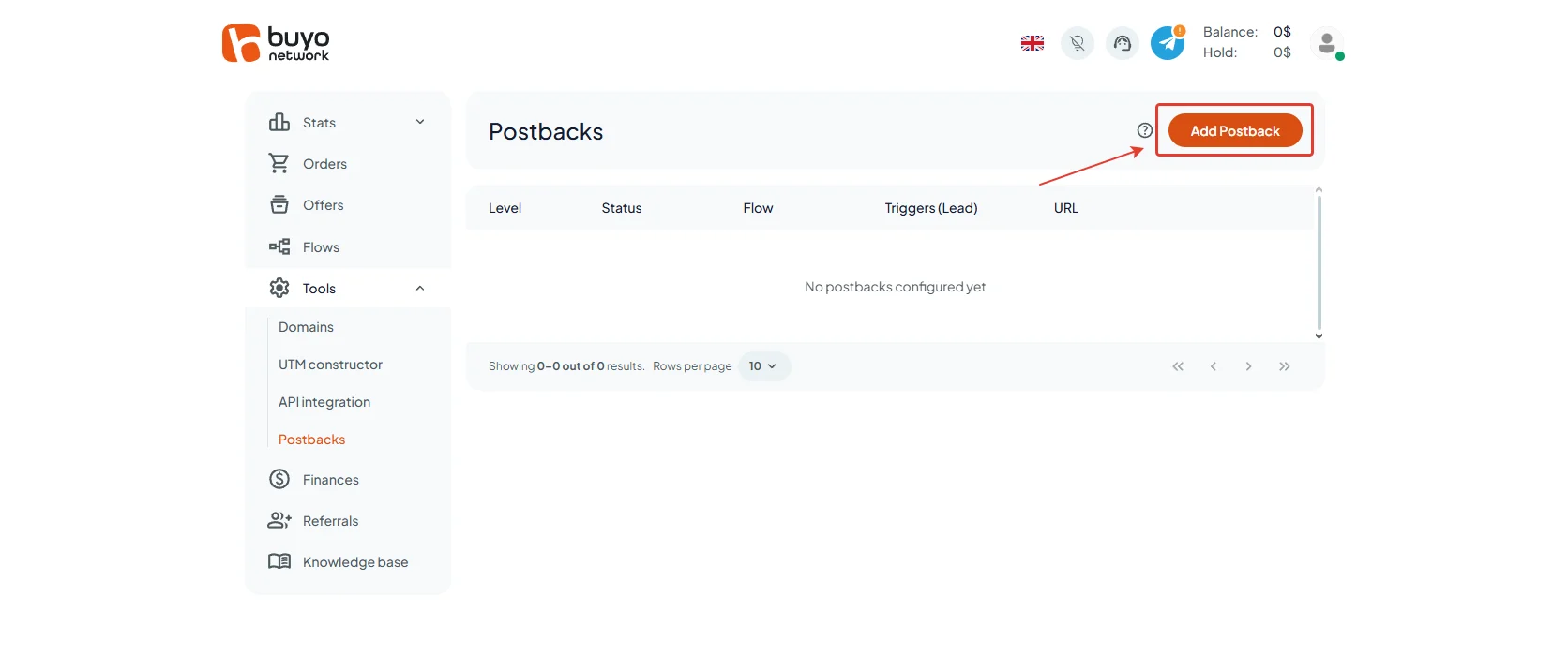
- Go to the “Postback” page in the “Tools” section;
- Click “Add Postback”;
- Specify the level (General or a specific Flow ID), trigger (for example, Approved), request method (POST/GET), and paste the Postback URL.
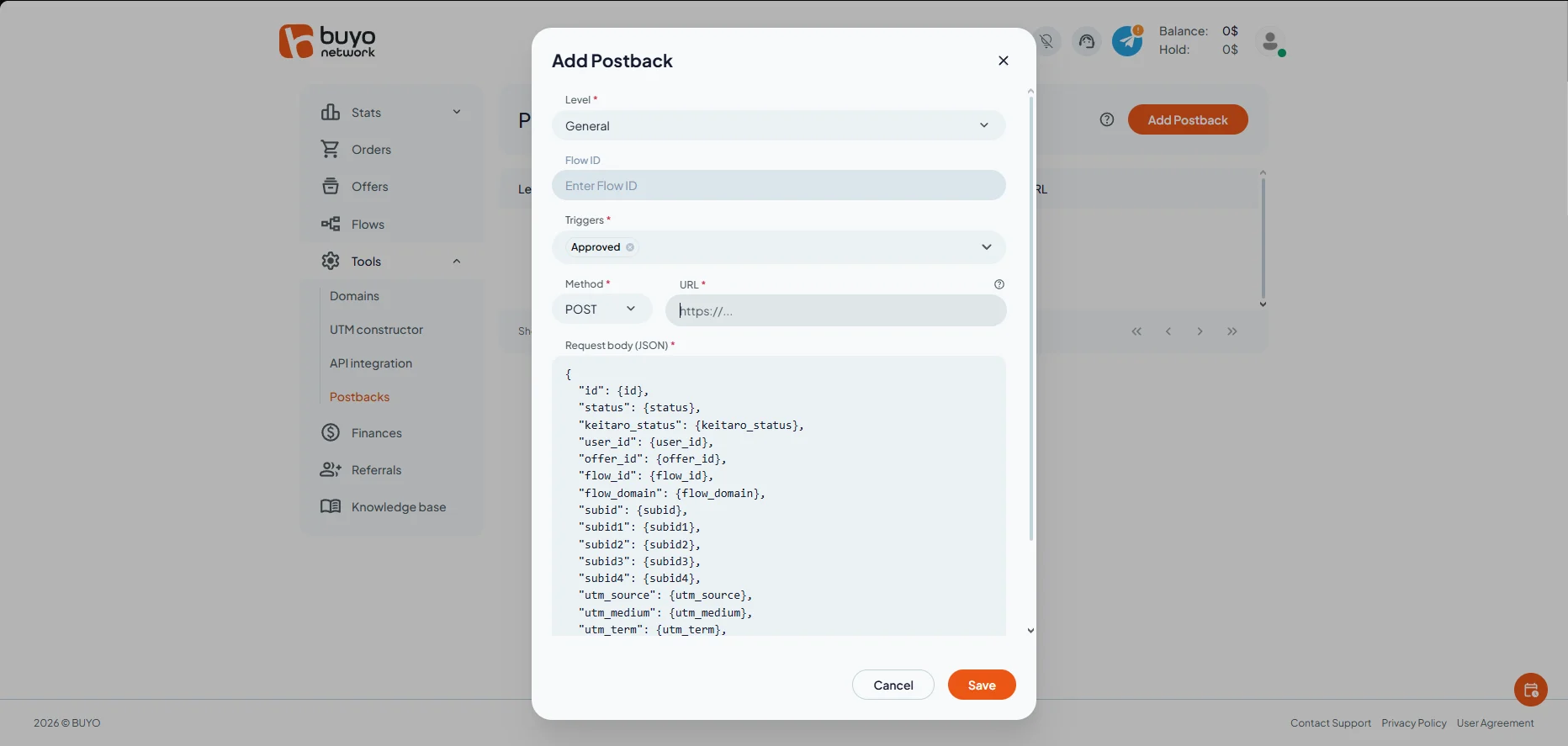
Set up each required event in this way. Before launching traffic, be sure to test that the postback is working properly.
Payouts
- Hold: 5 days;
- Minimum amount: 10$;
- Payout: within 3 hours;
Payment systems:
- USDT
Technical Support and Social Media
Technical support contacts:
- Telegram: https://telegram.me/buyo_support
Social media
- Telegram: https://telegram.me/buyo_network
- LinkedIn: https://www.linkedin.com/company/buyo-network/
- Instagram: https://www.instagram.com/buyo.network
P.S. If you are an affiliate manager and share Buyo Network‘s approach to working with affiliates, message the administrative account with the phrase “I want to work with you.” The team will review your application.
