




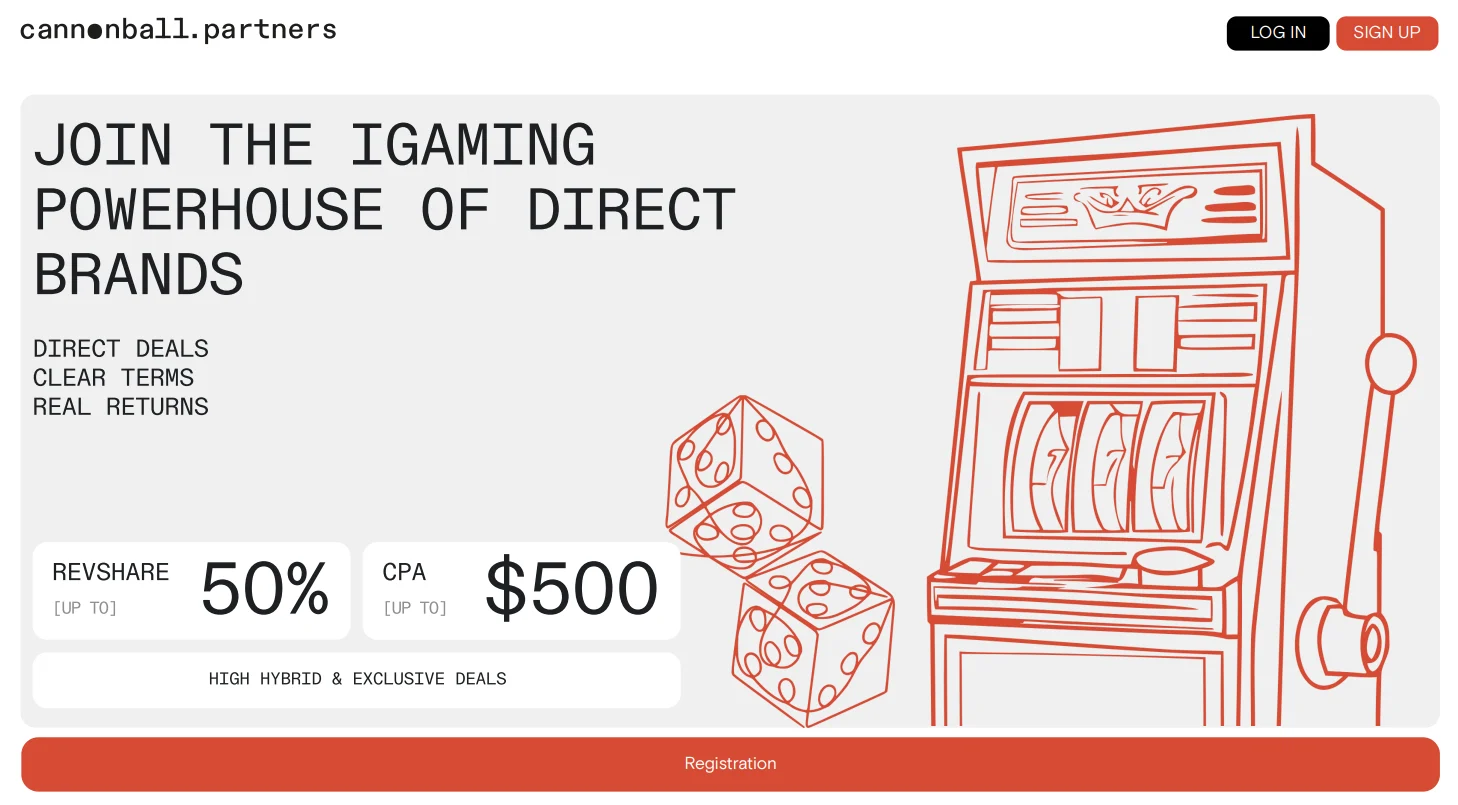
Registration
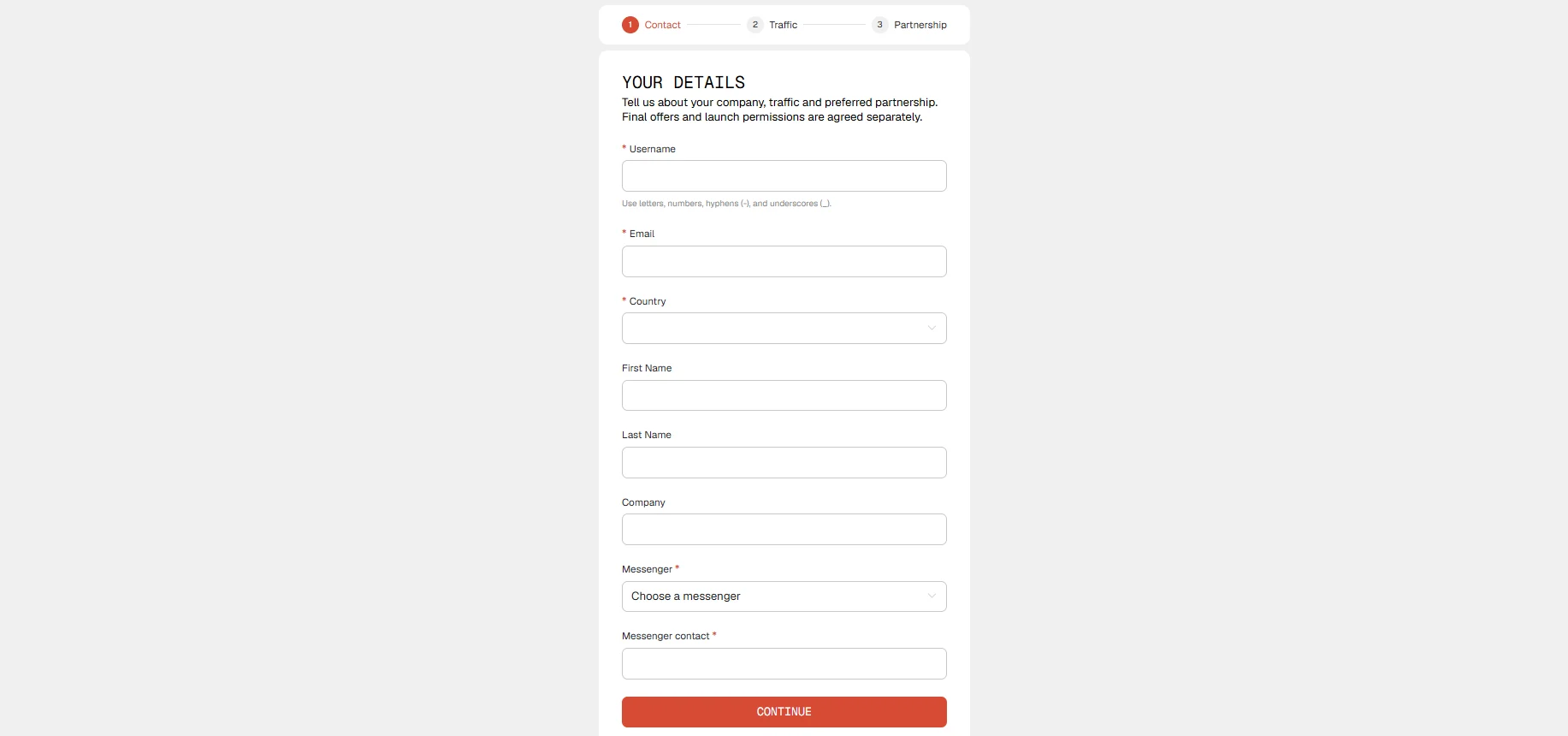
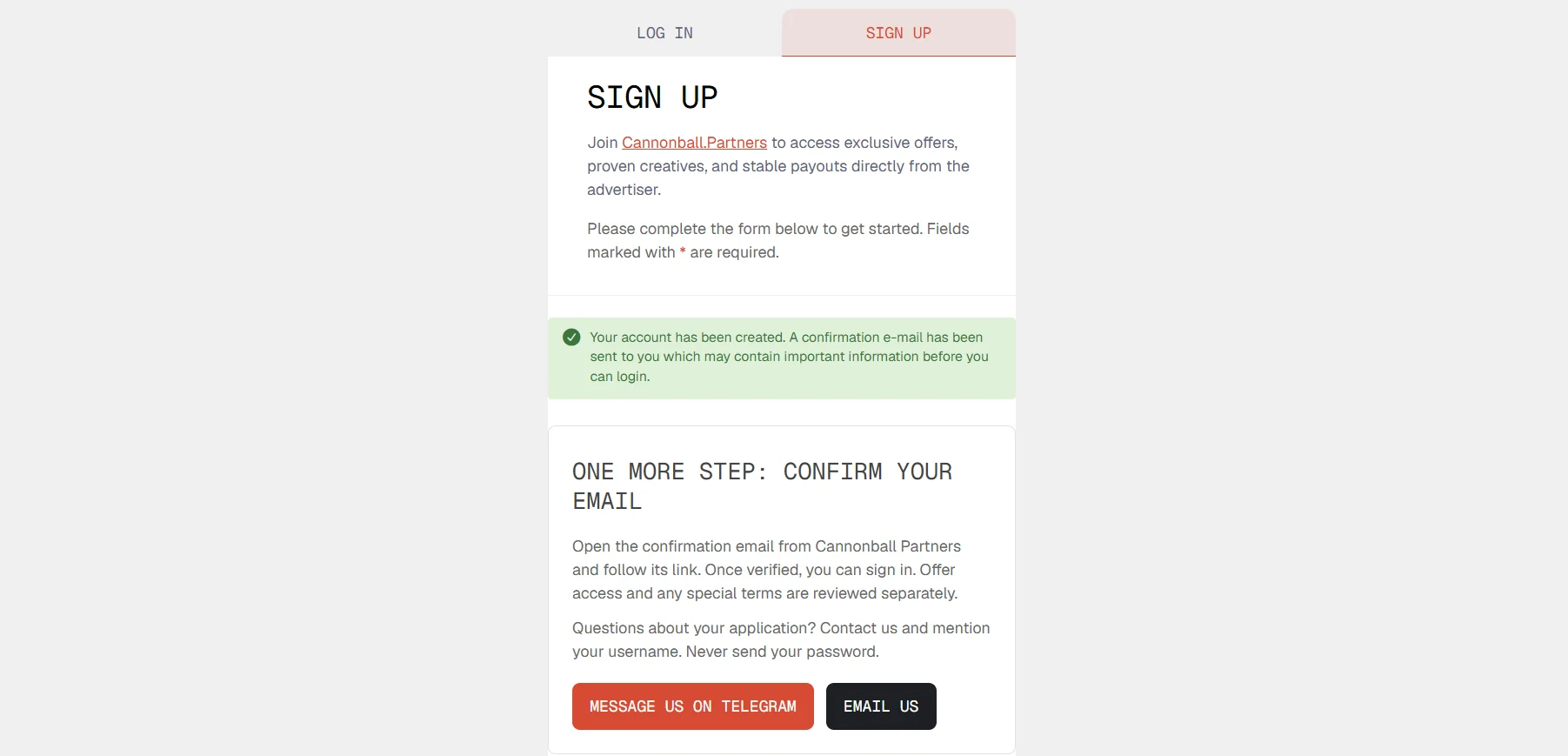
To register with Cannonball Partners, follow this link: https://cannonball.partners/. In the first step, “DETAILS,” enter the required Username, Email, and Country, select a Messenger and provide your contact there, then optionally fill in First Name, Last Name, and Company before clicking CONTINUE.
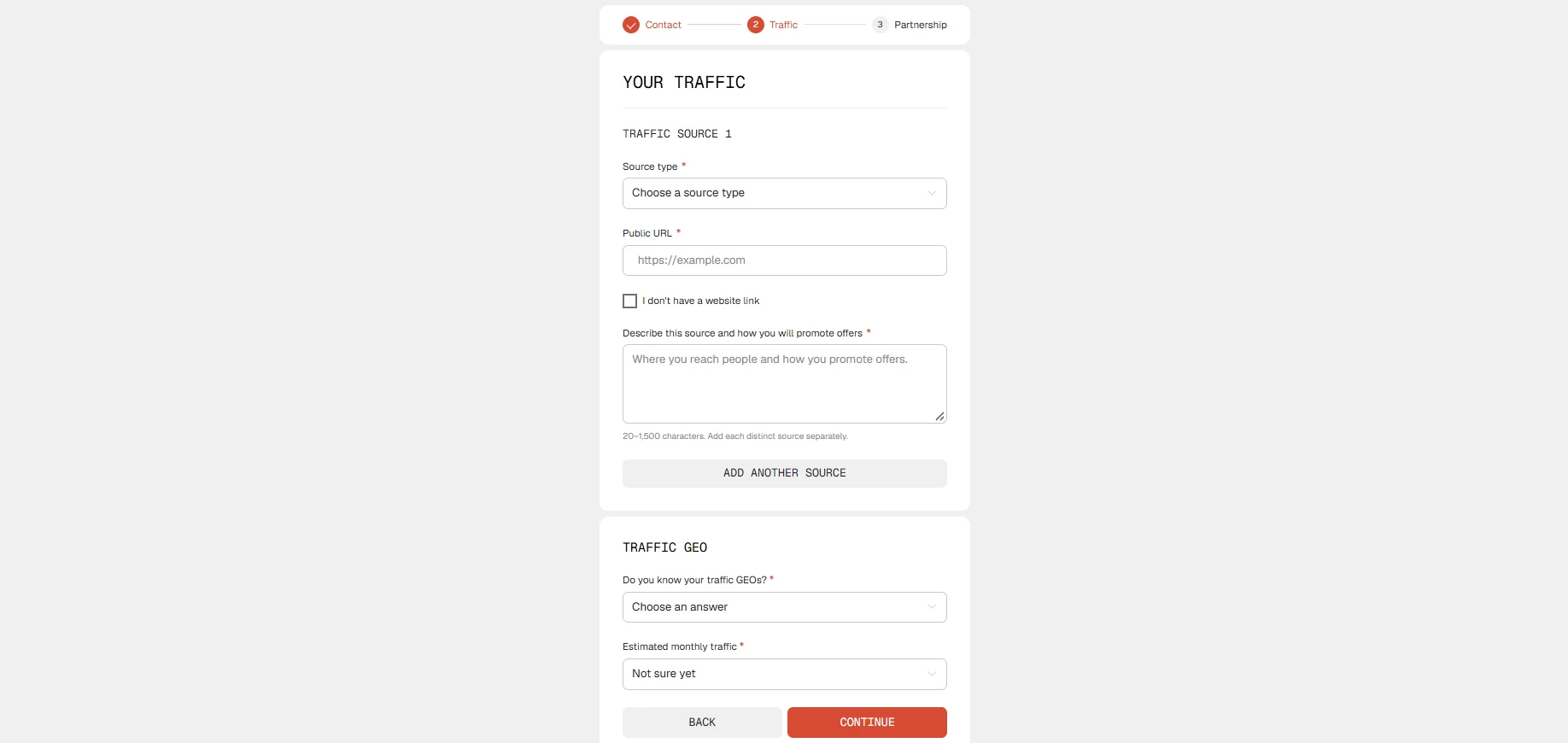
In the second step, “TRAFFIC,” specify your traffic source type, public URL (or indicate that you do not have a website), describe the source and how you promote offers, select traffic GEOs, and enter the estimated monthly volume, then click CONTINUE.
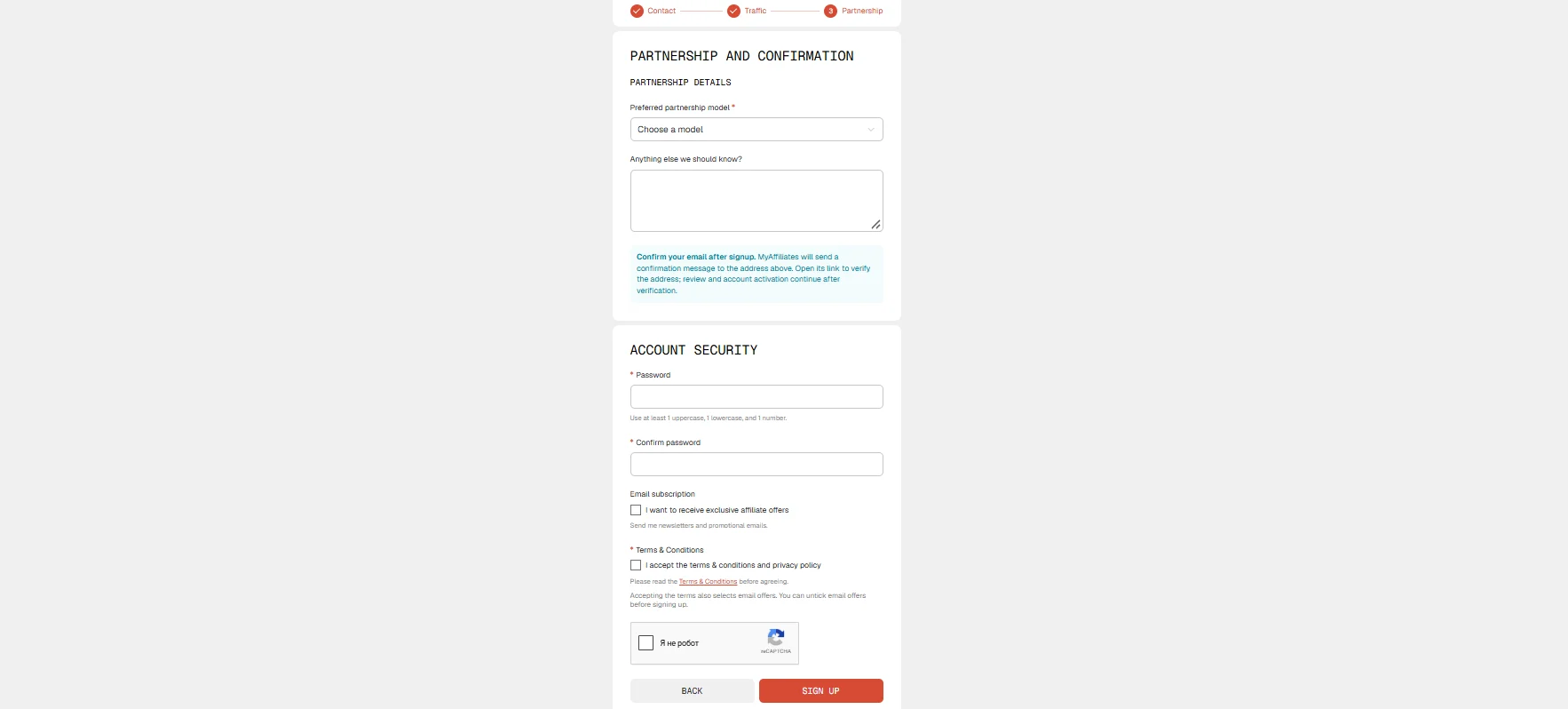
In the third step, “PARTNERSHIP,” select your preferred partnership model, optionally add further details, create and confirm a password, accept the Terms of Use and Privacy Policy, complete the “I’m not a robot” verification, and click SIGN UP.
You will then receive an account confirmation email.
Available Offers
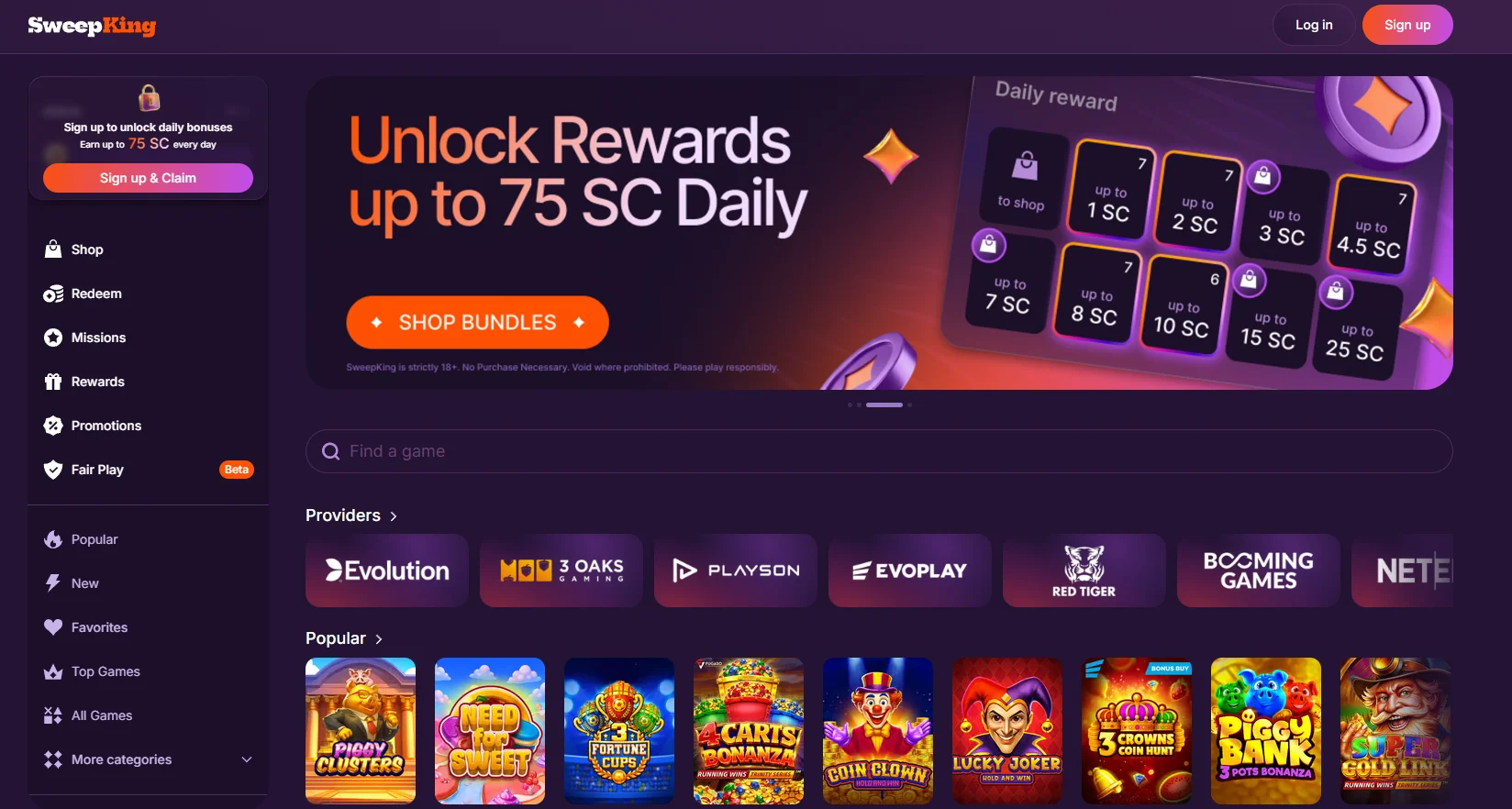
The main product of Cannonball Partners is SweepKing, its proprietary Sweepstakes-model product for adult audiences in permitted territories.
SweepKing operates based on a legal opinion. This opinion is not an operator license for traditional real-money gambling.
Creating a Link
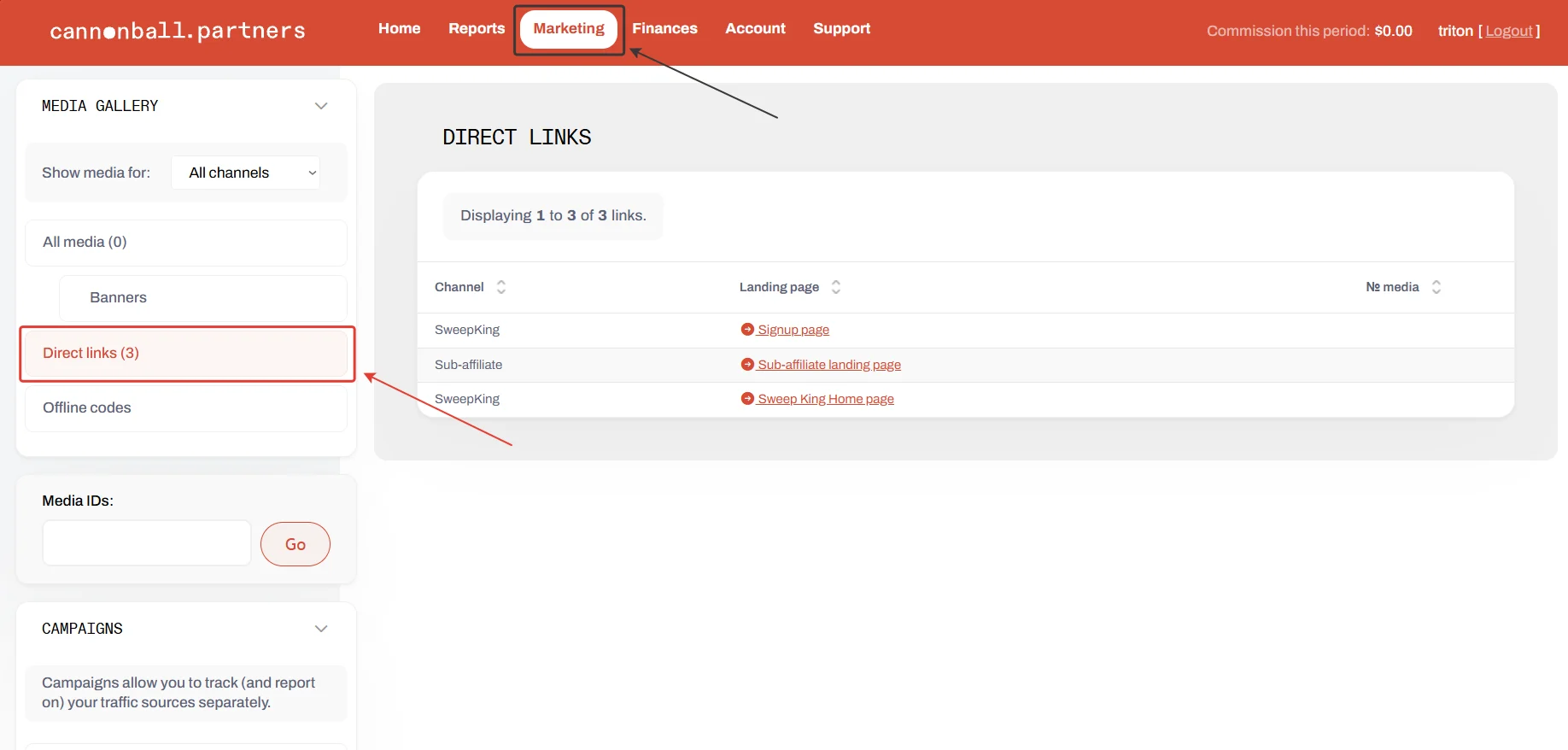
- Open Marketing → Direct Links to view the links available for promotion. Two lead to the product page, while one leads to the partner referral page.
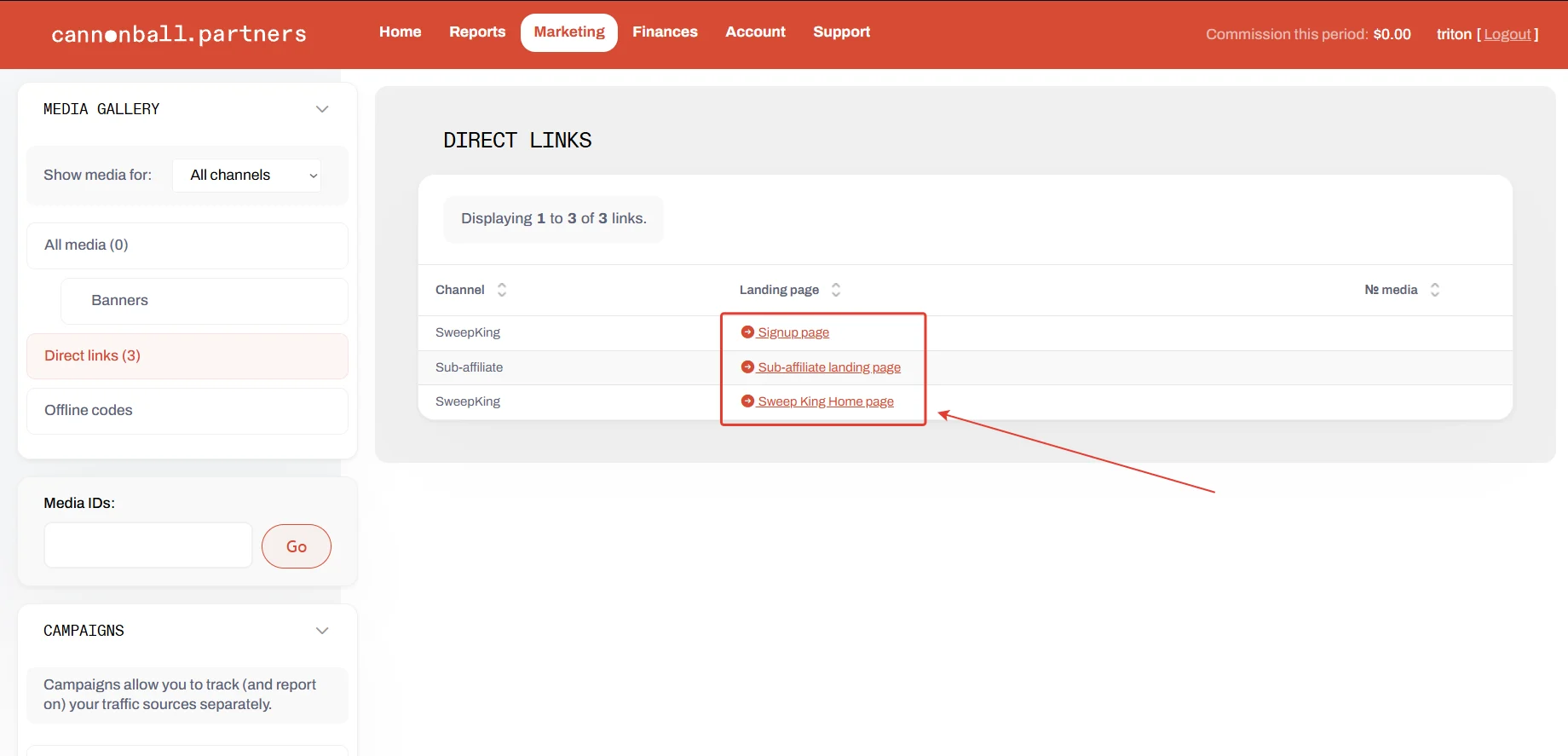
- Select and open the appropriate landing page from the list.
- Configure the link before launching ads.
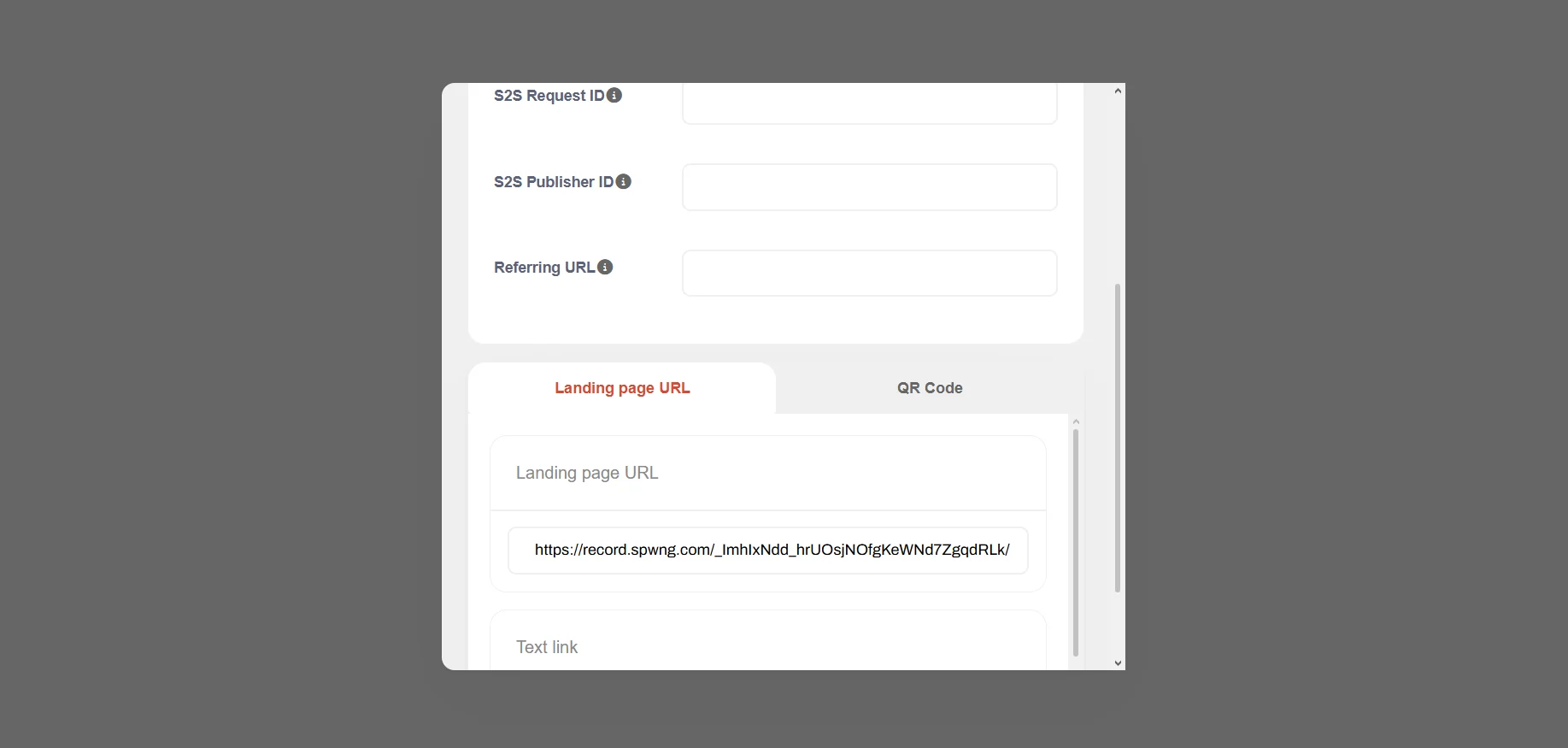
Field or element | What it means |
Channel | Link channel. SweepKing links are for acquiring players; Sub-affiliate is a link for recruiting another affiliate. Select SweepKing for player acquisition. |
Landing page | A specific landing page within the channel: in the screenshot, this is the SweepKing registration page or homepage. |
Payload | An additional tag passed by the affiliate, such as a click ID from an external tracker. It can be returned in the S2S postback as {payload}. |
Apply campaign | Selects the campaign to which the platform assigns traffic from this link. Campaigns are used to separate reporting by site or placement; they do not change the commission rate on their own. Manage campaigns opens campaign management. Campaign details (https://www.webpartners.co/knowledge-base/campaign-id-can-add/) |
S2S Request ID | The request or click ID in an external system. If the integration uses this field, the value is passed in the link and returned in the postback as {s2s.req_id}. |
S2S Publisher ID | Records your publisher ID for the referred customer; it can also be returned in the postback. |
Referring URL | Lets you manually set the click-source URL instead of the address the platform would receive from request headers. This is the referral source, not the destination page. |
Landing page URL | The ready-to-use tracking link to copy after selecting a page and completing the required fields. Keep the unique portion of the link intact. |
QR Code | A QR code for the selected link, useful for print or offline materials. |
Text link / Link text | The clickable link text. Click here is only the label displayed to the visitor; it does not change the destination URL or tracking parameters. |
Unique campaign number * | A unique numeric campaign ID. Your screen shows an allowed range of 1–65535. This is a technical identifier used in the tracking link; check in advance whether the number 1 shown in the form is available. |
Campaign description * | A clear campaign name for your own reference and reporting, such as “SEO — review on Site X.” |
Spend | The amount the affiliate wants to specify as spend for this campaign. This field is optional. This screen does not indicate the currency, period, or whether the amount automatically limits traffic; do not treat it as an active spend cap without separate confirmation. |
Campaign group | The group to which the campaign belongs. none means no group. It is useful for combining several campaigns to view results for a broader segment. |
Create | Saves the new campaign. |
GEOs to Focus On
- The US and Canada, within territories permitted for the specific offer.
- Quebec is excluded.
- Your manager will confirm the current list of states and other restrictions before launch.
Accepted Traffic
- Accepted: SEO and content sites, paid traffic, social media, creators, and streamers—subject to approval.
- Not accepted: fraud, bots, GEO spoofing, underage traffic, and misleading creatives. Incentivized traffic must be approved in advance. For mixed traffic, a measurable segment must be separated and approved individually.
Reporting
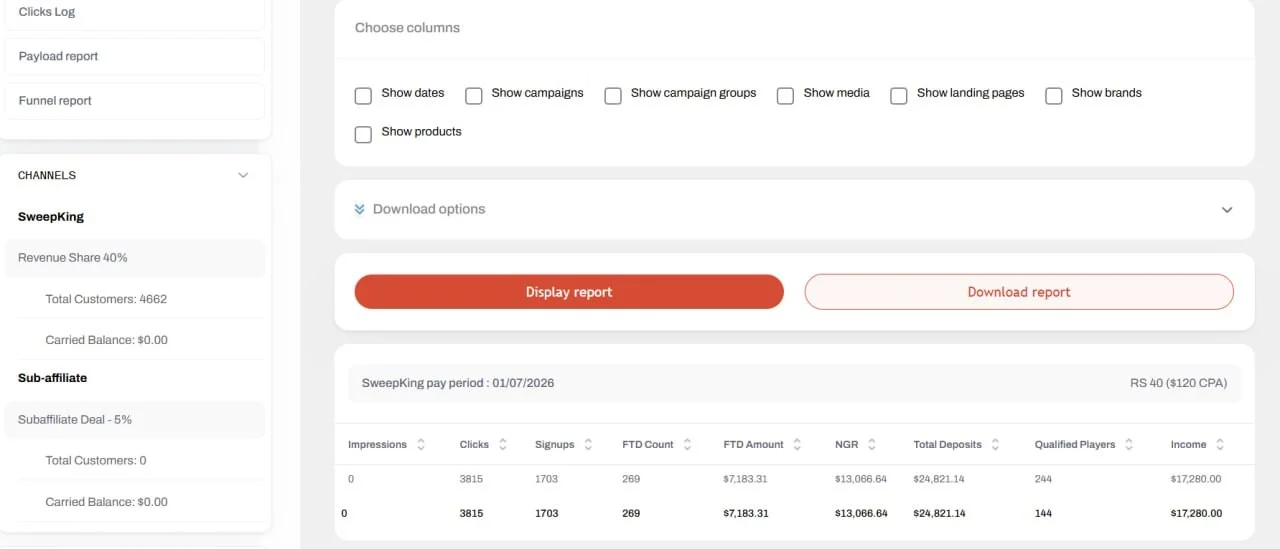
The Cannonball Partners affiliate dashboard provides reports on customer activity and registrations, as well as traffic, clicks, devices, countries, sources, and channels, including revenue data and the number of referred users.
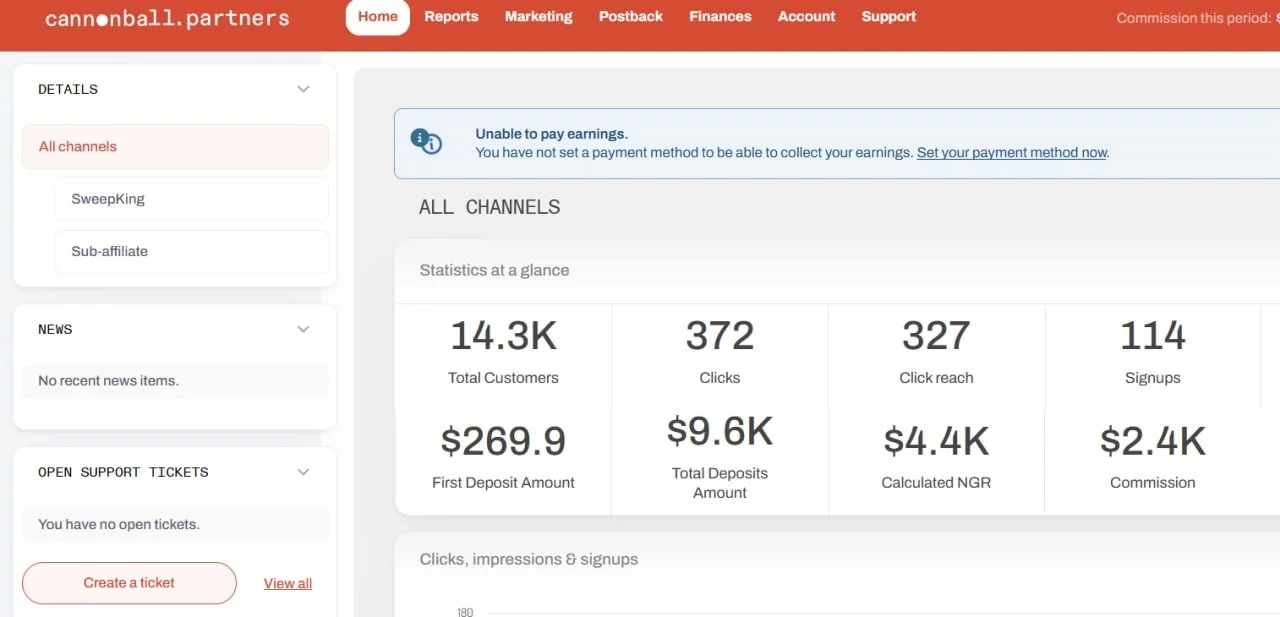
The affiliate dashboard homepage displays overall statistics across all channels, including customer count, clicks, impressions, registrations, first and total deposit amounts, calculated NGR and commission, plus information on individual channels and payout status.
Postback Setup
Postback requirements, transmitted events, and setup instructions must be agreed with the team before launching the selected integration.
Payouts
- Minimum payout: $250;
- The threshold may be reduced by agreement for long-term partners;
- Frequency: payouts on request;
- Payout methods: bank transfer or cryptocurrency;
- Payment processing fees are covered by the affiliate program.
Traffic quality review time, hold period, and reconciliation process are agreed individually before launch.
Technical Support
A dedicated affiliate manager is assigned after you join the program.