

![[FBM] CARDS](https://cpa.rip/wp-content/uploads/cr-a1/fbm-cards-v1/fbm-cards-logo.svg)


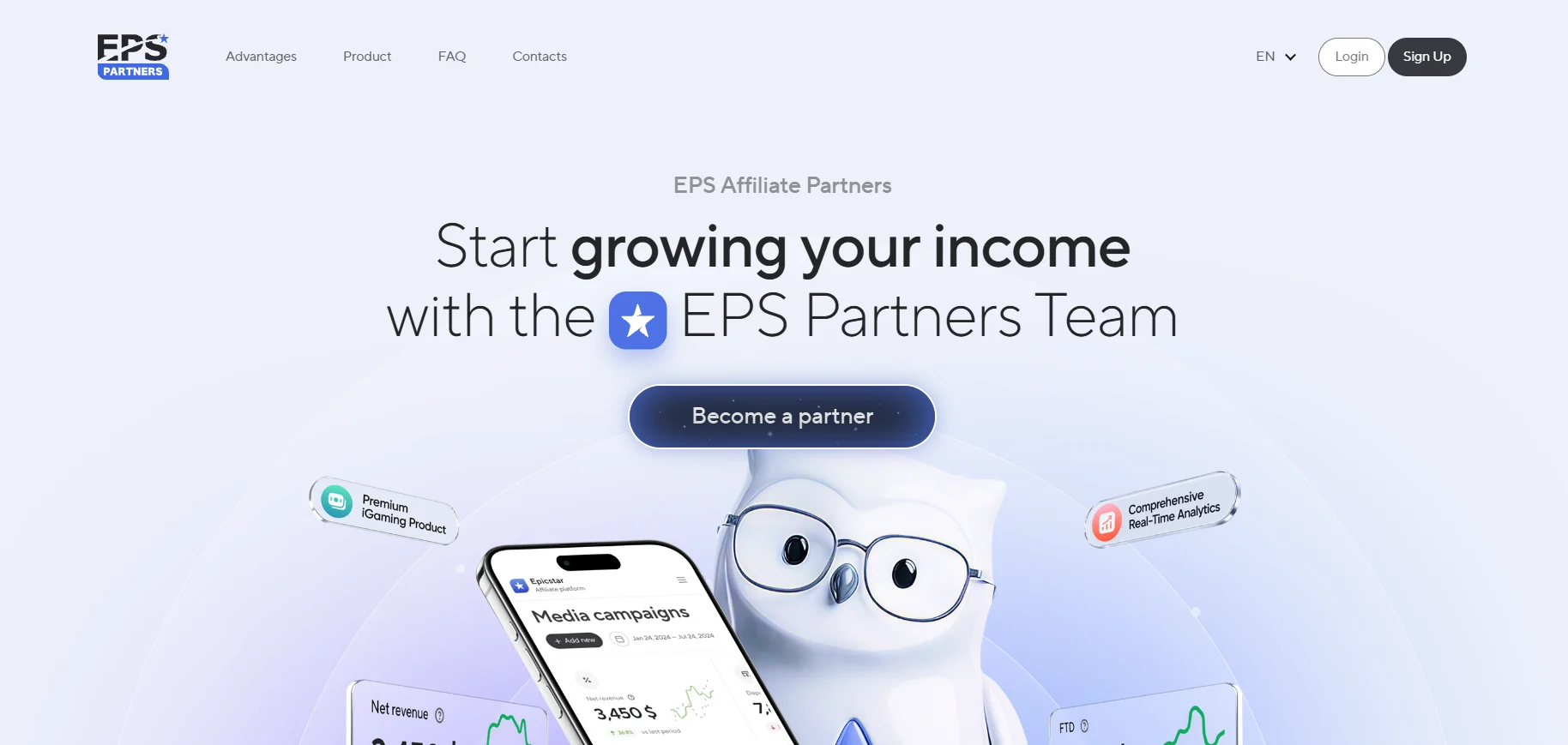
Registration
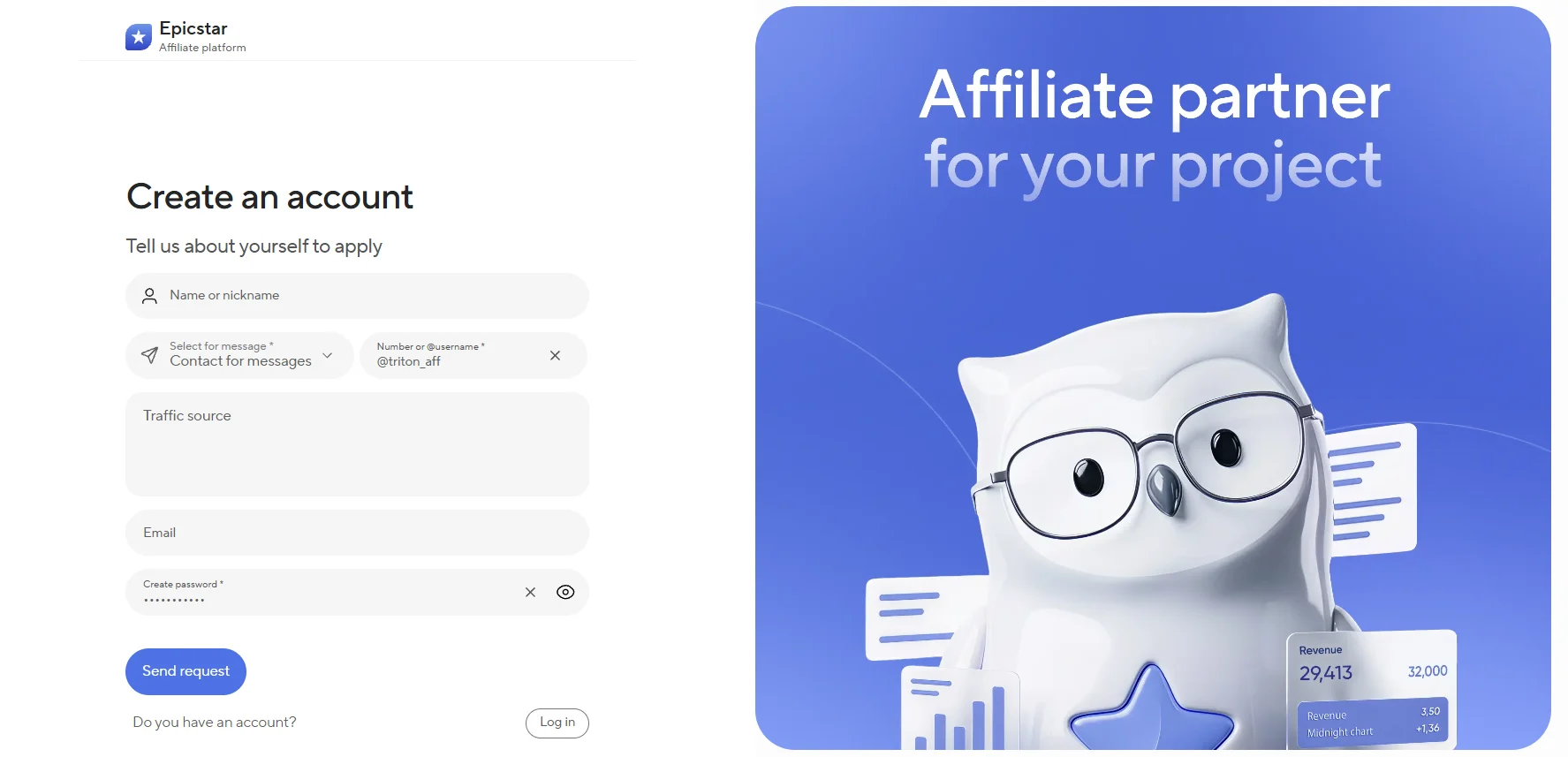
To register with the EpicStar affiliate program, provide your name, contact details, traffic sources, email, and password, then click “Send request.”
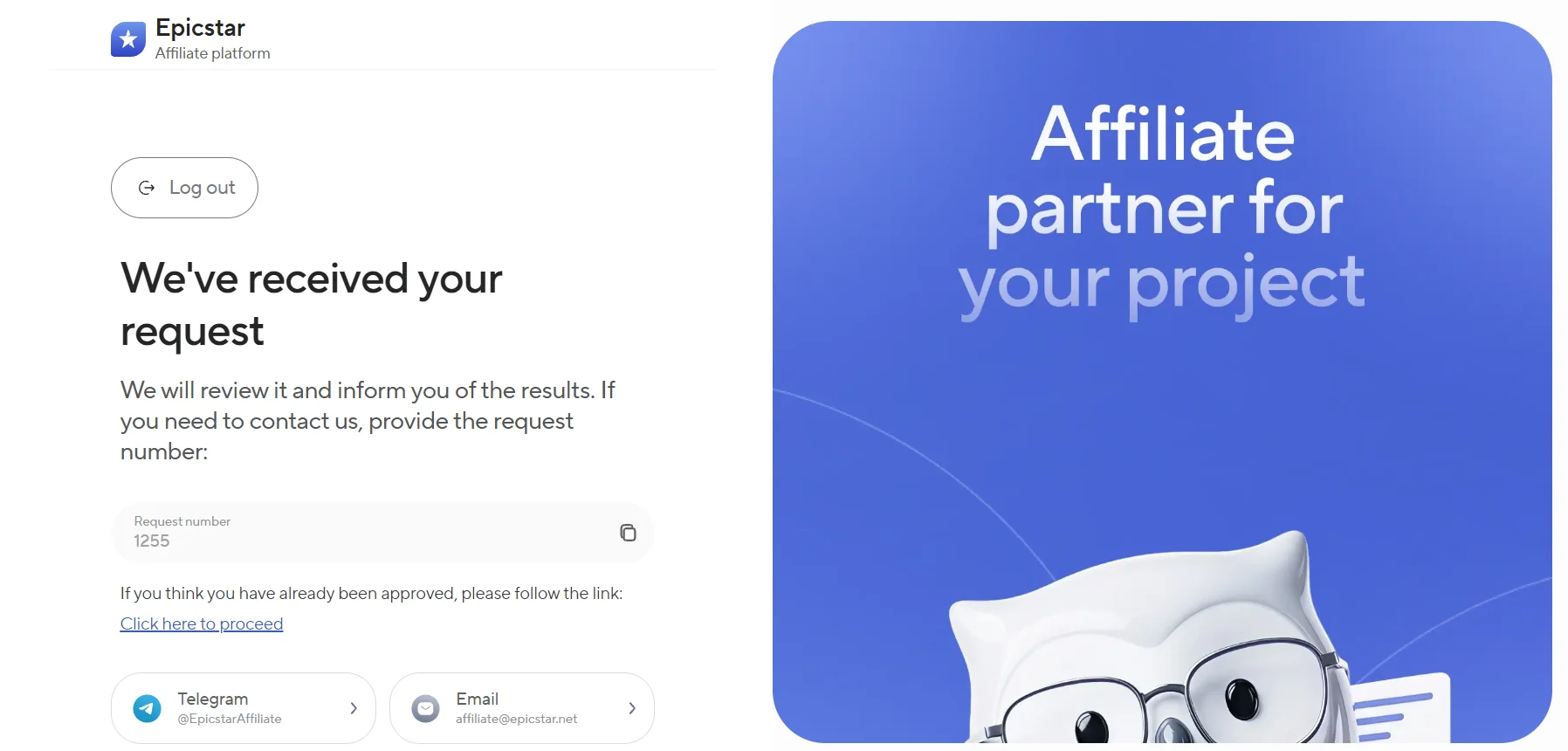
After submitting the form, wait for your application to be reviewed. If needed, contact support via Telegram or email and provide your request number.
Available Offers
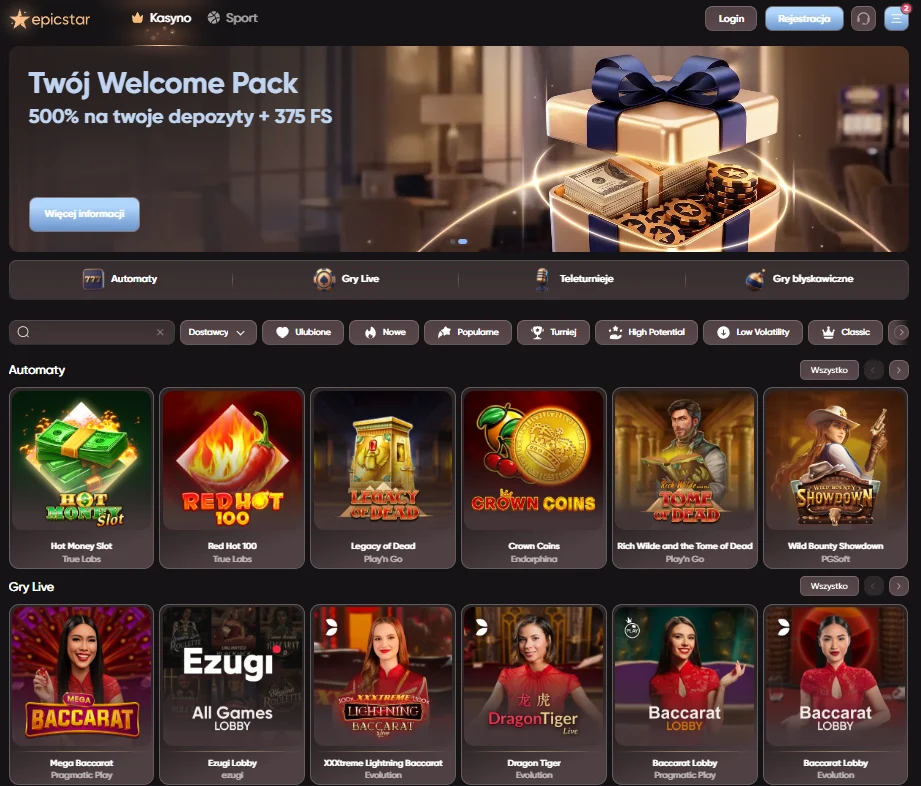
EPS Partners’ flagship product is EpicStar, available in the Casino and Betting verticals. The product operates under an Anjouan license.
Three partnership models are available:
- CPA — payouts of up to $300 depending on GEO, traffic source, and traffic quality;
- RevShare — up to 60% with an NNCO model, under which negative balance is not carried over to the next billing period;
- Hybrid — a customized combination of CPA and RevShare.
Cookie duration is unlimited.
Affiliate Link
- Select the required campaign to generate an affiliate link.
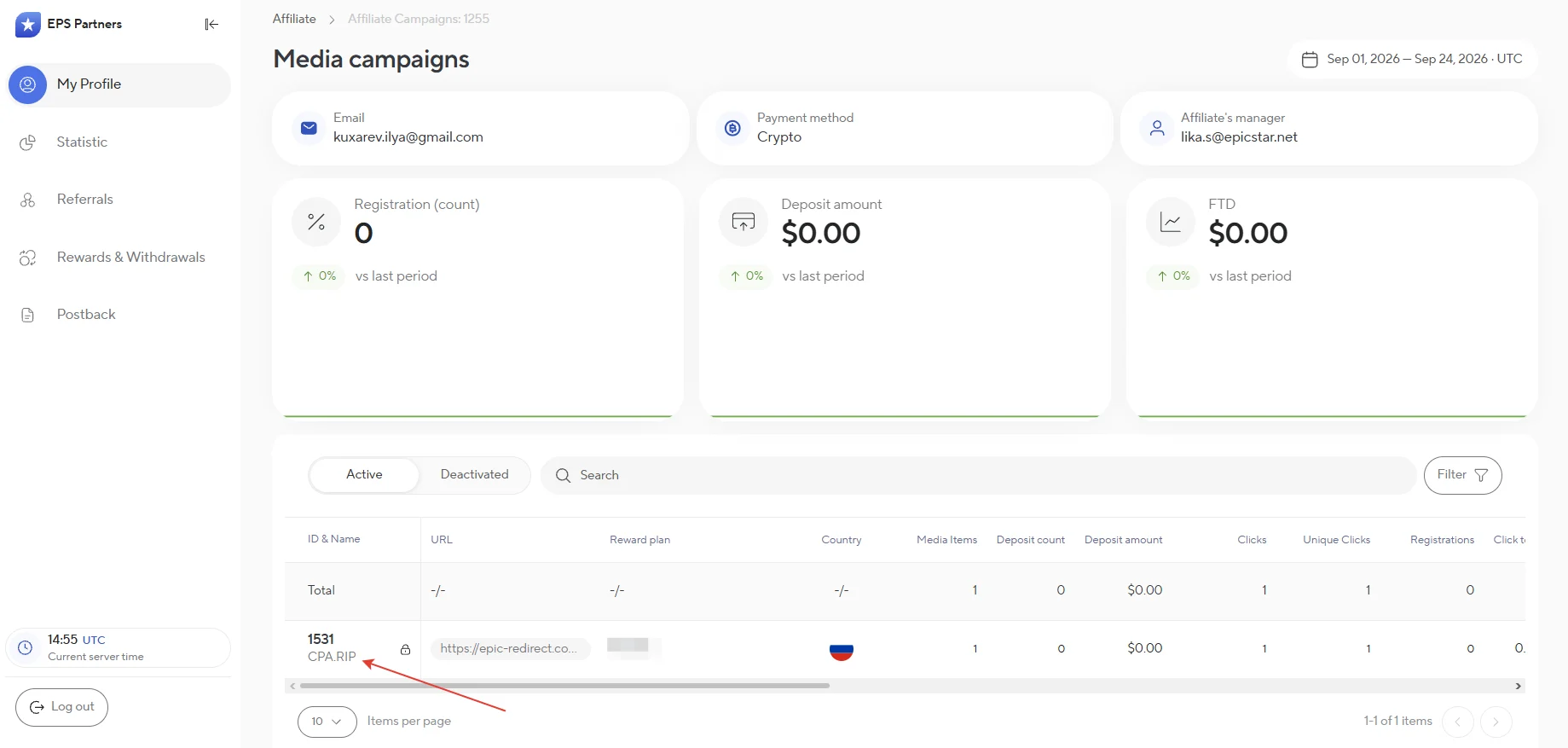
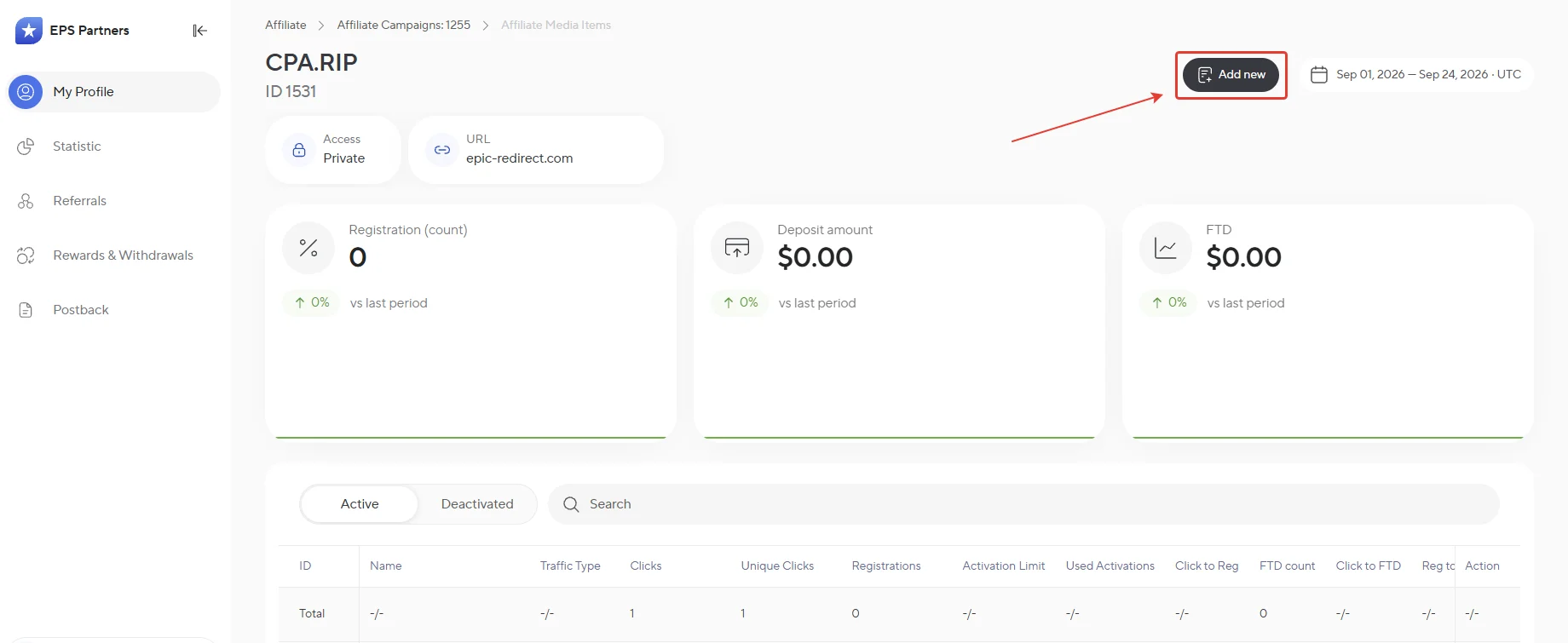
- Click “Add new.”
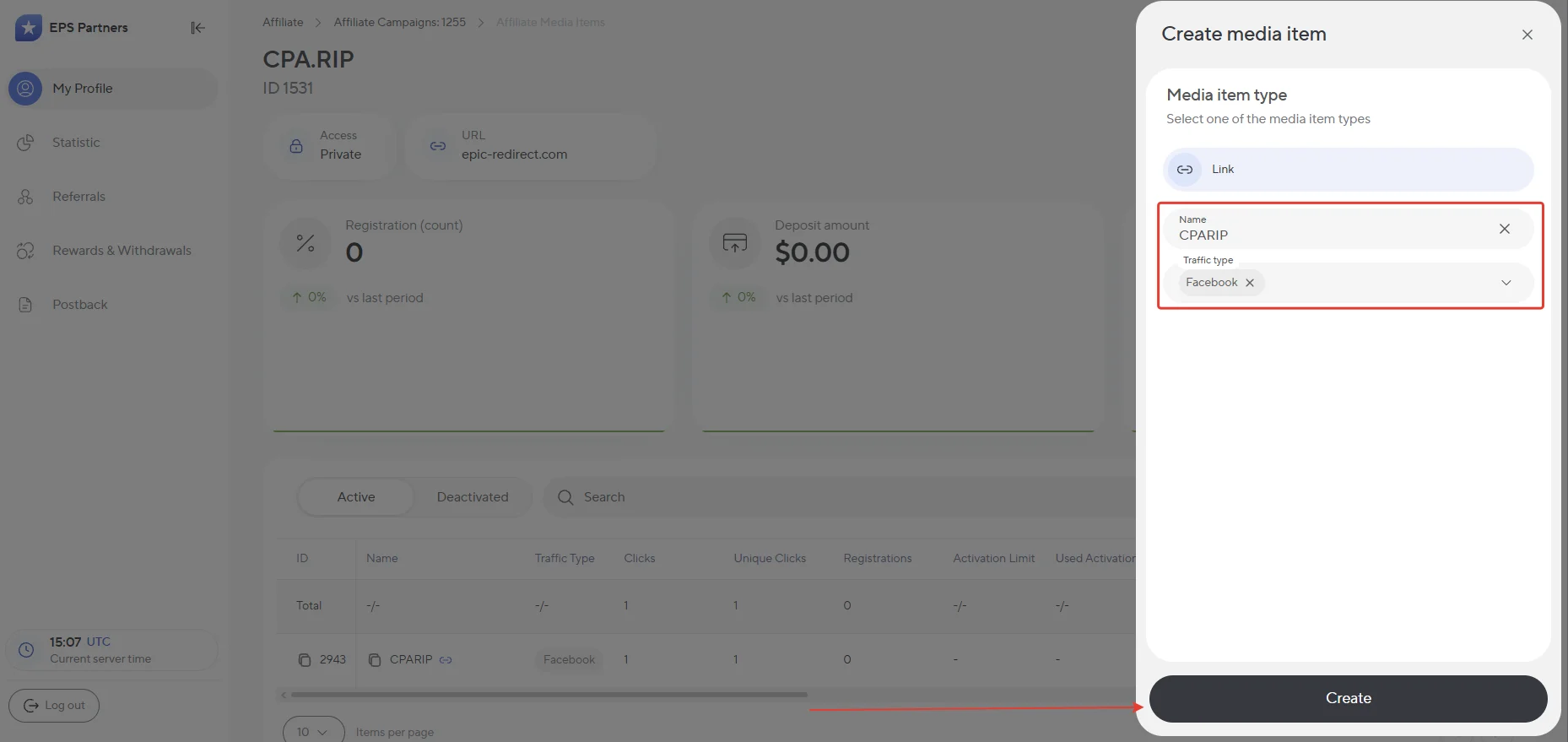
- Enter a name, select a traffic source, and click Create.
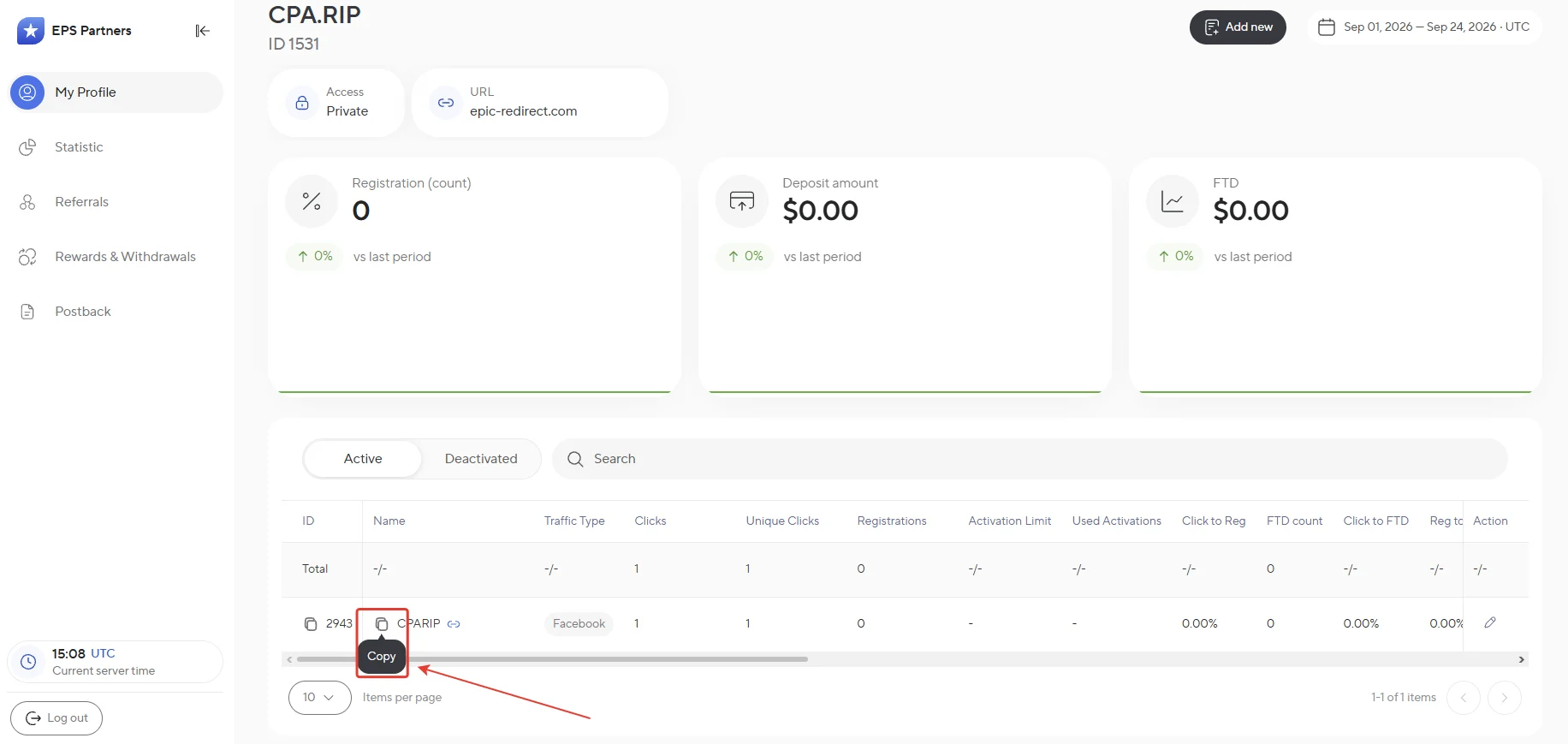
- You can copy the link next to the name of the created link.
GEOs to Focus On
- Key GEOs: Russia, Ukraine, Kazakhstan, Uzbekistan, Moldova, Poland, Czech Republic, Hungary, Romania, Slovakia, Slovenia, Serbia, North Macedonia, Bosnia and Herzegovina, Montenegro, Bulgaria, Croatia.
Accepted Traffic
- Accepted: PPC, SEO, ASO/UAC, Social, SMS, Email, Push, and
- Not accepted: fraud, multi-accounting, misleading traffic, chargebacks, abuse, unapproved GEOs and sources, as well as traffic exceeding the established cap.
Branded traffic for EpicStar is prohibited. Before launching traffic, the traffic source and GEO must be approved by your affiliate manager. CPA traffic without gaming activity may also not be paid.
Statistics
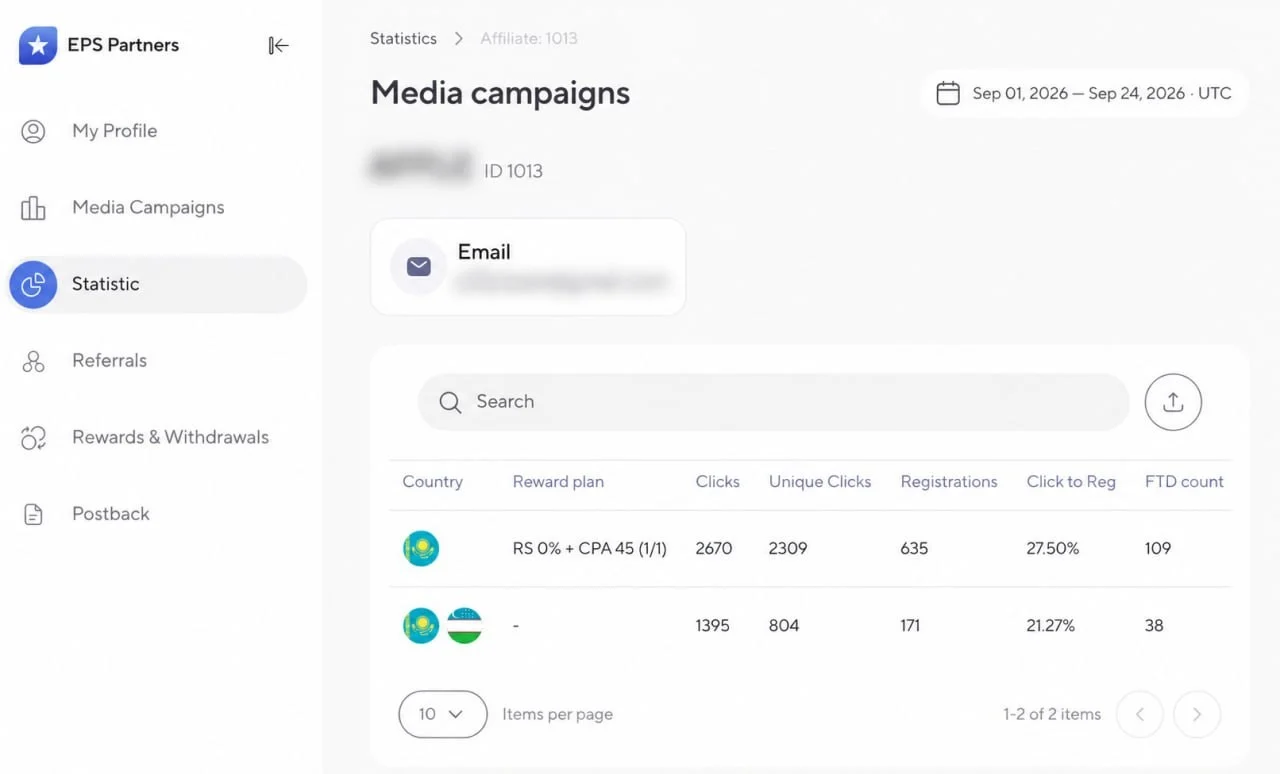
The Media campaigns section is designed to manage affiliate links and track results: its top section clearly displays key metrics for the selected period, while the table below lists campaigns, where you can copy ready-to-use links and review detailed statistics on clicks, visits, and conversions.
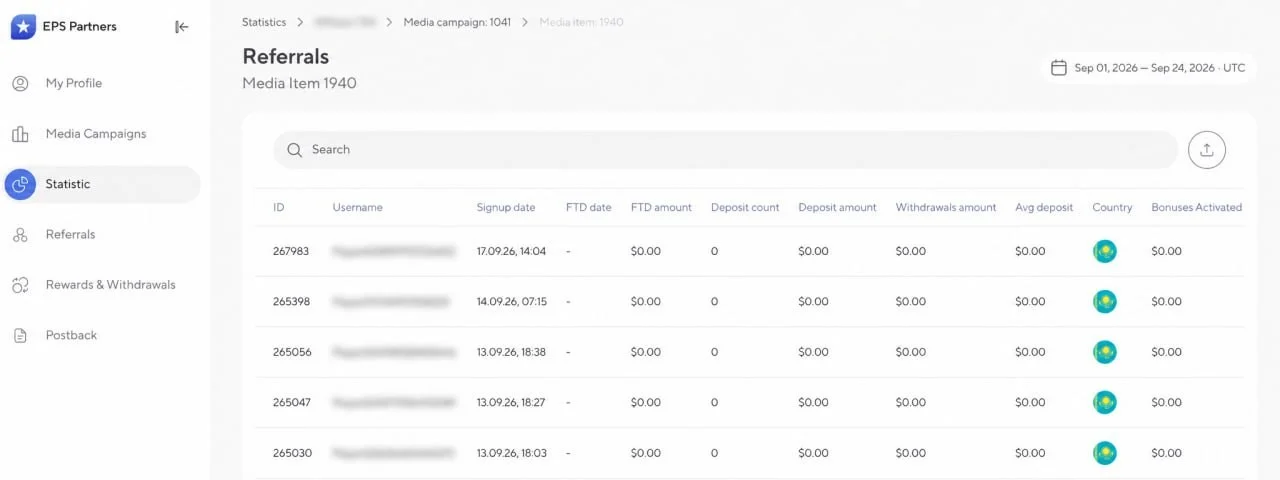
Detailed traffic analytics are available in the Statistic section.
Postback Setup
You can set up a postback in EPS Partners yourself or ask your manager for assistance.
- Complete the required setup in your tracker.
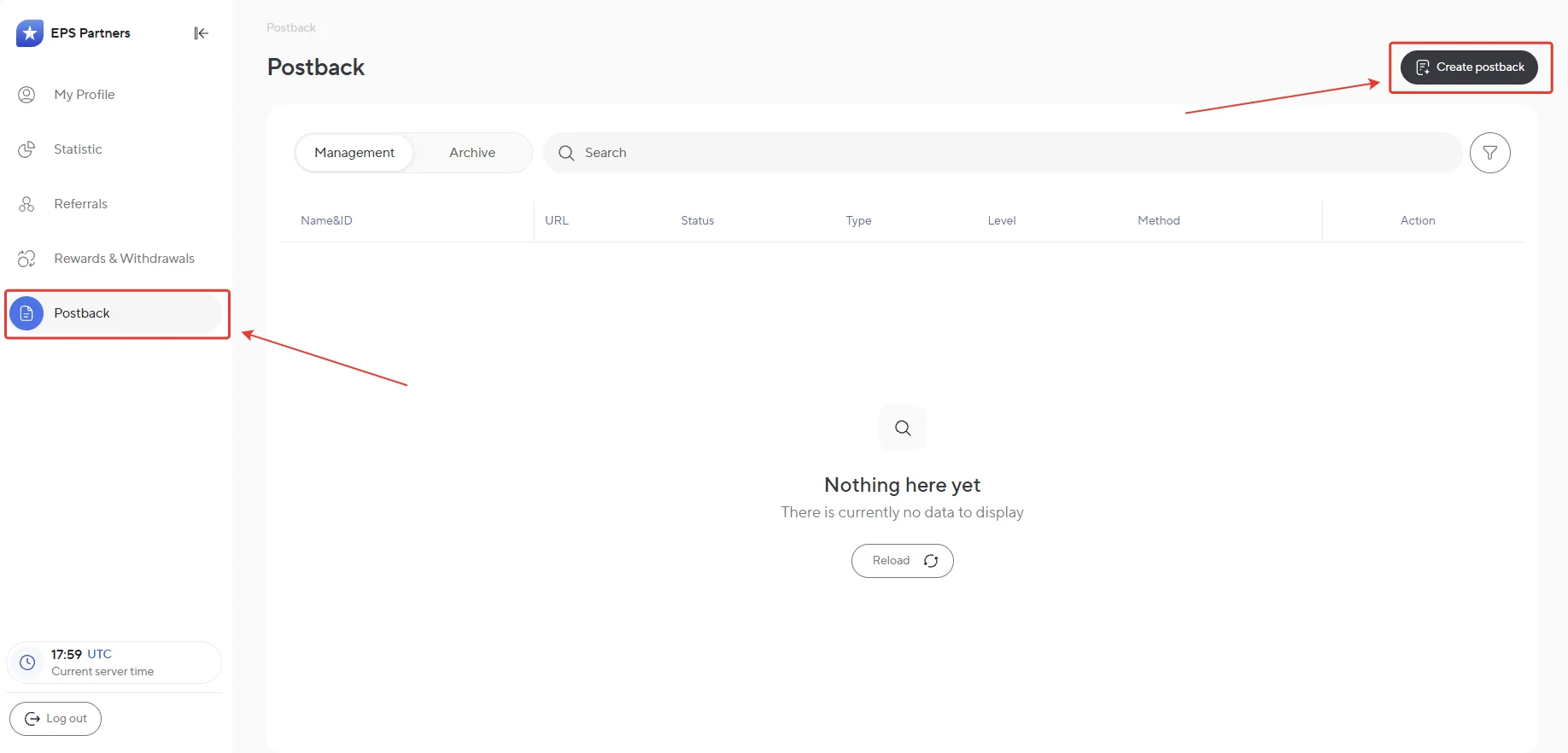
- Then go to the “Postback” section and click Create postback.
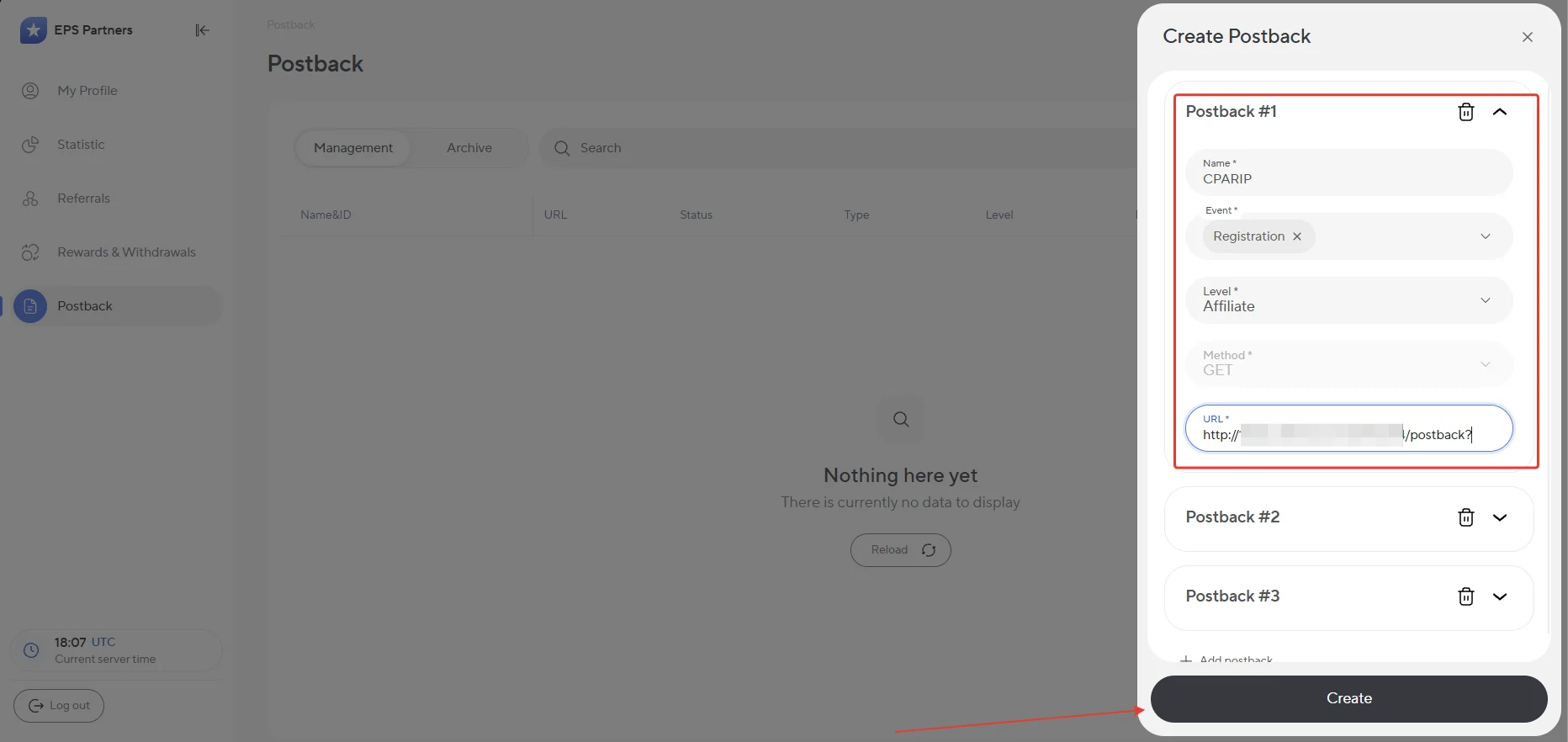
- In the Create Postback window, enter a name, select an event, level, and method, paste the link from your tracker into the URL field, and click Create.
Be sure to test that the postback is working before launching traffic.
Payouts
- CPA payouts: within 10 business days after the end of the calendar month;
- Additional hold: up to 30 days if traffic quality verification is required;
- Minimum withdrawal amount: $20;
Payment system: Cryptocurrency.
Technical Support
Contacts:
- Telegram: https://telegram.me/EpicstarAffiliate
- Email: affiliate@epicstar.net
- Microsoft Teams: affiliate@epicstar.net
