
![[FBM] CARDS](https://cpa.rip/wp-content/uploads/cr-a1/fbm-cards-v1/fbm-cards-logo.svg)



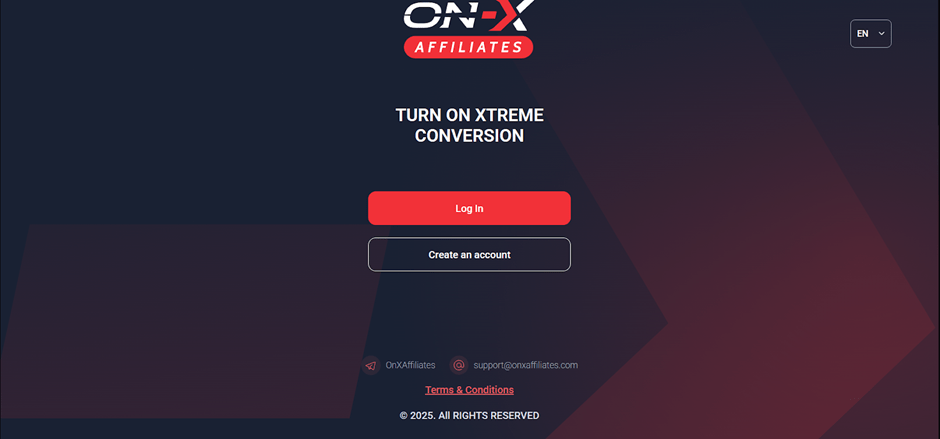
Registration
To register, go to the On‑X Affiliates website and click on the ‘Create an account’ button. Fill in the required fields of the registration form: Email, Social media, Password, and Confirm password.
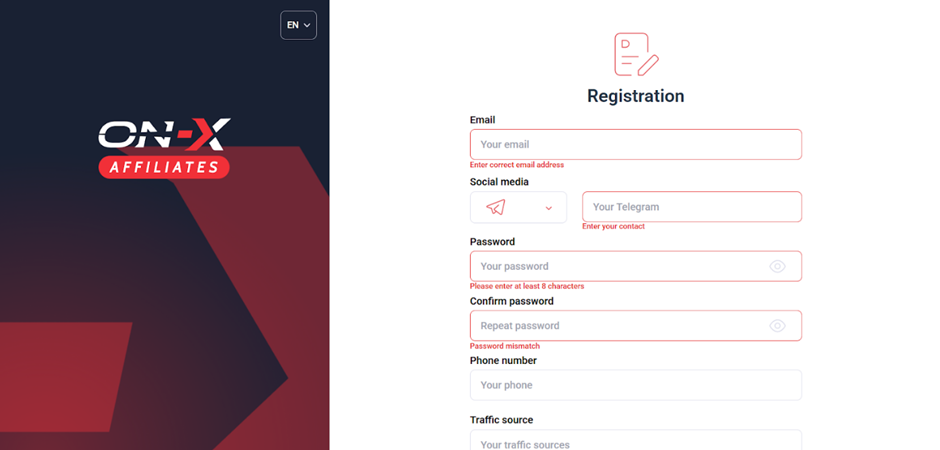
Once you have filled in all the fields, click ‘Register’ to complete the registration process. Next, confirm your account by following the instructions sent to your email.
Available offers
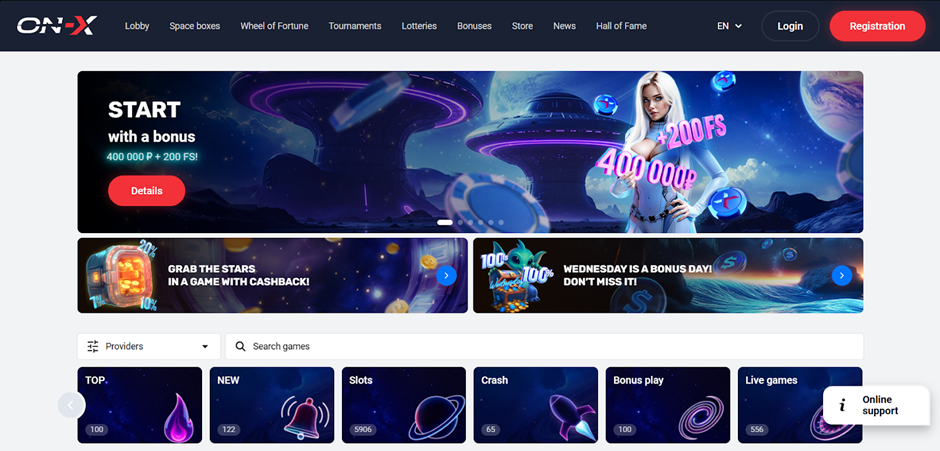
The affiliate programme features one product — On-X.casino.
This licensed casino offers over 7,000 games from the best providers, easy registration, and convenient deposit methods. Thanks to the fast website, easy navigation, and 24/7 support, your players will be loyal and motivated to return.
Link creation
- Go to the ‘Offers’ section and click Create link.
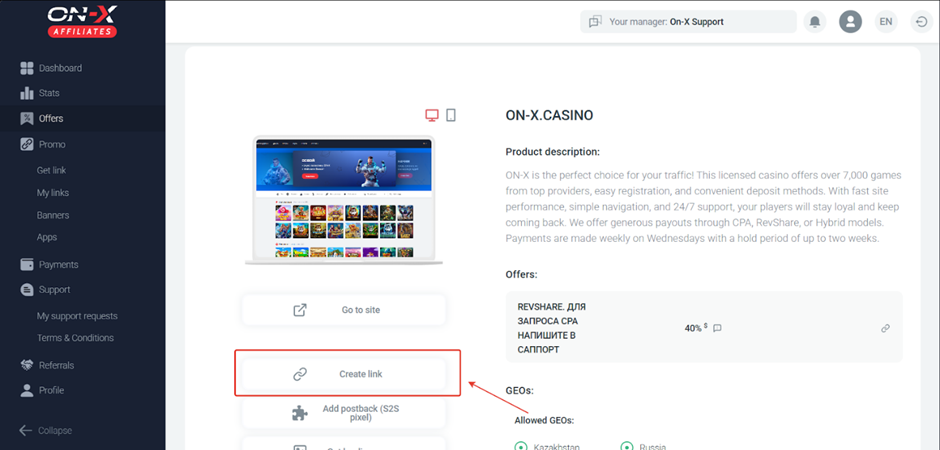
- Select a cooperation model. By default, each new user has access to the RevShare 40% model. To request CPA, contact your personal manager.
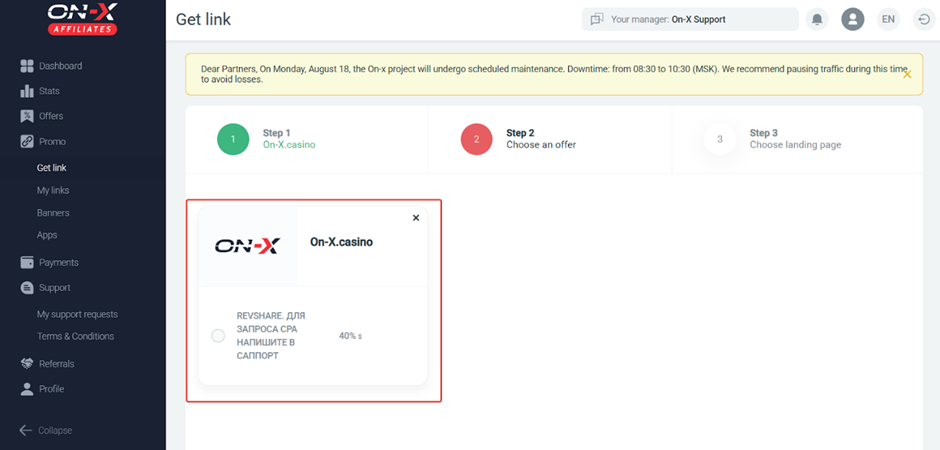
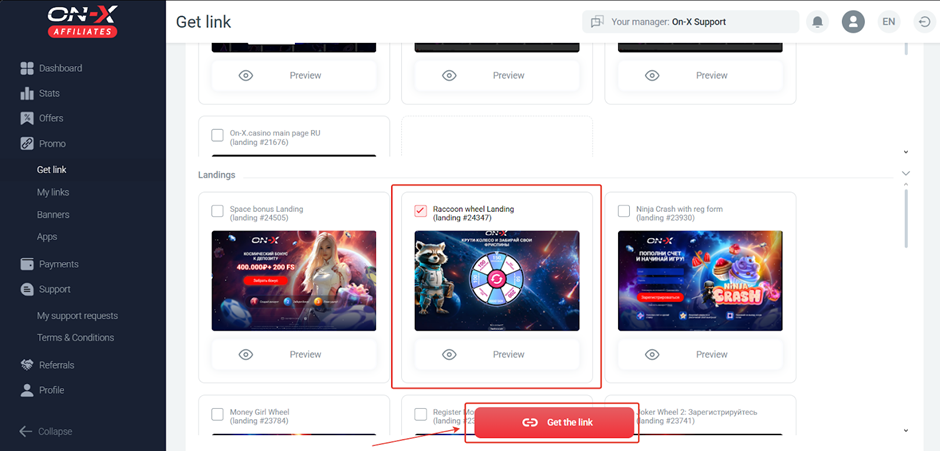
- Select a direct link or landing page. Then click ‘Get the links’.
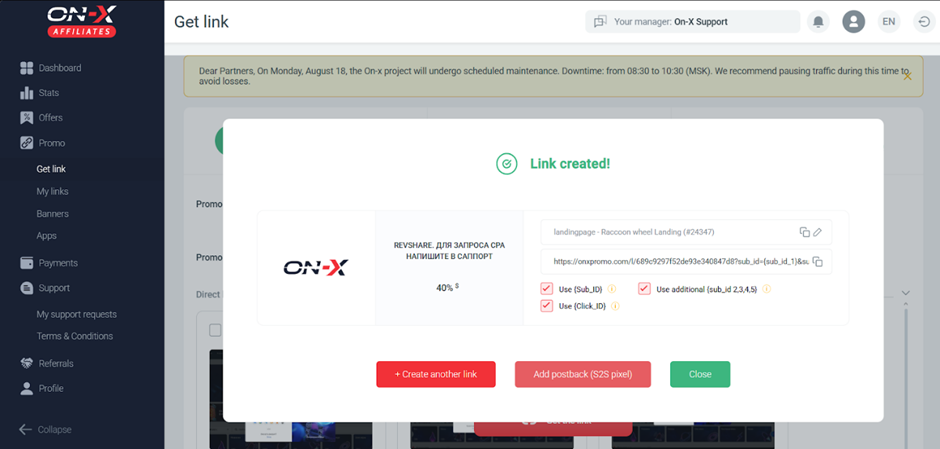
- The link to launch the ad will appear in a pop-up window. If necessary, add the Sub_id and Click_id parameters.
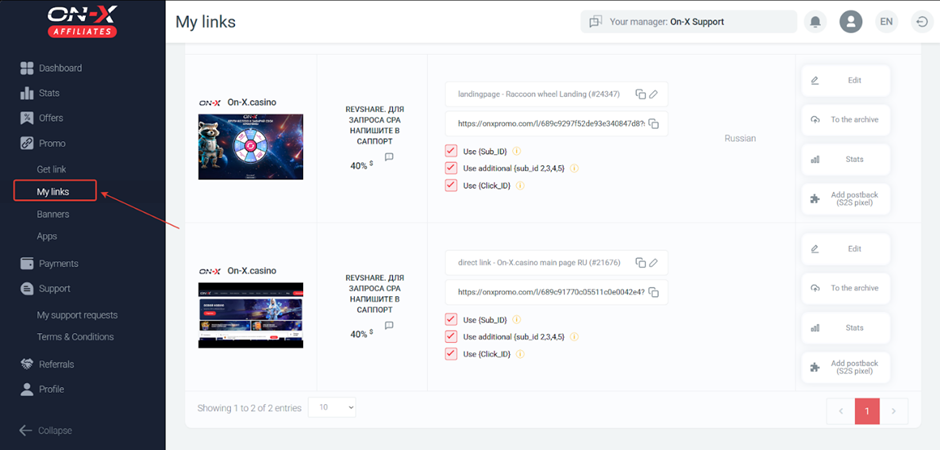
You can edit the link in the ‘My links’ section.
Banner
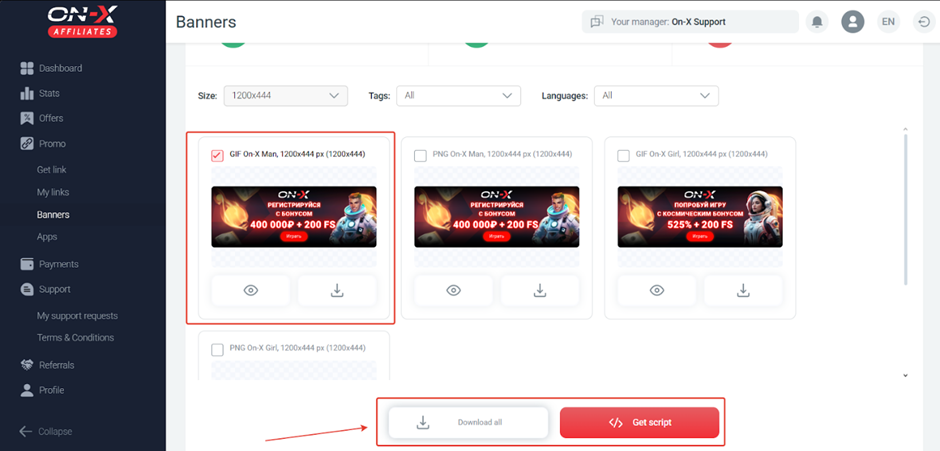
To get a banner to place on your website, go to the ‘Banners’ section.
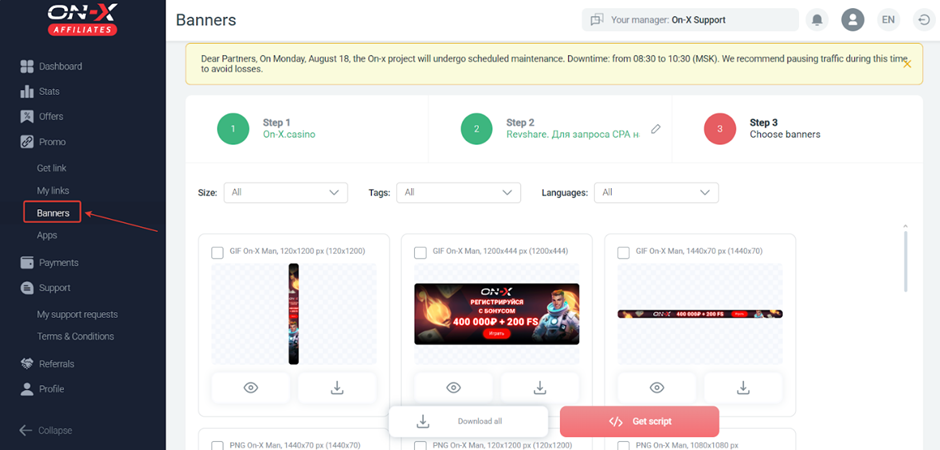
- Select a banner and download it or get the script.
Which GEOs to pay attention to
- Russia and Kazakhstan
What traffic is accepted
All traffic is accepted except for incentive traffic and fraud.
Features and rates for different types of traffic:
- RU (Russia). SEO. CPA: from $50 to $80
- RU (Russia). ASO. CPA: from $50 to $80
- RU (Russia). inApp. CPA: from $40 to $60
Statistics
The On‑X Affiliates CPA network provides detailed statistics on traffic and conversions. Statistics can be viewed and analysed by: Date, Brand, Offers, Campaigns, Countries, SUB_ID, and Landing.
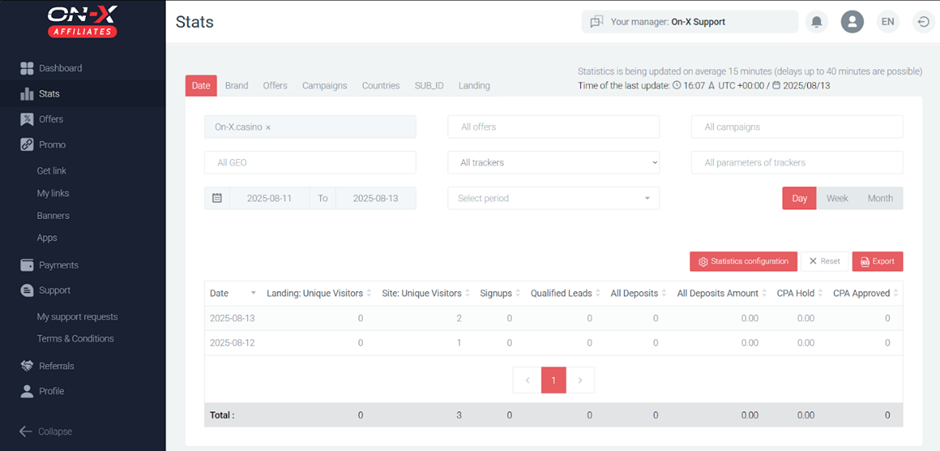
Information displayed (by default):
- Date
- Landing: Unique Visitors
- Site: Unique Visitors
- Signups
- Qualified Leads
- All Deposits
- All Deposit Amounts
- CPA Hold
- CPA Approved
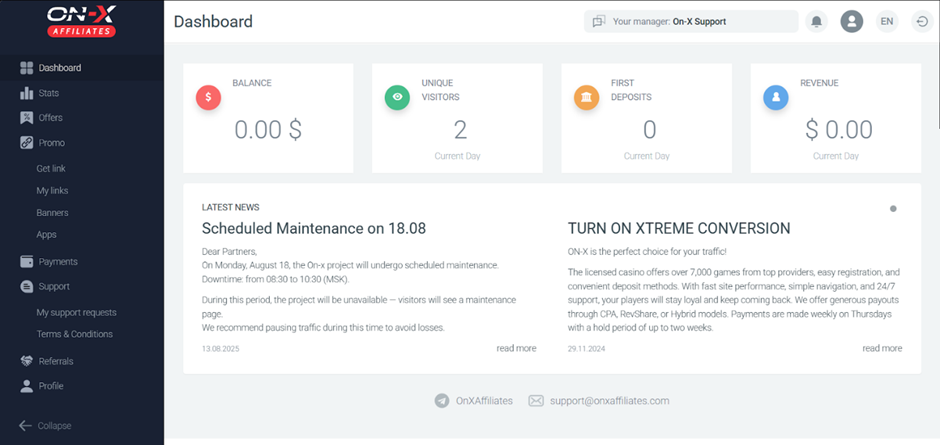
The Dashboard section displays summary statistics and news.
Postback configuration
Access to postback must be requested from the manager. We will configure postback in On‑X Affiliates
- Get the Postback URL in your tracker;
- Open On‑X Affiliates, go to the ‘Postback (S2S pixel)’ page;
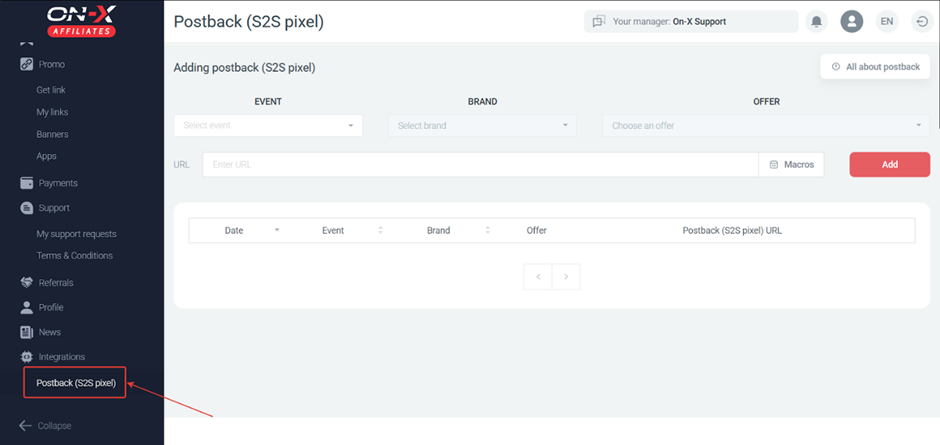
- Select Event, Brand, and Offer, paste the Postback URL, and add macros.
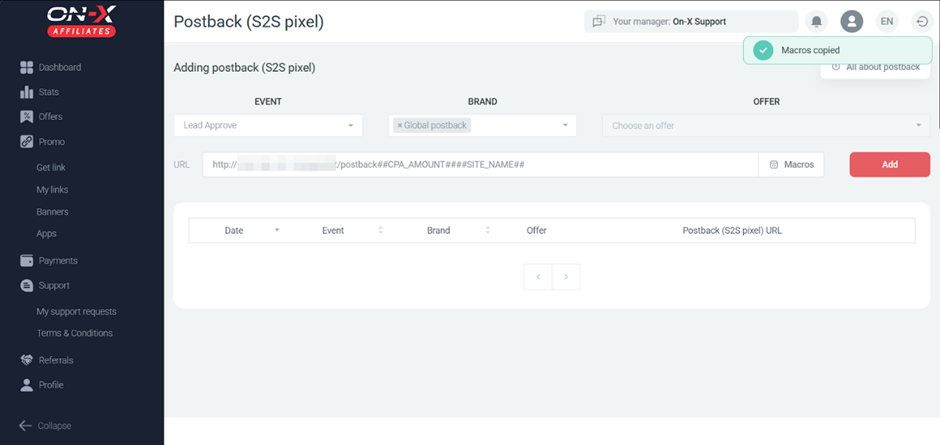
Configure each necessary event in this way. Before driving traffic, be sure to check that the postback is working.
Payments
- Hold: 8-14 days.
- Minimum withdrawal: from $100
- Payments: weekly
Made through On‑X Affiliates via payment systems:
- ERC-20
- TRC-20
- Bitcoin.
Technical support
Contacts:
- Telegram: https://telegram.me/OnXAffiliates
- Telegram: https://telegram.me/OnXManager