
![[FBM] CARDS](https://cpa.rip/wp-content/uploads/cr-a1/fbm-cards-v1/fbm-cards-logo.svg)


Registration
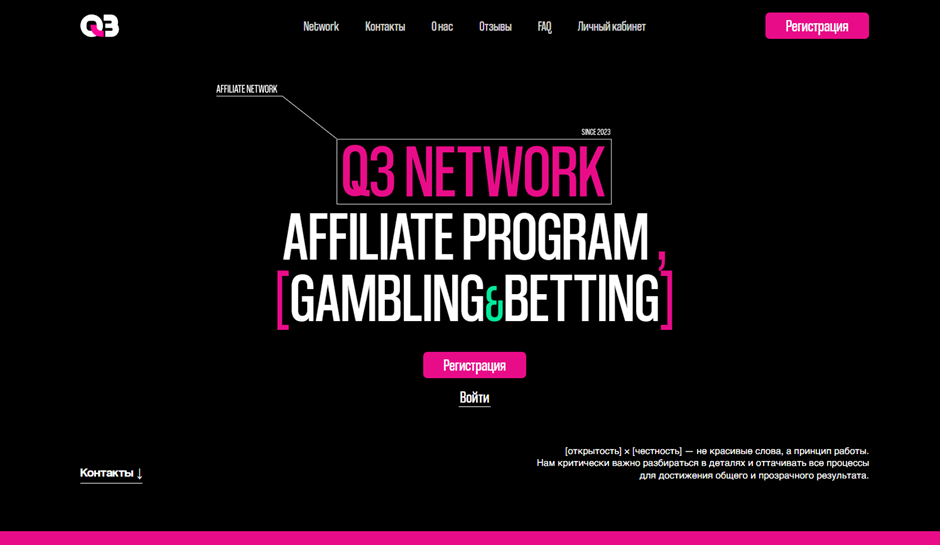
On the Q3.network website, click ‘Register’ in the top right corner. Fill out the simple registration form with the required fields: Email, Password, Repeat Password, and Telegram. Click ‘Register’.
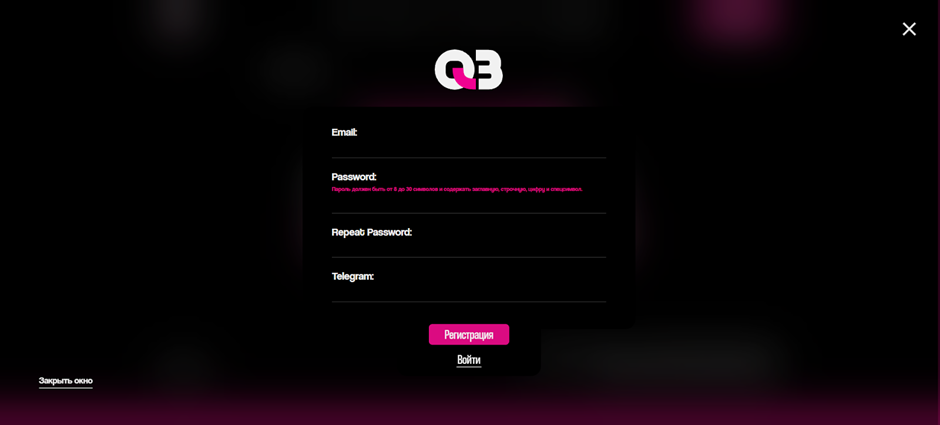
After registration, your account will be pre-moderated, and the manager will contact you to discuss terms and conditions and activate your account.
Available Offers
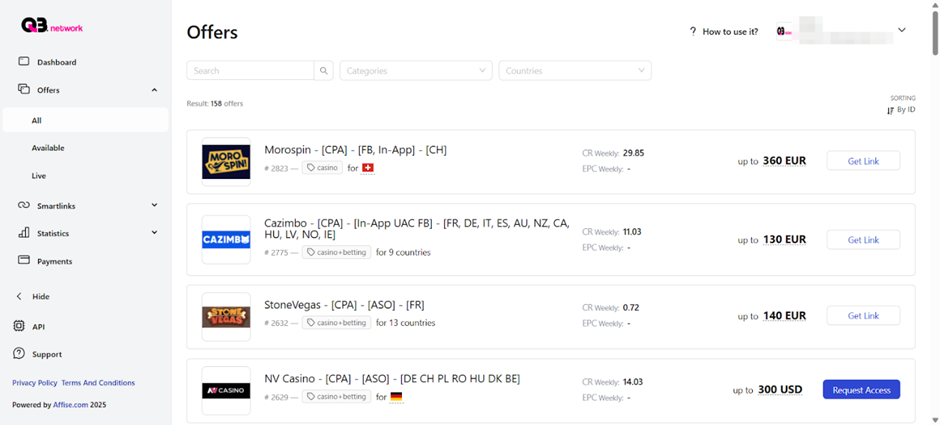
The affiliate programme includes more than 1500 offers, which are available in the ‘Offers’ section. For each of them, the main parameters are specified: name, category, payout, and targeting.
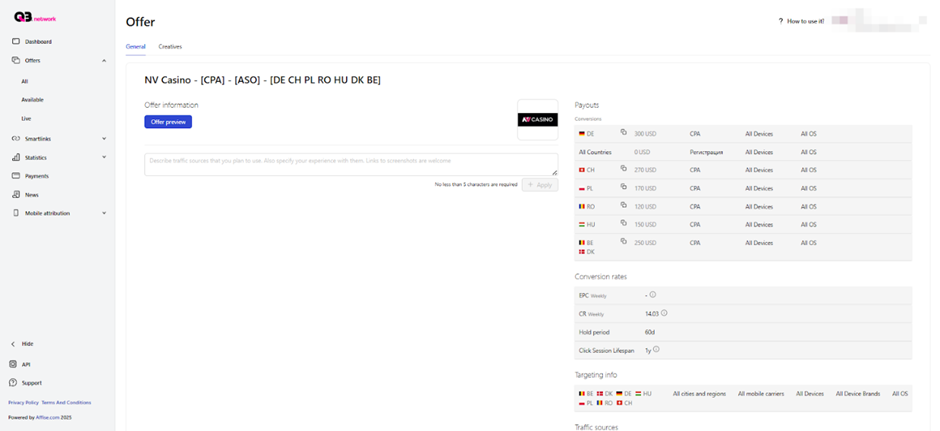
The offer’s card contains detailed information about rates, terms and conditions, description, bans, and other data.
Link creation
Request access to the offer by clicking on the ‘Request Access’ button in the list of offers or via your personal manager.
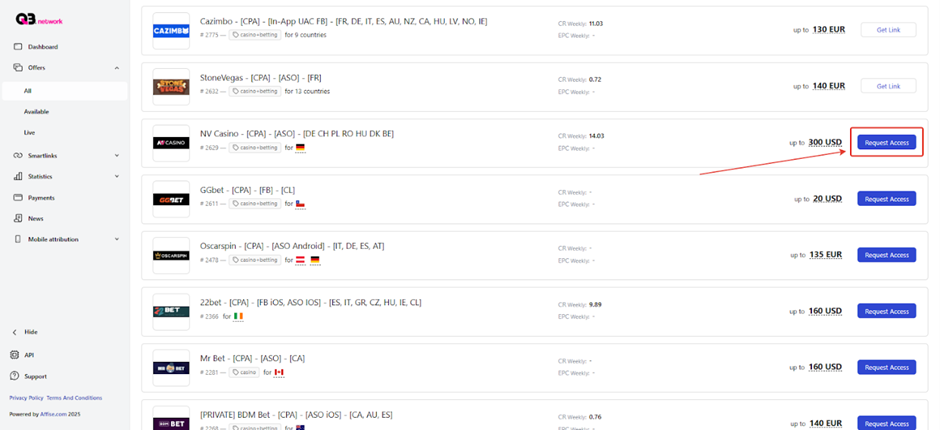
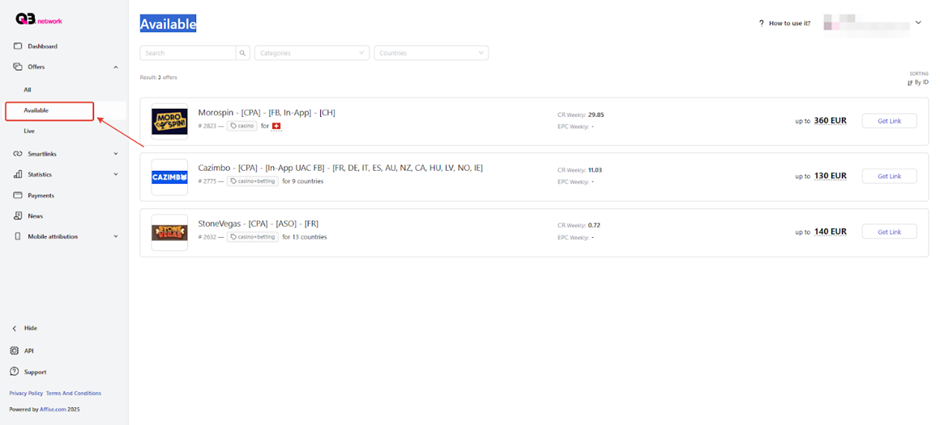
After approval, the offer will appear in the ‘Available’ section.
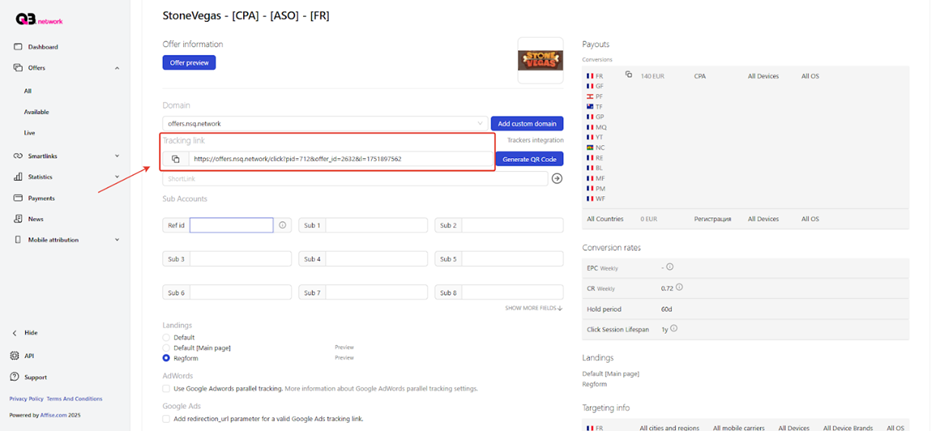
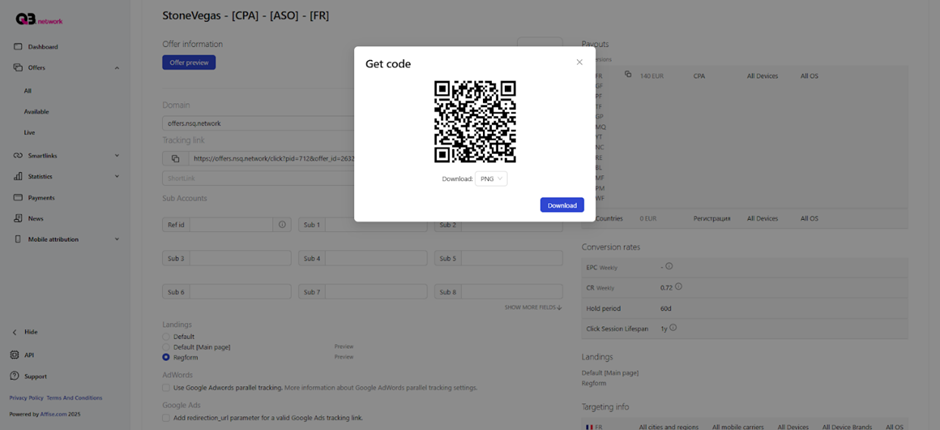
A tracking link is generated in the offer card.
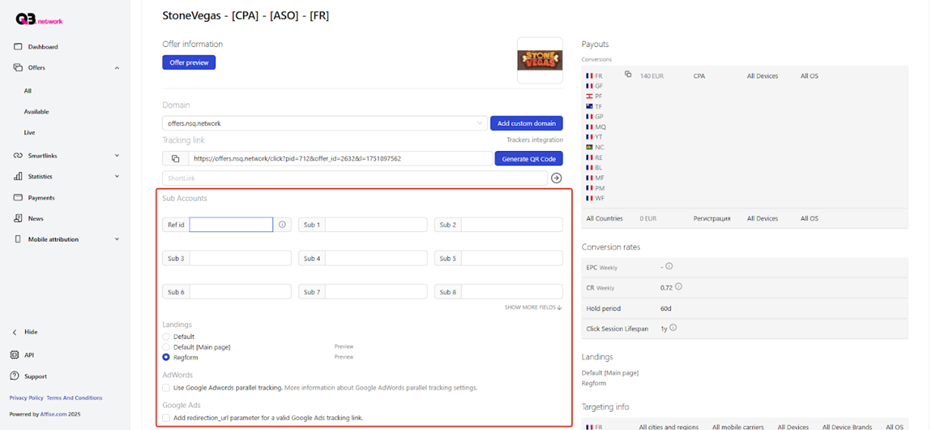
In the advanced settings, select a landing page and specify subs, if required.
There is a QR code generation function.
What kind of traffic is accepted
- Accepts: PPC, SEO, Doorway, ASO, Facebook, In-App, UAC
Statistics
The Q3.network has detailed statistics on traffic and conversions. Statistics can be viewed and analysed by: Daily, Conversions, Offers, Smartlinks, Browsers, OS, Devices, Countries, Cities, Subs, Goals, and Mobile ISP tabs.
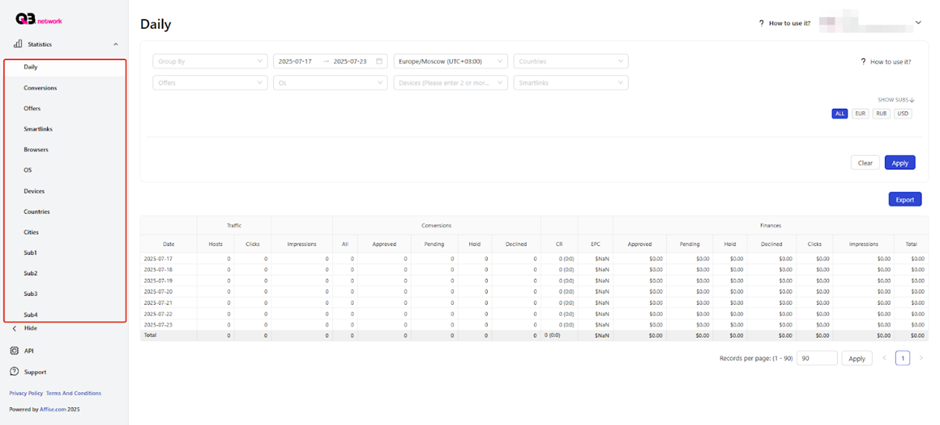
Statistics parameters:
- Date;
- Traffic: Hosts, Clicks, and Impressions
- Conversions: All, Approved, Pending, Hold, and Declined
- CR and EPC
- Finance: Approved, Pending, Hold, Declined, and Total
Tools
- S2s postback
- Smartlinks
Configuring Global Postback
Let’s configure postback on Q3.network using Keitaro tracker as an example.
- Open the tracker, go to ‘Affiliate Networks’ and click “Create”;
- Type a name, specify sub1={subid} in the ‘Offer parameters’ field;
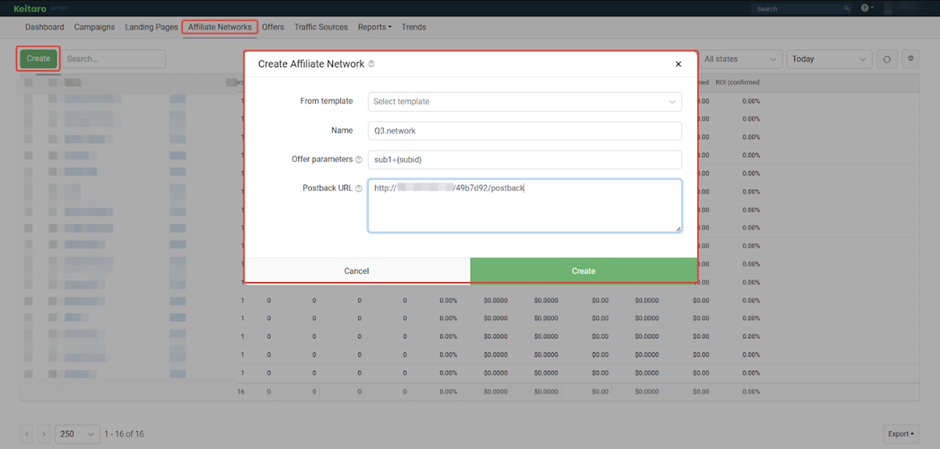
- Copy the Postback URL and click ‘Create’;
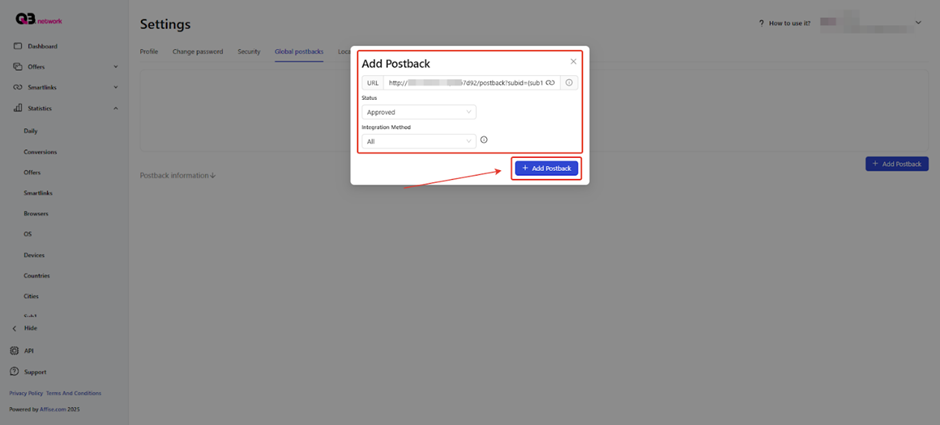
- Open Q3.network, go to the “Settings” page, select ‘Global postback’ and click ‘Add Postback’.
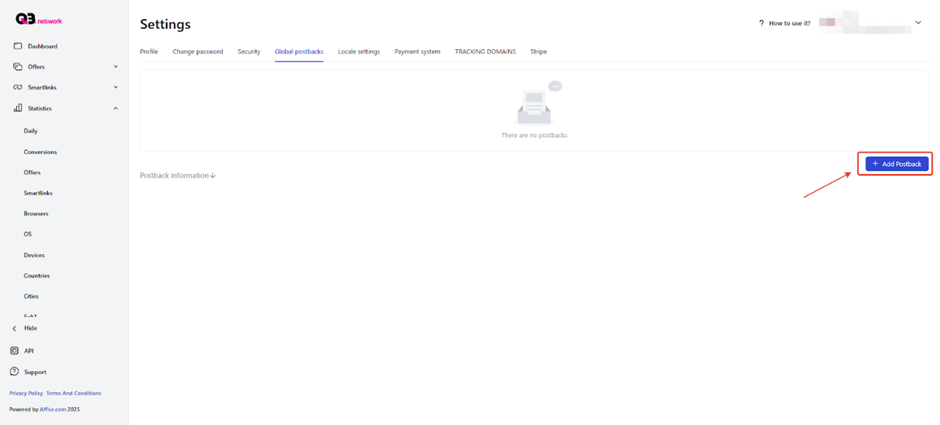
- Insert URL, select status, and click ‘Add Postback’. Repeat this with each status to be transferred. You can contact your manager to add a postback.
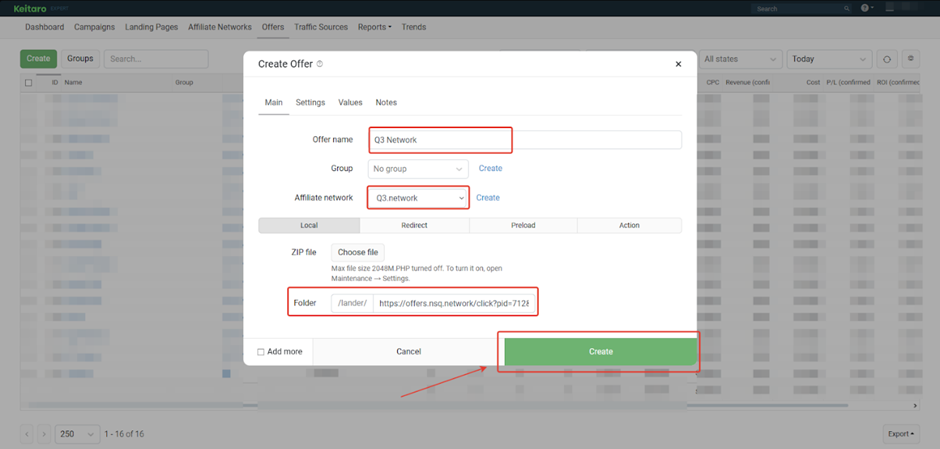
- Open the tracker, go to the ‘Offers’ section, and click ‘Create’;
- Type the name of the offer, select the affiliate programme, provide a link to the landing page (copy it in the affiliate programme), and create the offer;
- Open the ‘Campaigns’ section and click “Create”;
- Specify the name of the campaign, click ‘Create Flow’;
- In the form that opens, go to ‘Schema’ and select an offer;
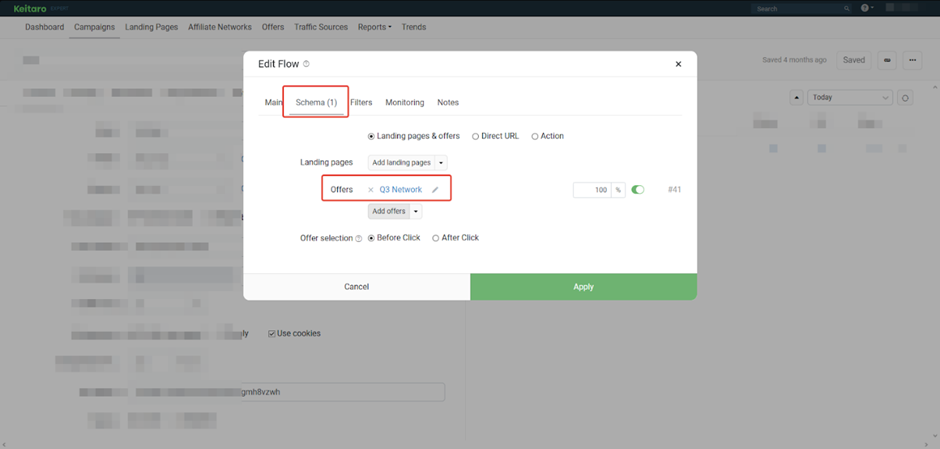
- Create Campaign.
Before launching the traffic, check if the postback is working.
Payouts
- Hold: 7-14 days
- Payouts: 1-2 times a month, on request more often
- Minimum amount – 5 FTD
Payment systems:
- TRC-20
- ERC-20
Technical support and social networks
Tech support contacts:
- Telegram: https://telegram.me/sup_q3
Social networks:
- Instagram: https://www.instagram.com/q3.ltd