

![[FBM] CARDS](https://cpa.rip/wp-content/uploads/cr-a1/fbm-cards-v1/fbm-cards-logo.svg)



Sign up and Get Started
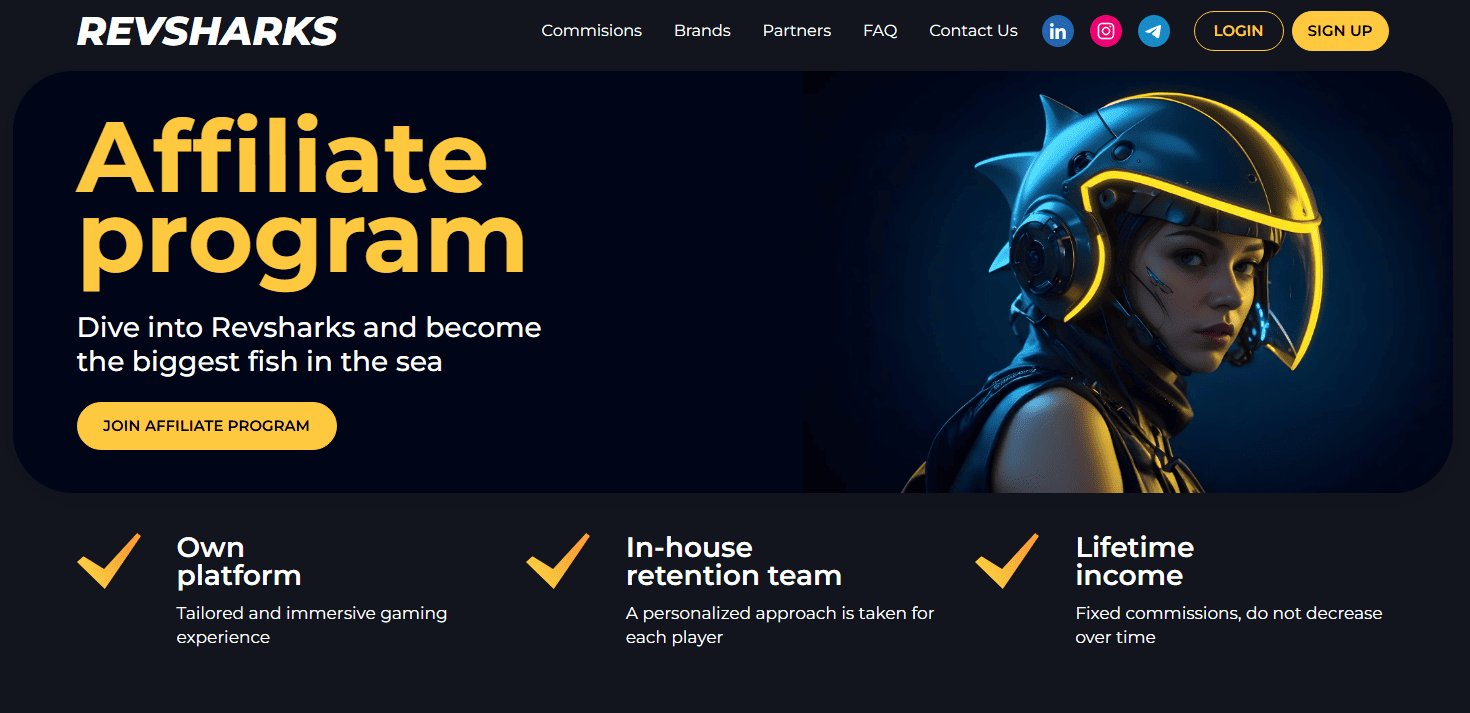
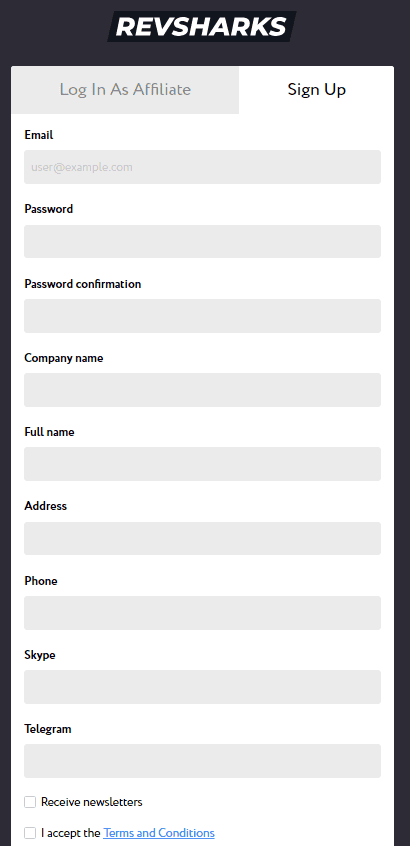
Go to the official Revsharks website to get started. Click “Join Affiliate program” or “Sign Up” and fill out the registration form.
The fields to fill out:
- Email;
- Password;
- Company Name;
- Name;
- Address;
- Phone;
- Skype;
- Telegram.
The account will be sent for moderation. A manager will contact you via the specified contacts and ask clarifying questions. You will also be able to discuss the terms of cooperation and various nuances.
After the manager activates the account, you will be able to log in to your account.
Winshark: gambling offer review
Revsharks has only one offer – it is the online casino Winshark. The product is translated into 16 languages – English, Italian, Polish, Spanish and others. To increase user engagement, the online casino holds tournaments, awards bonuses to players, and has a loyalty program.
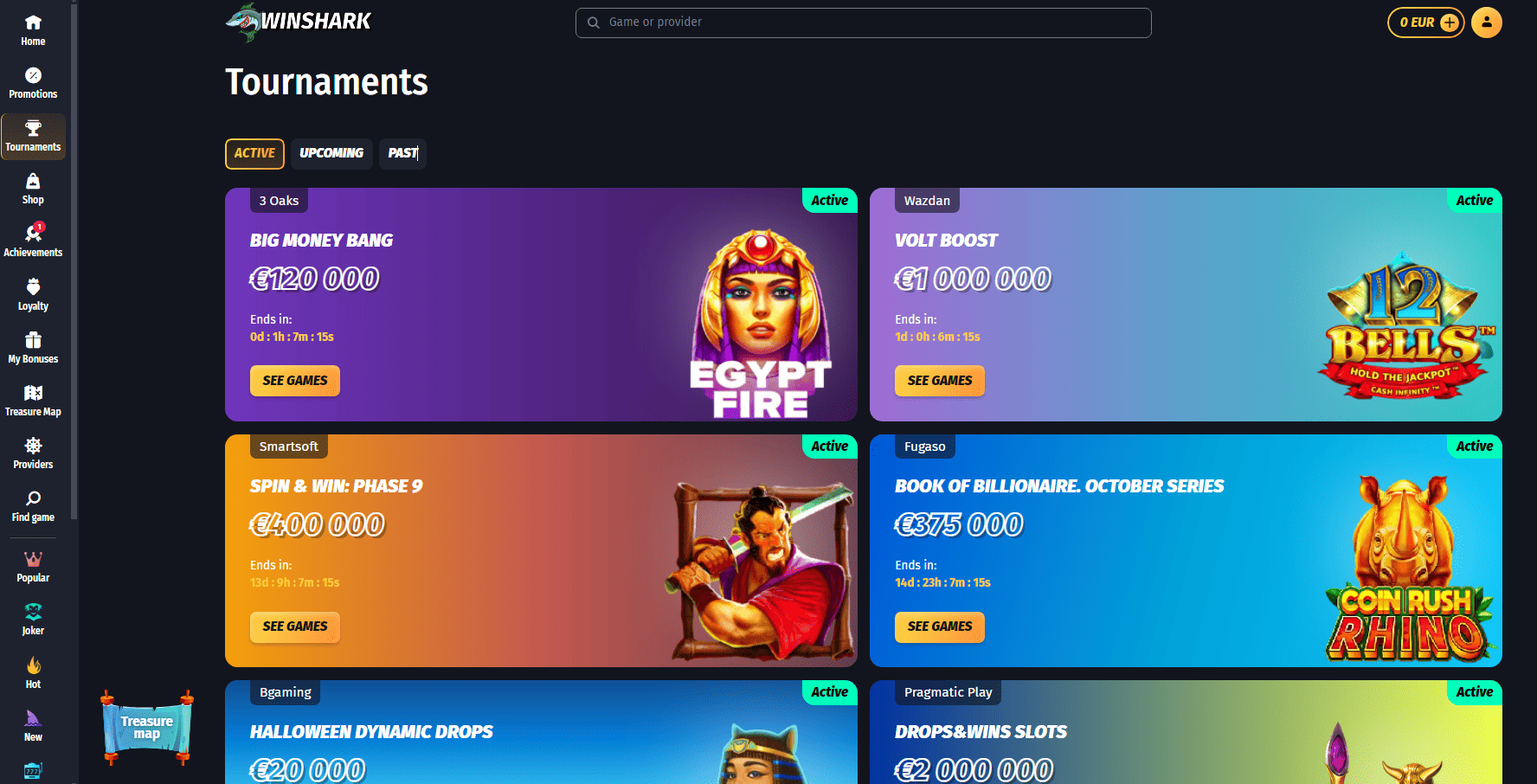 Active tournaments at Winshark
Winshark has 24/7 technical support for players. The casino operates under the license of Curacao. This guarantees honesty and safety for players.
If we talk about the conditions for affiliates, Revsharks offers quite high rates. But you should take into account that the final rate depends on the GEO, source, and quality of traffic.
For example, for PPC campaigns you can get the following rates (depending on the region):
- Germany: €300;
- Austria: €350;
- Canada: €400;
- Australia: €300;
- Switzerland: €400;
- Ireland: €300;
- Hungary: €240;
- Poland: €210;
- Finland: €200;
- Greece: €240;
- Italy: €300;
- Spain: €300.
Keep in mind that to get certain conditions and rates, you need to contact your manager. When you discuss the terms of cooperation and traffic sources, the manager will activate the necessary commission.
How to generate advertising link
After registration, the manager will activate the advertising campaign. In the Revsharks account, you will be able to create an advertising link. To do this, open the “Campaigns” menu item and go to the “My Campaigns” page. Then click “Create New Campaign”.
In the form that opens, type the name of the campaign, choose a brand and a partnership model.
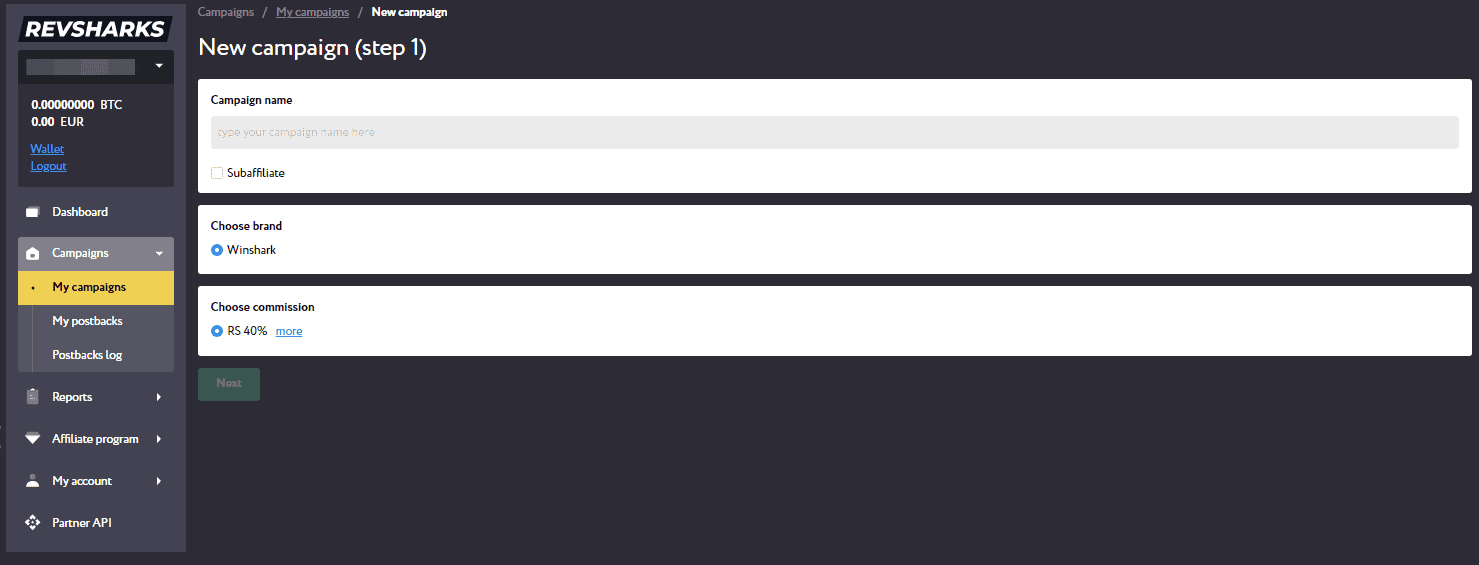
Click “Next”. In the next step, specify the traffic source and choose a landing page.
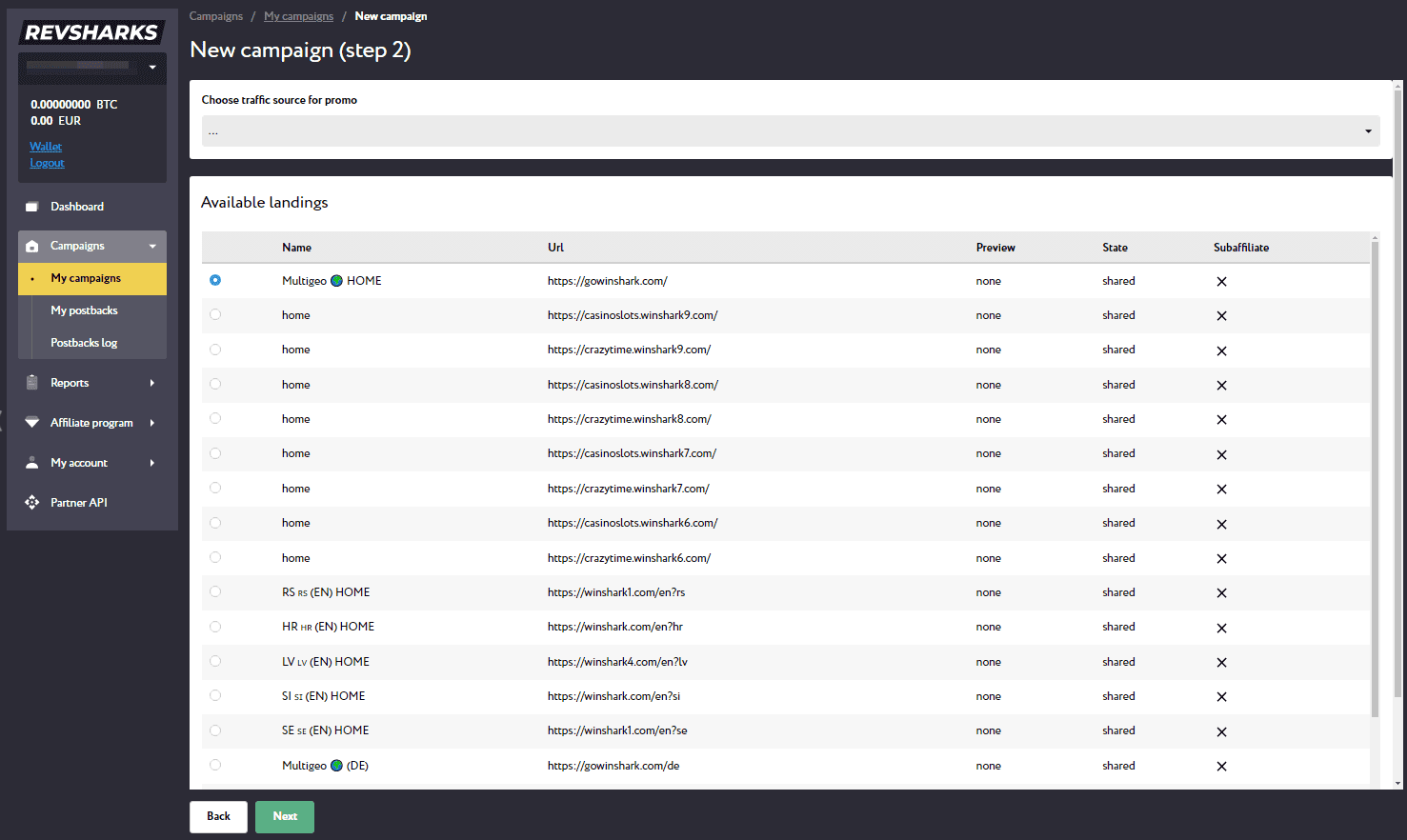
Click “Next” and then “Finish”. A new campaign will open with the created promo. You can copy the link and use it in the Advertising account.
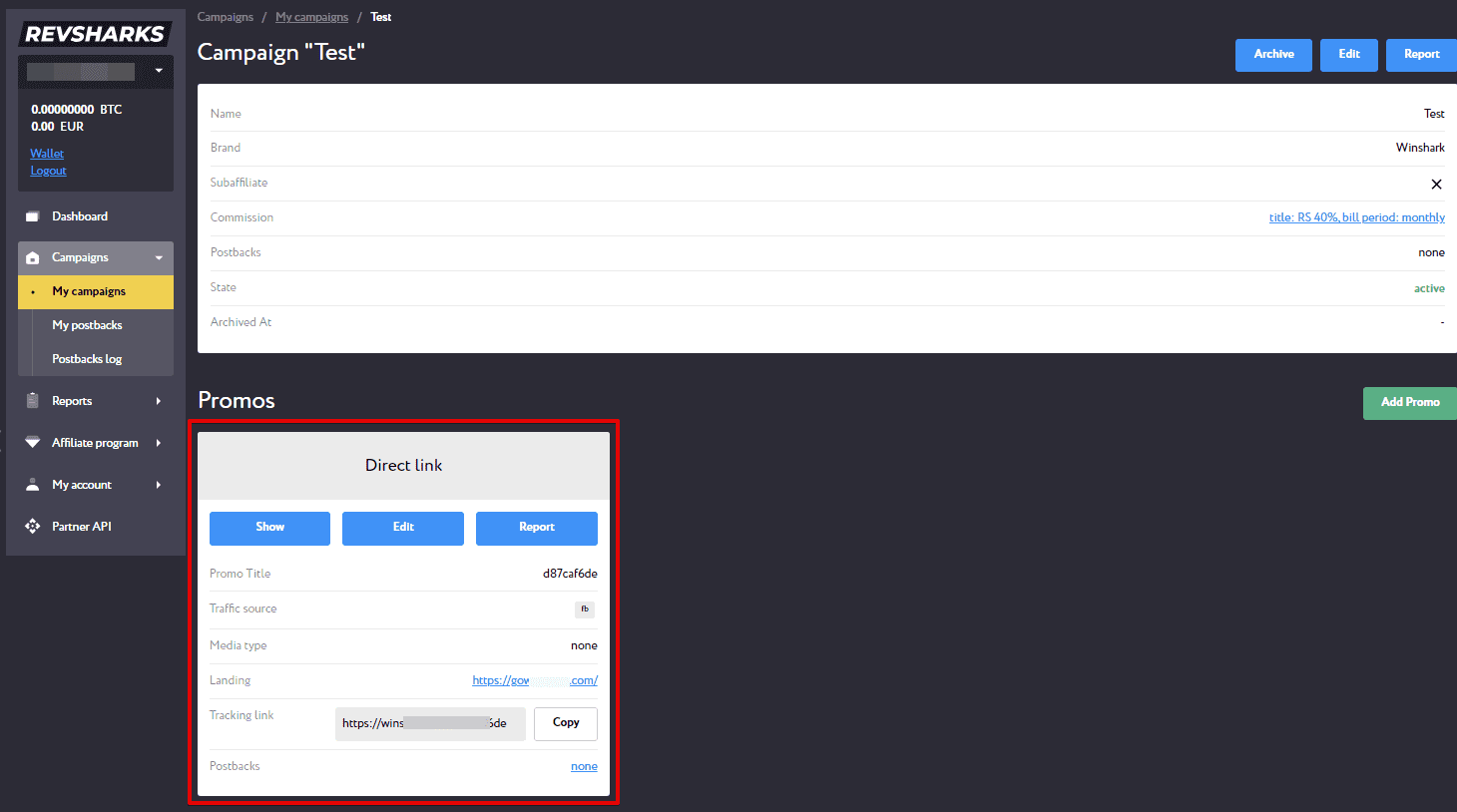
In the future, you can create new promos in the current campaign – click “Add Promo”. You can also create other campaigns.
Statistics
After launching an advertising campaign, you can track the results in your account. The “Statistics” page displays all the necessary information.
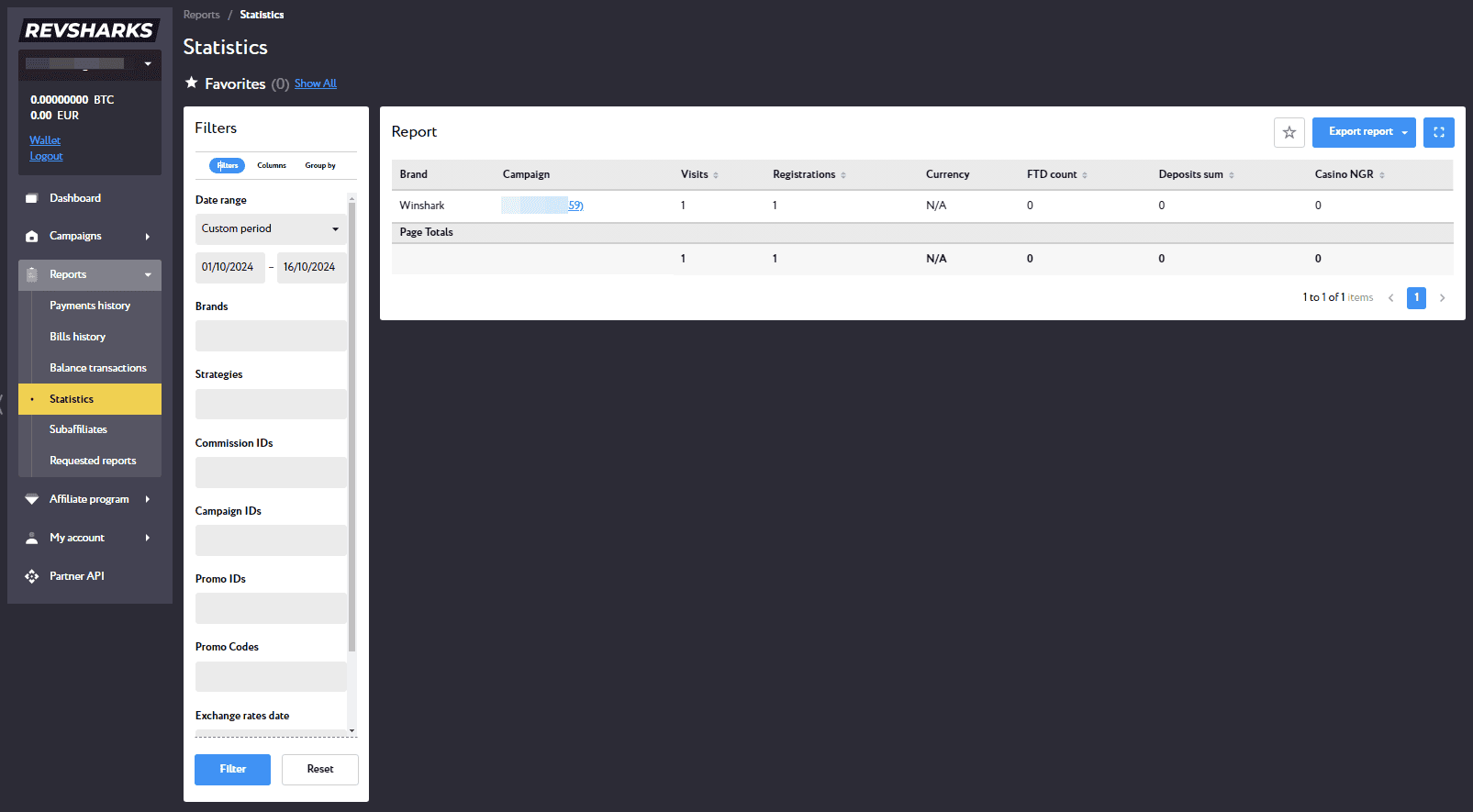
Displayed information:
- Brand;
- Campaign (name and ID);
- Visits;
- Registrations;
- Currency;
- FTD;
- Amount of Deposits;
- NGR;
- Your Income.
How to set up postback on Revsharks
Besides internal stats, you can customize postback and see all stats in the tracker. Now let’s see the customization using the Keitaro tracker as an example.
- Open the tracker and go to the “Affiliate Networks” section;
- Create a new affiliate program;
- Specify the name of the affiliate program, in the “Offer parameters” field type
visit_id={subid}
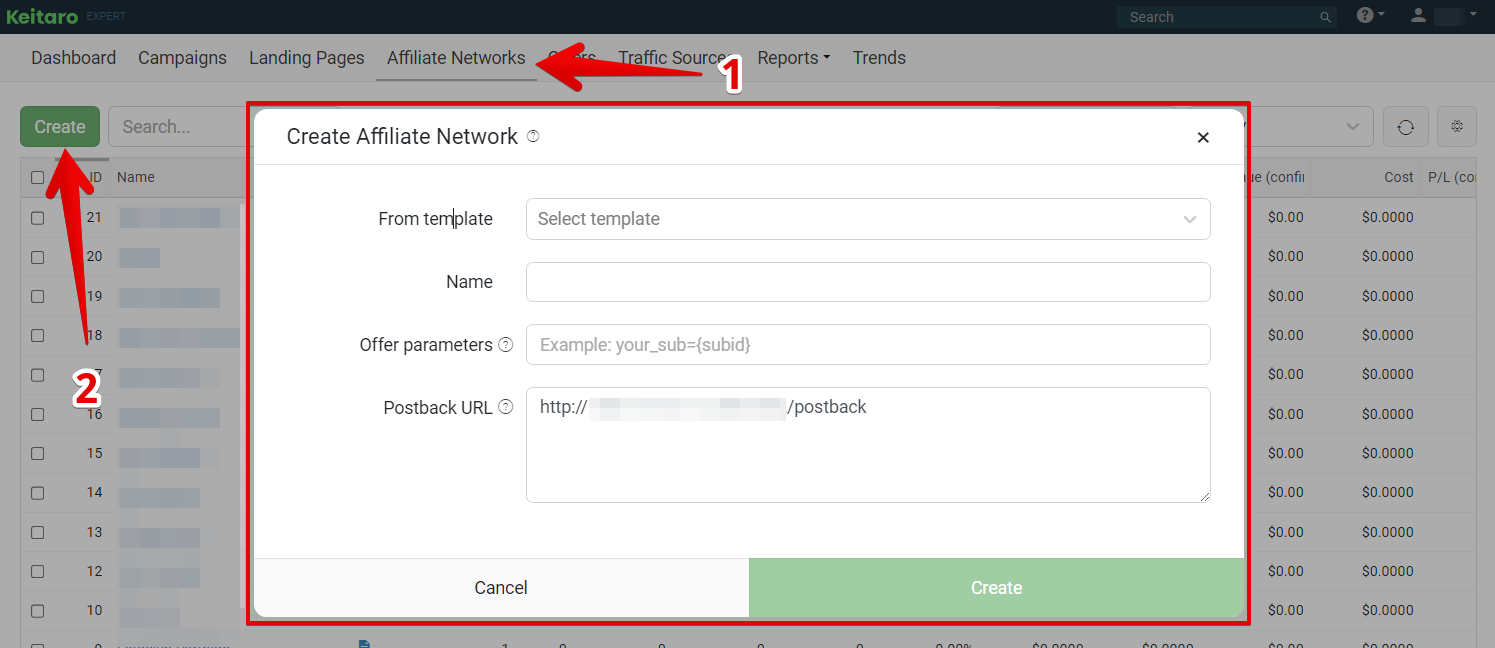
- Copy the Postback URL and create an affiliate program in the tracker (click “Create”);
- Open the Revsharks account and go to “My postbacks” page and create a new postback;
- Specify the scope and what you want to pass on;
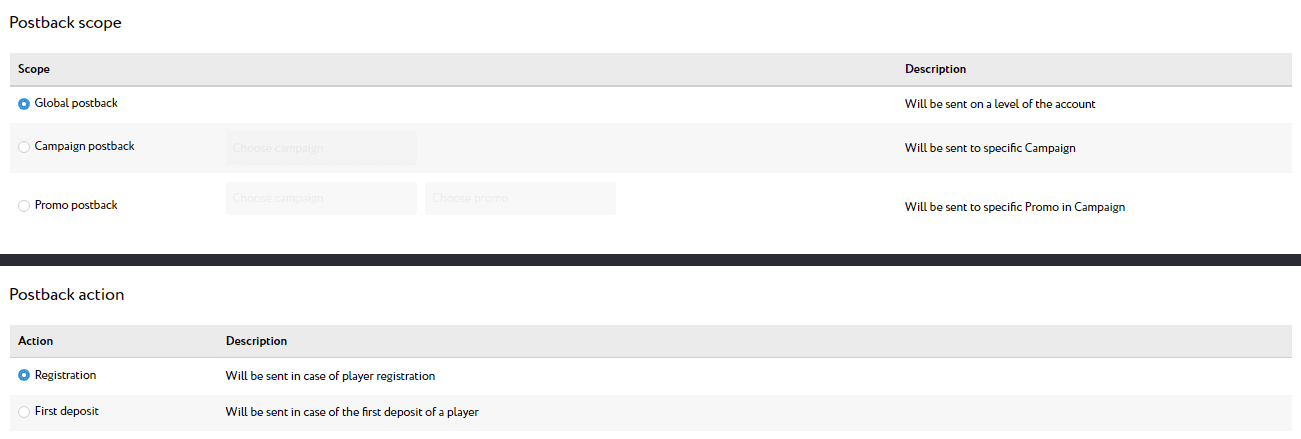
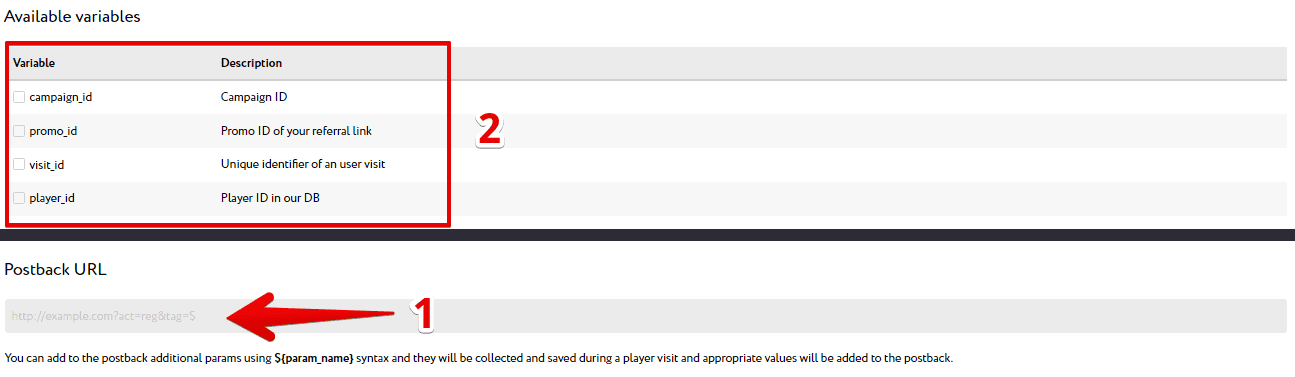
- In the “Postback URL” field, paste the link you’ve copied in the tracker;
- Specify variables;
- Create a postback in the affiliate program;
- Open the tracker and go to the “Offers” section;
- Create a new offer;
- Specify the name of the offer, select the affiliate program, and paste the link to the landing page (it should be copied in the created campaign on Revsharks);
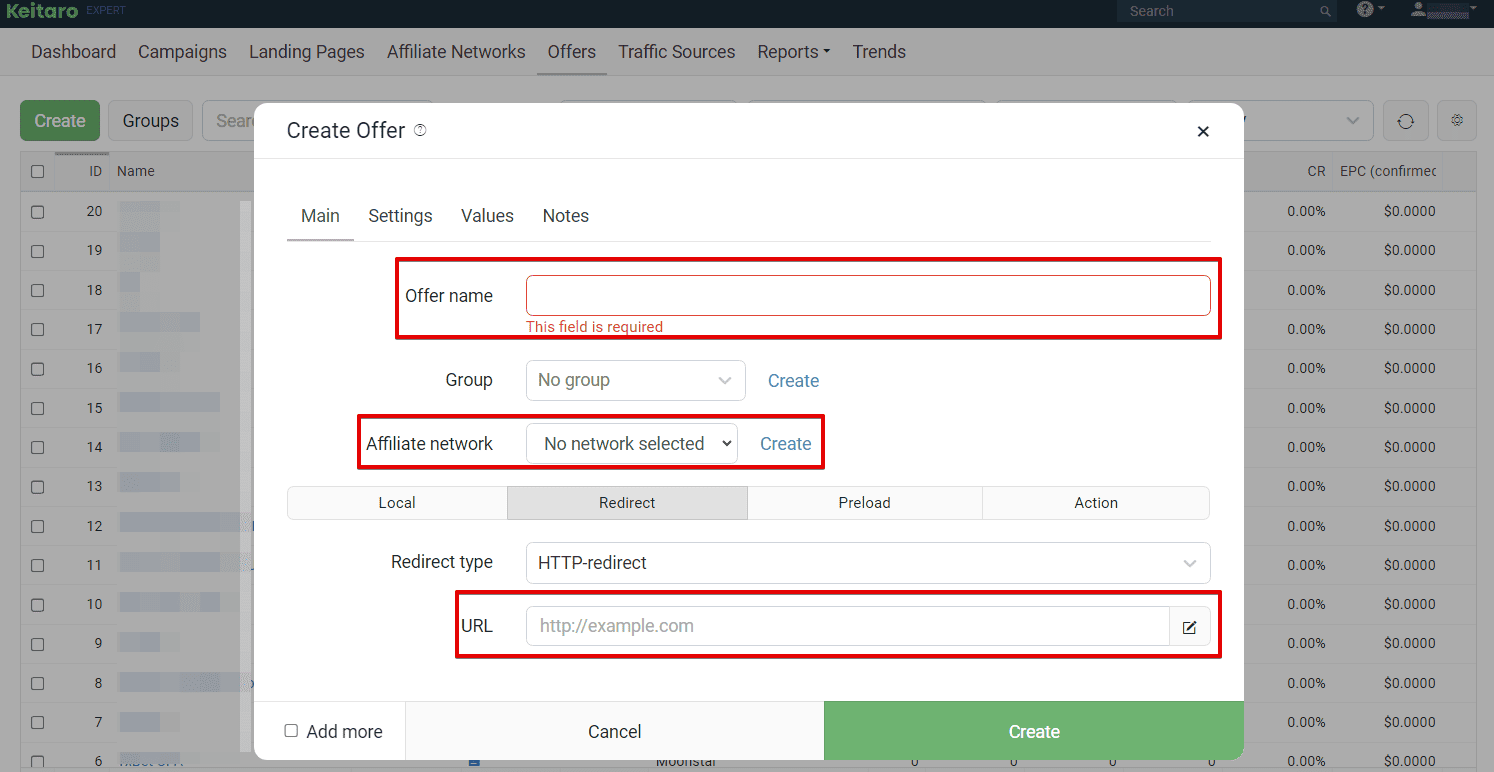
- Create an offer;
- Open the “Campaigns” section and create a new campaign;
- Specify the campaign name and create a new flow (click “Create Flow”);
- In the form that opens, go to “Schema” and select the offer;
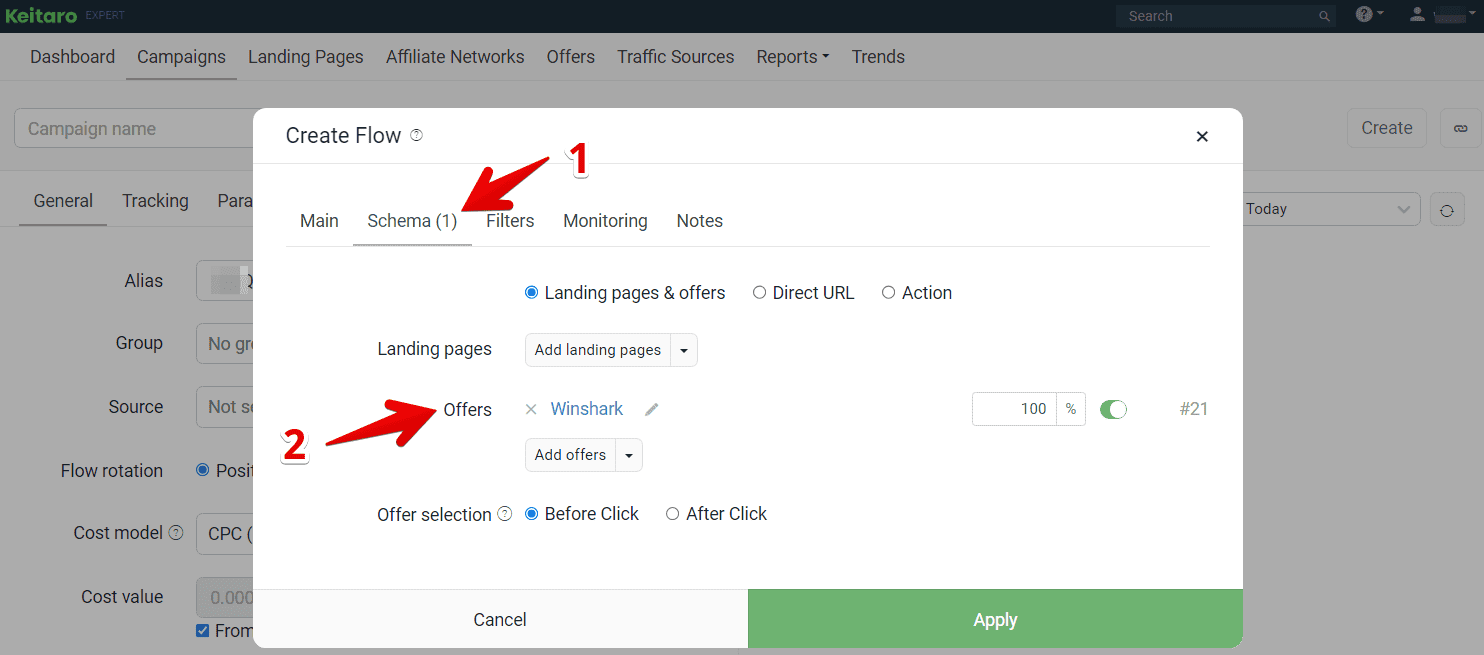
- Create a flow and a campaign.
In the Tracking section of the created campaign, copy the ad link. Test the postback before driving the traffic.
Payouts
Hold: up to 14 days
Minimum amount: €100 for e-wallets, €500 for bank transfers.
Payment systems:
- Bank transfers;
- Skrill;
- Neteller;
- Rapid Transfer;
- Crypto.
Technical support and social media
Revsharks has pre-moderation of accounts. After registration, a personal manager will contact you. You will be able to discuss any issues – terms of cooperation, traffic sources, etc. If there are any difficulties or questions in the process of driving traffic, you can always contact technical support.
Contacts:
- Telegram: @revsharks_affiliate
- Skype: live:.cid.5ea29b44cc5501eb
Social Media:
- Instagram: https://www.instagram.com/revsharks/
- Telegram: https://telegram.me/revsharks
The company is also participating in SiGMA Malta from November 11-14, 2024. If you’re at the conference, you can meet the team in person.
Sign up for the Revsharks affiliate program.
