

![[FBM] CARDS](https://cpa.rip/wp-content/uploads/cr-a1/fbm-cards-v1/fbm-cards-logo.svg)




Meta Ads has rolled out a new statistics breakdown for Multi-Media Ads. Advertisers can now view the performance of each image and video within a single ad separately.
Multi-Media Ads let you upload up to 10 images and videos into a single ad and configure how they display across different placements. The format is available in the new ad creative creation experience in Meta Ads Manager, which is being rolled out gradually. Because of this, the new breakdown may not yet be available in all ad accounts.
To view statistics for individual media files, go to the ad level and select Breakdown > Creative > Media.
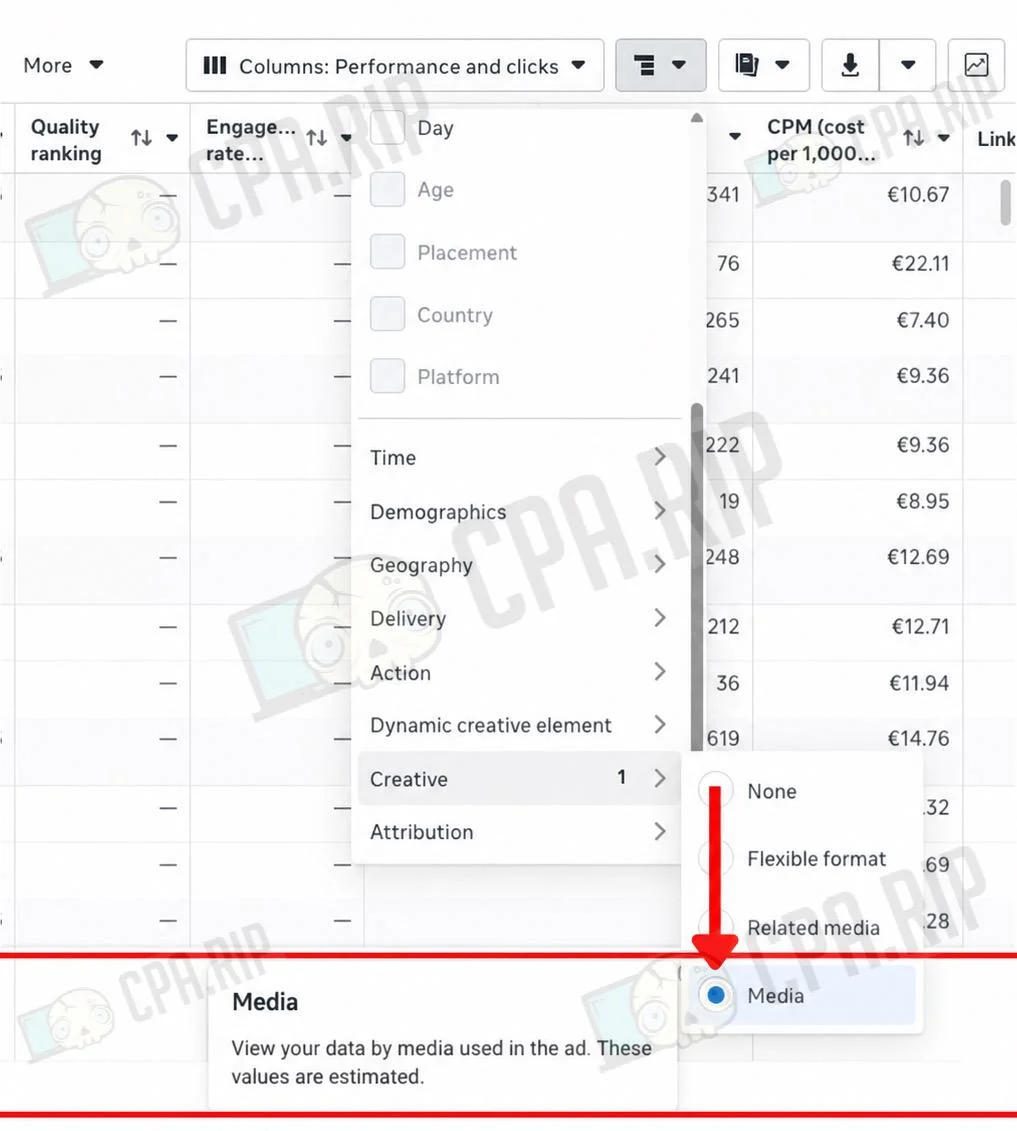
The new breakdown lets you compare the performance of media files within a single ad and see which images and videos deliver the best results and which ones underperform.








Comments