

![[FBM] CARDS](https://cpa.rip/wp-content/uploads/cr-a1/fbm-cards-v1/fbm-cards-logo.svg)
Additionally: Octo Browser offers discounts for 3/6/12-month payments (-10%/-20%/-30%) — these are applied automatically when you select the term.

Antidetect browser
Octo Browser
Promo code for antidetect browser Octo Browser (30% discount)
The CPARIP promo code gives you a 30% discount on your first purchase with Octo Browser.
How much you can save
Example of savings with the CPARIP promo code for a 30% discount on your first purchase when paying for antidetect browser Octo Browser plans:
| Тариф | Профили | Обычная цена | Цена с промокодом CPARIP | Экономия |
|---|---|---|---|---|
| Lite | 3 | €10 | €7 | €3 |
| Starter | 30 | €29 | €20,3 | €8,7 |
| Base | 200 | €79 | €55,3 | €23,7 |
| Team | 600 | €169 | €118,3 | €50,7 |
| Advanced | 100k | €329 | €230,3 | €98,7 |
How to use promo code for Octo Browser to get discount
Step 1
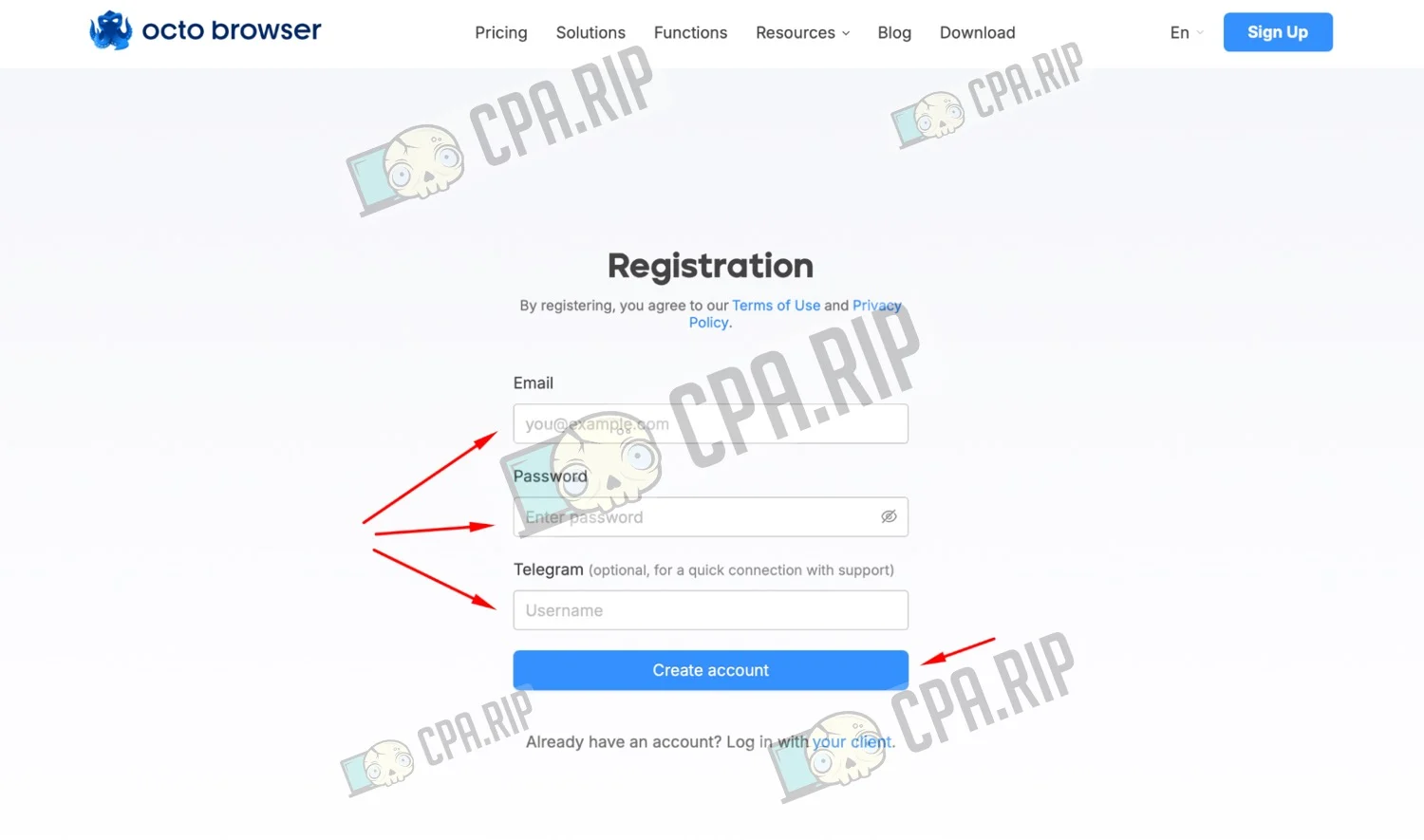
If you don’t have an account yet, follow the link and sign up.
- To do this, enter your Email / Password / Telegram;
- Click ‘Create account’.
Step 2
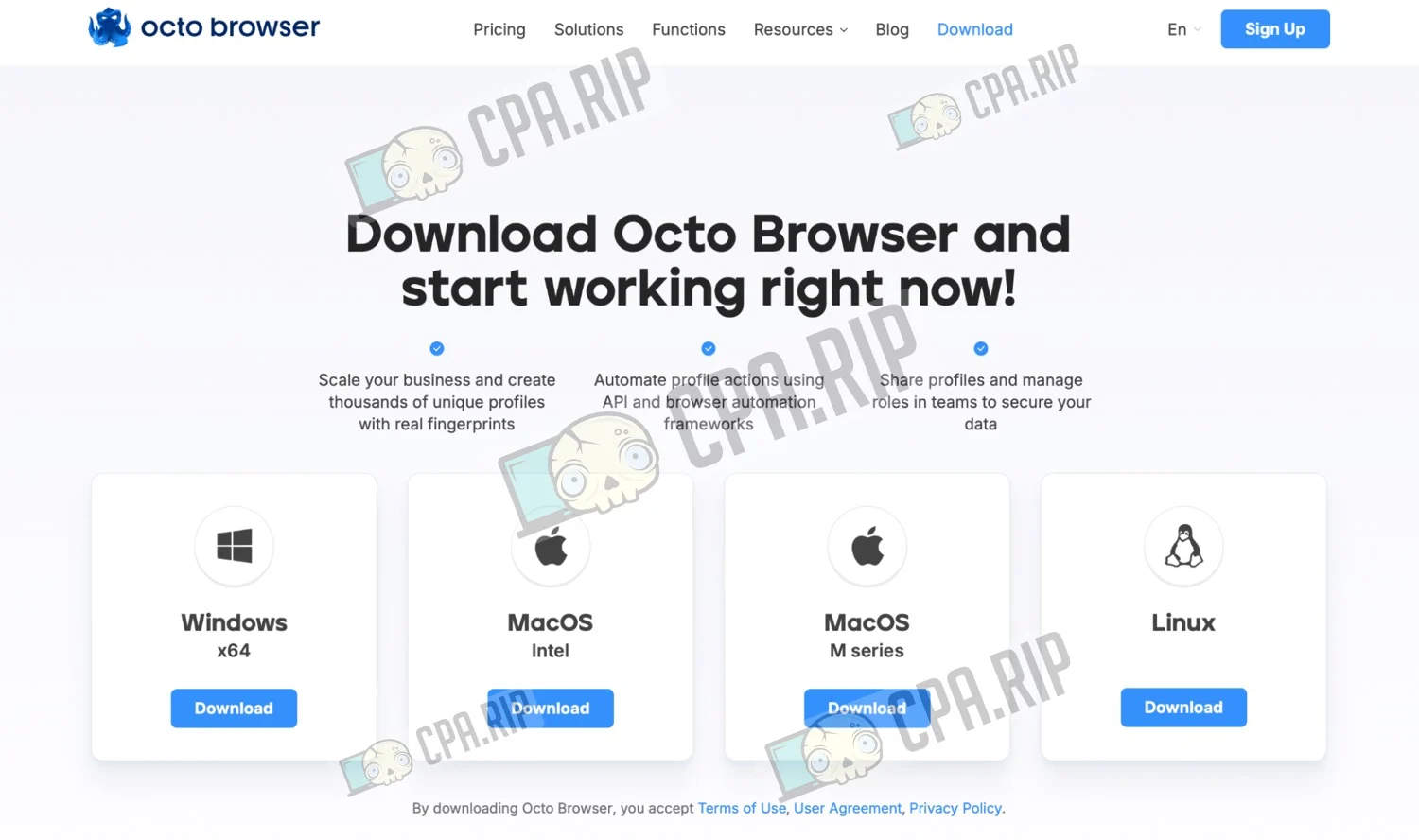
- After registering with Octo Browser, download the app for your operating system (Windows / macOS Intel / macOS M series / Linux);
- Install the app and launch it.
Step 3
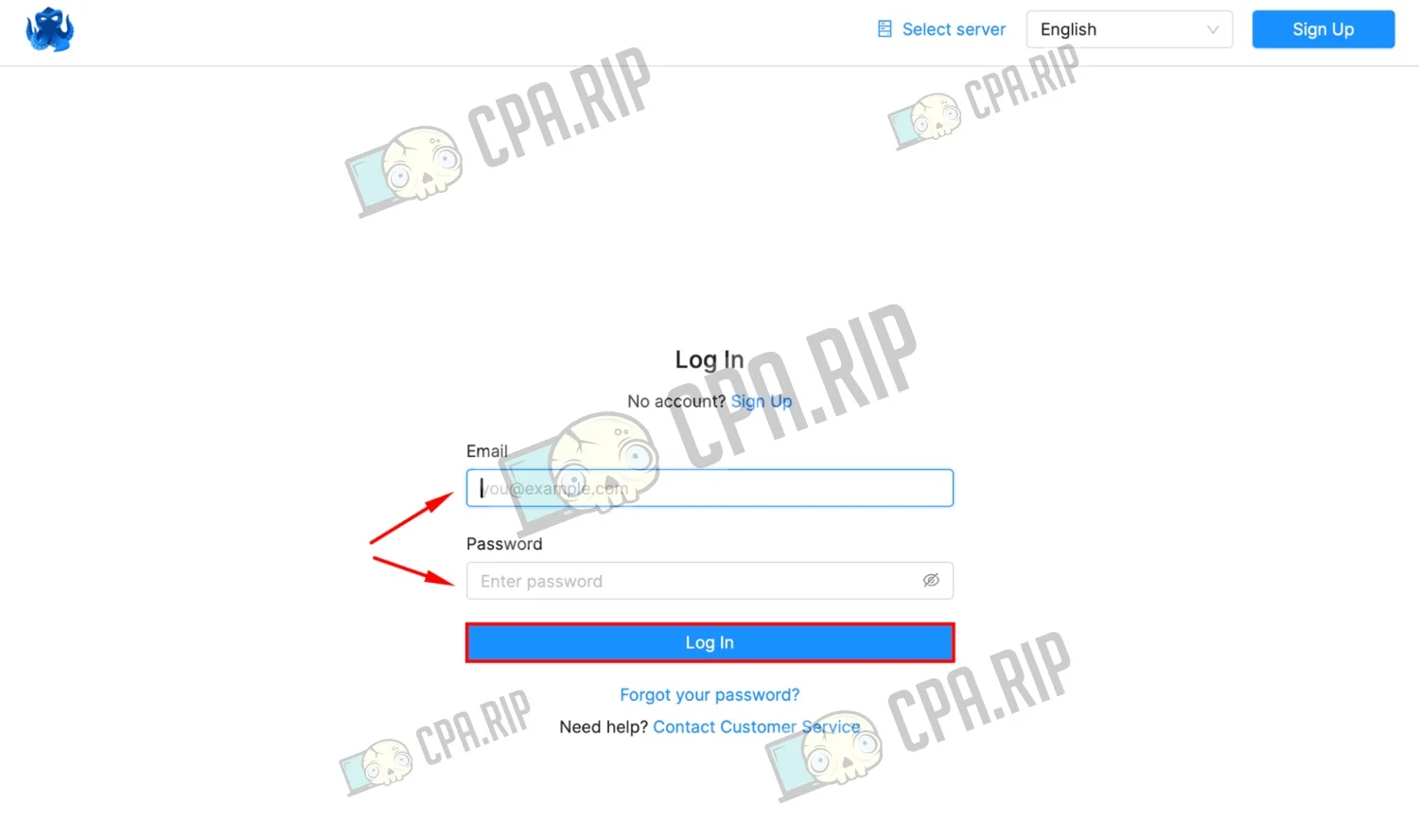
- Log in by entering your email address and password.
Step 4
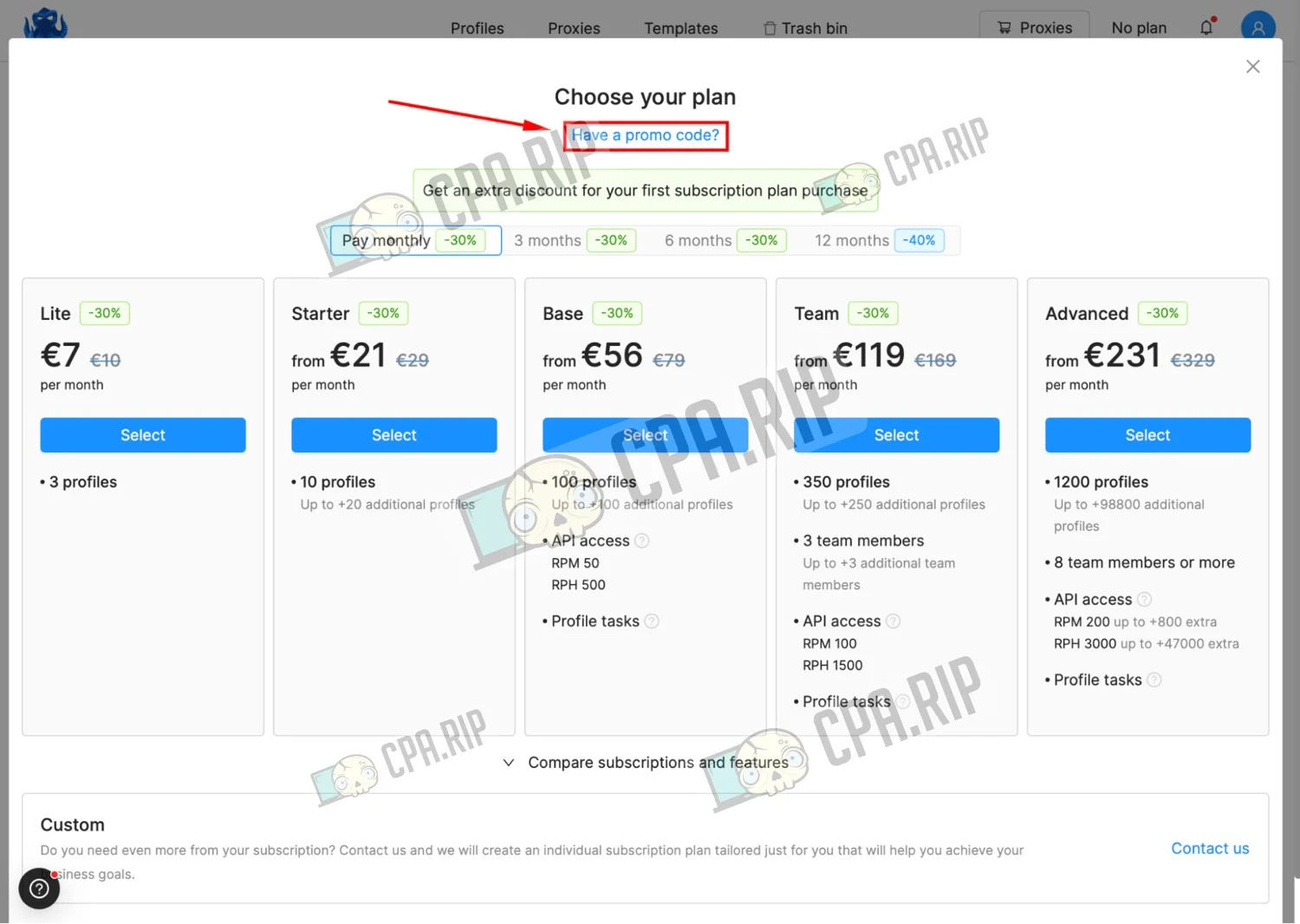
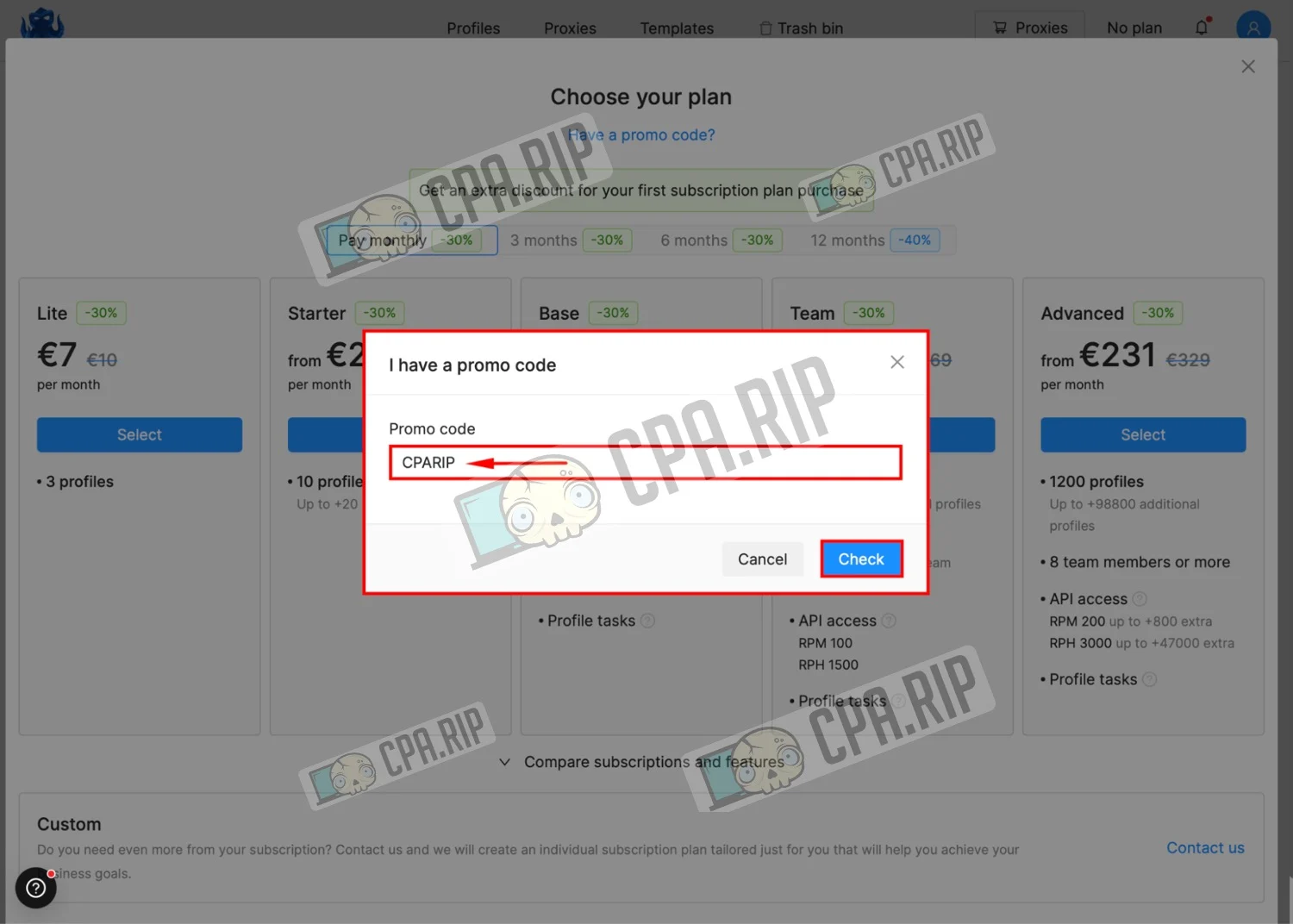
- If this is the first launch of the antidetect browser Octo Browser, you will see the ‘Choose your plan’ window immediately after you log in;
- Next, click ‘Have a promo code?’ in the top corner;
- Or click the profile icon → Billing → I have a promo code.
Step 5
- Enter CPARIP in the promo code field and confirm by clicking Check.
- You will then see a message confirming that the promo code has been successfully applied.
Step 6
Important: the promo code is only valid for new accounts that have not previously had a subscription.
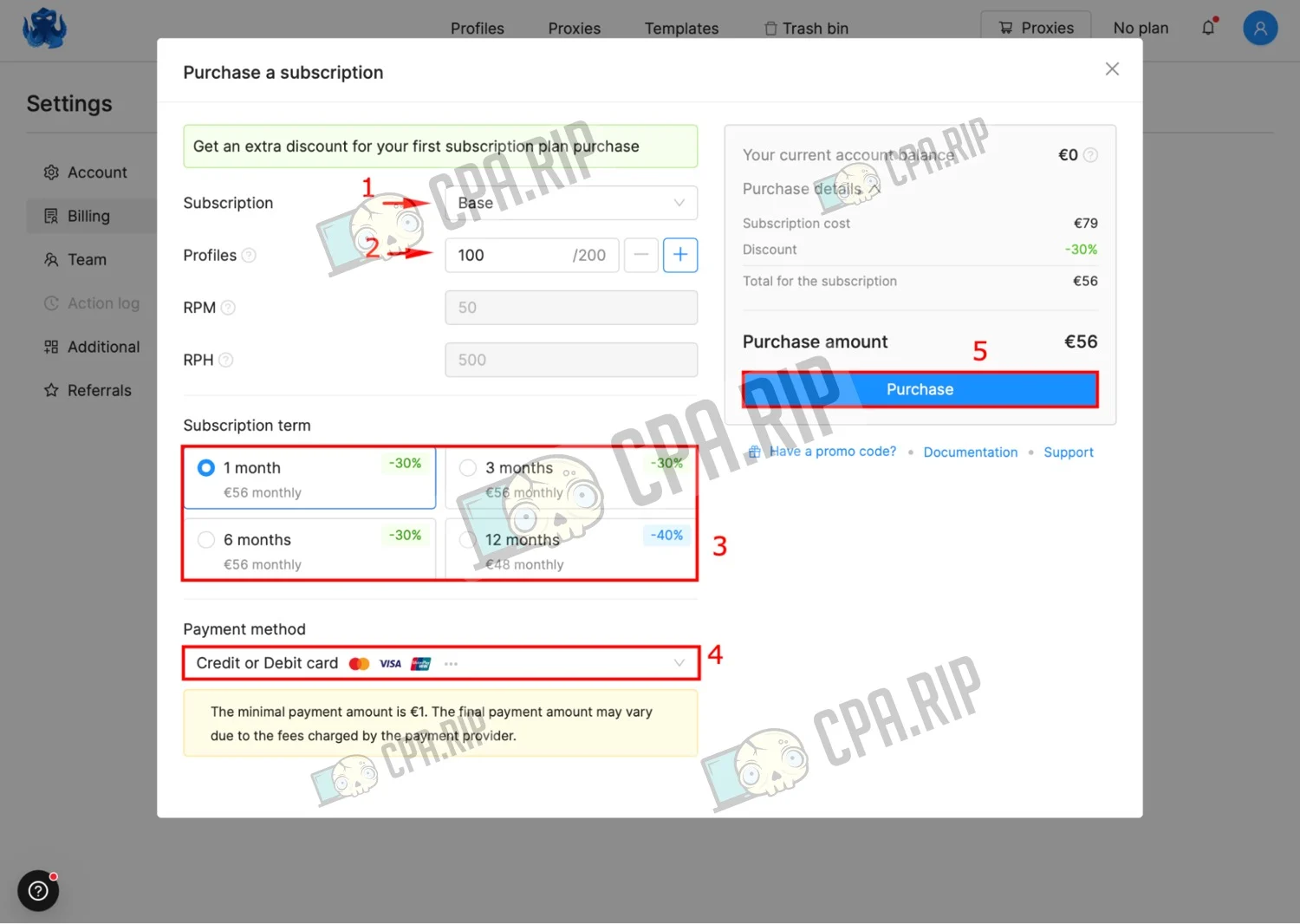
- Next, select the desired plan;
- Select the required number of profiles;
- Select the payment term for the plan;
- And the payment method;
- Click ‘Purchase’.
Promo code:
Go to the service Latest promo codes
All promo codes →Affiliate programs
All programs →All →
Brands: Vavada Casino Website

Brands: ПАНДА, LEEBET, BANDA, KUSH, EVA, APEX Website
Brands: EpicStar Website

Brands: FLAGMAN, IRWIN, GIZBO, LEX, MONRO, 1GO, STARDA, IZZI, DRIP, LEGZO, VOLNA, JET, FRESH, SOL, ROX, FUGU, IRIS Website

Brands: Twindor, Winnita, VOX Website


Brands: Vegas, ICE Casino, VERDE Casino, FS Casino, Fiery Play, Slotoro, Hit’N’Spin Website

Comments