



On November 10, OpenAI introduced Business Agents in ChatGPT. Advertisers can send users from ads not only to a website, but also directly to a chat with the company’s AI agent.
Ads can display two buttons: Start chat and Visit site. The first opens a conversation with the agent directly in ChatGPT, while the second takes you to the advertiser’s website.
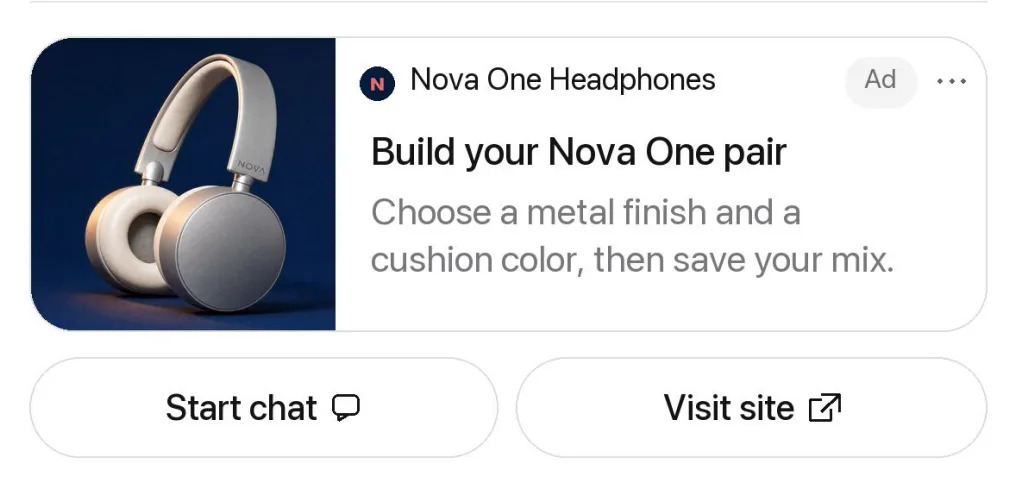
In the chat, you can ask questions about products and services, compare offers, and clarify purchase terms.
To launch it, you need to create an agent through Business agent > Agent builder in Ads Manager, add company information, and configure its responses. Then connect it to an ad campaign with the Conversion optimization objective by enabling Enable agent chats.
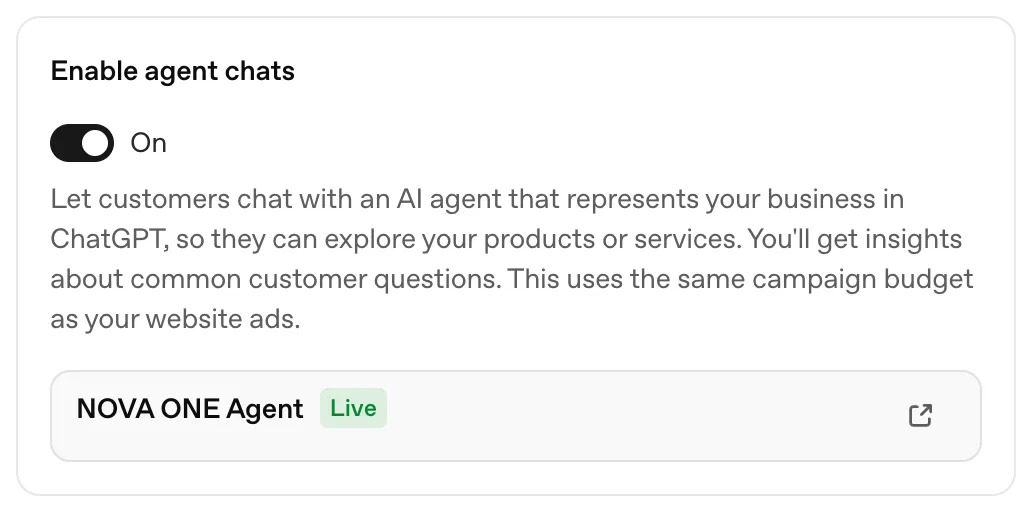
There is no separate fee for communicating with the agent. In Ads Manager, you can view impressions, clicks, and overall chat statistics. The conversations themselves are not available to advertisers.
For now, the feature is available only to some US companies that sell products and services online. Access to ads with agents is being rolled out gradually. Agents from Business Hub are not yet synchronized with Ads Manager, so you need to configure them separately for advertising.






Comments