

![[FBM] CARDS](https://cpa.rip/wp-content/uploads/cr-a1/fbm-cards-v1/fbm-cards-logo.svg)

Tips for managing Facebook accounts when running ad campaigns, which can extend their lifespan and reduce the number of video selfies. This is not a strict sequence of actions, but a set of individual steps, each of which can influence trust.
We have previously written about basic recommendations for farming Facebook accounts: https://cpa.rip/en/facebook/account-farming/.
1. After importing a Facebook account into the antidetect browser (detailed instructions using Dolphin{anty} as an example are available via the link), you need to go through a phase of adapting to the new digital footprint. First, log in to your profile, then close it and wait for 8–12 hours before logging in again.
2. Before going to Ads Manager, you need to be active on the social network. Spend some time browsing your feed and Reels, give a few likes, and leave 1–2 relevant comments.
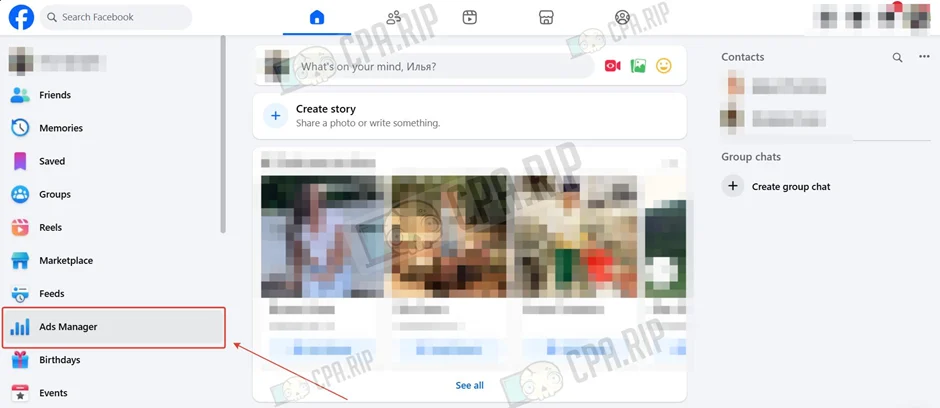
3. Go to Ads Manager via the Facebook account menu.
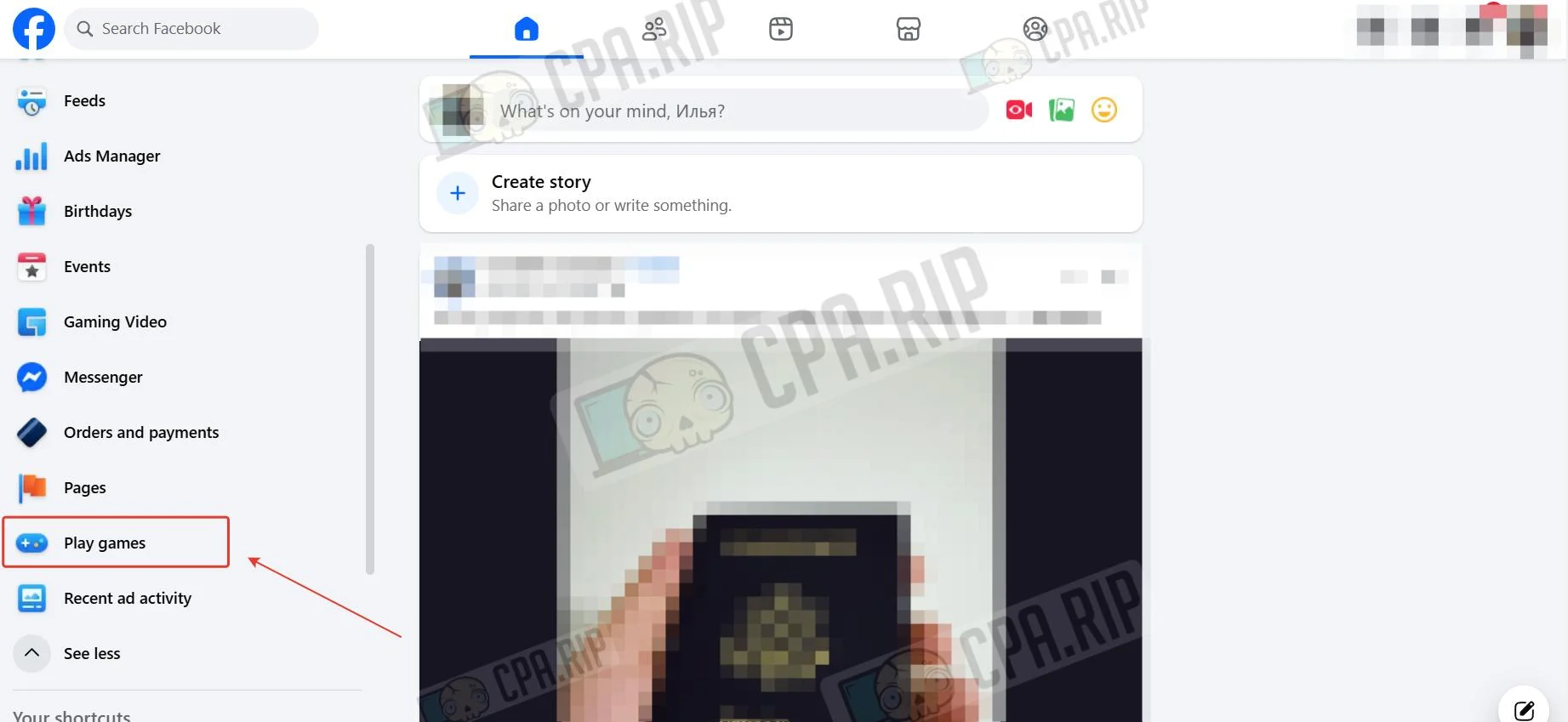
4. Play any game in the ‘Play games’ section of your Facebook account menu.
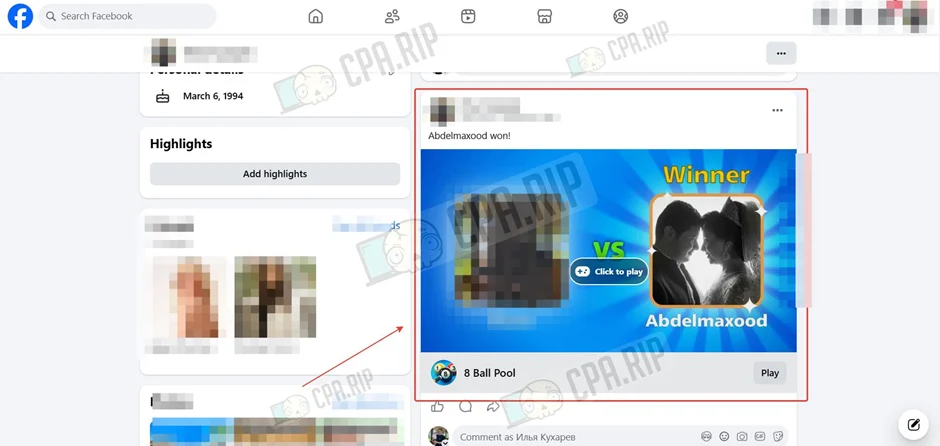
And repost your result to your own page.
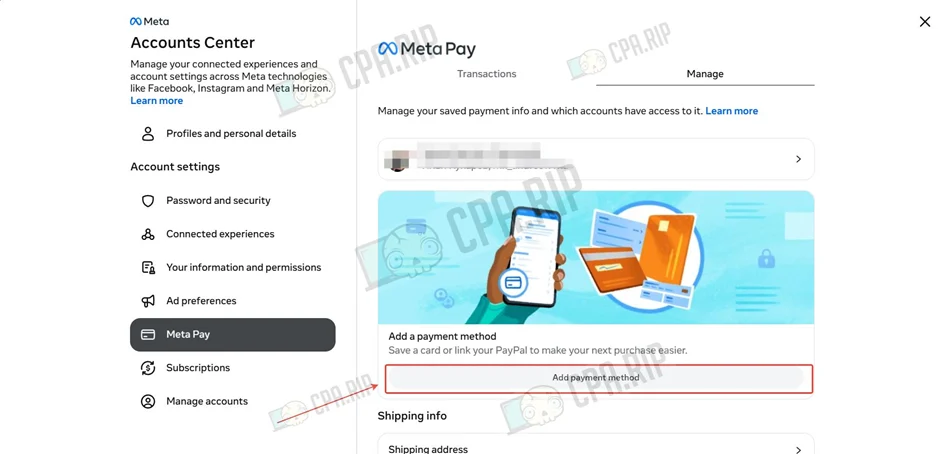
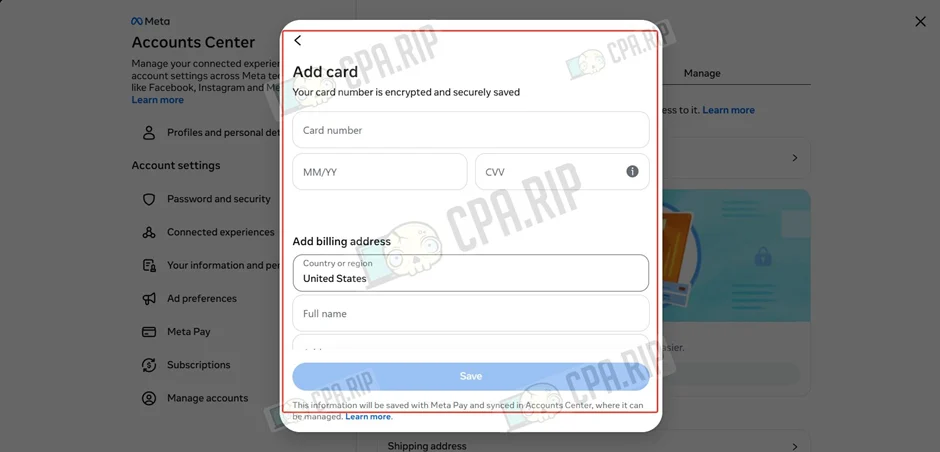
5. Add a bank card to your Facebook account.
- Go to https://accountscenter.facebook.com/meta_pay_wallet/?tab=manage and click ‘Add payment method’.
- Select ‘Credit or debit cards’.
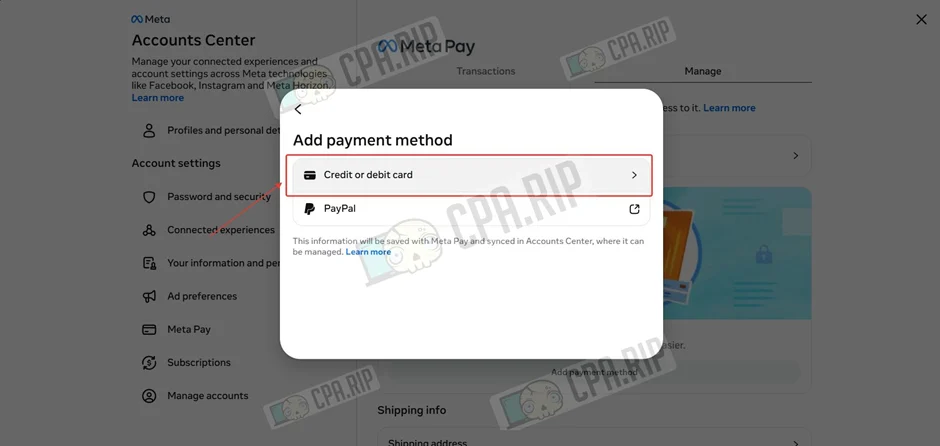
- Enter your card details and address, then click ‘Save’.
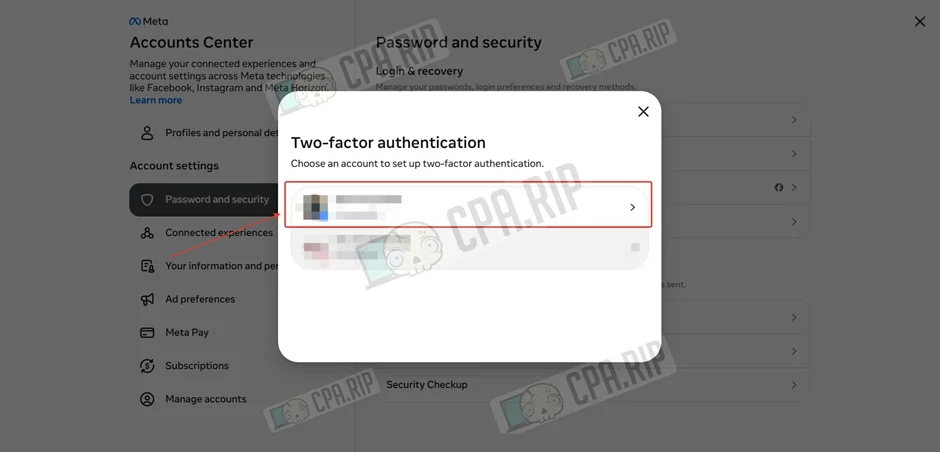
6. Set up 2FA if it is disabled.
- Go to https://accountscenter.facebook.com/password_and_security/two_factor and select your account.
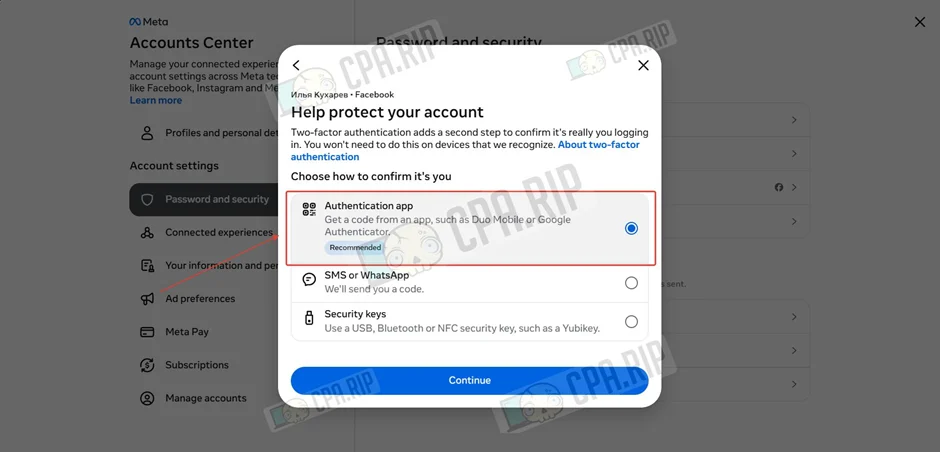
- Select ‘Authentication app’ and click ‘Continue’.
- Copy the code to set up in the Authentication app and click ‘Continue’. You can use the 2FA Authenticator browser extension.
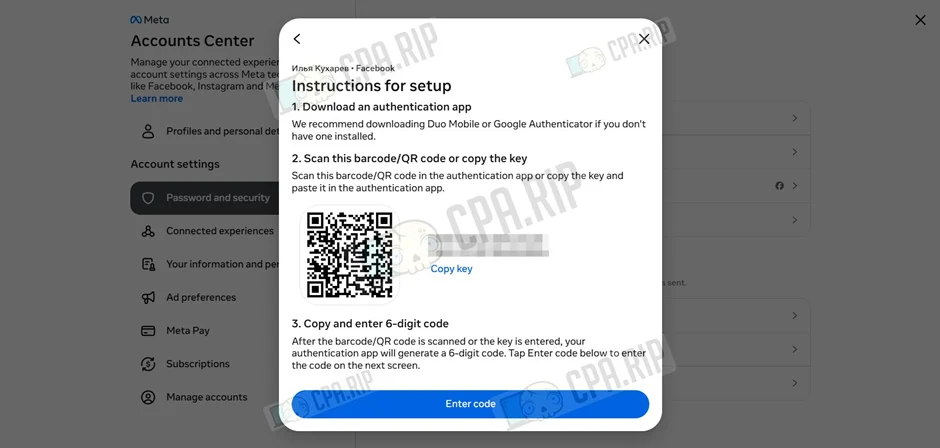
If the Authentication app is not available in this menu, use the alternative setup method at https://cpa.rip/facebook/2fa-set-up/.
7. Log in to the Meta.ai website via the ‘Log In’ button.
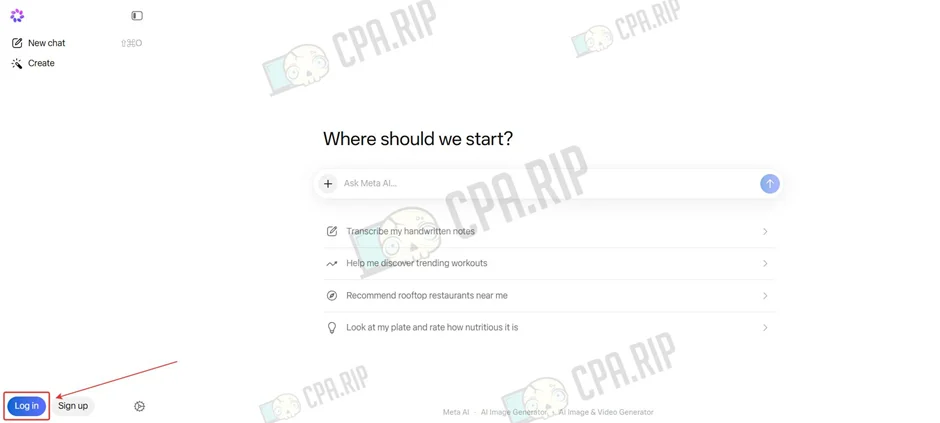
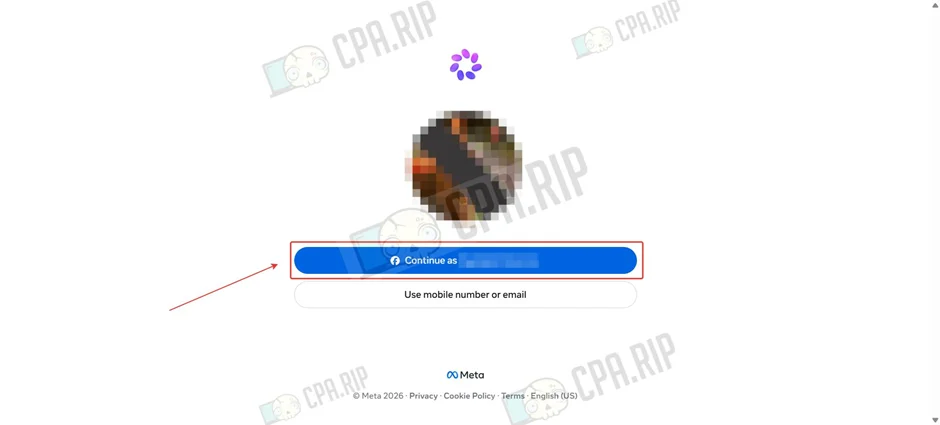
- Select your Facebook account to log in.
8. Do not use more than 4 Fan Pages on a single account.
9. If an advert in your advertising account has been marked as ‘Rejected’, do not submit an appeal. Delete it and create a new one from scratch. Accumulating more than 10 rejected adverts in a single account increases the risk of your Facebook account being flagged. If you have received more than 10–15 ‘Rejected’ statuses, take a break of 1–3 days before continuing to work with the account.
10. When closing the antidetect browser profile, close all tabs related to Ads Manager and leave the Facebook home page open.








Comments