
Hi everybody! I often receive questions on how to appeal a Facebook policy. Many users mistakenly confuse the policy with the restricted advertising access of the social account. Today we’ll sort it out once and for all!
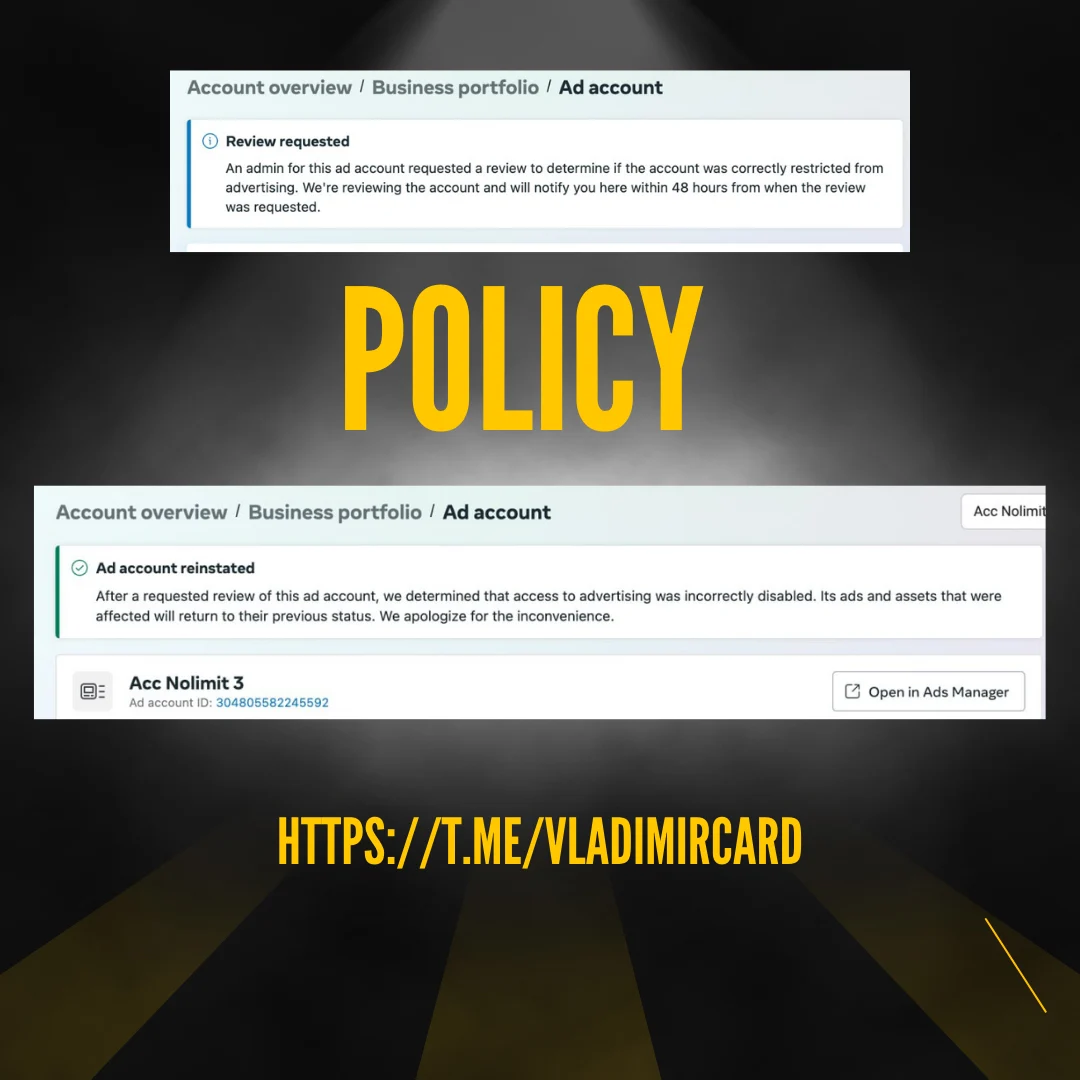
Situation
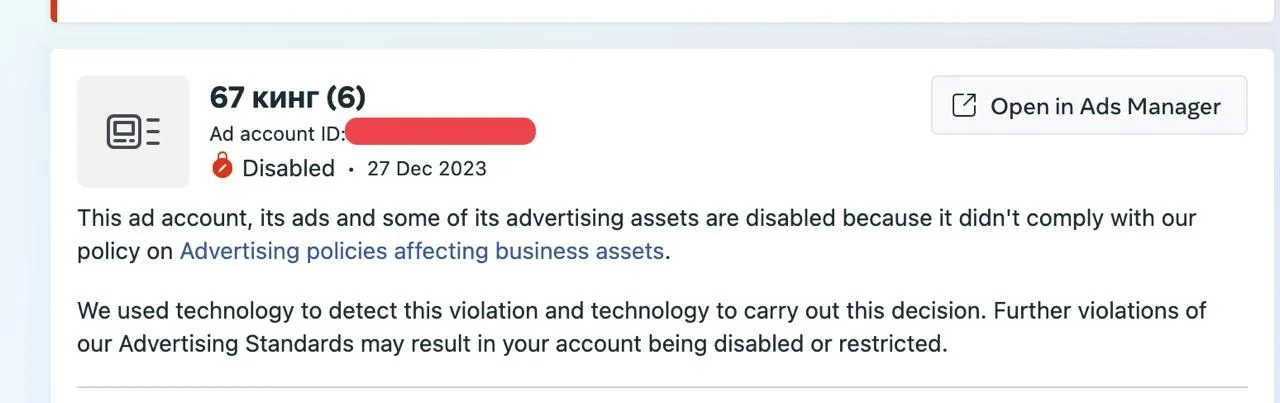
You have successfully launched a campaign on your ad account and received a message:
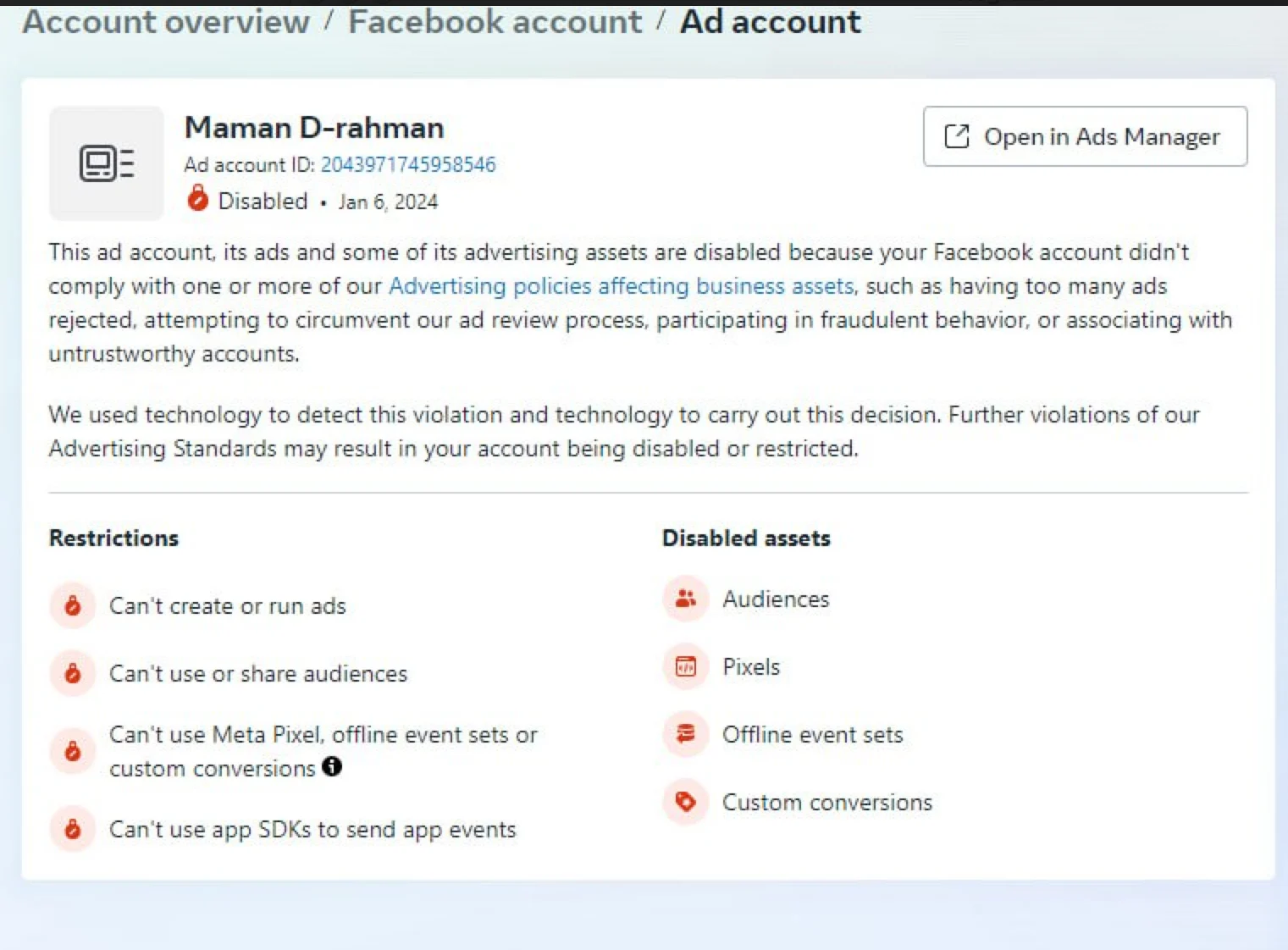
What are your options?
Here you should consider a very important thing related to your setup. It sounds like this:
If this advertising account is not transferred anywhere (to another King or BM), you should first make sure that there is no restricted advertising access on your social account. You can easily check it – just go to Account Quality:
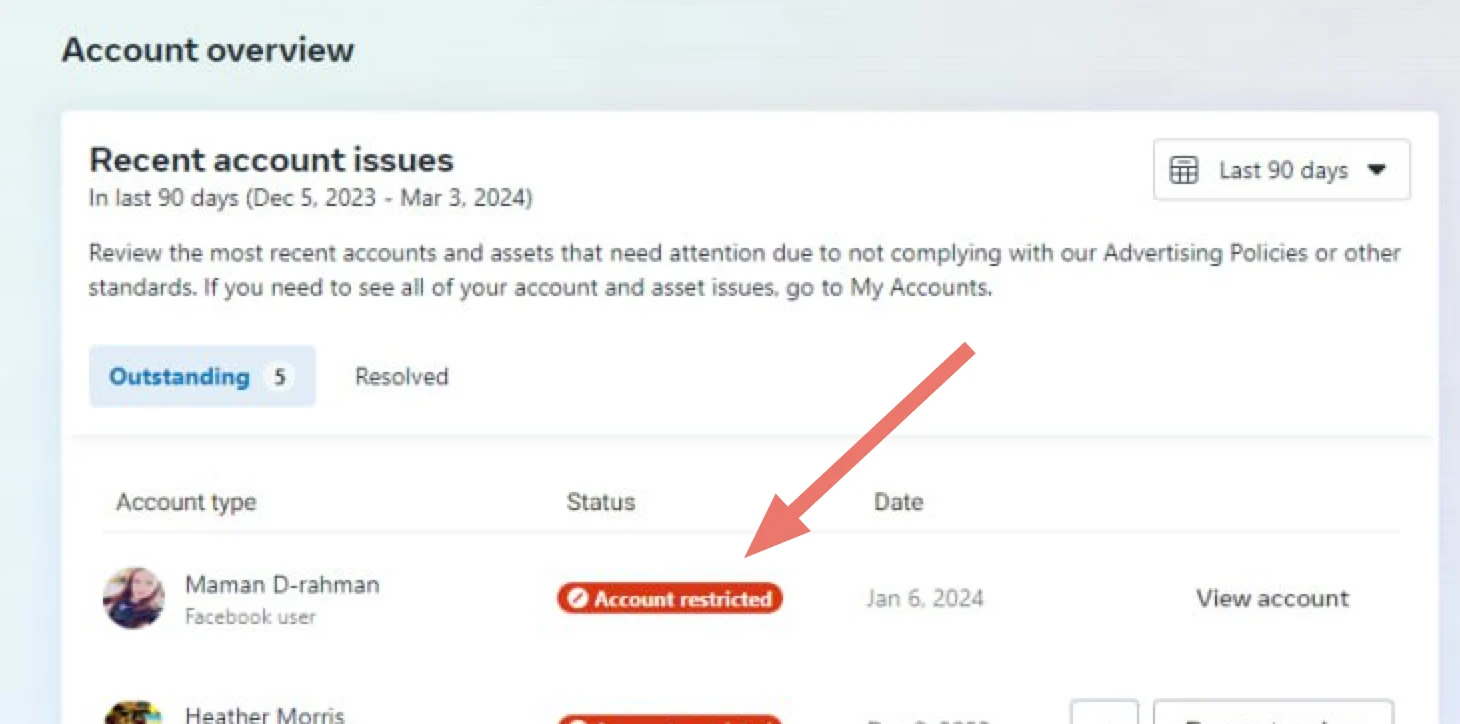
As you can see from the example above, the social account was attacked by a Red Reptiloid and received an advertising restriction. That means:
In this case, the advertising account was banned not because FB did not like something in your advertising, or not because you did not follow the principles of systematic “warming”, or not because you made duplicates, or not because you sharply increased the budget, or not because you used 1 domain for several advertising accounts, but because when the social account gets restricted advertising access (provided that the ad account of this social account was not transferred anywhere), then the ad account of this social account automatically becomes banned.
There are 2 simple conclusions from this:
- To make your ad account active (if you have not transferred it anywhere) you will need to unban the social account itself first i.e. get rid of the advertising restriction by uploading the documents.
P.S. Sometimes it happens that first you receive a notification about a violation of the policy rules of the ad account and then within a short time there appears restricted advertising access to your social account. In such a case, you will first also need to unban your social account (via passing the advertising restrictions) and only then submit an appeal to the ad account itself. But it is a rare case. Most often, a user just gets restricted advertising access and then the ad account is automatically banned. In this situation, a user mistakenly thinks that he has violated the policy rules.
- Think about the utility of a setup when you don’t transfer the ad account of the social account anywhere. In other words: ad accounts are transferred to King or to BM for this purpose, to avoid the STOP of work if you receive restricted advertising access on your social account (owner of the ad account).
Note: you should not purchase a fresh autoreg with reinstated advertising access to appeal a policy if your ad account has not been transferred anywhere. You will not be able to submit a policy that way. You just need to get rid of restricted advertising access.
What is the freshness of the autoreg’s reinstated advertising access?
The freshness of the autoreg’s reinstated advertising access is the property that allows you to successfully appeal the advertising account policies.
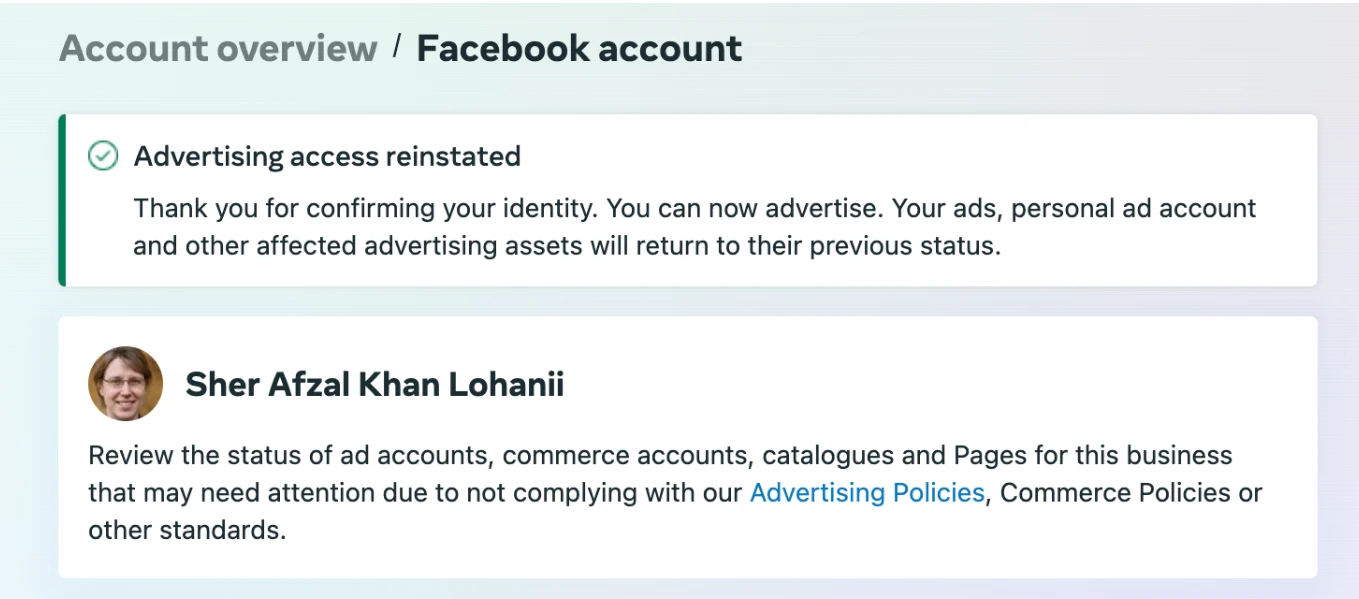
It sounds this way: if there is not more than 10 days after the advertising access was reinstated then you can successfully appeal a policy from the account.
As a rule: sellers sell autoregs or Kings with reinstated advertising access without specifying the date of access return. It is logical because the green mark can exist for 20 days for example. However, you’ll be able to successfully submit an appeal only in 10 days.
You can buy fresh autoregs with reinstated advertising access for submitting policy appeals via the bot: telegram.me/vladimir_shop_bot
What are the options to submit a policy appeal?
The first and most common way to submit an appeal is to follow the link: https://mtouch.facebook.com/support/forms/flow_view?id=2026068680760273
You will require:
- Buy a fresh autoreg with reinstated advertising access via telegram.me/vladimir_shop_bot
- Log in to it according to the instructions https://telegra.ph/Instrukciya-zanosa-Vetnamskih-Kingov-05-15
- Follow the link https://mtouch.facebook.com/support/forms/flow_view?id=2026068680760273
Then follow the points in the screenshots below:
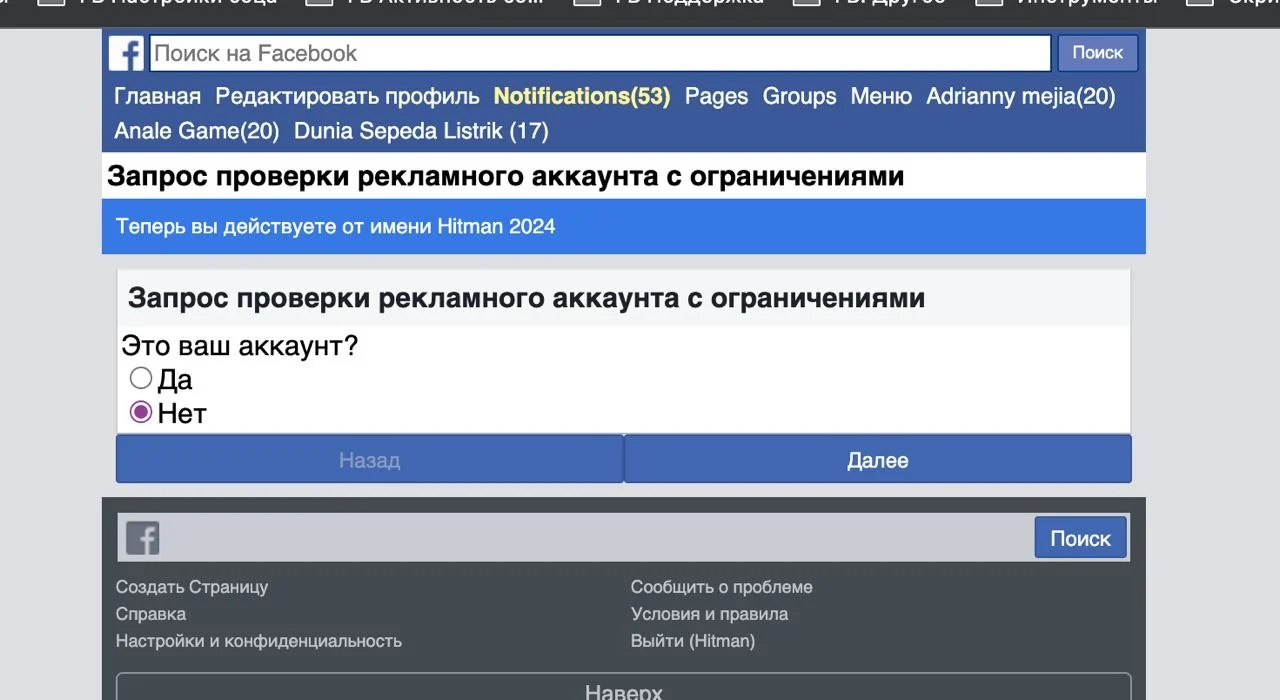
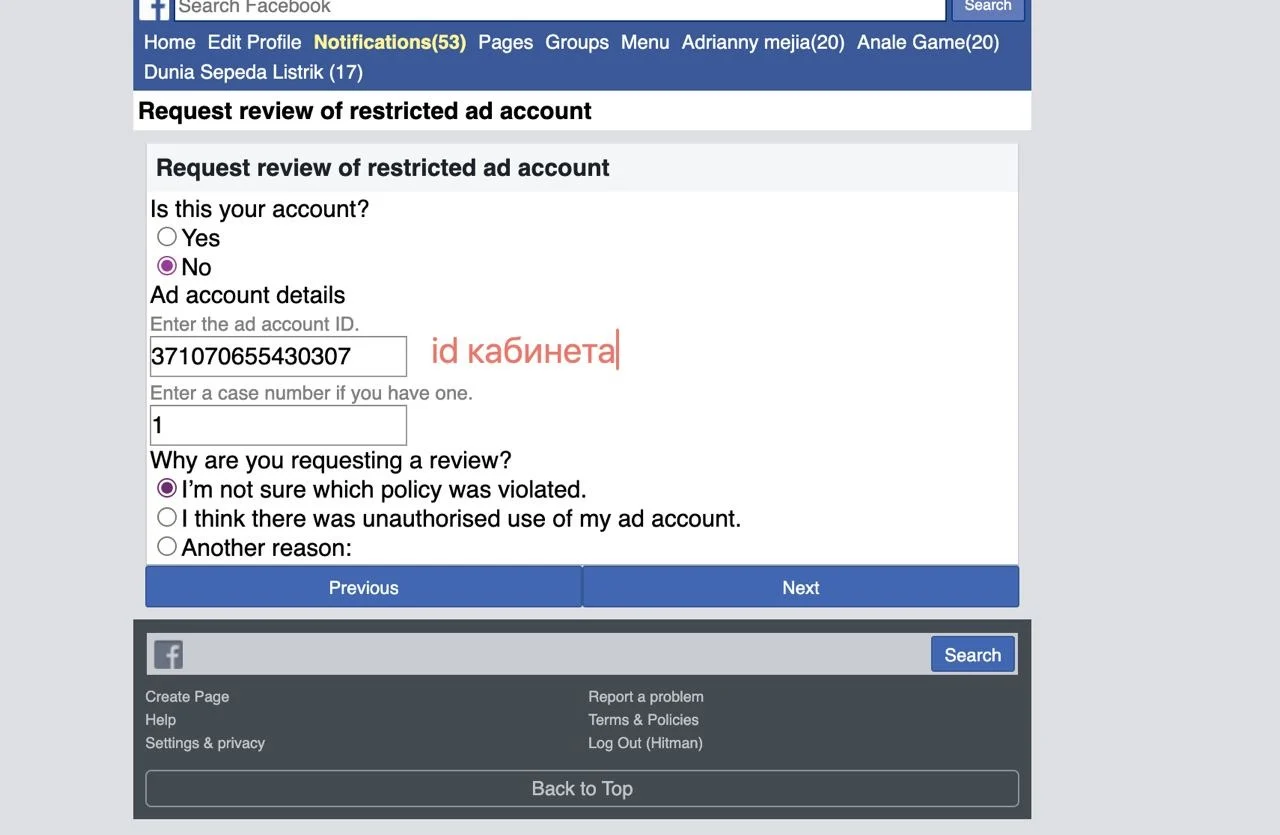
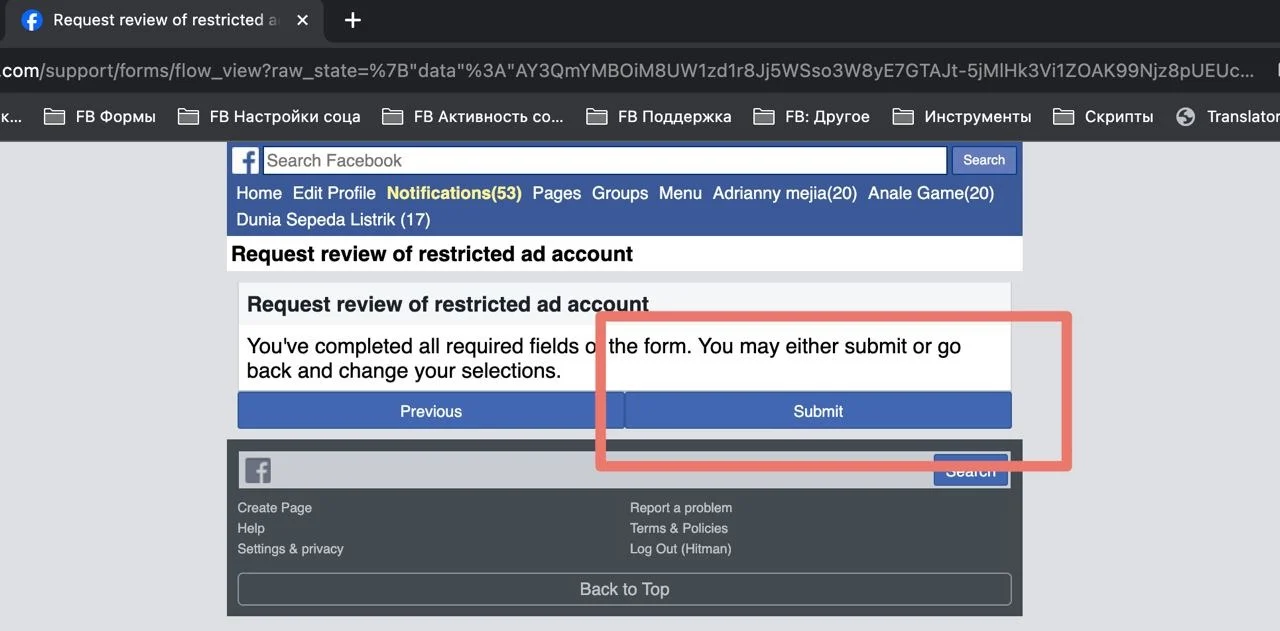
The second method takes more time. Add this Fresh autoreg with reinstated advertising access to the administrators of the ad account (if you work with BM).
To do this, you’ll need to add this fresh autoreg as an admin to BM and assign it roles in the banned ad account.
Next, you will have 3 options for submitting an appeal:
- Via the main page of the Ads Manager
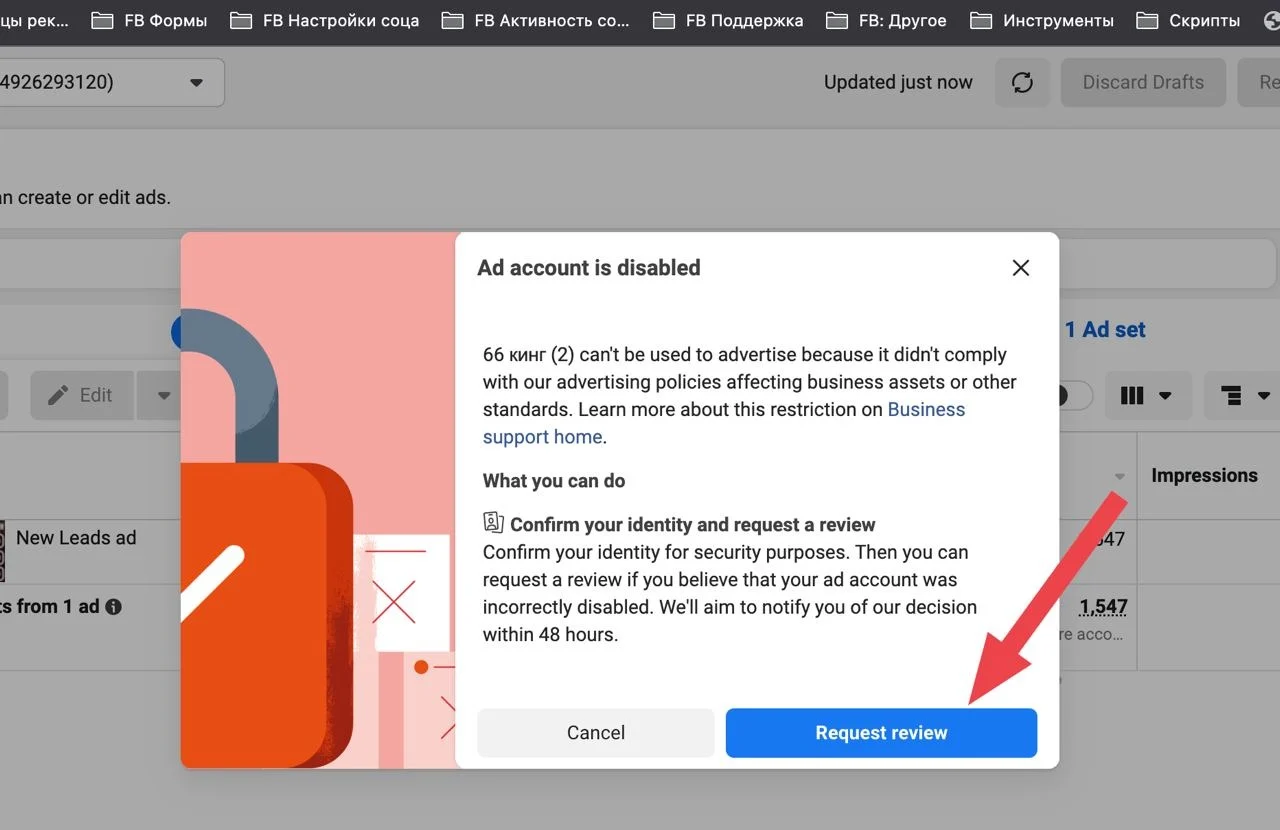
- Via FBaccStatus tab: https://cpa.rip/services/chrome-facebook-plugins/#FB_Acc_Status_Plugin
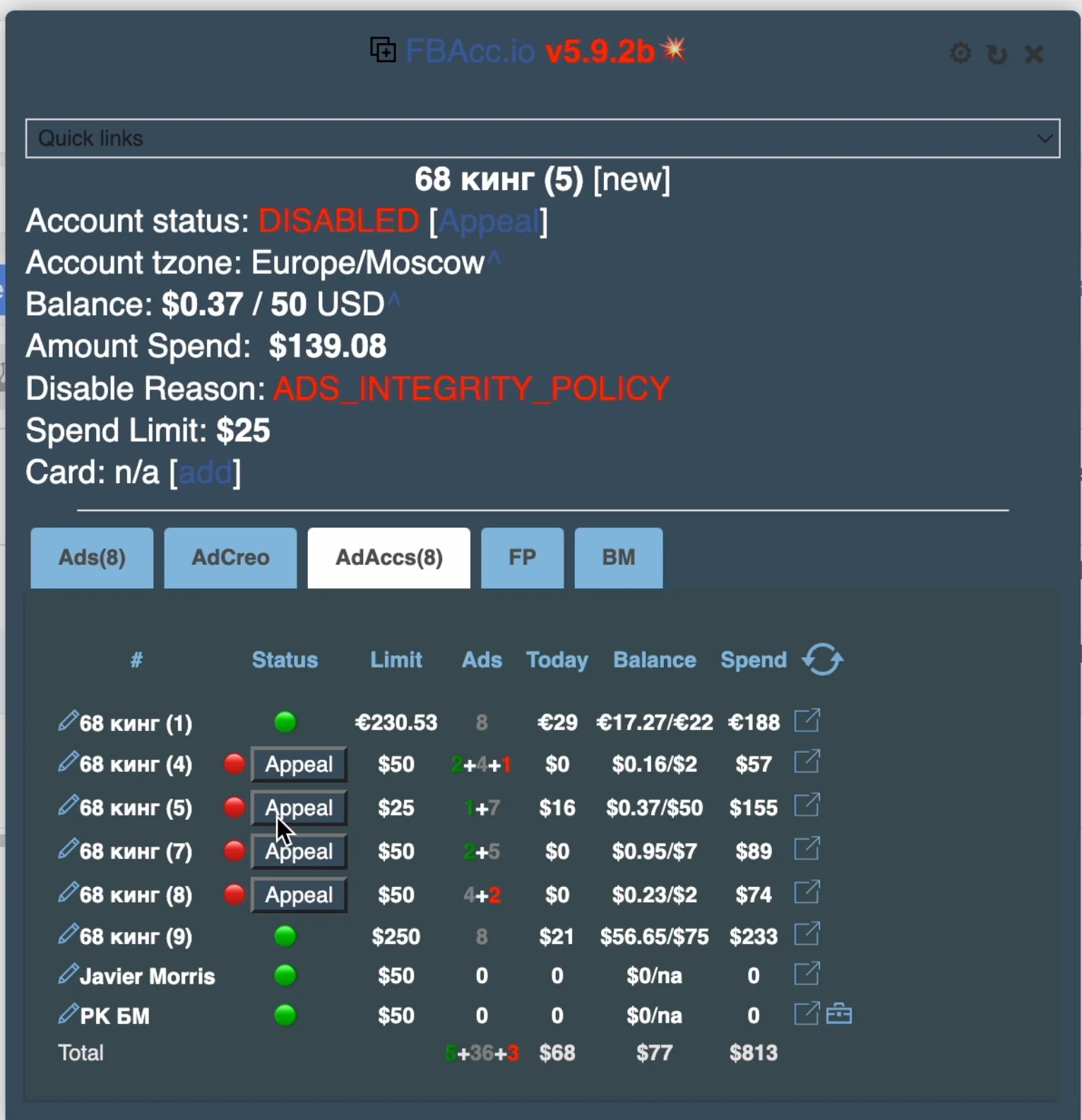
Detailed instructions: https://telegram.me/vladimircard/1121
- Via the Account review if the blue button is active
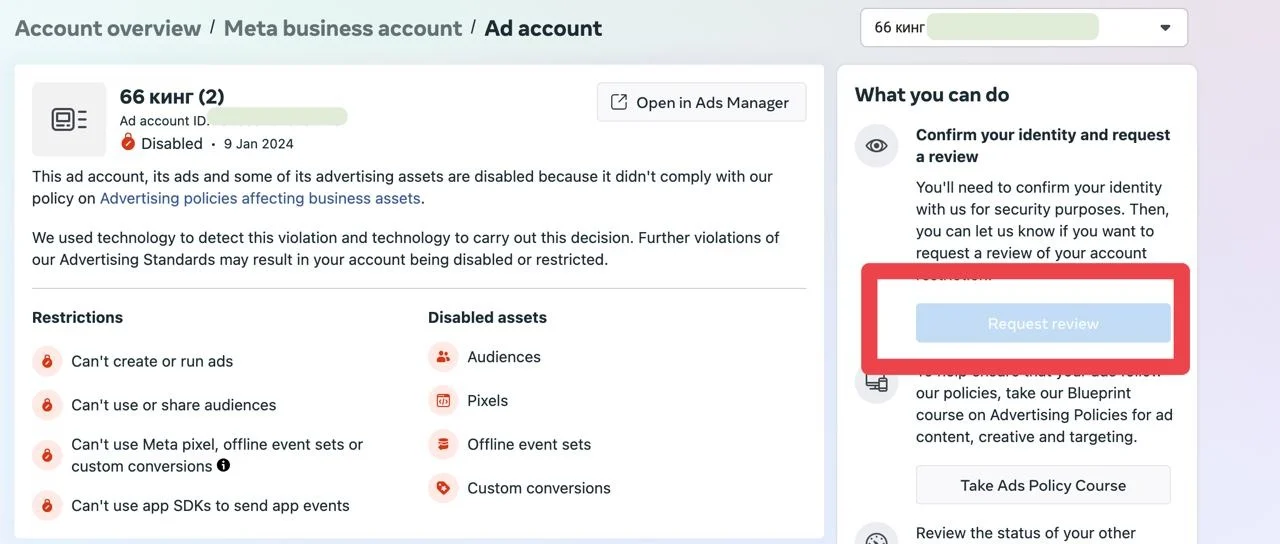
P.S. There are cases when people have this button active when adding the Fresh autoreg with reinstated access to the administrators. But most often it remains inactive and people use the first way to submit appeals via the mbasic link.
That’s all guys, I hope you now have an understanding of how to work with ad accounts banned due to the policy rules.
I look forward to meeting you on my resources!
- Channel: @vladimircard
- Chat: @Vladimirchat99
- Store: @vladimir_shop_bot