Conferences
Tbilisi, Georgia
26-27
June
Yerevan, Armenia
24
May
Yerevan, Armenia
24
May
24
May
Yerevan, Armenia
25-27
May
Yerevan, Armenia
25-28
May
Yerevan, Armenia
25-28
May
Ереван, Армения
25
May
Yerevan, Armenia
25
May
Yerevan, Armenia
25
May
Yerevan, Armenia
25
May
Yerevan, Armenia
25
May
Yerevan, Armenia
25
May
Yerevan, Armenia
25
May
Yerevan, Armenia
26-27
May
Yerevan, Armenia
26
May
Yerevan, Armenia
26
May
26
May
Yerevan, Armenia.
26
May
Yerevan, Armenia.
26
May
Yerevan, Armenia
26
May
Yerevan, Armenia
27
May
Yerevan, Armenia
28
May
Manila, Philippines
01-03
June
Moscow, Russia
10
June
Saint Petersburg, Russia
10-11
June
Tbilisi, Georgia
26-27
June
Budapest, Hungary
09-10
July
Limassol, Cyprus
23-24
July
Saint Petersburg, Russia
12-13
August
31
August
Mexico City, Mexico
01-03
September
01
September
Cancún, Mexico
07-08
September
Rome, Italy
02-05
November
Bangkok, Thailand
30-02
November -
December
Bangkok, Thailand
09-10
December
Ta’ Qali, Malta
03-07
May

How to set up Facebook pixel on button: step-by-step instructions


Pixel Facebook is an analytics tool that you can use to track visitor actions on your website and measure the effectiveness of your ads. Let’s consider an easy way to set up a Facebook pixel on the button. This is often required for driving traffic from Facebook to Telegram.

How to set up Facebook Pixel on button

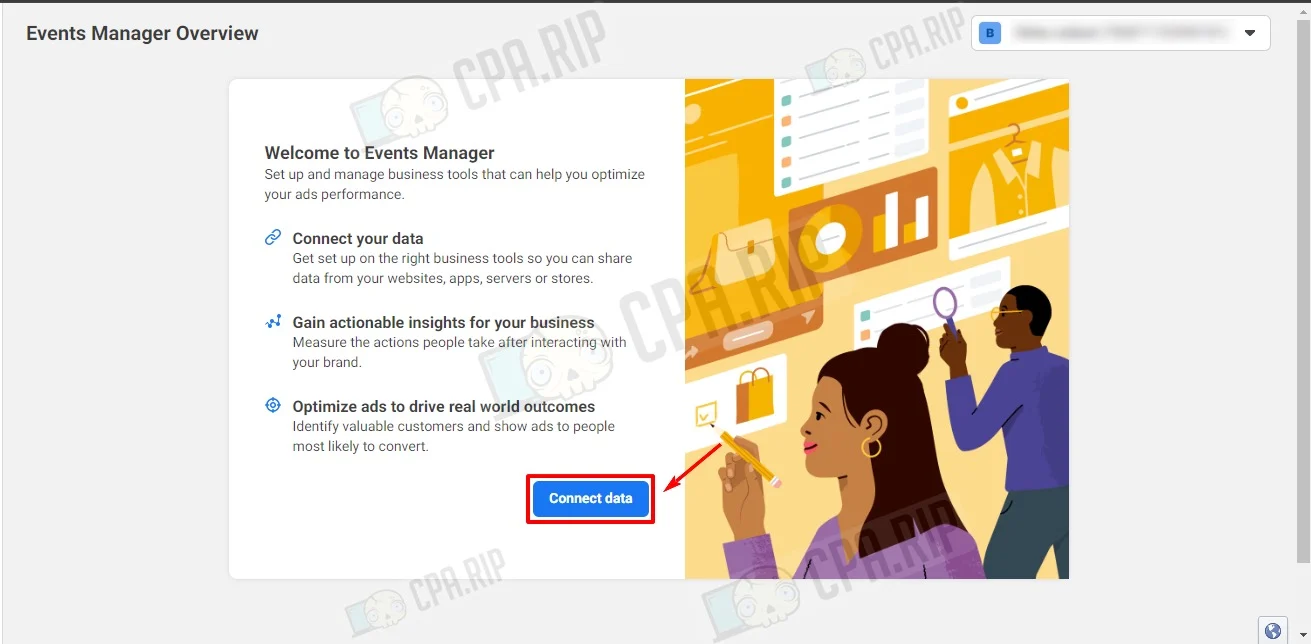
Pixel is installed on the main landing page. Go to Events Manager Overview at https://business.facebook.com/events_manager2 and click “Connect data”.
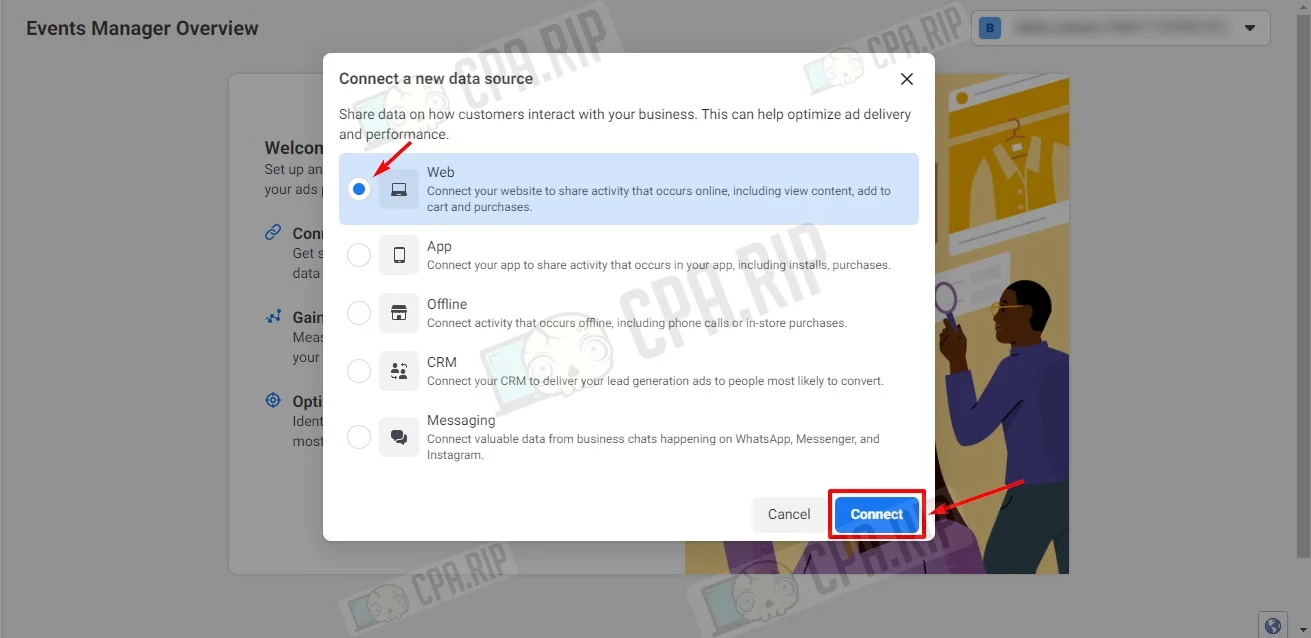
Select Web and click “Connect.”
Fill in the Name column and click “Create”.
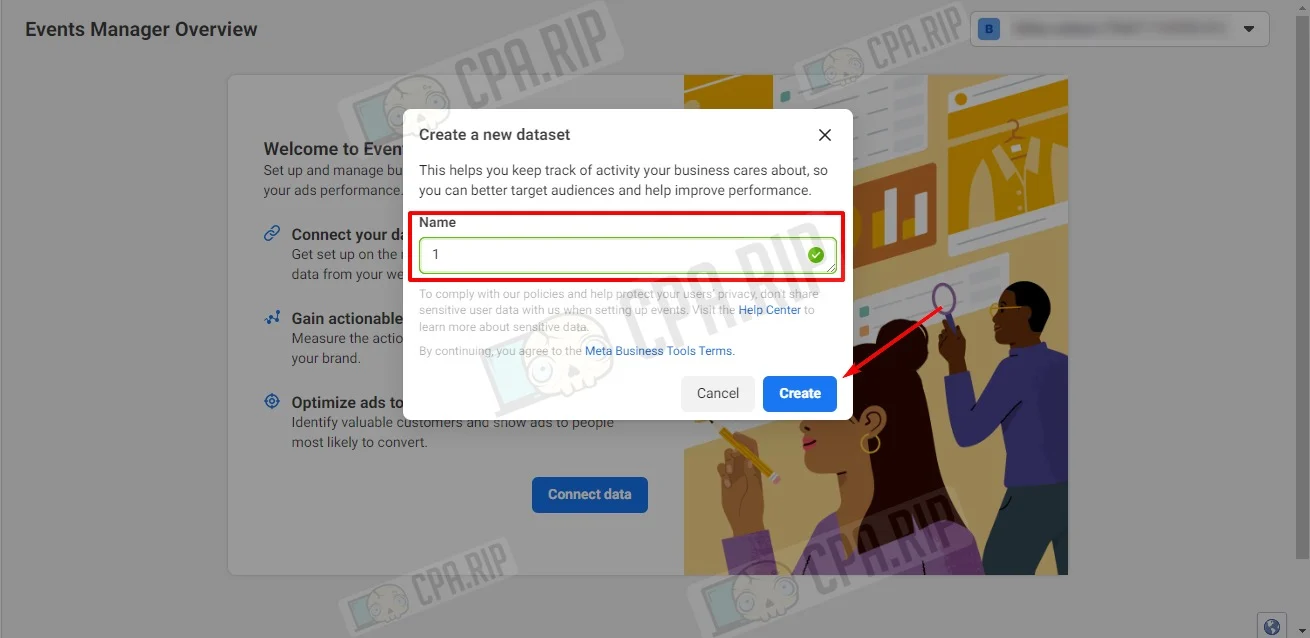
Next, select “I don’t have a website” and click “Continue”.
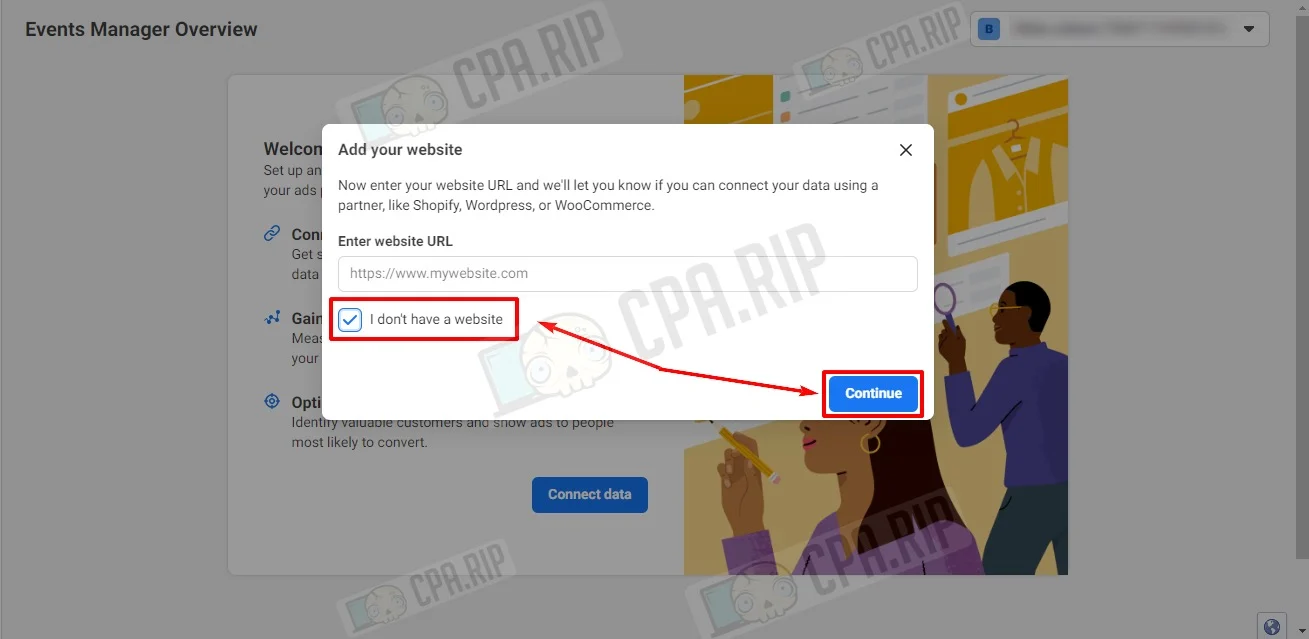
Next, select “Meta Pixel only” and click “Next”.
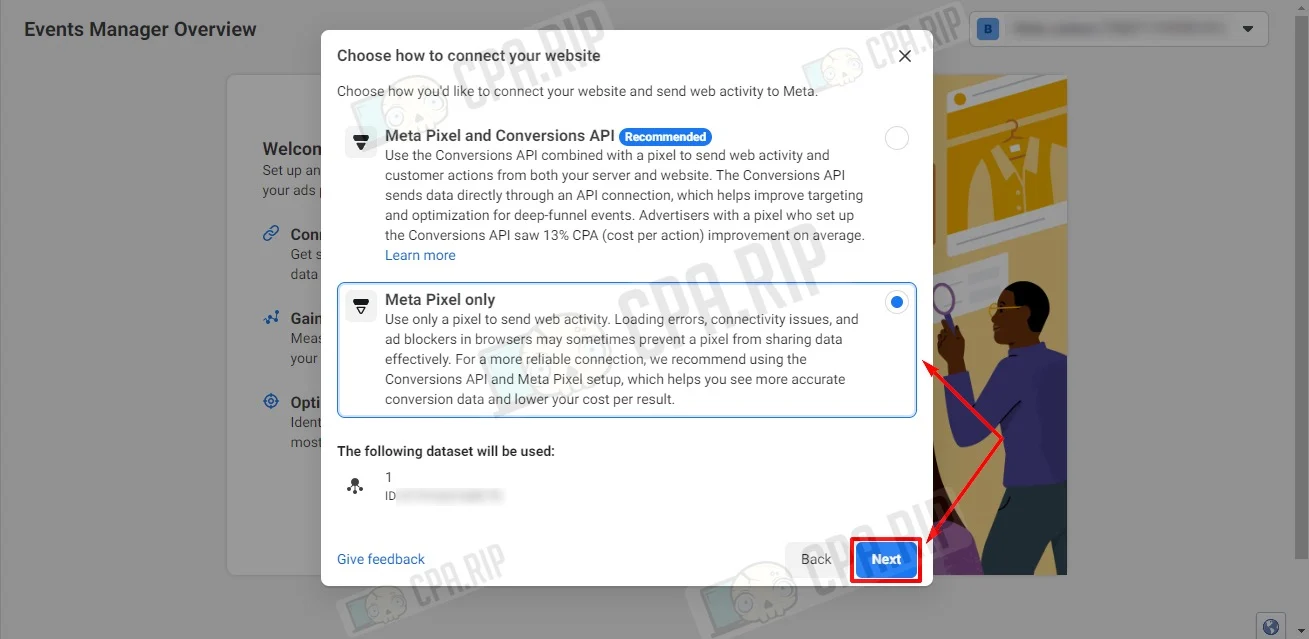
Select “Install code manually”.
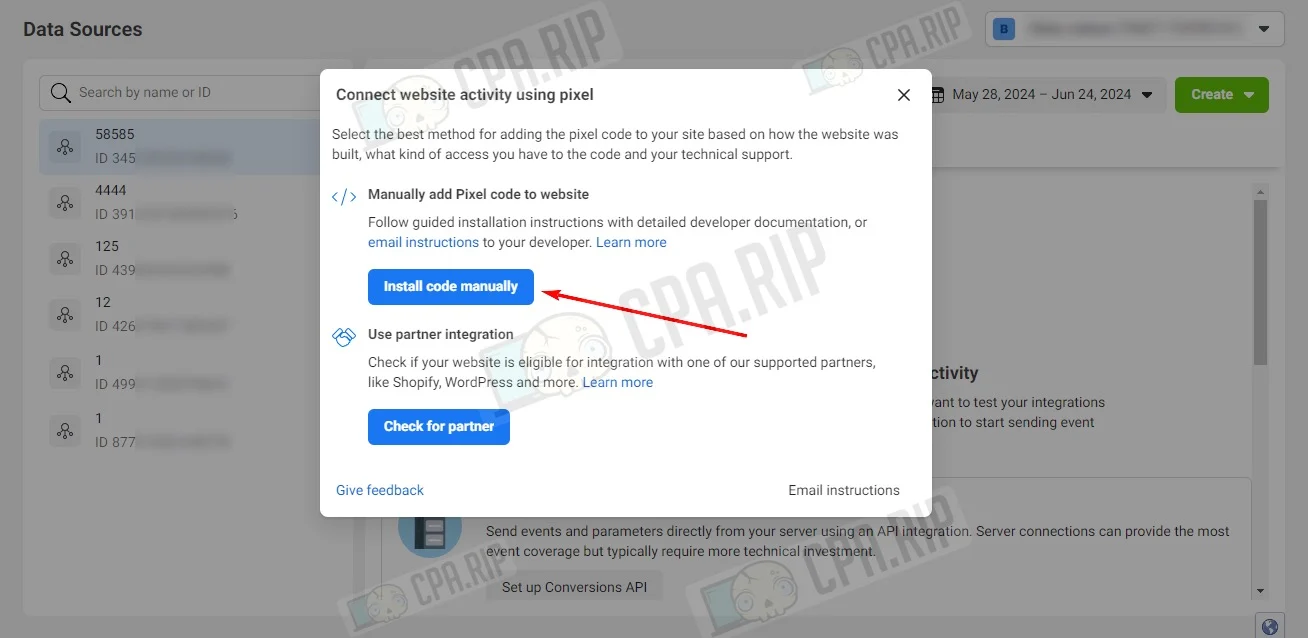
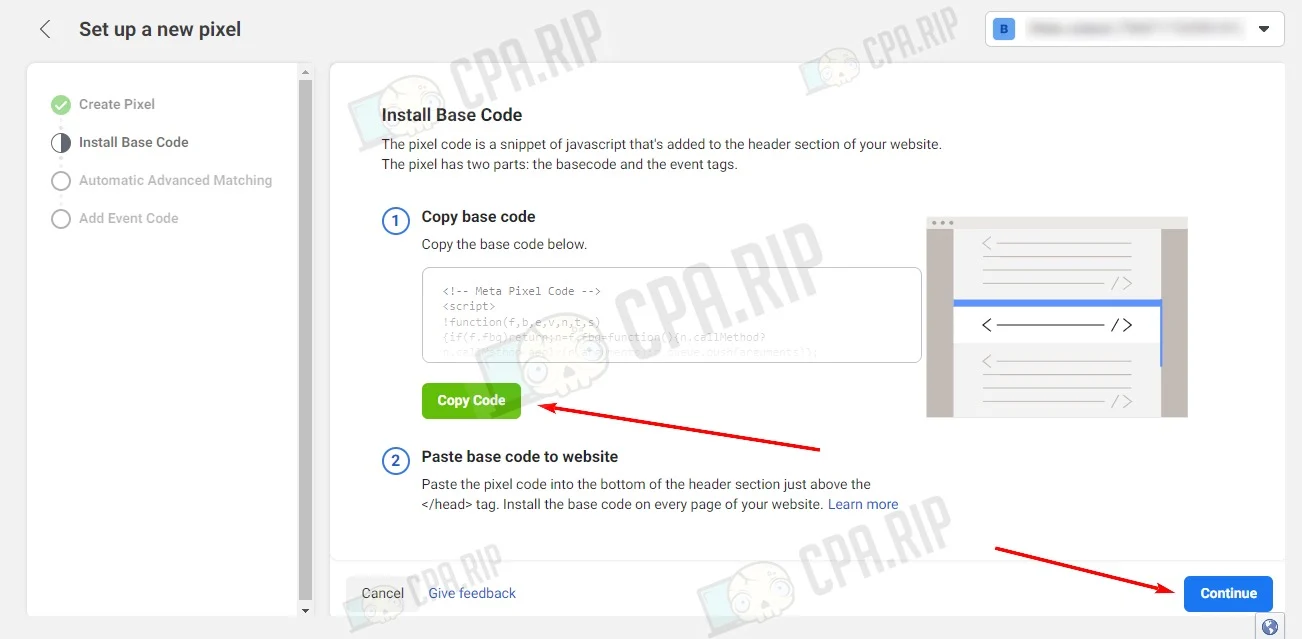
Copy the Facebook Pixel code by clicking the “Copy Code” button, paste it to your website in the <head> section, and click “Continue”.
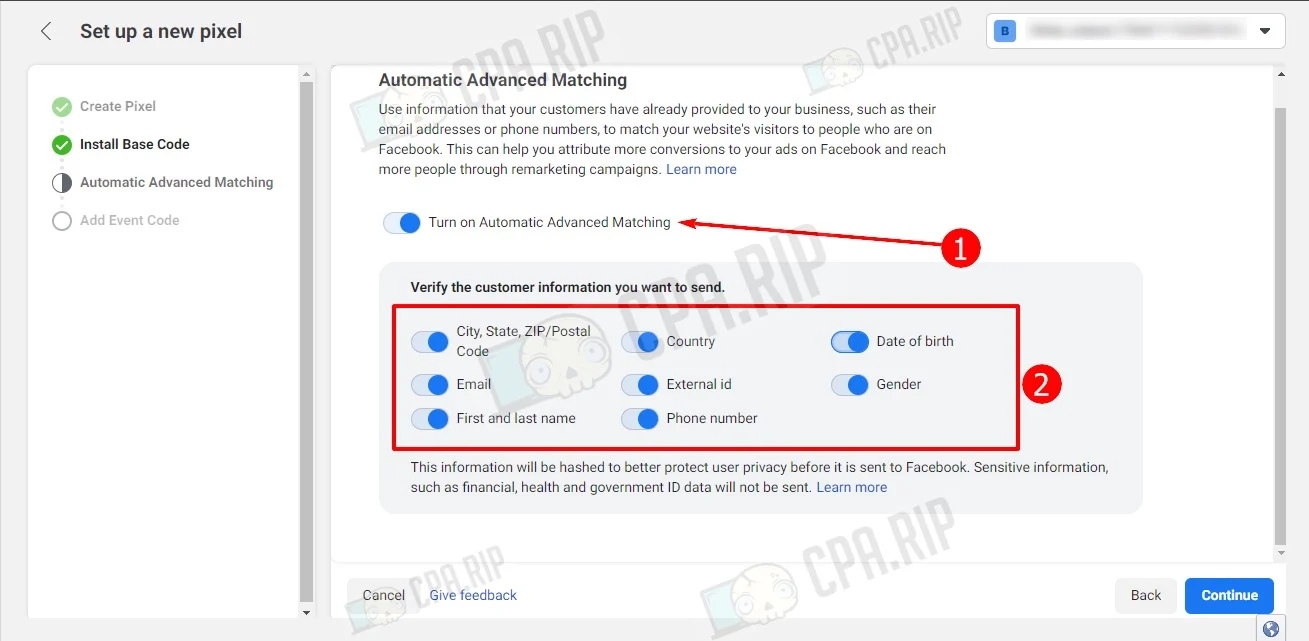
The next step is to select “Turn on Automatic Advanced Matching”, make all parameters active in the “Verify the customer information you want to send” section, and click “Continue”.
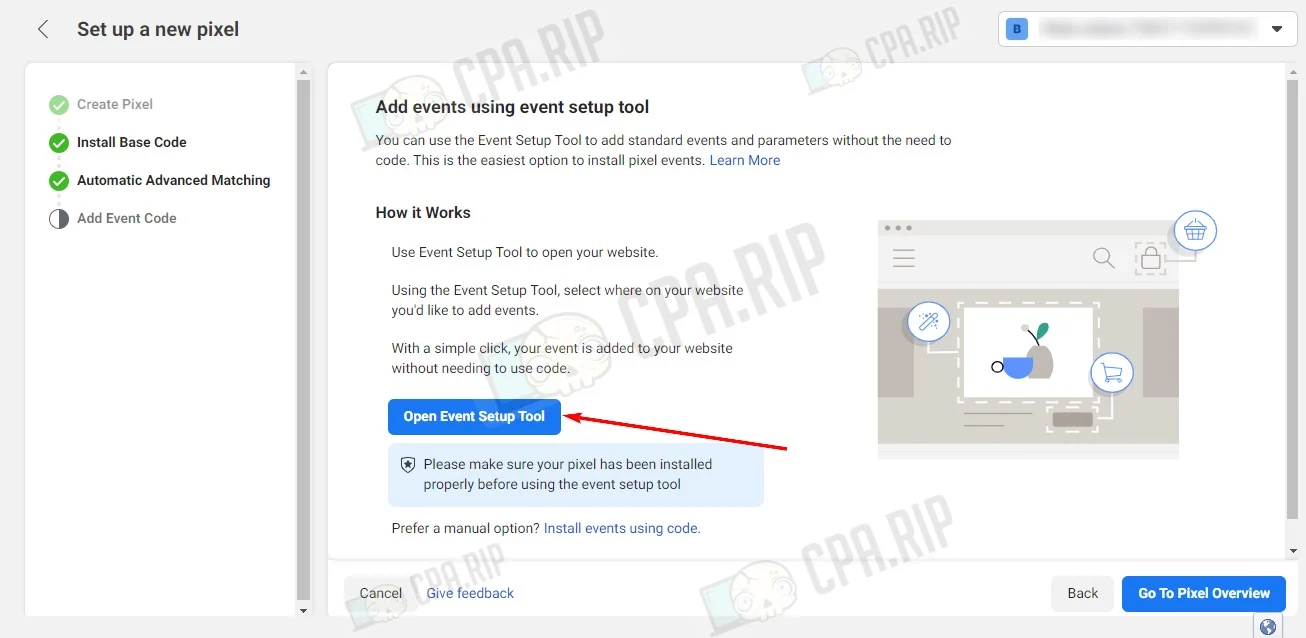
Click “Open Event Setup Tool”.
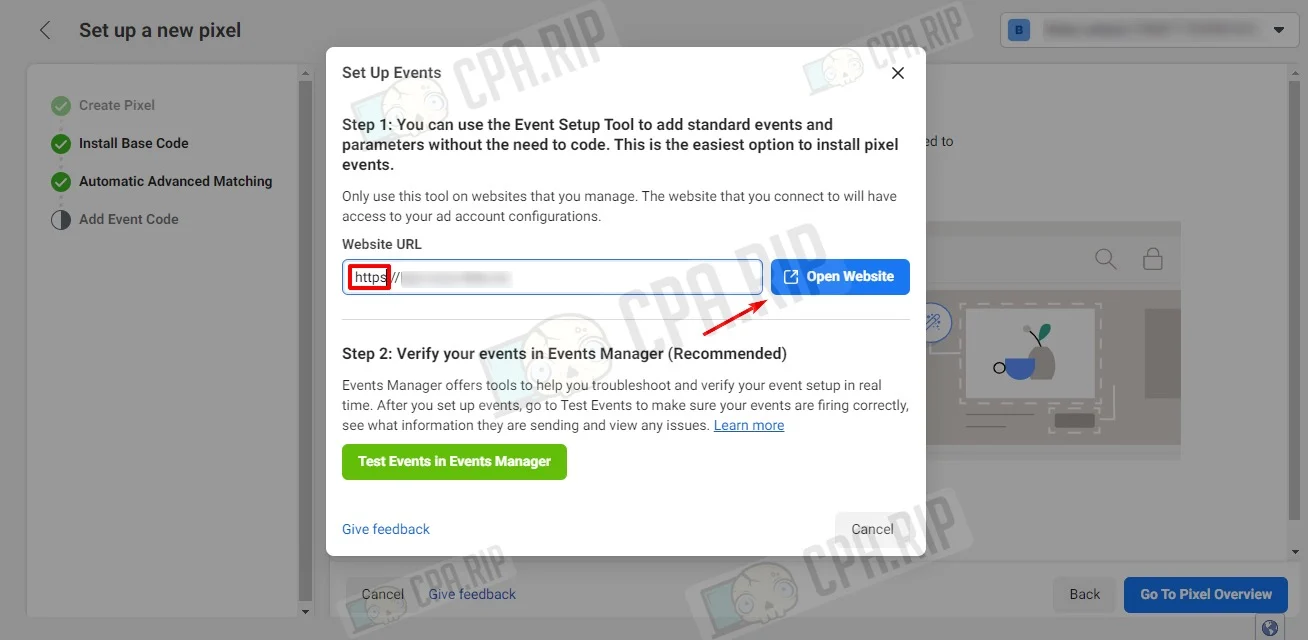
Insert the link in the Website URL field. The http protocol does not open the event setup menu for the button, so use https for the correct operation. If you have http, add s. Click the “Open Website” button.
In a new tab, the website and the “Meta Event Setup Tool” event setup menu will open. Click “Track new button”.
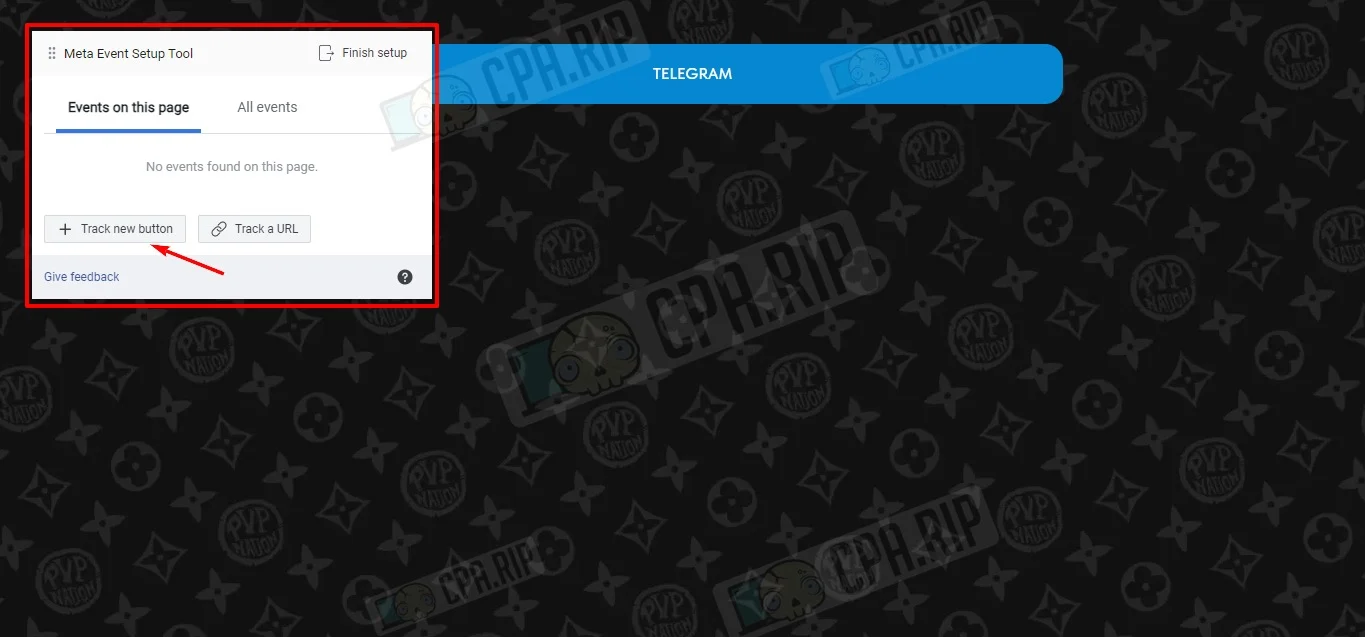
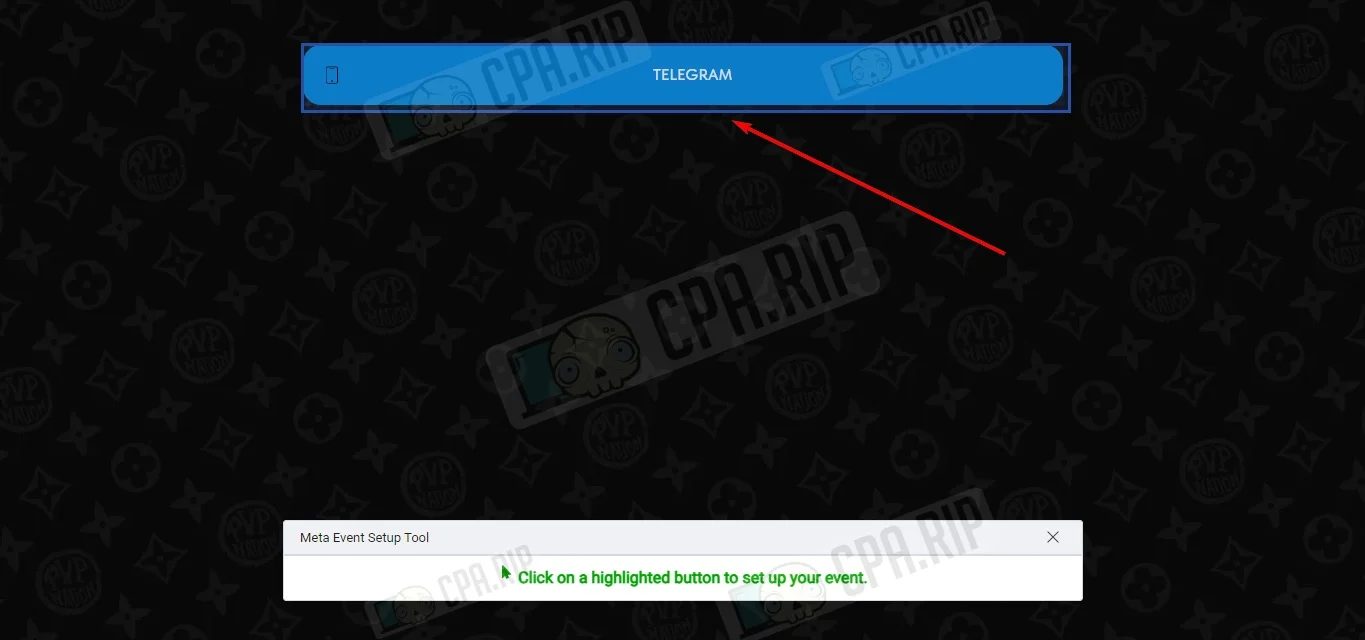
Facebook will highlight all the buttons on your website, click the desired one.
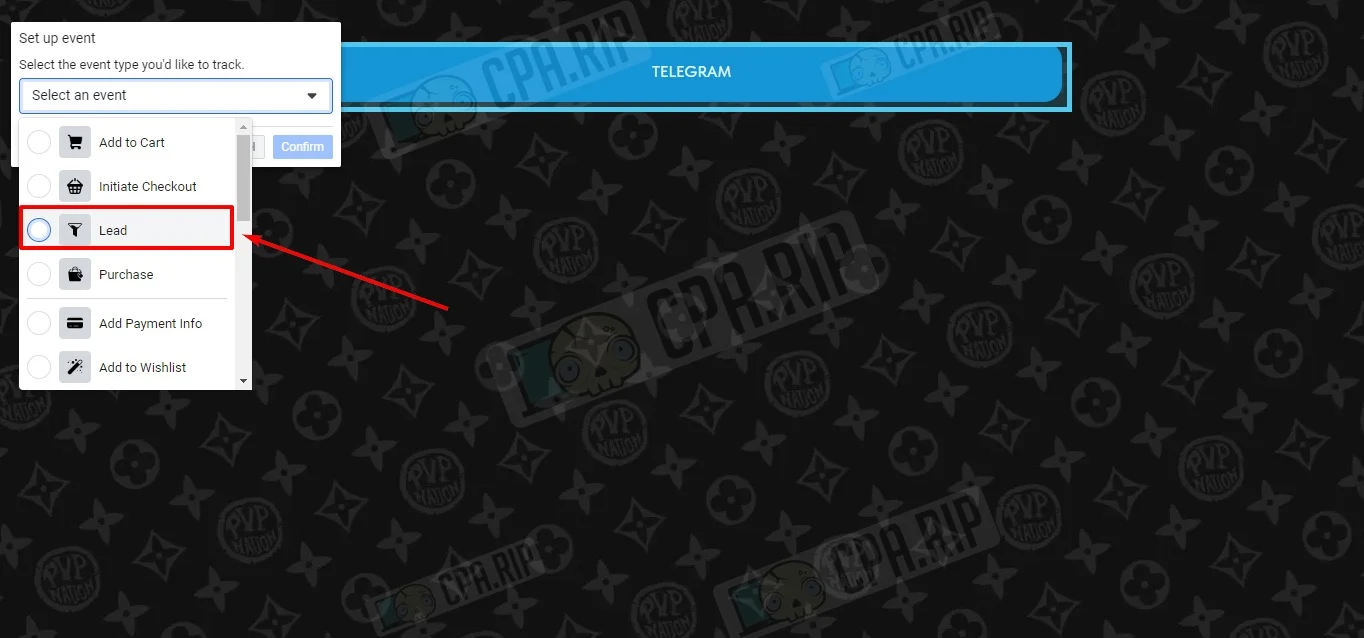
Select the desired event from the list. In this example, the “Lead” event is selected.
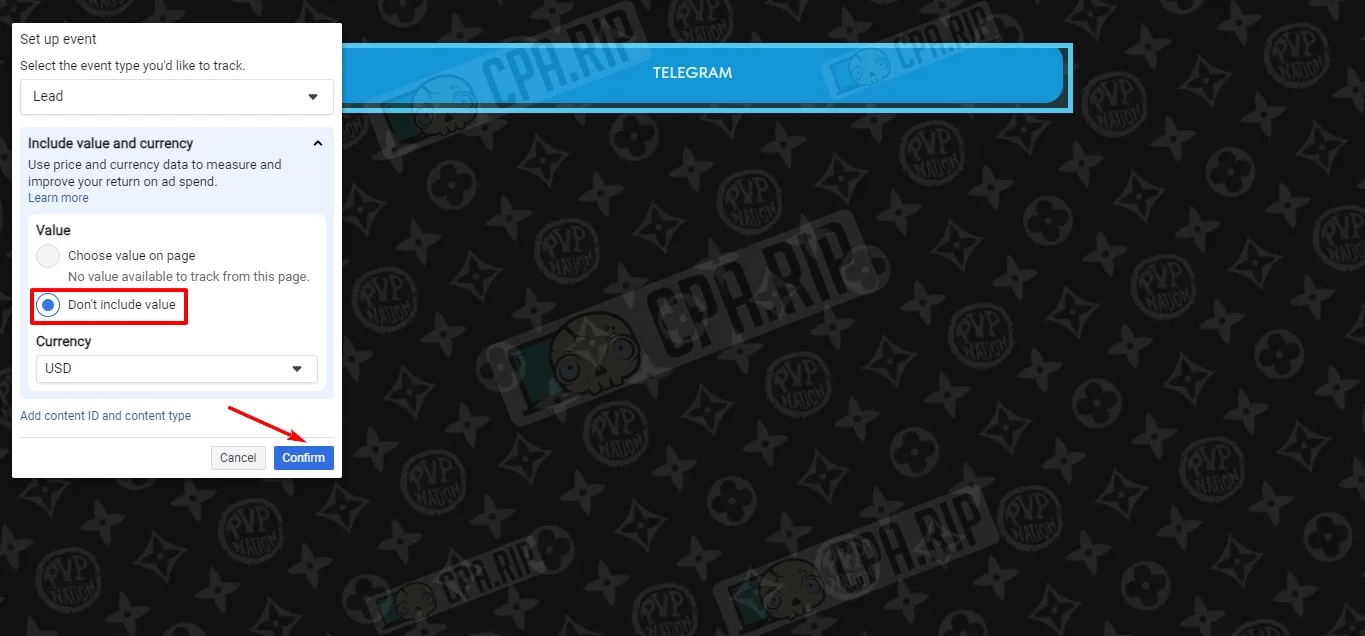
Select Don’t include value and click the “Confirm” button.
Information about the created event on the button will appear. The event will be canceled if you change the name of the button. Click “Finish setup”.
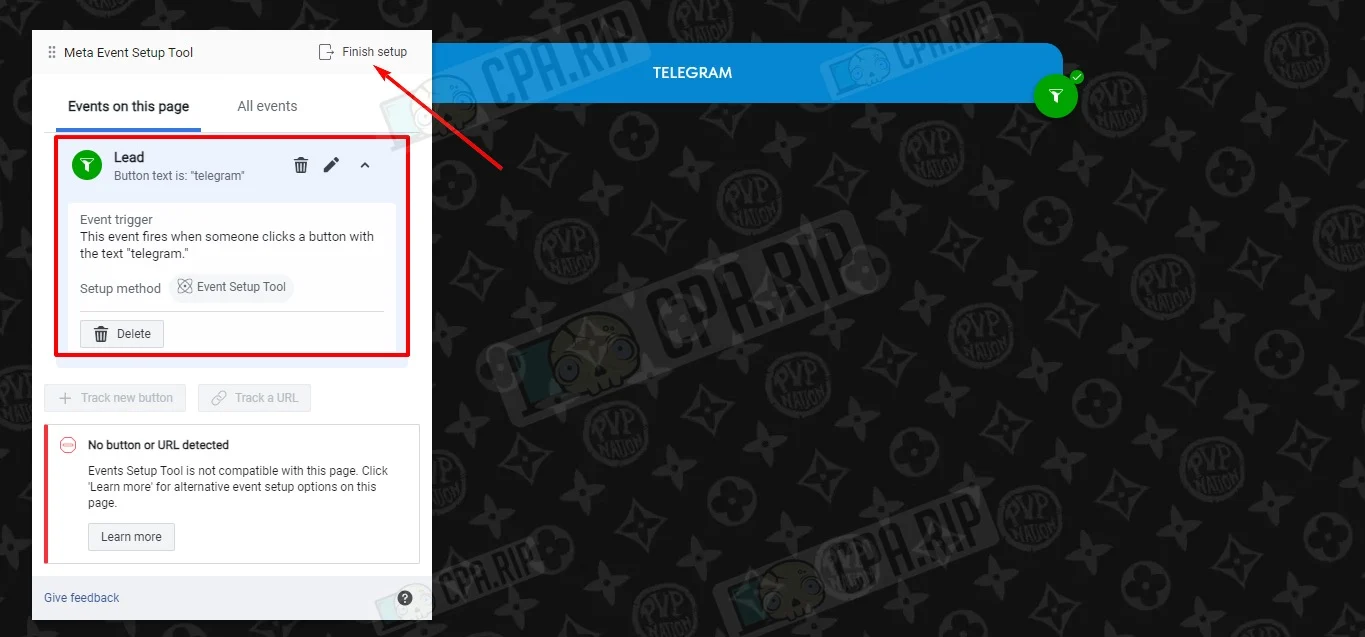
Click “Finish”.
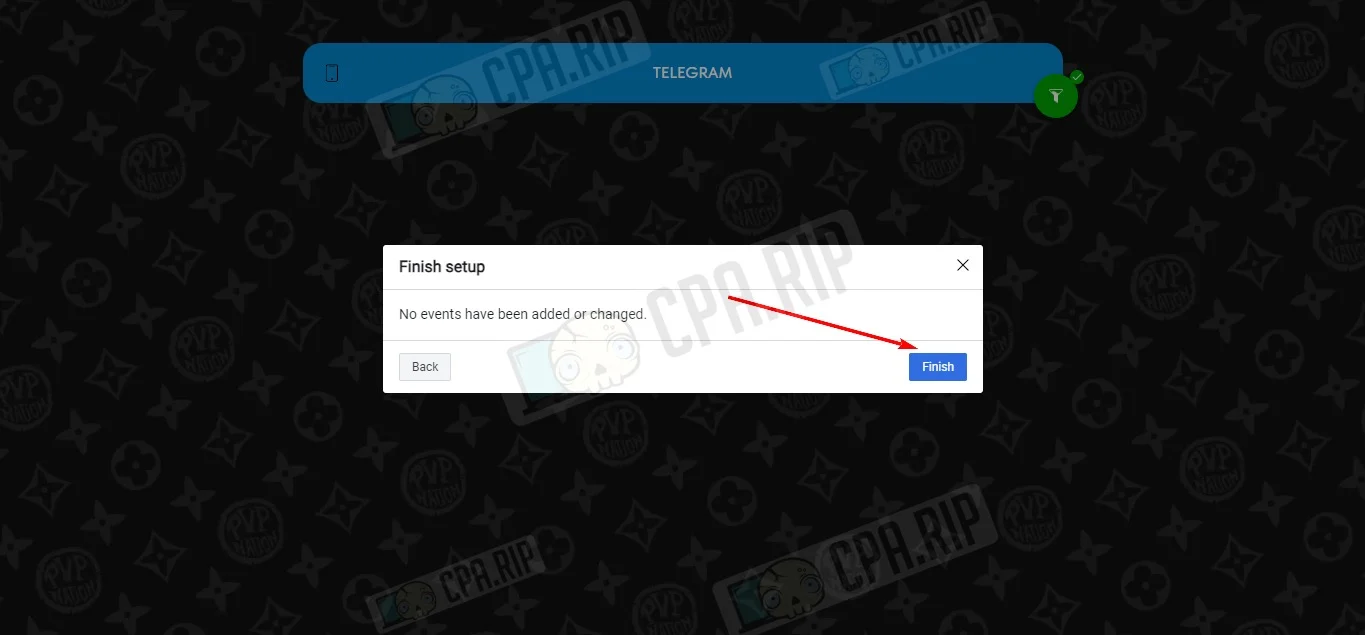
After this action, the tab will close automatically, the event is set up. Press the “Cancel” button.
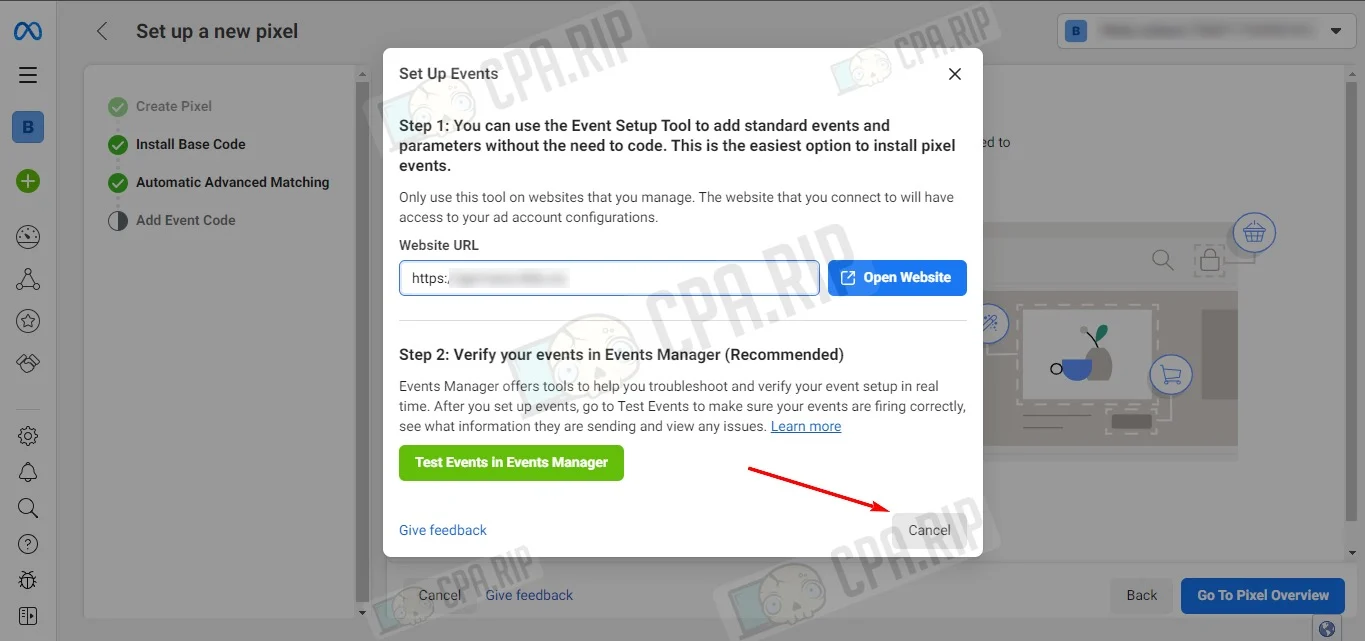
Finish the configuration by clicking the “Go To Pixel Overview” button.
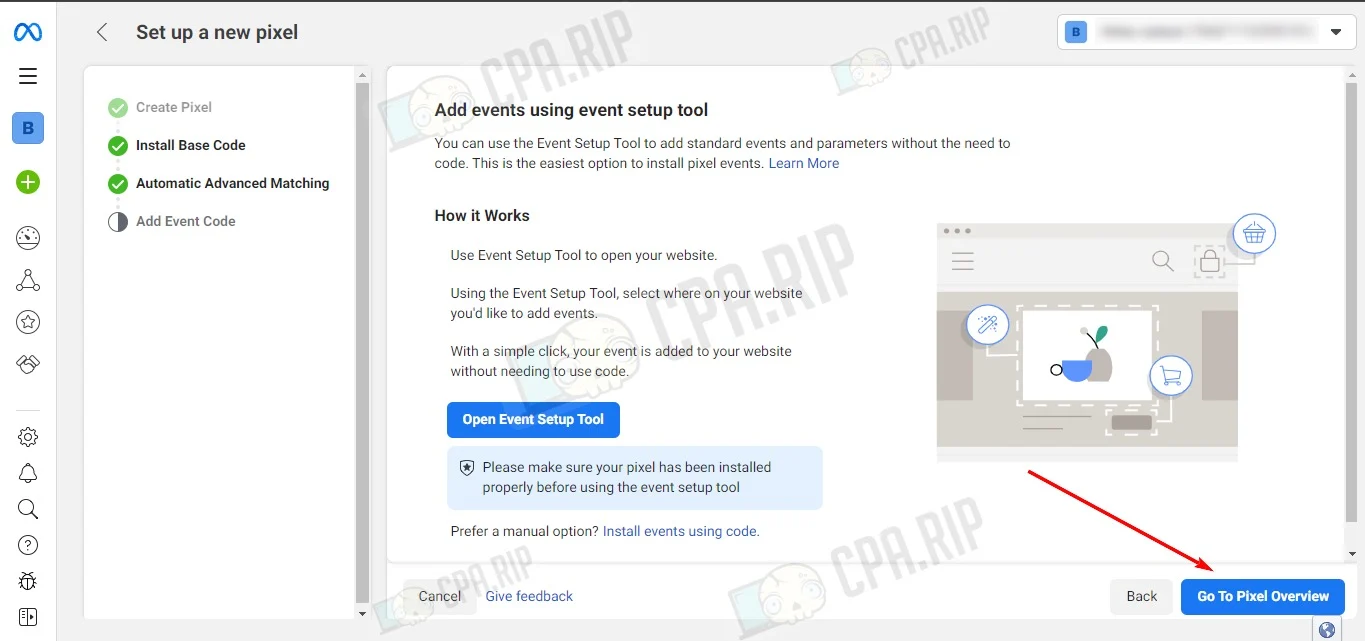
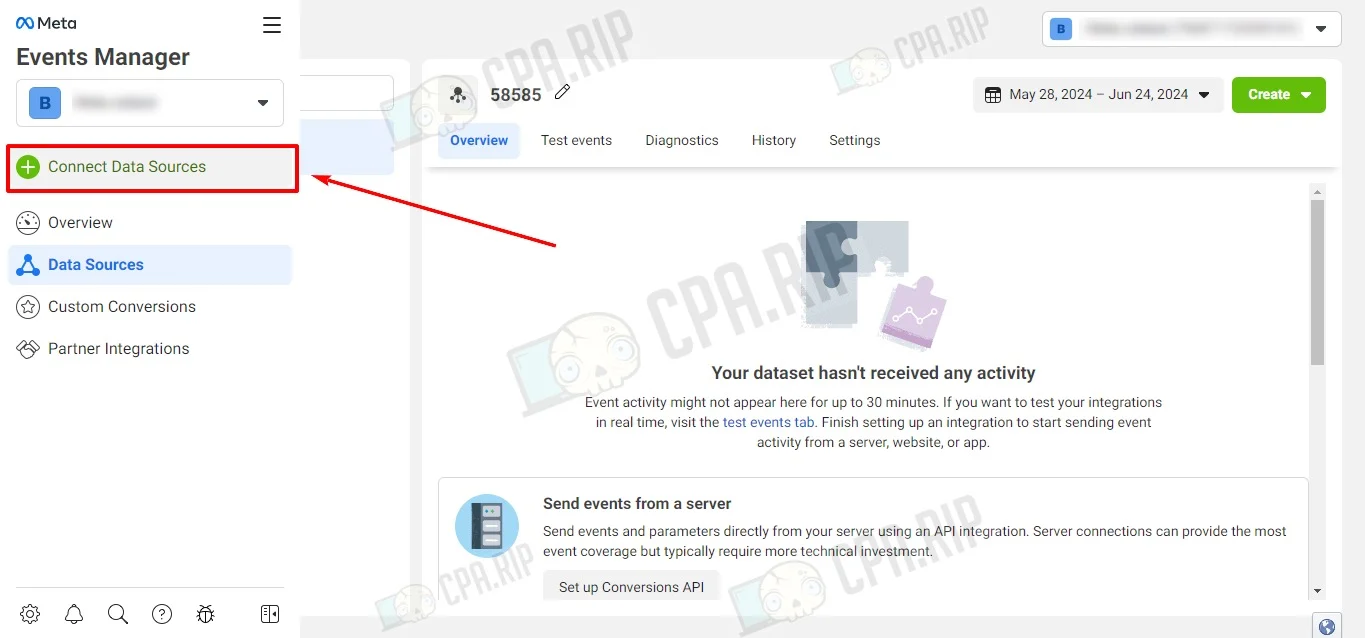
To create a new Pixel, click “Connect Data Sources”.
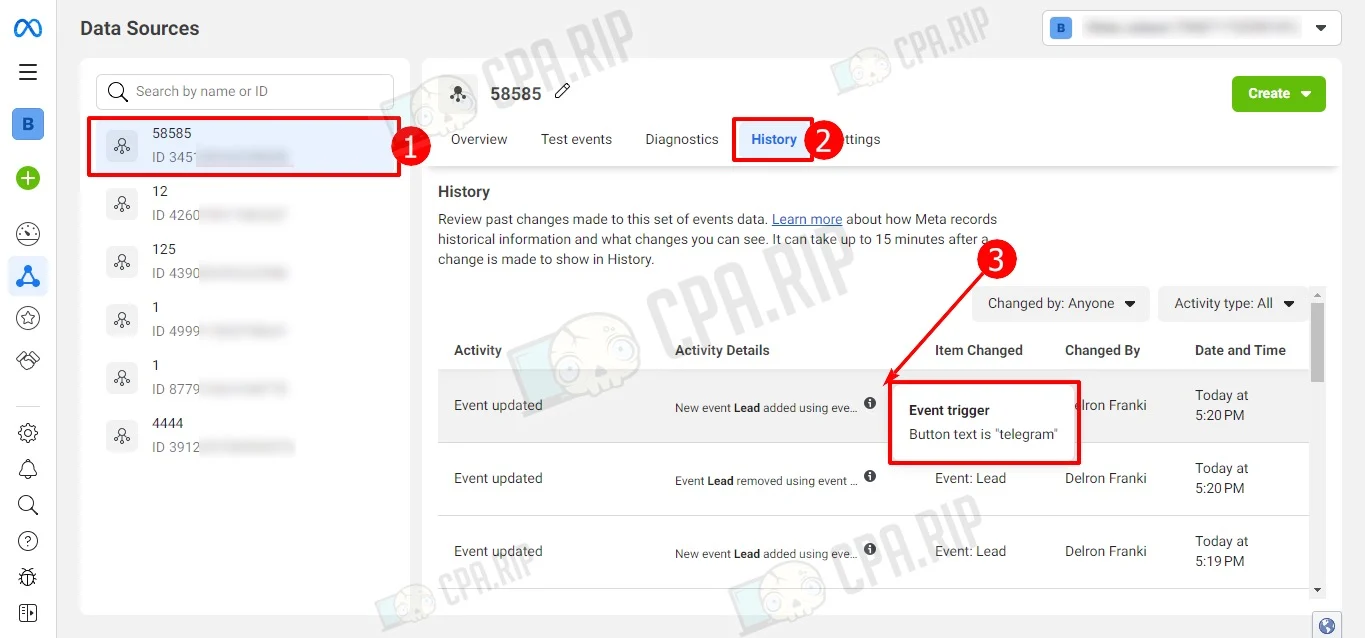
After selecting the customized Pixel and going to the History tab, you can view the history of the customized events on the button.
Dynamic Pixel

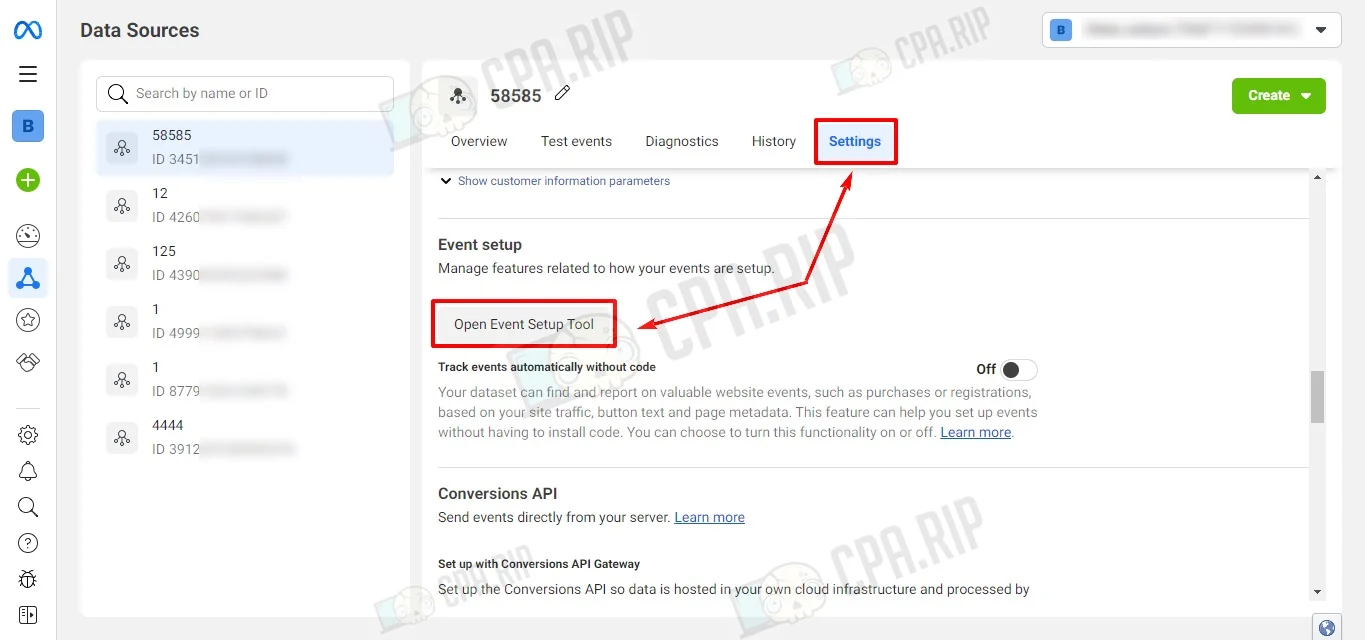
If a dynamic Pixel is set, then go to the Settings tab and scroll to the “Open Event Setup Tool” button, and click it.
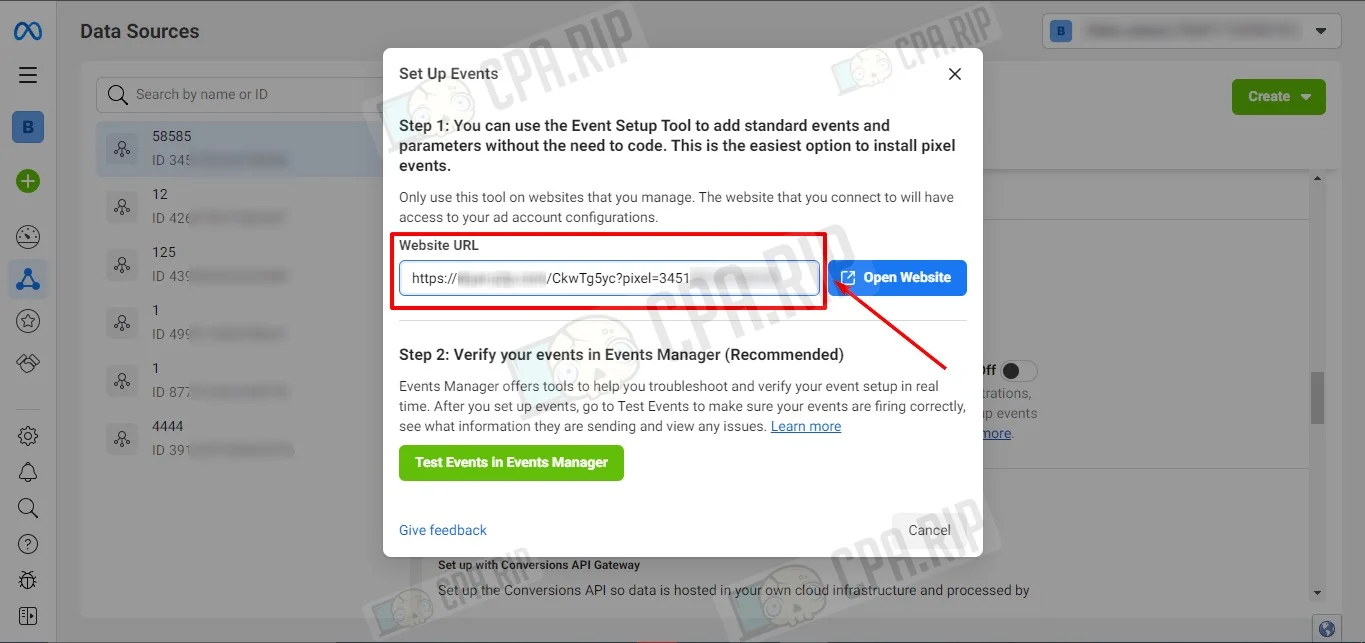
In the Website URL field insert the link with the Pixel parameter already set and click Open website.
Check the functionality of the configured pixel

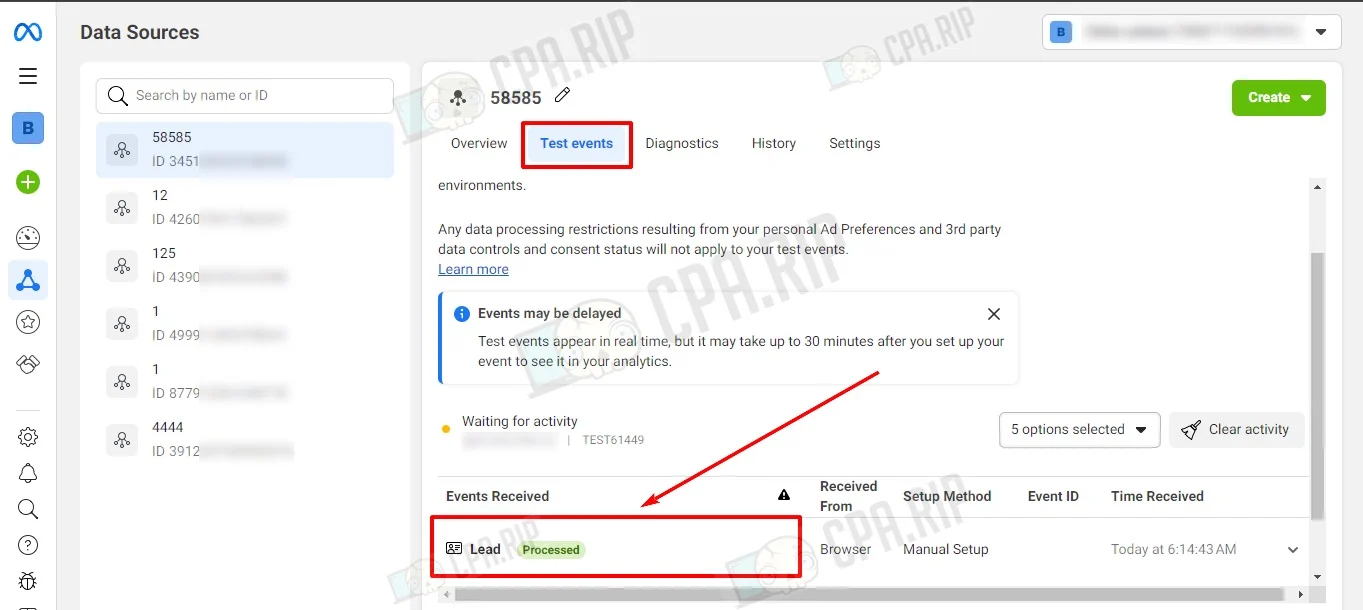
On the website, click on the button with the created Pixel event. Go to the “Test events” section, the event is displayed in Events Received.

Like it? Share with your friends!
0 Comments
Affiliate - Our assessment
Verticals
Min. sum
Site
It’s an affiliate program of the eponymous online casino. A direct advertiser as of 2017. They work by RevShare (up to 50%) partnership strategy.
1,000 rubles/$20/€20 pay
фото
фото
фото
фото
фото
фото
фото
фото
фото
фото
фото
фото
фото
фото
Direct iGaming advertiser. The partner program offers affiliates the opportunity to multiply their revenue on traffic in Tier 1 and Tier 2 regions. For maximum monetization efficiency, ODDX PARTNERS provides a flexible choice of payout models: RevShare, CPA, and Hybrid, ensuring a tailored approach and custom terms for each affiliate.
$100 pay
фото
фото
Official affiliate program and direct iGaming advertiser of the international betting company 1win. It has been working in the betting and gambling verticals. It pays out up to 60% using the RevShare model, besides there are customized terms for CPA and Hybrid models.
$100 pay
фото
фото
фото
фото
фото
фото
фото
iGaming affiliate program and direct advertiser of famous licensed gambling offers: FLAGMAN, IRWIN, GIZBO, LEX, MONRO, 1GO, STARDA, IZZI, DRIP, LEGZO, VOLNA, JET, FRESH, SOL and ROX.
$20 pay
фото
фото
фото
фото
фото
фото
StarCrown Partners is an affiliate program in the gambling and betting verticals. It is a direct advertiser of Golden Star and Golden Crown brands. It work with tier-1 GEOs and cooperates on CPA, RevShare, Hybrid models. It accepts all types of traffic except illegal sources and methods.
€50 pay
фото
фото
фото
Direct advertiser of popular European casino and betting brands: Vulkan Vegas, ICE Casino, VERDE Casino, Vulkan Bet, Vulkan Spiele, Slotoro and Hit'N'Spin. Established in 2016, they work on CPA, RevShare, and Hybrid models, accepting traffic from over 55 countries.
€100 pay
фото
фото
фото
фото
фото
фото
It’s our affiliate program with gambling and betting offers. We are currently in beta but we accept traffic.
$20 pay
фото
860
Go to offers