

![[FBM] CARDS](https://cpa.rip/wp-content/uploads/cr-a1/fbm-cards-v1/fbm-cards-logo.svg)




Facebook Ads is starting to roll out a new Lead notifications setting for lead campaigns with Instant Forms. It lets you set up notifications for new leads via Facebook, Messenger, Ads Manager, WhatsApp, or Email.
The setting is located at the ad level under Automated lead delivery > Lead notifications.
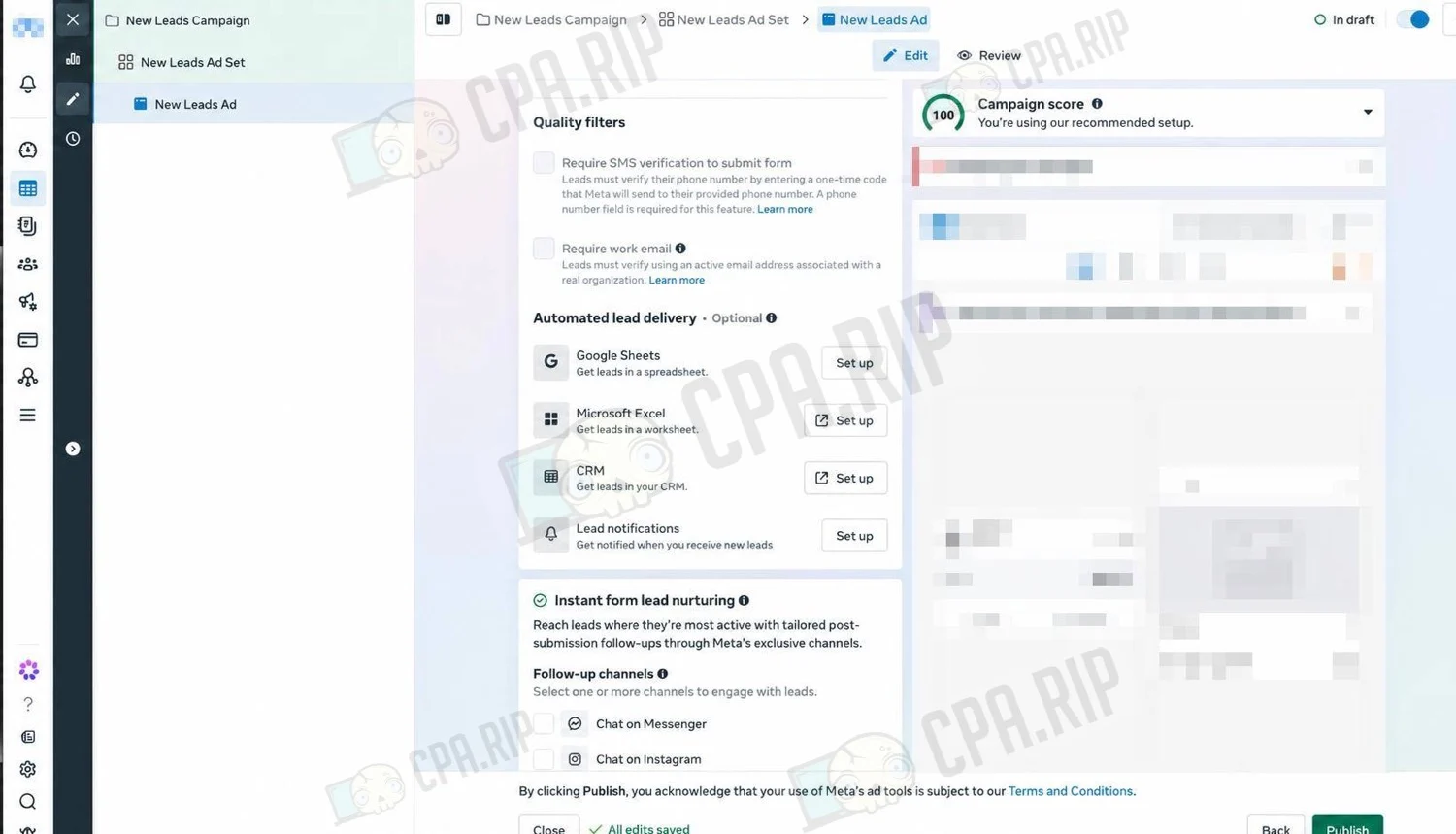
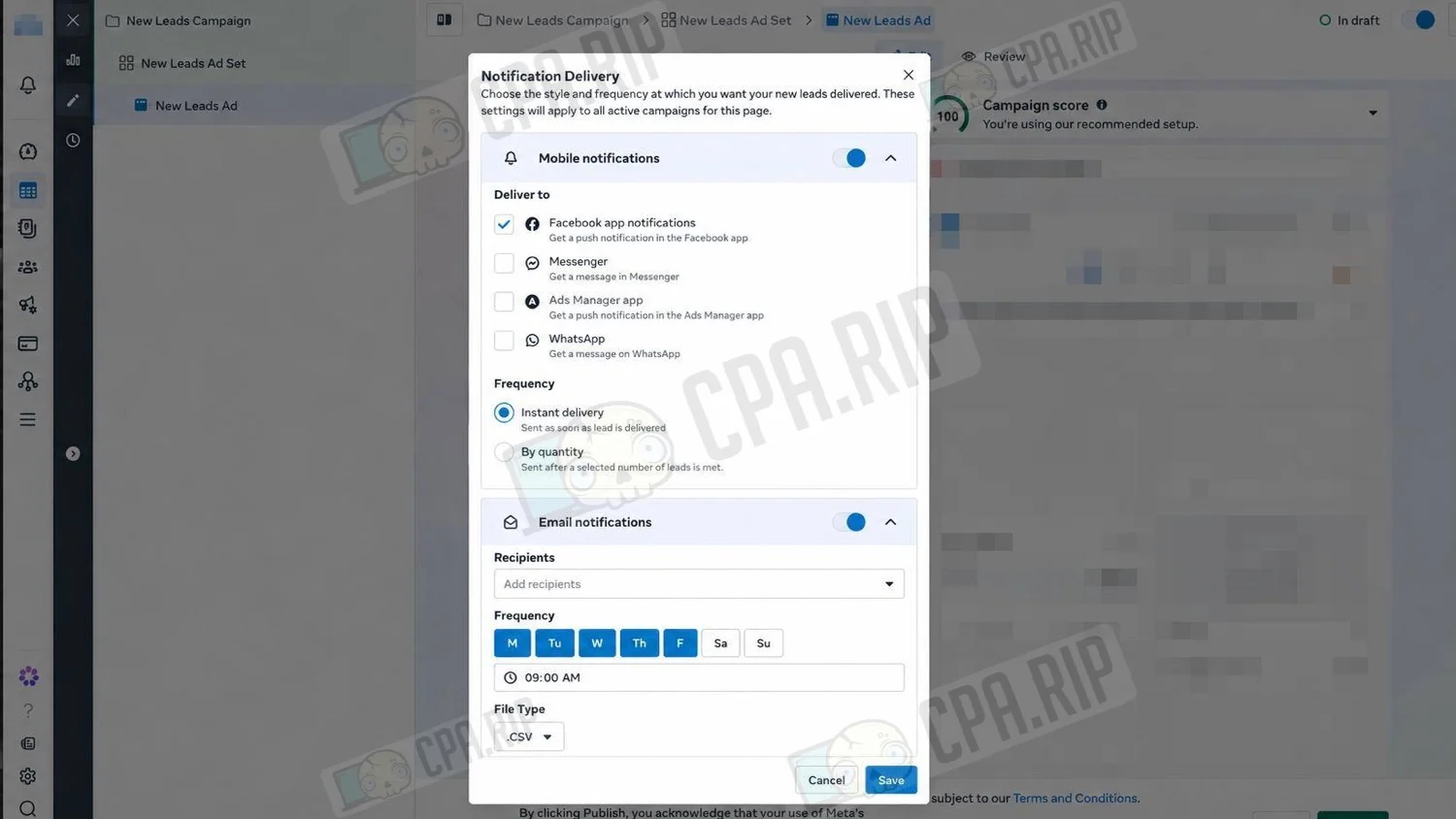
For mobile notifications, you can choose one or more channels:
- Facebook app;
- Messenger;
- Ads Manager app;
- WhatsApp.
You can receive notifications immediately after a new lead comes in or after a specified number of leads has been collected.
For Email notifications, you can select recipients, days of the week, and delivery time. Along with the email, Facebook can send a file with leads in CSV or XLS format.
Notification Delivery settings apply to all active campaigns for the selected Fan-Page.
The setting is not yet displayed in all ad accounts.








Comments