



King accounts are what they call high-quality credible (trusted) Facebook accounts used for convenient and cheap ad campaign scaling. Several lower-quality accounts (autoregs) are usually linked to the King account. In the best-case scenario, such accounts must be reviewed before you use them.
Advertisers link cheaper accounts (autoregs) to king accounts or business managers to reduce efforts so that they can monitor everything from one account. This way you spend less time re-logging and can track the ad campaign optimization of related accounts. It also allows you to minimize account bans. The fewer logins to different accounts you make, the fewer reasons for Facebook Ads to ban you. This will allow you to scale your ads with no problem.
How to Link an Autoreg Account to a Business Manager?
First of all, add all accounts to the anti-detect browser and create a BM for a trusted (King) account:
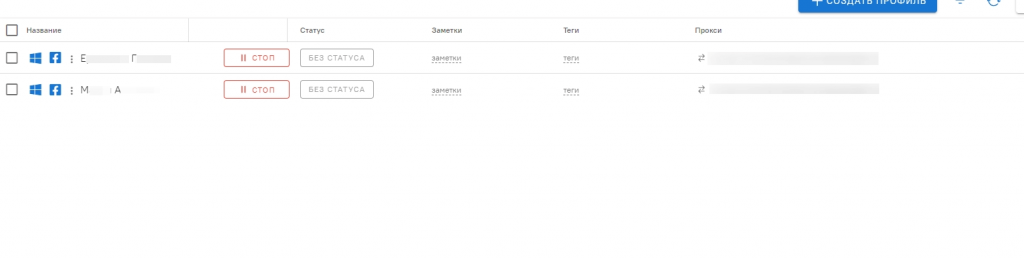
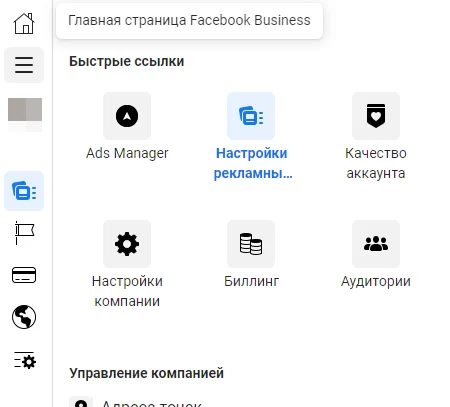
Then open the tab with an autoreg and Ads Manager in the same tab. Next, go to the ad account settings by clicking on the settings icon in the lower left.
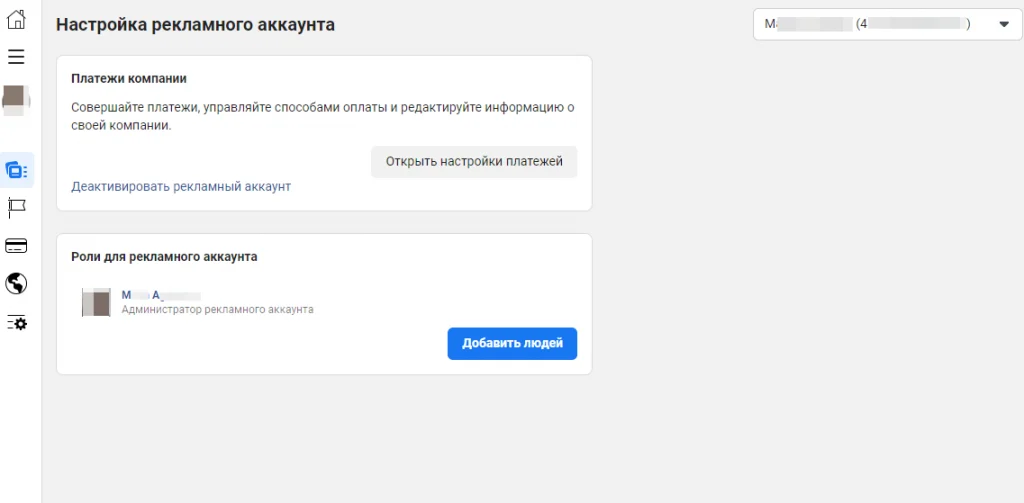
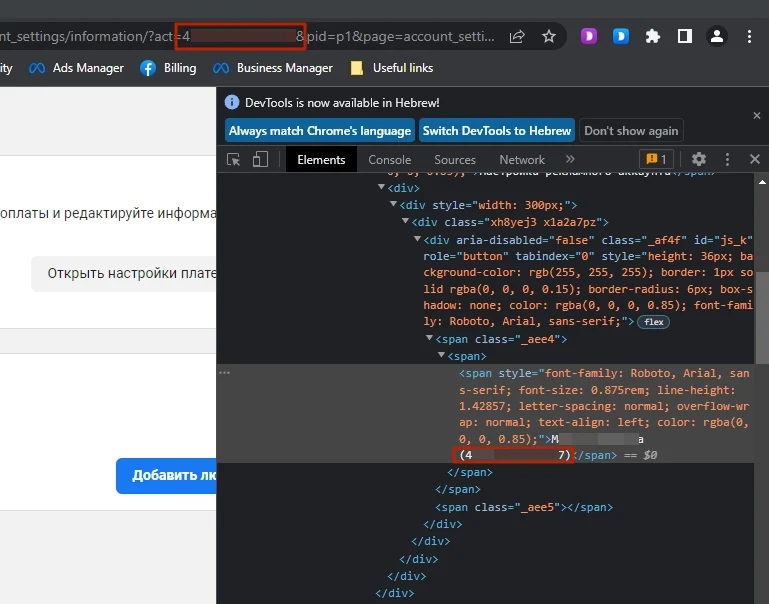
Now, you’ll require an account ID. You can find it in the address bar after “…act=” or copy the ID via the “View Item Code” menu:
Next, return to the King account and open the Business Manager; to do this, click the three horizontal lines on the left and select “Business settings”;
On the page that opens, select “Accounts” and then “Ad accounts”:
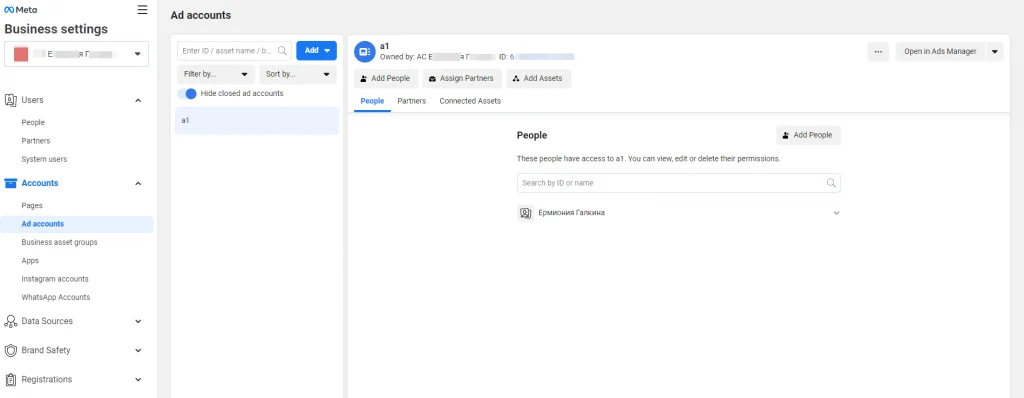
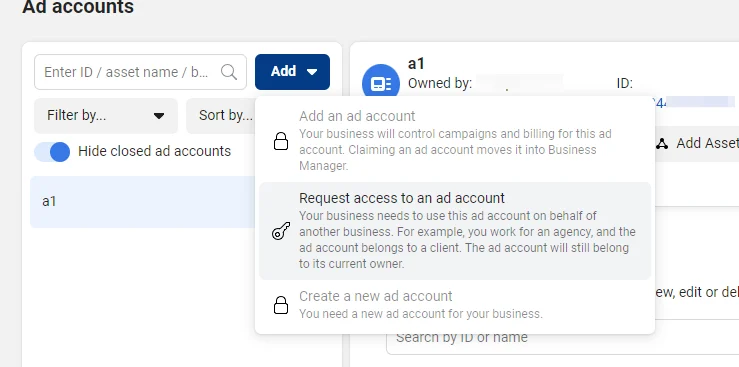
Then click “Add” and select “Request access to an ad account”:
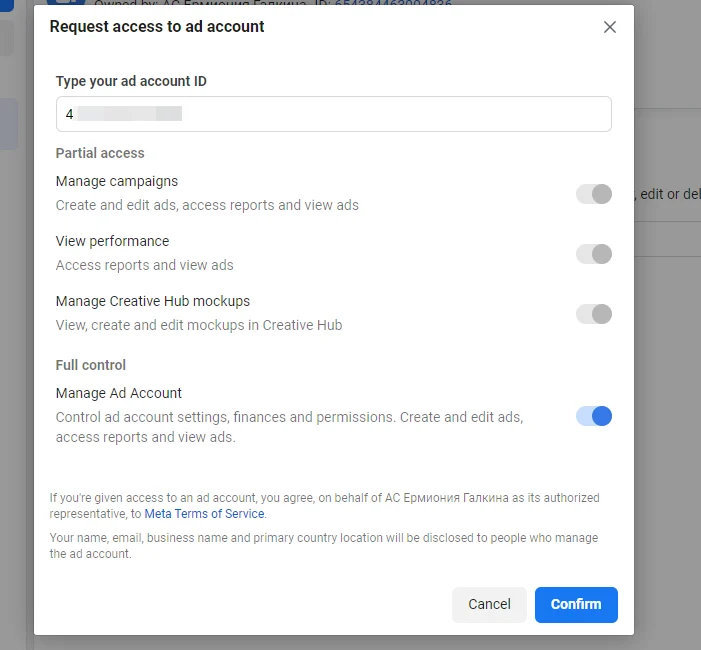
Insert the autoreg ID and enable all switches; next, press “Confirm”:
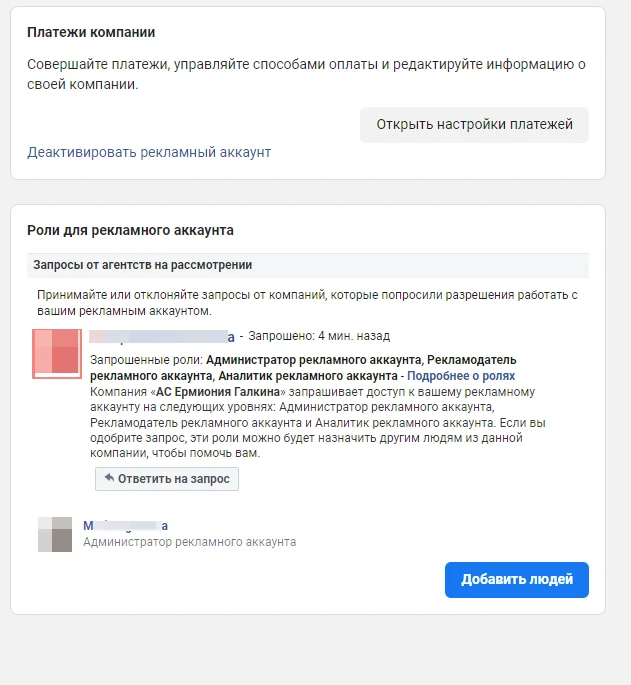
Return to the ad cabinet profile and refresh the page; you should see a request notification from the other account:
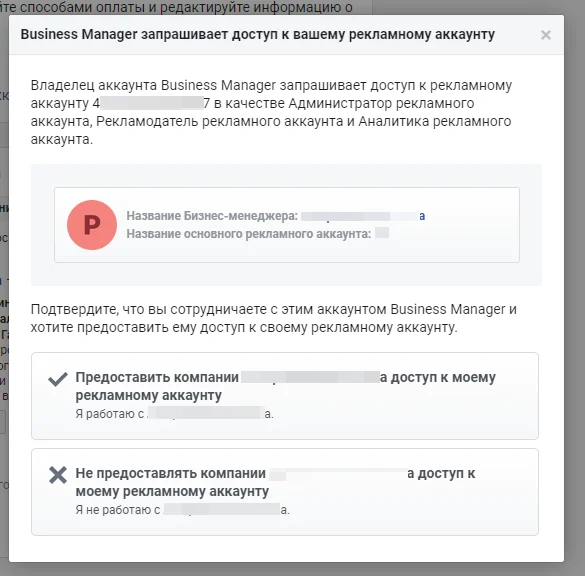
Click “Reply to the Request” and select “Allow the $NAME$ Company Access to My Ad Account”:
Then, return to the trusted account, refresh the page, and you’ll see the related autoreg account:
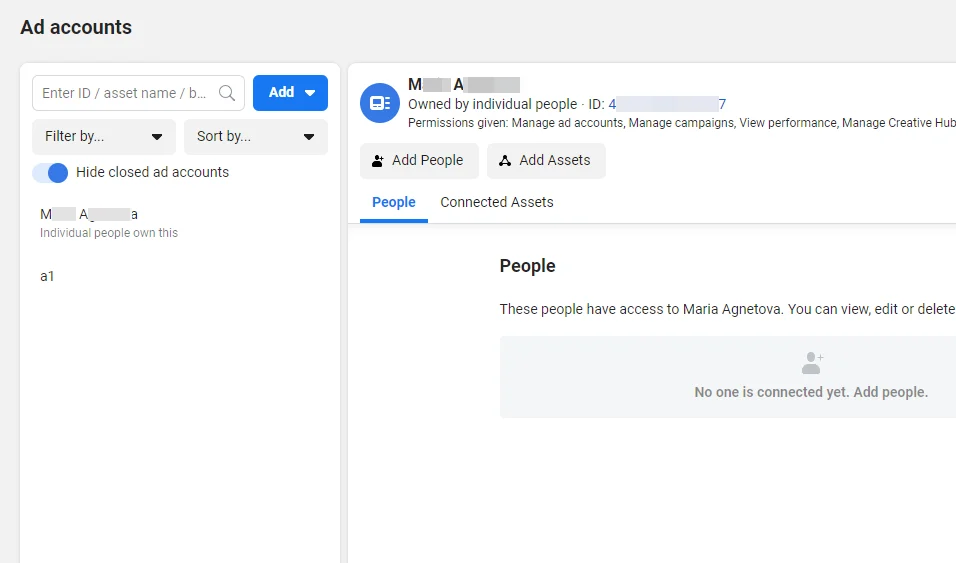
After that, leave the account for three to four days and then you can work with it.
How to Link a Personal Ads Manager to a King Account?
Add both accounts to the anti-detect browser and launch them at the same time. Then, friend the trusted account with the second account.
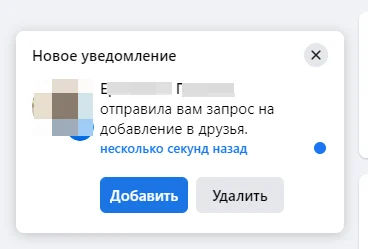
Next, go to the autoreg’s “Ad Account Settings”:
Click “Add People” and specify the name of the trusted account:
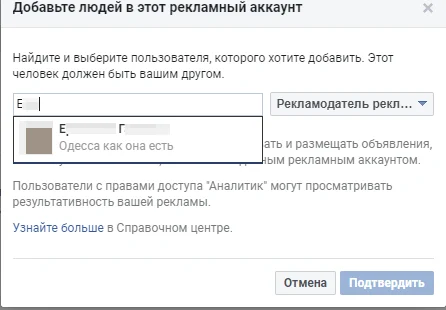
Select the “Ad Account Administrator” role and confirm the action:

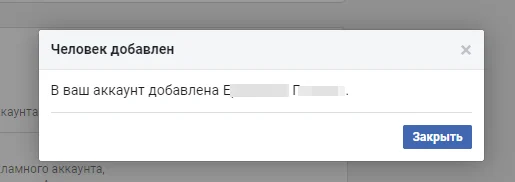
If you did it right, the following notification will pop up:
How to Automate Business Manager/King Account Linkage?
You can automate the process of account linkage with Dolphin Cloud. To do this, follow these steps:
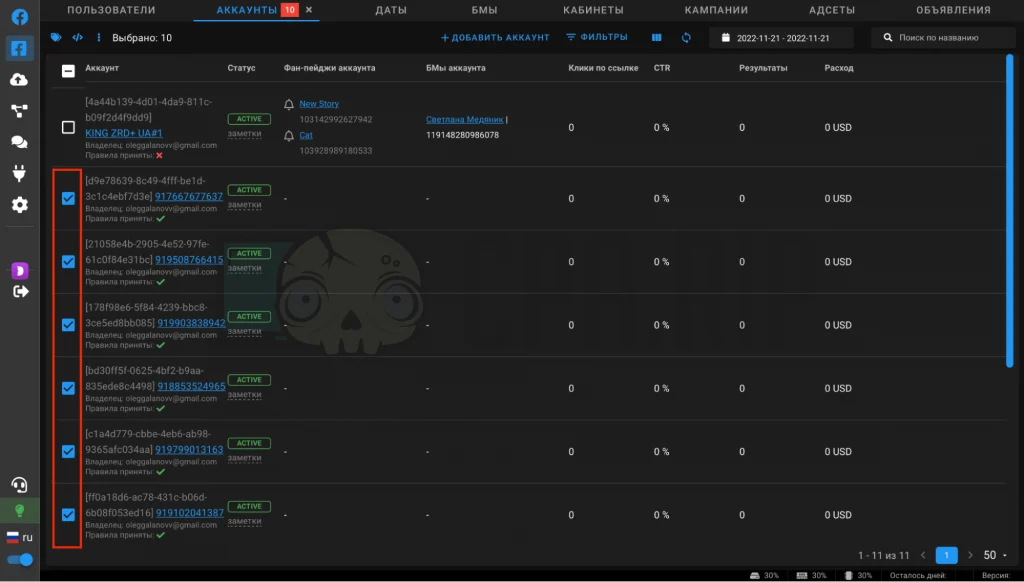
- Log into the Dolphin Cloud, select all accounts, then select all the cabinets that you want to link together:
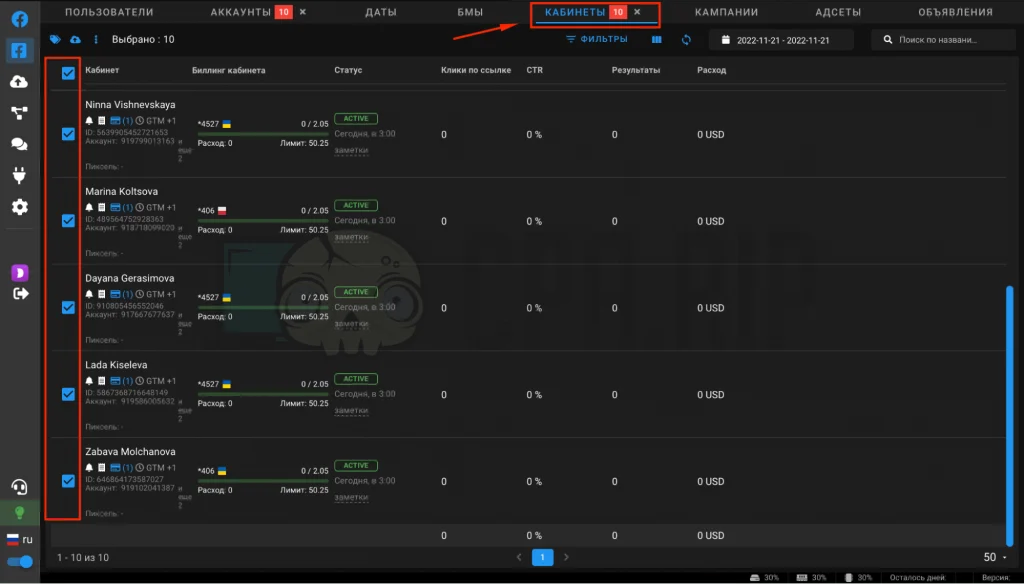
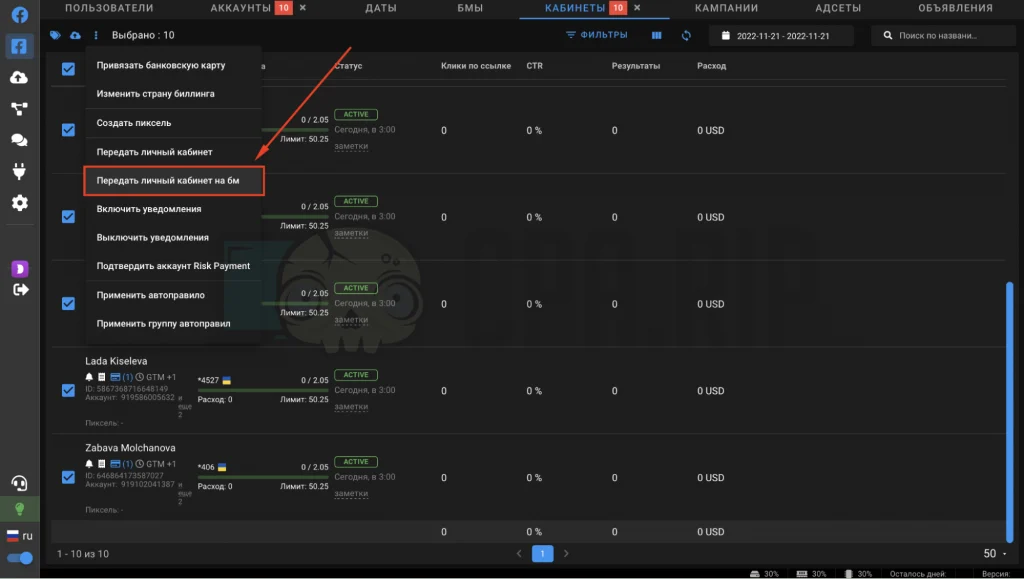
- Select “Transfer account to BM” to link it with BM or “Transfer account” to link ad cabinets with the king account;
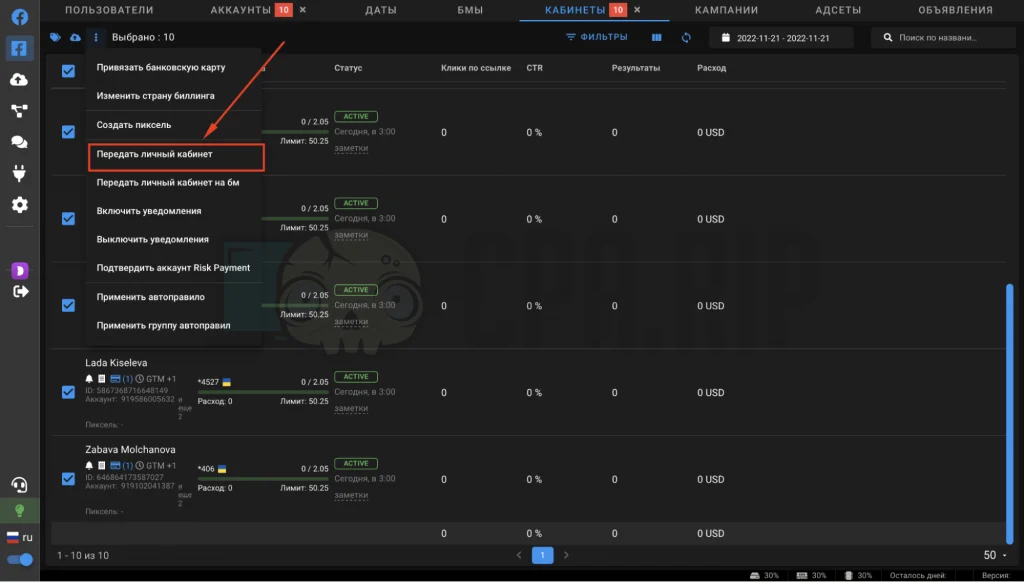
- In the pop-up window, select the trusted (king) account or BM you’d like to link:
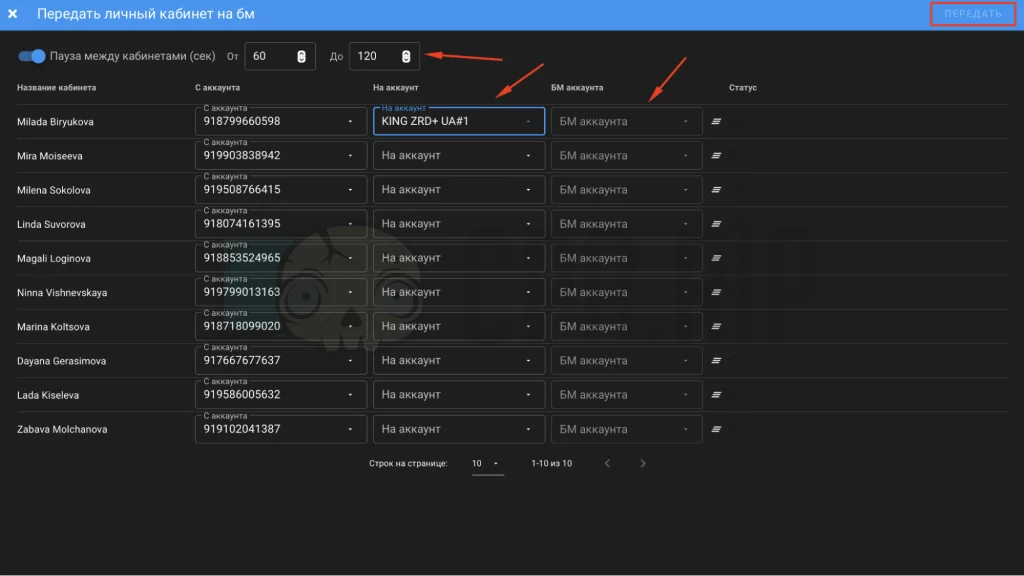
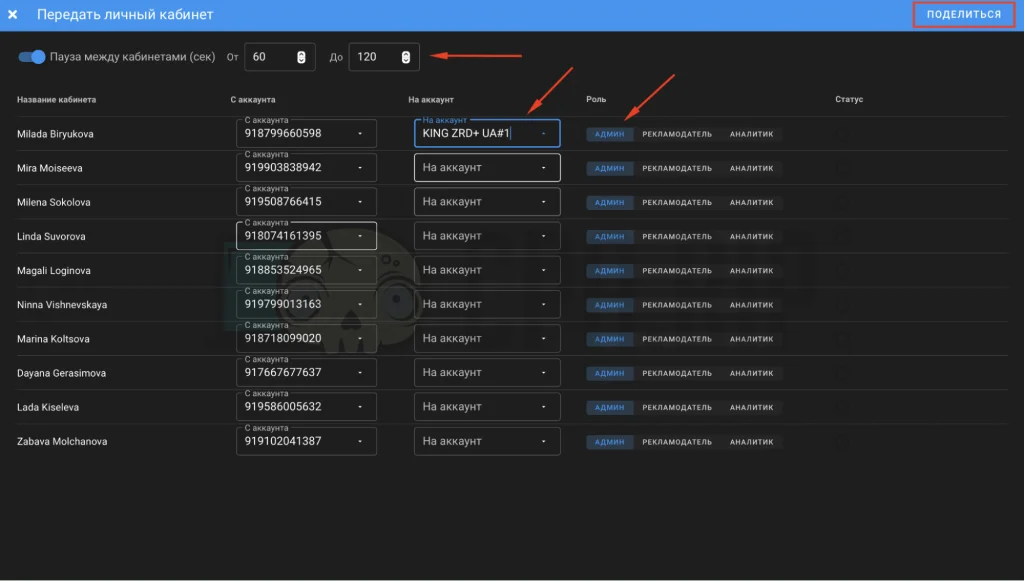
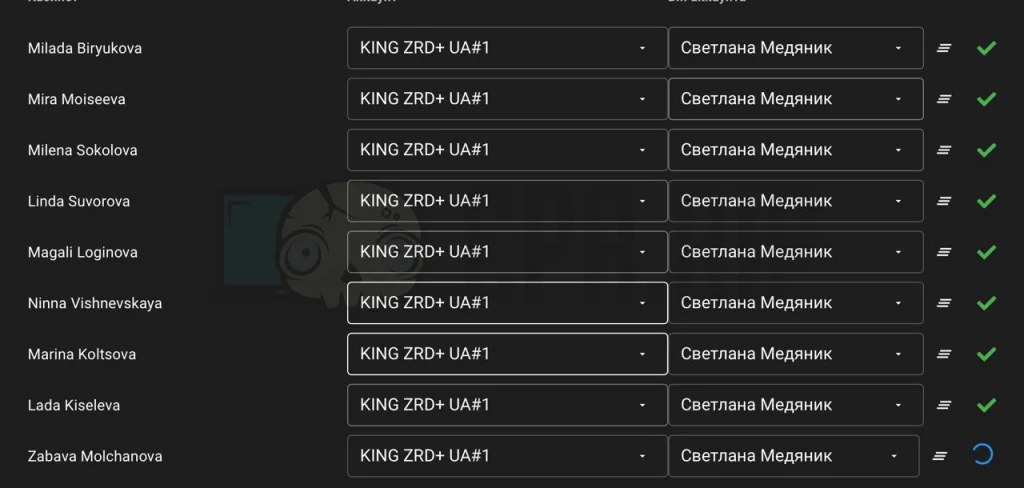
- On the top right, click “Link”/”Share” and wait for the operation to complete;
It will be done in two to five minutes:
Summary
Advertisers use both methods described above when they work with Facebook Ads. When transferring personal ads manager to BM or king accounts, keep in mind that they are commonly banned and you can lose control of the related ad accounts.








Comments