

![[FBM] CARDS](https://cpa.rip/wp-content/uploads/cr-a1/fbm-cards-v1/fbm-cards-logo.svg)




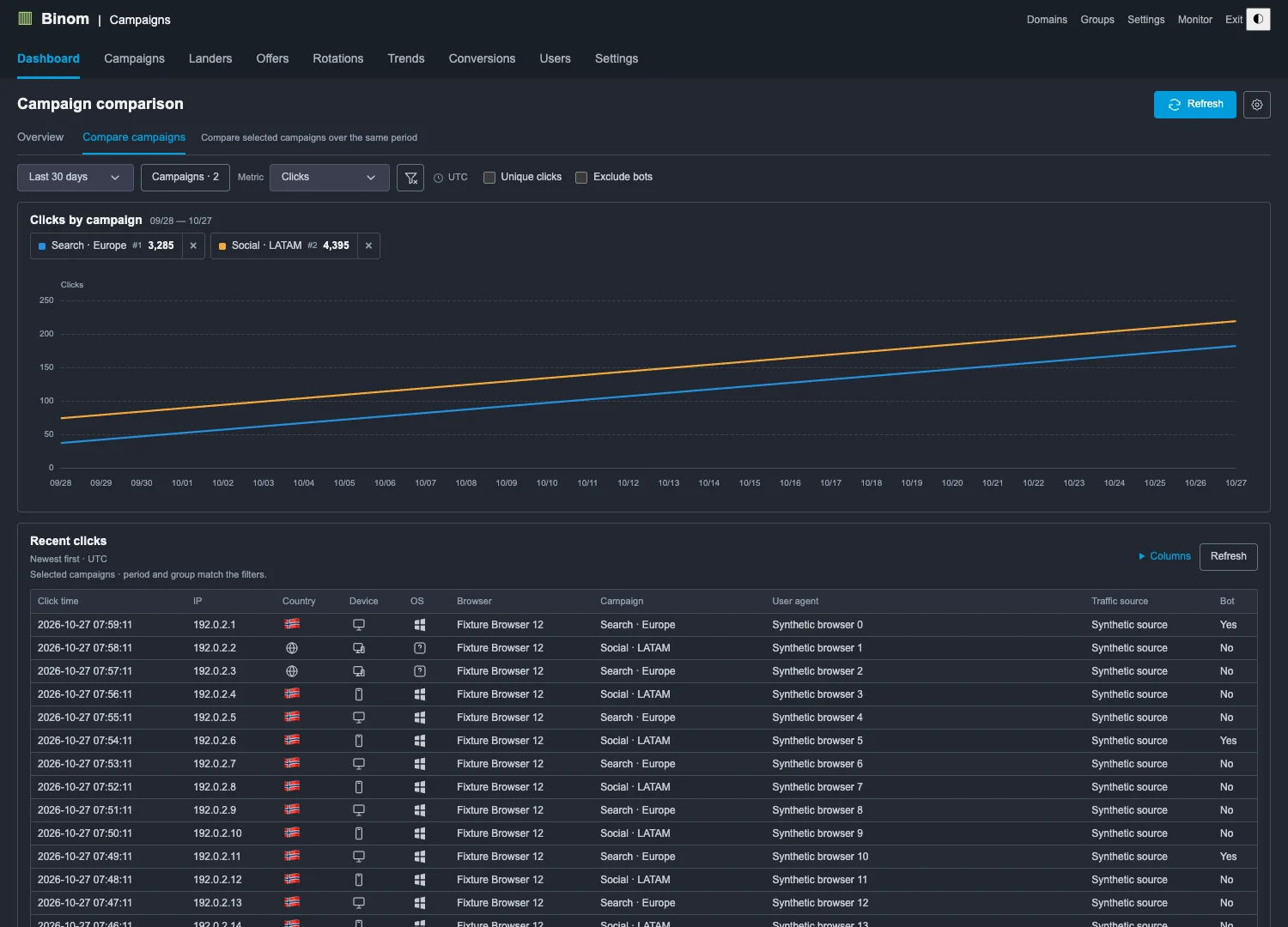
When we moved to Binom v2, we found its dashboard homepage quite sparse, so we fixed that. We built our own open dashboard for the Binom v2 tracker, and now everything is much clearer. This is the first public version, and we are continuing to work on it.
The promo code CPARIP gives you a 30-day trial of the Binom tracker at no cost. After the trial, the promo code CPARIP gives you a 40% discount on your first payment for a Binom license on your own server.
About Dashboard for Binom v2
Binom Dashboard is a Google Chrome extension that adds a page with charts, campaign comparisons, and recent clicks. The extension retrieves statistics from your tracker via the API, and nothing changes on the Binom server.
- You can download the extension from our Github: https://github.com/CPARIP/Binom-Dashboard
Installing the Extension
- Extract the downloaded archive containing the extension
- In your browser, go to extension management through the menu or enter
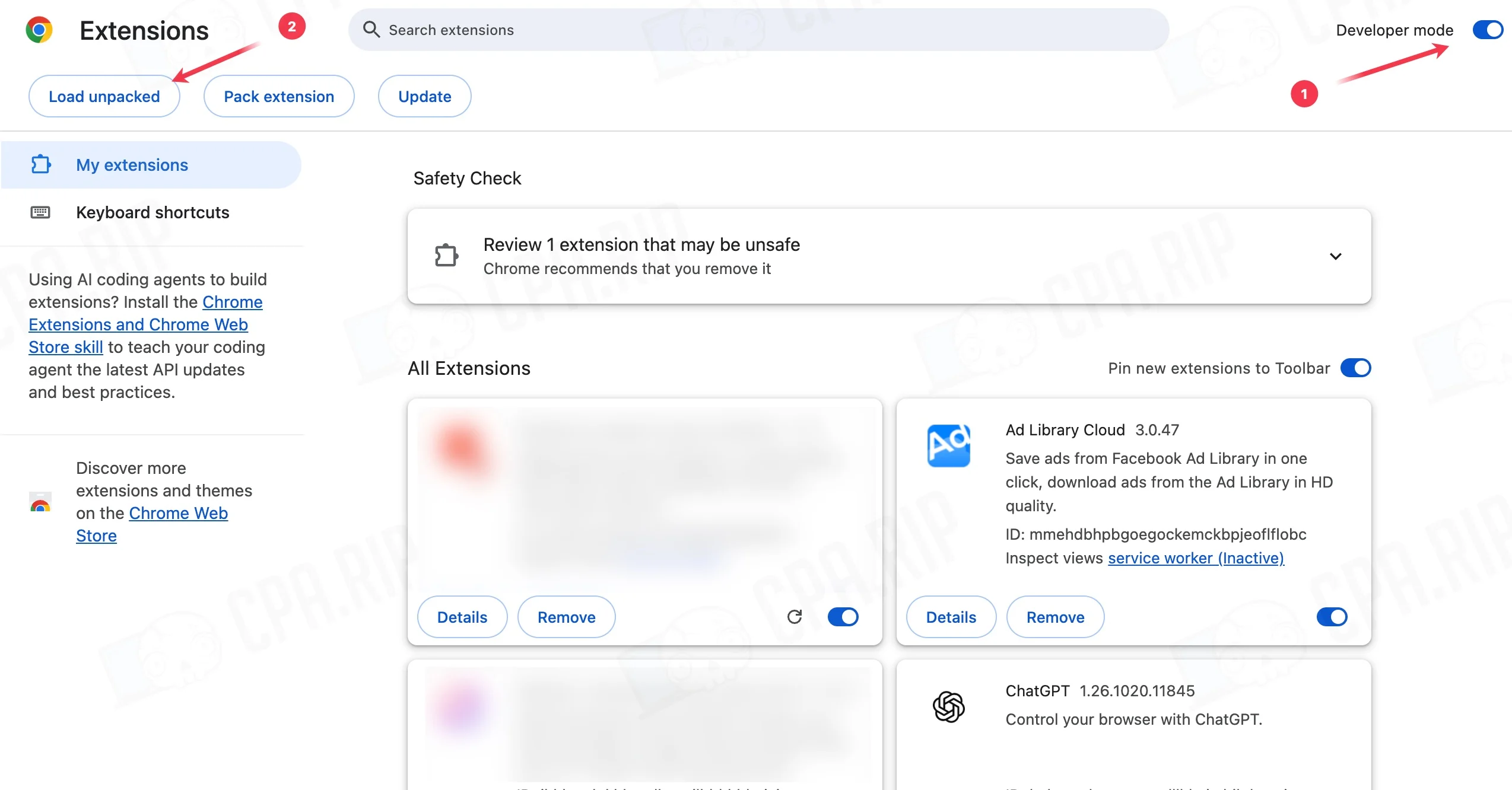
chrome://extensionsin the Chrome address bar oredge://extensionsin Edge. - Enable “Developer mode” and click “Load unpacked”.
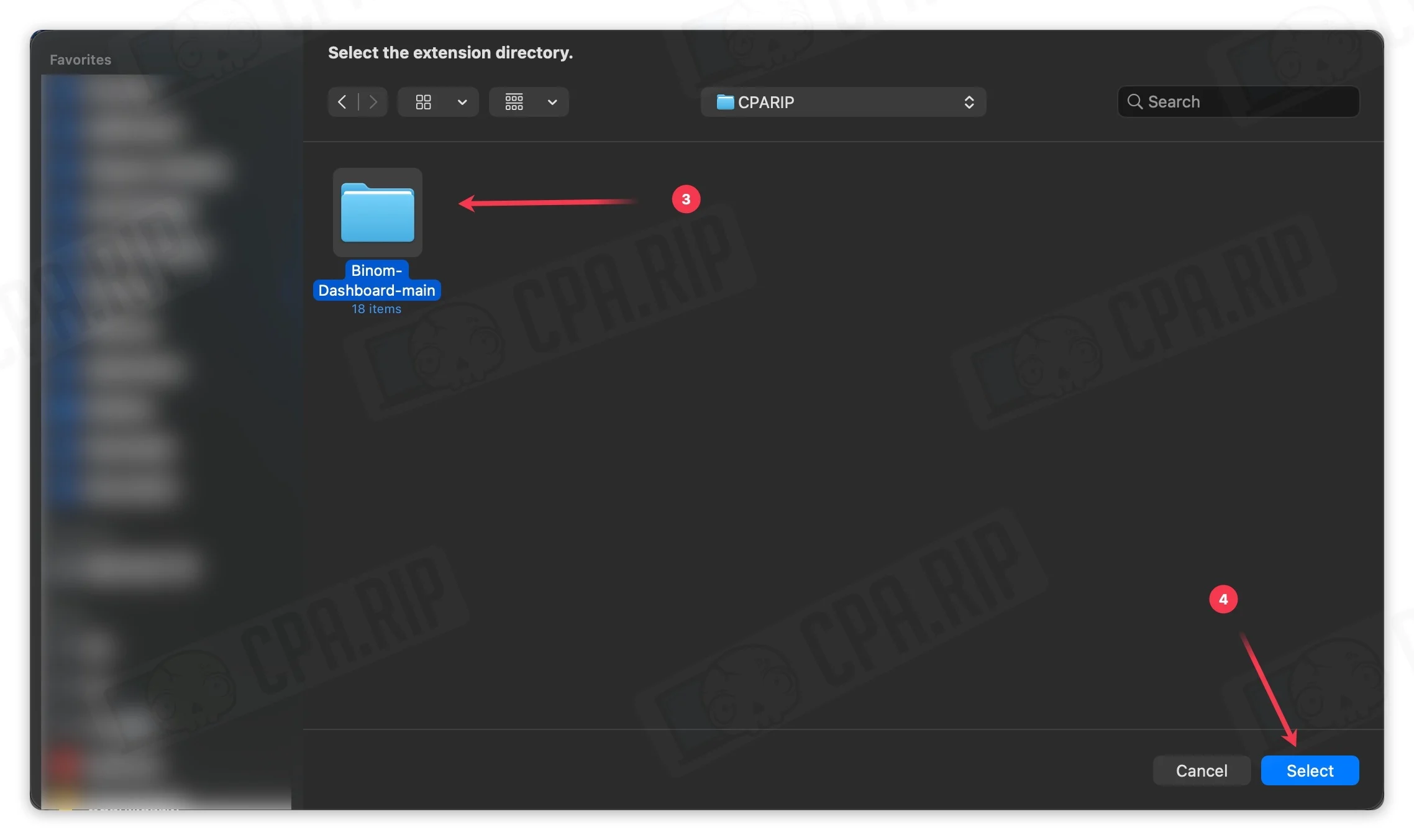
- Select the extension folder that contains the
manifest.jsonfile.
Connecting Binom
- Click the Binom Dashboard icon in your browser’s extensions menu and open “Connection Settings”.
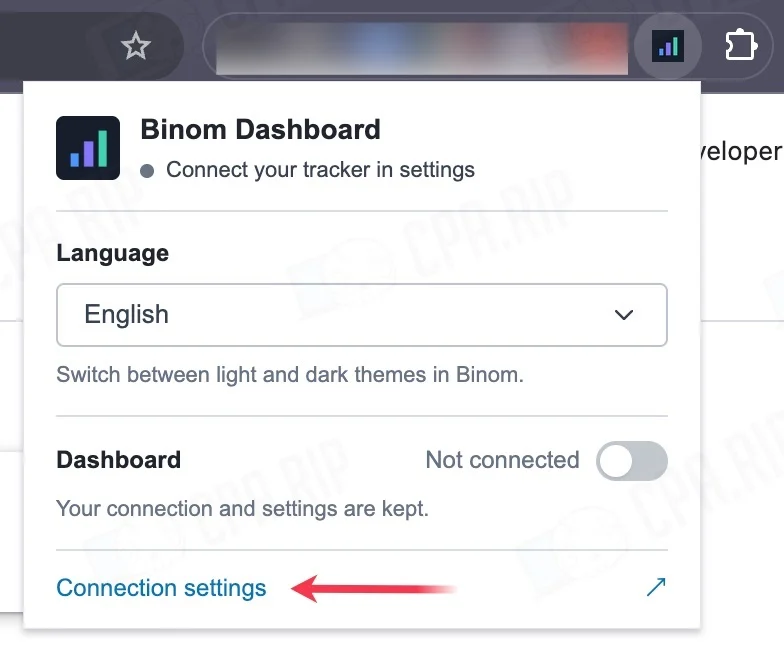
- Connection settings page:
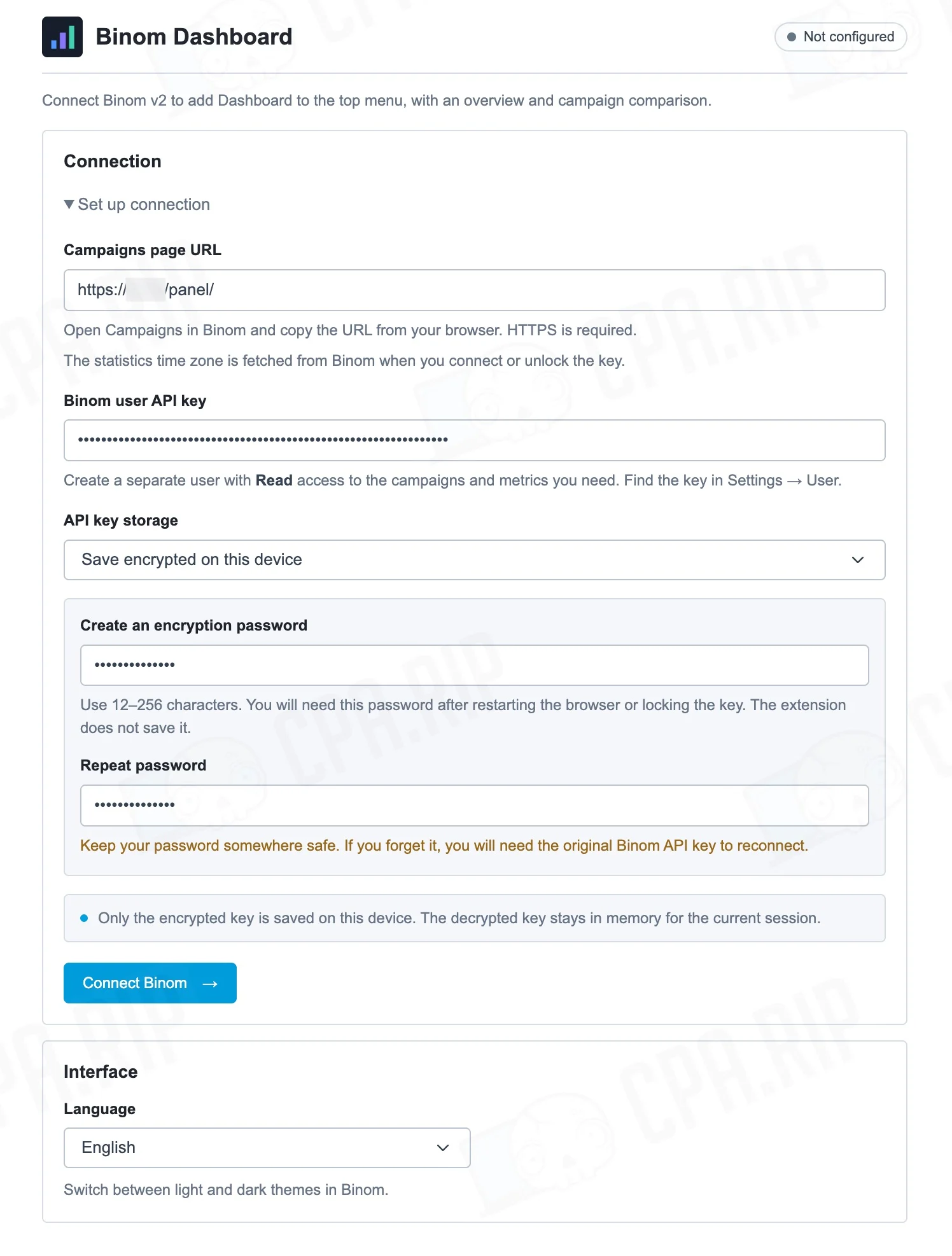
- Next, open the Campaigns section of your Binom. Copy the full URL, without parameters, from your browser’s address bar. The URL must start with
https://. Paste it into the corresponding field in the extension settings. - Open Settings → Public API in the tracker
- Copy the Public API
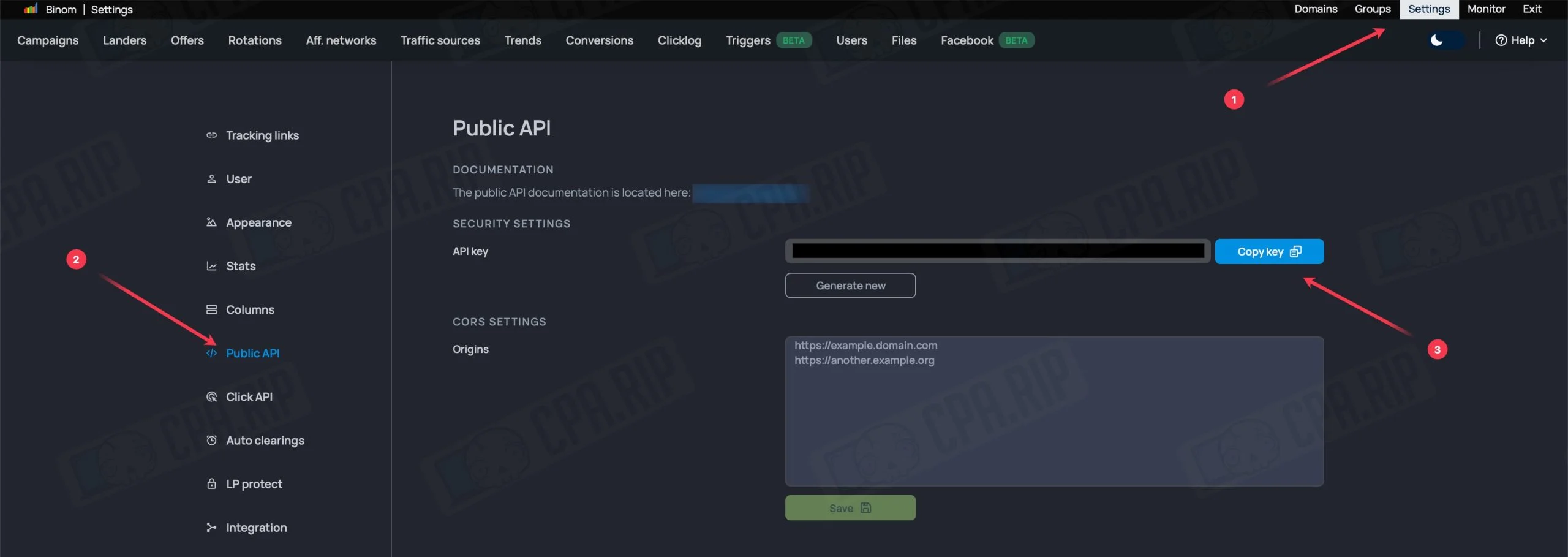
Instead of using the main account’s API, you can create a separate user with Read permissions for the required campaigns and metrics. Log in under that user and copy its API key.
- Paste the key you received into the “Binom User API Key” field in the plugin settings.
- Leave the “Save encrypted on this device” mode enabled. Create a separate encryption password and enter it again.
- Click “Connect Binom” and allow the extension to access the tracker website.
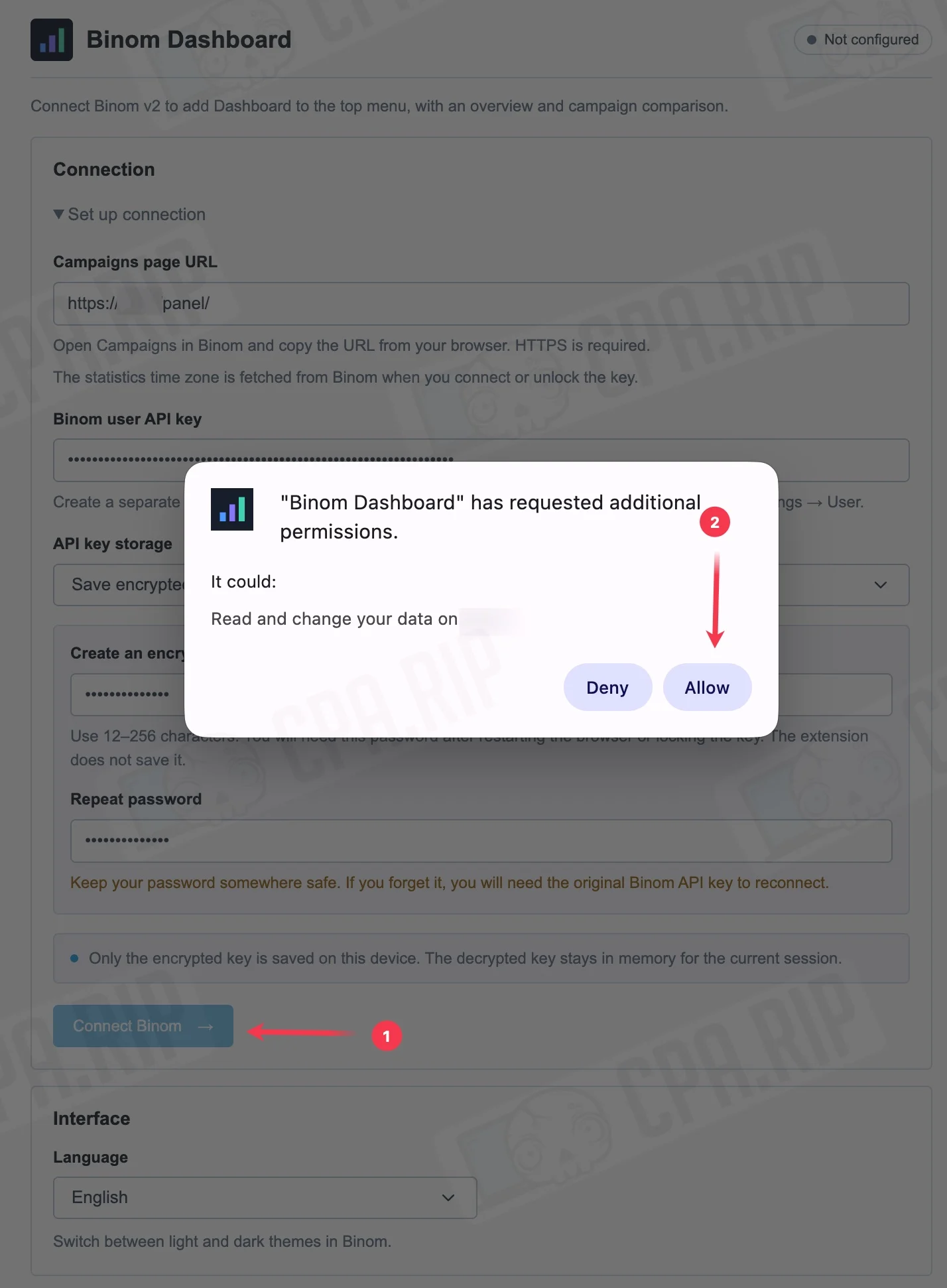
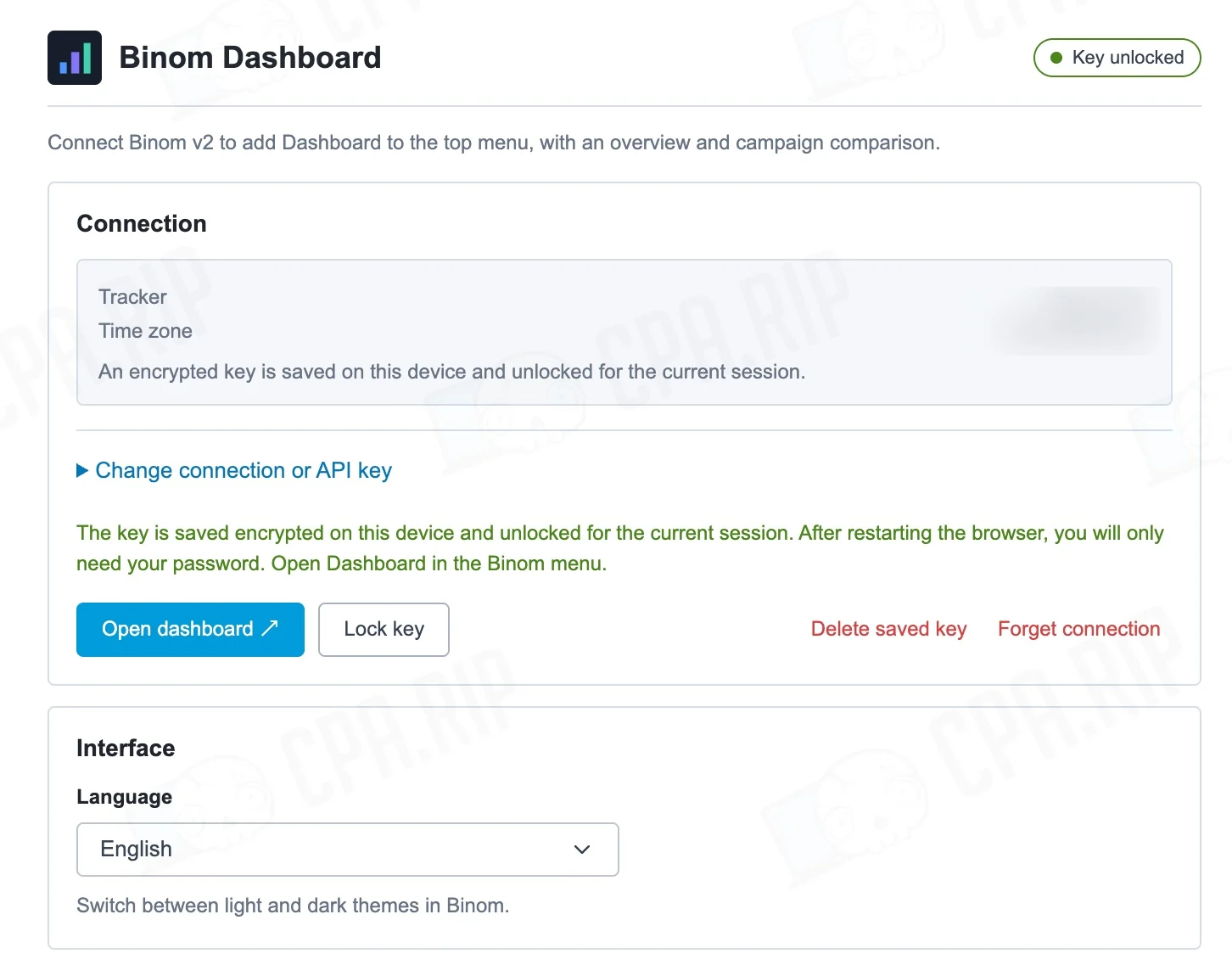
Important! After restarting your browser, you need to unlock API access. Open “Connection Settings”, enter the encryption password, and click “Unlock”. If you saved the key with a password, you do not need to enter the API key again. You will also need this step after reloading or updating the extension.
- Refresh the Binom tab and open Dashboard in the top menu before Campaigns.
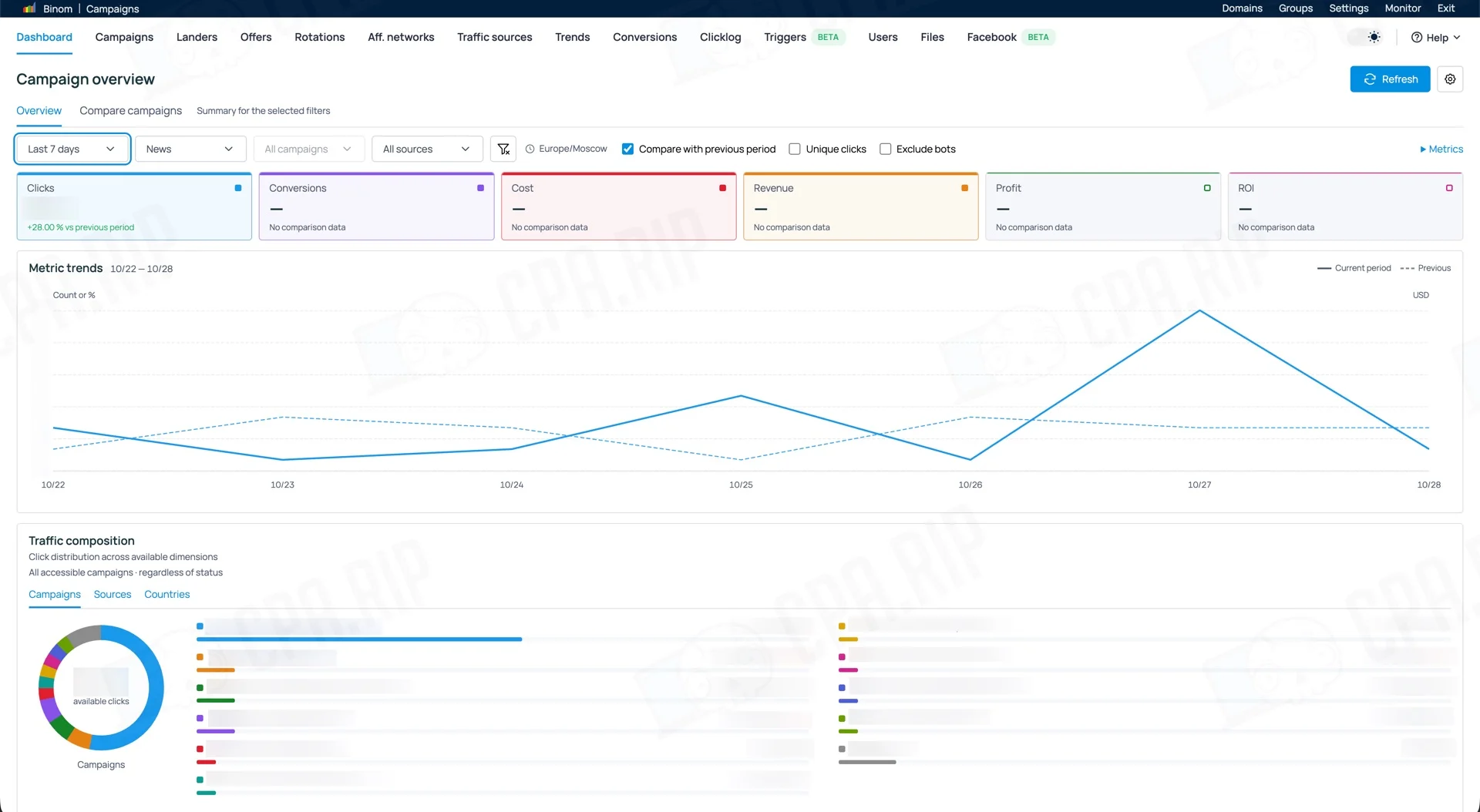
To ensure the API transfers all data required for the extension to work, you need to configure the displayed metrics in Binom itself.
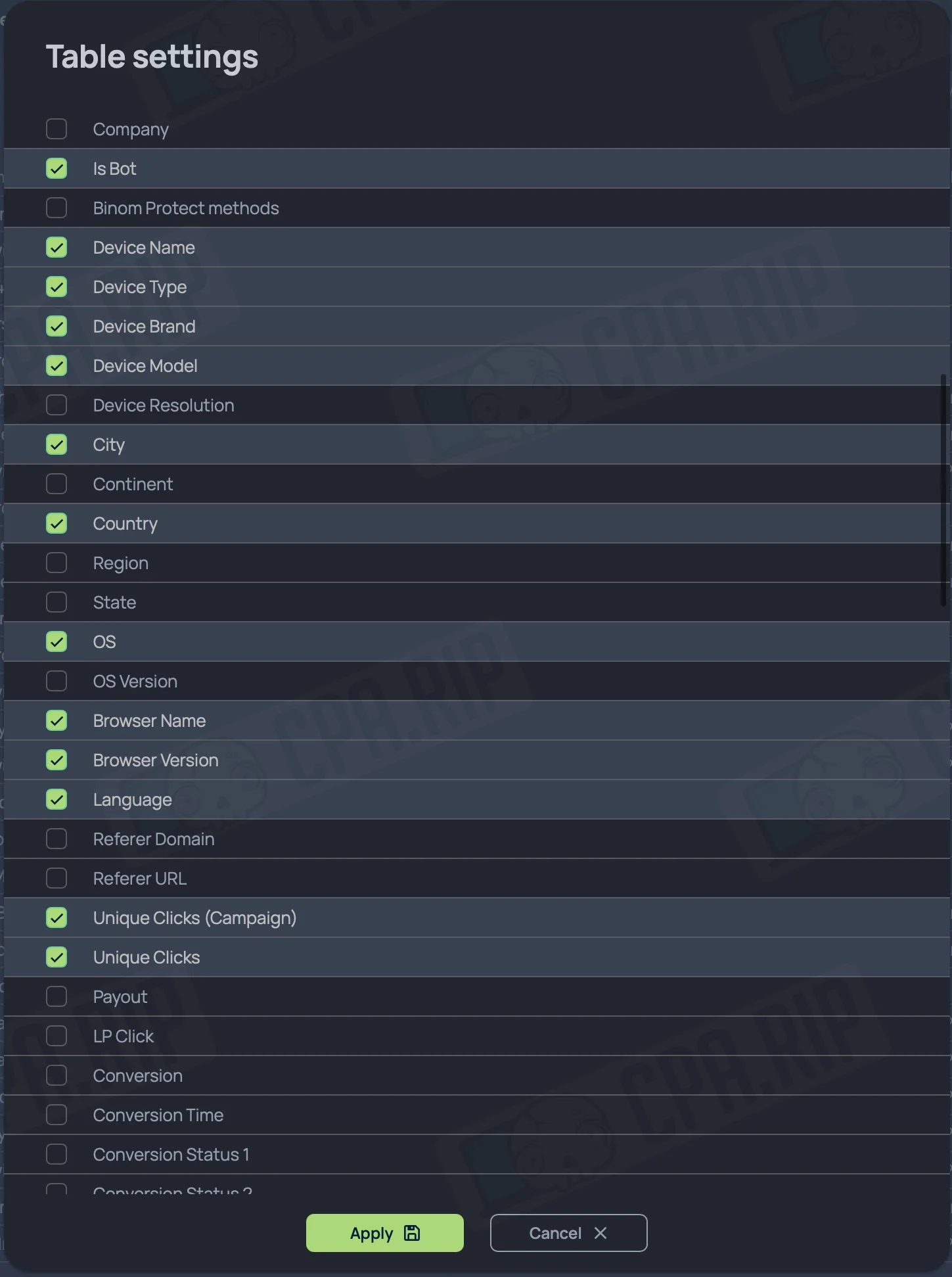
- Log in to the tracker under the Binom user who owns the API key.
Open Trends → Table settings, then Report → Table settings. Enable the following in both sections:
- Clicks
- Unique Clicks
- Conversions / Leads
- Cost / Costs
- Revenue
- Profit
- ROI
- CR
- EPC
- CPC
- Bots
Open Clicklog → Table settings and enable:
- Click Time
- Click ID
- IP
- Country
- Device Type
- Device Name
- Device Model
- OS
- OS Version
- Browser Name
- Browser Version
- Campaign
- Campaign ID
- Traffic Source
- User Agent
- Language
- Bot








Comments