






Review of the free open-source Fury antidetect browser, licensed under AGPL-3.0. We tested the quality of profile fingerprints, MCP control via LLMs, and set up synchronization through our own server. The project is actively developing, with 3 updates released during our testing alone.
The Fury browser is built on Chromium 155. It is designed for multi-accounting and automation: each profile has a unique device fingerprint, its own cookies, and proxy. Fingerprint spoofing is implemented at the C++ level in the browser itself, rather than through JavaScript scripts. You can manage profiles programmatically through the local HTTP API and the built-in MCP server, which AI tools connect to: Claude Desktop, Cursor, Claude Code, and other MCP clients. You can work entirely locally, use Fury’s free server, or deploy your own server to synchronize profiles between devices and support team collaboration.
CPA.RIP

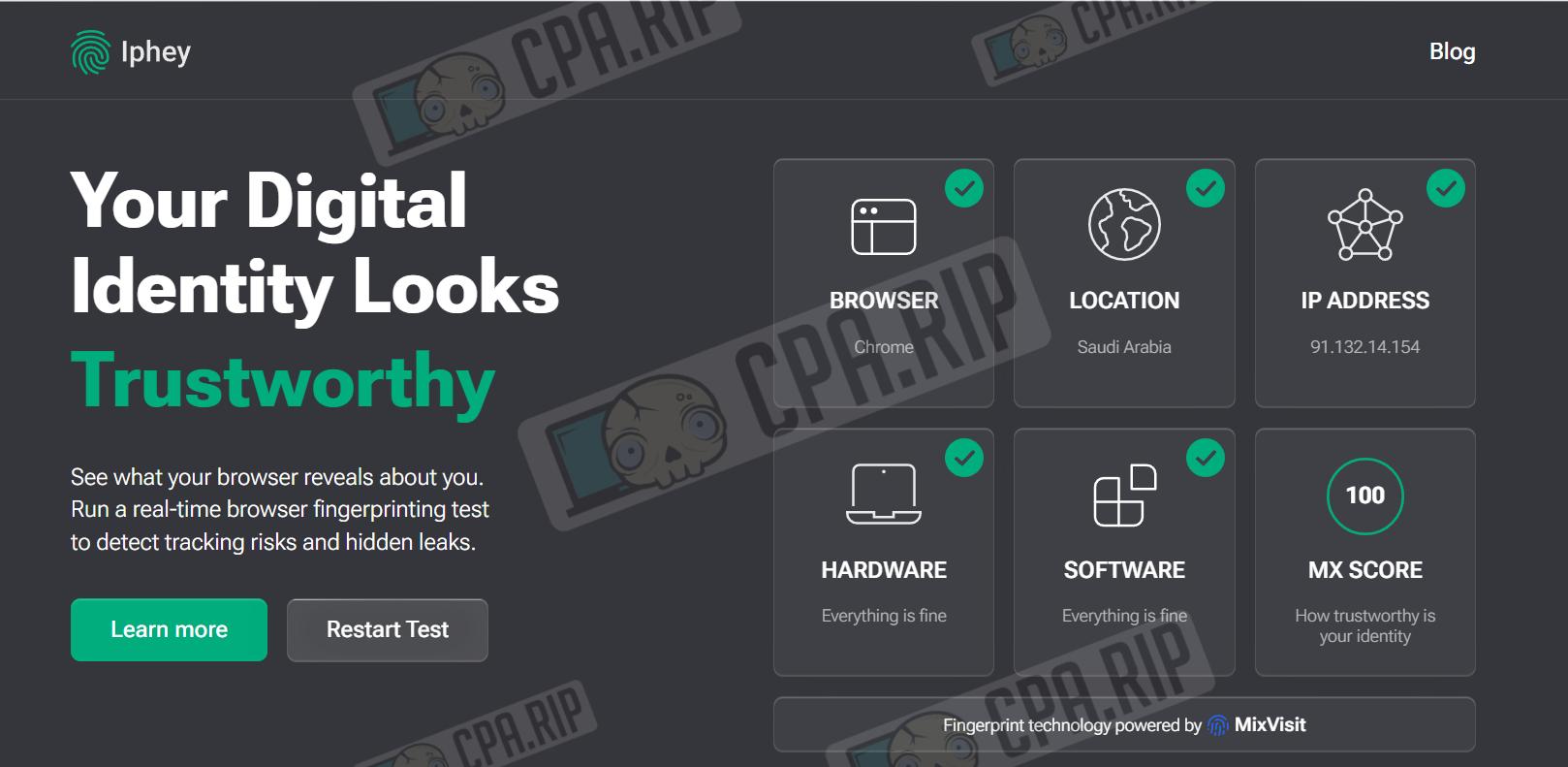
“You can use the antidetect browser for work in its current state, but you should keep in mind that not all profile fingerprints pass checks 100%. Whoer and Pixelscan rated the profile normally, but Iphey flagged some digital identities as Unreliable because of a browser mismatch. Out of the box, it also includes useful features such as MCP. We especially want to highlight the ability to set up profile synchronization through your own server.”
- Download: https://github.com/furyteamtop/fury-antidetect-browser
- Windows x64;
- macOS (Apple Silicon);
Our selection of antidetect browsers: https://cpa.rip/services/antidetect-browser/
Antidetect Browser Testing
A selection of services for checking browser anonymity, fingerprints, etc.: https://cpa.rip/services/checking-browser-fingerprints-and-anonymity/.
Summary table of anonymity and digital fingerprint parameters:
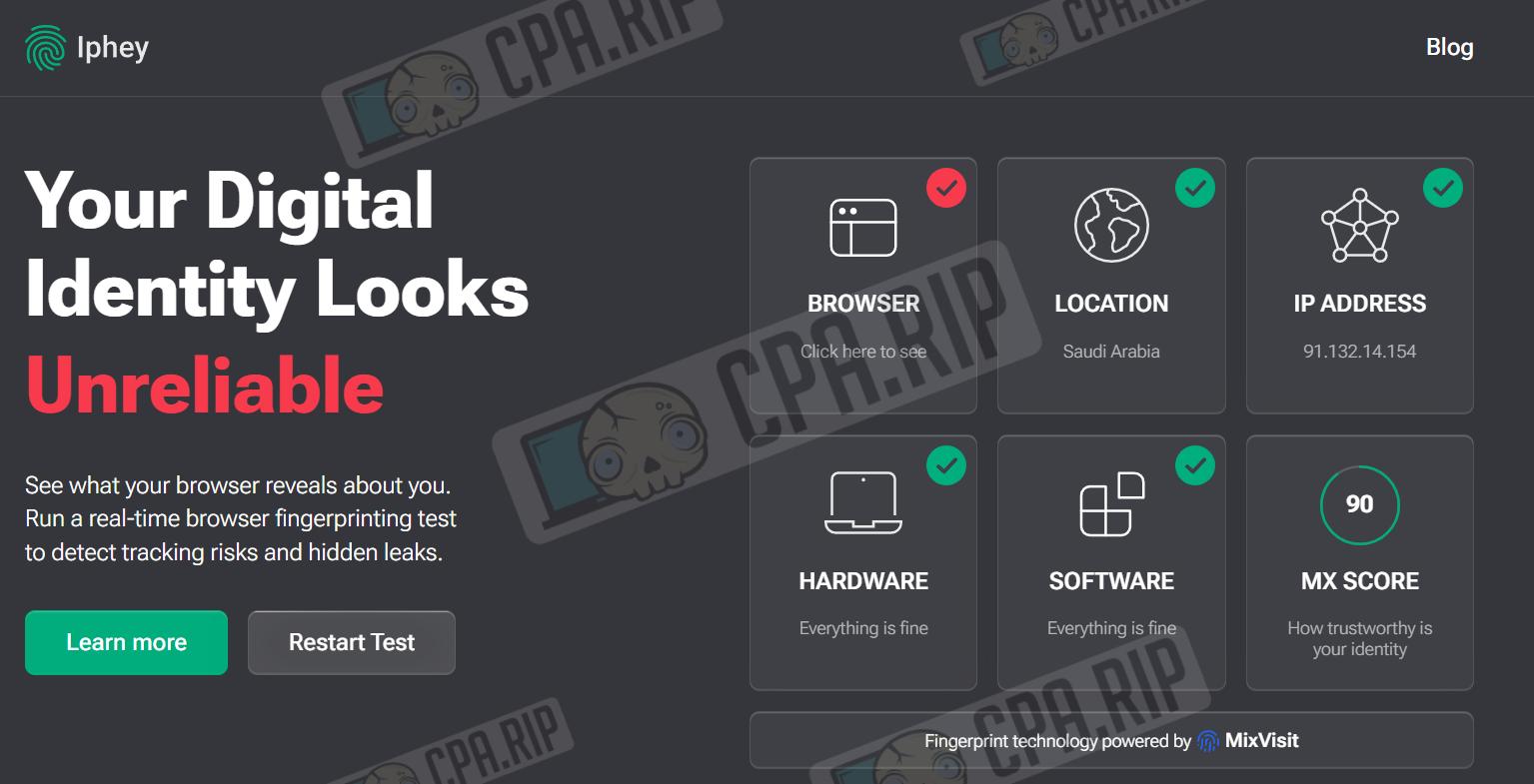
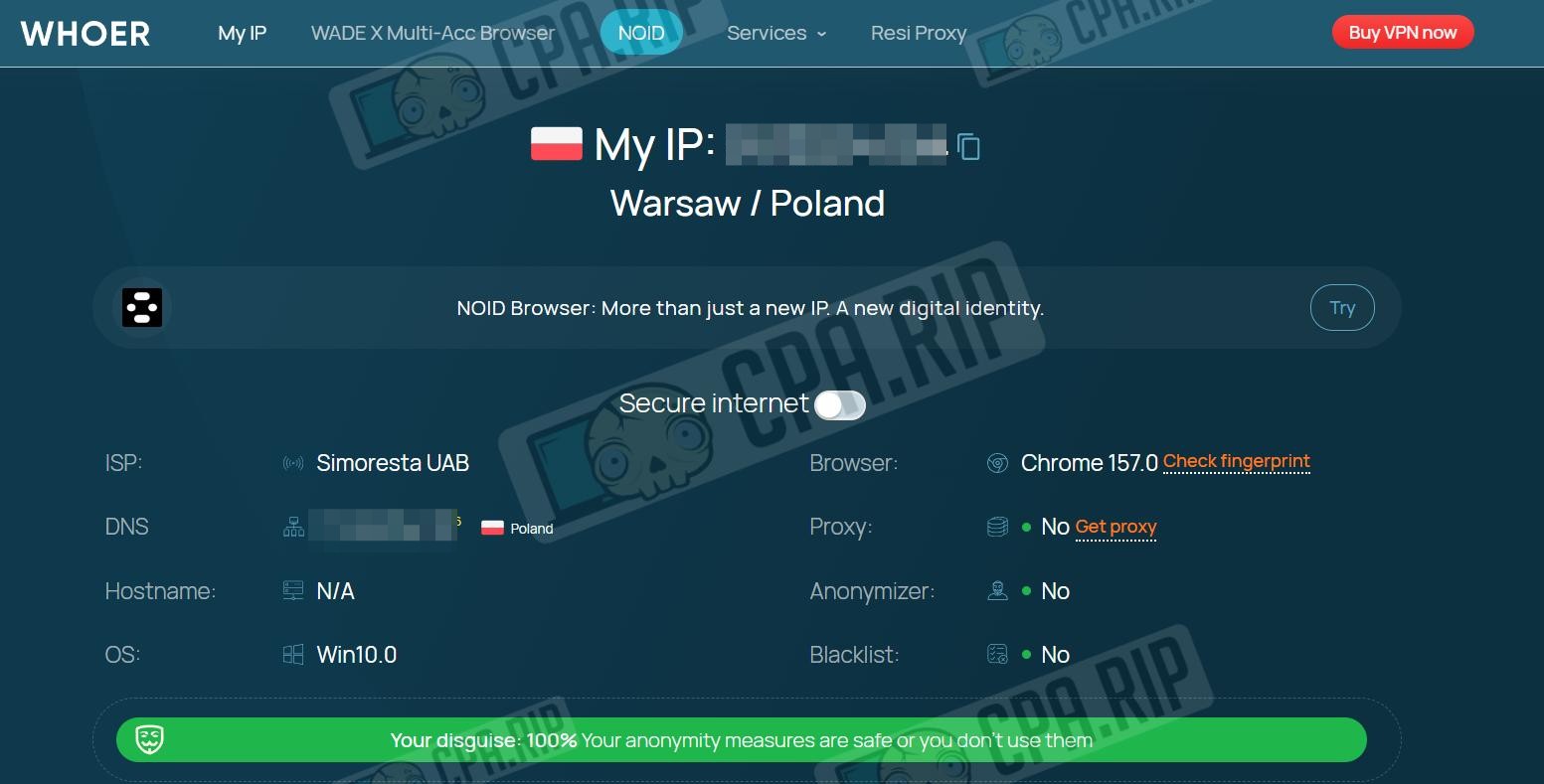
| Parameter | Whoer.net | Pixelscan.net | IpHey.com |
| My IP | 91.***.**.154 | – | 91.***.**.154 |
| Location | Warsaw / Poland | Saudi Arabia / Riyadh | Saudi Arabia |
| ISP | Simoresta UAB | – | – |
| DNS | 172.**.***.115 (Poland) | – | – |
| Hostname | N/A | – | – |
| OS | Win10.0 | Windows | – |
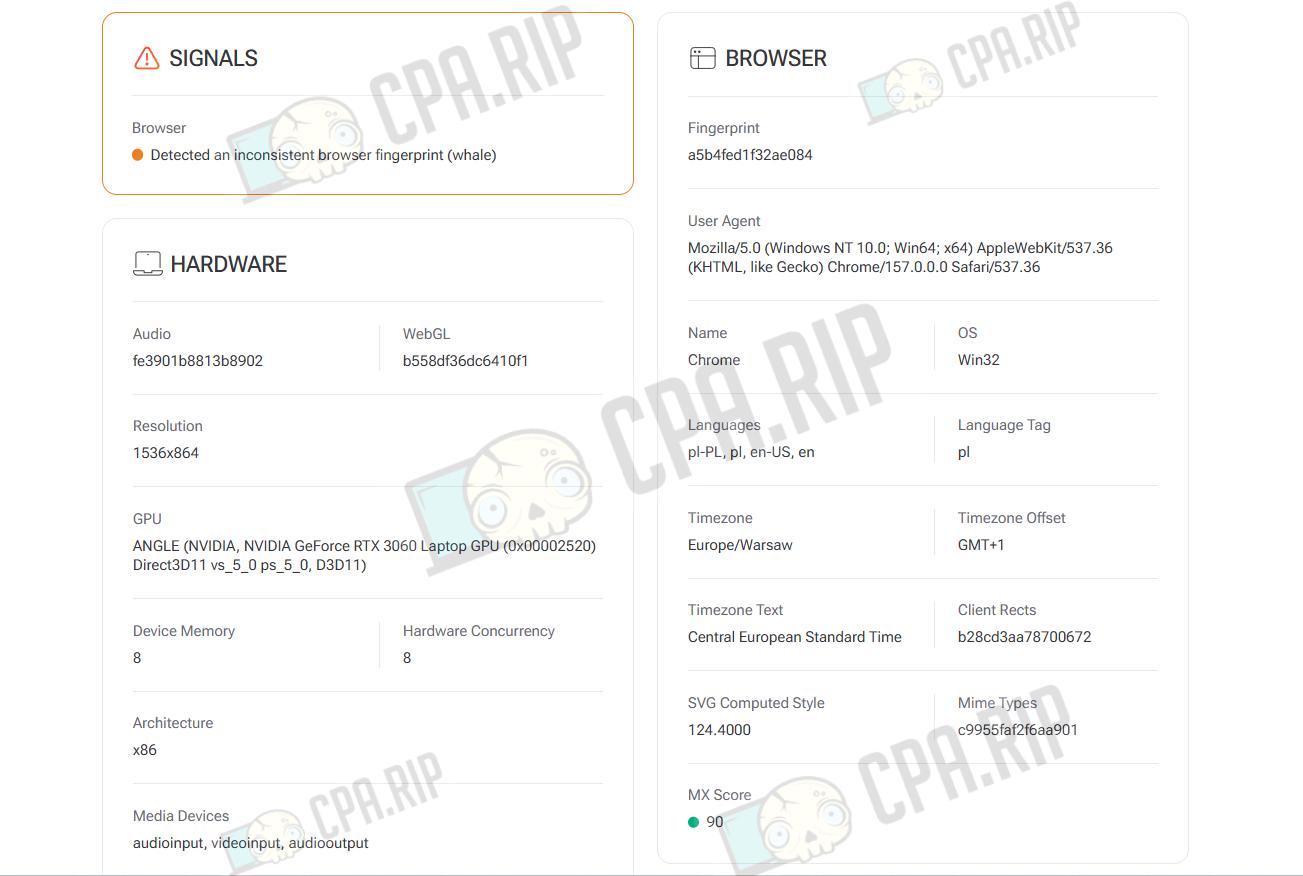
| Browser | Chrome 157.0 | Chrome 157.0.0.0 | Chrome (Unreliable) |
| Proxy | No | No proxy detected | – |
| Anonymizer | No | – | – |
| Blacklist | No | – | – |
| Masking | – | No masking detected | Everything is fine |
| Bot | – | No automated behavior | – |
| Status | 100% | Consistent | Unreliable |
- Iphey: The digital identity is marked as unreliable due to an inconsistent fingerprint. Everything else is fine, MX Score 90. However, if you change the profile settings, you can find configurations that pass the check 100%.
- WHOER: No proxy or anonymizer was found, browser Chrome 157. The overall masking level is 100%.
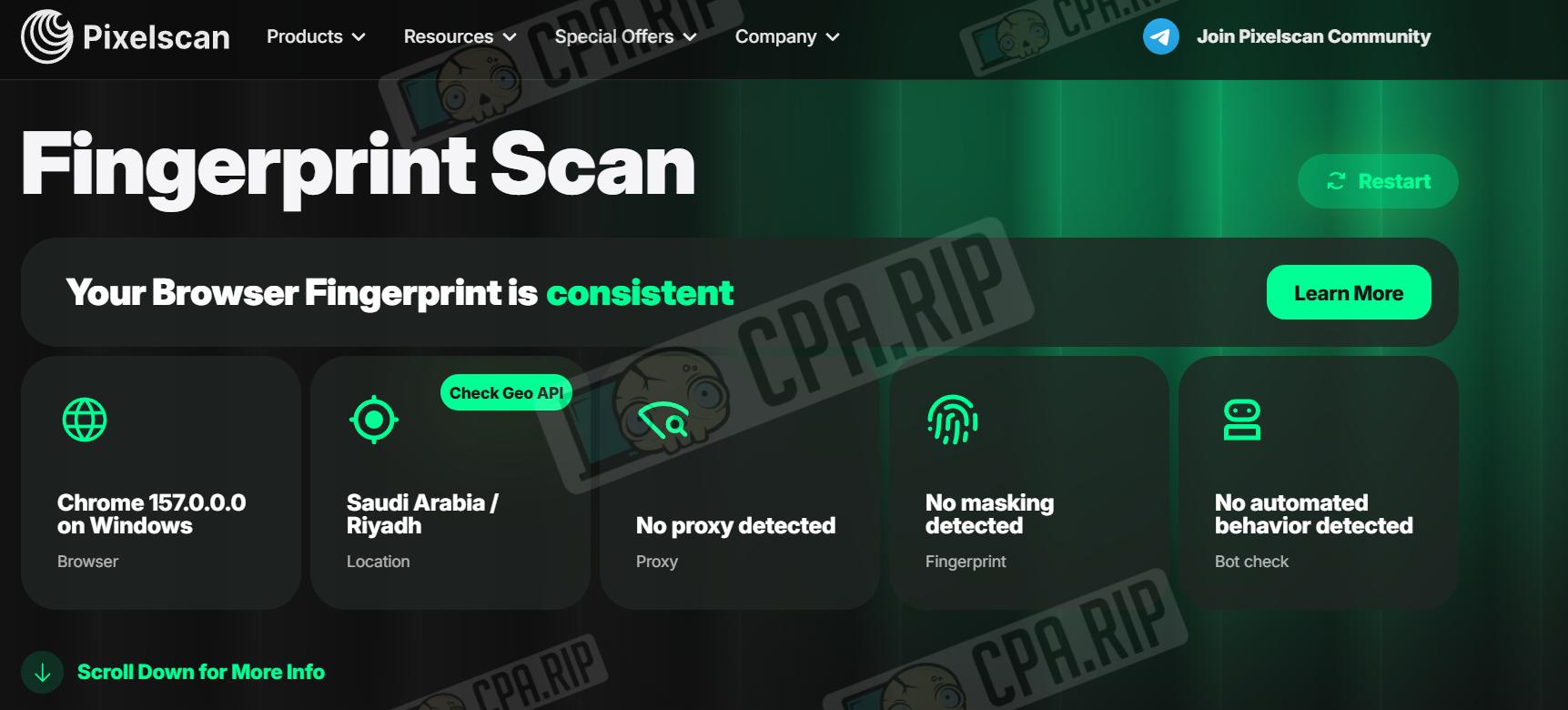
- Pixelscan: The fingerprint was recognized as consistent. Browser Chrome 157 on Windows, no proxy or masking detected, and no bot behavior.
Main Features
- Free open-source antidetect browser with no subscriptions or profile limits.
- Runs on its own Chromium 157 fork.
- Fingerprint spoofing is implemented at the C++ level, rather than through JavaScript.
- Includes a catalog of real devices, including Android phones.
- Supports HTTP, SOCKS5, and WireGuard proxies.
- You can work entirely locally without an account or server.
- Includes a full team mode with roles and access permissions.
- You can deploy the profile synchronization server yourself (self-hosted).
- Supports importing profiles from GoLogin, Dolphin, AdsPower, Undetectable, Kameleo, and Vision.
- Includes a built-in MCP server for control through AI assistants.
Local Work and Cloud Profile Synchronization
In Fury, you can work with profiles locally, connect to the developers’ free server, or deploy a Fury team server on your own VPS.
When working locally, all profiles, cookies, settings, and other data are stored locally on your device. If you need profile synchronization between devices or team collaboration, you can use Fury’s own server infrastructure.
- In the “Team Server” section, you can connect to Fury’s free server. To do this, simply enter the server address and click “Connect.” If you do not have an account yet, you can create one directly in the settings.
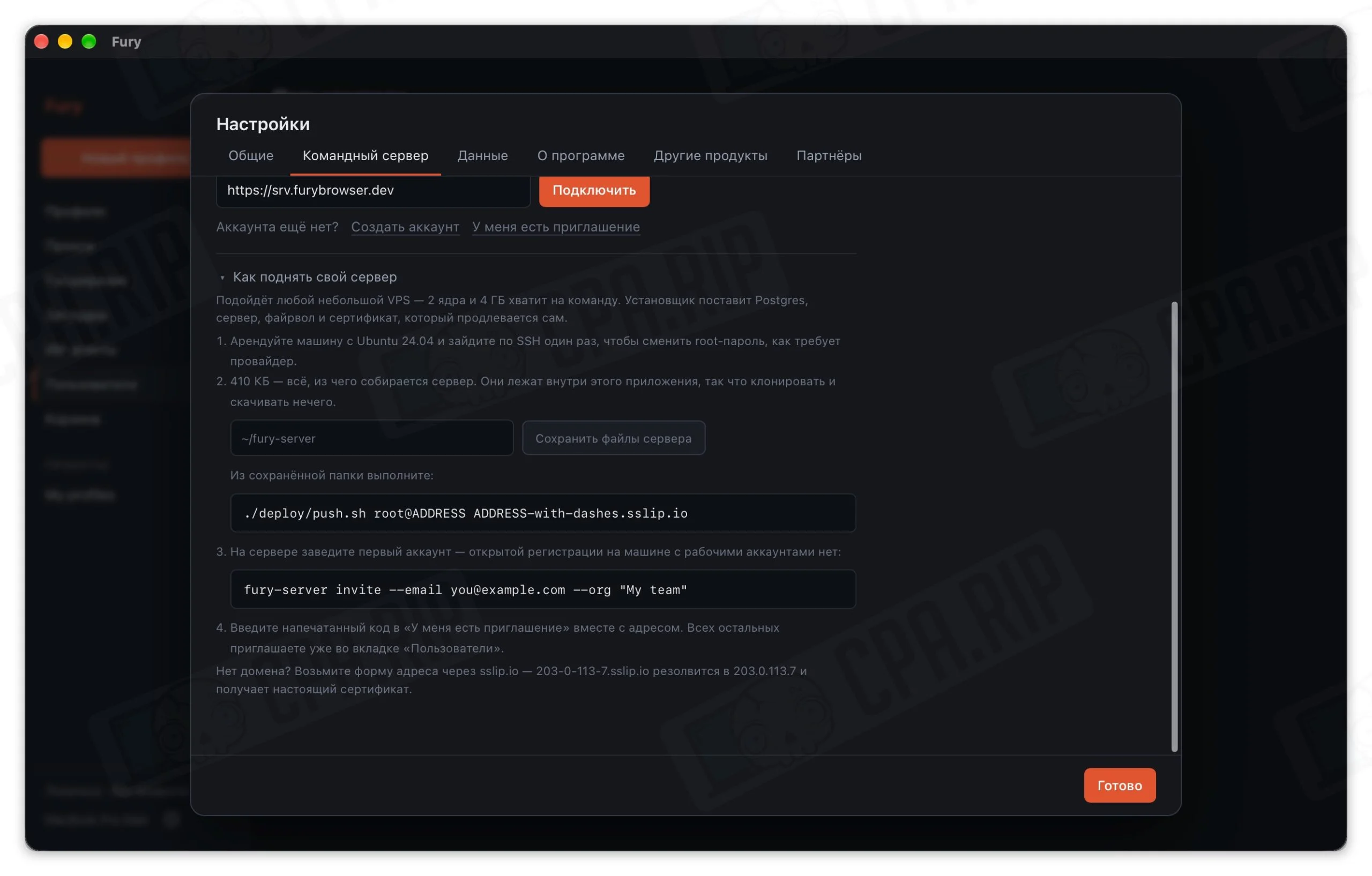
Another option is to deploy your own server, which will provide cloud profile synchronization between multiple computers and let you organize team collaboration with projects, roles, and profile access controls. Your own server gives you control over data storage. Profiles are synchronized through the server infrastructure and are not stored on the antidetect browser developers’ servers.
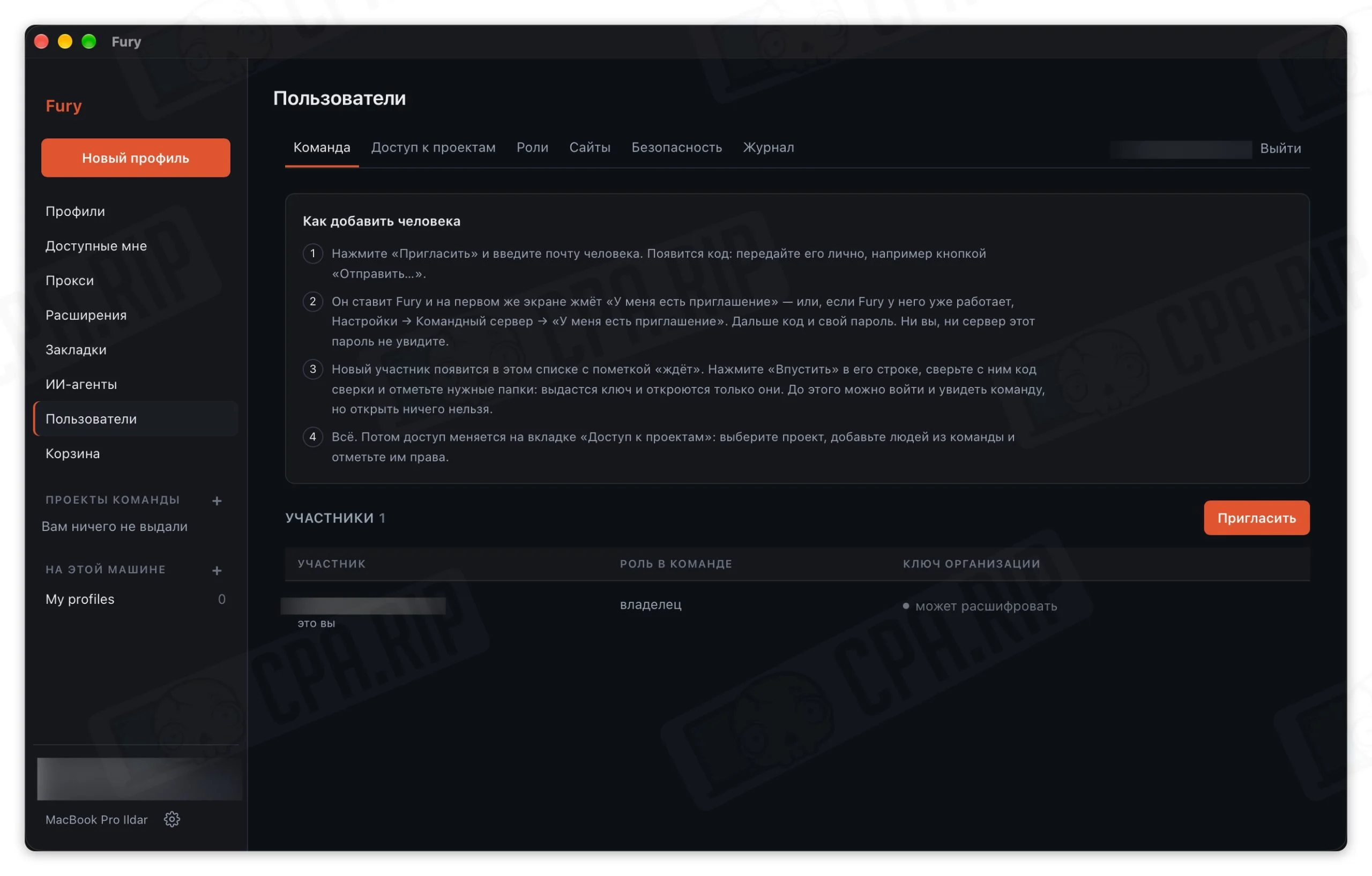
- You manage the team in the “Users” section. Here, you can invite new members by email, assign them roles, manage project access, and configure permissions. New members accept the invitation using a special code, after which the administrator can grant them the necessary permissions to work with profiles.
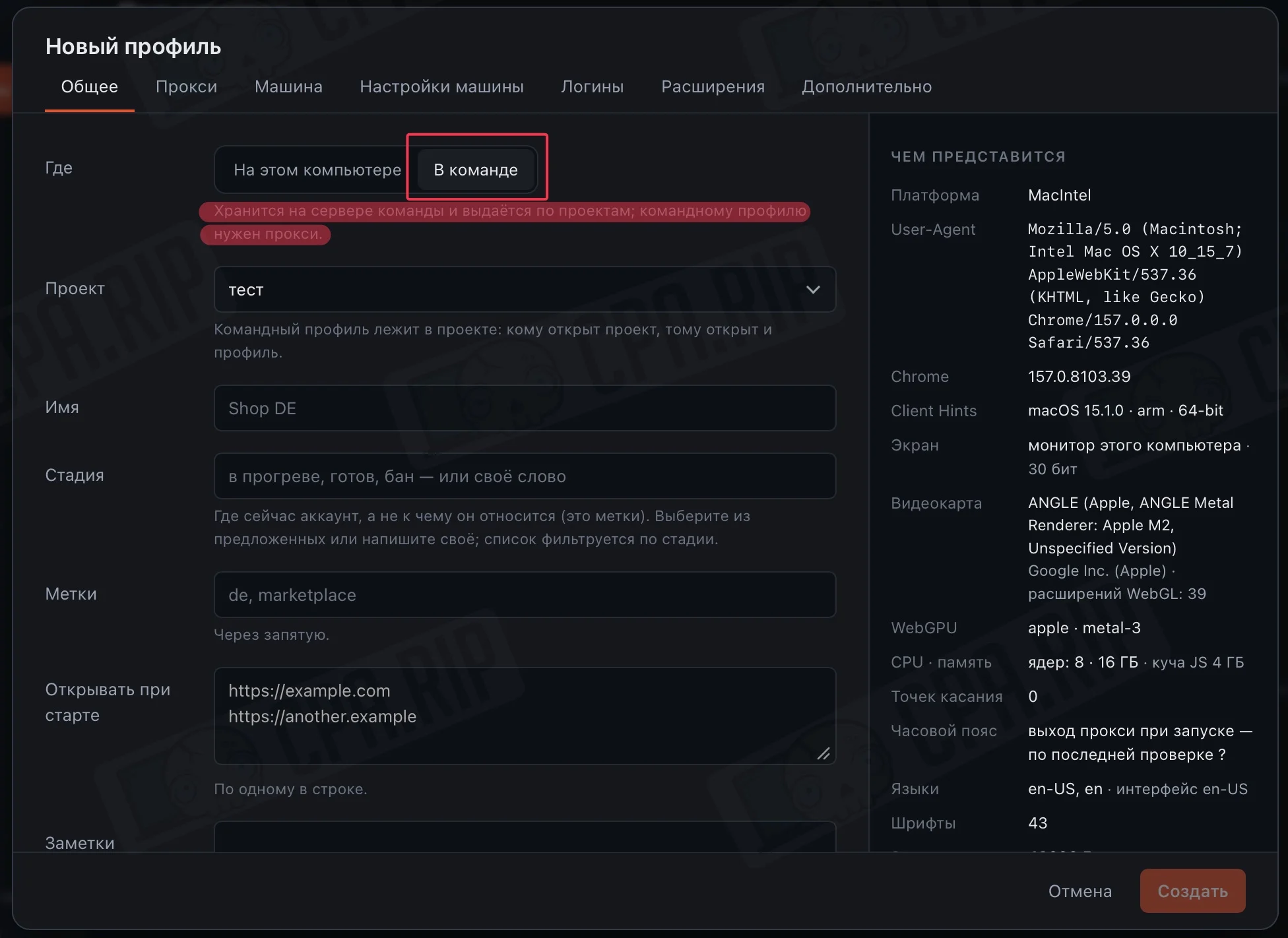
- When creating a new profile, you can choose where it will be stored: locally on your computer or on the team server. For a team profile, select “In Team”, specify the project, and fill in the main parameters.
Example of Using MCP Through Claude Desktop
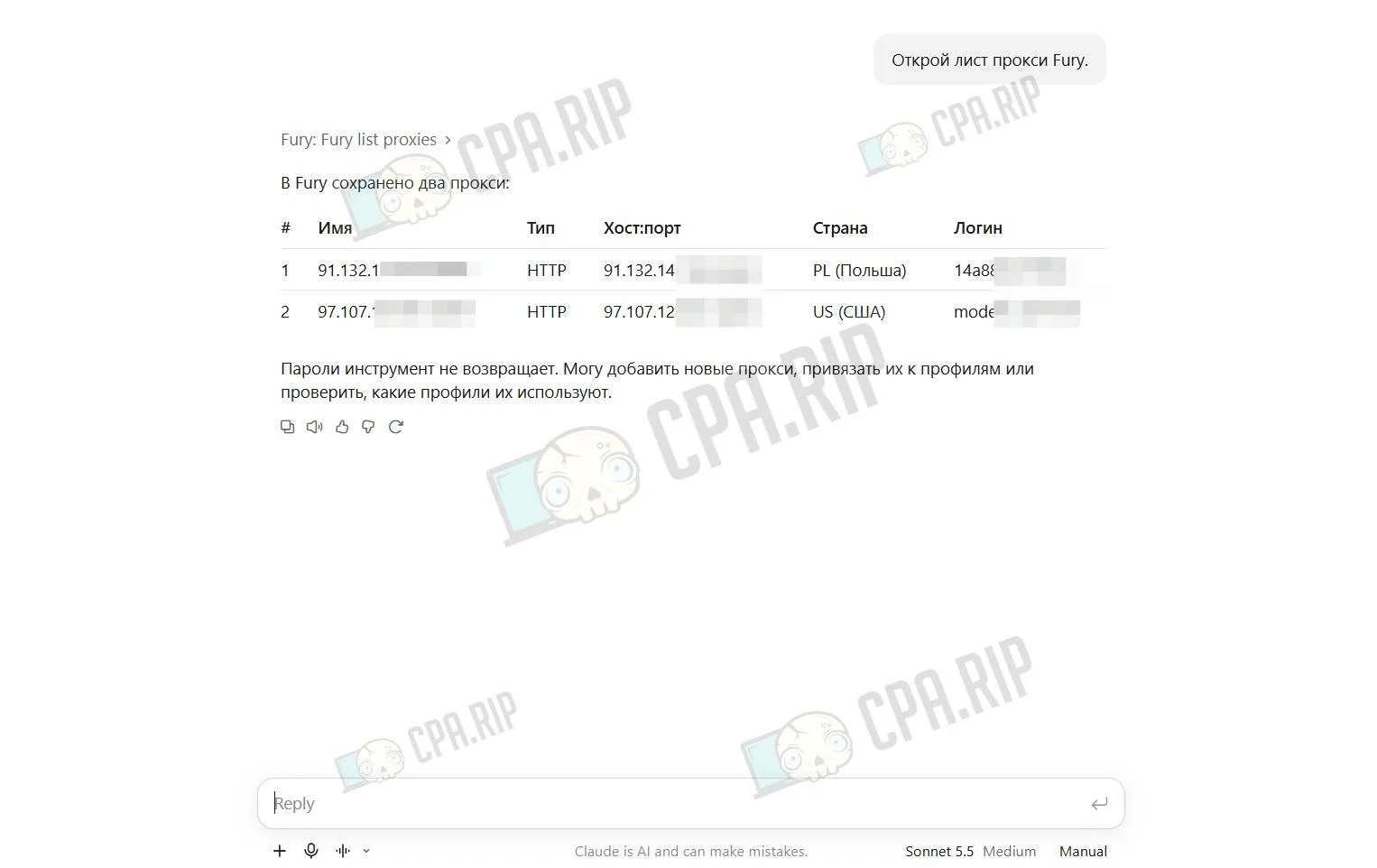
- Example request: Open the proxy list.
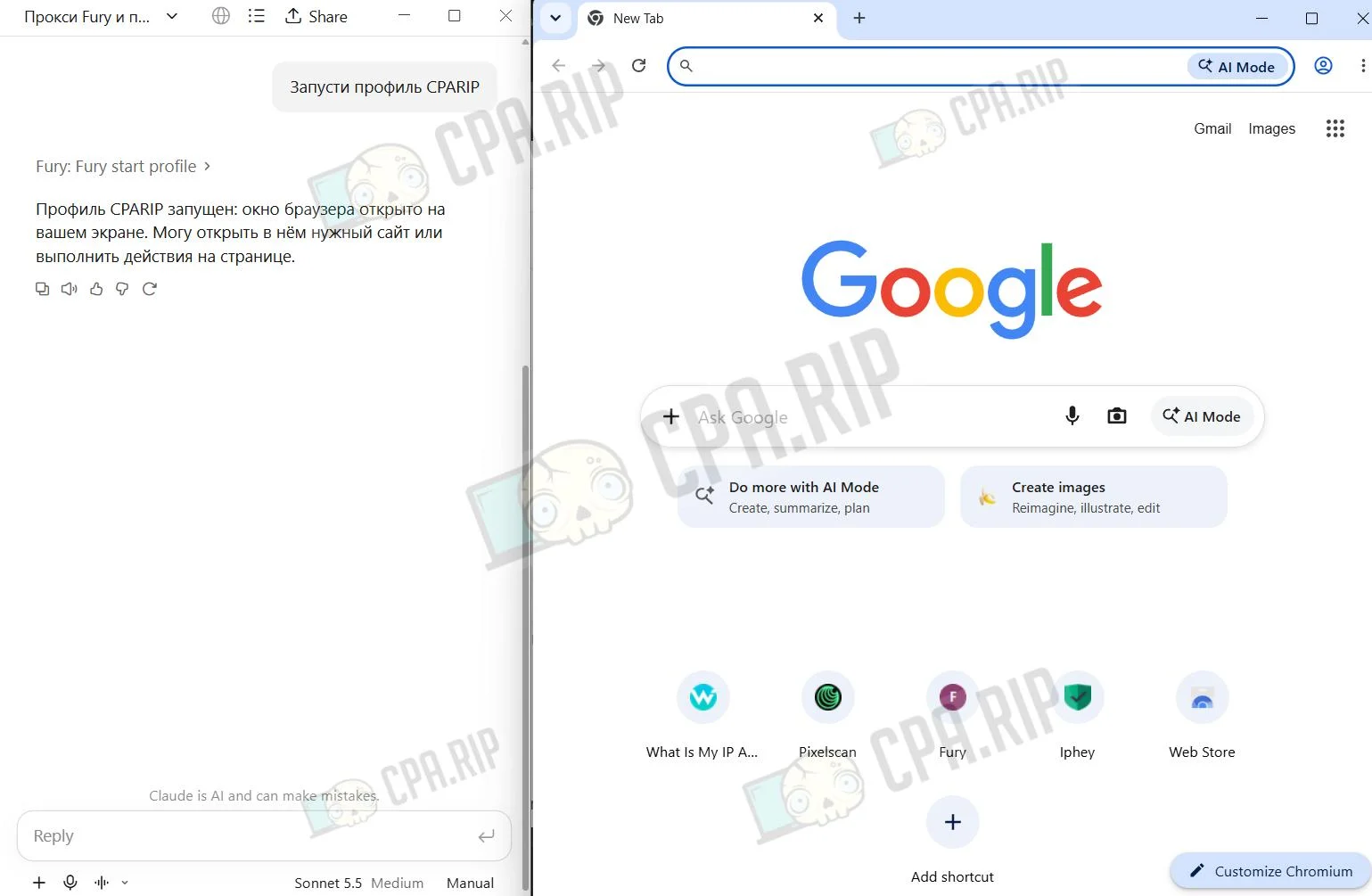
- Example request: Launch the CPARIP profile.
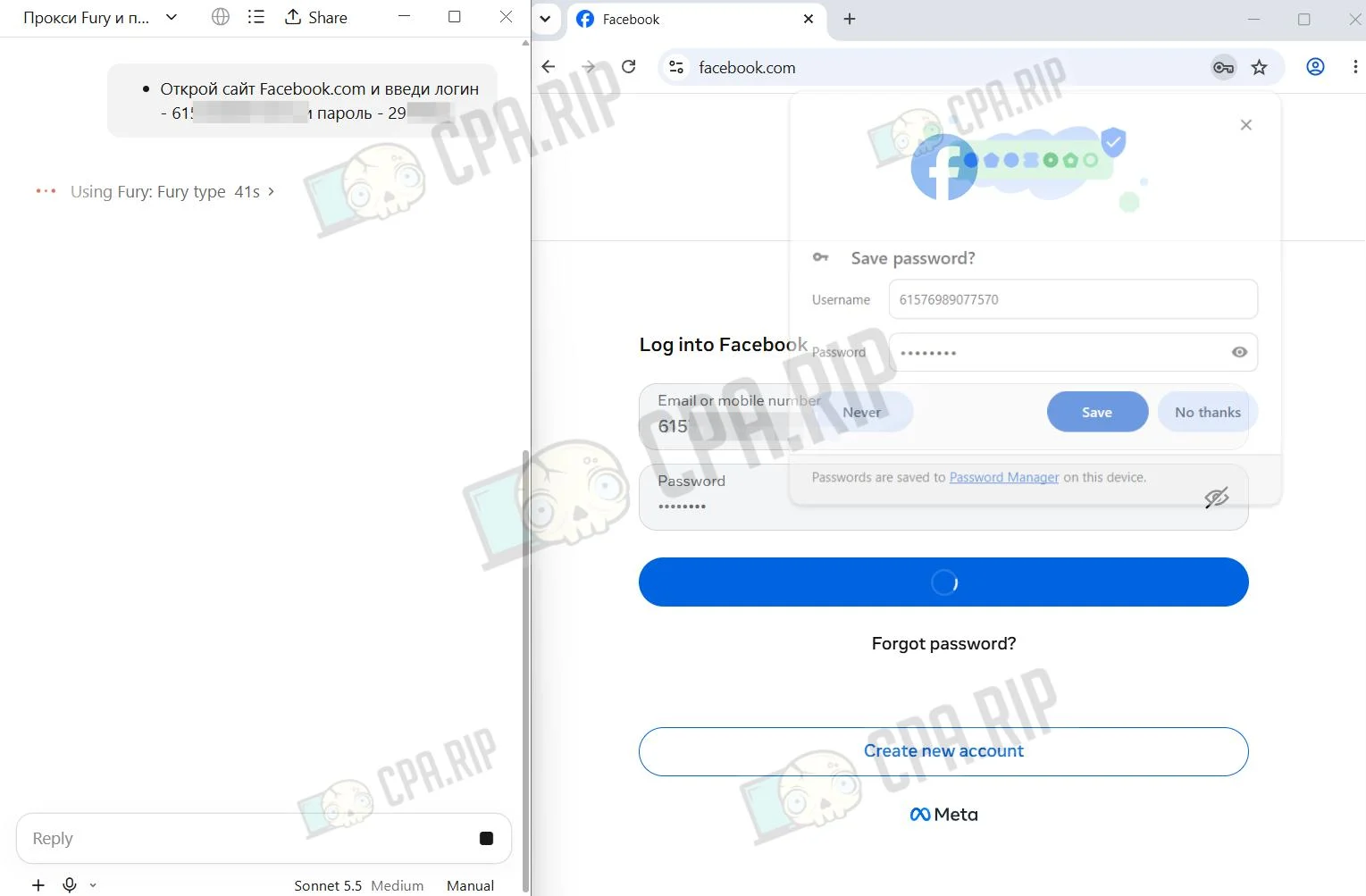
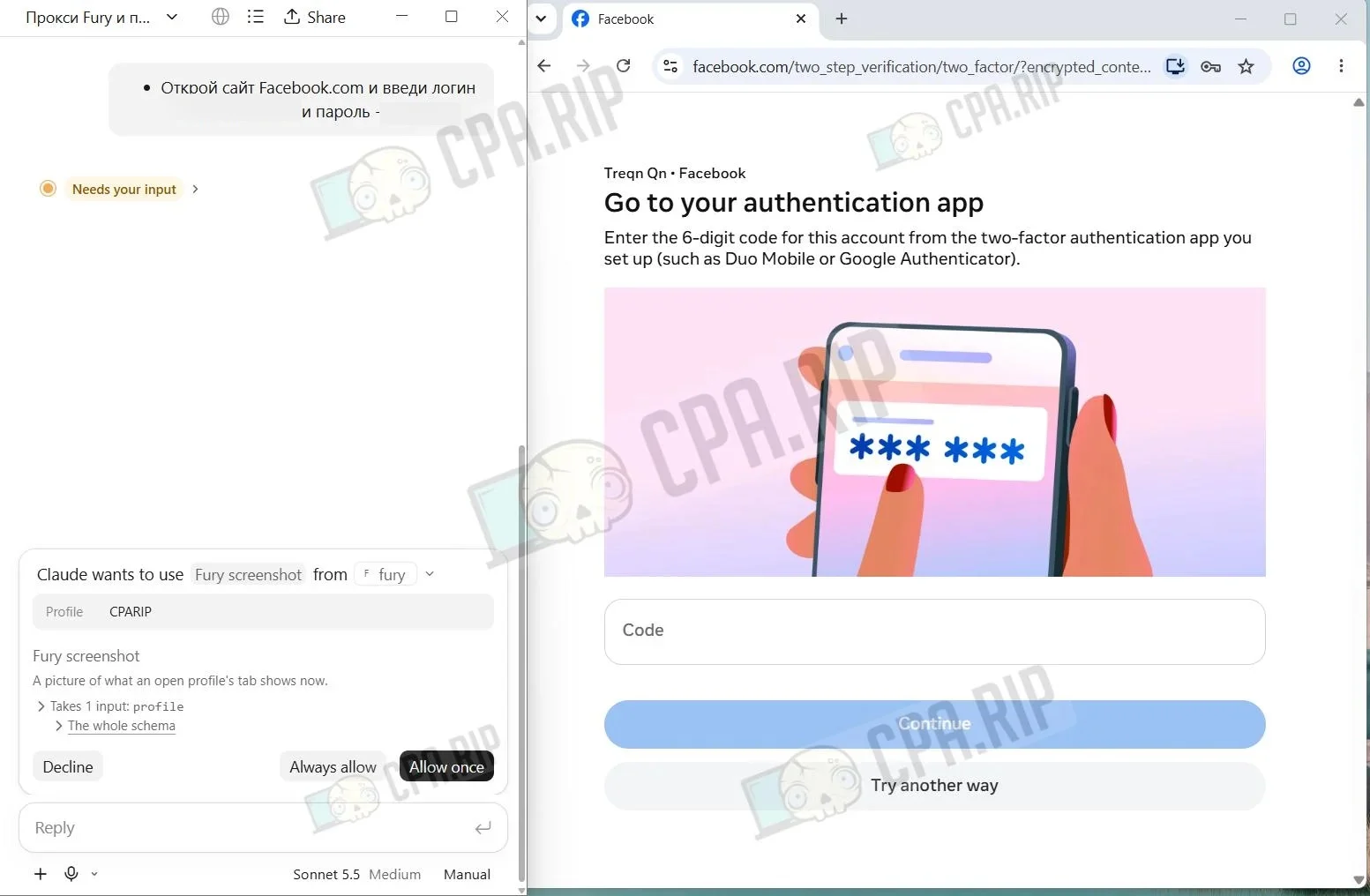
- Example request: Open Facebook.com and enter the login 615************* and password 29******.
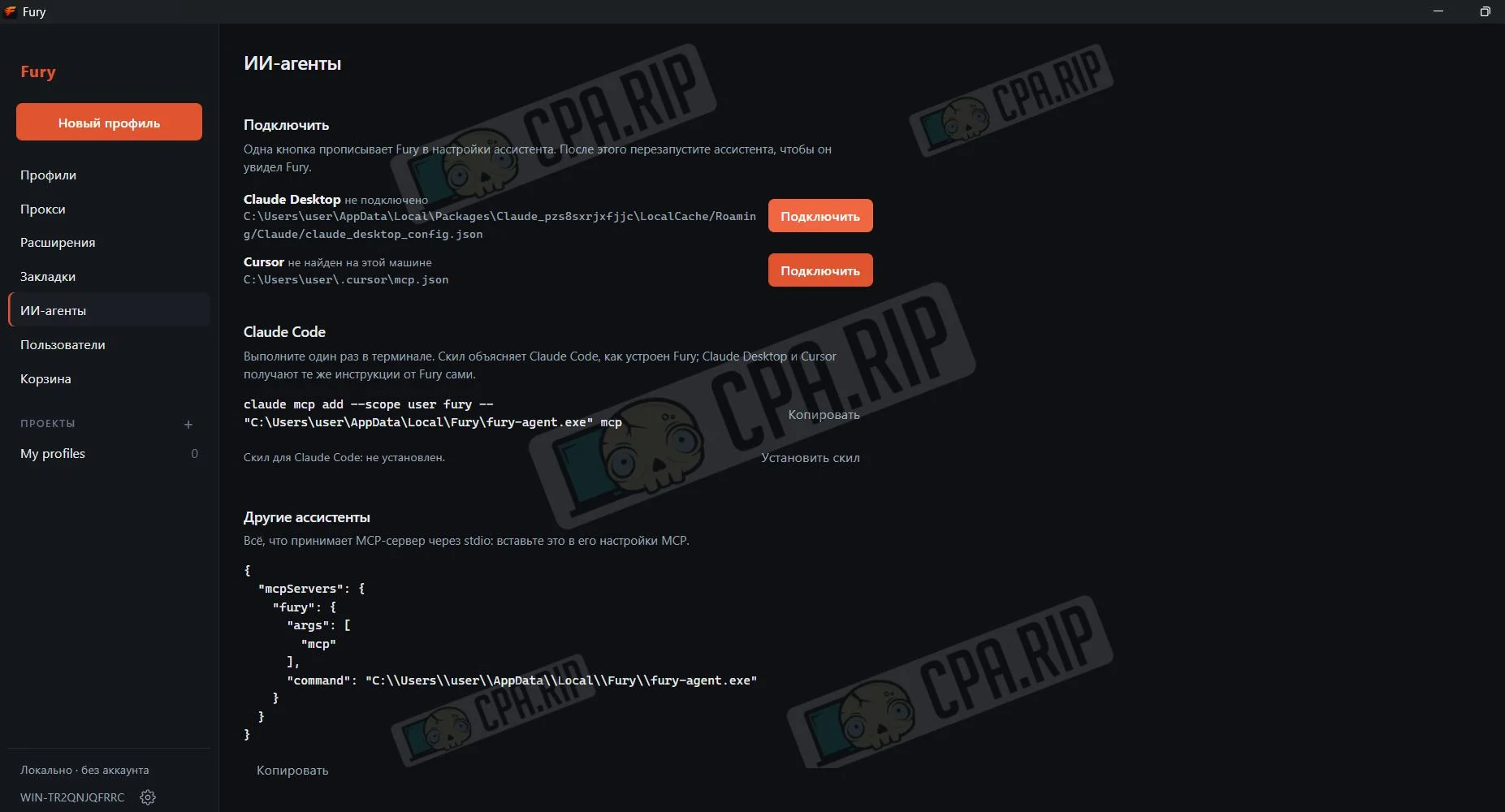
Connecting MCP to Claude Desktop
Click the “Connect” button next to Claude Desktop or Cursor, and Fury will automatically add the required settings. Then restart the assistant. For Claude Code, copy the command from the interface, run it in the terminal, and install the skill.
For other assistants, copy the JSON config from the “Other Assistants” section and paste it into the MCP settings of the selected tool.
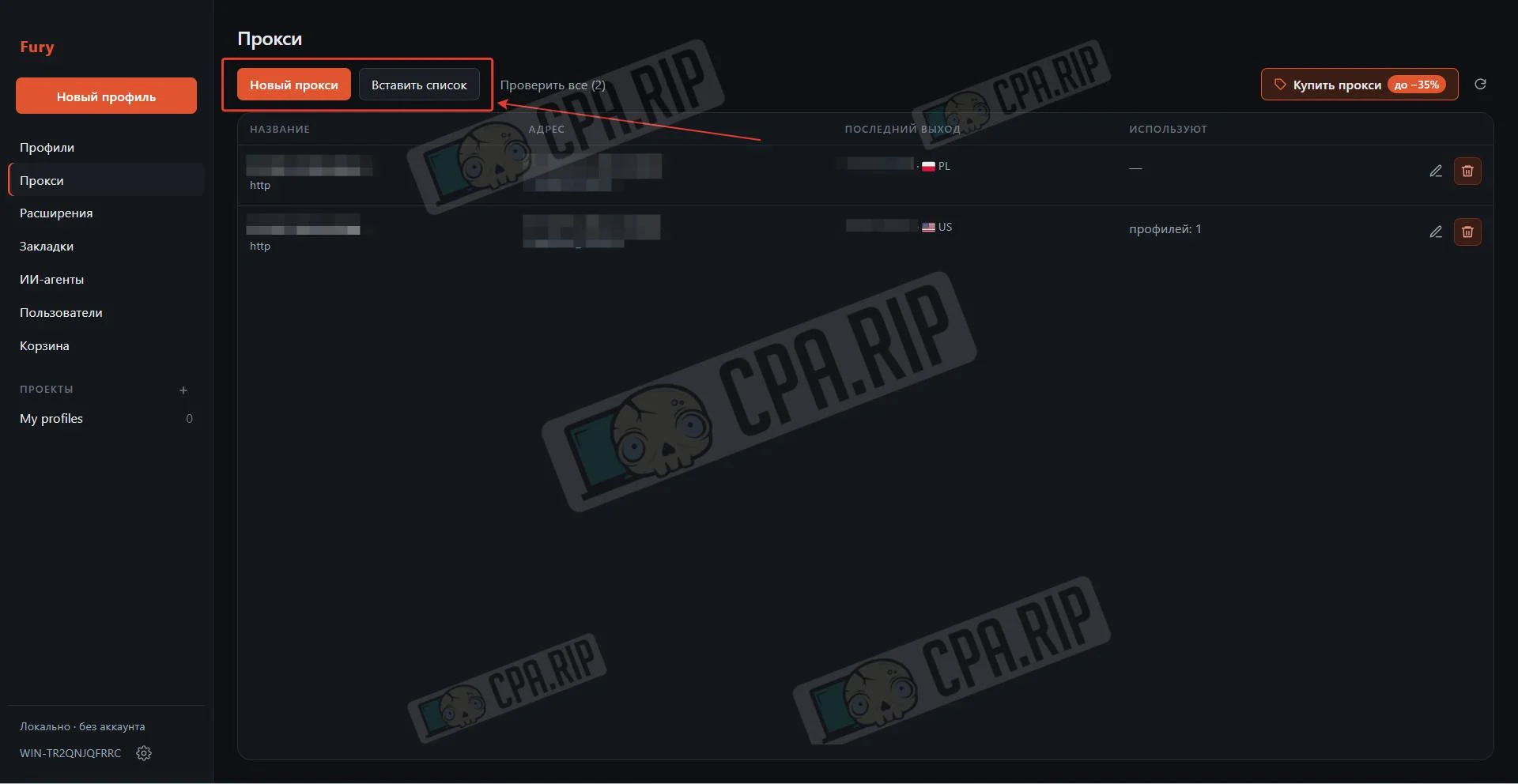
Adding a Proxy
- In the Proxies section, click New Proxies or add them as a list.
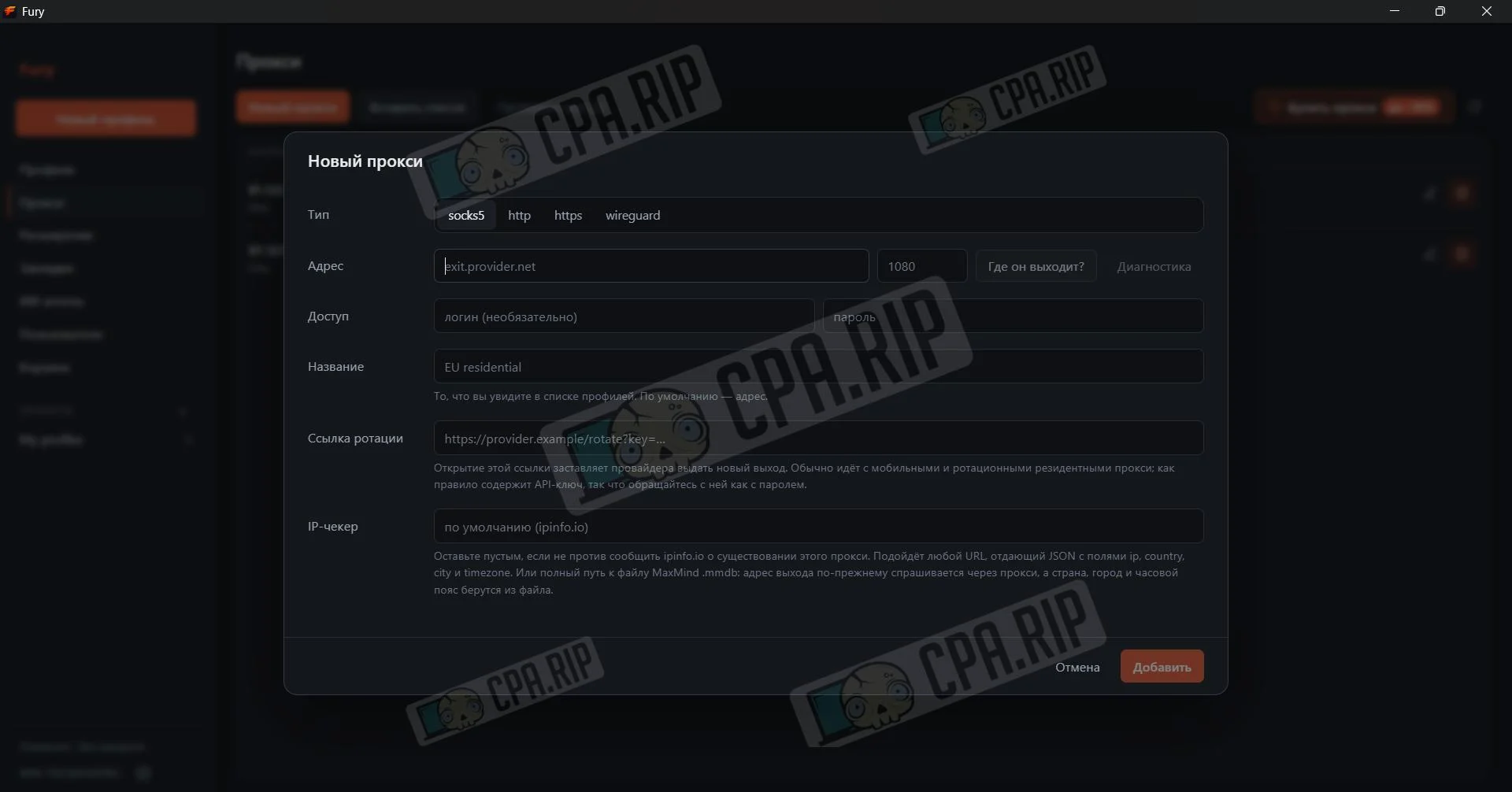
- Select the proxy type (socks5 / http / https / wireguard), enter the address and port, add a login and password if needed, set a name, optionally add a rotation link and IP checker, then click “Add”.
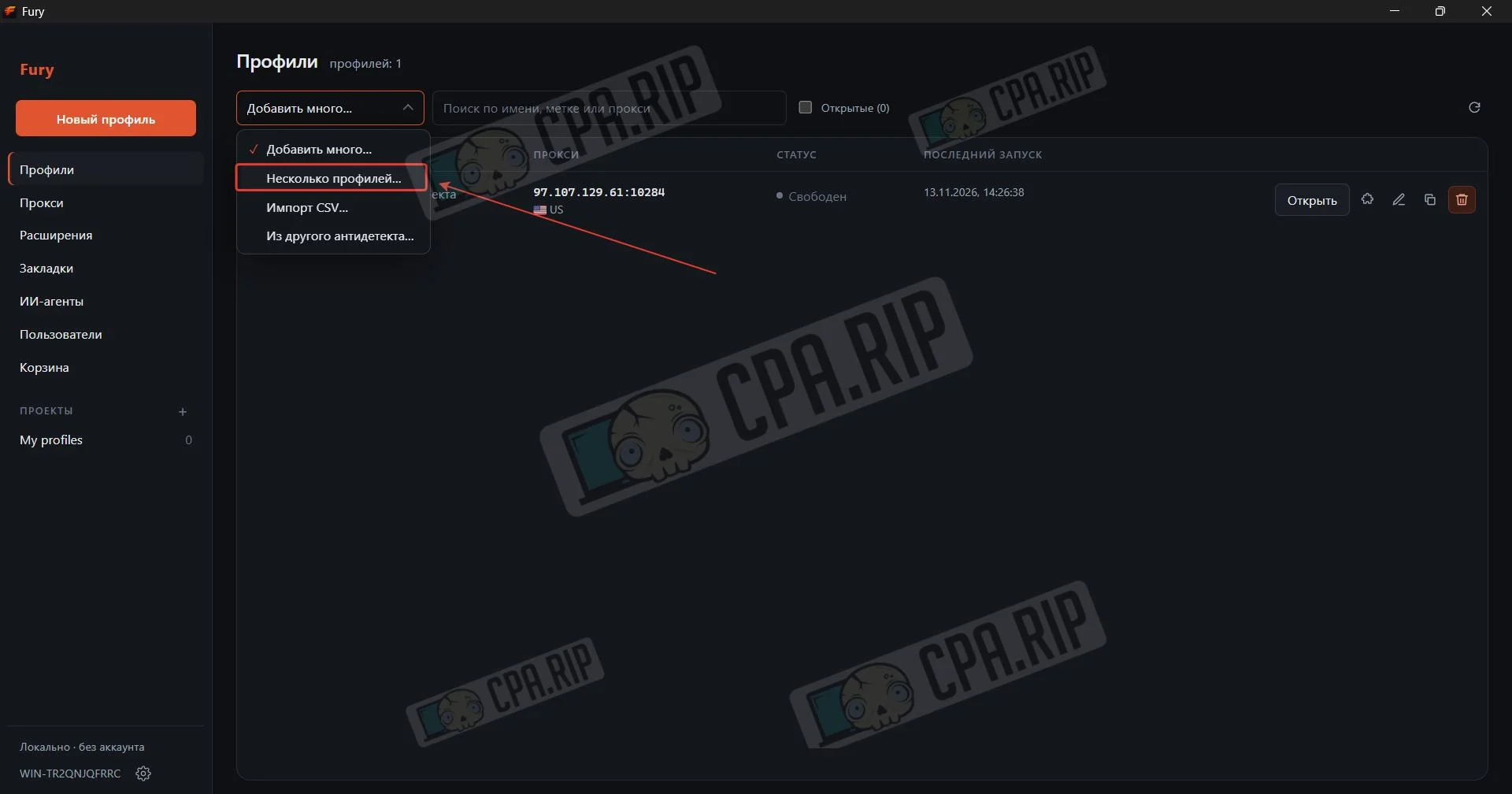
Creating a Profile
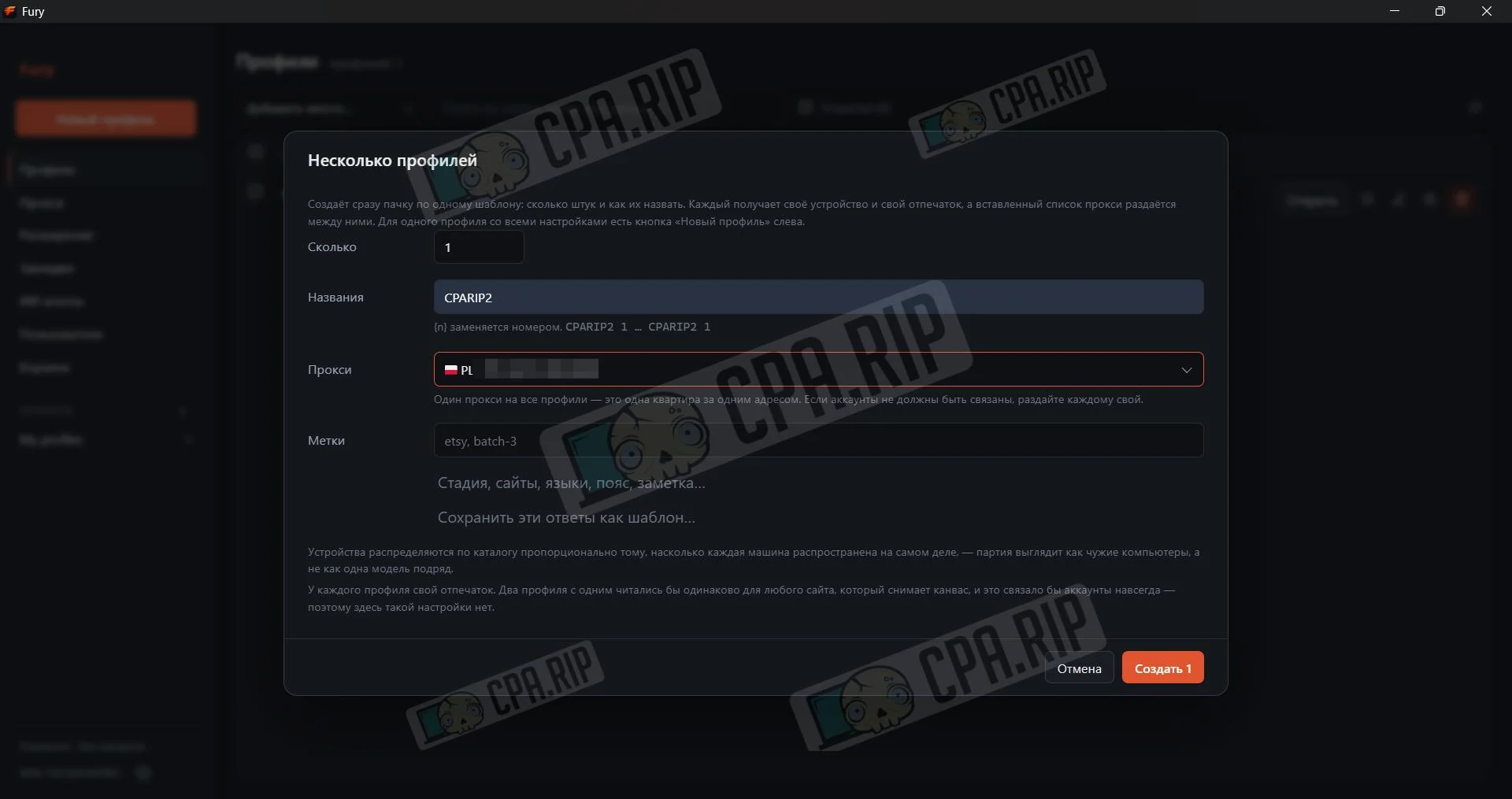
- Click “Multiple Profiles” to add profiles
- Enter the quantity and name, select proxies and tags, then click “Create”
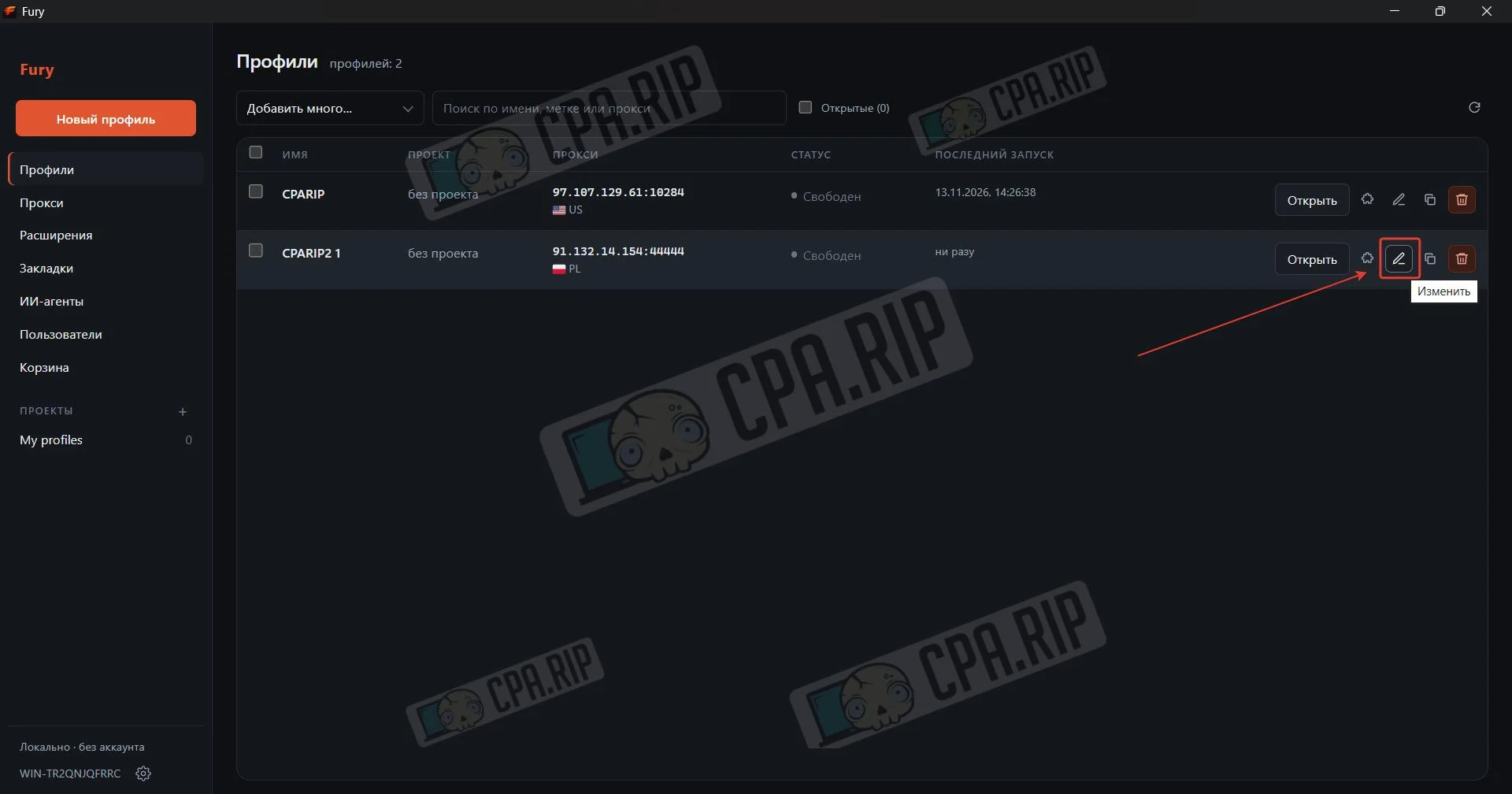
- To edit a profile, click the pencil icon (Edit)
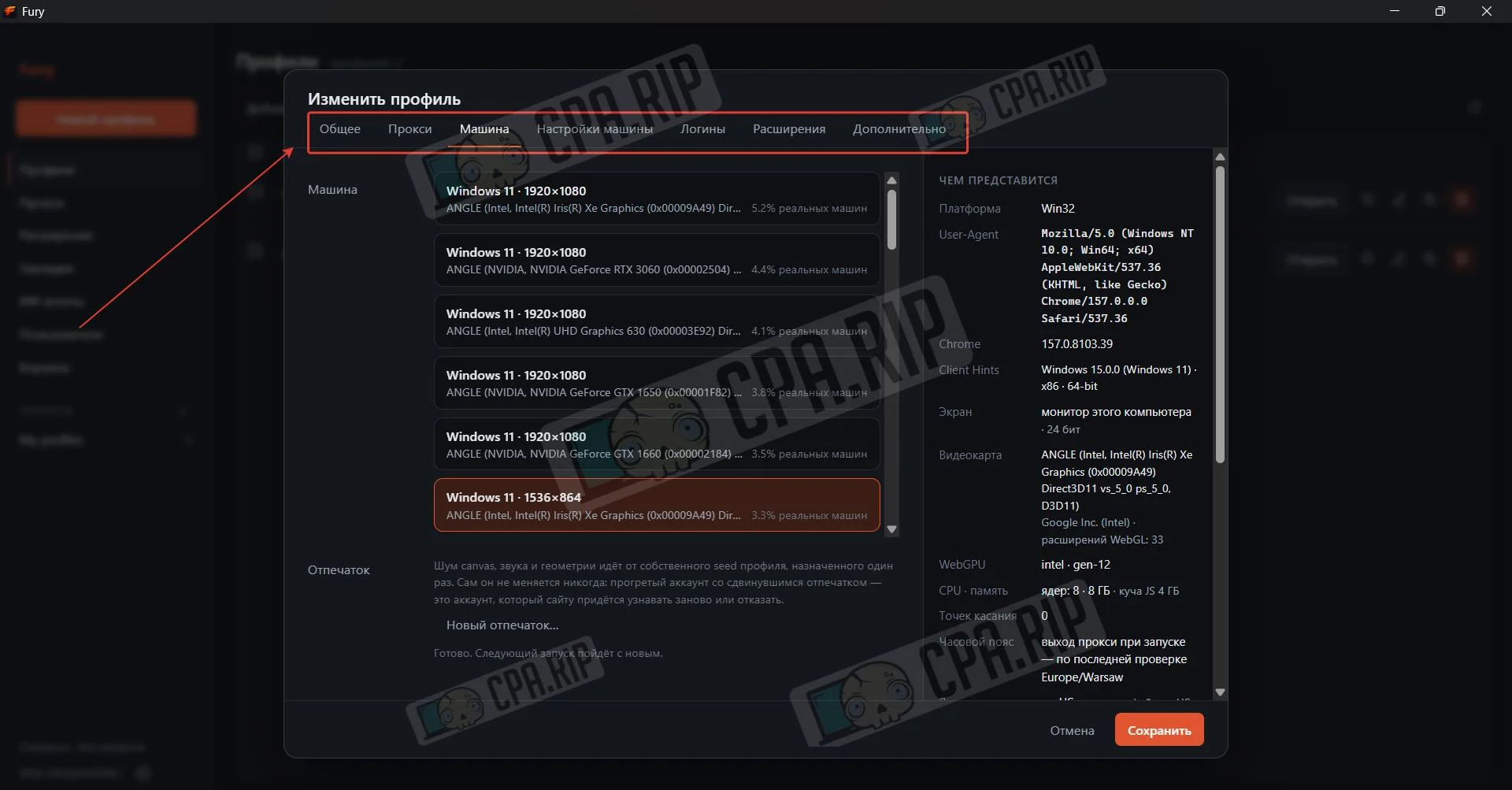
- Select the required tab (General, Proxy, Machine, etc.), make changes, and click “Save”
Templates and Fingerprints
You can select a configuration from the catalog of real devices, including Android phones, in one click.








Comments