

![[FBM] CARDS](https://cpa.rip/wp-content/uploads/cr-a1/fbm-cards-v1/fbm-cards-logo.svg)

We’ve broken down, step by step and with examples of the results, one of the methods for creating AI creatives in the “talking object” Neuroslope style, which are increasingly common in the Facebook Ads Library. Examples of such creatives can be found on our channel: https://telegram.me/cparip/3616.
Services and Tools
You’ll need the following tools to get started:
- ChatGPT
- Object Talk — a custom GPT from ChatGPT’s internal catalog
- Kling AI (paid, but you get a small number of credits upon registration)
- If needed, a video editor for final editing, such as the free CapCut.
Result
Here are the AI-generated creatives you’ll get:
Example 1:
Example 2:
Creating AI-Generated Creatives
Now, let’s walk through the steps to generate these creatives.
References
For more predictable results and to save KlingAI credits, we recommend generating videos from a pre-created starting frame. ChatGPT is a good tool for this task.
You can type the prompt manually; for example:
Draw an illustration in 3D cartoon style. 9:16 vertical. Superhero broccoli stands inside a blood vessel with cholesterol plaques. The hero stands in a heroic pose, ready for battle.
Result:
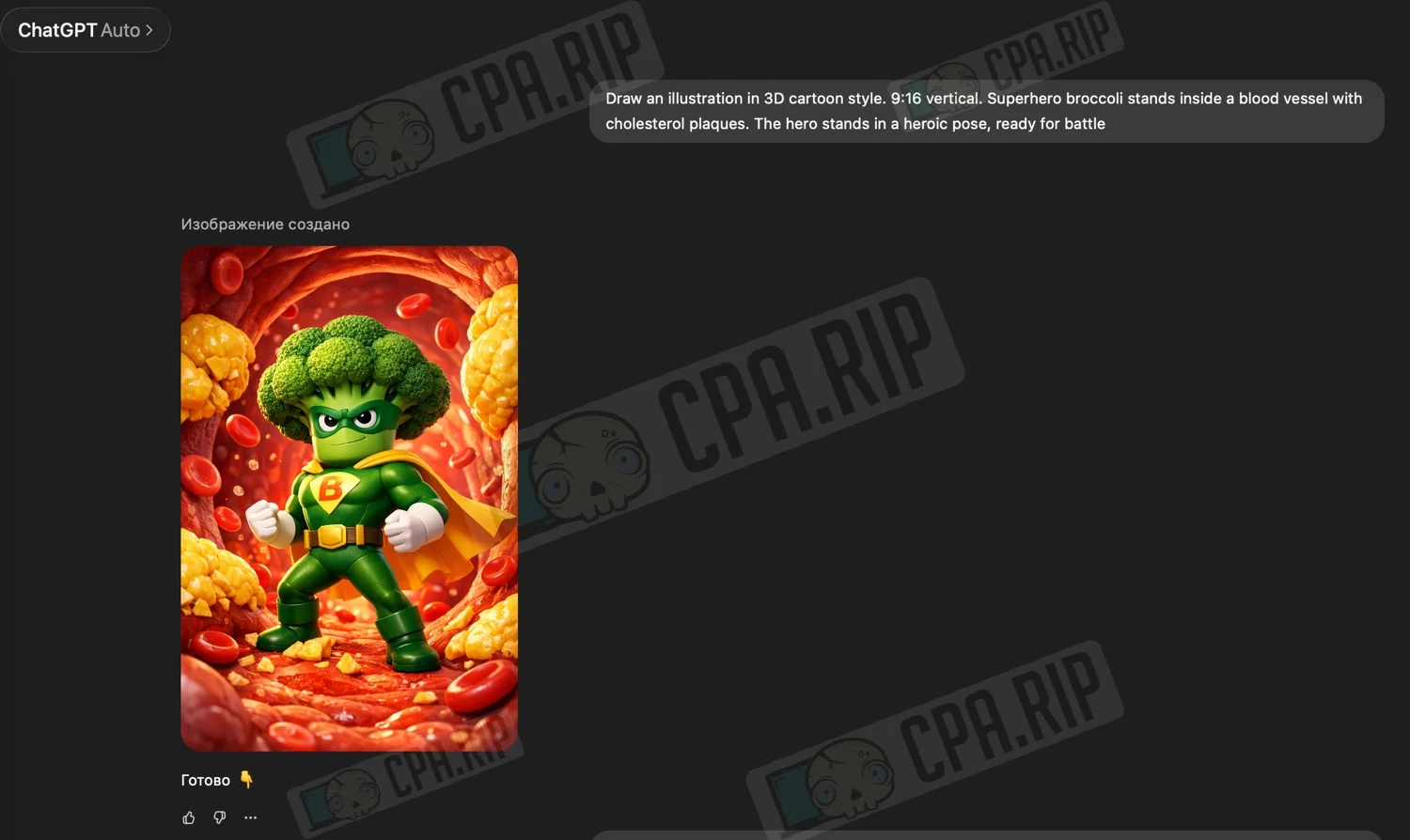
You can use pre-made solutions:
- In the ChatGPT left-hand menu, click “Explore GPTs” to open the GPTs directory
- In the search bar, type “object talk”
- Select one of the results. We chose the first one
- Click “Start Chat” and enter what you want to see. For example, “a man with a talking ass”
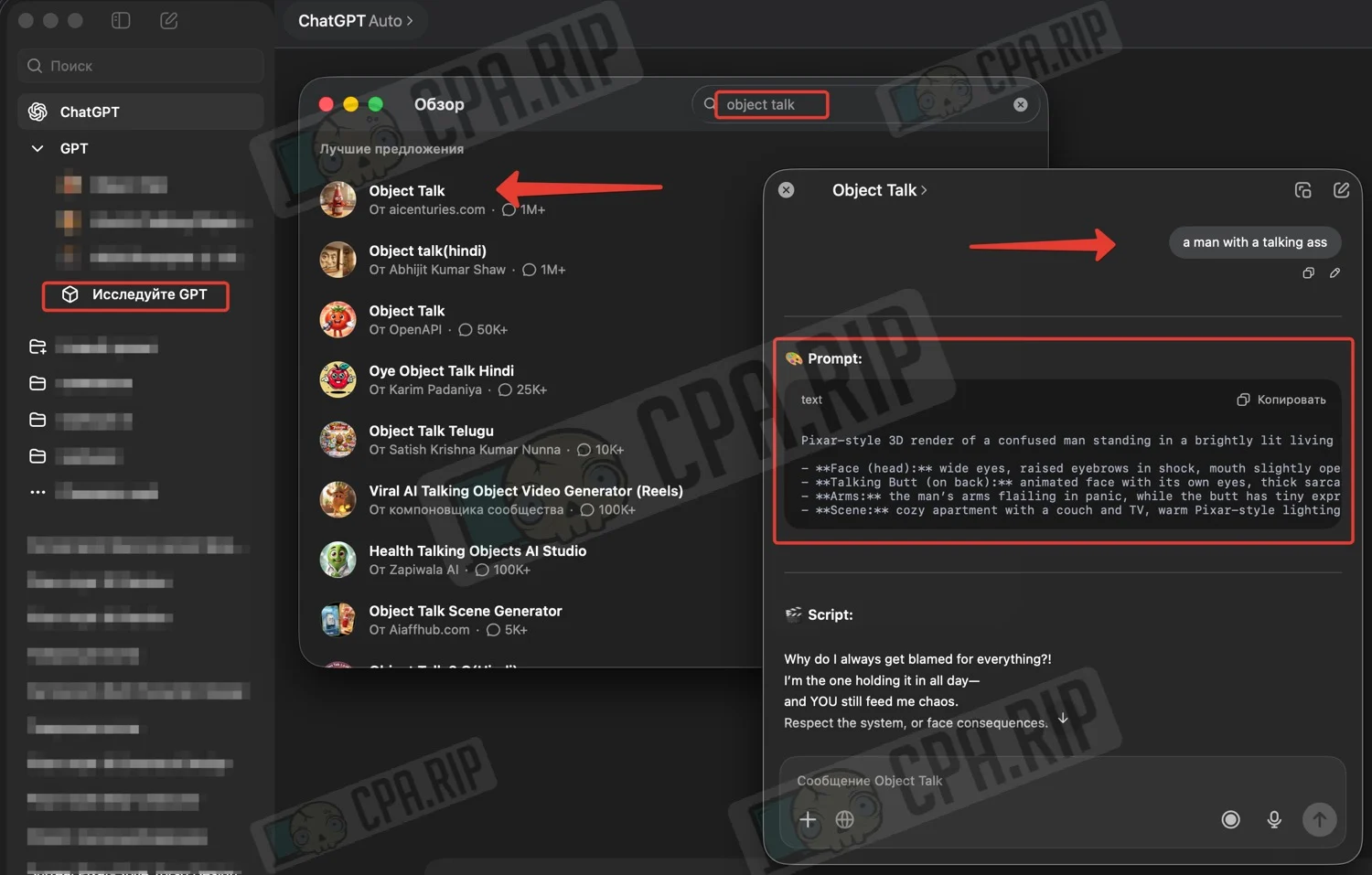
This method yields high-quality “talking object” references, and there is less chance that ChatGPT will refuse to generate an image, citing prohibited content or other rules.
Prompt:
Pixar-style 3D render of a confused man standing in a brightly lit living room.

- **Face (head):** wide eyes, raised eyebrows in shock, mouth slightly open
- **Talking Butt (on back):** animated face with its own eyes, thick sarcastic eyebrows, and a smirking mouth
- **Arms:** the man’s arms flailing in panic, while the butt has tiny expressive arms gesturing dramatically
- **Scene:** cozy apartment with a couch and TV, warm Pixar-style lighting, comedic tension as both faces argue
Result:
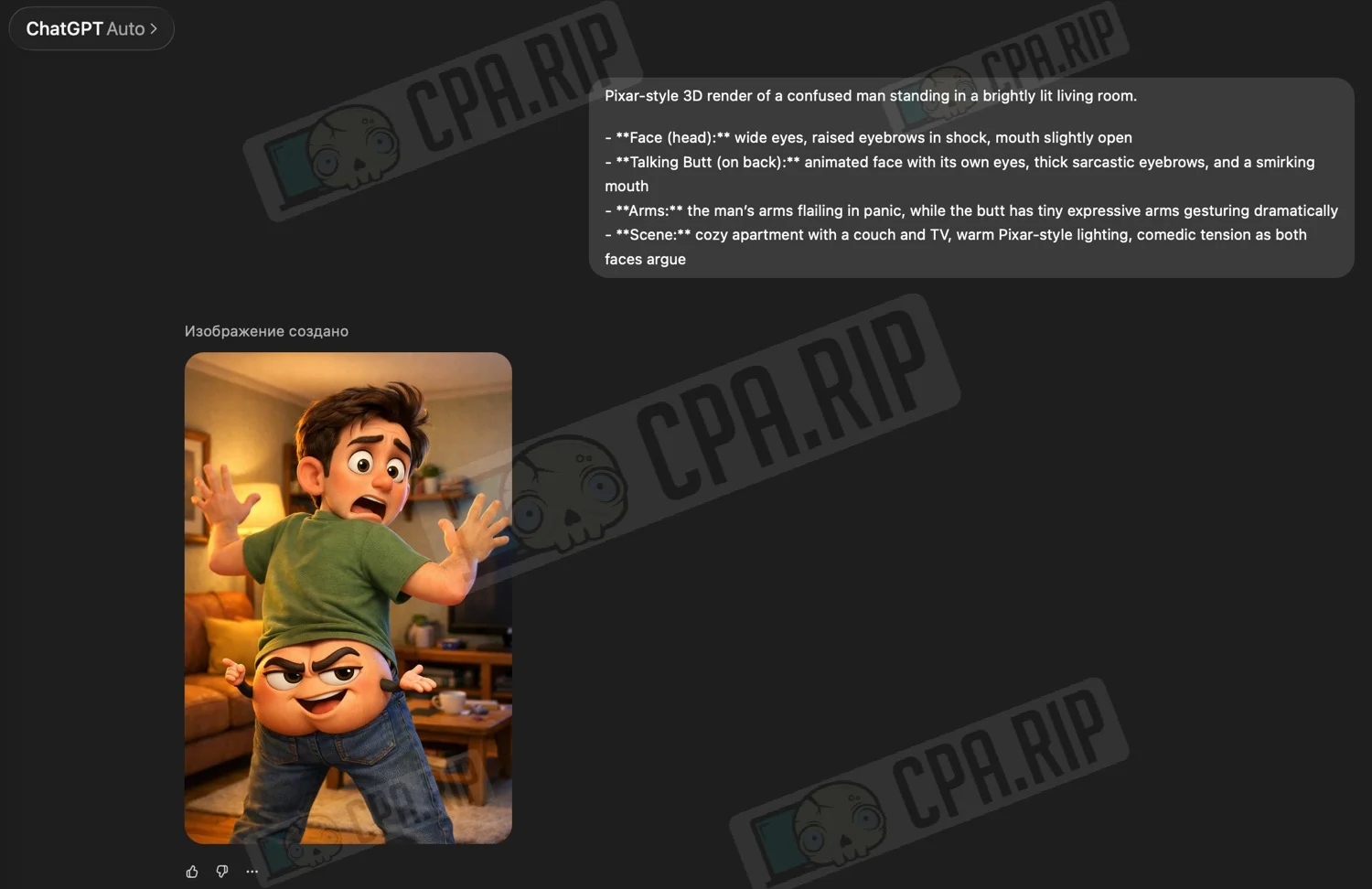
Animation
We’ll bring the images to life using the Kling AI neural network. To get free credits, sign up for a new account. We received 66 credits — that’s enough to generate one video. For full functionality, we recommend purchasing a subscription.
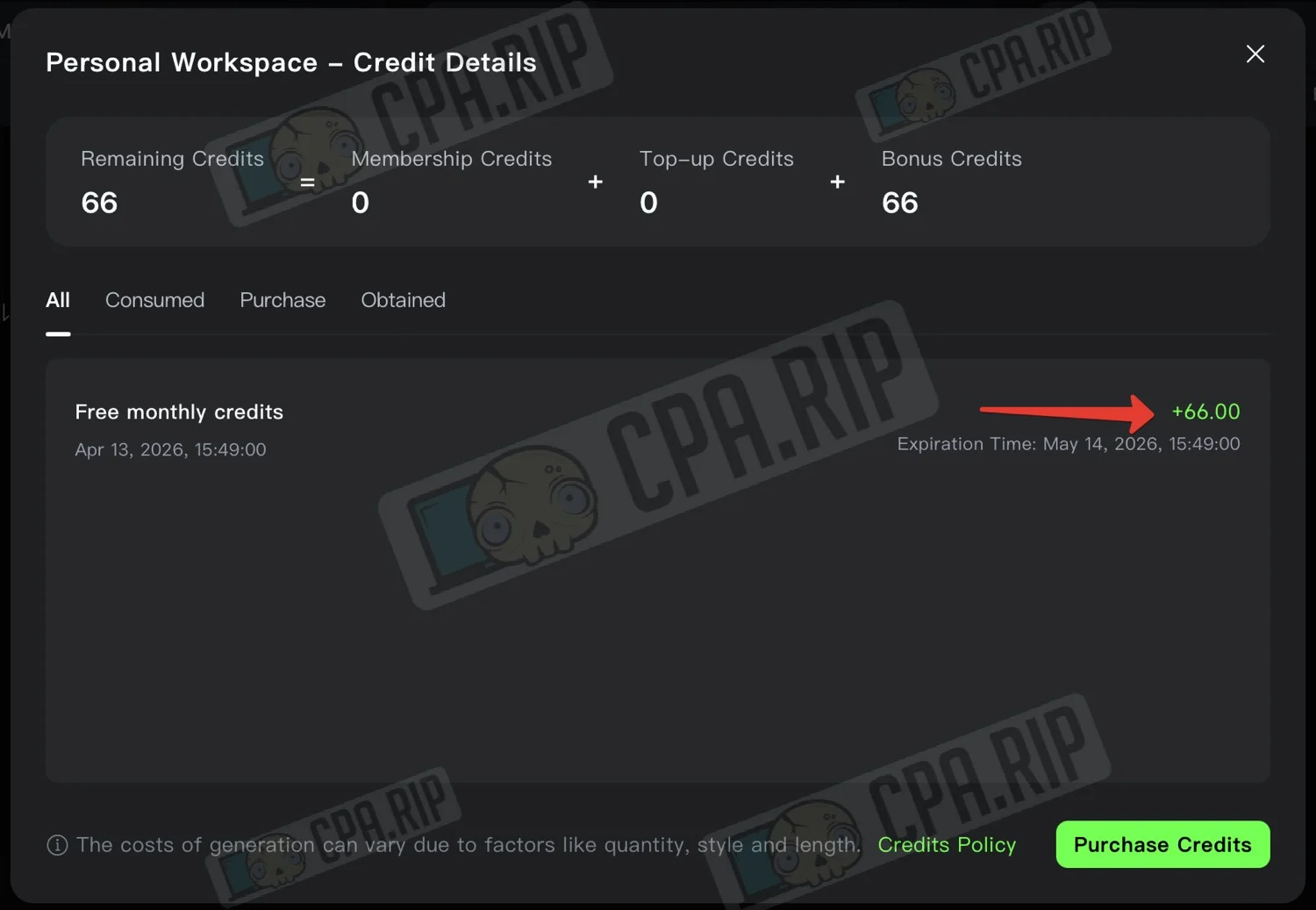
- Go to the “Generate” section
- Select the “VIDEO 3.0” model
- Upload the starting frame
- Enter the prompt
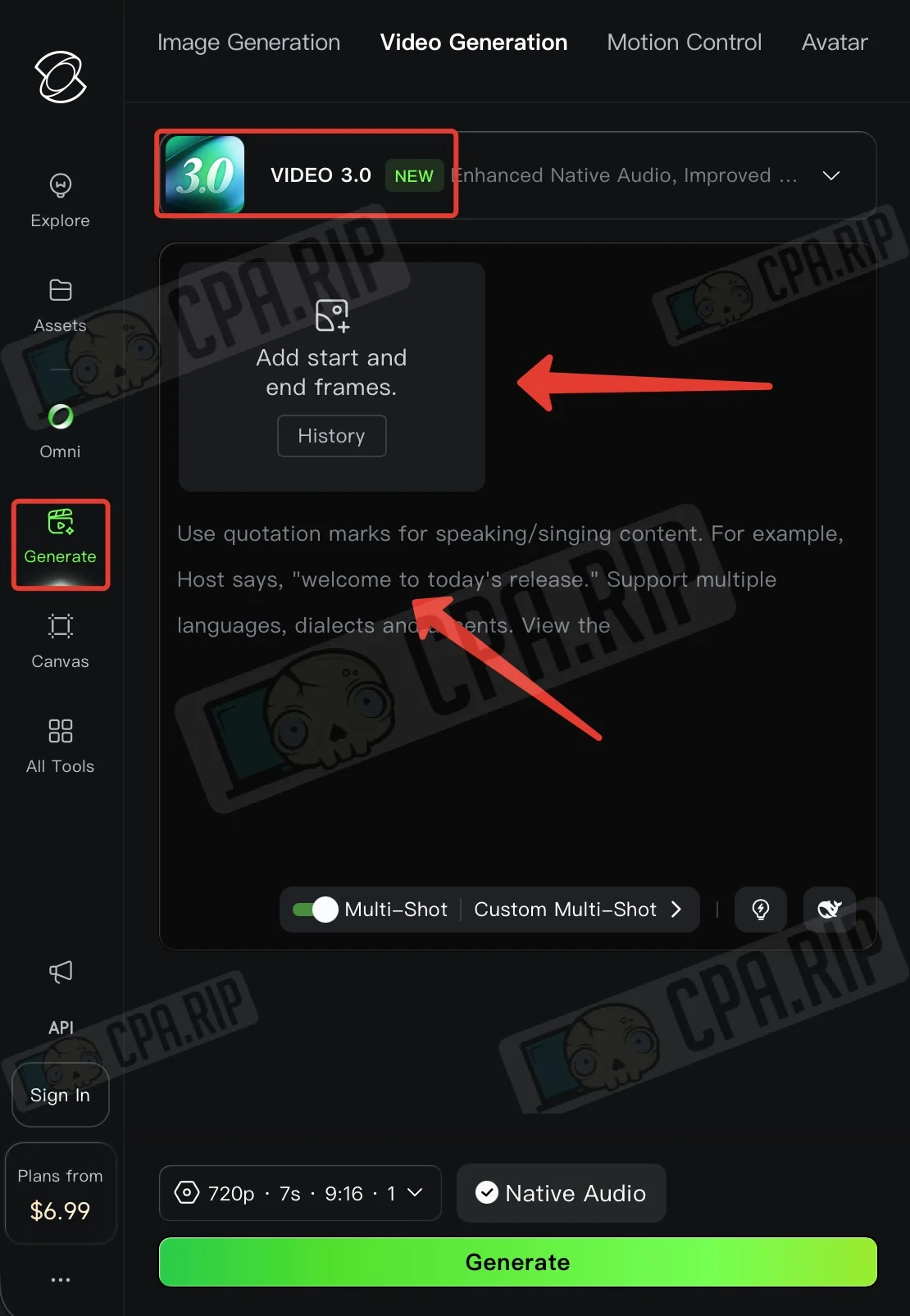
The “Multi-Shot” feature is enabled by default; it is responsible for creating different scenes/shots during generation.
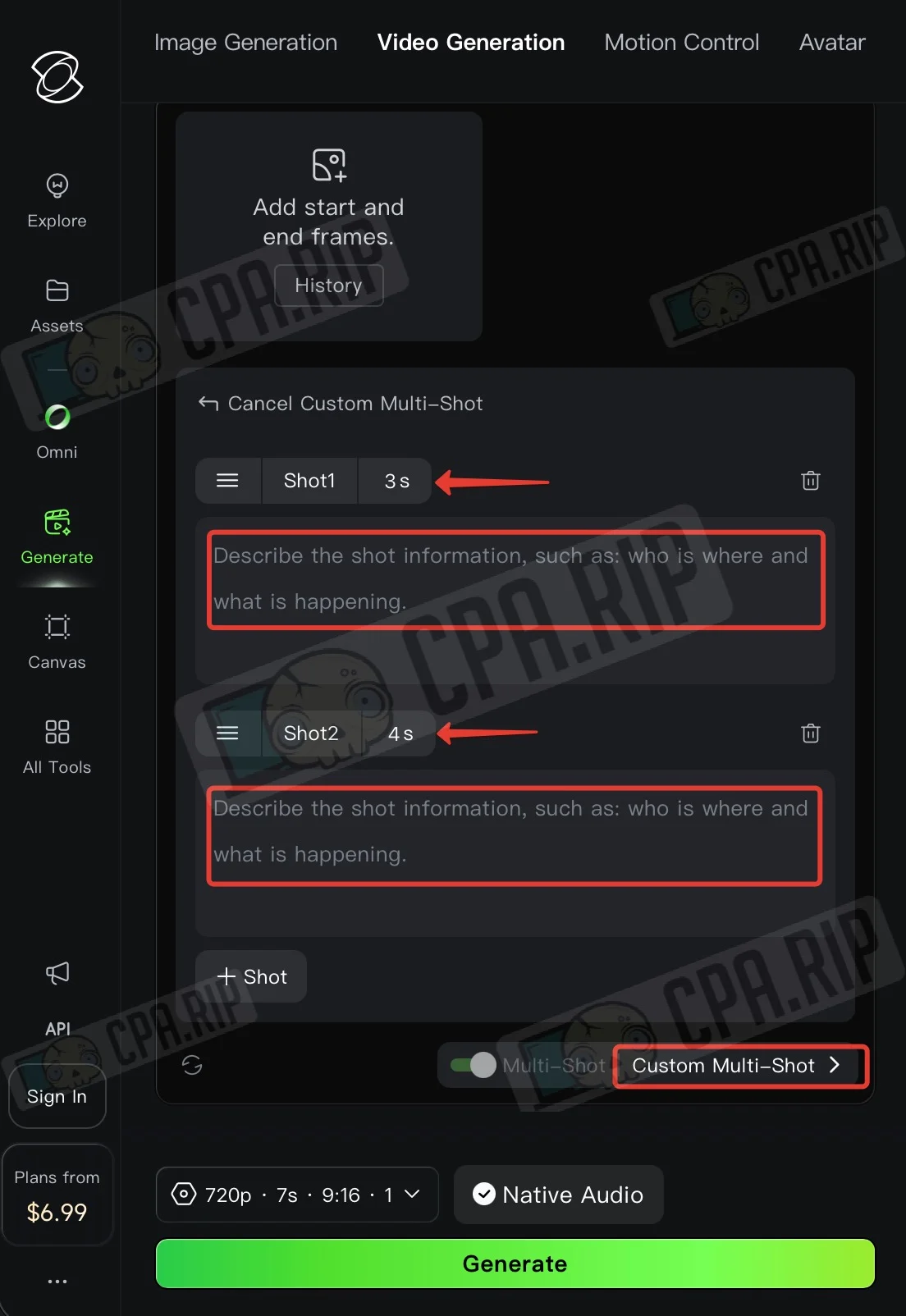
- Click “Custom Multi-Shot” for manual control
- Set the duration of each scene and a separate prompt
- Use the “+Shot” button to add additional scenes
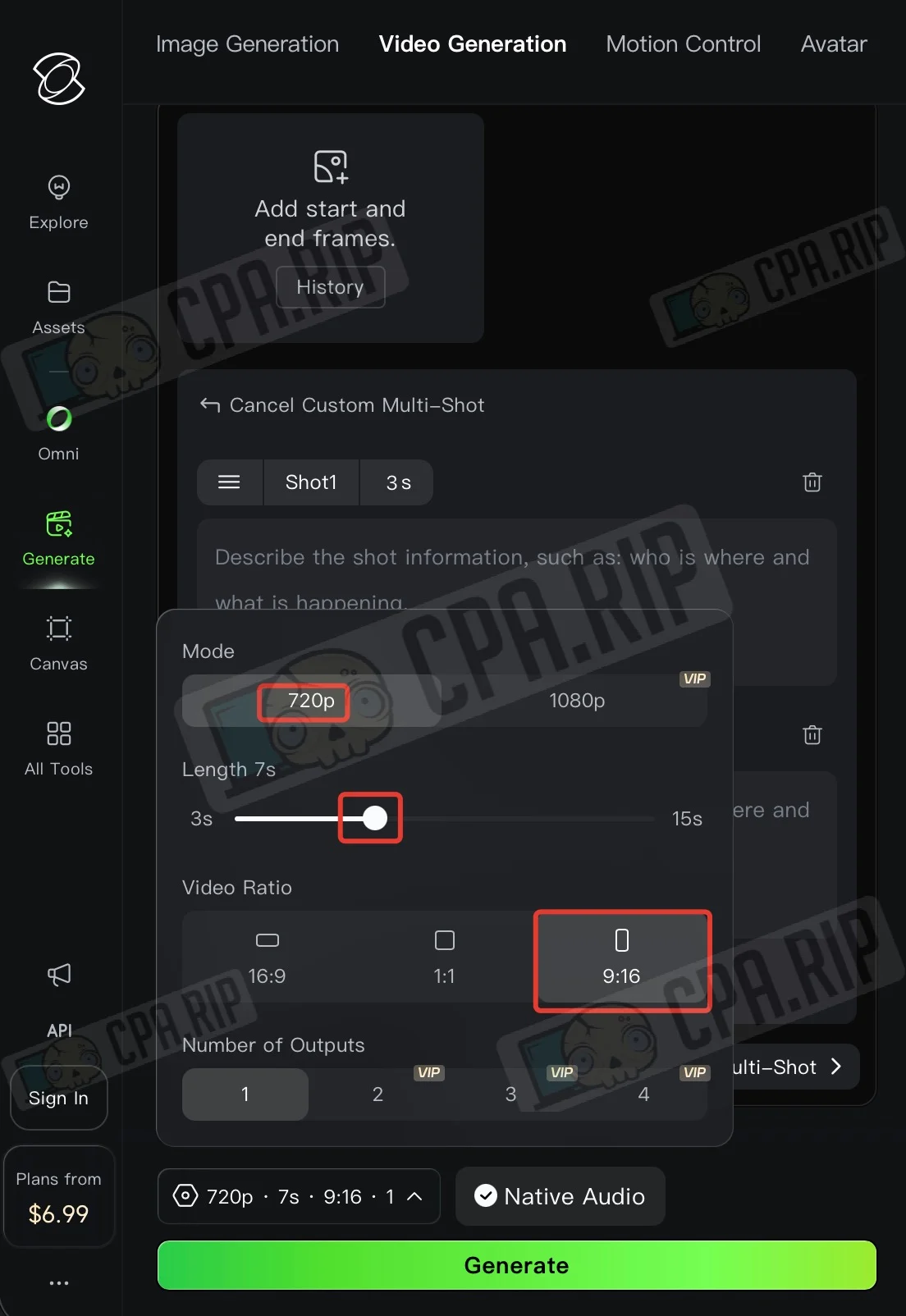
- Set the desired generation settings (available on your plan)
- Click “Generate”
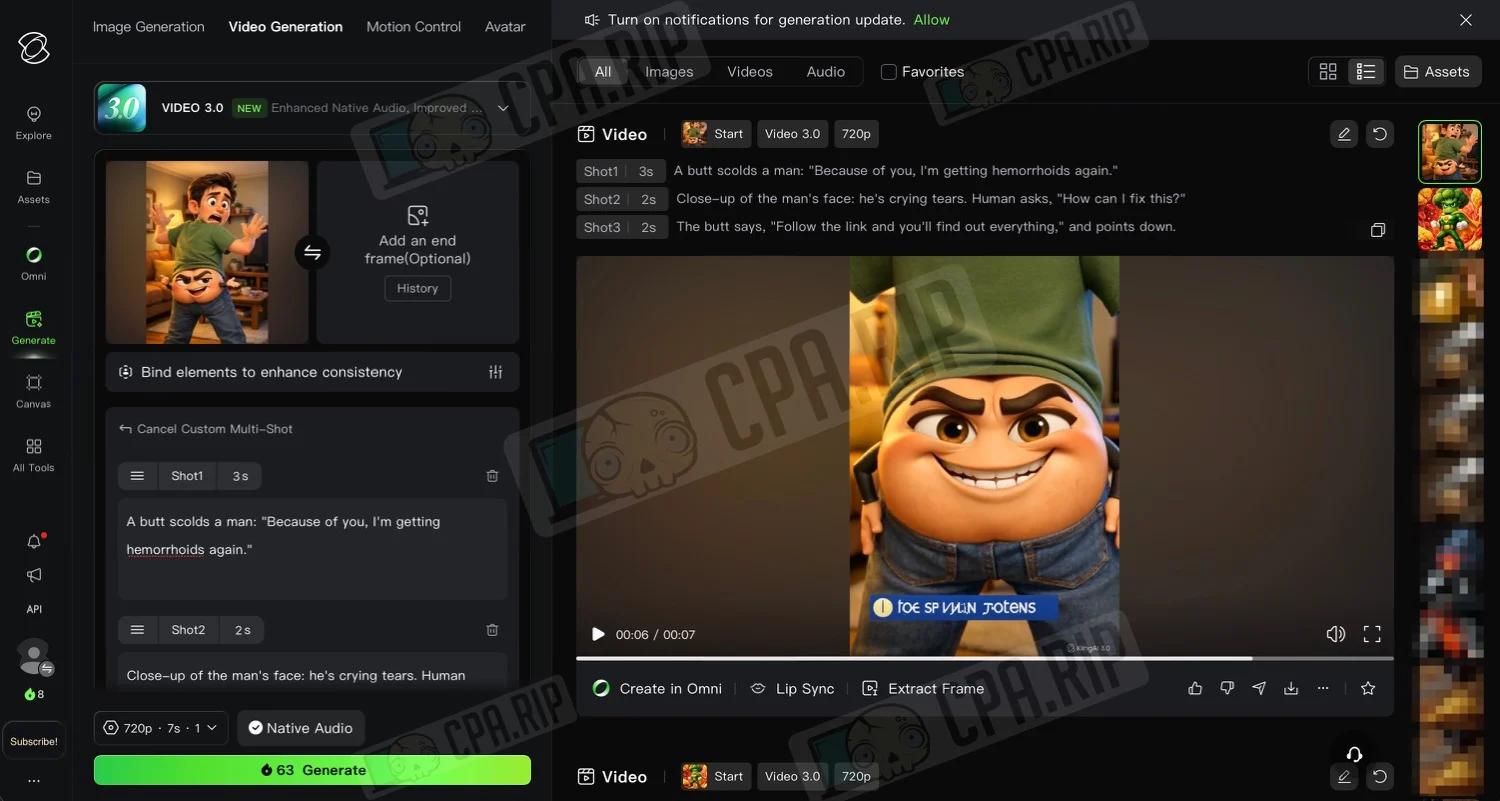
Wait for the result and download the video:
Final editing
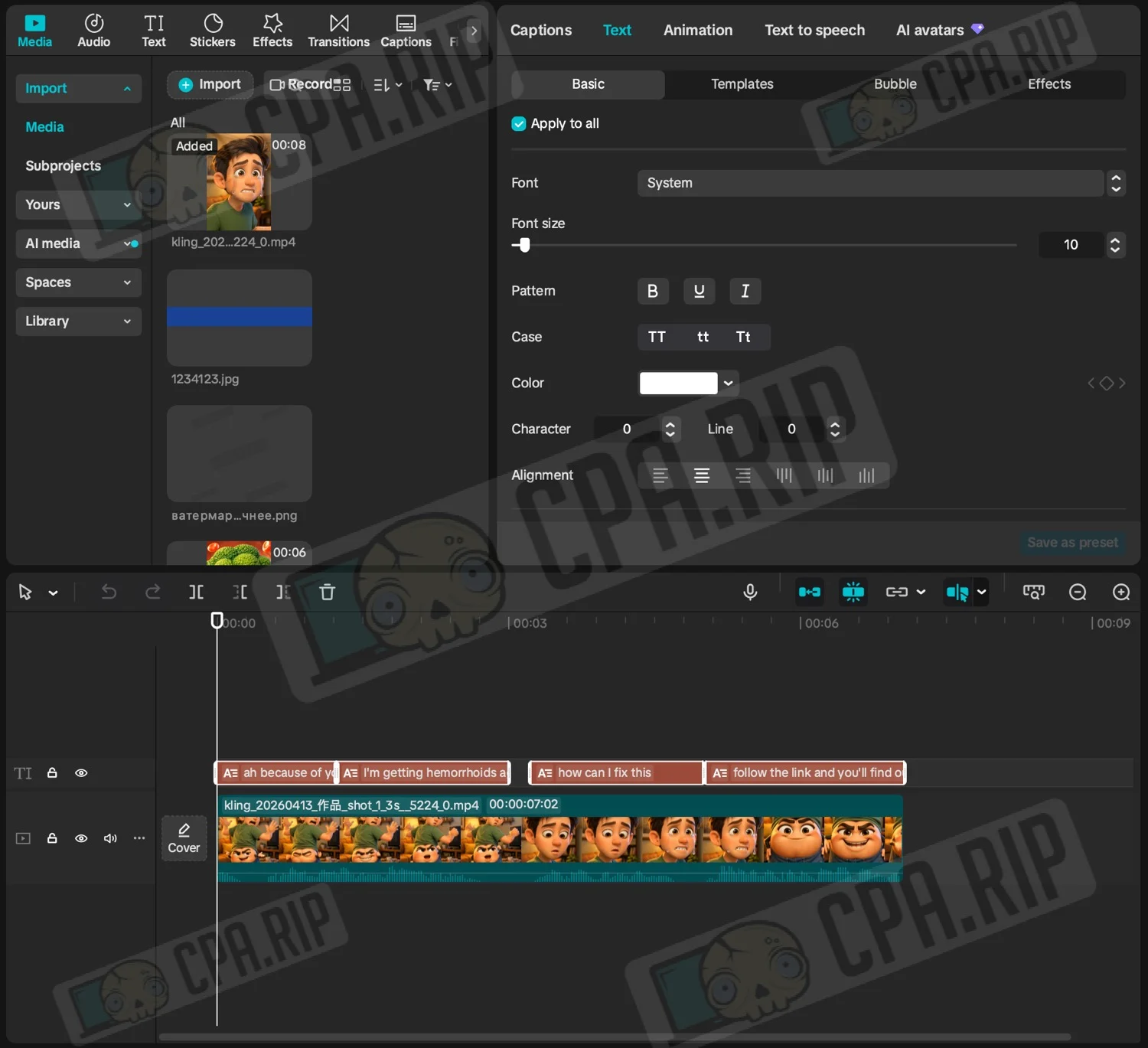
For the final editing, we used CapCut. We cropped the video, generated subtitles, and customized their template:








Comments