

![[FBM] CARDS](https://cpa.rip/wp-content/uploads/cr-a1/fbm-cards-v1/fbm-cards-logo.svg)




Meta Ads AI Connectors now include additional security settings for working with Claude and other AI agents. You can now more precisely limit exactly what AI can do in ad accounts.
Previously, we covered in detail Ads AI Connectors and connecting Claude to Ads Manager via MCP. We also separately wrote about Ads CLI for managing ads through the command line, while our Hermes Agent guide examined how it works with Meta Ads MCP Server and Ads CLI.
During that time, the range of Ads AI Connectors capabilities has also expanded significantly. In May, 29 MCP tools were available, which we listed in our previous article. You can now manage permissions for nearly 100 MCP tools in the Claude connector settings.
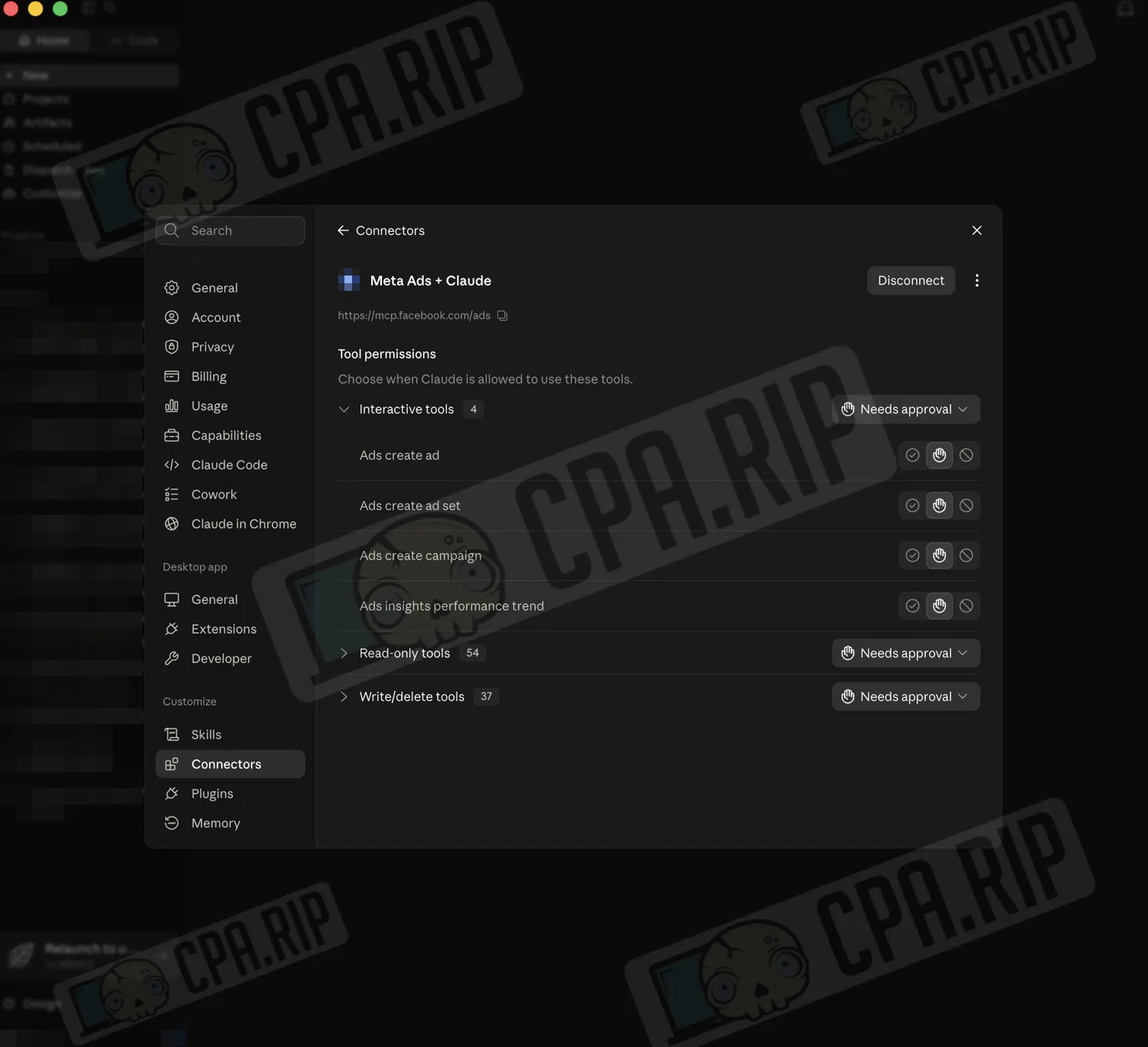
At the same time, the ability to create campaigns, ad sets, and ads, change budgets, targeting, and other settings already existed. The key change now is that Meta has added more granular control over these actions for individual ad accounts.
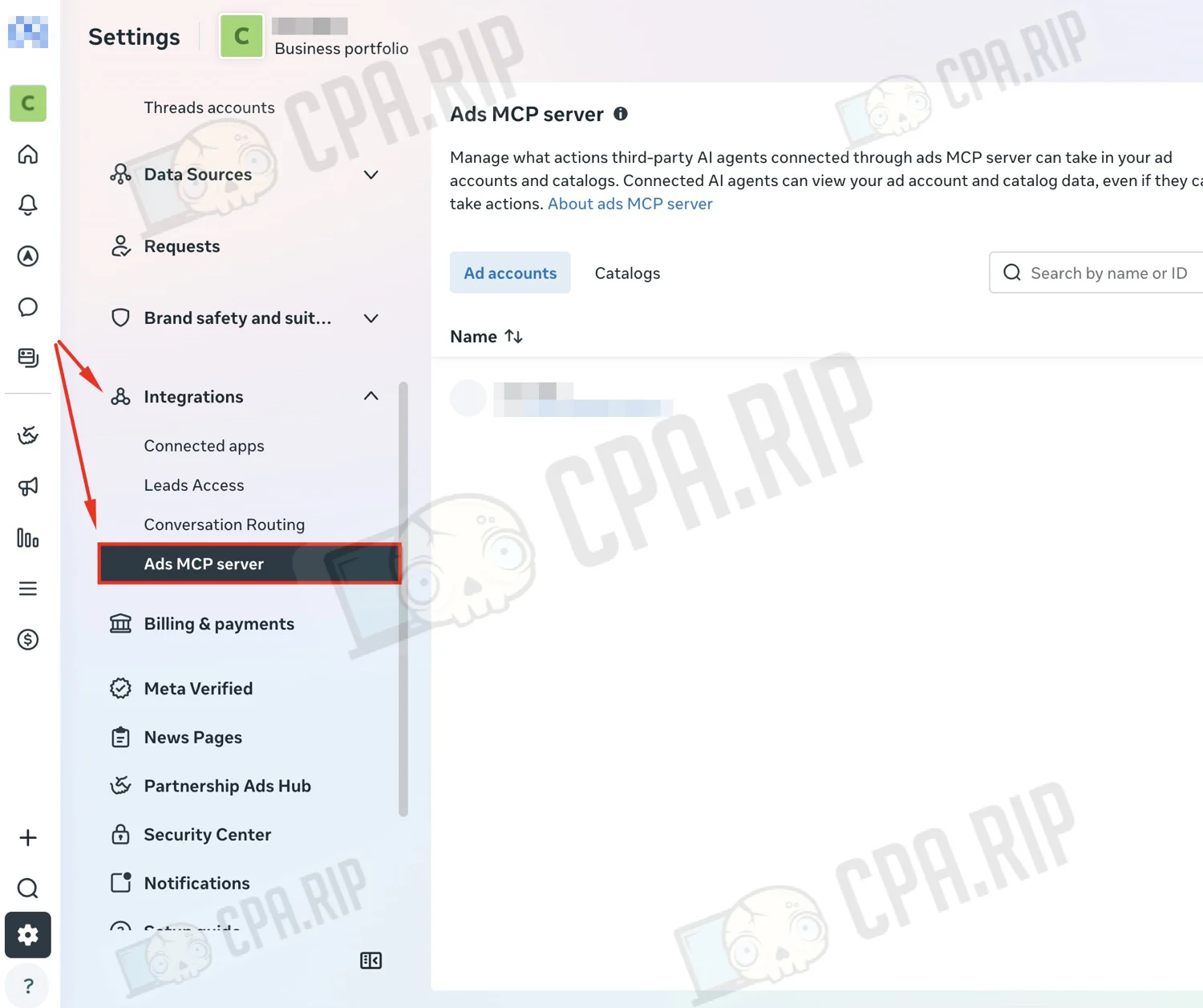
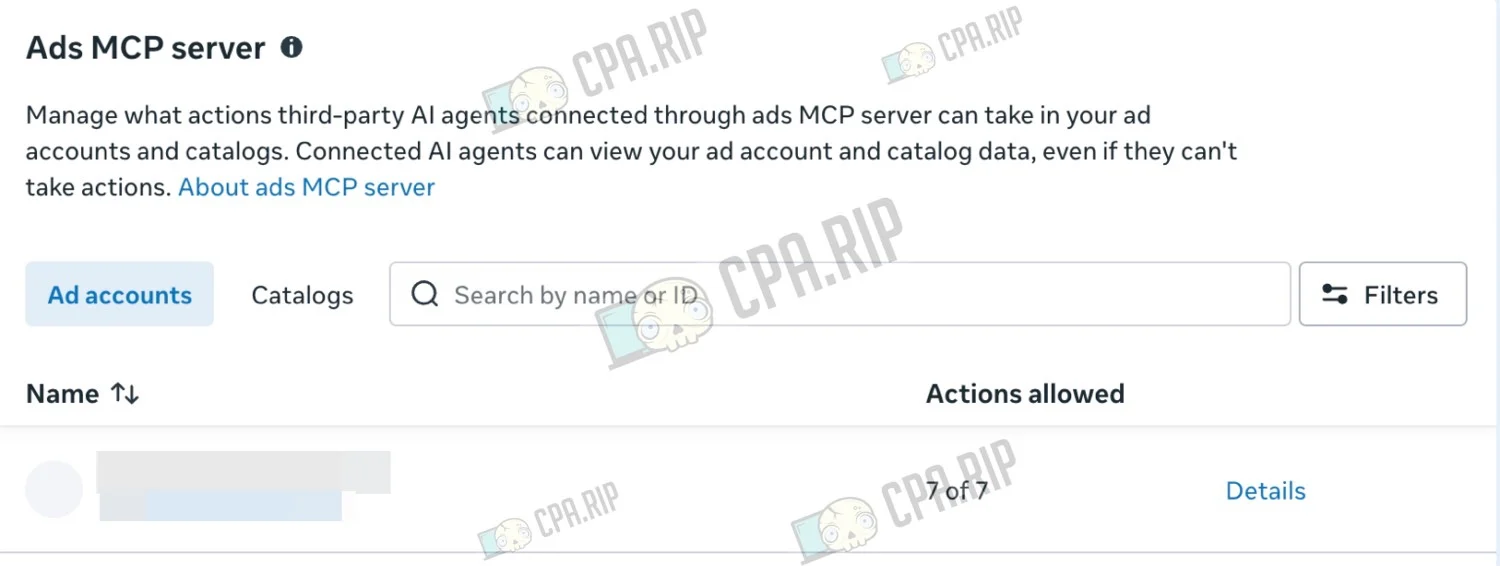
In Meta Business Suite > Settings > Integrations > Ads MCP server, you can see the ad accounts and catalogs available through MCP.
You can manage seven actions separately for each ad account:
- budget changes;
- campaign creation;
- ad set creation;
- ad creation;
- targeting changes;
- creative changes;
- status changes.
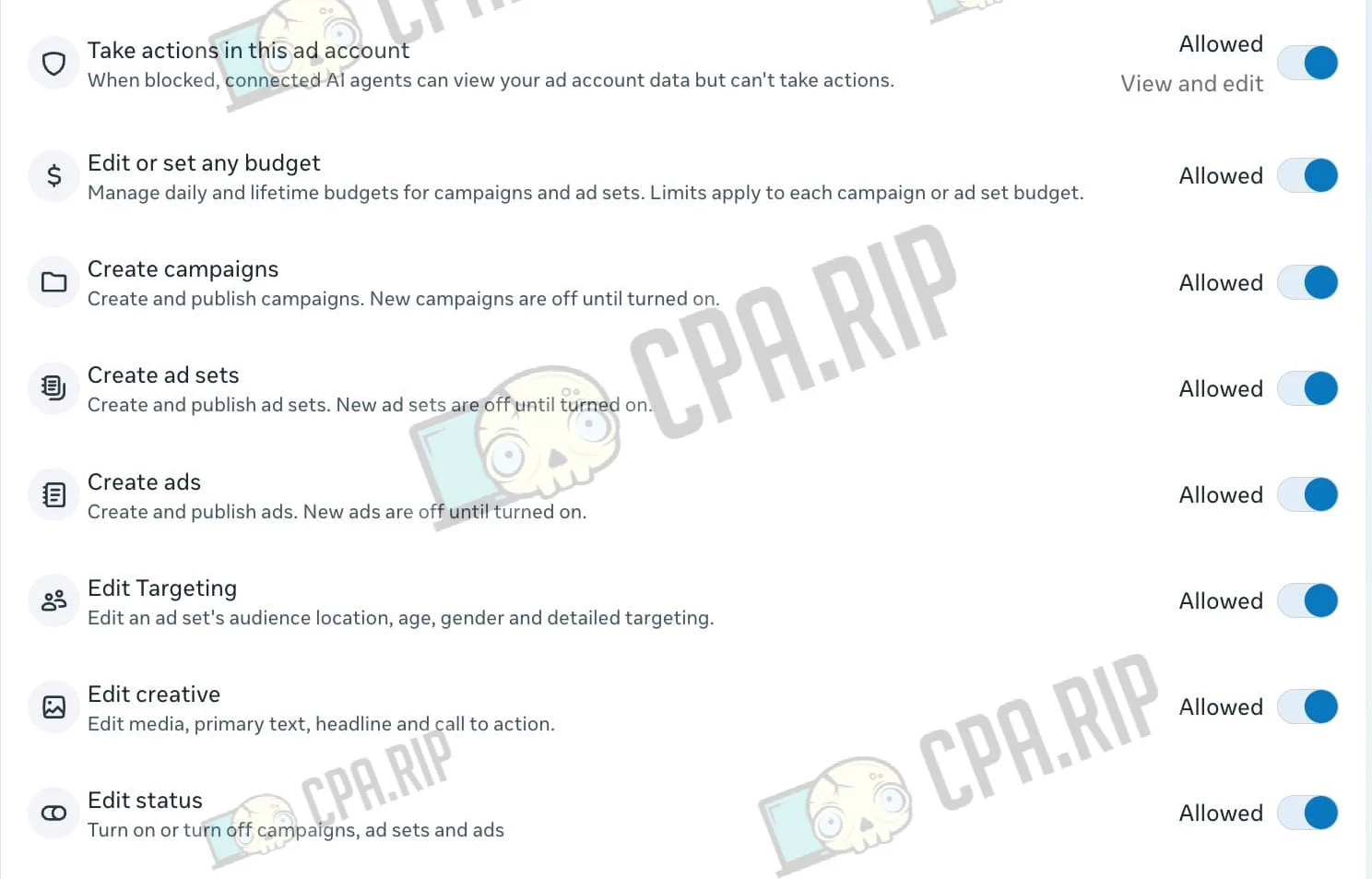
For example, you can prevent Claude from creating campaigns, changing the budget, or editing targeting in a specific ad account.
There is also more control at the Ads AI Connector connection stage. You can now separately select the Fan Pages and Instagram accounts the connector will be able to access. At the same time, you still cannot select specific ad accounts directly during the connection stage.
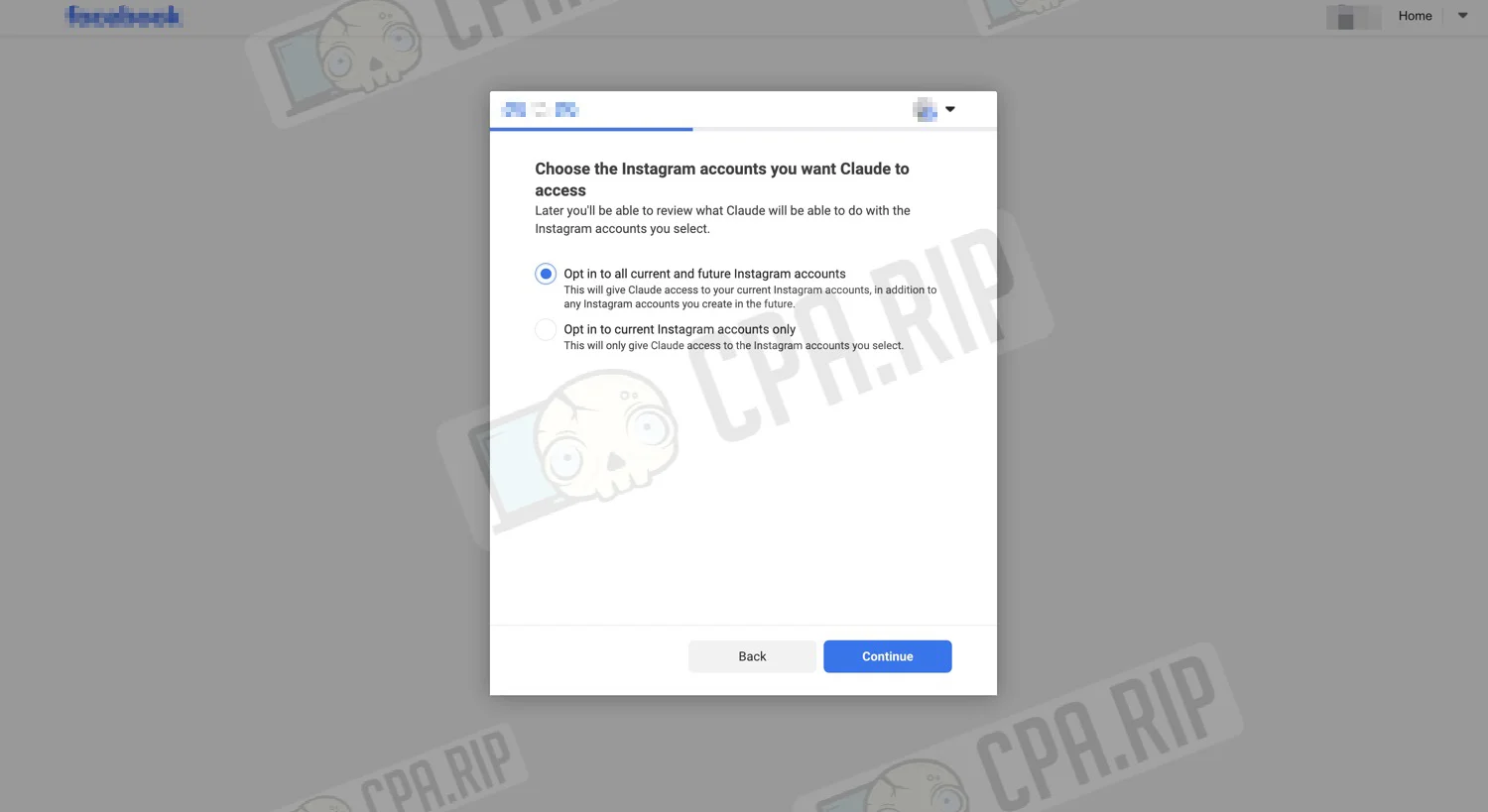
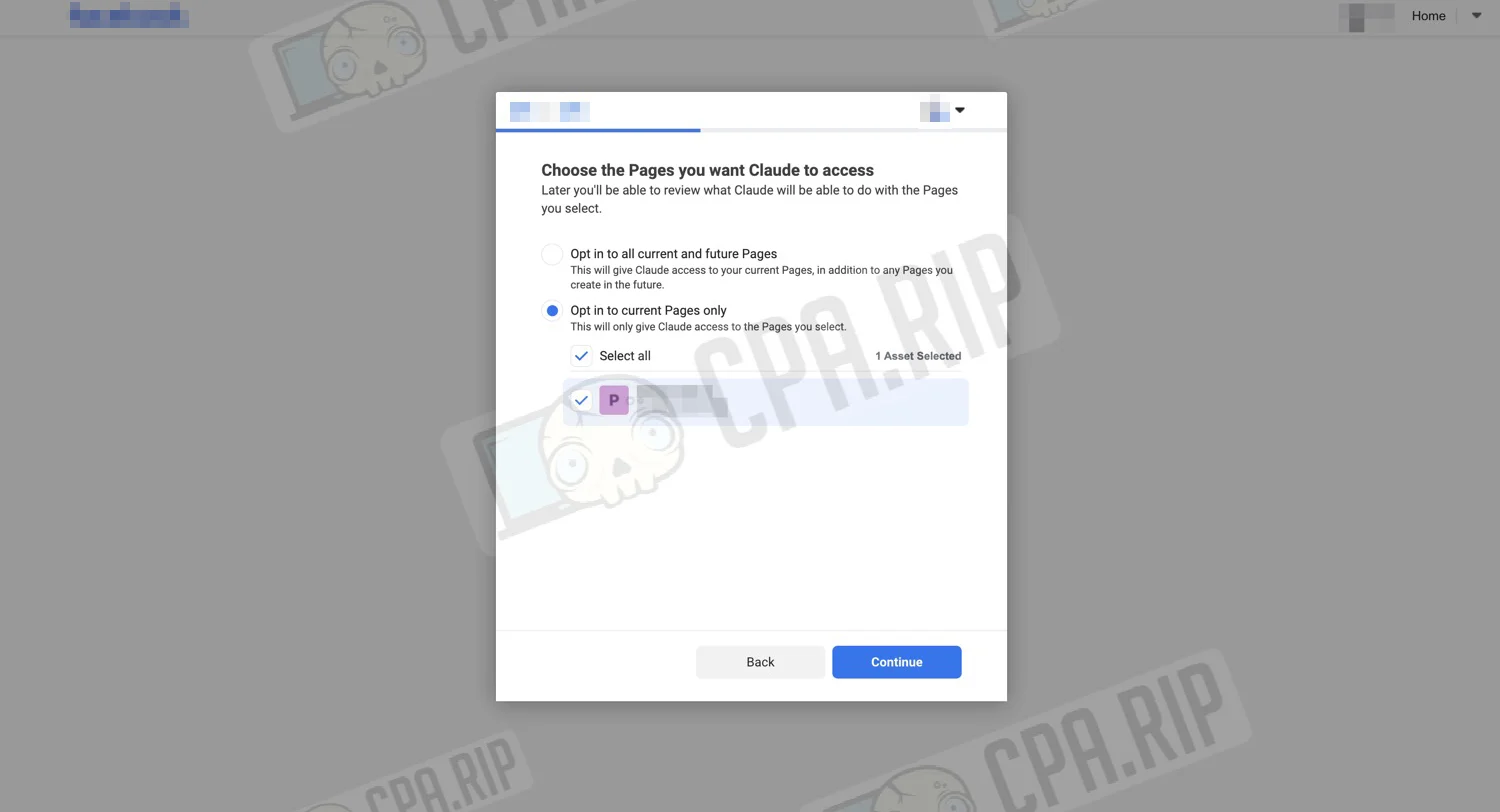
You can also configure additional restrictions on the Claude side. For MCP tools, you can allow execution without confirmation, block them completely, or require confirmation before launch.
Ads MCP server is not yet available to all accounts.








Comments