

![[FBM] CARDS](https://cpa.rip/wp-content/uploads/cr-a1/fbm-cards-v1/fbm-cards-logo.svg)

How to set up auto-rules on Facebook Ads and work with them – 5 basic auto-rules to make media buyers’ work easier.
Auto-rules on Facebook Ads are automated actions you can set up to manage your ad campaigns. Rules help you save time and effectively manage budgets and bids, turn ads on and off according to set conditions, without the need for constant supervision and manual intervention.
How to set up auto-rules
To set auto-rules on Facebook Ads Manager, select the desired campaign, Ad Set, or ad by clicking the checkbox. In most cases, they work at the Ad set level, but you can change it to the campaign and ad level, it all depends on your tasks.
All rules must work at the same level. If you turn off Ad Set, then turn it on as well.
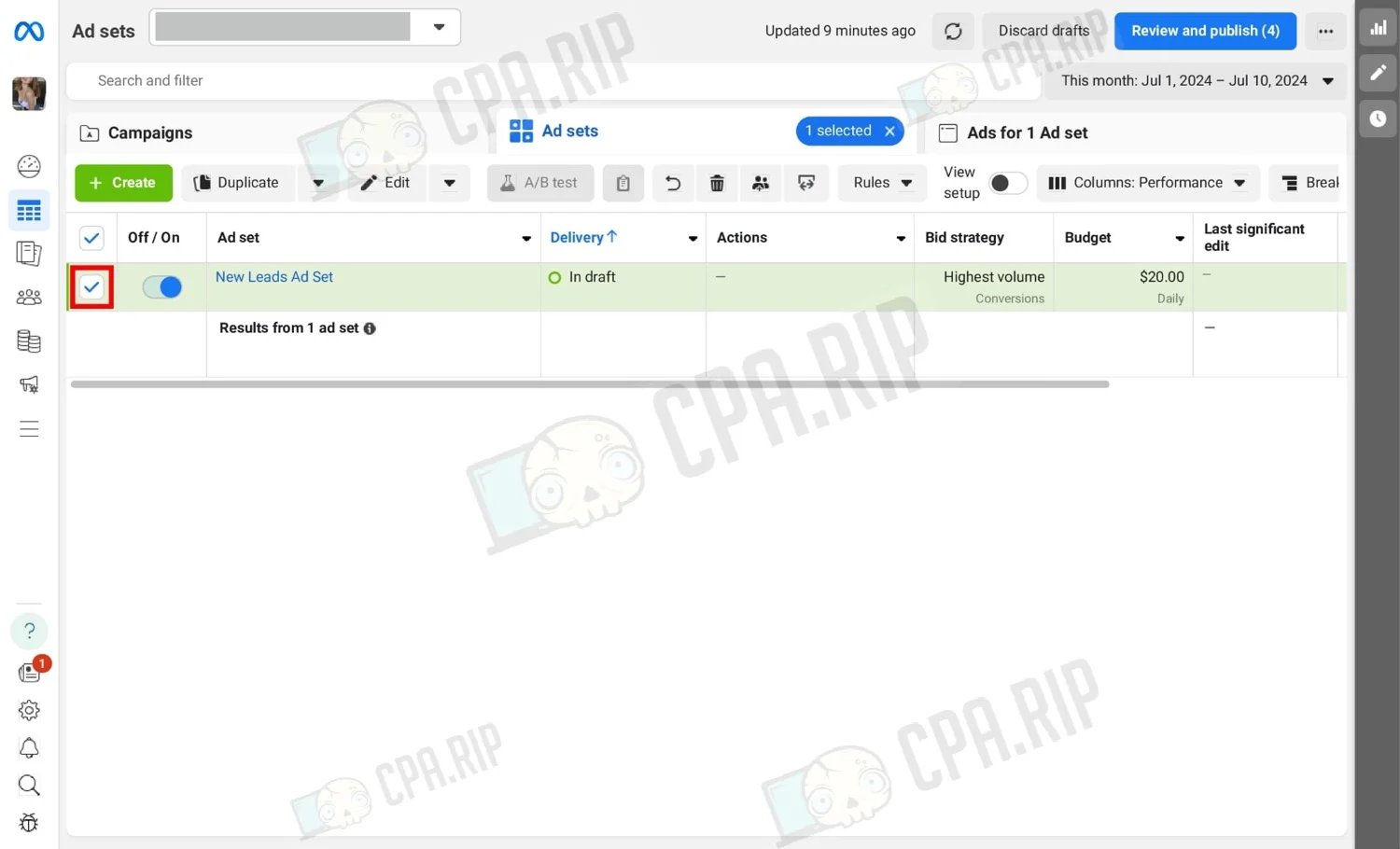
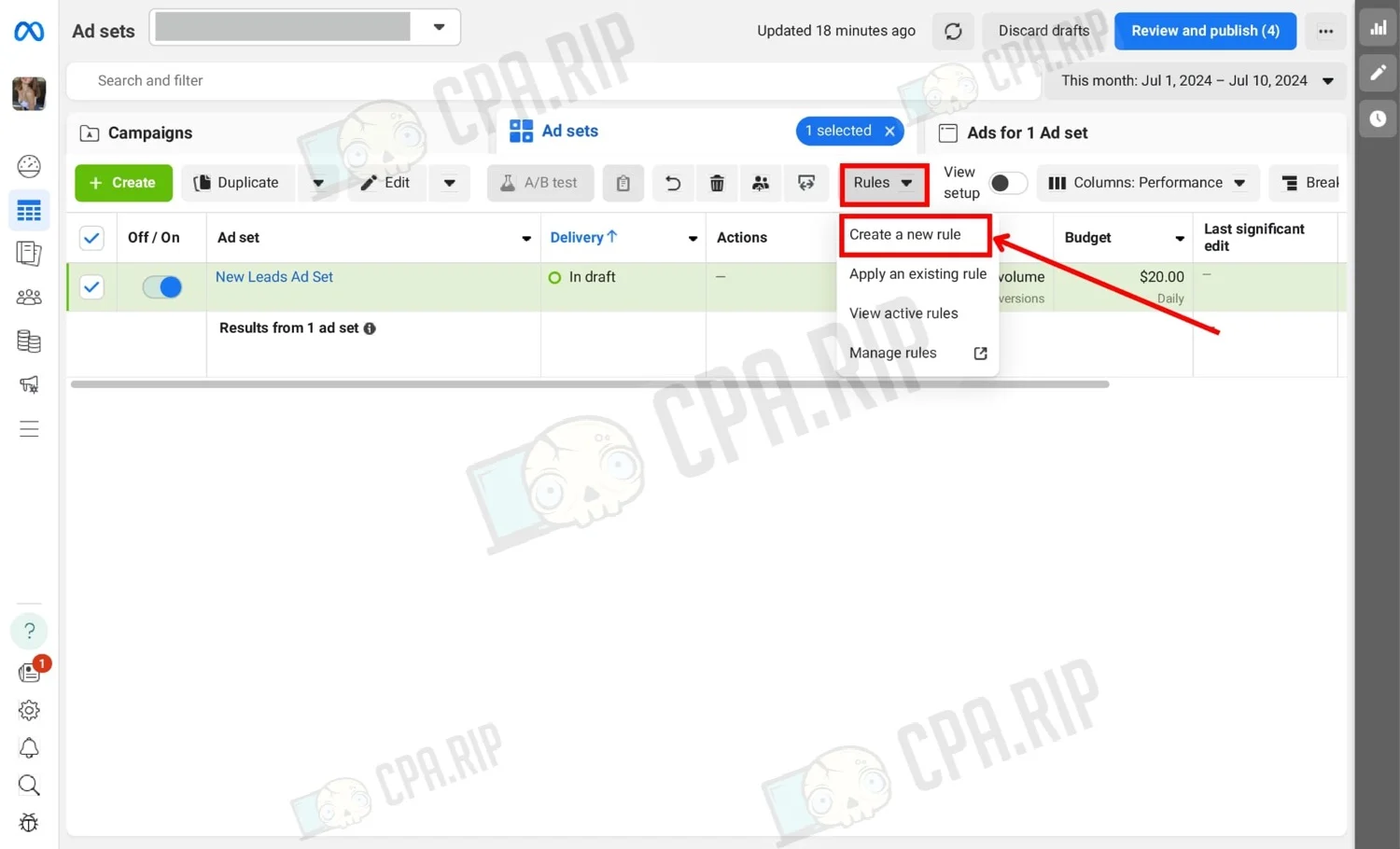
Next, click “Rules” and select “Create a new rule”.
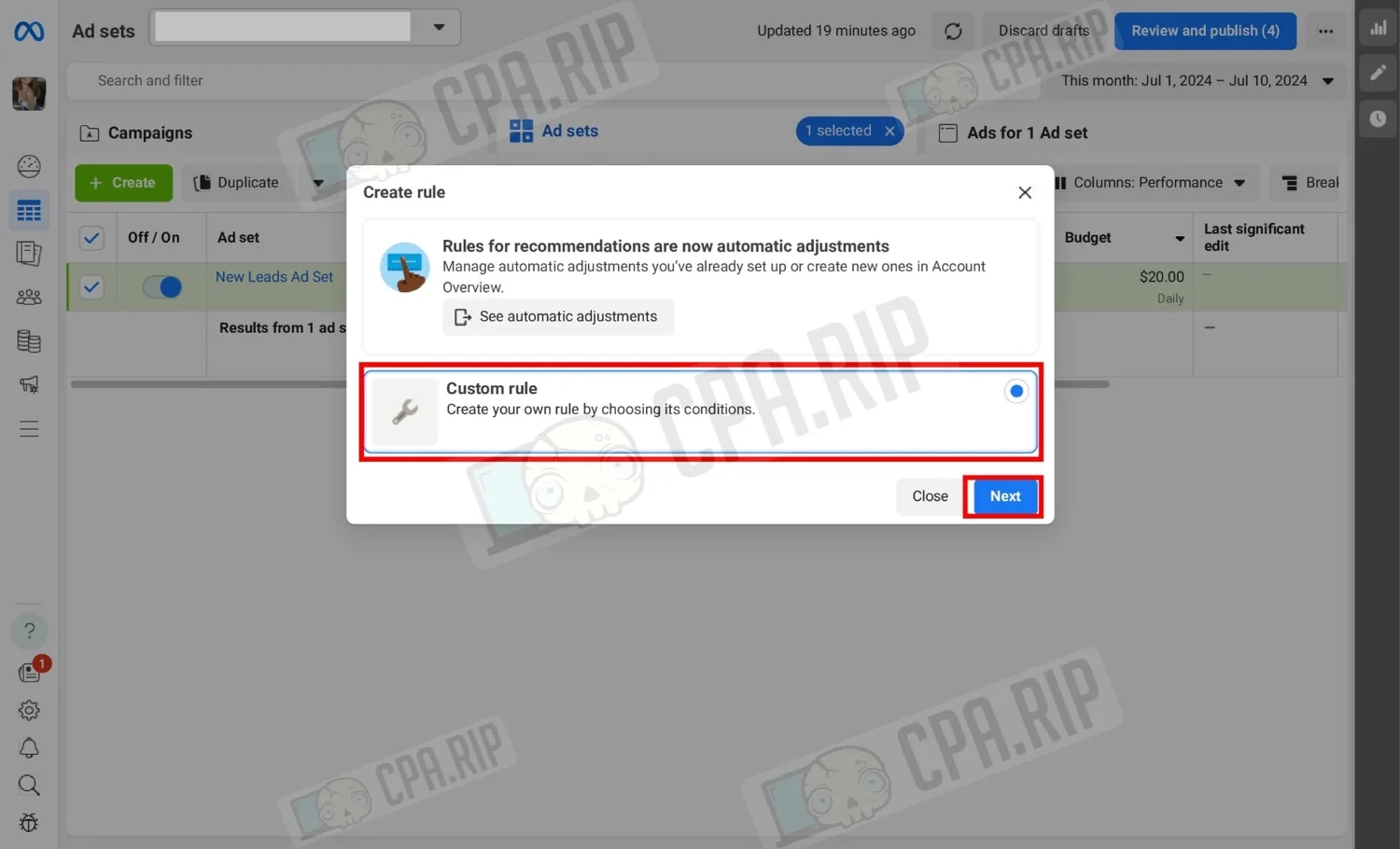
Select “Custom rule” and click “Next”.
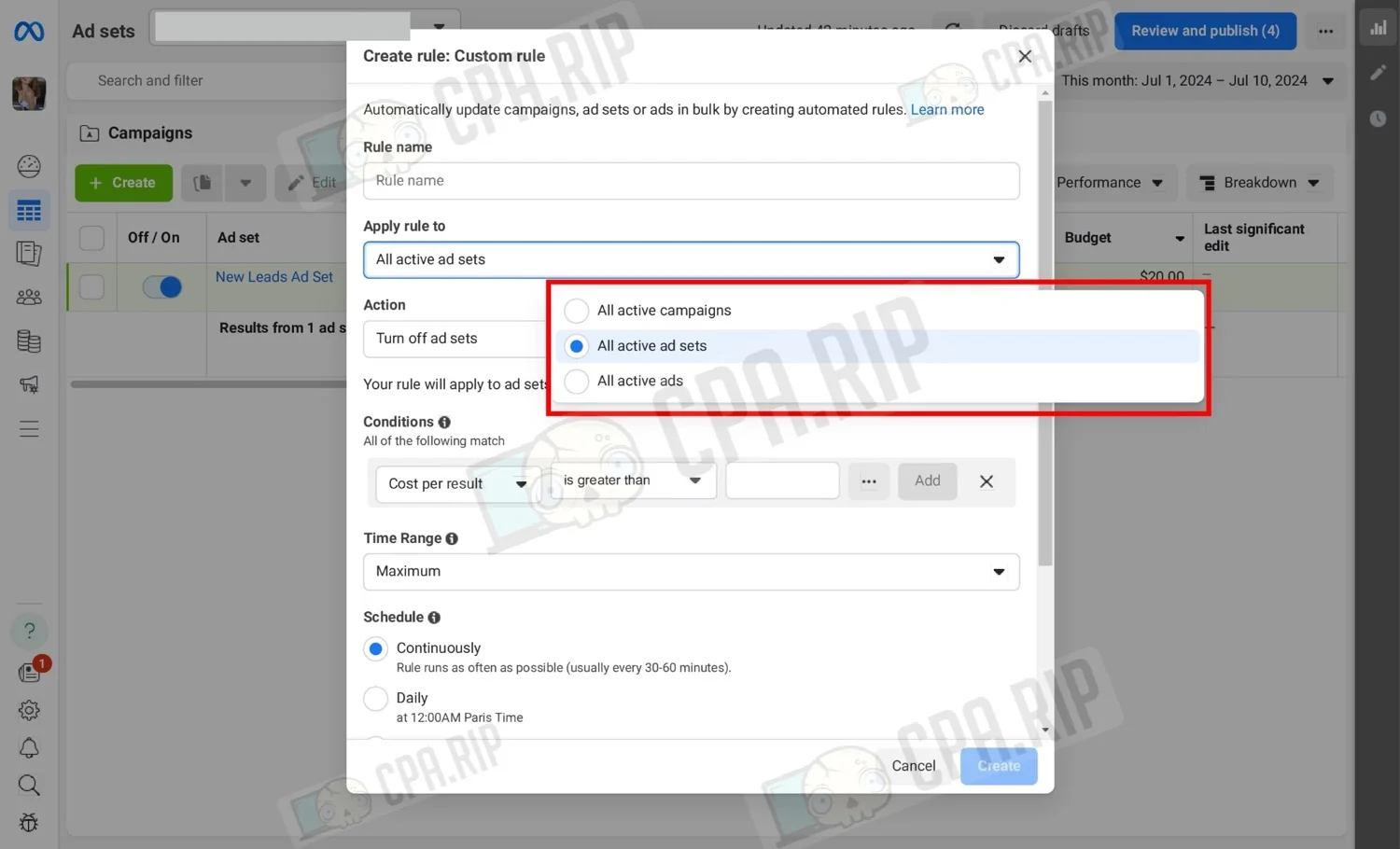
The auto-rule configuration menu opens. In Rule name, it is recommended to name it in such a way that it is clear what kind of auto-rule it is.
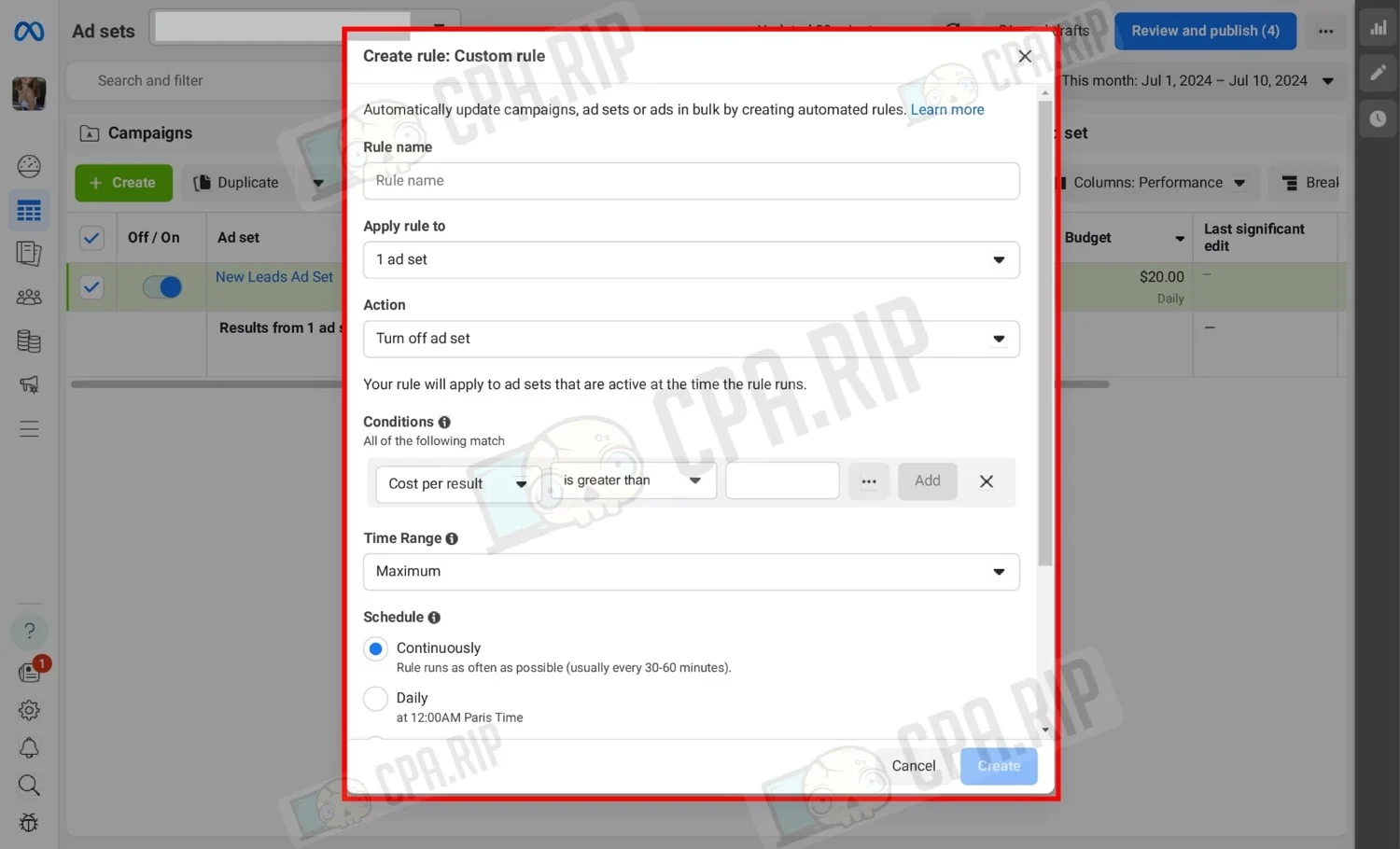
The checkbox allows you to configure the auto-rule exactly on the selected element, in our case it is the selected Ad Set. To apply it to all elements, do not check the checkbox and choose in the settings menu which elements to apply it to.
Basic auto-rules
Let’s analyze the basic auto-rules useful for each media buyer and situations where they are needed.
Script for automatic creation of 5 basic auto-rules on Facebook Ads: https://cpa.rip/en/facebook/facebook-ads-autorule-script/
Turning off Ad Set when there are no leads
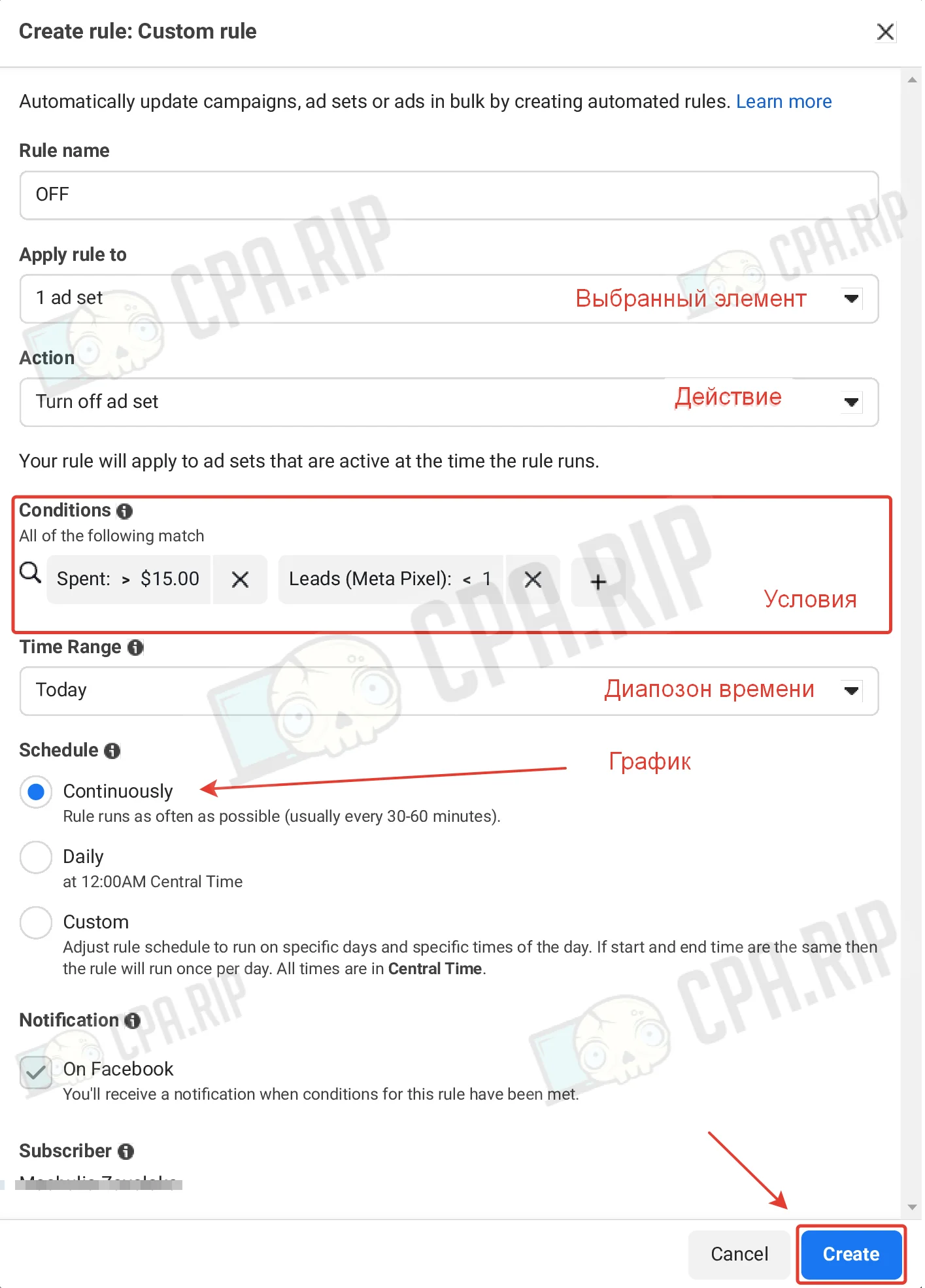
Don’t waste money on advertising. Disable Ad Set if it does not bring leads after some expense. The expense is 2-3 prices of a lead, this amount should be enough to get at least one result. For this rule, we set the following conditions:
- Set condition Spend > $15
- Set condition Lead (Meta Pixel) < 1.
- Action – Turn off ad set.
- Time range – today.
- Check schedule – continuously.
Application:
- Test new bundle and scaling. Turns off all Ad Sets without leads if the rule is set to all Ad Sets.
- On a working Ad Set. Turns off if there is a technical failure on your end and the user can’t see your landing page. Example: Keitaro domain or server stopped working.
Turning off Ad Set in case of expensive price per lead
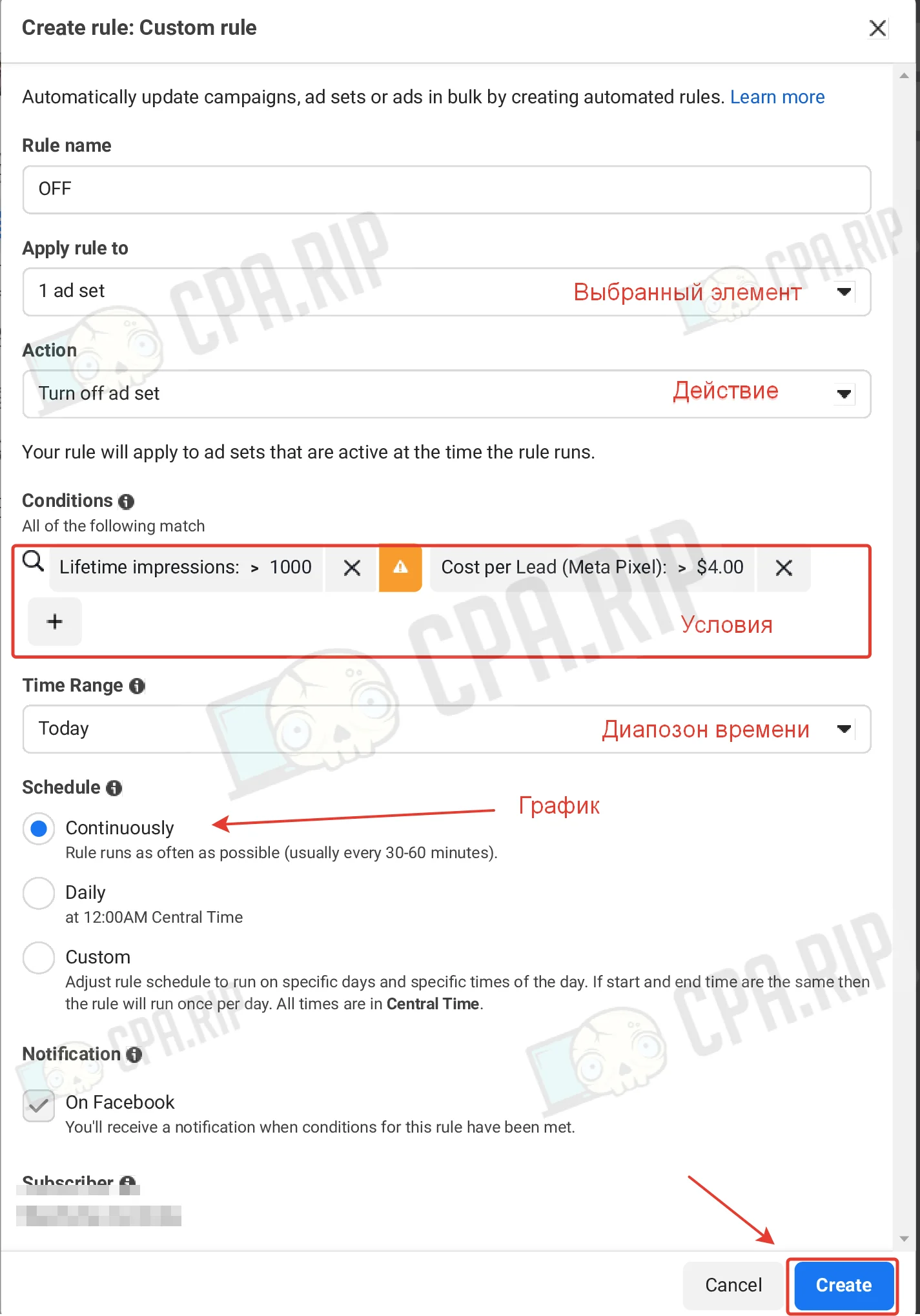
Disable Ad Set if it brings expensive leads:
- Set the condition Cost per Lead (Meta Pixel) > the price of the lead at which we drive traffic to zero (in our example it is $4).
- Action – Turn off ad set.
- Time range – today.
- Test schedule – continuously.
Application:
- Scaling. Turns off all Ad Sets with expensive lead prices. The time range is today. Example: When running 10 ad groups with a working bundle, the probability that all 10 will get caught tends to 0. This rule will turn off all expensive ones and leave the profitable ones.
- On a working Ad Set. Turns off when the price of a lead grows more than the limit price. The time range is the last 3 days.
Enabling Ad Set when the lead price normalizes
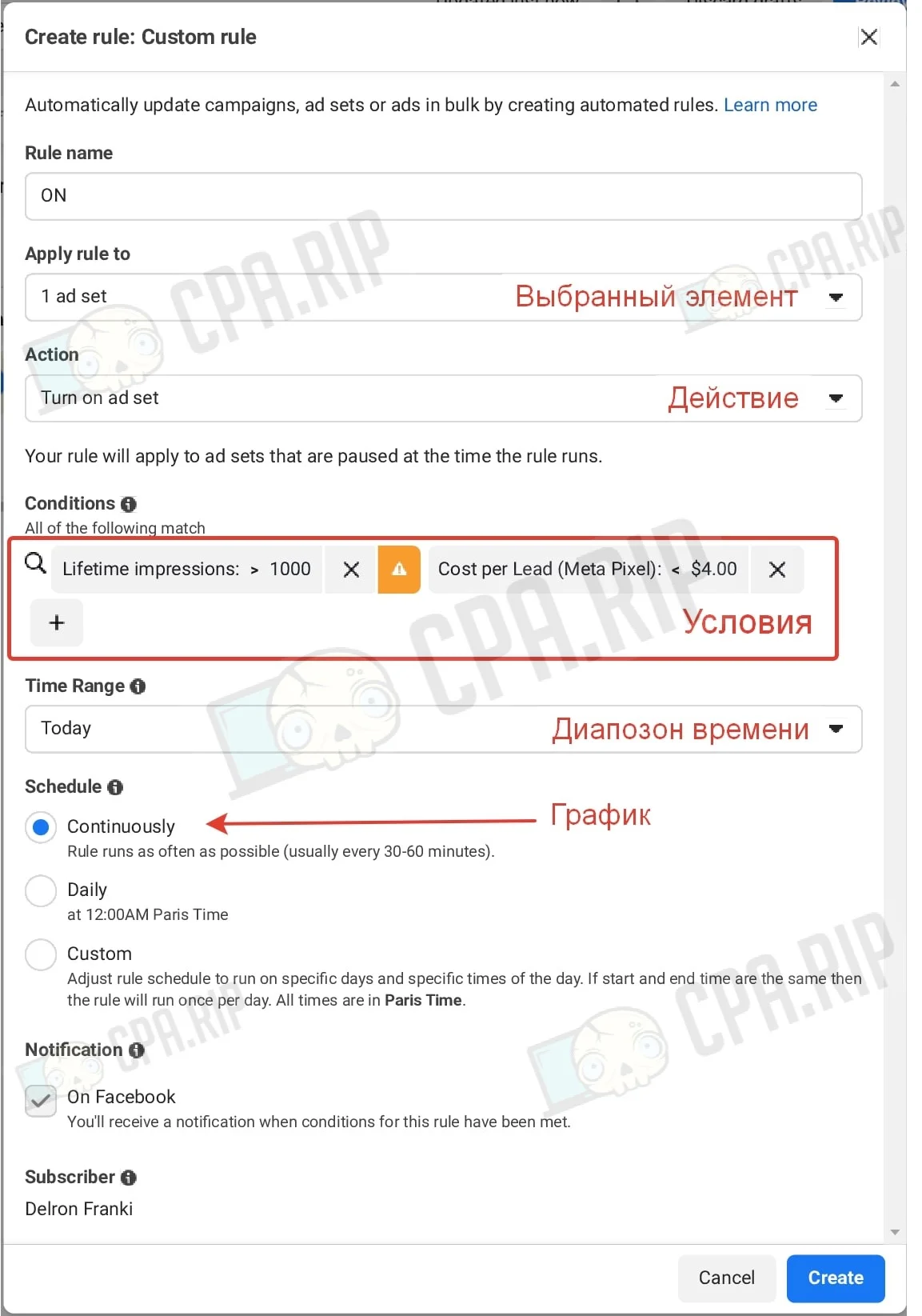
It is recommended to use this rule together with the previous one. It is possible that after turning Ad Set off, leads will be received and the price for them will fall to the desired value. Let’s set the rules for turning on with opposite conditions. If in the previous rule we set “Price per lead” more than 4, we set it less than 4.
- Set the condition Cost per Lead (Meta Pixel) < the price of a lead at which we drive traffic to zero (in our example it is $4).
- Action – Turn on ad set.
- Time range – today.
- Check schedule – continuous.
Turn on Ad Set at 00:00
Include an Ad Set to a new auction to try to grab a good audience.
- Action – Turn on ad set.
- The time range – today.
- Check schedule – daily.
- Do not set conditions.
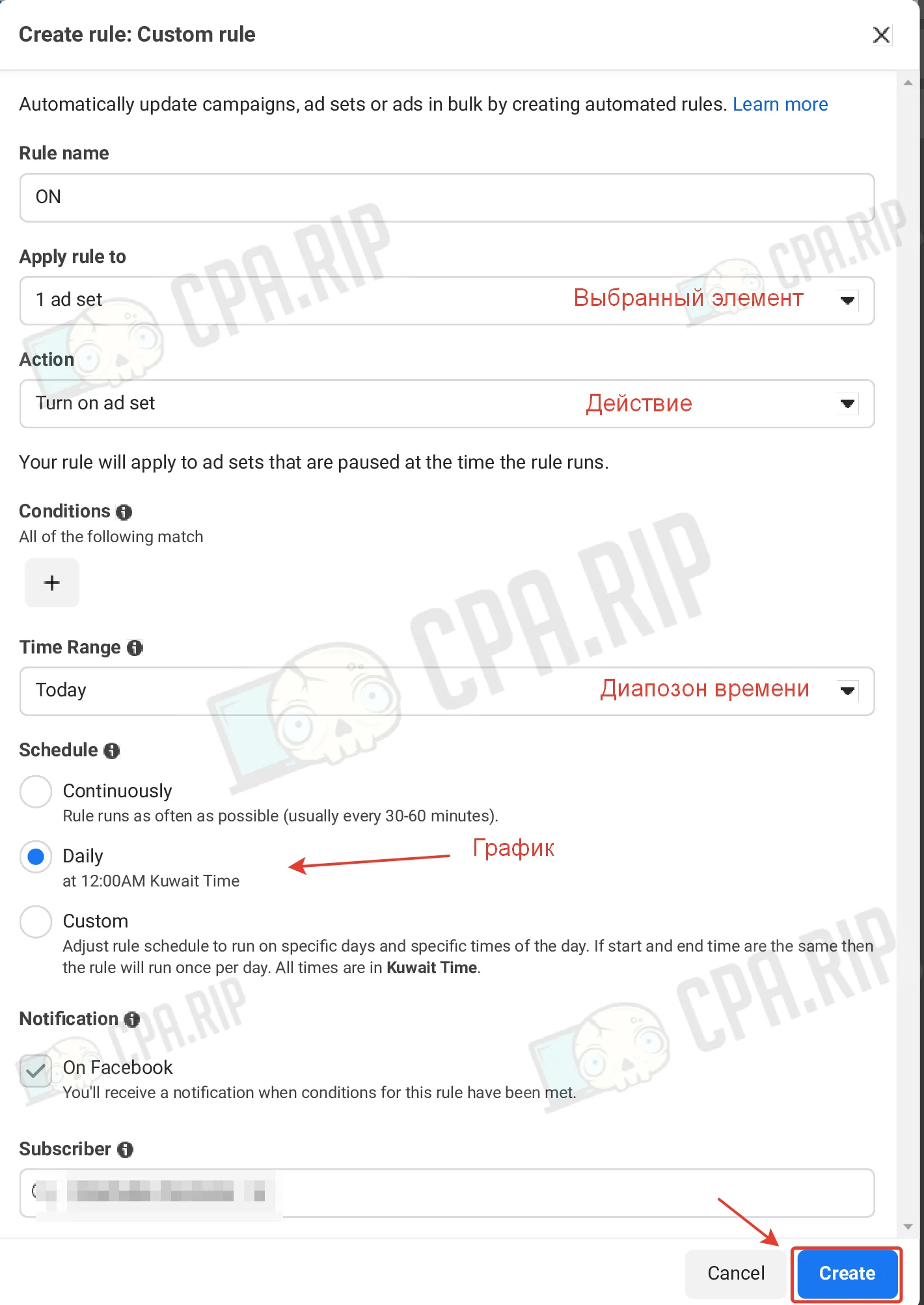
Application:
- Launching a new ad. Example: you have launched an advertising campaign in the afternoon, but to start showing it in a new auction, pause it and apply this rule.
- Restart. Example: you’ve turned off an expensive Ad set, restart it at 00:00 with this rule.
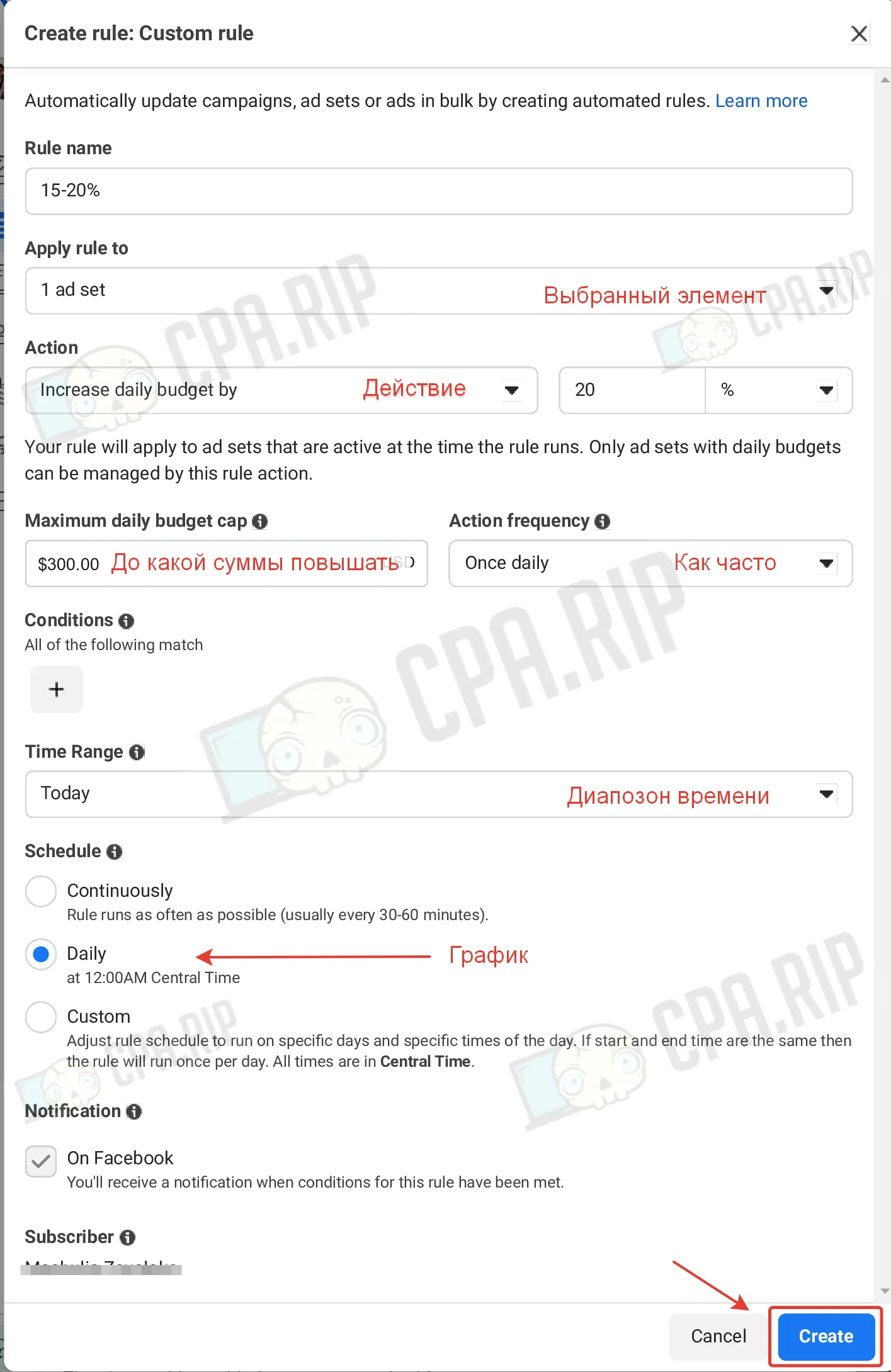
Budget increase by 15-20% every 24 hours
After your campaign has gained success and you got a profit it is necessary to scale it. So that ad groups do not return to the learning stage, there is this rule, which will allow you to adjust budgets gradually by 15-20% every day.
Learn more about scaling Facebook Ads campaigns: https://cpa.rip/en/facebook/scaling-ads/.
- Select action – Increase daily budget by, value 15-20%.
- The maximum daily budget limit is $300 (recommendation).
- Frequency of action – Once daily.
- Time range – Today.
- Check schedule – daily.
- Do not set conditions.








Comments