

![[FBM] CARDS](https://cpa.rip/wp-content/uploads/cr-a1/fbm-cards-v1/fbm-cards-logo.svg)




In some Facebook Ads accounts, a new Sequenced Events setting has appeared for lead campaigns. It lets advertisers define two events that a user must complete in a specific order.
The feature appears when selecting Maximize number of qualified leads in Leads campaigns with website conversion.
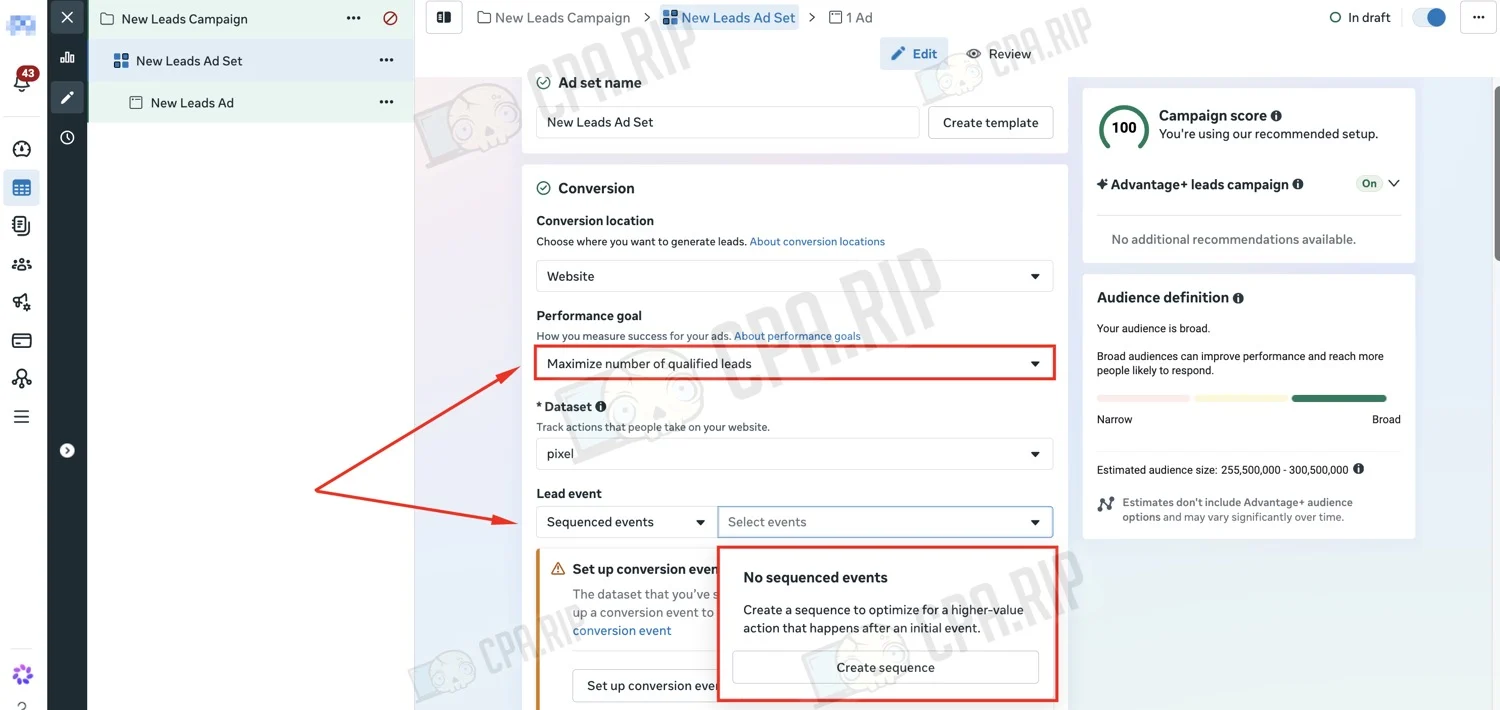
First, you choose the Initial event, for example Lead after a form submission. Then you set the Final event — a more valuable user action, such as CompleteRegistration or a Custom Conversion. For example: Lead > CompleteRegistration = Qualified Lead.
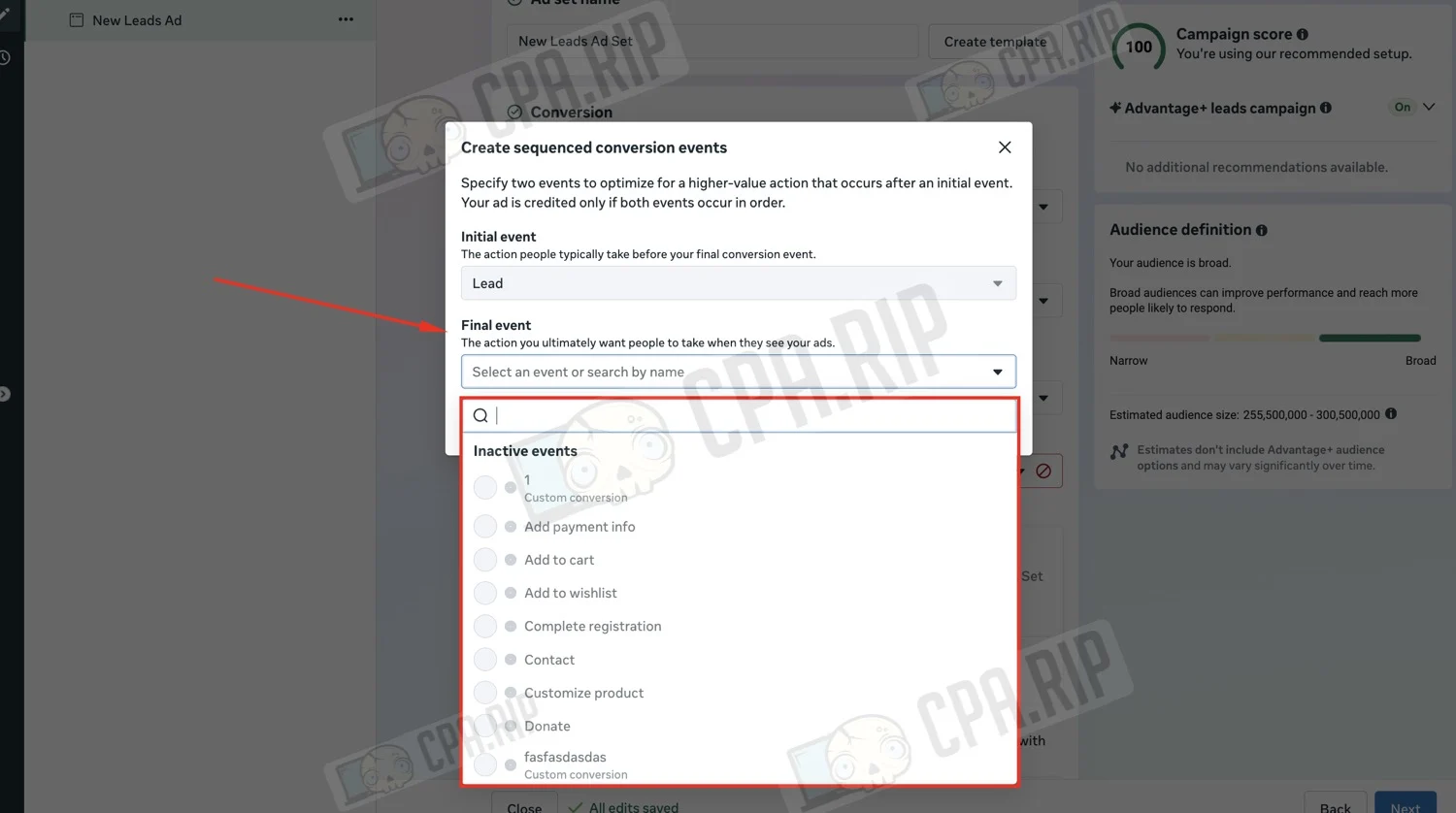
A Qualified Lead is counted only if the user completes both events in exactly the specified order.
Previously, in this type of optimization, the final event was tied to a CRM or an offline event. In Sequenced Events, based on the interface, the final event can be a regular website event or a Custom Conversion. This new mechanic simplifies setup and lets advertisers themselves define which action after the lead should count as the target.
Sequenced Events can also be useful when a user doesn’t reach the target action right away. Facebook can generally optimize for events that happen within seven days after a click. In this case, the Initial event serves as the first signal, while the Final event is the more valuable user action that occurs later.
For the feature to work, a history of such conversions is required. Facebook looks at event sequences over the past 28 days, but the minimum number of such conversions needed and how much time can pass between the Initial event and the Final event remain unknown.
At the same time, Meta is renaming Conversion Leads to Qualified Leads. Given the appearance of Sequenced Events, this isn’t just a renaming — it also involves a change to the optimization mechanics for qualified leads.
The feature isn’t available in all ad accounts. There’s no detailed official documentation on Sequenced Events yet.








Comments