

![[FBM] CARDS](https://cpa.rip/wp-content/uploads/cr-a1/fbm-cards-v1/fbm-cards-logo.svg)




An overview of the functionality and core capabilities of the cloud tracker with the PWA builder Adset.pro. We reviewed every tool and setup stage step by step, from registration to creating a campaign for driving traffic.
- Website: https://adset.pro
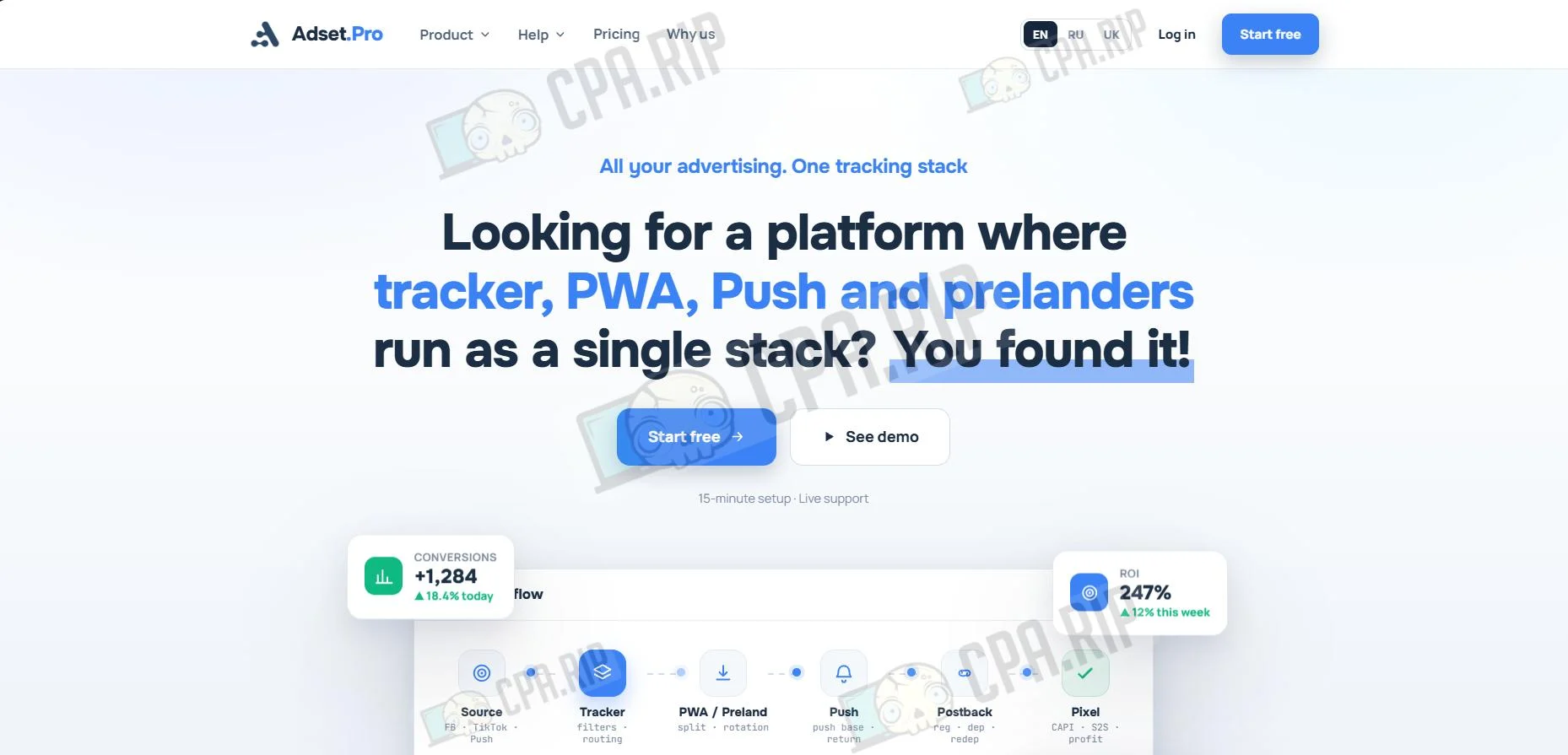
While reviewing the AdSet.pro ecosystem, we found no obvious issues. Based on initial tests, the service outperforms classic trackers in terms of convenience: the interface is simpler and clearer, while the setup logic avoids unnecessary complexity. Preparing to launch traffic takes no more than half an hour.
The PWA module deserves special mention: creating an app takes just a couple of minutes, and integrating it into tracker campaigns takes only a few clicks.
In addition to the tracker and PWA builder, the service brings together tools for working with virtually the entire funnel: pre-landers, push campaigns, conversion tracking, analytics, and ad campaign management. This approach means you do not need to assemble a funnel from several separate services, since you can keep its core elements in a single dashboard.
Adset.pro positions itself as a unified working stack for launching and analyzing ad traffic.
According to the platform’s stated data, Adset.pro uses a global network of servers in Europe, Asia, Africa, and Latin America. This architecture routes traffic to the node closest to the user, helping speed up landing page loading and reduce the risk of traffic loss.
Core Adset.pro Capabilities
- Ready-to-use cloud solution, with no need to install anything on a server;
- Detailed flow configuration based on various parameters;
- Real-time traffic distribution by GEO, device, and OS;
- Fast PWA creation with app store-style design, interactive elements, and automatic database building;
- Short redirects and ClickID-based attribution;
- End-to-end Click2Reg and Click2Dep analytics, starting from a Facebook click rather than a PWA opening;
- Direct conversion transfer to Facebook and TikTok via CAPI;
- Protection from spy services by hiding the Pixel ID in URL parameters;
- A unified report for the entire funnel, from the first click to final profit from push notifications;
- Smart campaigns with triggers and automatic GEO localization;
- Distributed infrastructure with multiple regional clusters for handling high traffic volumes;
- Cost transfer from ad sources to tracker statistics;
- Cohort analysis, LTV, and repeat deposit statistics;
- Ready-made gaming pre-landers and templates for different verticals;
- A/B testing of pre-lander variations;
- Team, user, and access-rights management;
- Connecting external PWAs and iOS apps to the shared funnel;
- Additional event transfer via TikTok Events API, HTTP GET, and Telegram notifications;
- Adset BRO AI assistant for working with statistics and tracker settings.
They do not work with scam crypto, and when working with nutra, they do not allow hosting landing pages featuring celebrities, politicians, fake ministries/doctors, etc. on their side.
Pricing Plans
Promo code: CPARIP. Get 50% off the tracker and PWA installs.
PWA+Tracker
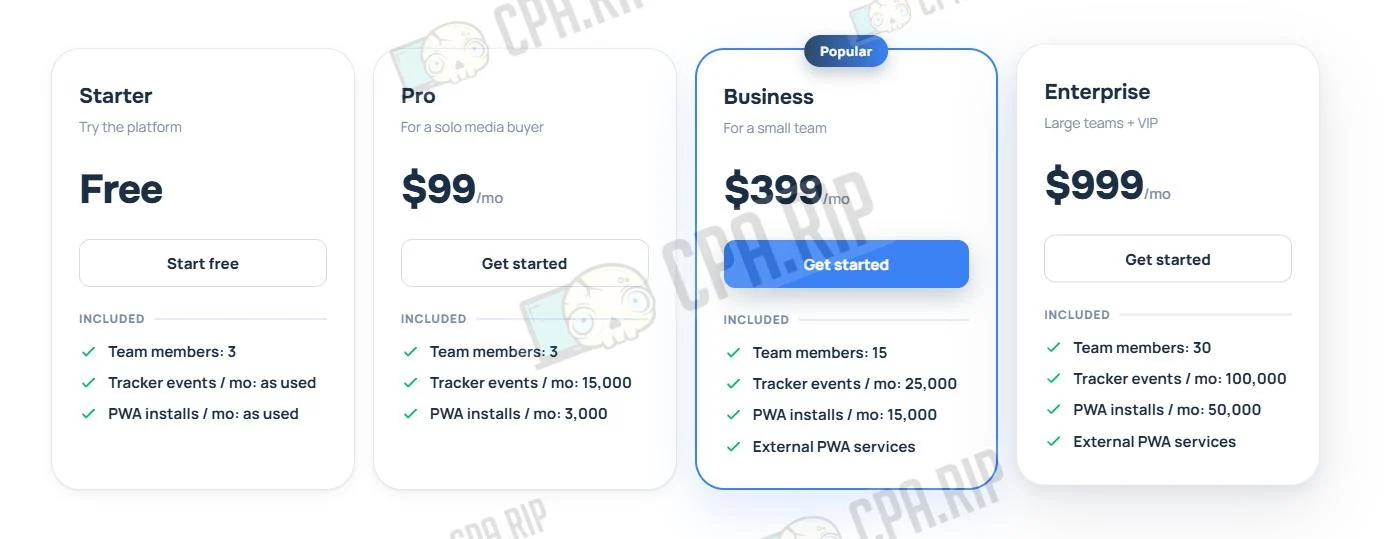
| Plan | Starter | Pro | Business | Enterprise |
| Price | Free | $99/mo | $399/mo | $999/mo |
| Team members | 3 | 3 | 15 | 30 |
| Tracker events / mo | as used | 15 | 25 | 100 |
| PWA installs / mo | as used | 3 | 15 | 50 |
| AI model requests / mo | – | 150 | 250 | 500 |
| API access | ✓ | ✓ | ✓ | ✓ |
| MCP server | ✓ | ✓ | ✓ | ✓ |
| Domain management | ✓ | ✓ | ✓ | ✓ |
| AI assistant (Adset BRO) | ✓ | ✓ | ✓ | ✓ |
Tracker
For users who do not need PWA functionality, there is a separate “Tracker” plan. It includes a full set of tools for traffic analysis, a flexible filtering system, and in-depth traffic analytics.
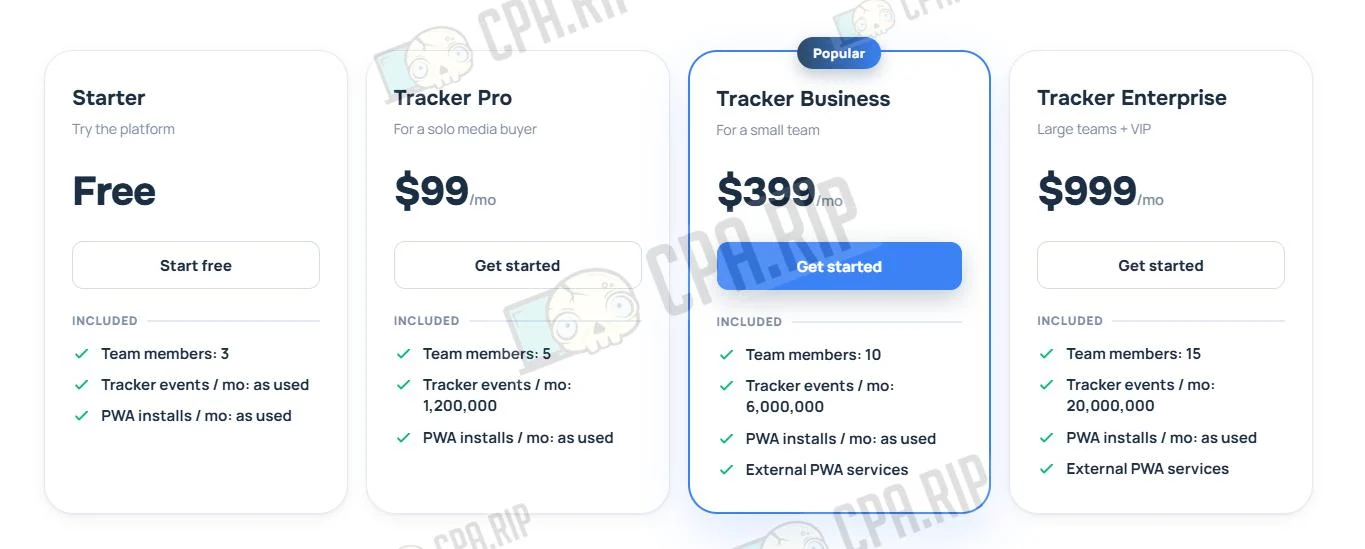
| Plan | Starter | Tracker Pro | Tracker Business | Tracker Enterprise |
| Price | Free | $99/mo | $399/mo | $999/mo |
| Team members | 3 | 5 | 10 | 15 |
| Tracker events / mo | as used | 1,200,000 | 6,000,000 | 20,000,000 |
| PWA installs / mo | as used | as used | as used | as used |
| AI model requests / mo | – | 20 | 250 | 500 |
| API access | ✓ | ✓ | ✓ | ✓ |
| MCP server | ✓ | ✓ | ✓ | ✓ |
| Domain management | ✓ | ✓ | ✓ | ✓ |
| AI assistant (Adset BRO) | ✓ | ✓ | ✓ | ✓ |
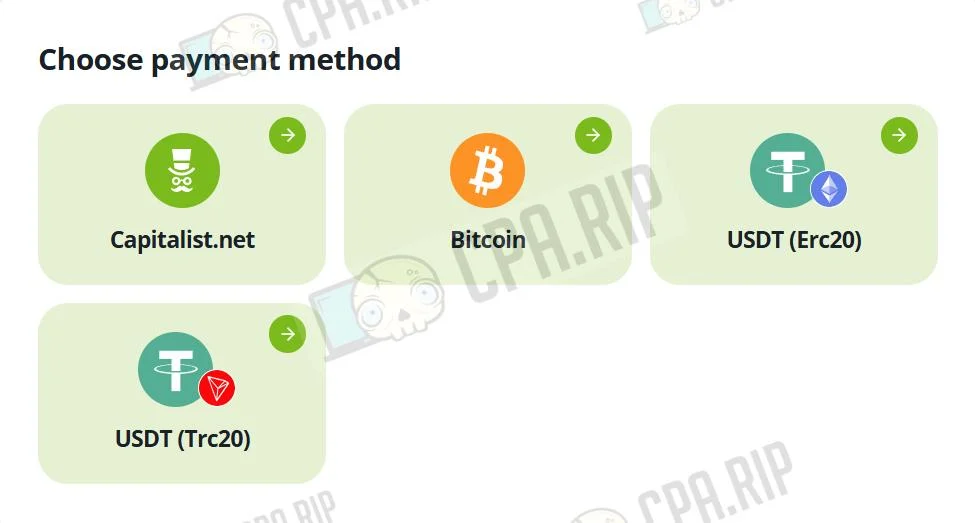
Accepted payment methods:
- Capitalist
- Bitcoin
- USDT
Registration
To get started, you need to:
- Create a pro account;
- Activate a plan;
- Create a campaign and launch ads.
To create an account, go to adset.pro and click “Get started” in the upper-right corner.
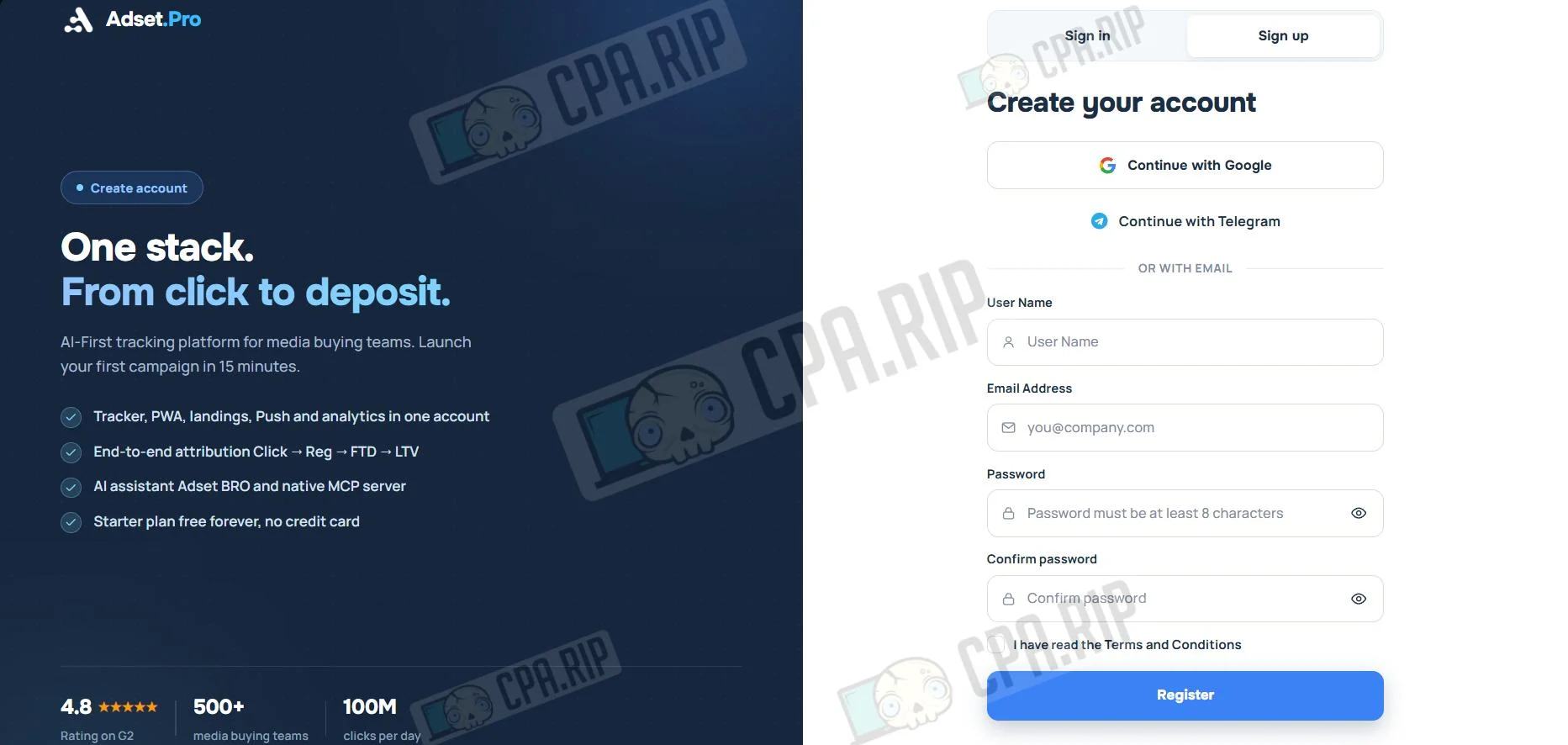
- Fill in the required fields: User Name, Email, Name, and Password, then click “Register”.
- Verify your account through the https://telegram.me/AdsetPro_bot bot.
Adding an Affiliate Network to the Tracker
Adset.pro supports affiliate network integrations with preset settings and macro sets (UTM parameters).
- Go to the Aff. Networks tab and click “+Aff. Networks”.
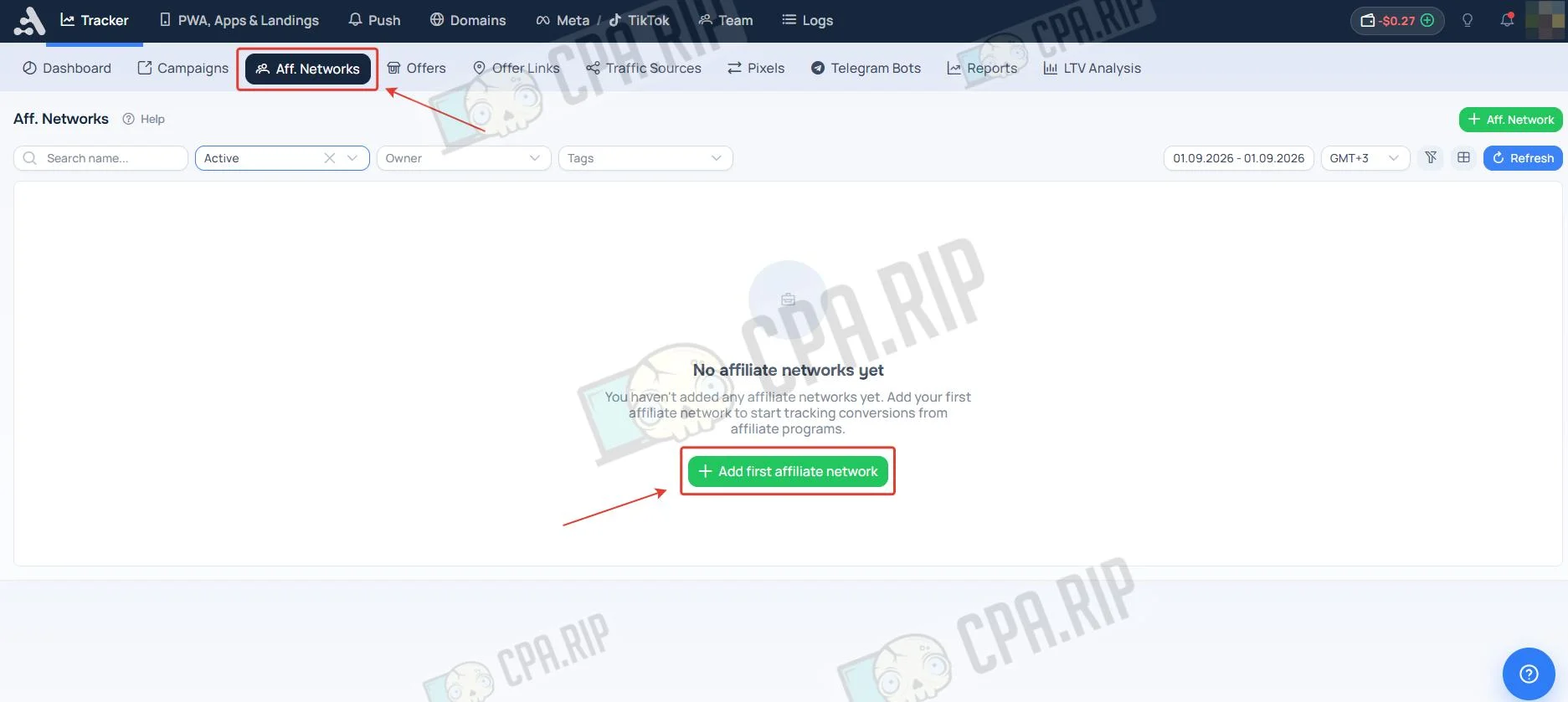
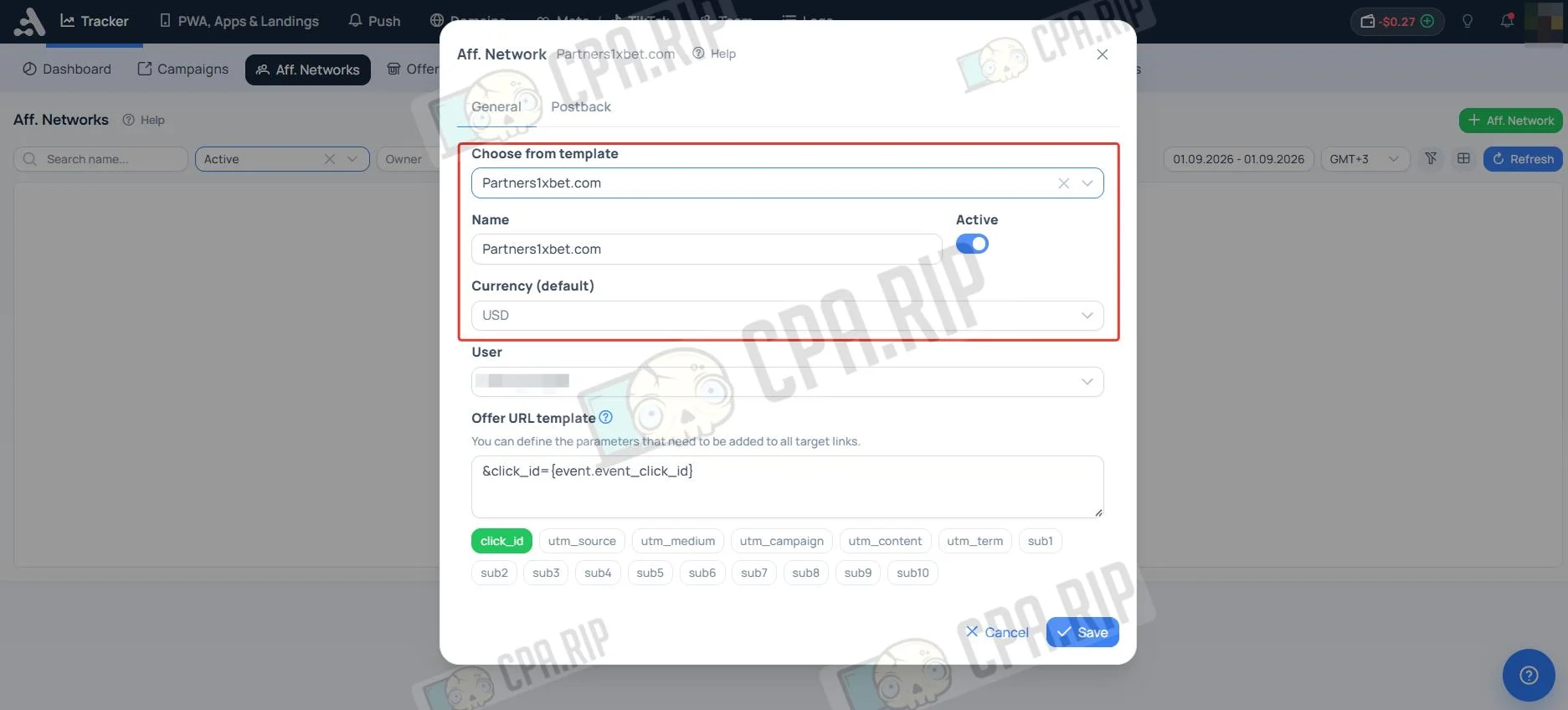
- In the menu that opens, select an affiliate network template in the Template field. If there is no template, enter a name in the Name field and select a currency in the Currency field.
- Copy the contents of the Postback URL field in the Postback section.
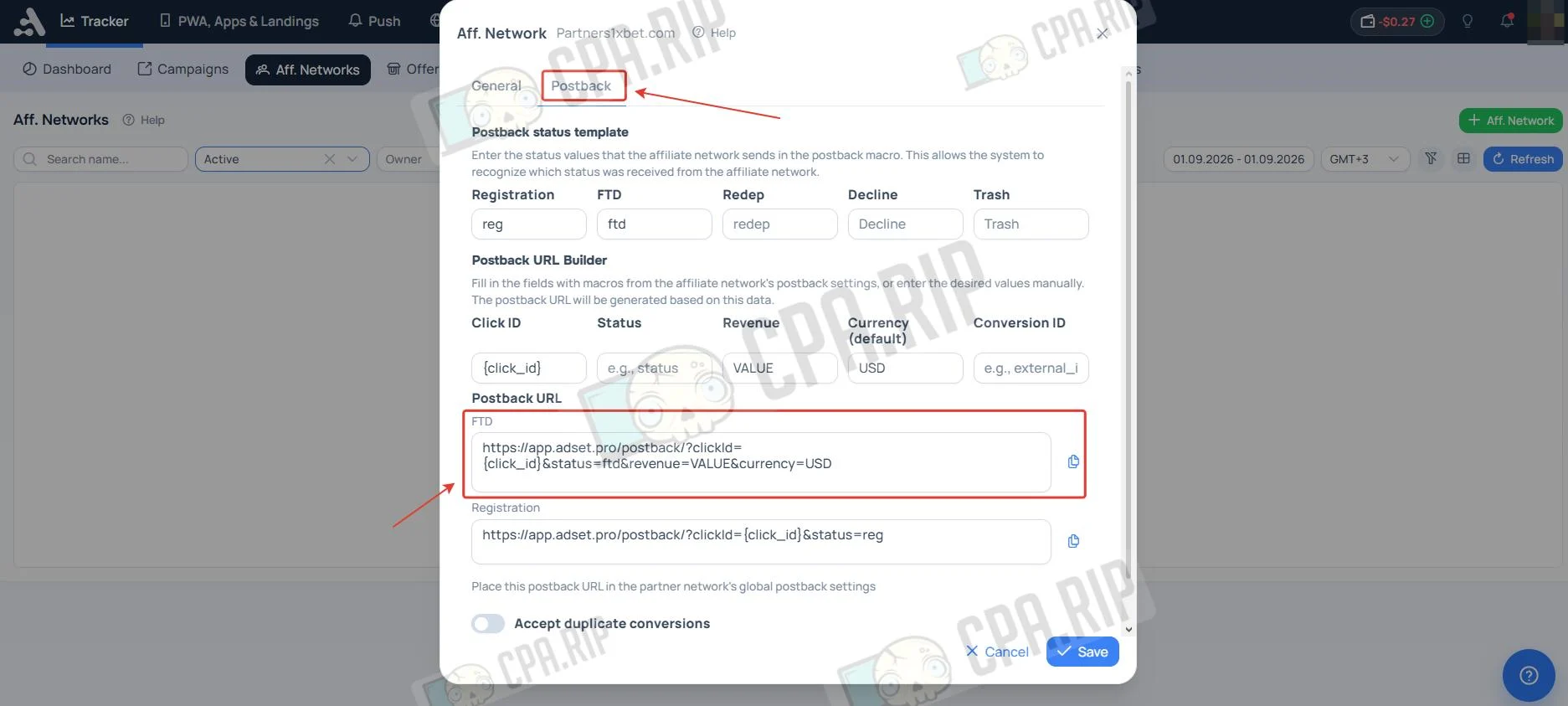
If there is no ready-made template, specify conversion statuses manually. You can confirm macro formats and status names with your CPA network manager.
Setting Up an Offer Funnel With a URL or Landing Page
Adding an Offer
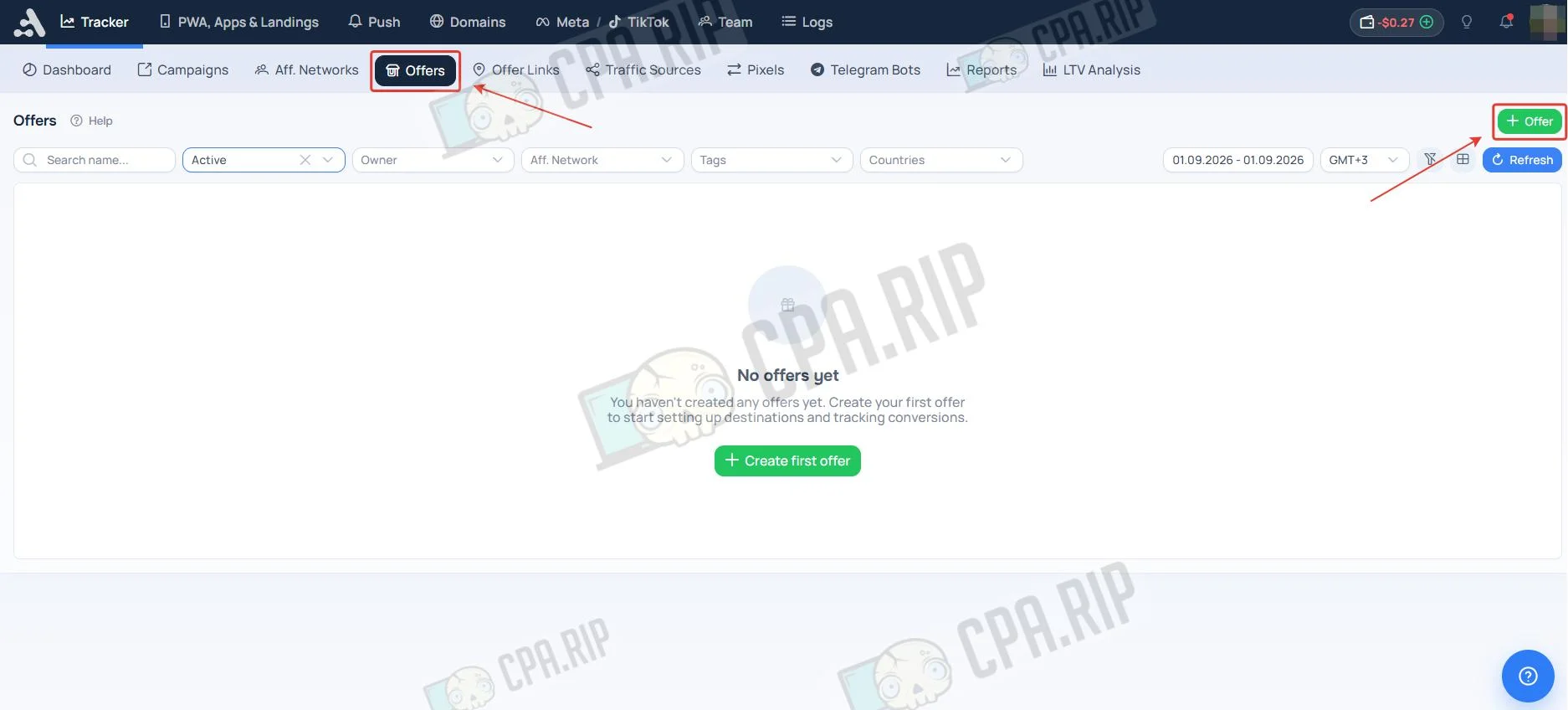
Offer (оффер) in this tracker means an offer from a CPA network, such as a casino, sportsbook, or dating site.
- Go to the Offers tab and click “Offer”.
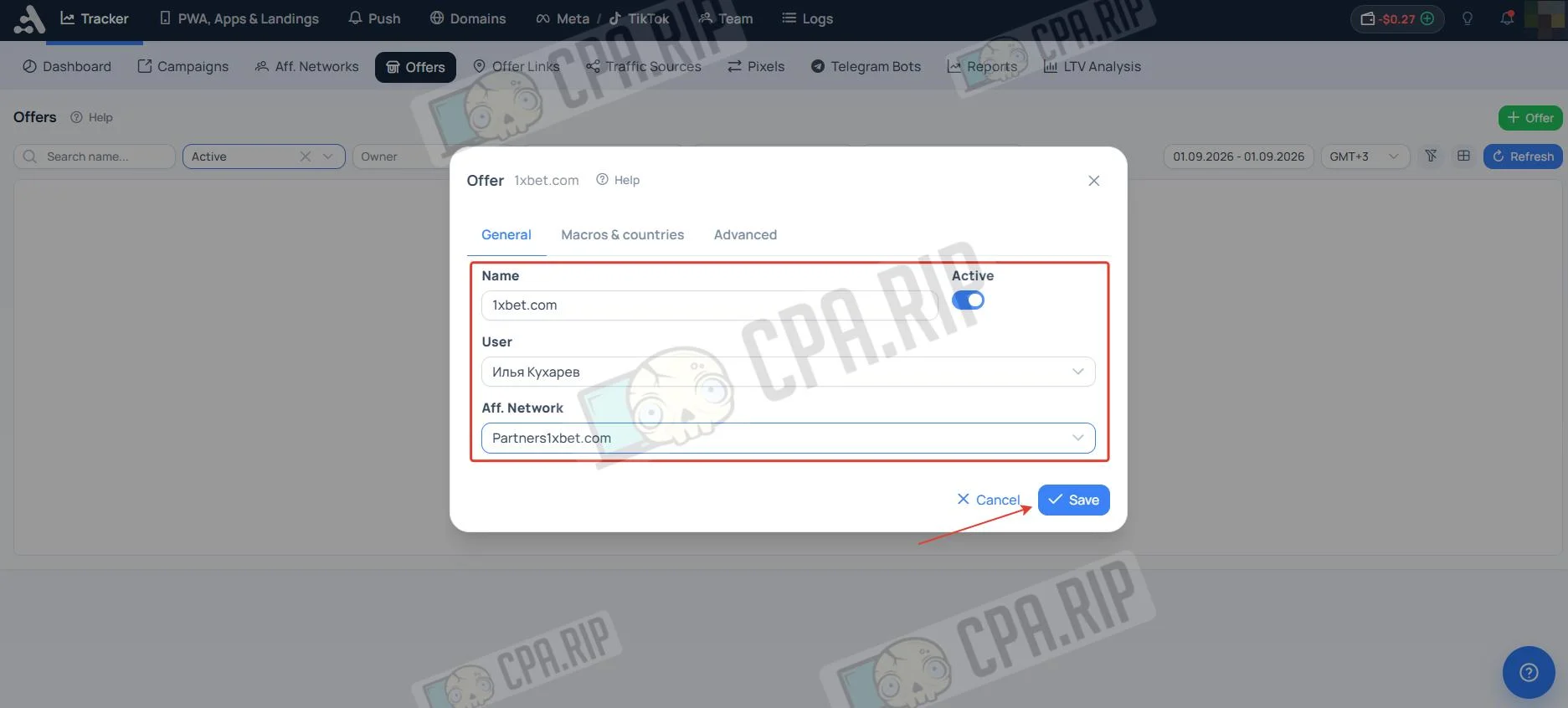
- Enter the offer name, select the affiliate network, and click “Save”. In the “Country macros for PWA and Push Notification” section, you can configure the country and up to three text phrases for use in PWA and Push Notification.
Setting Up an Offer Flow
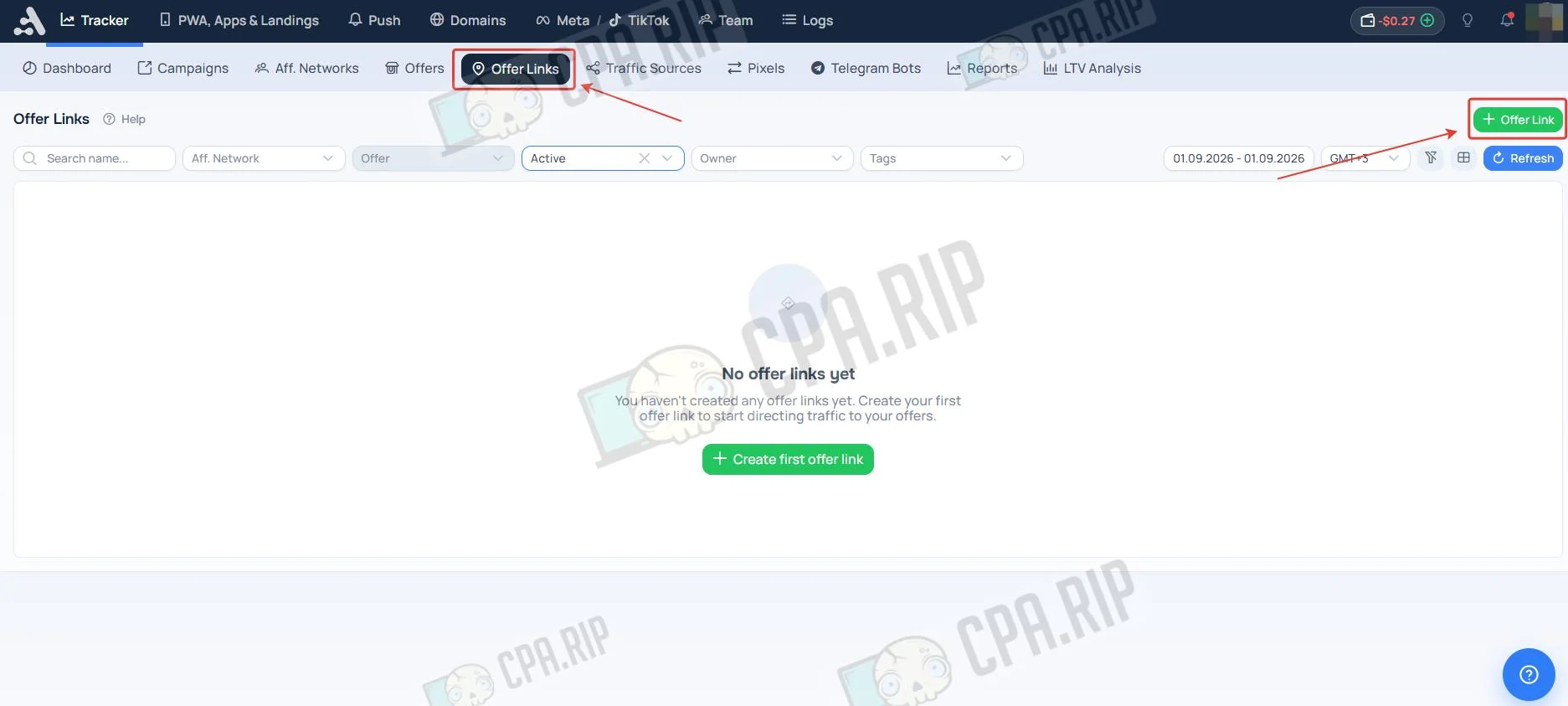
- Go to the Offers Links tab and click “Offers Link”.
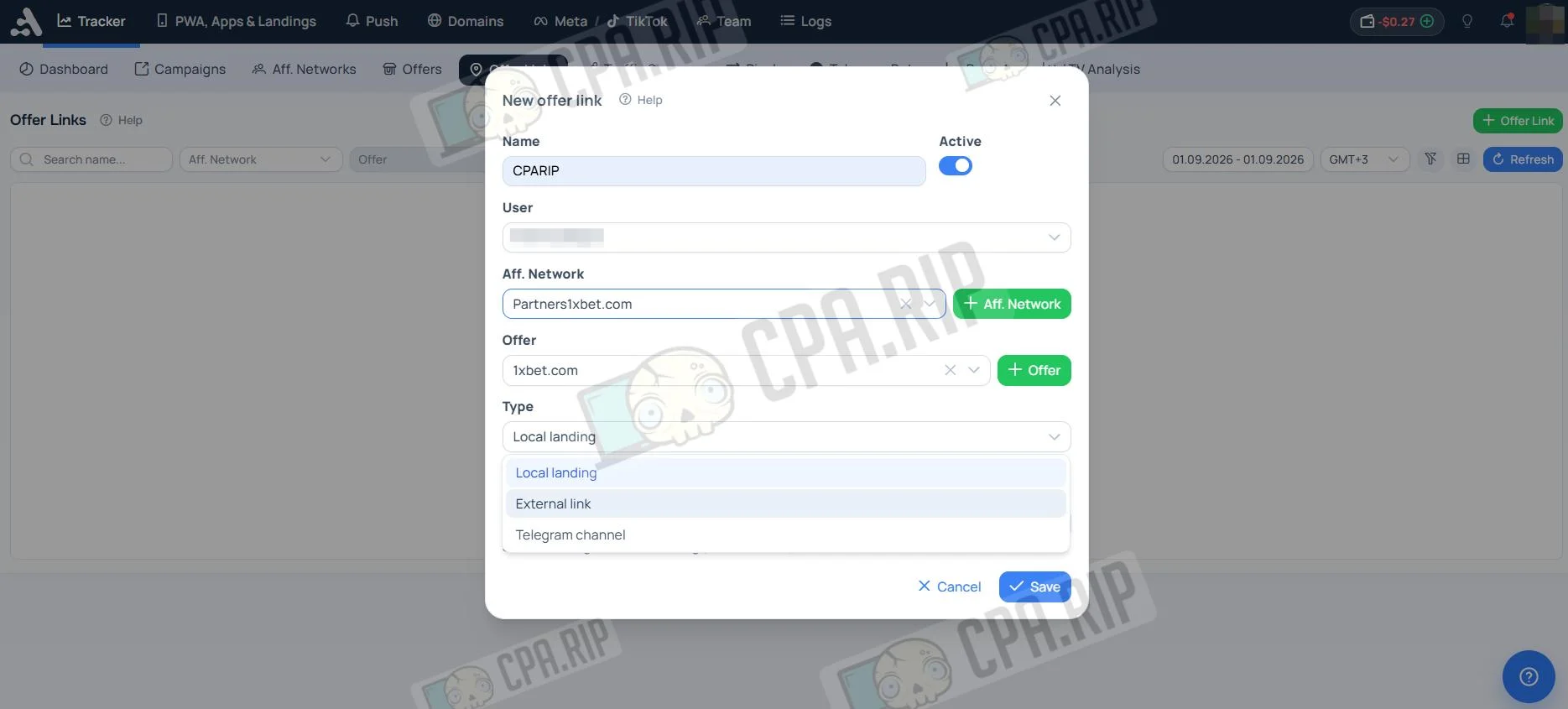
- Enter a name, then select the affiliate network and offer.
- In the Type parameter, select an external link, local landing page, or Telegram channel.
- Click “Save”.
- External link: paste the direct offer URL received from the affiliate network.
- Local landing page: select a local landing page that you uploaded in advance.
- Telegram channel: add a Telegram Bot.
Adding a Local Landing Page
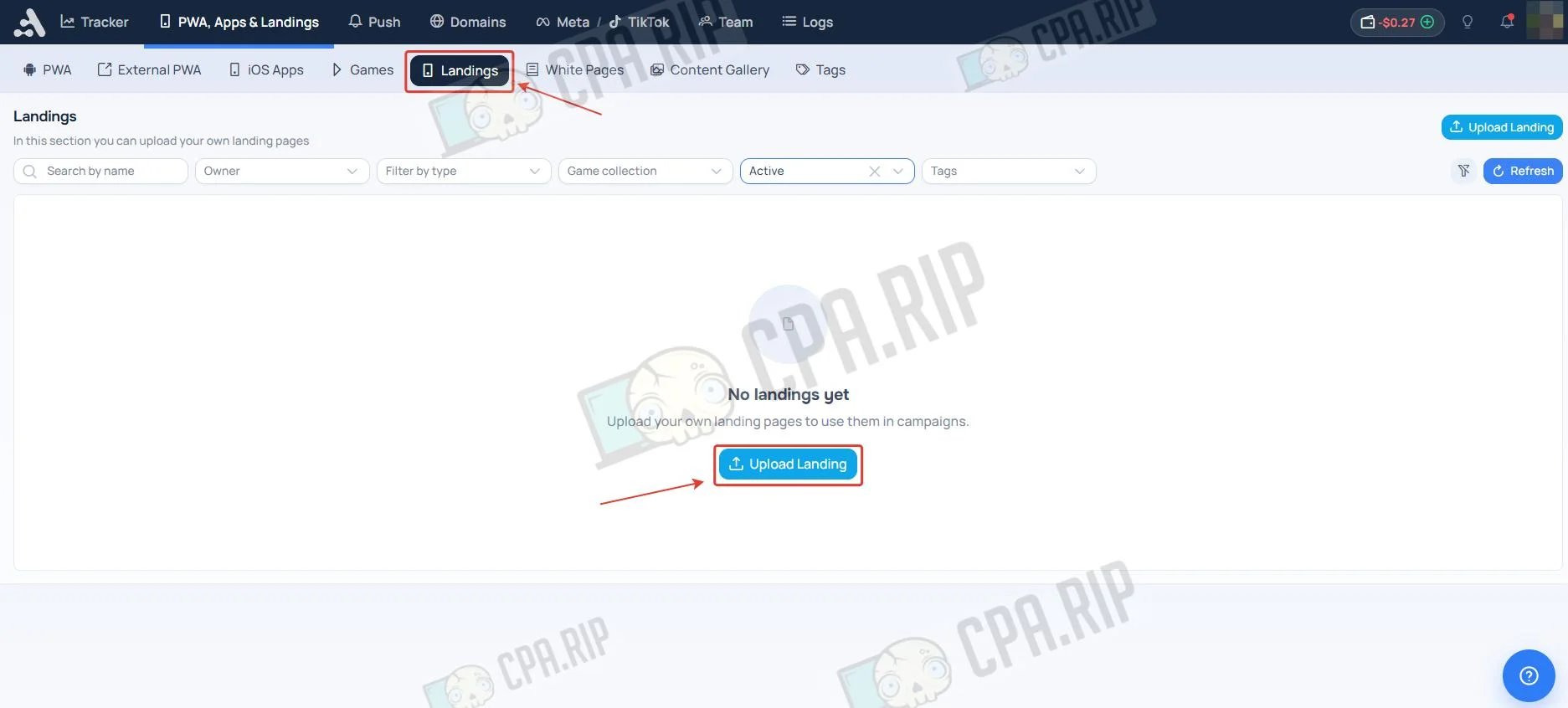
- Go to the “PWA, Apps & Лендинги” section, open the Landings subsection, and click “Upload Landing”
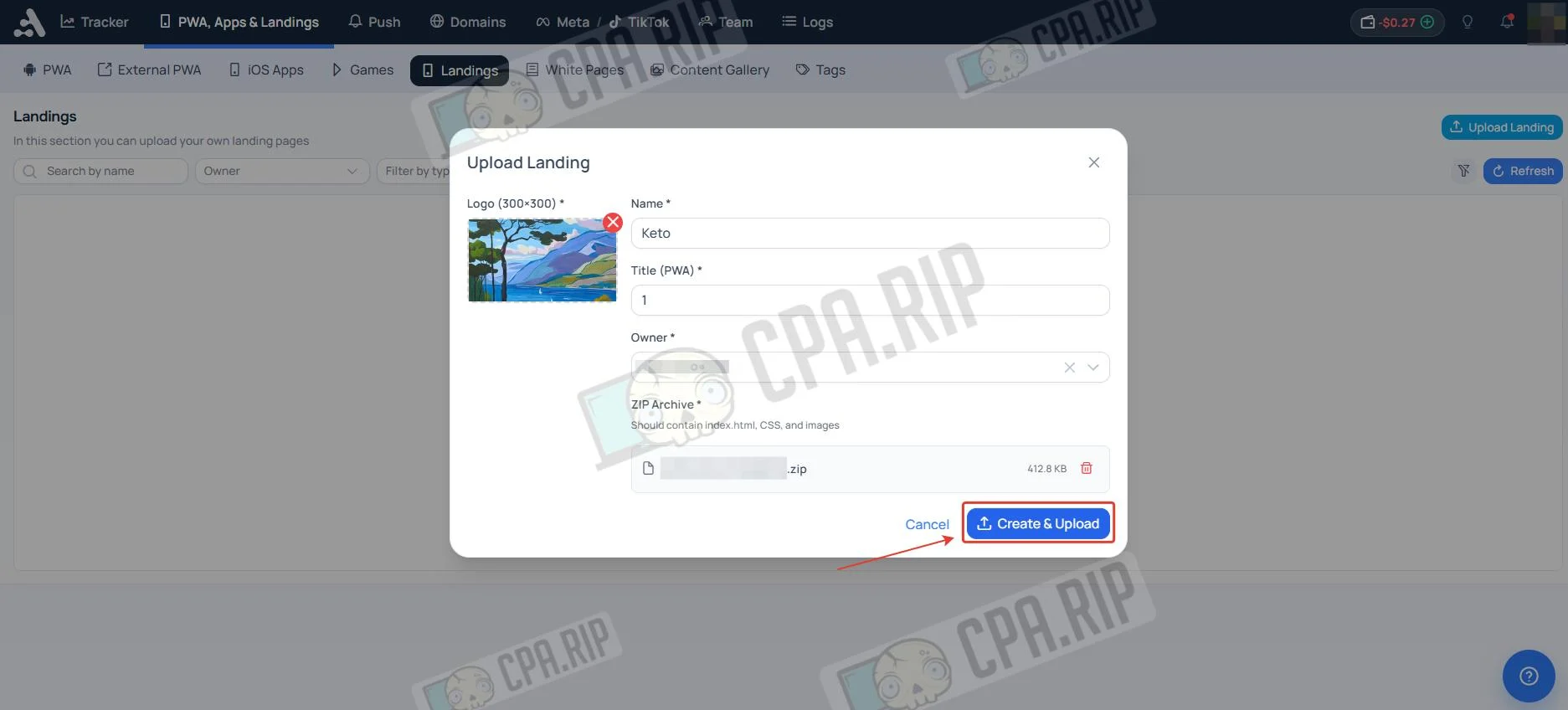
- Enter a name, add an archive, and click “Create & Upload”. If the landing page will not be used as a PWA, upload any image and enter any text in the required Logo and Title fields.
Gaming Pre-Landers
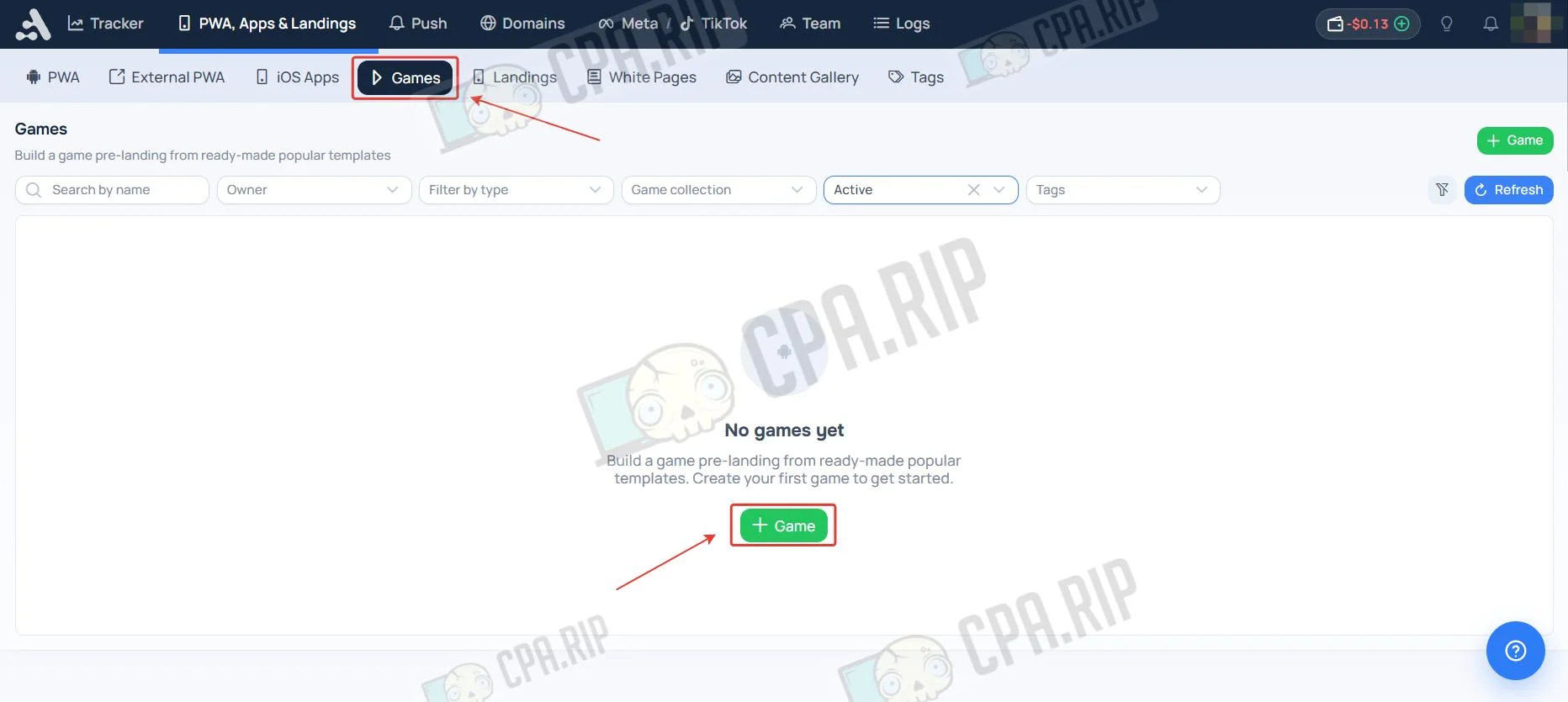
In addition to uploading your own landing pages, Adset.pro offers ready-made gaming pre-landers. You can use them as a funnel stage before redirecting visitors to an offer.
- Go to the “PWA, Apps & Лендинги” section, open the Games subsection, and click “+Game”
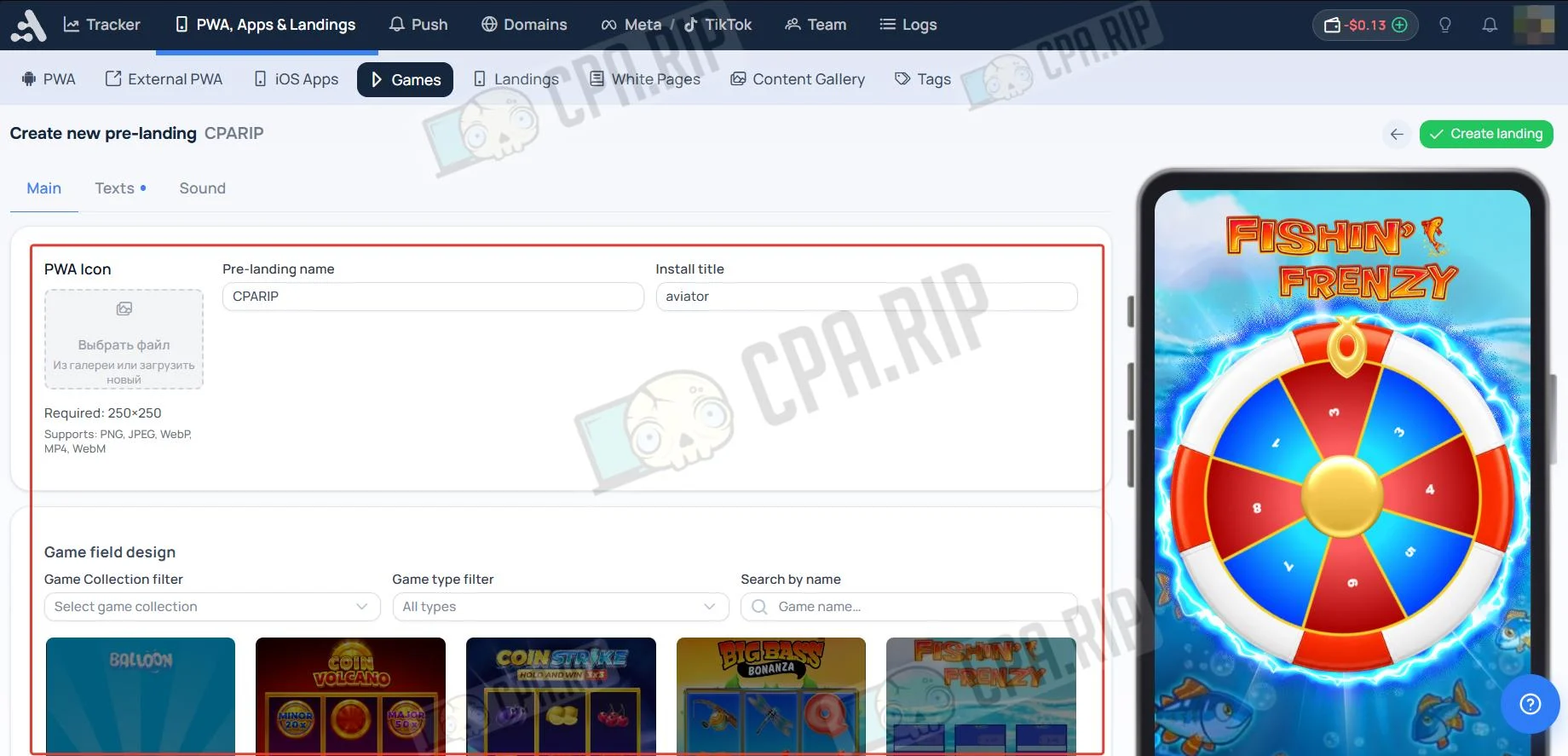
- To create a pre-lander, fill in the internal name (Pre-landing name) and user-facing title (Install title) fields, upload an icon, and select a suitable game field design.
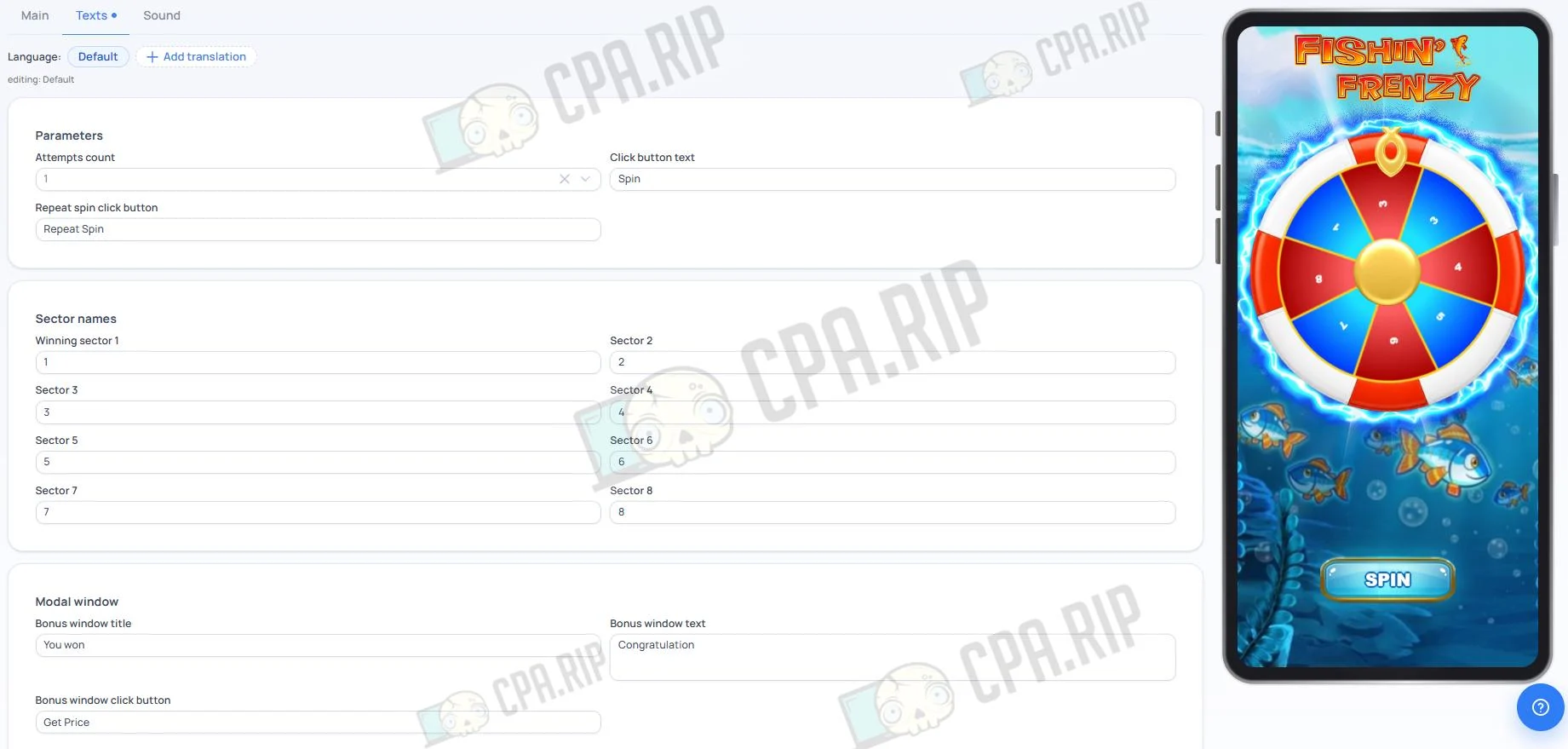
- On the Texts tab, fill in the interaction parameter fields: Attempts count, Click button text, Repeat spin click button;
- Specify values for all game field sectors, from Winning sector 1 to Sector 8;
- Enter text for the winning modal window: Bonus window title, Bonus window text, and Bonus window click button.
If needed, add translations into other languages using the Add translation button.
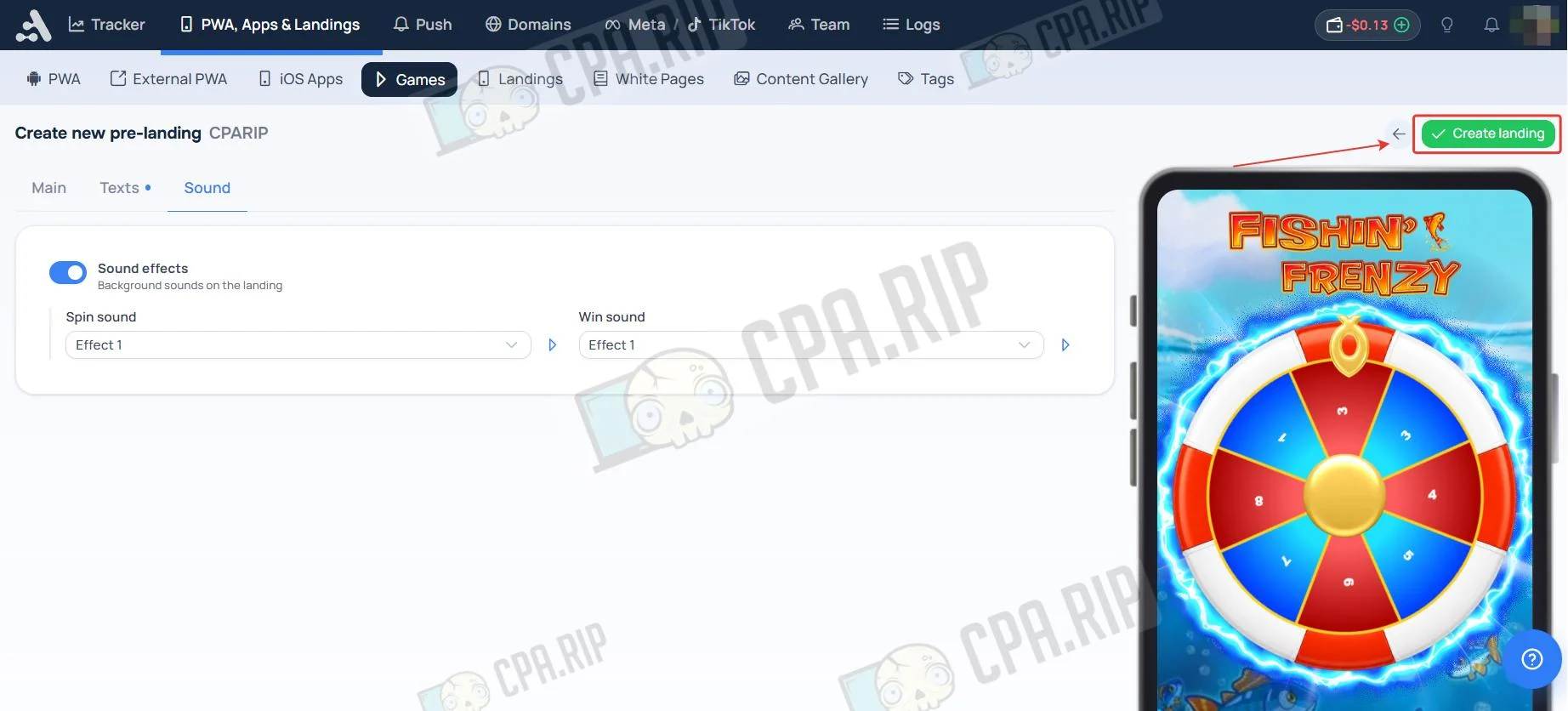
- On the Sound tab, enable sound effects, select tunes for Spin and Win, then click “Create landing”.
Creating a PWA App
A PWA is a web app installed on a user’s device. It works like a native app and lets you collect and send push notifications.
- Go to the “PWA, Apps & Лендинги” section, open the PWA subsection, and click “PWA”.
- At the Pwa Type step, enter the PWA name, language, and category.
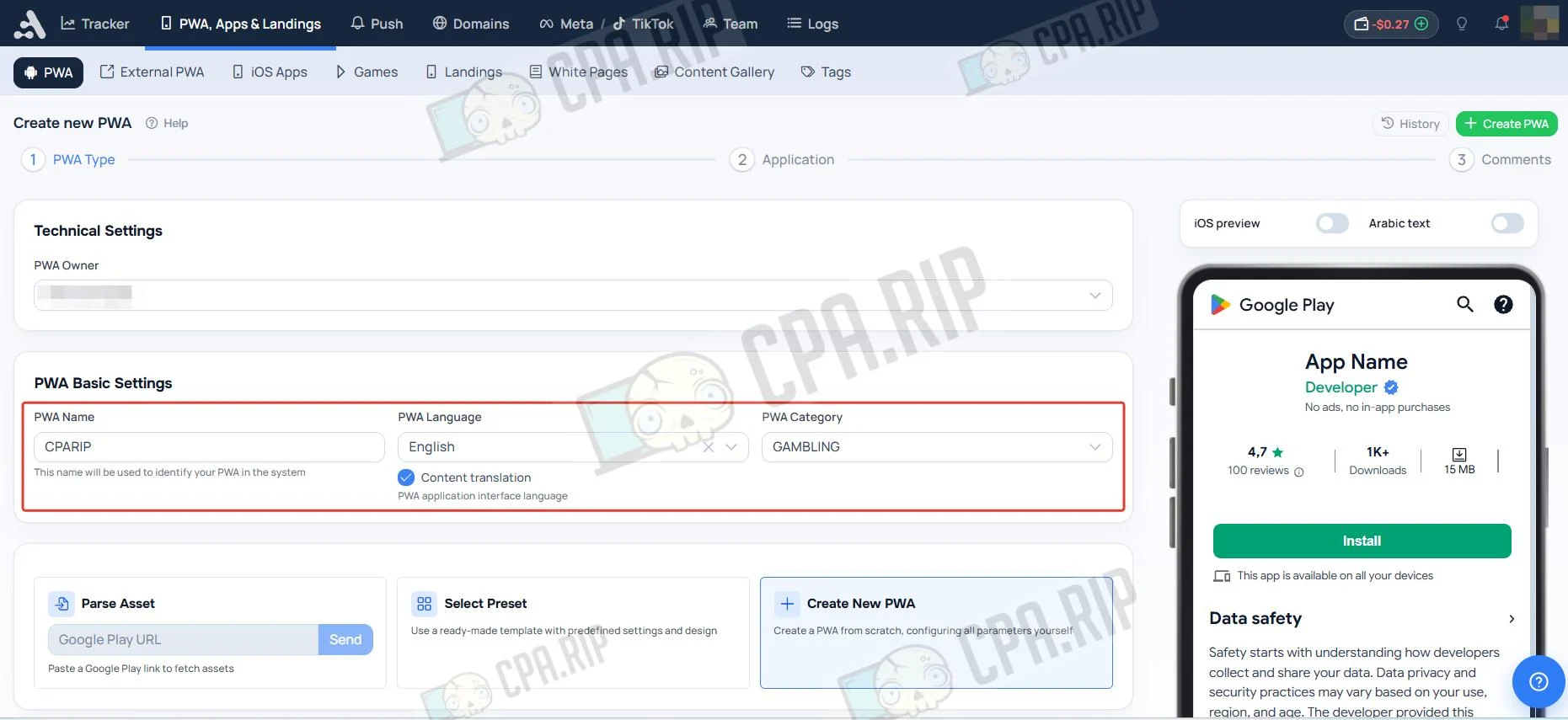
- Select a Pwa creation method. You can create one from scratch, use one of 5 themes, or parse assets from Google play.
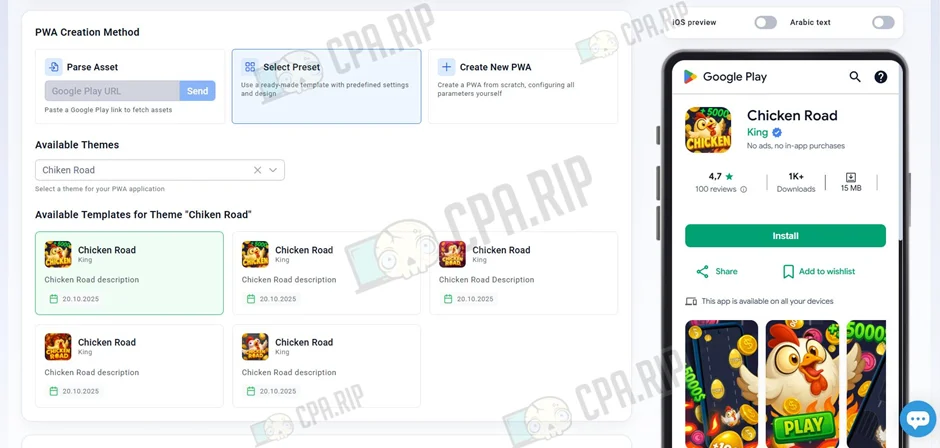
- Configure the required features and select the appearance.
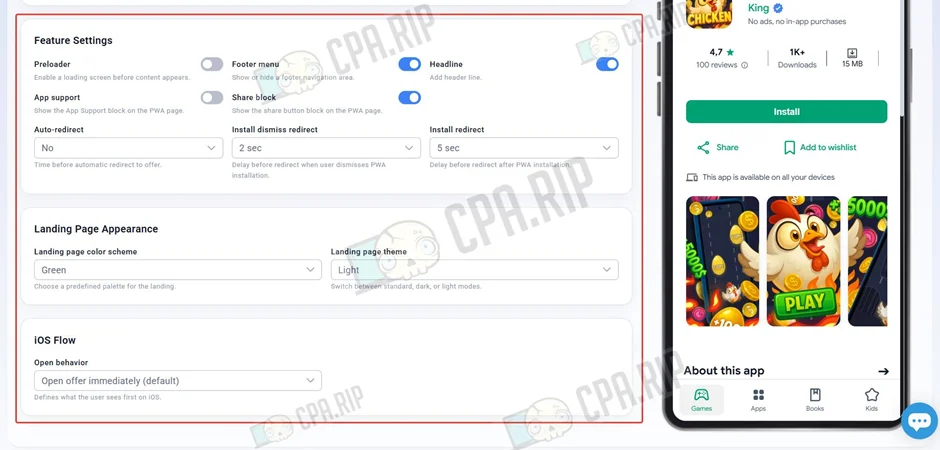
- At the Application step, you can configure the displayed text, icons, and images.
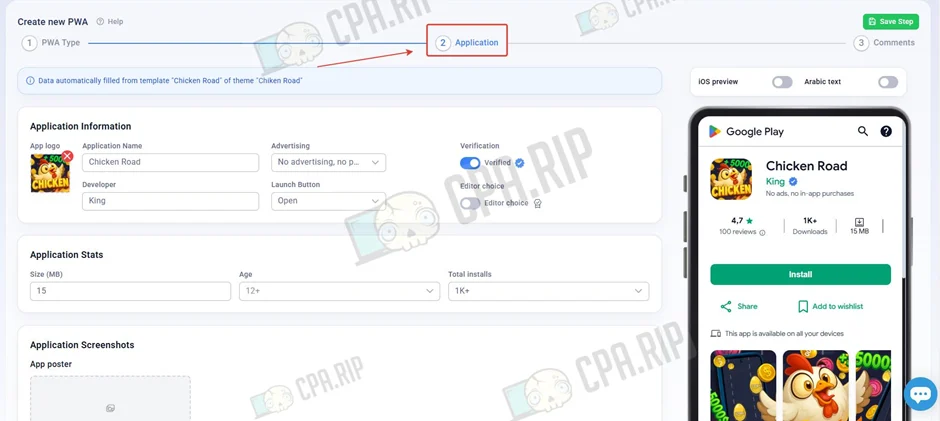
- At the Comments step, select the GEO where you will drive traffic and the language.
- Upload or generate comments.
iOS Apps
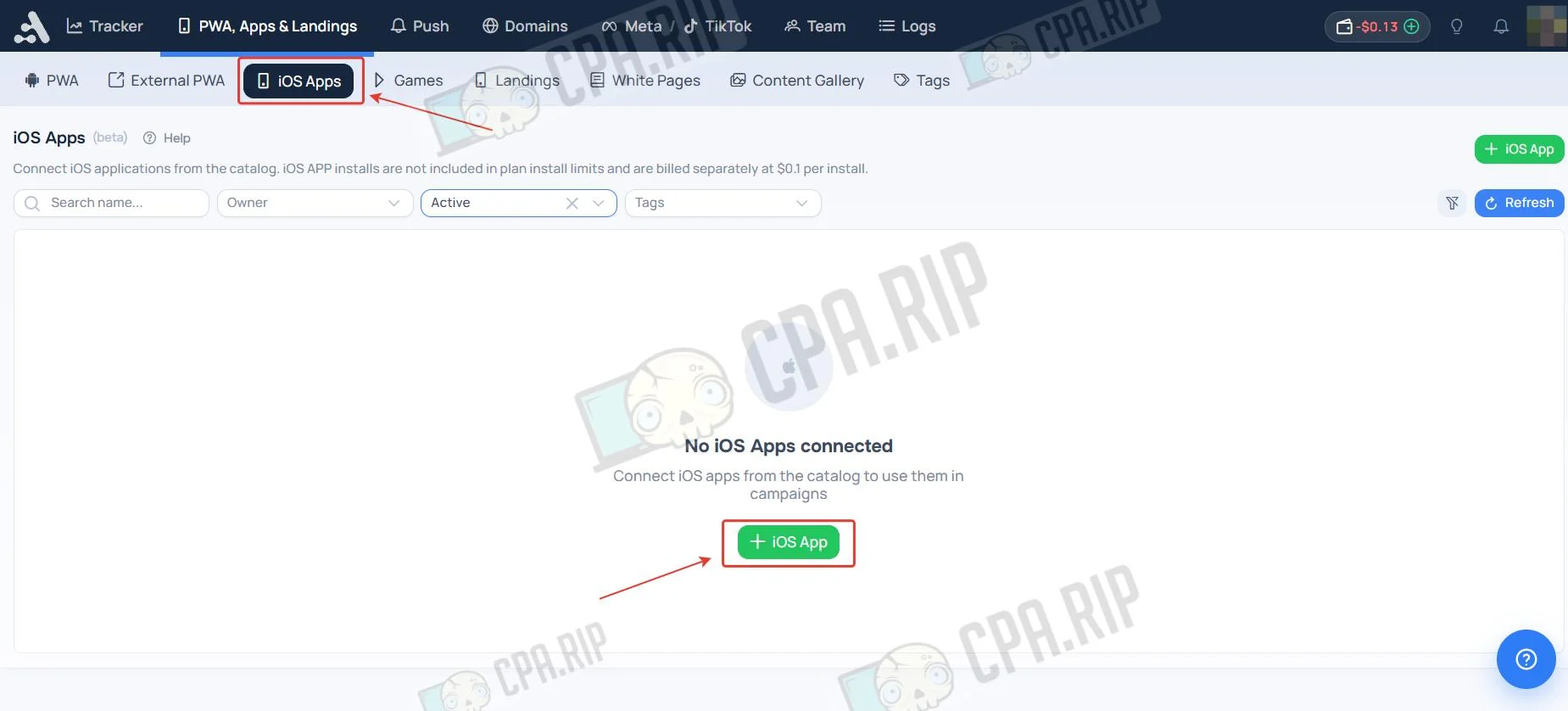
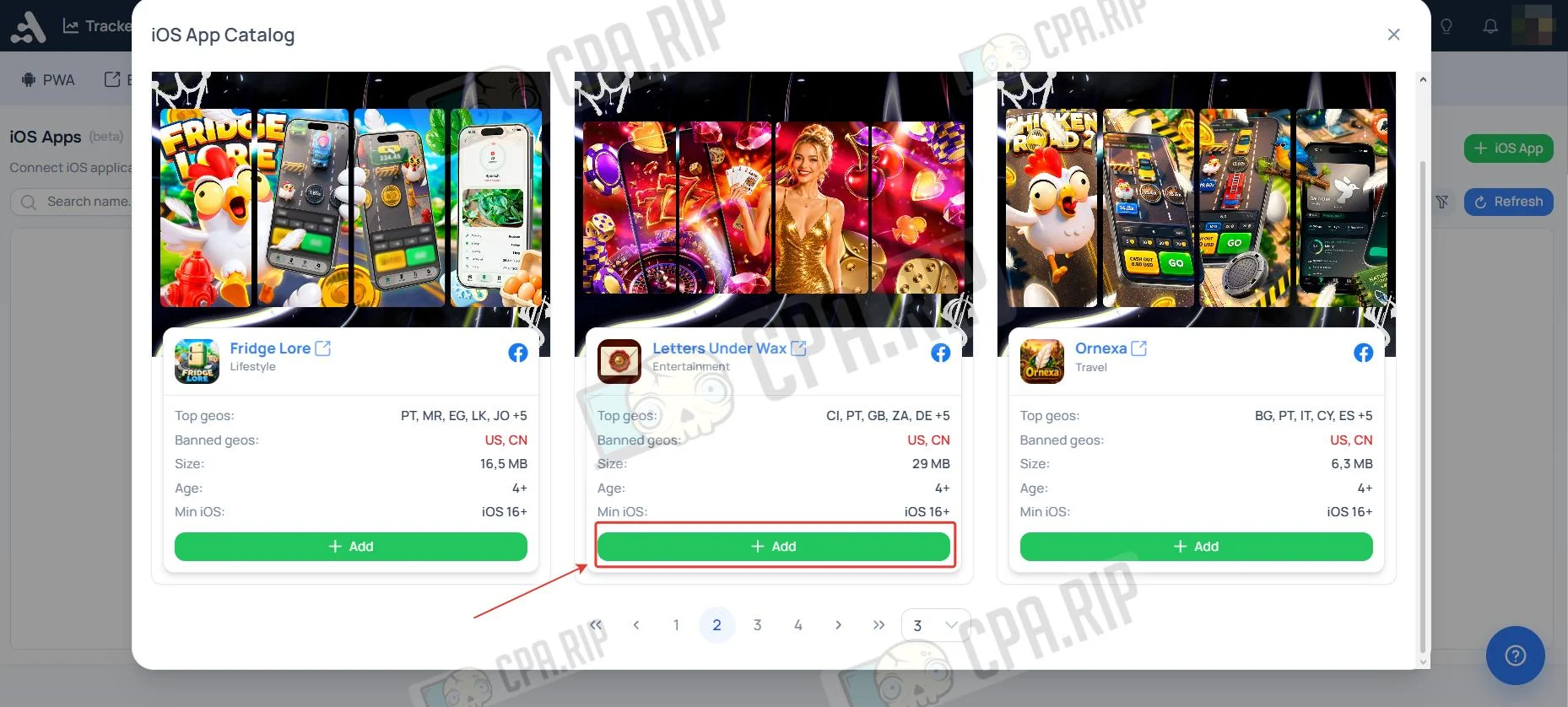
Connect iOS apps from the catalog. iOS APP installs are not included in your plan’s install limits and are billed separately at $0.1 per install.
- Go to the “PWA, Apps & Лендинги” section, open the iOS App subsection, and click “+iOS App”.
- Select an app and click “Add”
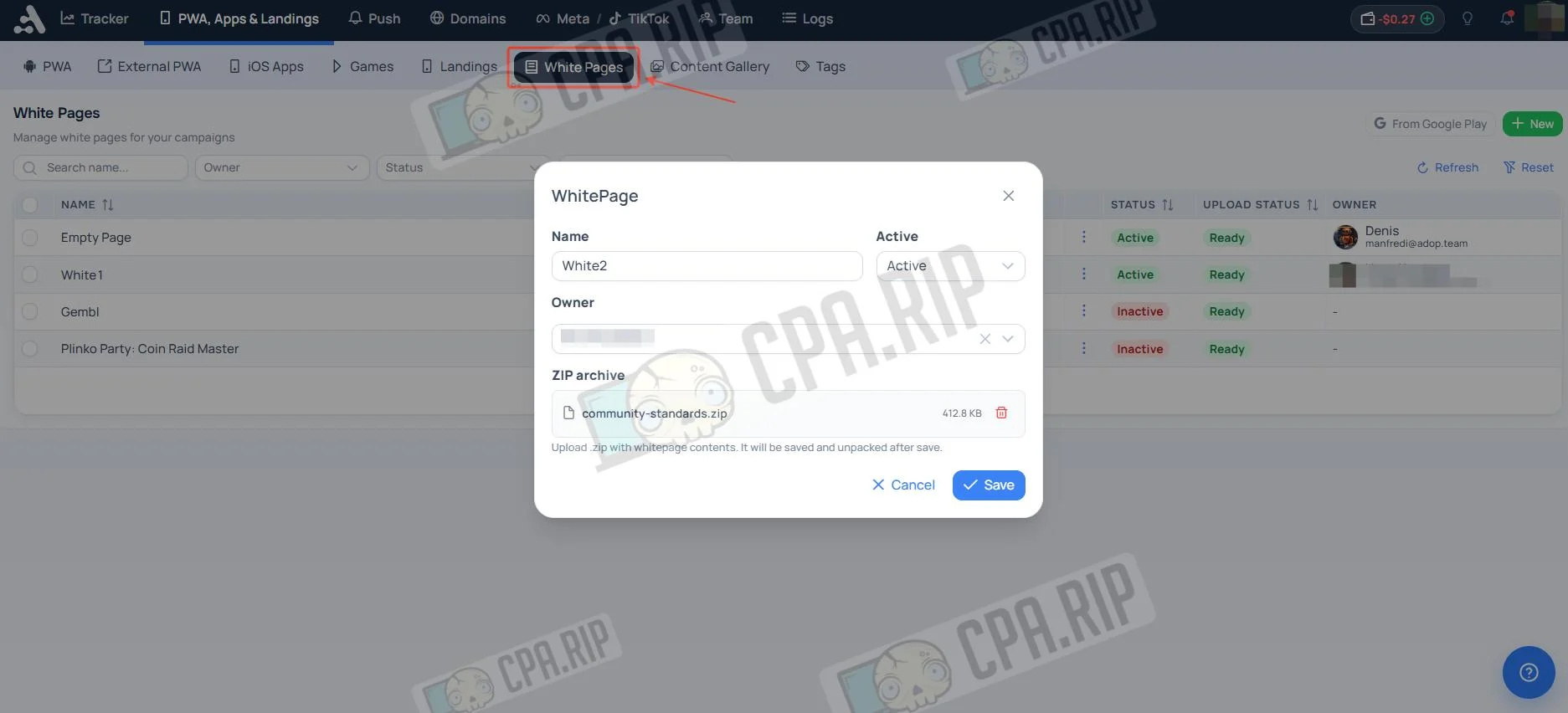
Adding a White Page
- Go to the “PWA, Apps & Лендинги” section, open the White page subsection, and click “New”.
- Enter a name, add an archive with the White page, and click Save.
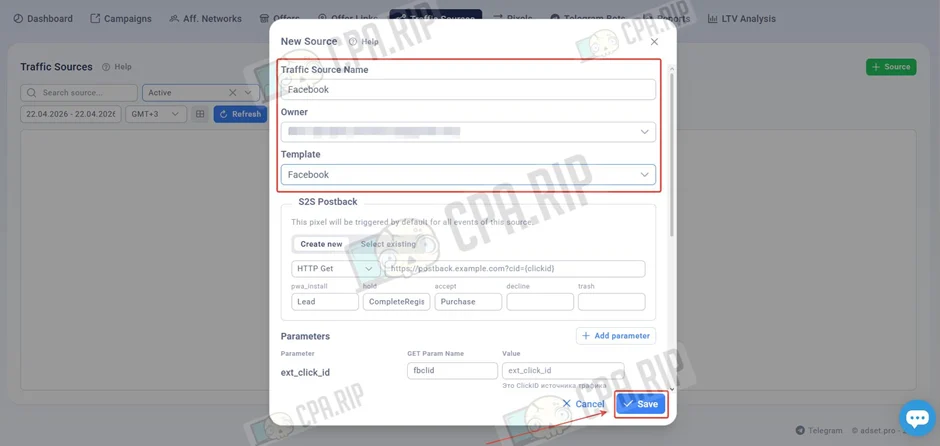
Setting Up a Traffic Source in Adset.pro
Traffic sources are a set of templates for popular ad networks with preconfigured data for transferring UTM parameters. They let you set up data transfer from a traffic source to the tracker and back in a couple of clicks.
- Go to the Traffic Sources tab and click “Source”.
- Select the required source from the template.
- Edit the parameters if needed.
- Click Save.
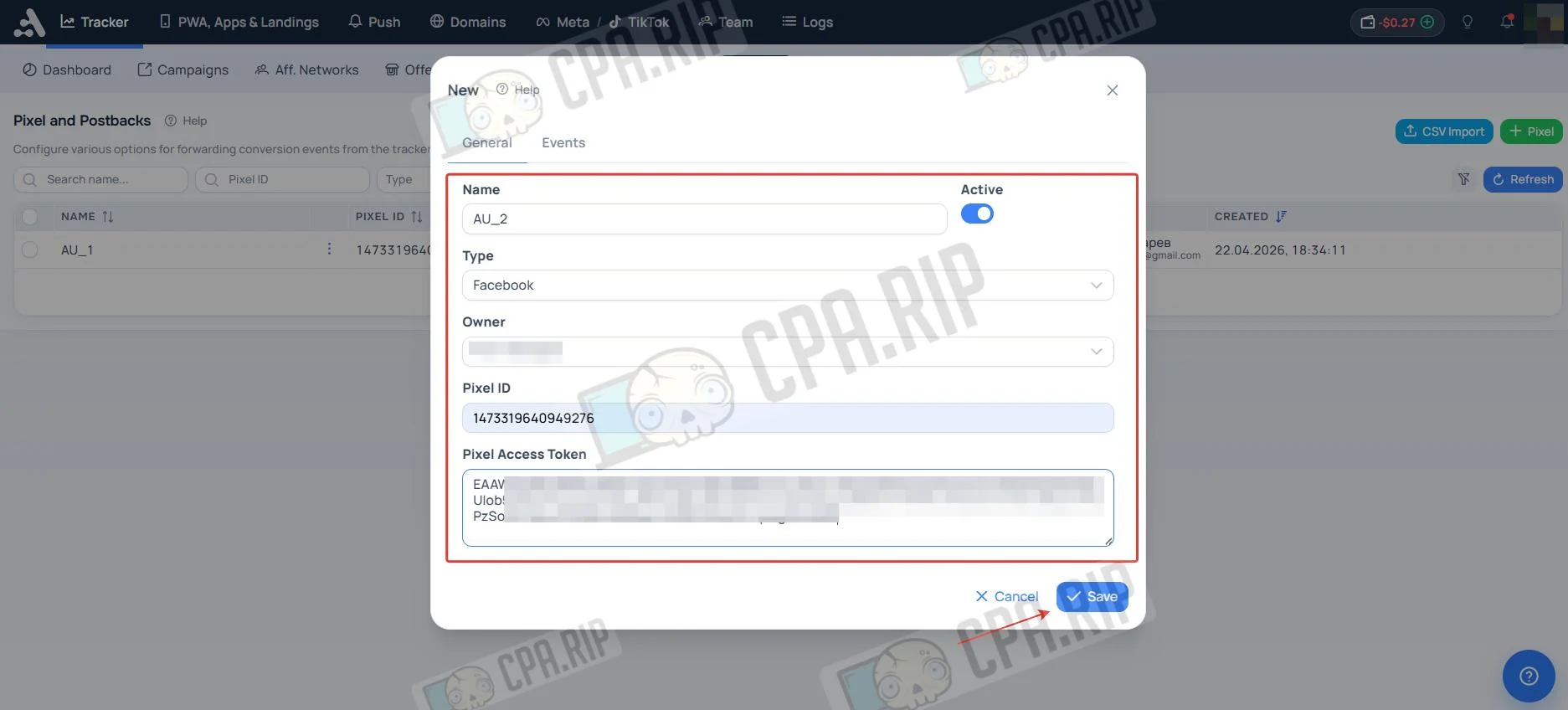
Facebook Conversion API
Let’s look at adding a pixel using Facebook as an example. Adset.pro can transfer events to Facebook Ads using the Conversion API (CAPI).
- In the Pixels section, click Pixel.
- Enter a name, select Facebook, and fill in the Pixel ID and Access Token fields.
- Click Save.
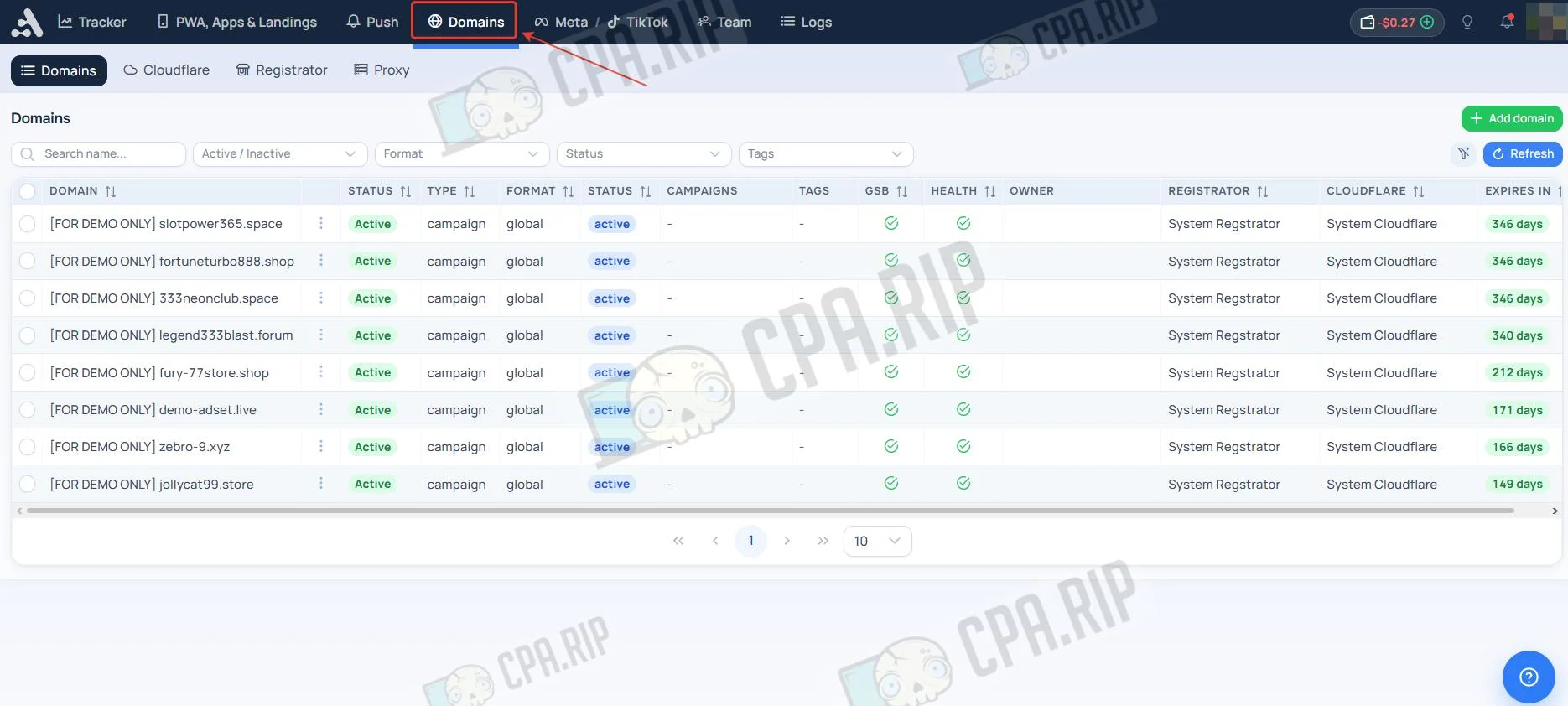
Domains
The Domains section provides free domains, with the list updated regularly. You can also connect your own domains or purchase new ones here.
Creating a Campaign in the Adset.pro Tracker
Basic Settings
Creating and configuring a campaign for driving traffic from Facebook Ads.
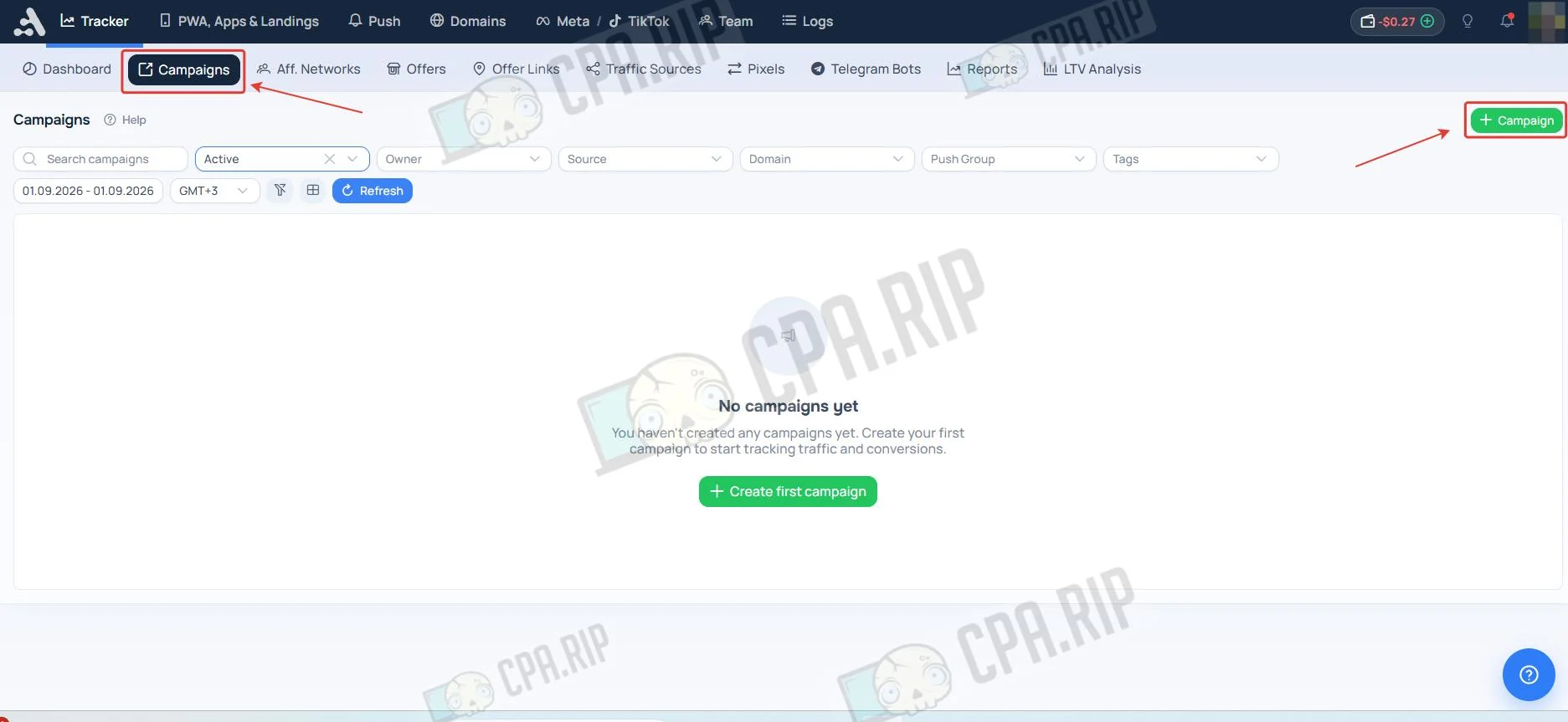
- Go to the Campaigns tab and click the “Campaign” button.
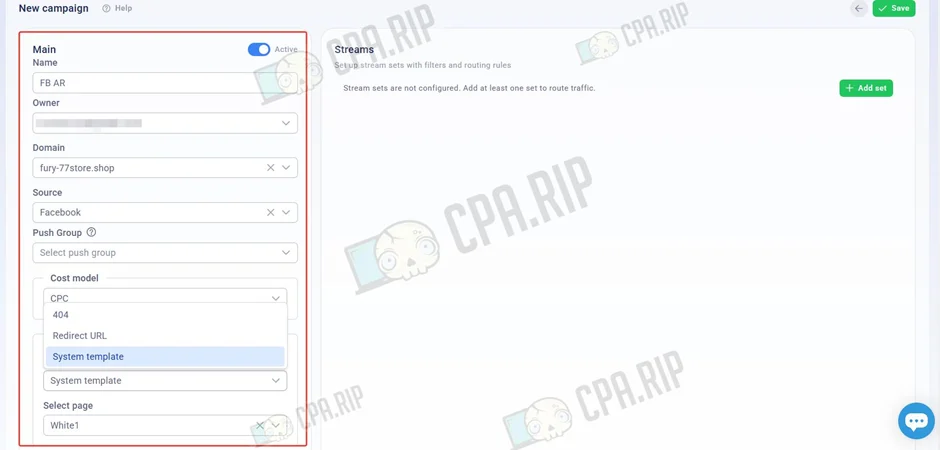
- Enter the campaign name, select a domain, and choose a source from the template.
- Set the cost model and value, if required.
- Select a White page option.
Flow
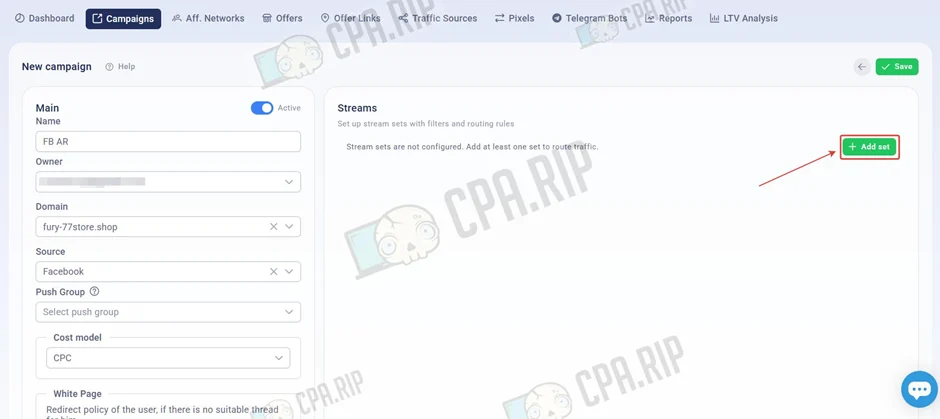
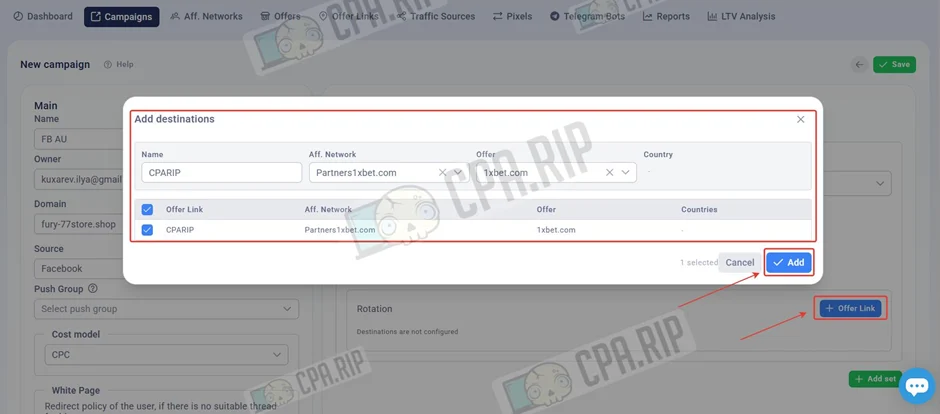
- To add a flow, click Add set.
- Select a Facebook filter template and the added pixel.
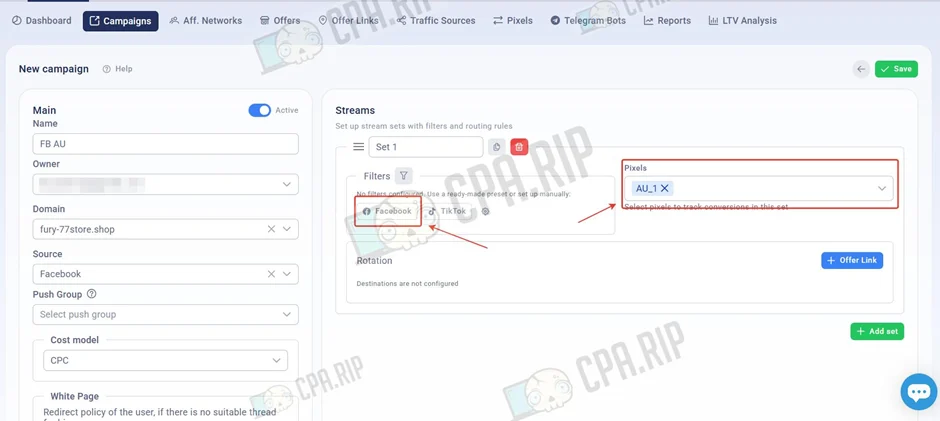
- Click “Offers link”.
- Enter a name, then select the affiliate network, offer, and offer link.
- Click “Add”.
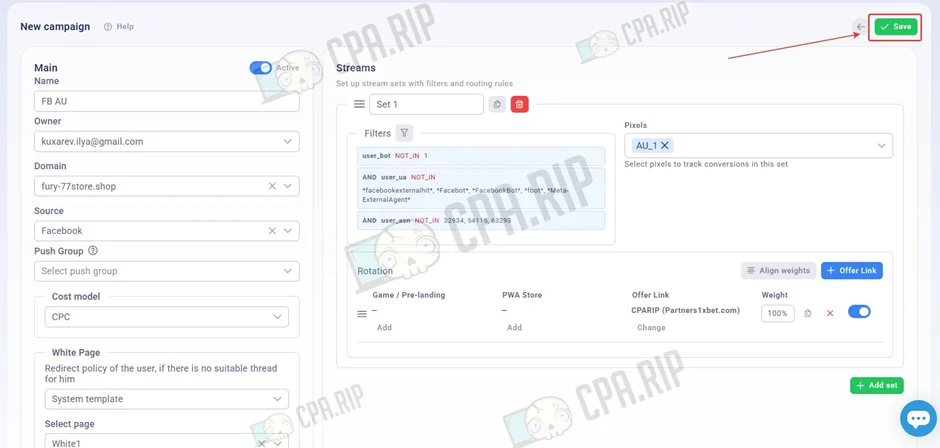
- After configuring the campaign, click “Save”.
Adding a PWA, Ext PWA, and iOS App to a Campaign
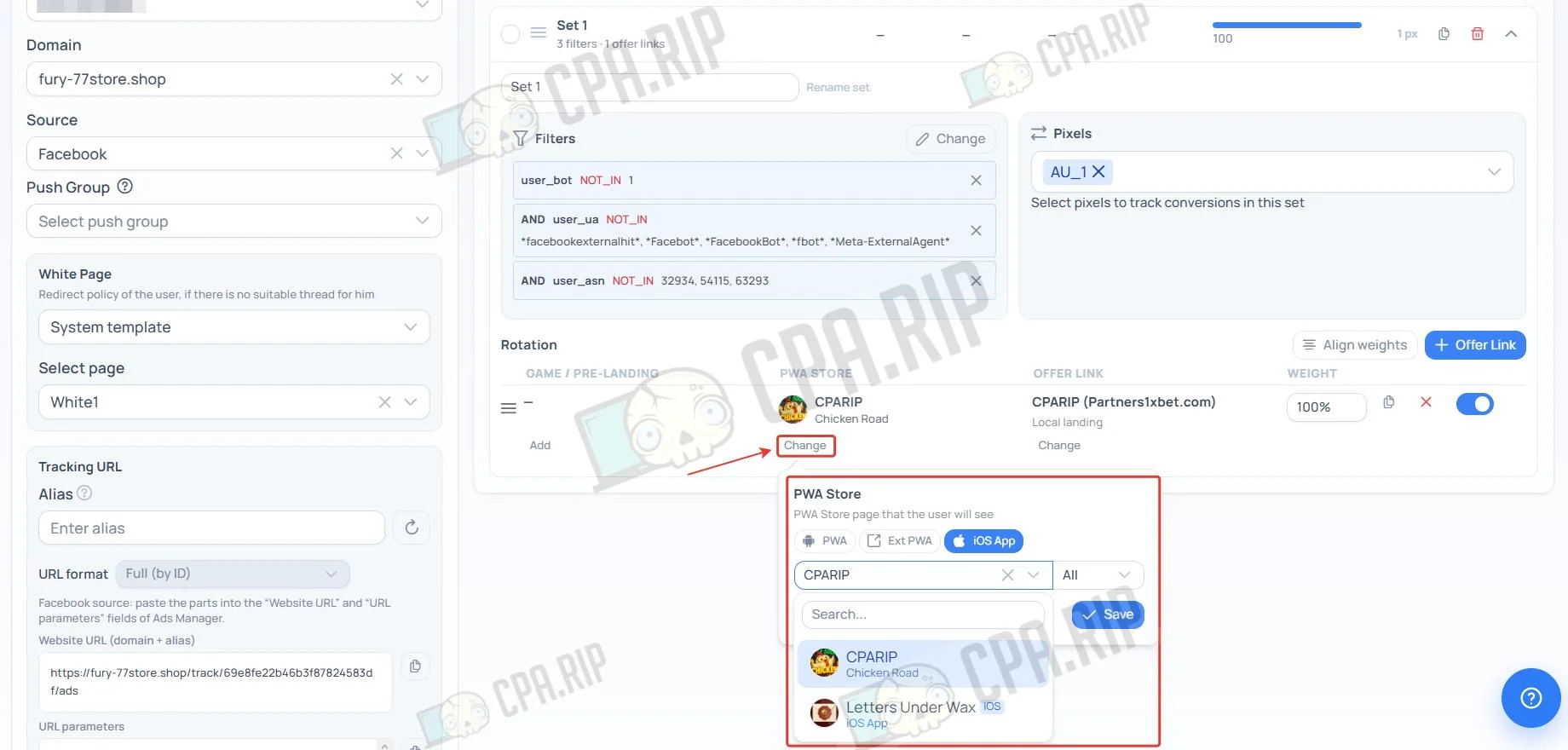
- In the campaign flow settings, click “Change” in the PWA Store parameter.
- Select the required PWA, Ext PWA, or iOS App and click “Save”.
Adding a Game or Pre-lander to a Campaign
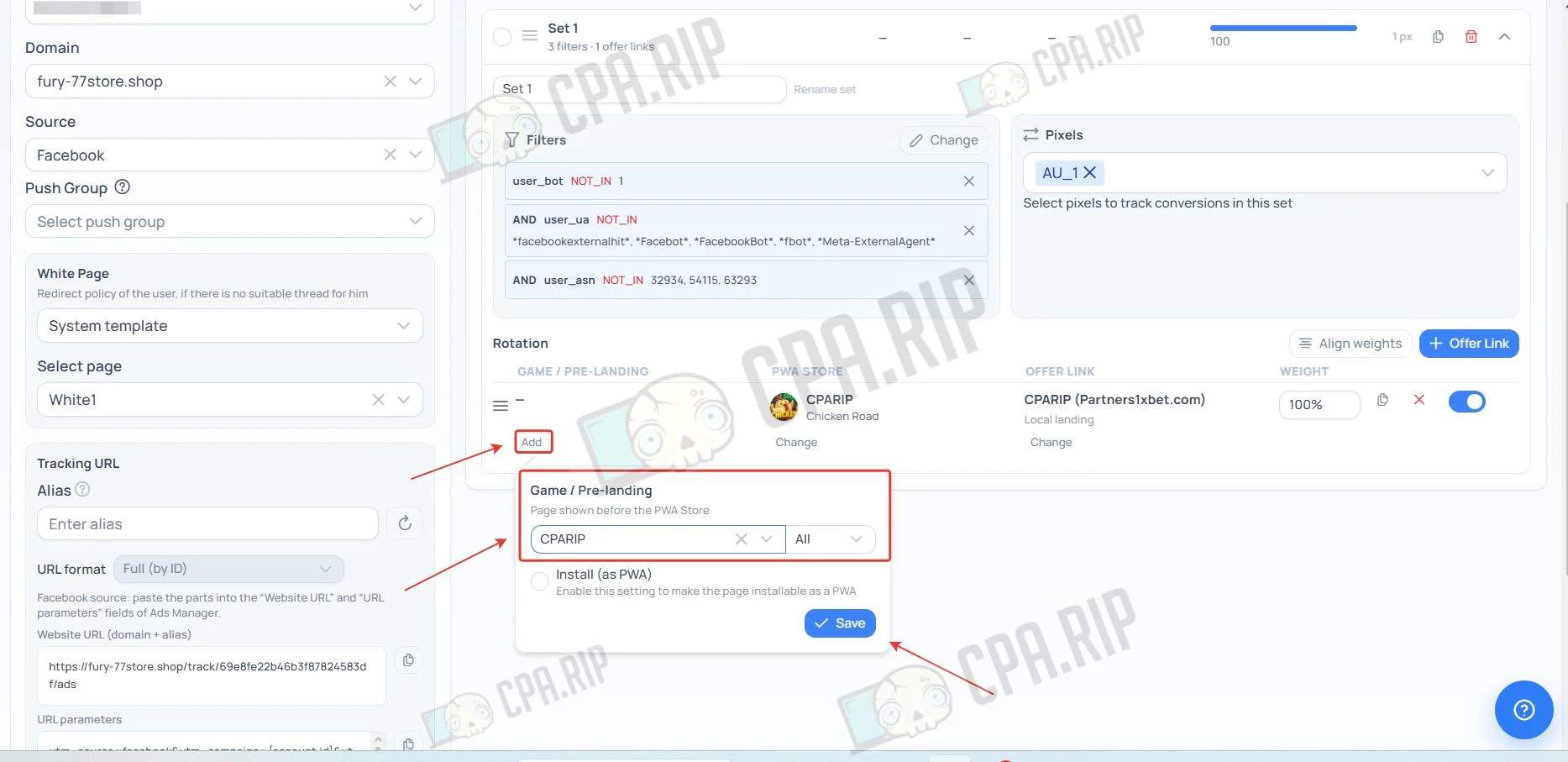
- In the campaign flow settings, click “Add” in the Game / Pre-landing parameter.
- Select the required Game or Pre-landing and click “Save”.
Setting Up a PUSH Notification
Push notifications are short messages delivered to users’ devices through browsers or mobile apps.
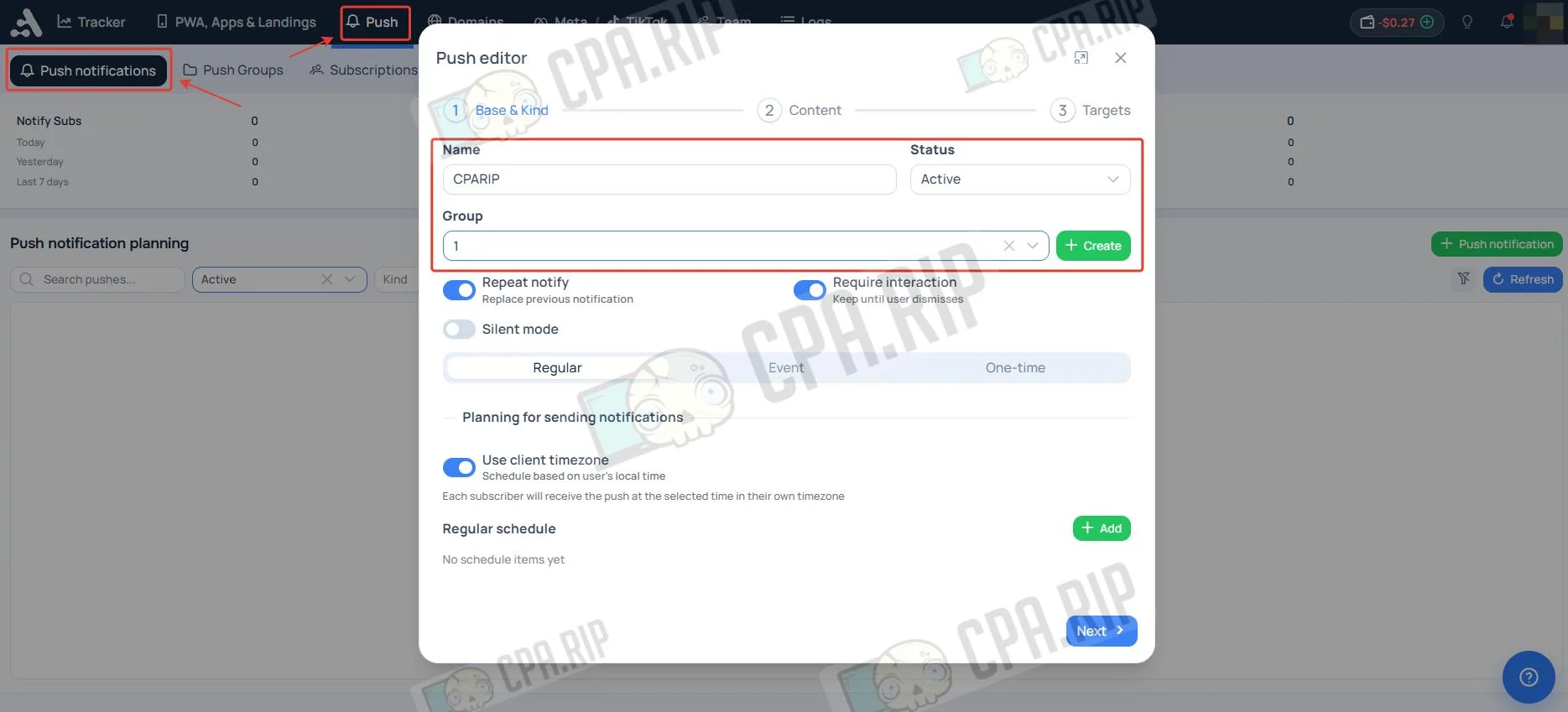
- Go to the PUSH section and click “Push notifications”.
- Enter a name and select a group.
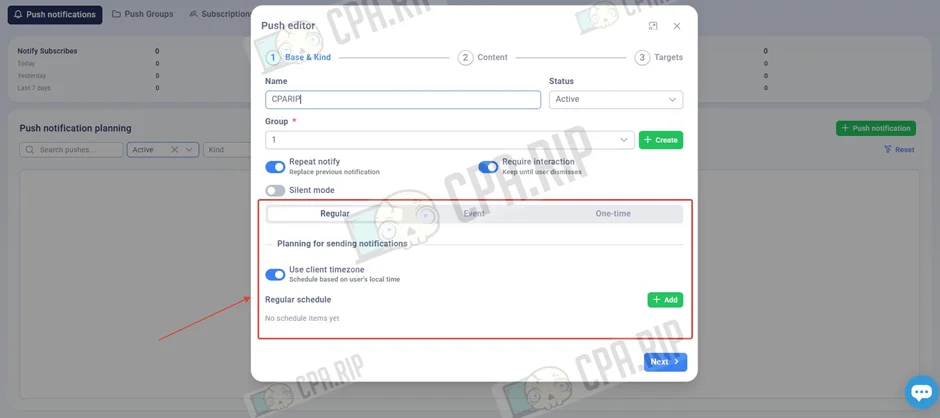
- Determine when to send the notification: on a schedule, based on triggers, or regularly.
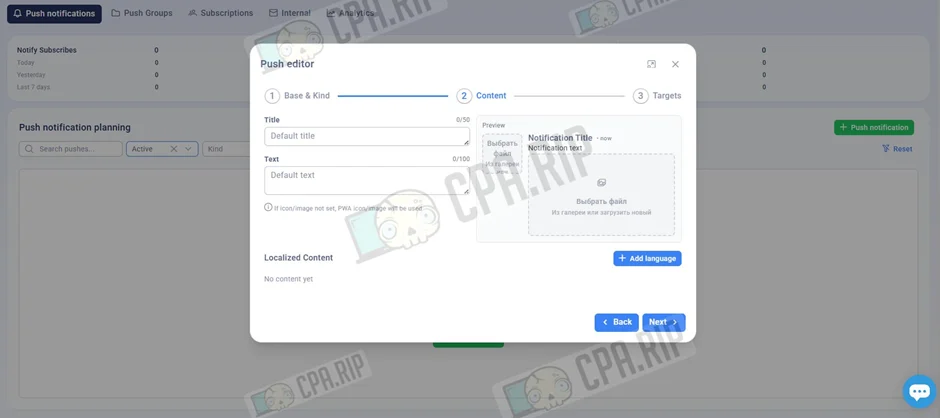
- Fill in the displayed notification details.
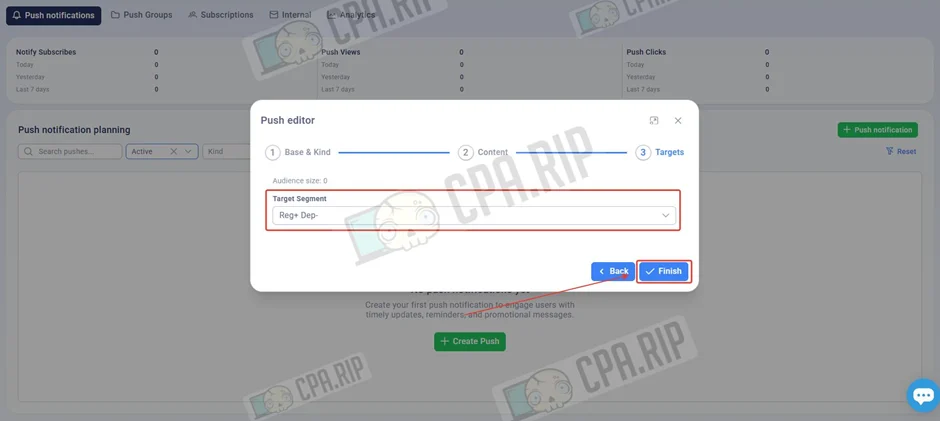
- Select a target and click Finish.
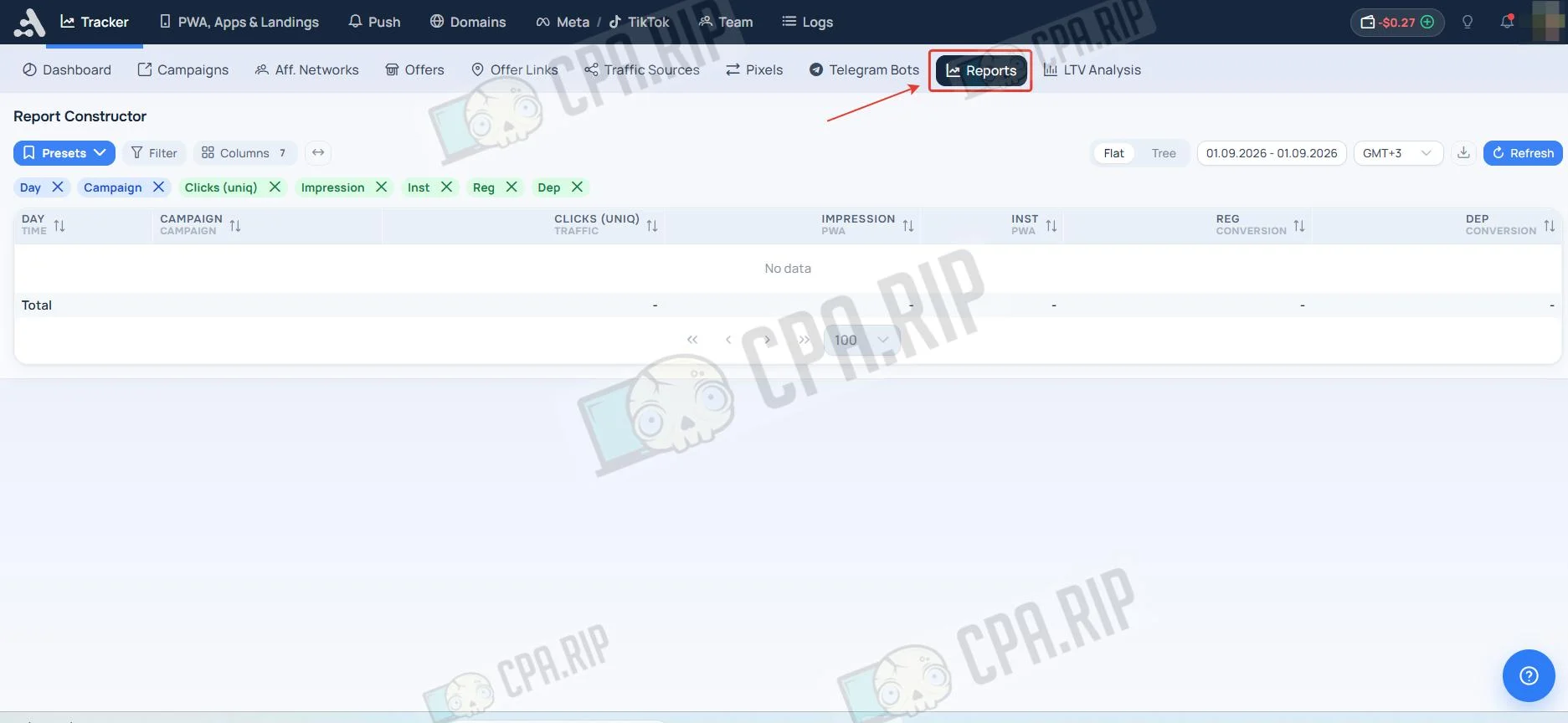
Reports
The “Reports” section in Adset.pro lets you review data on traffic, clicks, conversions, and revenue.
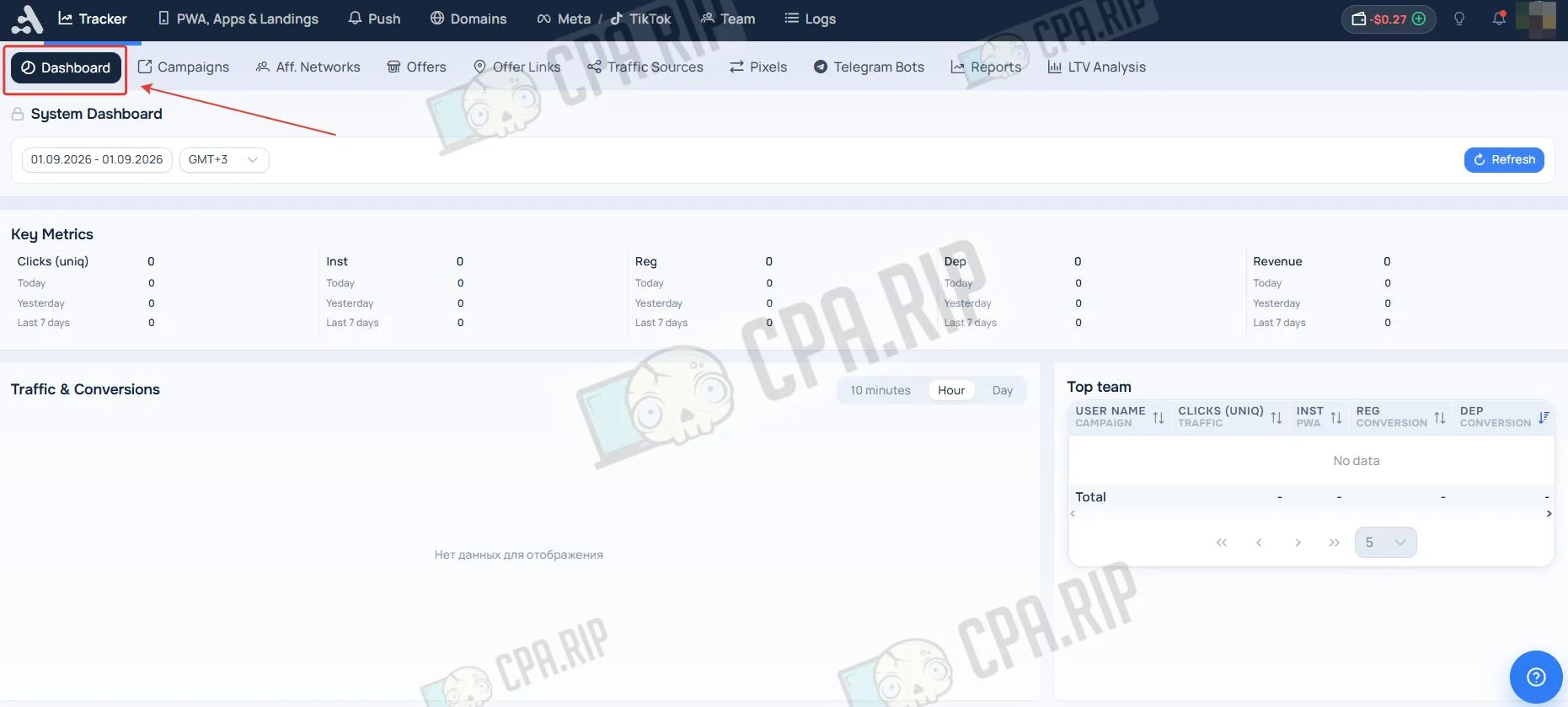
The Dashboard section displays brief campaign statistics.
Importing Costs From Facebook and TikTok
Adset.pro supports automatic importing of costs, impressions, and clicks directly from Facebook and TikTok. The tracker independently matches costs with received traffic and leads, displaying final net profit and ROI for each campaign.
The platform offers two integration methods:
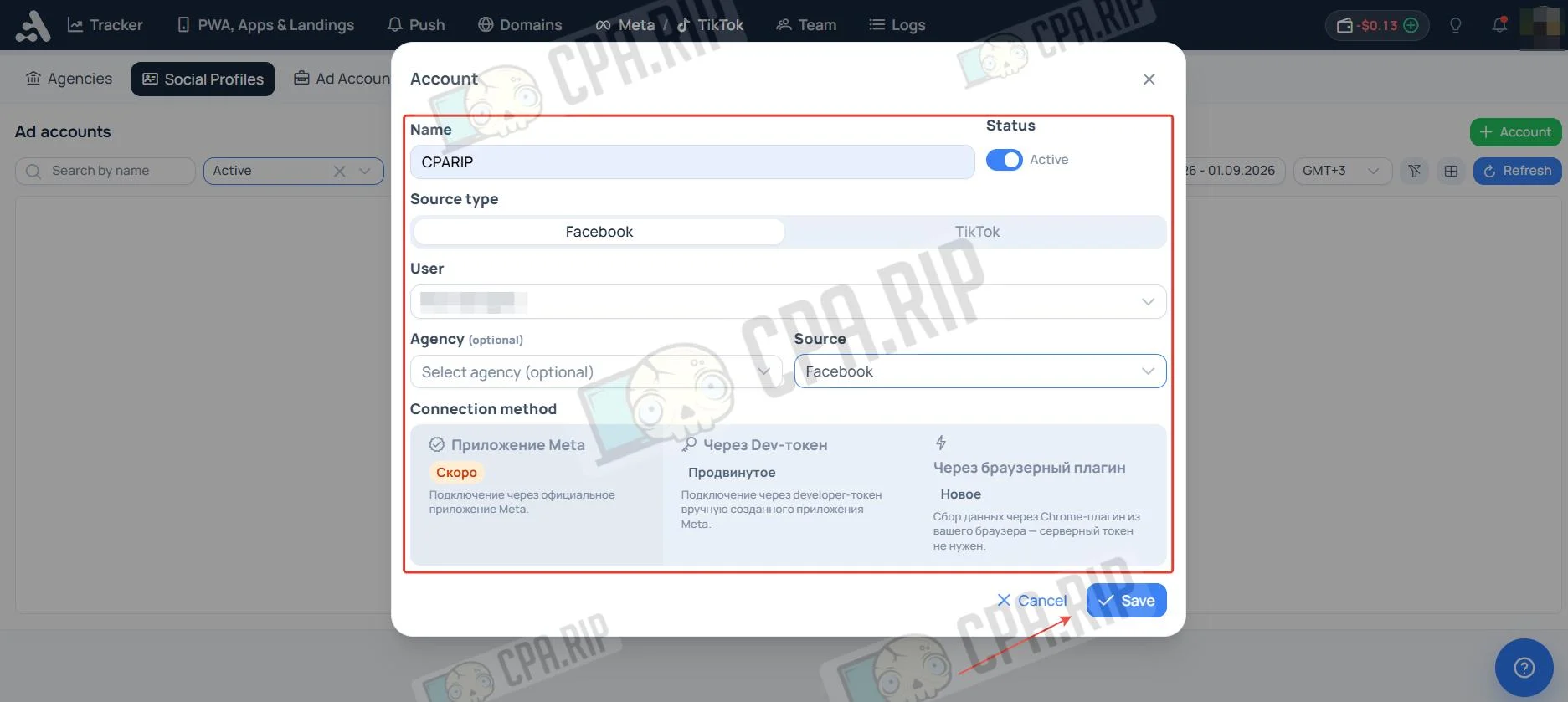
- Dev Token (server-side sync): A fully autonomous method using a System User token. Synchronization runs in the background on a schedule every 15, 30, or 60 minutes.
- Browser extension (Chrome plugin): A convenient option if you do not have access to System User or do not want to create an app in Meta. The plugin collects data directly from the logged-in session in your antidetect browser. It works manually or on a timer while the Facebook tab is open.
The key requirement for accurate analytics is to configure Facebook macro mapping, for example, {{campaign.id}}, in the traffic source so the tracker can correctly link imported costs to clicks. Detailed setup instructions are available in the official documentation: https://adset.pro/guide_ru/integracii
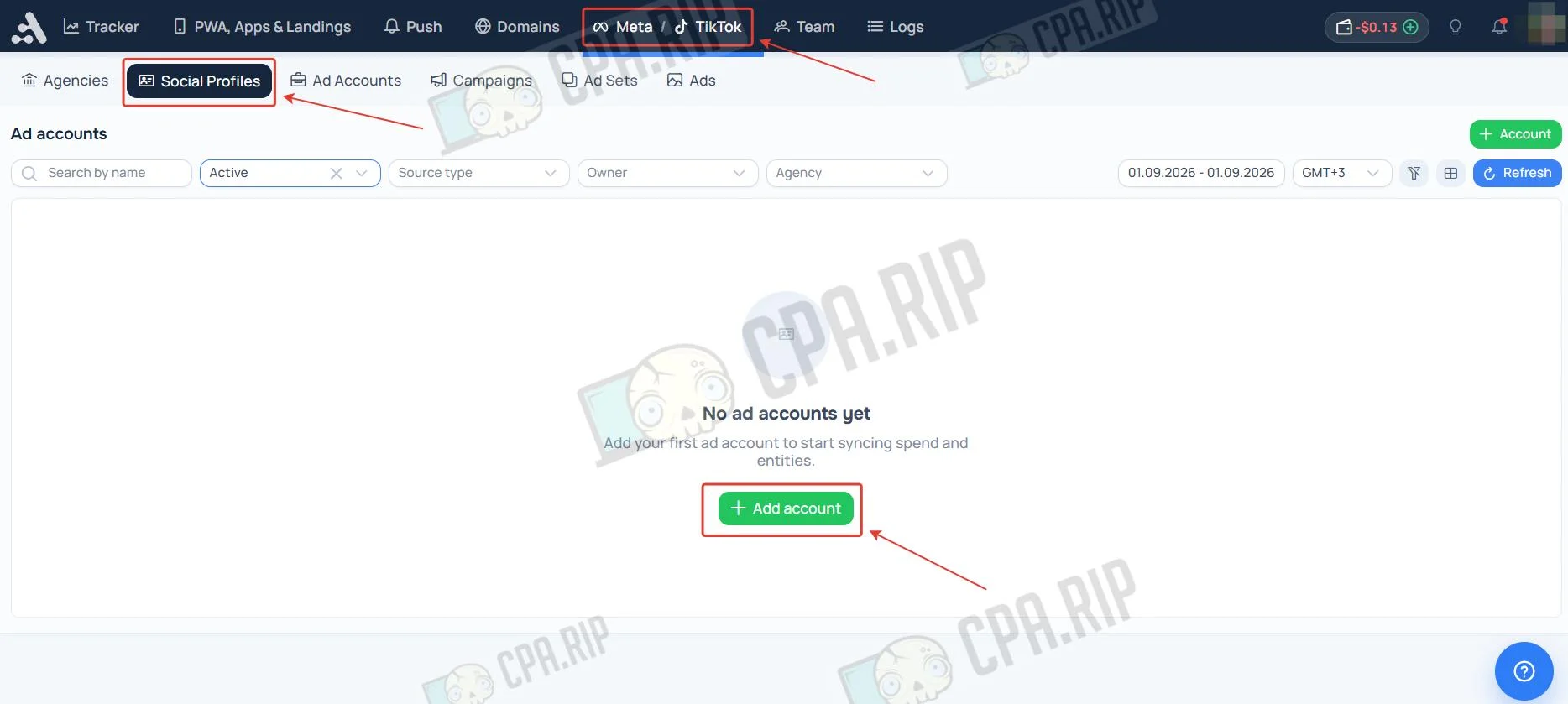
- Go to the Meta/TikTok section, select the Social Profile subsection, and click “Ad accounts”.
- To add an account, enter its name and select a traffic source, Facebook or TikTok. Then specify the connection method, for example through a Dev token or browser plugin, and click “Save”.
Agency Fee Accounting
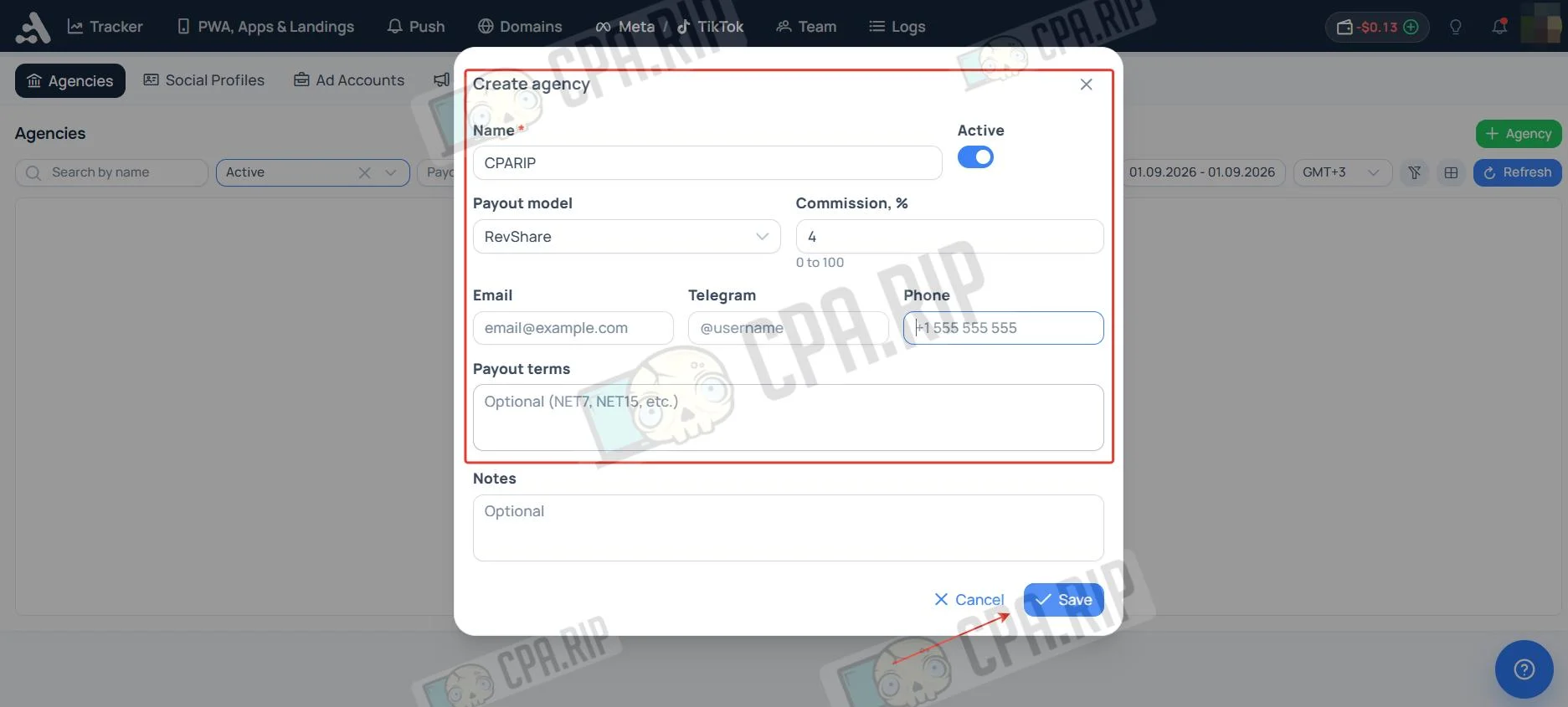
Adset.pro includes a tool for media buyers that lets you automatically factor an agency fee directly into the tracker. You can specify a commission percentage, for example, 4%, and the system will automatically increase displayed costs by that amount, ensuring a more accurate calculation of spend and final profit.
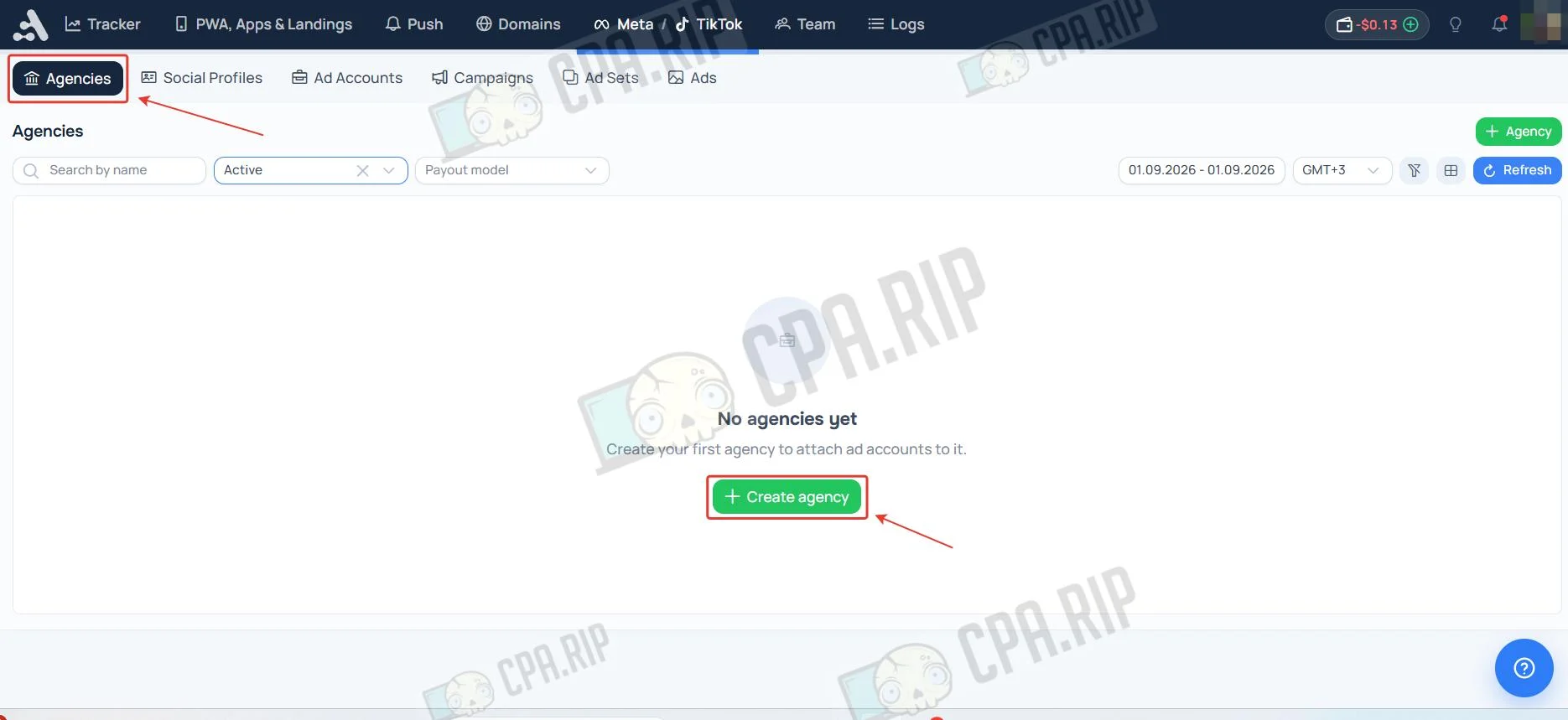
- Go to the Meta/TikTok section, select the Agencies subsection, and click “Create Agencies”.
- To add an agency, enter its name, select a payout model, specify the commission percentage, and, if necessary, fill in contact details, payout terms, and notes, then click “Save”.
Adset MCP Service
Adset.Pro supports Model Context Protocol (MCP), letting you request statistics directly through language models such as ChatGPT, Claude, Cursor, and others using three tools:
| Tool | Scope | Purpose |
| query_stats | stats:query | Request aggregated statistics with time presets |
| get_metadata | stats:meta | List of available metrics, groups, and filters |
| export_csv | stats:export | Export the full data selection to CSV without pagination |
You can review detailed setup instructions at: https://adset.pro/guide_ru/mcp-servis-adset
Adset BRO AI Assistant Inside the Tracker
Adset.pro has its own built-in Adset BRO AI assistant, which lets you manage the tracker and analyze statistics using plain text, eliminating the need to manually switch between menu sections.
The assistant’s main capabilities:
- Analytics without reports: ask questions in text and get precise figures. The assistant will highlight anomalies, compare periods, and show the top-performing and worst-performing funnels.
- Setup for you: creating campaigns, flows, and postbacks is now possible using a text command.
- Team knowledge base (Playbook): BRO remembers funnels, GEO specifics, and the team’s internal playbooks, answering newcomers’ questions instead of the team lead.
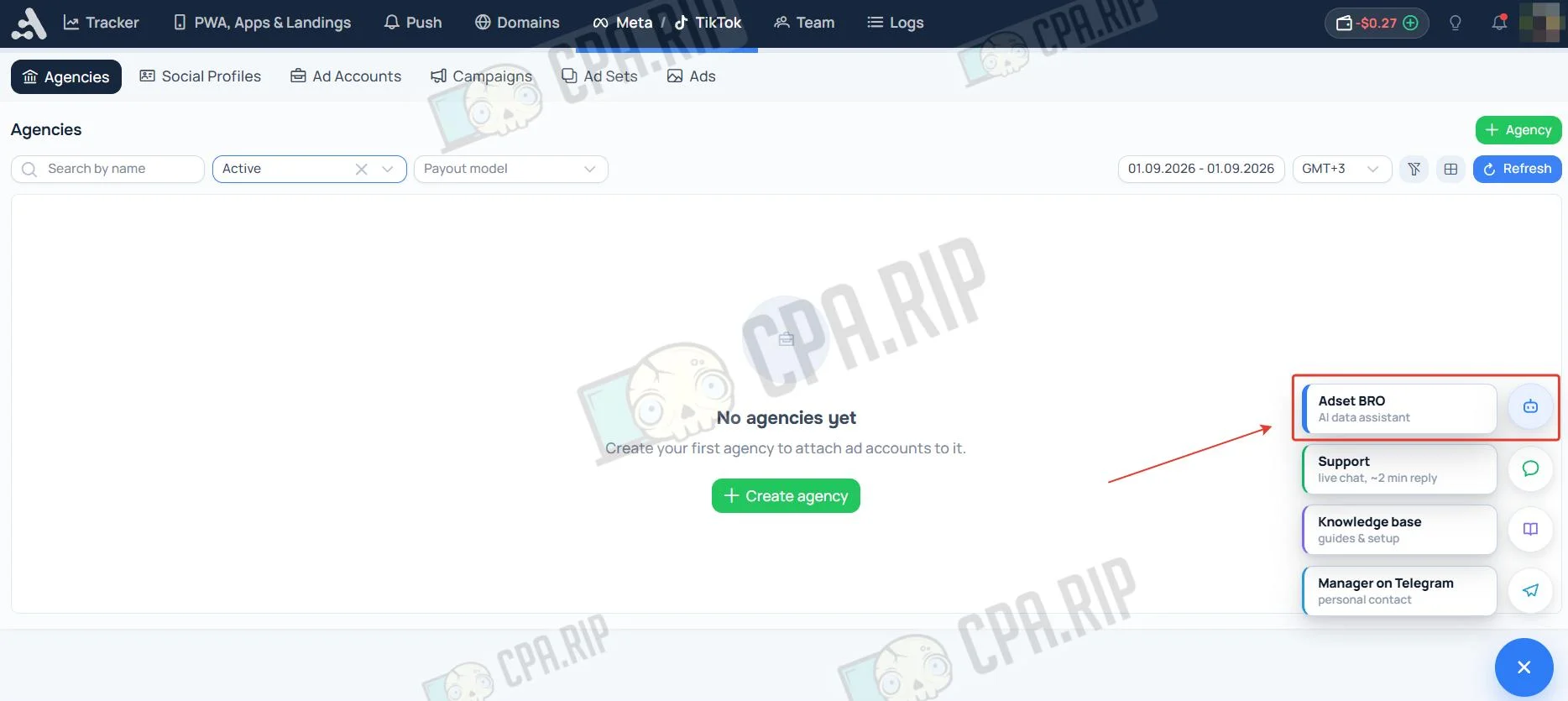
In the lower-right corner of the Adset.pro interface, there is a quick-help and contact dropdown menu, with the built-in Adset BRO AI assistant pinned at the top.
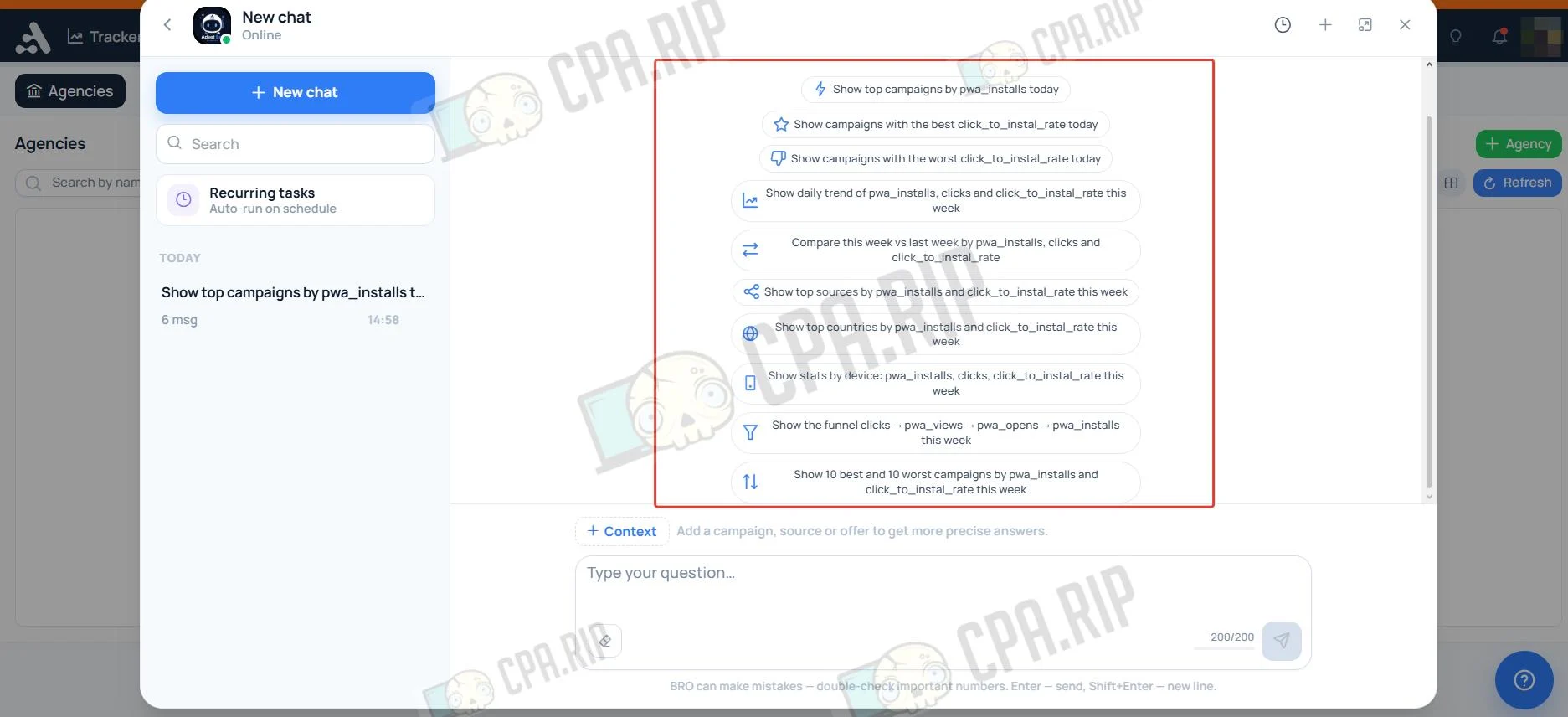
The Adset BRO assistant chat interface includes a ready-made library of quick queries and prompts that you can use in one click. In the bottom panel, you can add context, such as a specific campaign, source, or offer, to receive more accurate answers. You can also use the file attachment button and message send button.
Promo code: CPARIP. Get 50% off the tracker and PWA installs.








Comments