

![[FBM] CARDS](https://cpa.rip/wp-content/uploads/cr-a1/fbm-cards-v1/fbm-cards-logo.svg)




A review of AntBrowser — a Chromium-based antidetect browser for Windows, macOS, and Linux. We looked at its functionality and checked the quality of its browser fingerprint. The browser offers desktop and mobile profiles, data synchronization, profile transfer, team access, and a Time Machine feature for restoring a profile’s state. After registration, a 1-day trial period is provided, with paid plans starting at $4 for two profiles.
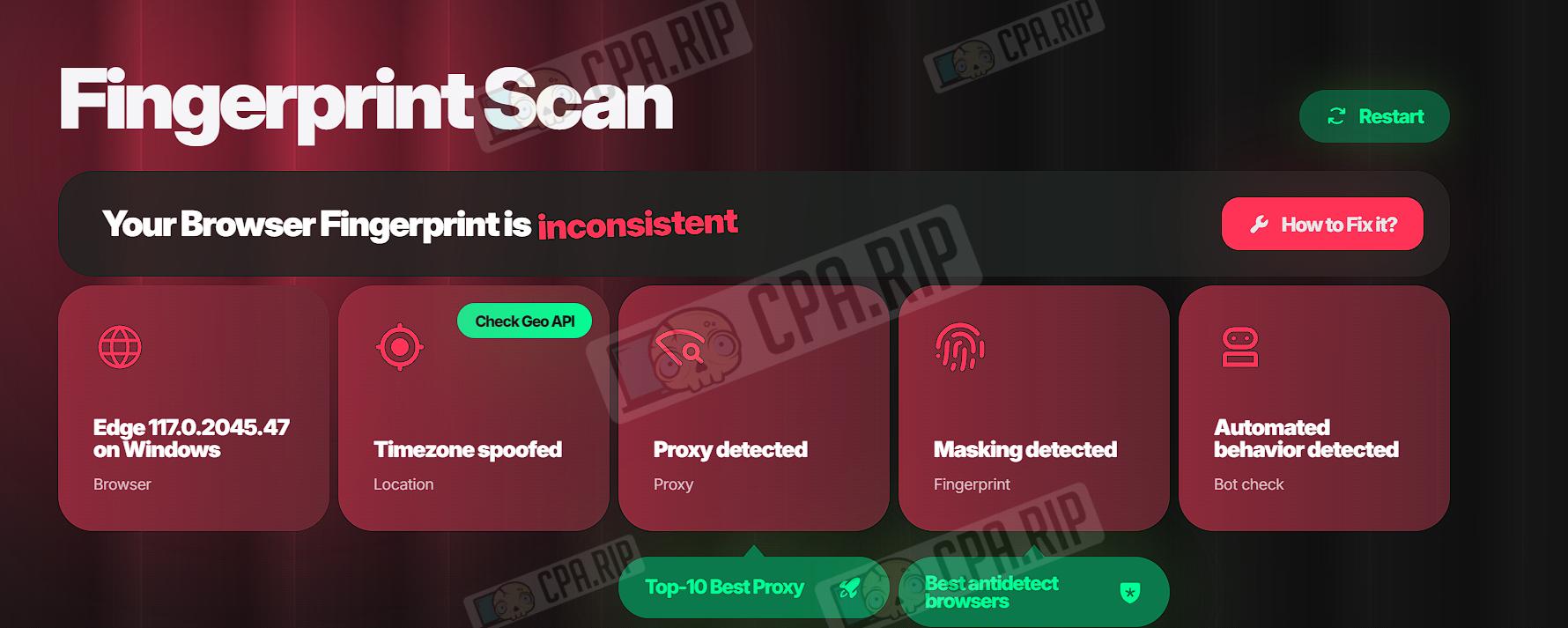
CPA.RIP opinion: we do not recommend using AntBrowser. The profile failed the browser fingerprint check in Pixelscan, which detected inconsistencies, signs of masking, and automated behavior.
- Download: https://antbrowser.pro/
- Windows;
- macOS (Intel, M series);
- Linux.
Our roundup of antidetect browsers: https://cpa.rip/services/antidetect-browser/
Testing the Antidetect Browser
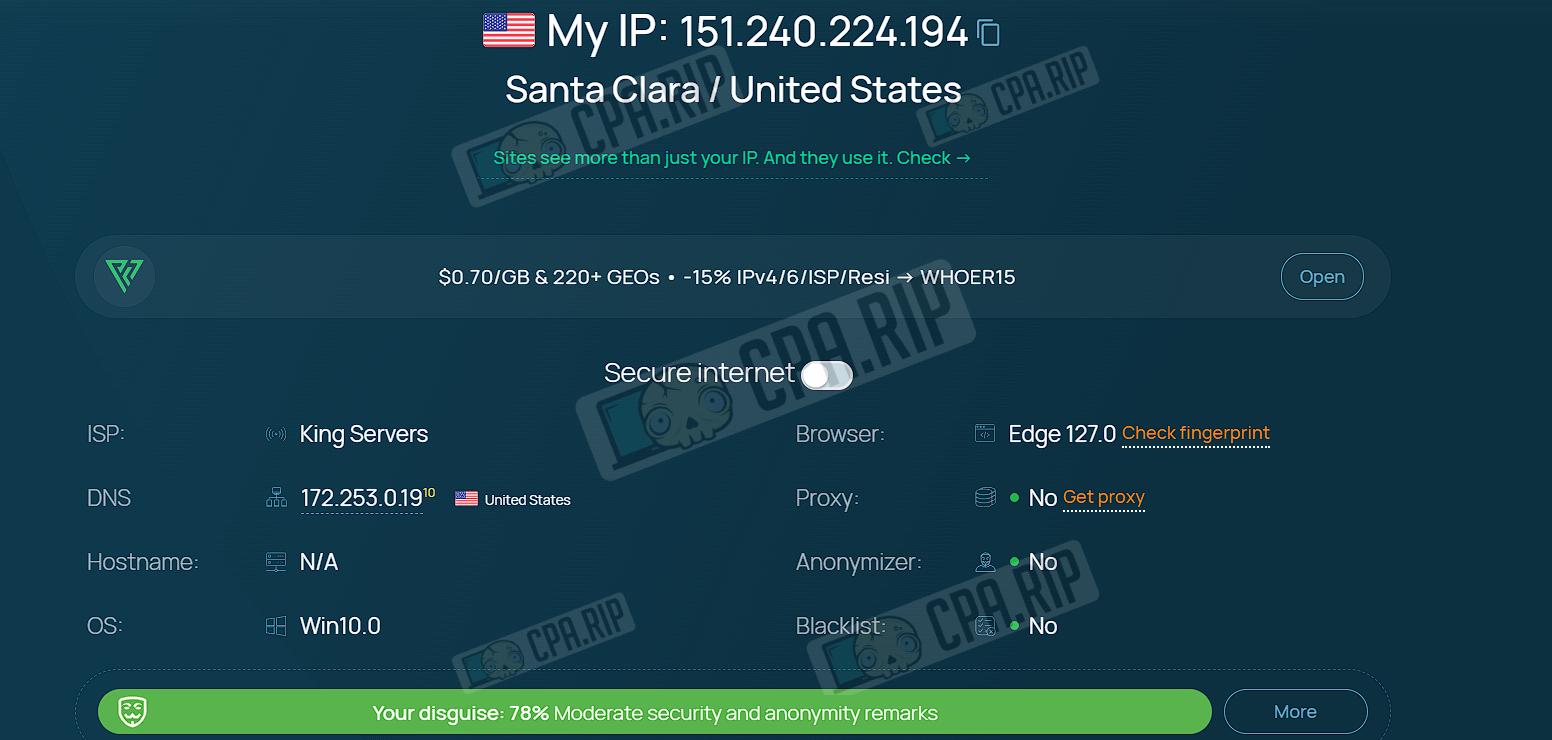
The browser was tested using the Whoer and Pixelscan services with a profile created using the default settings. Whoer reported a 78% masking score with a moderate level of security and anonymity, while Pixelscan detected issues across all tested parameters.
20 services for checking anonymity, fingerprint, WebRTC, Canvas, IP, WebGL, etc.: https://cpa.rip/services/checking-browser-fingerprints-and-anonymity/
| Parameter | Whoer.net | Pixelscan.net |
| My IP | 151.***.***.194 | — |
| Location (City/Country) | Santa Clara / United States | Timezone spoofed |
| ISP (Provider) | King Servers | — |
| DNS | 172.***.*.19 (United States) | — |
| Hostname | N/A | — |
| OS | Win10.0 | Windows |
| Browser (Version) | Edge 127.0 | Edge 117.*.****.47 |
| Proxy (Status) | No | Proxy detected |
| Anonymizer | No | — |
| Blacklist | No | — |
| Fingerprint Masking | — | Masking detected |
| Automated Behavior (Bot) | — | Automated behavior detected |
| Check Geo API | — | Button present |
| Secure Internet | Off | — |
| Language | — | — |
| Timezone | — | — |
| Trust Score / Verdict | 78% (Moderate security) | Inconsistent |
The test on whoer.net looks correct: the system identifies us as a user from the United States.
The test on pixelscan.net revealed issues in every section of the test.
Core Features
- Fingerprint spoofing for each profile (IP, UserAgent, Canvas, WebGL, WebRTC, etc.).
- Profile data (cookies, tabs, cache) is synced and accessible from any computer.
- Profile transfer between users, flexible access rights, and shared resources.
- A tool for farming browsing history: a bot mimics real human behavior by visiting a specified list of resources.
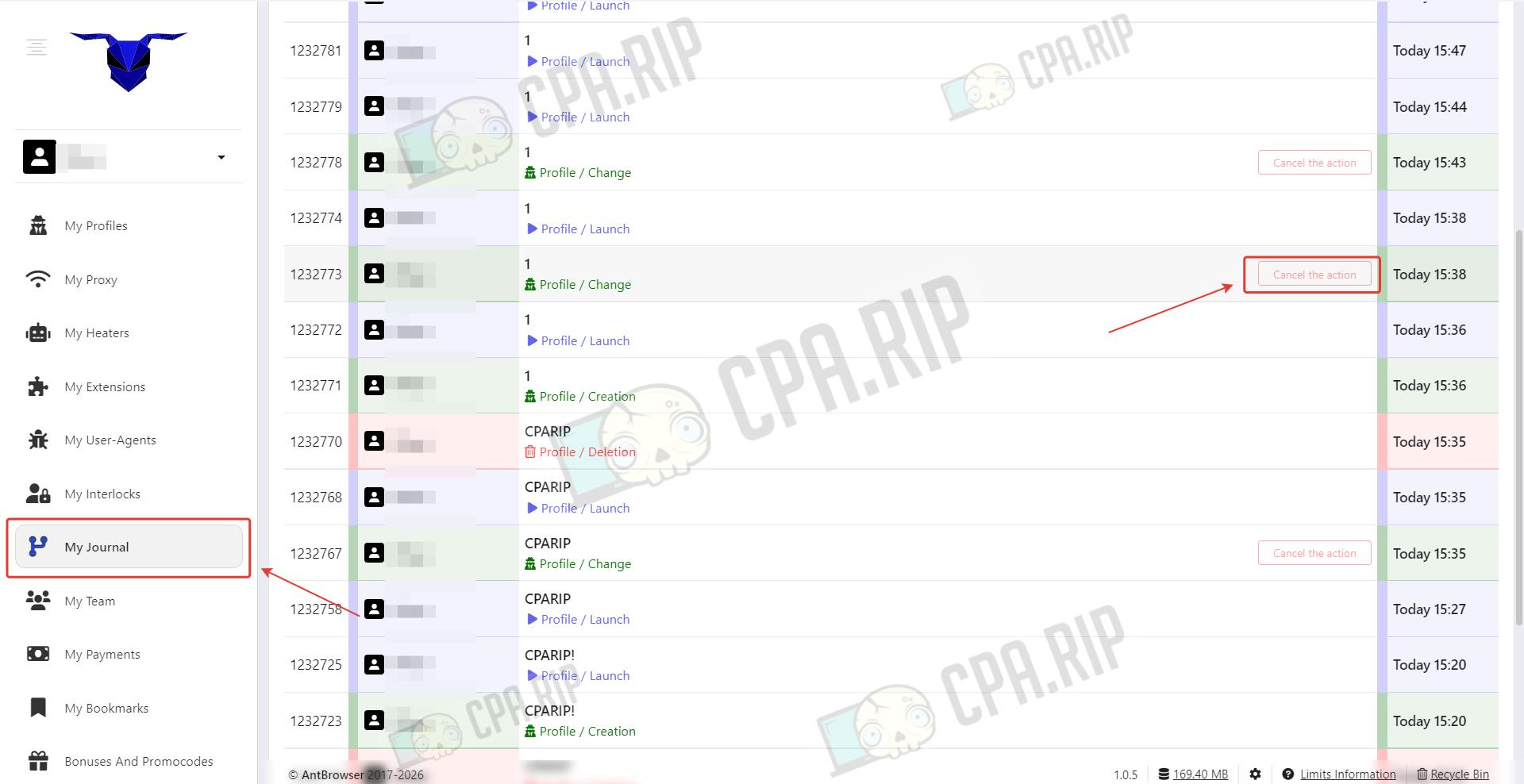
AntBrowser stands out from competitors with its Time Machine feature. A unique feature for rolling back profile data to checkpoints.
Pricing and Plans
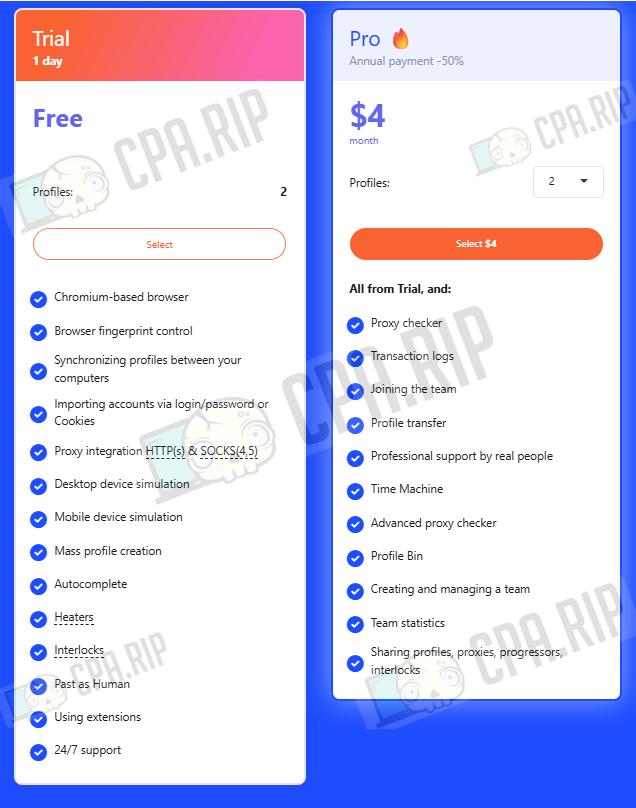
- After registration, a 1-day trial period is granted, which includes: Chromium-based browser; Browser fingerprint control; Profile synchronization between your computers; Account import via login/password or Cookies; Integration with HTTP(s) & SOCKS(4,5) proxies; Desktop device simulation; Mobile device simulation; Bulk profile creation; Autofill; Warm-up tools; Blockers; Past as Human; Use of extensions; 24/7 support.
- The pro plan is available from $4 for 2 profiles and includes everything from the Trial, plus: Proxy checker; Operation log; Joining a team; Profile transfer; Professional support from real people; Time Machine; Advanced proxy checker; Profile trash bin; Team creation and management; Team statistics; Sharing of profiles, proxies, warm-up tools, and blockers.
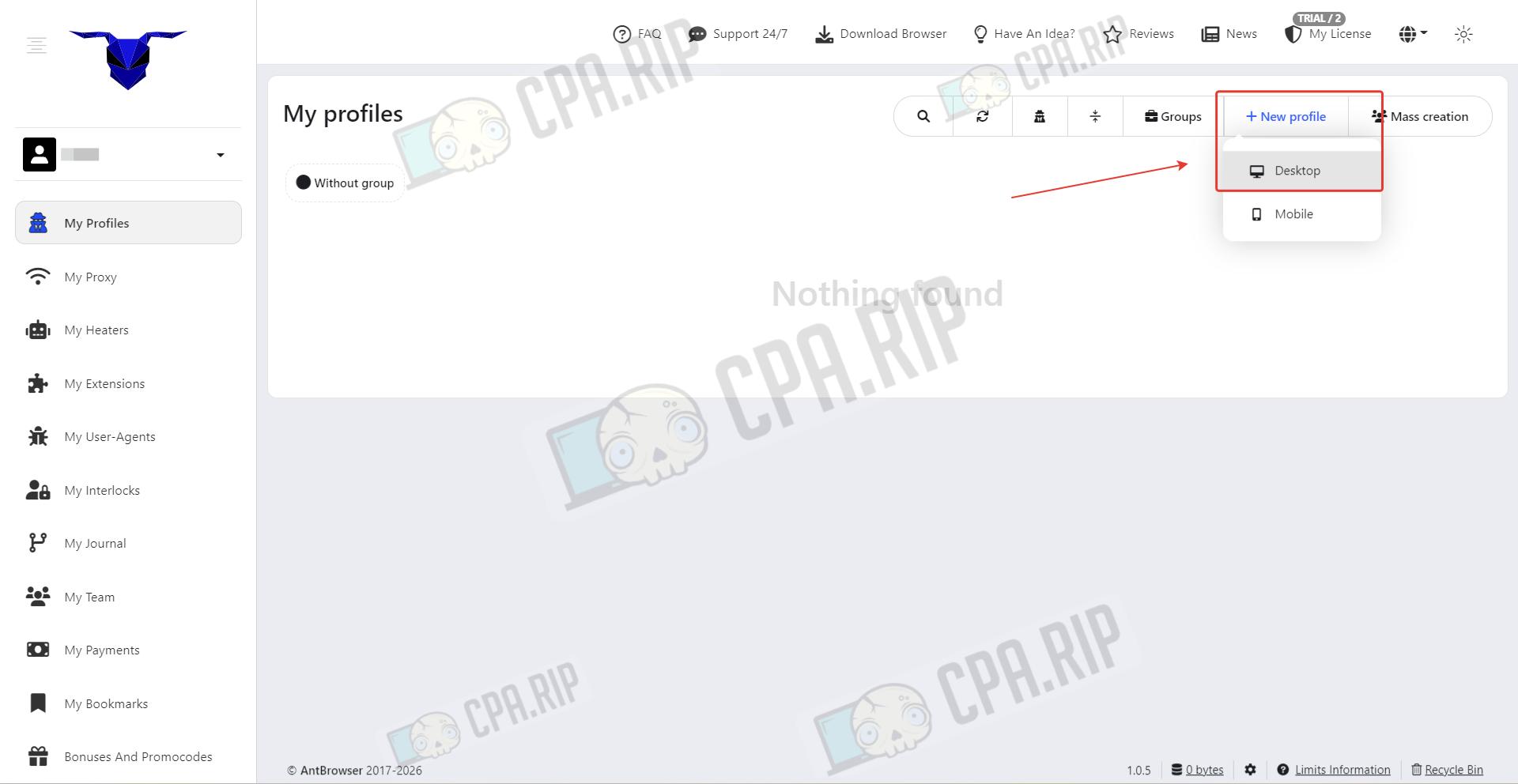
Interface and Profile Creation
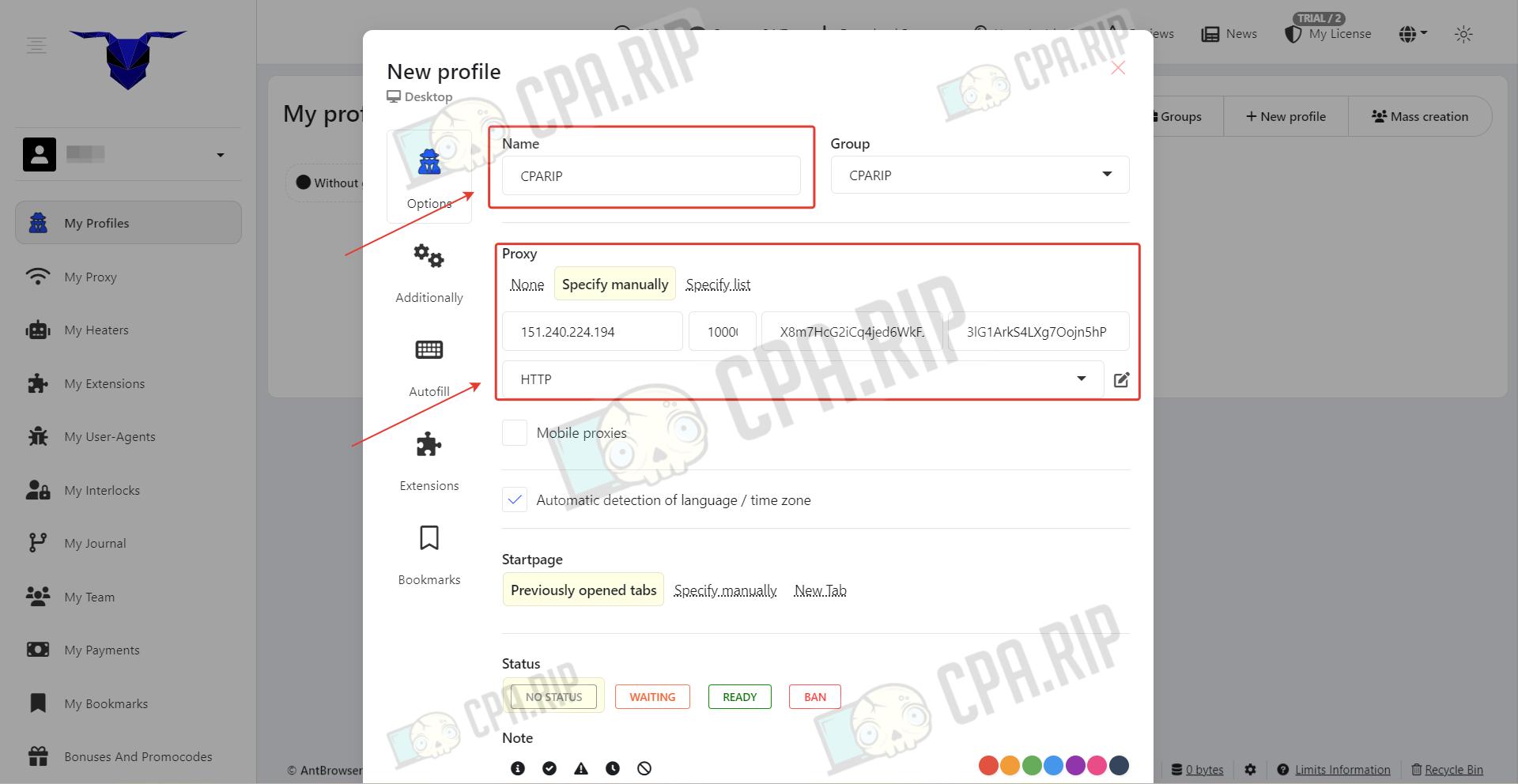
Click New Profile and select Desktop.
Set a profile name and paste in the proxy.
In the Additionally section, configure the User-Agent, choose the operating system and browser.
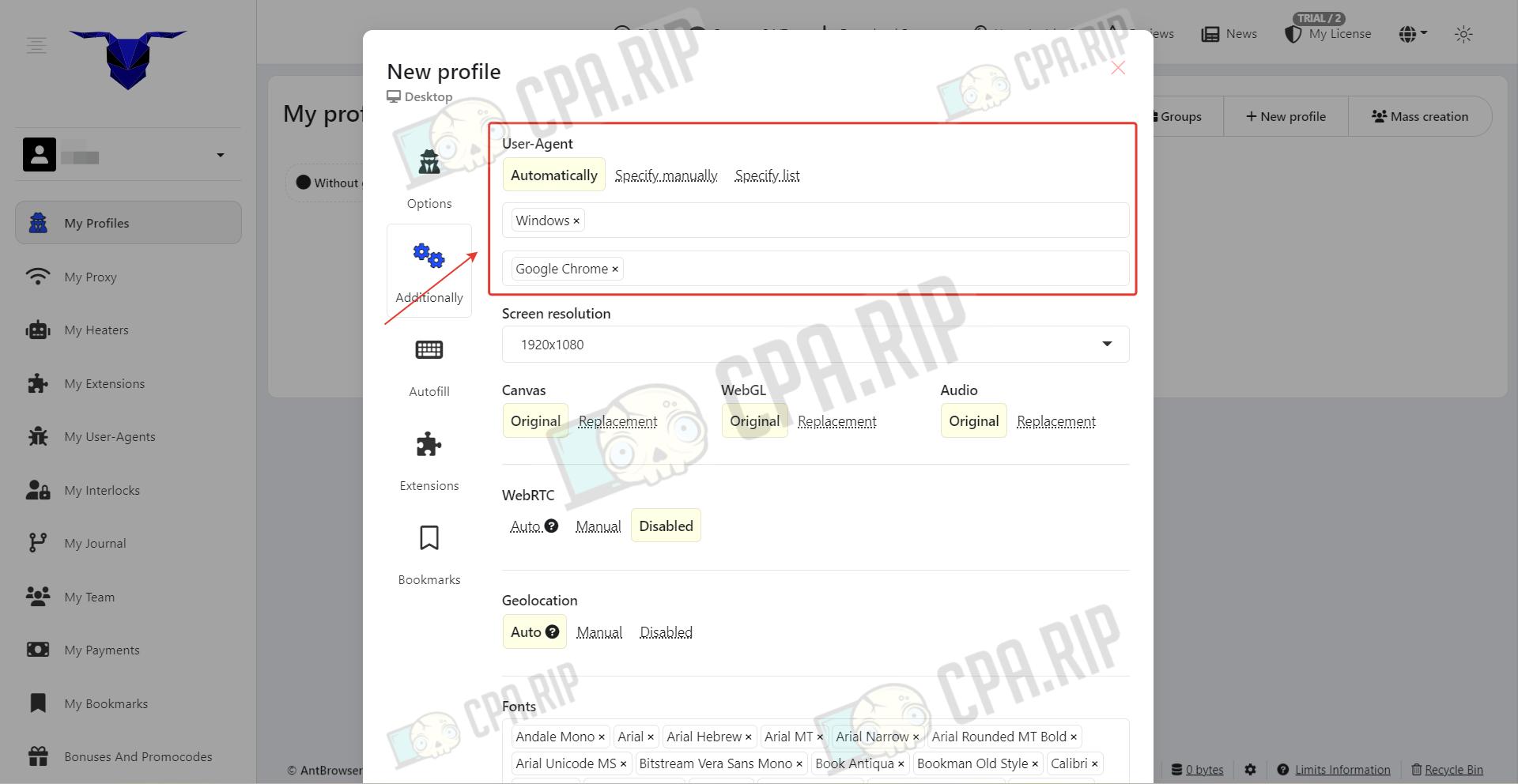
Below, advanced settings are available. Once you’ve filled in the main parameters, click “Add.”
Creating a Mobile Profile
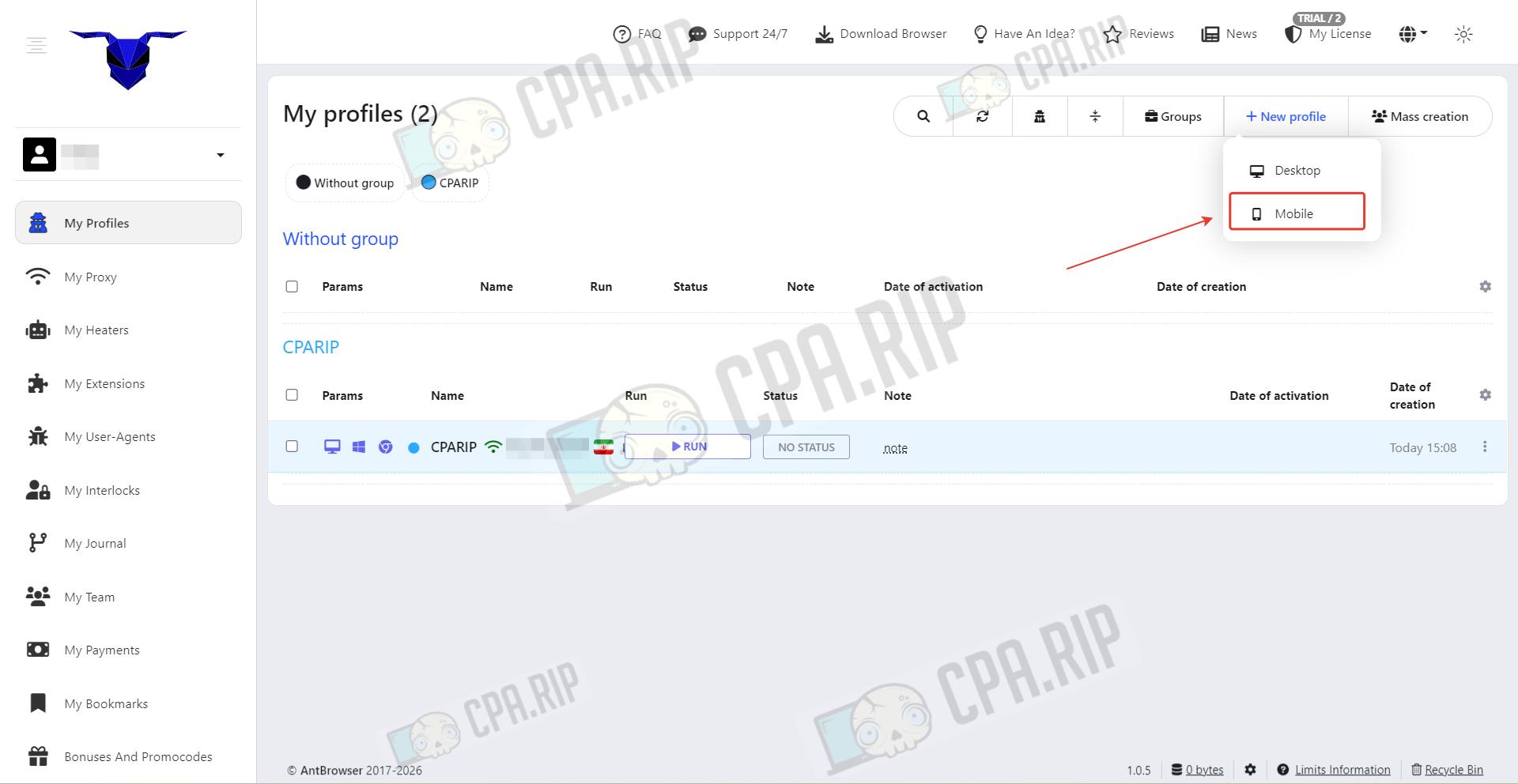
Click New Profile and select Mobile.
A mobile profile is a virtual environment that mimics the parameters of a smartphone or tablet so that sites see you as a mobile user.
Set a profile name and paste in the proxy.
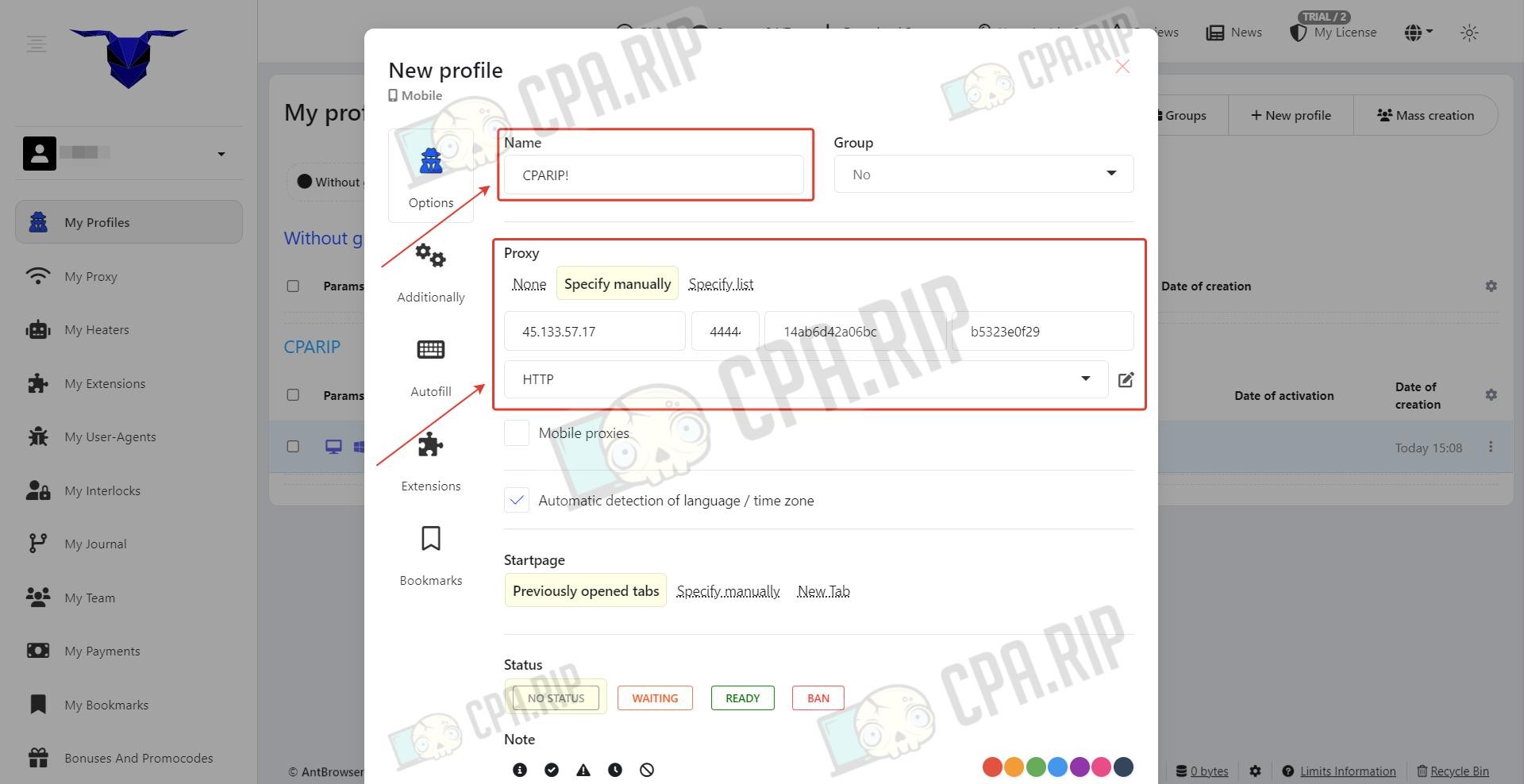 In the Additionally section, configure the User-Agent, choose the Android or iOS operating system, and the browser.
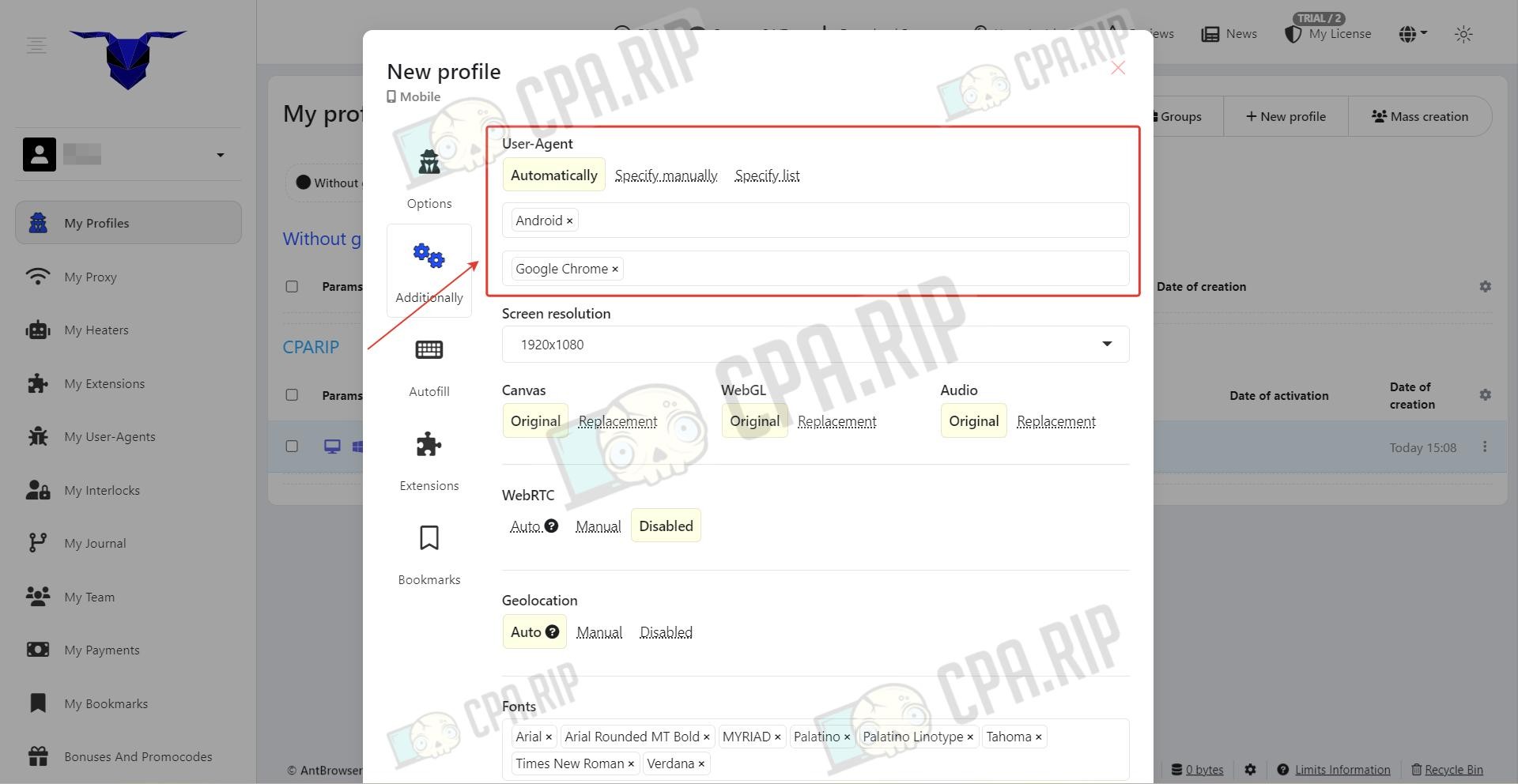
Once you’ve filled in the main parameters, click “Add.”
The Time Machine Feature
In the My Journal section, you can restore profile data to a specific point in time.
Support
- Official website: https://antbrowser.pro;
- Telegram: https://telegram.me/AntBrowser;








Comments