

![[FBM] CARDS](https://cpa.rip/wp-content/uploads/cr-a1/fbm-cards-v1/fbm-cards-logo.svg)




Review of Aurorium Browser — an antidetect browser for multi-accounting, affiliate marketing (media buying), marketing, and working with multiple accounts. The developers claim its main feature is AI-based generation of realistic digital fingerprints that take into account geo, age, occupation, and income. The interface includes a built-in CRM system for task planning and management. For scaling, there are automation tools: an action synchronizer, bulk profile creation, and an API. A mobile app for Android and iOS is available for controlling processes from a smartphone.
CPA.RIP’s take: the Aurorium antidetect browser can be used for work. Testing showed that the masking works correctly: the services Whoer, Iphey, Pixelscan, and Fake vision rated the digital identity as trustworthy. At the same time, test results were identical both with Aurorium Finger (AI fingerprint generation) and without it. The software’s own security has been confirmed by an audit from Cure53.
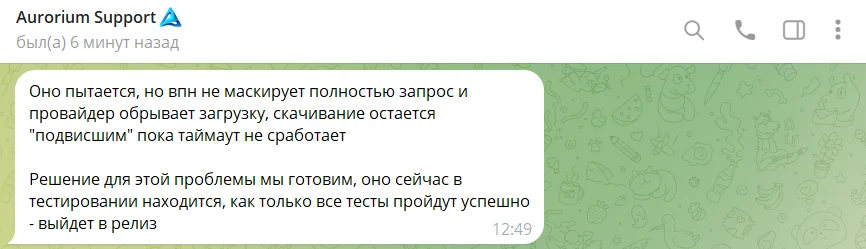
At the time this review was written, some internet providers caused data downloads to reset when connecting, which prevented profiles from updating their core and launching. A temporary workaround is to use mobile internet. Aurorium support is preparing a fix for this issue.
- Download: https://aurorium.ai
- Windows;
- macOS (Intel, M series);
- Linux;
- Android;
- iOS.
Our list of antidetect browsers: https://cpa.rip/services/antidetect-browser/
Antidetect browser testing
Aurorium’s apps underwent a comprehensive audit for vulnerabilities by German cybersecurity experts Cure53. We, in turn, checked the quality of the profiles’ digital fingerprints.
A list of services for checking browser anonymity, fingerprint testing, and more: https://cpa.rip/services/checking-browser-fingerprints-and-anonymity/.
Summary table of anonymity and digital fingerprint parameters:
| Parameter | WHOER.NET | PIXELSCAN.NET | FV.PRO | IPHEY.COM |
| My IP | 1193.***.***.167 | – | 193.***.***.167 | 193.***.***.167 |
| Location | Lublin / Poland | Poland / Lublin | Poland, Warsaw, 00-002 | Poland |
| ISP | Simoresta UAB | – | Simoresta UAB | – |
| DNS | 172.**.***.60 | – | – | – |
| Hostname | N/A | – | – | – |
| OS | Win10.0 | Windows | Windows 10 (64-bit) 19.0.0 | – |
| Browser | Chrome 150.0 | Chrome 150.0.0.0 | Chrome 150.0.7871.101 | Chrome |
| Proxy | No | No proxy detected | No proxy | – |
| Anonymizer | No | – | – | – |
| Blacklist | No | – | – | – |
| Masking | – | No masking detected | – | Everything is fine |
| Bot | – | No automated behavior detected | – | – |
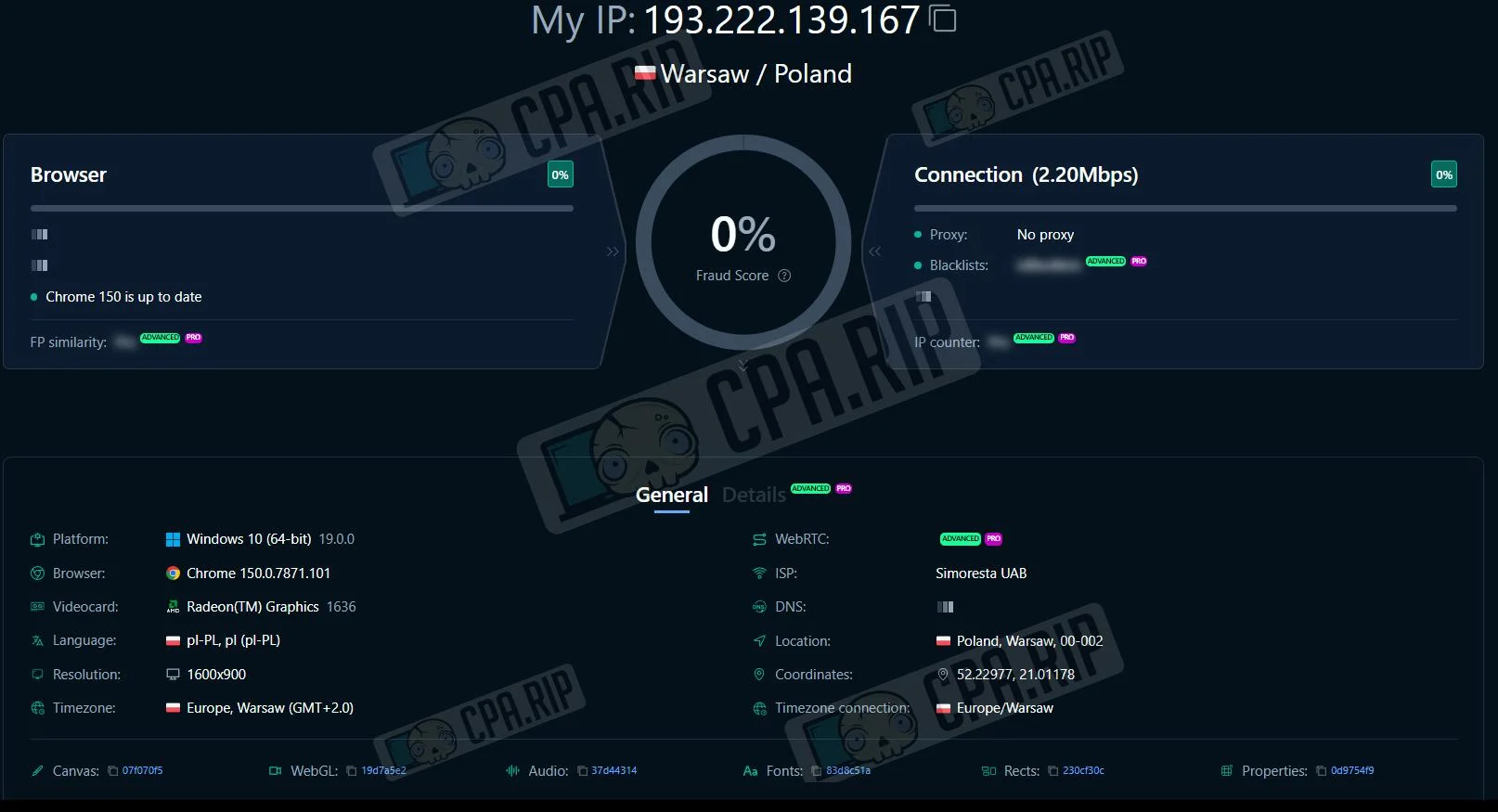
| Status | 100% | Consistent | 0% Fraud Score | Trustworthy |
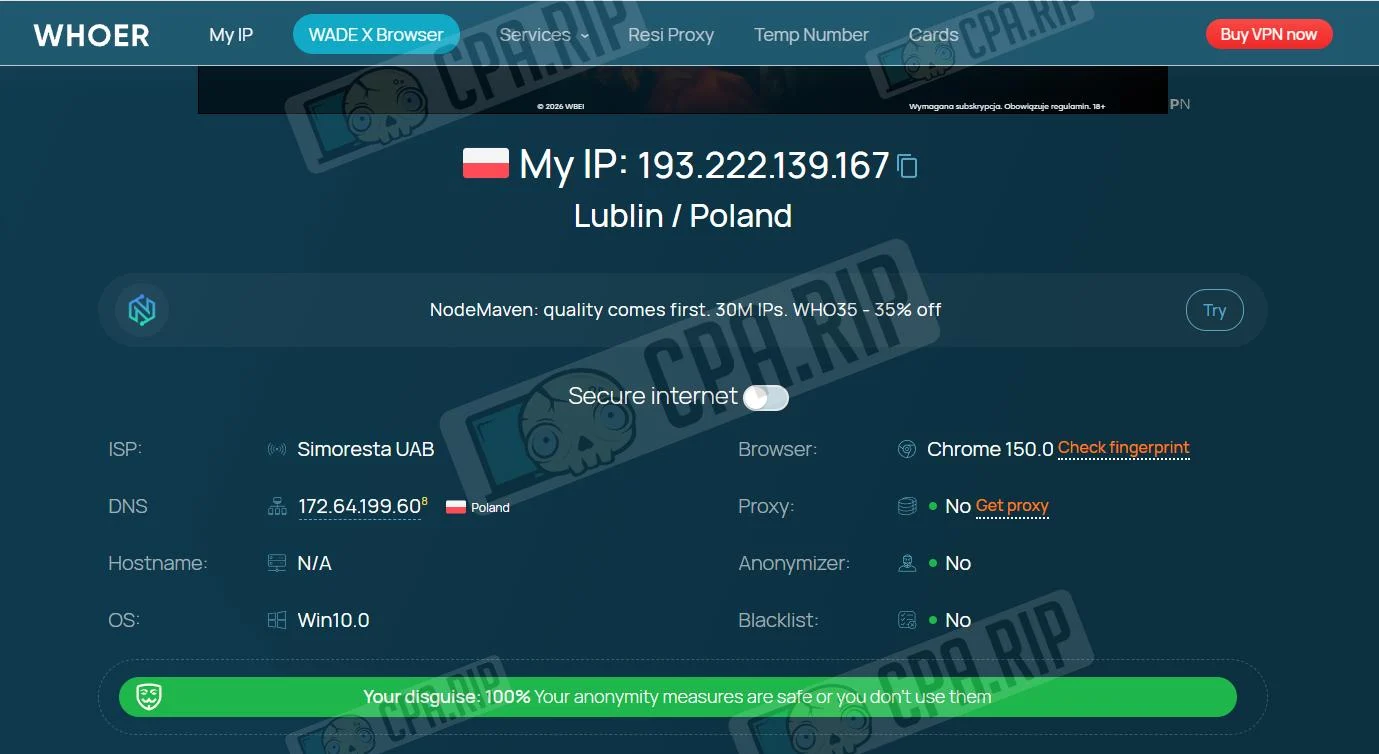
Whoer. No proxies, anonymizers, or blacklist presence were detected. Masking level — 100%
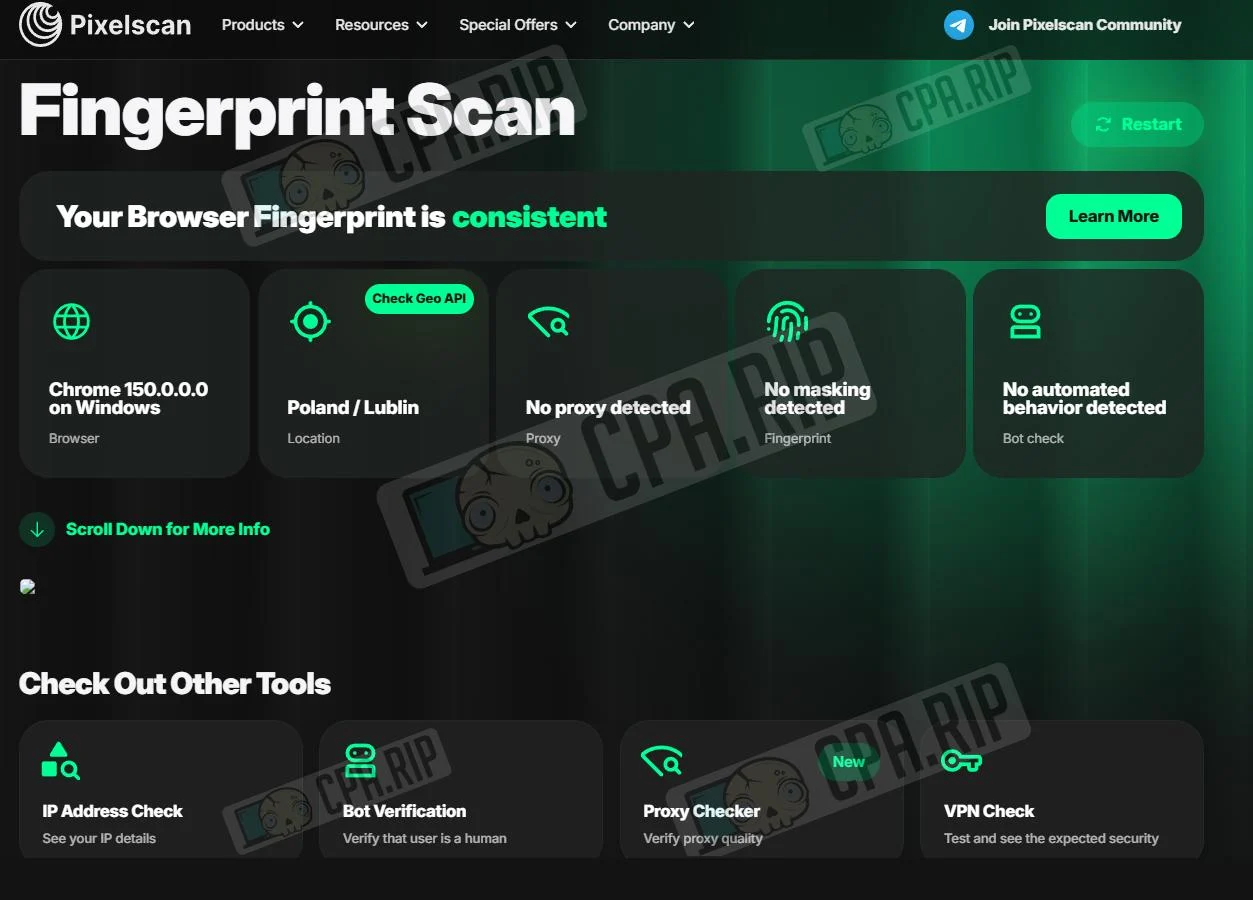
Pixelscan. The browser fingerprint was identified as Chrome 150 on Windows. The systems detected no proxy, no fingerprint masking, or automated (bot) behavior. Overall verdict — Consistent.
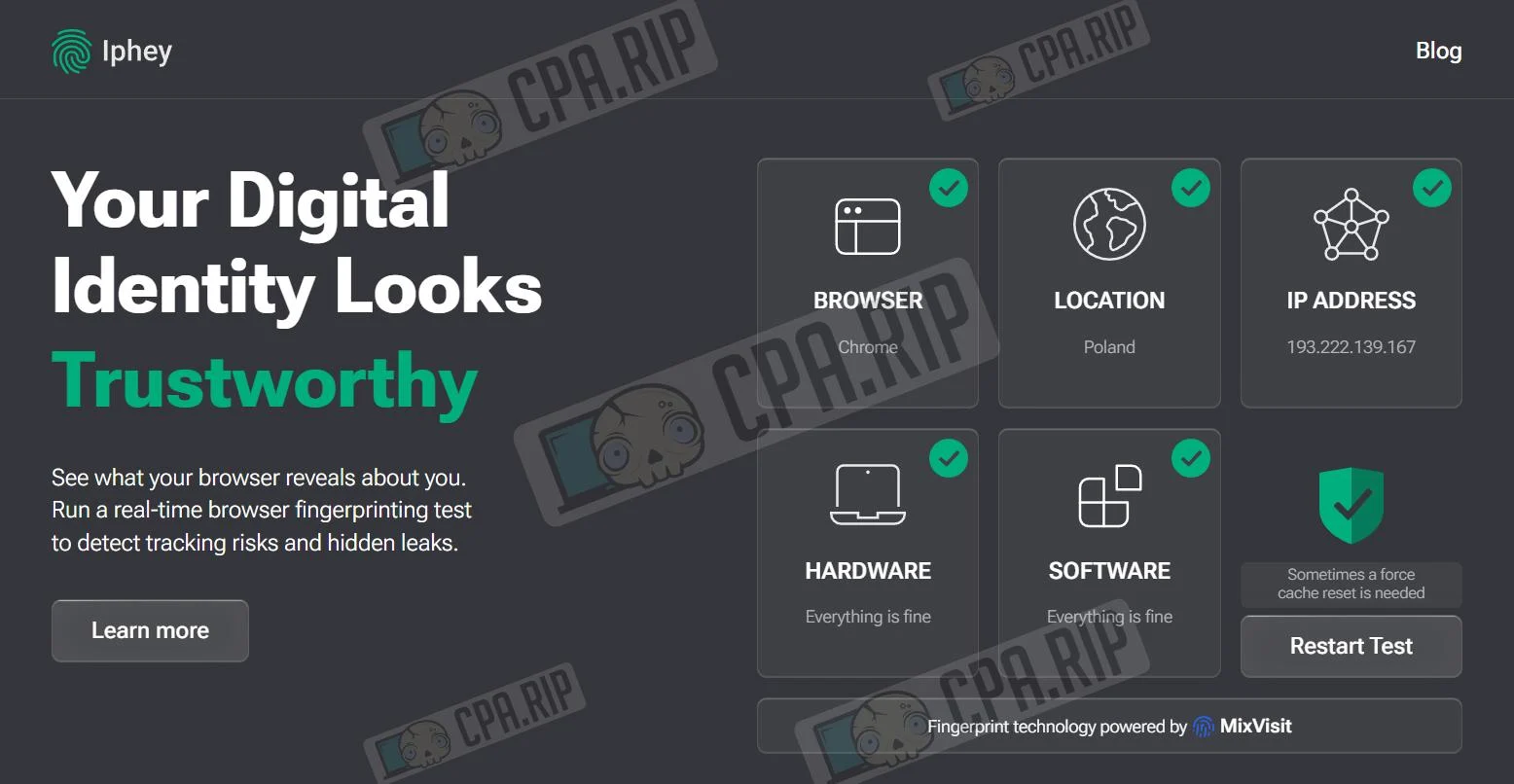
IPhey. The digital fingerprint was classified as fully safe. All key checks were successfully passed. Final status — Trustworthy.
Fake vision. Potential risk is minimal — 0% Fraud Score.
Pricing plans
If you sign up via this link https://aurorium.ai/ you’ll get a 10% discount on your first payment.
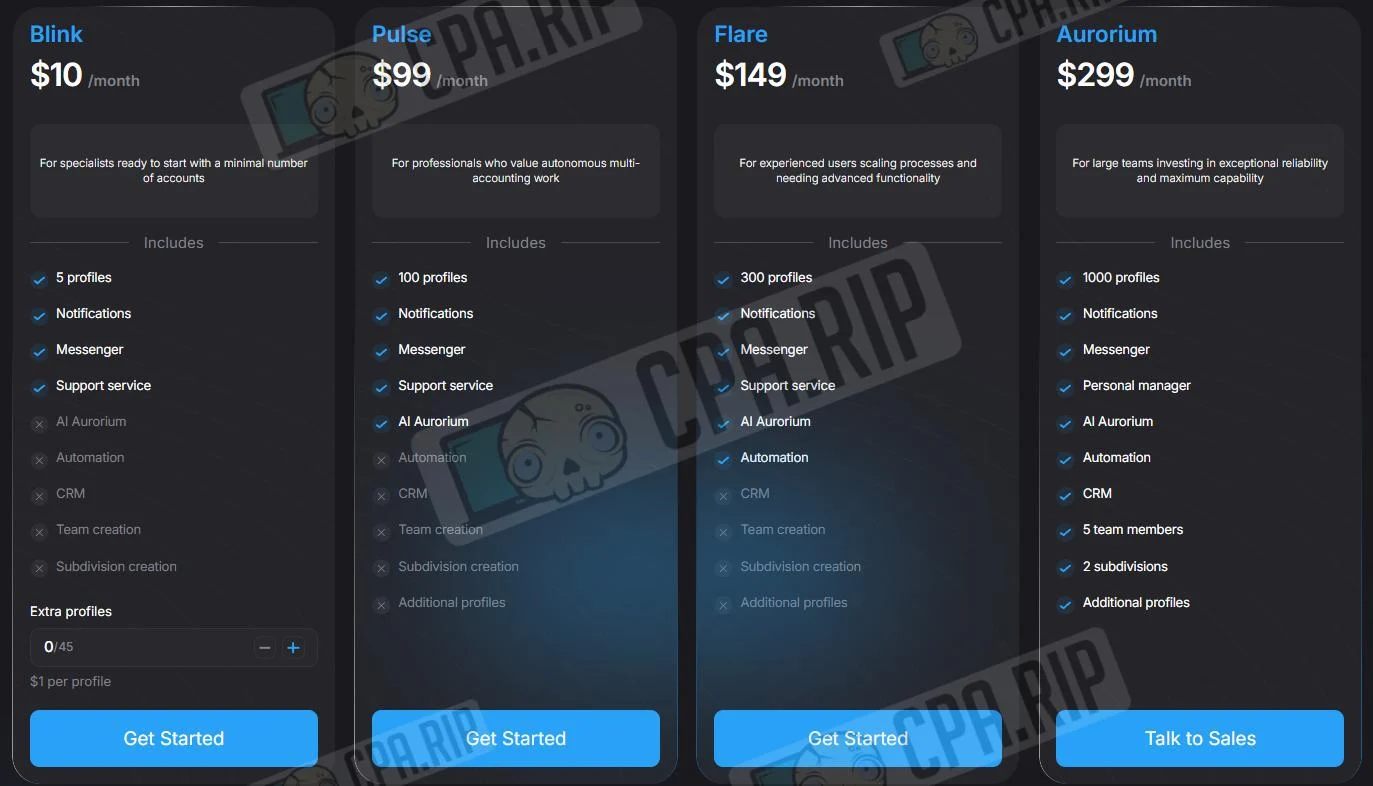
| Parameter / Feature | Blink | Pulse | Flare | Aurorium |
| Price | $10 / mo | $99 / mo | $149 / mo | $299 / mo |
| Number of profiles | 5 | 100 | 300 | 1000 |
| Notifications | ✅ | ✅ | ✅ | ✅ |
| Messenger | ✅ | ✅ | ✅ | ✅ |
| Support | Support team | Support team | Support team | Personal manager |
| AI Aurorium | ❌ | ✅ | ✅ | ✅ |
| Automation | ❌ | ❌ | ✅ | ✅ |
| CRM | ❌ | ❌ | ❌ | ✅ |
| Team | ❌ | ❌ | ❌ | ✅ (5 members) |
| Divisions | ❌ | ❌ | ❌ | ✅ (2 divisions) |
| Extra profiles | ✅ ($1 per profile, up to 45) | ❌ | ❌ | ✅ |
Creating a profile and AI fingerprint generation
When creating a profile in Aurorium, you can select an operating system and generate a device fingerprint, or use AI fingerprint generation. In the latter case, it’s enough to specify the user’s social profile — country, age, occupation, and income level — after which the system will generate a device and browser configuration matching it. Fingerprints generated this way do not repeat within a single Aurorium account.
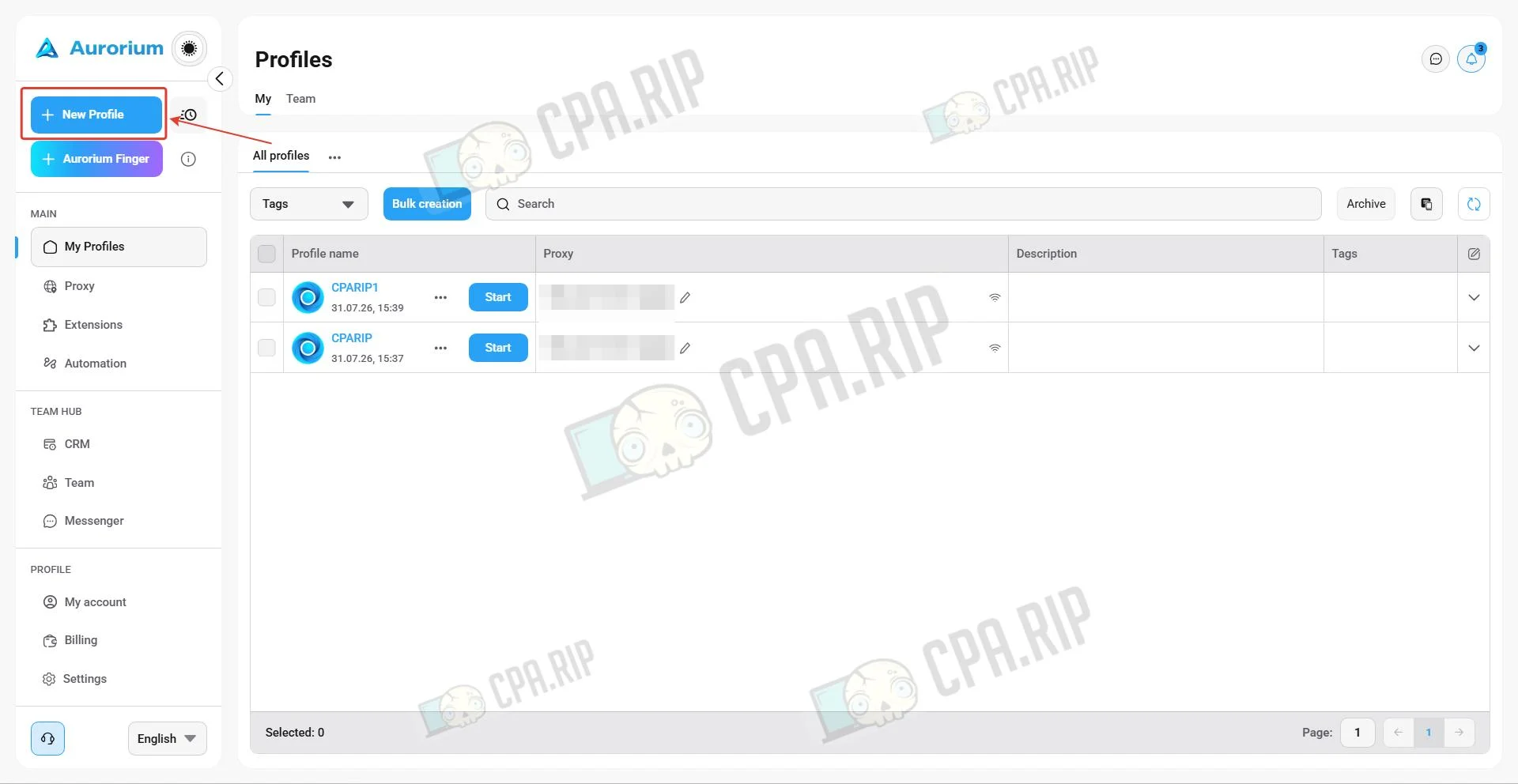
To create a profile, click New profile.
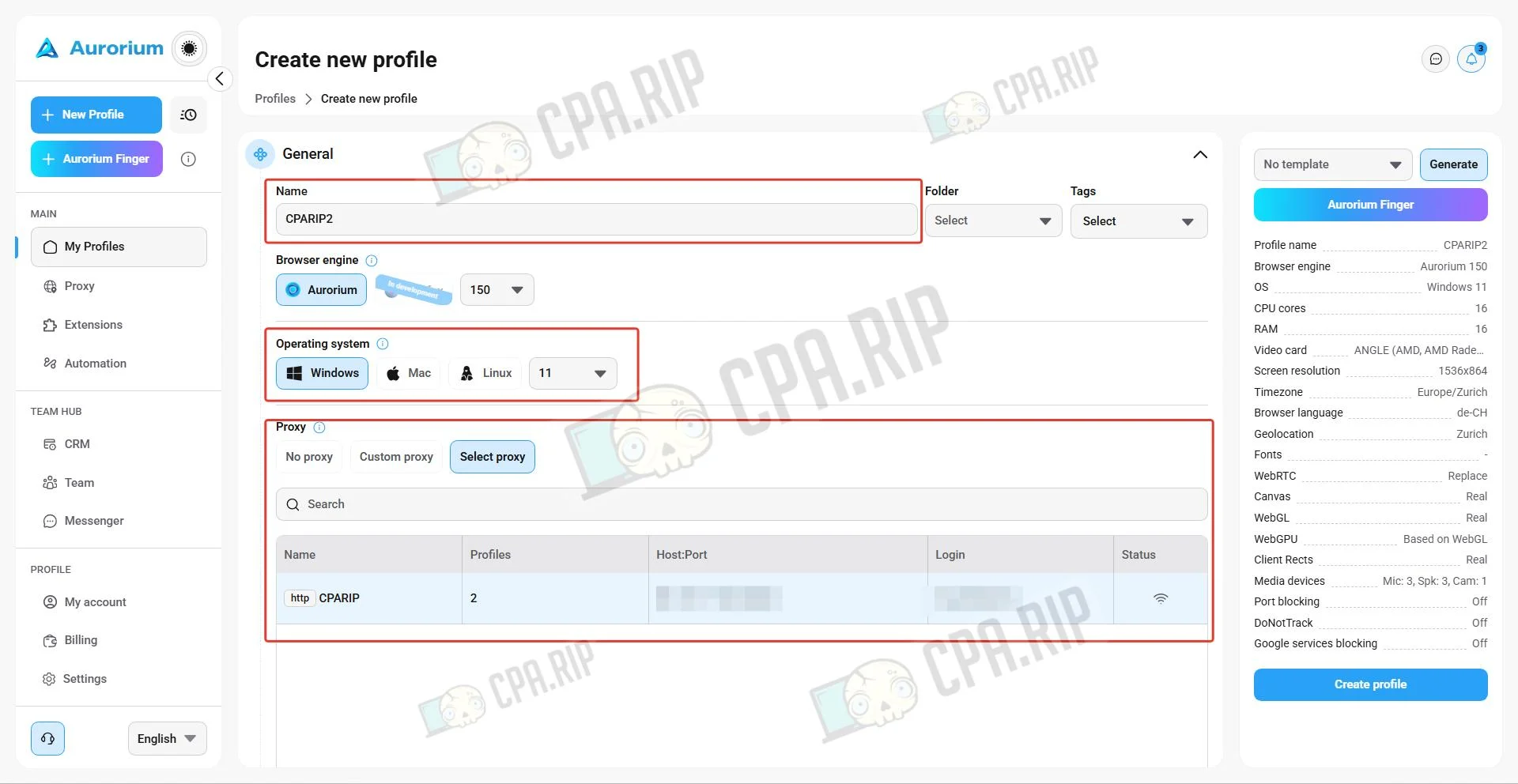
Set a name, choose an operating system (Windows, macOS, and Linux are available) and specify a proxy.
For fine-tuning the fingerprint, click the “Aurorium Finger” button and set the target profile’s parameters: Country, Age range, Occupation, and Monthly income range. Click Save.
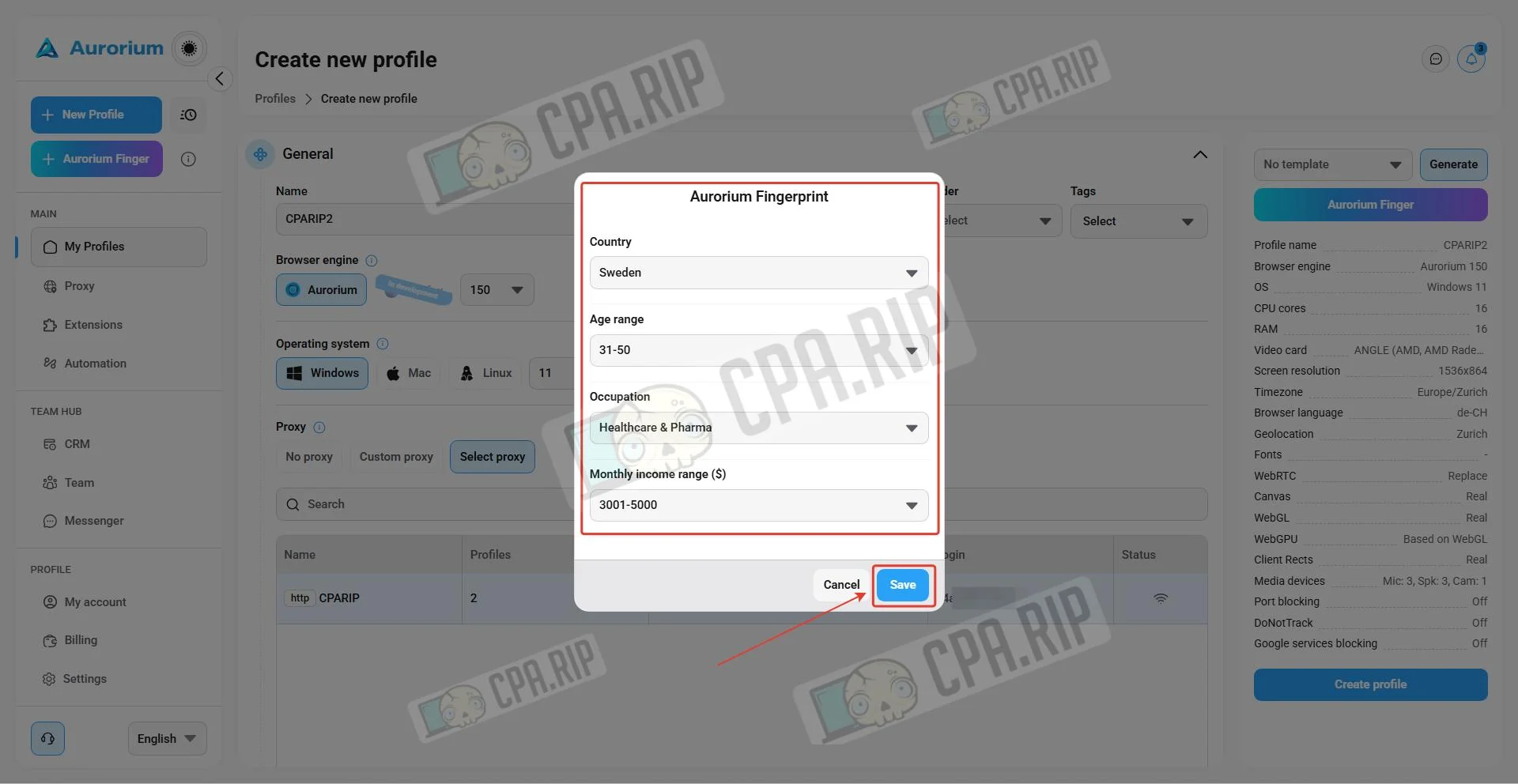
To create the profile, click Create profile.
Team collaboration tools and automation
For team collaboration, Aurorium provides profile distribution among staff, role and access-rights configuration, and a built-in CRM for assigning tasks and tracking their completion. For automation, there’s a synchronizer that lets you perform identical actions across multiple profiles simultaneously, a Cookie Robot for automatically accumulating browsing history, and an API.
Messenger
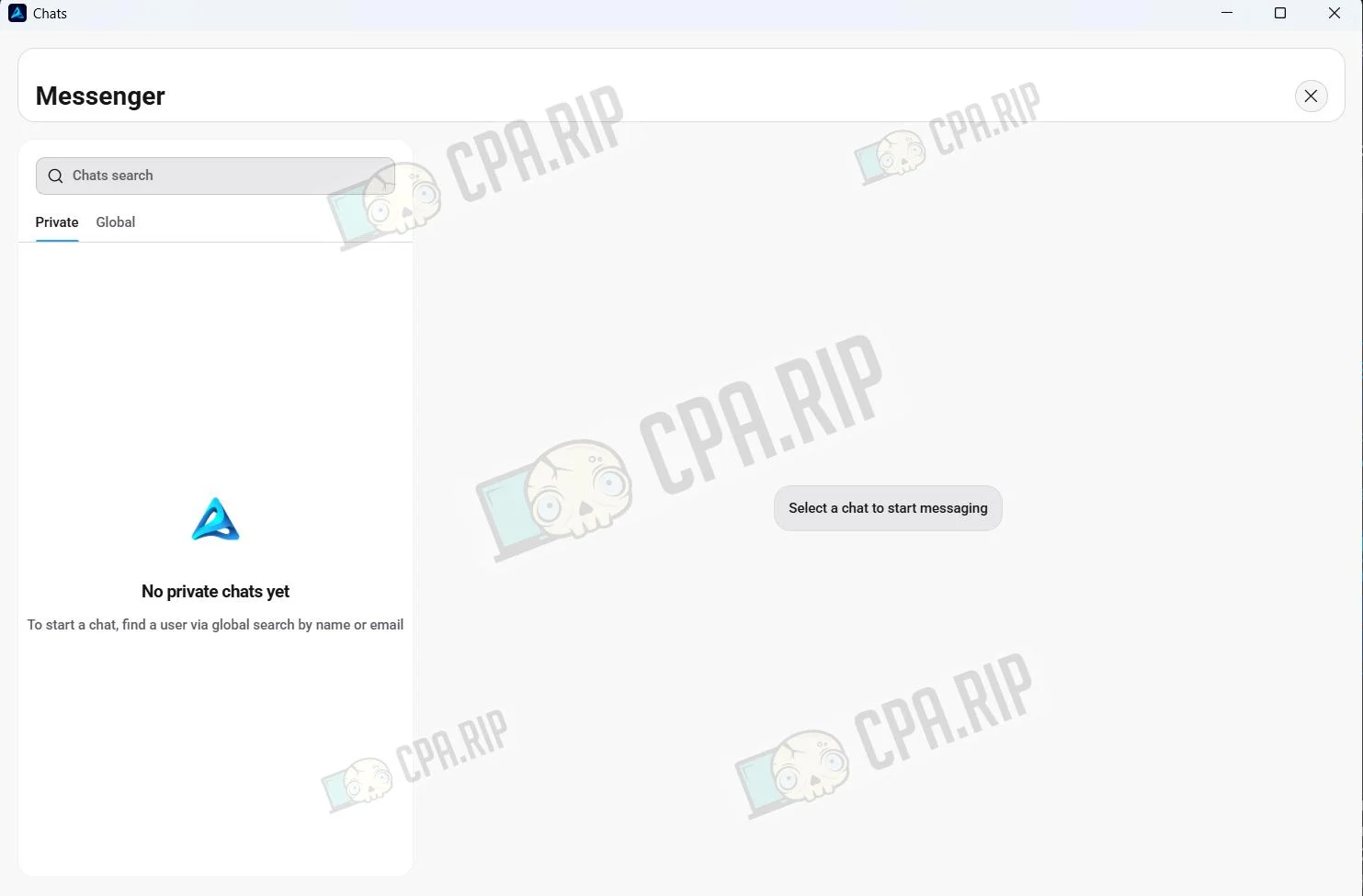
Aurorium also includes a built-in messenger for team collaboration, allowing you to communicate with support, colleagues, and other users in private, team, and regional chats. Automatic translation of messages from different languages is also available right inside the chat.
Mobile app
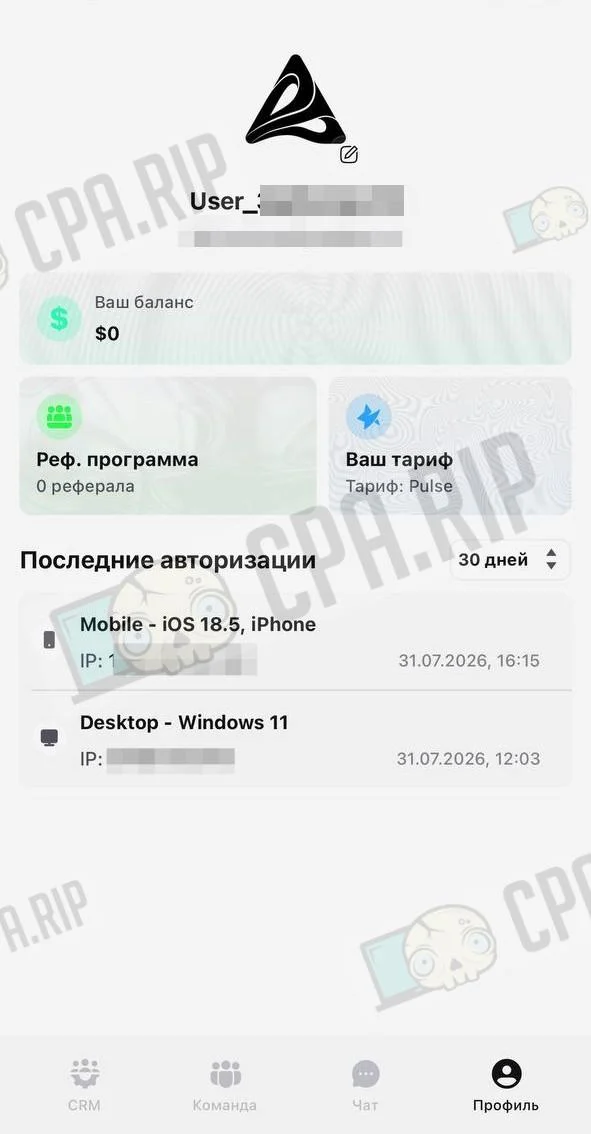
The Aurorium mobile app lets you control your workflows on the go from iOS or Android: manage your team, assign tasks, make payments, and chat in the internal messenger.
- Minimum requirements: Android 13 / iOS 18
Support
- Telegram: https://telegram.me/Aurorium_Support
- WhatsApp: +44 7700 184213
- Jabber: support-aurorium@xmpp.is
- TOX: 3745BBC6C161AB82B5DF295BA1511327A4273BFD8BBC4EF1312351B8466C90139500A82919C8








Comments