



An overview of the DICloak antidetect browser, designed for multi-accounting in areas such as traffic arbitrage (gambling, betting, nutra), e-commerce, and social media management.
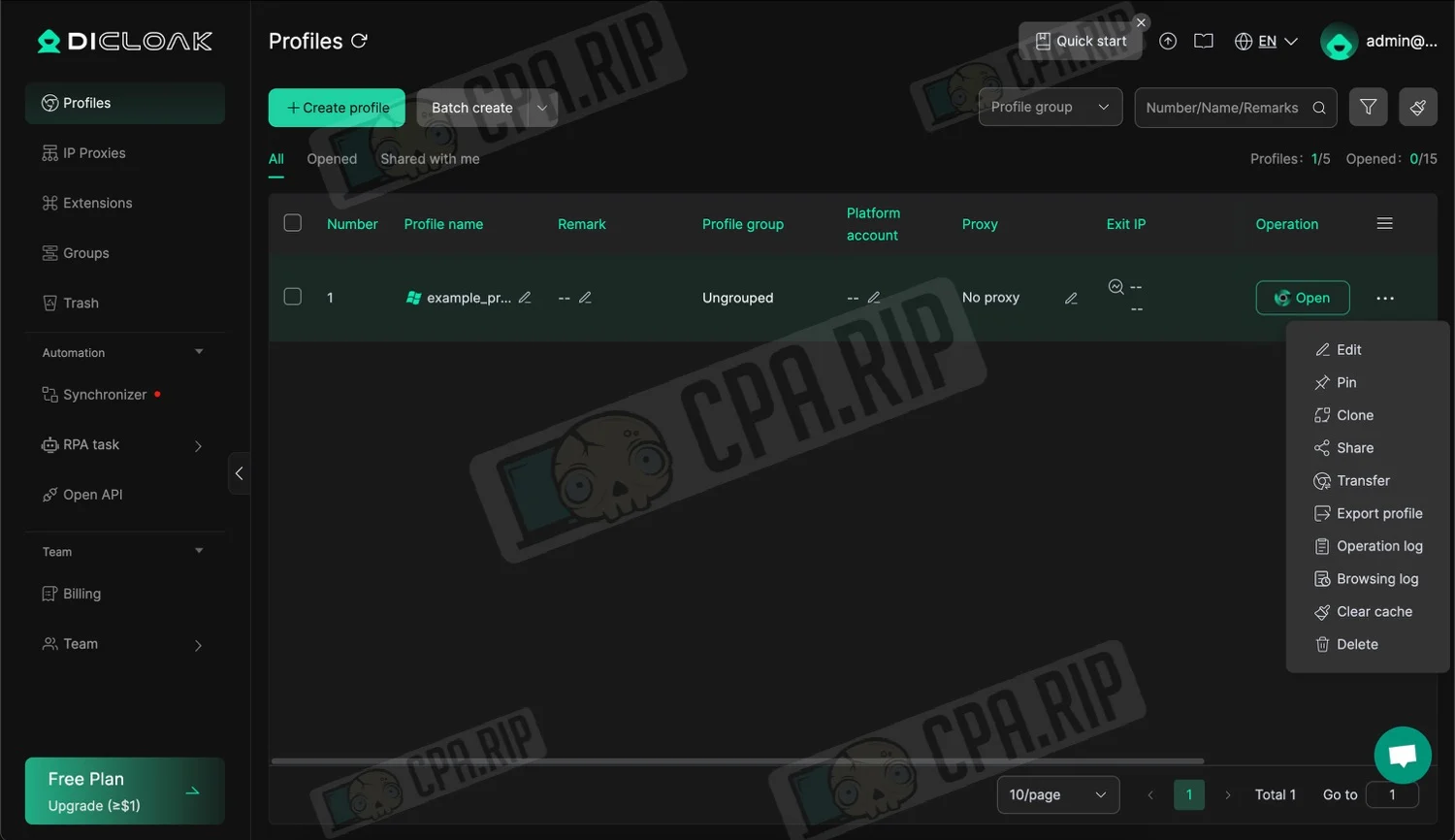
- Download: https://ru.dicloak.com/
Our selection of antidetect browsers: https://cpa.rip/en/services/antidetect-browser/
A masking tool that creates a unique “digital fingerprint” for each profile. Supports proxy configuration (HTTP/HTTPS, Socks5, IPFly), RPA automation, extension management, and team collaboration.
Available on the following platforms:
- Windows;
- macOS (Intel, M series).
Sign up via this link and use the promo code CPARIP to get a 20% discount on any plan.
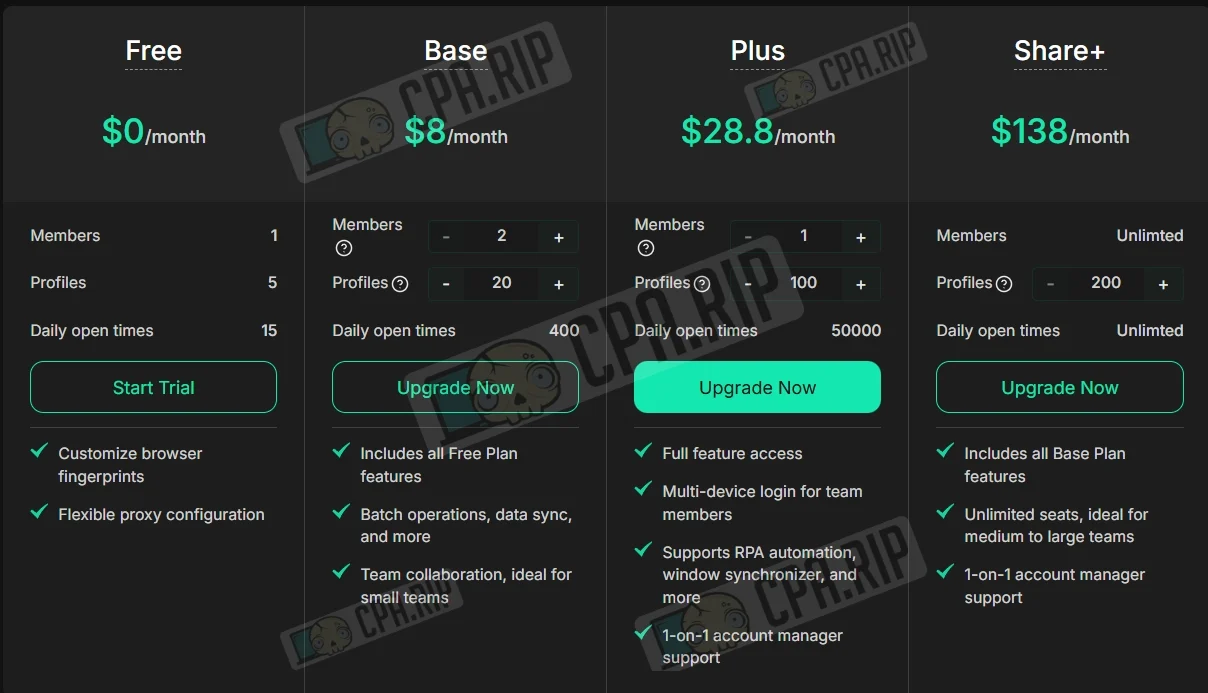
Plans and Pricing
- Free Plan: 5 profiles and 15 opens per day for free.
| Parameter | Base | Plus | Share+ |
| Price | $8/month | $28.8/month | $138/month |
| Members | Members 2 (customizable) | 1 (customizable) | Unlimited |
| Profiles | 20 (customizable) | 100 (customizable) | 200 (customizable) |
| Openings a day | 400 | 50 | unlimited |
| Key Features | Includes features of the free version; Bulk operations, data synchronization, and other features; Team collaboration. | All Base features, Allows team members to use multiple devices to log in, RPA automation support, window synchronization, and other features. Dedicated account manager. | All Base features, Allows team members to use multiple devices to log in, RPA automation support, window synchronization, and other features. Dedicated account manager |
Key opportunities
- Each browser profile has a unique digital fingerprint, including cookies, cache, and history.
- The service allows you to modify over 20 parameters (User-Agent, WebGL, WebRTC, fonts, geolocation, etc.).
- Built-in tool for creating automation scripts for routine tasks (account farming, likes, registration).
- Ability to manage multiple browser windows simultaneously, replicating actions from the main window to the others.
- Configure access levels for different team members, and share profiles and proxies within the team.
Interface and Profile Creation
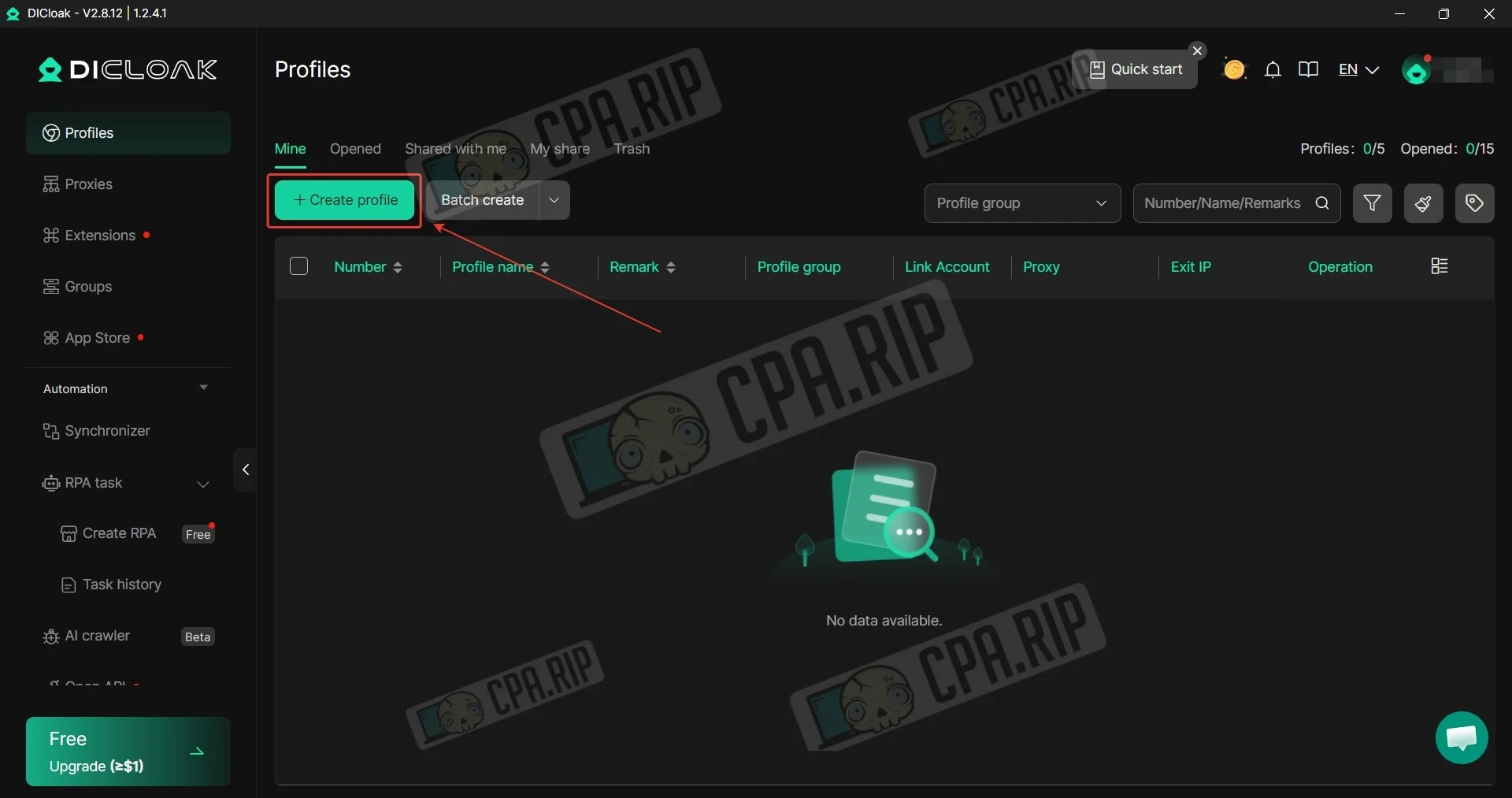
To create a profile, click “Create profile” in the “Profiles” section.
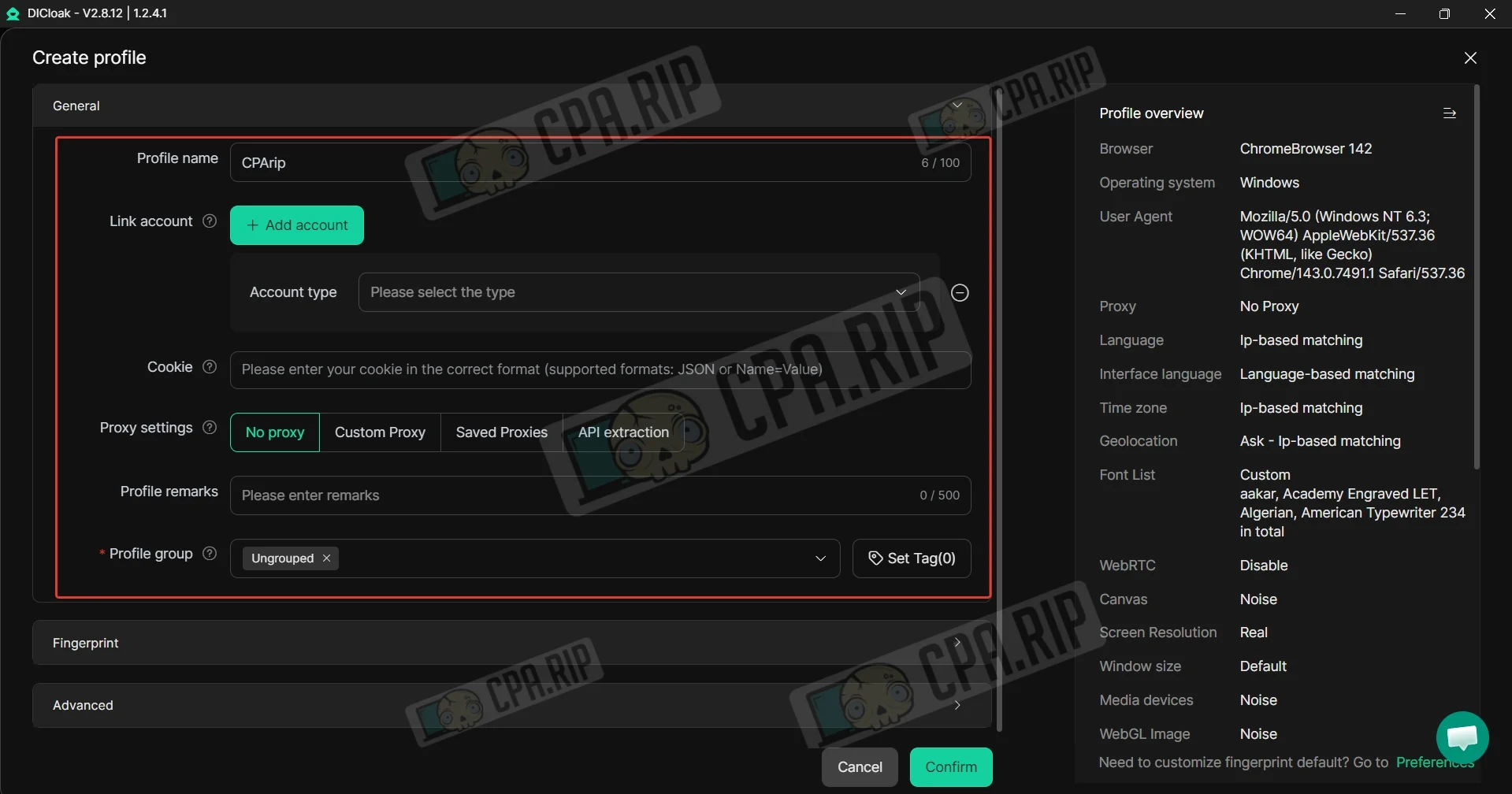
Enter a name, add cookies and a proxy. In this menu, you can link a Facebook, Instagram, or other social media account to the profile; to do so, click “Add account.”
Next, in the “Fingerprint” section, select your operating system and update the User Agent if necessary.
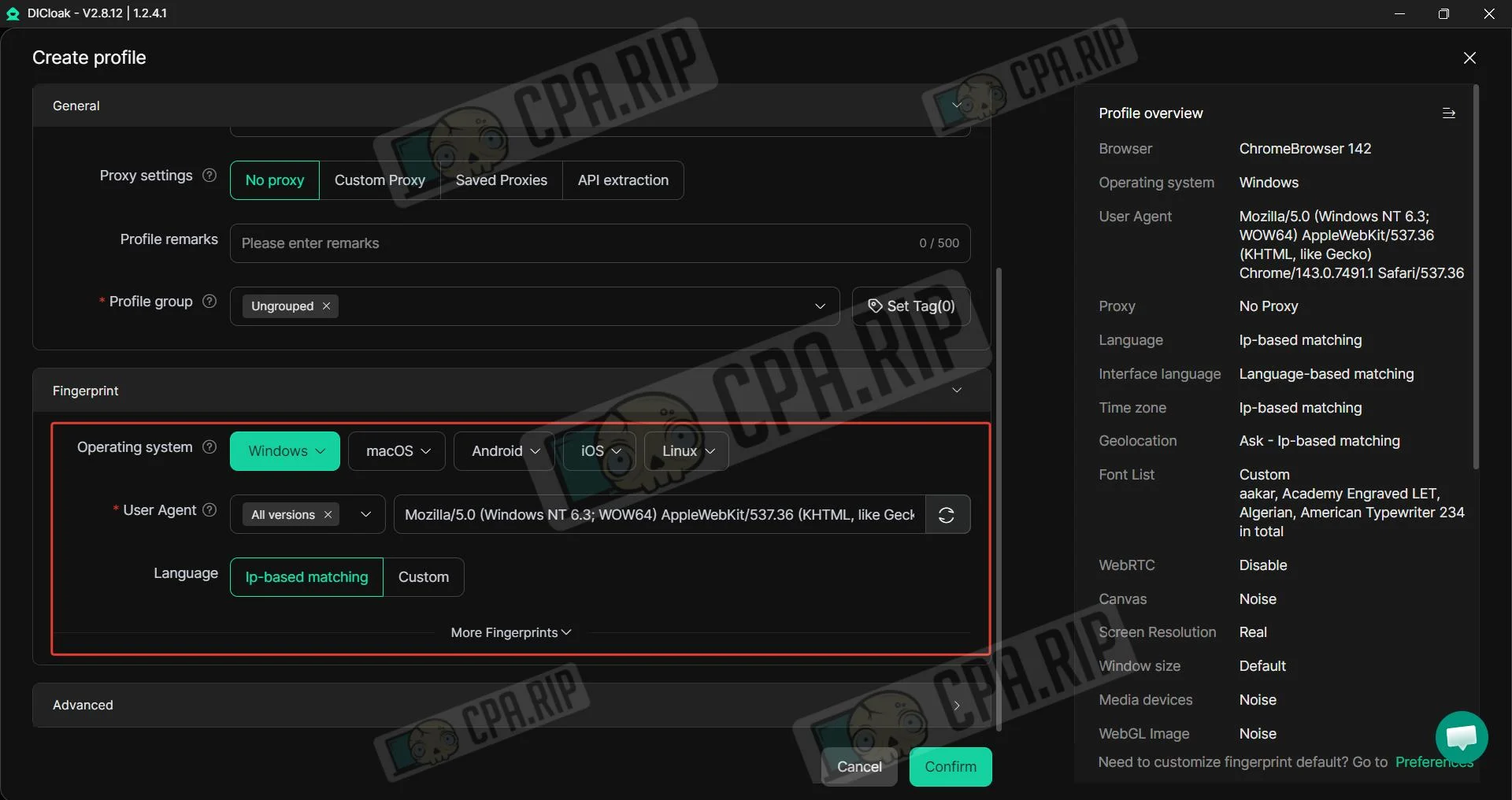
Advanced settings are available in the “Advanced” section for experienced users. The default settings are already configured and should not be changed without proper knowledge.
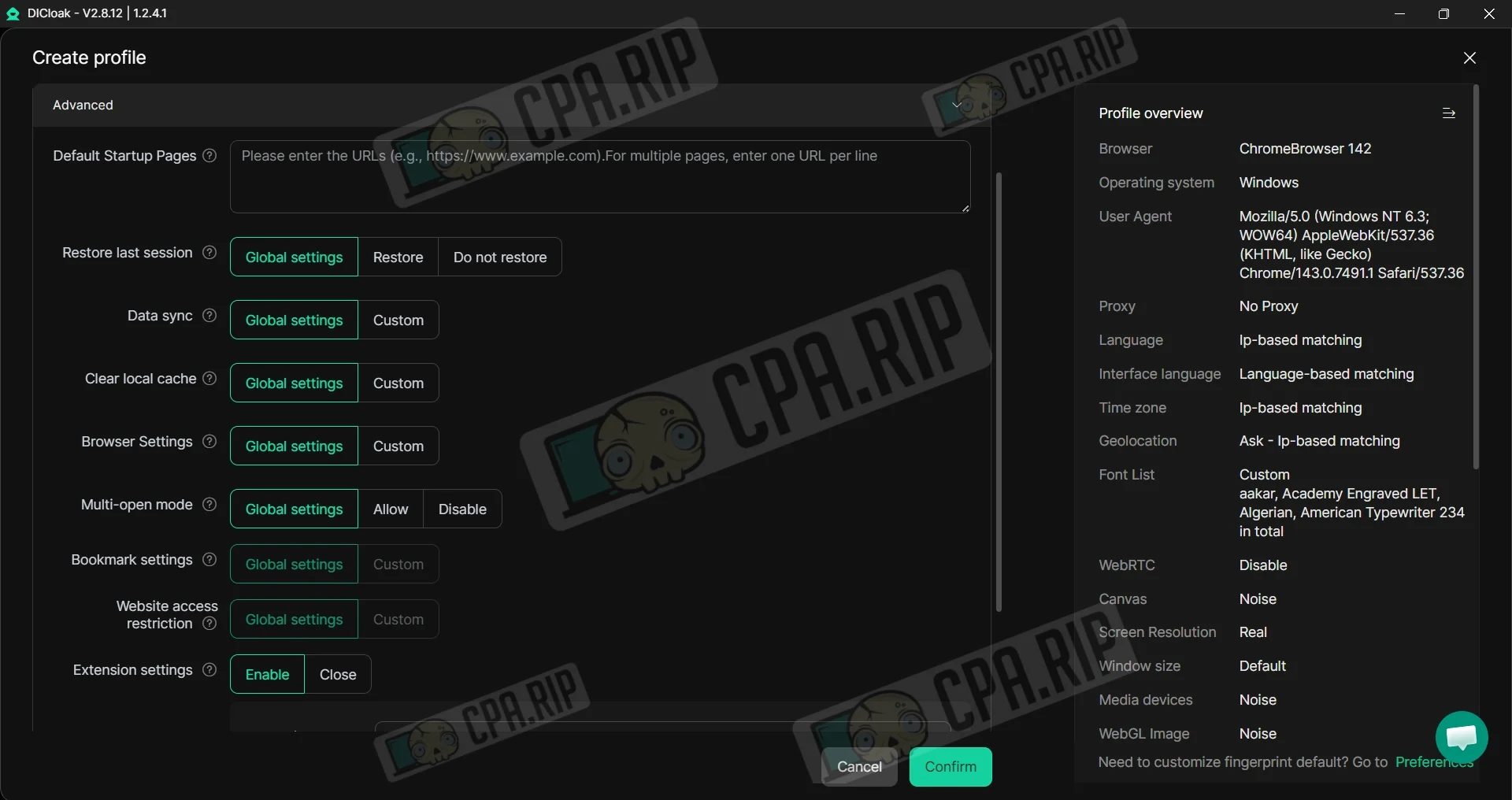
After filling in the main settings, click Confirm. The profile is ready to use.
Automation in DICloak
The tools in DiCloak are designed to automate routine tasks and manage multiple profiles simultaneously.
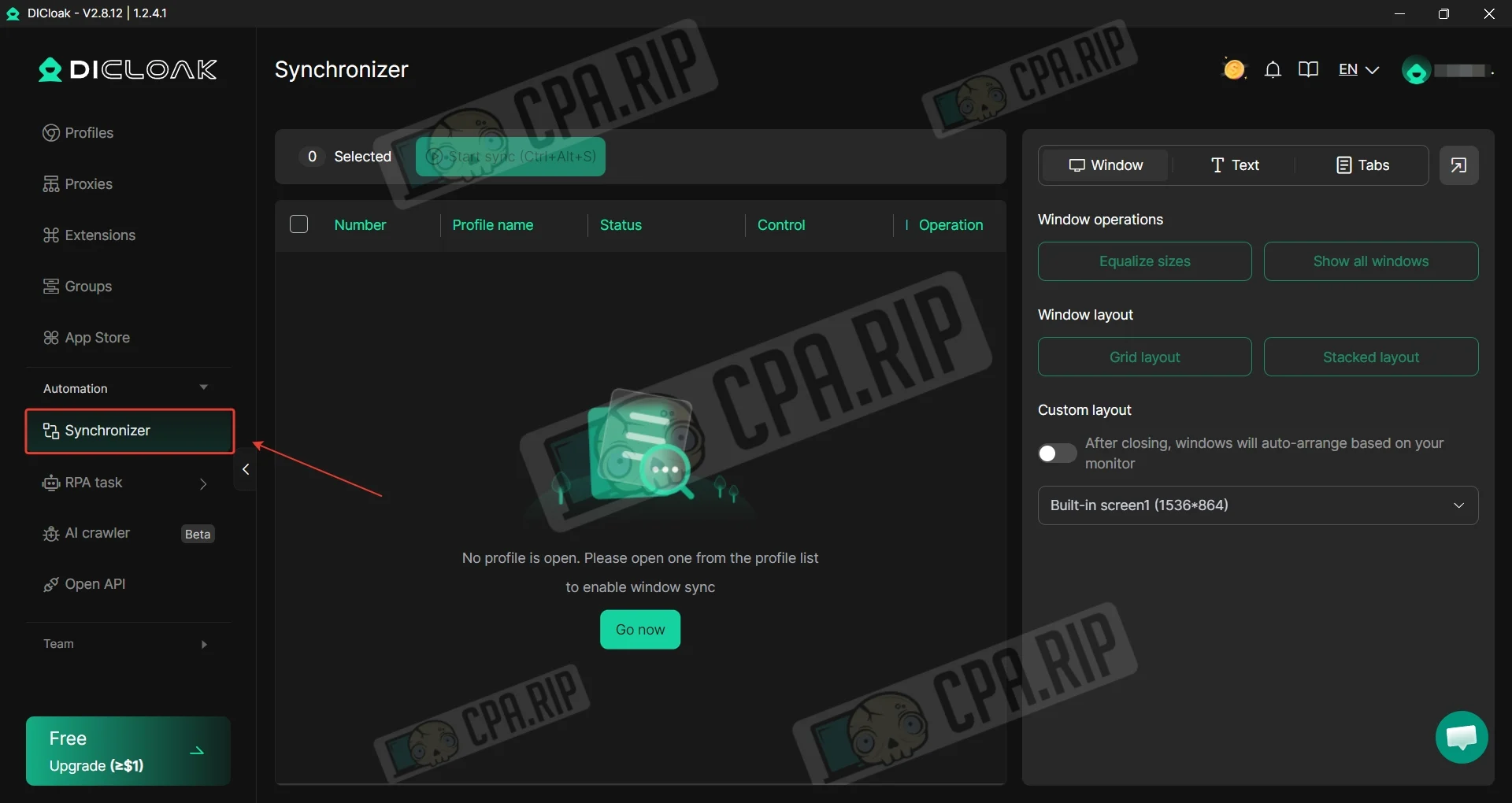
- The Synchronizer allows you to manage a group of browser profiles as a single unit. All actions you perform in the main window (clicks, text input, link navigation, scrolling) are replicated in all other running profiles.
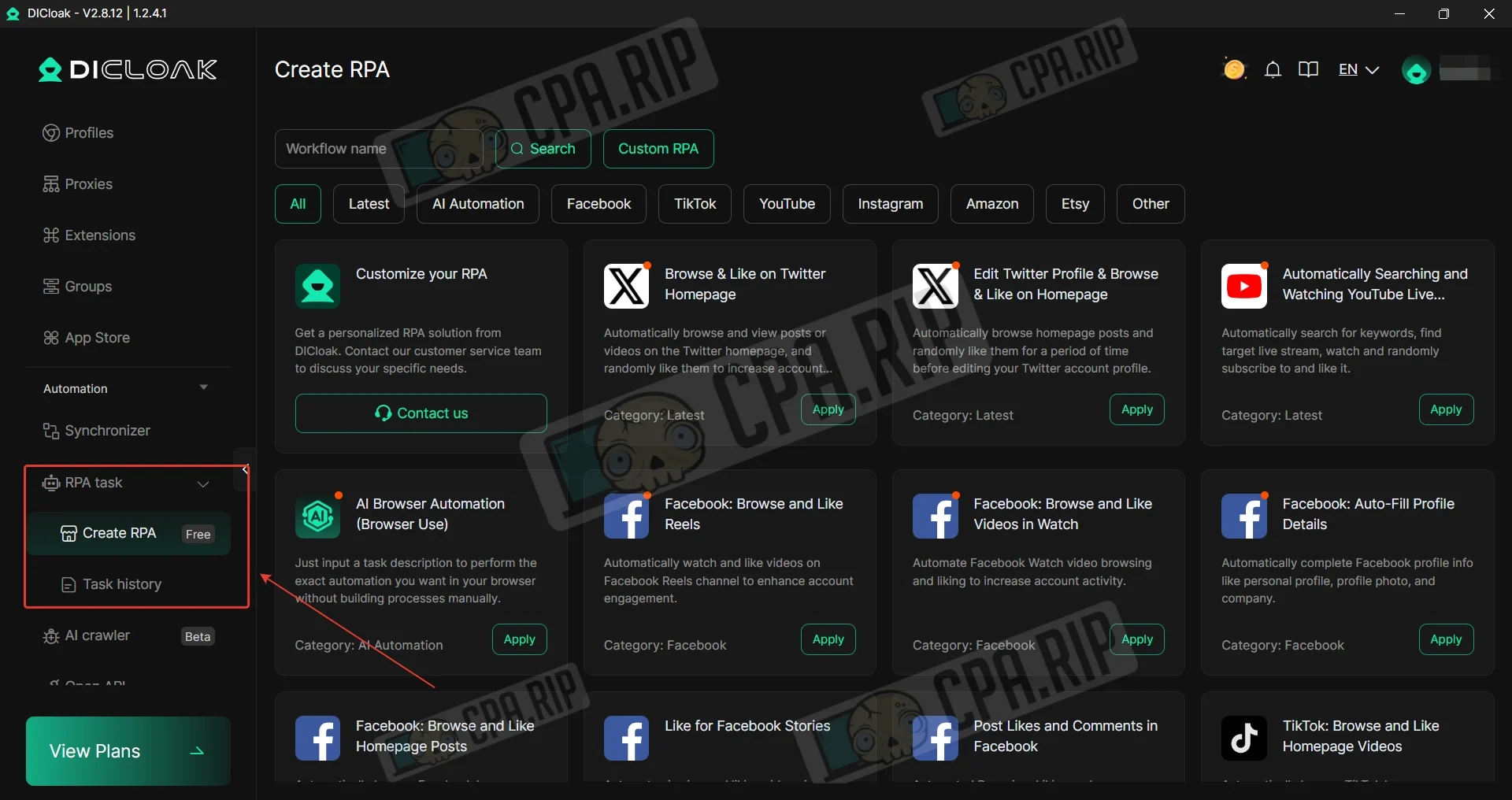
- Robotic process automation, a system for creating automation scripts. It allows you to “record” a sequence of actions (for example: visit a website -> enter username/password -> scroll through the feed -> like a post). You can use ready-made templates or create your own scripts so that the program performs tedious tasks on its own without your involvement.
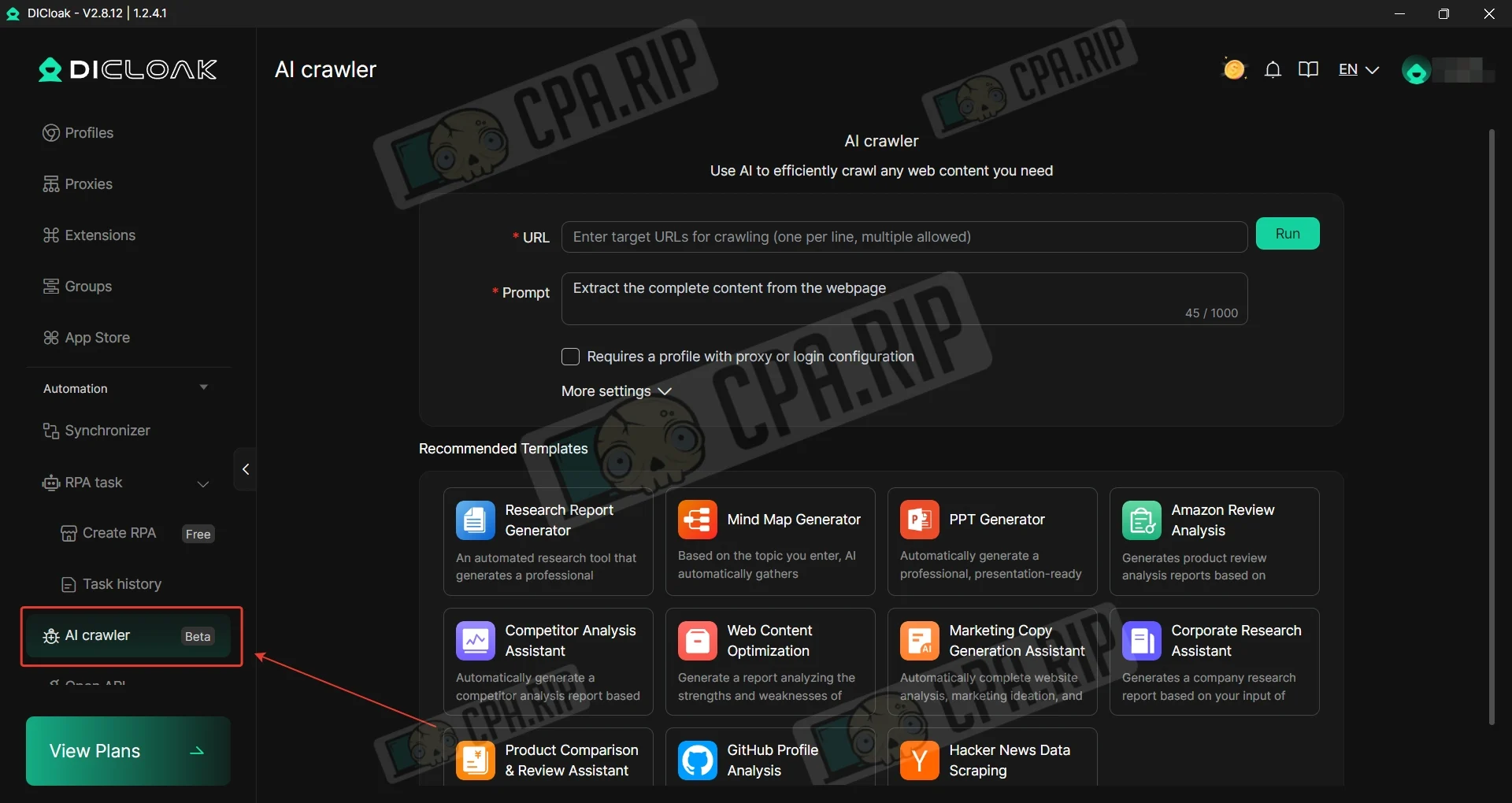
- AI Parsing — A tool for automatically collecting data from web pages. Using artificial intelligence, it can find and structure information on websites (e.g., collect product prices, company contact information, or social media profile data) and output the results in a convenient format (JSON or Markdown). It operates based on predefined templates, which makes data collection as fast as possible.
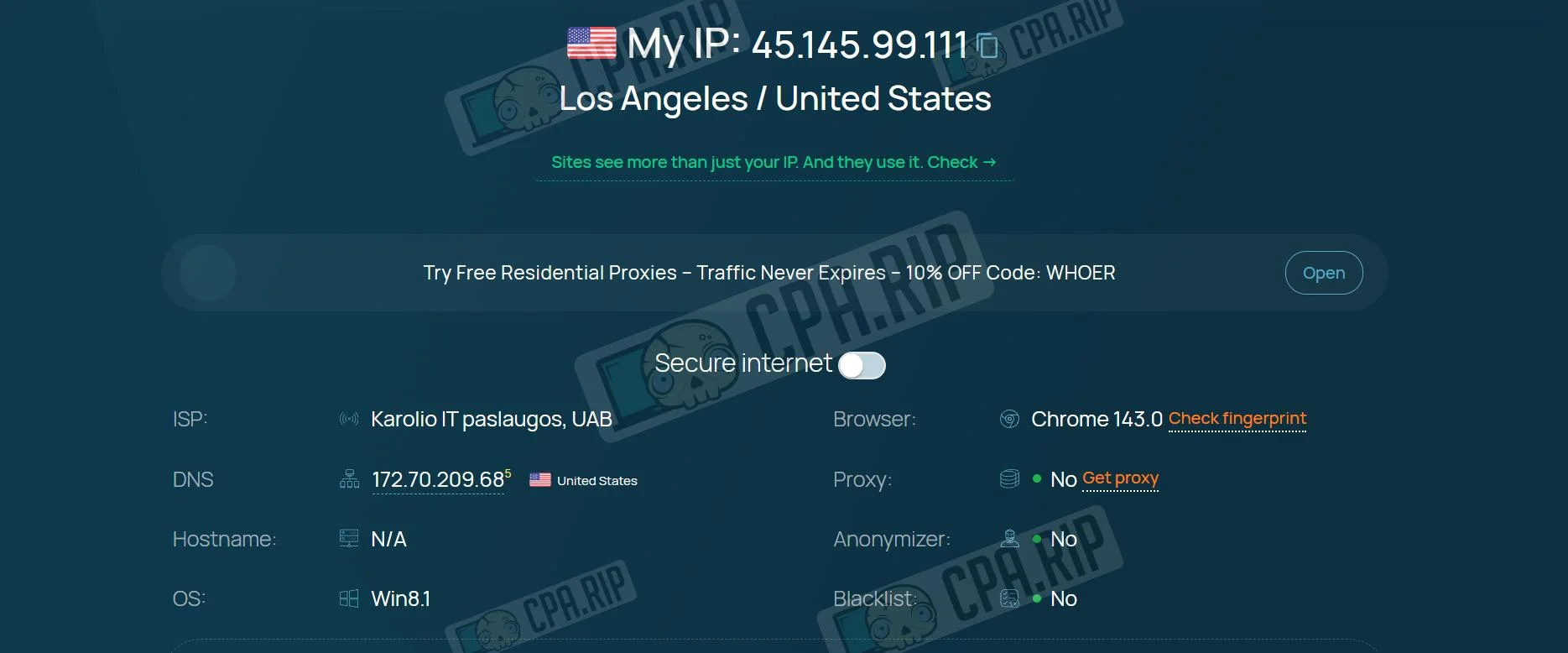
Antidetect browser check
When checked on whoer.net, the results look correct: the system identifies us as a user from the US, and the service shows that we are not using a proxy.
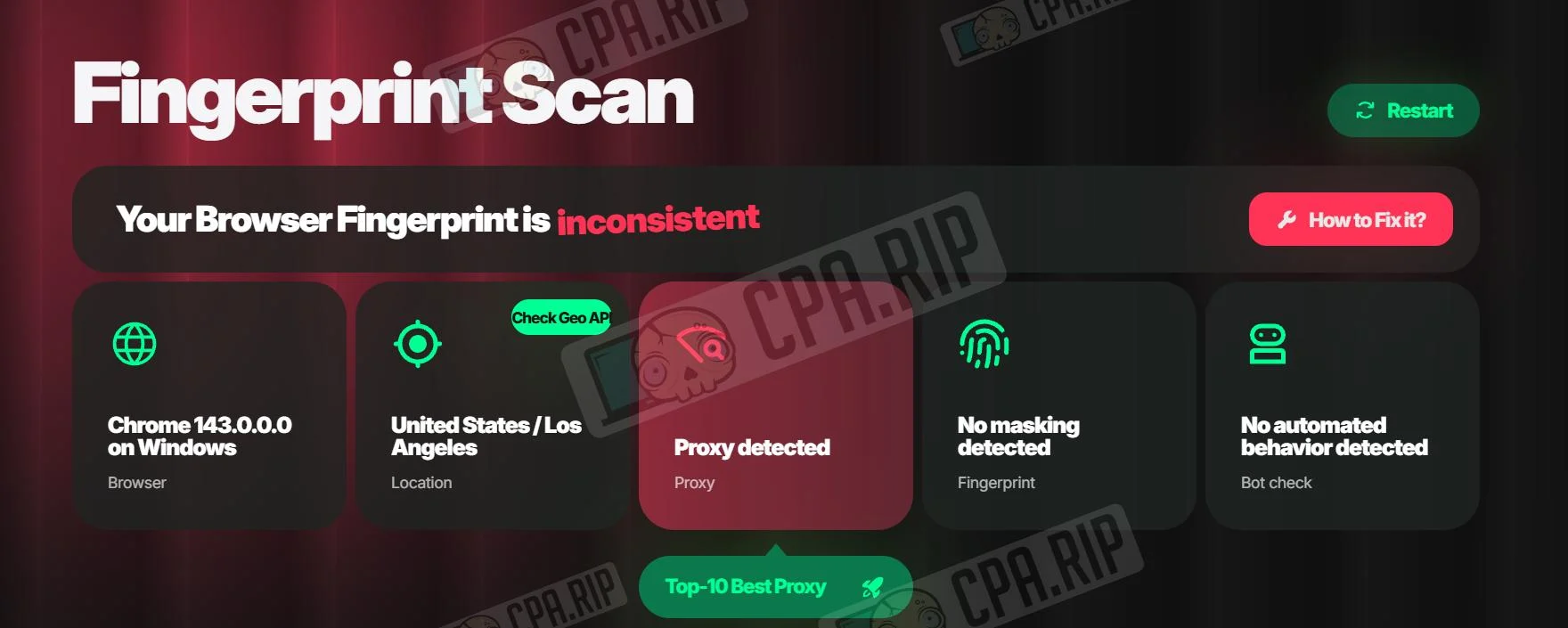
Pixelscan.net, on the other hand, flags the use of a proxy.
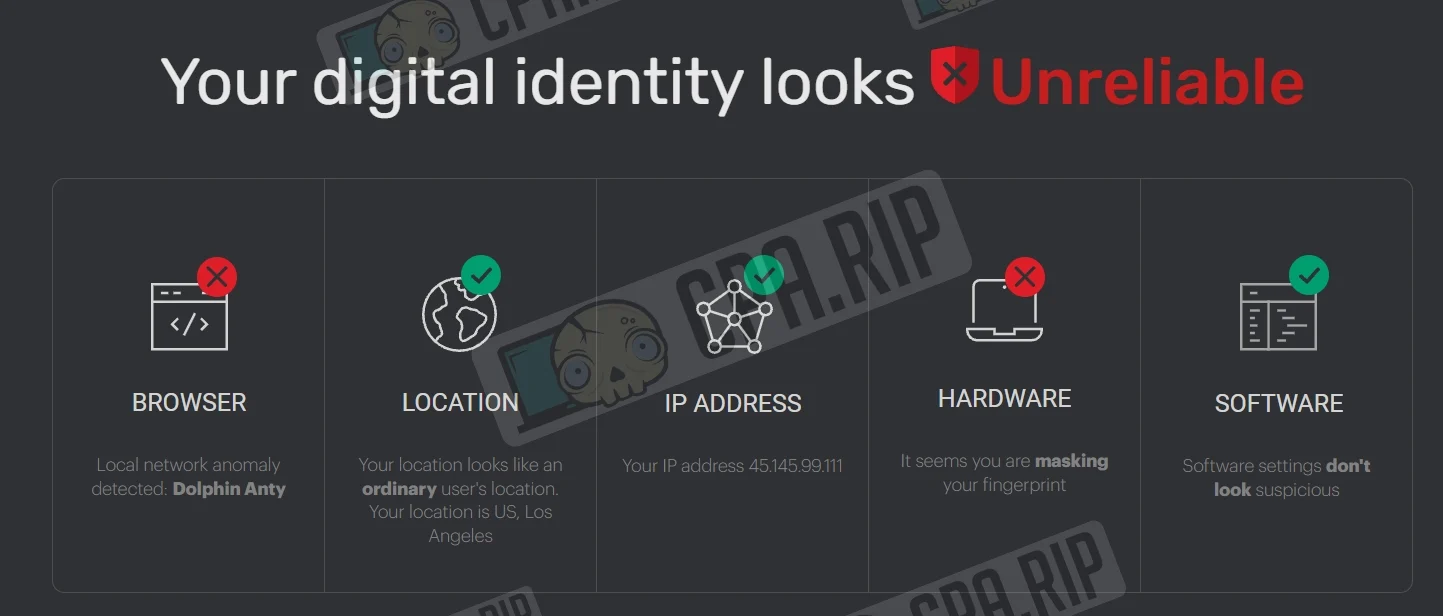
To verify the quality of the antidetect browser emulation, we use the iphey.com service. Test results: “Your digital identity appears unreliable.”
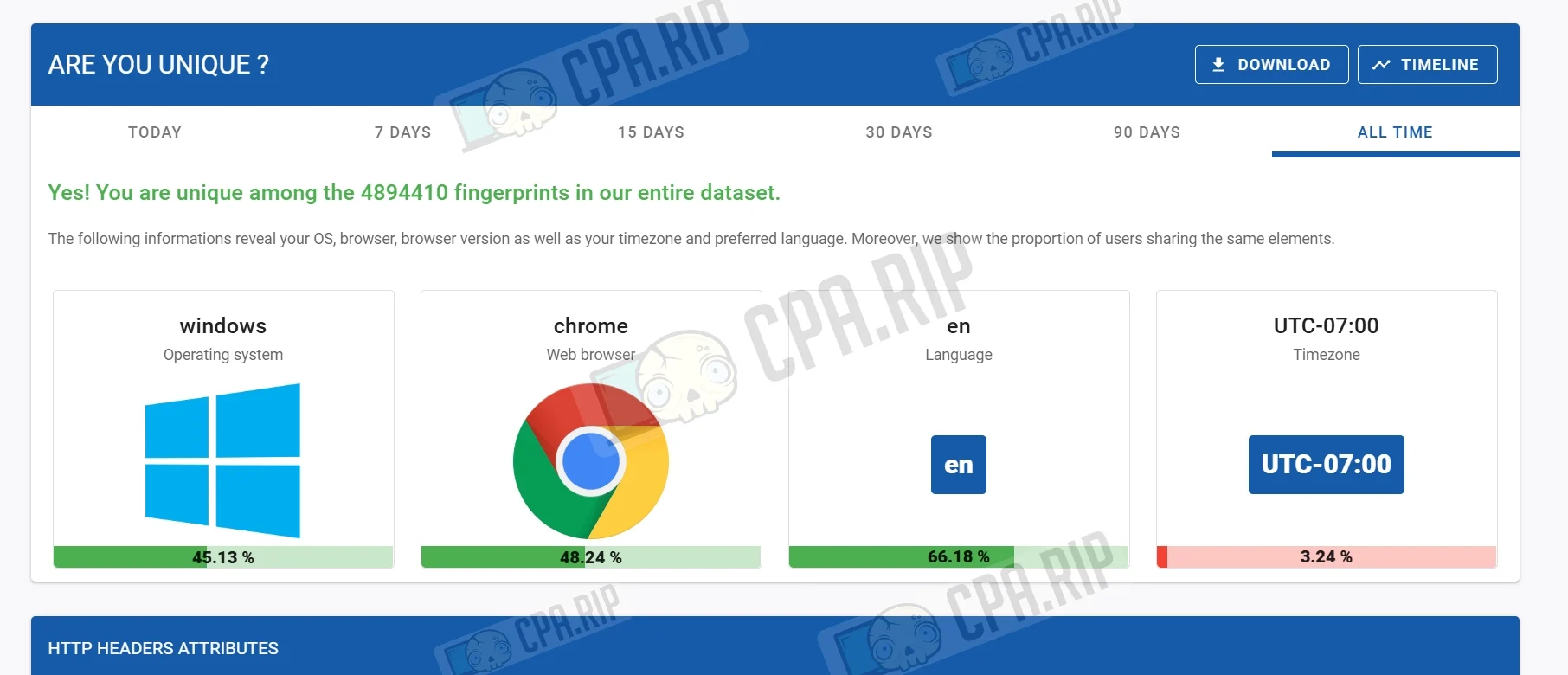
We checked the fingerprint on amiunique.org: the fingerprint is unique.
Support
- Official website: https://dicloak.com;
- Telegram: https://telegram.me/DICloak;
- WhatsApp: +8619860078235;
- Browser-based live chat.








Comments