



A review of the antidetect browser with a fully featured free plan Donut Browser. We’ve examined the pricing plans, first profile creation, and tested the profiles for fingerprint quality and uniqueness.
Donut Browser is an open-source antidetect browser designed to ensure privacy, manage multiple accounts, and automate web processes. It supports two popular engines: Chromium (via the Wayfern modification) and Firefox (via Camoufox).
- Download: https://donutbrowser.com
Available on the following platforms:
- Windows;
- macOS (Intel, M series);
- Linux.
Our selection of antidetect browsers: https://cpa.rip/en/services/antidetect-browser/
Pricing plans
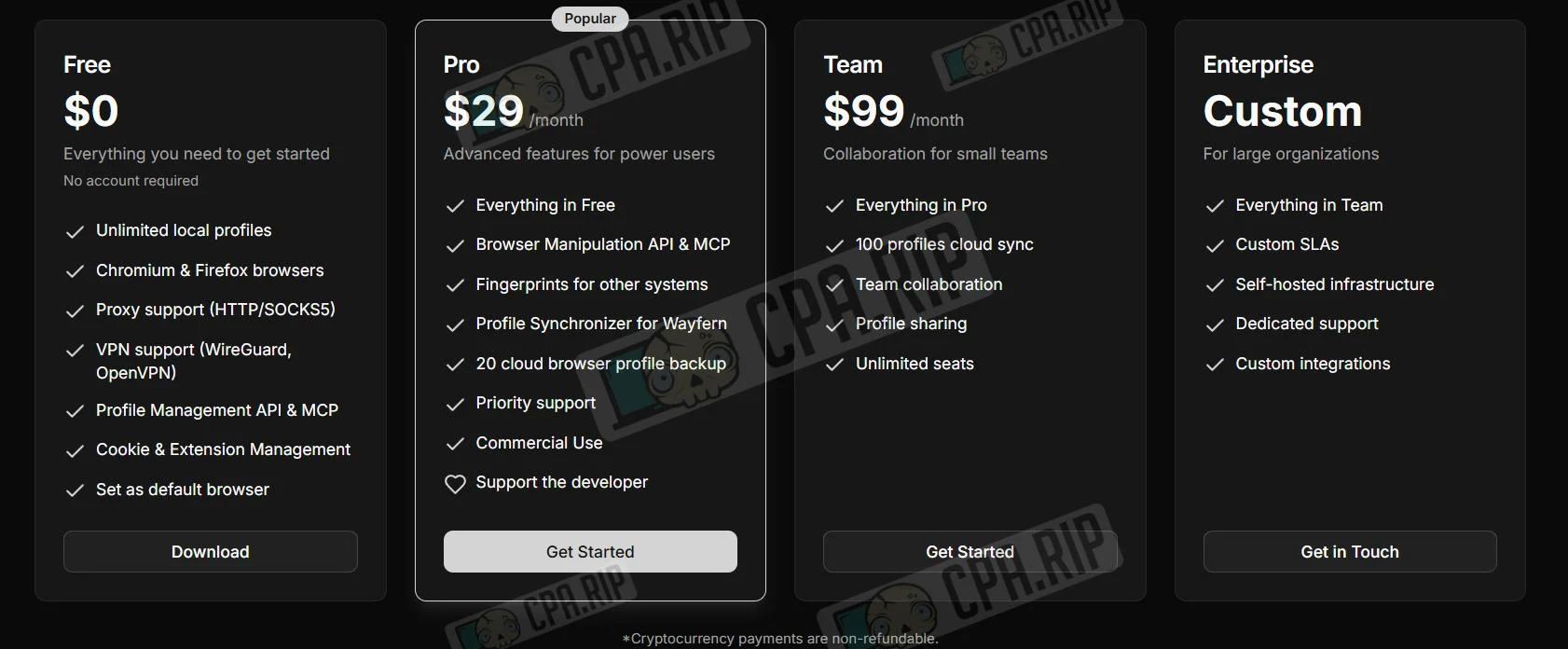
| Free ($0) | Pro ($29/мес) | Team ($99/мес) | Enterprise (Custom) |
|---|---|---|---|
| Неограниченные локальные профили | Все возможности Free | Все возможности Pro | Все возможности Team |
| Движки Chromium и Firefox | API для манипуляций и MCP | Облачная синхронизация (100 профилей) | Индивидуальные SLA |
| Поддержка Proxy и VPN | Отпечатки для других систем | Командное взаимодействие | Self-hosted инфраструктура |
| API управления профилями | Синхронизатор для Wayfern | Шаринг профилей | Выделенная поддержка |
| Управление куки и расширениями | Бэкап 20 профилей в облако | Безлимитное количество мест | Кастомные интеграции |
| Установка как браузер по умолчанию | Приоритетная поддержка | ||
| Регистрация не требуется | Коммерческое использование |
Key Features and Capabilities
- Unlimited creation of isolated local profiles. Each profile has a unique fingerprint, its browsing history, cookies, and a set of extensions.
- Works on both Chromium and Firefox.
- Full support for modern proxy protocols from HTTP to SOCKS5 and built-in support for WireGuard and OpenVPN VPN tunnels.
- A local REST API and MCP protocol support allow you to connect the browser to AI assistants to perform routine tasks.
- Account groups for bulk editing of settings and easy data transfer from popular browsers.
- Zero telemetry and end-to-end (E2E) encryption during synchronization ensure that only the key owner has access to the data.
Browser profile creation
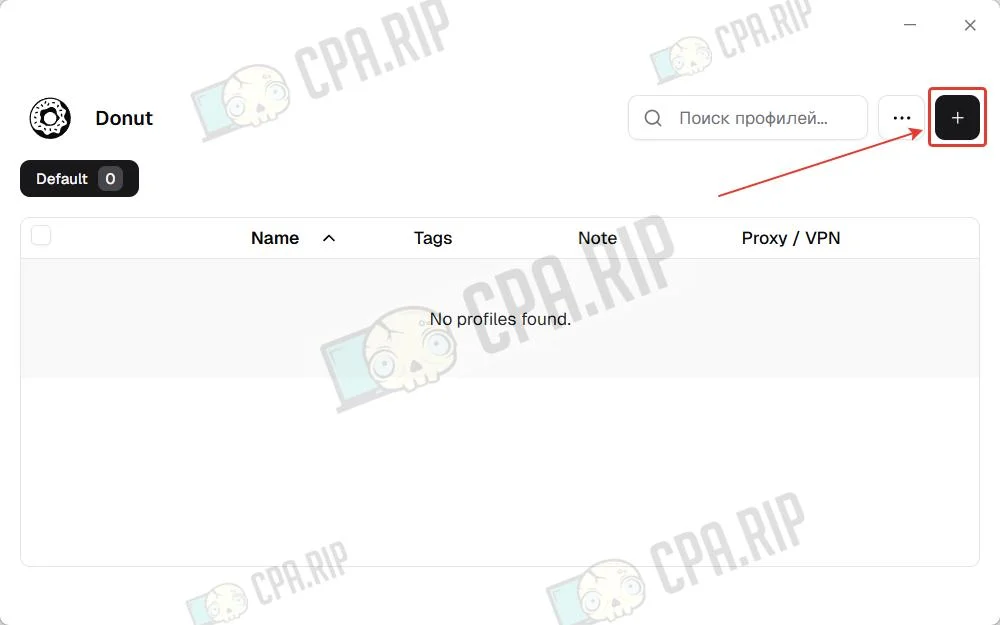
Click the “+” icon in the top-right corner to create a new profile.
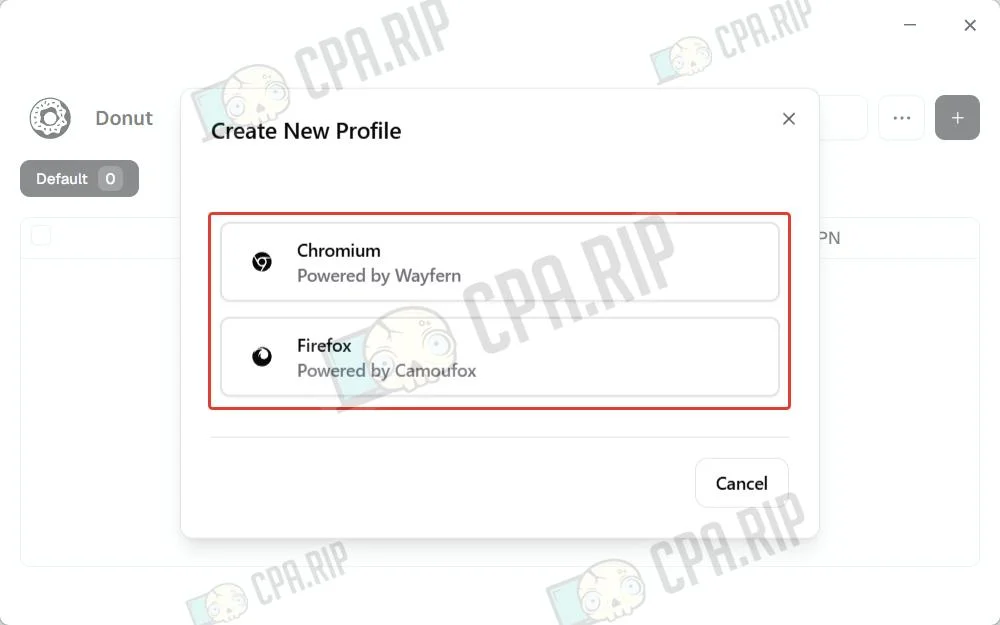
Select a profile core.
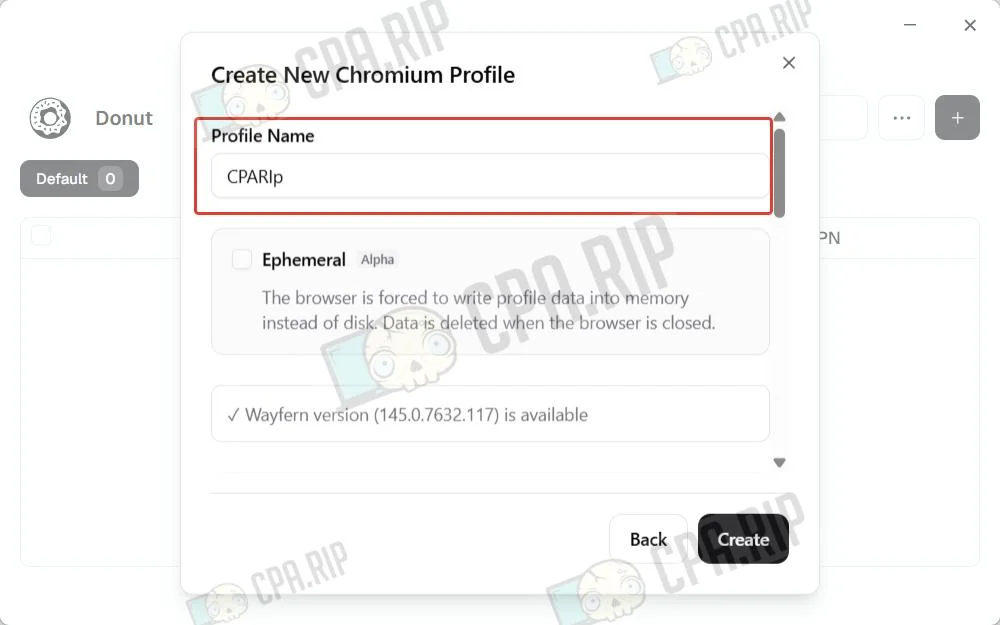
Set a profile name.
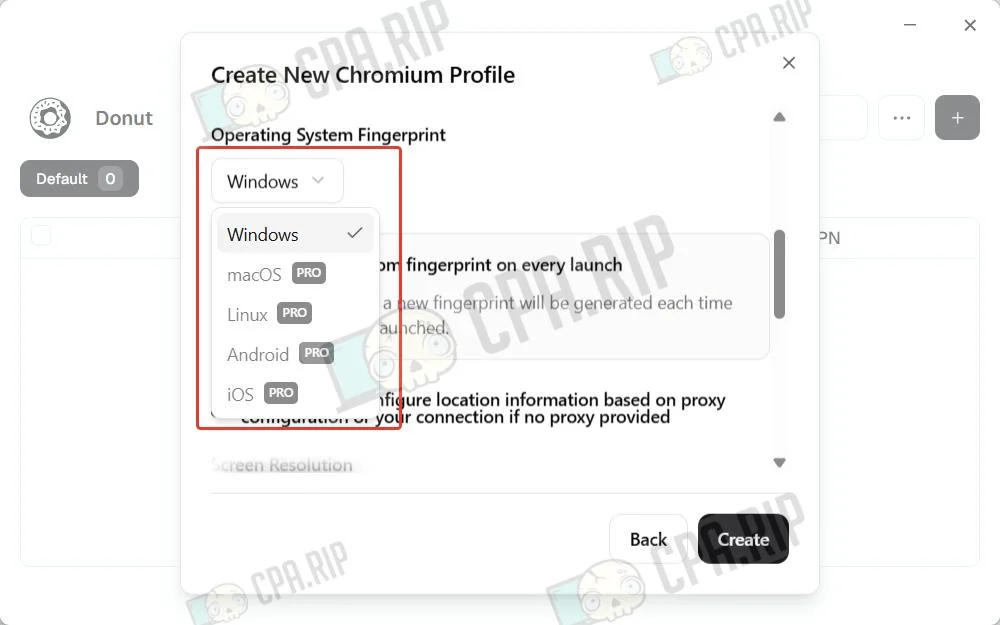
Supported operating systems: Windows, macOS, Linux, Android, and iOS.
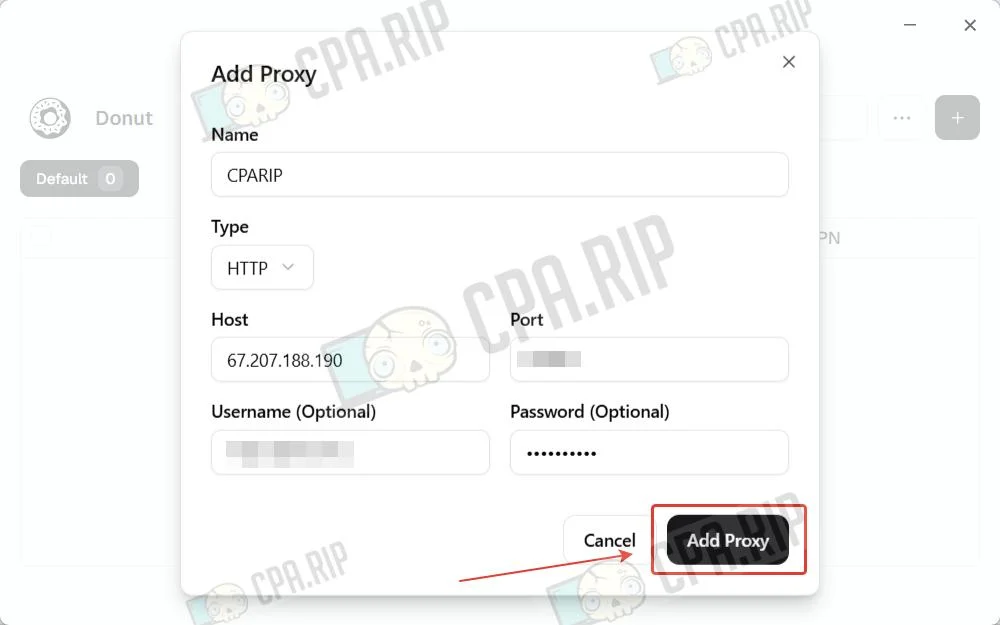
Add a proxy.
After configuring the profile, click Create.
Antidetect browser check
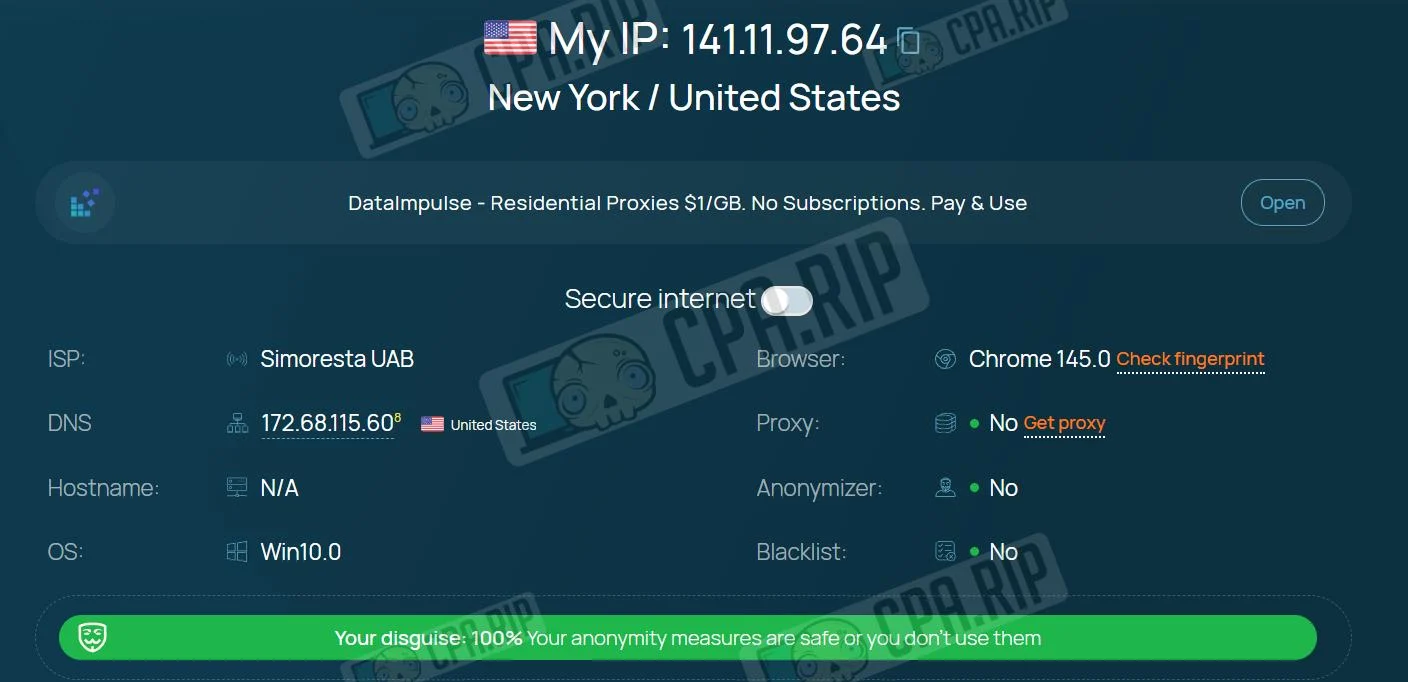
During the initial check, the whoer.net service shows full compliance with masking criteria – the protection status is rated at 100%. At this level, the algorithms do not detect any direct signs of anonymizer use or IP blacklisting.
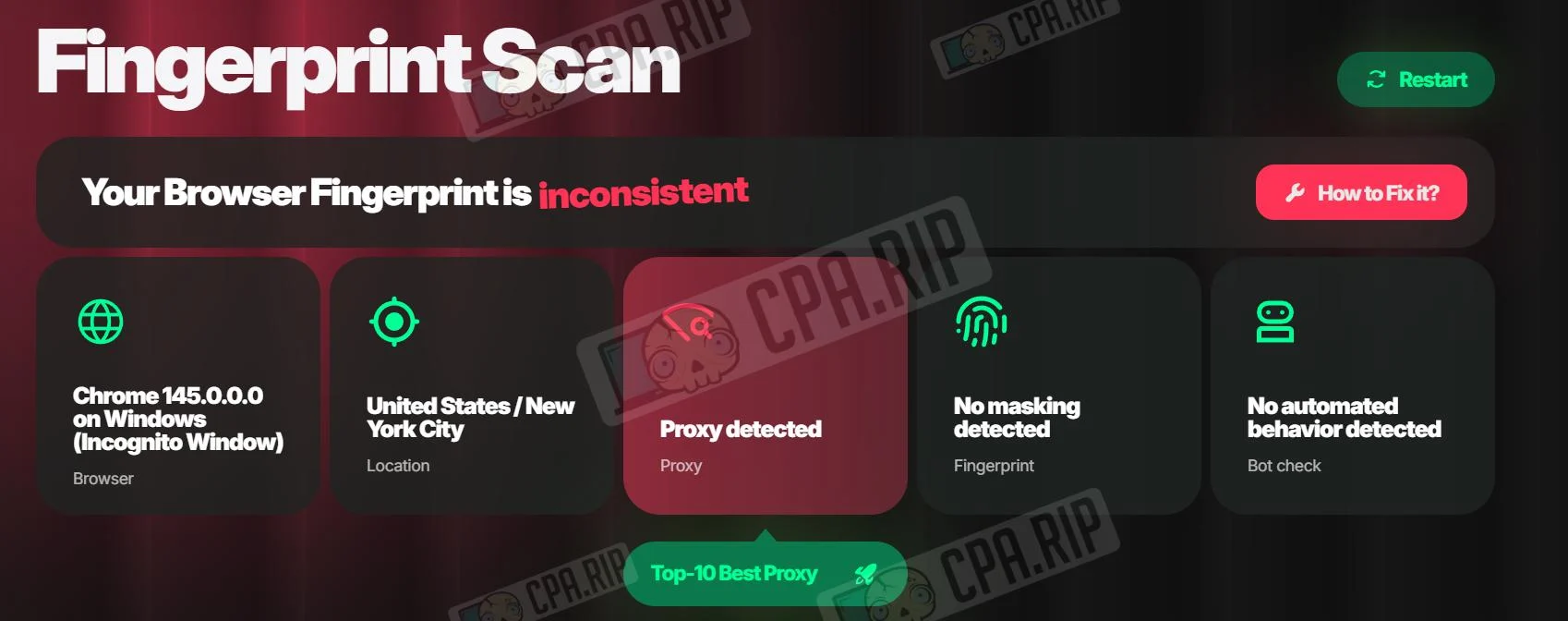
However, upon analysis on pixelscan.net, the situation changes: the browser fingerprint status is marked as “inconsistent.” The algorithms detect the use of a proxy.
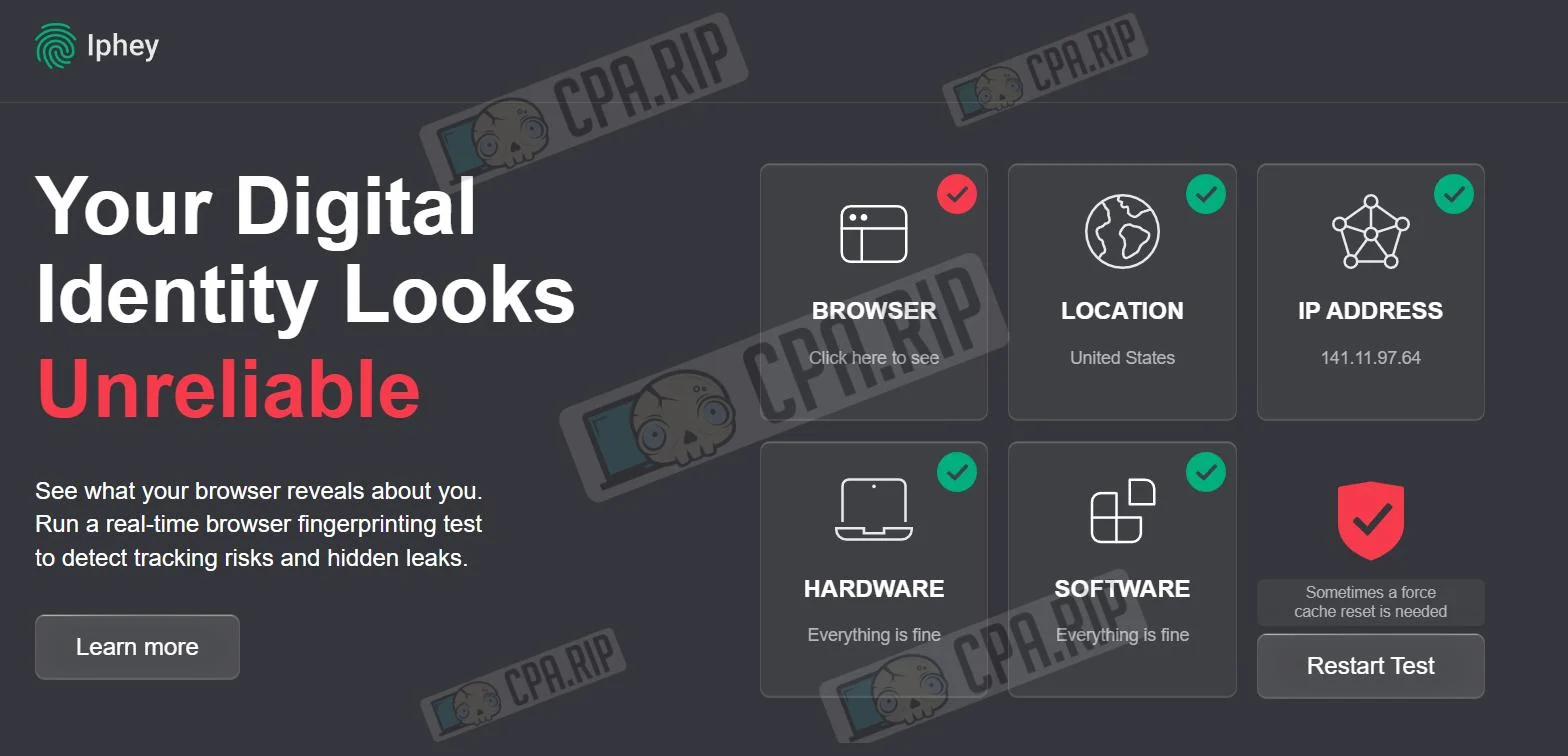
A final check of the Iphey service confirms the digital profile’s overall unreliability. The verdict is “Your Digital Identity Looks Unreliable.” Despite correct geolocation and standard hardware metrics, the system detected browser spoofing.








Comments