

![[FBM] CARDS](https://cpa.rip/wp-content/uploads/cr-a1/fbm-cards-v1/fbm-cards-logo.svg)




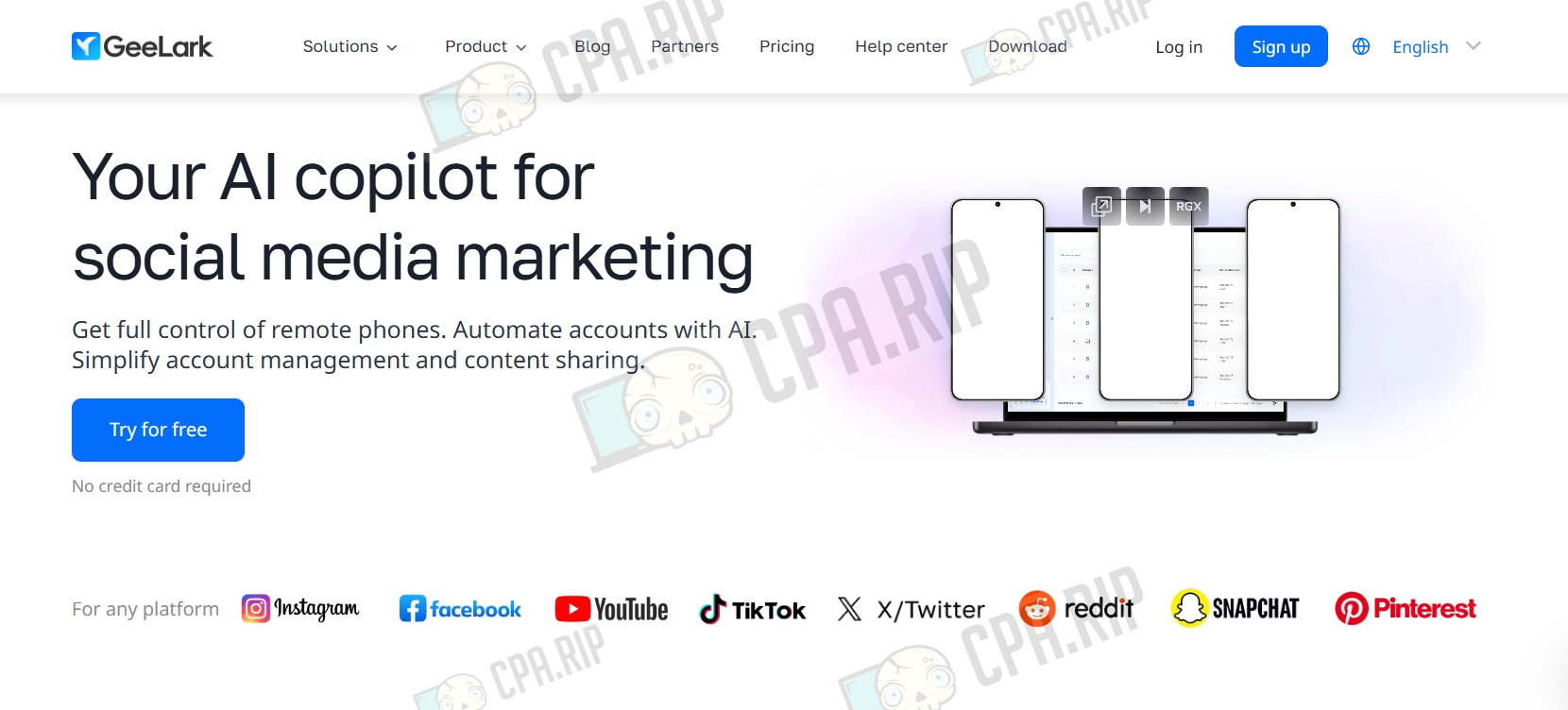
GeeLark is an antidetect browser that lets you create profiles on macOS and Windows, as well as use cloud-based mobile profiles on Android.
It’s well-suited for managing large numbers of social media accounts, with a particular focus on TikTok. One of GeeLark’s key features is automating TikTok actions: posting videos and image carousels, as well as warming up accounts. This reduces the amount of manual work involved in managing accounts at scale. GeeLark also provides team access to profiles.
- Download: https://app.geelark.com/
Available on the following platforms:
- Windows;
- macOS (Intel, Apple Silicon);
- Linux.
Our roundup of antidetect browsers: https://cpa.rip/services/antidetect-browser/
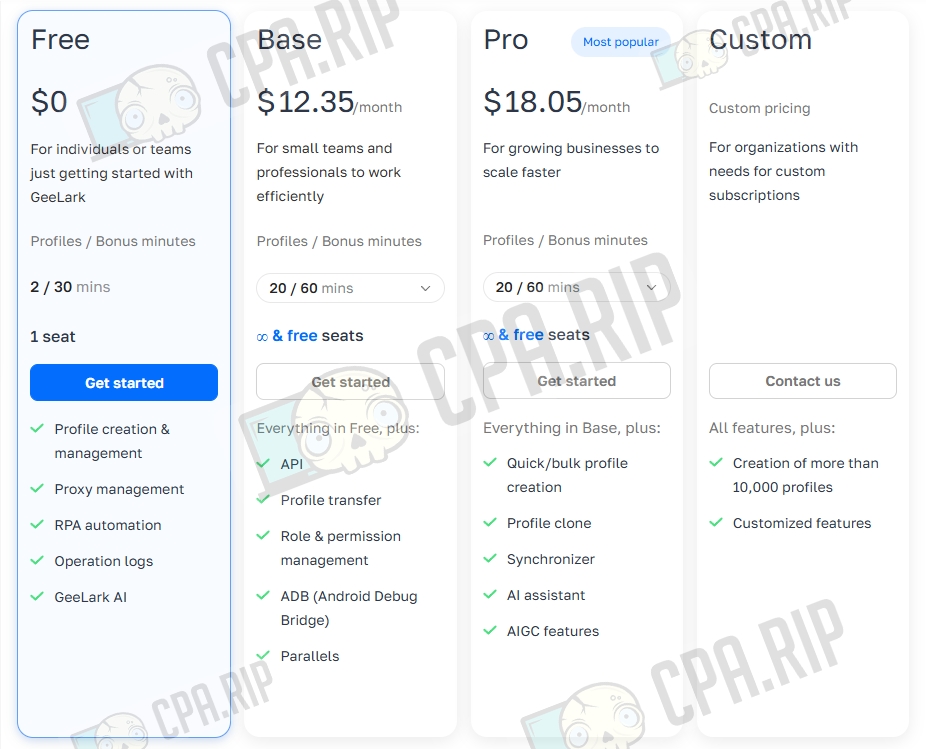
Pricing
- Free: $0 — 2 profiles / 30 bonus minutes, 1 user;
- Profile creation and management
- Proxy management
- RPA automation
- RPA automation
- Action logs
- Base: from $12.35 — 20 profiles / 60 bonus minutes, ∞ and free users;
- Everything from Free, plus:
- API
- Profile transfer
- Role and access management
- ADB (Android Debug Bridge)
- Parallels
- Pro: from $18.05 — 20 profiles / 60 bonus minutes, ∞ and free users;
- Everything from Base, plus:
- Fast/bulk profile creation
- Profile cloning
- Synchronizer
- AI assistant
- AIGC features
- Custom: Custom pricing;
- All features, plus:
- Creation of more than 10,000 profiles
- Custom features
Key Features
- Fingerprint spoofing — GeeLark alters all the main parameters collected by websites and trackers.
- Support for unique proxies per profile — flexible attachment of HTTP/SOCKS5, residential, mobile, or 4G proxies;
- Creation of isolated browser profiles — each profile runs as a fully independent browser with its own cookie storage, localStorage, IndexedDB, cache, and extensions — with no overlap between accounts.
- Mobile browser emulation — the ability to run profiles that appear as mobile versions of Chrome on real Android devices, with matching fingerprints.
- Action synchronizer — simultaneous execution of identical operations (posting, liking, commenting, registration, etc.) across multiple profiles at once to speed up routine tasks.
- AI-assisted automation — built-in RPA templates, GeeLark AI (an assistant for generating actions, answering questions, and configuring profiles), API support.
- Team collaboration — invite an unlimited number of team members, flexible access control over profiles and features, a shared cloud drive for storing files, cookies, extensions, and other resources.
Antidetect Browser Testing
Let’s start by checking the profile fingerprints.
A roundup of services for checking browser anonymity, fingerprints, etc.: https://cpa.rip/services/checking-browser-fingerprints-and-anonymity/.
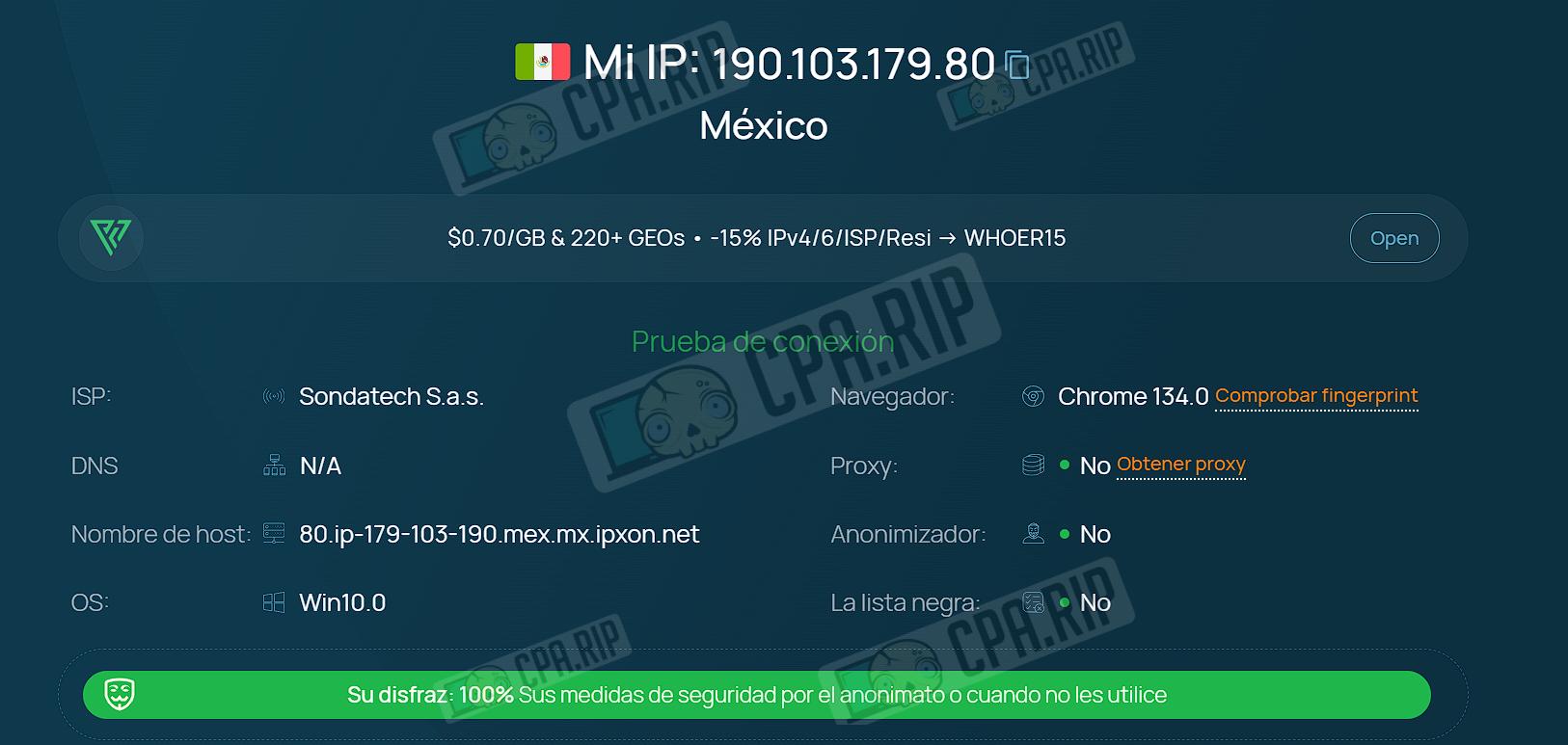
Summary table of anonymity and digital fingerprint parameters:
| Parameter | whoer.net | Pixelscan.net | iphey.com |
| My IP | 190.***.179.80 | – | Real |
| Location | Mexico | Mexico / Fuentes del Valle | Mexico, Fuentes de Valle |
| ISP | Sondatech S.a.s. | – | – |
| DNS | N/A | – | – |
| Hostname | 80.ip-179-103-190.mex.mx.ipxon.net | – | – |
| OS | Win10.0 | Windows | – |
| Browser | Chrome 134.0 | Chrome 134.0.0.0 | Chrome |
| Proxy | No | Proxy detected | – |
| Anonymizer | No | – | – |
| Blacklist | No | – | – |
| Masking | – | No masking detected | No suspicious settings |
| Bot | – | No automated behavior | – |
| Status | 100% (Your disguise) | Inconsistent | Trustworthy |
The whoer.net service showed a positive result.
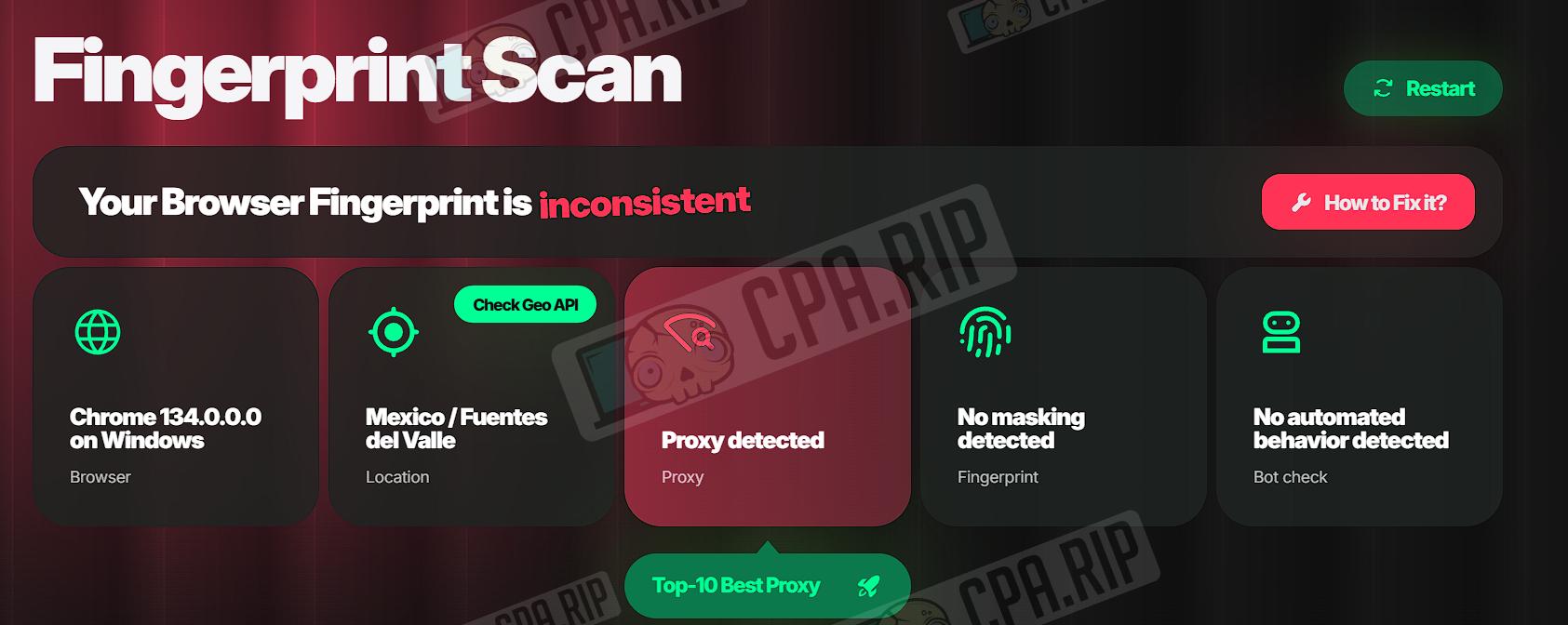
Pixelscan.net detected proxy usage. This issue can be resolved by switching the proxy.
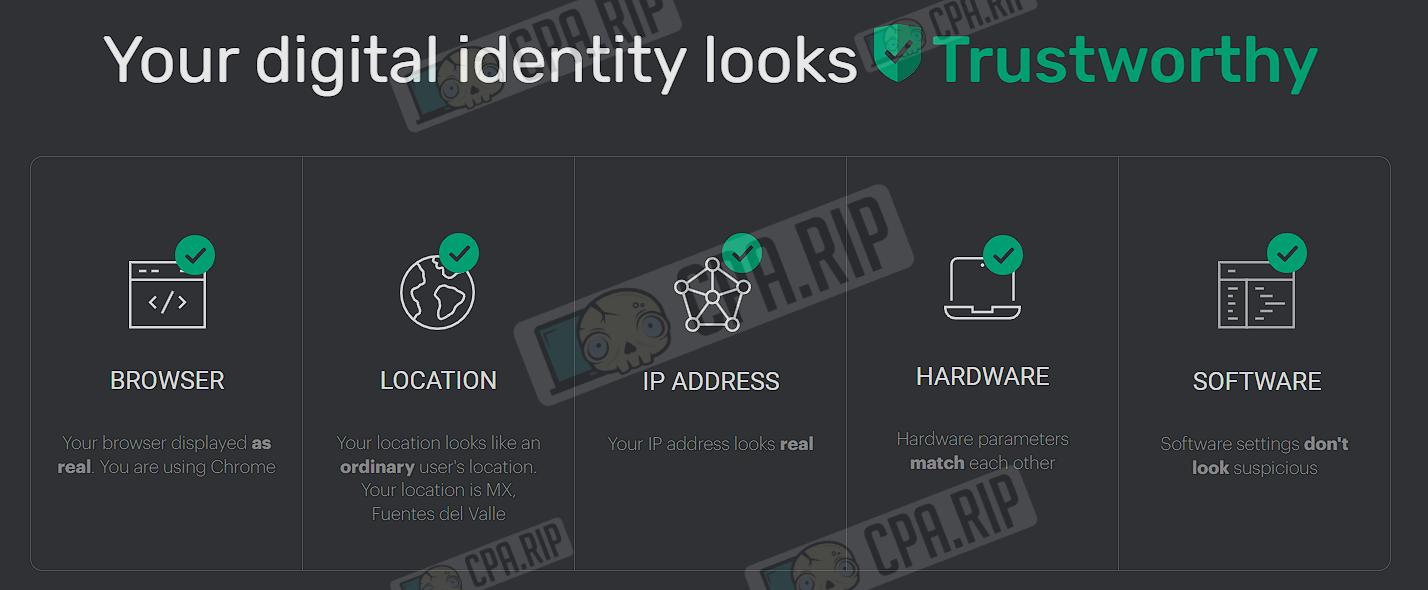
Test results from the iphey.com service: “Your digital identity looks trustworthy.”
Creating a Browser Profile
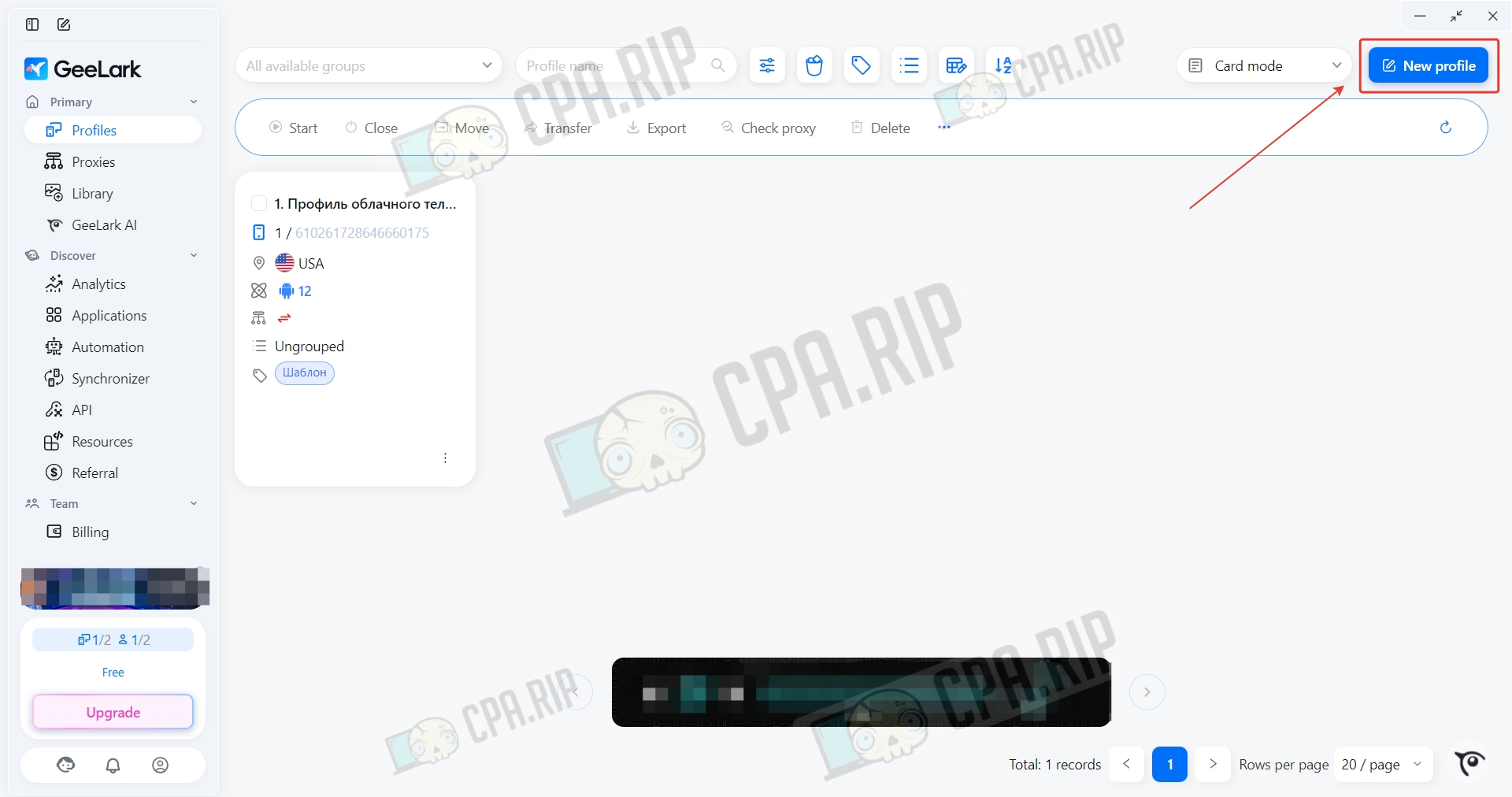
Click New Profile to create a profile.
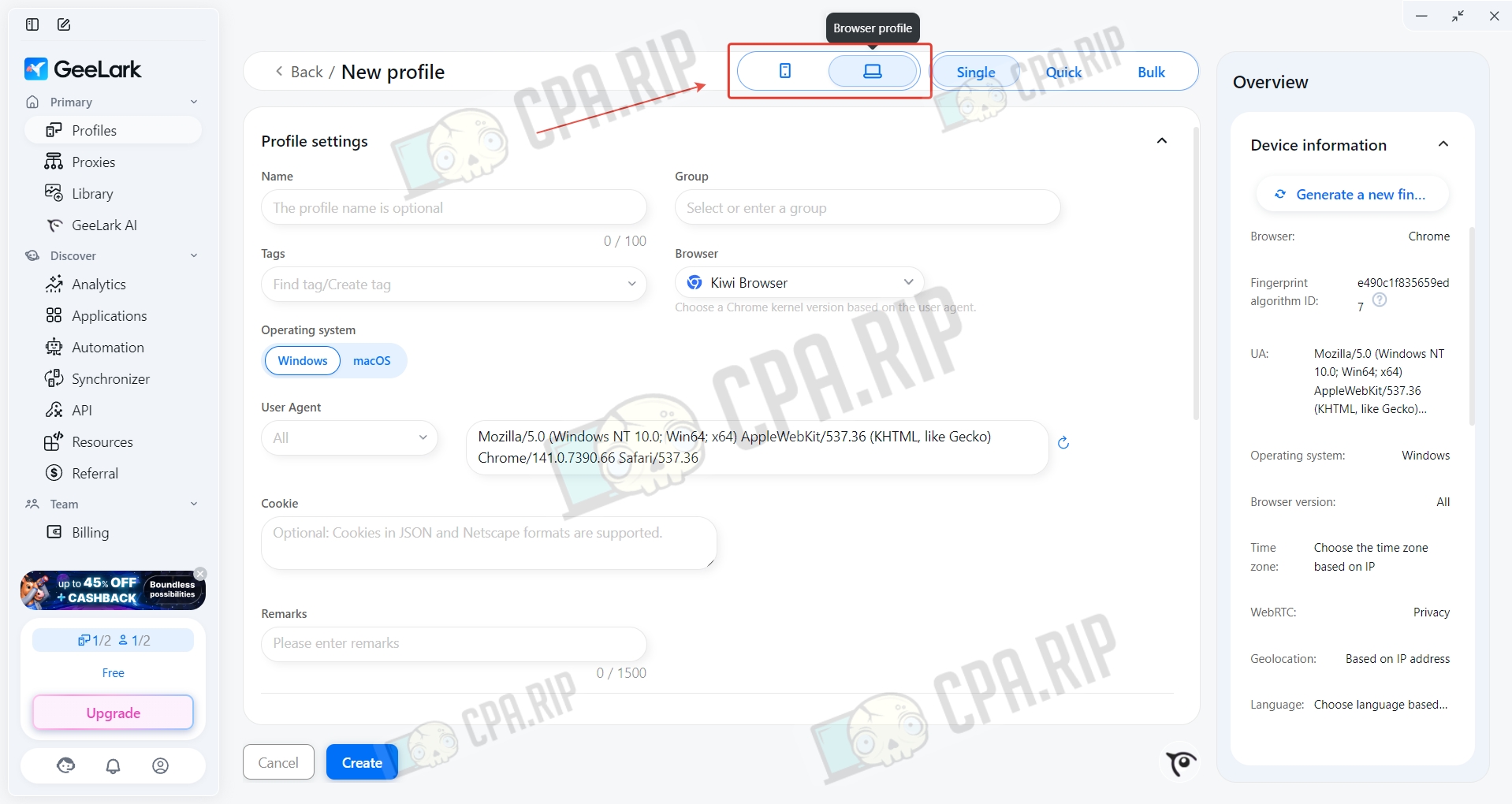
By default, the cloud phone option is selected — switch it to browser profile.
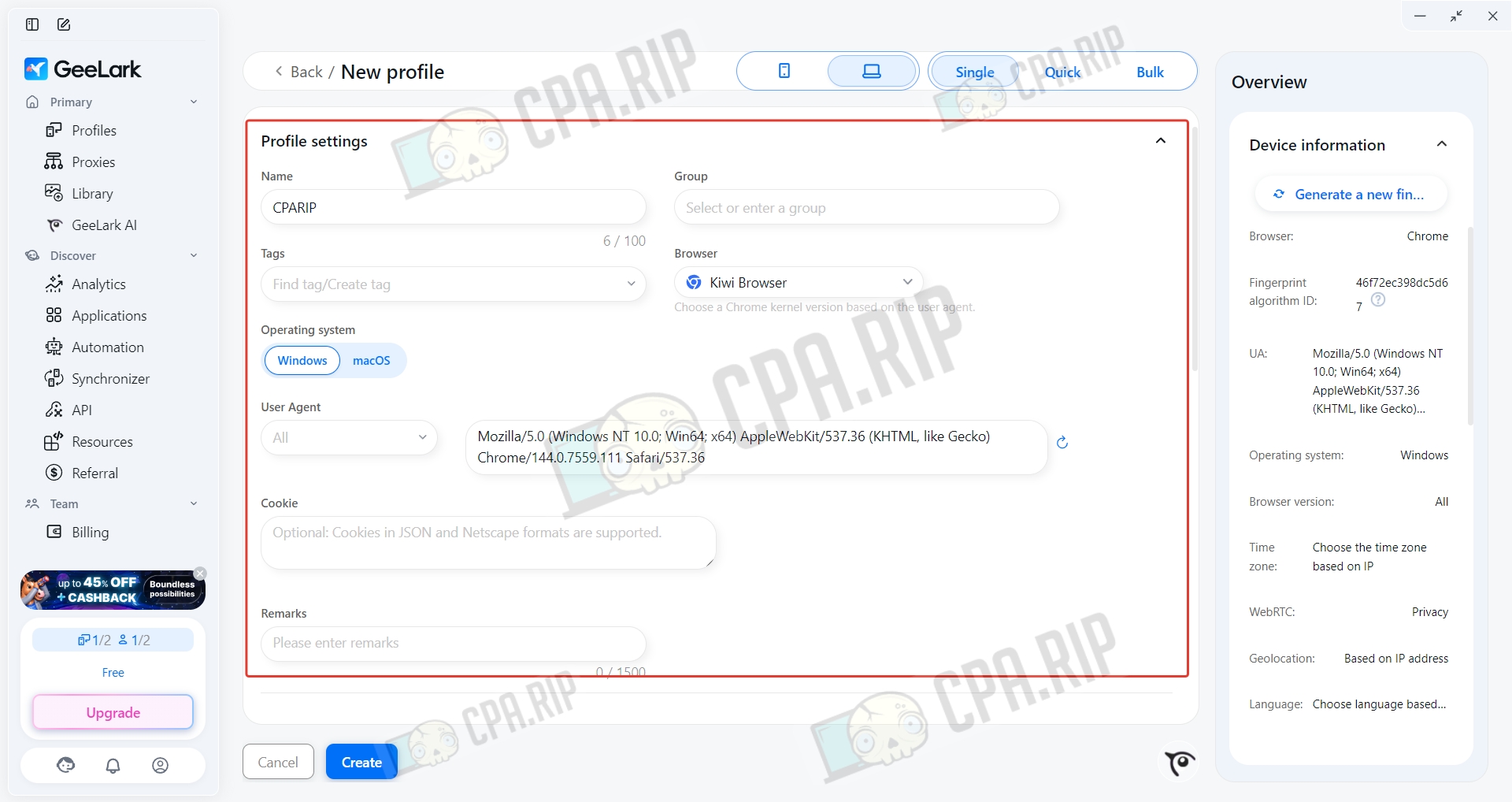
Set a profile name, choose the operating system and browser, and if needed, change the User Agent and upload cookies.
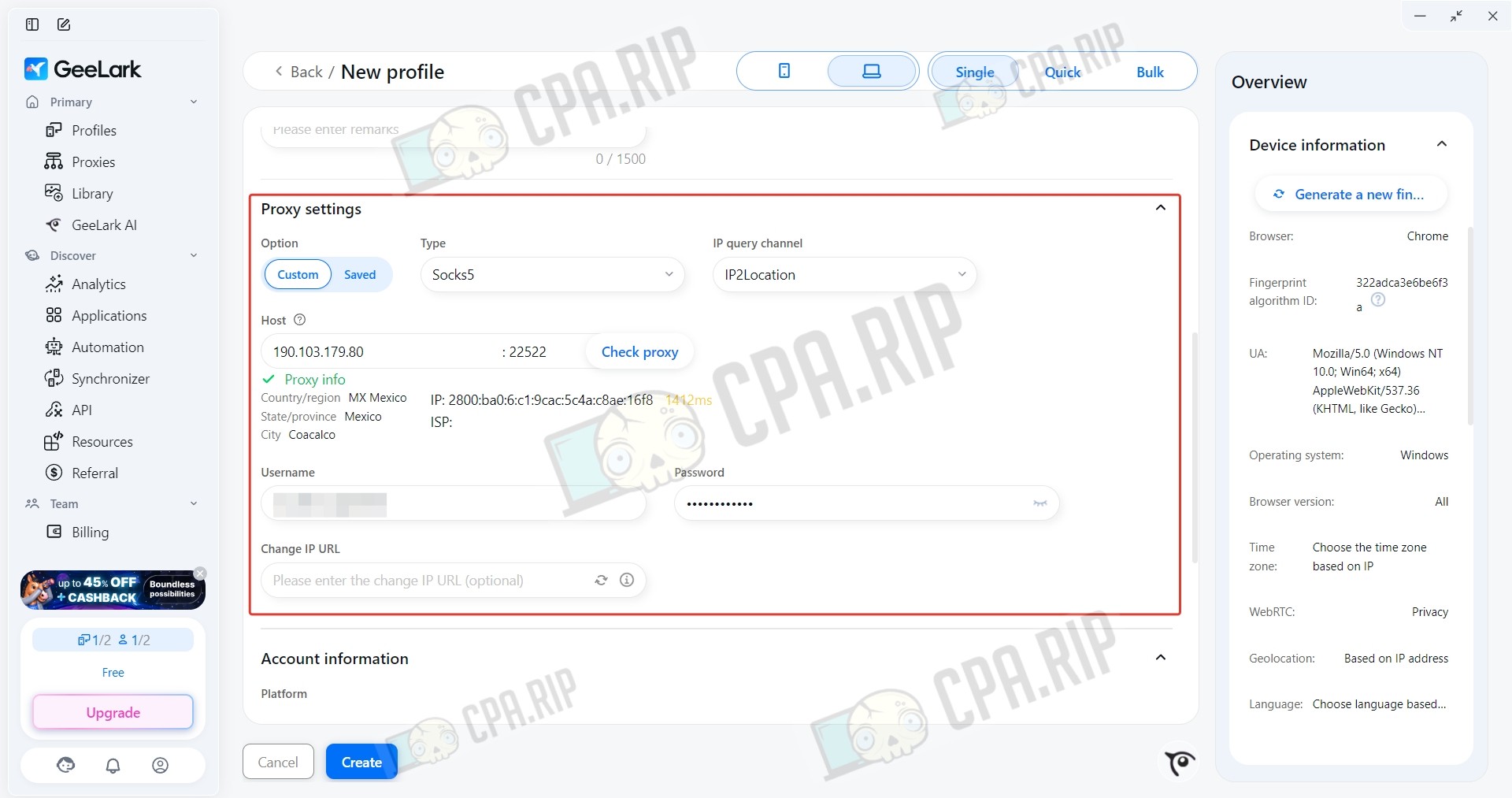
Add a proxy; the free plan doesn’t offer a choice of HTTP and HTTPS proxies.
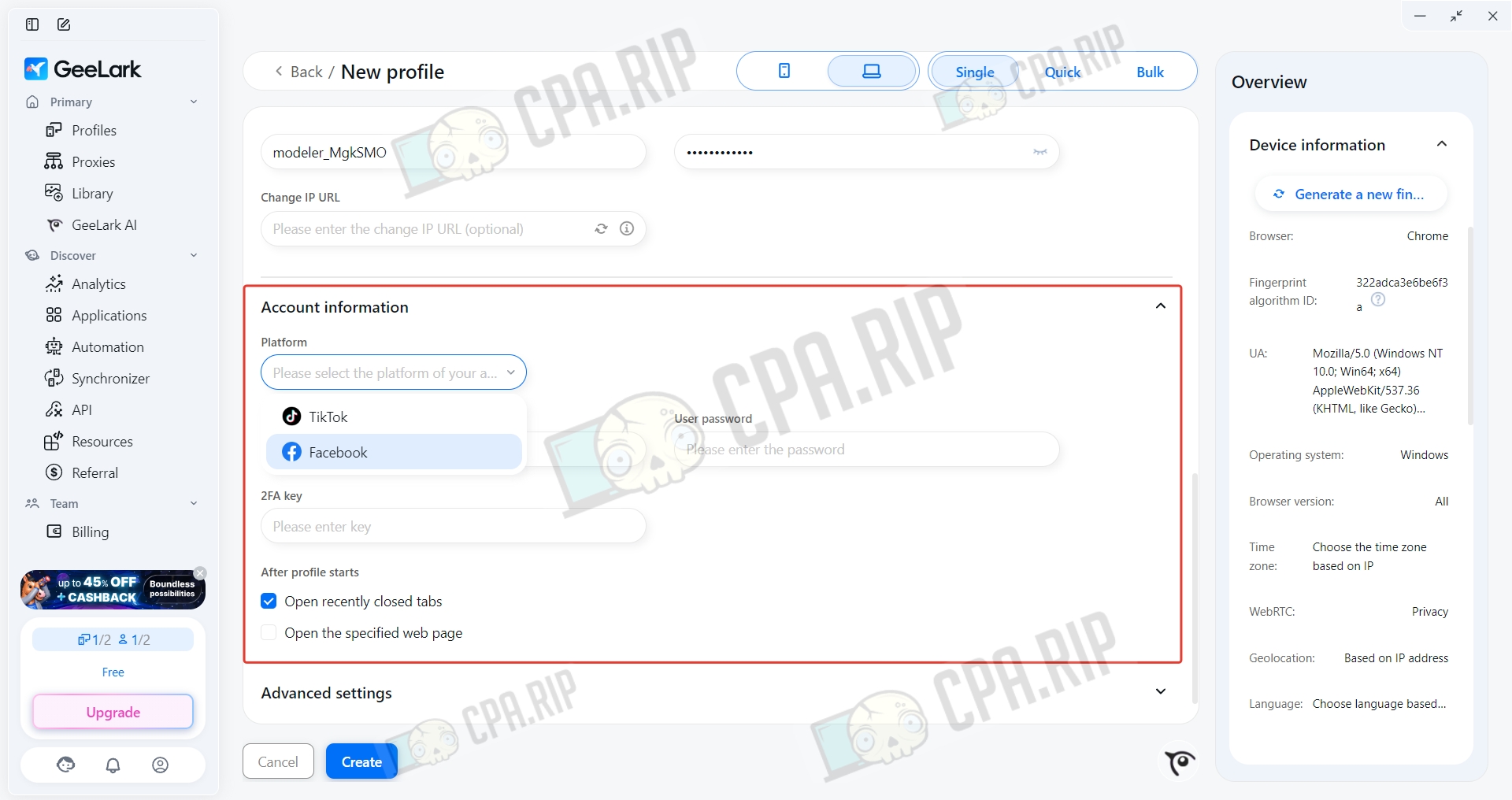
In the Account information section, you can add Facebook and TikTok account details.
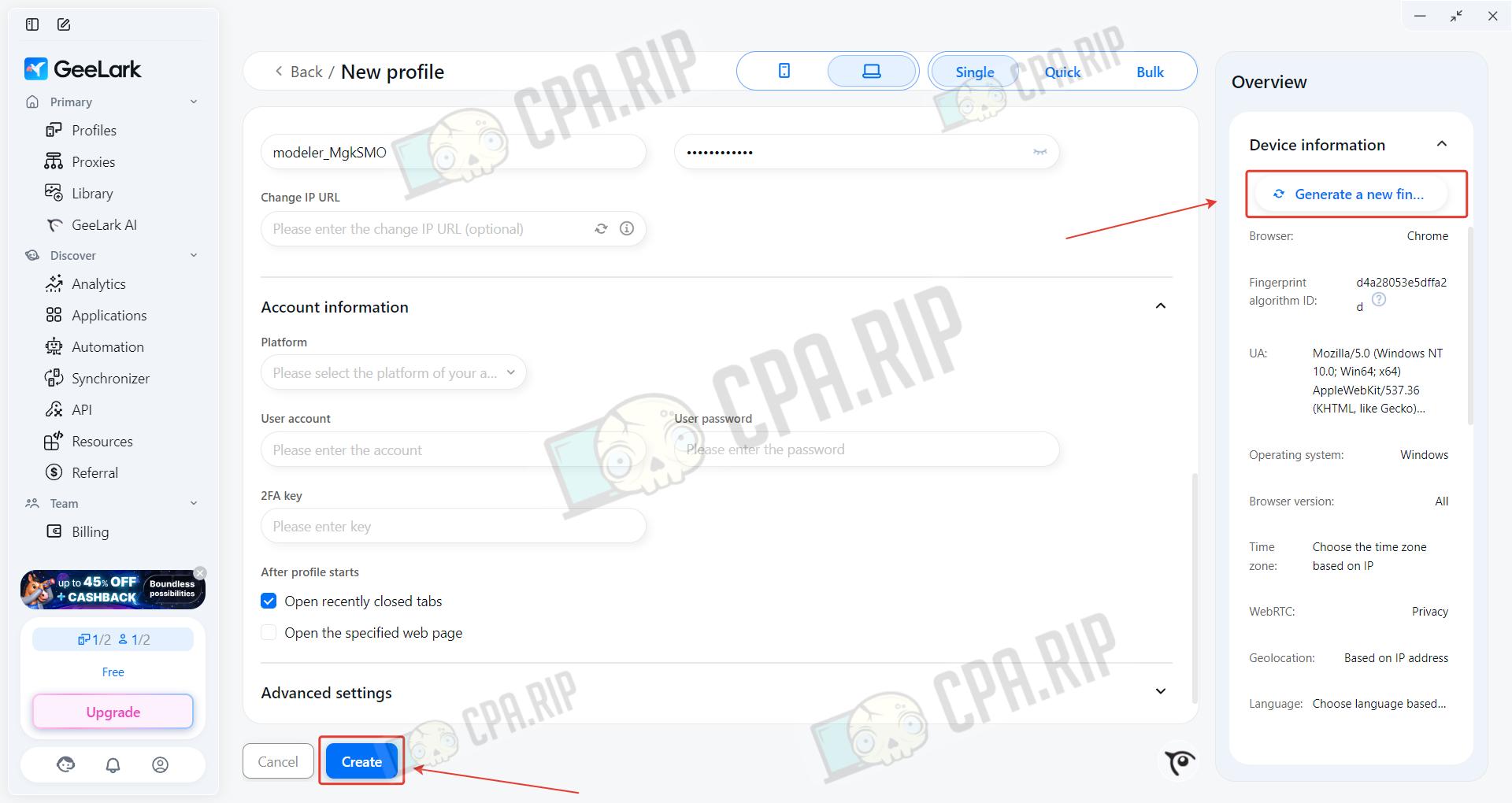
You can generate a new fingerprint by clicking the Generate a new fingerprint button. Once you’ve filled in the main parameters, click Create.
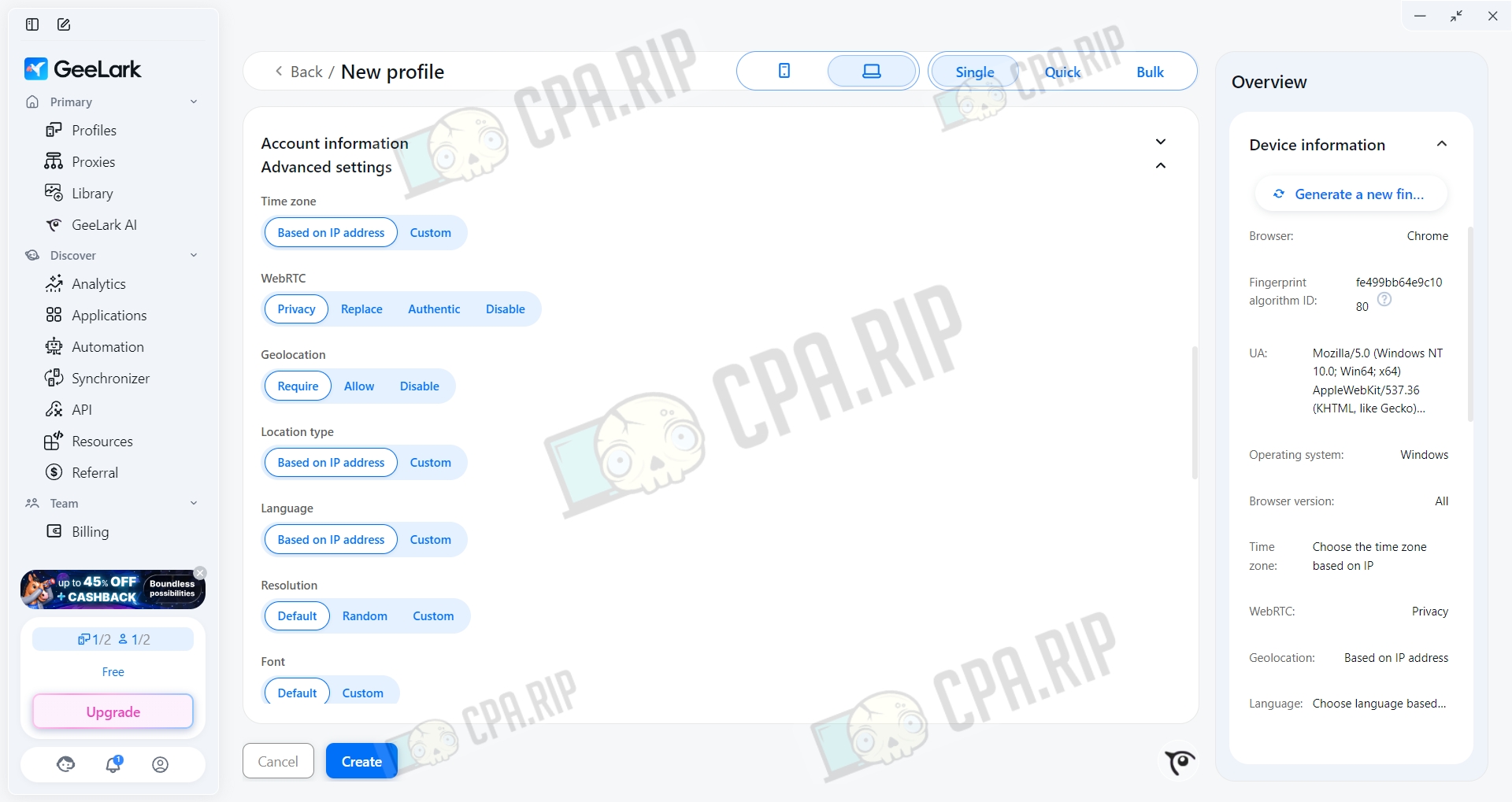
Advanced settings are available in the “Advanced” section. The default parameters are already set and shouldn’t be changed without proper knowledge.
Creating a Cloud Phone
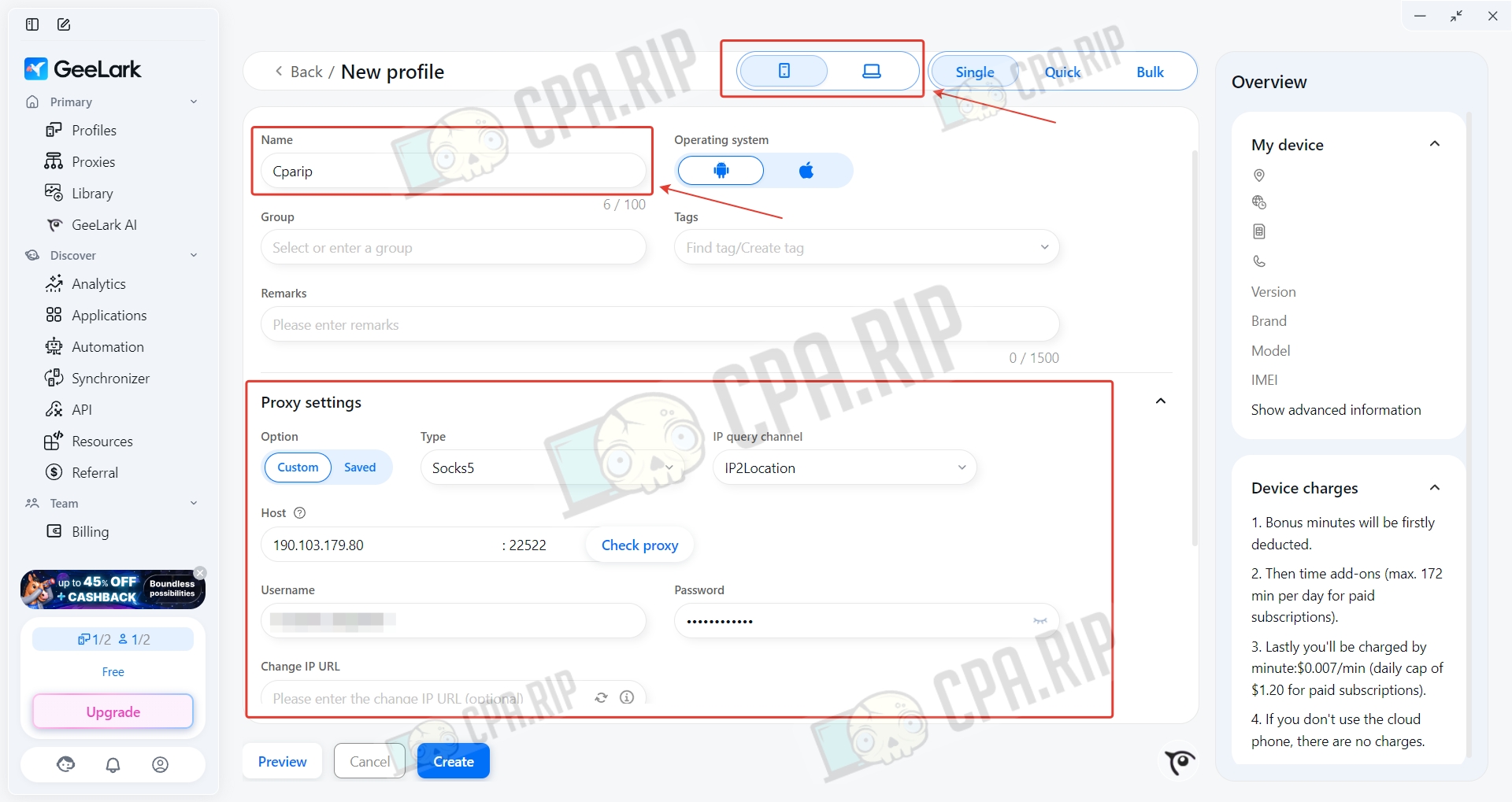
To create a cloud phone, select cloud phone. Set a name and insert a proxy. Currently, only the Android operating system is available.
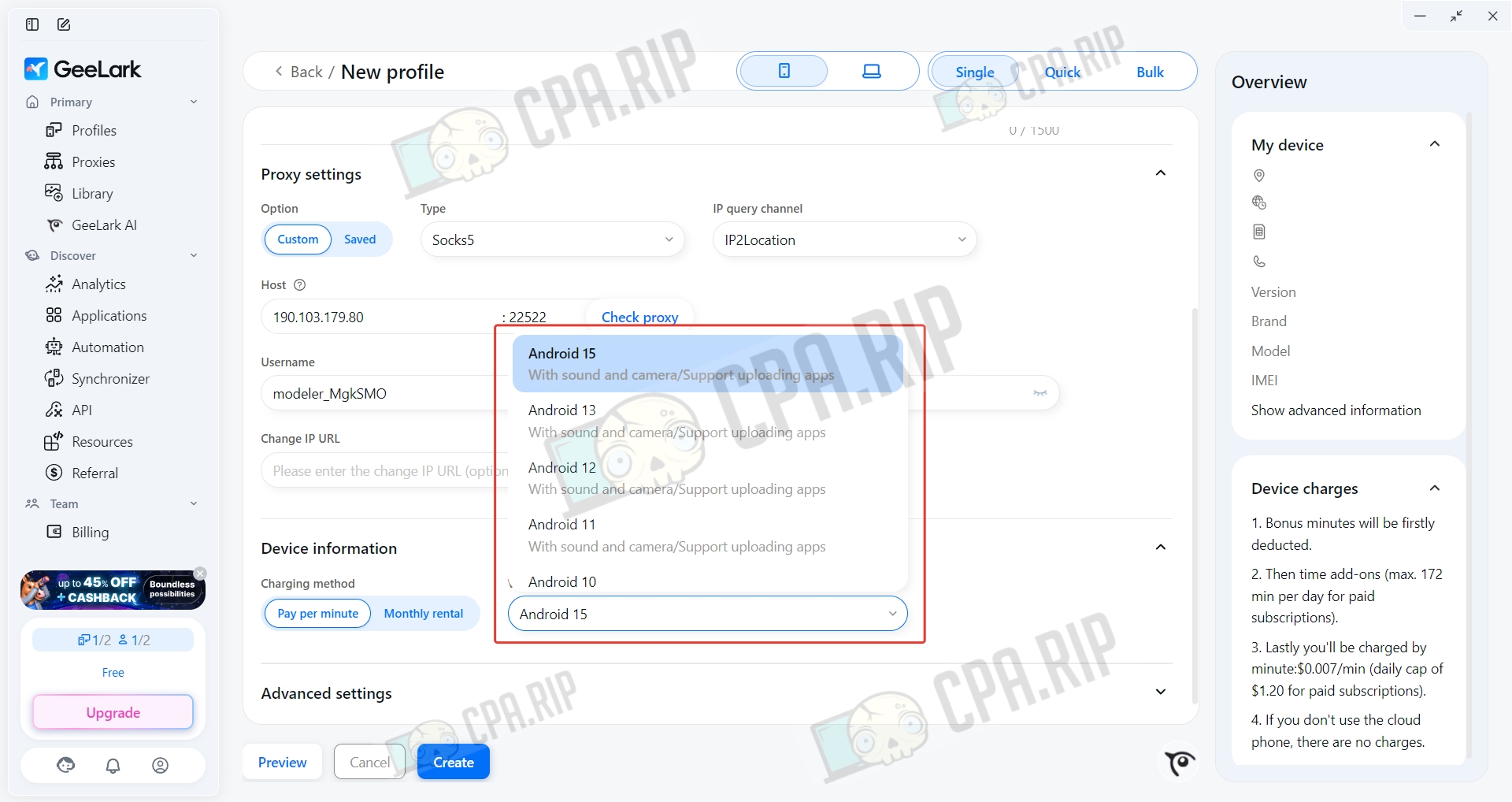
Choose the Android version. Then click Create.
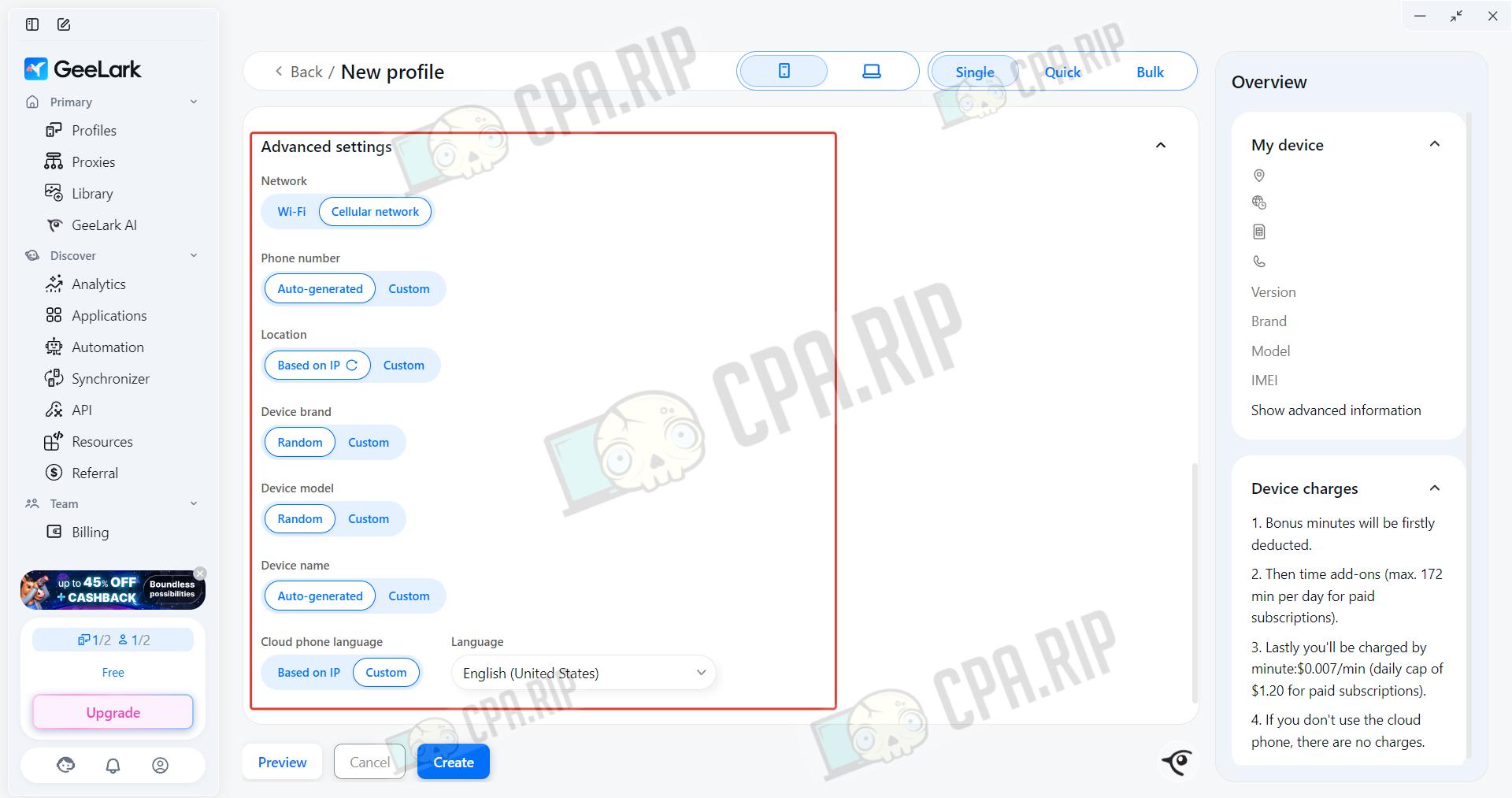
Advanced settings are available for experienced users.
Support
- Official website:https://www.geelark.com;
- Telegram chat: https://telegram.me/geelarkchaten;
- In-browser online chat.








Comments