

![[FBM] CARDS](https://cpa.rip/wp-content/uploads/cr-a1/fbm-cards-v1/fbm-cards-logo.svg)




Step-by-step instructions on how to install and configure the UpdateOffersByReport filter by Alen Pogosov to automatically update the list of offers in the campaign stream based on analytics and reports in the Keitaro tracker.
? Promo code for Keitaro for 22% off – CPARIP ?
Basic functionality
The UpdateOffersByReport filter is a tool that automatically updates the list of offers in the stream based on analytics and report data.
The evaluation in the filter is based on one of three metrics (ROI, CR, CRs) defined by the user.
After selecting the ID groups of offers, the tool generates a report for the selected period (1- 7 days) based on the specified metric (e.g. CRs). Next, the offers are categorized according to their effectiveness. Statistics are covered by groups of offers and groups of offers + creative.
Traffic is distributed automatically to the selected number of offers. If you select 4 offers, each will receive 25% of traffic.
Caching in Redis is used to improve productivity. And unproductive traffic sources can be excluded by their ID.
To provide access to data, the filter integrates with Keitaro API and updates traffic distribution online.
Work example
- Specify the IDs of the offer groups to be compared;
- Select a metric and analysis period;
- The filter creates a report based on the specified data;
- Offers are distributed by efficiency and the best ones are included in the stream.
- Traffic goes equally to the selected offers.
Installation in Keitaro tracker
Setting up Keitaro tracker: https://cpa.rip/en/services/keitaro-tracker/
- Go to https://github.com/ap-etolegko/keitaro-php-filter-update-offers-by-report and download the UpdateOffersByReport.php file.
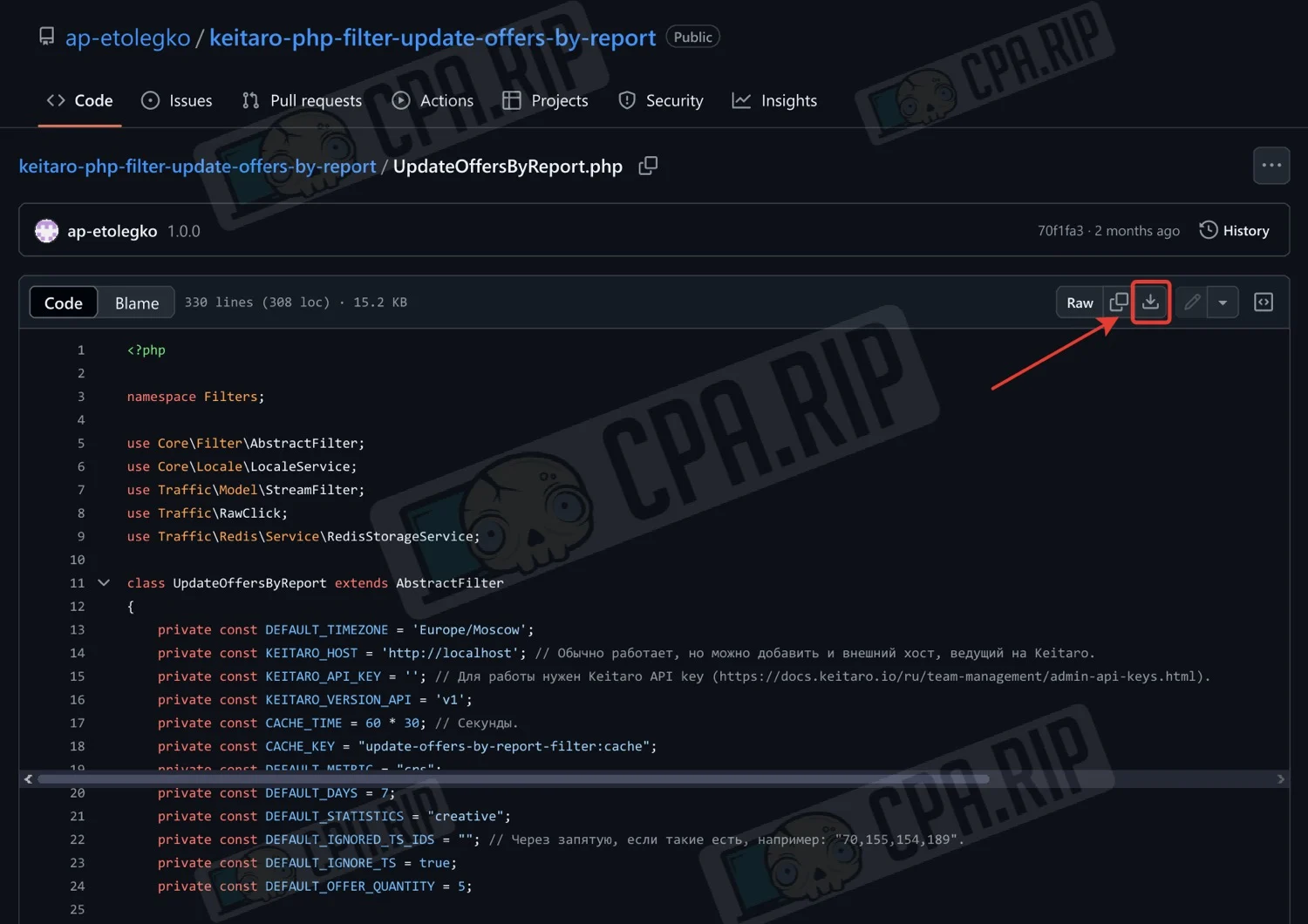
To install a filter, you will need access to the server where Keitaro is installed.
- On the server, find the filters folder, which has the path
../var/www/keitaro/application/filtersand upload the downloaded file there.
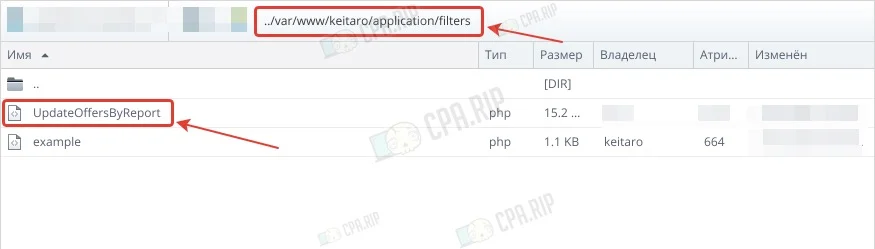
The filter will automatically appear in the Keitaro tracker.
Customizing filter
- Create a flow in the campaign by clicking “Create Flow”.
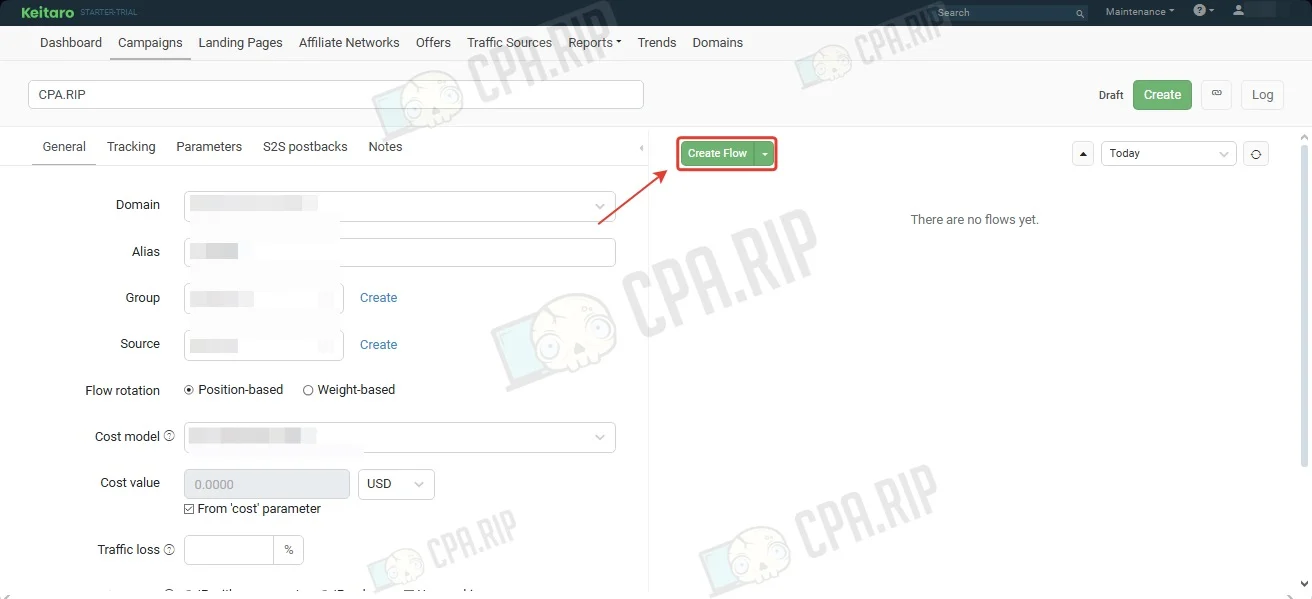
- Add the offers in the “Schema” section.
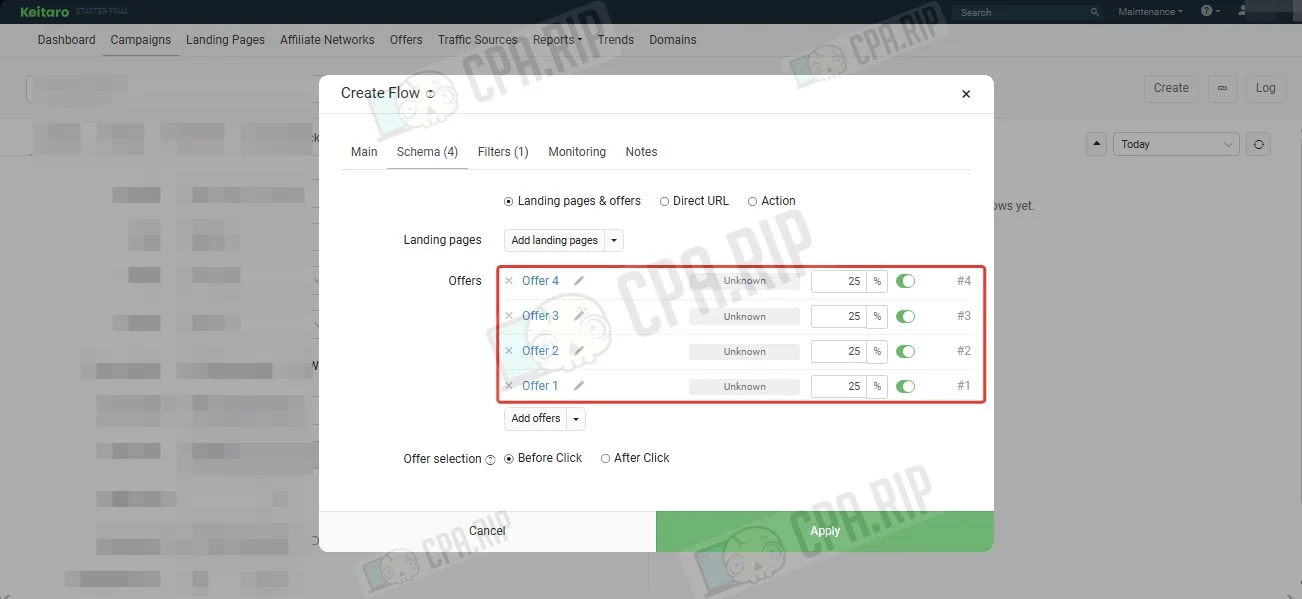
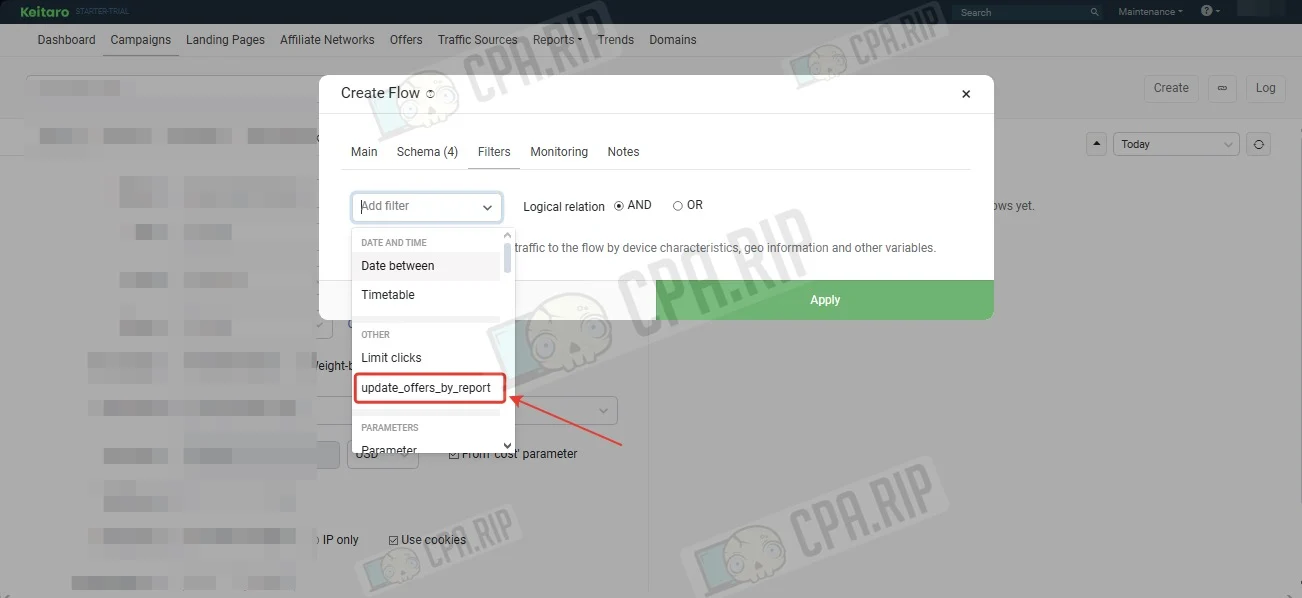
- Find a filter in the “Filters” section.
Specify the IDs of the offer groups, set the metric to analyze, select the number of days to analyze traffic statistics, the reach of the statistics, and specify the number of offers, how many to include in the flow from 1 to 5.
Click “Apply”.
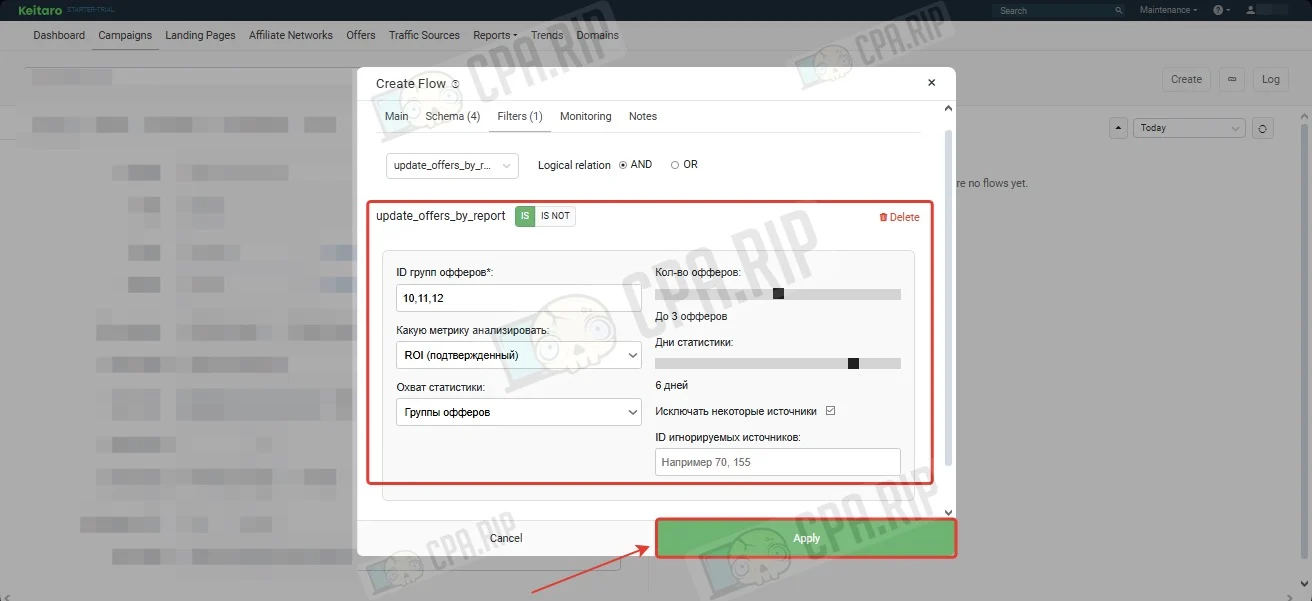
The filter is set up and you can drive traffic.
Setting up and launching an advertising campaign on Facebook Ads: https://cpa.rip/en/articles/traffic-arbitrage/#Nastrojka_i_zapusk_reklamnoj_kampanii_v_Facebook_Ads








Comments