

![[FBM] CARDS](https://cpa.rip/wp-content/uploads/cr-a1/fbm-cards-v1/fbm-cards-logo.svg)

NeAntik is a free antidetect browser for macOS from Evgeny Ivanov. It is designed to create and manage isolated browser profiles on one computer, each with its own cookies, history, and proxy.
CPA.RIP’s opinion: NeAntik is designed for profile isolation and convenient account management, not for bypassing sophisticated anti-fraud systems. The tool does not guarantee anonymity and clearly states the limits of its capabilities: “NeAntik does exactly that and promises no more: it does not provide anonymity.” NeAntik did not pass fingerprint testing, so you should use it only if its capabilities are sufficient for your tasks.
Download: https://github.com/AffPapa/neantik/releases/tag/v0.5.3
- macOS (Apple Silicon);
Our selection of antidetect browsers: https://cpa.rip/services/antidetect-browser/
Antidetect Browser Testing
A selection of services for checking browser anonymity, fingerprint testing, etc.: https://cpa.rip/services/checking-browser-fingerprints-and-anonymity/.
Testing was conducted on version “v0.5.3, build 33, Public Alpha dated Summary table of anonymity and fingerprint parameters:
| PARAMETER | WHOER.NET | PIXELSCAN.NET | IPHEY.COM |
| My IP | – | – | 2405:4803:db4d:4… |
| Location | – | Vietnam / Mai Dich | Vietnam |
| ISP | FPT Telecom | – | – |
| DNS | Hidden | – | – |
| Hostname | Hidden | – | – |
| OS | Mac OS X | Mac OS | – |
| Browser | Chrome 152.0 | Chrome 152.0.0.0 | Chrome (with an error) |
| Proxy | No | No proxy detected | – |
| Anonymizer | No | – | – |
| Blacklist | No | – | – |
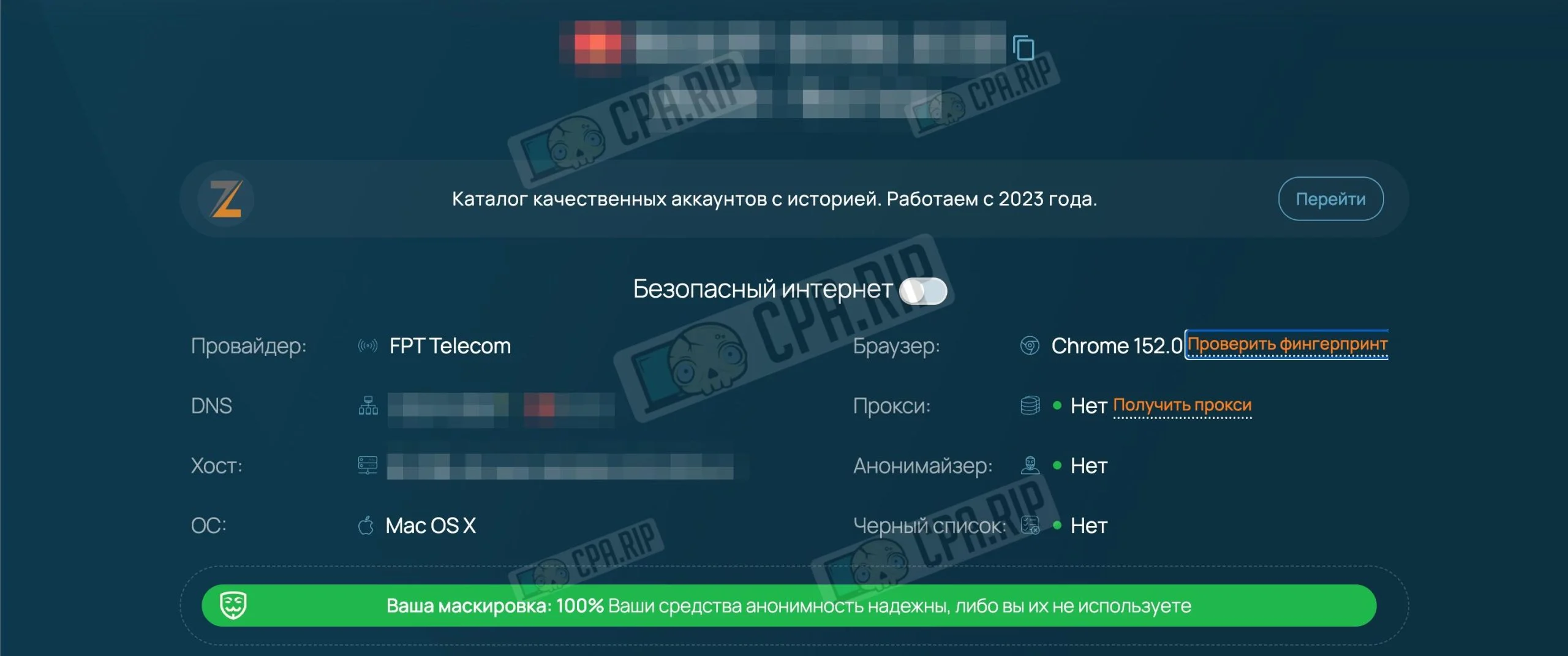
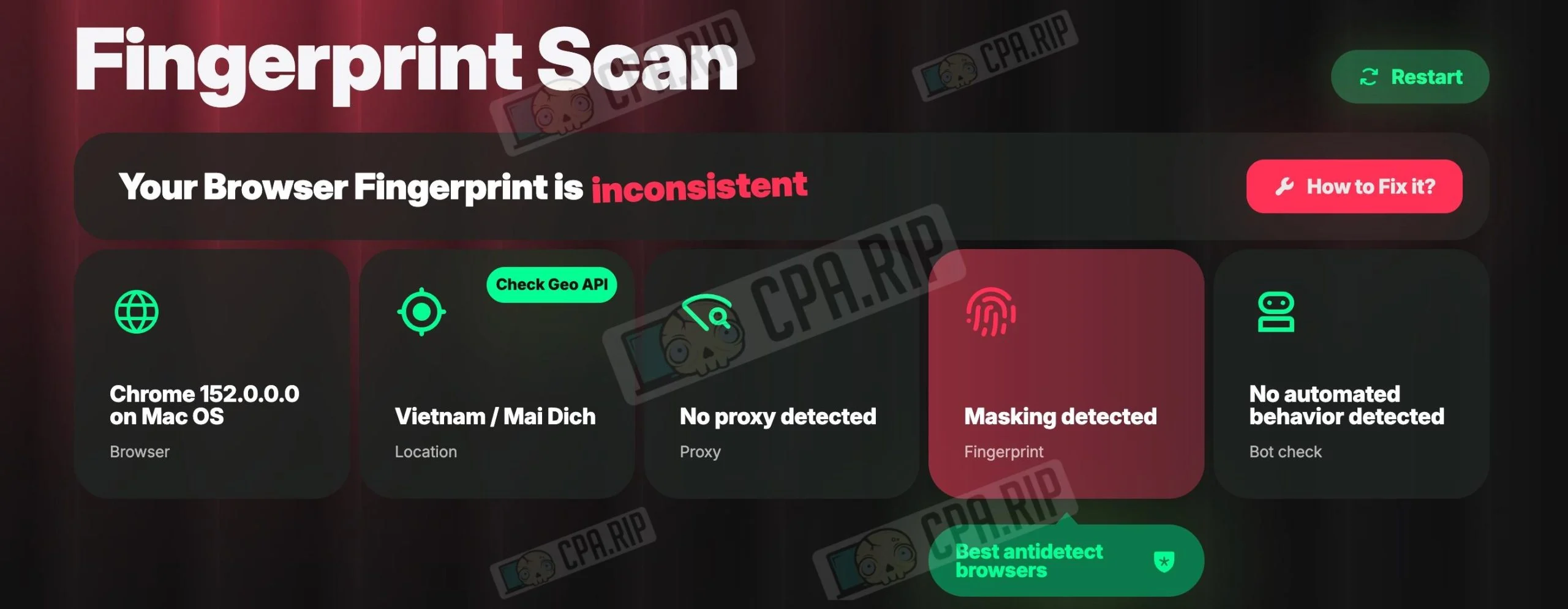
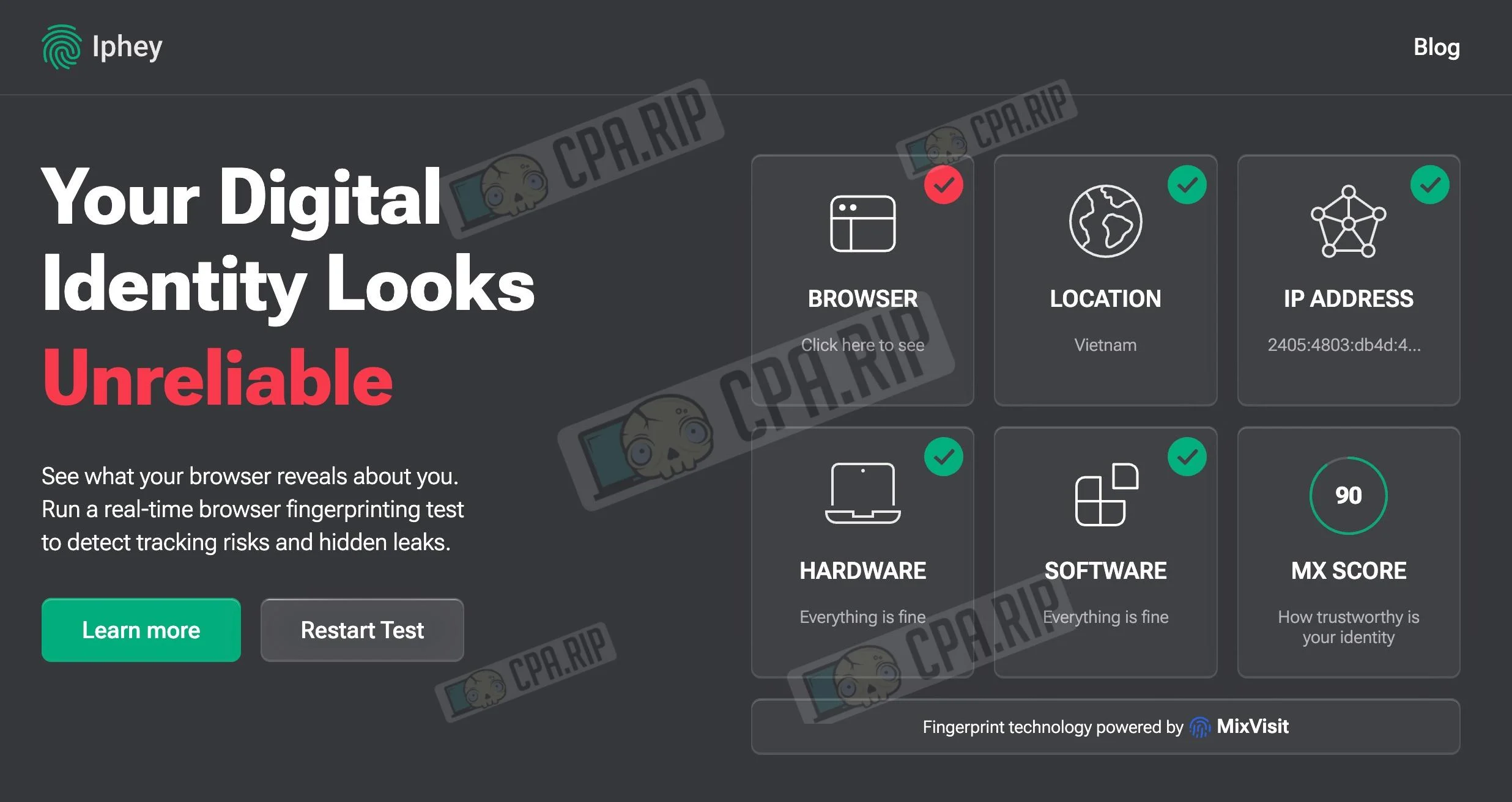
| Masking | 100% | Masking detected | Everything is fine |
| Bot | – | No automated behavior detected | – |
| Status | 100% | Inconsistent | Unreliable (MX Score: 90) |
- Whoer.net: Reports 100% anonymity, treating the current system and network configuration as completely natural.
- Pixelscan.net: Identifies the profile as unreliable, directly detecting browser fingerprint spoofing.
- Iphey.com: Flags the fingerprint as suspicious due to detected inconsistencies in browser parameters.
Antidetect Browser Features:
- The software works without subscriptions, fees, registration, or cloud synchronization;
- A version specifically for macOS, running on Apple Silicon processors;
- Its own Chromium engine;
- Complete profile isolation;
- Convenient proxy management, securely stores passwords in the Mac keychain;
- Protection against real IP leaks, blocks launch when there is no connection to the proxy;
- Fast bulk creation, generates up to 100 profiles with one click;
- Open source.
Creating a Profile
Open the NeAntik antidetect browser and click “Create and Open”.
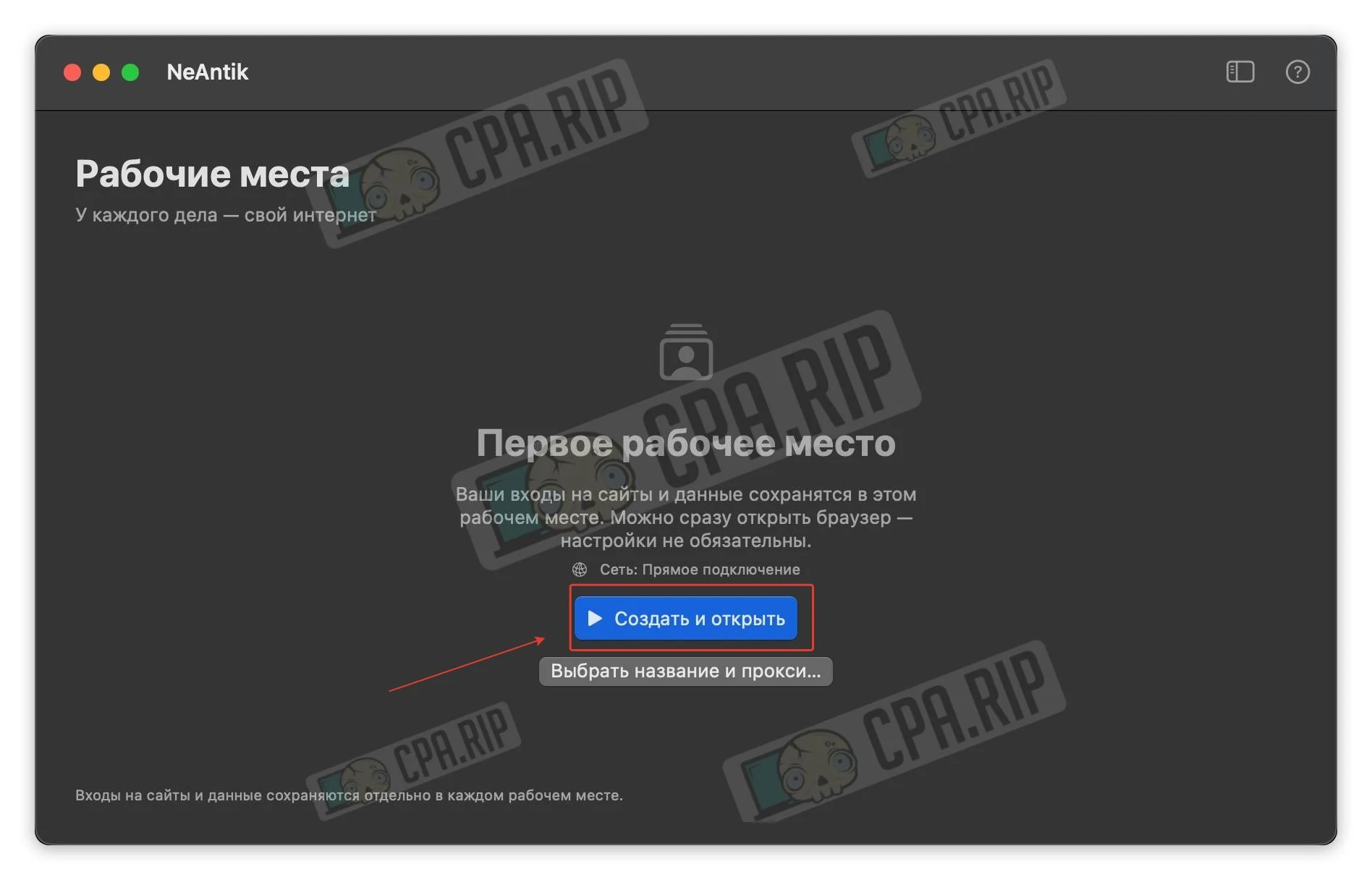
Set a name and add a proxy.
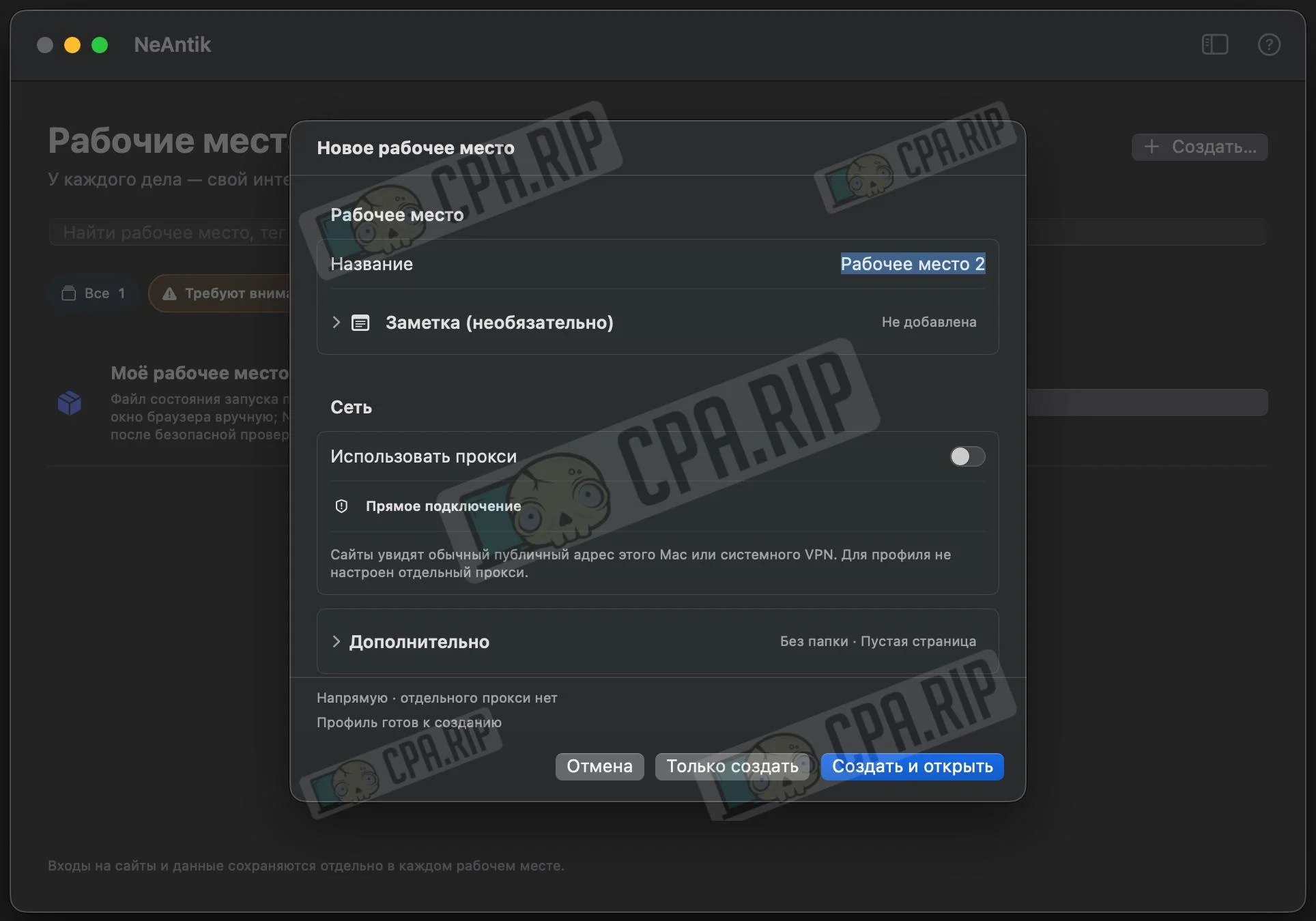
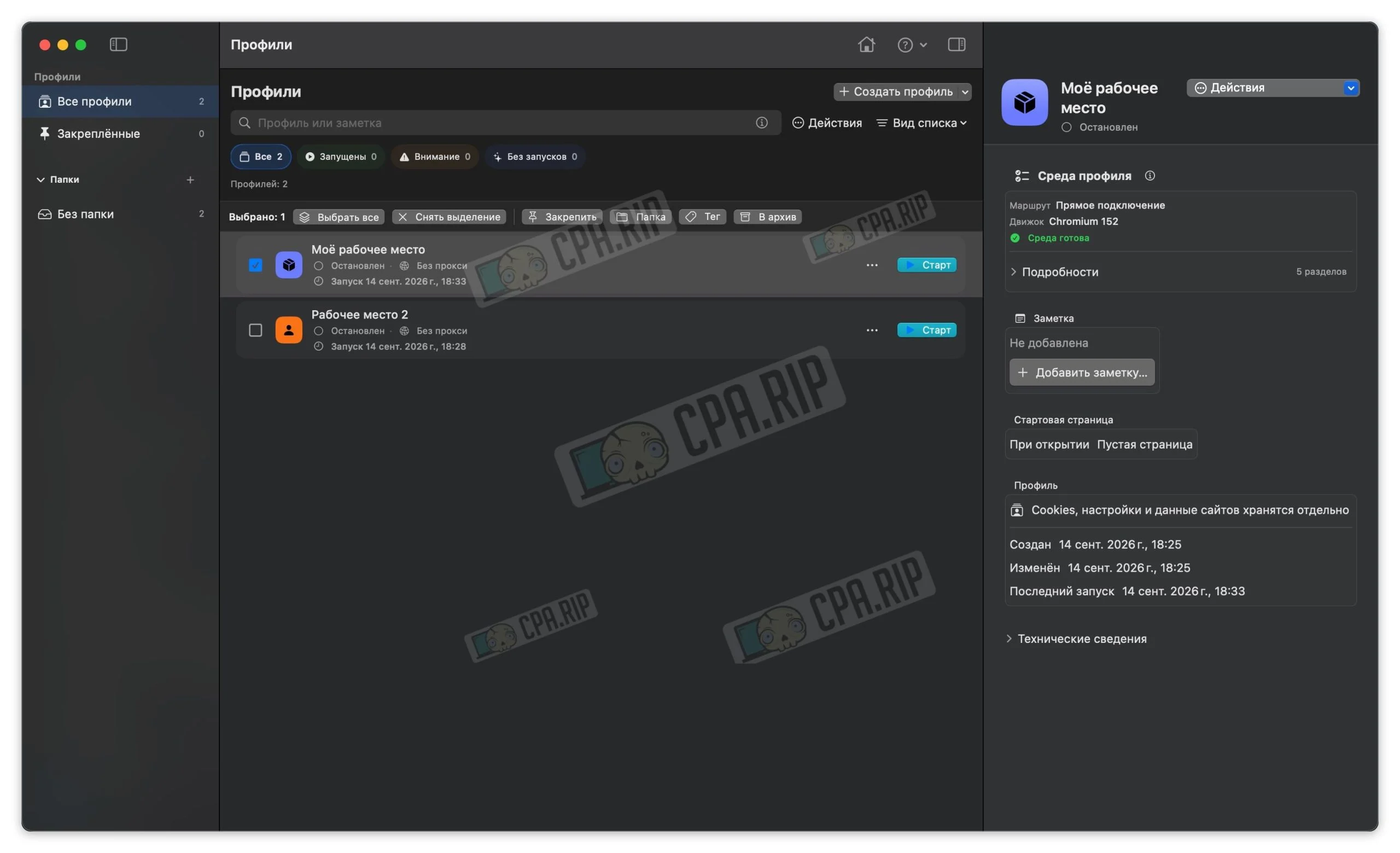
The profile is ready to use.








Comments