



Review of the cloud Android device platform PhoneGrid: we look at how working with cloud phones and browser profiles is organized, what features are available to users, what is included in the plans, and how well the platform generates digital fingerprints.
PhoneGrid is a cloud Android device service based on a virtualized Android environment hosted in the cloud. The platform allows users to create and launch cloud phones, automate repetitive actions via RPA, Syncer and API, and organize team collaboration. In addition to cloud phones, PhoneGrid also includes antidetect browser functionality: users can create separate browser profiles, configure an individual digital fingerprint for each one, and work with different accounts.
- Download: https://www.phonegrid.com/
Access is provided through a desktop application available on the following platforms:
- Windows;
- macOS (Intel, M series);
Our selection of antidetect browsers: https://cpa.rip/en/services/antidetect-browser/
Main PhoneGrid Features
- The platform provides access to independent virtualized Android environments that run in the cloud instead of physical phones.
- Browser profiles are available, providing full data isolation, digital fingerprint spoofing, and individual proxy configuration for each account.
- Application Center allows users to conveniently install extensions on browser profiles and applications on individual devices, as well as bulk upload APKs to an entire group of devices at once.
- RPA and Syncer tools make it possible to automate routine actions and manage a group of phones or profiles by broadcasting actions from one device.
- Profile transfer to other team members while preserving the session.
- Billing is charged per minute based on device usage time, with the free minutes included in the plan used first, followed by packages or funds from the balance.
Plans and Pricing
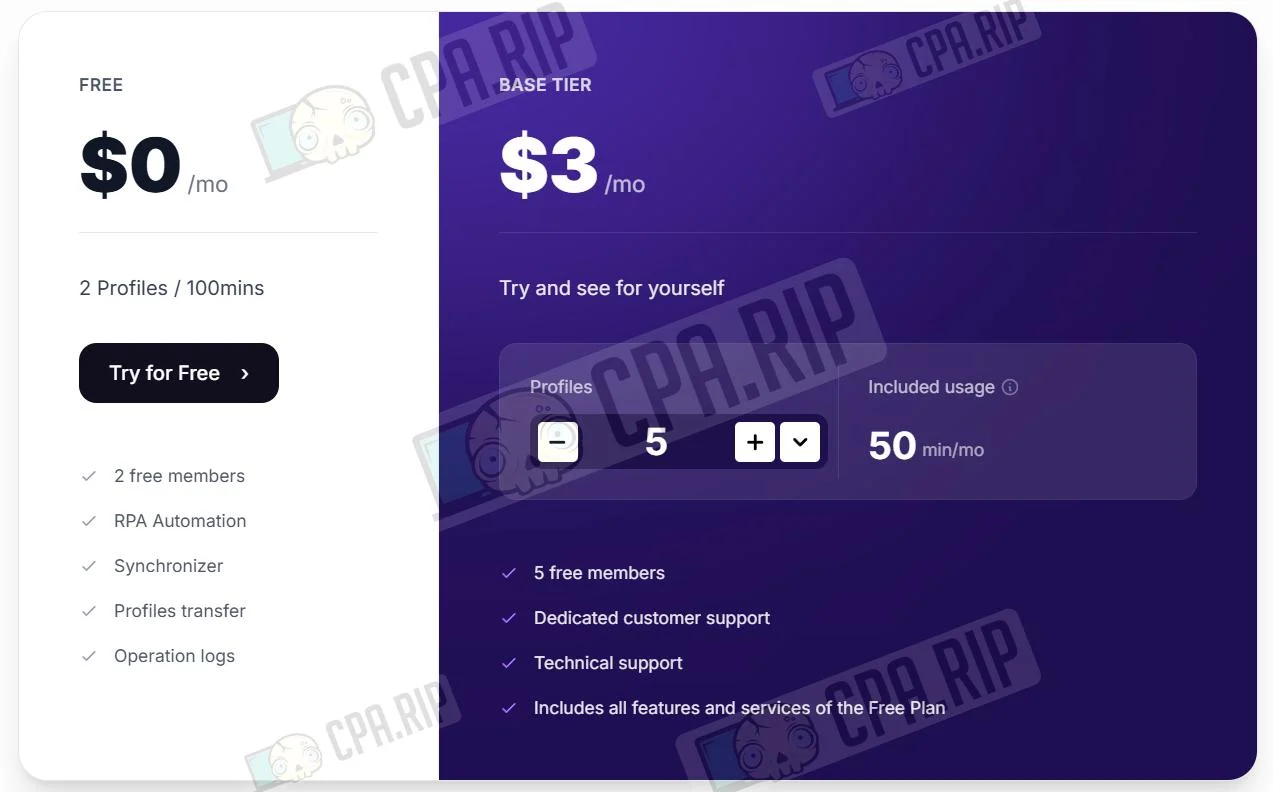
Free Plan ($0/month) | Basic Tier ($5/month) |
2 profiles | 5 profiles (customizable) |
100 minutes | 50 minutes/month (customizable) |
2 free members | 5 free members |
RPA automation, Syncer, Profile Transfer, Operation Logs | All Free Plan features + dedicated technical support |
- Per minute: $0.006 per minute, Android 15, Android 12, Android 11.
- Monthly: $25 for 30 days, Android 15, Android 12.
Automation in PhoneGrid
PhoneGrid tools can be used to automate repetitive tasks and manage multiple profiles in parallel, for example when working with content farms and account farms.
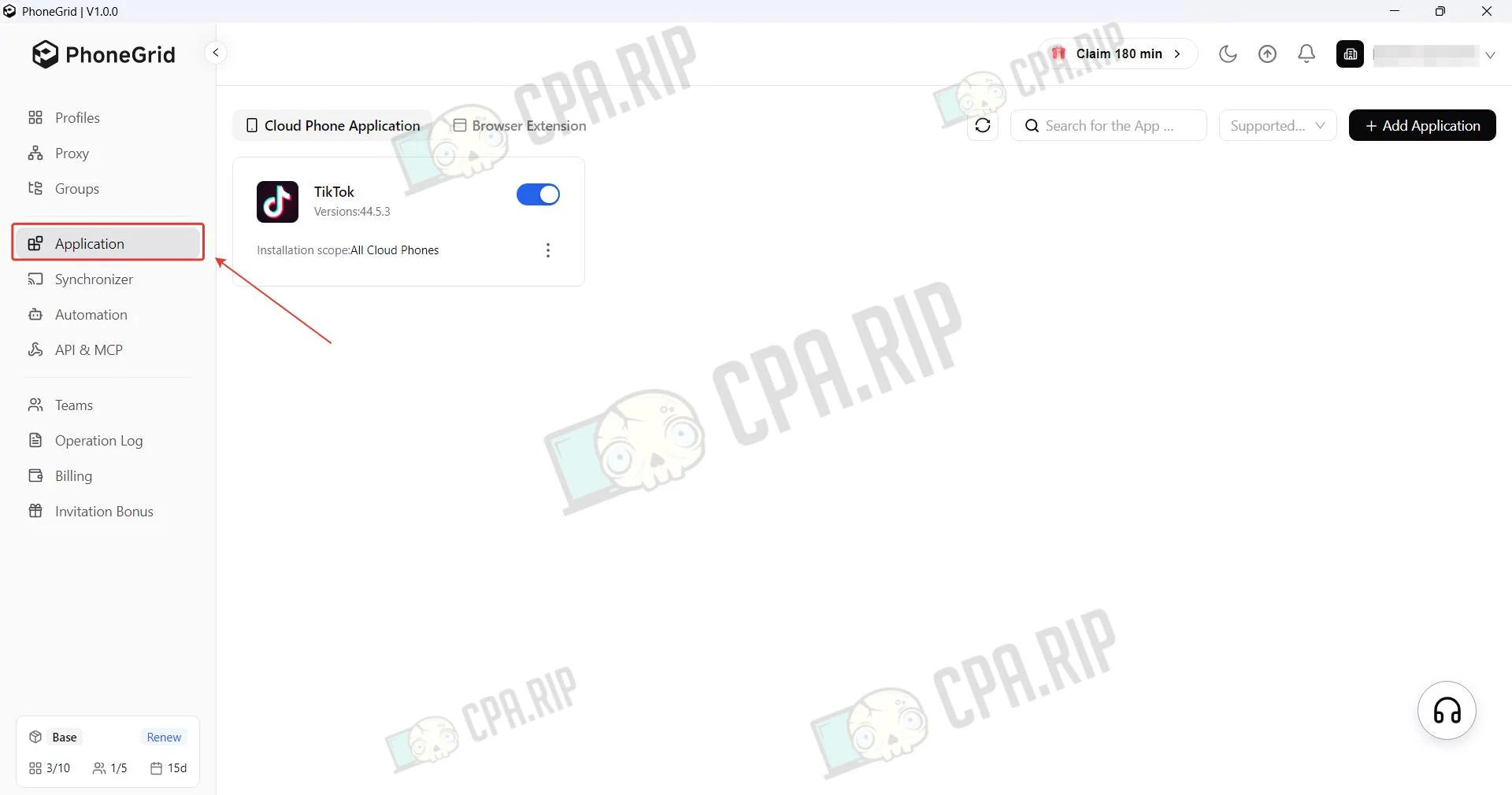
- Application Center can be used to prepare applications for multiple devices, upload custom APK files, and conveniently manage extensions that can be integrated into browser profiles.
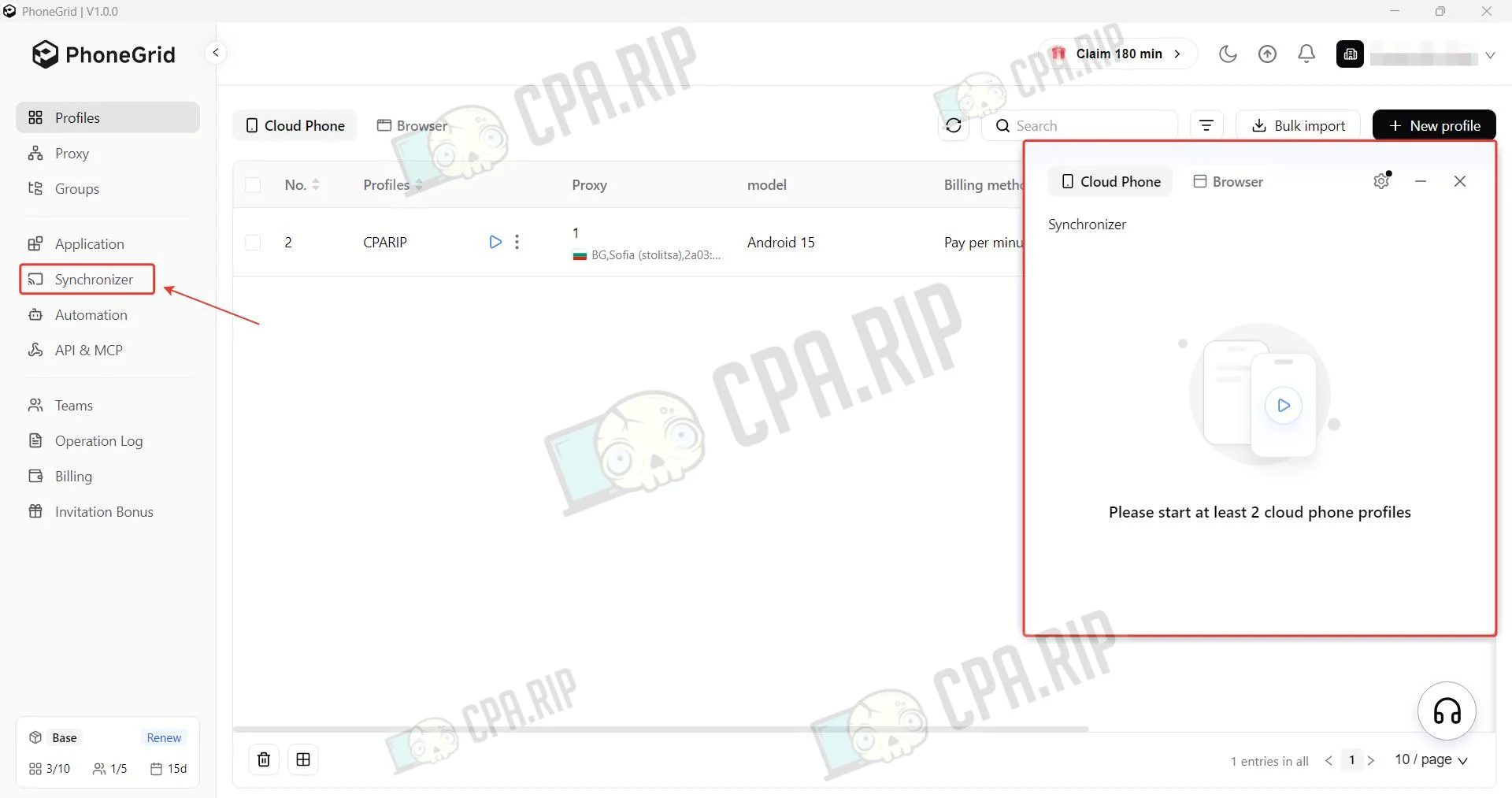
- Syncer allows users to manage a group of cloud or browser profiles as a single unit. All actions performed in the main window — clicks, text input, navigation or scrolling — are automatically duplicated across all other active cloud devices.
- Process automation is used to simulate manual operations on cloud phones, such as clicks, swipes, text input and data processing.
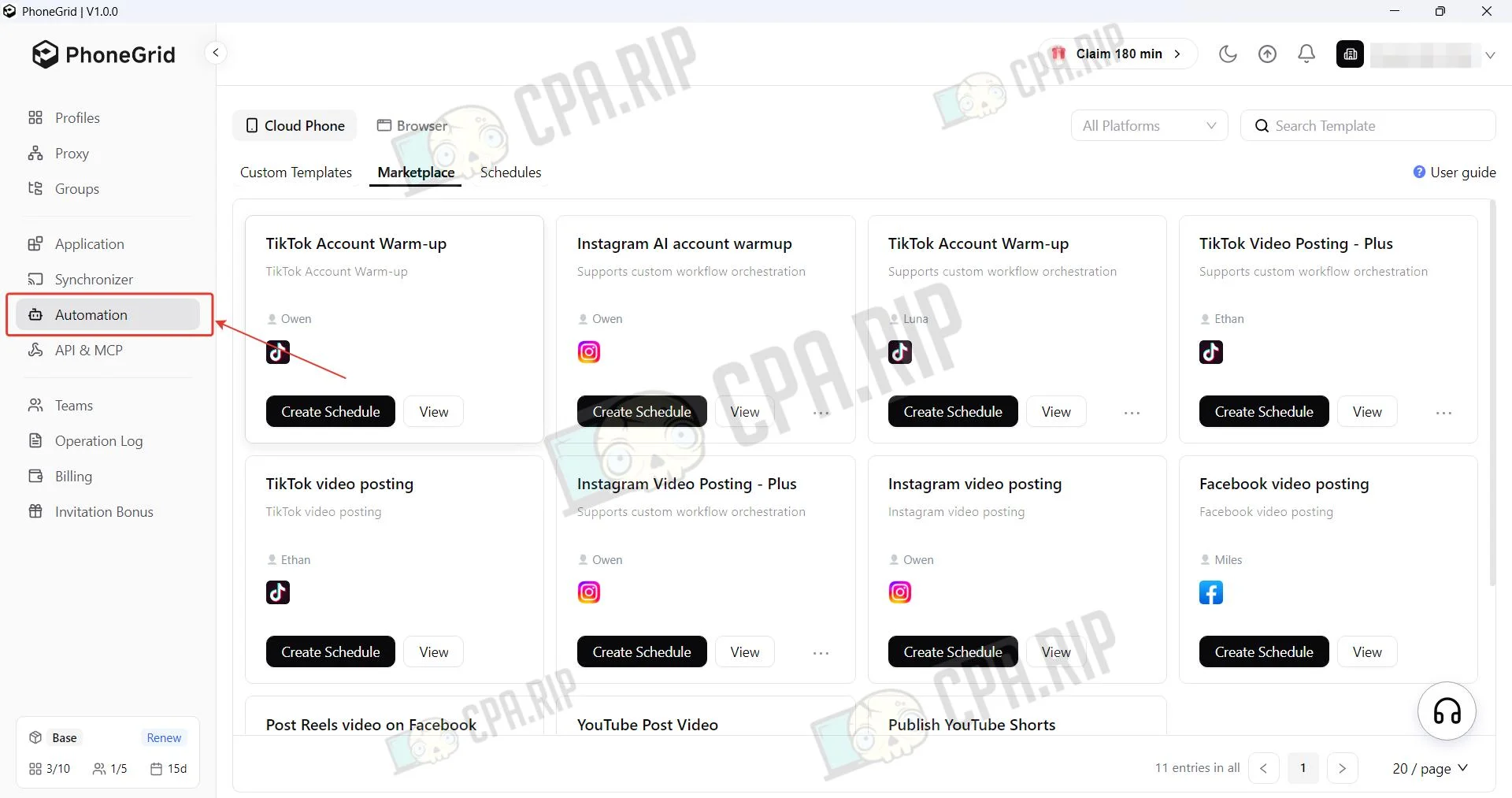
Users can create their own RPA automation templates or find the required ones in the built-in marketplace. For example, templates for TikTok and Instagram allow users to bulk upload content to all their accounts.
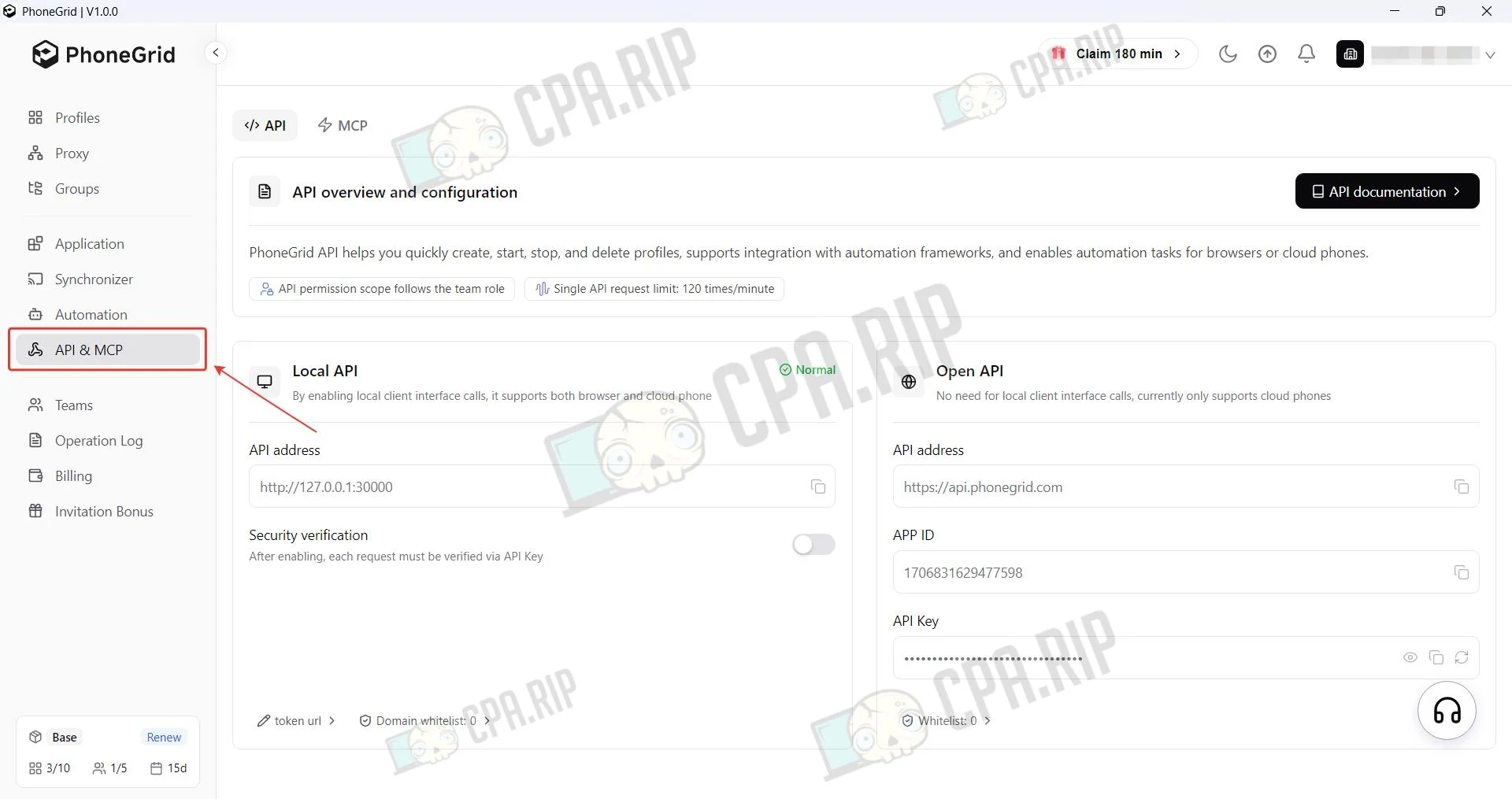
- API allows users to programmatically manage cloud phones or browser profiles and integrate them into systems without using the interface. This tool provides full automation of the device lifecycle, large-scale process scaling, and direct export of data or statistics.
MCP allows quick connection to AI agents, making it possible to manage and configure browser profiles using natural language directly in a dialogue with your chatbot.
Creating a Cloud Mobile Phone
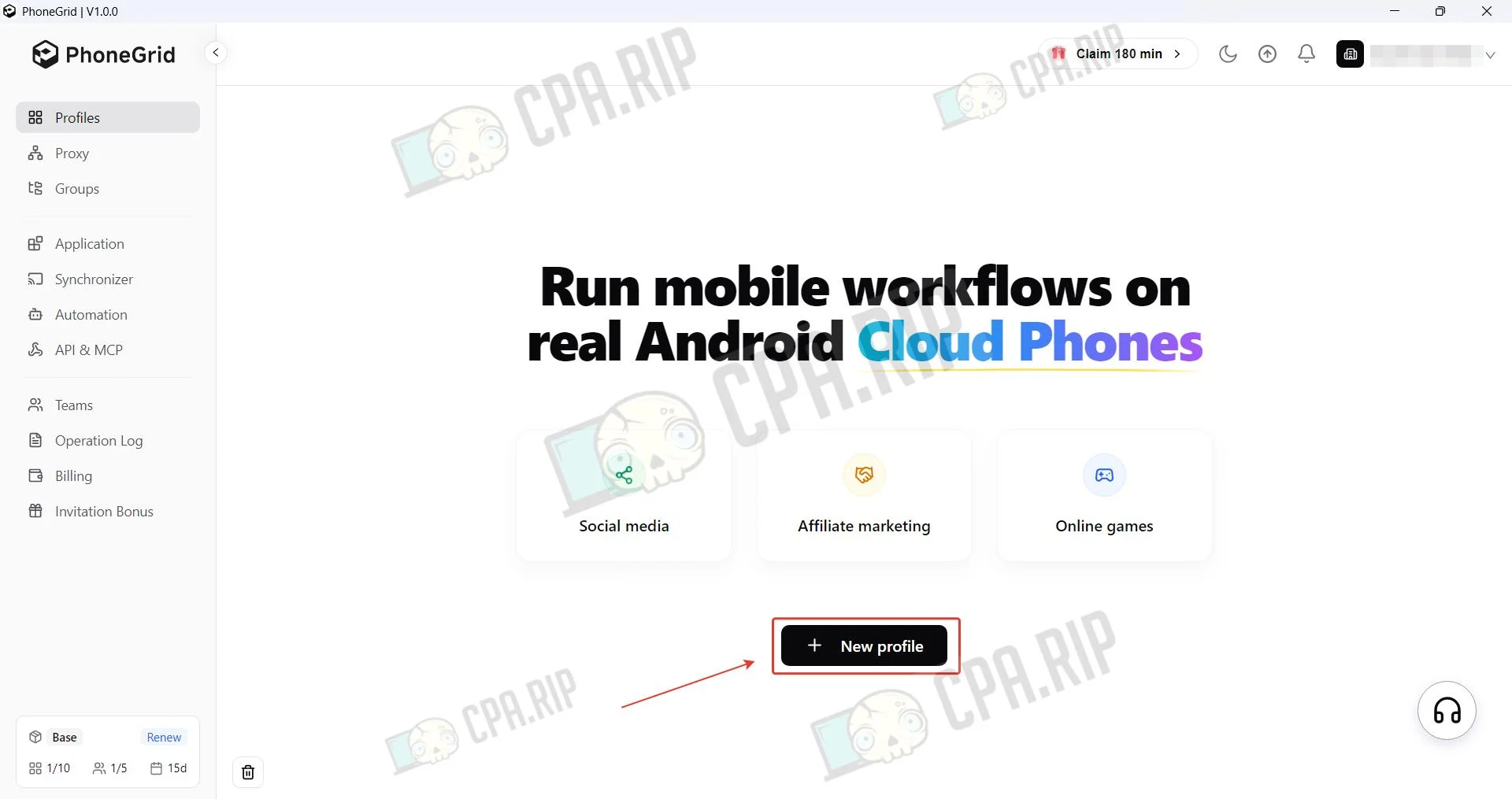
To create a profile, click New profile.
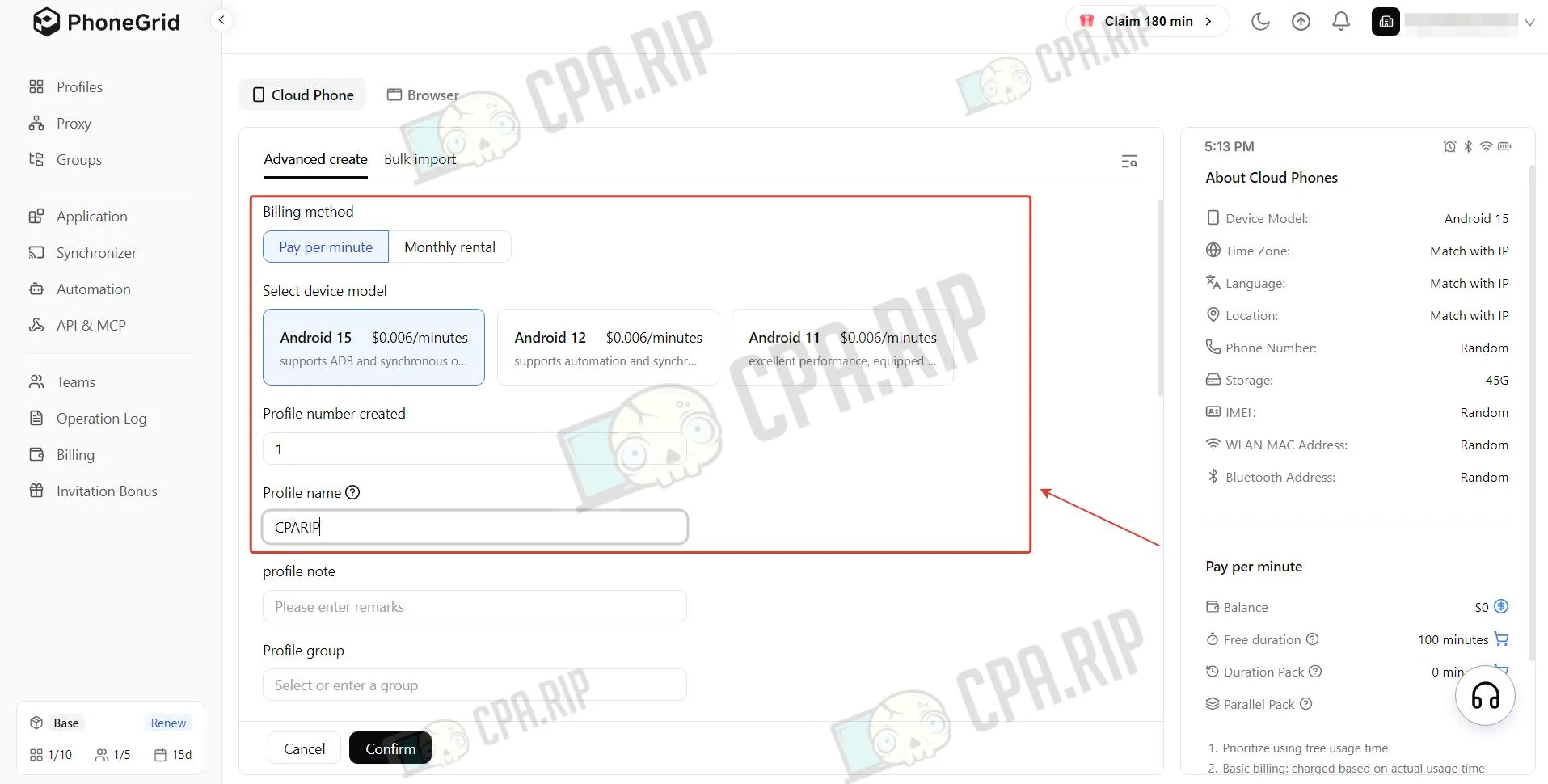
Select the payment model, per-minute and monthly options are available, and set a name.
Add a proxy.
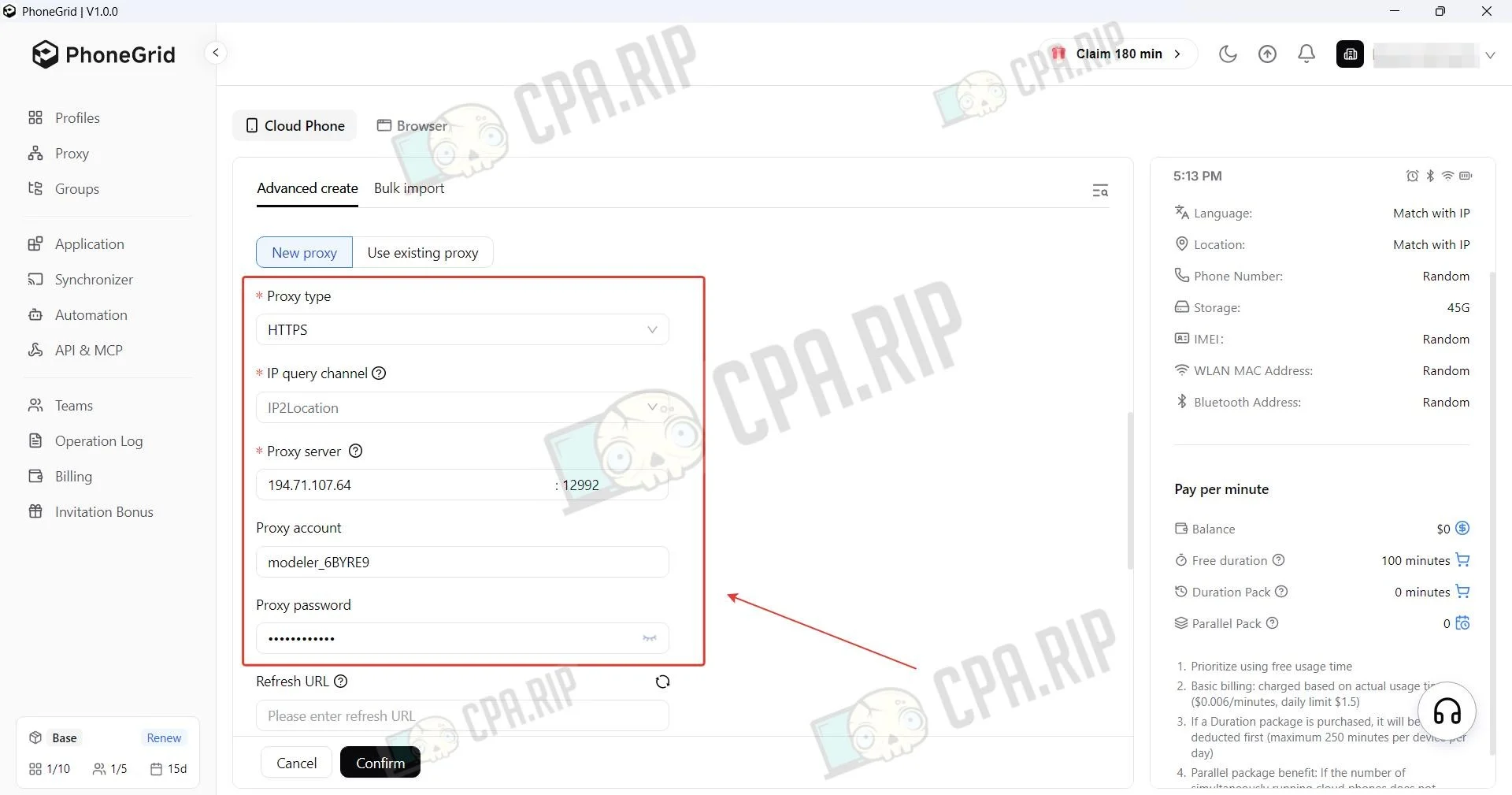
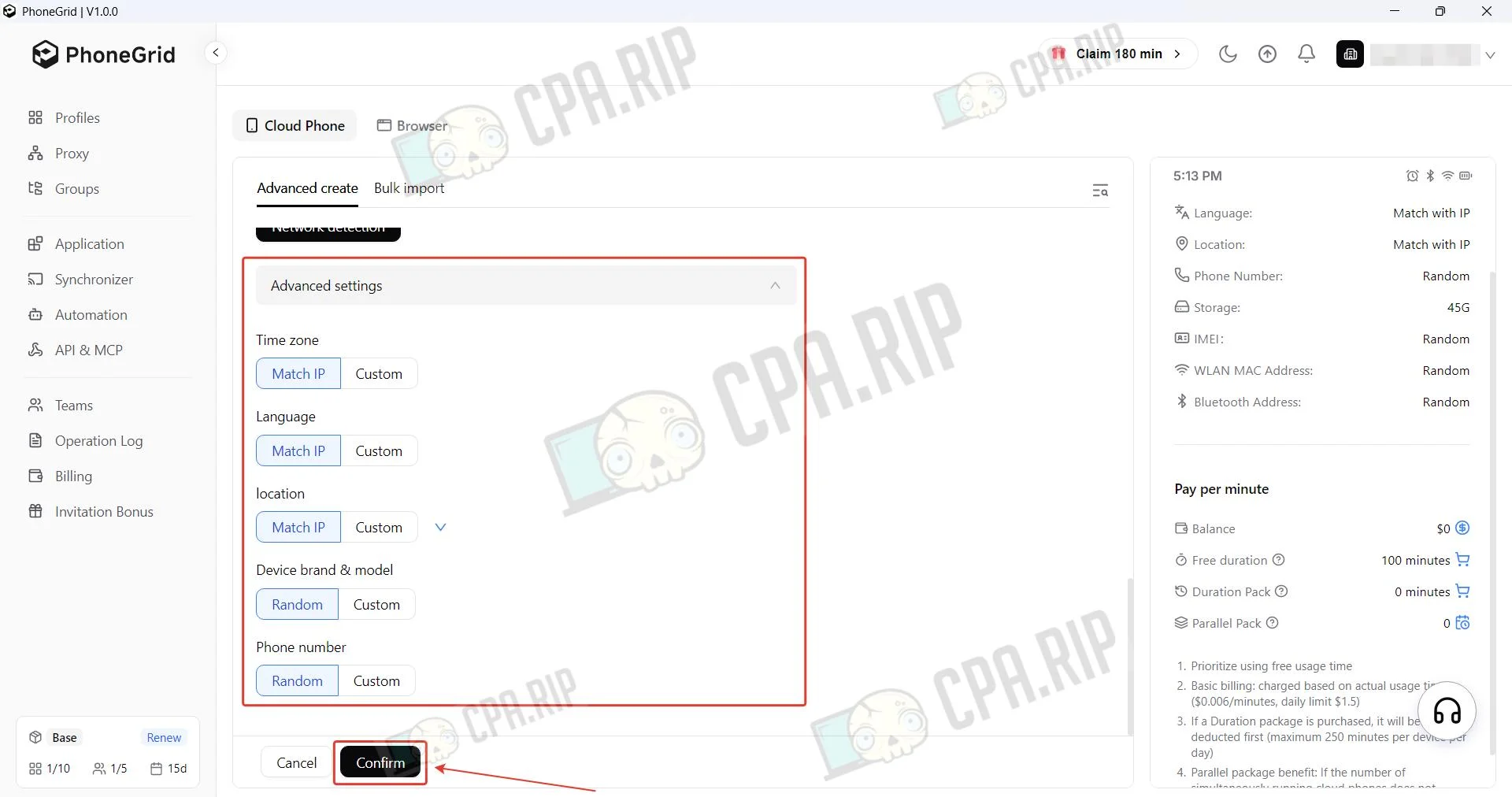
Detailed profile configuration is available in the Advanced settings subsection. To save the profile, click Confirm.
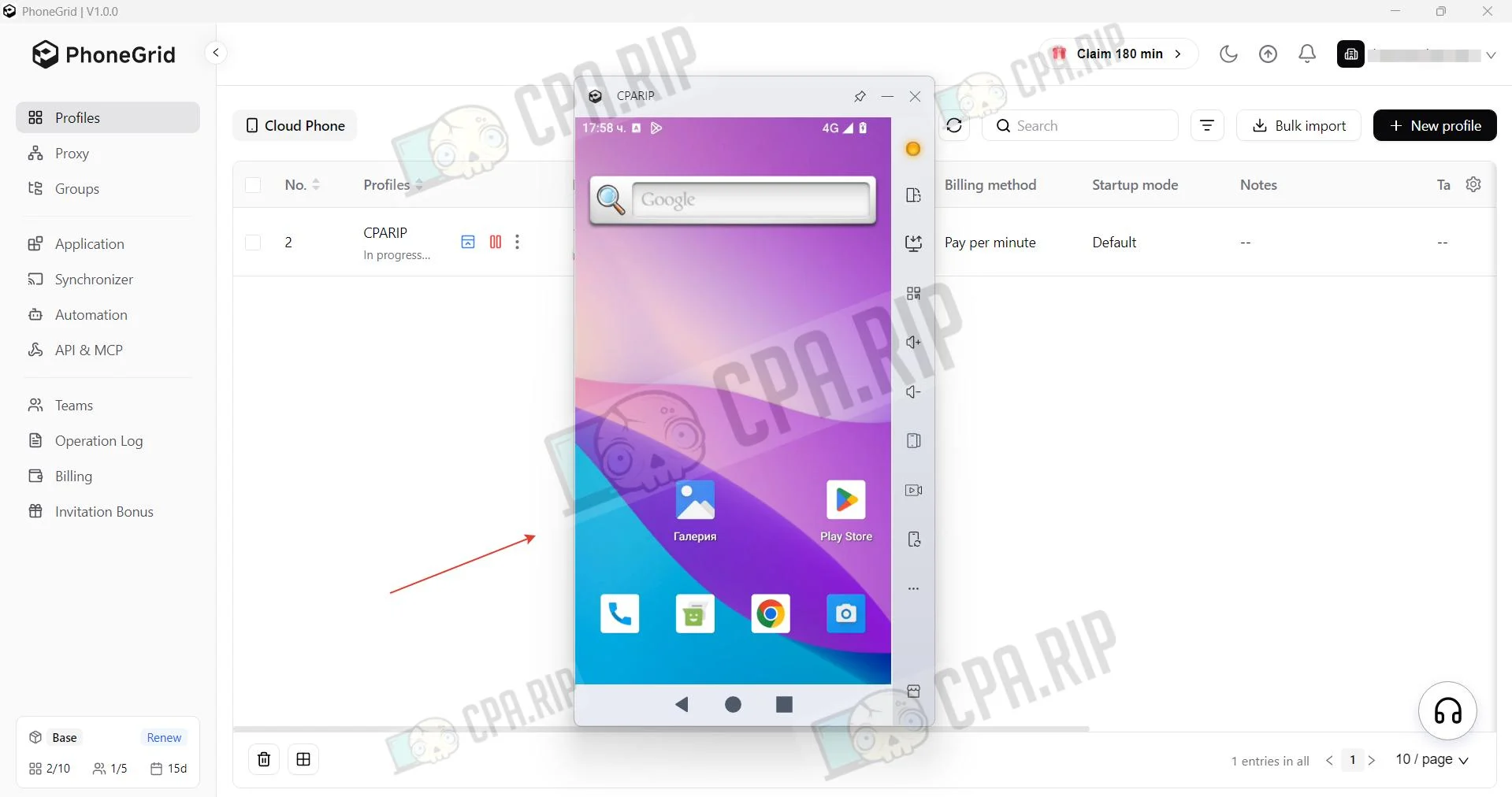
The cloud phone is ready to use.
Creating a Browser Profile
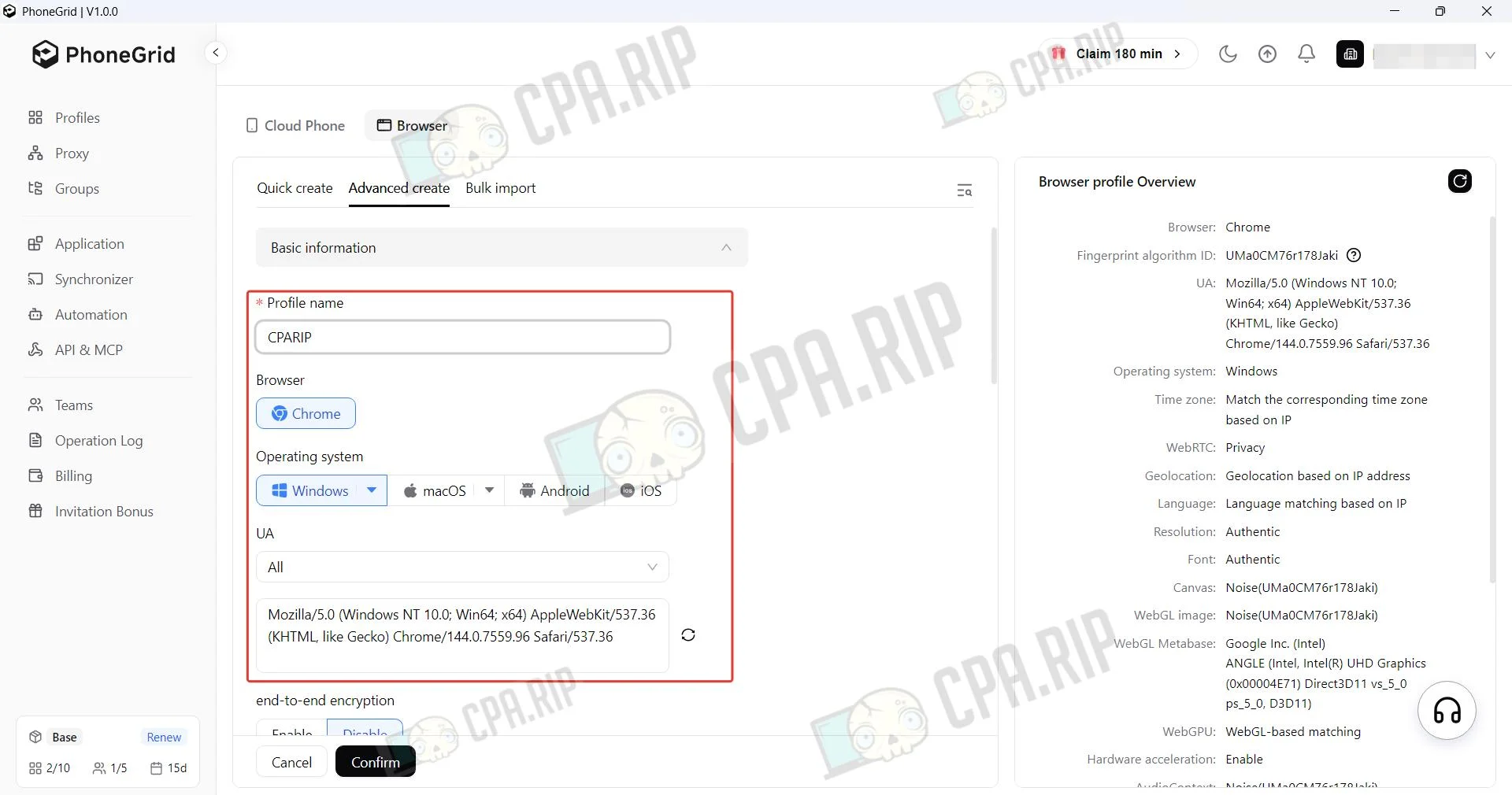
To create a browser profile, select Browser and Advanced create during creation.
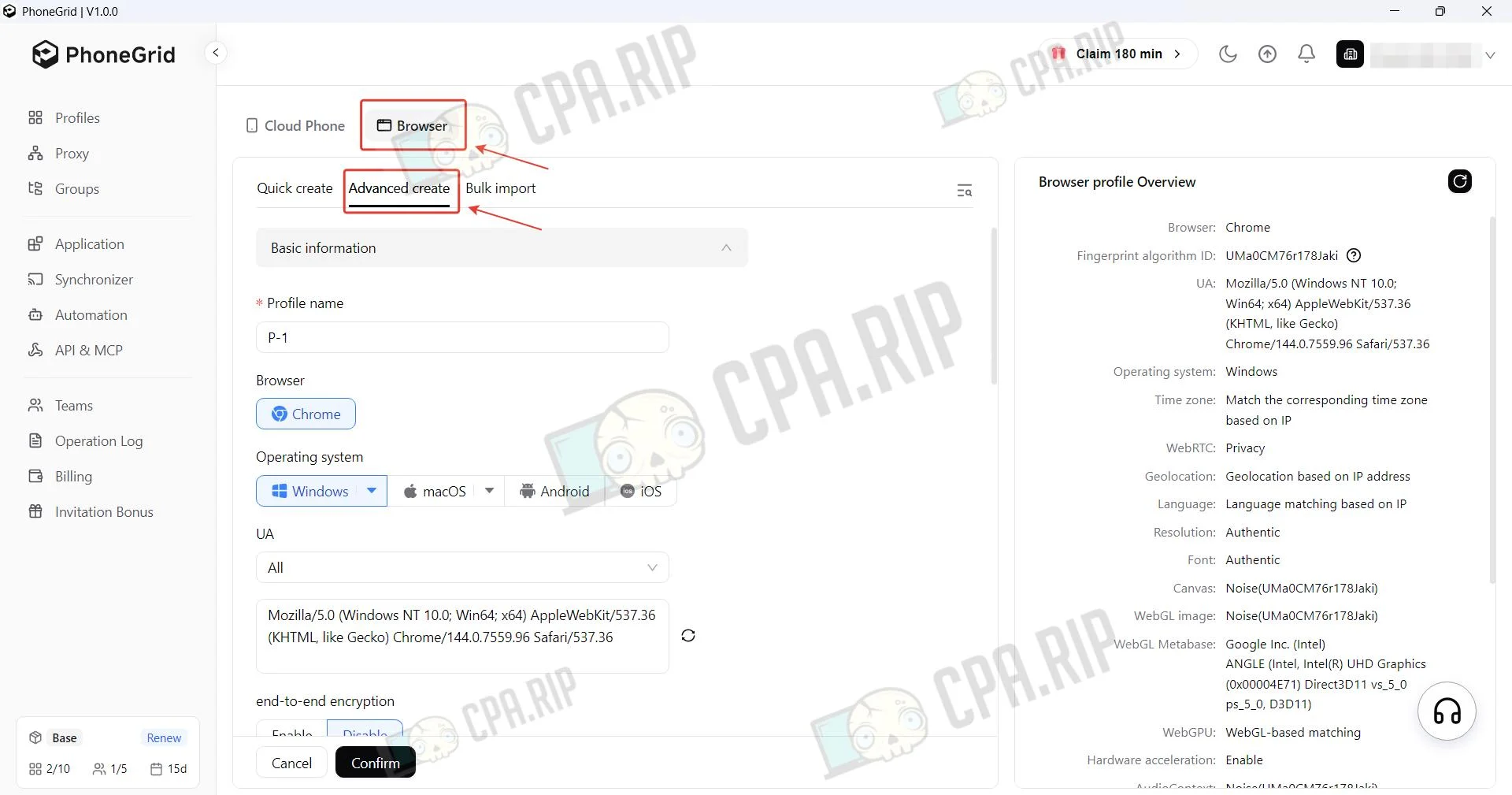
Set a name, select the operating system, and update the fingerprint if necessary.
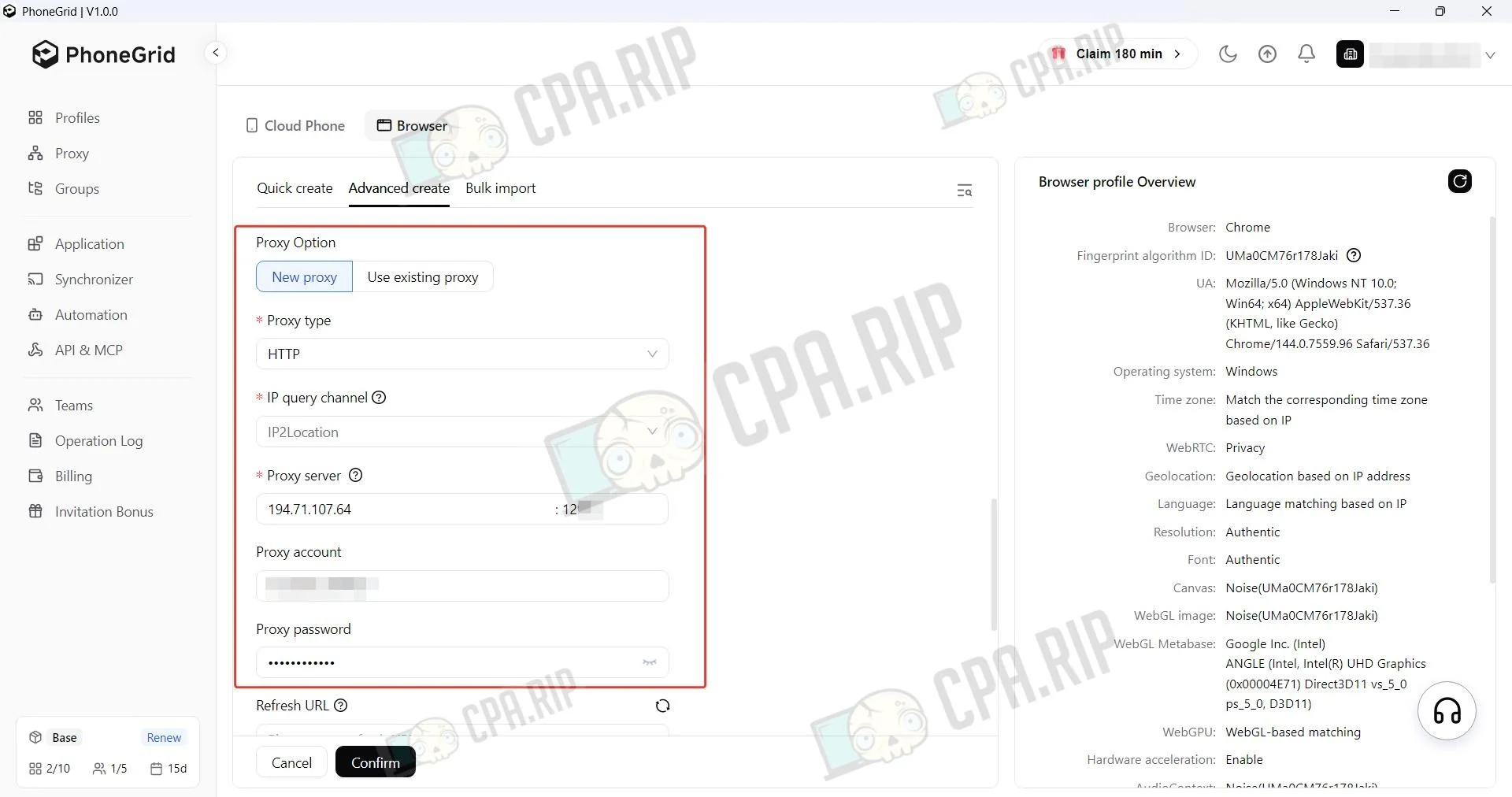
Specify the proxy.
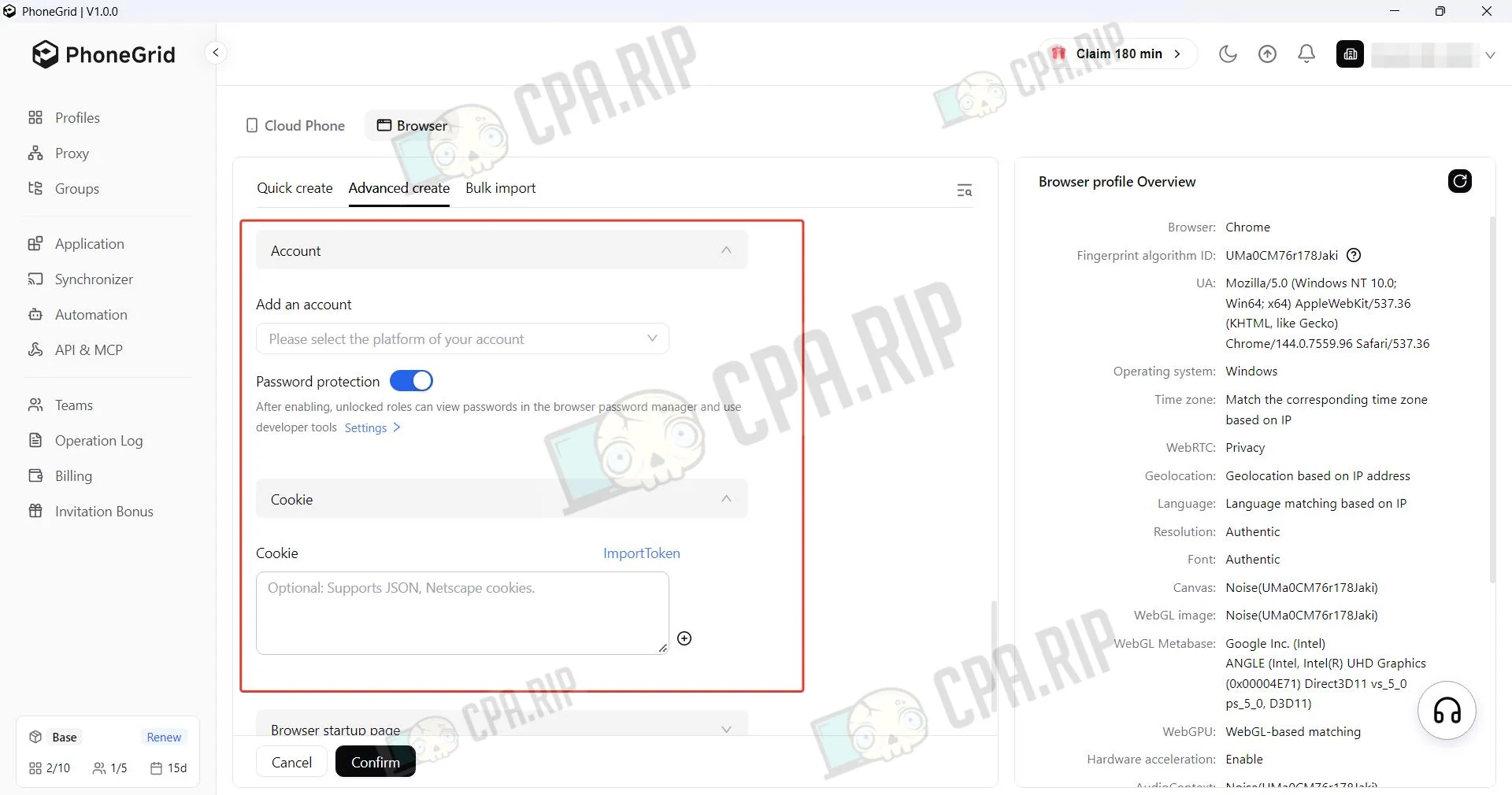
In the Cookie section, cookies are imported if required, and in the Accounts section, data in the form of a login and password is added for the specified websites.
Detailed profile configuration is available in the Advanced section.
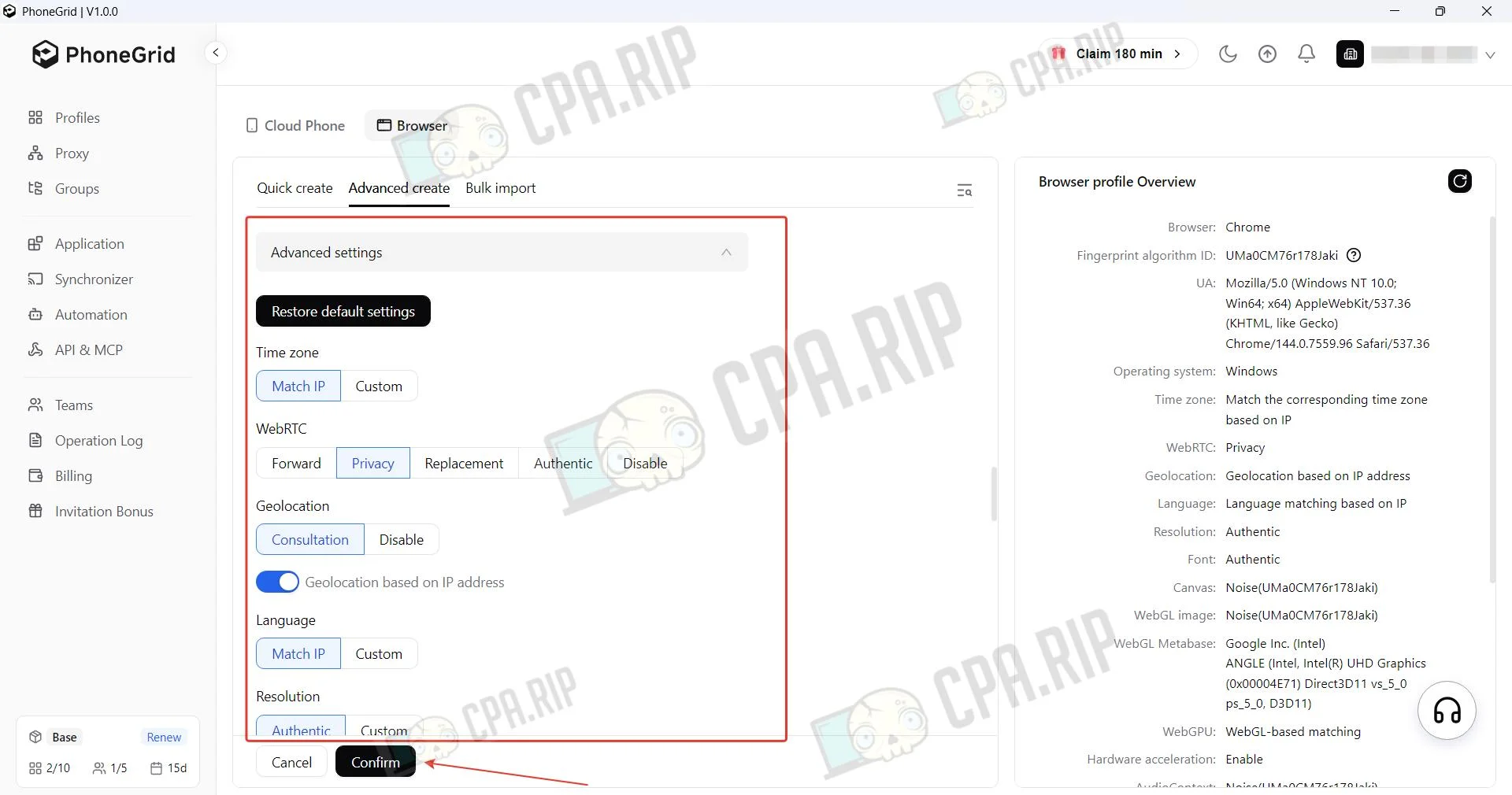
After configuring the profile, click Confirm.
Operation Log
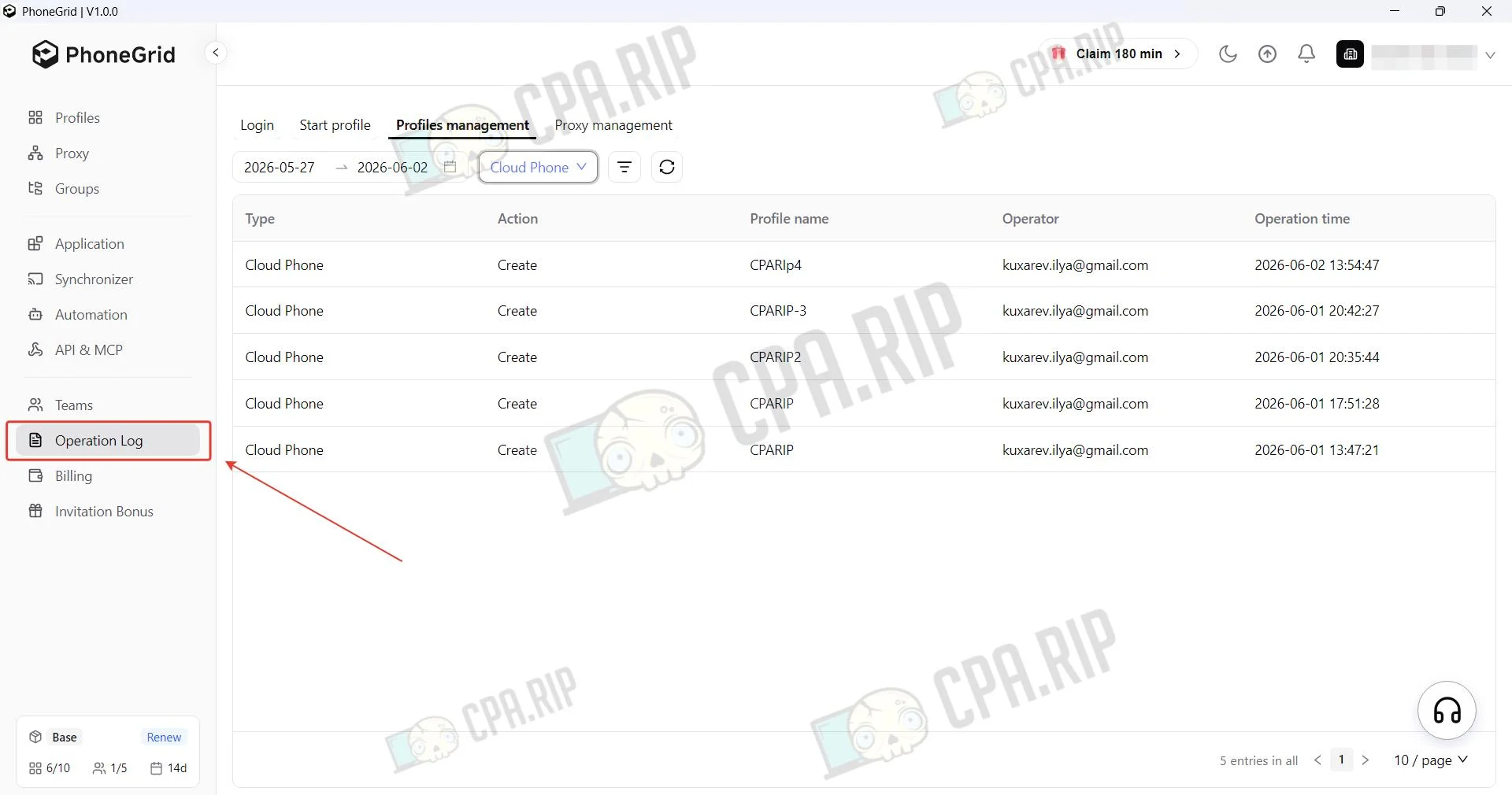
The Operation Log feature is a tool that allows users to track and analyze the history of operations performed with profiles and cloud phones. Account login, profile launch, profile and proxy management.
Cloud Phone Check
20 services for checking anonymity, fingerprint, WebRTC, Canvas, IP, WebGL, etc.: https://cpa.rip/en/services/checking-browser-fingerprints-and-anonymity/
We encountered a bug: one of the created cloud profiles had no network access during the fingerprint test. Everything worked correctly on other profiles.
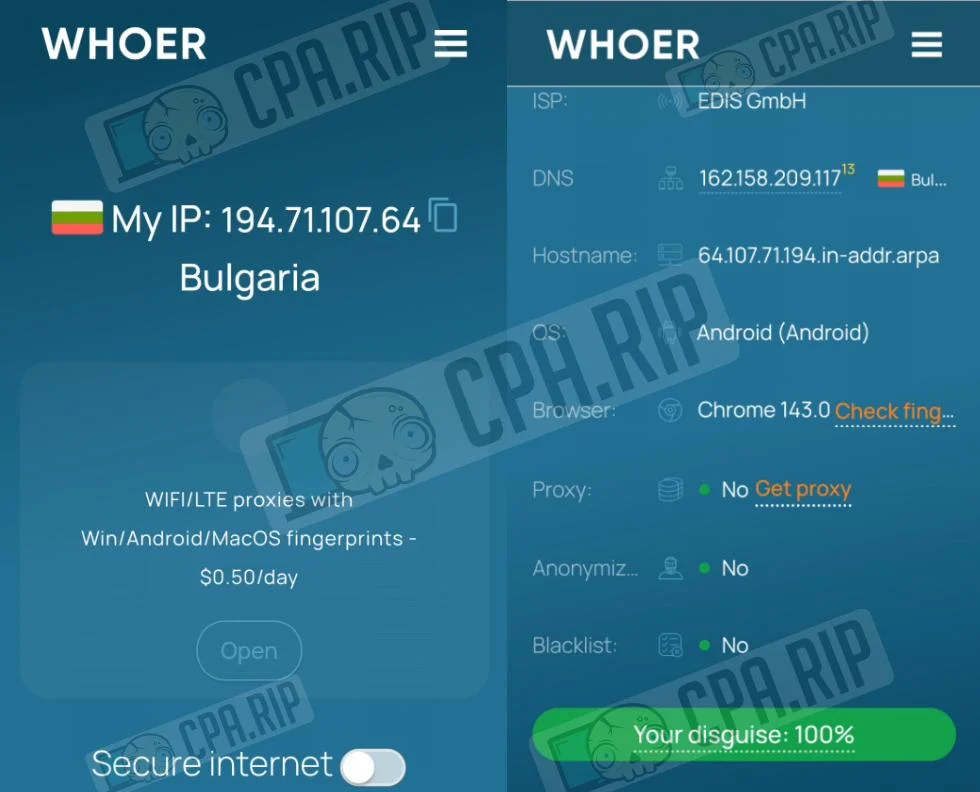
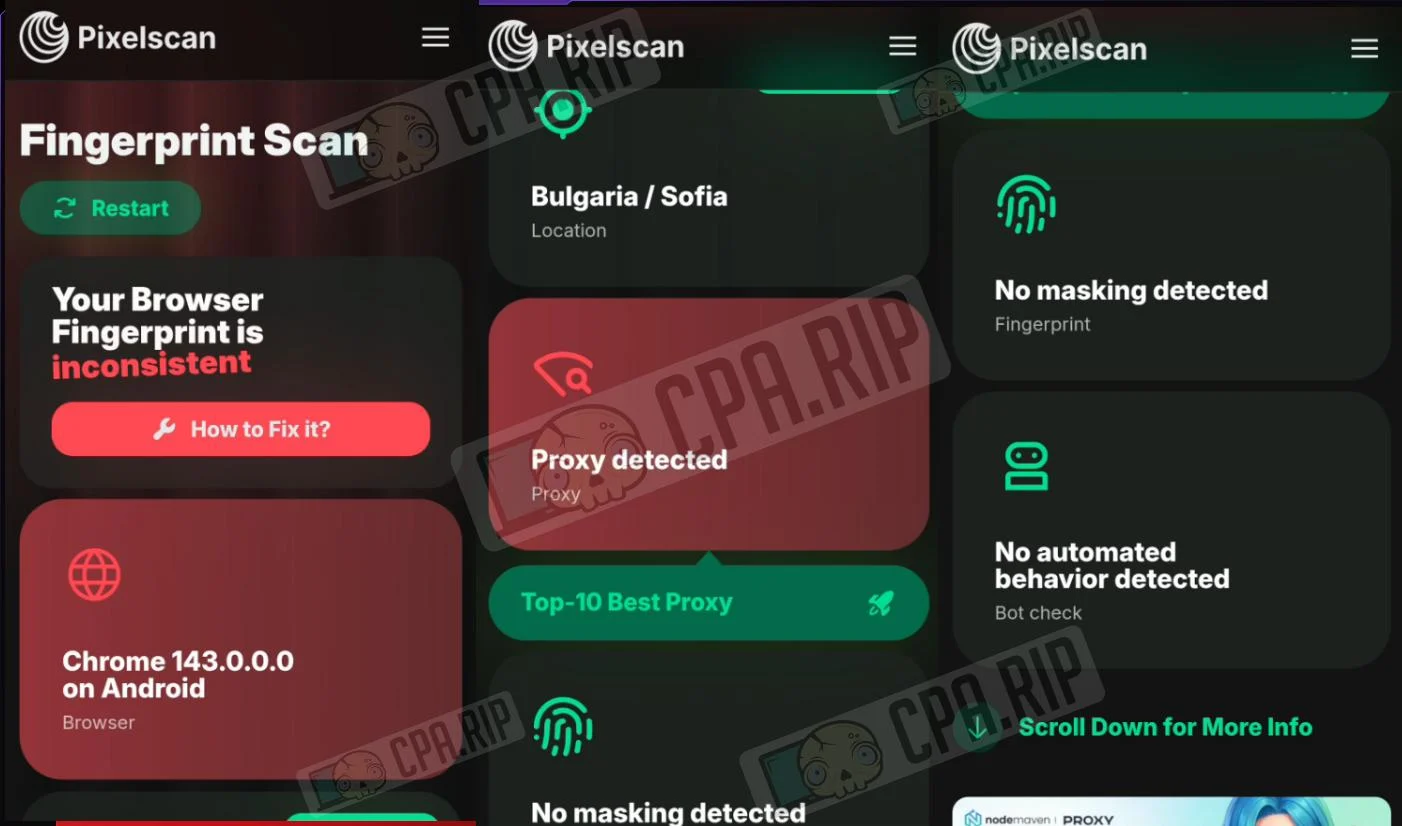
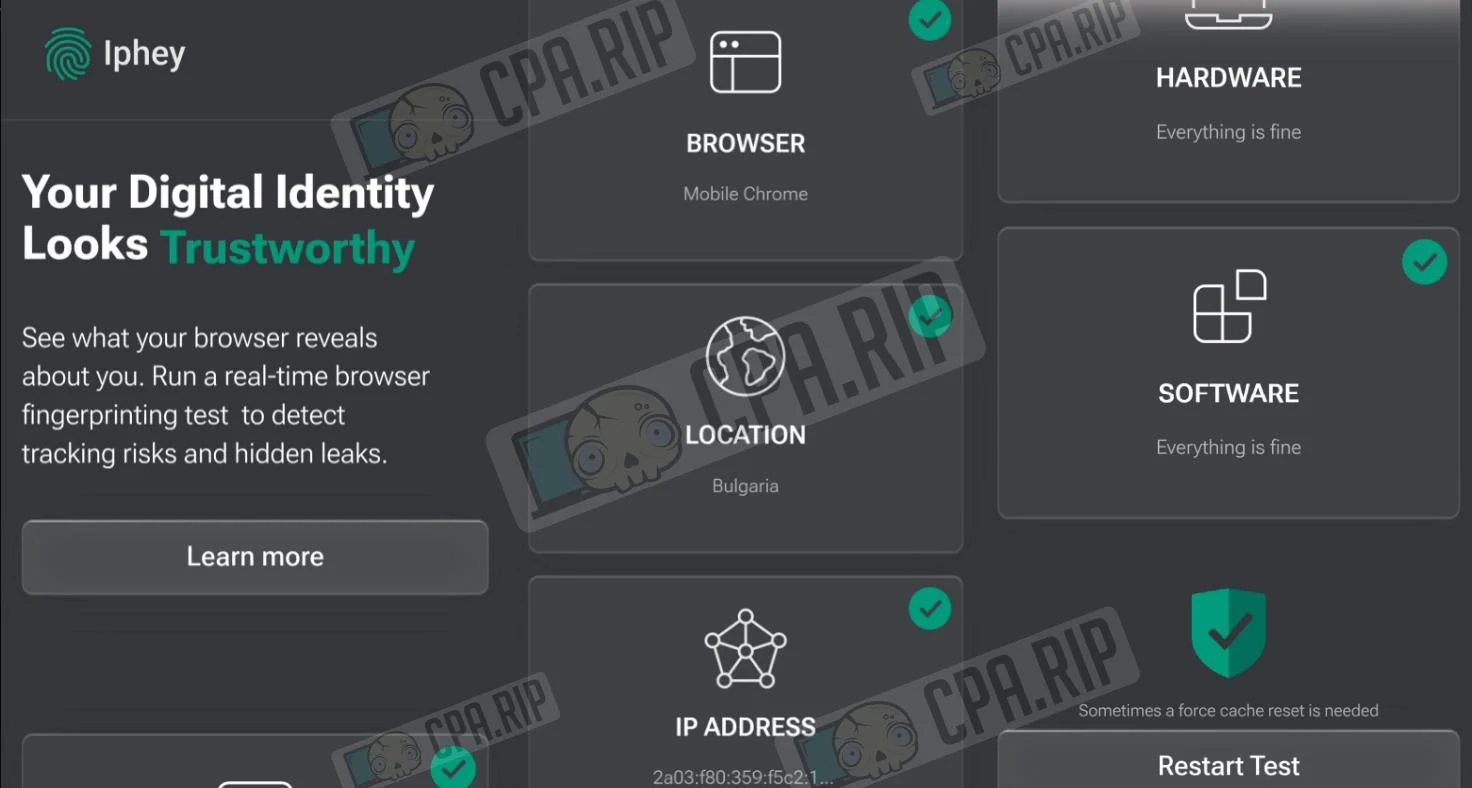
Summary table of anonymity and digital fingerprint parameters.
Parameter | Whoer | ||
My IP | 194.**.***.64 | — | 2a03:f80:359:f5c2:1… |
Location | Bulgaria | Bulgaria / Sofia | Bulgaria |
ISP | EDIS GmbH | — | — |
DNS | 162.***.209.117 | — | — |
Hostname | — | — | |
OS | Android | Android | — |
Browser | Chrome 143.0 | Chrome 143.0.0.0 | Mobile Chrome |
Proxy | No | Proxy detected | — |
Anonymizer | No | — | — |
Blacklist | No | — | — |
Masking | — | No masking detected | — |
Bot | — | No automated behavior | — |
Status | 100% | Inconsistent | Trustworthy |
During the initial check, the service whoer.net shows a high level of anonymity, confirming correct location detection (Bulgaria) and the absence of blacklist issues.
The service pixelscan.net marks the state as “Your Browser Fingerprint is inconsistent” and detects the use of a proxy server. At the same time, the system confirms the absence of automated behavior and masking.
In the service Iphey.com, the device passes the check successfully: Browser, Hardware, Software and Location parameters are marked as “Trustworthy” and “Everything is fine”.
Antidetect Browser Check
Summary table of anonymity and digital fingerprint parameters.
Parameter | Whoer | ||
My IP | 194.***.***.64 | — | 2a03:f80:359:f5c2:… |
Location | Bulgaria | Bulgaria / Sofia | Bulgaria |
ISP | EDIS GmbH | — | — |
DNS | 162.***.***.117 | — | — |
Hostname | — | — | |
OS | Win10.0 | Windows | — |
Browser | Chrome 144.0 | Chrome 144.0.0.0 | Click here to see |
Proxy | No | Proxy detected | — |
Anonymizer | No | — | — |
Blacklist | No | — | — |
Masking | — | No masking detected | — |
Bot | — | No automated behavior | — |
Status | 100% | Inconsistent | Unreliable |
The service whoer.net shows the maximum level of anonymity, correct detection of the IP address and Bulgaria location, as well as absence from blacklists.
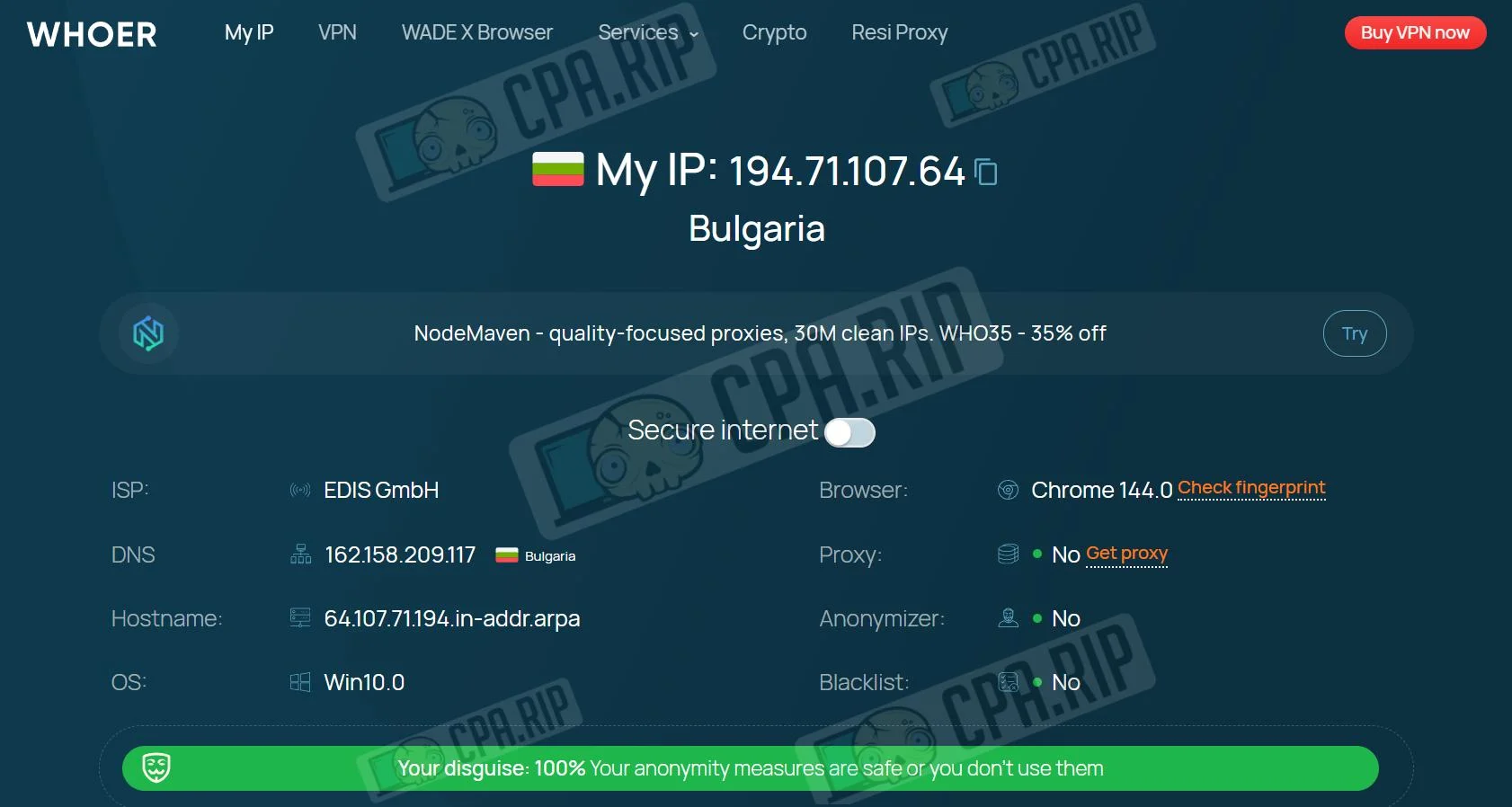
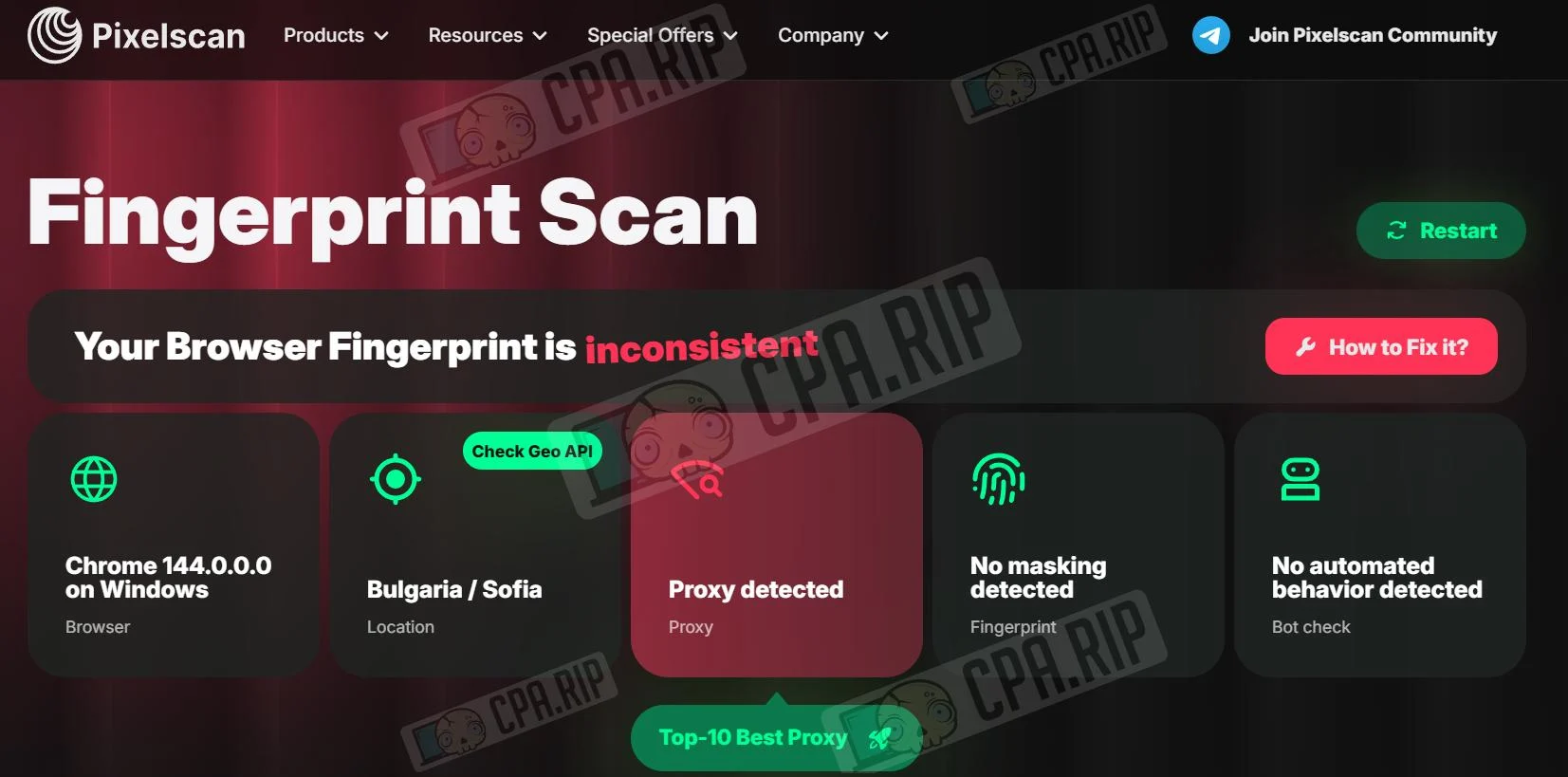
The service pixelscan.net indicates an “inconsistent” browser fingerprint and detects the use of a proxy. It is important to note that no masking or automated bot behavior was detected.
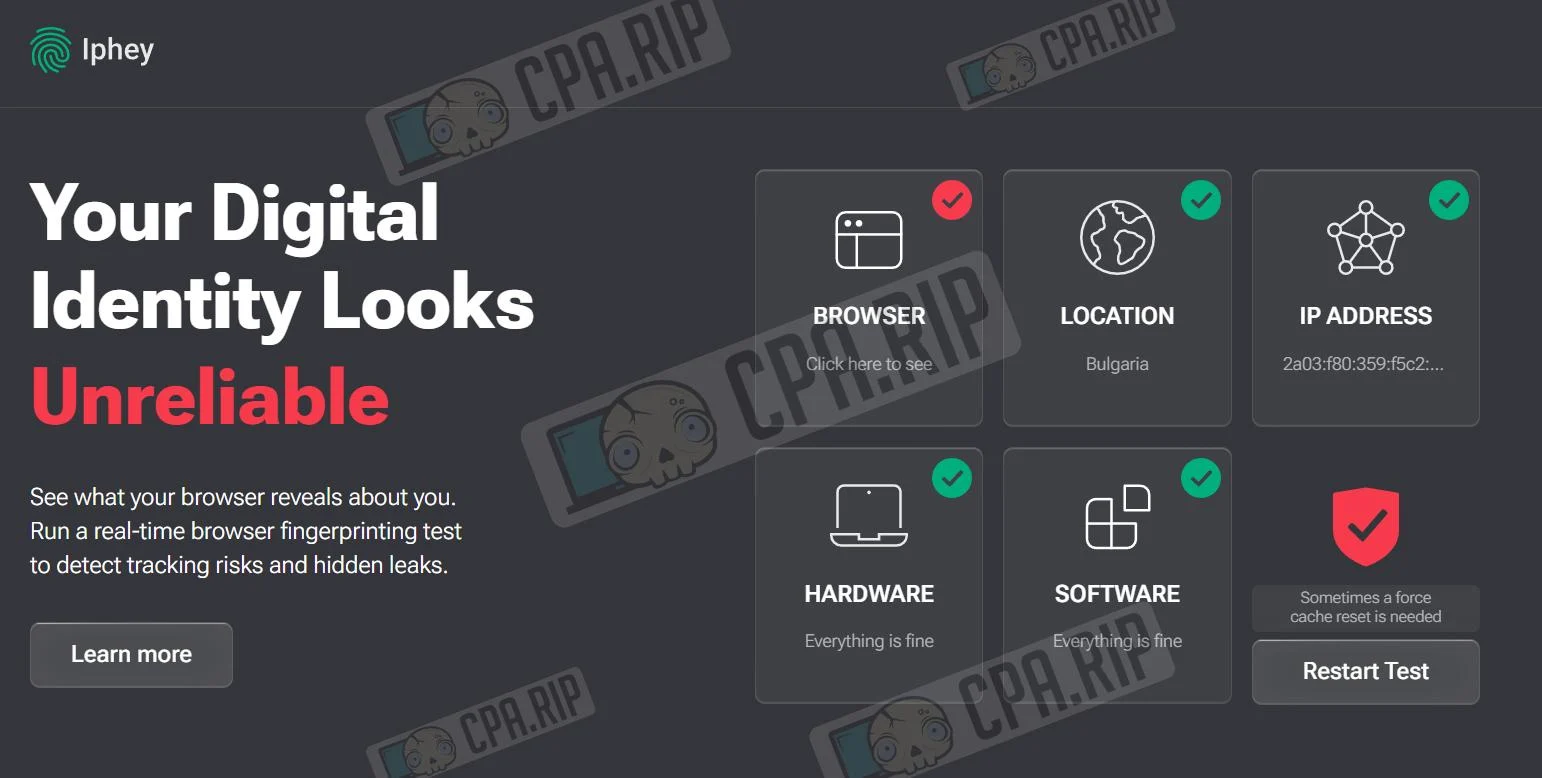
When checked in the service Iphey.com, the digital identity status is defined as “Unreliable”. At the same time, Hardware and Software indicators are within normal range.








Comments