

![[FBM] CARDS](https://cpa.rip/wp-content/uploads/cr-a1/fbm-cards-v1/fbm-cards-logo.svg)




A review of ShardX — a free antidetect browser from ProxyShard. We looked at its feature set and tested the quality of its browser fingerprint and its work with MCP. The project’s launcher and user interface are open-source, but the modified Chromium remains closed-source and is downloaded from ProxyShard’s CDN on first launch. The browser is designed for multi-accounting and automation, supports a local API, an SDK for several programming languages, and MCP, which allows profiles to be managed programmatically and through AI tools.
CPA.RIP’s take: the ShardX antidetect browser can be used for work. Testing showed that the masking works correctly: the services Whoer, Iphey, and Pixelscan rated the digital identity as trustworthy.
- Download: https://github.com/ProxyShard/ShardBrowser/releases
- Windows x64;
- macOS (Apple Silicon);
- Linux x64.
Our roundup of antidetect browsers: https://cpa.rip/services/antidetect-browser/
Testing the antidetect browser
A selection of services for checking browser anonymity, fingerprint checks, etc.: https://cpa.rip/services/checking-browser-fingerprints-and-anonymity/.
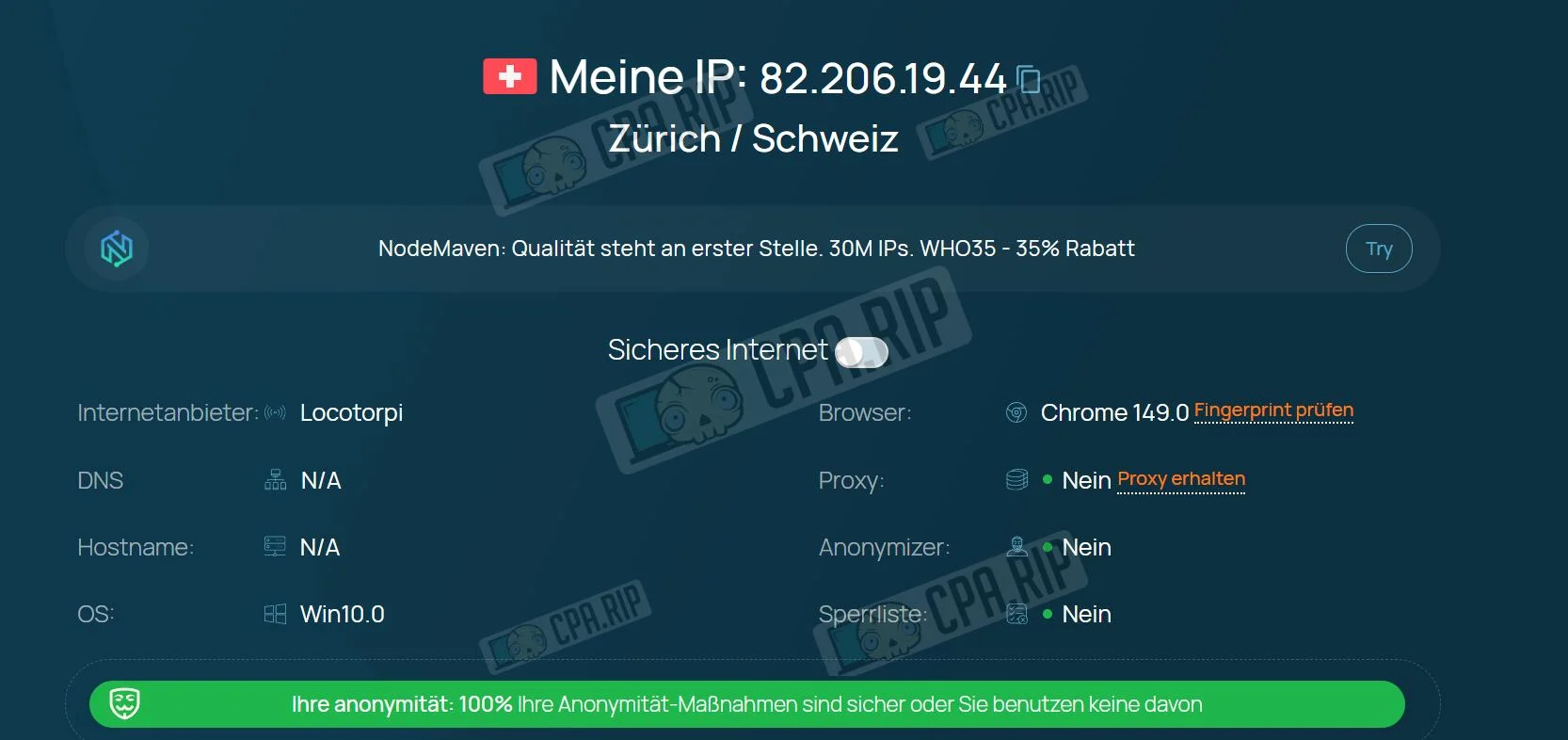
Summary table of anonymity and digital fingerprint parameters:
| Parameter | Whoer.net | Pixelscan.net | IpHey.com |
| My IP | 82.***.**.44 | – | 82.***.**.44 |
| Location | Zürich / Schweiz | Switzerland / Zürich | Switzerland |
| ISP | Locotorpi | – | – |
| DNS | N/A | – | – |
| Hostname | N/A | – | – |
| OS | Win10.0 | Windows | – |
| Browser | Chrome 149.0 | Chrome 149.0.0.0 | Chrome |
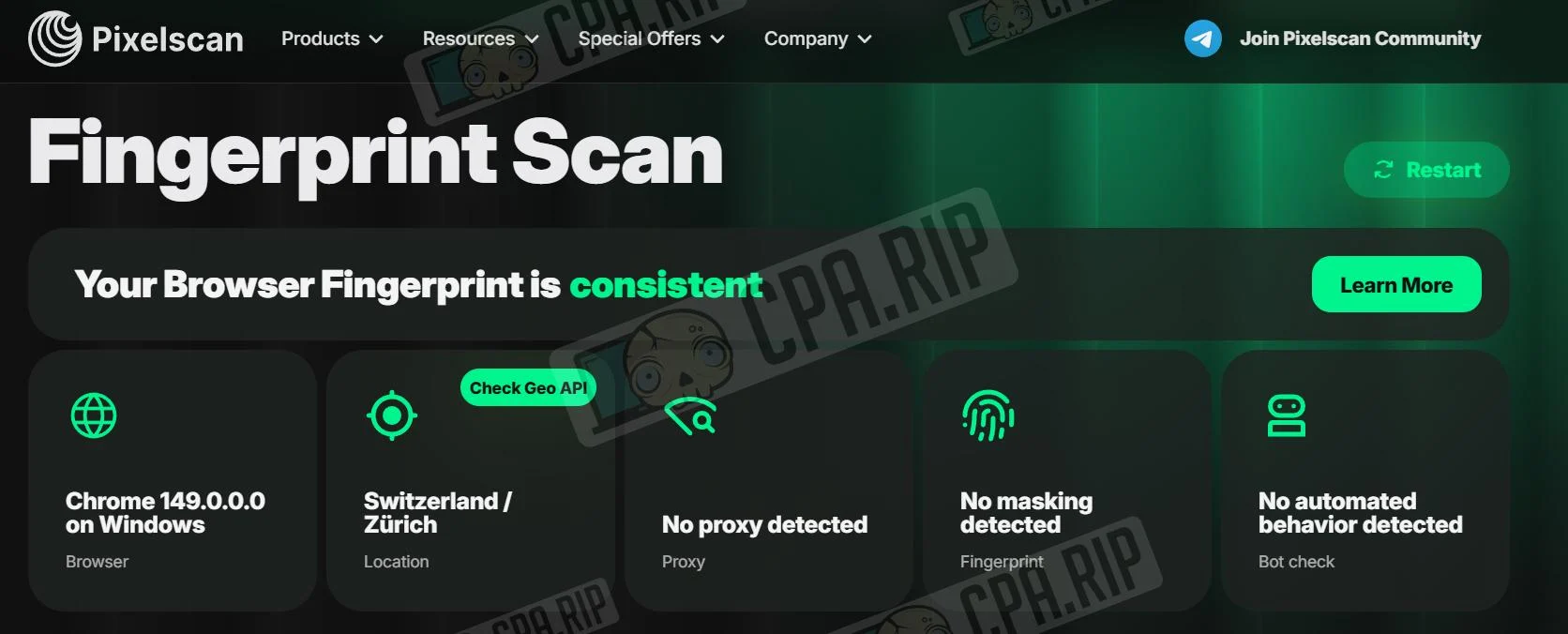
| Proxy | Nein | No proxy detected | – |
| Anonymizer | Nein | – | – |
| Blacklist | Nein | – | – |
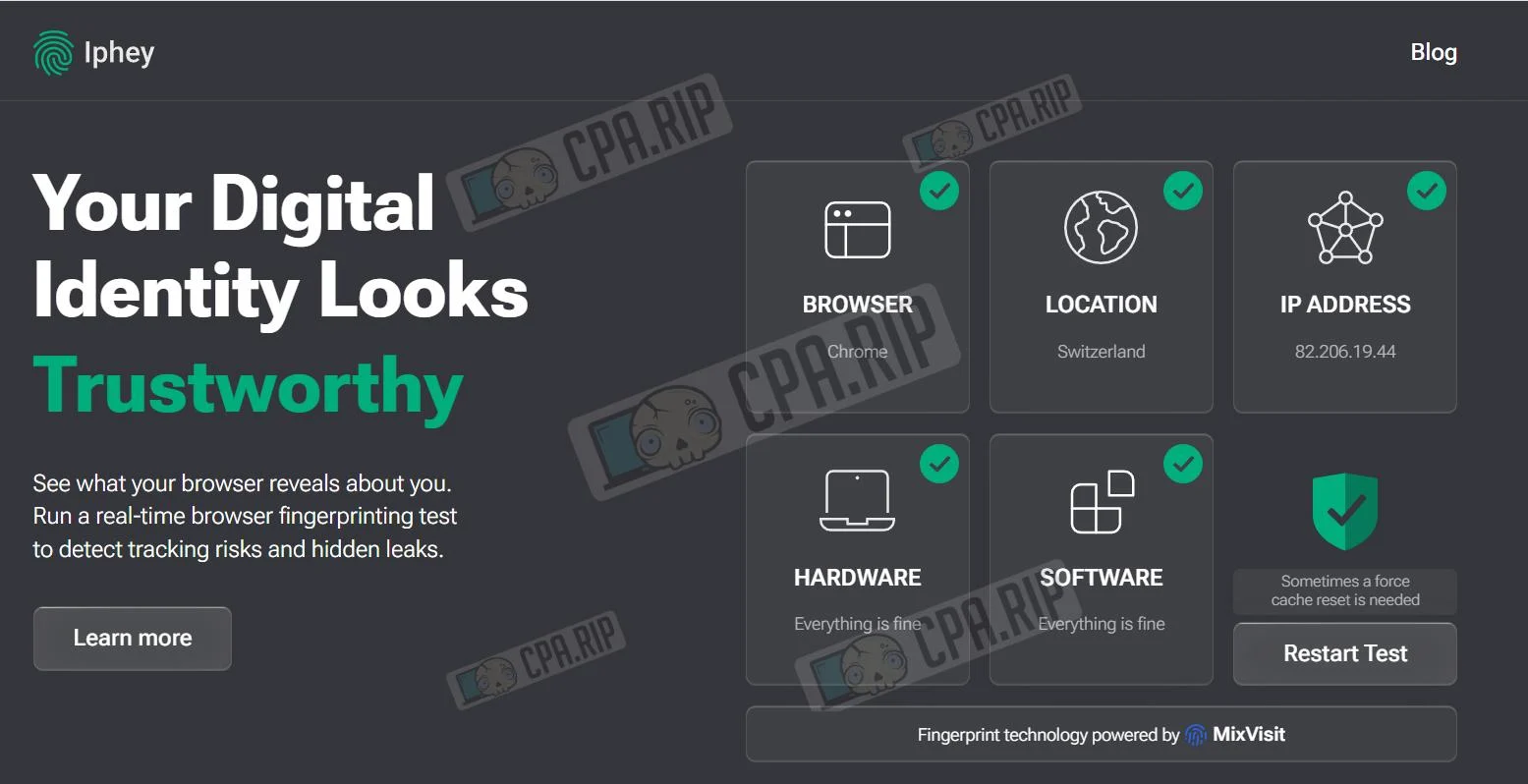
| Masking | – | No masking detected | Everything is fine |
| Bot | – | No automated behavior detected | – |
| Status | 100% | Consistent | Trustworthy |
- Whoer: Shows 100% anonymity.
- Iphey: Rates the digital identity as “Trustworthy,” with no critical issues detected.
- Pixelscan: The fingerprint is consistent, with no signs of masking or automation detected.
Key features
- Isolated browser profiles
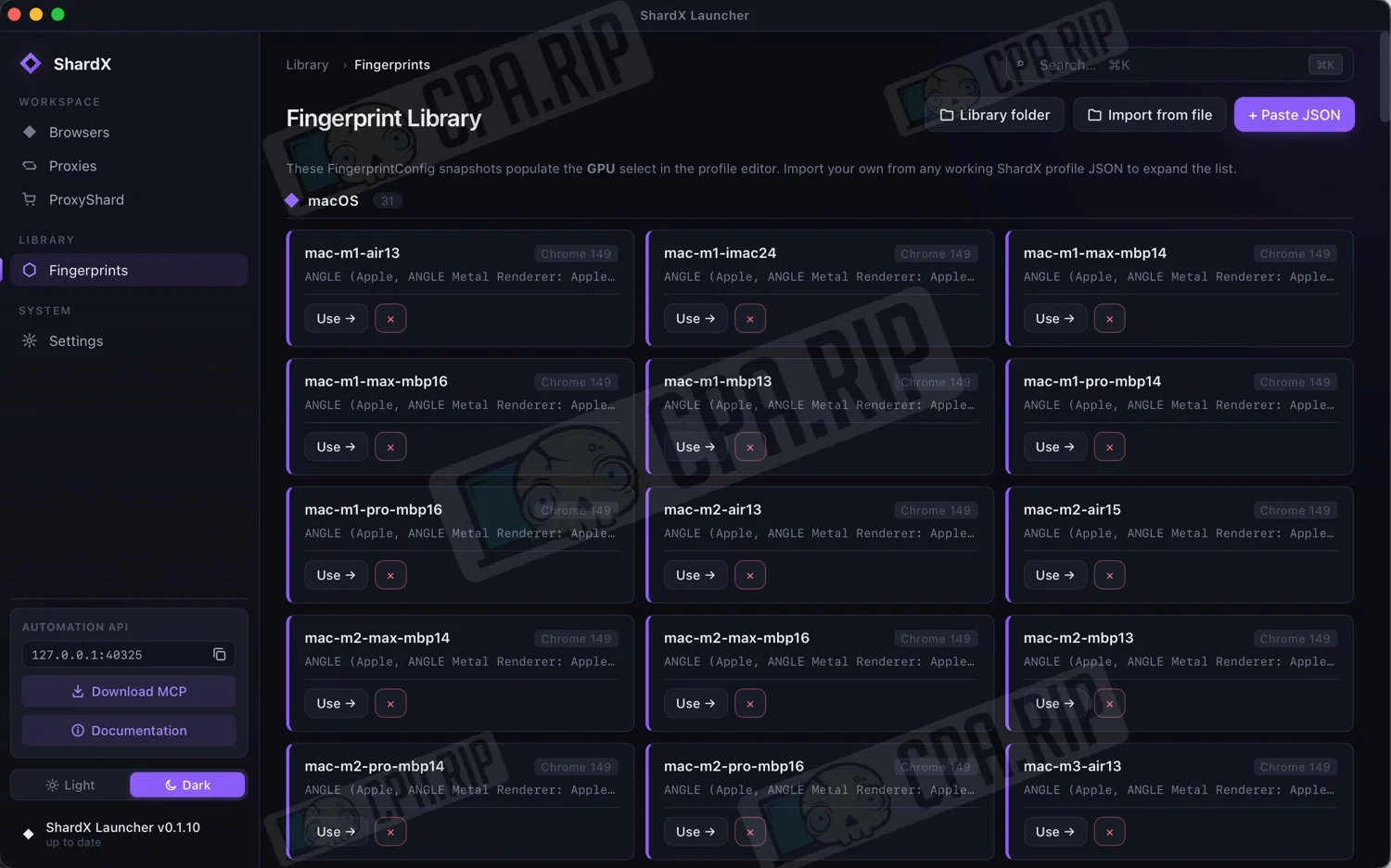
- 170 ready-made device configurations are available for Windows, macOS and Linux.
- The browser modifies digital fingerprint parameters, including WebGL, Canvas, Audio, Client Hints, fonts, screen, geolocation, time zone, TLS ClientHello, and JA4.
- Fingerprint changes are implemented at the level of the modified Chromium without using JavaScript injections.
- HTTP, HTTPS, and SOCKS5 proxies are supported, and when using SOCKS5 with UDP, WebRTC and QUIC (HTTP/3) are available.
- The interface language, geolocation, and time zone can be automatically configured based on the proxy in use.
- Chromium and the fingerprint library are updated automatically via ProxyShard’s CDN.
Automation and API
One of the key features of ShardX Launcher is its advanced automation system.
The browser provides a local API that makes it possible to:
- create and delete profiles;
- launch and stop profiles;
- get profile information;
- obtain a CDP WebSocket to connect automation tools;
- manage the profile lifecycle.
Official SDKs are available for developers:
- Python;
- Node.js;
- Rust.
In addition, MCP (Model Context Protocol) support has been implemented, allowing the browser to be controlled via Claude Desktop, compatible IDEs, and other AI clients.
Example of using MCP via Claude Desktop
- Sample request: Open the proxy list.
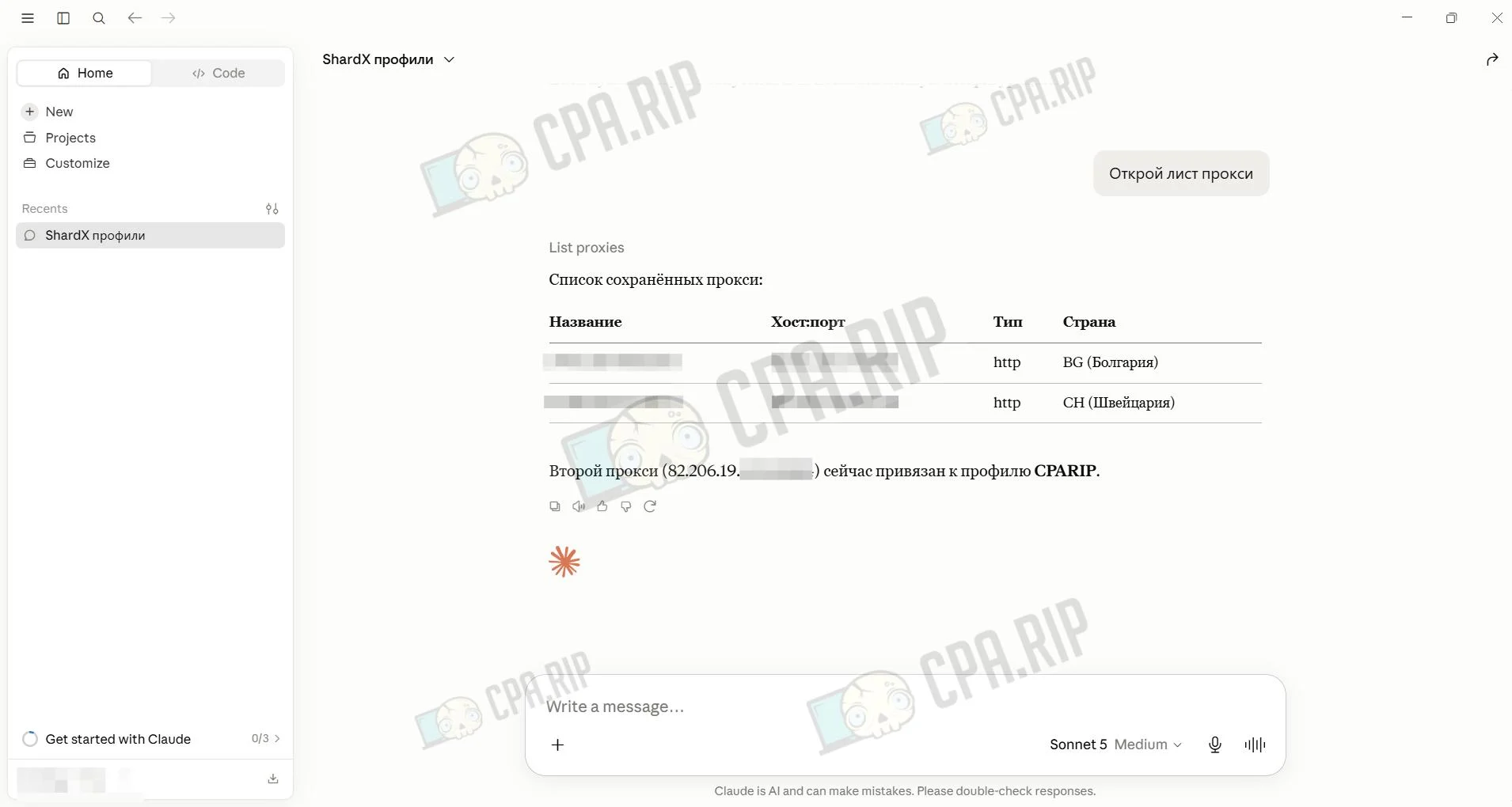
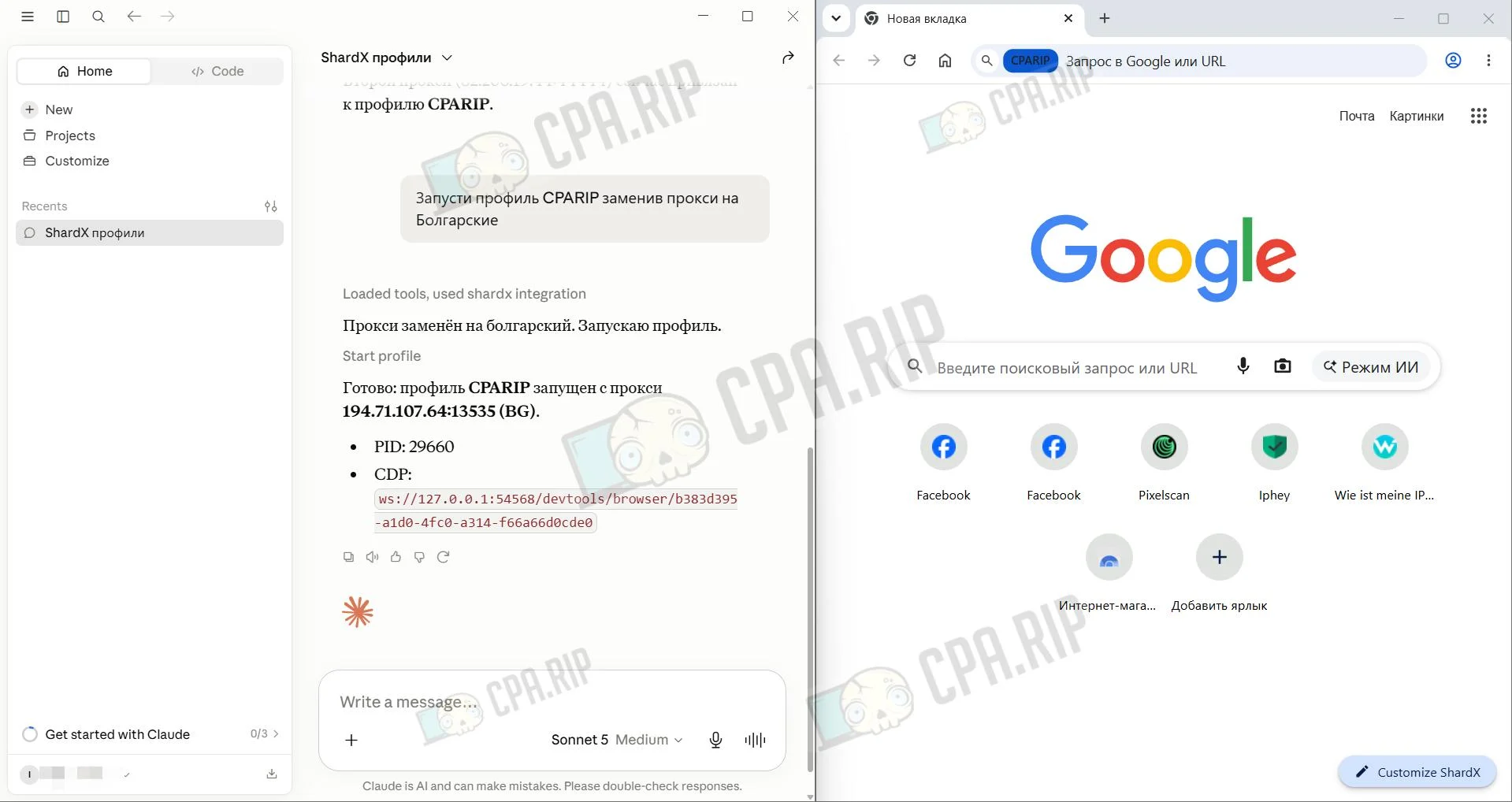
- Sample request: Launch the CPARIP profile, replacing the proxy with Bulgarian ones.
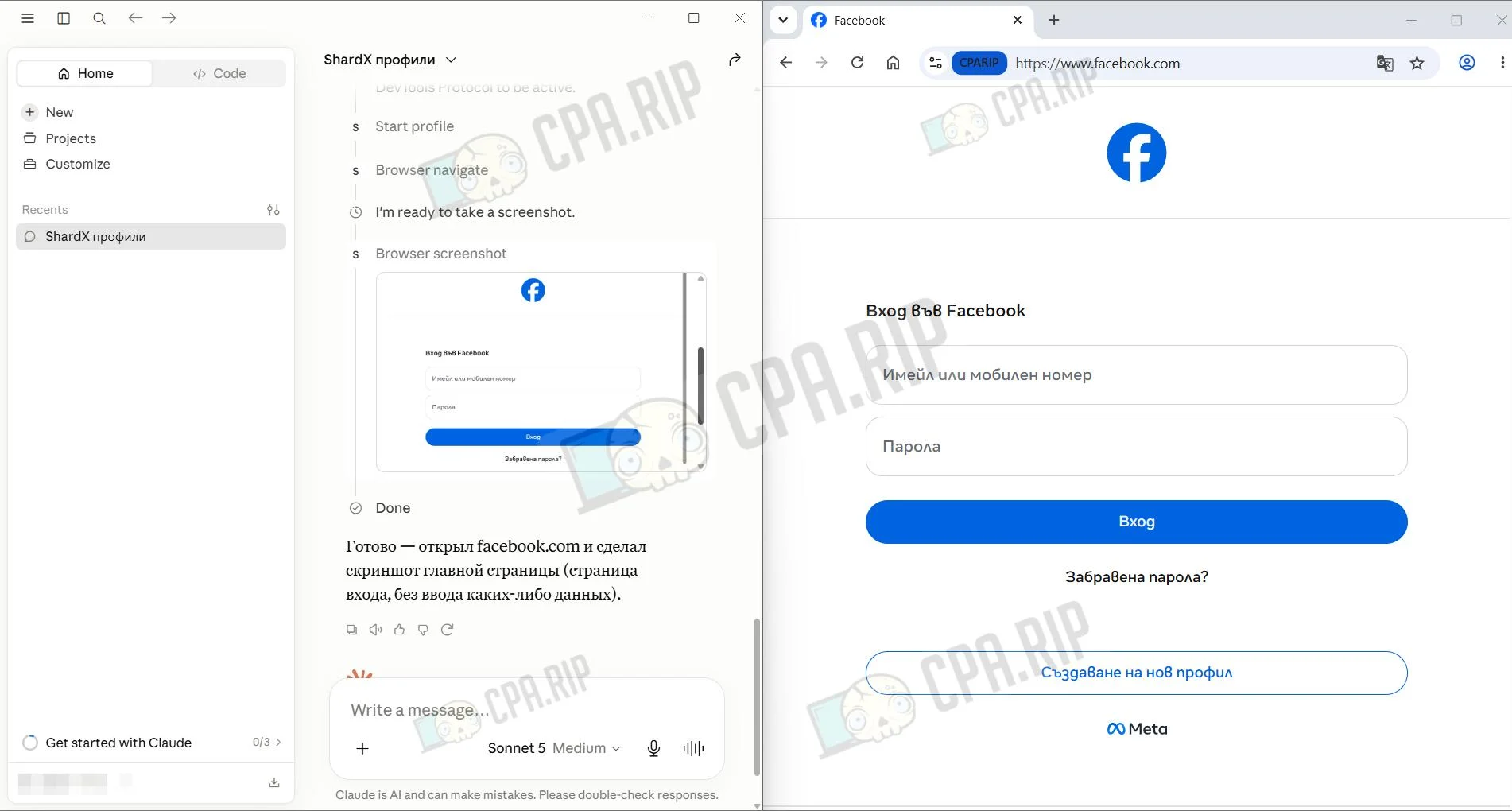
- Sample request: Open Facebook.com and take a screenshot
Connecting MCP to Claude Desktop
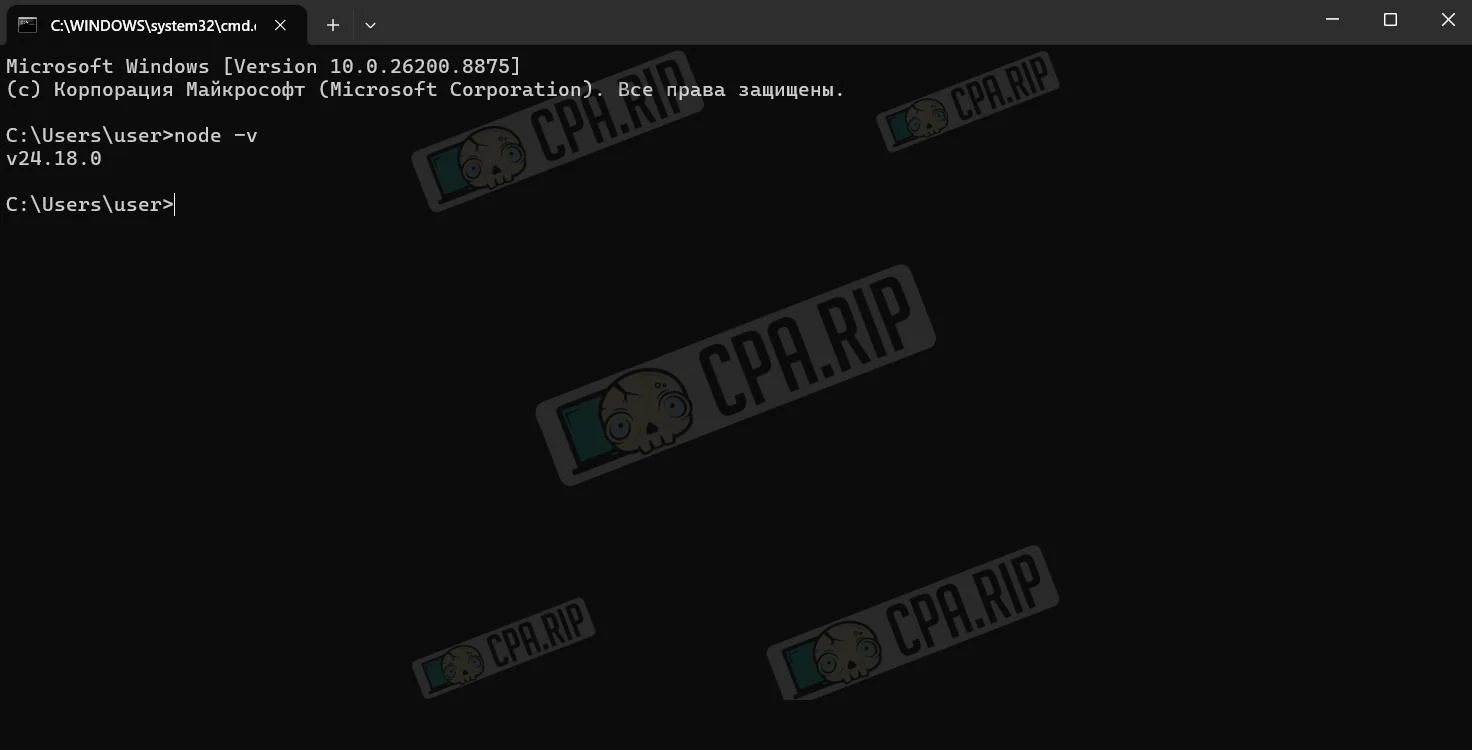
Instructions using Windows as an example. Install Node.js from the official website Node.js. If Node.js is already installed, check its version by running node -v in the command line. The version should be 18.x or higher.
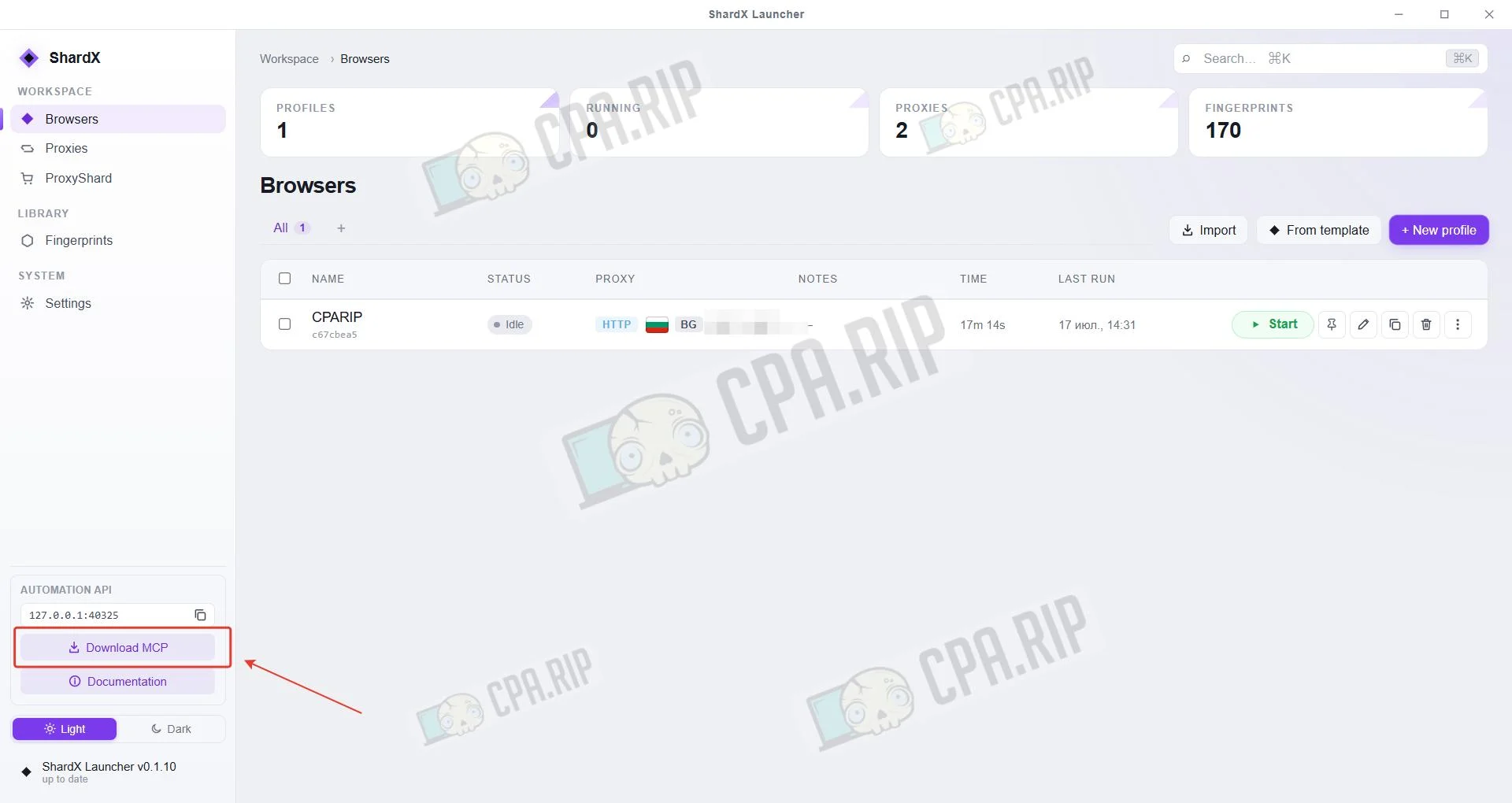
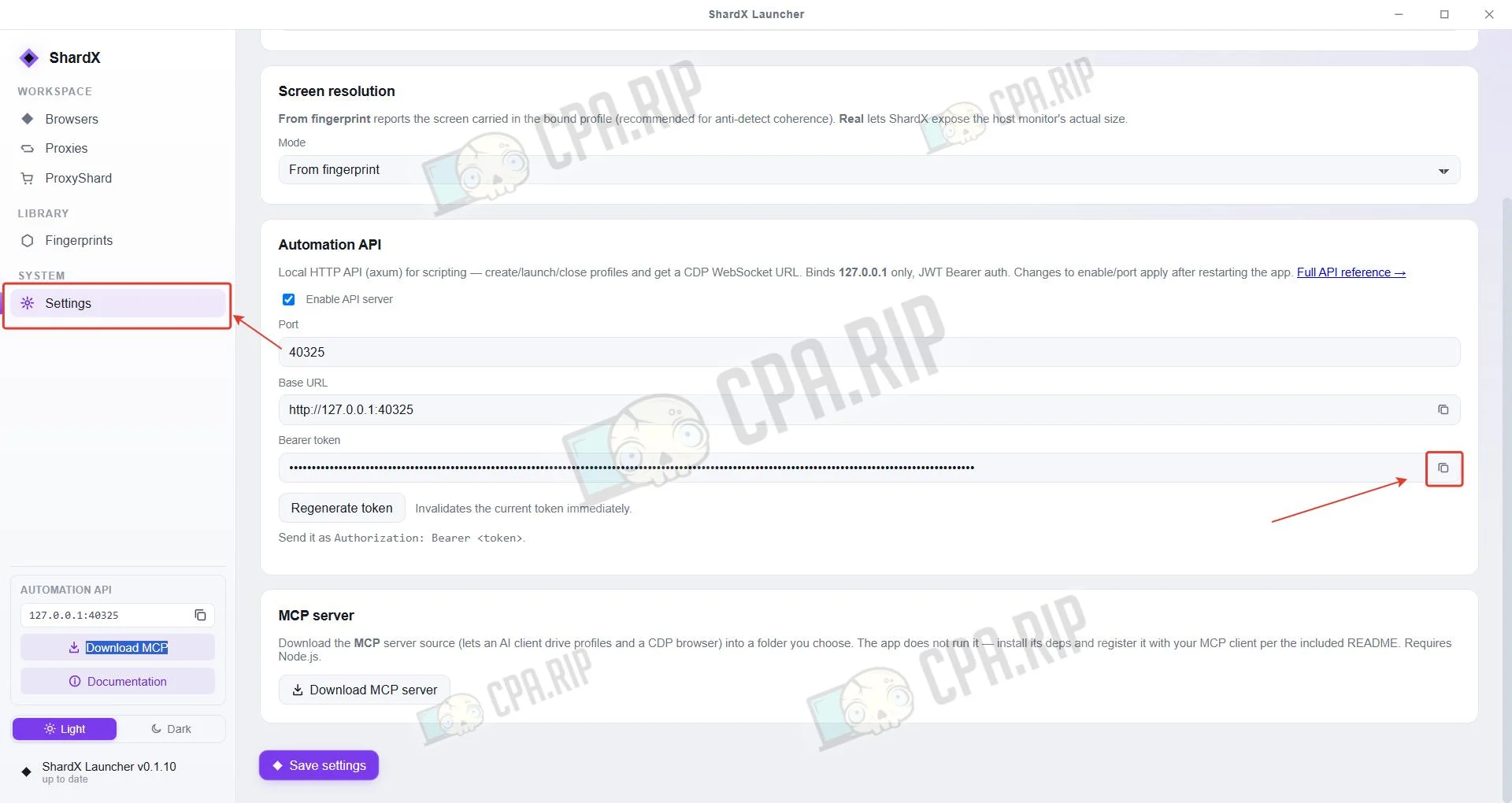
Download the folder containing the MCP server by clicking the Download MCP button in ShardX.
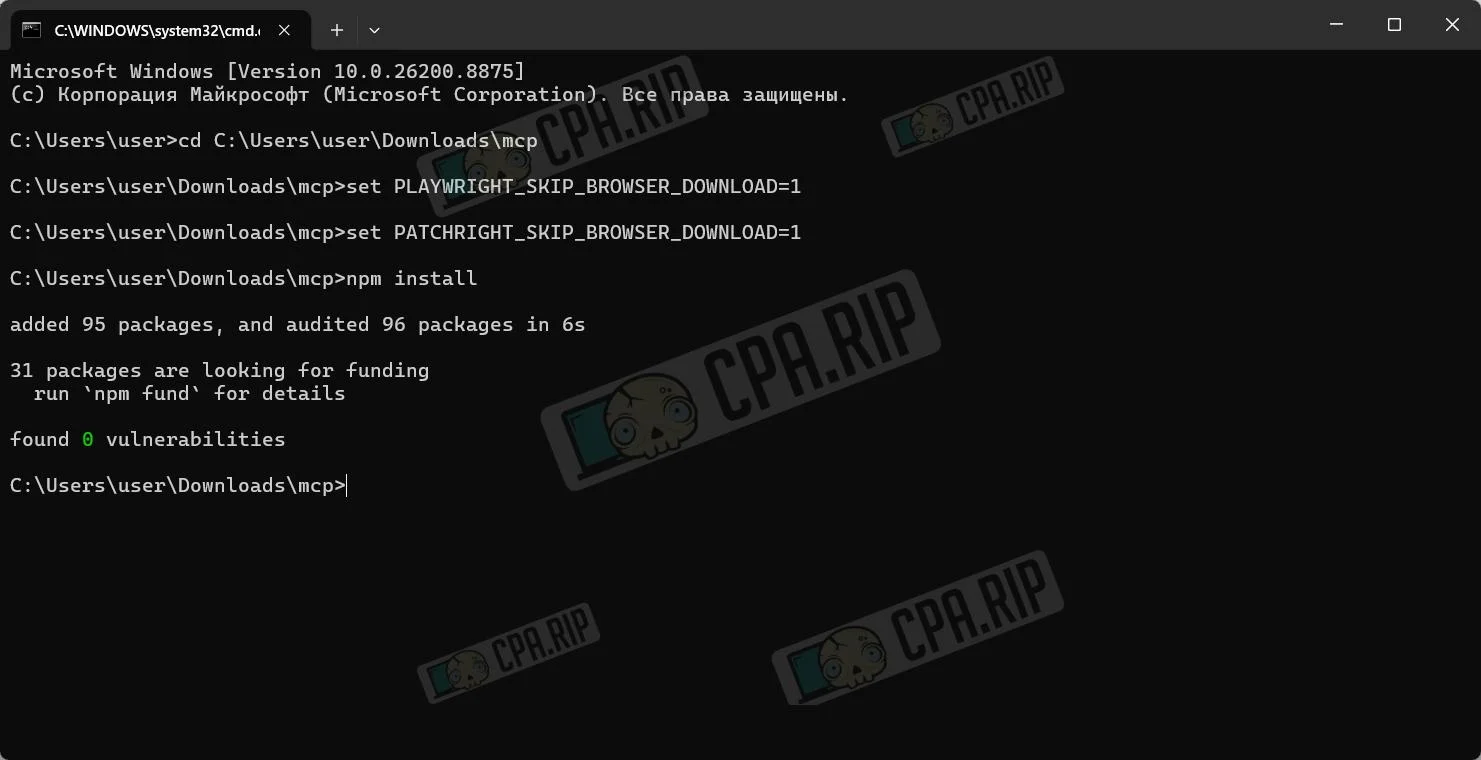
Open the command line and run the following one at a time:
cd Путь до скаченной папки MCPmcp
set PLAYWRIGHT_SKIP_BROWSER_DOWNLOAD=1
set PATCHRIGHT_SKIP_BROWSER_DOWNLOAD=1
npm install
In the Settings section, copy the Bearer Token.
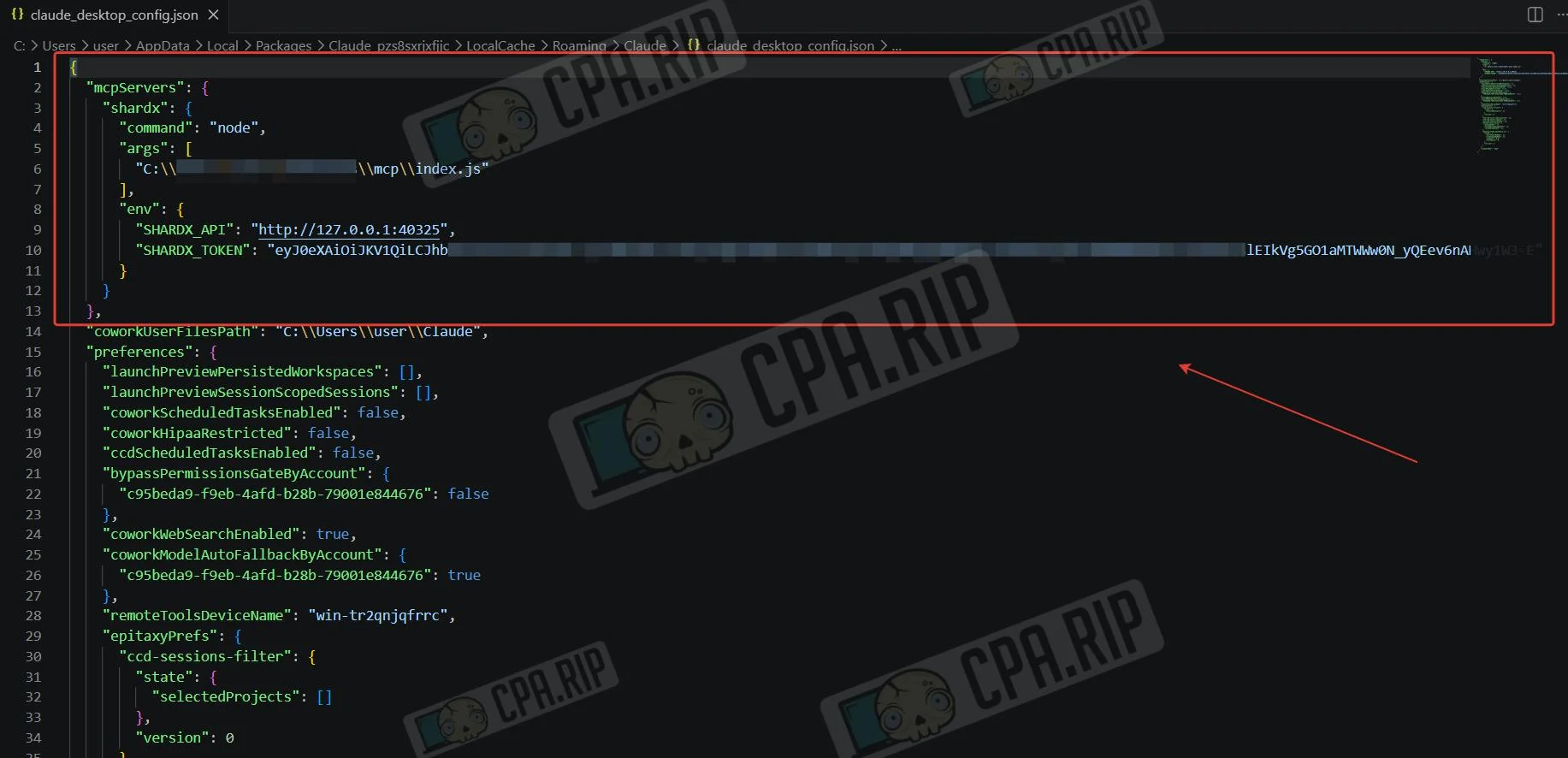
Open the claude_desktop_config.json file in the Claude folder in an editor and paste the code:
  "mcpServers": {
    "shardx": {
      "command": "node",
      "args": [
        "C:\ВАШ_ПУТЬ\mcp\index.js"
      ],
      "env": {
        "SHARDX_API": "http://127.0.0.1:40325",
        "SHARDX_TOKEN": "ВАШ_ТОКЕН"
      }
    }
  }
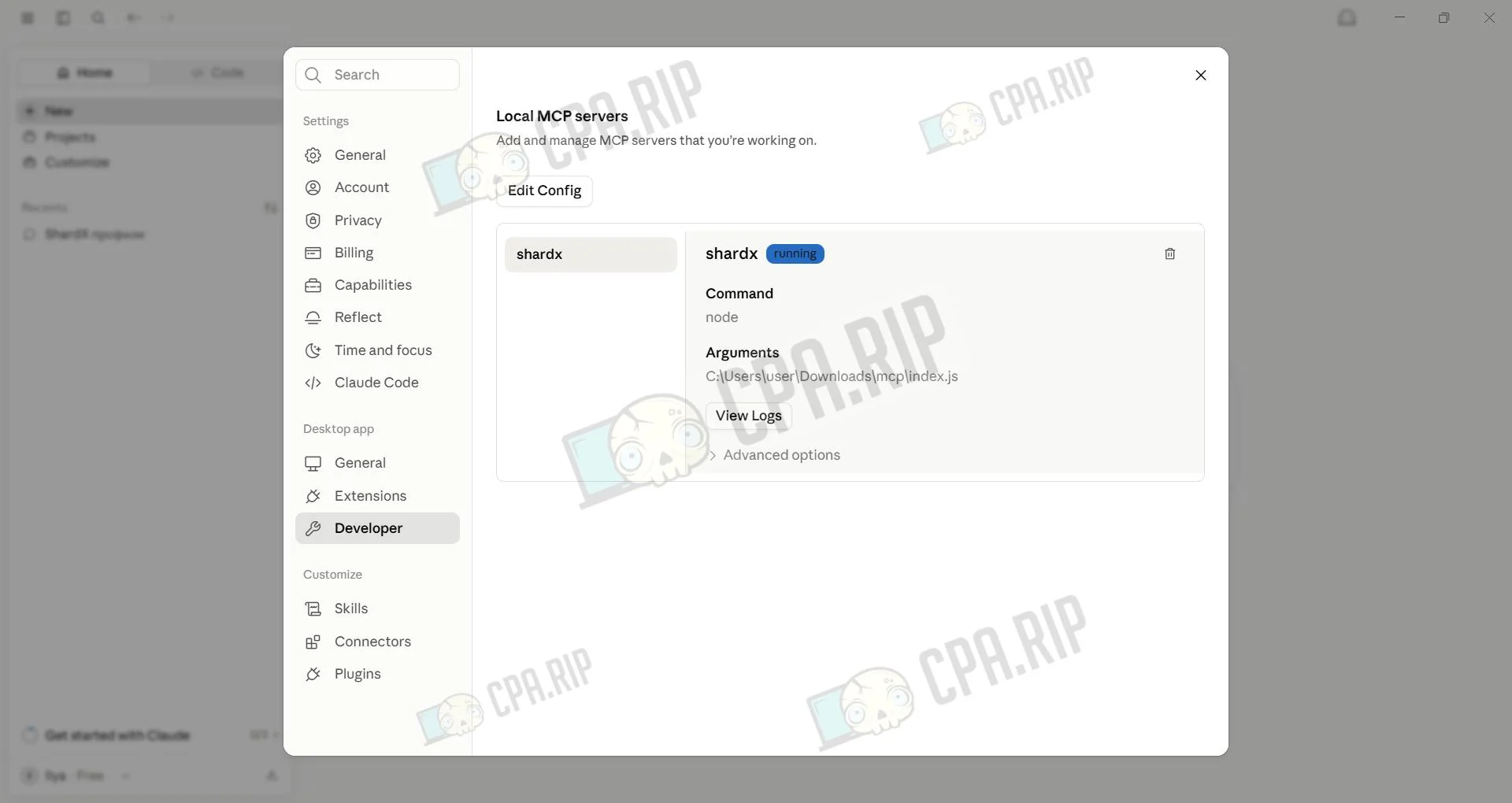
Check the MCP connection. Open Claude Customize → Developer; the server should appear there.
Nuances of installing ShardX on Mac
The first time you launch ShardX Launcher on macOS, you may see the message “The application is damaged and can’t be opened.” This is most often related to Gatekeeper blocking the app from launching due to quarantine (com.apple.quarantine) or signature-verification quirks:
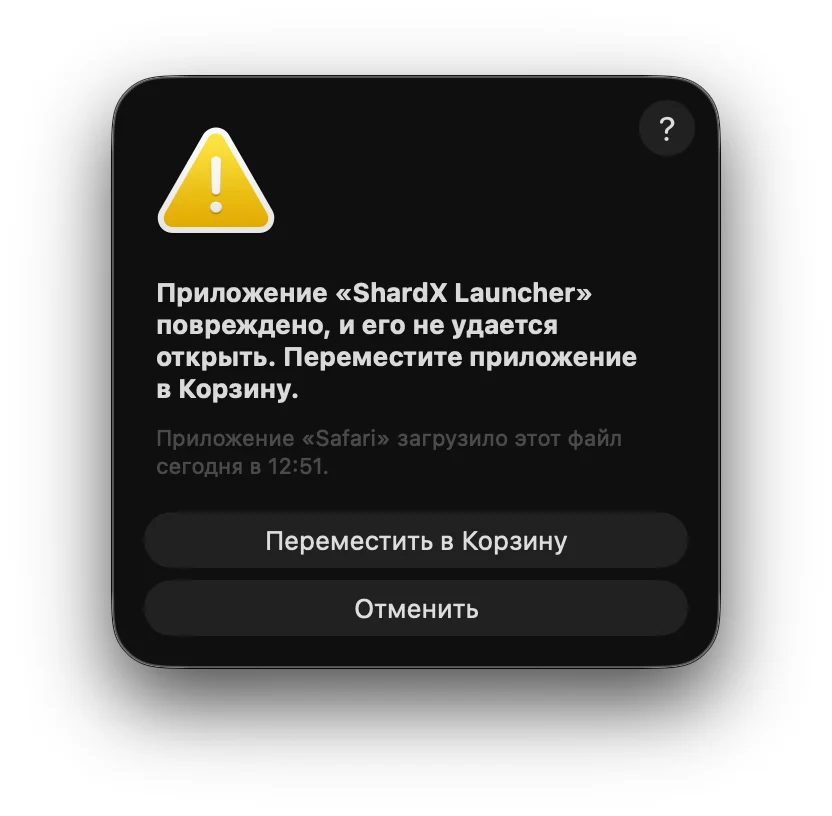
Solution:
Run the following command in Terminal:
sudo xattr -r -c /Applications/LockedApp.app
Instead of “LockedApp.app”, use the actual name of the application.
The command removes the application’s extended attributes, including the quarantine attribute, after which the application usually launches. It should only be used for applications obtained from a trusted source, since it allows one of macOS’s protection mechanisms to be bypassed.
Adding a proxy
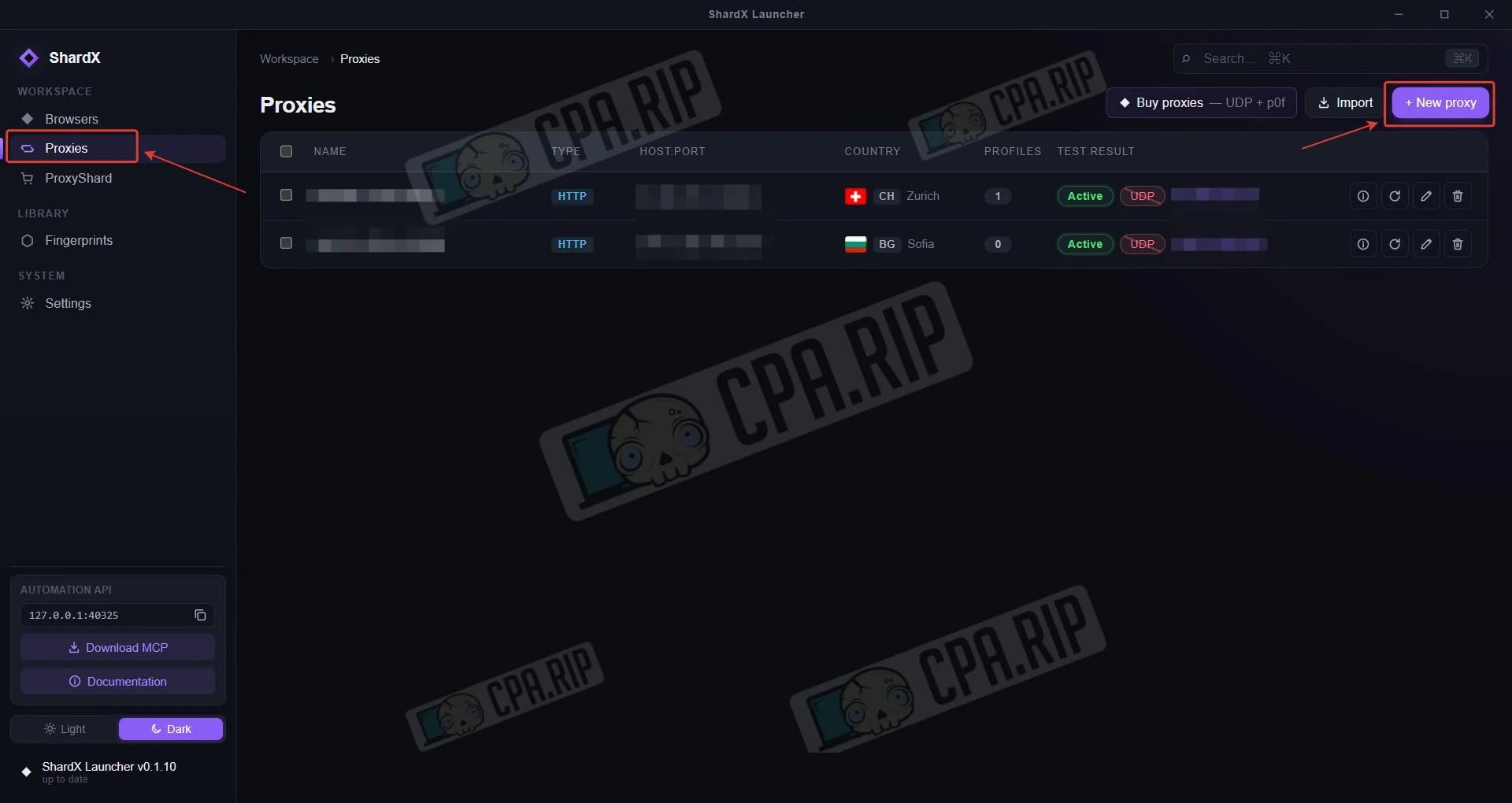
In the Proxies section, click New proxy.
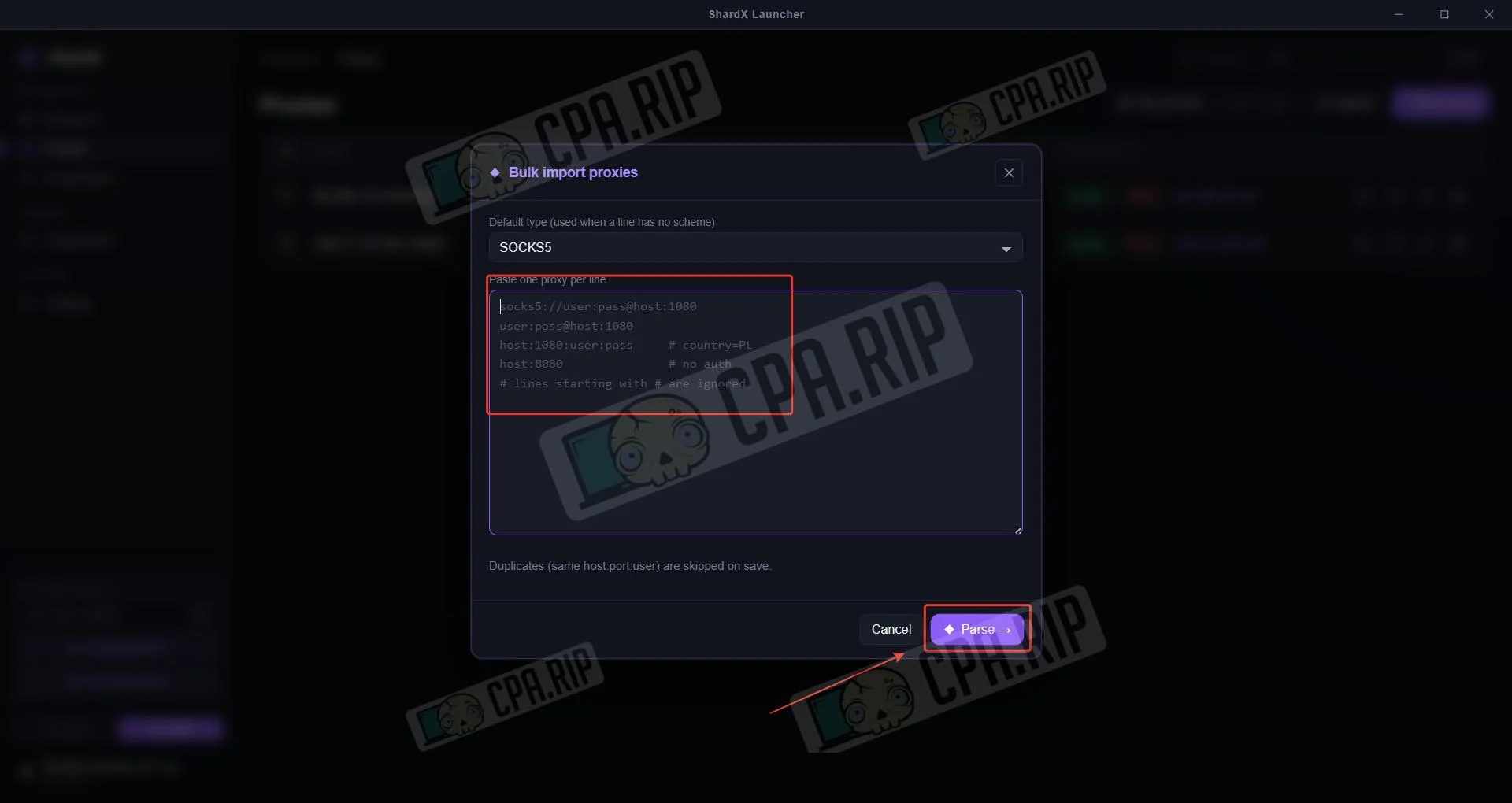
 Paste the proxy in one of the selected formats and click Parse.
Creating a profile
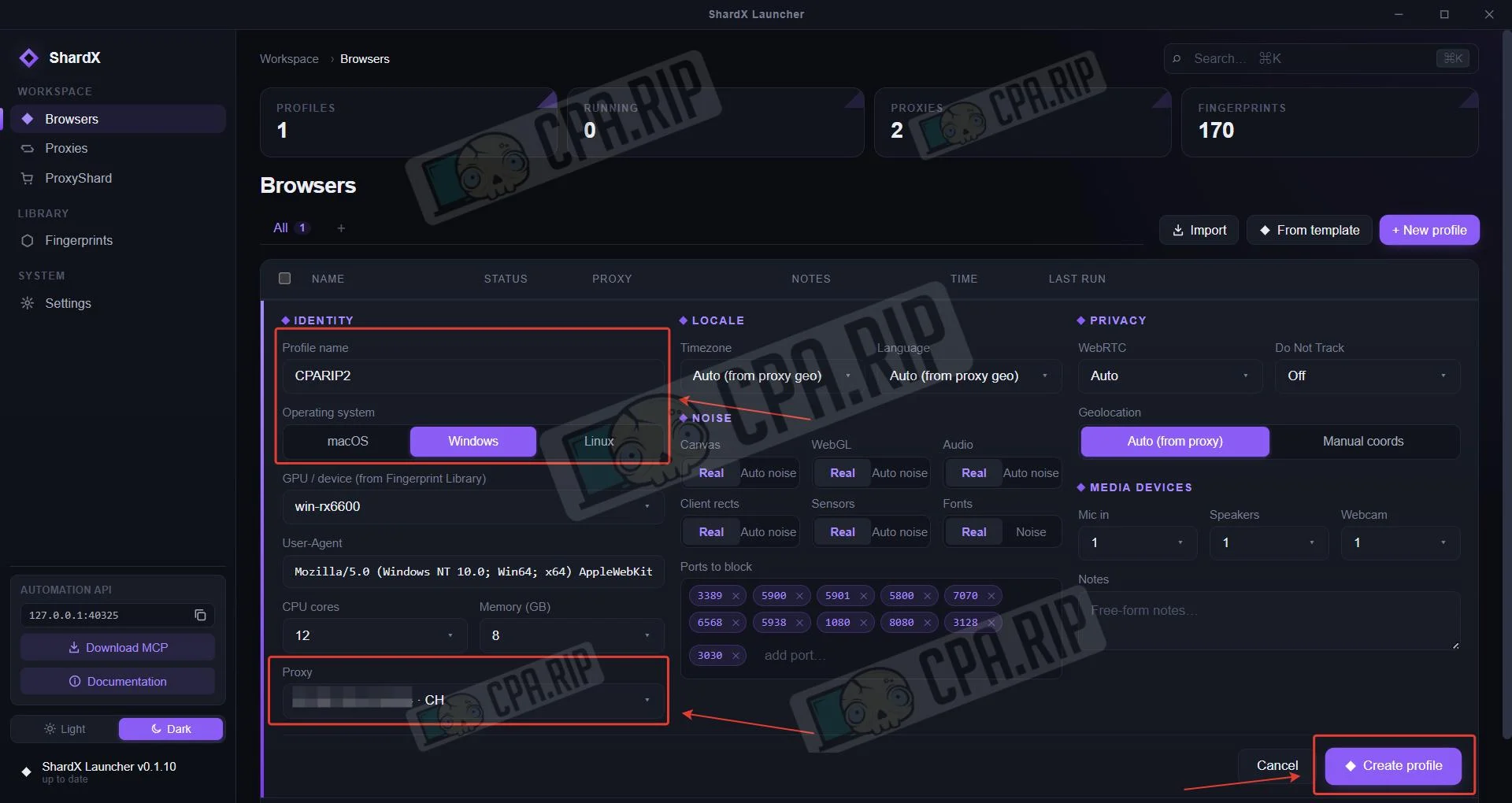
In the Browser section, click New profile.
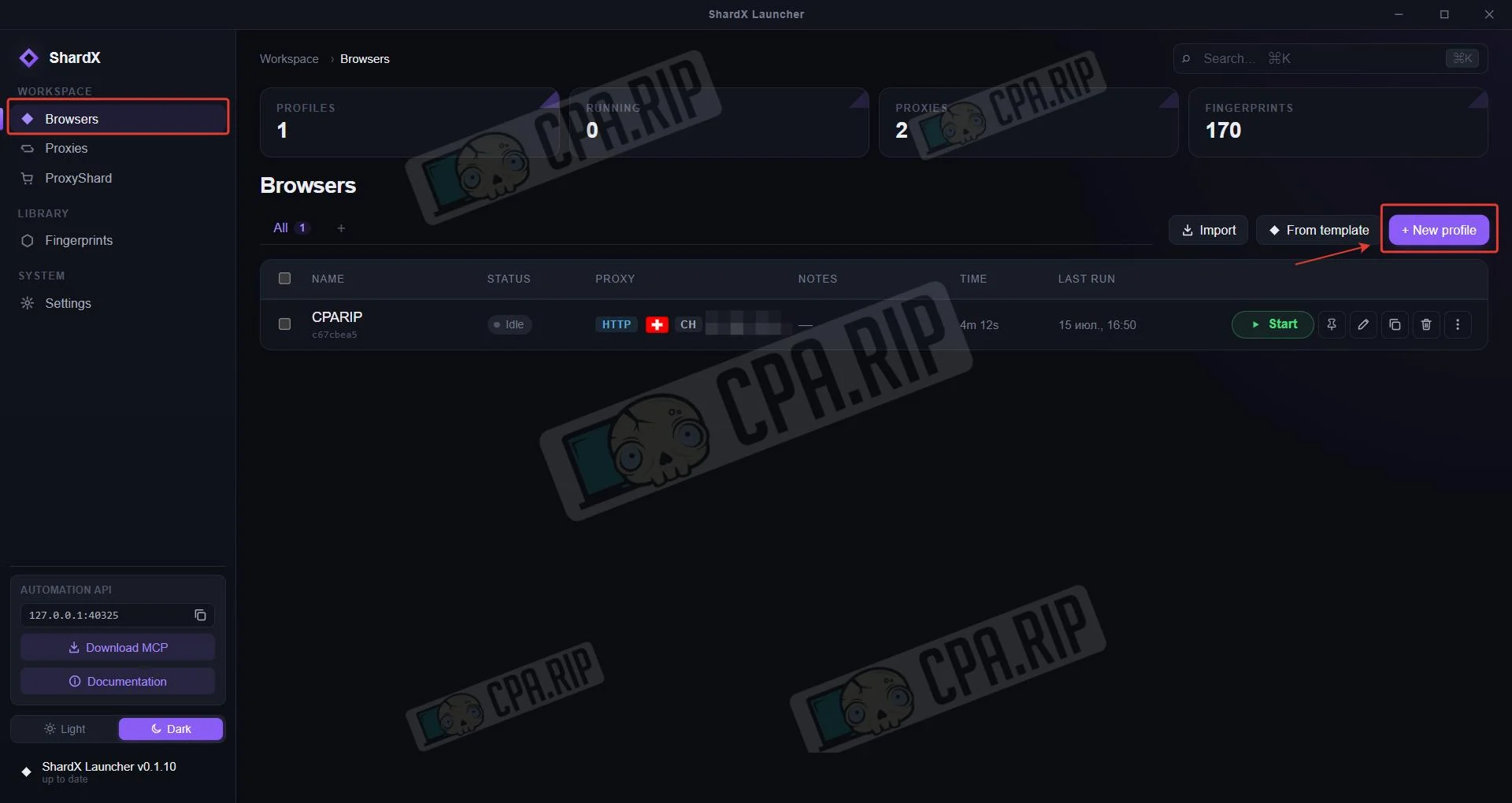
Set the profile name and select the operating system: macOS, Windows, and Linux are available. Select the proxies you’ve added and click Create profile. Configure additional parameters if needed.
Templates and fingerprints
You can create profiles from ready-made templates in a single click:
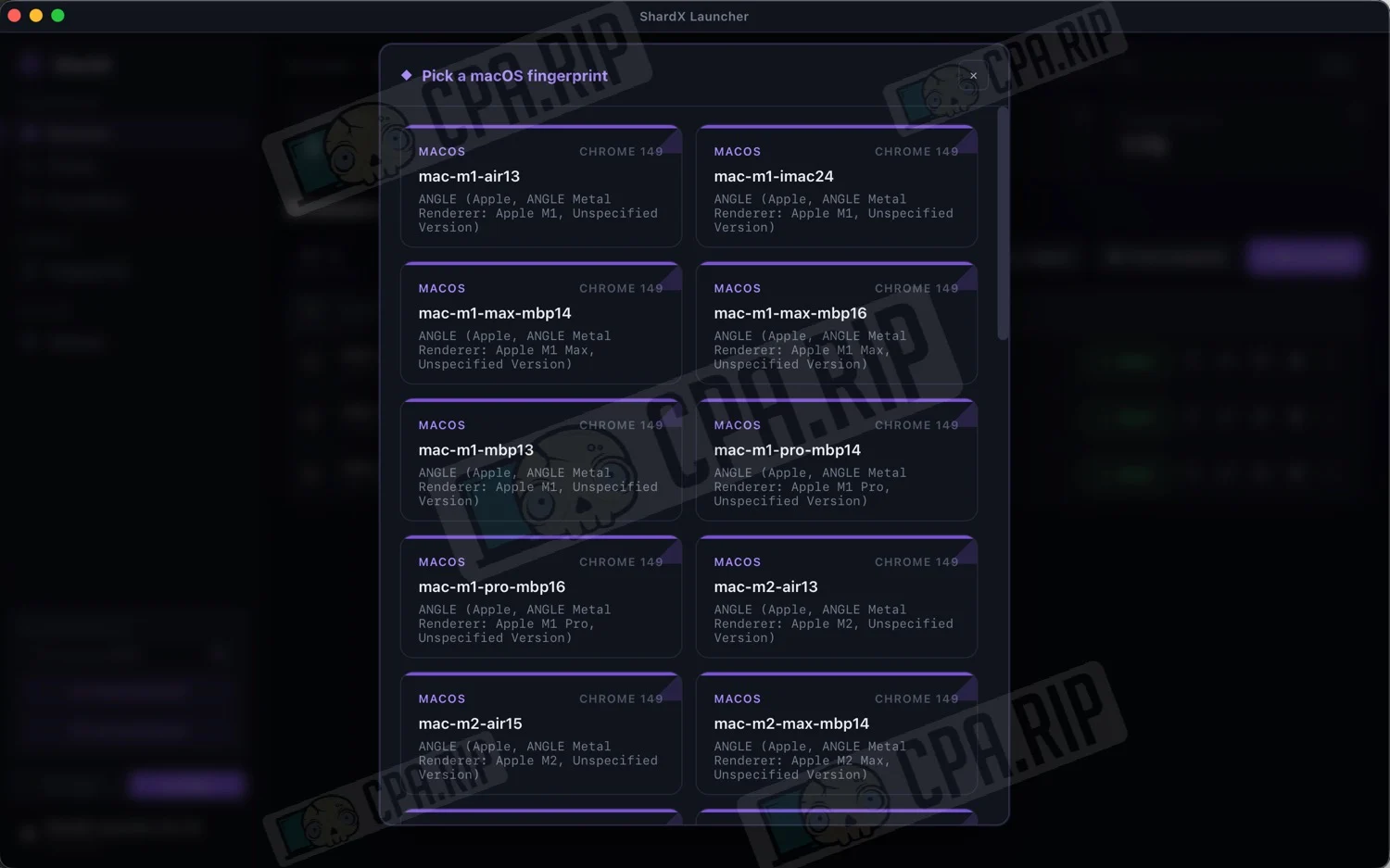
A fingerprint library is also available for Mac, Windows, and Linux:








Comments