

![[FBM] CARDS](https://cpa.rip/wp-content/uploads/cr-a1/fbm-cards-v1/fbm-cards-logo.svg)

Google has added two new settings to Google Ads: “Channel Prioritization” and “Budget Allocation.” You can now choose which ad networks should receive budget first and set spending limits for lower-priority networks.
For example, in a search campaign, you can assign high priority to Google Search and low priority to Search Partners and the Google Display Network. You can also separately limit the share of the average daily budget for lower-priority networks.
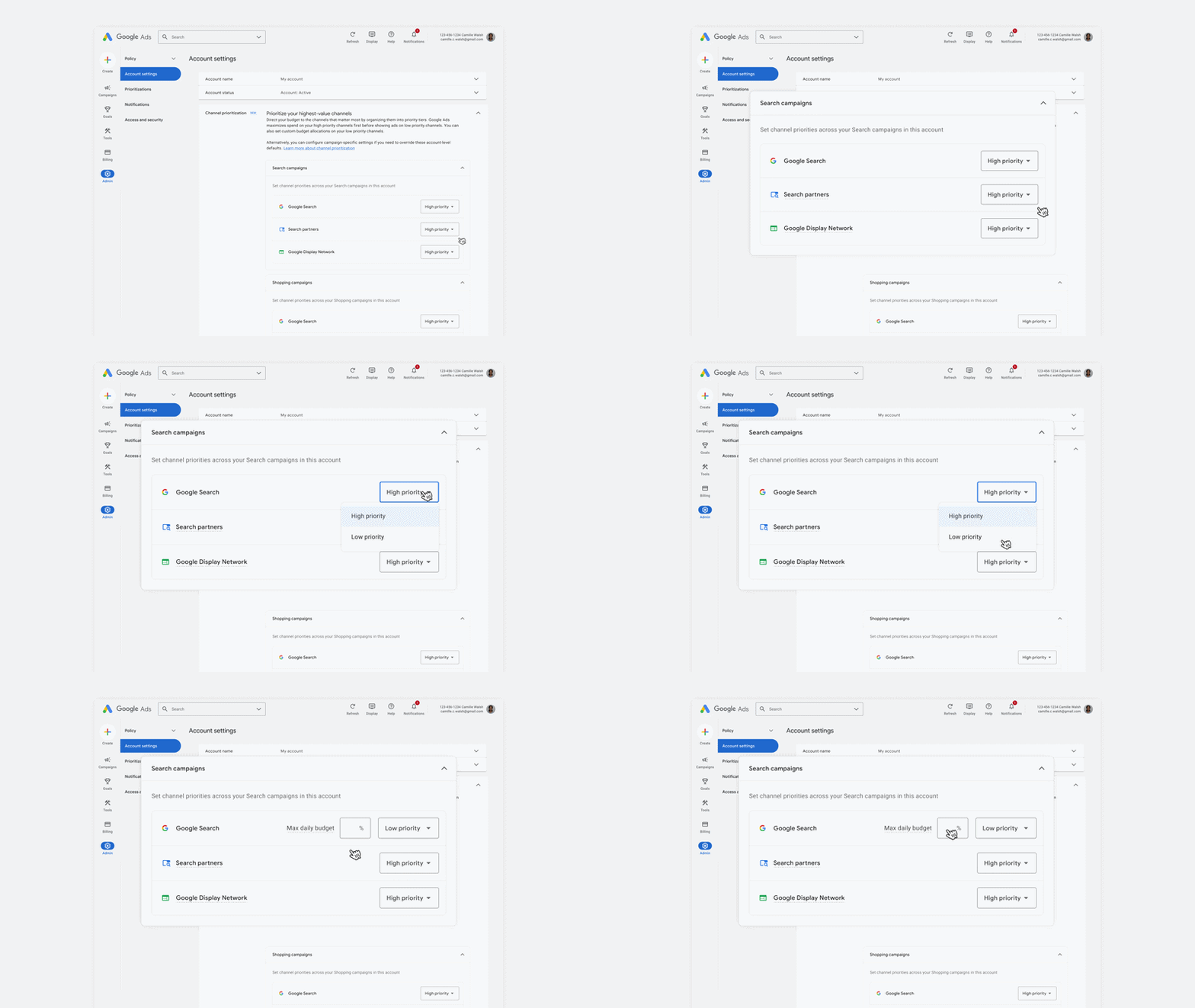
If a campaign’s average daily budget is $1000 and you set a 5% limit for Search Partners, Google will try to keep spending on them within $50 per day. However, this is not a hard limit, so spending may exceed the set percentage on some days.
You no longer need to completely disable Search Partners or the Google Display Network to reduce spending on them. You can keep the networks enabled, assign them low priority, and limit their share of the budget.
However, priorities will not affect spending in every case. For example, if a campaign uses Target CPA or Target ROAS and is not budget-constrained, changing priorities may have virtually no effect. At the same time, percentage limits will continue to work.
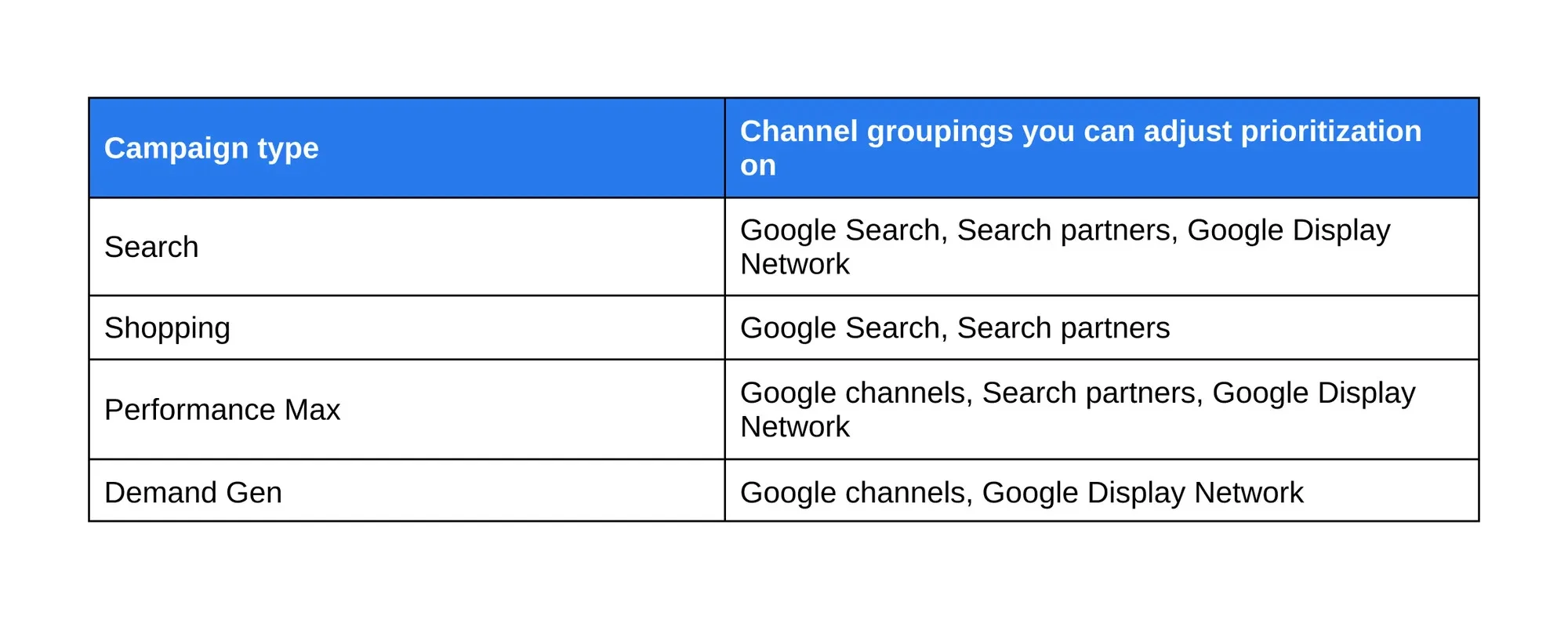
The new settings are rolling out for Search, Shopping, Performance Max, and Demand Gen. In Demand Gen, you can change only ad network priorities, without percentage limits. In Performance Max, Google properties, including Search, YouTube, Gmail, and Discover, are combined into one group, so you will not be able to allocate budget between them separately.
You can change the settings at the ad account or individual campaign level, as well as for a shared budget across multiple campaigns if they are of the same type. The rollout began on October 15, 2026, but access will be opened gradually over several months.
Starting in February 2027, Google will change budget allocation in search campaigns with the Google Display Network enabled (Display Expansion). To distribute spend as before, the company recommends setting the Google Display Network to low priority and applying a limit of 50% of the average daily budget. This limit will not be hard either.








Comments