

![[FBM] CARDS](https://cpa.rip/wp-content/uploads/cr-a1/fbm-cards-v1/fbm-cards-logo.svg)




Google Ads has started showing themes for Asset Groups in Performance Max. The new option was spotted in the asset group creation menu — Apply theme to asset group.
It lets you copy an existing Asset Group and apply a seasonal or holiday theme to the texts and images. For example, for a sale, a holiday, or another news hook.
Among the available themes, you can already see Back to school, Halloween, Black Friday, Christmas, Summer sale, Valentine’s Day, and other options tied to seasons, holidays, and major sales events.
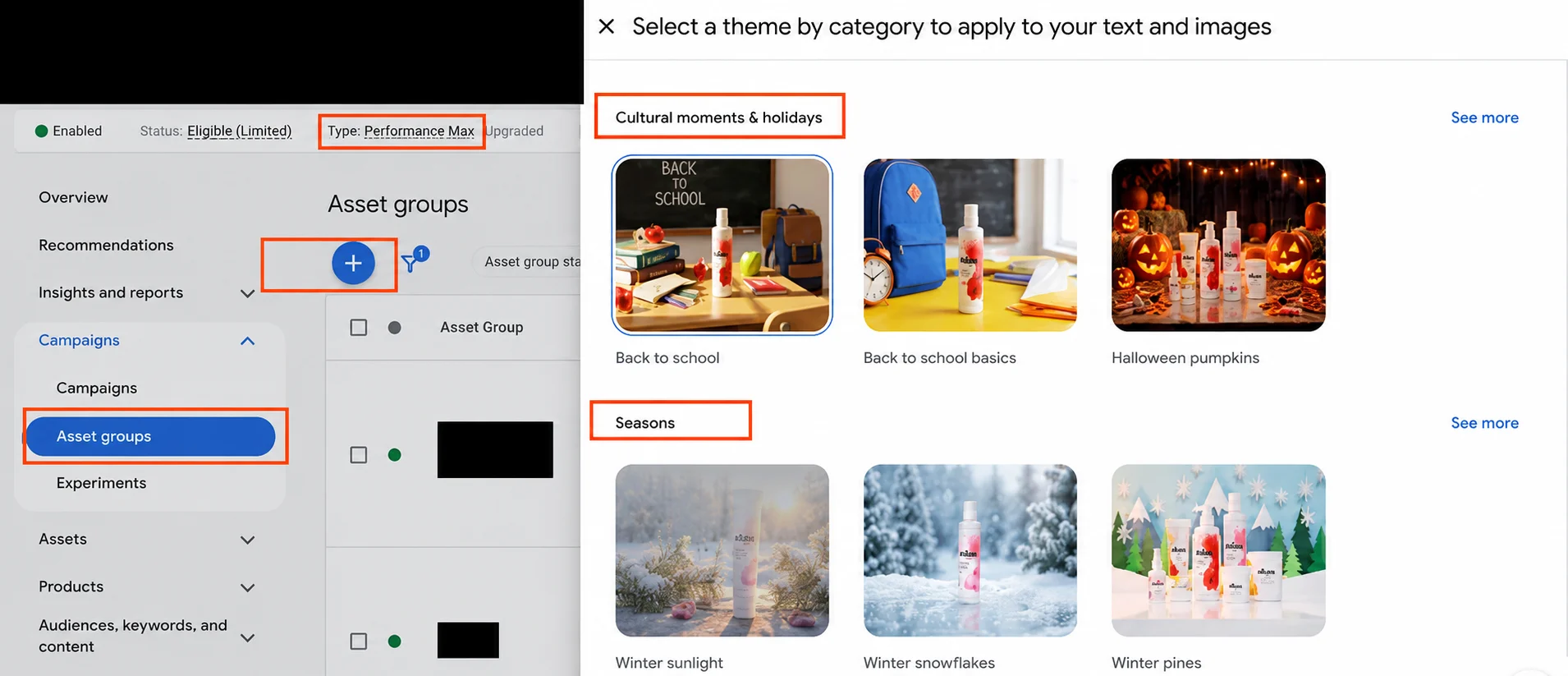
Essentially, Google uses AI to help quickly put together a themed version of an existing Asset Group. The original group remains unchanged, while the new one can be used for testing seasonal campaigns.
Not all accounts see the feature yet, so Google is most likely rolling it out gradually. You can check for it in Performance Max when creating or adding an Asset Group.








Comments